Table of Contents for
Web Design Blueprints
 Web Design Blueprints
Published by
Packt Publishing, 2016
Web Design Blueprints
Published by
Packt Publishing, 2016
- Cover
- Table of Contents
- Web Design Blueprints
- Web Design Blueprints
- Credits
- About the Author
- About the Reviewer
- www.PacktPub.com
- Preface
- What you need for this book
- Who this book is for
- Conventions
- Reader feedback
- Customer support
- 1. Responsive Web Design
- Getting familiar with the basics
- Using media queries for responsive design
- Working with responsive media
- Building responsive layouts
- Summary
- 2. Flat UI
- Flat UI color
- Creating a flat UI layout
- Summary
- 3. Parallax Scrolling
- Color classes
- Using SVG font icons
- Getting the fonts
- That's no moon!
- OMG, it's full of stars!
- Clouds, birds, and airplanes
- The rocket
- Terra firma
- Next up, the CSS
- Styling the objects with CSS
- Styling the ground objects
- Writing the JavaScript effects
- Setting the row height
- Spreading the objects
- Spreading the clouds
- Loading the page functions
- Smoothening the scroll
- Updating elements on the scroller
- Collecting the moving elements
- Creating functions for the element types
- Setting the left positions
- Creating the rocket's movement function
- Finally, moving the earth
- Summary
- 4. Single Page Applications
- Getting to work
- Getting the old files
- Object and function conventions
- Creating utility functions
- Working with the home structure
- Setting up other sections
- Performing housekeeping
- Creating a callBack function for the API
- Summary
- 5. The Death Star Chapter
- Dropping in the parallax game
- Loading elements from JSON
- What can be done in the shared levels service
- Editing the home JavaScript
- Creating the other pages – credits and leaderboard
- Creating the second level
- Summary
- Index
Our next step is to jump right into the action and dump your parallax game file into the SPA framework. Since we have a pretty good systematic way to load scripts into the DOM, it should be pretty easy to shim it in and make it work.
We will further be moving the functions around to make them reusable patterns.
- Create a new directory in your project named
level1. This is where we will place the work from the parallax project. - Copy the
index.htmlfile into thelevel1directory and then rename it to match the style of the routing registry,level.html. - Then, create the additional new files
level1.js,home-level1.html, andlevel1.json.
Let's add some CSS files to the directory so we can break it into small pieces. It's not required, but it may help keep things tidy. We will be adding CSS for each partial template. In the css/ directory, add the CSS files levels.css and level-1.css.
Since we were last in the css/ directory, let's work on that. Cut the CSS out of the style tag in your level1.html file and paste it into the level-1.css file. This will only be used when the level1.html file is in the view of the SPA framework. For now, all the CSS goes there. In future, we will find some CSS that needs to be shared with other levels. Then, we can move that code into the shared levels.css file.
Next, remove the JavaScript from the level1.html file and put it inside the level-1.js file. We will do the same later: modify and move functions into a shared state in the levels.js file.
We also need to get rid of all the META and BODY tags in the level1.html file now that it is shimmed into the framework. So, remove everything that is parent to the MAIN element. Be sure to remove the trailing tags as well. We moved the CSS into a separate directory, and added a new CSS, so let's add links to these so they appear in the HTML of the template partial. Add the link to both new CSS files in the top of the HTML partial template. The links should look like the following sample code:
<link type = "text/css" rel = "stylesheet" href = "css/level-1.css" media = "all">
<link type = "text/css" rel = "stylesheet" href = "css/levels.css" media = "all">
To link this up into our framework, we need to add a routing registration to the routing table. To make it simple, copy the leaderboard registry and replace the leaderboard text with the text level1. That's a lot already; we have used our framework to add the first level to our game. It's loading like it should. Let's load it and see what breaks.
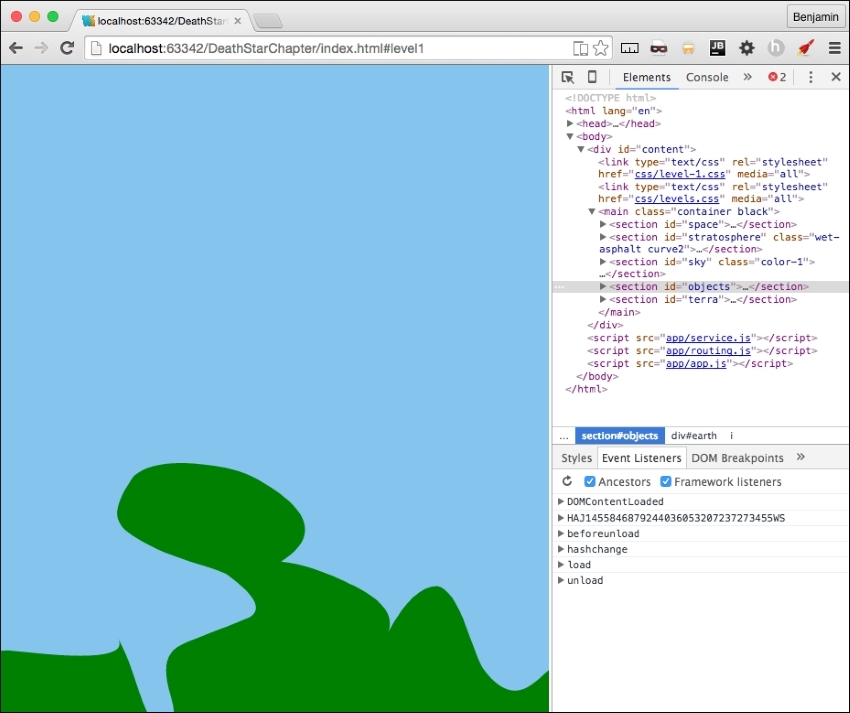
It's a good thing software development is largely based on problem solving, because we have some problems to solve to make this work. You will notice when you load the level1 partial, the JavaScript for the parallax game is not loading. If you inspect the SPA code in your browser, you will see the JavaScript is loaded into the head, but not firing.
So, let's take a look inside and see what's happening. Most of the JavaScript comprises functions, and we know these won't execute if not called, so we can eliminate them as the original failure point. There is a unique function call at the beginning of our JavaScript, a function that fires when the body loads, which in our previous version fired without a problem. This is your first line of code, and the first executable function, and it's not firing as expected. See the following culprit:
document.getElementById("body").onload = function(){...Let's examine the order at which the SPA framework loads this page. First, Index.html loads the HTML BODY into the DOM, Then, the JavaScript fires and then at the end of the chain of functions this loads, so in our normal operations of loading template partials into a view, this would not be expected to work. This is because the body has already loaded at this time, so the JavaScript event listener missed the boat on the body loading.
So, we know this is broken, but don't just go willy-nilly and delete the whole function. It has useful code that you do not want to rewrite later on. For now, just comment out the block of code and save it for later. We will eventually pick this function clean and repurpose its code in other functions.
This is easy to fix. We need something to initialize the first function. Instead of the function executing the loading of the body, let's take a look at the parts involved and see what would be useful to the other levels. We want certain things to happen on each level when it loads. We want to put these things into a function that will call when the template partial loads. So, create a new function, following our SPA framework's namespace method, named level1.load. It should look like the following sample function:
level1.load = function(){
//DO SOMETHING
};
The first part of the body load, the for loop, gets the row DIV elements and sets each one's height to equal the inner height of the window. This function could reasonably be used to load every game level pages. Move this into the level1.load function.
level1.load = function(){
for (i = 0; i < document.getElementsByClassName("row").length; i++)
{
document.getElementsByClassName("row")[i].style.height = window.innerHeight + "px";
}
};
The next few lines of code send certain objects to the spreadObjects() function, so because these are objects specific to that level, it is not a reusable general function. Therefore, do not move these into the level1.load() function.
After the spreadObject() function calls, the next line of code, calling smoothScrollTo(), scrolls the screen to the bottom. That should be moved into a general pattern since we will want all of the levels to scroll from the bottom to the top this way. The next line of code in the body load function adds an attribute to the BODY element. It adds a function call to the onscroll event to an existing function called updateElement(). And, because it is a reusable pattern, we need to change it so it does not always call the same function, updateElement(), we need this to execute the function we send to it. So, change the value to levelCallBack, because it will function as if we have sent it a proper callBack. This is also a general pattern we will want on every level of the game. Add these lines of code next, and your level1.load function is complete. See the following:
level1.load = function(){
for (i = 0; i<document.getElementsByClassName("row").length; i++)
{
document.getElementsByClassName("row")[i].style.height = window.innerHeight + "px";
}
smoothScrollTo(document.body.scrollHeight);
document.getElementsByTagName("body")[0].setAttribute("onscroll", levelCallBack)
};
We still have not made the change to load the function, as it is only refactored. At the end of level1.js, let's add some code to execute the level1.load function. Let's start it with a conditional statement to check that we are not at the home page. If it's at the home page, we do not want to run this script; if it's not there, then execute the level1.load function. The code should look like this next sample:
if(window.location.hash.split('#')[1] === 'home'){
}else{
level1.load('updateElement()');
}Now, since level1.load is a reusable pattern, it has no place in level1.js, as that is only loaded on the #level1 hash. Cut it out of level.js and put it into the app/levels.js file. Then, rename it levels.load.
levels.load = function(){
for (i = 0; i<document.getElementsByClassName("row").length; i++)
{
document.getElementsByClassName("row")[i].style.height = window.innerHeight + "px";
}
smoothScrollTo(document.body.scrollHeight);
document.getElementsByTagName("body")[0].setAttribute("onscroll", levelCallBack);
};
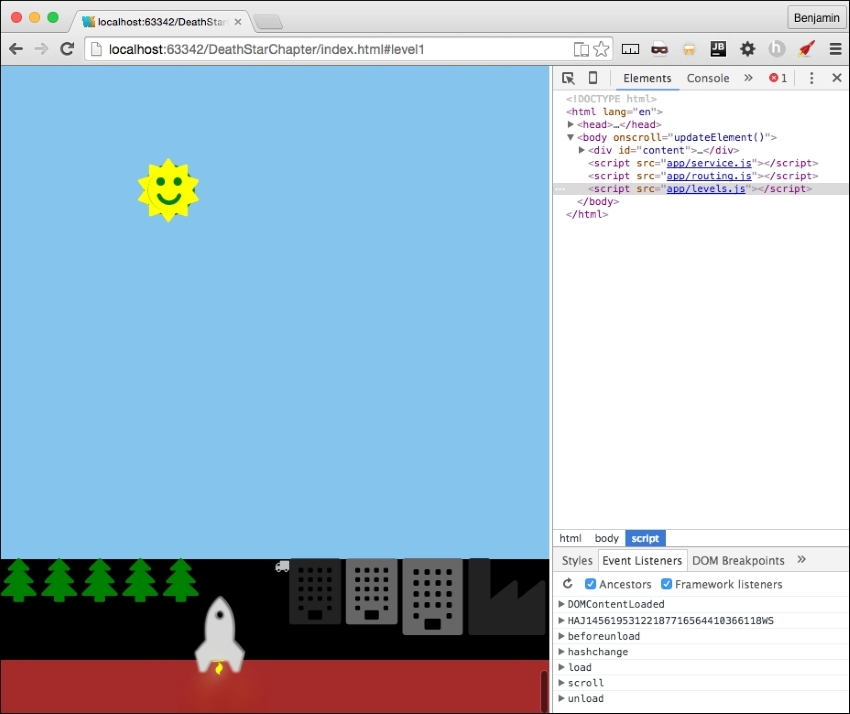
Now, you can launch the URL to the hash #level1 and see the level1 parallax scrolling is starting to come back together. There are some things to fix as far as how the objects are rendered, and we will fix that soon. But nevertheless, you can see it's a work in progress in the next screenshot:
Before we move further, let's get some maintenance work done. First, in level.js, define level1 as an object. This should be a familiar job as we have done this throughout the SPA framework. Hopefully, I'm not surprising you with this.
level1 = {};Most of our functions that we brought over from the parallax site have no object namespacing. They are simply function calls. We want to rewrite them to have the level1 namespace preceding them. In order to do so, you will need to replace every function call with a namedspace call. See the next example for a proper instruction:
Find this function:
function spreadObjects(x, vm, hm, va, ha, p, e){
…
}
Change it to this:
level1.spreadObjects = function(x, vm, hm, va, ha, p, e){
…
}
You should do this to every function on level1.js, except the window.smoothScrollTo function. We are going to leave it alone for now.
Now, as you would expect, we have broken everything. The functions are to be called by function calls that are now pointing to functions that no longer exist. There are two ways to go about this: first, you can refresh the HTML page and see what breaks, or use the search feature of the IDE and find and repair the broken references in the HTML.
See the following picture with your first error:
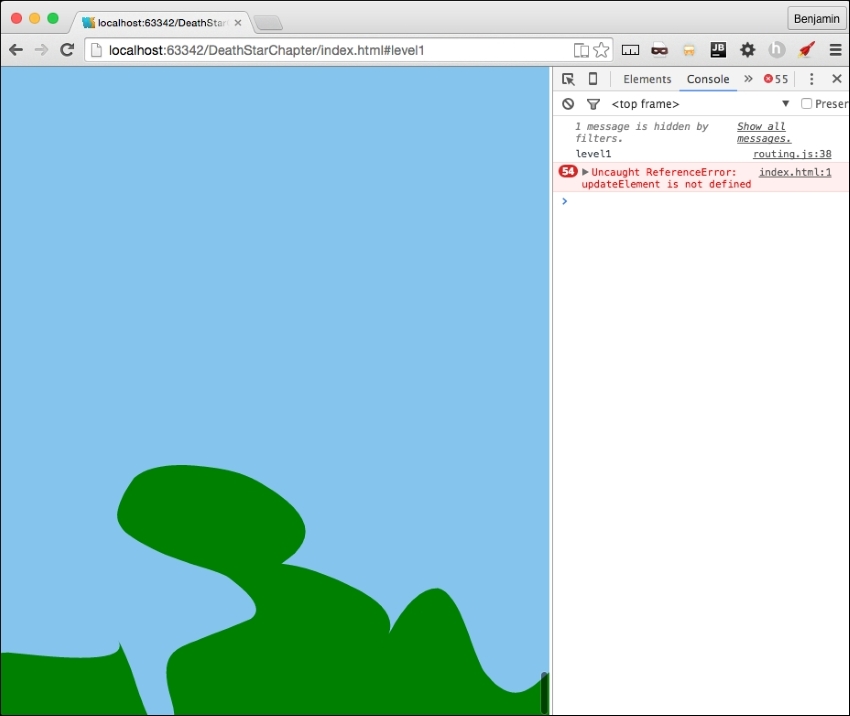
You will see the first error is updateElement, which is not defined. We recently broke this, remember? You can fix this at the bottom of the level1.js file by prepending the function callback with the text level1. See the next example:
if(window.location.hash.split('#')[1] === 'home'){
} else {
levels.load('level1.updateElement()');
}
This gets us to the next error, getMovingElements, which is not defined. You already know what to do. I won't waste your time going through every function. I think you can discover and repair them yourself. But here's a hint: you need to prepend the name with the text level1.
This creates another issue to fix early before we see the error; we add an attribute to the body to fire this function on every scroll. But when we are at another page, or level, we don't need this. In fact, it will cause some potential problems later. Let's clean it up by adding a new line of code to home.js that will remove the scroll listener from the body. At the end of the JavaScript file, get the element by tag name body, and remove the scroll attribute from it. See the following example for our preemptive strike at fixing broken code:
document.getElementsByTagName("body")[0].removeAttribute('onscroll');Take a break, make some coffee, and get busy fixing these function calls. It should only take a few minutes to crush all the little errors and prepend them with the proper namespacing. Once done, you are ready to go to the next step.