Table of Contents for
Web Design Blueprints
 Web Design Blueprints
Published by
Packt Publishing, 2016
Web Design Blueprints
Published by
Packt Publishing, 2016
- Cover
- Table of Contents
- Web Design Blueprints
- Web Design Blueprints
- Credits
- About the Author
- About the Reviewer
- www.PacktPub.com
- Preface
- What you need for this book
- Who this book is for
- Conventions
- Reader feedback
- Customer support
- 1. Responsive Web Design
- Getting familiar with the basics
- Using media queries for responsive design
- Working with responsive media
- Building responsive layouts
- Summary
- 2. Flat UI
- Flat UI color
- Creating a flat UI layout
- Summary
- 3. Parallax Scrolling
- Color classes
- Using SVG font icons
- Getting the fonts
- That's no moon!
- OMG, it's full of stars!
- Clouds, birds, and airplanes
- The rocket
- Terra firma
- Next up, the CSS
- Styling the objects with CSS
- Styling the ground objects
- Writing the JavaScript effects
- Setting the row height
- Spreading the objects
- Spreading the clouds
- Loading the page functions
- Smoothening the scroll
- Updating elements on the scroller
- Collecting the moving elements
- Creating functions for the element types
- Setting the left positions
- Creating the rocket's movement function
- Finally, moving the earth
- Summary
- 4. Single Page Applications
- Getting to work
- Getting the old files
- Object and function conventions
- Creating utility functions
- Working with the home structure
- Setting up other sections
- Performing housekeeping
- Creating a callBack function for the API
- Summary
- 5. The Death Star Chapter
- Dropping in the parallax game
- Loading elements from JSON
- What can be done in the shared levels service
- Editing the home JavaScript
- Creating the other pages – credits and leaderboard
- Creating the second level
- Summary
- Index
Inside the app directory, add a new directory named home. Inside it, create a new HTML page named home.html. We will begin putting together the home page section next.
Next, open the index.html file and select all of the content within the body tag and cut it out. In the home.html file, create a new HTML5 MAIN element and inside it, paste the contents of your clipboard. This is going to create a new layer in your markup, so it will break your CSS. Let's fix that before we move on.
<main >
    <section>
        <div class="time color-0" id="time">FOO</div>
        <div>
<div class="news color-1 scroll">Conversely, modify the body to have the color-0 class. Add a new child DIV element with the ID content to it. We use this in the script to insert the AJAX-ified content into the page.
<body onload="home.getTime()" class="color-0">
    <div id="content"></div>
</body>
Now, if you refresh your page, the application is broken. Well, that's good, as we have something to fix now. This is a good direction to go in. We will fix it using the services.getPage function.
With the services.getPage function, we will get the AJAX content. The most important part of a Single Page Application is the asynchronous loading of content into the document object model. So, first things first, let us create a function to load content asynchronously. Create a new function as a method of the services object. The function will be a method in the services object, therefore name it services.getPage:
services.getPage = function(){
//Do something here};
Inside it, create a new variable called XHTTP (Extended Hypertext Transfer Protocol), which will be a placeholder variable for a new XMLHttpRequest. An XMLHttpRequest is an API that provides the browser with the functionality for transferring data between the client and server:
var xhttp;
xhttp = new XMLHttpRequest();
Following the XHTTP variable, create another variable named url to contain the URL we will be getting the content from. In this case, it is ./app/home/home.html. We should also create another variable to define where we want to load the content into. This variable will be used to select the element id:
var url = "./app/home/home.html";
var id = "content";
XHTTP will have an event method, named onreadystatechange, that is performed whenever the readyState changes. In our case, it is when the server gives us a response. In the event that the readyState is 4, which means that the request is finished and the response is present, and the response status code is 200, meaning 'OK', or that the requested file was found, we want the function to perform another function that will load the content into the page. Leave it commented as pseudo-code for now, but do add a console.log of the response so we can take a look at it working:
xhttp.onreadystatechange = function () {
if (xhttp.readyState == 4 && xhttp.status == 200) {
// function to load the content
console.log(xhttp)
}
};
After the XHTTP readyState change and callback, XHTTP can retrieve the url sent to the function using the GET command inside the open method. And then finish it with the send method.
xhttp.open('GET', url, true);
xhttp.send();
Then close the function. The complete function will look like the following example:
services.getPage = function(){
var xhttp;
xhttp = new XMLHttpRequest();
var url = "./app/home/home.html";
var id = "content";
xhttp.onreadystatechange = function () {
if (xhttp.readyState == 4 && xhttp.status == 200) {
//function to load the content
console.log(xhttp)
}
};
xhttp.open('GET', url, true);
xhttp.send();
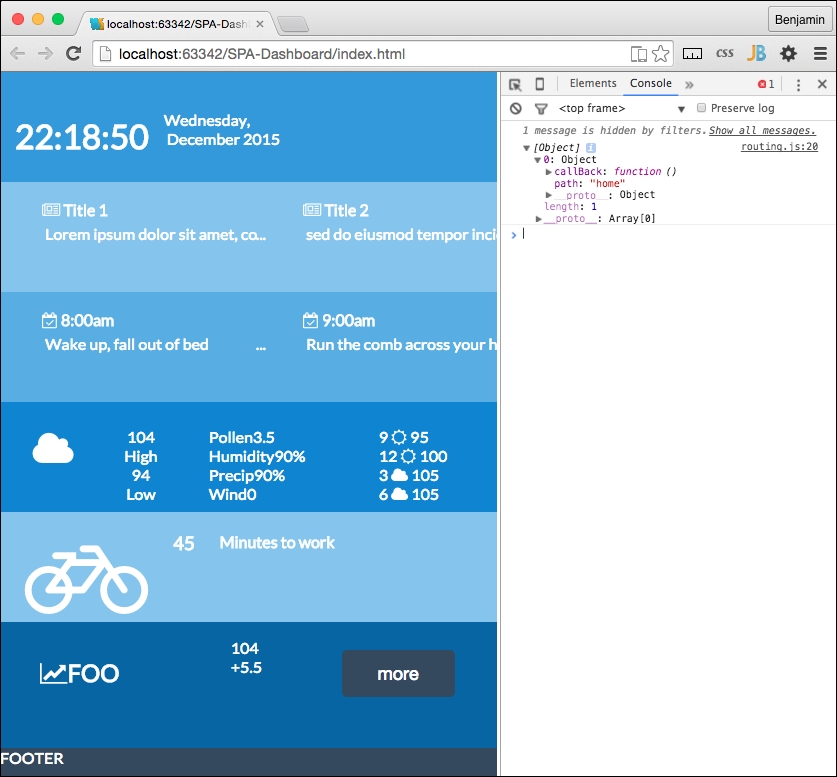
};
Good. Now that we see the content loaded, let's create a function to actually load the response text into the HTML. Let's make this a new separate function, as we will want it to be reusable later. Remember that this is a service layer and we eventually want to have a working framework.
Create a new object as a child of the services layer. I want to create a new section for the routing we mentioned earlier. This may be an overcomplication of the namespace, but it keeps the concerns separated at arm's length. It should look like this:
services.routing = {};It will have its own methods. The first is to write the HTML into that DIV element. For now, it will write the content into the content DIV element we discussed previously. Create the new method called services.routing.writeHTML like the following example:
services.routing.writeHTML = function(){
//Do something
}
We want this function to use the AJAX response we received in the previous response, and insert it into the DIV element with the id we just mentioned, the content ID. So feed these parameters to the function.

services.routing.writeHTML = function(xhttp,id){
//Do something
}
Next, go back to the services.getPage and create a function call to this function replacing the commented pseudo-code. It will send the defined variable id and the XHTTP response. You can also remove console.log in that same section:
services.routing.writeHTML(xhttp,id);
The services.routing.writeHTML function needs something to do. This is pretty simple. First, create a new variable named theHTML equal to the responseText property of the XHTTP that was sent:
var theHTML = xhttp.responseText;
Now, write a line to get the element by tag name from the document, selecting the id supplied to the function call, and if it is not null, set its innerHtml to equal the XHTTP responseText property:
if(document.getElementById(id)!=null)
document.getElementById(id).innerHTML = xhr.responseText;
Now, refresh your page again, and you will see this working again; as the content is loaded asynchronously into the content div, this is pretty cool. Before we move forward into breaking the content into more granular pieces, let's do some maintenance. We typically want to break things into smaller tasks as much as possible so they are easier to understand.
Let's first remove some extra lines of code. In the last function we created, services.routing.writeHTML, we can condense it further by removing the theHTML variable declaration line. In the following line, replace that variable with the value it represented, xhttp.responseText. It should look like the following. Now it's a small function, and we can make it more versatile in future:
document.getElementById(id).innerHTML = xhttp.responseText;
Let's do some more progressive housekeeping. Let's make some of these function calls use callBack so we can reuse them later on as a Single Page Application framework. At the bottom of the script, when we call services.getPage, we are not sending it anything yet. So let's change that. Let's send it the variables it needs. Let's send it the url, the id, and the callBack. The callback is like sending a function into a function to do some work as a result of something in that function. It's really fun. So right before the function call, set up those variables, except for the function callBack, which will go right in the function call parameters. And then add them into the call in that order. Let's precede these lines of code with a reference, TODO, to remove later.
//TODO: remove later
var url = './app/home/home.html';
var id = "content";
services.getPage(url, id, services.routing.writeHTML);
And don't forget that we need the parameters in the function; url, id, and callBack.
services.getPage = function(url,id,callback){And then inside the function, replace the function call:
services.routing.writeHTML(xhttp,id)
with the following line of code:
callback(xhttp,id);
This is a good place to show the entire function so you can check yours against mine and correct any problems.
services.getPage = function(url,id,callback){
    var xhttp;
    xhttp = new XMLHttpRequest();
    xhttp.onreadystatechange = function () {
        if (xhttp.readyState == 4 && xhttp.status == 200) {
            callback(xhttp,id)
            }
        };
    xhttp.open('GET', url, true);
    xhttp.send();
};
Also, here is the services.routing object and its writeHTML method:
services.routing = {};
services.routing.writeHTML = function(xhttp,id){
    document.getElementById(id).innerHTML = xhttp.responseText;
};
So check it again and you can see it working. It should look the same as before, but now it's AJAX.
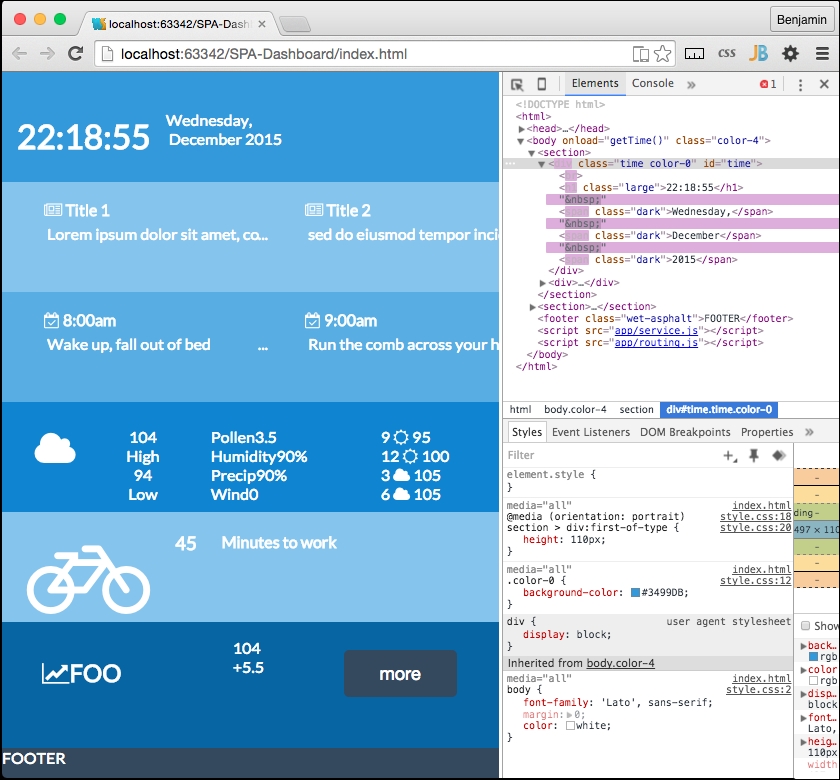
It will get a little more complex from here. But we will use what we have built so far in some new ways. In fact, we have created the base framework for our AJAX loading. Next, we should expand it. To do so, we are going to have to break our working software again. This time, we are going to break out the content into its components. Each section we created will have its own folder, and leave the content framework layout in the home directory.
First, let's start to segment off our services into a separate JavaScript file. In your app directory, create a new JavaScript file named services.js. Then cut and paste all of the service object code into it, including the function call at the bottom. Then of course add a link in your HTML file to service.js right before the closing body tag.
<body onload="home.getTime()" class="color-0">
    <div id="content"></div>
    <script src="app/service.js"></script>
</body>
Now all the JavaScript we had prepended with the services object is in the services.js file, and all the JavaScript we had prepended with the home object will stay in the HEADER SCRIPT for the moment. The home object will be moved soon.