
A field can be thought of as a container that you put something in, that something in our context being content. Why do content types have fields rather than one big box in which to put the content, like a page in MS Word? Let's consider an example.
Suppose our content is related to appointments. Ms. Jones is making an appointment. One possibility is that the appointment is entered as text, like so:
January 20 at 1:30 PM Ms. Jones will see Mr. Kim to discuss investments.
All of the information needed is there. However, what happens when a list is needed of all the appointments for the next two weeks? Or when a list of all Ms. Jones's appointments are needed? Or when a decision is made to change the date format on all appointments? In those cases, having the information in a form that is difficult to aggregate, search, or edit globally is problematic.
What if the appointments were stored like a spreadsheet?
| Date/Time | Client | Seeing | Reason |
| January 20, 2018 | Ms. Jones | Mr. Kim | Investment discussion |
With the information segregated into meaningful pieces, it is much easier to find what is needed and edit it. That is the idea behind fields.
We've been working with the Article content type. Let's take a look at how its fields are defined. At the top of the current page, we'll click on the Manage fields tab:
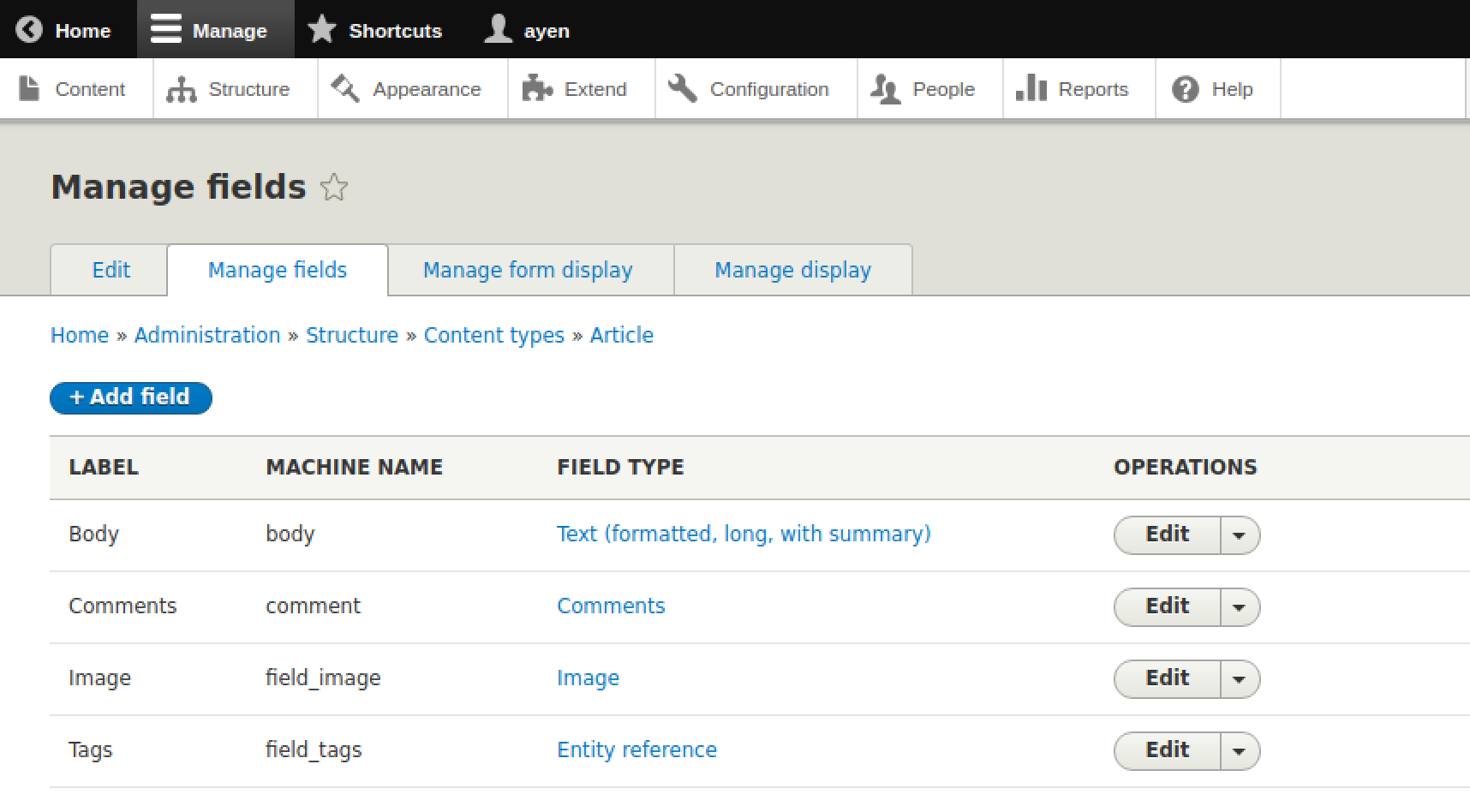
We saw the title field on the content type form. This screen is for optional fields. There could be no additional fields for the content type at all, but since all content types must have a title field, whatever its label, it isn't included here.
When we looked at the content edit form, we saw the title and body fields. The body field is listed here. The field is of a type meant to hold text without any specific use or format in mind. We'll be looking more at field types when we create a new content type later in this chapter.
The comments field is meant to hold a comment about the content. There may be several instances of this field, one for each comment created. A comment is actually a content entity type on its own, and so even though the comments are seen when viewing the article's content, the actual contents of the comment field is simply the ID of the comment.
The image field is used for displaying an image along with the content, allowing an image to be uploaded. The image field is a reference of the information needed to retrieve the actual image from where it is stored, and the article image field, if an image is being used, will contain the address of that record.
The final field is for tags. Think of tags as categorical information that can be used for searching for the content. This is using another reference field type like comments and images, that is, taxonomy. We will be looking at taxonomy more in Chapter 7.
We can look at the other two tabs at the top of the page, Manage form display and Manage display when we create a content type. In fact, let's do that now!