
The term state is lacking in context here and therefore can be somewhat ambiguous. For example, if I decide to walk to the store from my home, there are three states:
- Being at home
- Walking to the store
- Arriving at the store
However, state, in the context of workflows, isn't necessarily the same. The default context is that state is synonymous with static state. Let's take another look at my example, this time with the states described with further precision:
- Being at home - static
- Walking to the store - transitional
- Arriving at the store - static
States 1 and 3 represent static states – milestones and plateaus – that have been achieved and can remain as such. State 2 is transitional, in that it describes an activity that is occurring to lead from one static state to the next.
In looking at the states, as shown in the following screenshot, all three are static states:
- Draft: The content has been, or is in the process of being, created
- Published: The content is marked as published and is available to those user roles with permission to view published content of this type
- Archived: The content has been published but is now removed from what is considered current material and may or may not be still available for viewing:
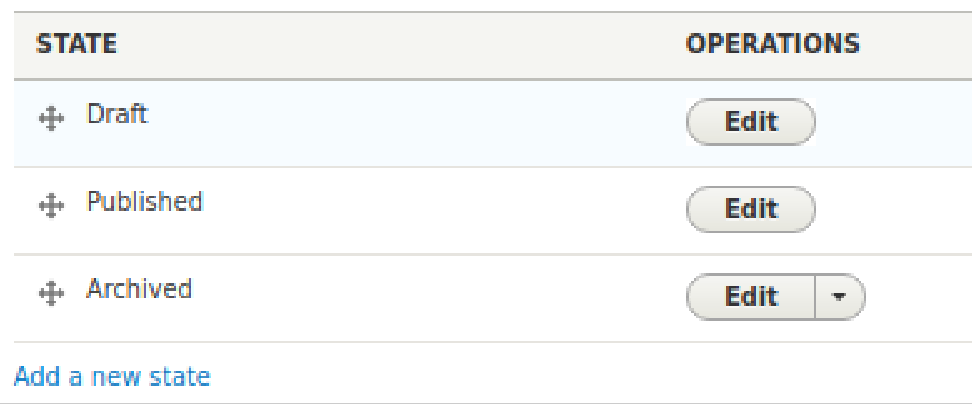
As you can see, the three states are static. That said, were a transitional state to be needed, it could be created by using the Add a new state link.
Let's take a closer look at what constitutes a state. Click on the Edit link for Published. The name, Published, can be changed if there is a more fitting term for your implementation. The two checkboxes that follow are important:
- Published: Whether this term is used for the state, or another if you were to change the State label, checking this box means that when this state is reached, the content is considered published, and the permissions given to each user role with regards to published content apply, typically and particularly in that the content will be available for viewing.
- Default revision: In Drupal, if the content type being used has been configured to allow revisions, each time the content is (re)saved, a new revision is created, and anyone with the proper permission can revert the content to an earlier version. If this box is checked, the current version when the state of the content reaches published will be considered the active version.
Next come the transitions. Let's look at Create new draft, as its inclusion hear is probably not intuitive. Click on the Edit link for it. Again, the label is editable should you have one more suited for your process.
Below the label, you see choices for the From, source, state and the To, target, state. The target state for this transition is Draft and is not changeable, though were you to create your own transition, it would be. In either case, only one target state can be defined, since the content can only be in one state at any time.
More than source state can be selected. The two source states selected might not seem to make sense, given that the target is Draft. However, what events these choices account for are as follows:
- Changing a draft and saving, with it remaining a draft, so Draft ⇒ Draft
- Changing published content and saving it, but now as unpublished content needing moderation again, so Published ⇒ Draft
A similar peculiarity is true for the transitions of the Publish transition, because you might be (re)publishing already published content, or publishing draft content.
A benefit to this architecture is that while an article is published, a new version of it can be created as a draft and passed through the moderation states until it gets published, becoming the new default—and viewable—version.