
In the previous chapter we learned about expanding the capabilities and features of Drupal. In this chapter we will look at expanding our readership.
The internet makes the world a smaller place. You might create a blog or online store, assuming that your users will be domestic, and be surprised to find that some of them are half a world away. Then, after consideration, you might realize that with most of the world living somewhere outside your own country, global readership can expose your content to many more people.
There is a complicating factor, though. Many of these users—perhaps most—do not speak the same language. You could leave it up to the reader's browser to translate the content, but let's be honest, instantaneous translation such as that provided by Google is problematic at the least with regard to straightforward, unambiguous, dictionary-approved source text, but even more so with colloquial and idiomatic usage.
I often tell the story of a former client who wanted the UI of his English site to be available in Japanese as well. The site sold car parts. The site owner opted for low-budget translation, and that likely resulted in the use of online AI translation. The result was much lower than expected sales. Why? While the translation was fine for menu items such as carburetors and seats, the term used for Bodies turned out to mean Corpses. Oops!
If a global market is important for the increased usage and success of your site, it is worth having the translation done by those knowledgeable in the two languages and in similar style for both. In other words, using the Queen's English for content and Spanish street slang is probably not your intention. Nor is, again, using Spanish as an example, having the translation be proper Madrid Spanish while your readers are predominantly Latin American.
So you decide to have your content and UI professionally translated. Then what? Do you have to have the equivalent of two sites in order to support two languages?
That is, create separate menus and pieces of content for each? Nope. Drupal has you covered, and just how it does this is what we will be covering in this chapter:
- How to declare additional languages
- How to execute a UI translation
- Entering content translations
- Enabling the user to select a preferred language
When Drupal is installed, the installer selects a default language for the site. In most cases, that language is English. What if there are other languages spoken within our target market? What if our country has more than one official language, or unofficial languages, or English isn't either? The site can be configured to support additional languages, and that is what we must do in order to be able to take advantage of internationalization. To get started, navigate to the Extend page (/admin/modules).
Scrolling down, you will find the Multilingual section:
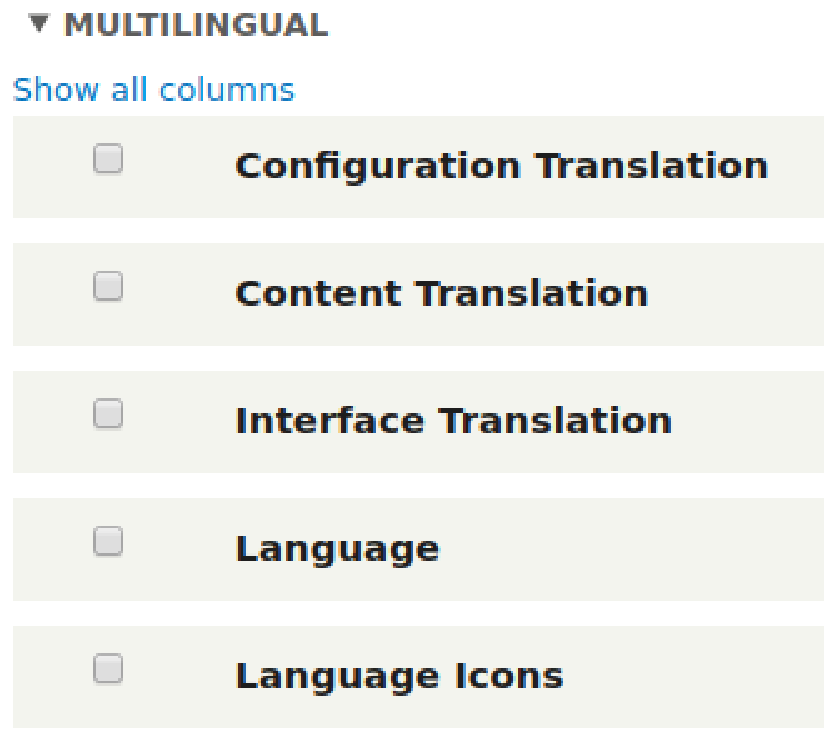
Each of these modules are part of Drupal's core, in core, and has a different purpose related to internationalization:
- Configuration Translation: For translating configuration settings, such as views, site name, menus, and blocks
- Content Translation: For translating content, such as nodes, taxonomy terms, and custom blocks
- Interface Translation: For translating registration forms, content submission forms, and administration interfaces
- Language: For declaring additional languages that are usable for translation
- Language Icons: For providing flags to represent languages when switching between them