
We are now on the Views UI form for our view. The following screen will look slightly different than what you will see, because I have opened the Advanced column on the right so that you can see the entire form:
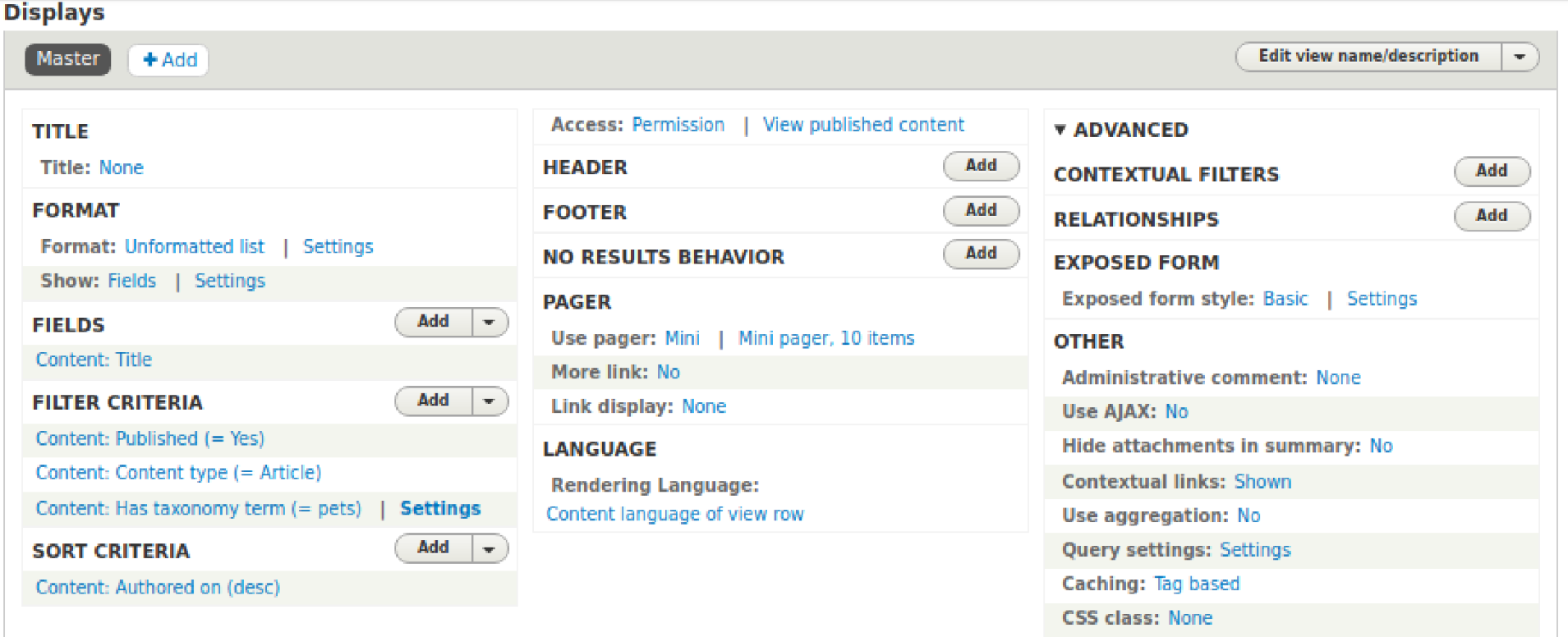
At this point, the only display that exists for our view is the Master display, which acts like a template. Settings made in it are carried forward to any displays added to the view. Since we will be creating more than one type of display, feeds, and a block, we won't enter the settings on the Master.
The first thing we need to do is select the type of display we want. Most often, this will be a page or a block, but we want to create a feed. Click the +Add button at the top and select Feed from the list. Now that a display has been added, the Master display will be hidden and replaced with Feed. The asterisk is present because the display has been modified but not yet saved.
Let's work our way through the settings, one panel at a time.