The following command helps you compile the program:
g++ main.cpp -std=c++17 -lpthread
In the previous command, -std=c++17 instructs the C++ compiler to enable the C++17 features; however, the program will compile on any C++ compiler that supports C++11, and you just need to replace c++17 with c++11.
The output of the program will look like this:
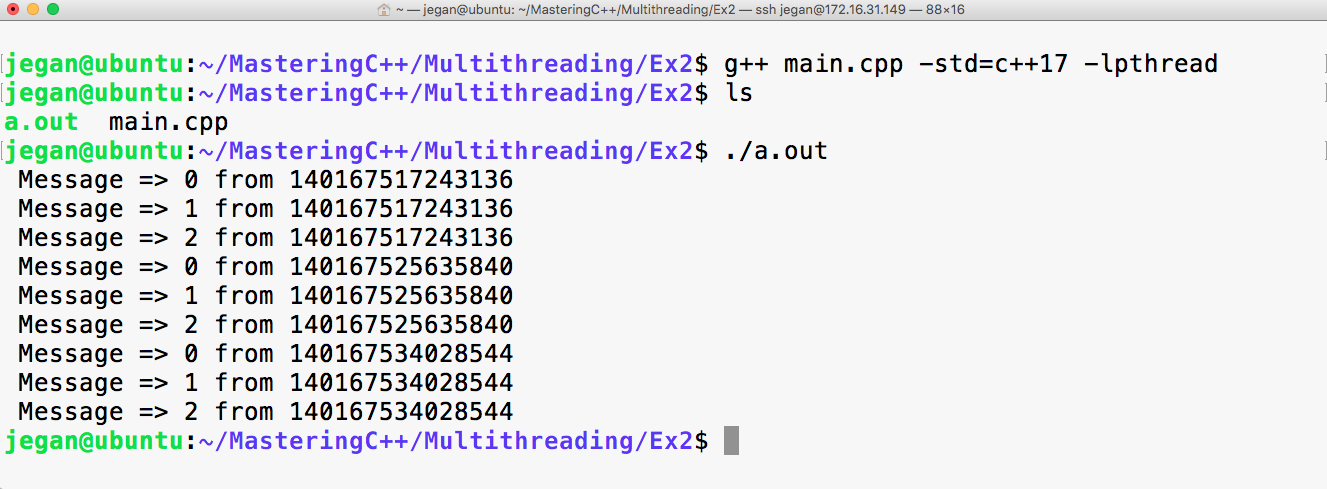
All the numbers starting with 140 in the preceding screenshot are thread IDs. Since we created three threads, three unique thread IDs are assigned respectively by the pthread library. If you are really keen on finding the thread IDs assigned by the operating system, you will have to issue the following command in Linux while the application is running:
ps -T -p <process-id>
Probably to your surprise, the thread ID assigned by the pthread library will be different from the one assigned by the operating systems. Hence, technically the thread ID assigned by the pthread library is just a thread handle ID that is different from the thread ID assigned by the OS. The other interesting tool that you may want to consider is the top command to explore the threads that are part of the process:
top -H -p <process-id>
Both the commands require the process ID of your multithreaded application. The following command will help you find this ID:
ps -ef | grep -i <your-application-name>
You may also explore the htop utility in Linux.
If you want to get the thread ID assigned by the OS programmatically, you can use the following function in Linux:
#include <sys/types.h>
pid_t gettid(void)
However, this isn't recommended if you want to write a portable application, as this is supported only in Unix and Linux.