In this section, we will look at how we can exchange XRP for other cryptocurrencies. You need an account in a crypto exchange to make a trade. You can use the exchange of your choice, but here we are going to use StellarX because it's a decentralized peer-peer exchange. Please go through the process of account creation in StellarX. You will also be creating a Stellar wallet in the process, so make sure you note your keys down.
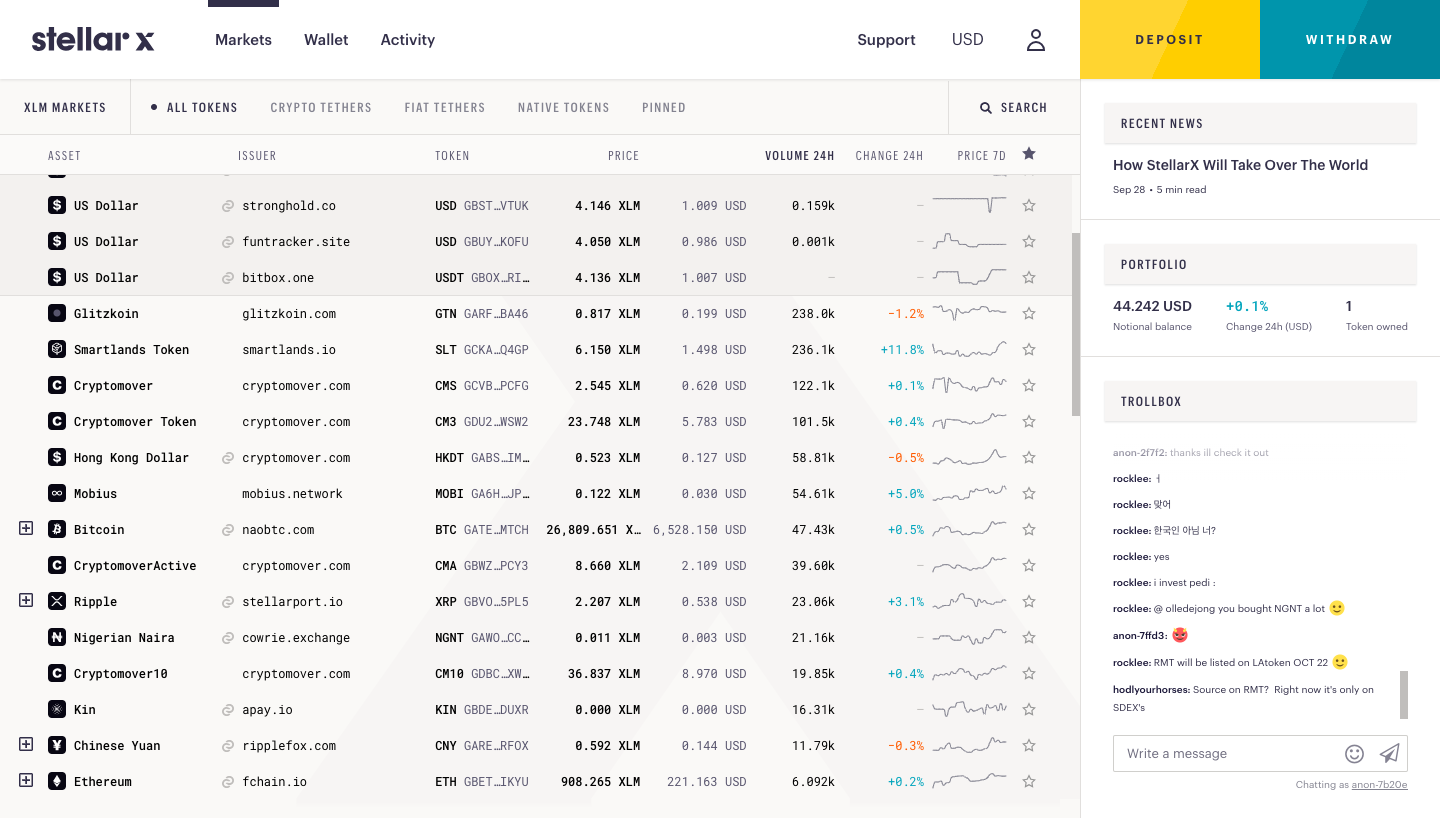
Click on the Deposit button on the top right, as shown in following screenshot:
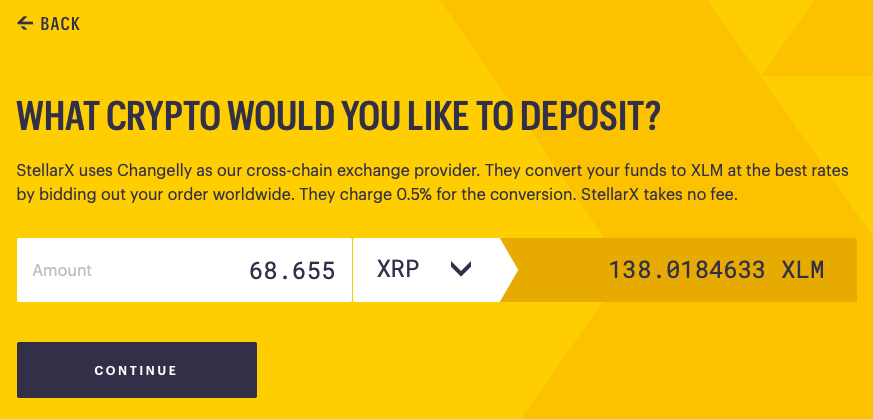
StellarX requires you to deposit more than 68 XRP.
Your XRP will be automatically converted into XLM (Stellar Lumens), as shown in the following screenshot:
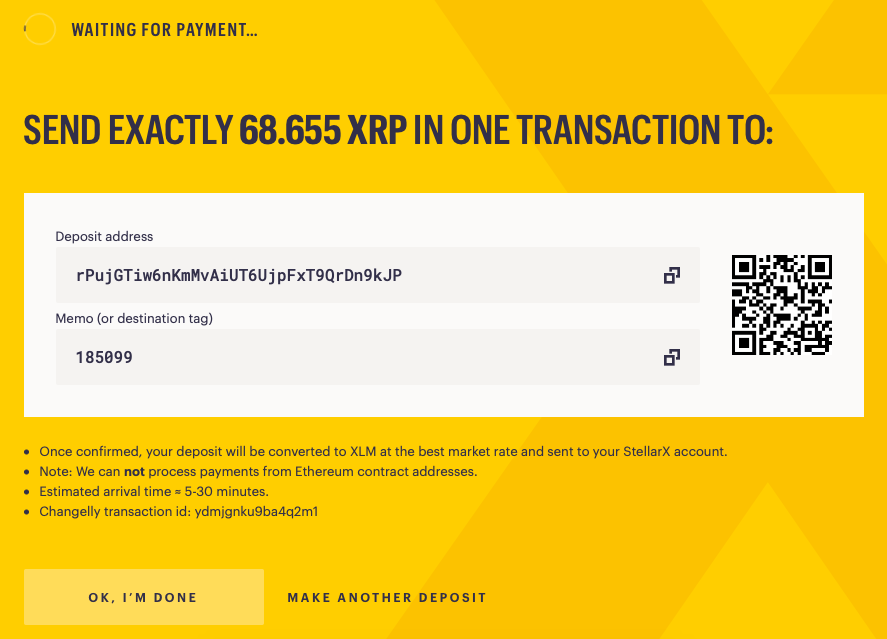
You will be asked to confirm these details in the next screen. Once you've confirmed your details, you will be asked to deposit Ripple to a specified address, as in the following screenshot. You will be provided with a destination tag. A unique destination tag helps them map the XRP deposit to your account.
You can go ahead and deposit XRP using the Toast wallet—the process is similar to sending a transaction, as we discussed earlier. However, in this case, we need to fill the destination tag field. Please allow some time for the transfer to happen. Once the transfer is complete, your StellarX account should reflect the balance in XLM, as shown in the following screenshot:
Now, let's use some of this XLM to buy Ethereum. You can enter the desired amount of ETH you want to buy. After you've entered the ETH value, click on the Buy ETH button, as shown in the following screenshot:
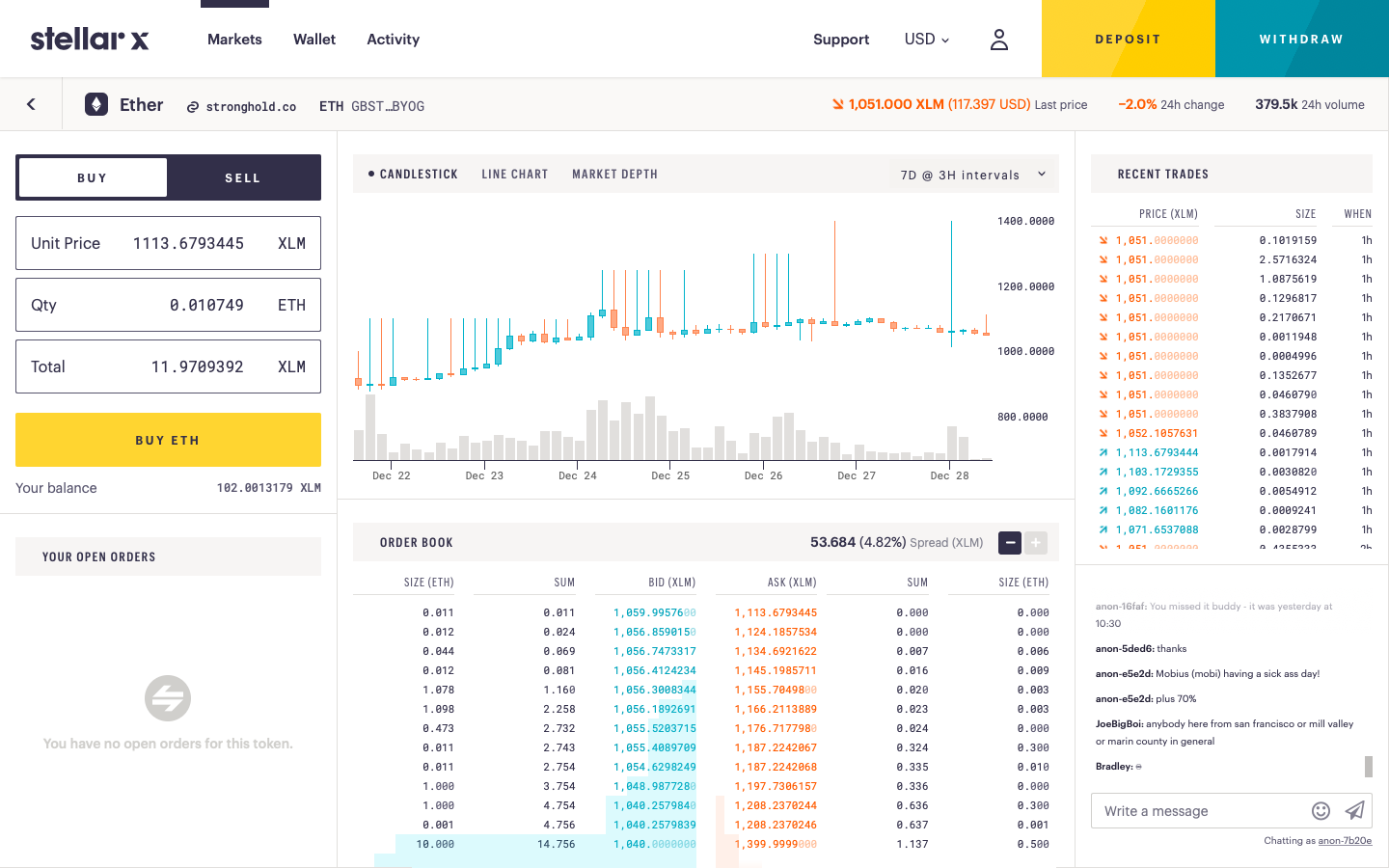
Your order should be placed almost immediately. Depending on the market, some exchanges might take some time. You should be able to see your ETH balance in the Wallet section once the exchange happens.