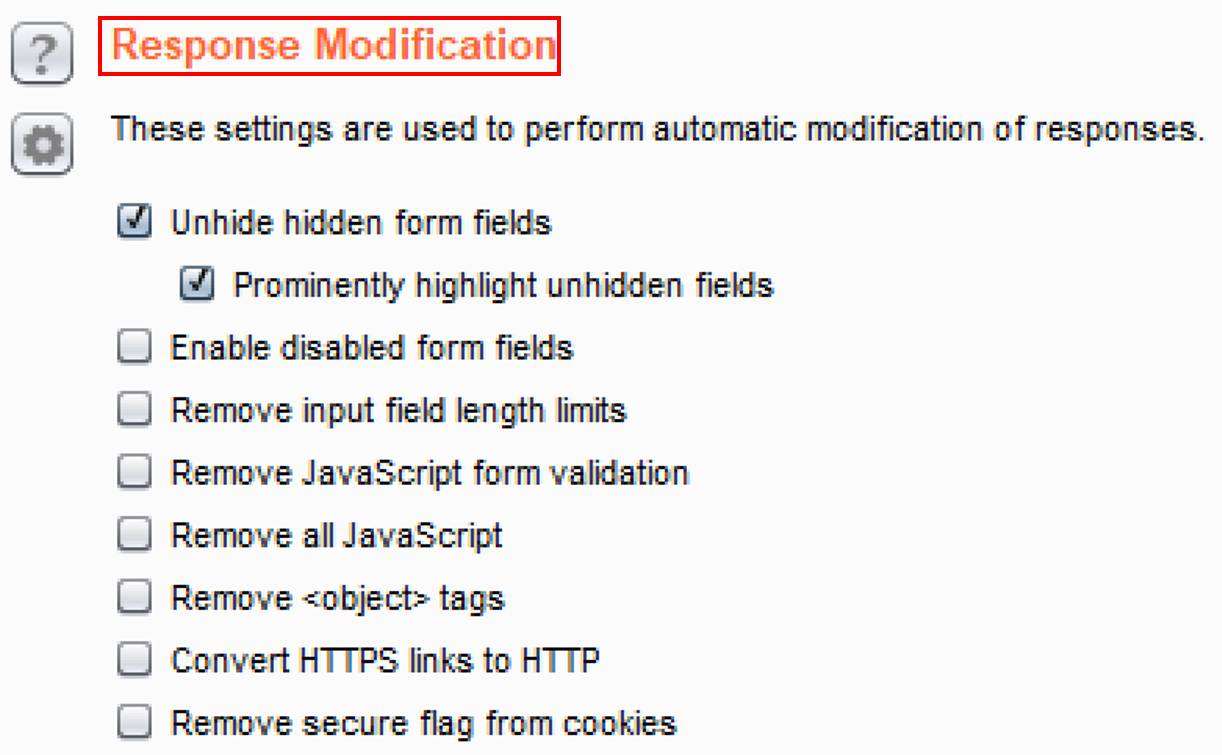
- Switch to Burp's Proxy tab, scroll down to the Response Modification section, and check the boxes for Unhide hidden form fields and Prominently highlight unhidden fields:
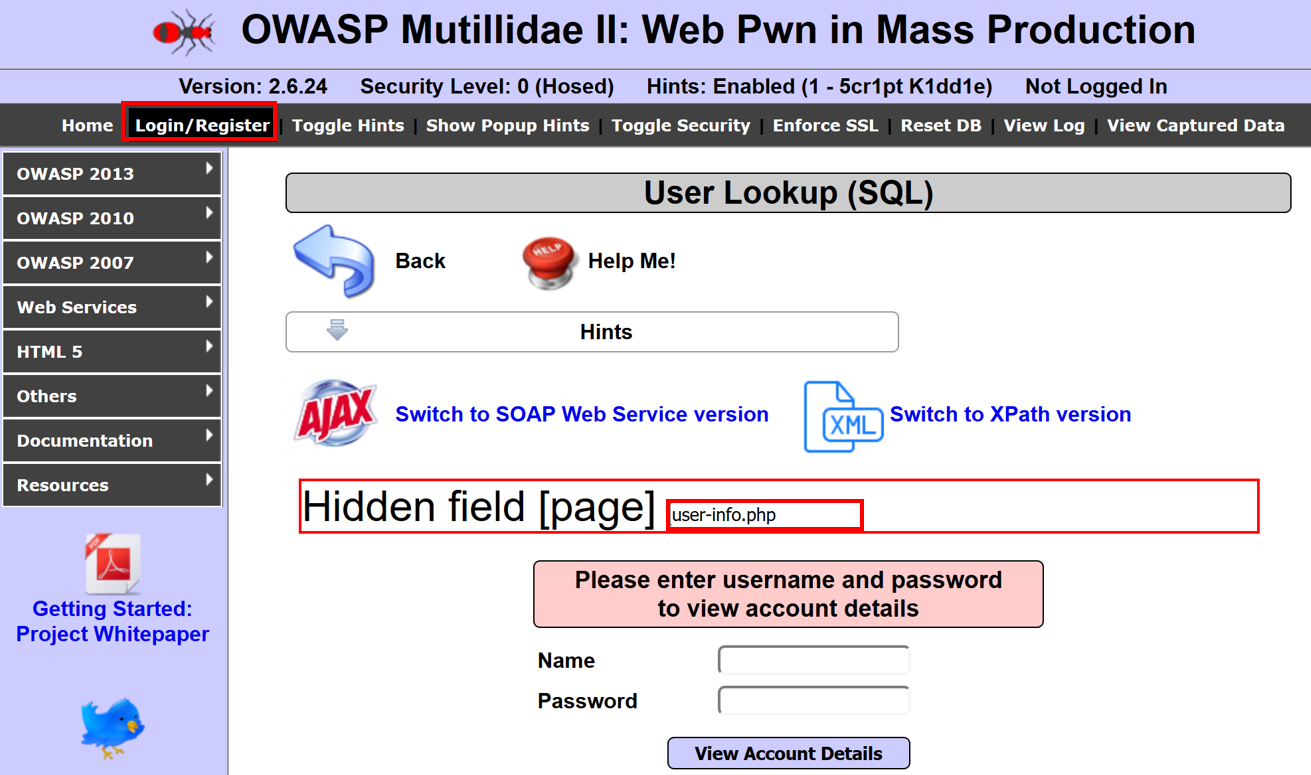
- Navigate to the User Info page. OWASP 2013 | A1 – Injection (SQL) | SQLi – Extract Data | User Info (SQL):

- Note the hidden form fields now prominently displayed on the page:
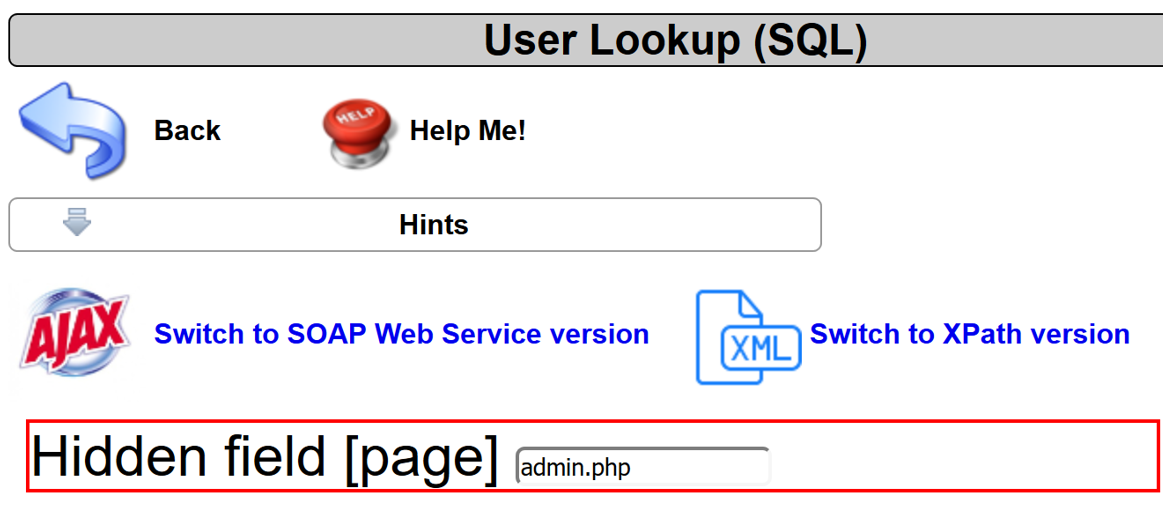
- Let's try to manipulate the value shown, user-info.php, by changing it to admin.php and see how the application reacts. Modify the user-info.php to admin.php within the Hidden field [page] textbox:
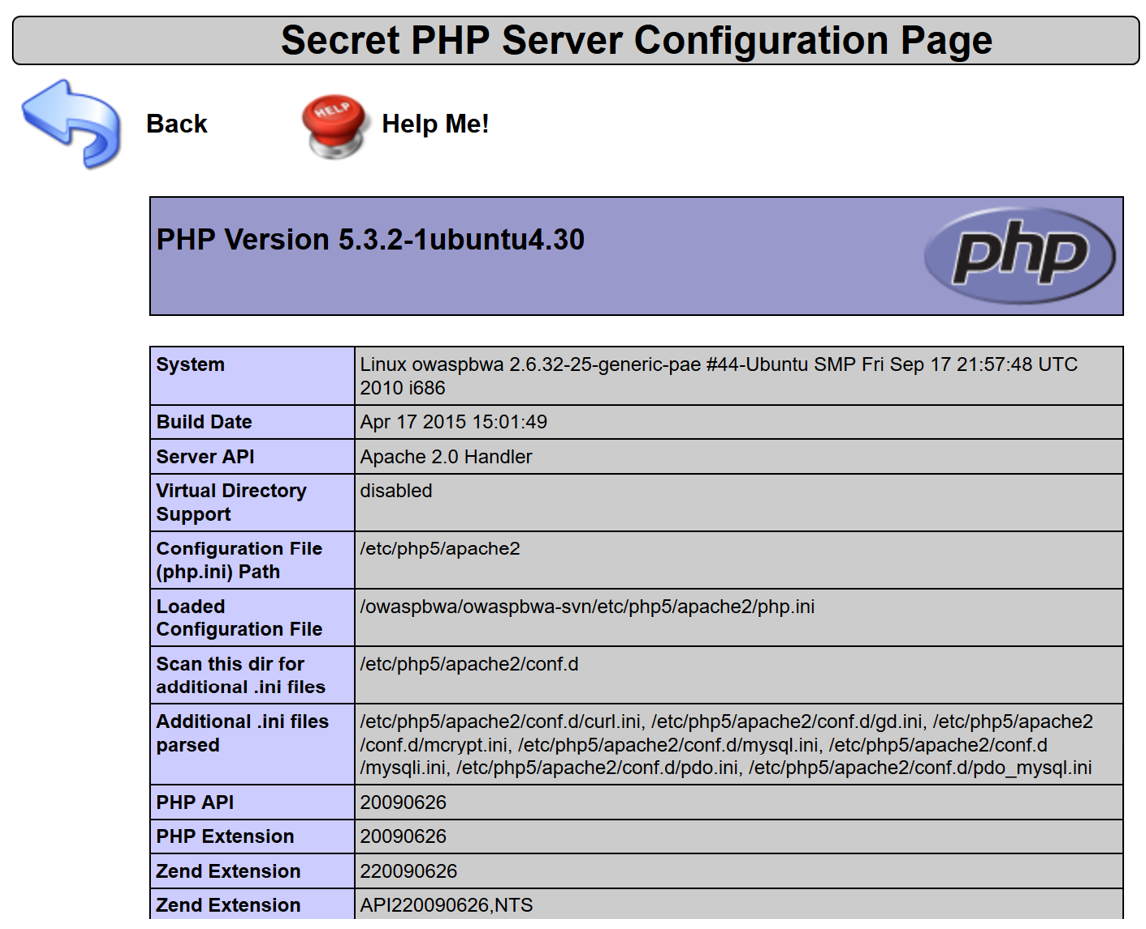
- Hit the Enter key after making the change. You should now see a new page loaded showing PHP Server Configuration information: