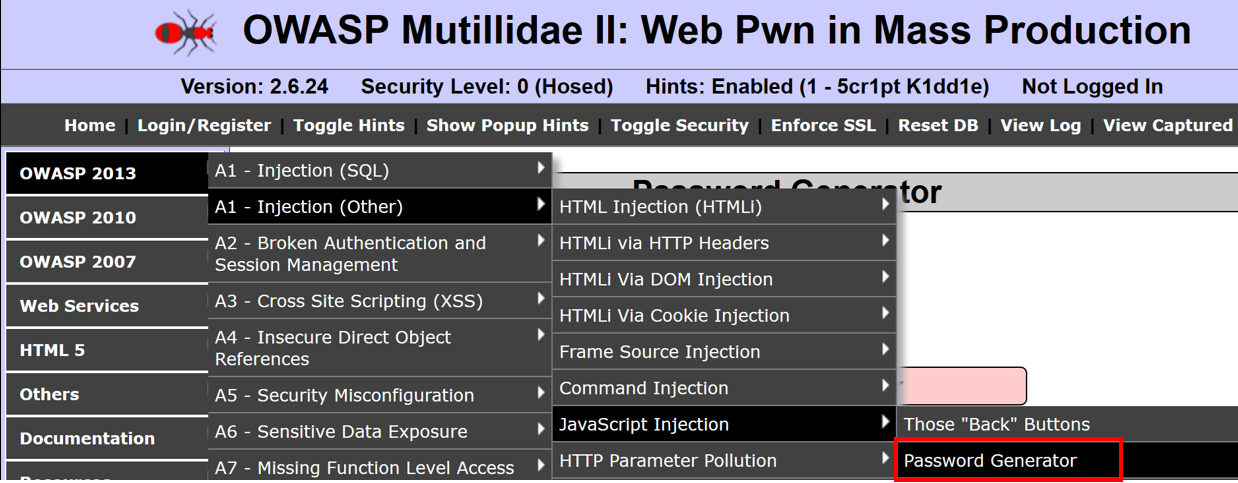
- Navigate to OWASP 2013 | A1 – Injection (Other) | JavaScript Injection | Password Generator:
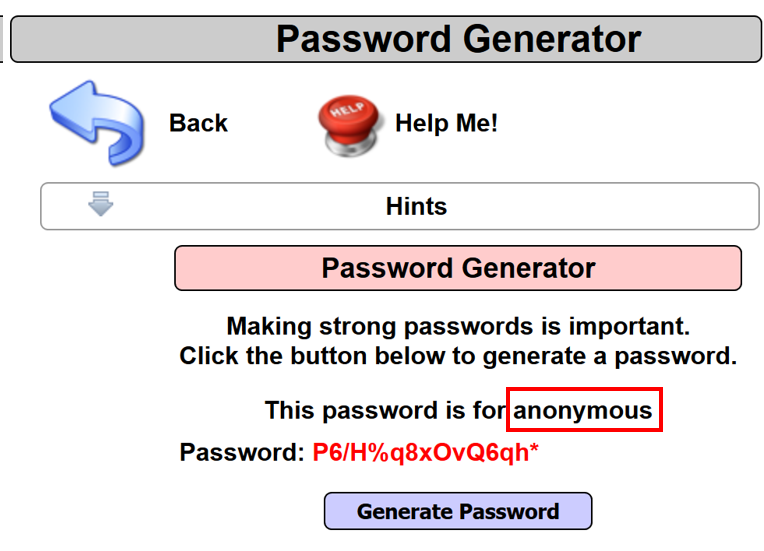
- Note after clicking the Generate Password button, a password is shown. Also, note the username value provided in the URL is reflected back as is on the web page: http://192.168.56.101/mutillidae/index.php?page=password-generator.php&username=anonymous. This means a potential XSS vulnerability may exist on the page:
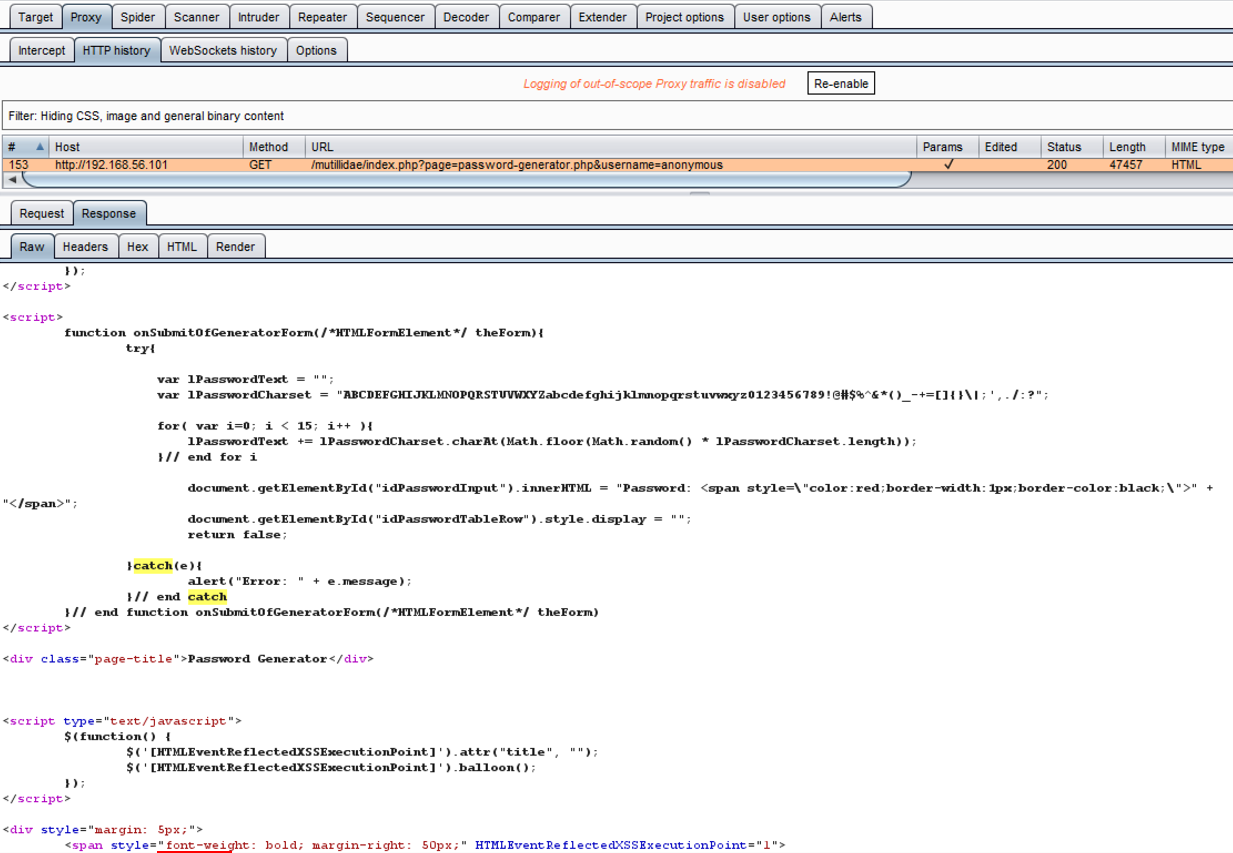
- Switch to the Burp Proxy HTTP history tab and find the HTTP message associated with the Password Generator page. Flip to the Response tab in the message editor, and perform a search on the string catch. Note that the JavaScript returned has a catch block where error messages display to the user. We will use this position for the placement of a carefully crafted JavaScript injection attack:
- Switch to the Burp Proxy Intercept tab. Turn Interceptor on with the button Intercept is on.
- Reload the Password Generator page in Firefox browser by pressing F5 or clicking the reload button.
- Switch to the Burp Proxy Interceptor tab. While the request is paused, note the username parameter value highlighted as follows:
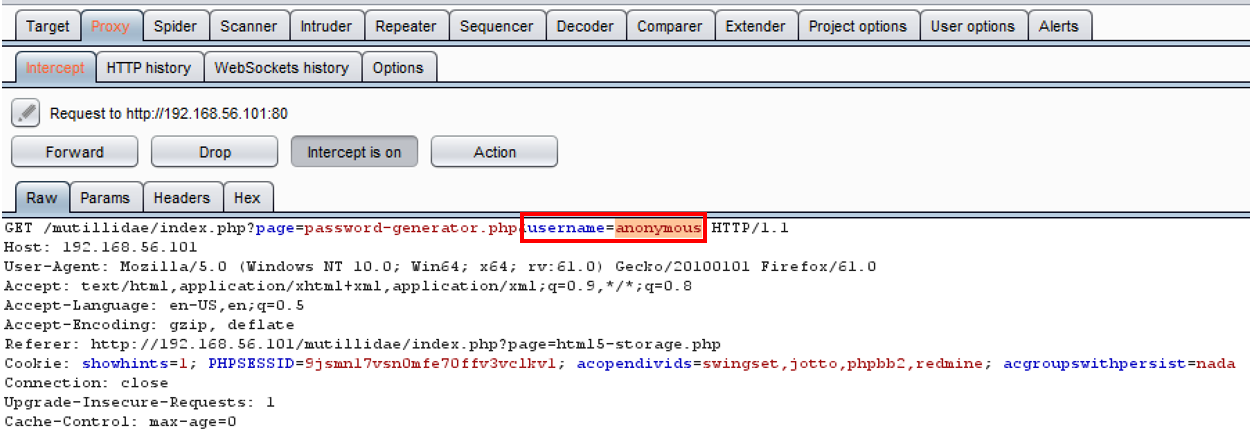
- Replace the preceding highlighted value of anonymous with the following carefully crafted JavaScript injection script:
canary";}catch(e){}alert(1);try{a="
- Click the Forward button. Now, turn Interceptor off by clicking the toggle button to Intercept is off.
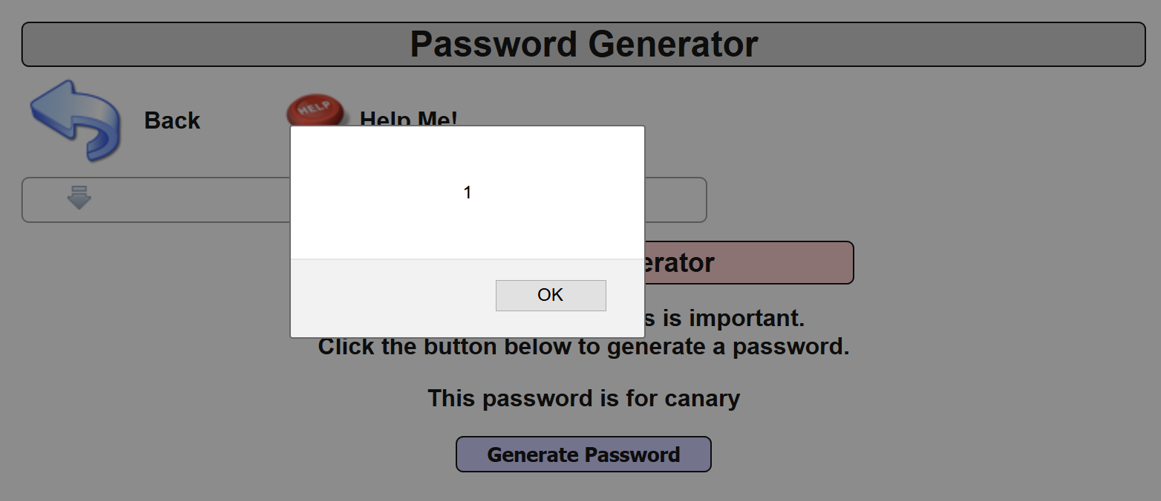
- Note the alert popup. You’ve successfully demonstrated the presence of a JavaScript injection XSS vulnerability!