Table of Contents for
Burp Suite Cookbook

Version ebook / Retour

Cover image for bash Cookbook, 2nd Edition Burp Suite Cookbook by Sunny Wear Published by Packt Publishing, 2018
  1. Burp Suite Cookbook
  2. Title Page
  3. Copyright and Credits
  4. Burp Suite Cookbook
  5. Packt Upsell
  6. Why subscribe?
  7. Packt.com
  8. Contributors
  9. About the author
  10. About the reviewer
  11. Packt is searching for authors like you
  12. Table of Contents
  13. Preface
  14. Who this book is for
  15. What this book covers
  16. To get the most out of this book
  17. Conventions used
  18. Sections
  19. Getting ready
  20. How to do it…
  21. How it works…
  22. There's more…
  23. See also
  24. Get in touch
  25. Reviews
  26. Disclaimer
  27. Targeting legal vulnerable web applications
  28. Getting Started with Burp Suite
  29. Introduction
  30. Downloading Burp (Community, Professional)
  31. Getting ready
  32. Software tool requirements
  33. How to do it...
  34. Setting up a web app pentesting lab
  35. Getting ready
  36. Software tool requirements
  37. How to do it...
  38. How it works
  39. Starting Burp at a command line or as an executable
  40. How to do it...
  41. How it works...
  42. Listening for HTTP traffic, using Burp
  43. Getting ready
  44. How to do it...
  45. How it works...
  46. Getting to Know the Burp Suite of Tools
  47. Introduction
  48. Software tool requirements
  49. Setting the Target Site Map
  50. Getting ready
  51. How to do it...
  52. How it works...
  53. Understanding the Message Editor
  54. Getting ready
  55. How to do it...
  56. Repeating with Repeater
  57. Getting ready
  58. How to do it...
  59. Decoding with Decoder
  60. Getting ready
  61. How to do it...
  62. Intruding with Intruder
  63. Getting ready
  64. How to do it...
  65. Target
  66. Positions
  67. Payloads
  68. Payload Sets
  69. Payload Options
  70. Payload Processing
  71. Payload Encoding
  72. Options
  73. Request Headers
  74. Request Engine
  75. Attack Results
  76. Grep - Match
  77. Grep - Extract
  78. Grep - Payloads
  79. Redirections
  80. Start attack button
  81. Configuring, Spidering, Scanning, and Reporting with Burp
  82. Introduction 
  83. Software tool requirements
  84. Establishing trust over HTTPS
  85. Getting ready
  86. How to do it...
  87. Setting Project options
  88. How to do it...
  89. The Connections tab
  90. The HTTP tab
  91. The SSL tab
  92. The Sessions tab
  93. The Misc tab
  94. Setting user options
  95. How to do it...
  96. The SSL tab
  97. The Display tab
  98. The Misc tab
  99. Spidering with Spider
  100. Getting ready 
  101. The Control tab
  102. The Options tab
  103. How to do it...
  104. Scanning with Scanner
  105. Getting ready 
  106. How to do it...
  107. Reporting issues
  108. Getting ready 
  109. How to do it...
  110. Assessing Authentication Schemes
  111. Introduction
  112. Software tool requirements
  113. Testing for account enumeration and guessable accounts
  114. Getting ready
  115. How to do it...
  116. Testing for weak lock-out mechanisms
  117. Getting ready
  118. How to do it...
  119. Testing for bypassing authentication schemes
  120. Getting ready
  121. How to do it...
  122. How it works
  123. Testing for browser cache weaknesses
  124. Getting ready
  125. How to do it...
  126. Testing the account provisioning process via the REST API
  127. Getting ready
  128. How to do it...
  129. Assessing Authorization Checks
  130. Introduction
  131. Software requirements
  132. Testing for directory traversal
  133. Getting ready
  134. How to do it...
  135. How it works...
  136. Testing for Local File Include (LFI)
  137. Getting ready
  138. How to do it...
  139. How it works...
  140. Testing for Remote File Inclusion (RFI)
  141. Getting ready
  142. How to do it...
  143. How it works...
  144. Testing for privilege escalation
  145. Getting ready
  146. How to do it...
  147. How it works...
  148. Testing for Insecure Direct Object Reference (IDOR)
  149. Getting ready
  150. How to do it...
  151. How it works...
  152. Assessing Session Management Mechanisms
  153. Introduction
  154. Software tool requirements
  155. Testing session token strength using Sequencer
  156. Getting ready
  157. How to do it...
  158. How it works...
  159. Testing for cookie attributes
  160. Getting ready
  161. How to do it...
  162. How it works...
  163. Testing for session fixation
  164. Getting ready
  165. How to do it...
  166. How it works...
  167. Testing for exposed session variables
  168. Getting ready
  169. How to do it...
  170. How it works...
  171. Testing for Cross-Site Request Forgery
  172. Getting ready
  173. How to do it...
  174. How it works...
  175. Assessing Business Logic
  176. Introduction
  177. Software tool requirements
  178. Testing business logic data validation
  179. Getting ready
  180. How to do it...
  181. How it works...
  182. Unrestricted file upload – bypassing weak validation
  183. Getting ready
  184. How to do it...
  185. How it works...
  186. Performing process-timing attacks
  187. Getting ready
  188. How to do it...
  189. How it works...
  190. Testing for the circumvention of work flows
  191. Getting ready
  192. How to do it...
  193. How it works...
  194. Uploading malicious files – polyglots
  195. Getting ready
  196. How to do it...
  197. How it works...
  198. There's more...
  199. Evaluating Input Validation Checks
  200. Introduction
  201. Software tool requirements
  202. Testing for reflected cross-site scripting
  203. Getting ready
  204. How to do it...
  205. How it works...
  206. Testing for stored cross-site scripting
  207. Getting ready
  208. How to do it...
  209. How it works...
  210. Testing for HTTP verb tampering
  211. Getting ready
  212. How to do it...
  213. How it works...
  214. Testing for HTTP Parameter Pollution
  215. Getting ready
  216. How to do it...
  217. How it works...
  218. Testing for SQL injection
  219. Getting ready
  220. How to do it...
  221. How it works...
  222. There's more...
  223. Testing for command injection
  224. Getting ready
  225. How to do it...
  226. How it works...
  227. Attacking the Client
  228. Introduction
  229. Software tool requirements
  230. Testing for Clickjacking
  231. Getting ready
  232. How to do it...
  233. How it works...
  234. Testing for DOM-based cross-site scripting
  235. Getting ready
  236. How to do it...
  237. How it works...
  238. Testing for JavaScript execution
  239. Getting ready
  240. How to do it...
  241. How it works...
  242. Testing for HTML injection
  243. Getting ready
  244. How to do it...
  245. How it works...
  246. Testing for client-side resource manipulation
  247. Getting ready
  248. How to do it...
  249. How it works...
  250. Working with Burp Macros and Extensions
  251. Introduction
  252. Software tool requirements
  253. Creating session-handling macros
  254. Getting ready
  255. How to do it...
  256. How it works...
  257. Getting caught in the cookie jar
  258. Getting ready
  259. How to do it...
  260. How it works...
  261. Adding great pentester plugins
  262. Getting ready
  263. How to do it...
  264. How it works...
  265. Creating new issues via the Manual-Scan Issues Extension
  266. Getting ready
  267. How to do it...
  268. How it works...
  269. See also
  270. Working with the Active Scan++ Extension
  271. Getting ready
  272. How to do it...
  273. How it works...
  274. Implementing Advanced Topic Attacks
  275. Introduction
  276. Software tool requirements
  277. Performing XXE attacks
  278. Getting ready
  279. How to do it...
  280. How it works...
  281. Working with JWT
  282. Getting ready
  283. How to do it...
  284. How it works...
  285. Using Burp Collaborator to determine SSRF
  286. Getting ready
  287. How to do it...
  288. How it works...
  289. See also
  290. Testing CORS
  291. Getting ready
  292. How to do it...
  293. How it works...
  294. See also
  295. Performing Java deserialization attacks
  296. Getting Ready
  297. How to do it...
  298. How it works...
  299. There's more...
  300. See also
  301. Other Books You May Enjoy
  302. Leave a review - let other readers know what you think

Scanning with Scanner

Scanner capabilities are only available in Burp Professional edition.

 Burp Scanner is a tool that automates the search for weaknesses within the runtime version of an application. Scanner attempts to find security vulnerabilities based on the behavior of the application.

Scanner will identify indicators that may lead to the identification of a security vulnerability. Burp Scanner is extremely reliable, however, it is the responsibility of the pentester to validate any findings prior to reporting. 

There are two scanning modes available in Burp Scanner: 

  • Passive scanner: Analyzes traffic passing through the proxy listener. This is why its so important to properly configure your target scope so that you aren't scanning more than is necessary.
  • Active scanner: Sends numerous requests that are tweaked from their original form.  These request modifications are designed to trigger behavior that may indicate the presence of vulnerabilities (https://portswigger.net/kb/issues). Active scanner is focused on input-based bugs that may be present on the client and server side of the application.

Scanning tasks should occur after spidering is complete. Previously, we learned how Spider continues to crawl as new content is discovered. Similarly, passive scanning continues to identify vulnerabilities as the application is crawled.

Under the Options tab, a tester has the following options: Issue activity, Scan queue, Live scanning, Issue definitions, and Options:

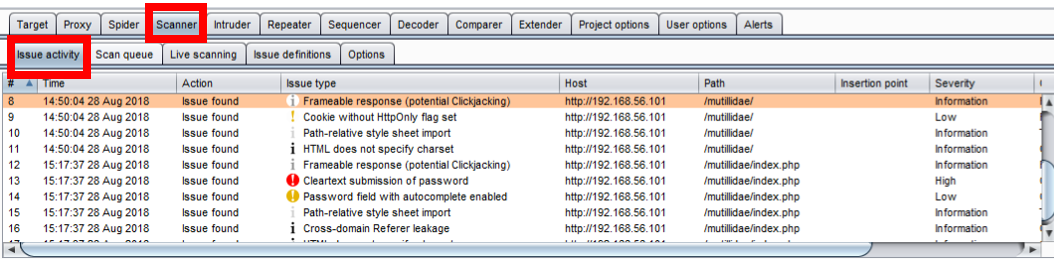
  • Issue Activity: It displays all scanner findings in a tabular format; includes both passive and active scanner issues.:
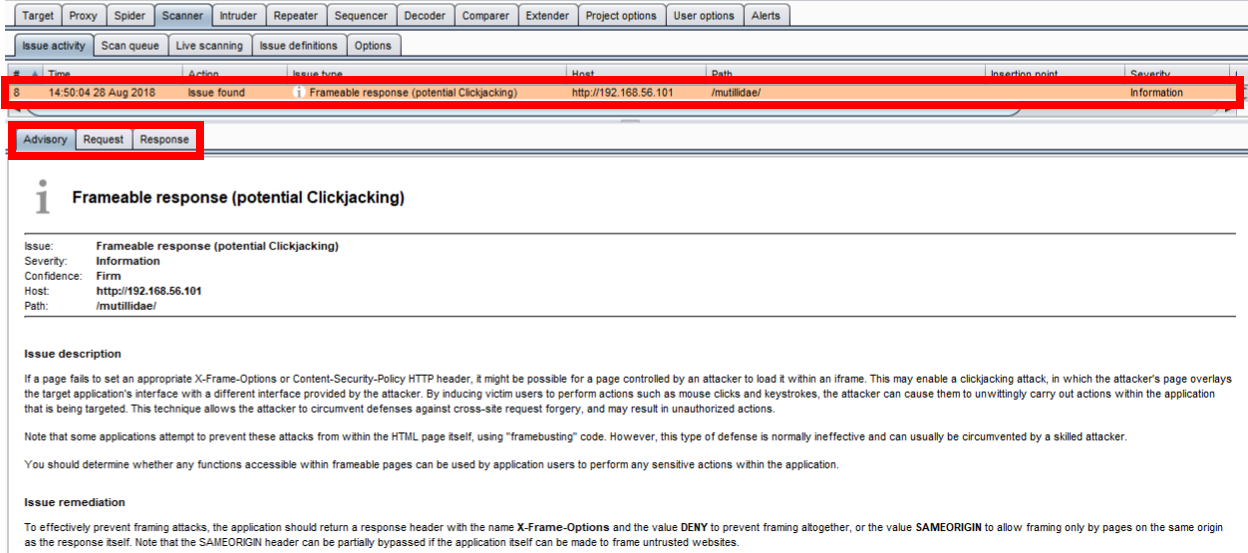
By selecting an issue in the table, the message details are displayed, including an advisory specific to the finding as well as message-editor details related to the request and response:
  • Scan queue: Displays the status of active scanner running; provides a percentage of completion per number of threads running as well as number of requests sent, insertion points tested, start time, end time, targeted host, and URL attacked.

Scanner can be paused from the table by right-clicking and selecting Pause scanner; likewise, scanner can be resumed by right-clicking and selecting Resume Scanner. Items waiting in the scan queue can be cancelled as well:

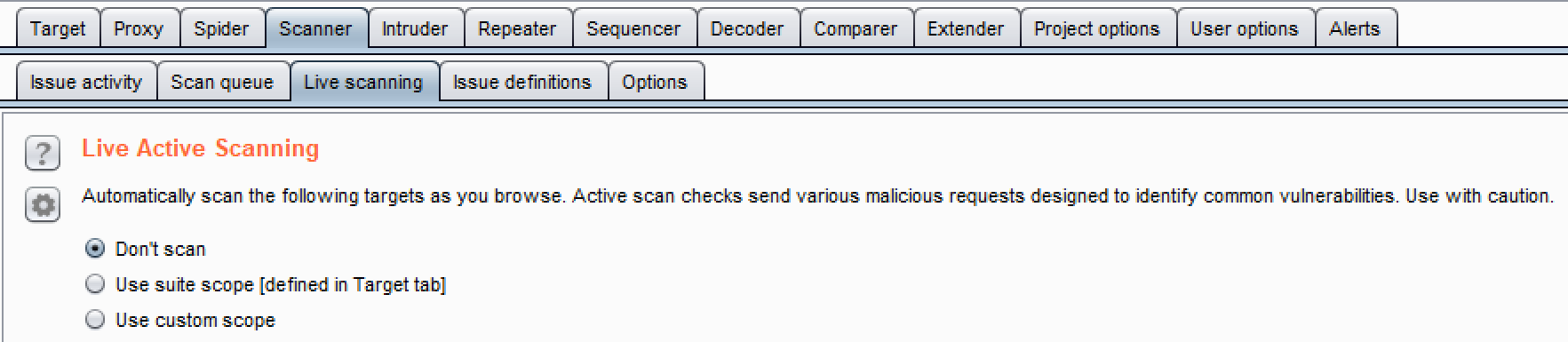
  • Live Active Scanning: It allows customization when active scanner will perform scanning activities:
  • Live Passive Scanning: It allows customization when passive scanner will perform scanning activities. By default, passive scanner is always on and scanning everything:

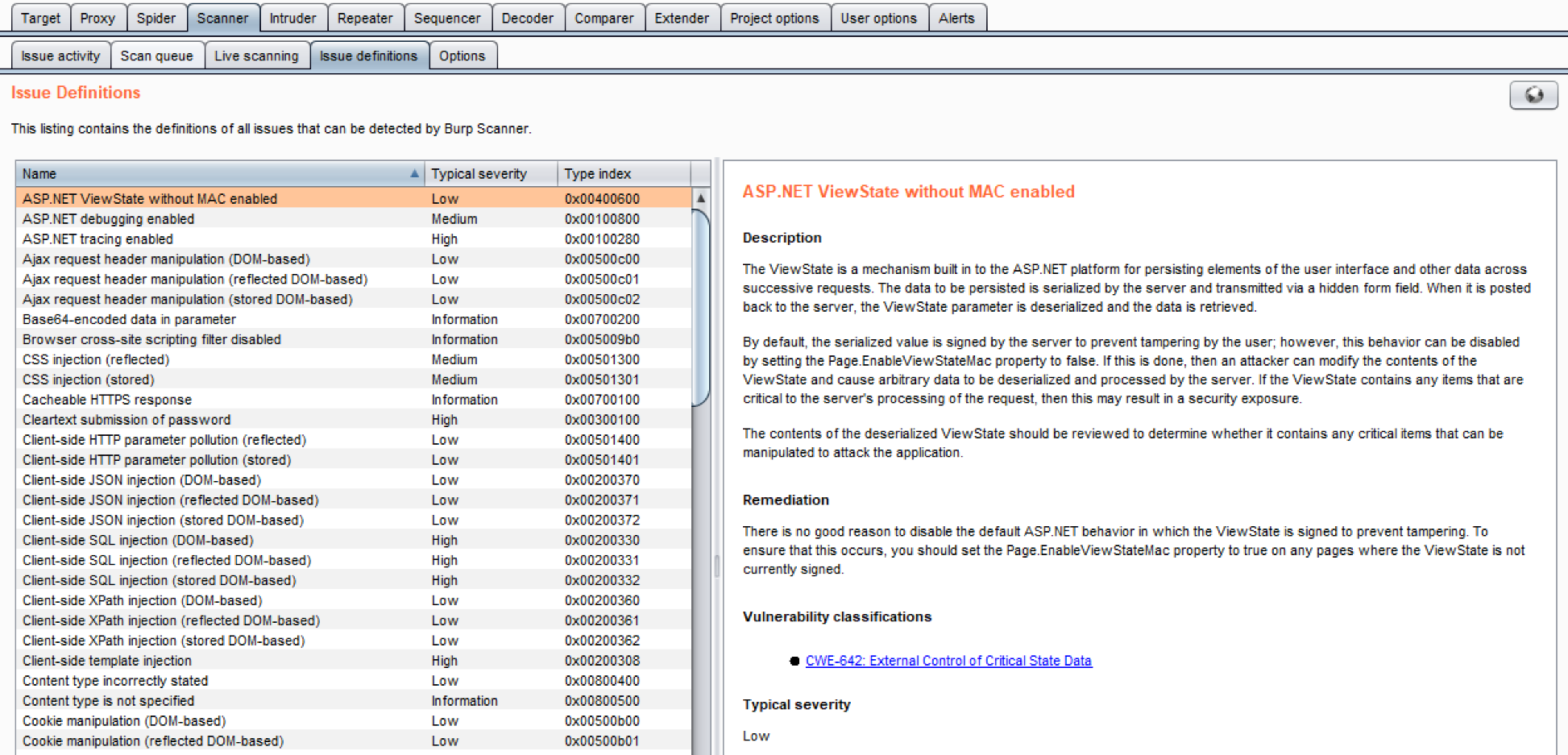
  • Issue definitions: It displays definitions for all vulnerabilities known to Burp scanners (active and passive). The list can be expanded through extenders but, using Burp core, this is the exhaustive listing, which includes title, description text, remediation verbiage, references, and severity level:
  • Options: Several sections are available, including Attack Insertion Points, Active Scanning EngineAttack Scanning Optimization, and Static code analysis.
    • Attack Insertion Points: It allows customization for Burp insertion points; an insertion point is a placeholder for payloads within different locations of a request.  This is similar to the Intruder payload marker concept discussed in Chapter 2, Getting to Know the Burp Suite of Tools:
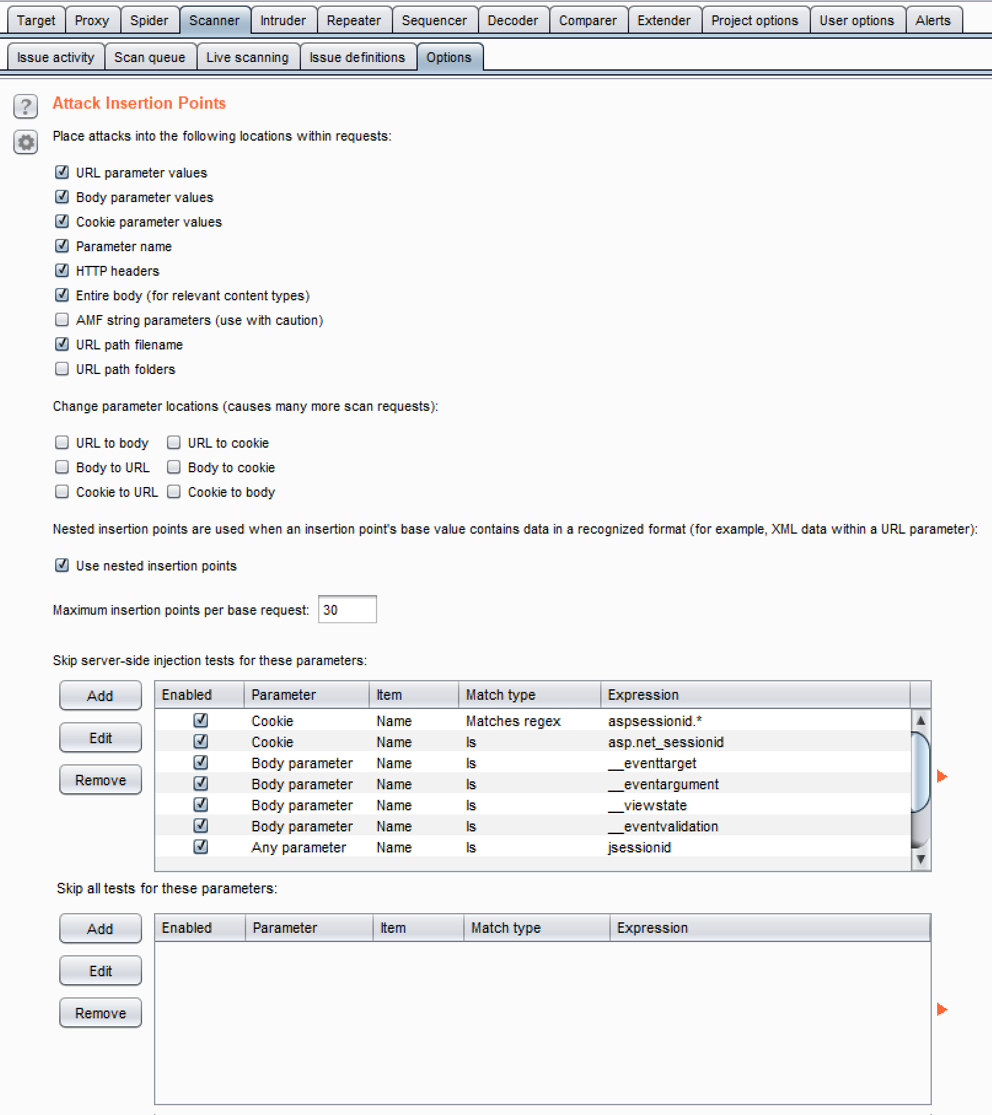
Recommendations here include adding the URL-to-body, Body-to-URL, cookie-to-URL, URL-to-cookie, body-to-cookie, and cookie-to-body insertion points when performing an assessment. This allows Burp to fuzz almost, if not all, available parameters in any given request.

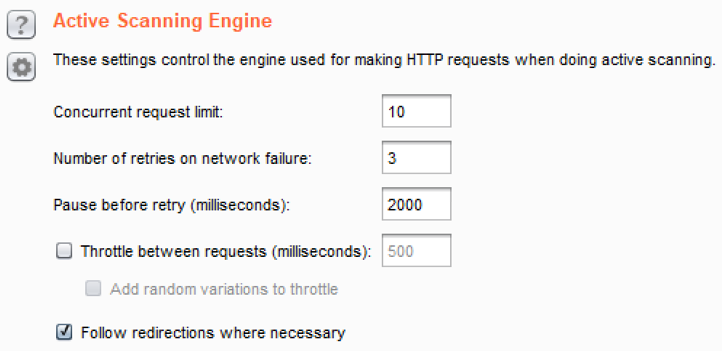
    • Active Scanning Engine: It provides the ability to configure the number of threads (for example, Concurrent request limit) scanner will run against the target application. This thread count, compounded with the permutations of insertion points, can create noise on the network and a possible DOS attack, depending upon the stability of the target application.  Use caution and consider lowering the Concurrent request limit. The throttling of threads is available at this configuration section as well:
    • Attack Scanning Optimization: It provides three settings for scan speed and scan accuracy.

      • Available Scan speed settings include Normal, Fast, and Thorough. Fast makes fewer requests and checks derivations of issues. Thorough makes more requests and checks for derivations of issues. Normal is the medium setting between the other two choices. The recommendation for Scan speed is Thorough.
      • Available Scan accuracy settings include Normal, Minimize false negatives, and Minimize false positives. Scan accuracy relates to the amount of evidence scanner requires before reporting an issue. The recommendation for Scan accuracy is Normal:

    • Static Code Analysis: It provides the ability to perform static analysis of binary code. By default, this check is performed in active scanner:

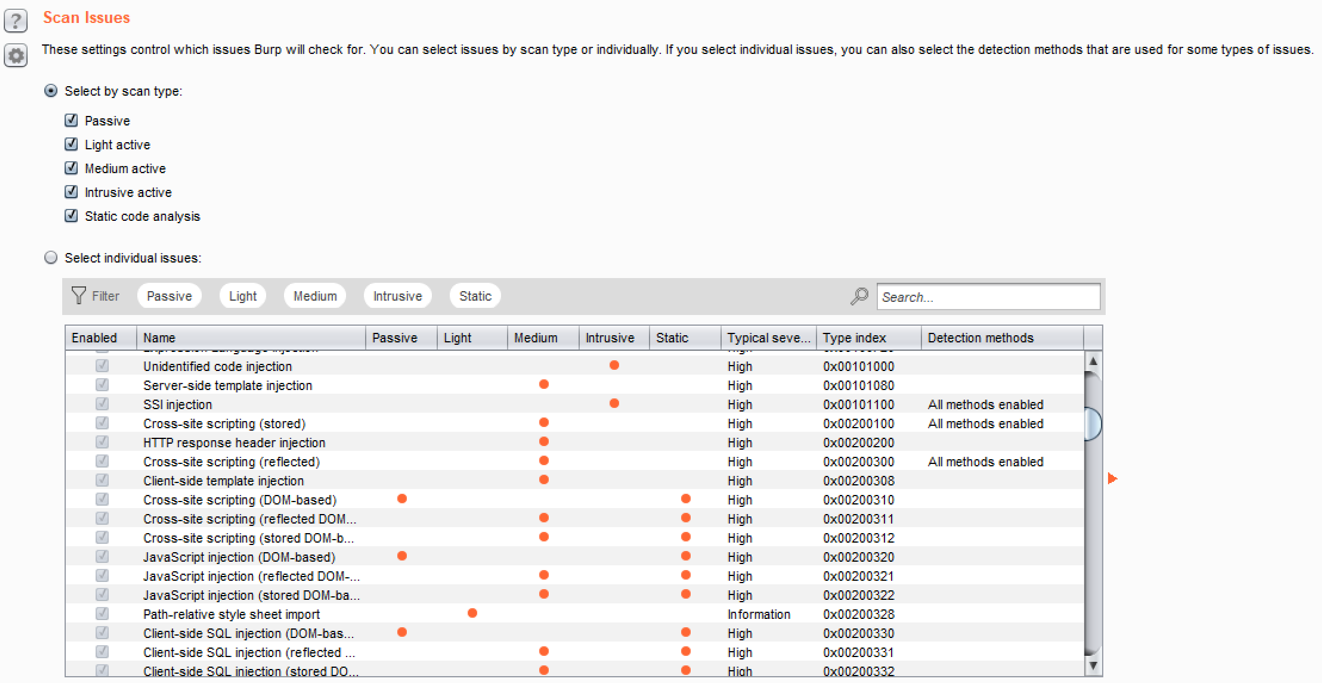
  • Scan Issues: It provides the ability to set which vulnerabilities are tested and for which scanner (that is, passive or active). By default, all vulnerability checks are enabled: