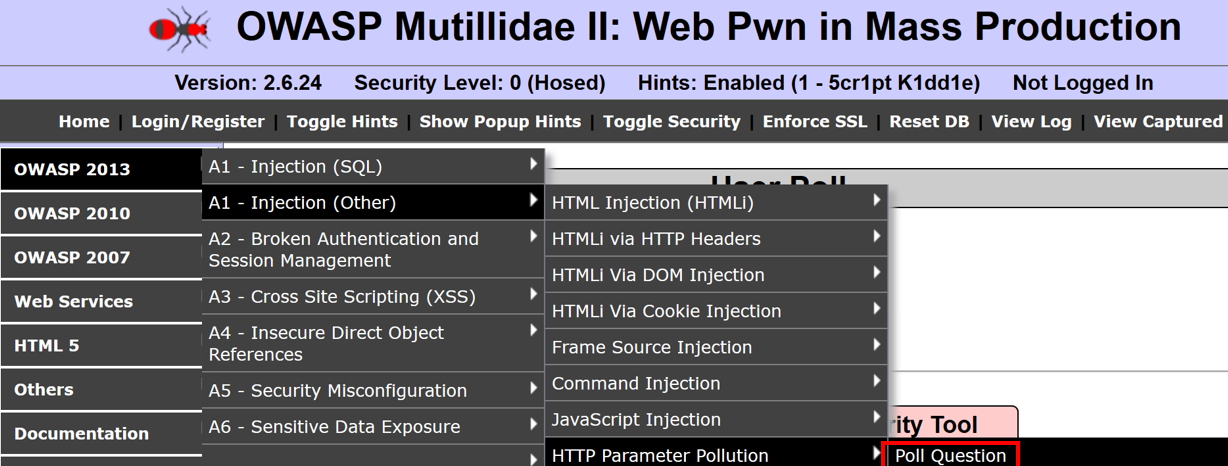
- From the OWASP Mutilliae II menu, select Login by navigating to OWASP 2013 | A1 - Injection (Other) | HTTP Parameter Pollution | Poll Question:
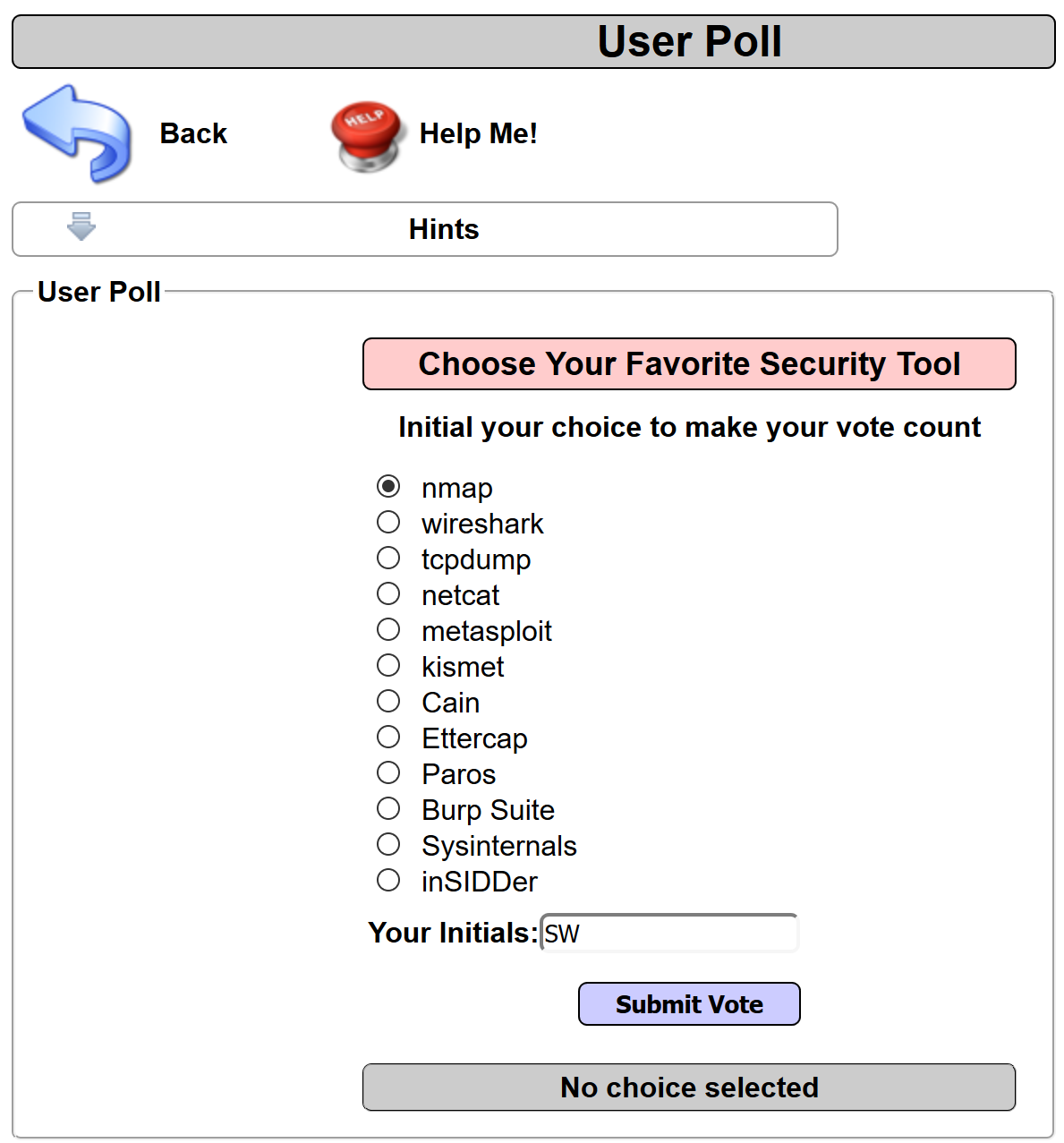
- Select a tool from one of the radio buttons, add your initials, and click the Submit Vote button:
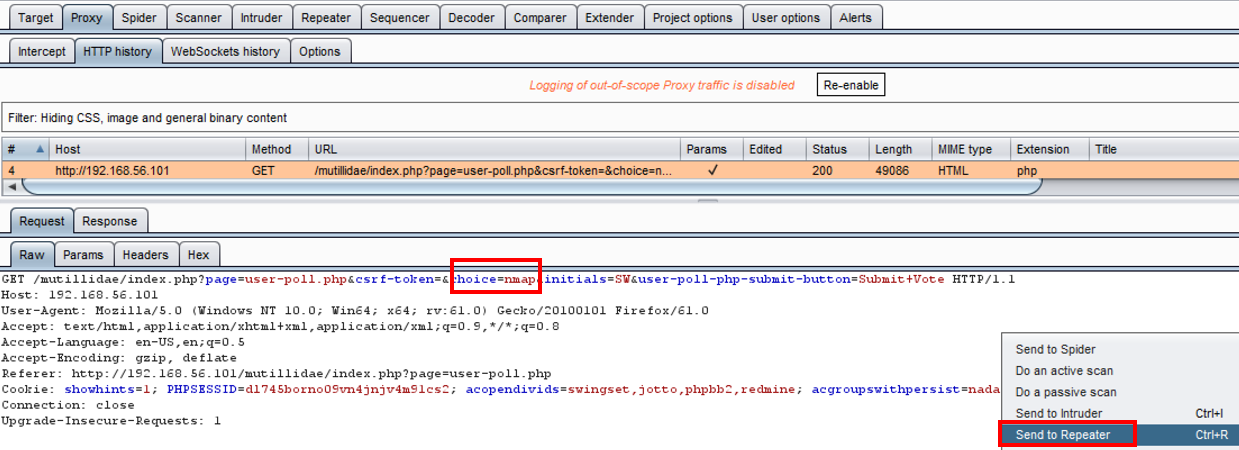
- Switch to the Burp Proxy | HTTP history tab, and find the request you just performed from the User Poll page. Note the parameter named choice. The value of this parameter is Nmap. Right-click and send this request to Repeater:
- Switch to the Burp Repeater and add another parameter with the same name to the query string. Let's pick another tool from the User Poll list and append it to the query string, for example, “&choice=tcpdump”. Click Go to send the request:
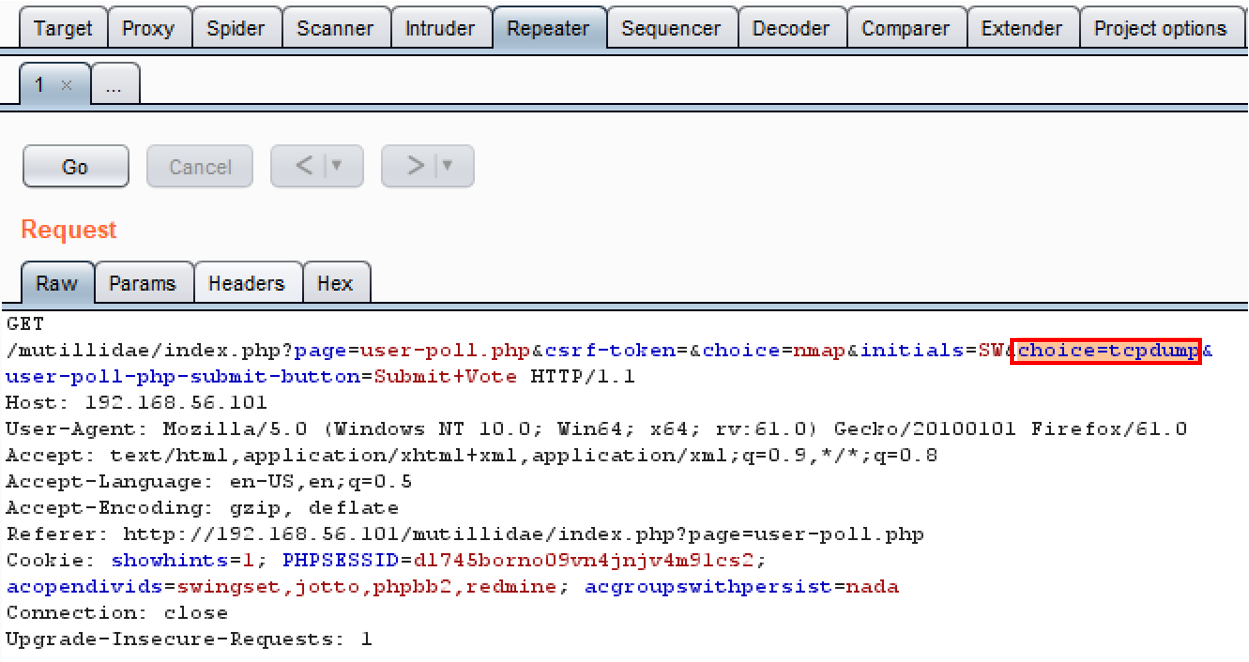
- Examine the response. Which choice did the application code accept? This is easy to find by searching for the Your choice was string. Clearly, the duplicate choice parameter value is the one the application code accepted to count in the User Poll vote: