- Navigate to the login screen (click Login/Register from the top menu), but do not log in yet.
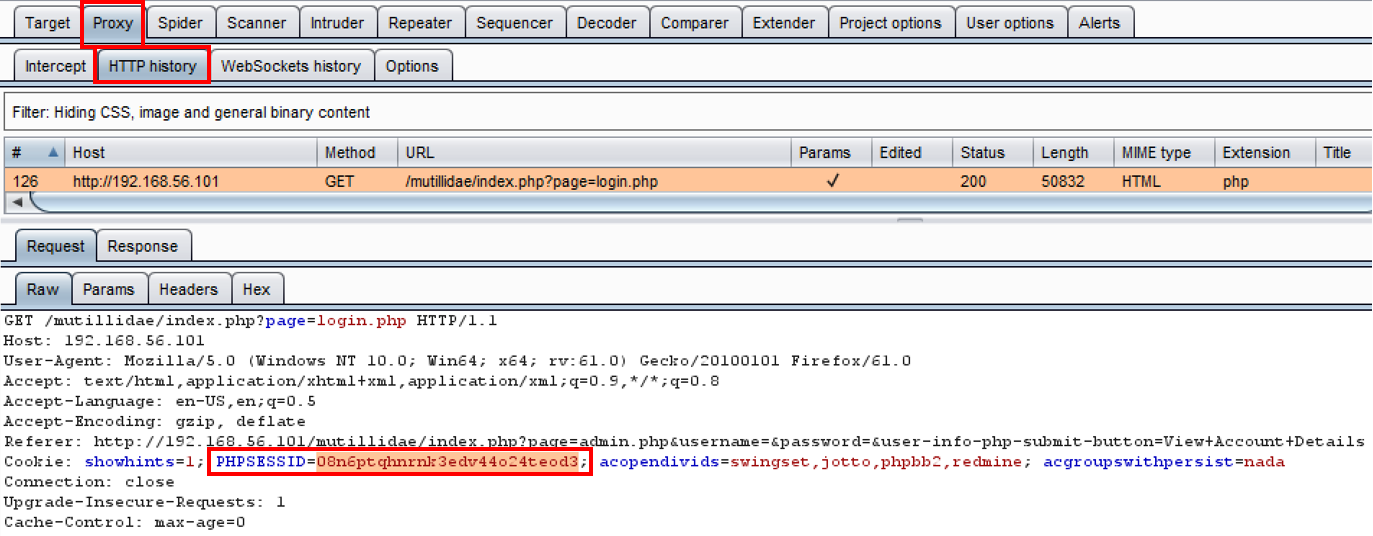
- Switch to Burp's Proxy HTTP history tab, and look for the GET request showing when you browsed to the login screen. Make a note of the value assigned to the PHPSESSID parameter placed within a cookie:
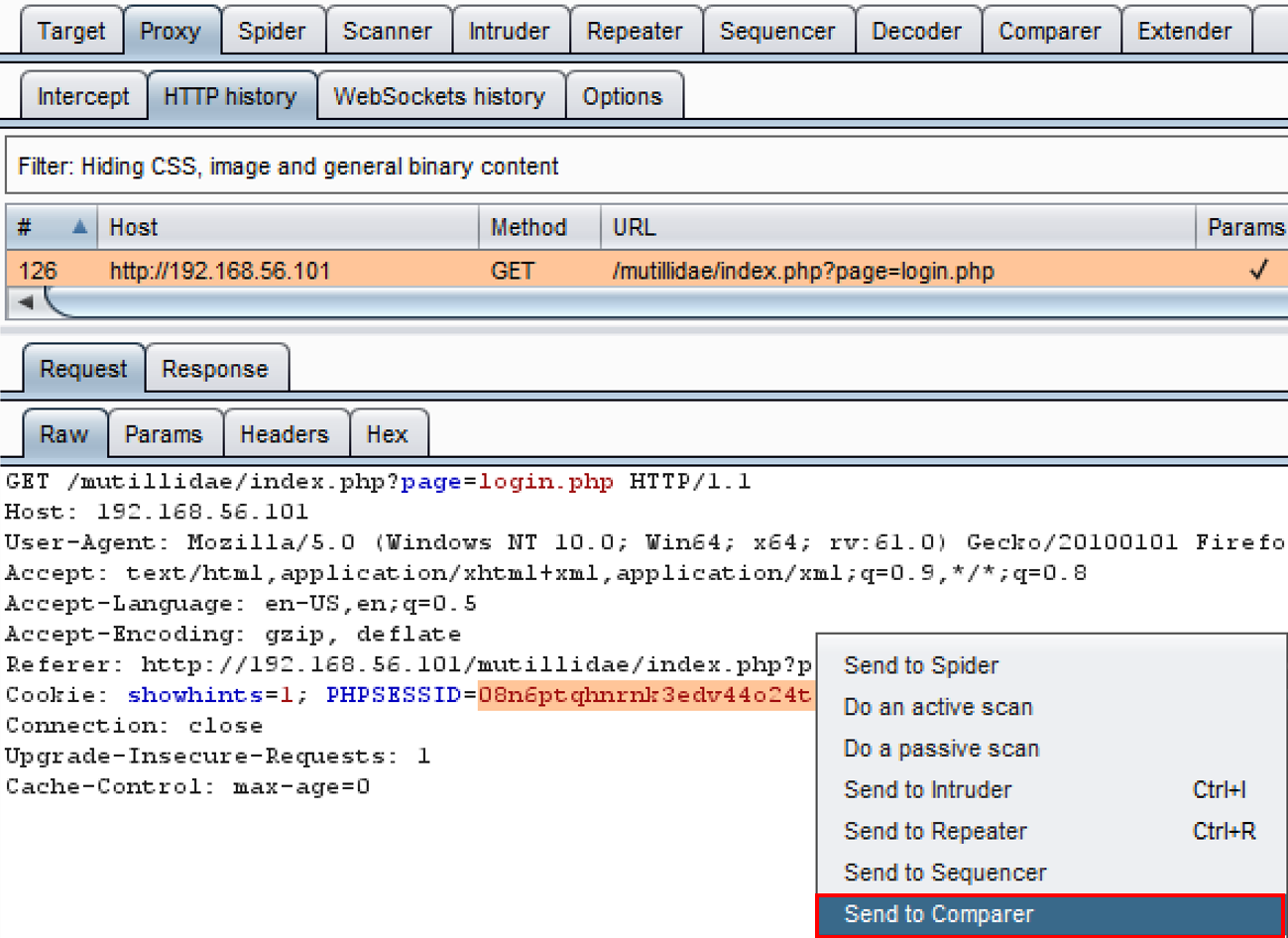
- Right-click the PHPSESSID parameter and send the request to Comparer:
- Return to the login screen (click Login/Register from the top menu), and, this time, log in under the username ed and the password pentest.
- After logging in, switch to Burp's Proxy HTTP history tab. Look for the POST request showing your login (for example, the 302 HTTP status code) as well as the immediate GET request following the POST. Note the PHPSESSID assigned after login. Right-click and send this request to Comparer.
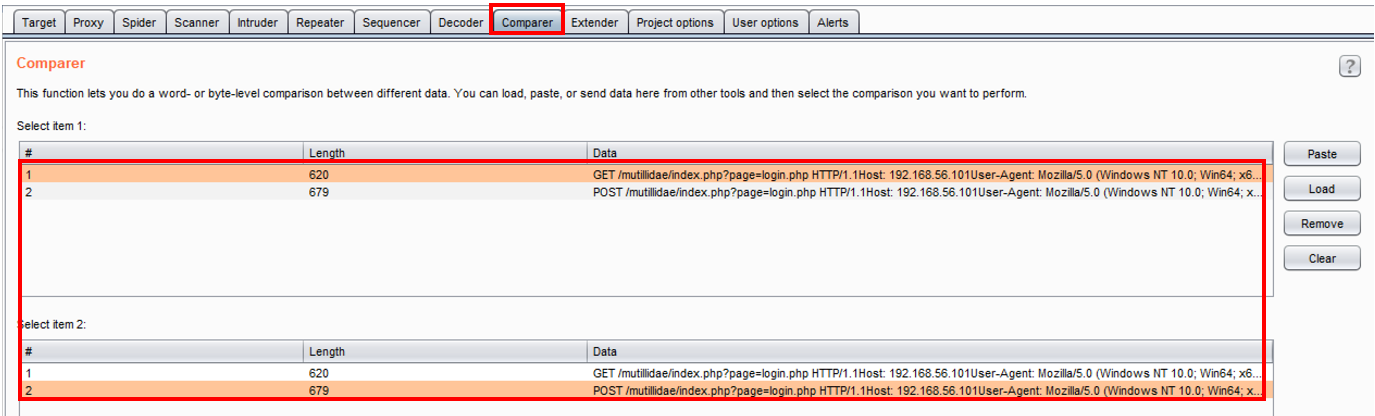
- Switch to Burp's Comparer. The appropriate requests should already be highlighted for you. Click the Words button in the bottom right-hand corner:
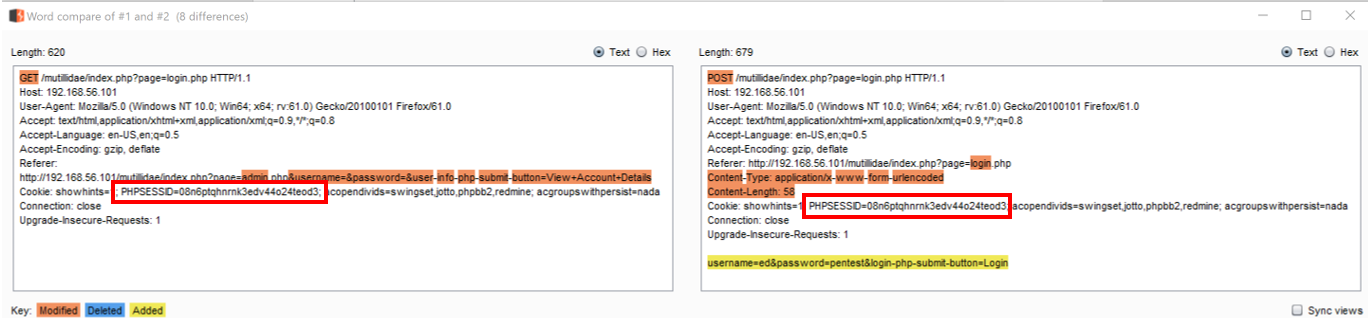
A popup shows a detailed comparison of the differences between the two requests. Note the value of PHPSESSID does not change between the unauthenticated session (on the left) and the authenticated session (on the right). This means the application has a session fixation vulnerability: