
- Switch to Burp BApp Store and install the Java Serial Killer plugin:
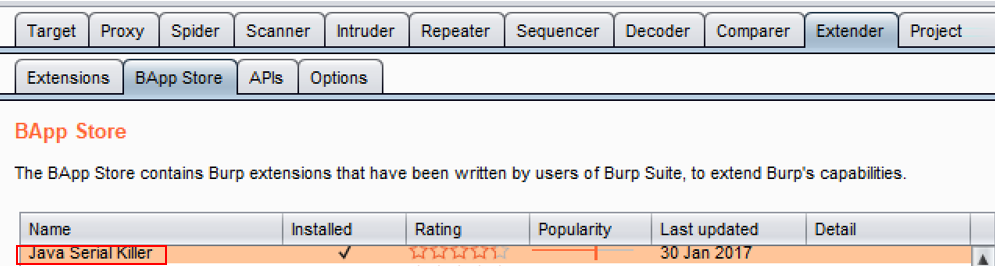
In order to create a scenario using a serialized object, we will take a standard request and add a serialized object to it for the purposes of demonstrating how you can use the extension to add attacker-controlled commands to serialized objects.
- Note the new tab added to your Burp UI menu at the top dedicated to the newly-installed plugin.
- Navigate to the Mutillidae homepage.
- Switch to the Burp Proxy| HTTP history tab and look for the request you just created by browsing to the Mutillidae homepage:
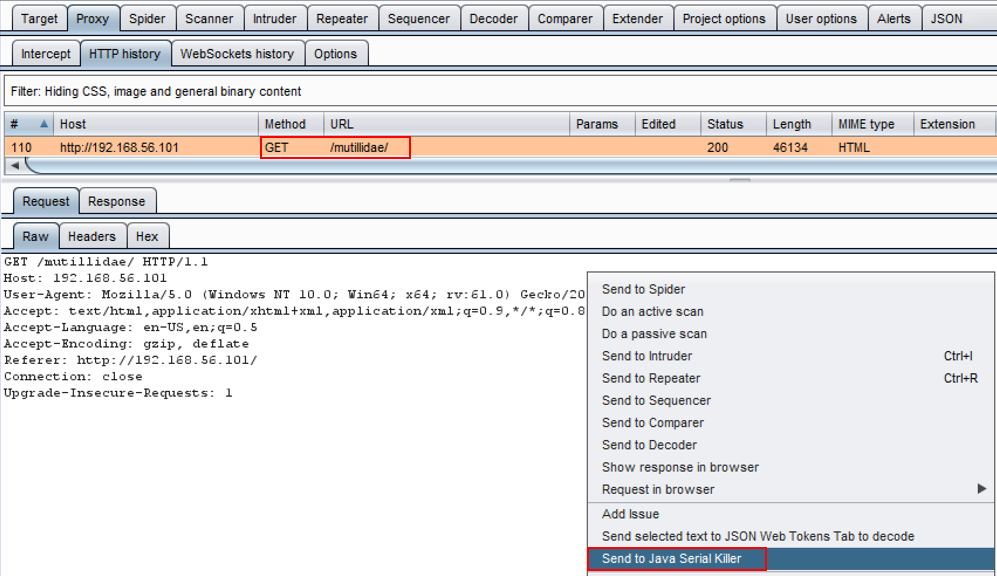
Unfortunately, there aren't any serialized objects in Mutillidae so we will have to create one ourselves.
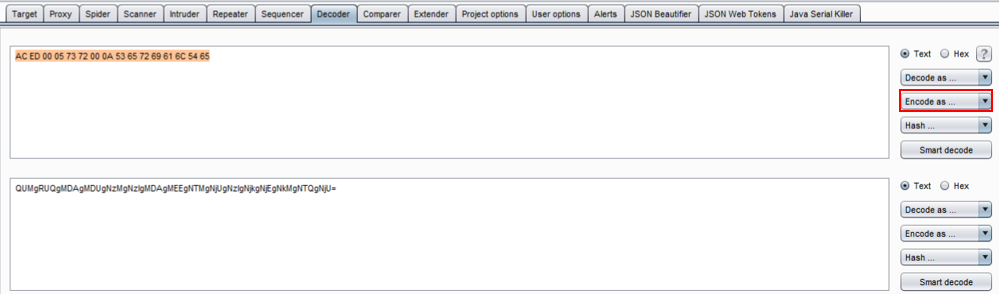
- Switch to the Decoder tab and copy the following snippet of a serialized object:
AC ED 00 05 73 72 00 0A 53 65 72 69 61 6C 54 65
- Paste the hexadecimal numbers into the Decoder tab, click the Encode as... button, and select base 64:
- Copy the base-64 encoded value from the Decoder tab and paste it into the bottom of the request you sent to the Java Serial Killer tab. Use Ctrl + C to copy out of Decoder and Ctrl + V to paste it anywhere in the white space area of the request:
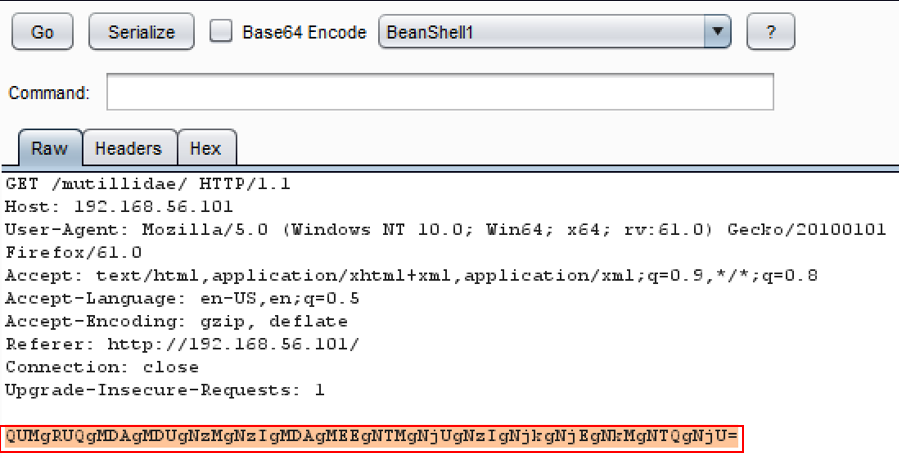
- Within the Java Serial Killer tab, pick a Java library from the drop-down list. For this recipe, we will use CommonsCollections1. Check the Base64 Encode box. Add a command to embed into the serialized object. In this example, we will use the nslookup 127.0.0.1 command. Highlight the payload and click the Serialize button:
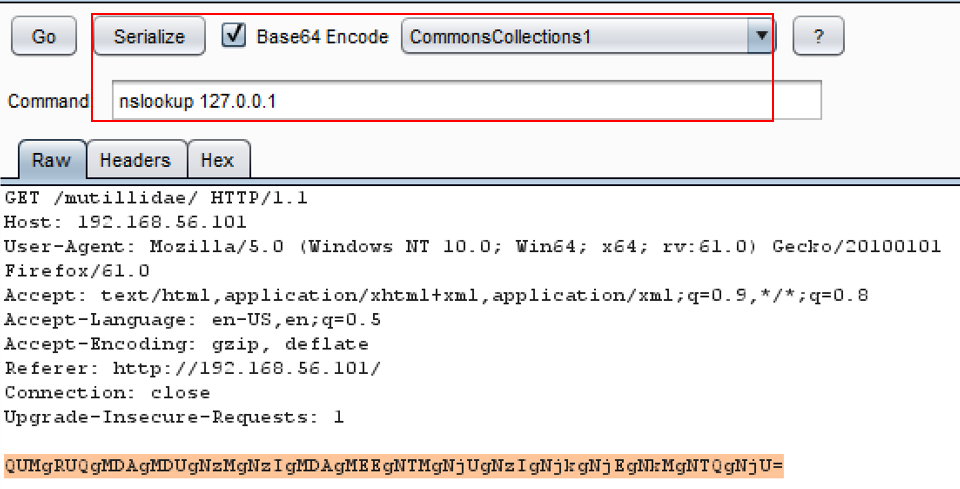
- After clicking the Serialize button, notice the payload has changed and now contains your arbitrary command and is base-64 encoded:
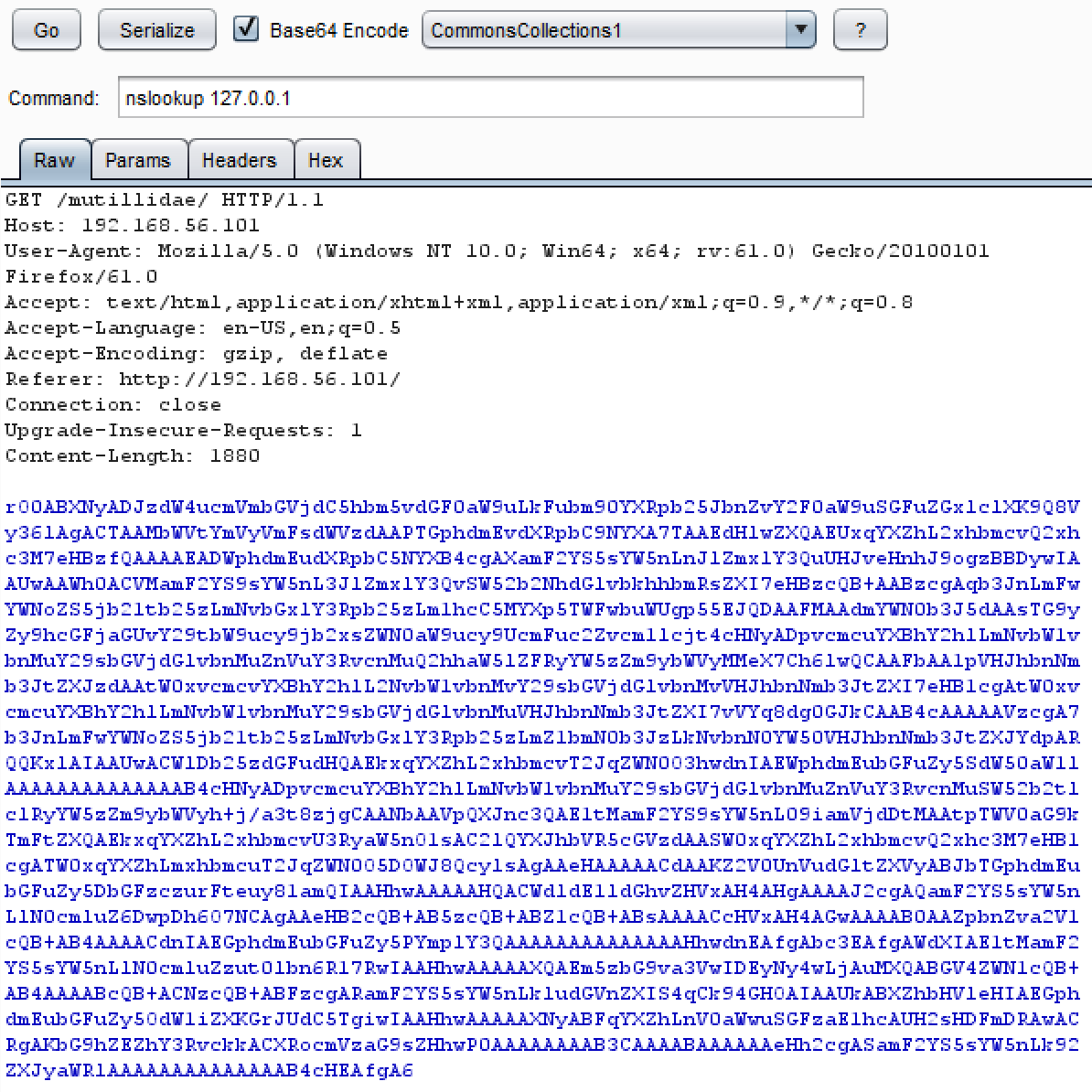
- Click the Go button within the Java Serial Killer tab to execute the payload. Even though you may receive an error in the response, ideally, you would have a listener, such as tcpdump, listening for any DNS lookups on port 53. From the listener, you would see the DNS query to the IP address you specified in the nslookup command.