In this section, we will first discuss how to get the hashes from an operating system, and then look at the salting and stretching procedures that make Linux hashes much stronger. We will then discuss the specific hashing algorithm used by modern versions of Linux, and finally look at cracking hashes with wordlists and Python.
Here, we have created three users to test the software in much the same way as we did earlier on Windows. John and Paul have the same password and Ringo has a different password:

You get the hashes from the /etc/shadow file, from which we will print out the last three records. So, you will see John, Paul, and Ringo, and after each username comes $6, which indicates that it is a type 6 of password, which is the most modern and secure form. Then there is a long, random string of characters that goes up to the next dollar sign, and then an even longer random string of characters, which is the password hash itself.
The first thing you can see is the password hash, which is much longer and more complicated than the Windows password hash. The next thing to observe is that even though John and Paul have the same password, they have completely different hashes, because it adds a random salt to each one before hashing them in order to obscure the fact that these passwords are the same, making the passwords much stronger. Salting is the procedure of adding random characters before hashing; stretching is also employed here. Instead of just using one round of MD4, it uses 5,000 rounds of SHA-512, which simply makes it take much more CPU time to calculate the hash. The point of this is to slow down attackers who are trying to make dictionaries of password hashes.
You can find the details of the method in the /etc/login.defs file, which shows you that modern versions of Linux using crypt methods SHA512 and 5000 rounds:
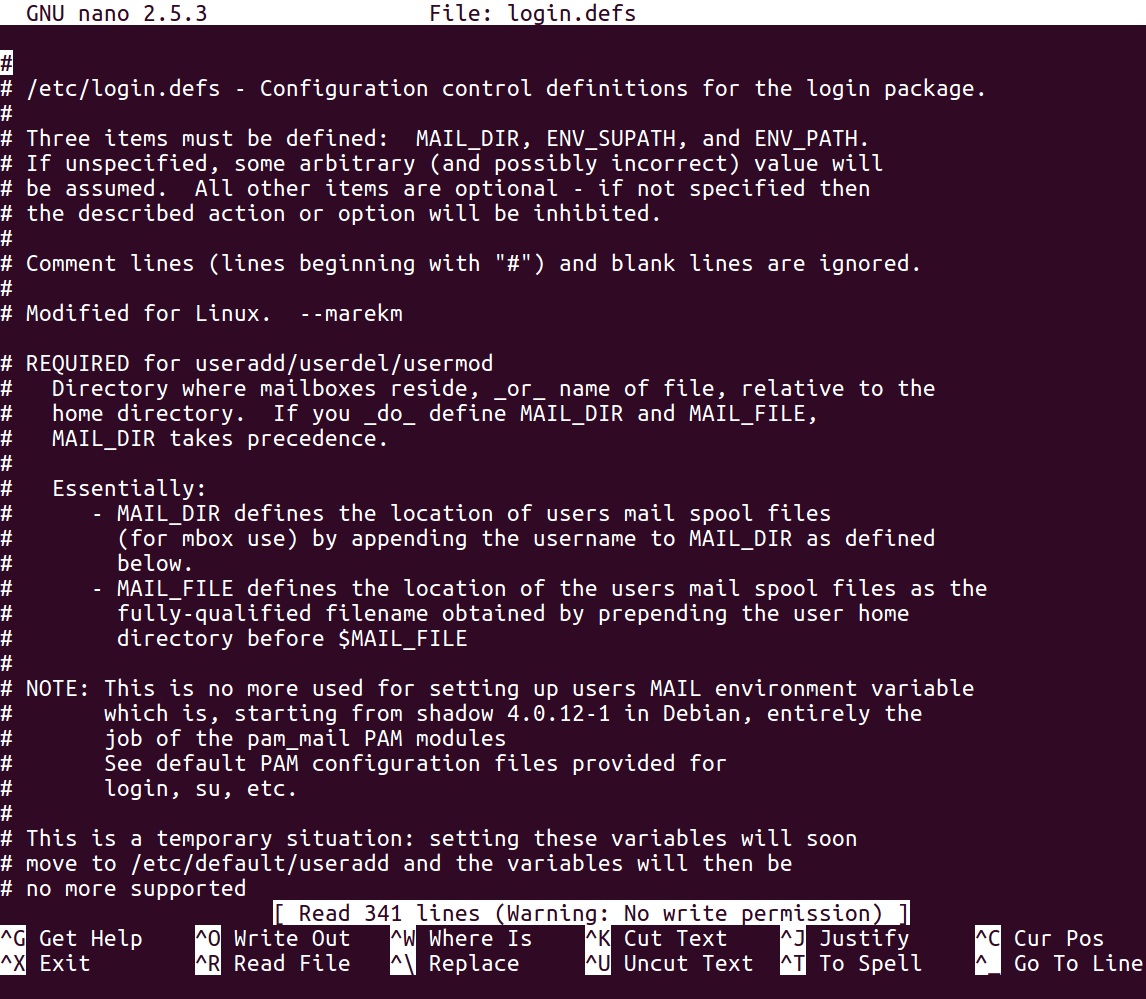
Thus, the procedure requires you to combine salt with the password. You perform an algorithm that includes 5,000 rounds of SHA-512 hashing. It actually has more than 20 steps that involve taking two hashes together and mixing the bits together, but it's a little more complicated than just repeating the same hash algorithm over and over.
We'll use the passlive library. Before using it in Python, you have to install it with the pip install passlib command. Once you've got it, you can import the sha512_crypt module. Here's how you use it:

Let's start the Python Terminal. Then we can import the passlib library as shown earlier, because we've already put it in pip install.
Now, we can calculate the first one, which will use the salt value from the shadow file and hash it, as shown in the previous screenshot.
As you can see, we get the correct results (starting r7k). And, if we were doing a dictionary attack, we would have a series of password guesses as shown:
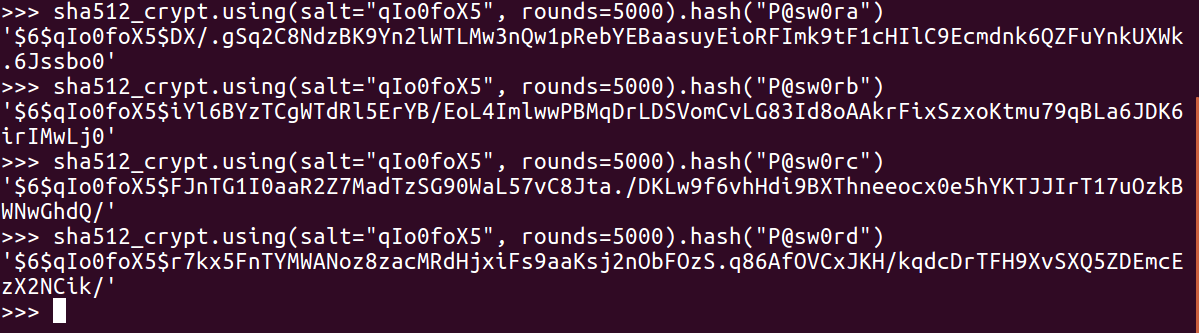
It's just a question of trying them until you get the one that matches.