
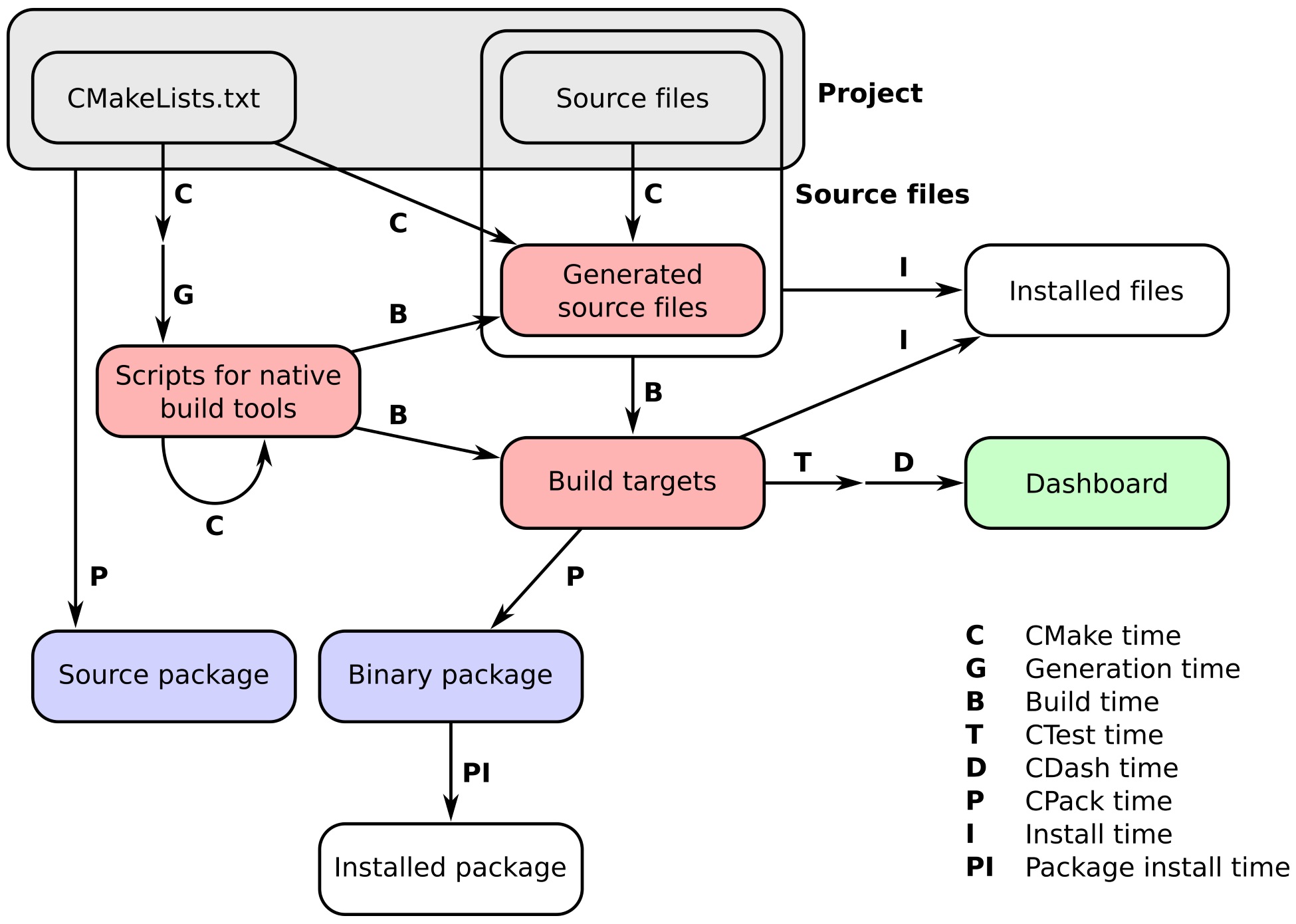
In this chapter, we will learn how to perform custom operations at configure time and build time. Let us briefly recall the notion of times as related to the workflow of a project managed by CMake:
- CMake time or configure time: This is when CMake is running and processing the CMakeLists.txt files in your project.
- Generation time: This is when the files for the native build tool, such as Makefiles or Visual Studio project files, are generated.
- Build time: This is when the native build tools are invoked on the platform- and tool-native build scripts previously generated by CMake. At this point, the compiler will be invoked and the targets (executables and libraries) will be built in a specific build directory.
- CTest time or test time: When we run the test suite to check whether the targets perform as intended.
- CDash time or report time: When the results of testing the project are uploaded to a dashboard to be shared with other developers.
- Install-time: When the targets, source files, executables, and libraries are installed from the build directory to an install location.
- CPack time or packaging time: When we package our project for distribution, either as source code or binary.
- Package install time: When the newly minted package is installed system-wide.
The complete workflow and the corresponding times are depicted in the following figure:
This chapter is concerned with customizing the behavior at configure time and build time. We will learn how to use these commands:
- execute_process to execute arbitrary processes from within CMake and retrieve their outputs
- add_custom_target to create targets that will execute custom commands
- add_custom_command to specify commands that have to be executed to generate files or at specific build events of other targets