
To create the corresponding source code, please follow these steps:
- Create a directory and place hello-world.cpp in the newly created directory.
- In this directory, create a CMakeLists.txt file which contains the following:
# set minimum cmake version
cmake_minimum_required(VERSION 3.5 FATAL_ERROR)

# project name and language
project(recipe-01 LANGUAGES CXX)

set(CMAKE_CXX_STANDARD 11)
set(CMAKE_CXX_EXTENSIONS OFF)
set(CMAKE_CXX_STANDARD_REQUIRED ON)

include(GNUInstallDirs)
set(CMAKE_ARCHIVE_OUTPUT_DIRECTORY
  ${CMAKE_BINARY_DIR}/${CMAKE_INSTALL_LIBDIR})
set(CMAKE_LIBRARY_OUTPUT_DIRECTORY
  ${CMAKE_BINARY_DIR}/${CMAKE_INSTALL_LIBDIR})
set(CMAKE_RUNTIME_OUTPUT_DIRECTORY
  ${CMAKE_BINARY_DIR}/${CMAKE_INSTALL_BINDIR})

# define executable and its source file
add_executable(hello-world hello-world.cpp)

# we will print the system name in the code
target_compile_definitions(hello-world
  PUBLIC
    "SYSTEM_NAME=\"${CMAKE_SYSTEM_NAME}\""
  )

install(
  TARGETS
    hello-world
  DESTINATION
    ${CMAKE_INSTALL_BINDIR}
  )
- Open Visual Studio 2017, then navigate to the newly created folder which contains both the source file and CMakeLists.txt by the following File | Open | Folder.
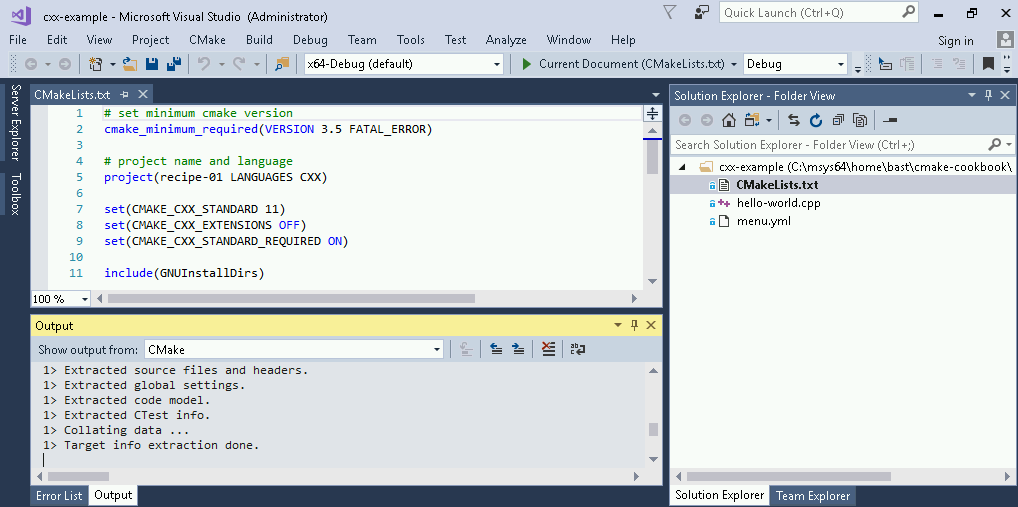
- Once the folder is open, notice how the CMake configure step is run automatically (bottom panel):
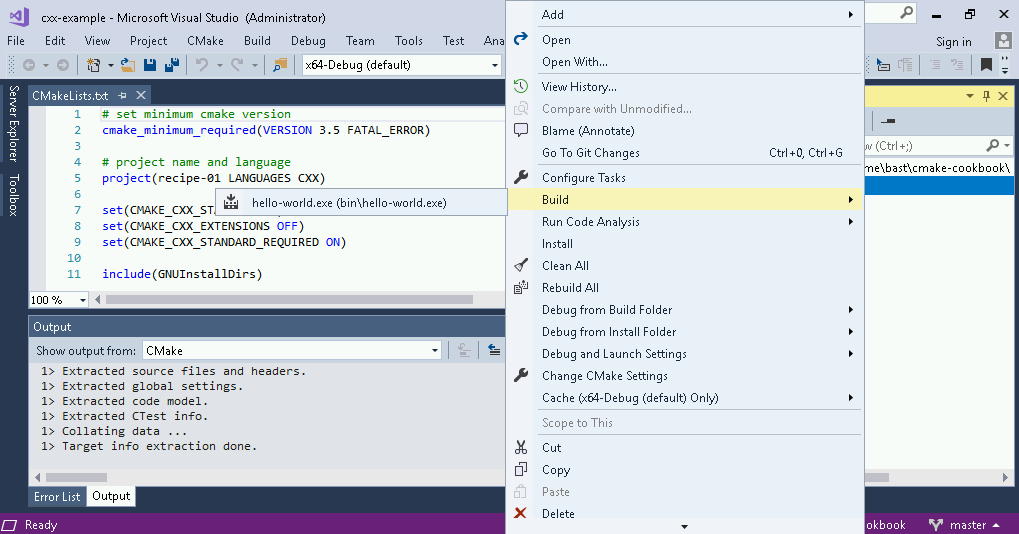
- Now, we can right-click on CMakeLists.txt (right panel) and select Build:
- This builds the project (see the output on the bottom panel):
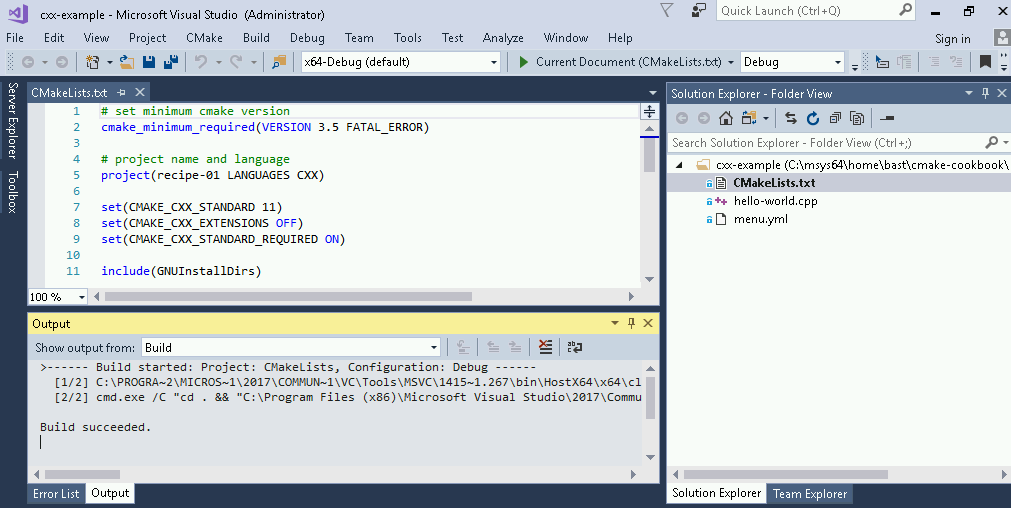
- This successfully compiled the executable. In the next subsection, we will learn how to locate the executable and possibly change the build and install paths.