First, let us discuss the CMakeLists.txt file in the root directory:
- As should be familiar, we declare a C++11 project, as follows:
cmake_minimum_required(VERSION 3.5 FATAL_ERROR)

project(recipe-01 LANGUAGES CXX)

set(CMAKE_CXX_STANDARD 11)
set(CMAKE_CXX_EXTENSIONS OFF)
set(CMAKE_CXX_STANDARD_REQUIRED ON)
- We define the output directories for shared and static libraries and executables, as follows:
include(GNUInstallDirs)
set(CMAKE_ARCHIVE_OUTPUT_DIRECTORY
  ${CMAKE_BINARY_DIR}/${CMAKE_INSTALL_LIBDIR})
set(CMAKE_LIBRARY_OUTPUT_DIRECTORY
  ${CMAKE_BINARY_DIR}/${CMAKE_INSTALL_LIBDIR})
set(CMAKE_RUNTIME_OUTPUT_DIRECTORY
  ${CMAKE_BINARY_DIR}/${CMAKE_INSTALL_BINDIR})
- We append the cmake subdirectory to CMAKE_MODULE_PATH. This is required for CMake to find our custom modules:
list(APPEND CMAKE_MODULE_PATH "${CMAKE_SOURCE_DIR}/cmake")
- The UseDoxygenDoc.cmake custom module is included. We will discuss its content later:
include(UseDoxygenDoc)
- We then add the src subdirectory:
add_subdirectory(src)
The CMakeLists.txt file in the src subdirectory contains the following building blocks:
- We add a message static library, as follows:
add_library(message STATIC
  Message.hpp
  Message.cpp
  )
- We then add an executable target, hello-world:
add_executable(hello-world hello-world.cpp)
- Then, the hello-world executable should be linked to the message library:
target_link_libraries(hello-world
  PUBLIC
    message
  )
In the last stanza in the root CMakeLists.txt file, we call the add_doxygen_doc function. This adds a new docs target that will invoke Doxygen to build our documentation:
add_doxygen_doc(
  BUILD_DIR
    ${CMAKE_CURRENT_BINARY_DIR}/_build
  DOXY_FILE
    ${CMAKE_CURRENT_SOURCE_DIR}/docs/Doxyfile.in
  TARGET_NAME
    docs
  COMMENT
    "HTML documentation"
  )
Finally, let us look at the UseDoxygenDoc.cmake module, where the add_doxygen_doc function is defined:
- We find the Doxygen and Perl executables, as follows:
find_package(Perl REQUIRED)
find_package(Doxygen REQUIRED)
- Then, we declare the add_doxygen_doc function. This function understands one-value arguments: BUILD_DIR, DOXY_FILE, TARGET_NAME, and COMMENT. We parse these using the cmake_parse_arguments standard CMake command:
function(add_doxygen_doc)
  set(options)
  set(oneValueArgs BUILD_DIR DOXY_FILE TARGET_NAME COMMENT)
  set(multiValueArgs)

  cmake_parse_arguments(DOXY_DOC
    "${options}"
    "${oneValueArgs}"
    "${multiValueArgs}"
    ${ARGN}
    )

  # ...

endfunction()
- The Doxyfile contains all Doxygen settings to build the documentation. A template Doxyfile.in is passed as the function argument DOXY_FILE, and is parsed into the DOXY_DOC_DOXY_FILE variable. We configure the template file, Doxyfile.in, as follows:
configure_file(
  ${DOXY_DOC_DOXY_FILE}
  ${DOXY_DOC_BUILD_DIR}/Doxyfile
  @ONLY
  )
- We then define a custom target, called DOXY_DOC_TARGET_NAME, which will execute Doxygen with the settings in the Doxyfile and output the results in DOXY_DOC_BUILD_DIR:
add_custom_target(${DOXY_DOC_TARGET_NAME}
  COMMAND
    ${DOXYGEN_EXECUTABLE} Doxyfile
  WORKING_DIRECTORY
    ${DOXY_DOC_BUILD_DIR}
  COMMENT
    "Building ${DOXY_DOC_COMMENT} with Doxygen"
  VERBATIM
  )
- Finally, a status message is printed for the user:
message(STATUS "Added ${DOXY_DOC_TARGET_NAME} [Doxygen] target to build documentation")
We can configure the project as usual:
$ mkdir -p build
$ cd build
$ cmake ..
$ cmake --build .
The documentation can be built by invoking our custom docs target:
$ cmake --build . --target docs
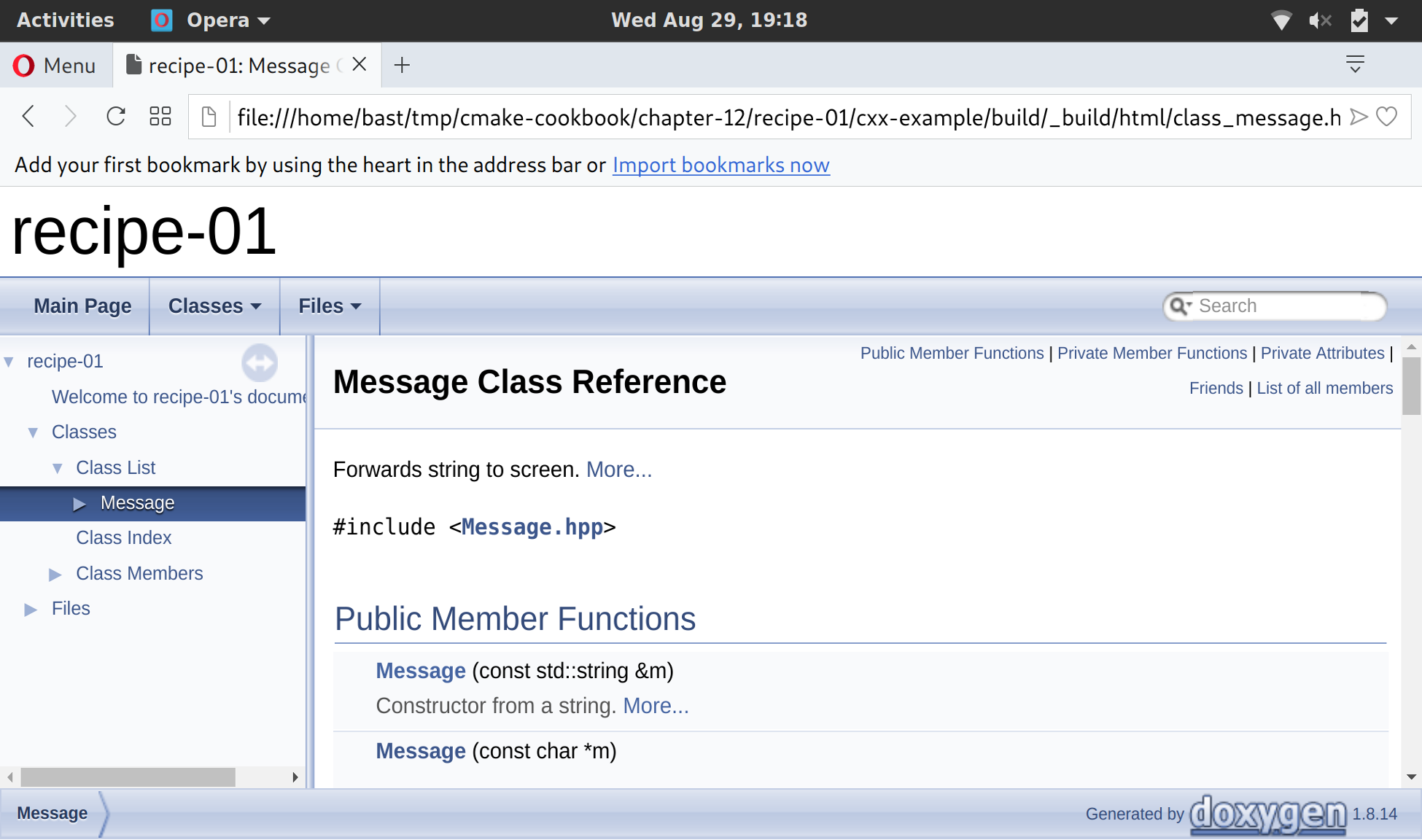
You will notice that a _build subdirectory will have appeared in the build tree. This contains the HTML documentation that Doxygen has generated from your source files. Opening index.html with your favorite browser will show the Doxygen welcome page.
If you navigate to the class list, you can for instance browse the documentation for the Message class: