
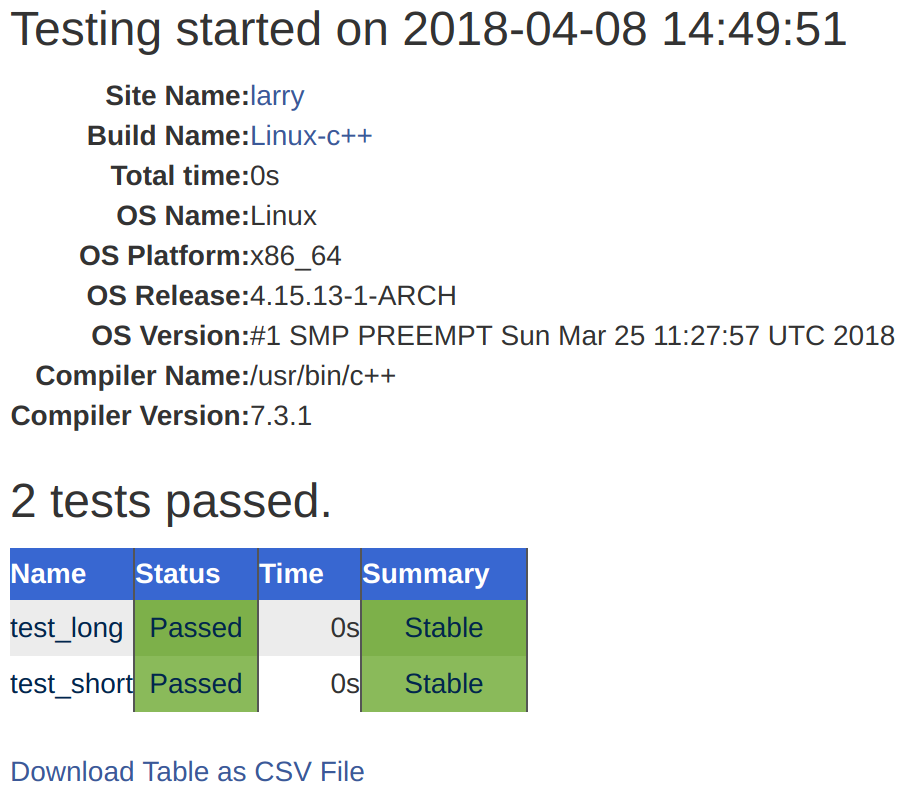
A high-level overview of the workflow shows that CTest runs the tests and records results locally in XML files. These XML files are then sent to the CDash server, where they can be browsed and analyzed. We can obtain more details about the passed or failed tests (in this example, there are no failed tests) by clicking on the 2 under Pass, as shown in the preceding screenshot. The details, as shown in the following screenshot, record information about the machine that ran the tests, as well as timing information. Again, the test output for individual tests can be browsed online.
CTest supports three different running submission modes: Experimental, Nightly, and Continuous. We have used ctest --dashboard Experimental, and thus, the test results appear under Experimental. The Experimental mode is useful for testing the current state of the code, for debugging a new dashboard script (see Recipes 3 and 4 in this chapter), or for debugging a CDash server or project. The Nightly mode will update (or down-date) the code to the repository snapshot closest to the latest nightly start time, which can be set in CTestConfig.cmake; it gives all nightly tests in a project that receives frequent updates a well-defined reference point. For instance, the nightly start time can be set to midnight, Coordinated Universal Time, as follows:
set(CTEST_NIGHTLY_START_TIME "00:00:00 UTC")
The Continuous mode is useful for a continuous integration workflow and will update the code to the latest version.