Although the technology allows us to develop a bot that behaves in just about any way, that doesn’t mean we should. Users have certain expectations from their messaging communications such as acknowledgment of the message receipt, a quick response, and the ability to continue the conversation later. Although conversing with a bot is not the same as speaking with a human, messaging a friend is the closest analogous experience. Since users are still getting used to bots, it is reasonable to take those interactions as samples of how a bot should behave.
Successful bots can exhibit many types of behaviors, but there are some common patterns and flavors. That’s not to say innovation has stagnated; not at all! These use cases are based on commonly observed patterns in the space given technology and budget constraints. The space is ripe for innovation, and the only question is, what are the limits of our collective imagination?
These common use cases also follow certain rules as to how they communicate with users. During my career, it was essential for me to internalize that most technology users don’t use the technology the way that I do. I love the command line and its precision. Not being a native English speaker, the ambiguity of natural language has been troubling. But bots give users an ability to use this ambiguous natural language. As a result, there is a certain amount of self-restraint that bot developers need to exercise. It is easy for a developer to put together a bot experience that is more reminiscent of using a command line.
Considering the limitations of natural language processing (NLP) and user expectations, it then becomes more important than ever to be careful about how the bot behaves when it doesn’t understand things and when it’s asking for feedback from the user. With a careful approach and a conscious choice of the type of responses we send our users, creating a delightful experience is within reach.
Common Use Cases
Developers are creating all sorts of conversational experiences. We can experience bots that specialize in tasks such as selling items, answering questions about products, sending order statuses, answering inquiries about orders, provisioning cloud infrastructure, searching over multiple data sources, sharing cat GIFs, and doing millions of other things.
At a high level, we will split the bots into two larger categories: consumer and enterprise. There is of course overlap in the subcategories but also some clear dividing lines.
Common Consumer Cases
Consumer bots are typically available via channels such as Facebook Messenger, Slack, and the other public messaging apps; web chat; voice interfaces; or even custom mobile apps when a custom interface is required. On the lower end of the quality scale, they are no more than toys. On the higher end, they can be impressive feats of design and engineering. Because of the general AI and bot fever we discussed in Chapter 1, many companies are deploying a bot along with their products. Atlassian, for example, has a Slackbot for its JIRA product. Even Amazon has a chat bot integrated into its mobile shopping app. You will also find brands dipping their toes into bots via Facebook Messenger. Facebook Pages makes it easy for a company to have an outward-facing public channel to talk to its customers via either public posts or Messenger. If it is Messenger, a human agent needs to log into the page inbox and reply to each message. A first step for many companies is to deploy a Messenger bot that replies to a few types of user queries, with the rest simply left for humans to reply to. Utility-wise, we are still trying to answer the question, what makes the most sense for users? The variety of bots in the space certainly points to that. The following are some broad categories of effective approaches.
FAQ Bot
An FAQ bot is typically the first entry into the bot and NLP space by teams taking the technology for a test run. It is an easy use case: let’s take our existing FAQ and place it as a bot on Facebook Messenger or enterprise messaging. That way, the most typically asked questions can be caught by a bot before an employee spends time answering them. A simple text-based FAQ bot can turn into something quite interesting and aesthetically pleasing from a user perspective. An answer to a commonly asked question doesn’t simply have to be a block of boring text. The answer can include further content such as images, videos, and links to additional content.
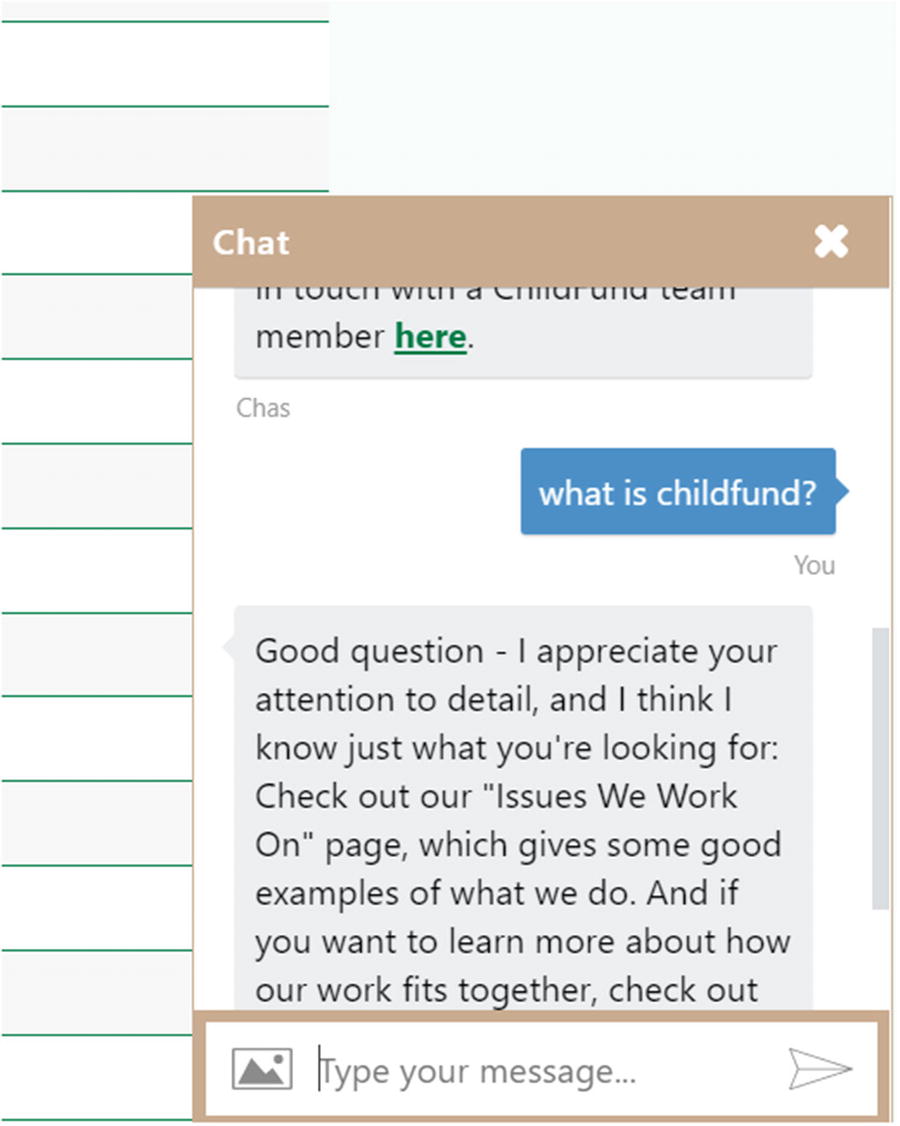
A basic FAQ bot in action
Task-Oriented Bot
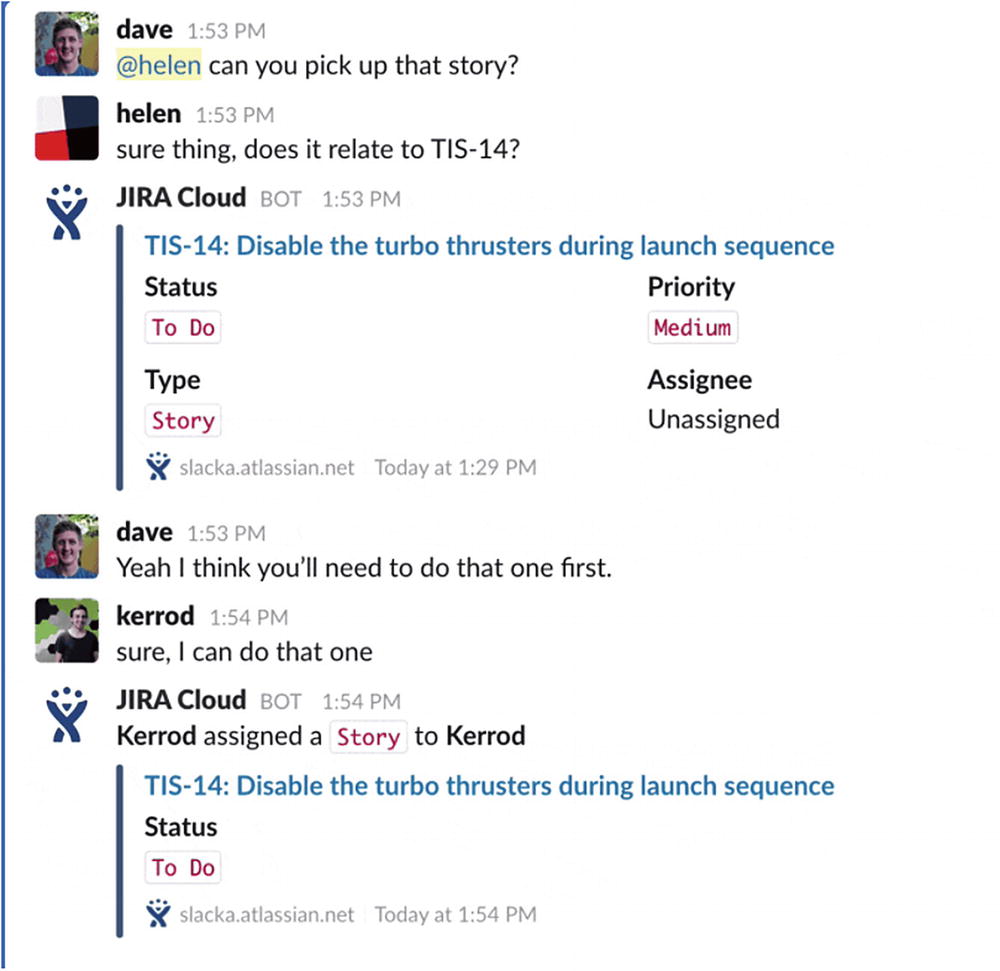
JIRA Slackbot
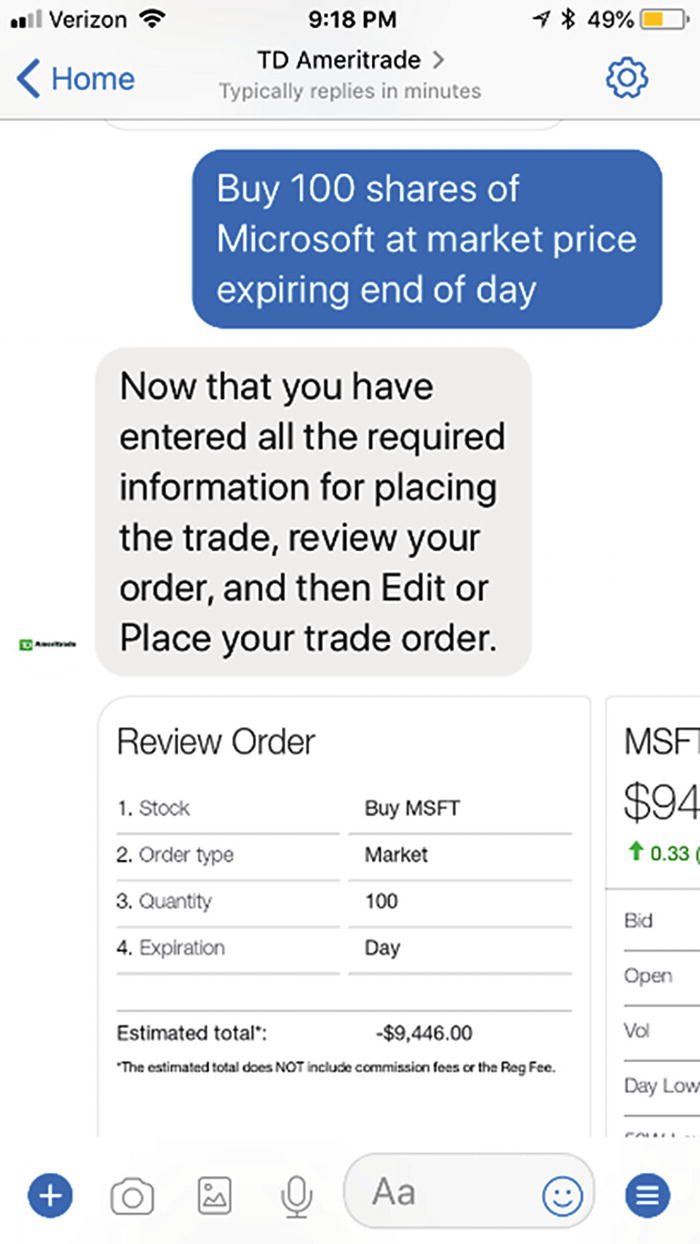
Trading stocks using the TD Ameritrade bot
Broadcast Bot
A broadcast bot is an interesting concept and is quite common. We can think of this as a bot that reaches out to the user without prompting, as opposed to the user contacting the bot first. In some bots, it is more a pattern to keep bots engaged. For example, different news bots, like the CNN bot on Facebook Messenger, will reach out daily with the biggest stories of the day.
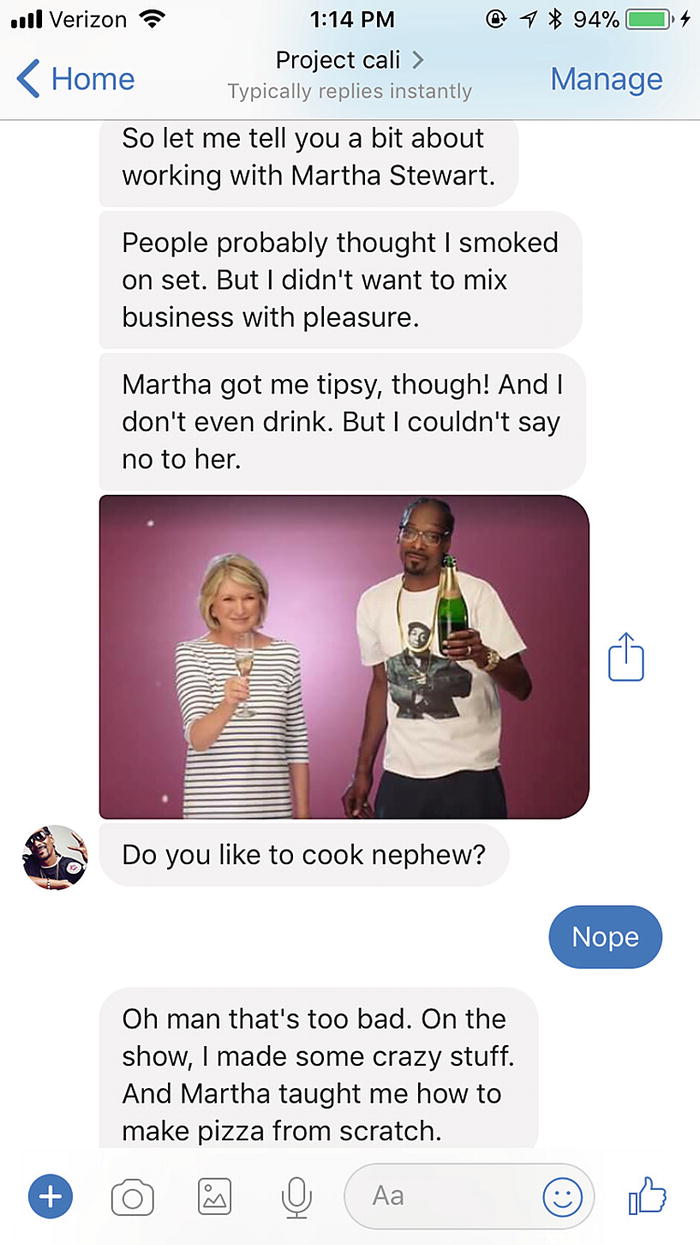
Project Cali: a Snoop Dogg bot
E-commerce Bot
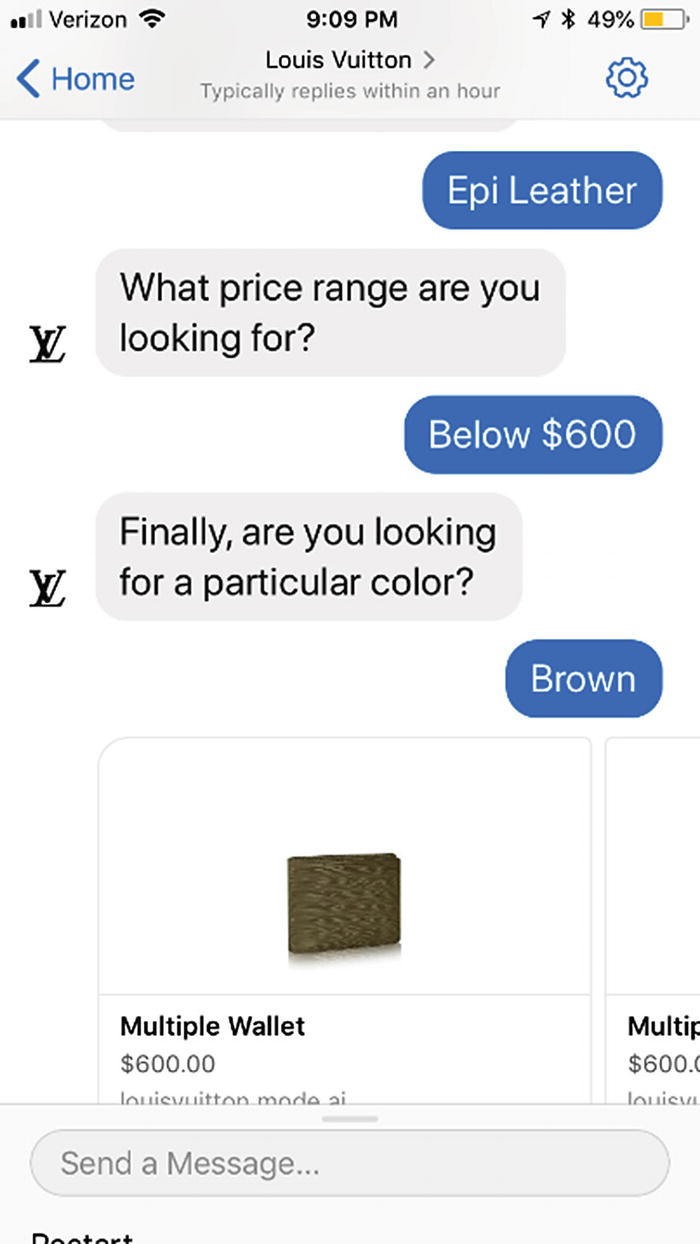
Louis Vuitton bot
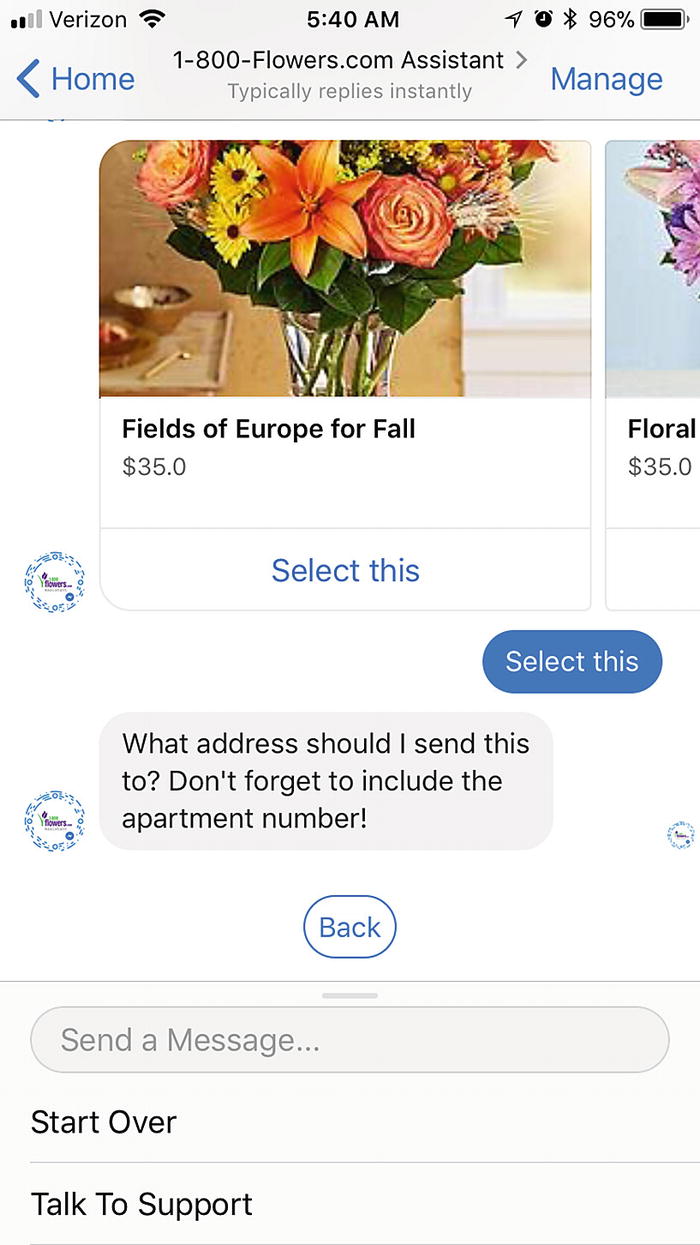
The 1-800-Flowers.com Assistant
Different messaging platforms provide different levels of payment support. We could certainly create e-commerce via a bot by providing a custom checkout page where the user can enter their payment information. The conversation is paused at this point. Once the payment is processed, a message is sent to the bot to continue the conversation. On the other hand, Facebook Messenger provides deeper integration with systems such as Stripe and PayPal. In that version, the payment experience stays completely within the Facebook Messenger app. From a user perspective, the less friction the better. And as users begin placing more trust in messaging apps to store their payment information, we will see more and more payment integrations like this. Apple has released its Business Chat2 product and you bet that Apple Pay payments are fully integrated.3
Common Enterprise Cases
Enterprise bots may be more specialized to a domain or subject matter. They are typically deployed using a web chat component or integrated into enterprise messaging systems, or even enterprise Call Center and Interactive Voice Response (IVR) systems such as Cisco's Unified Communications Center. They can also be deployed on e-mail endpoints. The bots may be integrated with single sign-on solutions, powerful existing enterprise back ends, and knowledge management databases. Depending on the enterprise’s practice, these will range from simple pilot bots to machine learning–driven large-scale deployments.
Self-Service Bots
One of the most common use cases in an enterprise scenario is incident self-servicing. Enterprises have large knowledge bases that internal help desk agents use to communicate possible solutions to the user and guide them through the process of troubleshooting issues. Many of these step-by-step troubleshooting directions can be communicated to the user by a bot. For example, one of the most common queries to internal help desks is password reset. Companies could cut through a lot of volume and, frankly, money, if they were to handle such requests automatically. You could imagine an appliance manufacturer releasing a chat bot to assist in diagnosis and fixing issues before involving a service engineer.
The idea behind these self-service bots is that they can provide a variety of self-service content for the users, especially for the most common queries, and can even automate some of the common work that the customer support team is doing. These bots are usually integrated with live chat systems so that the user may initially be chatting to a bot but can be quickly rerouted into a live chat or phone conversation with a human customer service agent in case the bot’s directions do not solve the problem.
Process Automation Bots
Robotic Process Automation (RPA) is a huge topic these days. Companies like IPsoft specialize in building bots and technology that can automate business and IT tasks.4 In this context, bots are not necessarily chat bots but rather computer agents that perform the automation. These tasks can include everything from account provisioning, website automation and business processes automation. There are companies that focus on creating automation platforms, such as Automation Anywhere and UiPath. With machine learning these days being used for everything from contract analysis to skin cancer diagnoses, chat bots can serve as an excellent front end into these processes. In an RPA scenario, the chat bot is more of an orchestrator rather than an automator. In addition, these bots may integrate into ticketing systems such as Remedy and ServiceNow to track its work.
In other instances, the chat bot is less visible to the user. For example, Slack is a great platform for bots that listen in to a team conversation and surface data as the right natural language arises. Bots that simply listen in to some natural language input and provide answers are a type of automation bot. Say, for example, a team of medical experts looks through text descriptions of procedures and is charged with translating them to insurance codes. That process can be automated by a machine learning algorithm that observes the team’s behavior and results and can then take over the data.
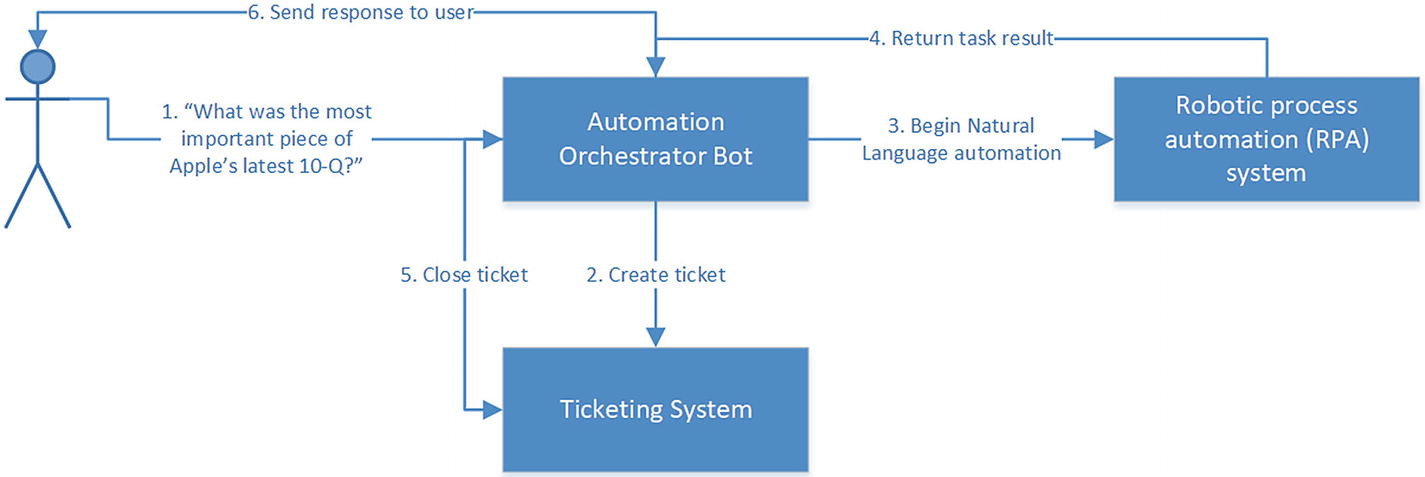
A sample automation bot flow
Knowledge Management Bots
Another type of enterprise bot is one that can solve natural language search problems across a variety of data sources. Many firms have huge knowledge repositories across disparate sets of systems. Being able to integrate with all those sources using natural language is important. There are interesting choices to make in these bots about which content to display to the user, in what format, and how to collect feedback on which content was the most useful given a query.
The bigger problems of natural language search that these projects try to solve are fascinating and beyond the scope of this book. This type of bot can be extremely interesting in a group conversation context, where the bot is querying articles, reports, white papers, and case studies as the group is having a conversation about topics of interest. The group’s feedback to the bot during the search can further provide supervised learning data to improve the search experience even further.
Representing Conversations
How do we start developing a conversational chat bot? A good place is trying to graphically represent the conversation flow. What kinds of tasks can the chat bot handle? What intents and entities does it need to look for to achieve these goals? How does it help fill in missing data?
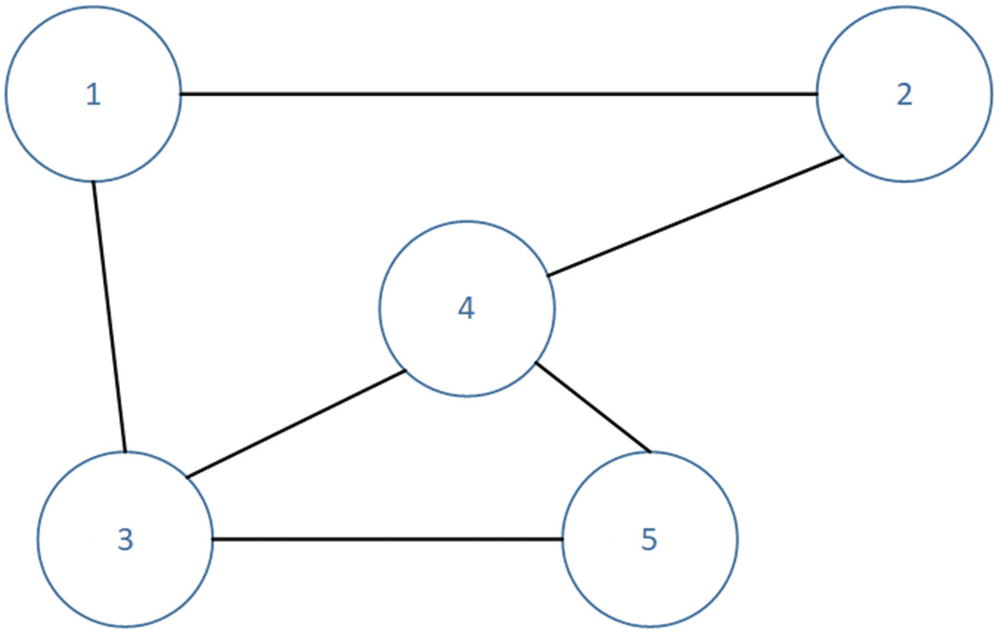
An undirected graph
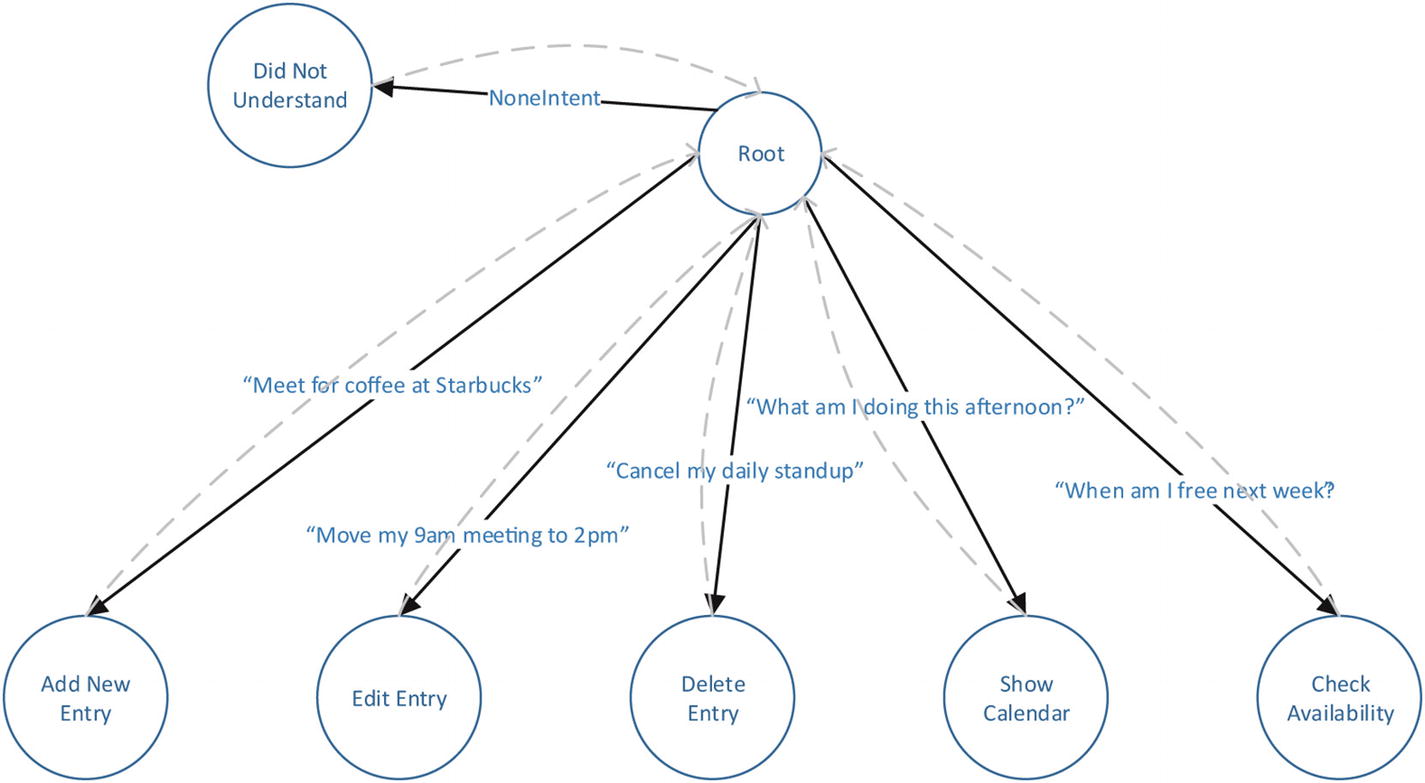
Representation of a calendar concierge bot conversation
Note that the conversation moves between states based on the user’s utterance, which resolves to a LUIS intent. Each node along the conversation has built-in logic to resolve the entities and execute the correct logic for a state. After a state is done executing its logic, the conversation transfers back to the root node.
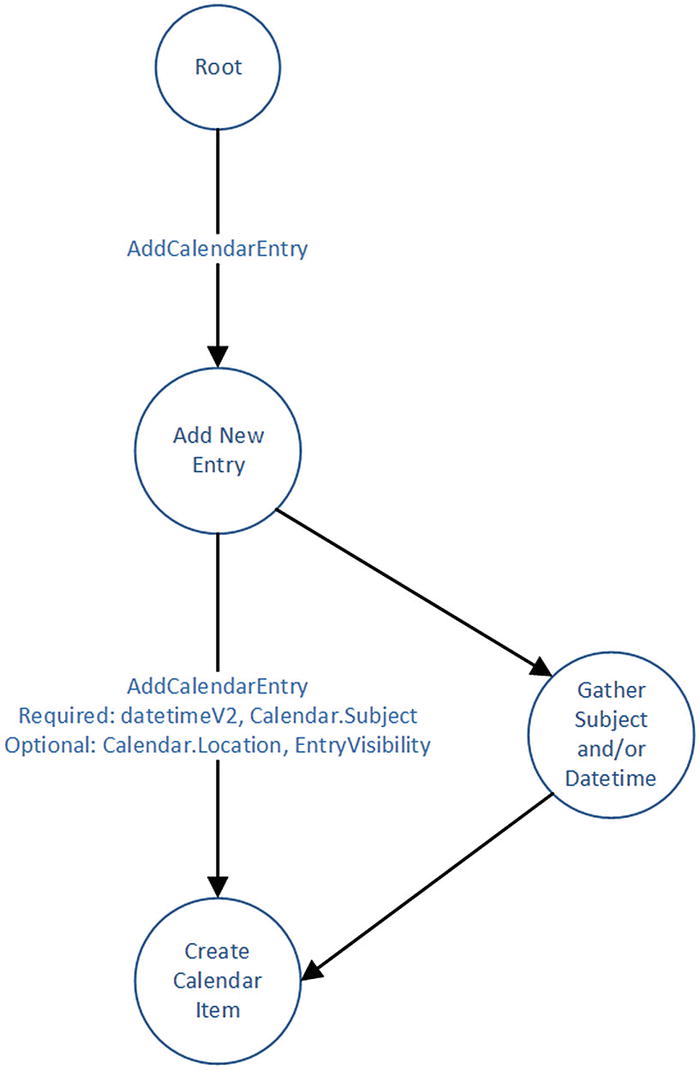
Conditionally transfer to state based on user input
The process of creating a conversation graph is usually referred to as intent and entity mapping; we model intent and entity combinations as transitions between state nodes.
Bot Responses
There are a variety of forms that a bot response to a user’s query may take. Understanding the different options and how to best leverage them is key to any bot design. In the following sections we will dig into a number of concepts found amongst the various channels.
Building Blocks
We now understand how we can take user input and map it to bot states and function. We also understand how we can organize our bot code into various conversation states. The next step in our design is to figure out what the bot sends to the user in return. Bots can respond in a variety of ways. By default, we think of text or speech output. Most typically, we simply send back plain text. Some messaging channels support something more complex like Markdown or HTML. Markdown is a plain-text formatting syntax.5 The following Markdown input translates to the formatted content in Figure 4-11:
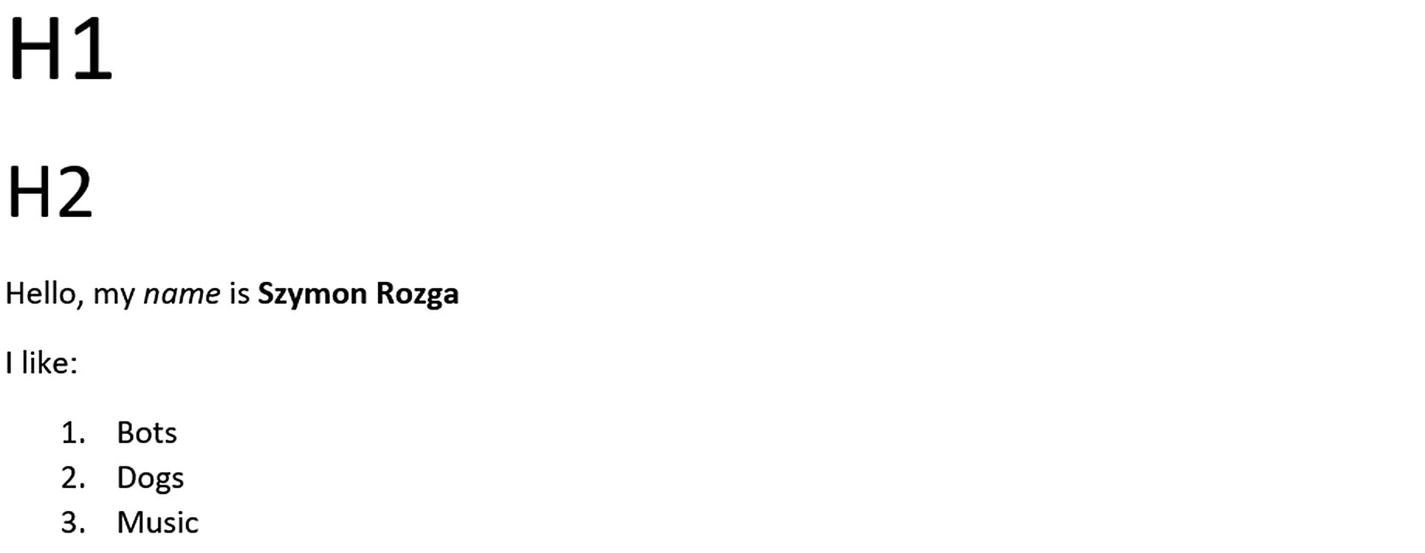
A formatted markdown document
Bot platforms can also support speech response. Many platforms also support the Speech Synthesis Markup Language (SSML) as a speech output format. SSML is a markup language that provides metadata about how speech should be constructed using elements such as pauses, breaks, changes of rate and pitch, and others. Here is a self-explanatory sample from the WC3 Recommendation6:
Output to users does not always have to be text. We can use images and videos to communicate many ideas to our users. As part of any message sent back to the user, we may attach various content such as videos, audio files, and images. The specific supported formats will depend on the underlying operating system and channel. Some systems allow other file attachments as well, for instance XML files or a native format of some sort.
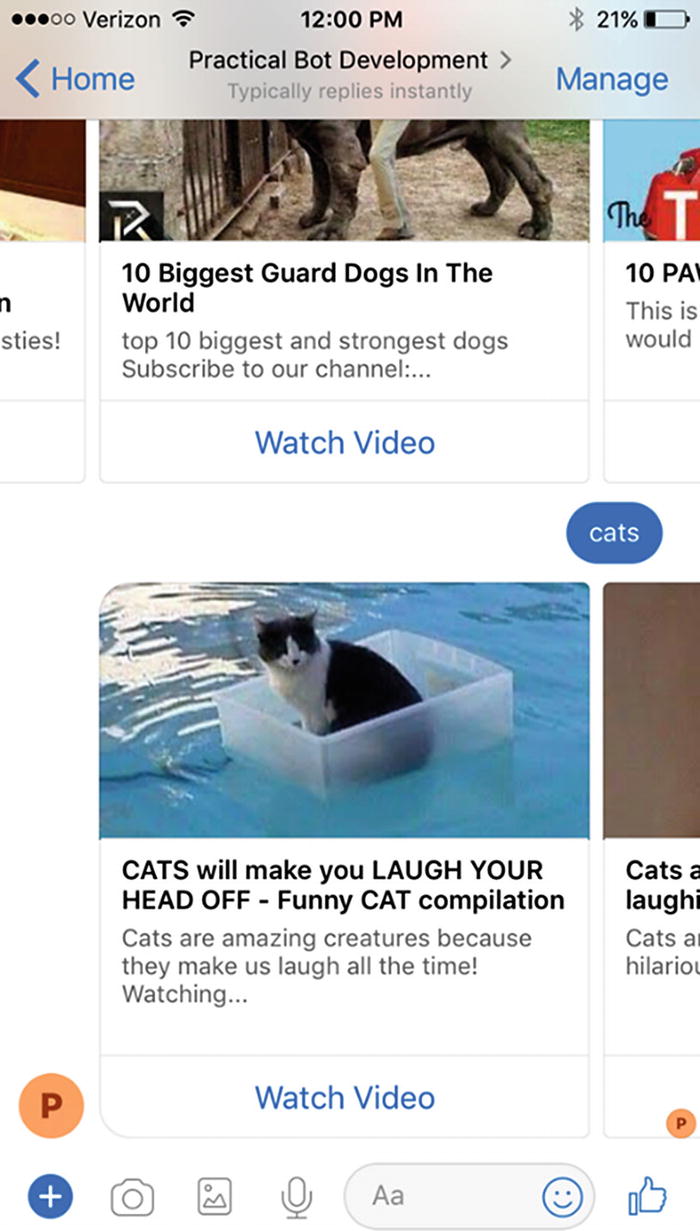
Horizontal list of cards; also called a carousel
This layout is called a carousel . It presents several cards side by side and gives the user the ability to swipe or scroll through the individual cards.
Buttons are typically sent as part of a card, but they can also be sent as stand-alone elements without an associate image. There are many types of buttons. The top three most popular buttons are used to open web pages, send a message back to the bot (IM back), or post a message back to the bot (post back). The difference between an IM back and a post back is that a post back message will not appear in the message history, whereas an IM back message would. Not all channels support both approaches, but the overall spirit of sending a message to the bot via a button click is widely supported.
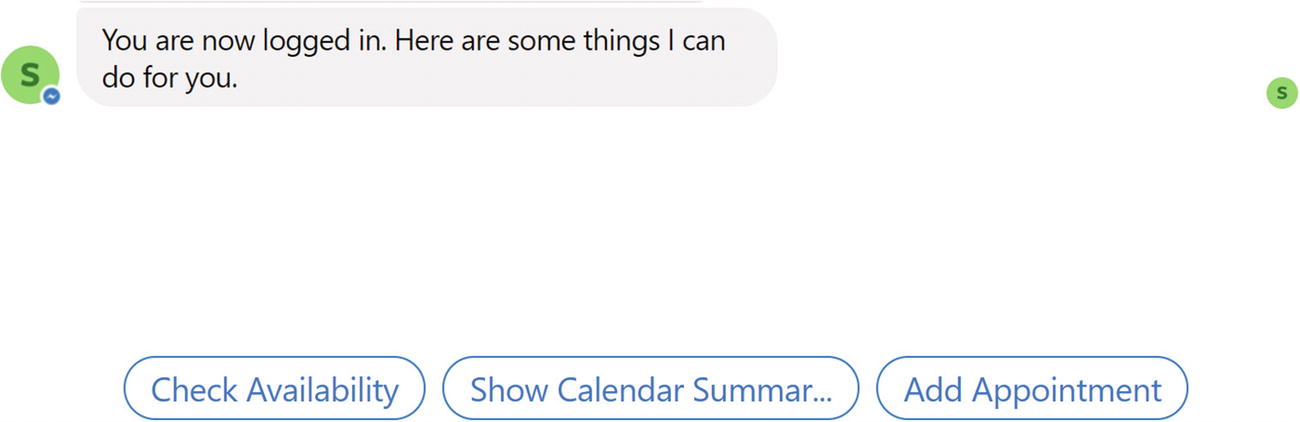
Authenticated bot with suggested actions/quick replies
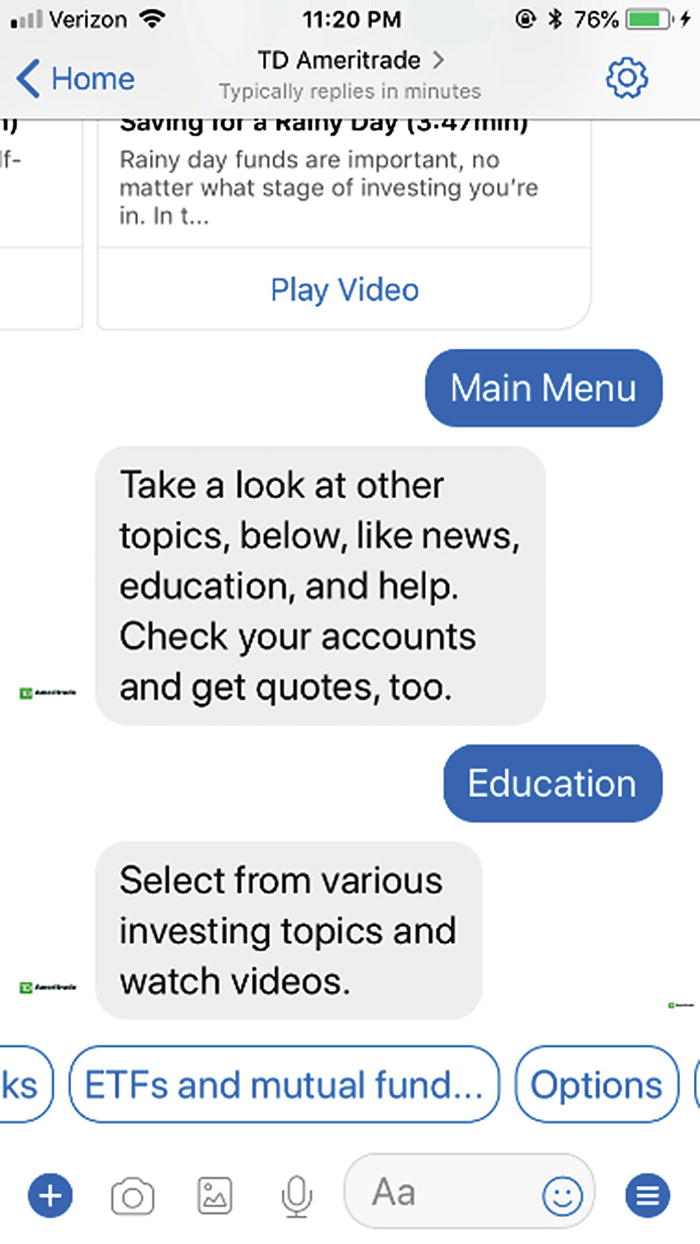
Video category suggested action in the TD Ameritrade bot
Authentication and Authorization in Bots
Let’s be honest, no one is going to be sending a username and password to a bot chat window. This is a security risk. We do not want Facebook or Slack or any other channel to have our users’ login credentials in their message history. At the end of the day, a bot is simply a web service, so using the standard OAuth or OpenID Connect flows is a natural fit.
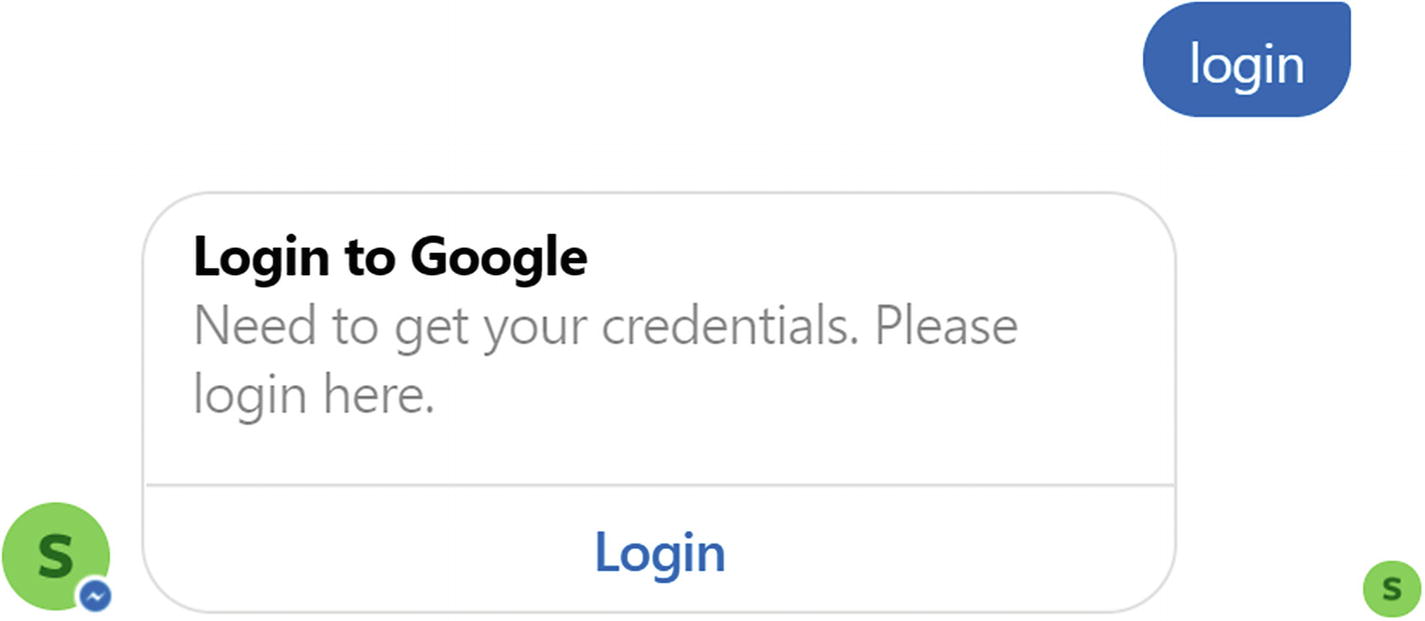
A standard sign-in card
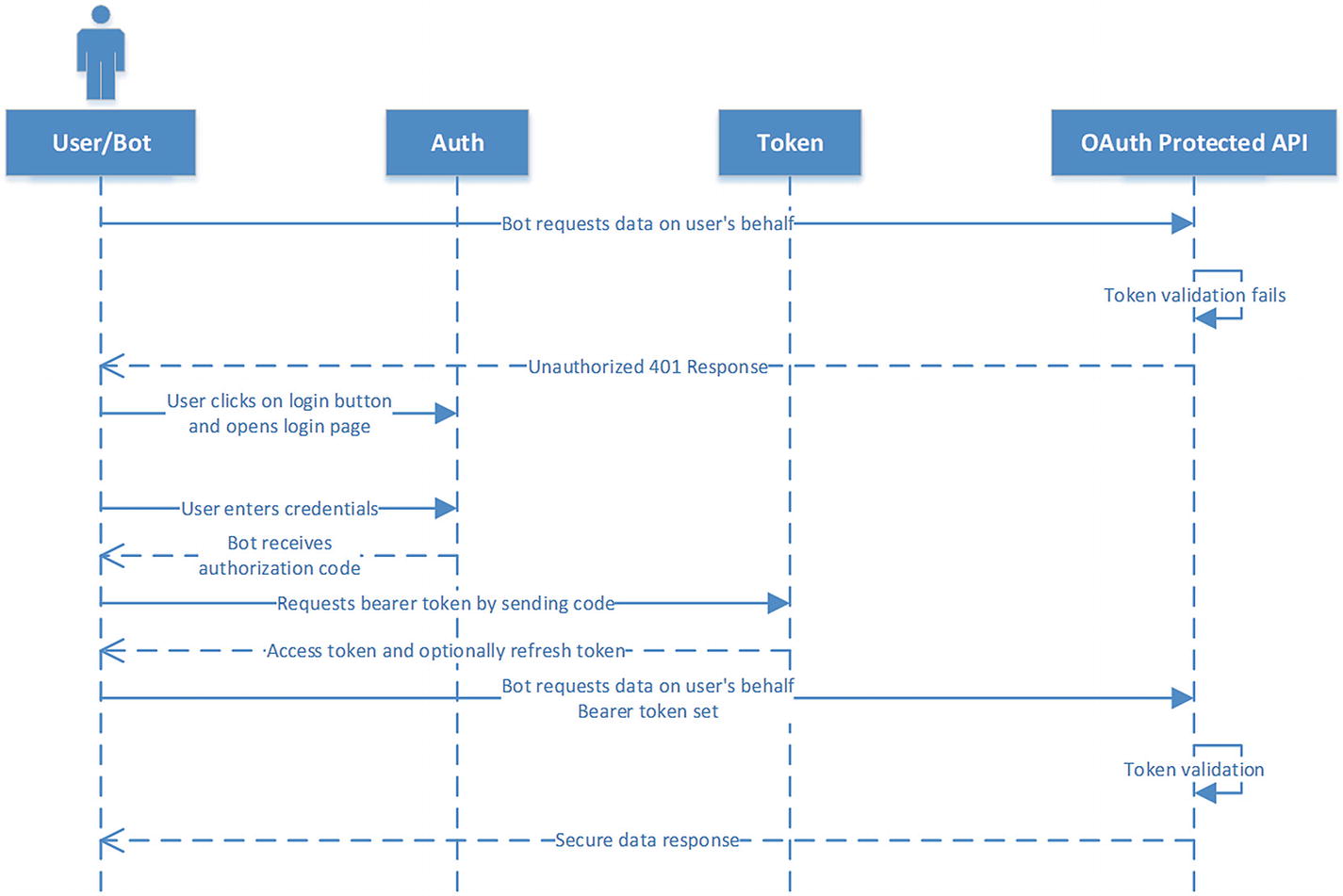
OAuth authorization code flow
The user clicks a button to open a login page to a service in a web view for the third party and enters their username/password combination. The URI for this login page typically includes a client ID and a redirect URI. The redirect URI is an endpoint on our bot web service.
Once the user logs in successfully, the service redirects the user back to the bot redirect URI. The bot redirect URI endpoint receives the authorization code. This is the user’s grant to the application to use the service. The bot exchanges the authorization code for an access token (and an optional refresh token) from the token endpoint.
The bot uses the access token when making requests to the service on behalf of the bot user.
Typically, the access token is short lived, and the refresh token is longer lived. At any point, the bot can request a new access token from the token endpoint by posting the refresh token.
There is substantial documentation around the specifics of this and other OAuth flows. The RFC is a great starting point.8 The key point is that a bot is a web service, and the complete OAuth flows can happen in an integrated manner. The only tricky part from a UX perspective is to ensure that the browser window automatically closes when the login is completed. The various channels approach this in slightly different ways. Although one can implement the entire flow manually, something we show off in Chapter 8, the Bot Framework does provide additional tools to facilitate this process.9
Specialized Cards
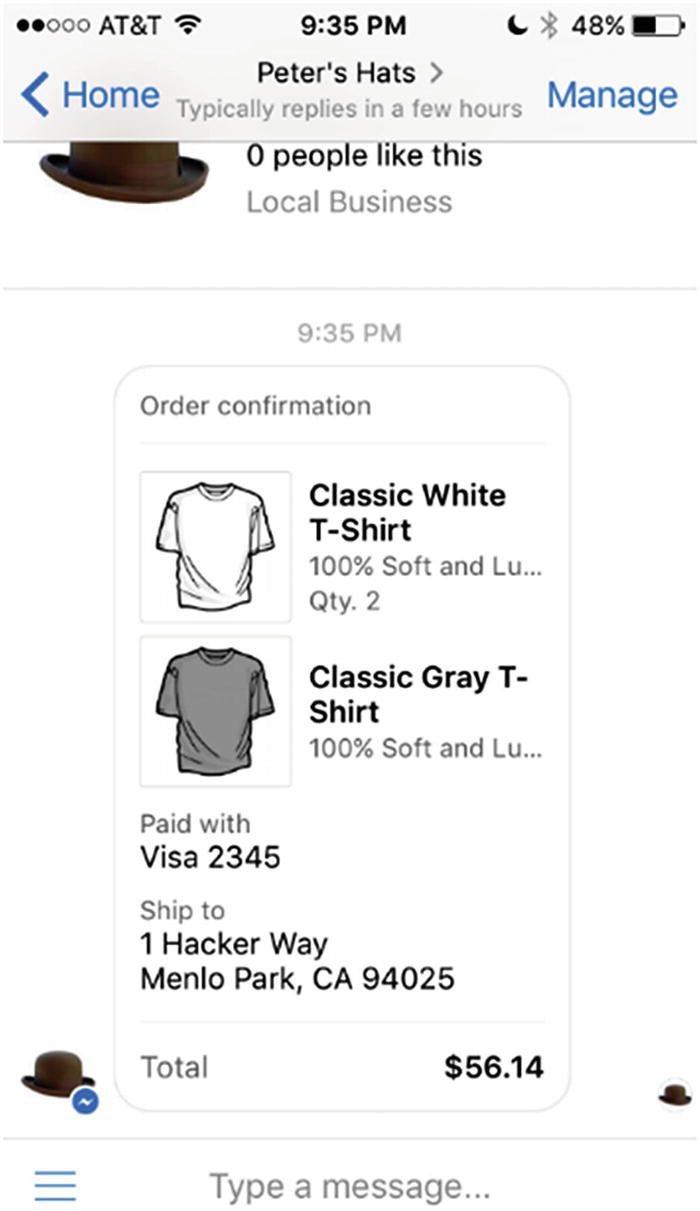
Messenger receipt template
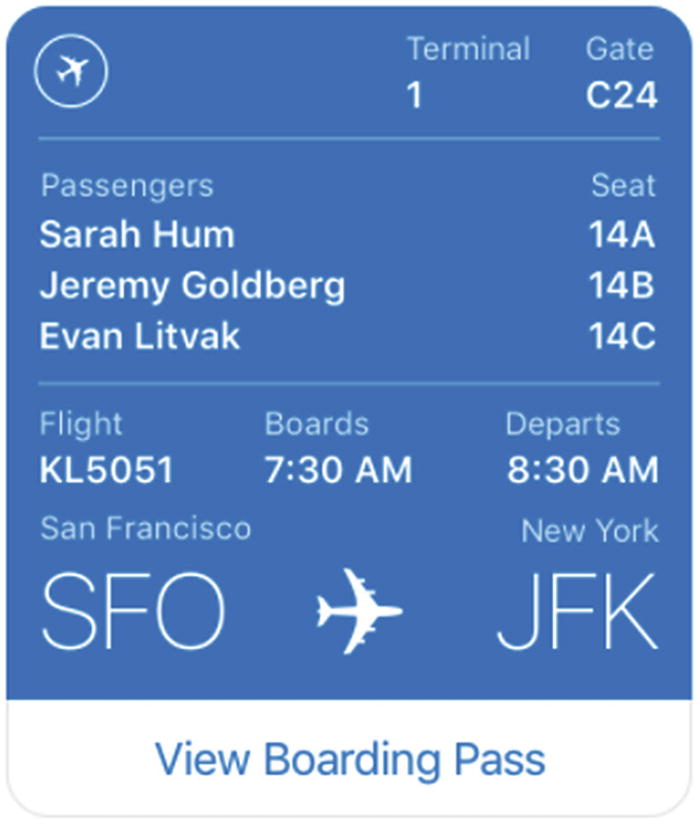
Messenger boarding pass template
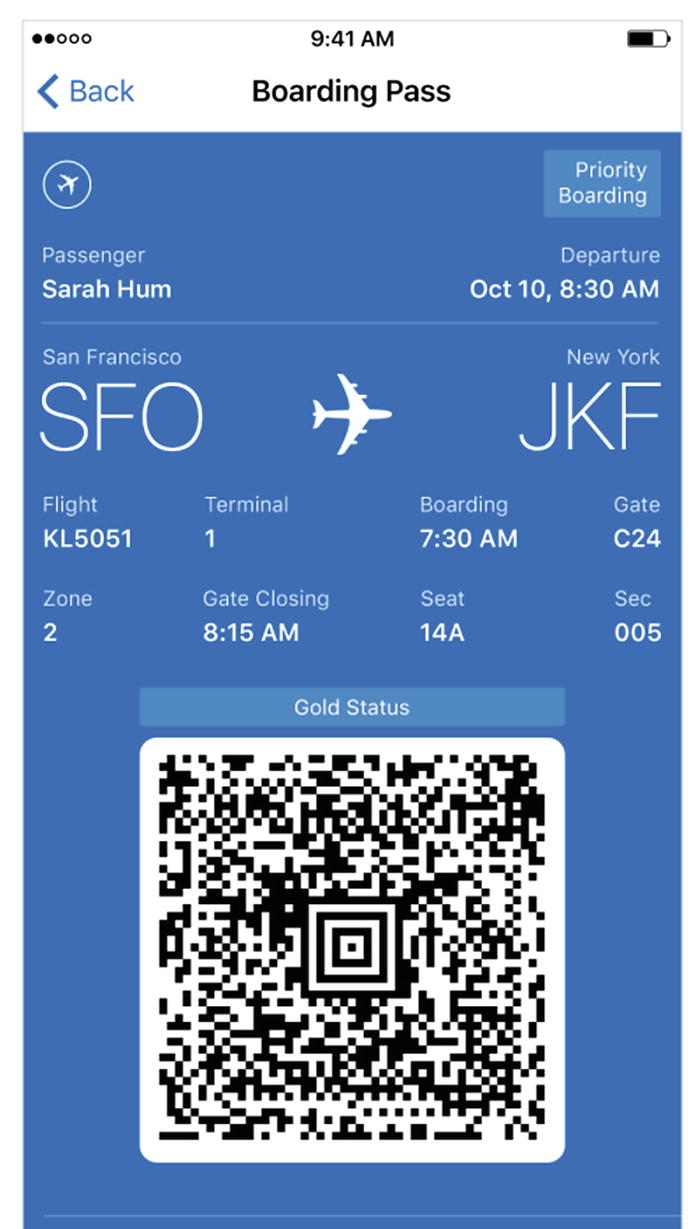
Messenger boarding pass template details
Another form of specialized card is one in which you use custom graphics. A common approach is to generate the custom graphics on a web service as the bot processes user input. In Chapter 11, we will build a simple custom graphics renderer using Headless Chrome to show how easily we can begin building custom graphics using HTML and JavaScript.
Lastly, Microsoft has introduced a new card format called Adaptive Cards.10 Adaptive cards , which we will explode in Chapter 11, are a platform-agnostic manner to describe layouts of text, images, and input fields using a simple container-based layout engine. The Microsoft Bot channel connectors are then able to render the cards into platform-specific renderings. Adaptive Cards are a specialized version of the custom graphics approach integrated with logic to generate buttons and behavior in a card. It remains to be seen how many channels will end up supporting this format, but many of the Microsoft-owned channels already do.
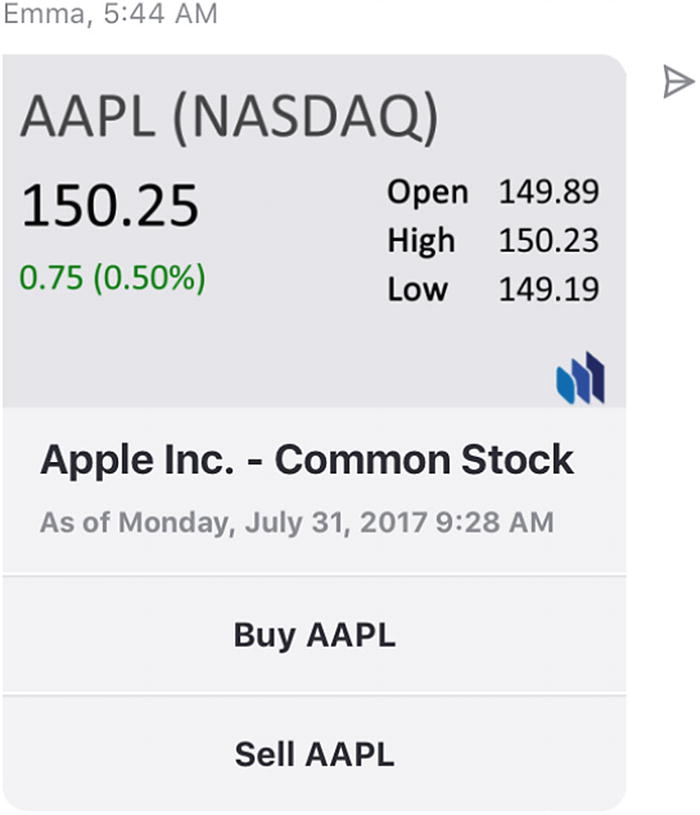
Adaptive Card sample
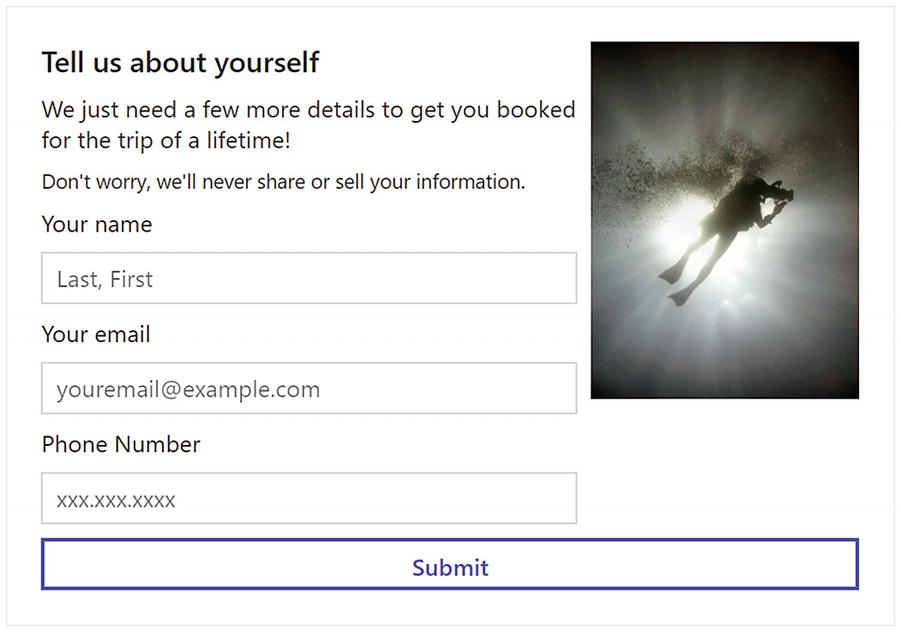
Input form card sample
Other Functions
Proactive messaging: A bot can reach out to a user asynchronously, triggered by an event other than an incoming message. If the bot stores a user’s address (combination of service URLs and conversation and user IDs), it can utilize it to communicate to the user.
Human handoff: In customer service scenarios and highly visible public-facing bot deployments, having a mechanism to seamlessly transfer the conversation from a bot to a human agent is a requirement for a successful bot.
Payments: More and more platforms are opening their payment systems for easy conversational integration. Facebook Messenger has its Payments program with easy Stripe/PayPal integration. Microsoft provides easy Stripe integration for payments across the entire Windows ecosystem and the Bot Framework.
Conversational Experience Guidelines
There are some key guidelines that we should follow when developing a bot experience. Some of them may not apply to every type of bot or may be more relevant to consumer versus enterprise bots, but one should keep this list in mind at a minimum when designing bots.
Focus
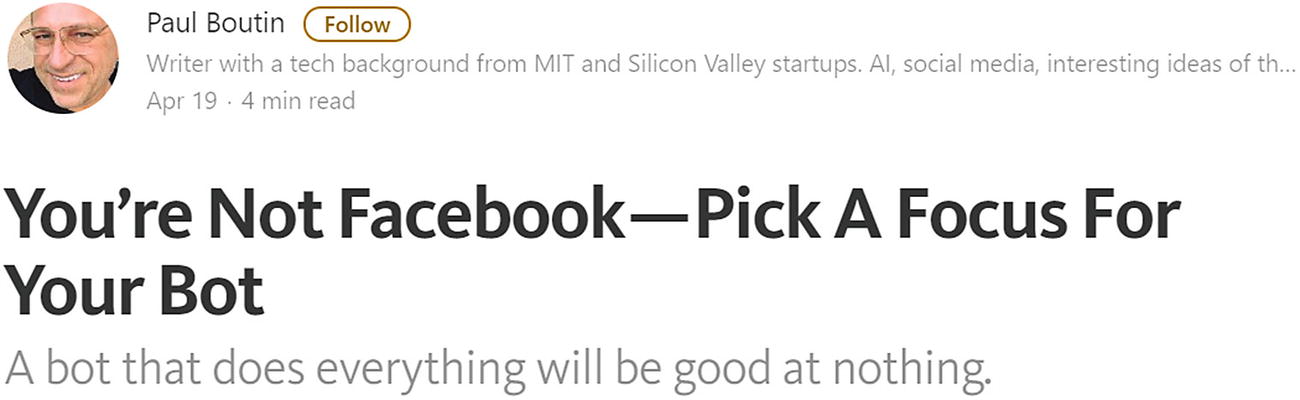
Good advice for building bots
Don’t Pretend the Bot Is a Human
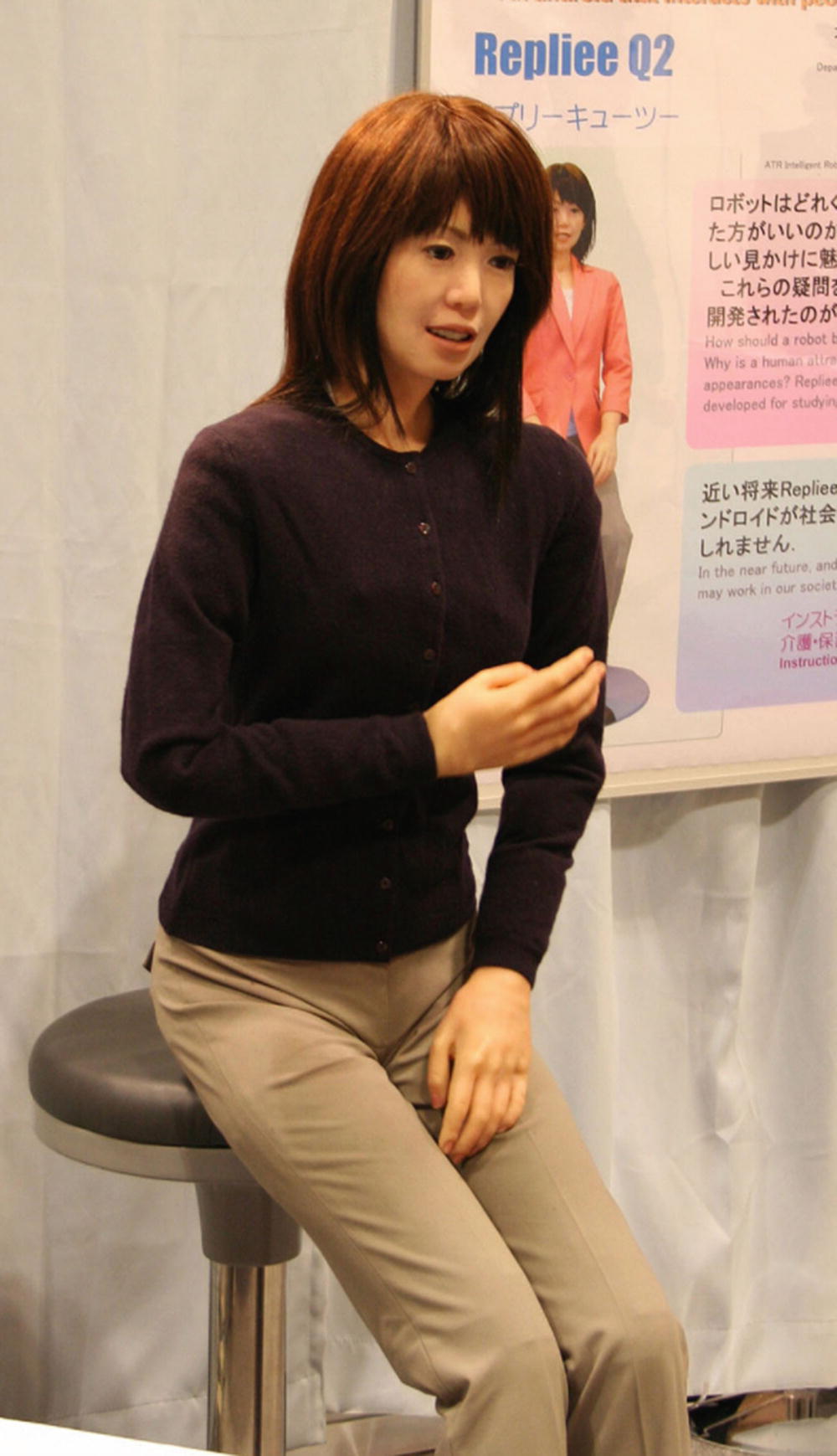
We’re definitely in the uncanny valley
Do Not Gender Bots
There is plenty of writing around this topic.12 It is worth noting that even though Siri, Cortana, and Alexa and some of the older virtual assistants have female names, Google and Facebook have opted for Google Assistant and M. This trend of nongendered bots has continued in the industry. Adopting female personas can quickly get weird, as when taken to the extreme with the sexualization of AI in the movie Her.
Always Present the Next Best Action
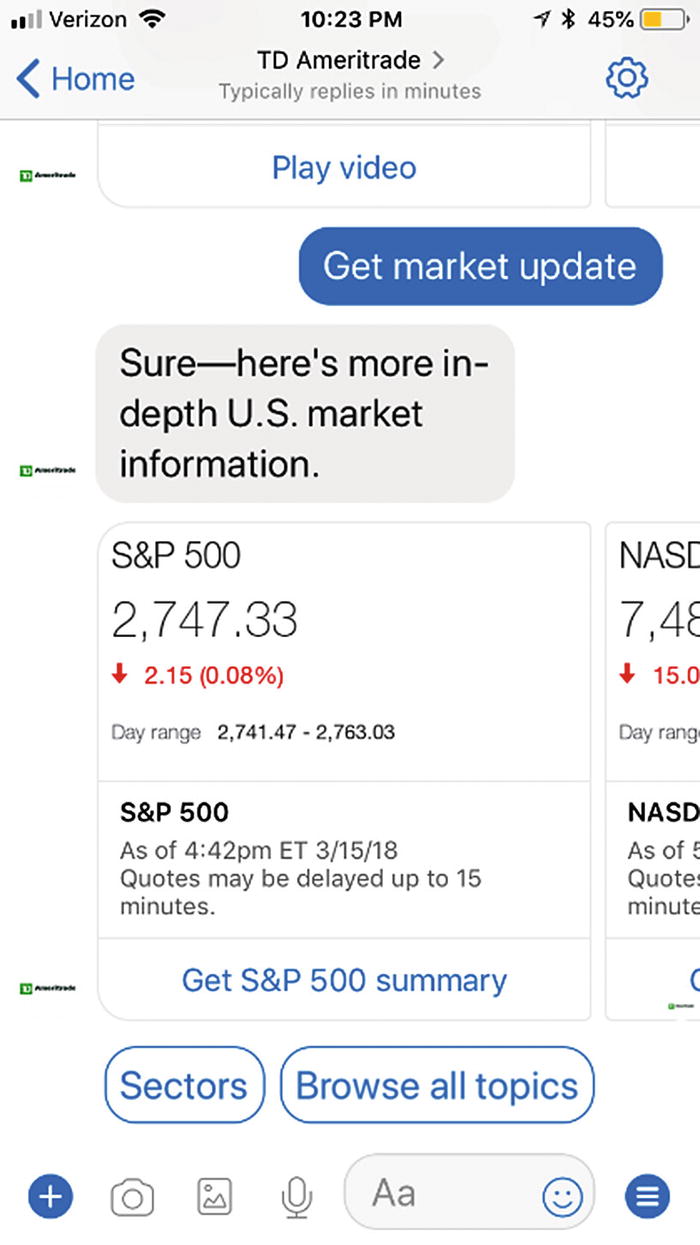
Next best actions
Have a Consistent Tone
Bots typically will end up getting a name and personality. Although I don’t think gendered names make sense, your bot should have a personality and a consistent tone. Remember, these are brands speaking to your customers. Some bots are chatty. Others are less so. Some are formal. Others are more relaxed. Choose one for your bot and keep it consistent. And, although it is interesting technology, we should avoid using natural language generative models (machine learning algorithms that automatically generate responses) if we want to keep a brand-centric voice.
Utilize Rich Content

Rich bot content is a good idea
Be Forgiving
Natural language is tricky. Expect user inputs to be vague. Our bots should have conversational paths to confirm information or elicit missing data. If the user is expected to enter a number, we should parse any possible input but also be clear about the bot’s expectations. If possible, provide some suggestions to the user of possible values they could enter by using a quick reply feature. The user will be pleased by such suggestions. There’s nothing more frustrating than not knowing and not being instructed how to communicate to a bot.
Avoid Getting Stuck
At any point in our bot, the user should be able to change the conversation topic. Our bot should try to get stuck in a conversation context, unless absolutely necessary. For example, let’s assume a calendar bot is asking the user for date. Our bot expects a string that resolves to a date. If the user enters “delete tomorrow’s 9am appointment,” our bot should handle the query gracefully instead of saying something like “I’m sorry that is not a date. Please enter a date in the format mm/dd/yyyy.”
Don’t Abuse Proactive Messaging
Bots give us an ability to reach out to user at any time, even without the bot seeing a message from the user. Do not abuse that privilege. In messaging applications, users get a notification any time they receive a message. There isn’t an easier way to get removed from the messaging app than constantly sending reminders or trying to re-engage. Some channels have specific policies around this as well. Be a good citizen within the messaging channels.
Provide a Clear Path to Humans
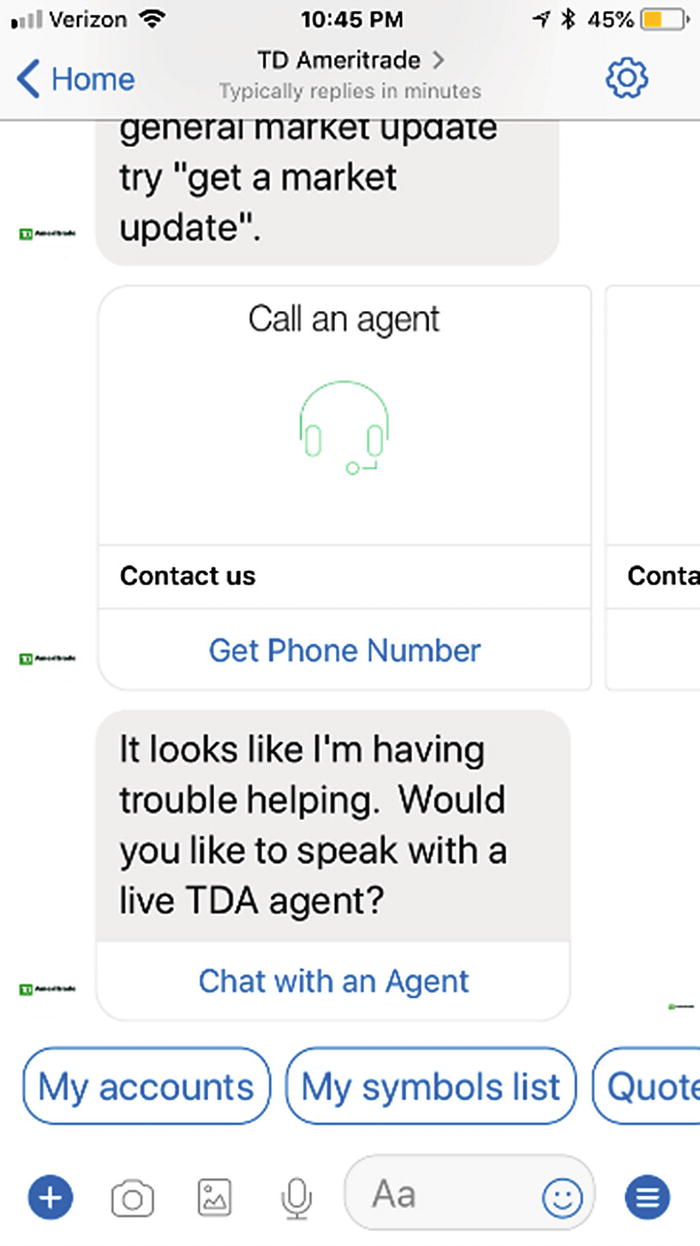
Clear path to talking to a human
Learn from Your Users
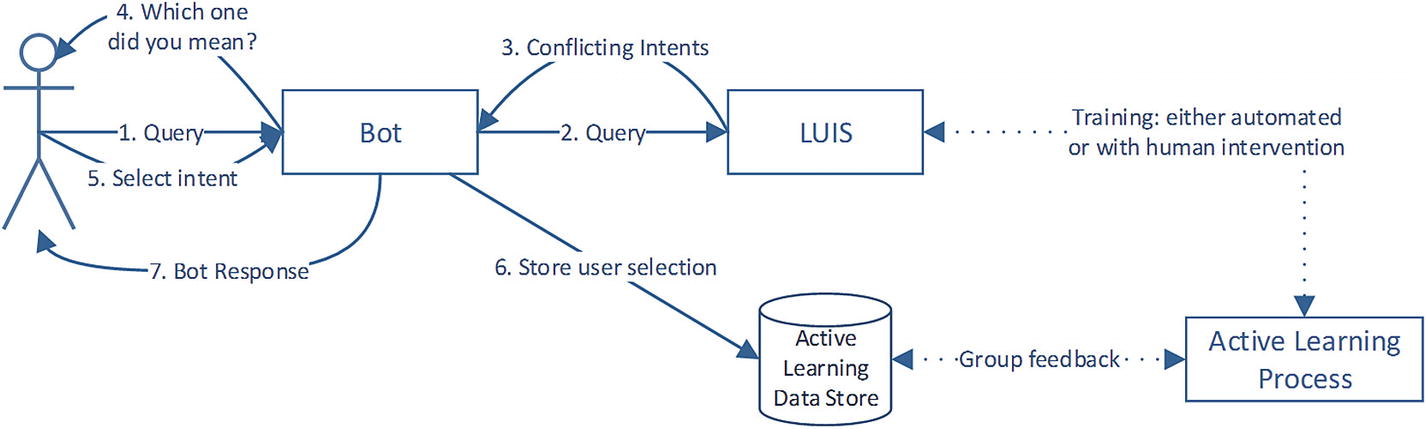
Implementing active learning
There are more rules you may pick up on as you gain experience in this space across different messaging channels, but this list is a good starting point and something I suggest we follow on every chat bot project.
Conclusion
Conversation design is a rich field. We have numerous options for how we interact with users and how we communicate ideas in formats other than text. When developing bots, our approach should always be “do right by the user.” A user’s conversational experience can be very sensitive to tone, branding, verbosity, and overuse (you don’t need to use a card for everything). Although in the early phases there are some key abstractions, such as cards, the space has developed to best handle bot-to-user interactions. As bots become more commonplace, these mechanisms will improve and increase in number. Microsoft’s adaptive cards, for example, is a project that attempts to push the boundaries of what kind of functionality a bot can provide in conversation with users. My hope is that as bot become more and more commonplace, the messaging channels will support more and more types of behavior from bot cards.
We now have a good base understanding of the common operations bots perform and how they do so. The only remaining question is, how do we put all of this together in code? In the following chapter, we’ll do just that and put these ideas into practice.