
Chat bots almost never live in isolation. Companies and brands have invested significant time, energy, and money interacting with their customers via social media, such as Twitter, Facebook, Instagram, Snapchat, and others. There is an ongoing competition among social media companies to provide the best platform for businesses to interact with their customers. Each of these platforms wants to connect its users in the interest of driving platform usage and selling products. In addition, customer service systems from Zendesk, LiveChat, FreshDesk, and ServiceNow, as well as tech behemoths like Oracle Service Cloud, Remedy, and Salesforce Service Cloud, are building up systems that connect consumers to a brand’s customer service representatives (CSRs) over all types of channels from SMS to Messenger to live chat.
Today, chat bots are taking on workloads that have much to gain by being automated. As discussed throughout this book, however, there are many limitations to what a chat bot can do. In its current state, the technology is not able to handle some requests that a human customer service representative could easily solve. Despite the amount of investment put into the different customer service systems, team training, and reporting, it would be shortsighted to exclude humans from the conversations with a product’s users. In this chapter, we will address what a customer service system does and, most important, what are our options when it comes to integrating with them and providing a seamless chat bot to CSR handoff.
We Still Need Humans
Chat bots are starting to handle some of the queries being asked of businesses. Even though some of these questions might be easily answered via a simple Google search or by looking at the company’s FAQ page, a segment of customers will still reach out via a live chat or the company’s Facebook page. There is a significant opportunity to automate some of the work to answer these customers’ questions.
That said, bots currently cannot always handle questions gracefully. As a relatively new technology, chat bots may be insufficiently tested and yield confusing or inconsistent experiences. A bug in the chat bot itself may create a situation where the bot becomes unresponsive, and a CSR must step in and manually take over a conversation to ensure client satisfaction. As such, a company that automates a workload using chat bot technology typically will not see an immediate reduction in workload. In fact, it is not uncommon that a new set of skills focused on working with the bot itself becomes necessary. As the technology and our understanding of its uses improve, we may get to a point where humans are replaced, but do not expect that to happen immediately. Human CSRs must remain in the loop to intercede as needed.
Chat Bots from a Customer Service Perspective
There are three main classes of chat bots popular in the customer service industry. The type of bot a company builds is directly correlated to the number of cases it thinks a chat bot can handle correctly and to its users’ willingness and savvy to talk to a computer via natural language.
Always-On Chat Bot
An always-on chat bot is directly connected to the user’s channel and awaits questions or instructions. It assumes that it can handle every input, even if it is by saying the dreaded “I don’t know” response. The key here is balance; a bot can try to handle every query, but it must be clear in its limitations and in its ability to point users to possible sources of help. Of course, if the bot is not able to handle the request, providing an alternate way of contacting a human is suggested. If seamless human escalation integration is unavailable, even providing a reference number for continuity is better than not.
Sometimes-On Chat Bot
A sometimes-on chat bot can handle a smaller closed set of questions and user inputs, but if it is not sure or does not know an answer, it immediately forwards the question to a human agent. This is an effective way of mitigating the risk of a user being stuck in a loop with a chat bot and not being able to get any help. On the other hand, if a forward-thinking customer is trying to explore bot functionality and is being redirected to a human on pretty much any input, it can become a frustrating experience. A nice compromise is to suggest to the user that they can speak to a human agent when, at any point, the bot does not understand the user’s intent. Again, if no seamless human escalation functionality exists, any way of contacting the business is better than none.
CSR-Facing Chat Bot
A CSR-facing bot acts as an extension of the CSR system and provides suggestions to the human agent about what the response to a user’s query should be. This one is an interesting approach if only because it slightly inverts the concept of a chat bot. It is also a great way to gather data to train a chat bot based on user queries and the agent’s responses. This approach is an effective technique to build up use cases and content for a chat bot. We have also observed this type of chat bot to perform well in cases where a business’s customers are not tech savvy or much rather prefer to speak to a human.
Typical Customer Service System Concepts
A customer service system can be many things. It can be a knowledge base. It can be a ticketing system. It can be a call center system. It can be a messaging system. Among the big players in the space mentioned in the chapter introduction, all include some combination of these functionalities in their products. In fact, because of the rich set of data that these systems obtain from their customers, such as detailed knowledge bases and rich conversation histories, many of these players are developing their own virtual assistant solutions. For instance, an obvious start is to create a virtual assistant that queries a knowledge base for answers to known problems. A ticketing system could very well provide a chat bot that can check on ticket status and perform basic edits on existing tickets.
Customer service systems will generally organize every interaction between a user and the business into an item known as a case. A customer asking the business for help with a password issue, for example, opens a new case in the system. The new item might come into an inbox that all active agents see on their desktops. The case gets assigned to whoever selects the item, or maybe the system automatically assigns the case to a CSR who is available and not handling many cases at the moment. Once the agent is done helping the customer with the issue, the case is closed. The agent may have created a new ticket for the customer, linking the case with the ticket. The CSR system is aware of multiple pieces of data. It knows when an agent is available. It knows how quickly agents typically handle cases. It knows the call center’s operating hours, thus perhaps not allowing any live chats during off-hours.
All this data makes for very rich reporting. These systems will typically provide detailed reports for everything such as total chats, chat engagement, queue waiting times, time to close cases, first response time, and many other interesting data points. Naturally, the CSR team will be evaluated and compensated on these kinds of measures.
As bot developers, we should not expect the CSR team to change its workflow or data reporting structure. In fact, many of these systems provide bot integration points that treat the chat bot as an agent. Every system is slightly different, but they generally follow this paradigm. One of the benefits of this approach is that the system’s reporting capabilities are not broken by introducing a chat bot as a virtual CSR.
Integrating with a customer service system means that we need to write code to initiate and close out cases. Case initiation may happen automatically when a new message arrives from a customer. Case close-out occurs when the chat bot is finished helping the user with their query. The definition of a case will vary. A case may be defined as from the moment that a user asks a question until an answer is presented by the chat bot. Alternatively, a case may be defined as any interactions between the chat bot and user until there is 15 minutes of activity in the conversation.
Integration Approaches
There are multiple approaches to seamlessly integrate chat bots with customer service systems. We will take a look at three options. The level of integration we select is dictated by the support team’s maturity and available tools. We will address this as we explore each type of integration.
Custom-Built Interface
A custom-built interface might be the best for teams with a highly specialized workflow or teams that do not have any existing customer service staff or systems. Furthermore, if we are deploying the bot to a channel without existing affordable tools, we may not have an option other than building your own. Although a custom-built interface is not recommended, there are developers who have created the interfaces themselves. Here is an example: https://ankitbko.github.io/2017/03/human-handover-bot . The general approach is to build a customer service–like system on top of existing bot functionality. Obviously, the issue is now that our development team owns the customer service interface and has the added responsibility of keeping that system live.
On Platform
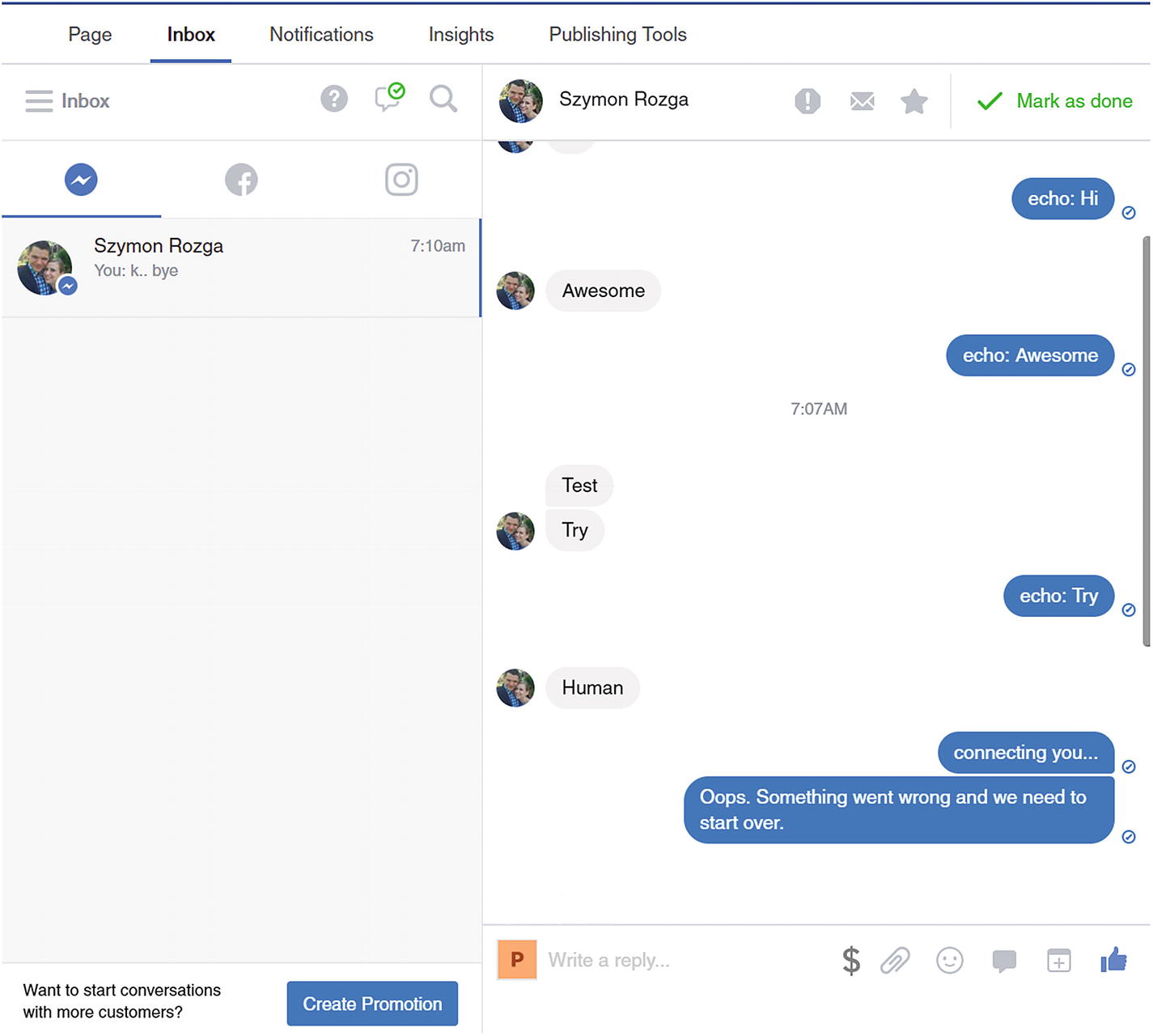
Facebook page inbox user interface
Suffice it to say that the user interface is a powerful way for page owners to respond to many types of user queries. The challenge, of course, is that if the bot is deployed to channels other than Facebook, an on-platform interface will not support those live chat scenarios.
Product
If a team already has a customer service system with live chat support in place, we will most likely want to develop an integration into the existing system. The process for doing this is highly dependent on the system. One of the most important tasks in this approach is that the bot must be a good citizen to the customer Service system and must not break the experience for the other agents. This means that case opening and resolution rules must be obeyed, and all messages exchanged between the user and bot must be logged. If an agent opens a case that is missing a conversation history, it would prove to be a bad customer experience. You want to witness a frustrated customer? Ask them the same question multiple times.
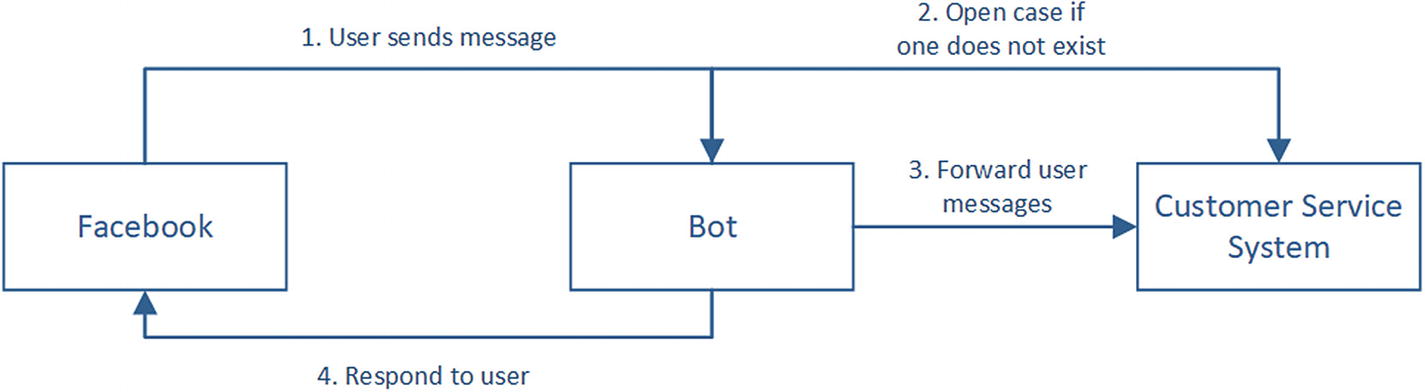
A normal conversation flow without a human agent
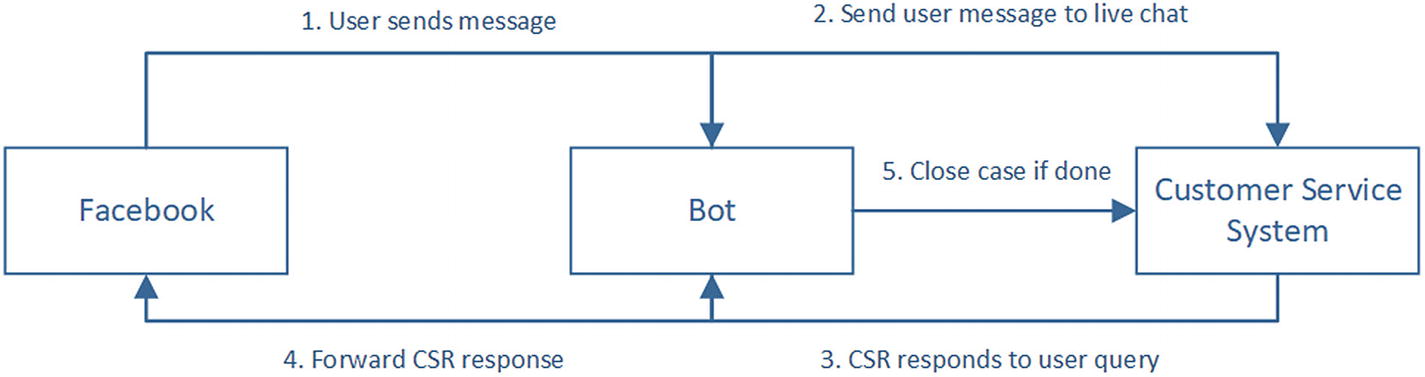
Customer interacting with human agent
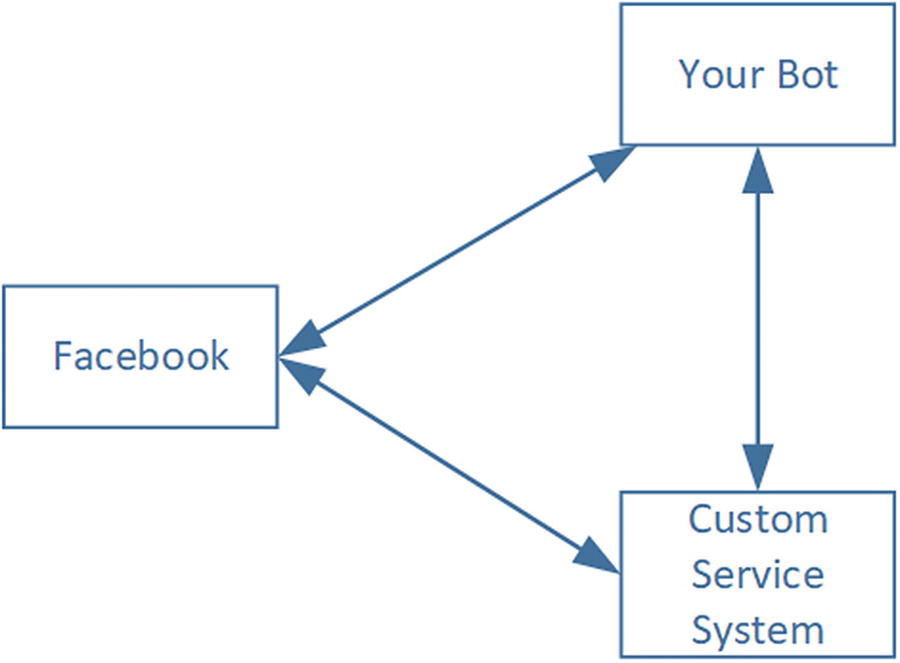
Connections between the chat bot, Facebook, and customer service system in practice
Social platforms typically do not support having multiple applications listen to a conversation simultaneously. As such, a choice needs to be made around which system owns the connection. Since customer service systems can provide integration above and beyond chat integration and are usually in place before a decision to build a chat bot is made, they end up owning the connection.
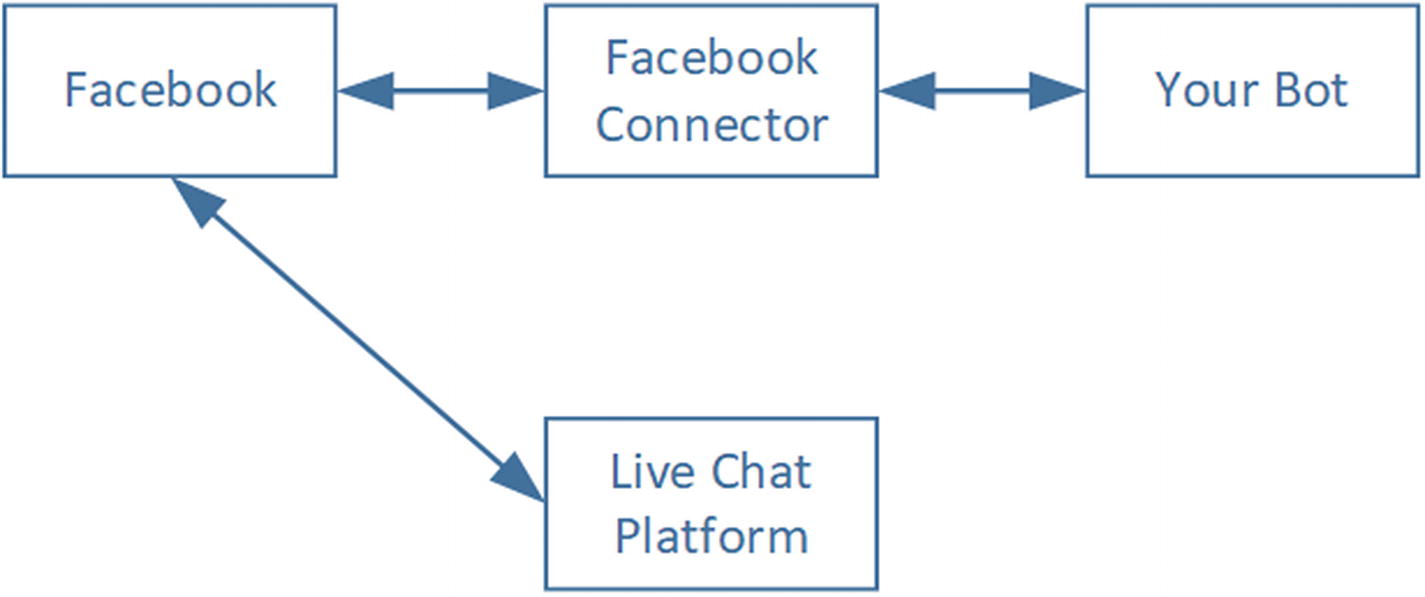
A Handover Protocol implementation on Facebook Messenger. Out bot app is designated as primary, and the live chat platform of our choice is secondary.
Unfortunately for us, not every channel supports the multi-application paradigm, and not every customer service system implements the handover protocol. Not to mention, we are assuming a Facebook-only bot. Adding more channels would create further challenges within this approach.
Figure 12-6 illustrates another approach to integrating human handover. Using this approach, the customer service system acts as a proxy for messages intended for the bot until the conversation is transferred to a human. At that point, the chat bot does not see any pieces of the conversation. This setup also means that the Facebook channel connector is out of the loop, so we need to implement a custom translator that receives Messenger format messages, converts them to the Bot Builder SDK format, and forwards the messages into the chat bot using Direct Line, like we did in Chapter 9.
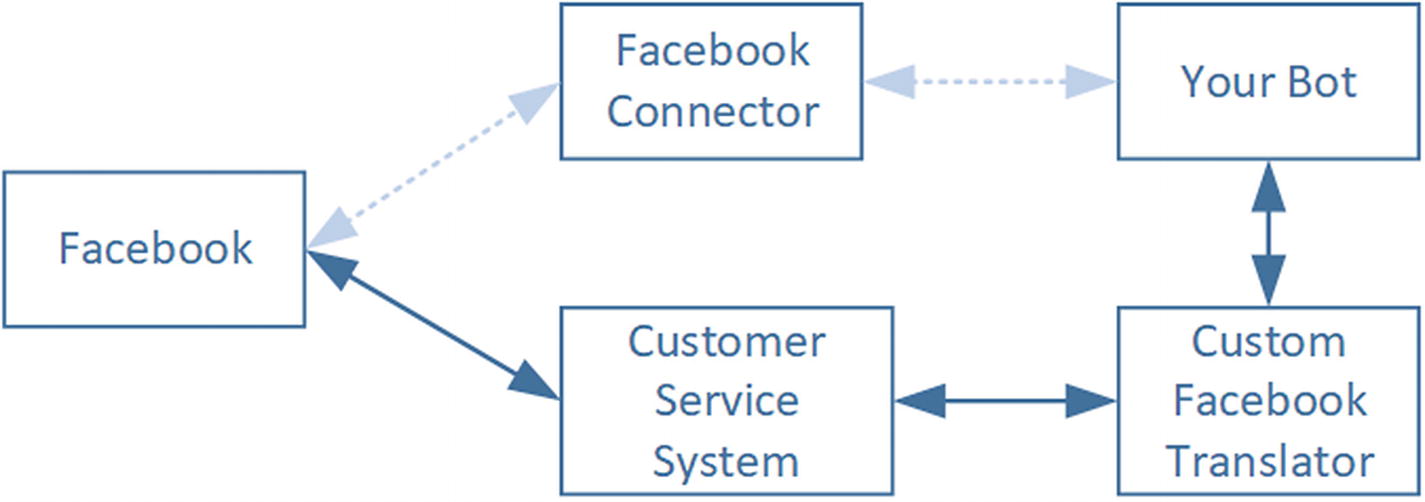
A more common architectural approach to chat bot integration with customer service systems
Facebook Messenger Handover Sample
It would be difficult to demonstrate a fully integrated product-based human handover scenario, but if we pretend that Facebook pages are the customer service system in the previous figures, it becomes easier to do so. In this section, we will add human handover integration to the calendar bot that we have been building throughout the book.
The approach that we use will be the following. First, we will create a new intent to handle a customer’s explicit request to speak to a human agent. Next, we will create a dialog to handle the logic to transfer the user. We will designate our bot as the primary app and the inbox as the secondary app. We will demonstrate how to transfer thread control over from our app to the inbox. Lastly, we will show how we can support a customer via the Facebook page inbox and then send control back to the chat bot.
“Talk to agent”
“Give me a human”
“I want to speak with a human”
We train and publish the LUIS app. Our chat bot will not be able to receive the intent and do something with it.
The Facebook Handoff Protocol is composed of two main actions: passing thread control and taking thread control. Any time a new conversation begins, the primary app receives the user’s message. The primary app determines when to pass control to a secondary app. The primary app will either know the hard-coded identifier of the secondary app, or it can query the page for a list of secondary apps and select one at runtime. If our page has multiple secondary apps depending on the functional area, the chat bot can figure out the destination of the transfer based on the user’s input. After the secondary app is done, it can pass control back to the primary app.
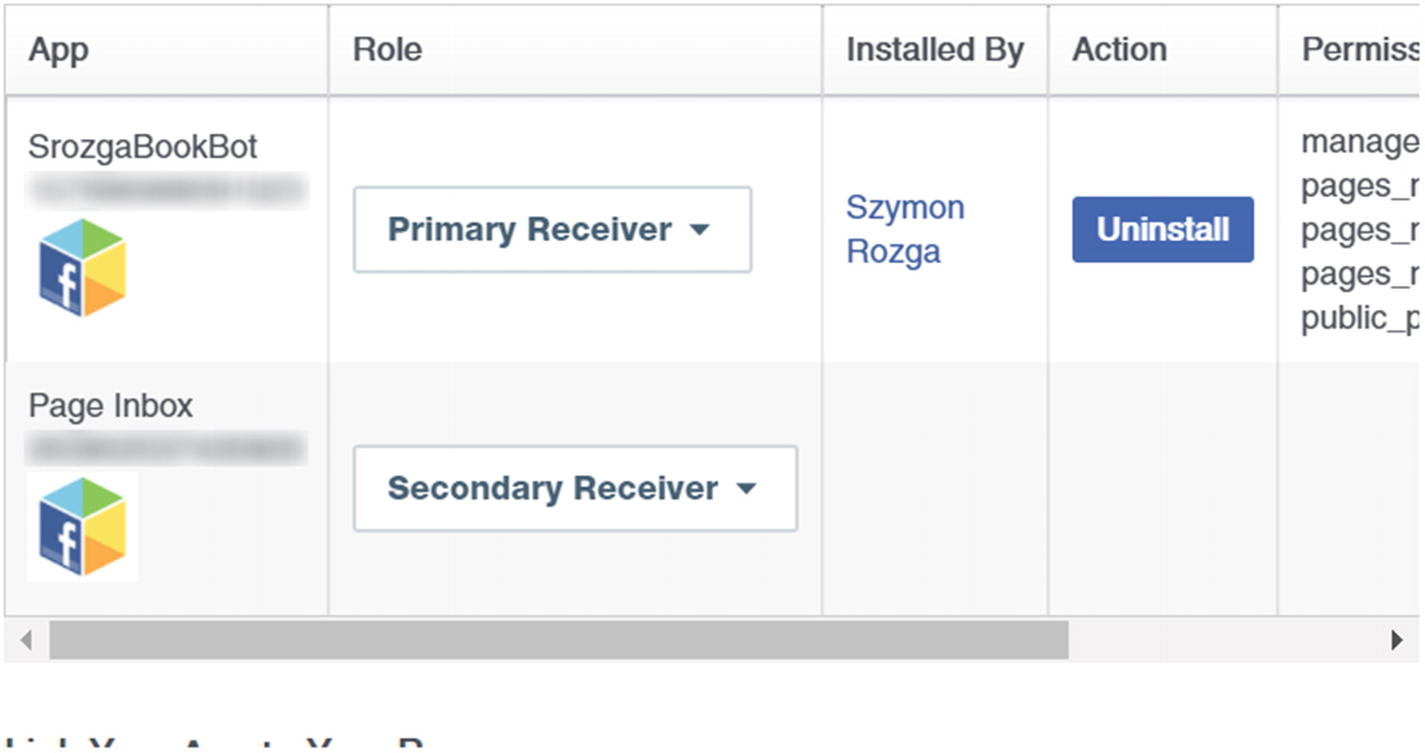
Setting up the primary and secondary receivers for a Facebook page
Next, we create the dialog responsible for invoking the handover logic. The requests to the Facebook APIs will be to either of these two endpoints, although our demo will only need to contact the pass_thread_control endpoint.
No matter which endpoint we call, we must include the user’s ID and may include some metadata. The pass_thread_control method also requires a target_app_id to be passed to indicate which application the thread is being transferred to. The Facebook documentation states that handing over to the page inbox requires the target_app_id to be the value 263902037430900. The code then to call Facebook endpoints is shown next. We use the request Node.js package to make new HTTP requests.
The code for the dialog quite simply calls the handover method.
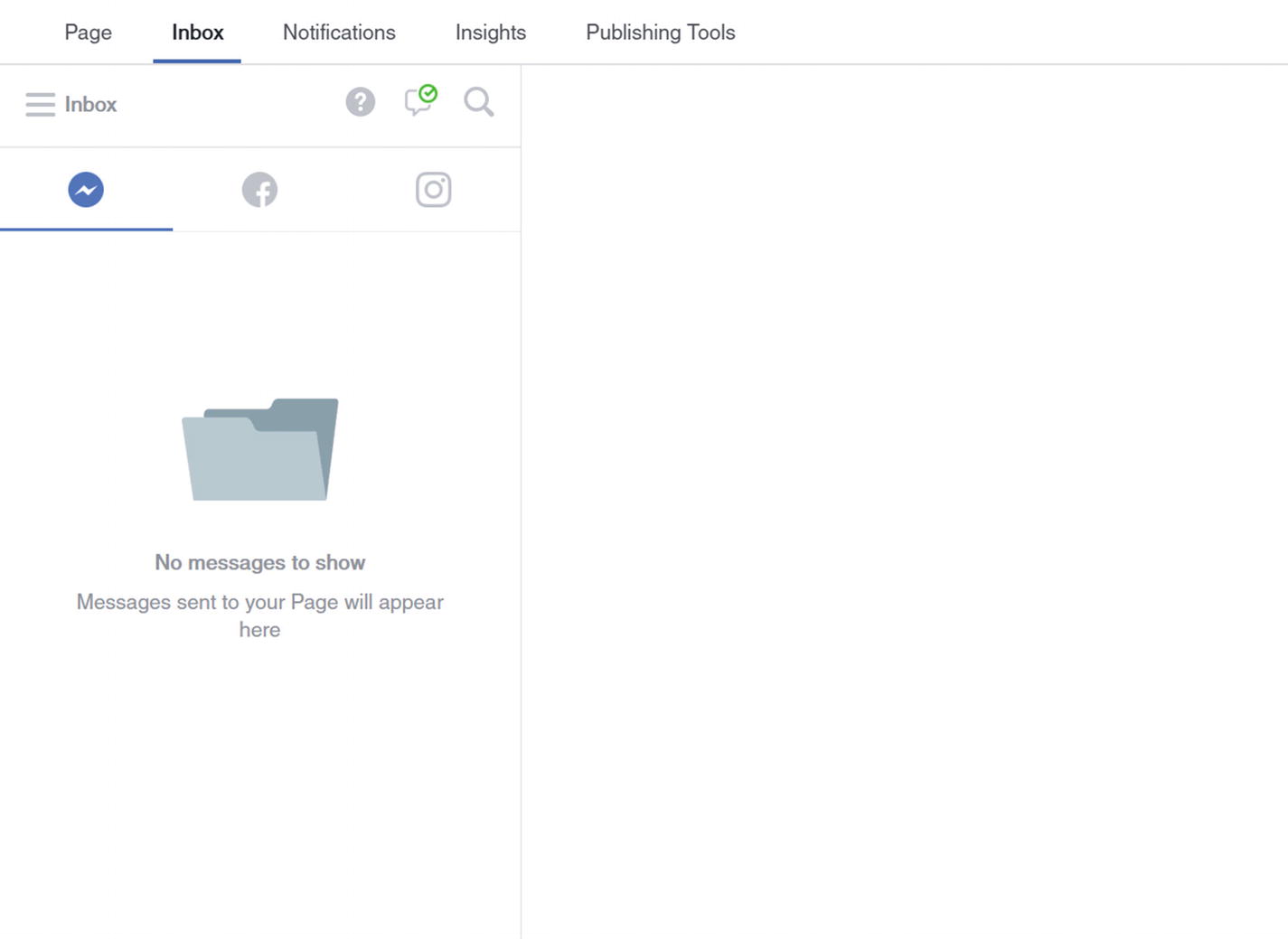
Empty inbox
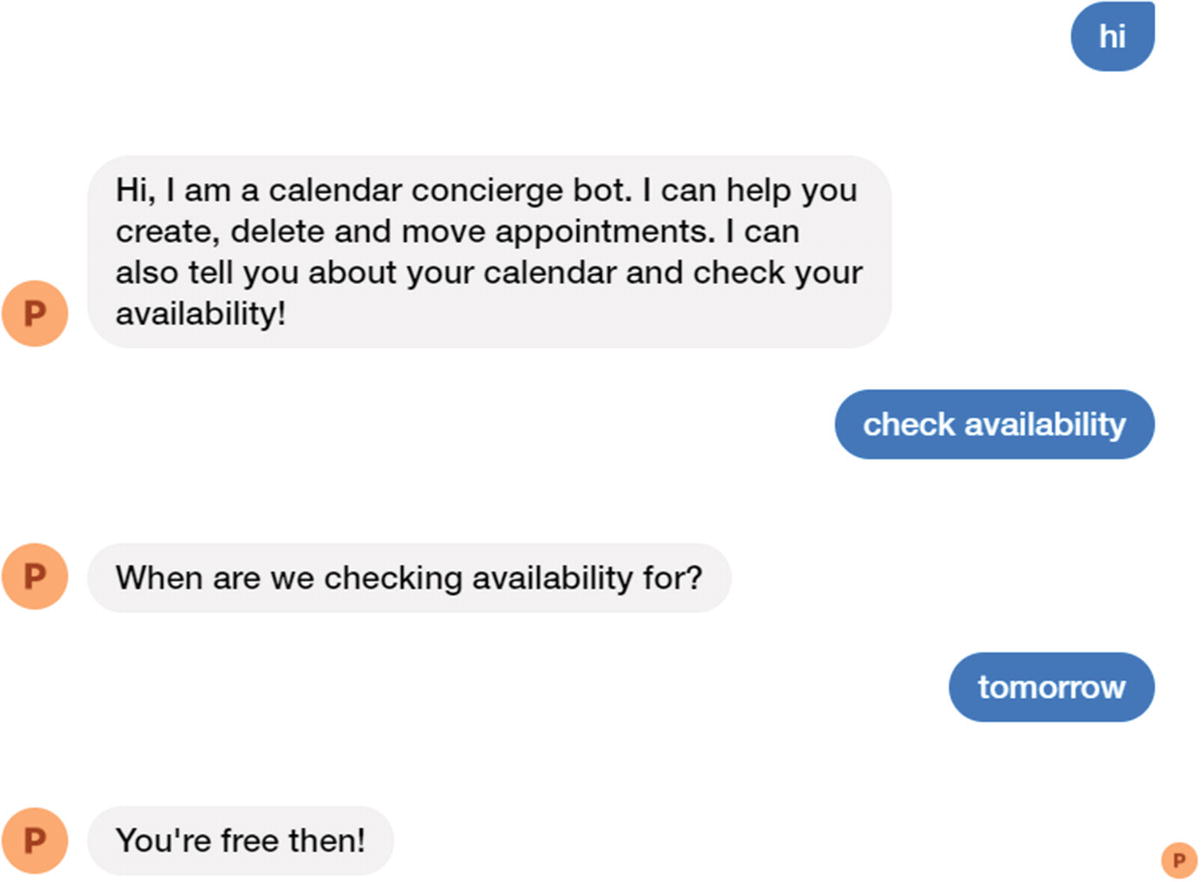
Warming up
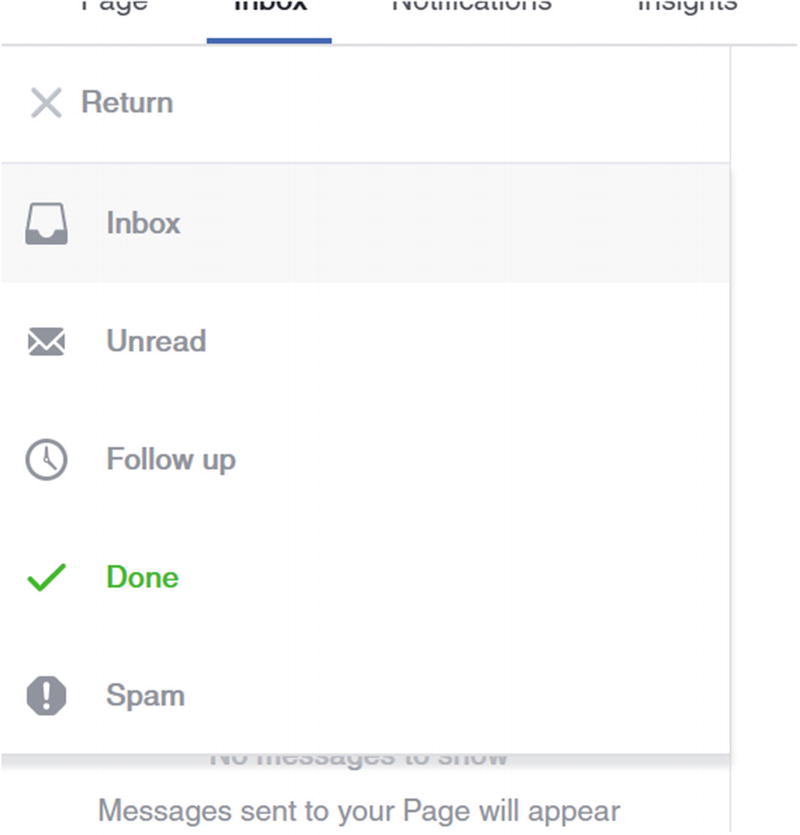
We have located the inbox folders
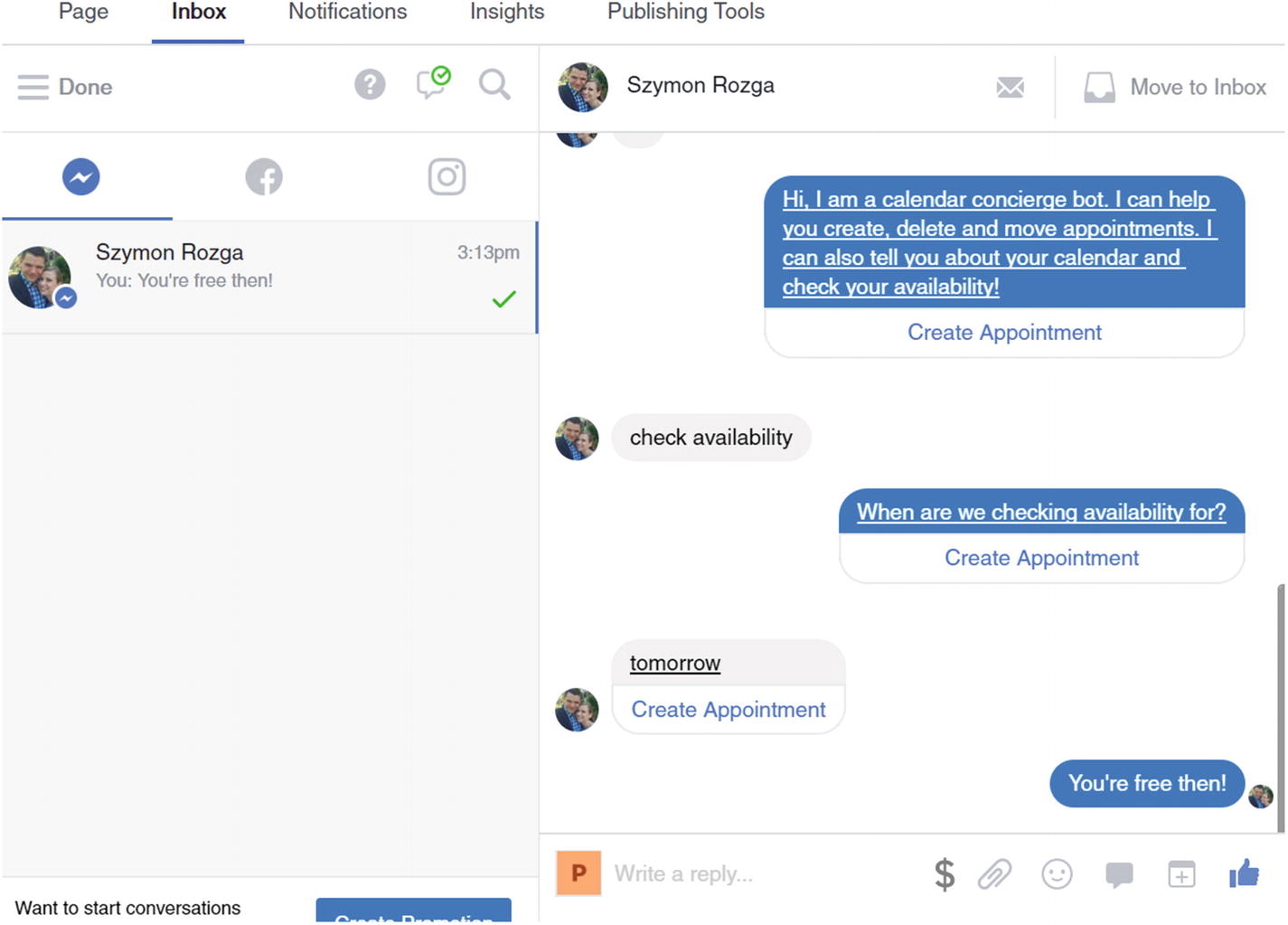
We found our conversation!

I demand to speak to her!
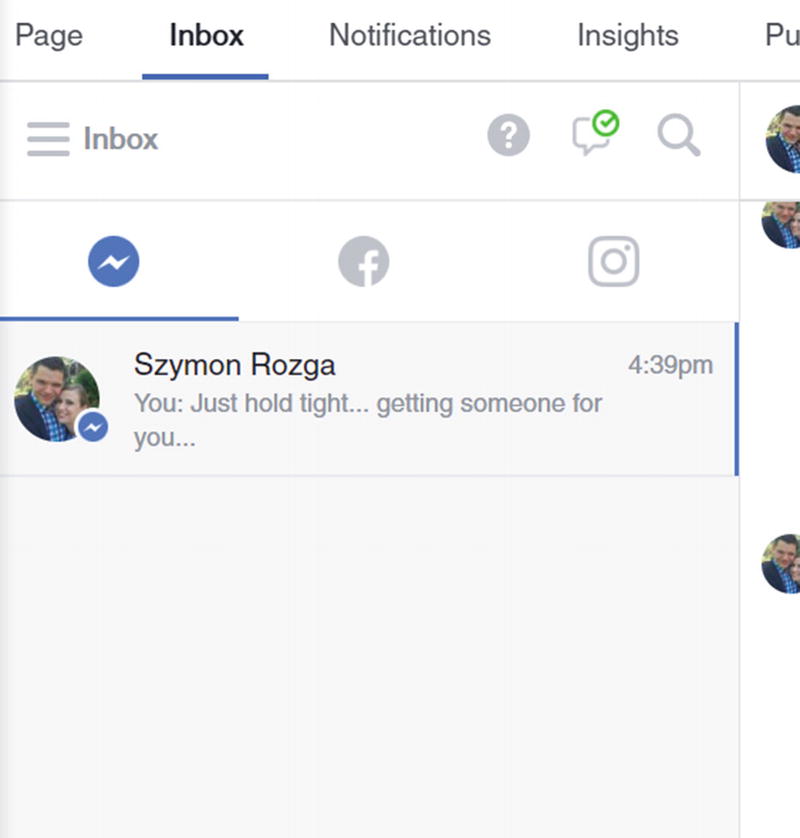
OK, it’s time to talk to our customer!
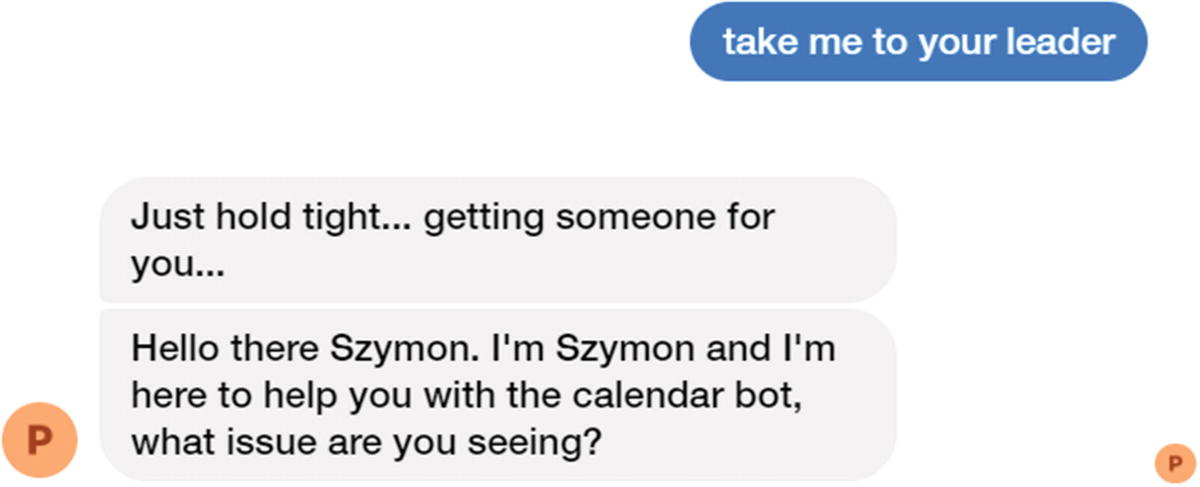
Oh wow, seamless human escalation integration!
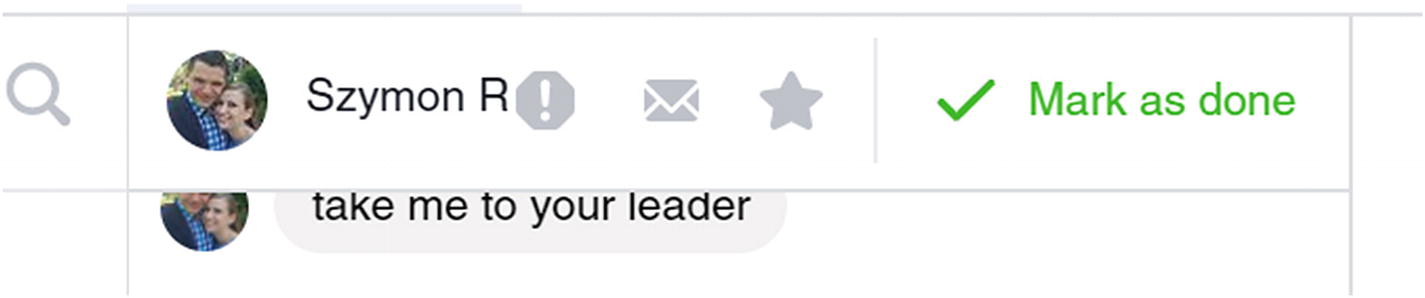
Transferring the user back to the chat bot by clicking the “Mark as done” button
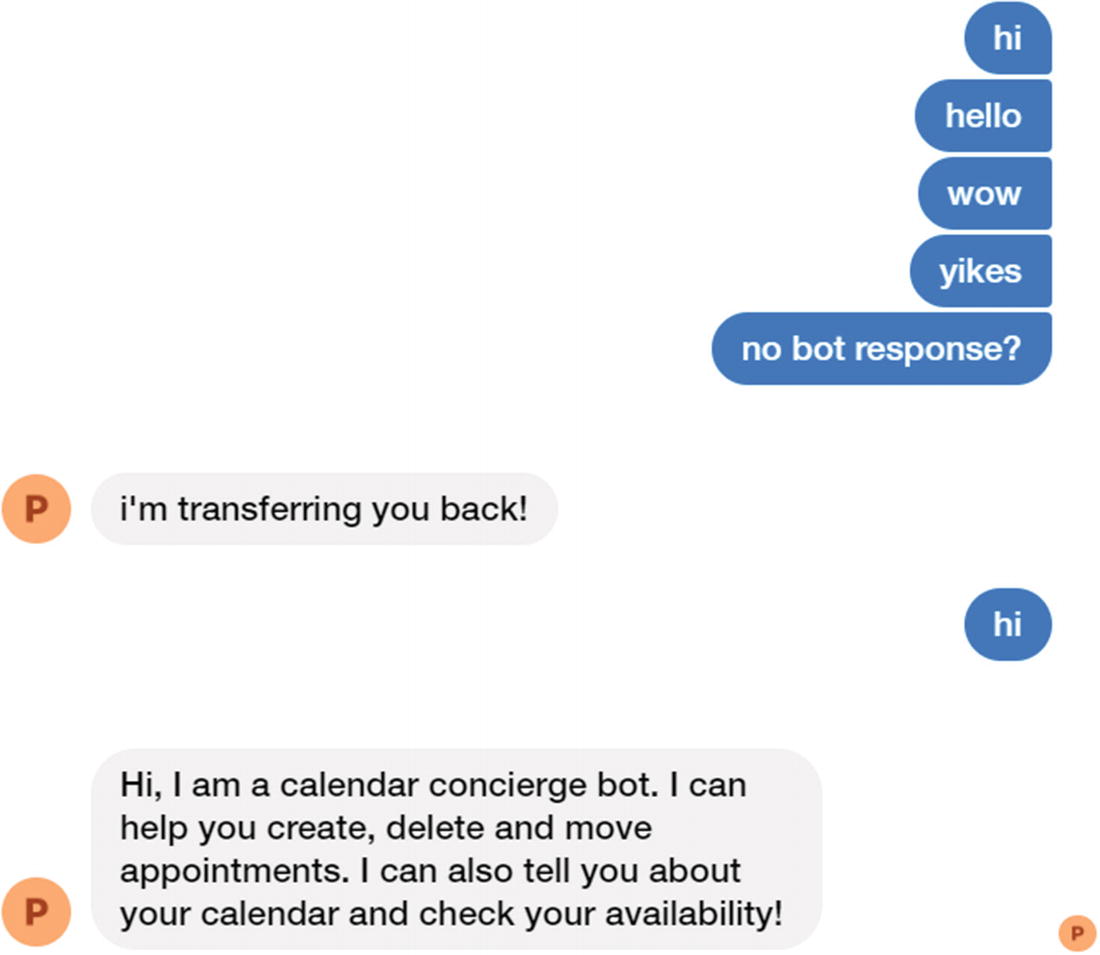
The bot is once again active
If the user gets into trouble again, he can once again ask for a human agent and resolve an issue.
Conclusion
The focus of our work in this chapter has been seamless human handover. That is a key experience requirement for our customers and agents. The experience provided for both parties should be as frictionless as possible. The chat bot should be a helpful assistant, which will increase the likelihood that the chat bot gains support from both internal and external parties.
Although the sample we demonstrated in this chapter was limited in scope to Facebook, it illustrates the general approach that most chat bot integrations with live chat systems will follow. There are, of course, many details to figure out, and there is no single approach to the problem, but the work we did in this chapter should be sufficient to get our chat bot’s human handoff functionality going in the right direction.