
One of the things that I love about the Red Hat folk is that they totally get this whole security thing. Yeah, we can lock down other distros and make them more secure, as we've already seen. But, with Red Hat distros, it's a bit easier. For a lot of things, the maintainers of the Red Hat-type distros have set secure default options that aren't securely set on other distros. (For example, Red Hat distros are the only ones that come with users' home directories locked down by default.) For other things, the Red Hat-type distros come with tools and installation options that help make life easier for a busy, security-conscious administrator.
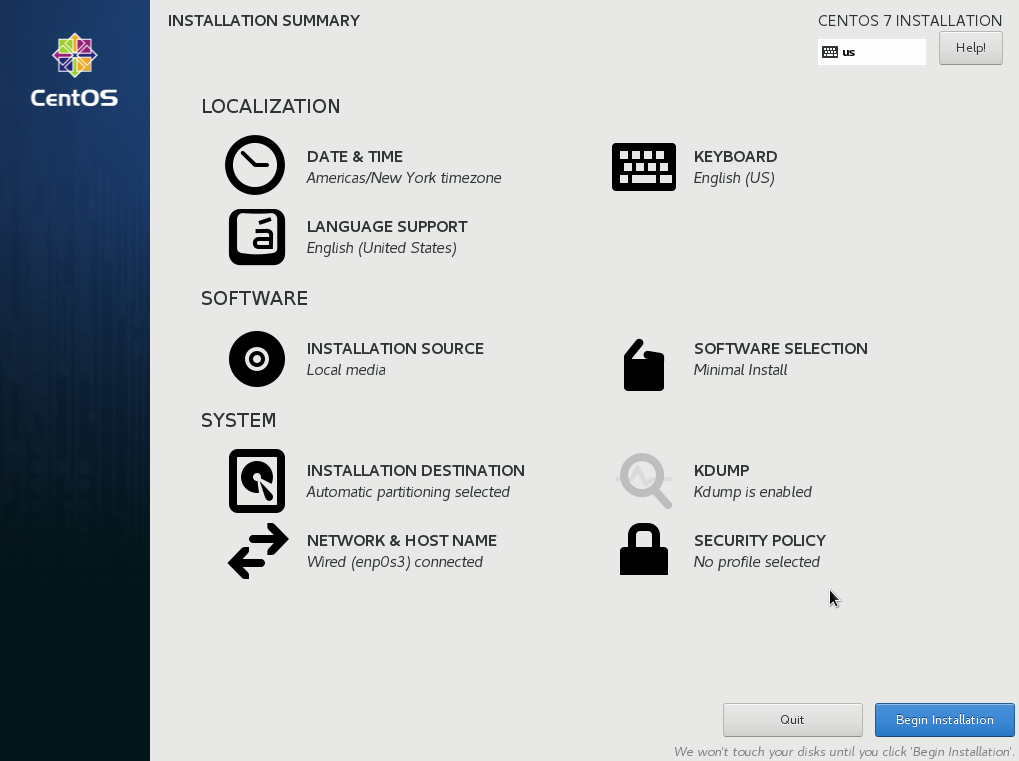
When you install a Red Hat 7-type distro, you'll be given the chance to apply an OpenSCAP profile during the operating system installation. Here on this CentOS 7 installer screen, you see the option to choose a security profile at the lower right-hand corner of the screen:
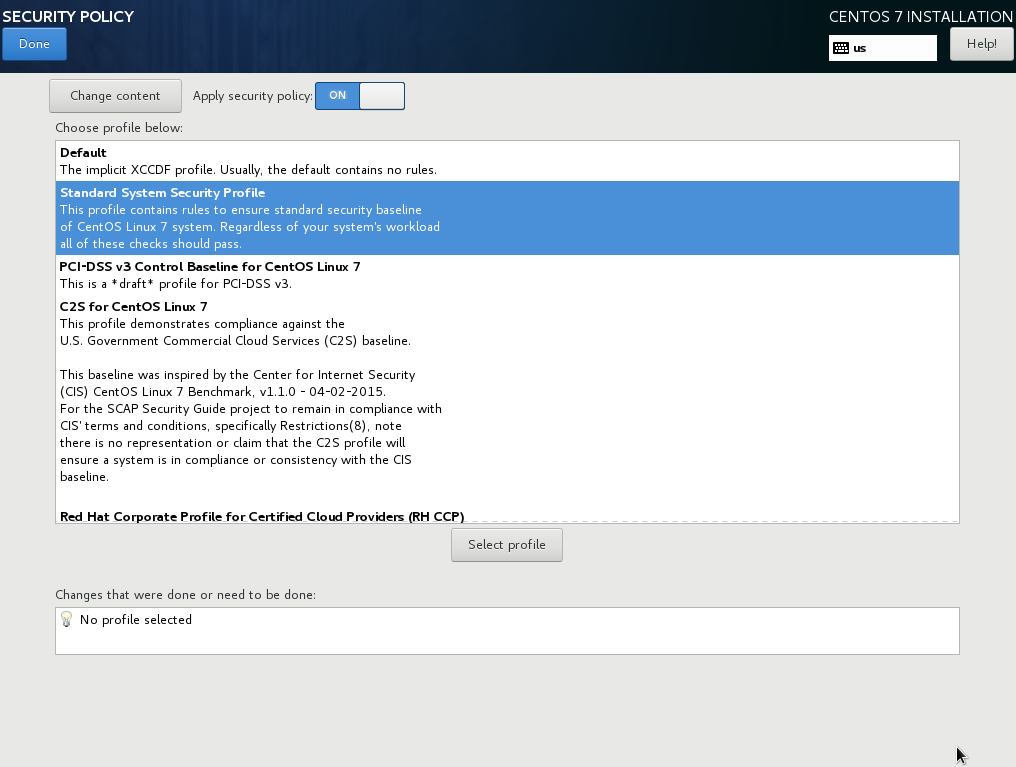
All you have to do is to click on that and then choose your profile:
Okay, that pretty much wraps it up for our discussion of OpenSCAP. The only thing left to add is that, as great as OpenSCAP is, it won't do everything. For example, some security standards require that you have certain directories, such as /home/ or /var/, on their own separate partitions. An OpenSCAP scan will alert you if that's not the case, but it can't change your existing partitioning scheme. So for things like that, you'll need to get a checklist from the governing body that dictates your security requirements and do a bit of advanced work before you even touch OpenSCAP.