Since we are about to append the section to an executable file, we need to make some changes to its headers so that they reflect the new reality. Let's open the Legacy.exe file in either the 010 Editor or any other hex editor you prefer and go through all its headers making modifications where necessary.
Before we proceed to update the file, we have to decide what would be the size of the new section in file (SizeOfRawData) and in memory (VirtualSize) in accordance with the FileAlignment and SectionAlignment values, respectively. Checking this values in the IMAGE_OPTIONAL_HEADER32 structure, we see that the FileAlignment value is 0x200 and SectionAlignment is 0x1000. Since the code we want to insert into the new section is tiny (only 35 bytes), we may proceed with minimum sizes, making the section's SizeOfRawData = 0x200 and VirtualSize = 0x1000.
However, let's proceed step by step and, as the first modification, adjust the NumberOfSections field of IMAGE_FILE_HEADER under IMAGE_NT_HEADERS, as shown in the following screenshot:
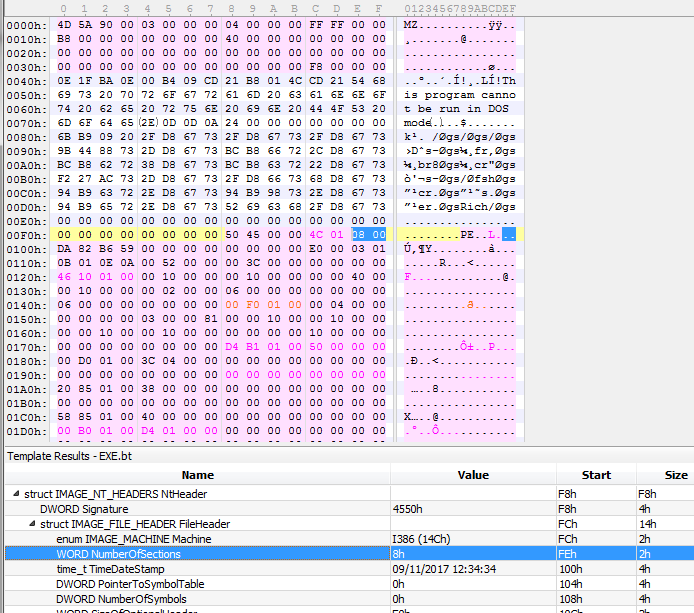
Originally, the file had seven sections and, as we are going to add another section, we change the WORD NumberOfSections value to 8h.
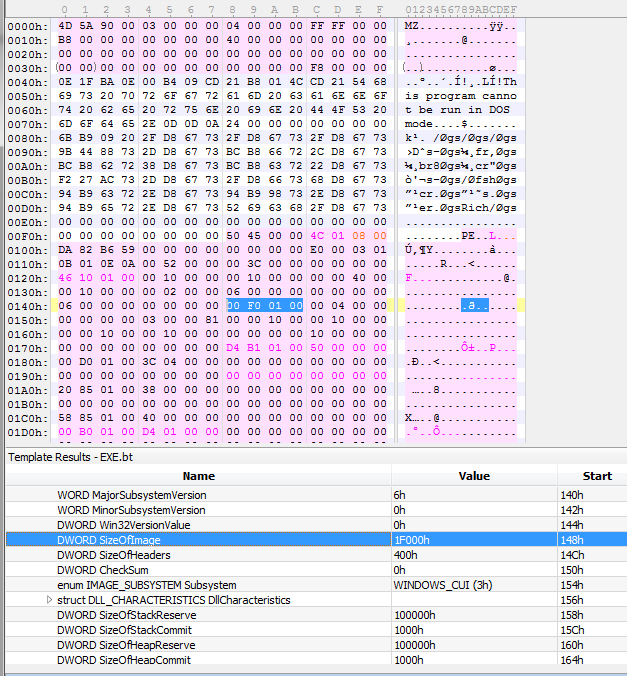
Once the NumberOfSections field has been updated, we proceed with updating the SizeOfImage field (which is the size of the executable image in memory) of the IMAGE_OPTIONAL_HEADER32 header. The original value of the SizeOfImage field is 0x1E000 and, as our new section should occupy 0x1000 bytes in memory, we simply set SizeOfImage to 0x1F000, as shown in the following screenshot:
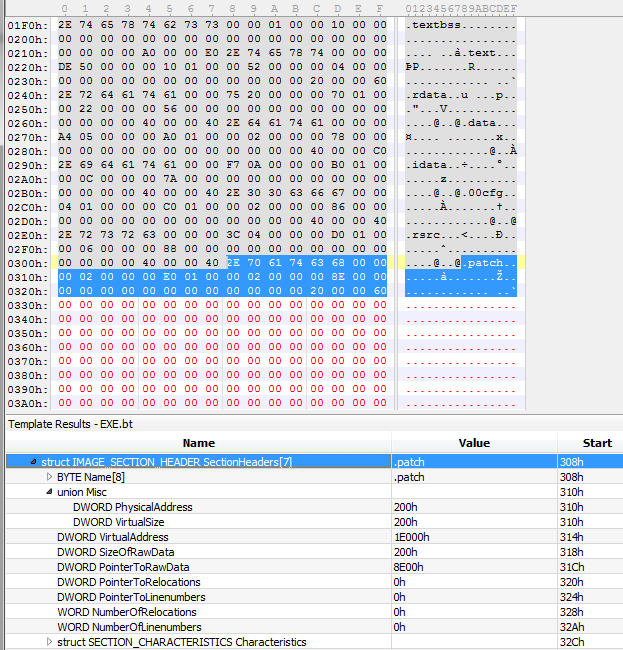
Now comes a rather more interesting part --adding a section header. Section headers are located right after the array of IMAGE_DATA_DIRECTORY entries, which, in our case, is at the file offset of 0x1F0. The last section header (for the .rsrc section) is located at the file offset 0x2E0 and we are going to insert our header right after starting at file offset 0x308. In the case of this executable, we have plenty of spare bytes, so we may safely proceed.
The first eight bytes of the section header contain the section's name and we will name our section .patch. The interesting fact about the section name field is that the name does not have to end with 0 (the NULL string terminator) and may occupy all eight bytes.
The next four byte are integers describing the virtual size of a section (how many bytes it would occupy in memory), which, as we have previously decided, is 0x1000 bytes (another interesting fact--we may set this field to 0 and it would still work well).
The next field is a four bytes integer describing the VirtualAddress field of a section (where the section should be loaded at). The value for this field is the previous value of the SizeOfImage field, which was 0x1E000.
Following the VirtualAddress field, there is the SizeOfRawData field (4 bytes as well), which we set to 0x200, --the size of the new section in the file, --and
PointerToRawData, which we set to the previous size of the file --0x8E00.
The remaining fields are filled with zeros, except the last field, Characteristics, which we set to 0x60000020, denoting the section as containing code and being executable.
The section header you added should look like the one shown in the following screenshot: