Table of Contents for
Responsive Web Design Toolkit
 Responsive Web Design Toolkit
Published by
Focal Press, 2015
Responsive Web Design Toolkit
Published by
Focal Press, 2015
- Cover
- Responsive Web Design Toolkit
- Responsive Web Design Toolkit
- Title
- Copyright
- Contents
- Dedication
- Assembling a Toolbox of Success
- Chapter 1: Responsive Web Design
- Chapter 2: Introducing the Engineering Process
- Chapter 3: Localhost, the Best Host
- Chapter 4: Apache Web Server
- Chapter 5: Connecting Devices to Your Computer
- Chapter 6: Virtual Hosts: Making Many Out of One
- Chapter 7: Get Together on GitHub
- Chapter 8: Google Chrome: Browsing a Page and Reading Its Code
- Chapter 9: Surviving CSS by Thriving With Sass
- Chapter 10: Google Analytics: Measuring Your UX With Analytics
- Chapter 11: Responsive Screen-Capture Project
- Chapter 12: Looking Around the Toolbox
- Appendix
- Index
Assembling a Toolbox of Success
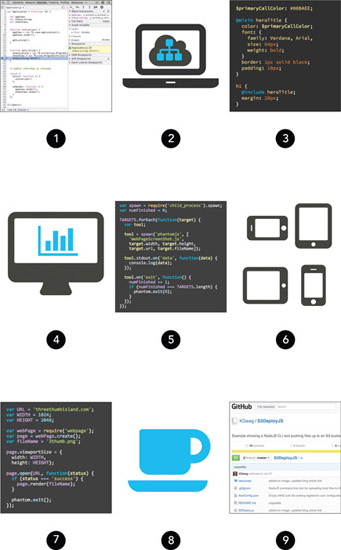
Here you’ll find an overview of tools introduced in this book. Keep them in mind as you read along. You may recognize some of them but never took the time to check them out. Some probably made you think they’re the exclusive domain of software engineers and out of your reach. You’ll discover approachable ways of using them daily to better solve problems.
Browser Tools 
Modern web browsers are more than just a way to read a page. All of the popular ones have powerful tools built into them. When your website doesn’t behave right, use the browser’s advanced developer tools to inspect, debug, and measure what’s wrong.
Web Server 
Running a web server on your own laptop allows you to better test your website in real-world conditions. Testing this way reveals more accurate results as you build, critique, polish, and fix your site. Finish better work before it goes out the door, when changes become more expensive.
Sass 
CSS is one of the big languages of the Internet. It’s always up front and center, where your readers are. Writing it can be a disorganized chore, but we’re all stuck with it. Craft better CSS by using a tool that translates into this language.
Analytics 
Building something and hoping it solves problems for your customers isn’t good enough. When you add features to your website, measure how often they’re used, ensuring your investment returns value for you and your visitors.
NodeJS 
Command-line tools are the staple of software engineers, and this JavaScript-based system allows you to build your own. Computers enjoy doing your boring tasks, allowing you time to work smarter by doing creative stuff best done by humans.
Devices 
Gaining confidence that your website will work on a world of handhelds is more difficult than ever. Don’t design and hope what you build will work when it goes into production. Grab phones and tablets, connect them to your laptop, and make sure your work behaves. Continually test and confirm your progress is going as expected.
PhantomJS 
A web browser that doesn’t display anything on screen is called headless. It’s also a fantastic resource that you can experiment with. Advance your creative workflow by making interesting new tools.
Coffee 
I didn’t actually include coffee with this book, but I would if I could. It just seems to make a creative life better. Bring along your favorite snacks to turbo-boost your brain while studying and reading.
GitHub 
The open-source community creates vast quantities of tools. Many are put on this site because it makes sharing easy. Collaboration tools are baked in, enabling creators to use and improve each other’s work.