Table of Contents for
Web Scraping with Python, 2nd Edition
 Web Scraping with Python, 2nd Edition
Published by
O'Reilly Media, Inc., 2018
Web Scraping with Python, 2nd Edition
Published by
O'Reilly Media, Inc., 2018
- nav
- Cover
- Web Scraping with Python
- Web Scraping with Python
- Preface
- I. Building Scrapers
- 1. Your First Web Scraper
- 2. Advanced HTML Parsing
- 3. Writing Web Crawlers
- 4. Web Crawling Models
- 5. Scrapy
- 6. Storing Data
- II. Advanced Scraping
- 7. Reading Documents
- 8. Cleaning Your Dirty Data
- 9. Reading and Writing Natural Languages
- 10. Crawling Through Forms and Logins
- 11. Scraping JavaScript
- 12. Crawling Through APIs
- 13. Image Processing and Text Recognition
- 14. Avoiding Scraping Traps
- 15. Testing Your Website with Scrapers
- 16. Web Crawling in Parallel
- 17. Scraping Remotely
- 18. The Legalities and Ethics of Web Scraping
- Index
- About the Author
- Colophon
Chapter 6. Storing Data
Although printing to the terminal is a lot of fun, it’s not incredibly useful when it comes to data aggregation and analysis. To make the majority of web scrapers remotely useful, you need to be able to save the information that they scrape.
This chapter covers three main methods of data management that are sufficient for almost any imaginable application. Do you need to power the backend of a website or create your own API? You’ll probably want your scrapers to write to a database. Need a fast and easy way to collect documents off the internet and put them on your hard drive? You’ll probably want to create a file stream for that. Need occasional alerts, or aggregated data once a day? Send yourself an email!
Above and beyond web scraping, the ability to store and interact with large amounts of data is incredibly important for just about any modern programming application. In fact, the information in this chapter is necessary for implementing many of the examples in later sections of the book. I highly recommend that you at least skim this chapter if you’re unfamiliar with automated data storage.
Media Files
You can store media files in two main ways: by reference and by downloading the file itself. You can store a file by reference by storing the URL where the file is located. This has several advantages:
-
Scrapers run much faster and require much less bandwidth when they don’t have to download files.
-
You save space on your own machine by storing only the URLs.
-
It is easier to write code that stores only URLs and doesn’t need to deal with additional file downloads.
-
You can lessen the load on the host server by avoiding large file downloads.
Here are the disadvantages:
-
Embedding these URLs in your own website or application is known as hotlinking, and doing it is a quick way to get you in hot water on the internet.
-
You do not want to use someone else’s server cycles to host media for your own applications.
-
The file hosted at any particular URL is subject to change. This might lead to embarrassing effects if, say, you’re embedding a hotlinked image on a public blog. If you’re storing the URLs with the intent to store the file later, for further research, it might eventually go missing or be changed to something completely irrelevant at a later date.
-
Real web browsers do not just request a page’s HTML and move on. They download all of the assets required by the page as well. Downloading files can help make your scraper look like a human is browsing the site, which can be an advantage.
If you’re debating over whether to store a file or a URL to a file, you should ask yourself whether you’re likely to view or read that file more than once or twice, or if this database of files is going to be sitting around gathering electronic dust for most of its life. If the answer is the latter, it’s probably best to simply store the URL. If it’s the former, read on!
The urllib library, used to retrieve the content of webpages also contains functions to retrieve the content of files. The following program uses urllib.request.urlretrieve to download images from a remote URL:
fromurllib.requestimporturlretrievefromurllib.requestimporturlopenfrombs4importBeautifulSouphtml=urlopen('http://www.pythonscraping.com')bs=BeautifulSoup(html,'html.parser')imageLocation=bs.find('a',{'id':'logo'}).find('img')['src']urlretrieve(imageLocation,'logo.jpg')
This downloads the logo from http://pythonscraping.com and stores it as logo.jpg in the same directory from which the script is running.
This works well if you need to download only a single file and know what to call it and what the file extension is. But most scrapers don’t download a single file and call it a day. The following downloads all internal files, linked to by any tag’s src attribute, from the home page of http://pythonscraping.com:
importosfromurllib.requestimporturlretrievefromurllib.requestimporturlopenfrombs4importBeautifulSoupdownloadDirectory='downloaded'baseUrl='http://pythonscraping.com'defgetAbsoluteURL(baseUrl,source):ifsource.startswith('http://www.'):url='http://{}'.format(source[11:])elifsource.startswith('http://'):url=sourceelifsource.startswith('www.'):url=source[4:]url='http://{}'.format(source)else:url='{}/{}'.format(baseUrl,source)ifbaseUrlnotinurl:returnNonereturnurldefgetDownloadPath(baseUrl,absoluteUrl,downloadDirectory):path=absoluteUrl.replace('www.','')path=path.replace(baseUrl,'')path=downloadDirectory+pathdirectory=os.path.dirname(path)ifnotos.path.exists(directory):os.makedirs(directory)returnpathhtml=urlopen('http://www.pythonscraping.com')bs=BeautifulSoup(html,'html.parser')downloadList=bs.find_all(src=True)fordownloadindownloadList:fileUrl=getAbsoluteURL(baseUrl,download['src'])iffileUrlisnotNone:(fileUrl)urlretrieve(fileUrl,getDownloadPath(baseUrl,fileUrl,downloadDirectory))
Run with Caution
You know all those warnings you hear about downloading unknown files off the internet? This script downloads everything it comes across to your computer’s hard drive. This includes random bash scripts, .exe files, and other potential malware.
Think you’re safe because you’d never actually execute anything sent to your downloads folder? Especially if you run this program as an administrator, you’re asking for trouble. What happens if you run across a file on a website that sends itself to ../../../../usr/bin/python? The next time you run a Python script from the command line, you could be deploying malware on your machine!
This program is written for illustrative purposes only; it should not be randomly deployed without more extensive filename checking, and it should be run only in an account with limited permissions. As always, backing up your files, not storing sensitive information on your hard drive, and using a little common sense go a long way.
This script uses a lambda function (introduced in Chapter 2) to select all tags on the front page that have the src attribute, and then cleans and normalizes the URLs to get an absolute path for each download (making sure to discard external links). Then, each file is downloaded to its own path in the local folder downloaded on your own machine.
Notice that Python’s os module is used briefly to retrieve the target directory for each download and create missing directories along the path if needed. The os module acts as an interface between Python and the operating system, allowing it to manipulate file paths, create directories, get information about running processes and environment variables, and many other useful things.
Storing Data to CSV
CSV, or comma-separated values, is one of the most popular file formats in which to store spreadsheet data. It is supported by Microsoft Excel and many other applications because of its simplicity. The following is an example of a perfectly valid CSV file:
fruit,cost
apple,1.00
banana,0.30
pear,1.25
As with Python, whitespace is important here: each row is separated by a newline character, while columns within the row are separated by commas (hence the name “comma-separated”). Other forms of CSV files (sometimes called character-separated value files) use tabs or other characters to separate rows, but these file formats are less common and less widely supported.
If you’re looking to download CSV files directly off the web and store them locally, without any parsing or modification, you don’t need this section. Download them like you would any other file, and save them with the CSV file format by using the methods described in the previous section.
Modifying a CSV file, or even creating one entirely from scratch, is extremely easy with Python’s csv library:
importcsvcsvFile=open('test.csv','w+')try:writer=csv.writer(csvFile)writer.writerow(('number','number plus 2','number times 2'))foriinrange(10):writer.writerow((i,i+2,i*2))finally:csvFile.close()
A precautionary reminder: file creation in Python is fairly bulletproof. If test.csv does not already exist, Python will create the file (but not the directory) automatically. If it already exists, Python will overwrite test.csv with the new data.
After running, you should see a CSV file:
number,number plus 2,number times 2
0,2,0
1,3,2
2,4,4
...
One common web scraping task is to retrieve an HTML table and write it as a CSV file. Wikipedia’s Comparison of Text Editors provides a fairly complex HTML table, complete with color coding, links, sorting, and other HTML garbage that needs to be discarded before it can be written to CSV. Using BeautifulSoup and the get_text() function copiously, you can do that in fewer than 20 lines:
importcsvfromurllib.requestimporturlopenfrombs4importBeautifulSouphtml=urlopen('http://en.wikipedia.org/wiki/''Comparison_of_text_editors')bs=BeautifulSoup(html,'html.parser')#The main comparison table is currently the first table on the pagetable=bs.find_all('table',{'class':'wikitable'})[0]rows=table.find_all('tr')csvFile=open('editors.csv','wt+')writer=csv.writer(csvFile)try:forrowinrows:csvRow=[]forcellinrow.find_all(['td','th']):csvRow.append(cell.get_text())writer.writerow(csvRow)finally:csvFile.close()
There Is an Easier Way to Fetch a Single Table
This script is great to integrate into scrapers if you encounter many HTML tables that need to be converted to CSV files, or many HTML tables that need to be collected into a single CSV file. However, if you only need to do it just once, there’s a better tool for that: copying and pasting. Selecting and copying all the content of an HTML table and pasting it into Excel or Google Docs will get you the CSV file you’re looking for without running a script!
The result should be a well-formatted CSV file saved locally, at editors.csv.
MySQL
MySQL (officially pronounced “my es-kew-el,” although many say, “my sequel”) is the most popular open source relational database management system today. Somewhat unusually for an open source project with large competitors, its popularity has historically been neck and neck with the two other major closed source database systems: Microsoft’s SQL Server and Oracle’s DBMS.
Its popularity is not without cause. For most applications, it’s hard to go wrong with MySQL. It’s a scalable, robust, and full-featured DBMS, used by top websites: YouTube,1 Twitter,2 and Facebook,3 among many others.
Because of its ubiquity, price (“free” is a pretty great price), and out-of-box usability, it makes a fantastic database for web scraping projects, and we will use it throughout the remainder of this book.
Installing MySQL
If you’re new to MySQL, installing a database might sound a little intimidating (if you’re an old hat at it, feel free to skip this section). In reality, it’s as simple as installing just about any other kind of software. At its core, MySQL is powered by a set of data files, stored on your server or local machine, that contain all the information stored in your database. The MySQL software layer on top of that provides a convenient way of interacting with the data, via a command-line interface. For example, the following command digs through the data files and returns a list of all users in your database whose first name is “Ryan”:
SELECT*FROMusersWHEREfirstname="Ryan"
If you’re on a Debian-based Linux distribution (or anything with apt-get), installing MySQL is as easy as this:
$ sudo apt-get install mysql-server
Just keep an eye on the installation process, approve the memory requirements, and enter a new password for your new root user when prompted.
For macOS and Windows, things are a little trickier. If you haven’t already, you need to create an Oracle account before downloading the package.
If you’re on macOS, you need to first get the installation package.
Select the .dmg package, and log in with or create your Oracle account to download the file. After opening, you should be guided through a fairly straightforward installation wizard (Figure 6-1).
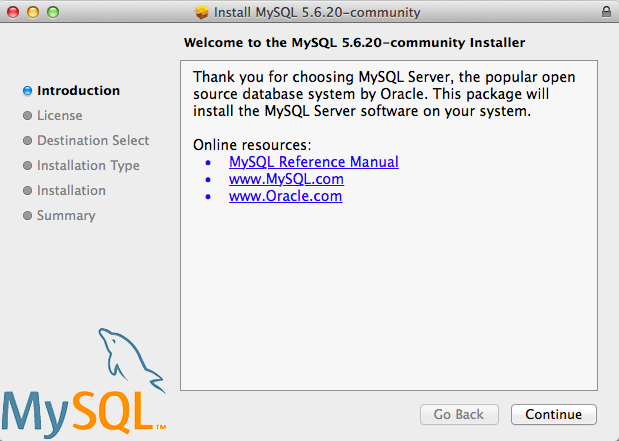
Figure 6-1. The macOS MySQL installer
The default installation steps should suffice, and for the purposes of this book, I assume you have a default MySQL installation.
If downloading and running an installer seems a little tedious, and you’re using a Mac, you can always install the package manager, Homebrew. With Homebrew installed, you can also install MySQL by running the following:
$ brew install mysql
Homebrew is a great open source project with good Python package integration. Most of the third-party Python modules used in this book can be installed easily with Homebrew. If you don’t have it already, I highly recommend checking it out!
After MySQL is installed on macOS, you can start the MySQL server as follows:
$cd/usr/local/mysql$sudo ./bin/mysqld_safe
On Windows, installing and running MySQL is slightly more complicated, but the good news is that a convenient installer simplifies the process. Once downloaded, it will guide you through the steps you need to take (see Figure 6-2).
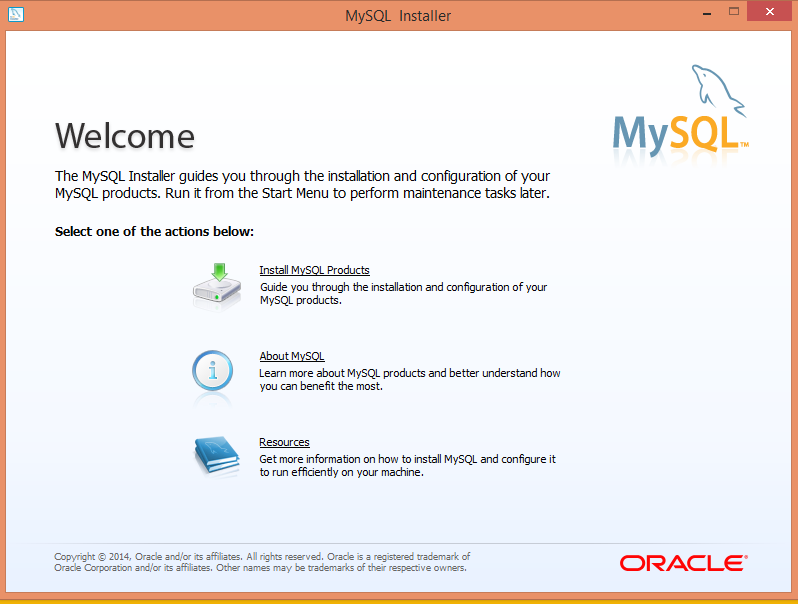
Figure 6-2. The Windows MySQL Installer
You should be able to install MySQL by using the default selections, with one exception: on the Setup Type page, I recommend you choose Server Only to avoid installing a lot of additional Microsoft software and libraries. From there, you should be able to use the default installation settings and follow the prompts to start your MySQL server.
Some Basic Commands
After your MySQL server is running, you have many options for interacting with the database. Plenty of software tools act as an intermediary so that you don’t have to deal with MySQL commands (or at least deal with them less often). Tools such as phpMyAdmin and MySQL Workbench can make it easy to quickly view, sort, and insert data. However, it’s still important to know your way around the command line.
Except for variable names, MySQL is case insensitive; for example, SELECT is the same as sElEcT. However, by convention, all MySQL keywords are in all caps when you are writing a MySQL statement. Conversely, most developers prefer to name their tables and databases in lowercase, although this standard is often ignored.
When you first log into MySQL, there are no databases to add data to, but you can create one:
>CREATEDATABASEscraping;
Because every MySQL instance can have multiple databases, before you can start interacting with a database, you need to specify to MySQL which database you want to use:
>USEscraping;
From this point on (at least until you close the MySQL connection or switch to another database), all commands entered will be run against the new scraping database.
That all seems pretty straightforward. It must be similarly easy to create a table in the database, right? Let’s try to create a table to store a collection of scraped web pages:
>CREATETABLEpages;
This results in an error:
ERROR 1113 (42000): A table must have at least 1 column
Unlike a database, which can exist without any tables, a table in MySQL cannot exist without columns. To define columns in MySQL, you must enter them in a comma-delimited list, within parentheses, after the CREATE TABLE <tablename> statement:
>CREATETABLEpages(idBIGINT(7)NOTNULLAUTO_INCREMENT,titleVARCHAR(200),contentVARCHAR(10000),createdTIMESTAMPDEFAULTCURRENT_TIMESTAMP,PRIMARYKEY(id));
Each column definition has three parts:
-
The name (
id,title,created, etc.) -
The variable type (
BIGINT(7),VARCHAR,TIMESTAMP) -
Optionally, any additional attributes (
NOT NULL AUTO_INCREMENT)
At the end of the list of columns, you must define a table’s key. MySQL uses keys to organize the content in the table for fast lookups. Later in this chapter, I’ll describe how to use these keys to your advantage for speedier databases, but for now, using a table’s id column as the key is generally the best way to go.
After the query executes, you can see what the structure of the table looks like at any time by using DESCRIBE:
>DESCRIBEpages;+---------+----------------+------+-----+-------------------+----------------+|Field|Type|Null|Key|Default|Extra|+---------+----------------+------+-----+-------------------+----------------+|id|bigint(7)|NO|PRI|NULL|auto_increment||title|varchar(200)|YES||NULL|||content|varchar(10000)|YES||NULL|||created|timestamp|NO||CURRENT_TIMESTAMP||+---------+----------------+------+-----+-------------------+----------------+4rowsinset(0.01sec)
Of course, this is still an empty table. You can insert test data into the pages table by using the following line:
>INSERTINTOpages(title,content)VALUES("Test page title","This is some test page content. It can be up to 10,000 characterslong.");
Notice that although the table has four columns (id, title, content, created), you need to define only two of them (title and content) in order to insert a row. That’s because the id column is autoincremented (MySQL automatically adds a 1 each time a new row is inserted) and generally can take care of itself. In addition, the timestamp column is set to contain the current time as a default.
Of course, you can override these defaults:
>INSERTINTOpages(id,title,content,created)VALUES(3,"Test page title","This is some test page content. It can be up to 10,000 characterslong.","2014-09-21 10:25:32");
As long as the integer you provide for the id column doesn’t already exist in the database, this override will work perfectly fine. However, it is generally bad practice to do this; it’s best to let MySQL handle the id and timestamp columns unless there is a compelling reason to do it differently.
Now that you have some data in the table, you can use a wide variety of methods to select this data. Here are a few examples of SELECT statements:
>SELECT*FROMpagesWHEREid=2;
This statement tells MySQL, “Select all from pages where id equals 2.” The asterisk (*) acts as a wildcard, returning all the rows where the clause (where id equals 2) is true. It returns the second row in the table, or an empty result if there is no row with an id of 2. For example, the following case-insensitive query returns all the rows where the title field contains “test” (the % symbol acts as a wildcard in MySQL strings):
>SELECT*FROMpagesWHEREtitleLIKE"%test%";
But what if you have a table with many columns, and you want only a particular piece of data returned? Rather than selecting all, you can do something like this:
>SELECTid,titleFROMpagesWHEREcontentLIKE"%page content%";
This returns just the id and title where the content contains the phrase “page content.”
DELETE statements have much the same syntax as SELECT statements:
>DELETEFROMpagesWHEREid=1;
For this reason, it is a good idea, especially when working on important databases that can’t be easily restored, to write any DELETE statements as a SELECT statement first (in this case, SELECT * FROM pages WHERE id = 1), test to make sure only the rows you want to delete are returned, and then replace SELECT * with DELETE. Many programmers have horror stories of miscoding the clause on a DELETE statement, or worse, leaving it off entirely when they were in a hurry, and ruining customer data. Don’t let it happen to you!
Similar precautions should be taken with UPDATE statements:
>UPDATEpagesSETtitle="A new title",content="Some new content"WHEREid=2;
For the purposes of this book, you will be working with only simple MySQL statements, doing basic selecting, inserting, and updating. If you’re interested in learning more commands and techniques with this powerful database tool, I recommend Paul DuBois’s MySQL Cookbook (O’Reilly).
Integrating with Python
Unfortunately, Python support for MySQL is not built in. However, many open source libraries, both with Python 2.x and Python 3.x, allow you to interact with a MySQL database. One of the most popular of these is PyMySQL.
As of this writing, the current version of PyMySQL is 0.6.7, which can be installed using pip:
$ pip install PyMySQL
You can also download and install it from source, which can be handy if you want to use a specific version of the library:
$curl -L https://pypi.python.org/packages/source/P/PyMySQL/PyMySQL-0.6.7.tar.gz\|tar xz$cdPyMySQL-PyMySQL-f953785/$python setup.py install
After installation, you should have access to the PyMySQL package automatically. While your local MySQL server is running, you should be able to execute the following script successfully (remember to add the root password for your database):
importpymysqlconn=pymysql.connect(host='127.0.0.1',unix_socket='/tmp/mysql.sock',user='root',passwd=None,db='mysql')cur=conn.cursor()cur.execute('USE scraping')cur.execute('SELECT * FROM pages WHERE id=1')(cur.fetchone())cur.close()conn.close()
Two new types of objects are at work in this example: the connection object (conn) and the cursor object (cur).
The connection/cursor model is commonly used in database programming, although some users might find it tricky to differentiate between the two at first. The connection is responsible for, well, connecting to the database, of course, but also sending the database information, handling rollbacks (when a query or set of queries needs to be aborted, and the database needs to be returned to its previous state), and creating new cursor objects.
A connection can have many cursors. A cursor keeps track of certain state information, such as which database it is using. If you have multiple databases and need to write information across all of them, you might have multiple cursors to handle this. A cursor also contains the results of the latest query it has executed. By calling functions on the cursor, such as cur.fetchone(), you can access this information.
It is important that both the cursor and the connection are closed after you are finished using them. Not doing this might result in connection leaks, a buildup of unclosed connections that are no longer being used, but the software isn’t able to close because it’s under the impression that you might still use them. This is the sort of thing that brings databases down all the time (I have both written and fixed many connection leak bugs), so remember to close your connections!
The most common thing you’ll probably want to do, starting out, is to be able to store your scraping results in a database. Let’s take a look at how this could be done, using a previous example: the Wikipedia scraper.
Dealing with Unicode text can be tough when web scraping. By default, MySQL does not handle Unicode. Fortunately, you can turn on this feature (just keep in mind that doing so will increase the size of your database). Because you’re bound to run into a variety of colorful characters on Wikipedia, now is a good time to tell your database to expect some Unicode:
ALTERDATABASEscrapingCHARACTERSET=utf8mb4COLLATE=utf8mb4_unicode_ci;ALTERTABLEpagesCONVERTTOCHARACTERSETutf8mb4COLLATEutf8mb4_unicode_ci;ALTERTABLEpagesCHANGEtitletitleVARCHAR(200)CHARACTERSETutf8mb4COLLATEutf8mb4_unicode_ci;ALTERTABLEpagesCHANGEcontentcontentVARCHAR(10000)CHARACTERSETutf8mb4COLLATEutf8mb4_unicode_ci;
These four lines change the default character set for the database, for the table, and for both of the two columns—from utf8mb4 (still technically Unicode, but with notoriously terrible support for most Unicode characters) to utf8mb4_unicode_ci.
You’ll know that you’re successful if you try inserting a few umlauts or Mandarin characters into the title or content field in the database and it succeeds with no errors.
Now that the database is prepared to accept a wide variety of all that Wikipedia can throw at it, you can run the following:
fromurllib.requestimporturlopenfrombs4importBeautifulSoupimportdatetimeimportrandomimportpymysqlimportreconn=pymysql.connect(host='127.0.0.1',unix_socket='/tmp/mysql.sock',user='root',passwd=None,db='mysql',charset='utf8')cur=conn.cursor()cur.execute('USE scraping')random.seed(datetime.datetime.now())defstore(title,content):cur.execute('INSERT INTO pages (title, content) VALUES ''("%s", "%s")',(title,content))cur.connection.commit()defgetLinks(articleUrl):html=urlopen('http://en.wikipedia.org'+articleUrl)bs=BeautifulSoup(html,'html.parser')title=bs.find('h1').get_text()content=bs.find('div',{'id':'mw-content-text'}).find('p').get_text()store(title,content)returnbs.find('div',{'id':'bodyContent'}).find_all('a',href=re.compile('^(/wiki/)((?!:).)*$'))links=getLinks('/wiki/Kevin_Bacon')try:whilelen(links)>0:newArticle=links[random.randint(0,len(links)-1)].attrs['href'](newArticle)links=getLinks(newArticle)finally:cur.close()conn.close()
There are a few things to note here: first, "charset='utf8'" is added to the database connection string. This tells the connection that it should send all information to the database as UTF-8 (and, of course, the database should already be configured to handle this).
Second, note the addition of a store function. This takes in two string variables, title and content, and adds them to an INSERT statement that is executed by the cursor and then committed by the cursor’s connection. This is an excellent example of the separation of the cursor and the connection; while the cursor has stored information about the database and its own context, it needs to operate through the connection in order to send information back to the database and insert information.
Last, you’ll see that a finally statement is added to the program’s main loop, at the bottom of the code. This ensures that, regardless of how the program is interrupted or the exceptions that might be thrown during its execution (and because the web is messy, you should always assume exceptions will be thrown), the cursor and the connection will both be closed immediately before the program ends. It is a good idea to include a try...finally statement like this whenever you are scraping the web and have an open database connection.
Although PyMySQL is not a huge package, there are a fair number of useful functions that this book can’t accommodate. You can check out their documentation at the PyMySQL site.
Database Techniques and Good Practice
Some people spend their entire careers studying, tuning, and inventing databases. I am not one of those people, and this is not that kind of book. However, as with many subjects in computer science, there are a few tricks you can learn quickly to at least make your databases sufficient, and sufficiently speedy, for most applications.
First, with few exceptions, always add id columns to your tables. All tables in MySQL must have at least one primary key (the key column that MySQL sorts on), so that MySQL knows how to order it, and it can often be difficult to choose these keys intelligently.
The debate over whether to use an artificially created id column for this key or a unique attribute such as username has raged among data scientists and software engineers for years, although I tend to lean on the side of creating id columns. This is especially true when you’re dealing with web scraping and storing someone else’s data. You have no idea what’s actually unique or not unique, and I’ve been surprised before.
Your id column should be autoincremented and used as the primary key for all of your tables.
Second, use intelligent indexing. A dictionary (like the book, not the Python object) is a list of words indexed alphabetically. This allows quick lookups whenever you need a word, as long as you know how it’s spelled. You could also imagine a dictionary that is organized alphabetically by the word’s definition. This wouldn’t be nearly as useful unless you were playing some strange game of Jeopardy! in which a definition was presented and you needed to come up with the word. But in the world of database lookups, these sorts of situations happen. For example, you might have a field in your database that you will often be querying against:
>SELECT*FROMdictionaryWHEREdefinition="A small furry animal that says meow";+------+-------+-------------------------------------+|id|word|definition|+------+-------+-------------------------------------+|200|cat|Asmallfurryanimalthatsaysmeow|+------+-------+-------------------------------------+1rowinset(0.00sec)
You might very well want to add an index to this table (in addition to the index presumably already in place on the id) to the definition column in order to make lookups on this column faster. Keep in mind, though, that adding indexing requires more space for the new index, as well as additional processing time when inserting new rows. Especially when you’re dealing with large amounts of data, you should carefully consider the trade-offs of your indexes and how much you need to index. To make this “definitions” index a little lighter, you can tell MySQL to index only the first few characters in the column value. This command creates an index on the first 16 characters in the definition field:
CREATEINDEXdefinitionONdictionary(id,definition(16));
This index will make your lookups much faster when searching for words by their full definition (especially if the first 16 characters in definition values tend to be very different from each other), and also not add too much in the way of extra space and upfront processing time.
On the subject of query time versus database size (one of the fundamental balancing acts in database engineering), one of the common mistakes made, especially with web scraping of large amounts of natural text data, is to store lots of repeating data. For example, say you want to measure the frequency of certain phrases that crop up across websites. These phrases might be found from a given list, or automatically generated via a text-analysis algorithm. You might be tempted to store the data as something like this:
+--------+--------------+------+-----+---------+----------------+
| Field  | Type         | Null | Key | Default | Extra          |
+--------+--------------+------+-----+---------+----------------+
| id     | int(11)      | NO   | PRI | NULL    | auto_increment |
| url    | varchar(200) | YES  |     | NULL    |                |
| phrase | varchar(200) | YES  |     | NULL    |                |
+--------+--------------+------+-----+---------+----------------+
This adds a row to the database each time you find a phrase on a site and records the URL where it was found. However, by splitting the data into three separate tables, you can shrink your dataset enormously:
>DESCRIBEphrases+--------+--------------+------+-----+---------+----------------+|Field|Type|Null|Key|Default|Extra|+--------+--------------+------+-----+---------+----------------+|id|int(11)|NO|PRI|NULL|auto_increment||phrase|varchar(200)|YES||NULL||+--------+--------------+------+-----+---------+----------------+>DESCRIBEurls+-------+--------------+------+-----+---------+----------------+|Field|Type|Null|Key|Default|Extra|+-------+--------------+------+-----+---------+----------------+|id|int(11)|NO|PRI|NULL|auto_increment||url|varchar(200)|YES||NULL||+-------+--------------+------+-----+---------+----------------+>DESCRIBEfoundInstances+-------------+---------+------+-----+---------+----------------+|Field|Type|Null|Key|Default|Extra|+-------------+---------+------+-----+---------+----------------+|id|int(11)|NO|PRI|NULL|auto_increment||urlId|int(11)|YES||NULL|||phraseId|int(11)|YES||NULL|||occurrences|int(11)|YES||NULL||+-------------+---------+------+-----+---------+----------------+
Although the table definitions are larger, you can see that the majority of the columns are just integer id fields. These take up far less space. In addition, the full text of each URL and phrase is stored exactly once.
Unless you install a third-party package or keep meticulous logs, it can be impossible to tell when a piece of data was added, updated, or removed from your database. Depending on the available space for your data, the frequency of changes, and the importance of determining when those changes happened, you might want to consider keeping several timestamps in place: created, updated, and deleted.
“Six Degrees” in MySQL
Chapter 3 introduced the Six Degrees of Wikipedia problem, in which the goal is to find the connection between any two Wikipedia articles through a series of links (i.e., find a way to get from one Wikipedia article to the next just by clicking links from one page to the next). To solve this problem, it is necessary to not only build bots that can crawl the site (which you have already done), but store the information in an architecturally sound way to make data analysis easy later.
Autoincremented id columns, timestamps, and multiple tables: they all come into play here. To figure out how to best store this information, you need to think abstractly. A link is simply something that connects Page A to Page B. It could just as easily connect Page B to Page A, but this would be a separate link. You can uniquely identify a link by saying, “There exists a link on page A, which connects to page B. That is, INSERT INTO links (fromPageId, toPageId) VALUES (A, B); (where A and B are the unique IDs for the two pages).”
A two-table system designed to store pages and links, along with creation dates and unique IDs, can be constructed as follows:
CREATETABLE`wikipedia`.`pages`(`id`INTNOTNULLAUTO_INCREMENT,`url`VARCHAR(255)NOTNULL,`created`TIMESTAMPNOTNULLDEFAULTCURRENT_TIMESTAMP,PRIMARYKEY(`id`));CREATETABLE`wikipedia`.`links`(`id`INTNOTNULLAUTO_INCREMENT,`fromPageId`INTNULL,`toPageId`INTNULL,`created`TIMESTAMPNOTNULLDEFAULTCURRENT_TIMESTAMP,PRIMARYKEY(`id`));
Notice that, unlike with previous crawlers that print the title of the page, you’re not even storing the title of the page in the pages table. Why is that? Well, recording the title of the page requires that you visit the page to retrieve it. If you want to build an efficient web crawler to fill out these tables, you want to be able to store the page, as well as links to it, even if you haven’t necessarily visited the page yet.
Although this doesn’t hold true for all sites, the nice thing about Wikipedia links and page titles is that one can be turned into the other through simple manipulation. For example, http://en.wikipedia.org/wiki/Monty_Python indicates that the title of the page is “Monty Python.”
The following will store all pages on Wikipedia that have a “Bacon number” (the number of links between it and the page for Kevin Bacon, inclusive) of 6 or less:
fromurllib.requestimporturlopenfrombs4importBeautifulSoupimportreimportpymysqlfromrandomimportshuffleconn=pymysql.connect(host='127.0.0.1',unix_socket='/tmp/mysql.sock',user='root',passwd=None,db='mysql',charset='utf8')cur=conn.cursor()cur.execute('USE wikipedia')definsertPageIfNotExists(url):cur.execute('SELECT * FROM pages WHERE url =%s',(url))ifcur.rowcount==0:cur.execute('INSERT INTO pages (url) VALUES (%s)',(url))conn.commit()returncur.lastrowidelse:returncur.fetchone()[0]defloadPages():cur.execute('SELECT * FROM pages')pages=[row[1]forrowincur.fetchall()]returnpagesdefinsertLink(fromPageId,toPageId):cur.execute('SELECT * FROM links WHERE fromPageId =%s''AND toPageId =%s',(int(fromPageId),int(toPageId)))ifcur.rowcount==0:cur.execute('INSERT INTO links (fromPageId, toPageId) VALUES (%s,%s)',(int(fromPageId),int(toPageId)))conn.commit()defgetLinks(pageUrl,recursionLevel,pages):ifrecursionLevel>4:returnpageId=insertPageIfNotExists(pageUrl)html=urlopen('http://en.wikipedia.org{}'.format(pageUrl))bs=BeautifulSoup(html,'html.parser')links=bs.find_all('a',href=re.compile('^(/wiki/)((?!:).)*$'))links=[link.attrs['href']forlinkinlinks]forlinkinlinks:insertLink(pageId,insertPageIfNotExists(link))iflinknotinpages:# We have encountered a new page, add it and search# it for linkspages.append(link)getLinks(link,recursionLevel+1,pages)getLinks('/wiki/Kevin_Bacon',0,loadPages())cur.close()conn.close()
Three functions here use PyMySQL to interface with the database:
insertPageIfNotExists- As its name indicates, this function inserts a new page record if it does not exist already. This, along with the running list of all collected pages stored in
pages, ensures that page records are not duplicated. It also serves to look uppageIdnumbers in order to create new links. insertLink- This creates a new link record in the database. It will not create a link if that link already exists. Even if two or more identical links do exist on the page, for our purposes, they are the same link, represent the same relationship, and should be counted as only one record. This also helps maintain the integrity of the database if the program is run multiple times, even over the same pages.
loadPages- This loads all current pages from the database into a list, so that it can be determined whether a new page should be visited. Pages are also collected during runtime, so if this crawler is run only once, starting with an empty database, in theory
loadPageshould not be needed. In practice, however, problems may arise. The network might go down, or you might want to collect links over several periods of time, and it’s important for the crawler to be able to reload itself and not lose any ground.
You should be aware of one potentially problematic subtlety of using loadPages, and the pages list it generates in order to determine whether or not to visit a page: as soon as each page is loaded, all the links on that page are stored as pages, even though they have not been visited yet—just their links have been seen. If the crawler is stopped and restarted, all of these “seen but not visited” pages will never be visited, and links coming from them will not be recorded. This might be fixed by adding a boolean visited variable to each page record, and setting it to True only if that page has been loaded and its own outgoing links recorded.
For our purposes, however, this solution is fine as is. If you can ensure fairly long runtimes (or just a single runtime), and it isn’t a necessity to ensure a complete set of links (just a large dataset to experiment with), the addition of the visited variable is not necessary.
For the continuation of this problem and the final solution for getting from Kevin Bacon to Eric Idle, see “Six Degrees of Wikipedia: Conclusion” on solving directed graph problems.
Just as web pages are sent over HTTP, email is sent over SMTP (Simple Mail Transfer Protocol). And, just as you use a web server client to handle sending out web pages over HTTP, servers use various email clients, such as Sendmail, Postfix, or Mailman, to send and receive email.
Although sending email with Python is relatively easy, it does require that you have access to a server running SMTP. Setting up an SMTP client on your server or local machine is tricky and outside the scope of this book, but many excellent resources can help with this task, particularly if you are running Linux or macOS.
The following code examples assume that you are running an SMTP client locally. (To modify this code for a remote SMTP client, change localhost to your remote server’s address.)
Sending an email with Python requires just nine lines of code:
importsmtplibfromemail.mime.textimportMIMETextmsg=MIMEText('The body of the email is here')msg['Subject']='An Email Alert'msg['From']='ryan@pythonscraping.com'msg['To']='webmaster@pythonscraping.com's=smtplib.SMTP('localhost')s.send_message(msg)s.quit()
Python contains two important packages for sending email: smtplib and email.
Python’s email module contains useful formatting functions for creating email packets to send. The MIMEText object, used here, creates an empty email formatted for transfer with the low-level MIME (Multipurpose Internet Mail Extensions) protocol, across which the higher-level SMTP connections are made. The MIMEText object, msg, contains to/from email addresses, as well as a body and a header, which Python uses to create a properly formatted email.
The smtplib package contains information for handling the connection to the server. Just like a connection to a MySQL server, this connection must be torn down every time it is created, to avoid creating too many connections.
This basic email function can be extended and made more useful by enclosing it in a function:
importsmtplibfromemail.mime.textimportMIMETextfrombs4importBeautifulSoupfromurllib.requestimporturlopenimporttimedefsendMail(subject,body):msg=MIMEText(body)msg['Subject']=subjectmsg['From']='christmas_alerts@pythonscraping.com'msg['To']='ryan@pythonscraping.com's=smtplib.SMTP('localhost')s.send_message(msg)s.quit()bs=BeautifulSoup(urlopen('https://isitchristmas.com/'),'html.parser')while(bs.find('a',{'id':'answer'}).attrs['title']=='NO'):('It is not Christmas yet.')time.sleep(3600)bs=BeautifulSoup(urlopen('https://isitchristmas.com/'),'html.parser')sendMail('It\'s Christmas!','According to http://itischristmas.com, it is Christmas!')
This particular script checks the website https://isitchristmas.com (the main feature of which is a giant YES or NO, depending on the day of the year) once an hour. If it sees anything other than a NO, it will send you an email alerting you that it’s Christmas.
Although this particular program might not seem much more useful than a calendar hanging on your wall, it can be slightly tweaked to do a variety of extremely useful things. It can email you alerts in response to site outages, test failures, or even the appearance of an out-of-stock product you’re waiting for on Amazon—none of which your wall calendar can do.
1 Joab Jackson, “YouTube Scales MySQL with Go Code”, PCWorld, December 15, 2012.
2 Jeremy Cole and Davi Arnaut, “MySQL at Twitter”, The Twitter Engineering Blog, April 9, 2012.
3 “MySQL and Database Engineering: Mark Callaghan”, Facebook Engineering, March 4, 2012.