Table of Contents for
Learning PHP, MySQL & JavaScript, 5th Edition
 Learning PHP, MySQL & JavaScript, 5th Edition
Published by
O'Reilly Media, Inc., 2018
Learning PHP, MySQL & JavaScript, 5th Edition
Published by
O'Reilly Media, Inc., 2018
- Cover
- nav
- Learning PHP, MySQL & JavaScript
- Learning PHP, MySQL & JavaScript
- Dedication
- Preface
- 1. Introduction to Dynamic Web Content
- 2. Setting Up a Development Server
- 3. Introduction to PHP
- 4. Expressions and Control Flow in PHP
- 5. PHP Functions and Objects
- 6. PHP Arrays
- 7. Practical PHP
- 8. Introduction to MySQL
- 9. Mastering MySQL
- 10. Accessing MySQL Using PHP
- 11. Form Handling
- 12. Cookies, Sessions, and Authentication
- 13. Exploring JavaScript
- 14. Expressions and Control Flow in JavaScript
- 15. JavaScript Functions, Objects, and Arrays
- 16. JavaScript and PHP Validation and Error Handling
- 17. Using Asynchronous Communication
- 18. Introduction to CSS
- 19. Advanced CSS with CSS3
- 20. Accessing CSS from JavaScript
- 21. Introduction to jQuery
- 22. Introduction to jQuery Mobile
- 23. Introduction to HTML5
- 24. The HTML5 Canvas
- 25. HTML5 Audio and Video
- 26. Other HTML5 Features
- 27. Bringing It All Together
- A. Solutions to the Chapter Questions
- B. Online Resources
- C. MySQL’s FULLTEXT Stopwords
- D. MySQL Functions
- E. jQuery Selectors, Objects, and Methods
- Index
- About the Author
- Colophon
Chapter 27. Bringing It All Together
Now that you’ve reached the end of this book, your first milestone along the path of the hows, whys, and wherefores of dynamic web programming, I want to leave you with a real example that you can sink your teeth into. In fact, it’s a collection of examples, because I’ve put together a simple social networking project comprising all the main features you’d expect from such a site, or more to the point, such a web app.
Across the various files, there are examples of MySQL table creation and database access, CSS stylesheets, file inclusion, session control, DOM access, asynchronous calls, event and error handling, file uploading, image manipulation, the HTML5 canvas, and a whole lot more.
Each example file is complete and self-contained, yet works with all the others to build a fully working social networking site, even including a stylesheet you can modify to completely change the look and feel of the project. Being small and light, the end product is particularly usable on mobile platforms such as a smartphone or tablet, but will run equally well on a full-size desktop computer.
And you should find that, by utilizing the power of both jQuery and jQuery Mobile, the code runs fast, is easy to use, adapts itself well to all environments, and looks good.
That said, I have tried to keep this code as slimmed-down as possible to keep it easy to follow. Consequently, there’s a great deal of improvement that could be made to it, such as enhancing security by storing hashes instead of unencrypted passwords, and smoother handling of some of the transitions between being logged on and off—but let’s leave those as the proverbial exercises for the reader, particularly since there are no questions at the end of this chapter!
I leave it up to you to take any pieces of this code you think you can use and expand on them for your own purposes. Perhaps you may even wish to build on these files to create a social networking site of your own.
Designing a Social Networking App
Before writing any code, I sat down and came up with several things that I decided were essential to such an app. These included the following:
-
A signup process
-
A login form
-
A logout facility
-
Session control
-
User profiles with uploaded thumbnails
-
A member directory
-
Adding members as friends
-
Public and private messaging between members
-
Styling the project
I decided to name the project Robin’s Nest; if you use this code, you will need to modify the name and logo in the index.php and header.php files.
On the Website
All the examples in this chapter can be found on the book’s companion website. Clicking the “5th Edition Examples” link at the top of the page will download an archive file, which you should extract to a suitable location on your computer.
Of particular interest to this chapter, within the ZIP file you’ll find a folder called robinsnest, in which all the following examples have been saved with the correct filenames required by this sample application. This means you can easily copy them all to your web development folder to try them out.
functions.php
Let’s jump right into the project, starting with Example 27-1, functions.php, the include file for the main functions. This file contains a little more than just the functions, though, because I have added the database login details here instead of using yet another separate file. The first four lines of code define the host and name of the database to use, as well as the username and password.
By default the MySQL username is set to robinsnest, and the database used by the program is also called robinsnest. It doesn’t matter what the MySQL username is, as long as it already exists, and the same goes for the database name. Chapter 8 provides detailed instructions on how to create a new user and/or database. Essentially, though, from a MySQL command prompt you can create a new database called robinsnest (if you have the privileges to do so) like this:
CREATE DATABASE robinsnest;
Then (also assuming you have the privileges to do so) you can create a user called robinsnest capable of accessing this database like this:
GRANT ALL ON robinsnest.* TO 'robinsnest'@'localhost'
  IDENTIFIED BY 'rnpassword';
Obviously you would use a much more secure password for this user than rnpassword, but for the sake of simplicity, this is the password used in these examples—just make sure you change it if you use any of this code on a production site (or, as I mentioned, you can use a pre-existing username and database).
Given the correct values, the subsequent two lines in the file will open a connection to MySQL and select the database.
The Functions
The project uses five main functions:
createTable-
Checks whether a table already exists and, if not, creates it
queryMysql-
Issues a query to MySQL, outputting an error message if it fails
destroySession-
Destroys a PHP session and clears its data to log users out
sanitizeString-
Removes potentially malicious code or tags from user input
showProfile-
Displays the user’s image and “about me” message if they have one
The behavior of all of these should be obvious to you by now, with the possible exception of showProfile, which looks for an image of the name <user.jpg> (where <user> is the username of the current user) and, if it finds it, displays it. It also displays any “about me” text the user may have saved.
I have ensured that error handling is in place for all the functions that need it, so that they can catch any typographical or other errors you may introduce and generate error messages. However, if you use any of this code on a production server, you will probably want to provide your own error-handling routines to make the code more user-friendly.
So, type in Example 27-1 and save it as functions.php (or download it from the companion website), and you’ll be ready to move on to the next section.
Example 27-1. functions.php
<?php
  $dbhost  = 'localhost';    // Unlikely to require changing
  $dbname  = 'robinsnest';   // Modify these...
  $dbuser  = 'robinsnest';   // ...variables according
  $dbpass  = 'rnpassword';   // ...to your installation

  $connection = new mysqli($dbhost, $dbuser, $dbpass, $dbname);
  if ($connection->connect_error) die("Fatal Error");

  function createTable($name, $query)
  {
    queryMysql("CREATE TABLE IF NOT EXISTS $name($query)");
    echo "Table '$name' created or already exists.<br>";
  }

  function queryMysql($query)
  {
    global $connection;
    $result = $connection->query($query);
    if (!$result) die("Fatal Error");
    return $result;
  }

  function destroySession()
  {
    $_SESSION=array();

    if (session_id() != "" || isset($_COOKIE[session_name()]))
      setcookie(session_name(), '', time()-2592000, '/');

    session_destroy();
  }

  function sanitizeString($var)
  {
    global $connection;
    $var = strip_tags($var);
    $var = htmlentities($var);
    if (get_magic_quotes_gpc())
      $var = stripslashes($var);
    return $connection->real_escape_string($var);
  }

  function showProfile($user)
  {
    if (file_exists("$user.jpg"))
      echo "<img src='$user.jpg' style='float:left;'>";

    $result = queryMysql("SELECT * FROM profiles WHERE user='$user'");

    if ($result->num_rows)
    {
      $row = $result->fetch_array(MYSQLI_ASSOC);
      echo stripslashes($row['text']) . "<br style='clear:left;'><br>";
    }
    else echo "<p>Nothing to see here, yet</p><br>";
  }
?>
Note
If you’ve read a previous edition of this book, in which these examples used the old mysql extension, you should note that in order to reference the MySQL database using mysqli, you must apply the global keyword in the queryMysql and sanitizeString functions, to allow them to use the value in $connection.
header.php
For uniformity, each page of the project needs to have access to the same set of features. Therefore, I placed these things in Example 27-2, header.php. This is the file that is actually included by the other files. It includes functions.php. This means that only a single require_once is needed in each file.
header.php starts by calling the function session_start. As you’ll recall from Chapter 12, this sets up a session that will remember certain values we want stored across different PHP files. In other words, it represents a visit by a user to the site, and it can time out if the user ignores the site for a period of time.
With the session started, the program then outputs the HTML needed to set up each web page, including loading stylesheets and the various JavaScript libraries required. After this the file of functions (functions.php) is included, and the default string of “Welcome Guest” is assigned to $userstr.
Next the code checks whether the session variable user is currently assigned a value. If so, a user has already logged in, so the variable $loggedin is set to TRUE and the username is retrieved from the session variable user into the PHP variable $user, with $userstr updated appropriately. If the user has not yet logged in, then $loggedin is set to FALSE.
Next, some HTML is output welcoming the user (or guest if not yet logged in), and the <div> elements required by jQuery Mobile for the page’s header and content sections are output.
After this, using the value of $loggedin, an if block displays one of two sets of menus. The non-logged-in set simply offers options of Home, Sign Up, and Log In, whereas the logged-in version offers full access to the app’s features. The buttons are styled using jQuery Mobile notation, such as data-role='button' to display an element as a button, data-inline='true' to display elements inline (like a <span> element), and data-transition="slide" to make new pages slide into view when clicked, as described in Chapter 22.
The additional styling applied to this file is in the file styles.css (Example 27-13, detailed at the end of this chapter).
Example 27-2. header.php
<?php //
  session_start();

echo <<<_INIT
<!DOCTYPE html>
<html>
  <head>
    <meta charset='utf-8'>
    <meta name='viewport' content='width=device-width, initial-scale=1'>
    <link rel='stylesheet' href='jquery.mobile-1.4.5.min.css'>
    <link rel='stylesheet' href='styles.css'>
    <script src='javascript.js'></script>
    <script src='jquery-2.2.4.min.js'></script>
    <script src='jquery.mobile-1.4.5.min.js'></script>

_INIT;

  require_once 'functions.php';

  $userstr = 'Welcome Guest';

  if (isset($_SESSION['user']))
  {
    $user     = $_SESSION['user'];
    $loggedin = TRUE;
    $userstr  = "Logged in as: $user";
  }
  else $loggedin = FALSE;

echo <<<_MAIN
    <title>Robin's Nest: $userstr</title>
  </head>
  <body>
    <div data-role='page'>
      <div data-role='header'>
        <div id='logo'
          class='center'>R<img id='robin' src='robin.gif'>bin's Nest</div>
        <div class='username'>$userstr</div>
      </div>
      <div data-role='content'>

_MAIN;

  if ($loggedin)
  {
echo <<<_LOGGEDIN
        <div class='center'>
          <a data-role='button' data-inline='true' data-icon='home'
            data-transition="slide" href='members.php?view=$user'>Home</a>
          <a data-role='button' data-inline='true'
            data-transition="slide" href='members.php'>Members</a>
          <a data-role='button' data-inline='true'
            data-transition="slide" href='friends.php'>Friends</a>
          <a data-role='button' data-inline='true'
            data-transition="slide" href='messages.php'>Messages</a>
          <a data-role='button' data-inline='true'
            data-transition="slide" href='profile.php'>Edit Profile</a>
          <a data-role='button' data-inline='true'
            data-transition="slide" href='logout.php'>Log out</a>
        </div>

_LOGGEDIN;
  }
  else
  {
echo <<<_GUEST
        <div class='center'>
          <a data-role='button' data-inline='true' data-icon='home'
            data-transition='slide' href='index.php'>Home</a>
          <a data-role='button' data-inline='true' data-icon='plus'
            data-transition="slide" href='signup.php'>Sign Up</a>
          <a data-role='button' data-inline='true' data-icon='check'
            data-transition="slide" href='login.php'>Log In</a>
        </div>
        <p class='info'>(You must be logged in to use this app)</p>

_GUEST;
  }
?>
setup.php
With the pair of included files written, it’s now time to set up the MySQL tables they will use. We do this with Example 27-3, setup.php, which you should type and load into your browser before calling up any other files; otherwise, you’ll get numerous MySQL errors.
The tables created are short and sweet, and have the following names and columns:
-
members: username user (indexed), password pass
-
messages: ID id (indexed), author auth (indexed), recipient recip, message type pm, message message
-
friends: username user (indexed), friend’s username friend
-
profiles: username user (indexed), “about me” text
Because the createTable function first checks whether a table already exists, this program can be safely called multiple times without generating any errors.
It is very likely that you will need to add many more columns to these tables if you choose to expand this project. If so, bear in mind that you may need to issue a MySQL DROP TABLE command before re-creating a table.
Example 27-3. setup.php
<!DOCTYPE html>
<html>
  <head>
    <title>Setting up database</title>
  </head>
  <body>

    <h3>Setting up...</h3>

<?php
  require_once 'functions.php';

  createTable('members',
              'user VARCHAR(16),
              pass VARCHAR(16),
              INDEX(user(6))');

  createTable('messages',
              'id INT UNSIGNED AUTO_INCREMENT PRIMARY KEY,
              auth VARCHAR(16),
              recip VARCHAR(16),
              pm CHAR(1),
              time INT UNSIGNED,
              message VARCHAR(4096),
              INDEX(auth(6)),
              INDEX(recip(6))');

  createTable('friends',
              'user VARCHAR(16),
              friend VARCHAR(16),
              INDEX(user(6)),
              INDEX(friend(6))');

  createTable('profiles',
              'user VARCHAR(16),
              text VARCHAR(4096),
              INDEX(user(6))');
?>

    <br>...done.
  </body>
</html>
Warning
For this example to work, you must first ensure that you have already created the database specified in the variable $dbname in Example 27-1, and also have granted access to it by the user given the name in $dbuser, with the password in $dbpass.
index.php
This file is trivial, but necessary nonetheless to give the project a home page. All it does is display a simple welcome message. In a finished application, this would be where you sell the virtues of your site to encourage signups.
Incidentally, seeing as we have already set up all the MySQL tables and created the included files, you can now load Example 27-4, index.php, into your browser to get your first peek at the new application. It should look like Figure 27-1.
Example 27-4. index.php
<?php
  session_start();
  require_once 'header.php';

  echo "<div class='center'>Welcome to Robin's Nest,";

  if ($loggedin) echo " $user, you are logged in";
  else           echo ' please sign up or log in';

  echo <<<_END
      </div><br>
    </div>
    <div data-role="footer">
      <h4>Web App from <i><a href='http://lpmj.net/5thedition'
      target='_blank'>Learning PHP MySQL & JavaScript Ed. 5</a></i></h4>
    </div>
  </body>
</html>
_END;
?>
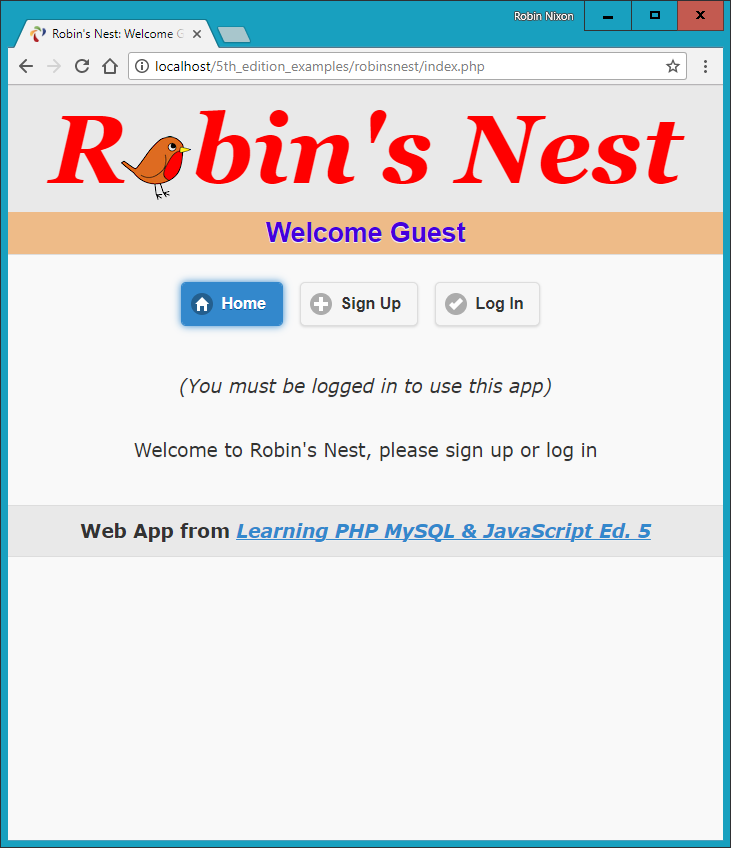
Figure 27-1. The main page of the app
signup.php
Now we need a module to enable users to join our new social network, and that’s Example 27-5, signup.php. This is a slightly longer program, but you’ve seen all its parts before.
Let’s start by looking at the end block of HTML. This is a simple form that allows a username and password to be entered. But note the use of the empty <span> given the id of info. This will be the destination of the asynchronous call in this program that checks whether a desired username is available. See Chapter 17 for a complete description of how this works.
Checking for Username Availability
Now go back to the program start and you’ll see a block of JavaScript that starts with the function checkUser. This is called by the JavaScript onBlur event when focus is removed from the username field of the form. First it sets the contents of the <span> I mentioned (with the id of info) to an empty string, which clears it in case it previously had a value.
Next a request is made to the program checkuser.php, which reports whether the username user is available. The returned result of the asynchronous call (performed using jQuery), a friendly message, is then placed in the info <span>.
After the JavaScript section comes some PHP code that you should recognize from the discussion of form validation in Chapter 16. This section also uses the sanitizeString function to remove potentially malicious characters before looking up the username in the database and, if it’s not already taken, inserting the new username $user and password $pass.
Logging In
Upon successfully signing up, the user is then prompted to log in. A more fluid response at this point might be to automatically log in a newly created user, but because I don’t want to overly complicate the code, I have kept the signup and login modules separate. You can easily implement this if you want to, however.
This file uses the CSS class fieldname to arrange the form fields, aligning them neatly under each other in columns. When loaded into a browser (and in conjunction with checkuser.php, shown later), this program will look like Figure 27-2, where you can see that the asynchronous call has identified that the username Robin is available. If you would like the password field to show only asterisks, change its type from text to password.
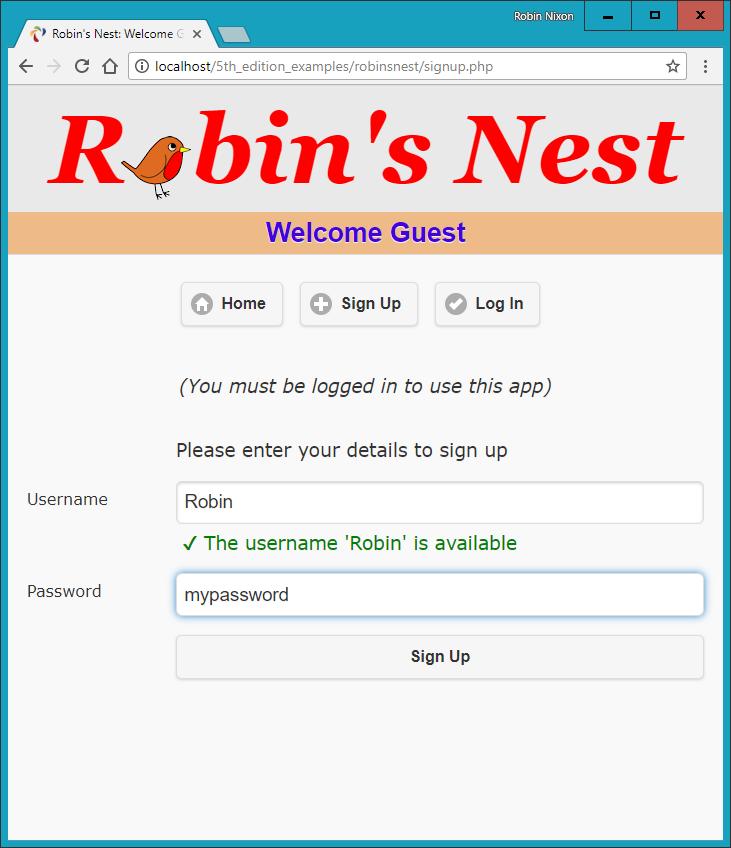
Figure 27-2. The signup page
Example 27-5. signup.php
<?php
require_once 'header.php';
echo <<<_END
<script>
function checkUser(user)
{
if (user.value == '')
{
$('#used').html(' ')
return
}
$.post
(
'checkuser.php',
{ user : user.value },
function(data)
{
$('#used').html(data)
}
)
}
</script>
_END;
$error = $user = $pass = "";
if (isset($_SESSION['user'])) destroySession();
if (isset($_POST['user']))
{
$user = sanitizeString($_POST['user']);
$pass = sanitizeString($_POST['pass']);
if ($user == "" || $pass == "")
$error = 'Not all fields were entered<br><br>';
else
{
$result = queryMysql("SELECT * FROM members WHERE user='$user'");
if ($result->num_rows)
$error = 'That username already exists<br><br>';
else
{
queryMysql("INSERT INTO members VALUES('$user', '$pass')");
die('<h4>Account created</h4>Please log in.</div></body></html>');
}
}
}
echo <<<_END
<form method='post' action='signup.php'>$error
<div data-role='fieldcontain'>
<label></label>
Please enter your details to sign up
</div>
<div data-role='fieldcontain'>
<label>Username</label>
<input type='text' maxlength='16' name='user' value='$user'
onBlur='checkUser(this)'>
<label></label><div id='used'> </div>
</div>
<div data-role='fieldcontain'>
<label>Password</label>
<input type='text' maxlength='16' name='pass' value='$pass'>
</div>
<div data-role='fieldcontain'>
<label></label>
<input data-transition='slide' type='submit' value='Sign Up'>
</div>
</div>
</body>
</html>
_END;
?>
Warning
On a production server. I wouldn’t recommend storing user passwords in the clear, as I’ve done here for reasons of space and simplicity. Instead, you should salt them and store them as one-way hash strings. See Chapter 12 for more details on how to do this.
checkuser.php
To go with signup.php, here’s Example 27-6, checkuser.php, which looks up a username in the database and returns a string indicating whether it has already been taken. Because it relies on the functions sanitizeString and queryMysql, the program first includes the file functions.php.
Then, if the $_POST variable user has a value, the function looks it up in the database and, depending on whether it exists as a username, outputs either “Sorry, the username ‘user’ is taken” or “The username ‘user’ is available.” Just checking the function mysql_num_rows against the result is sufficient for this, as it will return 0 if the name is not found, or 1 if it is found.
The HTML entities ✘ and ✔ are also used to preface the string with either a cross or a checkmark, and the string will be displayed in either red for the class taken or green for the class available, as defined in styles.css, shown later in this chapter.
Example 27-6. checkuser.php
<?php
require_once 'functions.php';
if (isset($_POST['user']))
{
$user = sanitizeString($_POST['user']);
$result = queryMysql("SELECT * FROM members WHERE user='$user'");
if ($result->num_rows)
echo "<span class='taken'> ✘ " .
"The username '$user' is taken</span>";
else
echo "<span class='available'> ✔ " .
"The username '$user' is available</span>";
}
?>
login.php
With users now able to sign up on the site, Example 27-7, login.php, provides the code needed to let them log in. Like the signup page, it features a simple HTML form and some basic error checking, as well as using sanitizeString before querying the MySQL database.
The main thing to note here is that, upon successful verification of the username and password, the session variables user and pass are given the username and password values. As long as the current session remains active, these variables will be accessible by all the programs in the project, allowing them to automatically provide access to logged-in users.
You may be interested in the use of the die function upon successfully logging in. This is there because it combines an echo and an exit command in one, thus saving a line of code. For styling, this (like most of the files) applies the class main to indent the content from the lefthand edge.
When you call this program up in your browser, it should look like Figure 27-3. Note how the input type of password has been used here to mask the password with asterisks to prevent it from being viewed by anyone looking over the user’s shoulder.
Example 27-7. login.php
 <?php
  require_once 'header.php';
  $error = $user = $pass = "";

  if (isset($_POST['user']))
  {
    $user = sanitizeString($_POST['user']);
    $pass = sanitizeString($_POST['pass']);

    if ($user == "" || $pass == "")
      $error = 'Not all fields were entered';
    else
    {
      $result = queryMySQL("SELECT user,pass FROM members
        WHERE user='$user' AND pass='$pass'");

      if ($result->num_rows == 0)
      {
        $error = "Invalid login attempt";
      }
      else
      {
        $_SESSION['user'] = $user;
        $_SESSION['pass'] = $pass;
        die("You are now logged in. Please <a data-transition='slide'
             href='members.php?view=$user'>click here</a> to continue.</div>
               </body></html>");
      }
    }
  }

echo <<<_END
      <form method='post' action='login.php'>
        <div data-role='fieldcontain'>
          <label></label>
          <span class='error'>$error</span>
        </div>
        <div data-role='fieldcontain'>
          <label></label>
          Please enter your details to log in
        </div>
        <div data-role='fieldcontain'>
          <label>Username</label>
          <input type='text' maxlength='16' name='user' value='$user'>
        </div>
        <div data-role='fieldcontain'>
          <label>Password</label>
          <input type='password' maxlength='16' name='pass' value='$pass'>
        </div>
        <div data-role='fieldcontain'>
          <label></label>
          <input data-transition='slide' type='submit' value='Login'>
        </div>
      </form>
    </div>
  </body>
</html>
_END;
?>
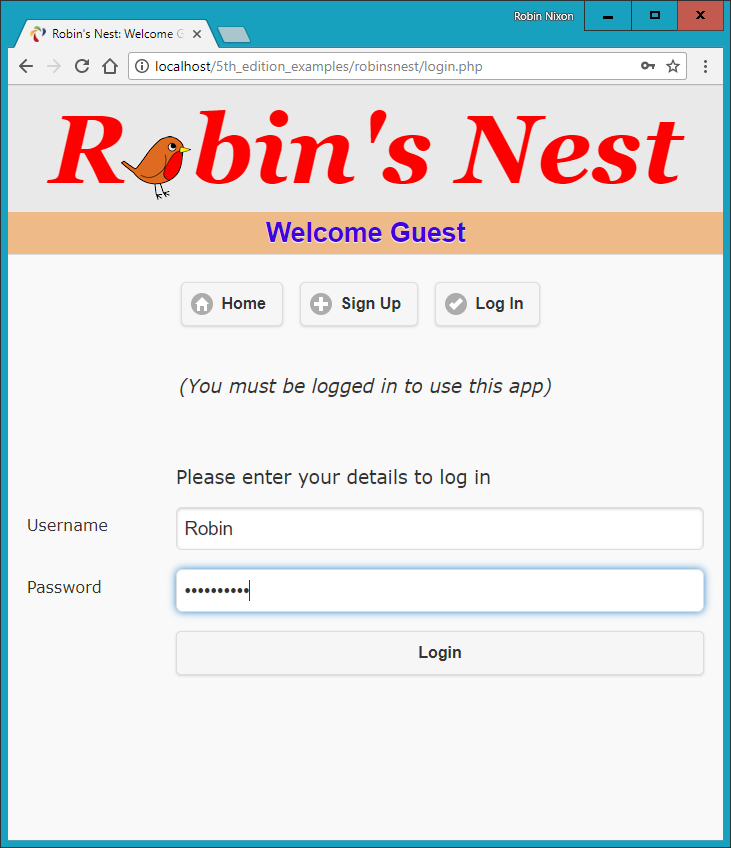
Figure 27-3. The login page
profile.php
One of the first things that new users may want to do after signing up and logging in is to create a profile, which can be done via Example 27-8, profile.php. I think you’ll find some interesting code here, such as routines to upload, resize, and sharpen images.
Let’s start by looking at the main HTML at the end of the code. This is like the forms you’ve just seen, but this time it has the parameter enctype='multipart/form-data'. This allows us to send more than one type of data at a time, enabling the posting of an image as well as some text. There’s also an input type of file, which creates a Browse button that a user can press to select a file to be uploaded.
When the form is submitted, the code at the start of the program is executed. The first thing it does is ensure that a user is logged in before allowing program execution to proceed. Only then is the page heading displayed.
Note
As described in Chapter 22, due to the way that jQuery Mobile uses asynchronous communication, it is not possible to upload files from HTML using it, unless you disable that feature by adding an attribute to the <form> element of data-ajax='false'. This will allow HTML file upload to proceed as normal, but you will lose the ability to perform page change animations.
Adding the “About Me” Text
Next, the $_POST variable text is checked to see whether some text was posted to the program. If so, it is sanitized and all long whitespace sequences (including carriage returns and line feeds) are replaced with single spaces. This function incorporates a double security check, ensuring that the user actually exists in the database and that no attempt at hacking can succeed before inserting this text into the database, where it will become the user’s “about me” details.
If no text was posted, the database is queried to see whether any text already exists in order to prepopulate the <textarea> for the user to edit it.
Adding a Profile Image
Next we move on to the section where the $_FILES system variable is checked to see whether an image has been uploaded. If so, a string variable called $saveto is created, based on the user’s username followed by the extension .jpg. For example, a user called Jill will cause $saveto to have the value Jill.jpg. This is the file where the uploaded image will be saved for use in the user’s profile.
Following this, the uploaded image type is examined and is accepted only if it is a .jpeg, .png, or .gif image. Upon success, the variable $src is populated with the uploaded image using one of the imagecreatefrom functions, according to the image type uploaded. The image is now in a raw format that PHP can process. If the image is not of an allowed type, the flag $typeok is set to FALSE, preventing the final section of image upload code from being processed.
Processing the Image
First, we store the image’s dimensions in $w and $h using the following statement, which is a quick way of assigning values from an array to separate variables:
list($w, $h) = getimagesize($saveto);
Then, using the value of $max (which is set to 100), we calculate new dimensions that will result in a new image of the same ratio, but with no dimension greater than 100 pixels. This results in giving the variables $tw and $th the new values needed. If you want smaller or larger thumbnails, simply change the value of $max accordingly.
Next, the function imagecreatetruecolor is called to create a new, blank canvas $tw wide and $th high in $tmp. Then imagecopyresampled is called to resample the image from $src to the new $tmp. Sometimes resampling images can result in a slightly blurred copy, so the next piece of code uses the imageconvolution function to sharpen the image up a bit.
Finally, the image is saved as a .jpeg file in the location defined by the variable $saveto, after which we remove both the original and the resized image canvases from memory using the imagedestroy function, returning the memory that was used.
Displaying the Current Profile
Last but not least, so that the user can see what the current profile looks like before editing it, the showProfile function from functions.php is called prior to outputting the form HTML. If no profile exists yet, nothing will be displayed.
When a profile image is displayed, CSS is applied to it to provide a border, a shadow, and a margin to its right, to separate the profile text from the image. The result of loading Example 27-8 into a browser is shown in Figure 27-4, where you can see that the <textarea> has been prepopulated with the “about me” text.
Example 27-8. profile.php
<?php
  require_once 'header.php';

  if (!$loggedin) die("</div></body></html>");

  echo "<h3>Your Profile</h3>";

  $result = queryMysql("SELECT * FROM profiles WHERE user='$user'");

  if (isset($_POST['text']))
  {
    $text = sanitizeString($_POST['text']);
    $text = preg_replace('/\s\s+/', ' ', $text);

    if ($result->num_rows)
         queryMysql("UPDATE profiles SET text='$text' where user='$user'");
    else queryMysql("INSERT INTO profiles VALUES('$user', '$text')");
  }
  else
  {
    if ($result->num_rows)
    {
      $row  = $result->fetch_array(MYSQLI_ASSOC);
      $text = stripslashes($row['text']);
    }
    else $text = "";
  }

  $text = stripslashes(preg_replace('/\s\s+/', ' ', $text));

  if (isset($_FILES['image']['name']))
  {
    $saveto = "$user.jpg";
    move_uploaded_file($_FILES['image']['tmp_name'], $saveto);
    $typeok = TRUE;

    switch($_FILES['image']['type'])
    {
      case "image/gif":   $src = imagecreatefromgif($saveto); break;
      case "image/jpeg":  // Both regular and progressive jpegs
      case "image/pjpeg": $src = imagecreatefromjpeg($saveto); break;
      case "image/png":   $src = imagecreatefrompng($saveto); break;
      default:            $typeok = FALSE; break;
    }

    if ($typeok)
    {
      list($w, $h) = getimagesize($saveto);

      $max = 100;
      $tw  = $w;
      $th  = $h;

      if ($w > $h && $max < $w)
      {
        $th = $max / $w * $h;
        $tw = $max;
      }
      elseif ($h > $w && $max < $h)
      {
        $tw = $max / $h * $w;
        $th = $max;
      }
      elseif ($max < $w)
      {
        $tw = $th = $max;
      }

      $tmp = imagecreatetruecolor($tw, $th);
      imagecopyresampled($tmp, $src, 0, 0, 0, 0, $tw, $th, $w, $h);
      imageconvolution($tmp, array(array(-1, -1, -1),
        array(-1, 16, -1), array(-1, -1, -1)), 8, 0);
      imagejpeg($tmp, $saveto);
      imagedestroy($tmp);
      imagedestroy($src);
    }
  }

  showProfile($user);

echo <<<_END
      <form data-ajax='false' method='post'
        action='profile.php' enctype='multipart/form-data'>
      <h3>Enter or edit your details and/or upload an image</h3>
      <textarea name='text'>$text</textarea><br>
      Image: <input type='file' name='image' size='14'>
      <input type='submit' value='Save Profile'>
      </form>
    </div><br>
  </body>
</html>
_END;
?>
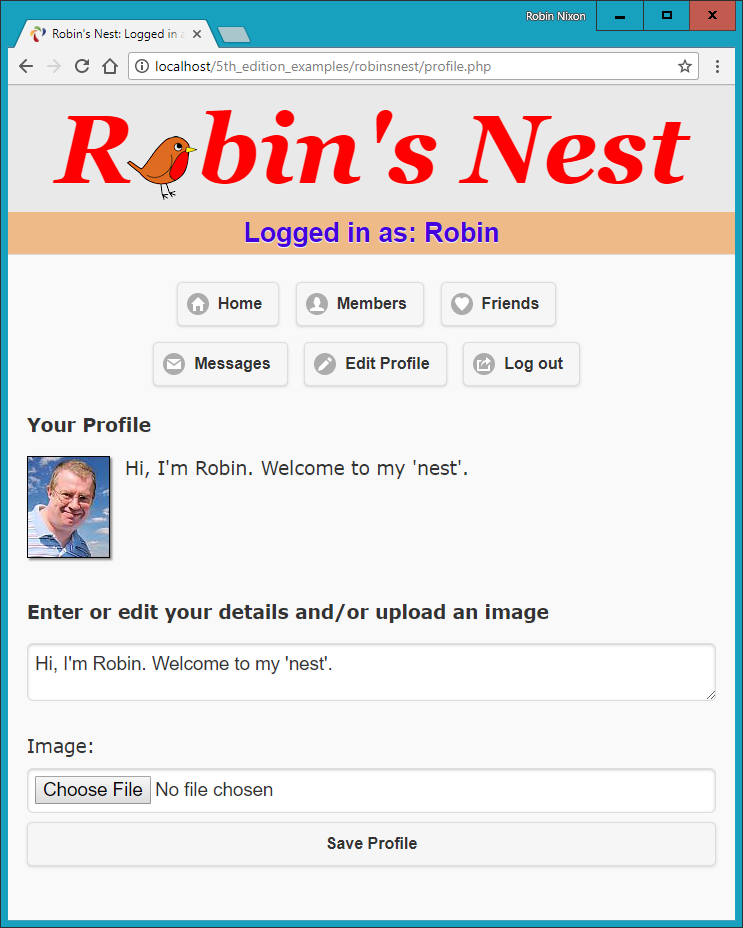
Figure 27-4. Editing a user profile
members.php
Using Example 27-9, members.php, your users will be able to find other members and choose to add them as friends (or drop them if they are already friends). This program has two modes. The first lists all members and their relationships to you, and the second shows a user’s profile.
Viewing a User’s Profile
The code for the latter mode comes first, where a test is made for the variable view, retrieved from the $_GET array. If it exists, a user wants to view someone’s profile, so the program does that using the showProfile function, along with providing a couple of links to the user’s friends and messages.
Adding and Dropping Friends
After that, the two $.GET variables add and remove are tested. If one or the other has a value, it will be the username of a user to either add or drop as a friend. We achieve this by looking up the user in the MySQL friends table and either inserting the username or removing it from the table.
And, of course, every posted variable is first passed through sanitizeString to ensure that it is safe to use with MySQL.
Listing All Members
The final section of code issues a SQL query to list all usernames. The code places the number returned in the variable $num before outputting the page heading.
A for loop then iterates through each and every member, fetching their details and then looking them up in the friends table to see if they are either being followed by or following the user. If someone is both a follower and a followee, they are classed as a mutual friend.
The variable $t1 is nonzero when the user is following another member, and $t2 is nonzero when another member is following the user. Depending on these values, text is displayed after each username, showing the relationship (if any) to the current user.
Icons are also displayed to show the relationships. A double-pointing arrow means that the users are mutual friends, a left-pointing arrow indicates the user is following another member, and a right-pointing arrow indicates that another member is following the user.
Finally, depending on whether the user is following another member, a link is provided to either add or drop that member as a friend.
When you call Example 27-9 up in a browser, it will look like Figure 27-5. Note how the user is invited to “follow” a nonfollowing member, but if the member is already following the user, a “recip” link to reciprocate the friendship is offered. In the case of a user already following another member, the user can select “drop” to end the following.
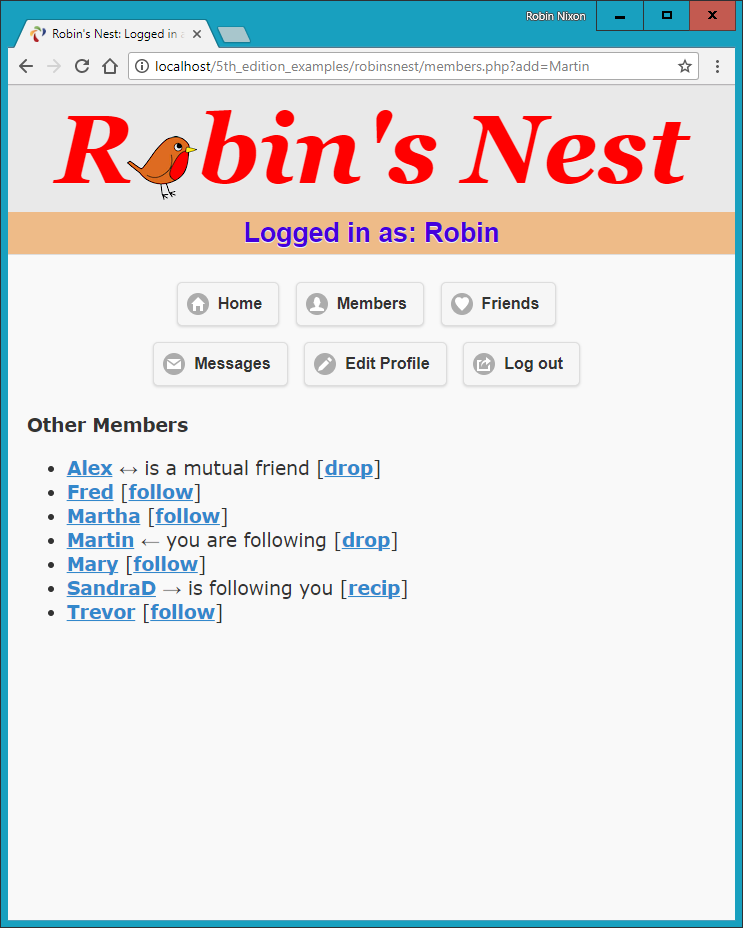
Figure 27-5. Using the members module
Example 27-9. members.php
<?php
require_once 'header.php';
if (!$loggedin) die("</div></body></html>");
if (isset($_GET['view']))
{
$view = sanitizeString($_GET['view']);
if ($view == $user) $name = "Your";
else $name = "$view's";
echo "<h3>$name Profile</h3>";
showProfile($view);
echo "<a class='button' data-transition='slide'
href='messages.php?view=$view'>View $name messages</a>";
die("</div></body></html>");
}
if (isset($_GET['add']))
{
$add = sanitizeString($_GET['add']);
$result = queryMysql("SELECT * FROM friends
WHERE user='$add' AND friend='$user'");
if (!$result->num_rows)
queryMysql("INSERT INTO friends VALUES ('$add', '$user')");
}
elseif (isset($_GET['remove']))
{
$remove = sanitizeString($_GET['remove']);
queryMysql("DELETE FROM friends WHERE user='$remove' AND friend='$user'");
}
$result = queryMysql("SELECT user FROM members ORDER BY user");
$num = $result->num_rows;
echo "<h3>Other Members</h3><ul>";
for ($j = 0 ; $j < $num ; ++$j)
{
$row = $result->fetch_array(MYSQLI_ASSOC);
if ($row['user'] == $user) continue;
echo "<li><a data-transition='slide' href='members.php?view=" .
$row['user'] . "'>" . $row['user'] . "</a>";
$follow = "follow";
$result1 = queryMysql("SELECT * FROM friends WHERE
user='" . $row['user'] . "' AND friend='$user'");
$t1 = $result1->num_rows;
$result1 = queryMysql("SELECT * FROM friends WHERE
user='$user' AND friend='" . $row['user'] . "'");
$t2 = $result1->num_rows;
if (($t1 + $t2) > 1) echo " ↔ is a mutual friend";
elseif ($t1) echo " ← you are following";
elseif ($t2) { echo " → is following you";
$follow = "recip"; }
if (!$t1) echo " [<a data-transition='slide'
href='members.php?add=" . $row['user'] . "'>$follow</a>]";
else echo " [<a data-transition='slide'
href='members.php?remove=" . $row['user'] . "'>drop</a>]";
}
?>
</ul></div>
</body>
</html>
friends.php
The module that shows a user’s friends and followers is Example 27-10, friends.php. This interrogates the friends table just like the members.php program, but only for a single user. It then shows all of that user’s mutual friends and followers along with the people they are following.
All the followers are saved into an array called $followers, and all the people being followed are placed in an array called $following. Then a neat piece of code is used to extract all of those who are both following and followed by the user, like this:
$mutual = array_intersect($followers, $following);
The array_intersect function extracts all members common to both arrays and returns a new array containing only those people. This array is then stored in $mutual. Now it’s possible to use the array_diff function for each of the $followers and $following arrays to keep only those people who are not mutual friends, like this:
$followers = array_diff($followers, $mutual);
$following = array_diff($following, $mutual);
This results in the array $mutual containing only mutual friends, $followers containing only followers (and no mutual friends), and $following containing only people being followed (and no mutual friends).
Now that we’re armed with these arrays, it’s a simple matter to separately display each category of members, as can be seen in Figure 27-6. The PHP sizeof function returns the number of elements in an array; here I use it just to trigger code when the size is nonzero (that is, when friends of that type exist). Note how, by using the variables $name1, $name2, and $name3 in the relevant places, the code can tell when you’re looking at your own friends list, using the words Your and You are, instead of simply displaying the username. The commented line can be uncommented if you wish to display the user’s profile information on this screen.
Example 27-10. friends.php
<?php
  require_once 'header.php';

  if (!$loggedin) die("</div></body></html>");

  if (isset($_GET['view'])) $view = sanitizeString($_GET['view']);
  else                      $view = $user;

  if ($view == $user)
  {
    $name1 = $name2 = "Your";
    $name3 =          "You are";
  }
  else
  {
    $name1 = "<a data-transition='slide'
              href='members.php?view=$view'>$view</a>'s";
    $name2 = "$view's";
    $name3 = "$view is";
  }

  // Uncomment this line if you wish the user’s profile to show here
  // showProfile($view);

  $followers = array();
  $following = array();

  $result = queryMysql("SELECT * FROM friends WHERE user='$view'");
  $num    = $result->num_rows;

  for ($j = 0 ; $j < $num ; ++$j)
  {
    $row           = $result->fetch_array(MYSQLI_ASSOC);
    $followers[$j] = $row['friend'];
  }

  $result = queryMysql("SELECT * FROM friends WHERE friend='$view'");
  $num    = $result->num_rows;

  for ($j = 0 ; $j < $num ; ++$j)
  {
      $row           = $result->fetch_array(MYSQLI_ASSOC);
      $following[$j] = $row['user'];
  }

  $mutual    = array_intersect($followers, $following);
  $followers = array_diff($followers, $mutual);
  $following = array_diff($following, $mutual);
  $friends   = FALSE;

  echo "<br>";

  if (sizeof($mutual))
  {
    echo "<span class='subhead'>$name2 mutual friends</span><ul>";
    foreach($mutual as $friend)
      echo "<li><a data-transition='slide'
            href='members.php?view=$friend'>$friend</a>";
    echo "</ul>";
    $friends = TRUE;
  }

  if (sizeof($followers))
  {
    echo "<span class='subhead'>$name2 followers</span><ul>";
    foreach($followers as $friend)
      echo "<li><a data-transition='slide'
            href='members.php?view=$friend'>$friend</a>";
    echo "</ul>";
    $friends = TRUE;
  }

  if (sizeof($following))
  {
    echo "<span class='subhead'>$name3 following</span><ul>";
    foreach($following as $friend)
      echo "<li><a data-transition='slide'
            href='members.php?view=$friend'>$friend</a>";
    echo "</ul>";
    $friends = TRUE;
  }

  if (!$friends) echo "<br>You don't have any friends yet.<br><br>";

  echo "<a data-role='button' data-transition='slide'
        href='messages.php?view=$view'>View $name2 messages</a>";
?>
    </div>
  </body>
</html>
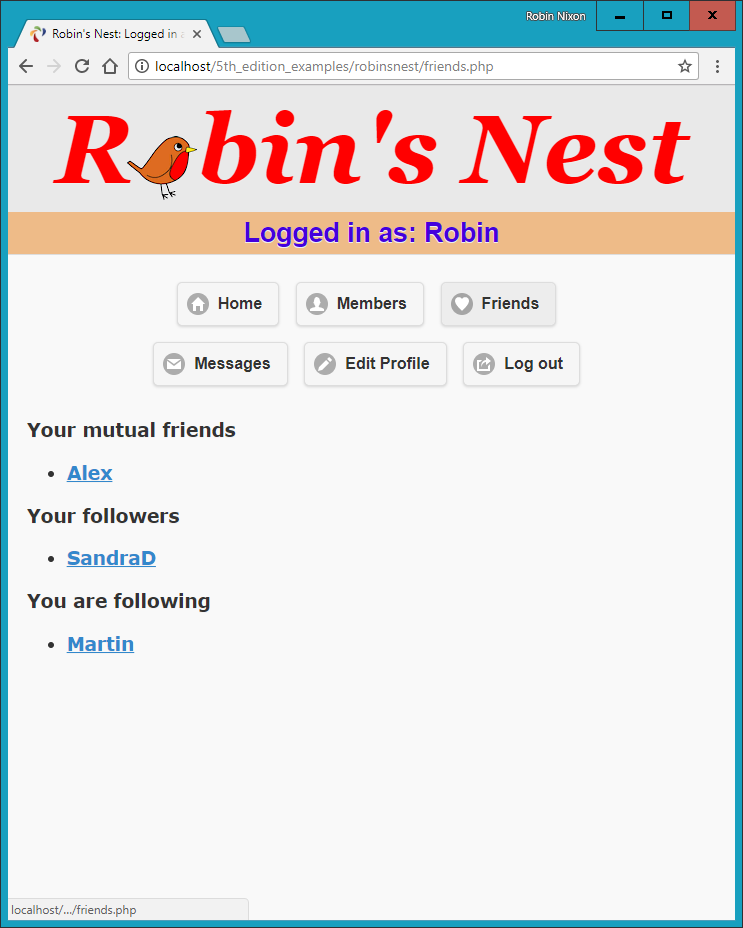
Figure 27-6. Displaying a user’s friends and followers
messages.php
The last of the main modules is Example 27-11, messages.php. The program starts by checking whether a message has been posted in the variable text. If so, it is inserted into the messages table. At the same time, the value of pm is also stored. This indicates whether a message is private or public. A 0 represents a public message, and 1 is private.
Next, the user’s profile and a form for entering a message are displayed, along with radio buttons to choose between a private or public message. After this, all the messages are shown, depending on whether they are private or public. If they are public, all users can see them, but private messages are visible only to the sender and recipient. This is all handled by a couple of queries to the MySQL database. Additionally, when a message is private, it is introduced by the word whispered and shown in italic.
Finally, the program displays a couple of links to refresh the messages (in case another user has posted one in the meantime) and to view the user’s friends. The trick using the variables $name1 and $name2 is again used so that when you view your own profile, the word Your is displayed instead of the username.
Example 27-11. messages.php
require_once 'header.php';
if (!$loggedin) die("</div></body></html>");
if (isset($_GET['view'])) $view = sanitizeString($_GET['view']);
else $view = $user;
if (isset($_POST['text']))
{
$text = sanitizeString($_POST['text']);
if ($text != "")
{
$pm = substr(sanitizeString($_POST['pm']),0,1);
$time = time();
queryMysql("INSERT INTO messages VALUES(NULL, '$user',
'$view', '$pm', $time, '$text')");
}
}
if ($view != "")
{
if ($view == $user) $name1 = $name2 = "Your";
else
{
$name1 = "<a href='members.php?view=$view'>$view</a>'s";
$name2 = "$view's";
}
echo "<h3>$name1 Messages</h3>";
showProfile($view);
echo <<<_END
<form method='post' action='messages.php?view=$view'>
<fieldset data-role="controlgroup" data-type="horizontal">
<legend>Type here to leave a message</legend>
<input type='radio' name='pm' id='public' value='0' checked='checked'>
<label for="public">Public</label>
<input type='radio' name='pm' id='private' value='1'>
<label for="private">Private</label>
</fieldset>
<textarea name='text'></textarea>
<input data-transition='slide' type='submit' value='Post Message'>
</form><br>
_END;
date_default_timezone_set('UTC');
if (isset($_GET['erase']))
{
$erase = sanitizeString($_GET['erase']);
queryMysql("DELETE FROM messages WHERE id=$erase AND recip='$user'");
}
$query = "SELECT * FROM messages WHERE recip='$view' ORDER BY time DESC";
$result = queryMysql($query);
$num = $result->num_rows;
for ($j = 0 ; $j < $num ; ++$j)
{
$row = $result->fetch_array(MYSQLI_ASSOC);
if ($row['pm'] == 0 || $row['auth'] == $user ||
$row['recip'] == $user)
{
echo date('M jS \'y g:ia:', $row['time']);
echo " <a href='messages.php?view=" . $row['auth'] .
"'>" . $row['auth']. "</a> ";
if ($row['pm'] == 0)
echo "wrote: "" . $row['message'] . "" ";
else
echo "whispered: <span class='whisper'>"" .
$row['message']. ""</span> ";
if ($row['recip'] == $user)
echo "[<a href='messages.php?view=$view" .
"&erase=" . $row['id'] . "'>erase</a>]";
echo "<br>";
}
}
}
if (!$num)
echo "<br><span class='info'>No messages yet</span><br><br>";
echo "<br><a data-role='button'
href='messages.php?view=$view'>Refresh messages</a>";
?>
</div><br>
</body>
</html>
You can see the result of viewing this program with a browser in Figure 27-7. Note how users viewing their own messages are provided with links to erase any they don’t want to keep. Also of note is how jQuery Mobile’s styling of radio buttons has been implemented for selecting between sending a private or a public message. How this works is explained in Chapter 22.
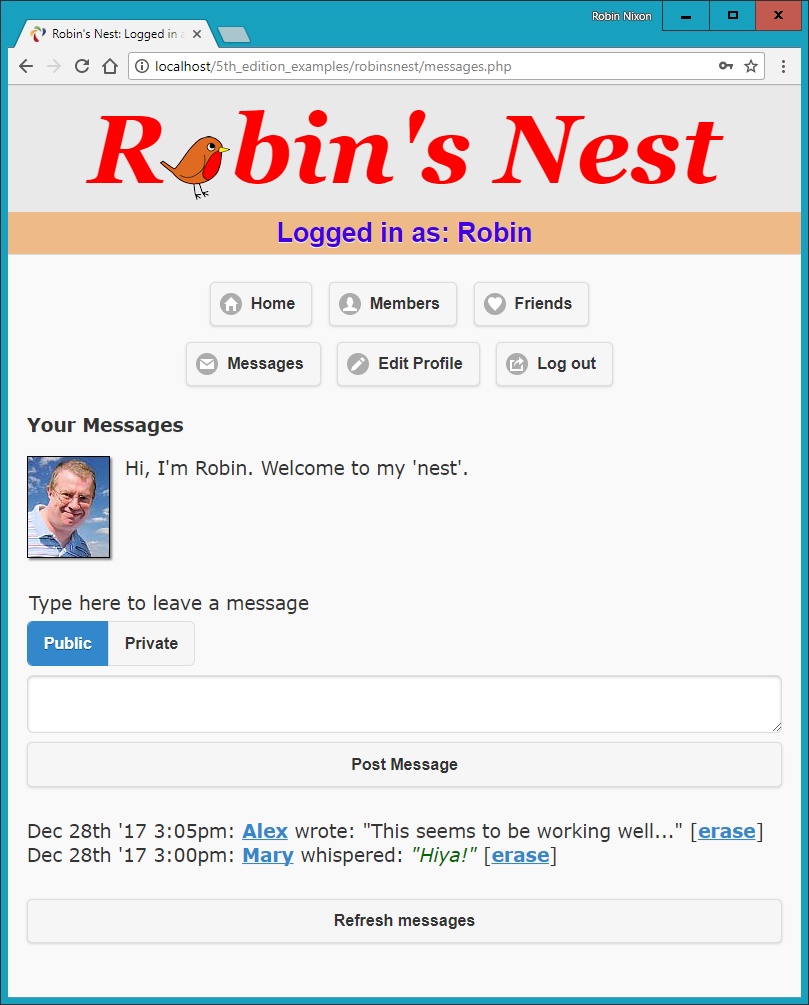
Figure 27-7. The messaging module
logout.php
The final ingredient in our social networking recipe is Example 27-12, logout.php, the logout page that closes a session and deletes any associated data and cookies. The result of calling up this program is shown in Figure 27-8, where the user is now asked to click a link that will take them to the not logged-in home page and remove the logged-in links from the top of the screen. Of course, you could write a JavaScript or PHP redirect to do this (probably a good idea if you wish to keep logout looking clean).
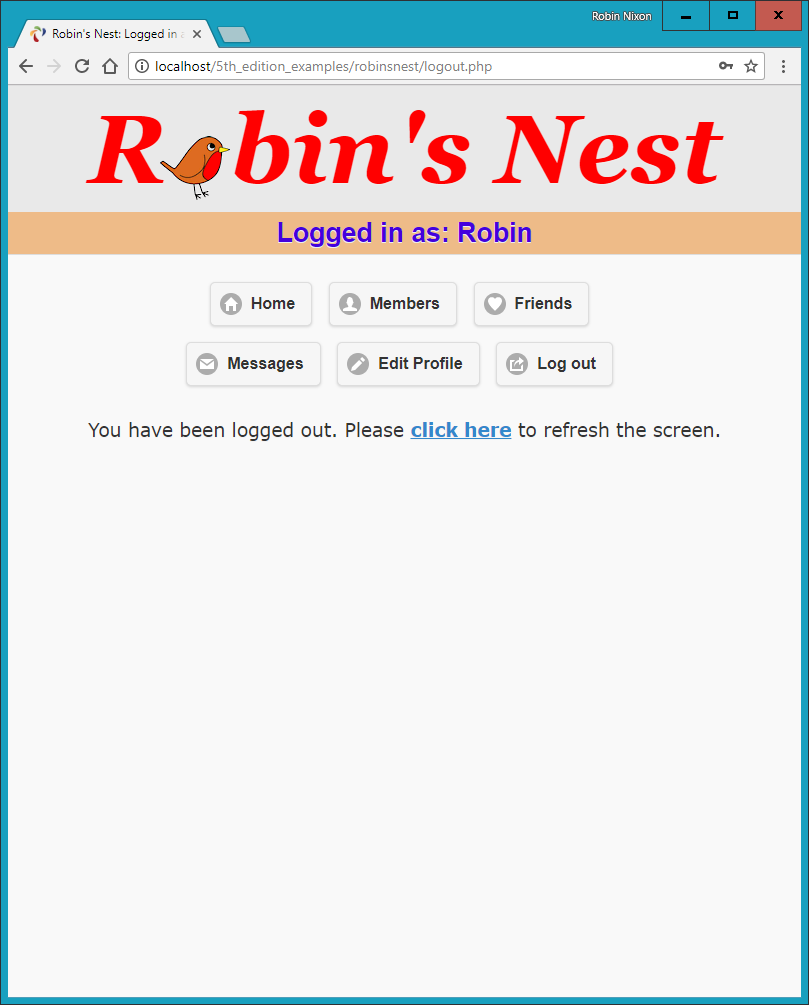
Figure 27-8. The logout page
Example 27-12. logout.php
<?php
  require_once 'header.php';

  if (isset($_SESSION['user']))
  {
    destroySession();
    echo "<br><div class='center'>You have been logged out. Please
         <a data-transition='slide' href='index.php'>click here</a>
         to refresh the screen.</div>";
  }
  else echo "<div class='center'>You cannot log out because
             you are not logged in</div>";
?>
    </div>
  </body>
</html>
styles.css
The stylesheet used for this project is shown in Example 27-13. There are a number of sets of declarations, as follows:
*-
Sets the default font family and size for the project using the universal selector.
body-
Sets the width of the project window, centers it horizontally, specifies a background color, and gives it a border.
html-
Sets the background color of the HTML section.
img-
Gives all images a border, a shadow, and a righthand margin.
.username-
Centers the username, and chooses the font family, size, color, background, and padding with which to display it.
.info-
This class is used for displaying important information. It sets a background and foreground text color, applies a border and padding, and indents elements that employ it.
.center-
This class is used for centering the contents of a <div> element.
.subhead-
This class emphasizes sections of text.
.taken,.available,.error, and.whisper-
These declarations set the colors and font styles to be used for displaying different types of information.
#logo-
Styles the logo text as a fallback in case a non-HTML5 browser is in use and the canvas logo doesn’t get created.
#robin-
Aligns the image of the robin in the page title.
#used-
Ensures the element that is populated by the checkuser.php asynchronous call if a username is already taken is not too close to the field above it.
Example 27-13. styles.css
* {
  font-family:verdana,sans-serif;
  font-size  :14pt;
}

body {
  width     :700px;
  margin    :20px auto;
  background:#f8f8f8;
  border    :1px solid #888;
}

html {
  background:#fff
}

img {
  border            :1px solid black;
  margin-right      :15px;
  -moz-box-shadow   :2px 2px 2px #888;
  -webkit-box-shadow:2px 2px 2px #888;
  box-shadow        :2px 2px 2px #888;
}

.username {
  text-align :center;
  background :#eb8;
  color      :#40d;
  font-family:helvetica;
  font-size  :20pt;
  padding    :4px;
}

.info {
  font-style :italic;
  margin     :40px 0px;
  text-align :center;
}

.center {
  text-align:center;
}

.subhead {
  font-weight:bold;
}

.taken, .error {
  color:red;
}

.available {
  color:green;
}

.whisper {
  font-style:italic;
  color     :#006600;
}

#logo {
  font-family:Georgia;
  font-weight:bold;
  font-style :italic;
  font-size  :97px;
  color      :red;
  }

#robin {
  position          :relative;
  border            :0px;
  margin-left       :-6px;
  margin-right      :0px;
  top               :17px;
  -moz-box-shadow   :0px 0px 0px;
  -webkit-box-shadow:0px 0px 0px;
  box-shadow        :0px 0px 0px;
}

#used {
  margin-top:50px;
}
javascript.js
Finally, there’s the JavaScript file (see Example 27-14), which contains the O, S, and C functions used throughout this book.
Example 27-14. javascript.js
function O(i)
{
  return typeof i == 'object' ? i : document.getElementById(i)
}

function S(i)
{
  return O(i).style
}

function C(i)
{
  return document.getElementsByClassName(i)
}
And that, as they say, is that. If you write anything based on this code or any other examples in this book, or have gained in any other way from it, then I am glad to have been of help and thank you for reading this book.
But before you go and try out your newly learned skills on the web at large, please browse through the appendixes that follow, as there’s a lot of additional information there you should find useful.