Before adding any products to an online store powered by WordPress and WooCommerce, WooCommerce must first be installed. Chapter 4 provided an illustrated overview of the WooCommerce installation process. Now that WooCommerce is installed, what’s next? The next step is to think about the online store’s first impression to potential customers.
Where do you begin to create a good first impression for potential customers? Depending on who you ask, you could receive many different answers. However, for an online store, the first place to focus on providing potential customers a positive first impression is with the storefront or homepage. What is a storefront? It’s the first thing that a potential customer sees before entering a store. For online stores, a storefront equates to an e-commerce theme.
Enhancing the Customer Experience
Prior to a new brick and mortar store opening its doors to the public for business, the customer experience for potential customers has already been discussed and planned. By carefully considering customers’ experiences ahead of time, a new brick and mortar store can brainstorm various techniques and methods to encourage customers to not only visit the store but also make in-store purchases and become repeat shoppers. Why is this important? Shelley Kohan, vice president of retail consulting at in-store analytics company RetailNext, provided some insight into the customer experience in a Chain Store Age column. She shared that “providing the ‘In-Store Experience’ is vital for physical stores to win over foot traffic and brand loyalty. Shoppers want to explore, learn and have fun. Above all else, they want that instant gratification from products that are in stock and easy to find.”1
Lighting
Music
Product displays
Signage
Décor
Color selection
Product selection
Storefront entrance
Customer service
Complimentary gifts
Lighting
When shoppers visit a brick and mortar store, they expect good lighting to clearly see the products and their details. For an online store, it is impossible to duplicate the same physical lighting structures, but there are a few things that can be done to help shoppers. For instance, making sure that product or service images use light-colored solid backgrounds that make it easy for shoppers to see the details will help them during their shopping experience. Also, using good lighting when taking pictures can also help produce good product and service images.
Music
Providing music during a brick and mortar shopping experience has many benefits. Most brick and mortar stores play some type of background music to help enhance shoppers’ experiences. According to The State of Brick & Mortar 2017 research, 84 percent of U.S. shoppers said music makes the shopping experience more enjoyable.2 Some stores select their music selections to help influence shoppers’ moods and match the store’s brand or image. These stores have paid for some type of music subscription that will allow them to use the music.
For online stores, using music is more complicated because it involves the issue of copyright. Using someone else’s music without permission or consent that is not royalty free violates copyright laws. Also, some shoppers find music playing on websites distracting and annoying. It is a best practice to not include music on a website. If it is included, it should have a specific purpose and have a royalty-free license. What does royalty-free music mean? Premiumbeat.com defines royalty-free music as “a type of music licensing that allows the purchaser to pay for the music license only once and to use the music for as long as desired.”3 There is still a cost involved in purchasing the music, but it can be used numerous times and on numerous places. Lastly, shoppers should have the ability to turn the music on or off as needed.
Product Displays
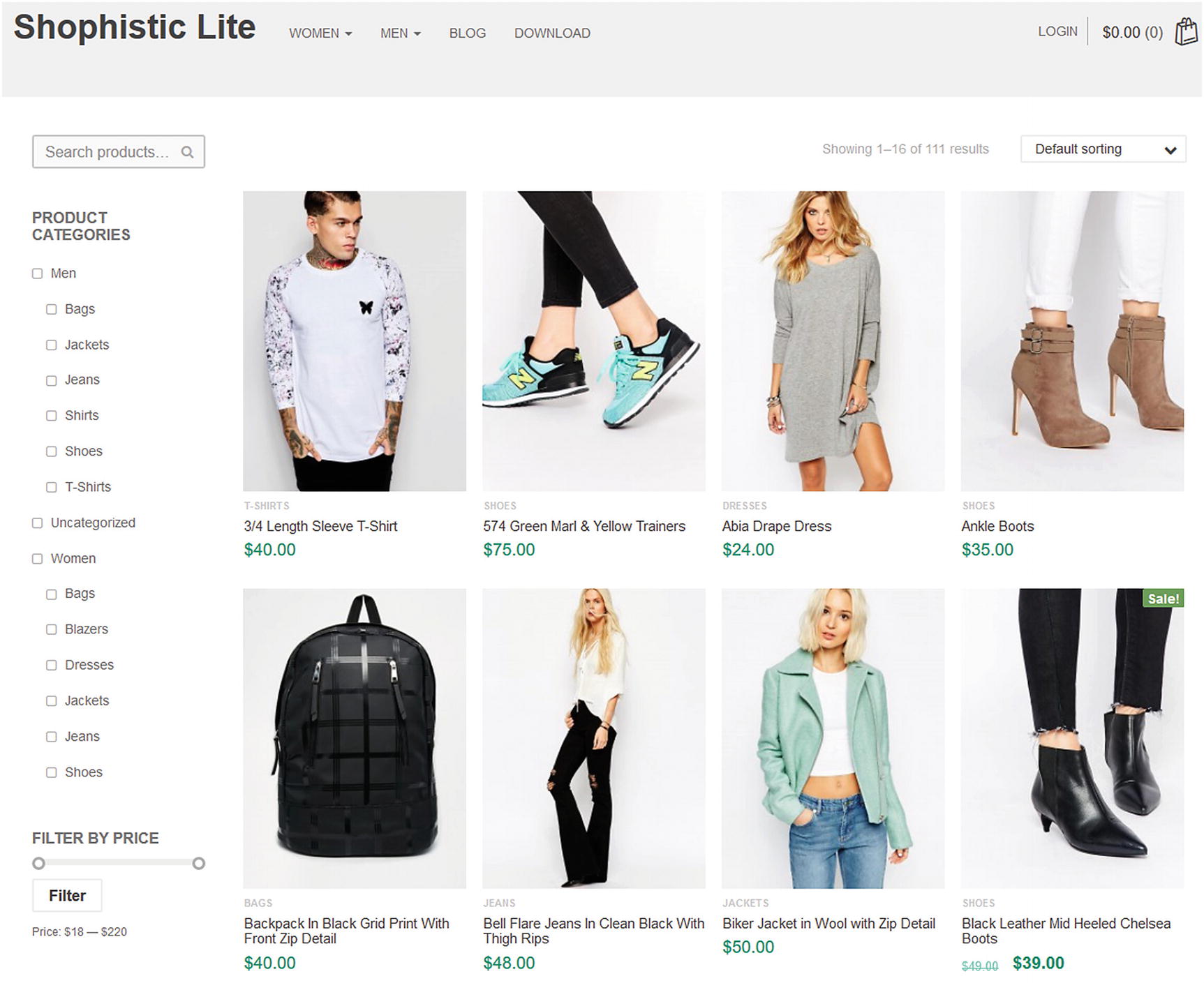
Shophistic Lite theme that demonstrates product displays and categories
Signs
When shopping in-store, shoppers have been conditioned to look for various signs to help locate products along with potential sale items. Whether the signs are located at the end or above aisles or on product displays, shoppers depend on these during their shopping excursion. For example, Walmart uses the Rollback signs to indicate that a product’s price has been lowered.
Online stores can implement similar signs to help shoppers during their shopping quickly locate what they need. One way to accomplish this is by using descriptive categories for products (or services). Providing shoppers with the ability to search for products (or services) is another way to help shoppers quickly locate what they need without relying on signs.
Décor
Trying to duplicate brick and mortar décor is impossible for online stores. It is also one of the reasons that many store owners decide to open an online store. Choosing an e-commerce theme that has an attractive and simple-to-use design can help provide shoppers with a similar online décor.
Color Selection
After choosing an e-commerce theme, it is a good practice to select a color palette that closely matches a store’s brand and image. Selecting complementary colors will not only help make online stores more appealing to shoppers but can also help influence shoppers’ moods in a similar manner as music in brick and mortar stores.
Product Selection
Determining what products to sell is another challenge not only with brick and mortar stores but also e-commerce stores. Choosing the right mix of products and displaying them in a logical order will help shoppers make their selections.
Storefront Entrance
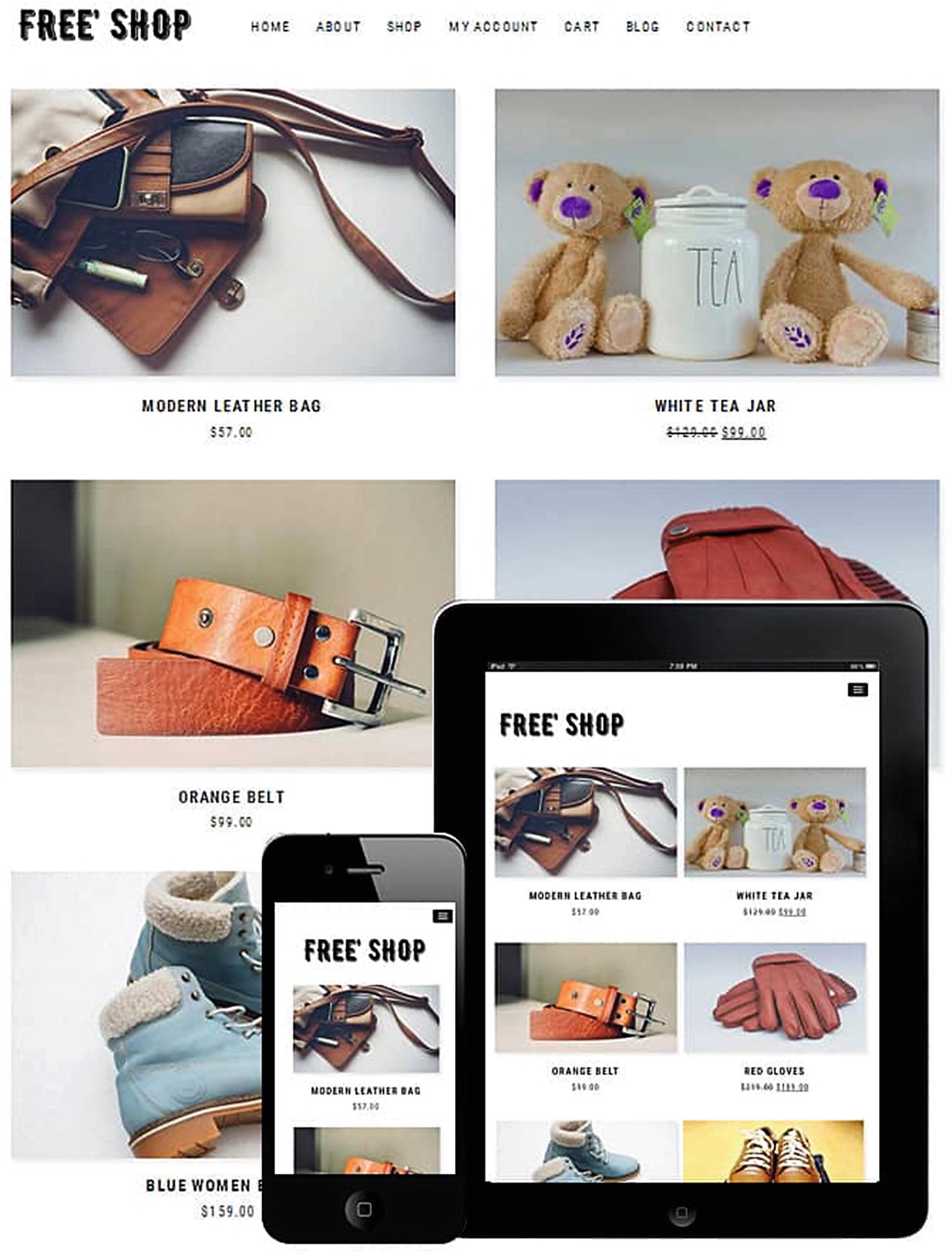
Free Shop WooCommerce theme
Customer Service
Oftentimes, shoppers might have questions about products (or services) or need to return or exchange an item. These tasks are typically handled by customer service. In an online store, shoppers should be able to easily locate customer service contacts or possibly begin an online chat with an online representative.
Complimentary Gifts
Most shoppers enjoy free gifts. Many brick and mortar stores conduct occasional sampling events within the store where shoppers can either sample free food or receive free gifts from watching a demonstration. Offering a complimentary gift with or without purchase can encourage shoppers to visit an online store.
Typically, these components are handled by a team of people with various titles and roles. Regardless of their titles and roles, they are all working together to achieve the same goal: a positive and repeatable customer experience that results in sales. How does this relate to online stores?
Even though ordering online is convenient and sometimes cheaper than brick and mortar stores, online retailers must try harder to re-create certain aspects of the in-store customer experience online. For online stores, the customer experience begins the moment potential customers type in a company’s URL into their web browser and land on a company’s homepage. A company’s homepage is the equivalent of a brick and mortar’s storefront entrance. It is the first (and possibly last) point of contact where the customer experience begins. If it does not look clean, professional, appealing, or inviting, first-time visitors will initially visit but quickly leave and possibly never return. How can this be prevented? Themes can help start the online customer experience on the right foot.
WooCommerce Theme Overview
Fashion Candi ( www.fashioncandi.com , see Figure 5-3)
Inspiring Journals ( www.inspiringjournals.com , see Figure 5-4)
Flipbookit ( www.flipbookits.com )
Gimme Shoes ( www.gimmeshoes.com )
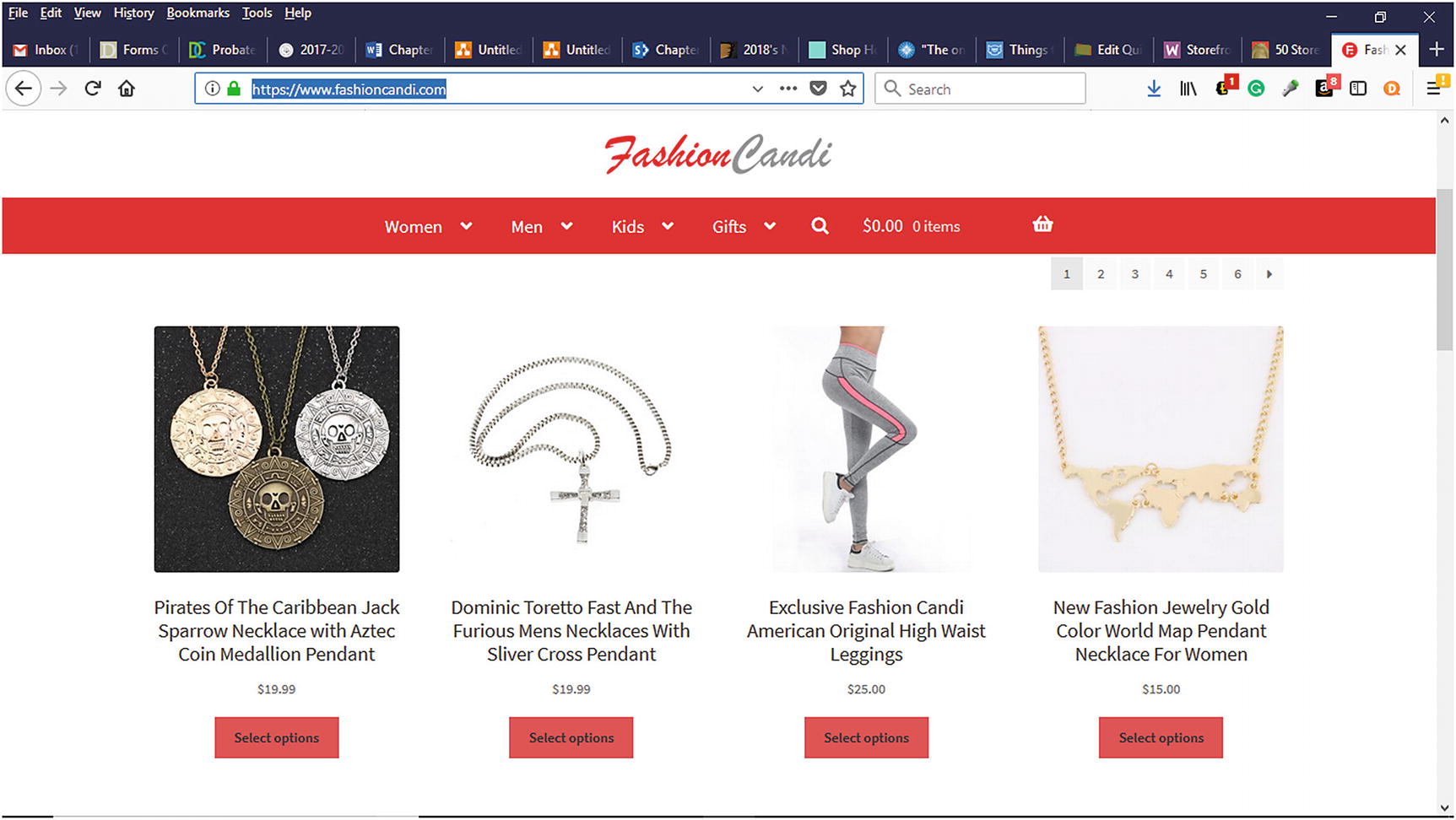
FashionCandi.com e-commerce website using the Storefront Theme
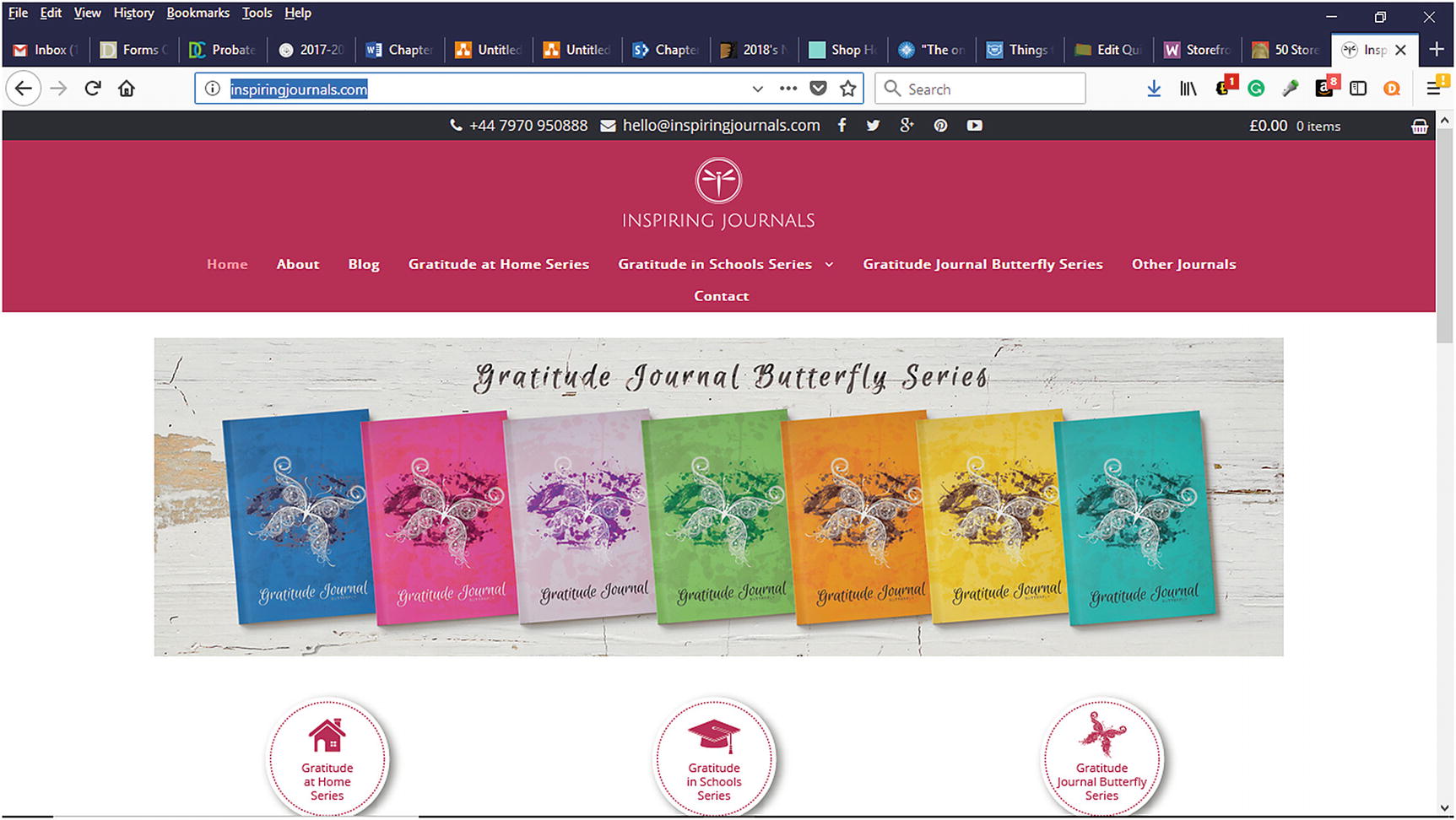
Inspiring Journals ( www.inspiringjournals.com ) e-commerce website using the Storefront Theme
Responsive Design
Accessibility Ready
E-commerce-focused Homepage
WooCommerce Integration
Built from the Underscores starter theme used by Automattic
Customizable child themes to give your store a new look and feel
Support available from the WooCommerce support site ( https://docs.woocommerce.com/documentation/themes/storefront ), help desk, and WordPress.org support forums
Storefront Homepage Contact Section
Storefront Footer Bar
Storefront Product Sharing
Storefront Product Pagination
Storefront Reviews
Storefront Pricing Tables
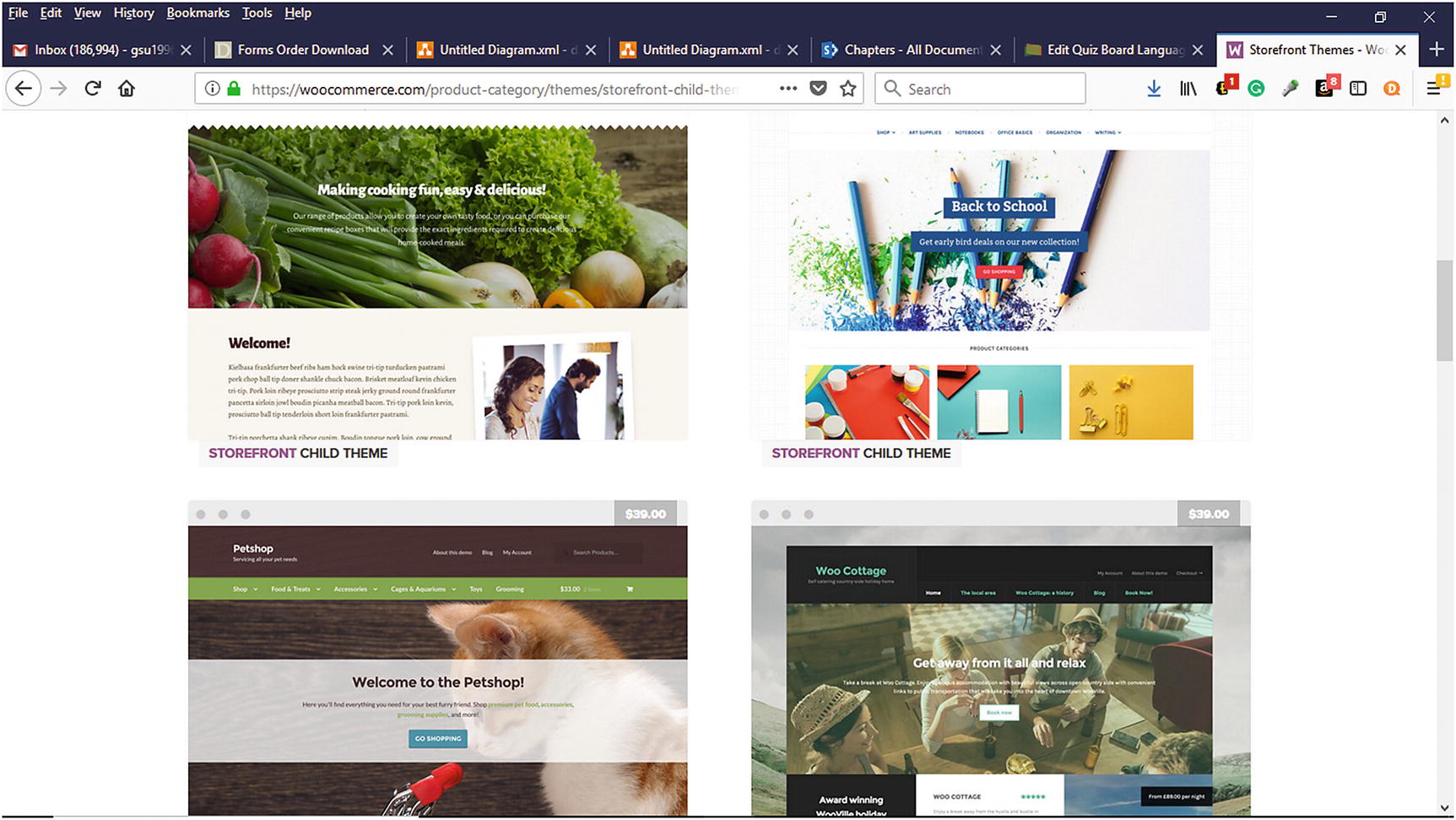
Storefront Child Themes available for purchase on the WooCommerce website
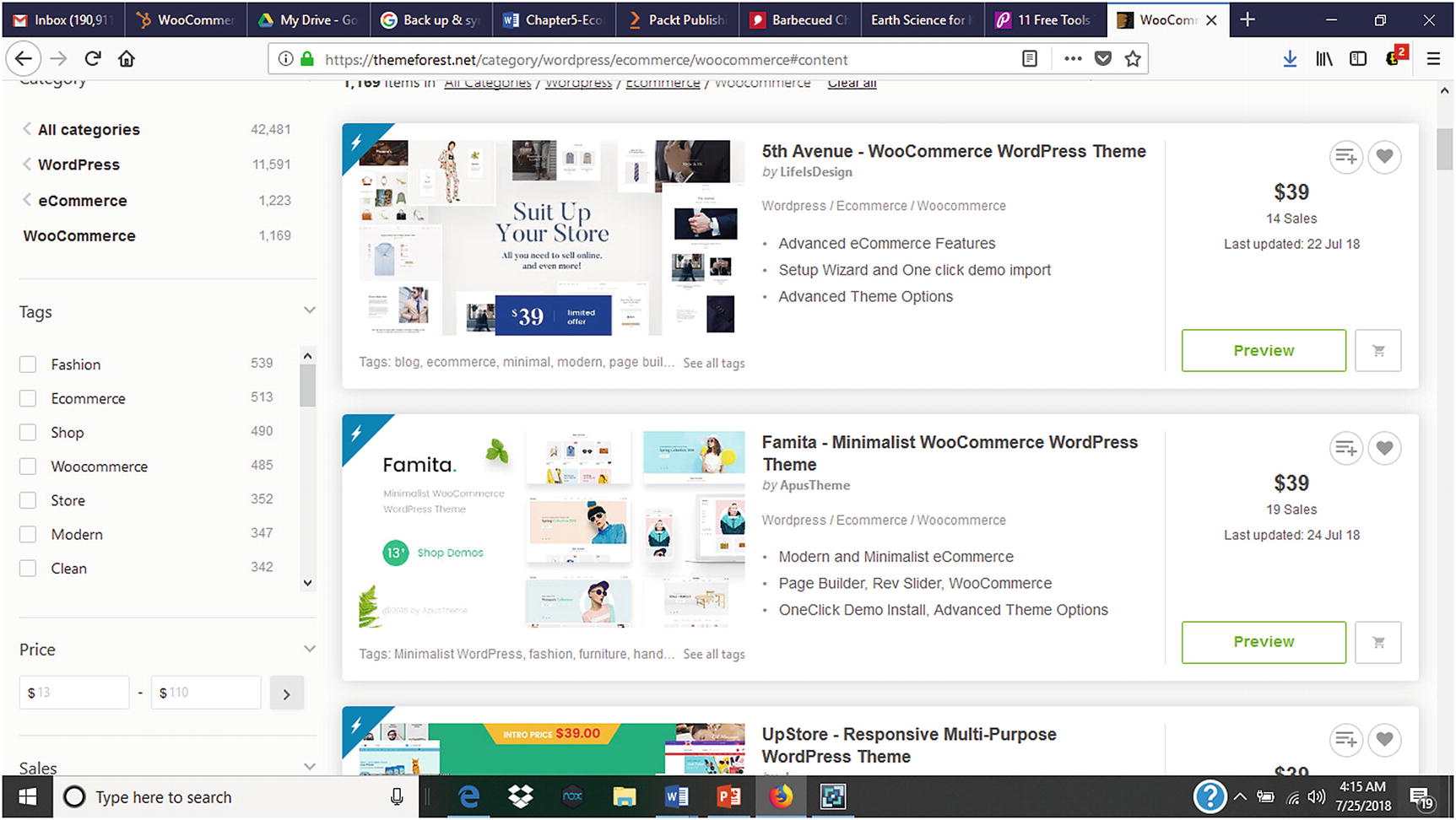
WooCommerce compatible e-commerce themes available for purchase on the Themeforest website
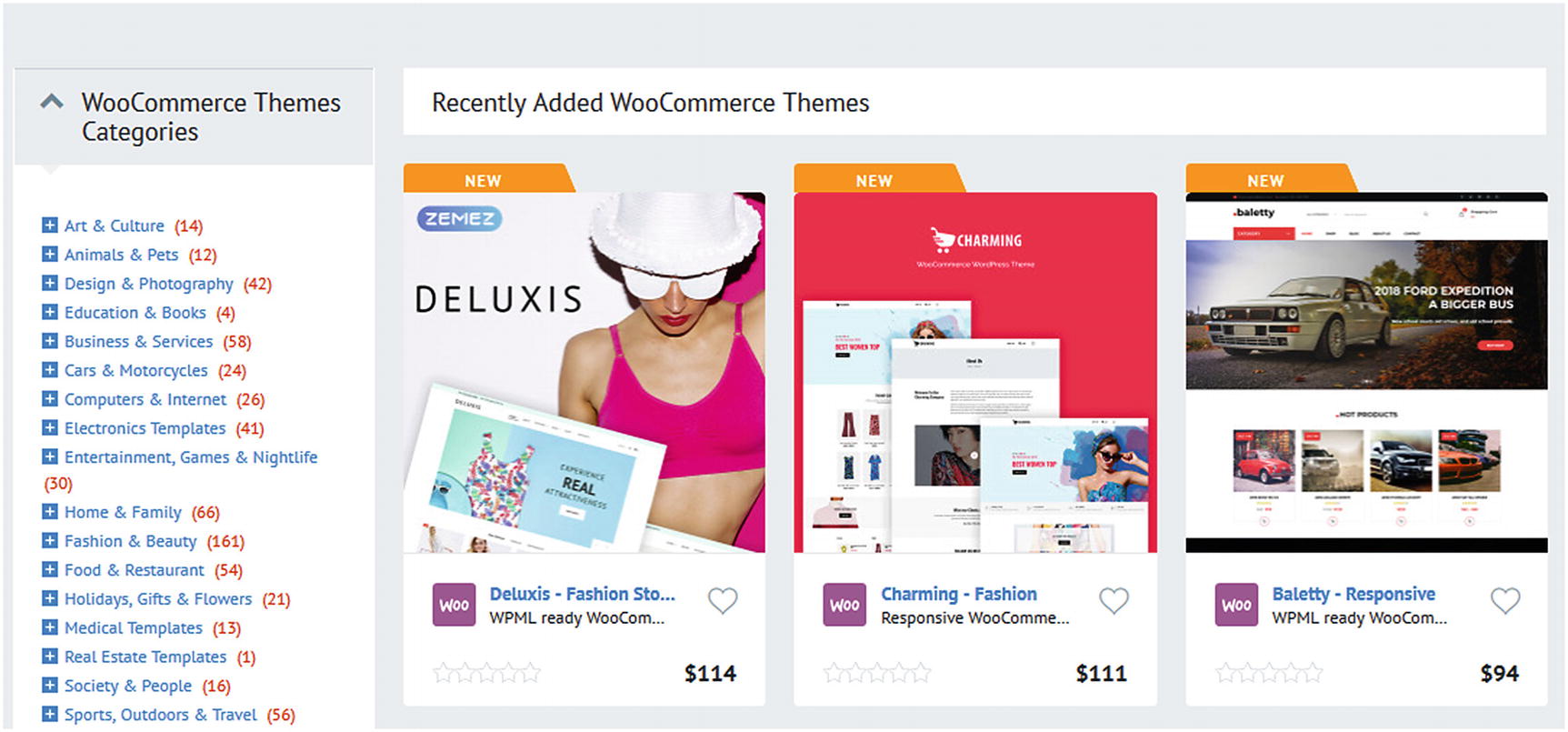
Premium WooCommerce themes from www.templatemonster.com
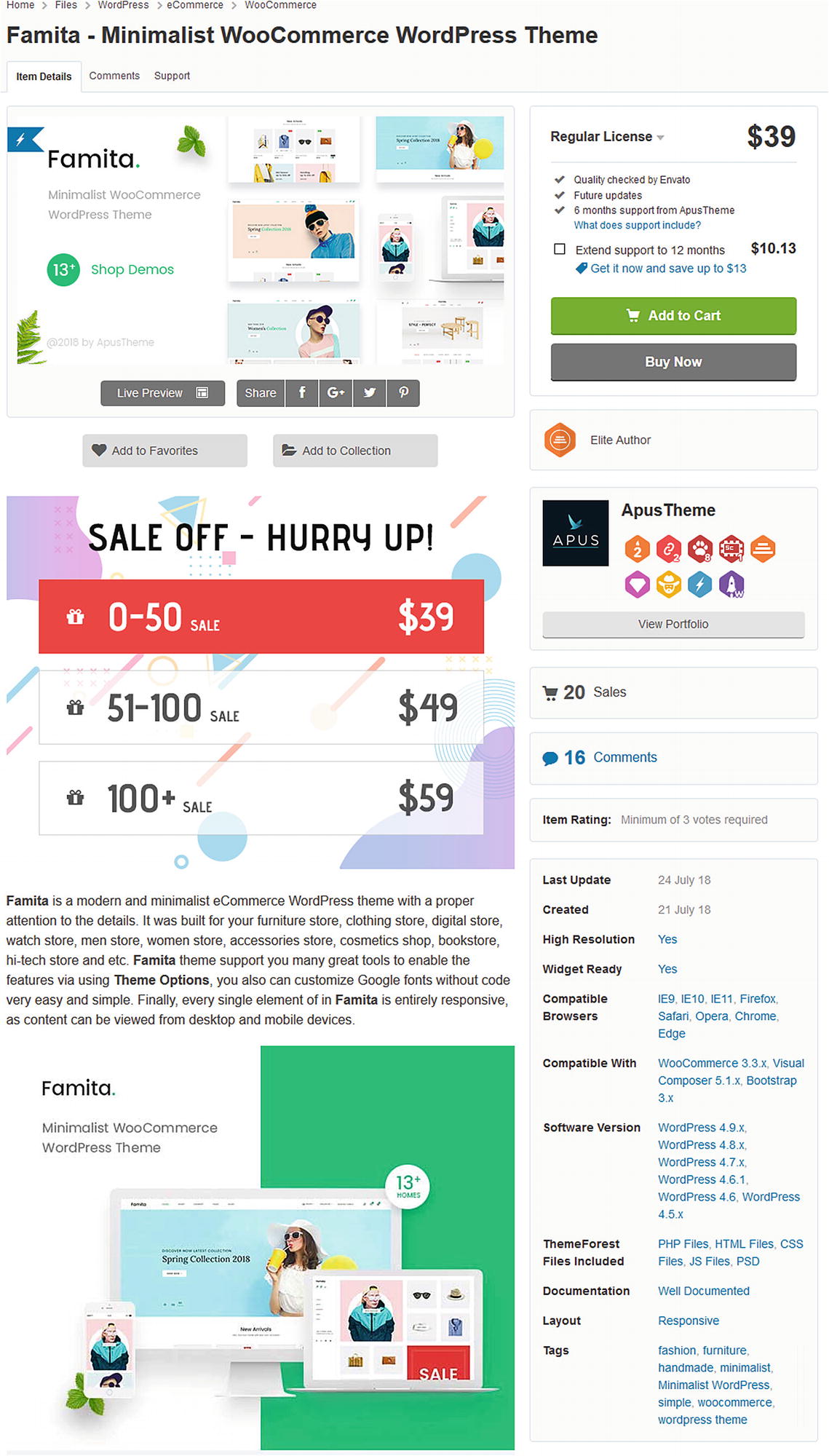
Sample WooCommerce theme from Themeforest.net that shows WooCommerce compatibility information
Choosing a Theme
An e-commerce theme represents an online store’s visible storefront. It is a company’s face or brand displayed globally via the Internet. The popularity of the Internet, mobile devices, social media, and e-commerce have tremendously influenced consumers and the way they shop. When consumers visit e-commerce websites, they expect to find attractive storefronts or layouts like those at brick and mortar stores. Based on their past experiences with other online stores, consumers expect to find almost the same set of features at other online stores. For instance, shoppers look for product slider panels that allow them to cycle through featured products or new product offerings. Likewise, having a search feature is a necessity for any online store to help shoppers quickly locate what they are looking for rather than navigating through numerous product or service categories. For most themes (e-commerce and non-e-commerce), a search feature is standard. Choosing the right theme can help prospects and customers not only find what they are looking for but also keep them coming back. It can also save a company time and money by not purchasing multiple themes in hopes of landing the right one that meets its needs.
How do you choose a theme for your online store? Choosing an e-commerce theme for your online store is crucial to its ability to lead prospects and customers through the sales funnel. What is a sales channel? In an Entrepreneur.com article, Ryan Deiss, co-founder of Digital Marketer, explained that a sales channel is a “multi-step, multi-modality process that moves prospective browsers into buyers.”5 He went on to say, “lots must occur between the time that a prospect is aware enough to enter your funnel, to the time when they take action and successfully complete a purchase.” An e-commerce theme serves as an extension to a business’s already established brand. For startups, it can help acquaint prospects with a company and its brand. Regardless of how long a business has been in existence, it still must carefully choose an e-commerce theme. Choosing an e-commerce theme is an important step that should not be taken lightly. When choosing a theme, aesthetics and layout should be considered but also business goals. How will the selected theme help a business reach their short-term and long-term goals?
What elements should be considered when evaluating a theme? Let’s look at a few in the following sections.
Easy Installation
Whether you are someone else will create the online store, the theme needs to have an easy setup process. A theme that is difficult and time-consuming to install takes away valuable time and potential money that could be used creating your store.
Responsive and Mobile Ready
Regardless of what device prospects use to access an own online store, the theme should automatically adjust to the device’s screen size. As consumers rely more heavily upon their mobile devices, choosing a responsive and mobile-ready theme is no longer an option but a requirement. Without a responsive and mobile-ready theme, many businesses can miss opportunities to convert prospects to customers.
Easily Customizable
Most themes are either free or premium. The problem with some free and fee-based themes is that they can only be customized to a certain point without either requiring a developer or purchasing another theme. Customization can include background colors, font selections, product placement, and more. Themes should be easily customizable to match a business’s brand or store theme. The quotation from Heraclitus sums up how change should be viewed: “The only constant in life is change.” Once an online store has been operational for a period of time, it might be a good idea to give the store a makeover so that it has a new and fresh look.
AJAX Scripts
Request data from a server – after the page has loaded
Receive data from a server – after the page has loaded
Send data to a server – in the background
WooCommerce themes that use AJAX scripts provide a richer user experience without waiting for pages to reload.
Load Time
Let’s face it. Everyone hates to wait. Besides the limited product selection, long lines at brick and mortar stores are one reason many people switched to online shopping or mobile ordering. Once people find your online store, the last thing they want to do is wait for the theme and its pages to load. People are impatient and have short attention spans and want instant gratification. To help reduce prospect and customer frustration, it is a good practice to find a theme that loads quickly.
Support
Before choosing an e-commerce theme, it is a good idea to research the technical support that will be available in case you need it. Whether this support is available on YouTube, user forums, or the theme creator’s website, it needs to be readily accessible and accurate.
Clean and Multipage Layout
When choosing a theme for e-commerce or other purposes, a good principle to follow is the K.I.S.S. Principle: Keep It Simple Silly. Visitors prefer a simple and clean layout that is easy to navigate and use. A clean and simple design also helps the theme and its pages load faster. It is important to remember that although a theme might be attractive, it serves no purpose if visitors cannot easily use and navigate it intuitively.
Theme Examples
Now that some of the things to look for when evaluating themes have been discussed, let’s look at some examples.
8Store
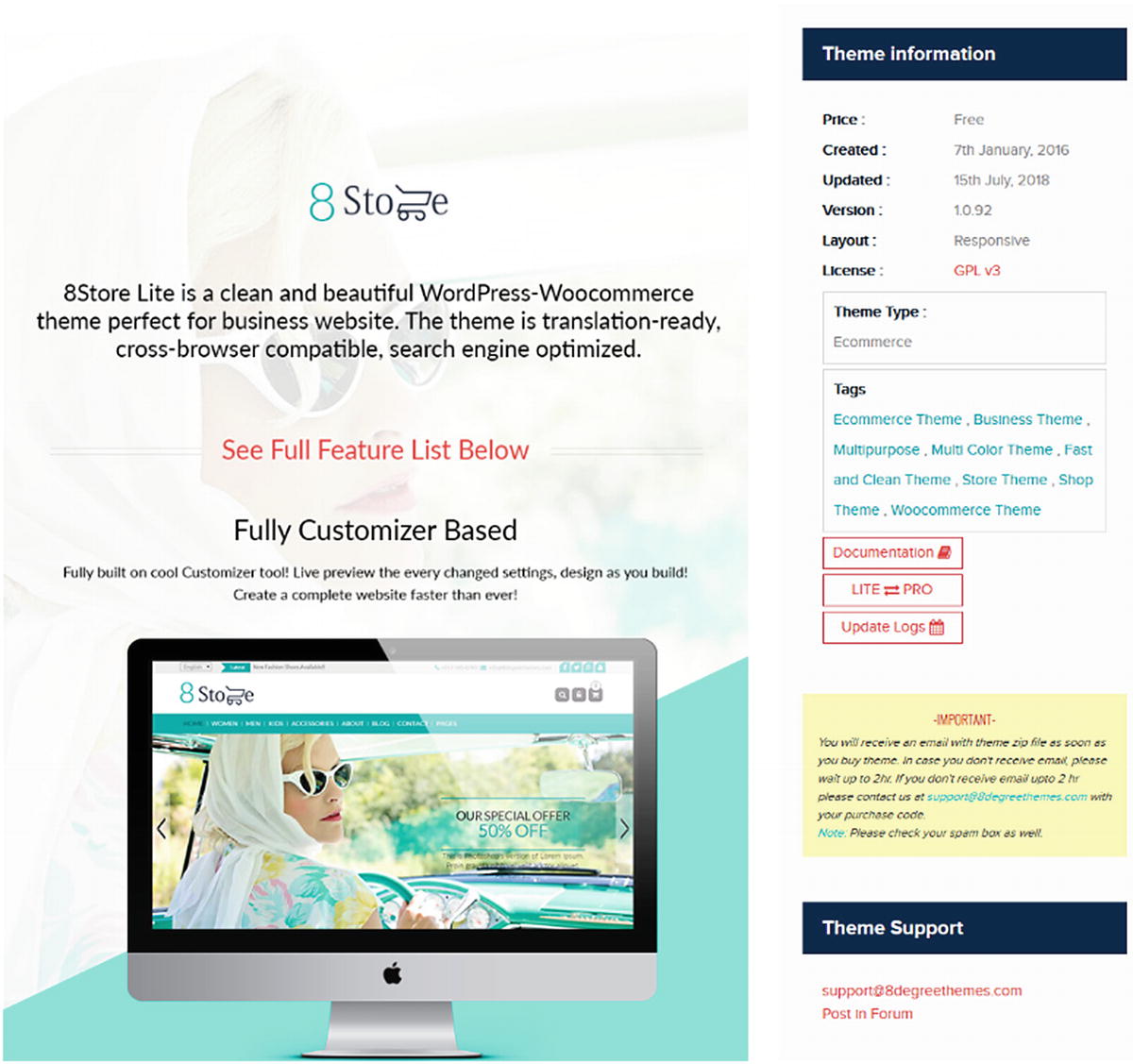
8Store free WordPress-WooCommerce theme
Sold from Dessign.net
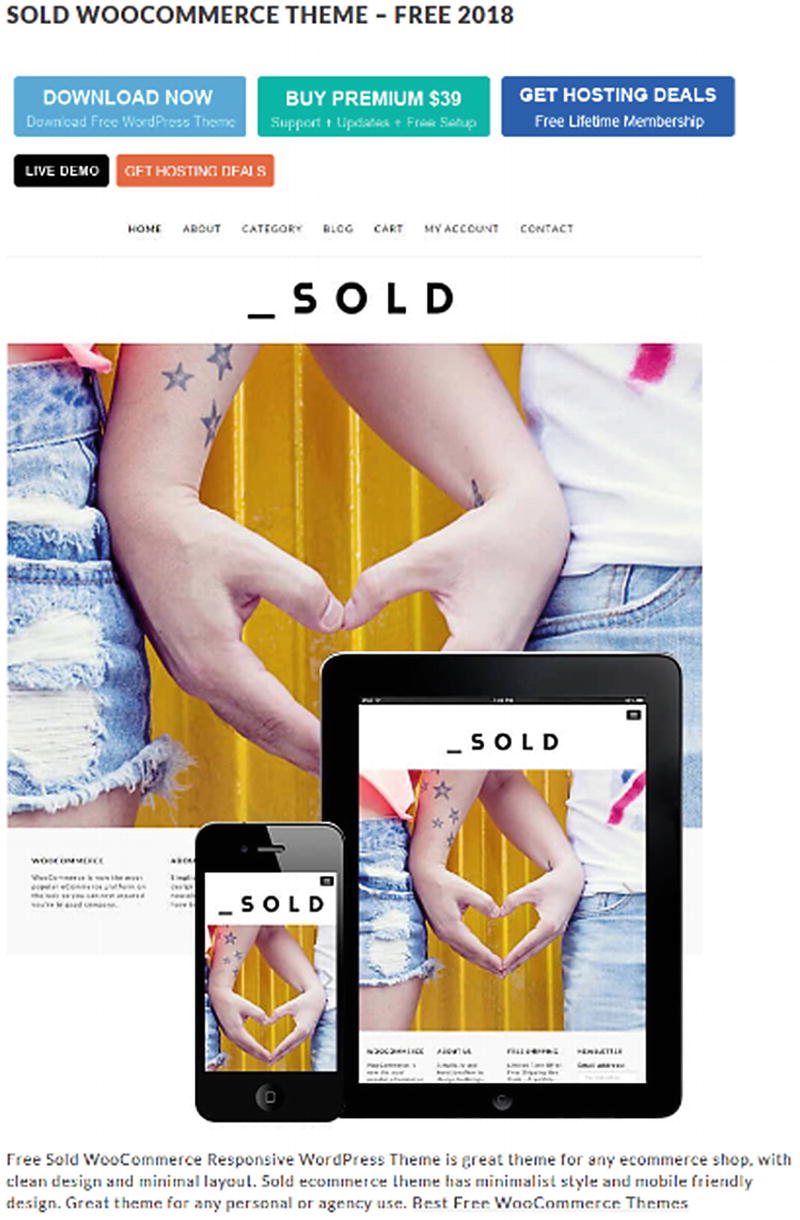
Sold WooCommerce theme
E-commerce Gem
The e-commerce Gem theme is available for download at www.wordpress.org (Figure 5-11). According to Wordpress.org, it is a multipurpose theme that can be used for all types of e-commerce websites and any store type. According to the Wordpress.org website, the e-commerce Gem theme’s features consist of “product search with category select, multiple sections on the front page, full width easy to use slider, latest and featured product carousel, call to actions, advertisement section, banners and more.”7
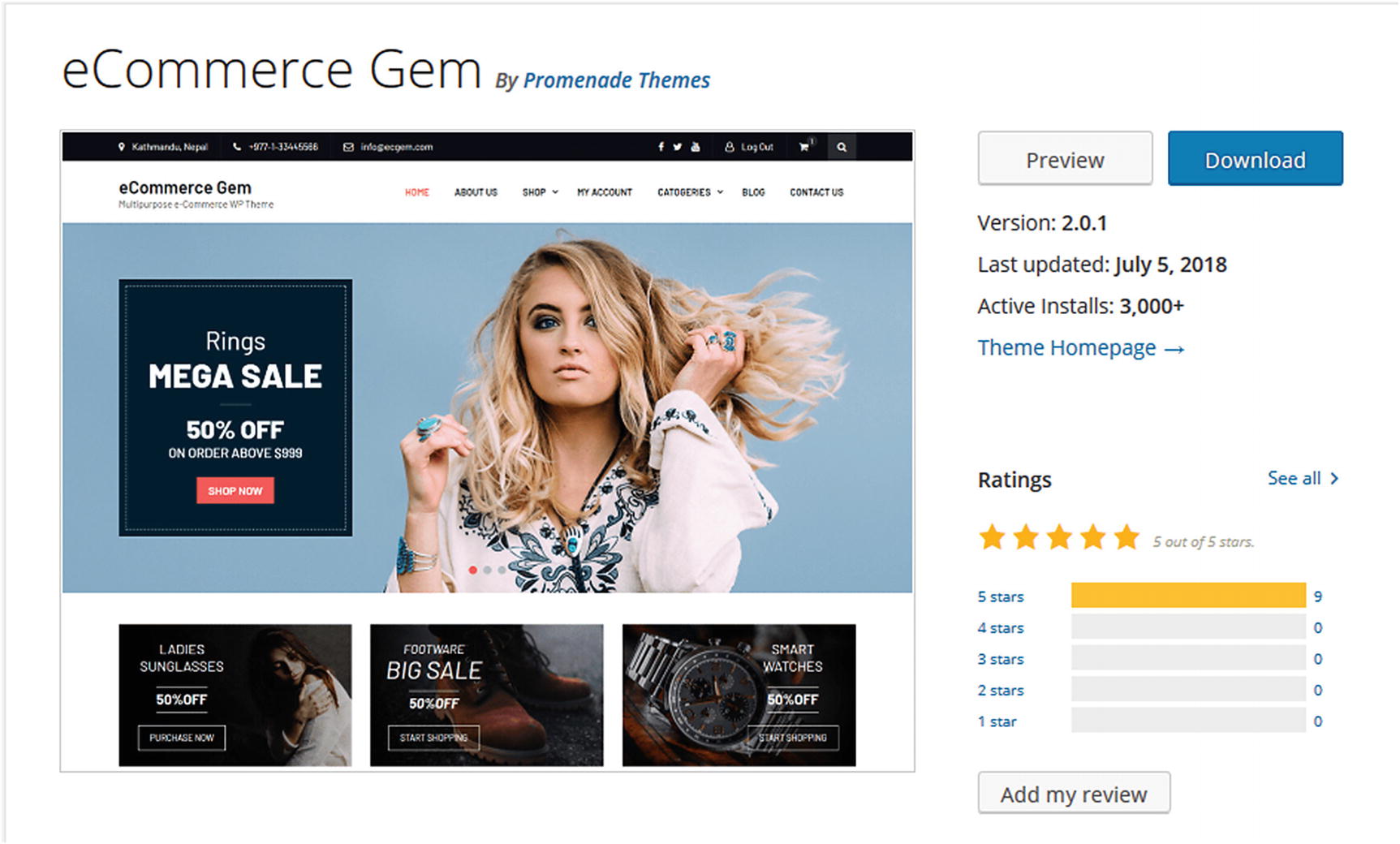
E-commerce Gem theme
Unlike brick and mortar stores, sales associates are not walking around to greet and assist customers who might need help. Although providing customer service via online chat might be available, it is still not the same as personal face-to-face attention.
Summary
Before launching any e-commerce store, it is imperative that the customer experience be carefully considered and planned. When it comes to an online store, the saying, “you never get a second chance to make a first impression” is true. With the advances in social media, a negative customer experience can spread over the Internet like a wildfire and impact whether future customers will visit the store. Choosing an e-commerce theme should not be taken lightly because it forms the basis for a successful or unsuccessful store and customer experience. It is always a good idea to think about what potential customers would like to see upon entering an online store and build from there.