WordPress? What in the world is it? What do you do with it?
You might have heard of it but still have no clue as to what it is, what it does, and how it can benefit you and your business. Not to mention where to get it. That is until now. WordPress has quickly become a game changer in the lives of many entrepreneurs, small business owners, and others seeking a cost-effective web presence.
What Is WordPress?
In nontechnical terms, WordPress is “open source software you can use to create a beautiful website, blog, or app.”1 By being open source, it is free to use, modify, and distribute the software according to the GNU General Public License (GPL).2 According to the GNU website, the GNU Public License “is a free, copyleft license for software and other kinds of work”. the GNU General Public License is intended to guarantee your freedom to share and change all versions of a program – to make sure it remains free software for all its users.3 At the time of this book’s writing, the current version is GPL v3. Compared to proprietary software such as Microsoft Office whose source code is closed and only available to the original creators to modify, open source software empowers users to freely make changes to the source code anytime and share them with anyone. If a feature is missing or needs to be added, users who are technically astute can add it by modifying the source code.
WordPress is a content management system. A content management system (CMS) is a software application that provides the capabilities for creating, organizing, editing, and publishing content to the Web.4 Instead of requiring multiple software applications, only one application is required. According to WordPress.org, WordPress is used by 30 percent of the websites and blogs on the Web, ranging from hobbyist to mainstream online news sites.
The Obama Foundation
Angry Birds
TechCrunch
Pulse by Target
Bloomberg Professional
Vogue India
BBC America
Tribune Media Group
Georgia State University (my alma mater)
Not only is it robust enough to work for a solopreneur, but it is also scalable enough to handle the needs of an enterprise organization.
Prior to WordPress, when a business wanted a website created, it either used a web designer within its company or hired a web designer consultant. Due to the lack of technical expertise in-house, most small businesses were either forced to hire an external consultant or freelancer or find a volunteer looking to gain some website design experience to create one. While already working with limited resources and budgets compared to bigger businesses, creating a small business website could quickly become an expensive undertaking depending on the website features. Once the website is launched, it will need to be maintained and modified, which is an additional expense. A simple informational website can quickly become expensive. How can WordPress help?
WordPress Popularity
Googling the phrase “creating a blog,” WordPress appears in many of the search results displayed on the first page of the search-engine results page. With all the open source and proprietary content management systems available, why is WordPress so popular? Since its release in 2003, WordPress has continually added new features to help entrepreneurs, small- and medium-sized businesses, universities, and others successfully achieve their website goals. Here are just a few reasons why WordPress’s popularity continues to grow.
Intuitive User Interface
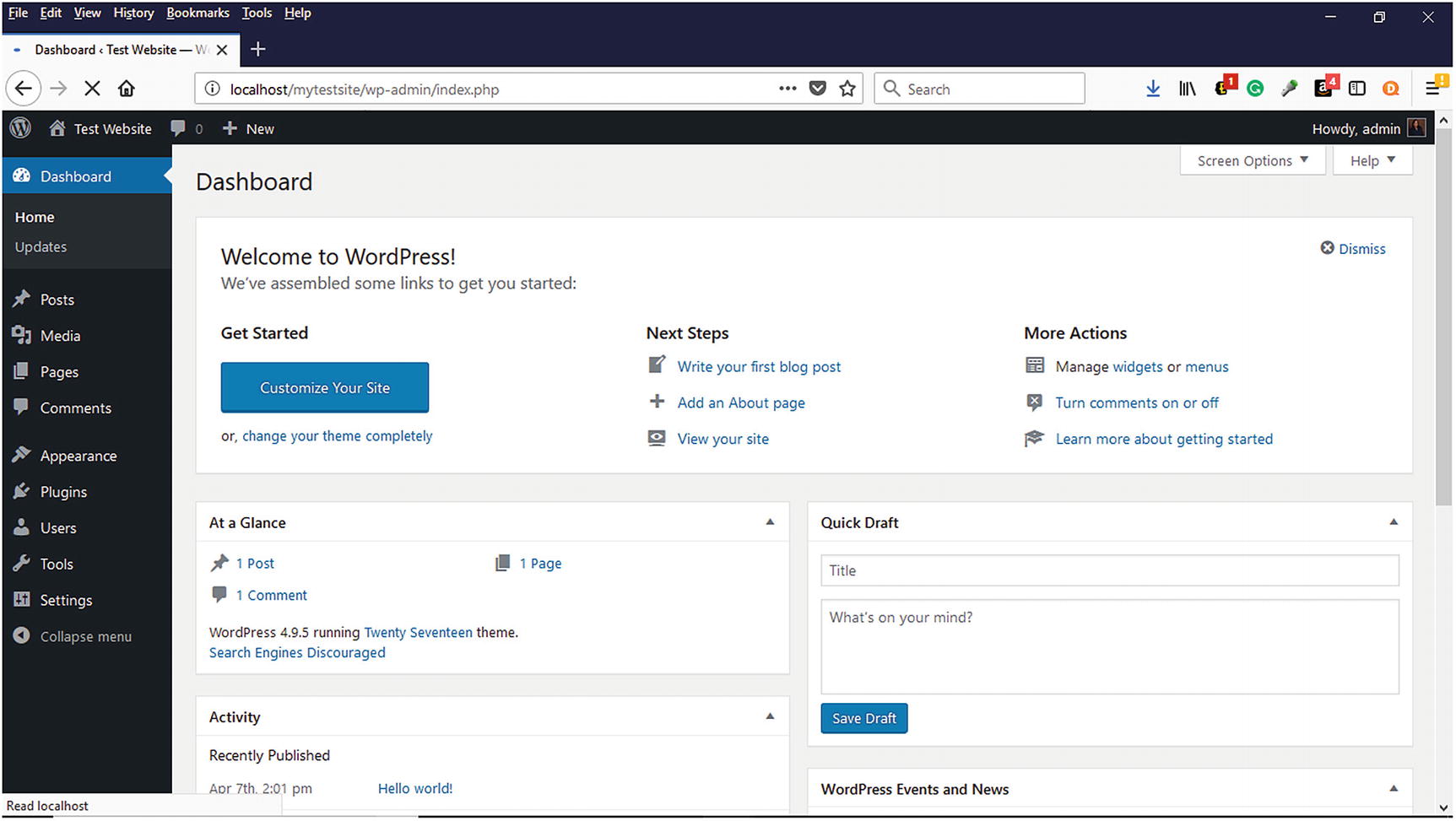
WordPress Dashboard where users create and modify their websites
Free and Low-Cost Training Resources
Online courses
Webinars
YouTube videos
Podcasts
Blog articles
WordPress.org Codex (online WordPress manual)
Books
It is easy to learn anything about WordPress without breaking the bank. Many of these options will allow anyone to learn anytime, anywhere, and on any device. All that is needed is some free time, a computer that meets the recommended WordPress requirements for installing WordPress website with administrator rights, and the ability to Google.
Cost Efficient
To get started using WordPress to create a commercial website, a domain name and web hosting is required. As stated earlier, most web hosting companies provide WordPress hosting via a one-click installation at affordable monthly and annual rates. WooCommerce will be discussed in the next chapter and used to create a sample online store in Chapter 7. Other needed items such as SSL Certificate and e-commerce themes will be discussed.
Let’s face it. Depending on your website design needs, web designers can be expensive, especially for small businesses budgets. Once you add an e-commerce component, it can become even more expensive. Don’t believe me? According to an article on Elegantthemes.com, the average hourly rate for a WordPress Developer ranges from $20 to $100 per hour.5 If you consider that even a simple online store with 10 products can take 10–25 hours to set up, you can easily expect to pay between $200 to $2,500. WordPress can help businesses save money on their website needs.
Easy Setup and Maintenance
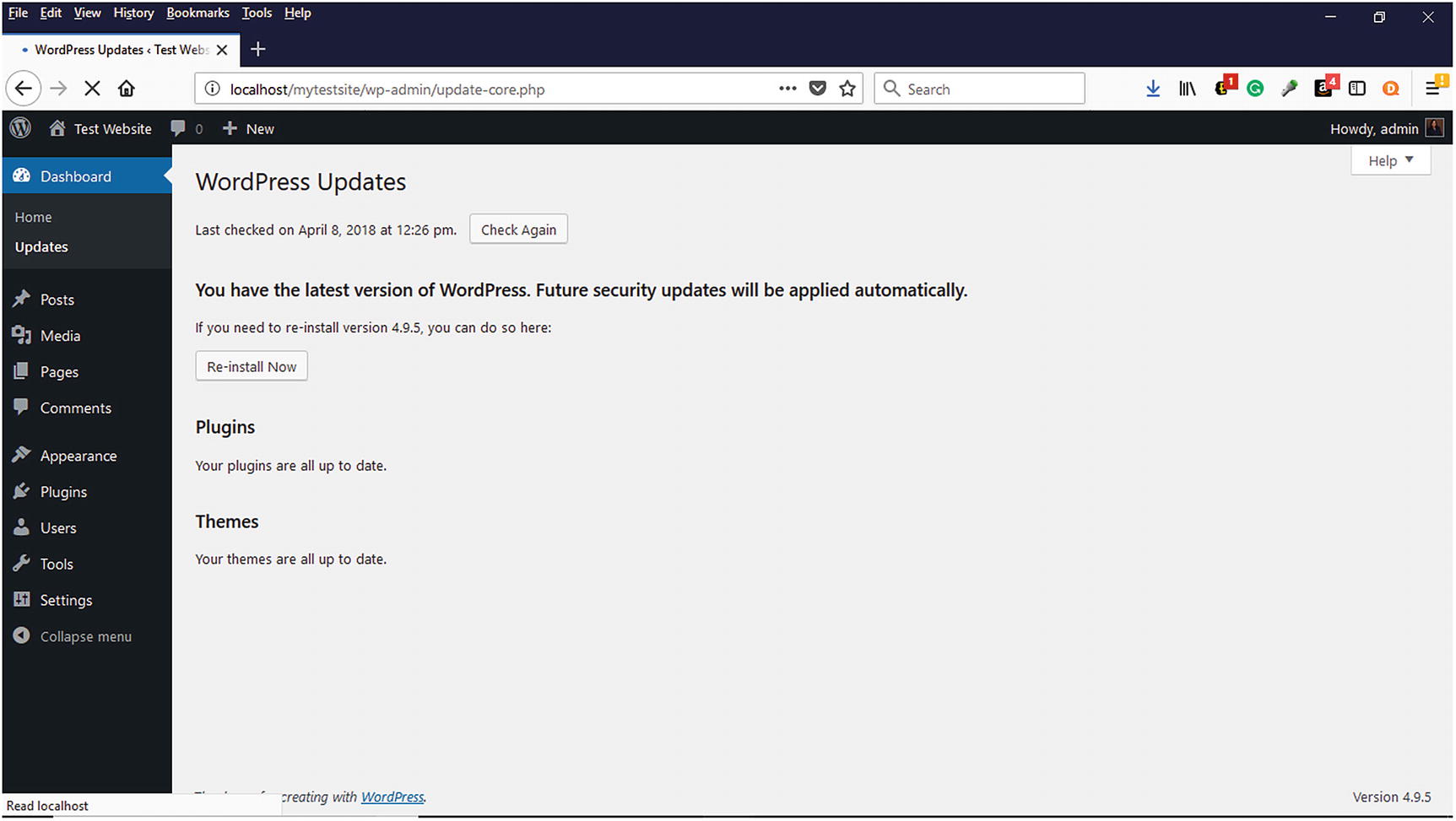
WordPress Dashboard option for WordPress Updates
Themes
A collection of files that work together to produce a graphical interface with an underlying unifying design for a weblog. These files are called template files. A Theme modifies the way the site is displayed, without modifying the underlying software.
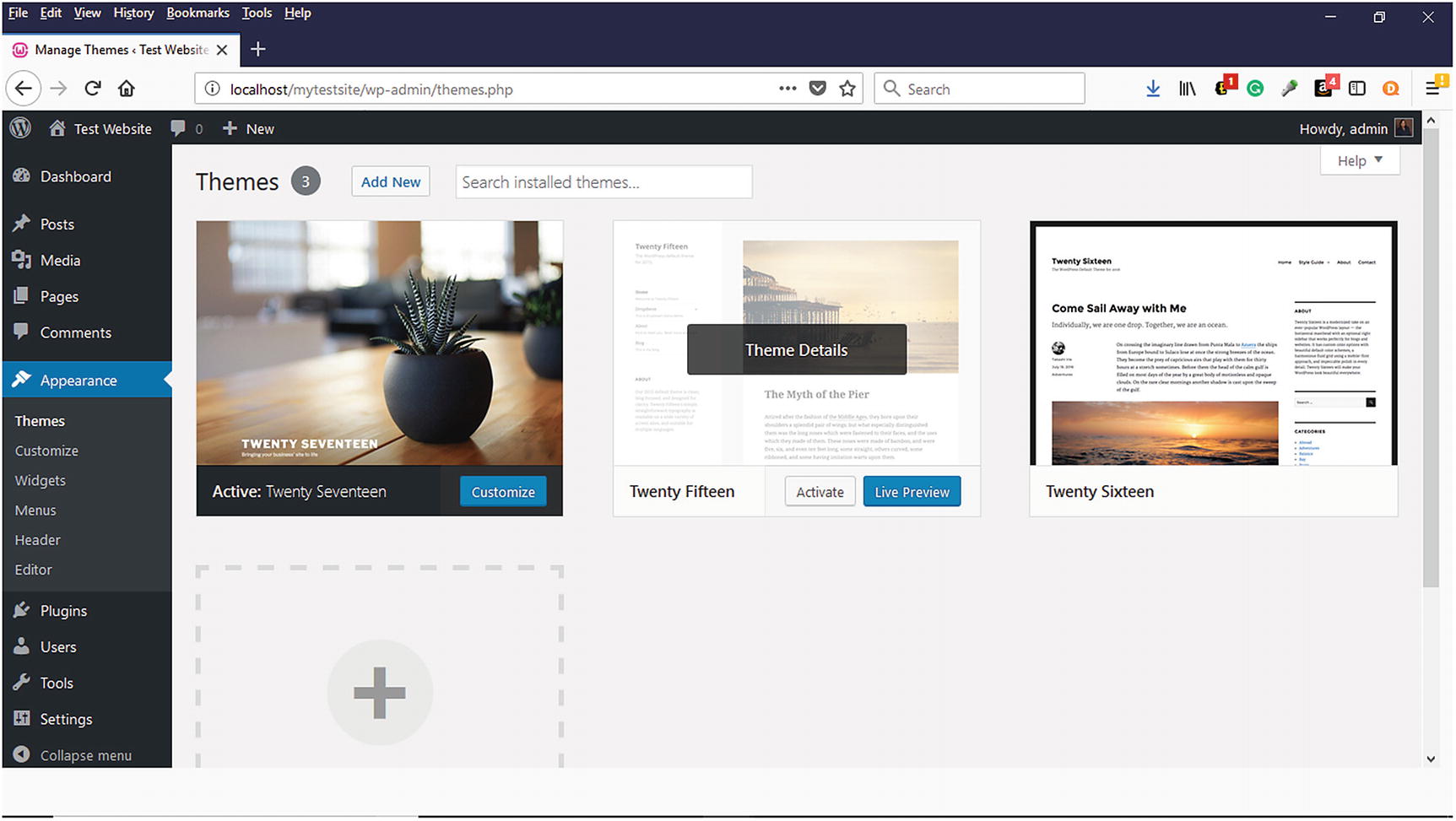
WordPress themes can be selected or added on the Themes page.
Plugins
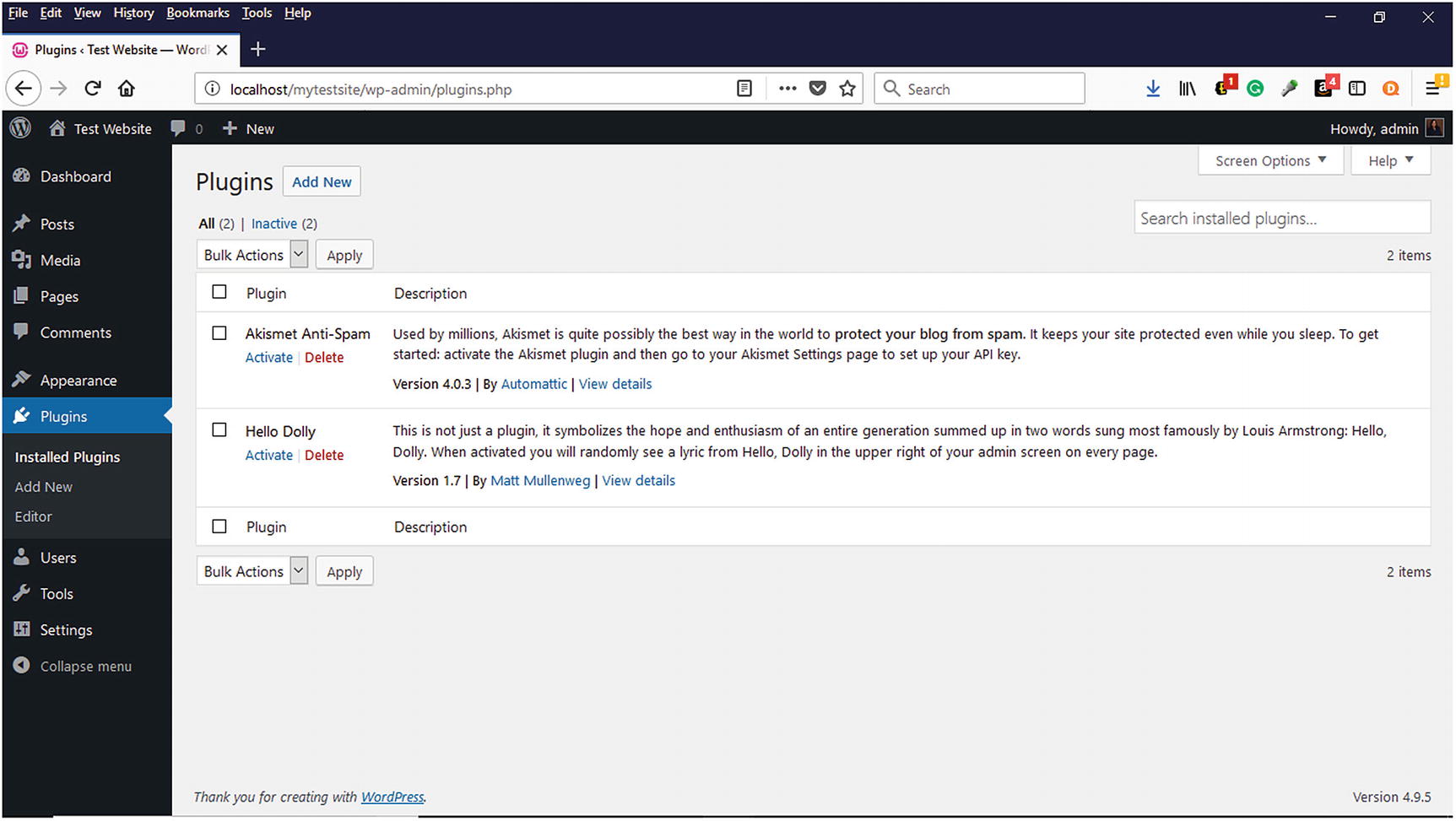
WordPress Plugins that are installed and can be added
WordPress empowers users to add needed functionality to their websites at their convenience.. Not sure where to find plugins? Many free plugins are available at wordpress.org/plugins. As of the writing of this book, there are 54,860 plugins available from wordpress.org. This number will continue to increase. You’ll become more familiar with installing the WooCommerce plugin and others when we start installing WooCommerce in Chapter 5.
Where to Get WordPress
WordPress is available for download to install on your own web server or local computer from the official WordPress website, www.wordpress.org/download (Figure 3-5). It is a good idea to review the recommended WordPress requirements before downloading and installing it. Although PHP version 7.2 or greater and MySQL version 5.6 or greater or MariaDB version 10.0 or greater are recommended, WordPress can be installed on older environments. The WordPress.org website offers this advice about using “legacy environments.”
If you are in a legacy environment where you only have older PHP or MySQL versions, WordPress also works with PHP 5.2.4+ and MySQL 5.0+, but these versions have reached official End of Life and as such may expose your site to security vulnerabilities.7
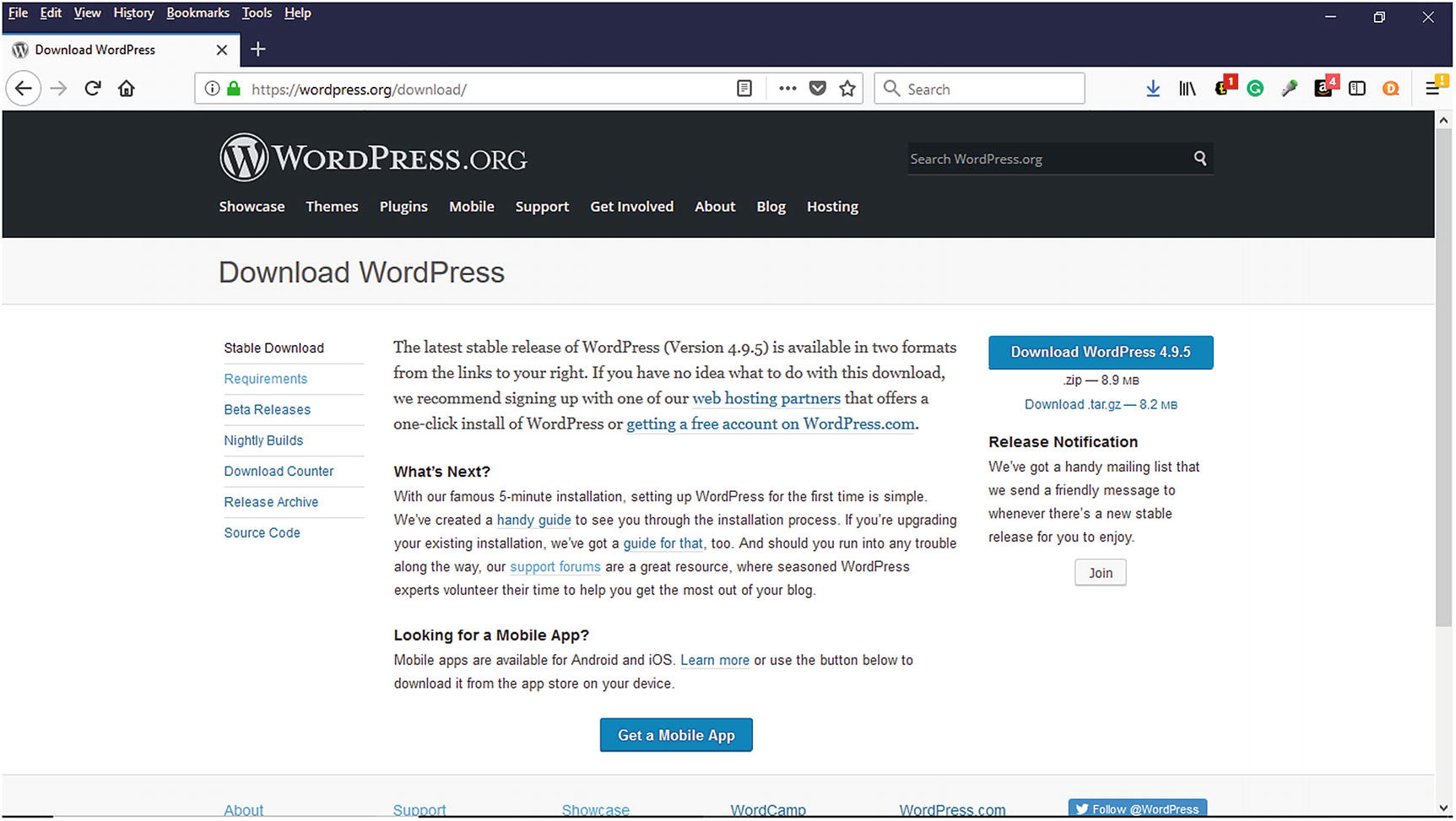
WordPress is available for download from www.wordpress.org
Free
Personal
Premium
Business
Many people choose the free option because once the account is created, they can immediately start blogging or creating a website. There is no better example of the saying, “Everything that is free isn’t good and everything that is good is not free” than this for many reasons. First, your domain name will contain wordpress.com (i.e., yourwebsite123.wordpress.com) and will not allow a unique domain name until upgraded to one of the other options. Depending on your needs, this could be problematic because your target audience probably won’t remember a long domain name. For creating an online store, it would be best to purchase your own unique domain name from a domain registrar service such as Network Solutions, Namecheap, or through a web hosting provider who sometimes offers free domain names when signing up for web hosting. Another benefit of having a custom domain name is it presents a professional image and brand for a business and a website. First impressions are a lasting impression, and this is crucial for an online store.
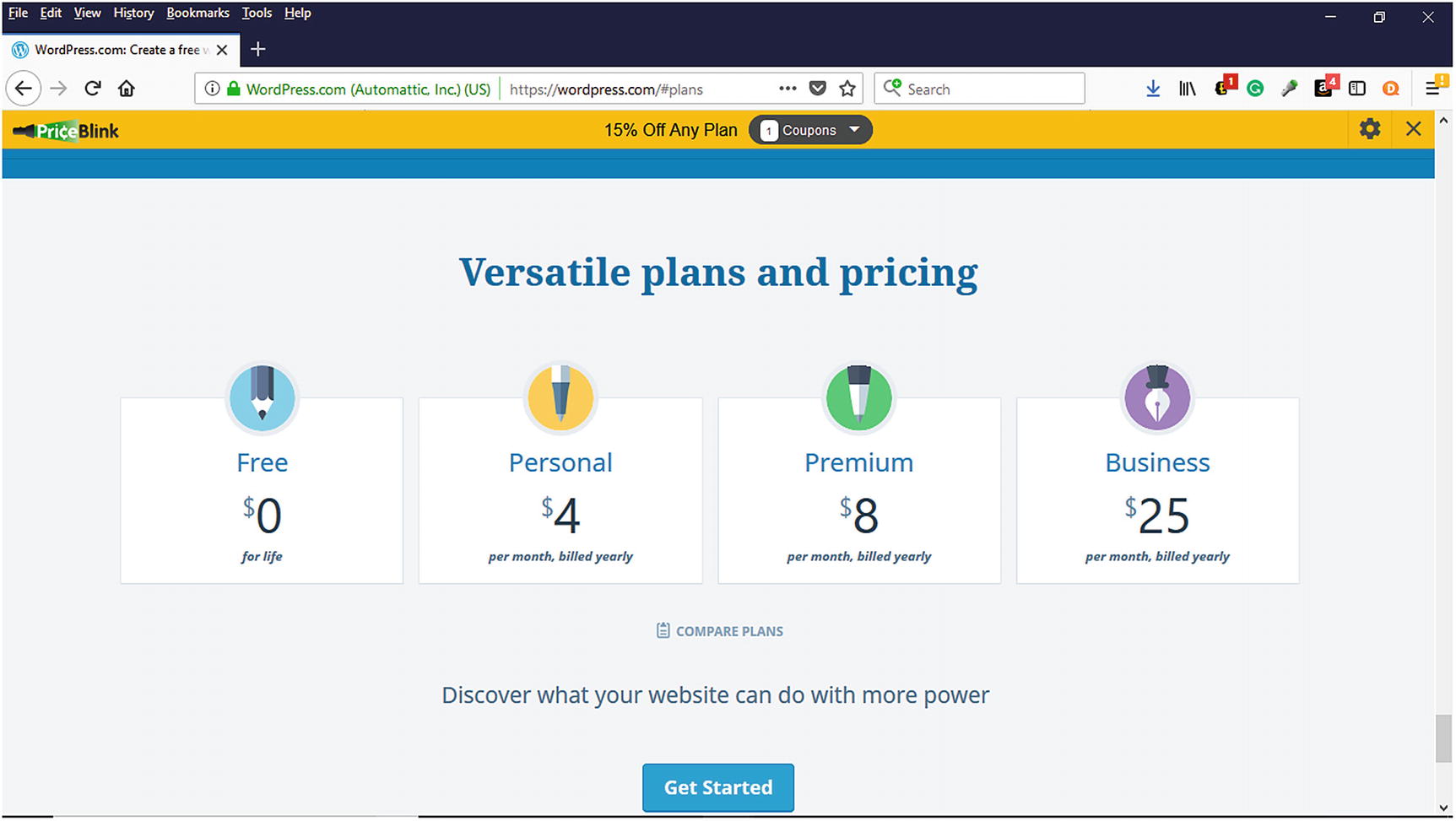
WordPress Plans and Pricing from www.wordpresss.com
WordPress Requirements
PHP version 7.2 or greater.
MySQL version 5.6 or greater or MariaDB version 10.0 or greater.
HTTPS support.
The only other thing that you will need is a computer or mobile device to log in to the WordPress administration panel to work on your website or blog.
Installing WordPress on a Web Host
Once you purchase web hosting, the web host will provide login credentials to access the cPanel. The cPanel allows remote access to install software on the web host’s web server via a one-click auto script installer. Some of the popular auto script installers are MOJO Marketplace, Fantastico, Softaculous, and Quickinstall. These installation instructions are based on the Bluehost web host who uses MOJO Marketplace.
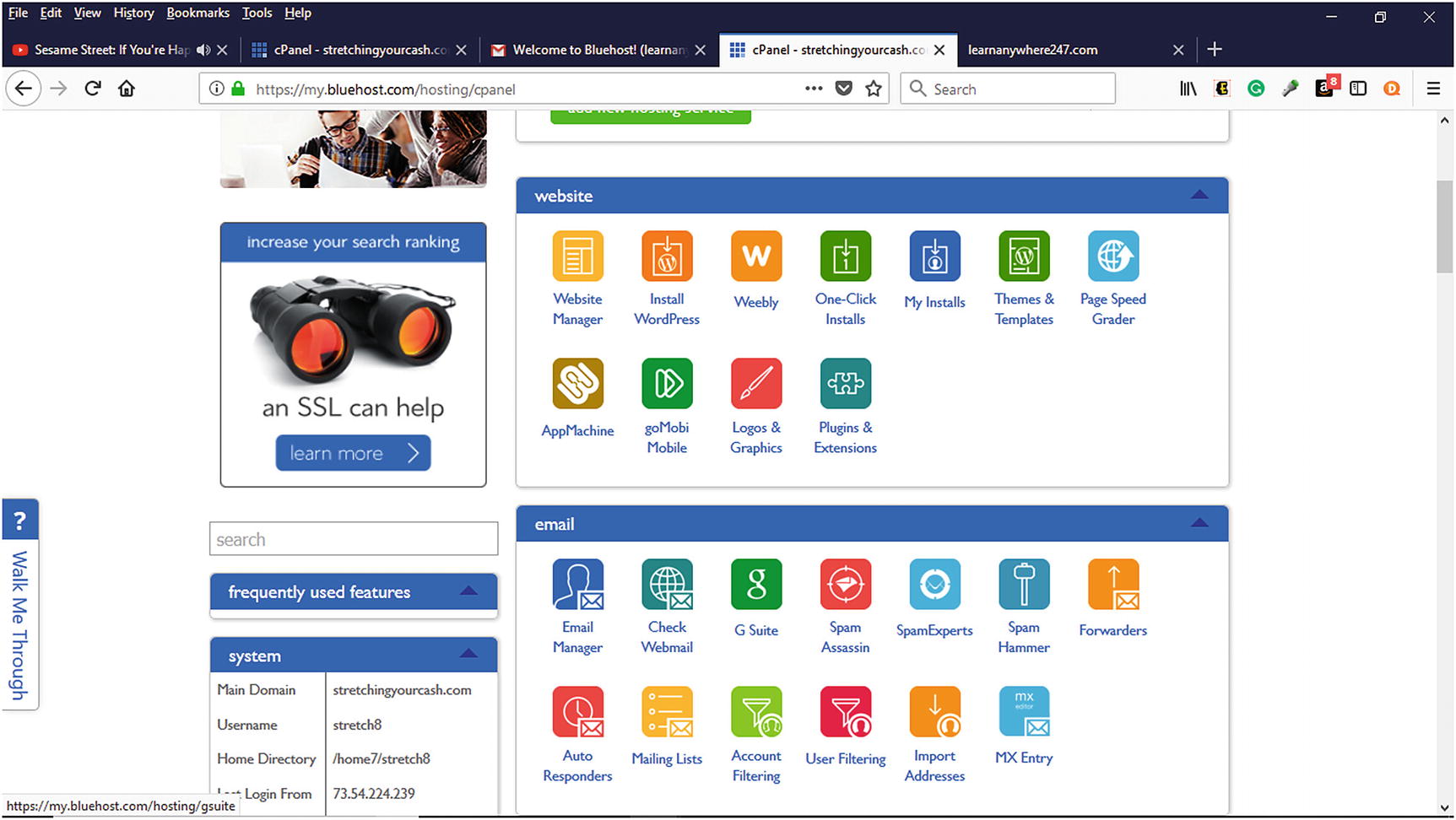
Installing WordPress from web host cPanel
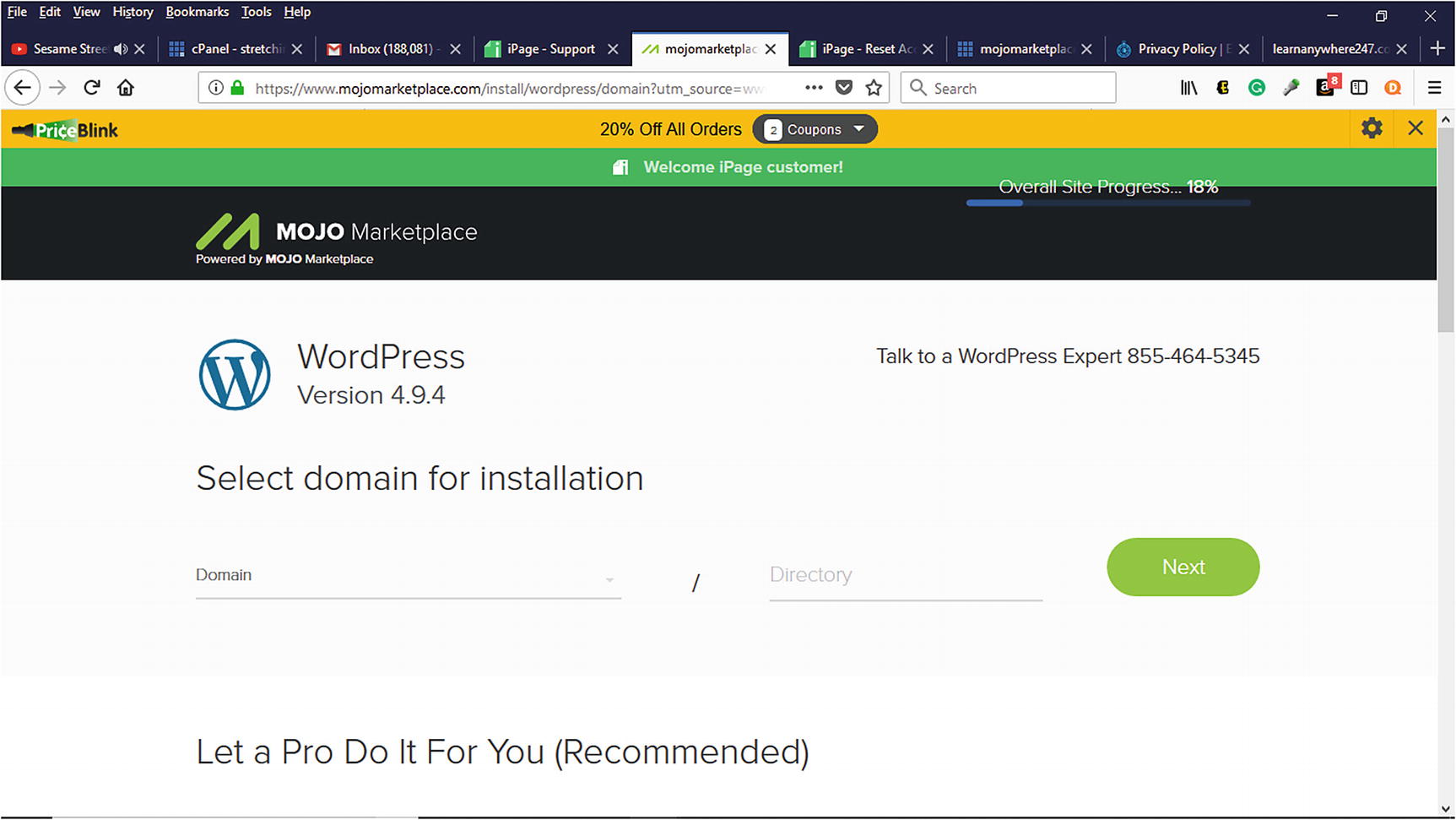
Selecting a domain name for installation during WordPress installation
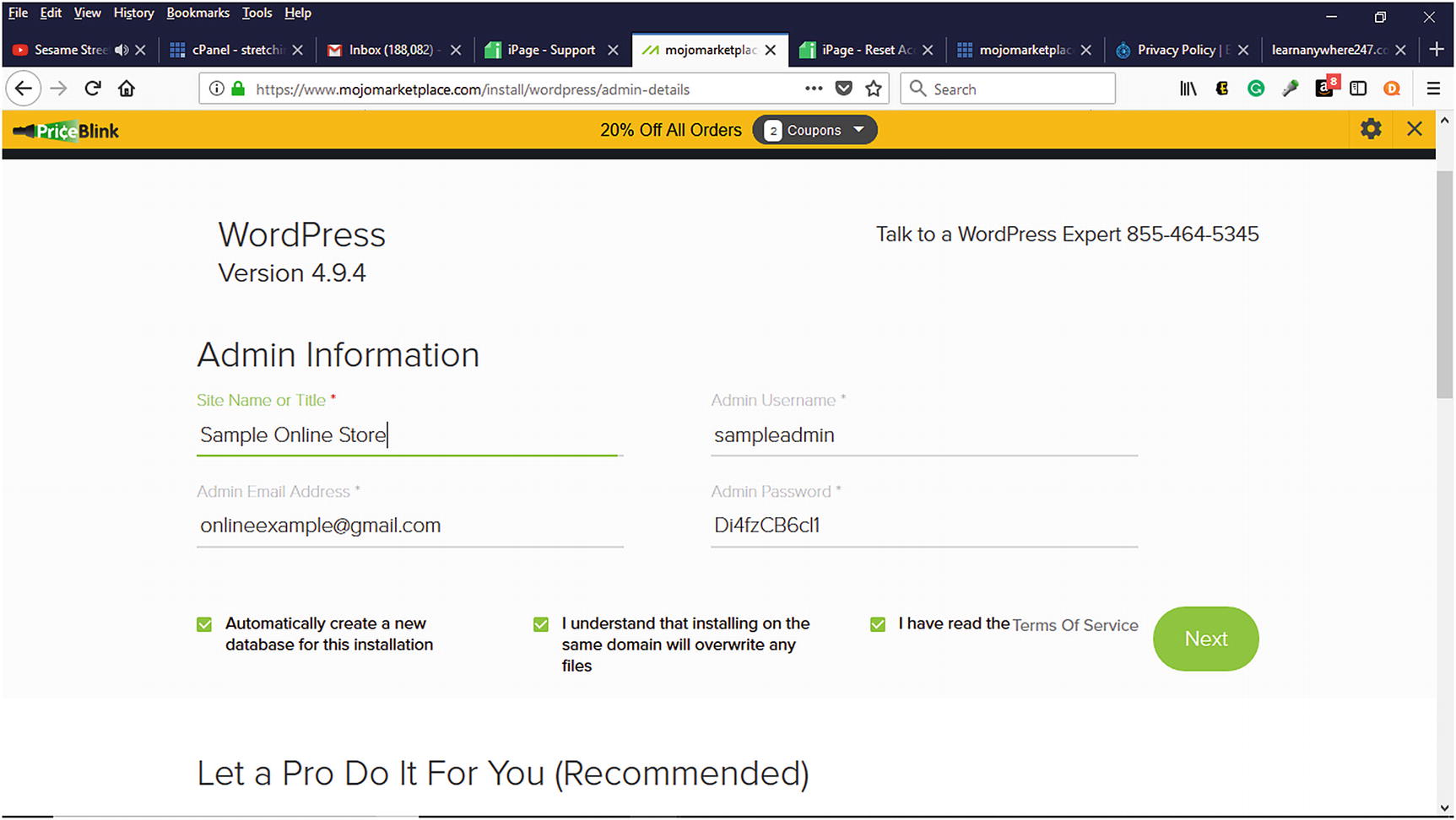
Creating Admin Information during WordPress installation
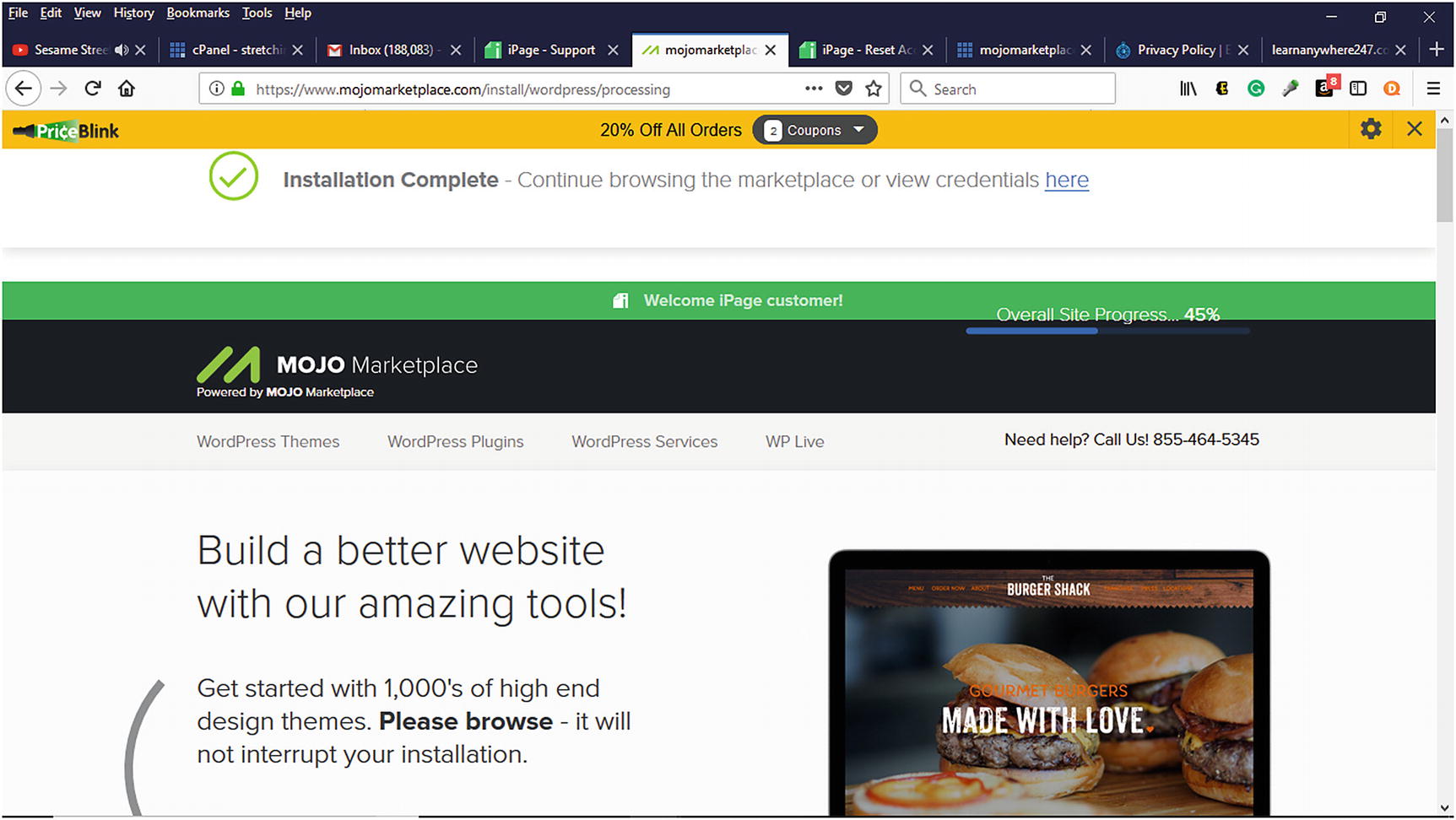
Installation Complete message that appears means WordPress has been successfully installed
Post-Installation Setup
Now that WordPress has been successfully installed, some items need to be addressed to help clean up the installation and secure it. In its current installation state, WordPress is using system-generated defaults except for the provided administration information. Before launching a site, the following items should be addressed.
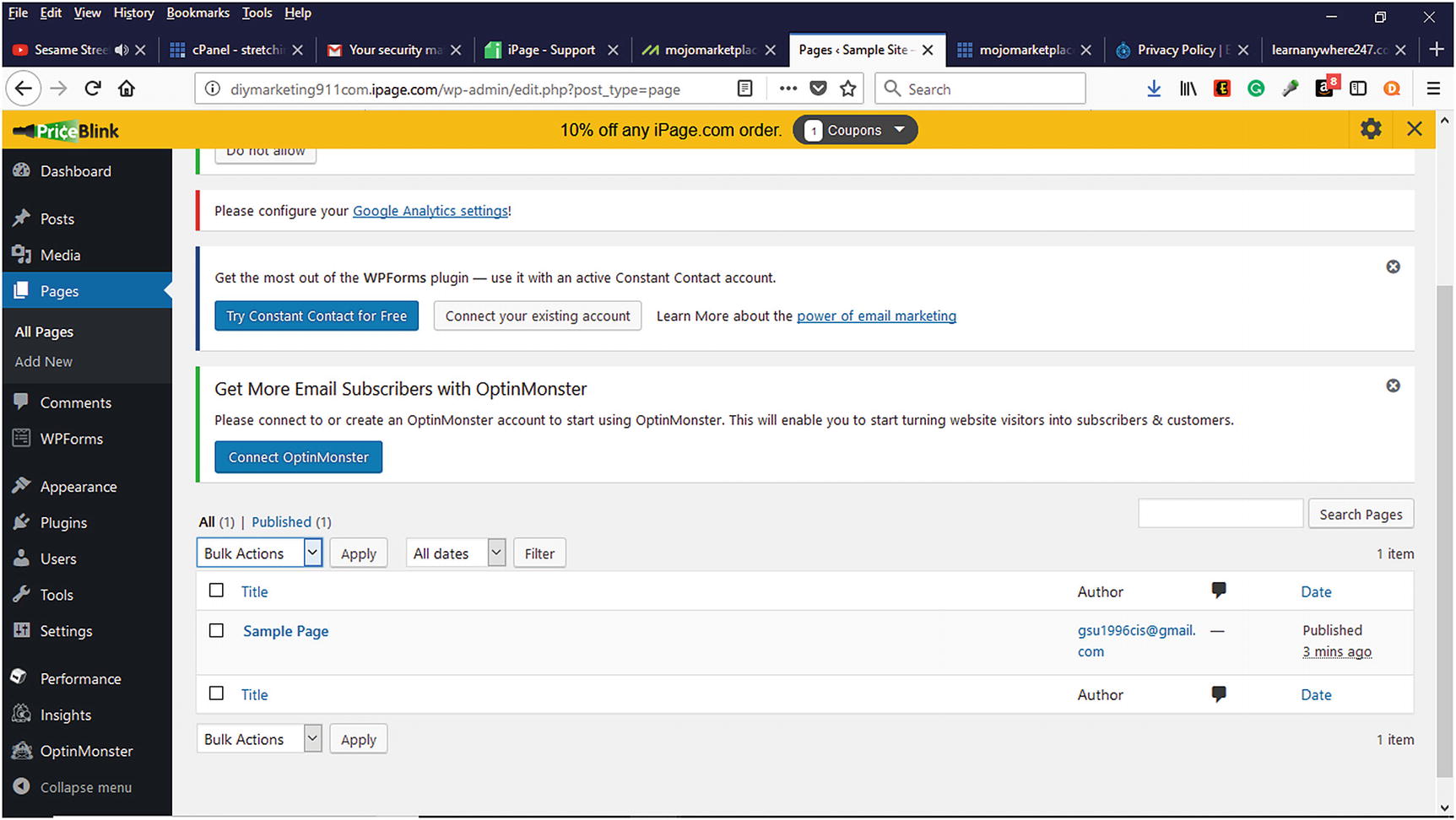
Listing of all pages within the WordPress Dashboard
Delete Unused Plugins and Themes. WordPress installs default plugins such as Hello Dolly, which displays the song lyrics to the song “Hello Dolly.” It does not serve a purpose and will not be used. Likewise, themes such as Twenty Seventeen, Twenty Fifteen, and Twenty Sixteen are installed to help customize a project. Once a theme is activated, it is a good practice to delete the unused themes because they can slow down the performance of a site as well as consume space.
Settings. In the WordPress Dashboard, there are settings that need to be reviewed for correctness. Here are some settings to review on the various tabs.
General Tab. The General Tab contains general information pertaining to the WordPress project. The Tagline should be changed from “Just another WordPress site” to a short, descriptive statement about the company. To make sure that unauthorized users cannot obtain membership to a website, it is a good practice to make sure the anyone can register checkbox is unchecked and the new user default role is Subscriber. Likewise, it is good to set the Time Zone along with the Start of the Week.
Permalinks Tab. Permalinks are how WordPress structures its URL’s. All pages, posts, categories, tags, and other items have URLs that are used to access them. By default, WordPress uses the plain option for permalinks (i.e., www.yoursitename.com/?p=123 ), which is not easy to remember or search-engine friendly. It is a good practice to make sure that a permalink structure contains keywords or phrases to help people locate the resource in search engines such as Google or Bing. Most WordPress users choose Post Name as their permalink structure. It is recommended that this is done either for a new WordPress project or when a project does not have much content that is ranked within search engines.
Privacy Tab. Every website needs a privacy policy that visitors can review concerning how their information will be used. WordPress allows website owners to select an existing page for their privacy policy or create a new page.
Summary
WordPress provides scalability and flexibility for any size business wanting to establish a web presence. With its ease of installation and use, it helps make creating a blog, website, or online store less intimidating and cost effective. In the next chapter, WooCommerce and its e-commerce features will be explored to show how to create an online store.