Table of Contents for
Security for Web Developers
 Security for Web Developers
Published by
O'Reilly Media, Inc., 2015
Security for Web Developers
Published by
O'Reilly Media, Inc., 2015
- nav
- Cover
- Security for Web Developers
- Security for Web Developers
- Dedication
- Preface
- I. Developing a Security Plan
- 1. Defining the Application Environment
- 2. Embracing User Needs and Expectations
- 3. Getting Third-Party Assistance
- II. Applying Successful Coding Practices
- 4. Developing Successful Interfaces
- 5. Building Reliable Code
- 6. Incorporating Libraries
- 7. Using APIs with Care
- 8. Considering the Use of Microservices
- III. Creating Useful and Efficient Testing Strategies
- 9. Thinking Like a Hacker
- 10. Creating an API Safety Zone
- 11. Checking Libraries and APIs for Holes
- 12. Using Third-Party Testing
- IV. Implementing a Maintenance Cycle
- 13. Clearly Defining Upgrade Cycles
- 14. Considering Update Options
- 15. Considering the Need for Reports
- V. Locating Security Resources
- 16. Tracking Current Security Threats
- 17. Getting Required Training
- Index
- About the Author
- Colophon
Chapter 3. Getting Third-Party Assistance
Reinventing the wheel is always a bad idea. It’s entirely possible that someone else has already created a security solution that meets your needs well enough that you can use it instead of creating your own security solution. The third-party solution needs to appear as part of your security plan so that others know that you have a solution in mind. In addition, by having the third-party solution in your plan, you can include all sorts of information for it and invite discussion about the solution. This chapter discusses how you can add various kinds of third-party solutions to your security plan.
Of course, before you can do anything, you must discover the third-party solution you want to use. Fortunately, there are techniques you can use to reduce the time required to perform the process and then research the individual solutions to ensure they truly do meet your needs. Once you do discover the solutions you want to use, it’s important to consider the pros and cons of each solution type. This chapter groups solutions into those that exist in the cloud and those that you add into your own application, such as a library or API. The following sections help you discover that third-party solutions really can meet your needs and reduce the time and effort to create a working solution.
Note
This chapter does discuss specific examples, but the information provided applies to a category as a whole. For example, although Capterra appears as a potential review site for products, other such sites exist, and you need to choose the site that best matches your philosophy of application design and development. The specific example simply helps illustrate the principle at hand.
Discovering Third-Party Security Solutions
Finding a third-party security solution can be difficult. Enter most search terms you can think of into a search engine and you get a list of individual security solutions back, many of which may not even relate to your particular problem. Search engines provide you with a haystack, not a needle. Unfortunately, they also remove the magnet, so that finding the needle is impossible. You really do need a better way to find the security solution of your dreams.
There is help in the form of review sites such as Capterra, shown in Figure 3-1. This site provides help in the form of filtering that helps you make sense of the various vendors who are vying for your attention. Each of the entries has a short review that you can click to find out additional details. In many cases, the review also includes media that could provide a demo of the product or other useful information. The fact that the reviews are in one place, filtered by the criteria that you specify, and formatted in essentially the same way, makes the search process easier.
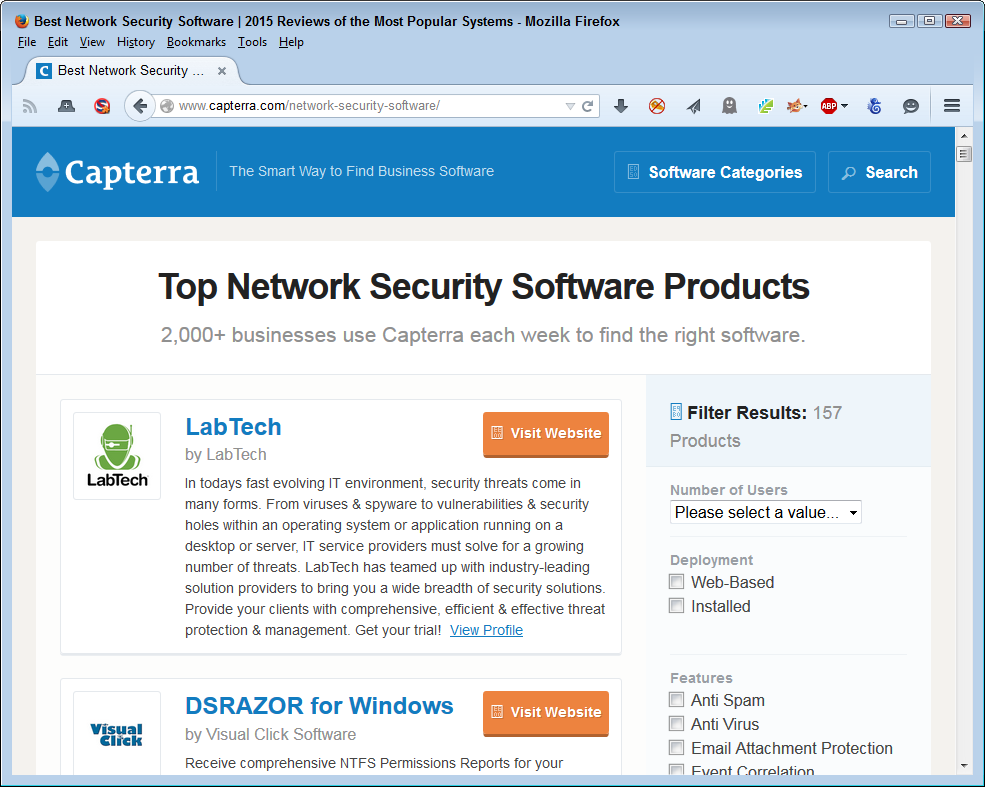
Figure 3-1. Search sites such as Capterra make looking for third-party resources easier
Note
It pays to verify the information you find on Capterra and similar review sites. You can perform some level of verification by doing a web search for a product that interests you to determine if anyone else has provided a review of it. The insights provided by these additional reviews might help you make a better product selection.
Relying on magazine reviews can also be helpful, depending on the magazine you choose. For example, SC Magazine regularly reviews products that could be helpful to the security professional. In fact, you can get the reviews delivered to your inbox. The magazine even sponsors competitions of a sort so that you can determine the most viable solutions available.
Warning
Review sites of any sort are going to contain bias. Even if the site reviews products fairly, using criteria that you can examine and processes that you can verify, a review is still a matter of someone’s opinion and you need to consider whether the person performing the review is informed enough to provide you with the information you need. Over time, you develop a sense that particular sites match your opinion of what really is a good product.
In some cases, you can find organizations that provide snapshots of their members that tend to provide you with consistent information. For example, the Cloud Security Alliance (CSA) falls into this category. By checking out these sites, you can get a quick overview of the players involved in specific security solutions. Of course, the problem is that the organizations provide the write-ups you read, so the information is biased. You can be sure that the vendors supporting the organization have left out any potentially negative aspects of their various products. You need to read these sorts of information sources carefully and then research the potential problems yourself.
Note
The good part about organizational sites is that you often find other helpful sorts of information because it’s in the site’s best interest to keep you involved. Some organizational sites also tell you about upcoming events where you can get additional information about potential solutions, meet with the vendors in person, and discover new techniques that you might not have known about before.
Some online magazine sites feature articles that can provide significant helpful information. For example, the MIT Technology Review article “Improving the Security of Cloud Computing” discusses techniques you can use to keep your data safe. The two solutions provided as part of the article point to issues you might not have considered. In the first case, you read about how computer scientists at the University of California, San Diego, and MIT demonstrated a need for each organization to have its own virtual server (as a result, Amazon changed the way it does things). In the second case, a new technology breaks your data into 16 pieces. You can then recover the data by using any 10 remaining pieces should some sort of failure occur. It’s important to remember that articles normally have a goal, so you need to keep the goal in mind as you decide on the viability of the products featured in the article for meeting your organization’s needs.
Considering Cloud Security Solutions
Organizations store a lot of data in the cloud today to keep costs under control and make the data easily accessible from any location the company may require. Cloud computing, which includes cloud data storage, is here to stay because it simply makes sense to use it instead of relying on custom solutions.
The problem with cloud computing is that it opens your organization to all sorts of problems. For example, you have no way of knowing that the hosting company will keep your data safe. There are way too many stories in the media about organizations that have had data hacked with devastating consequences. In fact, you can easily find stories about how easy it is to hack cloud-based storage, such as the Tech Times article “Cloud Hacking Isn’t as Hard as Most Would Think”. (One possible way around some of the data storage woes of the cloud is to encrypt the data before you send it there using strong encryption techniques. Of course, this solution would necessarily involve a speed penalty for your application due to the need to encrypt and decrypt data continuously.)
The following sections provide some ideas on how you can use third-party solutions to secure your online data. The sections consider three scenarios: data repositories, file sharing, and cloud storage. You may have to use combinations of solutions to create a complete package for your organization. However, these solutions provide you with a good start and will ultimately save time and effort on your part. Best of all, because someone else maintains the solutions, you save money in the long run as well because you aren’t constantly fixing a custom solution.
Warning
A good rule of thumb to remember is that the best way to keep a secret is not to tell anyone. If you have storage requirements for data that simply can’t see the light of day, storing it online is probably the worst possible solution. No matter how well you protect your data, if someone is certain they want to obtain access to it, they will. It’s always easier to hack security than to build it. Consequently, if you have data you must legally keep secure under every potential scenario, then using local company storage that you control is the best idea. The article “Are My Files Really Safe If I Store Them in the Cloud?” tells you just how many different ways hackers can use to access your data and you can be certain that the hackers will come up with more.
Understanding Data Repositories
A data repository can be many things. Just try to find a consistent definition for one online and what you’ll end up with is a new meaning for every site you try. The fact of the matter is that data repository means something slightly different to everyone that uses the term. However, most people will generally agree that a data repository is a centralized data storage location for information that an organization is maintaining as part of an organization’s knowledge base. Using data mining techniques, the organization can probe this knowledge base and actually create new knowledge from it. Of course, there are many other implications of data repositories, but the bottom line is that you’re talking about a lot of data in most cases; some of it maintained, some of it stored for historical reasons. Keeping data of this sort safe is a big job.
Data repositories abound. You can find a host of open data repositories on sites such as Open Access Directory (OAD), as shown in Figure 3-2. You might actually use some of these repositories in your application. So, security isn’t simply a matter of keeping your private repository safe, but also ensuring that any public repository you use is also safe. After all, a hacker doesn’t really care too much about the means used to access your application and ultimately your organization—all that matters is that the access happens.
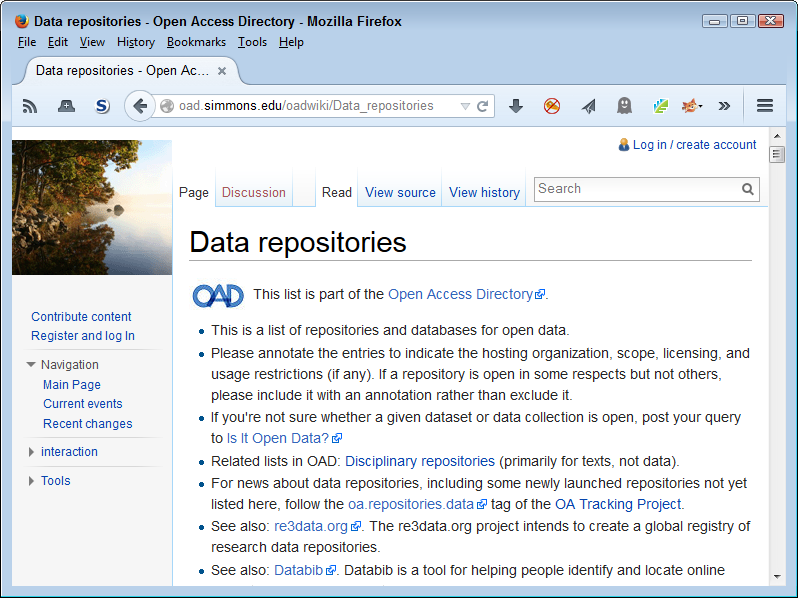
Figure 3-2. Open access repositories provide essential information for some organizations
Few data repositories contain data from just one project or affect just one project. In fact, there is little point to creating such a repository. Most data repositories contain data from a huge number of projects. For example, sourceforge.net contains 90,000+ projects that include every sort of programming project you can think of, including kernel mode software. Traditional approaches to keeping these data repositories secure, such as relying on the administrator to patch the server and manage access to it, don’t work in this case because it’s too easy for maintenance items to fall between the cracks.
A new type of protocol called Secure Untrusted Data Repository (SUNDR) from Secure Computer Systems Group attacks the problem from the client perspective. A client can actually detect modifications to the file. Even if the server is untrusted or compromised in some way, the client can still detect the potential breach in security. The way in which this system works depends on logs maintained on a block server and a consistency server using methods that would be hard (but never impossible) to break. You can see a slideshow presentation of the technology at http://slideplayer.com/slide/3389212/.
It’s important to remember that these new technologies will work hand in hand with existing technologies, such as the security provided by a database manager. They also don’t dismiss your responsibility as a developer for including security as part of your solution. However, what technologies such as SUNDR do provide is another level of defense—this one at the server level and not dependent on the server or the administrator to maintain.
Dealing with File Sharing Issues
File sharing used to mean creating a cumbersome configuration that users hated to use, when it worked at all. In order to create a file sharing scenario, the organization needed to set up a special file server and create a VPN to access it. For a developer, it meant having to write tons of code to work around the problems associated with accessing the data in such an environment, along with an equally large amount of error-trapping code to reduce user frustration when the setup failed to work as planned. Moving data from private networks to cloud solutions maintained by third parties who have the deep pockets required to fund such a solution seems like an obvious solution. An organization can save 65% or more by moving data to a cloud provider instead of hosting the data on a private server.1 Developers gain well-considered and documented APIs to make accessing the data easier. Users gain because there is a lot less frustration in using a publicly accessible file sharing solution and such solutions usually work with every device the user owns.
Warning
It’s essential to realize that any publicly available file sharing service is going to create potential security breaches. No matter how high the host builds the walls, a hacker will come along and dig under them to access your data. Using any sort of file sharing service incurs risks beyond what you might expect when using a VPN. Although many organizations use file sharing services successfully, keep in mind that a VPN is generally more secure and you may have to choose a VPN solution for some storage needs, despite the significantly higher costs.
When most people think about file sharing in the cloud today, they think about products such as Dropbox. It’s true that Dropbox does have an API that developers can use to create interfaces for their applications. The API provides full functionality and you can use it to meet a variety of needs, as shown in Figure 3-3. Of course, Dropbox has taken headlines for security issues as of late,2 and PCWorld has even published an article that details solutions for fixing these problems.
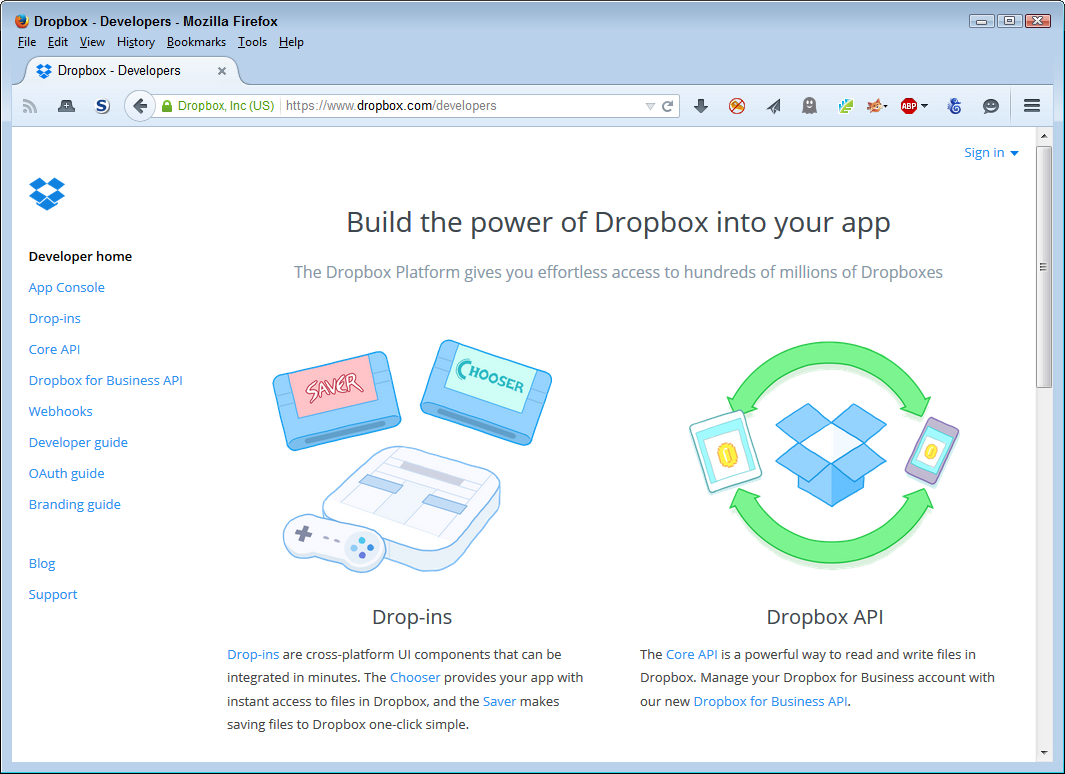
Figure 3-3. The Dropbox API makes online file sharing easy to add to your application
You actually have a number of solutions you can try when creating a file sharing solution for a small- to medium-sized business (SMB). They all come with security issues, so you need to research each one to determine which security issues you’d prefer to deal with. Some, like Dropbox, attract large headlines, but they also have good viable solutions for their security issues. Here is a list of the most common file sharing solutions (besides Dropbox) in use today:
-
Hightail (Formerly YouSendIt)
Choosing a third-party file sharing solution can be difficult. Your organization will have specific goals when choosing a file sharing solution, such as the cost/benefit ratio. However, as a developer, you have other concerns. Here are the sorts of things that you should consider when asking about a file sharing service:
- Well-documented API
- In order to write custom code against the file sharing solution and make some types of access invisible, you need to have a well-documented API.
- Security
- A cloud-based file sharing solution requires a number of unique security features to make it successful:
-
- Cloud tiering
- The most important of these features is cloud tiering, where you can define how the file is stored. Some files appear only on the file sharing service, some have a local copy in addition to the cloud copy, and some appear only on local drives, despite being available through the file sharing service.
- File typing
- Some file types may have special storage requirements. These files could contain sensitive data and you may need to store them locally or encrypt them even if they should appear in a different manner based on the file’s tier.
- Access frequency
- Your application may only access files at a specific frequency. When something accesses the file at a different frequency, it could indicate a security breach. The file sharing service should alert you to this potential issue.
- Global namespace
- In some cases, a file sharing service will provide access in a manner that creates data silos, where accounting has its data completely separate from human resources. Data silos do serve a purpose, but sometimes it’s necessary to store data in such a manner that anyone with rights to do so can access the data from any location using any device. To obtain this sort of access, you need a global namespace.
- Redundancy
- In order to keep writing code and not have to service user needs, you require a file sharing solution that has great redundancy. Otherwise, you can’t ensure the data a user needs will be available at any given time. However, as part of data redundancy, you need to ensure the data is stored securely at each location using individual virtual servers (several types of shared file attacks depend on the attacker gaining access to the target’s server—something that becomes harder when the file sharing service relies on virtual servers attached to individual clients).
Considering Cloud Storage
The term cloud storage encompasses a number of needs. Two of these needs have special mentions in the chapter: data repositories and file sharing services. However, your organization may have other cloud storage needs. It’s usually easier if you can build an application to use a single host, but it may not always be possible. When choosing a host, you must also consider these additional cloud storage requirements:
- Archiving
- Data archiving is different from other sorts of cloud storage in that you need to ensure the data is safe, rather than necessarily accessible. If a major event occurs, you want to ensure that your data remains safe. Organizations previously relied on tapes and other media stored in an offsite location to ensure data security, but today cloud storage addresses this need. Any application you build may have to archive data and ensure that the archival occurs in a secure manner.
- Settings storage
- Your users will want to use all sorts of devices to access all sorts of data in all sorts of ways. Users have no clue that applications require settings to work well and that storing settings locally makes it impossible to create flexible applications that work everywhere. Unfortunately, settings stored in the cloud also make it easy for hackers to guess application features and potentially hack into your organization, so you need to ensure the settings storage is encrypted and is hosted in such a manner as to make any breaches obvious.
- Media storage
- Users require access to all sorts of media today, including video, audio, photographs, presentations, and more. Your application may need to manage the media as part of its purpose, which means relying on features such as tiering to ensure the application and cloud storage handles the data correctly. Your user should only have access to required media and not all the media the organization has to offer.
There are other types of cloud storage that aren’t discussed in this book. For example, most developers don’t have much of an interest in email unless they’re writing an email application. The point is that storage encompasses a broad range of types and requirements that you need to consider as part of your security solution.
Choosing Between Product Types
As you read through this book, you discover how to use various product types to make your coding efforts significantly easier. It’s important to understand that you can categorize coding products in three ways: libraries, APIs, and microservices. Each coding resource type has a specific purpose and helps you meet specific needs. It’s possible to mix and match product types in a single application, but you need to ensure that the products are used in such a manner that they don’t affect security in a negative way. The following sections discuss the different product types and help you understand how you can use them as part of an application strategy. More importantly, you get a glimpse of some of the security issues for each of the product types.
Working with Libraries
Libraries are code that exists in separate files, but you load into your application. The library becomes part of your application. In most cases, you can download libraries to a local server, but in other cases you can’t. Downloading a library to a local server has the benefit of not allowing others to see how you’re using the library to create an application. This practice can also increase application speed by making the loading process faster and easier. In addition, downloading the library means that the library code remains stable, which makes it possible to create more reliable applications.
From a security perspective, it might seem as if downloading a library to a local drive is the best bet. You gain all the benefits of using someone else’s code and don’t have to expose your application to potential hacks based on seeing how you use the library. The downside, from a security perspective, is that using a local copy also means you don’t get automatic updates. This means that your application could contain bugs that the library developer has already fixed and actually make it easier for a hacker to gain entry to your system.
Warning
Whether someone can see what you’re doing with a downloaded library depends on the library’s source language. JavaScript is normally readable in a text editor. Many people obfuscate their JavaScript code (make the code virtually unreadable) in order to make it harder for others to determine what they’re doing with the code. Products such as JScrambler and JavaScript Obfuscator/Encoder do make it quite hard to see what’s going on, but a determined hacker could still do it. It’s also possible to decompile many different types of code files used on the Internet. The point is that you can make things hard by downloading a library and making it unreadable, but you can’t make it impossible to determine how your application works.
When working with libraries, you need to consider the originator’s reputation, as well as the manner in which you use the library in your application. Because a library integrates directly into your application, you need to consider what type of access the library gains to your application internals. It’s important to code defensively when using libraries because you don’t want to tell others too much about how your application works. Some examples of libraries are:
Accessing APIs
APIs are code that you access from your application by making calls to a central location. The APIs exist as a separate entity and you call on that entity from your application. The point is that APIs are completely separate from the other code of your application, so you need to create a reference to it and then make requests to the API. An API is normally attached to some type of service, such as data storage. You use APIs to create a client/server kind of connection, with all the security issues that such a connection implies.
Warning
Some APIs add secured access to help ensure hackers can’t easily use certain exploits to gain control of the API or use it in ways that the creators never envisioned. A few APIs require a name and password combination to obtain access to the service, which is fine as long as the information is sent in encrypted form. However, even using encryption, the data isn’t really safe. As an alternative, APIs can use keys to provide access. Unfortunately, when the keys are exposed, the API endpoints still happily give up information to whoever is requesting it. In short, security problems will occur with an API at some point, but you can employ methods to curtail hacker activity. It’s still important to maintain vigilance and watch for hacker activity when using an API.
A potential problem with APIs is that they can be slow. Your application becomes less efficient and experiences delays. This is an important consideration because users aren’t known for their patience and could end up doing something that will inadvertently break your application while waiting. Broken applications always present security issues that hackers are only too happy to exploit.
It’s also possible for hackers to use man-in-the-middle attacks to access your data when using an API. A man-in-the-middle attack is especially hard to detect because the calls apparently work and you don’t see any difference in the data when you retrieve it later. In the meantime, the hacker uses the data collected to do things like retrieve customer credit card numbers or obtain usable information about your organization. When working with an API, you have to pay close attention to issues such as data encryption to ensure your data remains safe. Some examples of APIs are:
Note
One of the differences between libraries and APIs is that most libraries offer free use, while many APIs cost money to use. In most cases, you can gain access to an API at a level sufficient for testing purposes, but to gain full API functionality you must obtain a key, which means paying for the level of access you require.
In addition, many API hosts require that you test your application in sandbox mode and obtain a certification for the resulting debugged application before the host allows the application to use the actual API. These requirements also add to the cost of using APIs, which can make them less popular than using libraries.
Considering Microservices
Microservices are a new technology that actually builds on existing technologies. A microservice is a sort of mix of web service, API, and library, but in a small package. In fact, microservices have the following list of features that you need to consider:
-
Relies on a small, single-purpose, service-based application to create a fully functional application (each single-purpose application is a microservice)
-
Uses the most appropriate programming language for the task
-
Accesses application data using the most efficient data management technique for the particular microservice
-
Develops lightweight communication between each microservice
-
Depends on protocols such as REST to communicate, so that the pipe is dumb, but the microservice is smart
-
Employs decentralized application management by monitoring each microservice separately
-
Selects each microservice as needed to build any number of full-fledged applications (desktop, mobile browsers, native mobile apps, and even APIs)
Given the way microservices work, you need to consider some of the same issues that you do for both libraries and APIs. For example, a microservice could appear as part of your application code, so you need to consider just how the microservice interacts with the application. In addition, just like an API, you send and receive data when working with a microservice, so it’s possible for man-in-the-middle attacks to cause problems.
From a security perspective, microservices tend to implement security differently than either libraries or APIs. Instead of offering a single solution for everyone and everything that uses the microservices on a site as a whole, each microservice offers individualized security based on that microservices’ needs. As a result, microservices tend to provide better security, but the security is also uneven and harder to work with. Here are some examples of microservices (each of these sites provides access to a number of microservices—you’d choose which microservices you want to use in a particular application):
Note
Because microservices are so new, you’ll find a lot of discussion on just what constitutes a microservice. For some authorities, the number of lines of code (LOC) matters. A service that uses between 200 and 500 LOC is in the microservice range, but a service above that range isn’t. (Fewer than 200 LOC apparently doesn’t provide a sufficient level of functionality.) Consequently, a microservice such as Cloner does meet the requirements (305 LOC), but a microservice such as Deploy Hooks doesn’t (1,240 LOC).
1 “Moving Your Infrastructure to the Cloud: How to Maximize Benefits and Avoid Pitfalls”, “Cost Savings, Efficiencies Lead IT Pros to Cloud Computing”, and “To Find Cloud Cost Savings, All You Need Is a Little Patience” provide additional insights into the whole savings picture.
2 For example, see “Dropbox Drops the Security Notification Ball, Again” and “Wary of Privacy Issues? Ditch Dropbox and Avoid Google, Says Edward Snowden”.