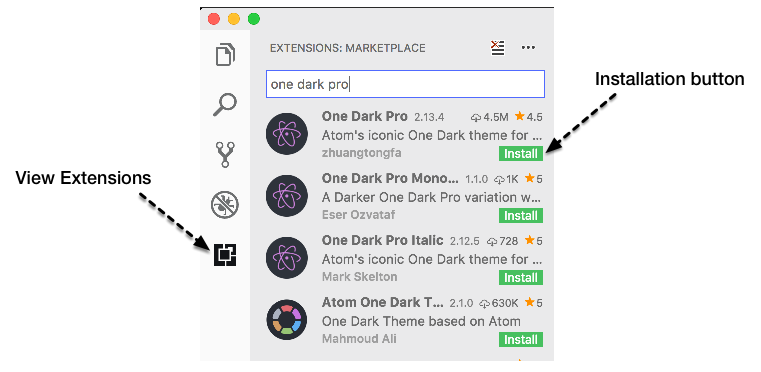
We'll need to install some extensions as part of the configuration process. There are multiple ways to find and install extensions in VS Code. I prefer to click on the Extensions button (fourth button from the top in the Activity bar on the left-hand side of the editor), enter what I'm looking for in the Search box, and press the green Install button for the extension I'd like to install. You could also visit the VS Code Marketplace at https://marketplace.visualstudio.com/vscode, search for and select an extension you'd like to install, and press the green Install button on the extension's page. You can manage extensions through the command line as well. For more information, visit https://code.visualstudio.com/docs/editor/extension-gallery: