Let's try out the build to ensure everything is working correctly. Run the following command in your terminal instance to start the application:
serve -l 8080 dist
If you navigate to http://127.0.0.1:8080/index.html in your browser, you should see this:
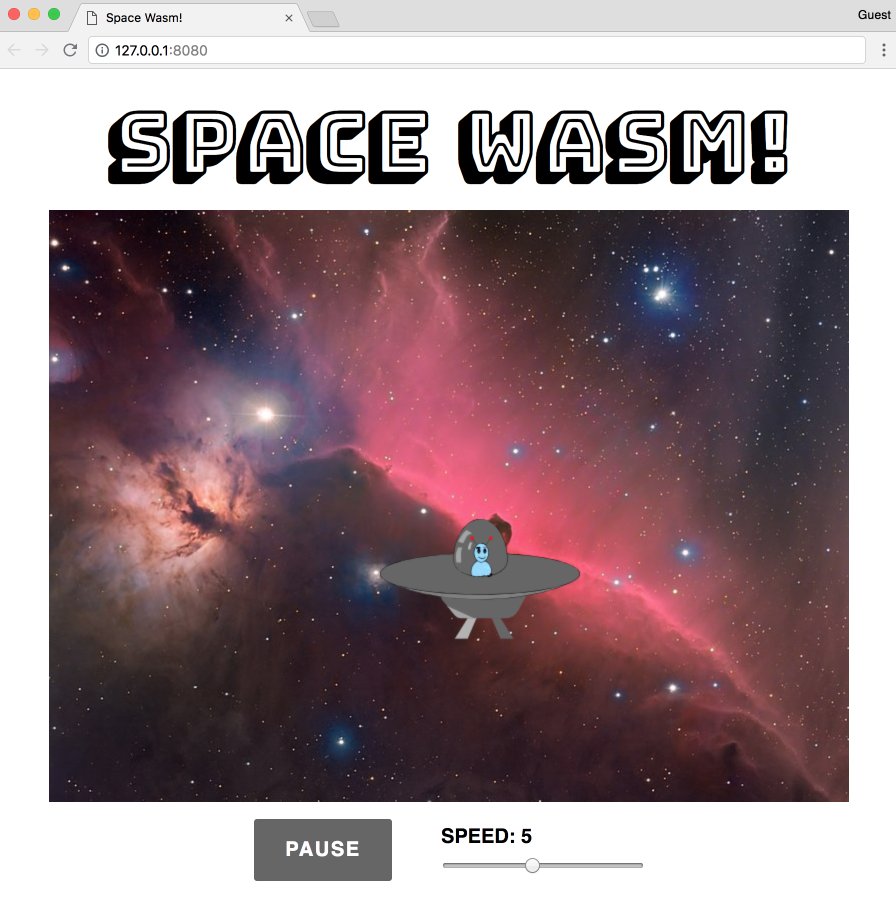
The spaceship image (taken from https://commons.wikimedia.org/wiki/File:Alien_Spaceship_-_SVG_Vector.svg) bounces around within the bounds of the Horsehead Nebula background image (taken from https://commons.wikimedia.org/wiki/File:Horsehead_Nebula_Christmas_2017_Deography.jpg). When the PAUSE button is pressed, the button's caption changes to RESUME and the ship stops moving. Pressing the button again will change the caption back to PAUSE and the ship will start moving again. Adjusting the SPEED slider increases or decreases the speed of the ship.

