
Where Atom is closer to an integrated development environment (IDE) than a text editor, Notepad++ is pretty much what the name implies: good old Notepad with some added features. Some of these added features include being able to have multiple files open at the same time, syntax highlighting, and limited autocomplete. It was initially released in 2003 and only works on Windows.
Notepad++ is characterized by its simplicity. If you are familiar with any kind of Notepad software (who isn't?), Notepad++ should be instantly recognizable. While we recommend using Atom for this book, using a simple solution such as Notepad++ will definitely not hold you back. However, in a business environment, you would almost always create scripts in an already existing version-controlled repository, which is where the added features of Atom really shine.
If you would like to check out Notepad++, grab it from https://notepad-plus-plus.org/download and run the installer (remember, only if you're on Windows!). Keep the default options and run Notepad++ after the installation. You should be greeted by the following screen:
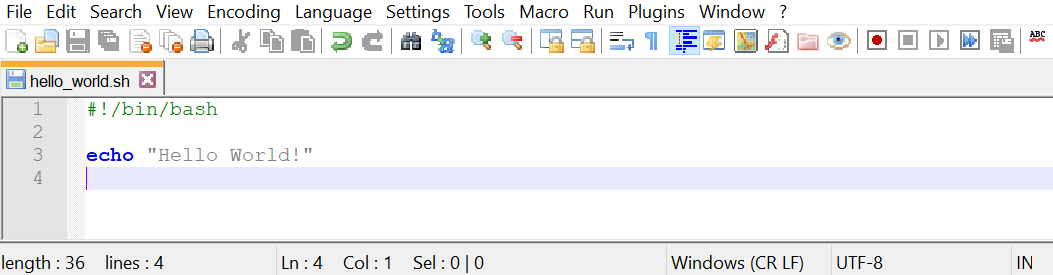
As you can see, when you open a file ending in .sh, you will see syntax highlighting. This is because the .sh extension is reserved for shell script files. This can help you immensely when writing scripts. The example of a missing quote messing up your script will become really apparent with color-based syntax highlighting, possibly saving you many minutes of troubleshooting.
Notepad++ has many other features that make it a great enhanced Notepad. You can use macros to perform scripted tasks, you can install plugins to extend functionality, and there are many more unique features that make Notepad++ an attractive option.