Table of Contents for
Learning React Native, 2nd Edition
 Learning React Native, 2nd Edition
Published by
O'Reilly Media, Inc., 2017
Learning React Native, 2nd Edition
Published by
O'Reilly Media, Inc., 2017
- nav
- Cover
- Learning React Native
- Learning React Native
- Preface
- 1. What Is React Native?
- 2. Working with React Native
- 3. Building Your First Application
- 4. Components for Mobile
- 5. Styles
- 6. Platform APIs
- 7. Modules and Native Code
- 8. Platform-Specific Code
- 9. Debugging and Developer Tools
- 10. Navigation and Structure in Larger Applications
- 11. State Management in Larger Applications
- Conclusion
- A. Modern JavaScript Syntax
- B. Deploying Your Application
- C. Working with Expo Applications
- Index
- About the Author
- Colophon
Chapter 8. Platform-Specific Code
In Chapter 7 we looked at how to write native modules with separate implementations in Java and Objective-C. This raises two questions: first, do all React Native components have implementations on both iOS and Android? Should they? How should you handle platform-specific implementations in your own code?
Not all components are available on all platforms, and not all interaction patterns are appropriate for all devices. That doesn’t mean you can’t use platform-specific code in your application, though! In this section, we’ll cover platform-specific interface and implementations, as well as strategies for how to incorporate platform-specific components into your cross-platform applications.
Tip
Writing cross-platform code in React Native is not an all-or-nothing endeavor: you can mix cross-platform and platform-specific code in your application, as we’ll do in this section.
iOS- or Android-Only Components
Some components are available only on a specific platform. This includes things like <TabBarIOS> or <ToolbarAndroid>. They’re usually platform-specific because they wrap some kind of underlying platform-specific API. For some components, having a platform-agnostic version doesn’t make sense. For instance, the <ToolbarAndroid> component exposes an Android-specific API for a view type that doesn’t exist on iOS anyway.
Platform-specific components are named with an appropriate suffix: either IOS or Android. If you try to include one on the wrong platform, your application will crash.
Components can also have platform-specific props. These are tagged in the documentation with a small badge indicating their usage. For instance, <TextInput> has some props that are platform-agnostic and others that are specific to iOS or Android (Figure 8-1).
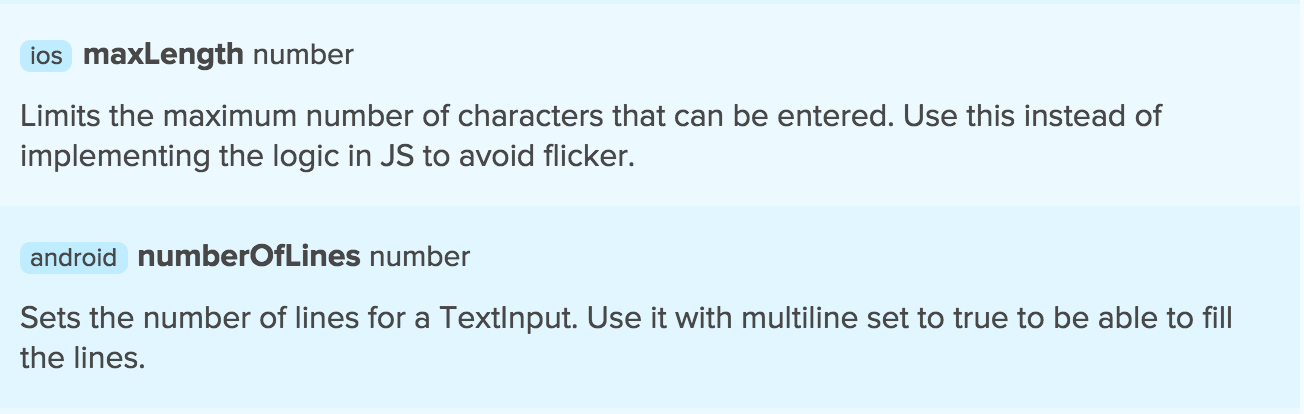
Figure 8-1. <TextInput> has Android and iOS-specific props
Components with Platform-Specific Implementations
So, how do you handle platform-specific components or props in a cross-platform application? The good news is that you can still use these components. By including them inside another component with a platform-specific implementation, you’ll be able to render the appropriate content for each platform your app is designed for.
Note
A platform-specific component works only on a specific platform. For example, <ToolbarAndroid> is Android-only. A component with platform-specific implementation might work on several platforms but may be implemented and behave differently.
A very common practice is to have a parent component that “wraps” platform-specific behavior and presents a unified API. For elements such as navigation UI, this makes a lot of sense; the interaction patterns vary greatly between iOS and Android.
In this section, we’ll discuss how to implement platform-specific behavior in your components.
Using Platform-Specific File Extensions
Remember how React Native applications are initialized with both an index.ios.js and an index.android.js file? This naming convention can be used for any file to create a component that has different implementations on Android and iOS.
Example 8-1 demonstrates the Android implementation of a simple component that shows a pop-up message.
Example 8-1. Newsflash.android.js
importReactfrom"react";import{StyleSheet,Text,View,Alert}from"react-native";exportdefaultclassAppextendsReact.Component{componentDidMount(){Alert.alert("Hey!","You're on Android.");}render(){return(<Viewstyle={styles.container}><Text>What?Ididn'tsayanything.</Text></View>);}}conststyles=StyleSheet.create({container:{flex:1,backgroundColor:"#fff",alignItems:"center",justifyContent:"center"}});
And Example 8-2 shows the iOS version.
Example 8-2. Newsflash.ios.js
importReactfrom"react";import{StyleSheet,Text,View,Alert}from"react-native";exportdefaultclassAppextendsReact.Component{componentDidMount(){Alert.alert("Hey!","You're on iOS.");}render(){return(<Viewstyle={styles.container}><Text>What?Ididn'tsayanything.</Text></View>);}}conststyles=StyleSheet.create({container:{flex:1,backgroundColor:"#fff",alignItems:"center",justifyContent:"center"}});
Example 8-2 looks almost identical to Example 8-1, and it implements the same API. These files need to be located in the same directory.
To import this component, we use:
importNewsflashfrom"./Newsflash";
Note that we left off the file extension. The React Native packager will look for the appropriate file extension to match the platform. On iOS, it will load Newsflash.ios.js (see Figure 8-2). On Android, it will load Newsflash.android.js.
And, just like that, we have a cross-platform component that is compatible with both iOS and Android but that renders differently according to the platform.

Figure 8-2. The Newsflash component for iOS
Using the Platform Module
There’s a second option for writing platform-specific code: the Platform module. This API provides information about the operating system and OS version that your application is running on.
import{Platform}from"react-native";console.log("What OS am I using?");console.log(Platform.OS);console.log("What version of the OS?");console.log(Platform.Version);// e.g., 25 for Android Nougat
The Platform API can be useful when you want to adjust a few elements based on the platform but don’t want to write fully separate component implementations. One common use case is for stylesheets, such as when you have different color schemes for different platforms.
import{Platform,StyleSheet}from"react-native";conststyles=StyleSheet.create({color:(Platform.OS==="ios")?"#FF6666":"#DD4444",});
When to Use Platform-Specific Components
When is it appropriate to use a platform-specific component? In most cases, you’ll want to do so when there’s a platform-specific interaction pattern that you want your application to adhere to. If you want your application to feel truly “native,” it’s worth paying attention to platform-specific UI norms.
Apple and Google both provide human interface guidelines for their platforms which are worth consulting:
By creating platform-specific versions of only certain components, you can strike a balance between code reuse and platform-based customization. In most cases, you should only need separate implementations of a handful of components in order to support both iOS and Android.