Table of Contents for
Learning React Native, 2nd Edition
 Learning React Native, 2nd Edition
Published by
O'Reilly Media, Inc., 2017
Learning React Native, 2nd Edition
Published by
O'Reilly Media, Inc., 2017
- nav
- Cover
- Learning React Native
- Learning React Native
- Preface
- 1. What Is React Native?
- 2. Working with React Native
- 3. Building Your First Application
- 4. Components for Mobile
- 5. Styles
- 6. Platform APIs
- 7. Modules and Native Code
- 8. Platform-Specific Code
- 9. Debugging and Developer Tools
- 10. Navigation and Structure in Larger Applications
- 11. State Management in Larger Applications
- Conclusion
- A. Modern JavaScript Syntax
- B. Deploying Your Application
- C. Working with Expo Applications
- Index
- About the Author
- Colophon
Appendix B. Deploying Your Application
Once you have built your totally awesome application, you’ll want to get it into the hands of your users.
The process for building and deploying your production application varies by platform, and both Google and Apple periodically update the specific steps required. However, the basic process remains the same:
-
Triple-check your assets: application icon, launch screen, and so on.
-
Specify target OS versions and devices.
-
Create a release build.
-
Get your paperwork in order.
-
Create an App Store and Play Store listing, including promotional screenshots.
-
Send the app to your beta testers and solicit feedback.
-
Submit for review.
-
Release!
Check Your Application Assets and Specify Target OS Versions and Devices
It’s easy to overlook these steps during development. You’ll want to make sure that you have a suitable application icon and launch screen for your application in the correct sizes and resolutions for all the devices you intend to target.
Similarly, for any images, video, or other assets utilized by your application, make sure that you have included versions appropriate to each targeted device.
Create a Release Build
You will need to compile your application into a production-ready release build before shipping it off to your end users. This version of your application won’t have debugging enabled and will include the bundled JavaScript instead of relying on the React Native packager.
For both iOS and Android, the official React Native documentation includes guidance on creating production-ready builds.
Complete Your Paperwork
In order to distribute your application to Android devices, you’ll probably want to register with Google Play. Similarly, you’ll need to register for an Apple Developer account in order to submit to the App Store.
As part of this process, you need to provide some standard information, such as contact and payment information.
Beta Test Your Application
You’ll want to test your application on a variety of devices and operating system versions. How does it perform in landscape versus portrait mode? With low battery? With a slow network? What happens when you get interrupted by push notifications?
Getting your application into the hands of real users is the best way to evaluate how your application performs in real-world scenarios. Both the Play Store and the App Store have built-in programs to facilitate distribution of your application to beta testers.
Create a Listing
You’ll need to convince people to download your application! Gather your promotional screenshots, select the appropriate category, and write a compelling description.
Once that’s done, you can submit your application for review.
Wait for Review
As web developers, we’re used to having more control over our deploy processes. You may be accustomed to shipping code to production many times in a single day, where versions are usually a nonissue. With the iOS App Store and Google Play Store, deployment is more complicated, and new version releases typically require review. Review times vary from a day to a couple of weeks. Thus, it’s important to take the submission and review process into account during your planning phase.
Release
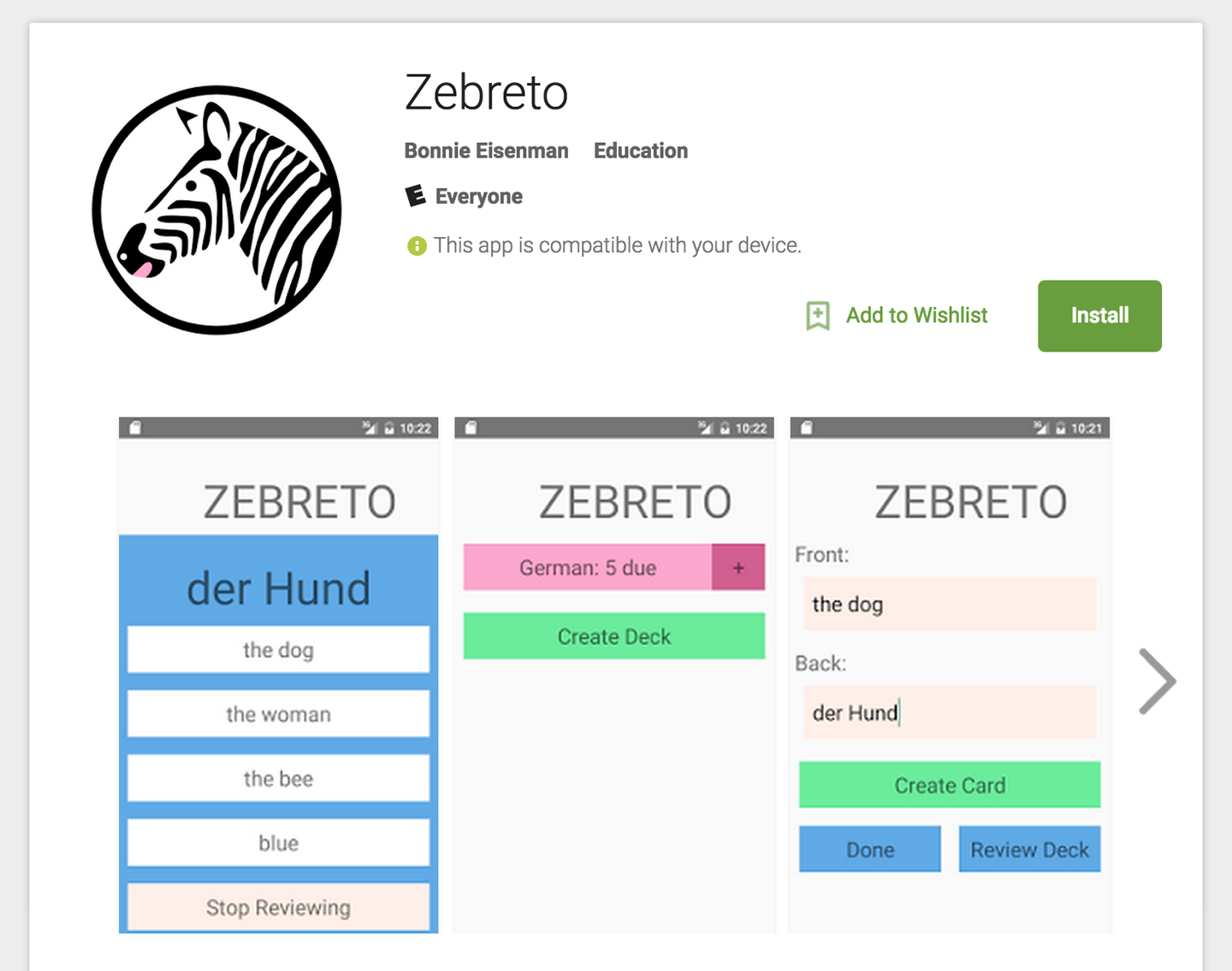
After putting in the hard work to create your application, seeing it go live (Figure B-1) can feel exhilarating. However, releasing your application to users is just the beginning, as you’ll have to support your application postrelease. Unlike the web, where you can deploy often and easily, new mobile versions take time, and have a longer lifespan. Many iOS and Android users don’t have auto-updating enabled, so every version counts. And at minimum you’ll need to wait for application review each time you wish to submit an update or bug fix. (For truly critical bug fixes, you can request an expedited review, but use these carefully.)