To serve HTML pages, we will need to implement a view middleware and a templating engine. The templating engine will help us pass and use data from our application in our views and make the views reusable. We will be making use of the koa-views publicly available middleware as our template rendering middleware. We will also use ejs along with it as the templating engine of choice.
To register our view renderer and templating engine, add the following line to the ./index.js file as shown here:
// ./index.js

// ...
const views = require('koa-views');

app.use(views(`${__dirname}/views`, {
  extension: 'ejs'
}));
In the preceding code block, first, we require the koa-views middleware. Next, we register it using the views(dirName, [options]) middleware function.
The middleware function takes the directory name containing the views as the first parameter, then an object of options as its second parameter. We pass in the { extension: 'ejs' } option to specify that our views are ejs files; hence, we do not have to explicitly write the file extensions when using the ctx.render() function later. For the full list of options accepted by koa-views, you can check its documentation (https://www.npmjs.com/package/koa-views).
Next, let's create a simple view to serve as our application's home page. We will create an index.ejs file in the views folder and insert the following content into it:
<!-- ./views/index.ejs -->

<!DOCTYPE html>
<html>
<head>
  <meta charset="utf-8">
  <meta name="viewport" content="width=device-width, initial-scale=1">
  <title>Welcome - KoaBlog</title>
  <link rel="stylesheet" href="https://cdnjs.cloudflare.com/ajax/libs/bulma/0.7.2/css/bulma.min.css">
</head>
<body>
  <section class="section">
    <div class="container">
      <div class="columns">
        <div class="column">
          <h1 class="title"><a href="/">KoaBlog</a></h1>
          <p class="subtitle">Blog built with Koa!</p>
        </div>
      </div>
    </div>
  </section>
</body>
</html>
In the preceding markup, we include bulma, a popular CSS framework, to give us access to some pre-made styles out of the box. This helps to make our views look a bit prettier.
Finally, in our router middleware, we can specify that the file should be served using the now-available ctx.render() method as seen here:
// ./middleware/router.js

router.get('/', ctx => ctx.render('index'));
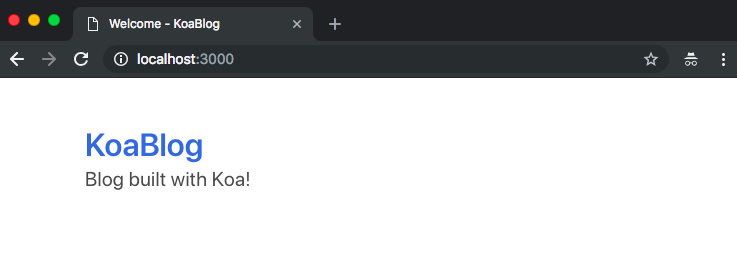
Now when we visit our index route, instead of plain text we should see the index.ejs file rendered as HTML as seen here: