In order to be able to visit different endpoints, we need to set up some form of a router, to route different URL oath visits to different actions. Koa does not come bundled with an out-of-the-box router like Express does; hence, we will be making use of koa-router, which is an open source RESTful router for use with Koa.
Let's start off by creating a router.js file in the middleware folder, and inserting the following contents:
// ./middleware/router.js

const KoaRouter = require('koa-router');
const router = new KoaRouter();

router
  .get('/', async ctx => (ctx.body = 'Welcome to the contacts API!'));

module.exports = router;
In the preceding code block, we require the koa-router dependency, and we initialize it. After that, we register an index route, which sends the Welcome to the contacts API! text response. Then, we export it to be registered as a middleware in our index file.
To define a route, we call the HTTP verb method of the router, which takes the route path as the first parameter, and a callback function as the second. For example, for a GET route, we use router.get(); for a POST route, we use router.post(); and so on.
Update the index.js file, as follows:
// ./index.js

// ...
const router = require('./middleware/router');

// router
app.use(router.routes());
app.use(router.allowedMethods());

// ...
After requiring the router middleware, we register it with the router.routes() and router.allowedMethods() methods. The .routes() method registers the routes that we define via the router, and the .allowedMethods() method returns a separate middleware for responding to the OPTIONS requests, with the Allow header containing the allowed methods.
Our complete index.js file will now look as follows:
const Koa = require('koa');
const router = require('./middleware/router');
const app = new Koa();

const mongoose = require('mongoose');
mongoose.connect(
  'mongodb://localhost:27017/koa-contact',
  { useNewUrlParser: true }
);

const db = mongoose.connection;
db.on('error', error => {
  throw new Error(`error connecting to db: ${error}`);
});
db.once('open', () => console.log('database connected'));

// router
app.use(router.routes());
app.use(router.allowedMethods());

const port = process.env.PORT || 3000;
app.listen(port, () =>
  console.log(`Server running on http://localhost:${port}`)
);
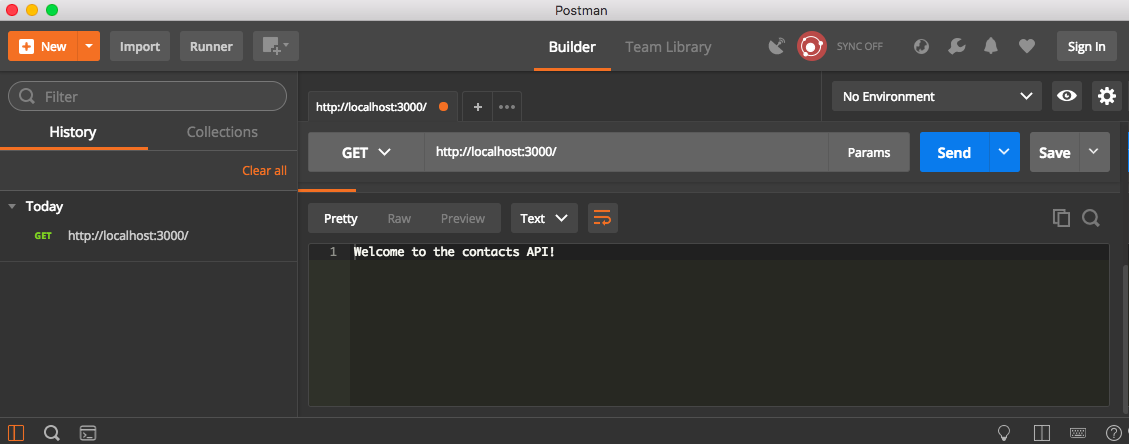
With the router middleware and the routes registered, we can test the GET / route with Postman or a browser; we should see the Welcome to the contacts API! response, as shown in the following screenshot: