Next, we will set up our router to handle routing to different pages of our application. We will use koa-router, the popular RESTful routing middleware for Koa.
Let's create a router.js file as shown, which will contain all our route definitions in the middleware folder:
touch middleware/router.js
After creating the file, we can insert the following content into it:
// ./middleware/router.js

const KoaRouter = require('koa-router');

const router = new KoaRouter();
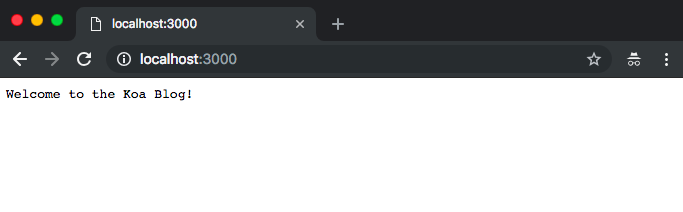
router.get('/', ctx => (ctx.body = 'Welcome to the Koa Blog!'));

module.exports = router;
In the preceding code block, we require koa-router, and then create a new instance of the middleware and register a simple route for the index route.
Next, we register our middleware in our entry file, updating ./index.js as shown:
// ./index.js

// ...
const router = require('./middleware/router');

// router
app.use(router.routes());

// ...
After the addition, at this point, the complete index.js will look like this:
const Koa = require('koa');
const router = require('./middleware/router');
const initDb = require('./db');

// initialize database
initDb();

// create app instance
const app = new Koa();

// register middlware
app.use(router.routes());

// start server
const port = process.env.PORT || 3000;
app.listen(port, () => console.log(`Server running on http://localhost:${port}`));
Now that we have the router defined and registered, a request to http://localhost:3000 should produce a result similar to what is seen in this screenshot:
Remember to replace the port when visiting the app on your browser if you are using a different one than 3000.