Table of Contents for
The CSS Detective Guide: Tricks for solving tough CSS mysteries
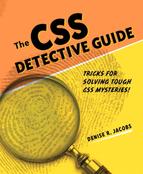 The CSS Detective Guide: Tricks for solving tough CSS mysteries
Published by
New Riders, 2010
The CSS Detective Guide: Tricks for solving tough CSS mysteries
Published by
New Riders, 2010
- Cover Page
- Title Page
- Copyright Page
- Dedication
- Acknowledgments
- Contents
- Part 1. The Detective’s Apprentice
- 1. Investigating the Scene of the Crime
- 2. The Tools of the Trade
- 3. Giving the Third Degree
- 4. The Usual Suspects
- Part 2. The Game’s Afoot!
- 5. The Case of the Devilish Details
- 6. The Case of the Mistaken Identity
- 7. The Case of the Single White Space
- 8. The Case of the Float with a Mind of Its Own
- 9. The Case of the Browser Who Hated Me
- 10. The Case of the LOL Layout
- Appendix
- Index
Appendix
Resources
See? I’ve kept my word to you. Here is a compilation of resources—more in-depth information than could be covered in the main part of this book—that will provide food for thought and advanced techniques. Enjoy!
Chapter 1: Investigating the Scene of the Crime
Having a shallow foundation in web design and development is acceptable, but possessing a deeper knowledge of the languages, properties, and browser support thereof can really help you understand the source of problems down the line, and may even help to prevent them.
Differences between HTML & XHTML
If you want to delve further into the differences between HTML and XHTML, these pages will lend great history, comparisons, and opinions on which one to use.
HTML & XHTML frequently answered questions
http://www.w3.org/MarkUp/2004/xhtml-faq
Nice overview of the differences between HTML and XHTML from the W3C itself. If you can’t trust this source, I’m not sure who you can trust.
Frequently asked questions about XHTML vs. HTML
http://www.sitepoint.com/forums/showthread.php?t=393445
Another great resource comparing the markup languages that also gives a bit of clarification about which is better.
HTML
http://en.wikipedia.org/wiki/HTML
A great overview on Wikipedia, with important history behind the versions of HTML and XHTML, plus a nice breakdown of the differences between transitional and strict doctypes.
XHTML
http://en.wikipedia.org/wiki/XHTML
Good explanation on Wikipedia of why XHTML was developed, as well as some criticisms about it.
Properties inherited by default
Simply knowing that some style properties are automatically inherited isn’t enough; you should also know which ones are inherited so you won’t create unnecessary declarations.
Cascading order & inheritance in CSS
http://monc.se/kitchen/38/cascading-order-and-inheritance-in-css
Nice article explaining order and inheritance, plus a comprehensive list of all of the CSS properties inherited by default.
CSS cheat sheet: inheritance, cascade, specificity
http://www.communitymx.com/content/article.cfm?cid=2795D
Another article that lists the properties. Not as thorough as the article above, but still provides valuable content on the cascade and specificity.
CSS selector browser support
Browser-support charts are critical to have at your fingertips when creating your code, especially when trying to achieve cross-browser compatibility or targeting specific browsers.
CSS browser support
http://www.evotech.net/blog/2009/02/css-browser-support
A concise, up-to-date chart that gives you the information you need about which selectors are supported by the popular browsers.
CSS selectors: basic browser support
http://dev.l-c-n.com/CSS3-selectors/browser-support.php
Similar to the chart on Evotech.net, but also adds the CSS version number of the selector and lists CSS3 selectors.
CSS contents & browser compatibility
http://www.quirksmode.org/css/contents.html
Provides some additional information such as support of multiple selectors.
Web browser CSS support
http://www.webdevout.net/browser-support-css
Another good chart on the browser support for CSS properties and selectors.
Comparison of layout engines (Cascading Style Sheets)
http://en.wikipedia.org/wiki/Comparison_of_layout_engines_(CSS)
Great Wikipedia article for geeking out on information about CSS support for the engines driving the browsers rather than the browsers themselves. Gives a better idea of which browsers are related to each other based on their code engine.
CSS differences in Internet Explorer 6, 7, & 8
http://www.smashingmagazine.com/2009/10/14/css-differences-in-internet-explorer-6-7-and-8/
Good summary of the differences in CSS support between the major versions of Microsoft Internet Explorer.
Chapter 2: Tools of the Trade
How can you get better at figuring out CSS problems or stopping them before they start? You should know what the default styles are for the browsers, and you need a good reference that lists all of the CSS properties and values for common elements, as well as the whys and wherefores of CSS resets.
User agents’ style sheets
The user agents’ default style sheets are a key aspect in the CSS cascade. Being aware of the differences between them is not only illuminating, but also provides a good foundation for troubleshooting. These articles show the importance of making some values explicit in your styles as well as the argument for a CSS reset.
CSS2.1 User-agent style sheet defaults
http://css-class.com/test/css/defaults/UA-style-sheet-defaults.htm
A superb resource for familiarizing yourself with the default style values for the various browsers. A compelling and informative read as well.
User-agent style sheets: basics & samples
http://meiert.com/en/blog/20070922/user-agent-style-sheets/
A fantastic compiled list of links to the actual CSS files of the popular browsers.
CSS properties & values charts
You don’t need to memorize all of the CSS properties, but you do need a reliable source to check if you are unsure of a property’s structure or values.
Full property table (CSS2)
http://www.w3.org/TR/CSS21/propidx.html
The full list of CSS2 properties from the W3C.
CSS reference
http://www.w3schools.com/css/css_reference.asp
A site where you can look up a CSS property and get the information you need about its terms of use, values, and examples.
CSS properties index
http://meiert.com/en/indices/css-properties/
Another great listing of CSS properties, boasting CSS3 properties as well as the default value for all properties listed.
90 CSS properties, values, & browser support
http://www.evotech.net/blog/2009/05/css-properties-values-and-browser-support/
Another useful chart from Evotech.com; lists the CSS properties and their browser support.
Introduction to CSS3
http://www.w3.org/TR/2001/WD-css3-roadmap-20010523/
An introduction to the new properties coming in CSS3.
CSS reset
Whether or not to use a CSS reset is purely a matter of choice, and there are pros and cons to all approaches. Here are some great resources for the most popular CSS resets.
A killer collection of global CSS reset styles
http://perishablepress.com/press/2007/10/23/a-killer-collection-of-global-css-reset-styles/
Fantastic compilation of just about every CSS reset available, with reviews of the pros and cons of each. Includes Eric Meyer’s very popular CSS reset.
CSS frameworks & CSS reset: design from scratch
http://www.smashingmagazine.com/2007/09/21/css-frameworks-css-reset-design-from-scratch/
Many of the CSS resets listed in the PerishablePress.com article (above) are in this listing from Smashingmagazine.com. The information on CSS frameworks is useful for familiarizing yourself with the concepts.
Yahoo’s YUI
http://developer.yahoo.com/yui/
Along with Eric Meyer’s reset, YUI is one of the most popular CSS resets out there. There is YUI 2 and YUI 3—you can get to either from this index page.
Creating your own CSS reset
I have always had a strong leaning toward DIY. If you choose to use a CSS reset, it may be worth it to make one that perfectly fits your needs rather than tweaking a premade one.
To CSS reset or not to CSS reset
http://www.peachpit.com/blogs/blog.aspx?uk=To-CSS-Reset-or-Not-to-CSS-Reset
Gives the pros and cons of CSS resets, the thinking you need to create one of your own, and further explanations of the popular resets.
Weekend quick tip: create your own simple Reset.css file
This is another great tutorial on creating a CSS reset that fits your needs and coding style.
Is your CSS reset doing more harm than good?
http://www.fivefingercoding.com/xhtml-and-css/create-custom-css-reset
Nice overview of how to create your own unique CSS reset customized for the needs of each project.
Chapter 3: Giving the Third Degree
Part of giving the third degree is knowing what makes your subjects tick. Knowing what to do when a browser switches into a different mode will help you do just that.
Doctypes & browser modes
Doctype switching is important to consider when troubleshooting. These articles outline which browser mode each doctype triggers. They also provide background about how doctype switching came about.
Activating browser modes with doctype
http://hsivonen.iki.fi/doctype/
Outlines the modes, what triggers them, and their effects. An up-to-date chart with the doctypes and browser engines is presented at the end of the article.
Quirks mode & strict mode
http://www.quirksmode.org/css/quirksmode.html
Very good overview of the background behind browser modes, and a chart of the differences in properties between the various modes.
Mozilla’s doctype sniffing
https://developer.mozilla.org/en/Mozilla%27s_DOCTYPE_sniffing
Doctype modes in Mozilla.
CSS enhancements in Internet Explorer 6
http://msdn.microsoft.com/en-us/library/bb250395%28VS.85%29.aspx#cssenhancements_topic2
Doctype modes in IE and their effects on page elements.
The Opera 9 doctype switches
http://www.opera.com/docs/specs/doctype/
Doctype modes in Opera and comparisons with other browsers.
Validators
If you have a hunch about your code, you must get validation. Here are the industry-standard validators.
Markup validation service
The markup validator, provided by the W3C.
CSS validation service
http://jigsaw.w3.org/css-validator/
The CSS validator, provided by the W3C.
HTML & CSS validator Firefox extensions
https://addons.mozilla.org/en-US/firefox/
Do a search on the Mozilla Firefox extension site to install the validators of your choice right into Firefox. It’ll save you the trouble of going to the W3C site.
Accessibility checkers
While accessibility isn’t covered as a topic in the book, keeping it in mind is extremely important and will help you design and develop more effective websites.
WAVE: Web accessibility evaluation tool
The WAVE provides visual feedback by showing the semantics of the page and the content of the link and image files (alt text, and so on). This will help you remember to put meaningful information in your tags for all users.
Color blindness simulator
http://www.vischeck.com/vischeck/vischeckURL.php
I love tools that simulate color blindness, because it keeps designers on their toes when creating color schemes for sites. Contrast and readability are key for usability and accessibility, so checking with this simulator can be extremely useful.
Chapter 4: The Usual Suspects
Conditional comments and the display property are two methods you can use to deal with the cast of buggy characters.
CSS conditional comments
Conditional comments and their syntax, values, hacks, and the style sheets you should serve with them—it’s all here.
About conditional comments
http://msdn.microsoft.com/en-us/library/ms537512%28VS.85%29.aspx
Microsoft Developer Network’s full explanation of conditional comments, their syntax and values, and how to construct them.
How to create an IE-only style sheet
http://css-tricks.com/how-to-create-an-ie-only-stylesheet/
Ready-made conditional comments (and CSS hacks) for all versions of IE.
Hack-free CSS for IE
http://virtuelvis.com/archives/2004/02/css-ie-only
Similar to the article above, but with additional information about source order for serving multiple IE-specific style sheets.
Supporting IE with conditional comments
http://dev.opera.com/articles/view/supporting-ie-with-conditional-comments/
Opera is kind enough to outline CSS IE hacks, conditional comments, and how to construct an IE-specific style sheet that targets the main browser bugs and issues.
The display property
The display property can be a powerful tool in many situations. The articles below provide deeper information on what it does and how it works.
Visual formatting model
http://www.w3.org/TR/CSS2/visuren.html
A thorough list of all of the values of the display property from the W3C.
The display declaration
http://www.quirksmode.org/css/display.html
A useful chart of the support for the display property by the popular browsers as well as good visual examples of how each value works.
Chapter 9: The Case of the Browser Who Hated Me
No matter what your feelings are about IE6 (and to some degree, IE7), it is here to stay for a little while longer. Best to bone up on all the information out there, so you’ll know what to expect from the little dear and how to deal with it.
IE bugs
It would be so nice if IE bugs didn’t exist, but they are what keep us on our toes and push our brains to innovate solutions. Know your bugs so you can code proactively or develop a new solution that no one else has thought of yet.
Explorer Exposed!
http://www.positioniseverything.net/explorer.html
Position Is Everything is one of the most well-respected sources on browser bugs on the web. This website examines major IE bugs in depth and provides solid fixes for all of them.
Internet Explorer Bugs
http://css-class.com/test/bugs/ie/ie-bugs.htm
Another good repository of IE bugs, bug examples, and fixes.
Internet Explorer & CSS issues
http://www.webcredible.co.uk/user-friendly-resources/css/internet-explorer.shtml
Light, easy-to-read overview of some of the more popular bugs in IE. Good to read before digging into more in-depth, technical articles.
CSS & Developing for IE6/7
It’s best to have tricks up your sleeve for developing for IE6 and IE7 before you even have to do any troubleshooting and adjusting.
Developing CSS for IE6 & IE7
http://www.edgeofmyseat.com/blog/developing-css-for-ie6-and-7
Great overview of the steps necessary for building a page and then fixing all the IE problems that come up.
Universal Internet Explorer 6 CSS
http://forabeautifulweb.com/blog/about/universal_internet_explorer_6_css/
Relevant points about how to answer “the IE question” and a solution in the form of a style sheet that addresses the known issues.
Cross-browser testing resources
If you don’t look at your pages in other browsers, then how will you know if your code is solid? Cross-browser testing isn’t an option, it is an absolute necessity. All you need are some reliable ways to accomplish it.
Multiple IE installer
http://tredosoft.com/Multiple_IE
I thanked the heavens when Estelle Weyl of Evotech.com turned me on to this. Awesome to have all versions of IE on one machine. A little bugginess with IE7, but functional.
IETester
http://www.my-debugbar.com/wiki/IETester/HomePage
An application that simulates multiple versions of IE in one place.
Seven fresh and simple ways to test cross-browser compatibility
http://freelancefolder.com/7-fresh-and-simple-ways-to-test-cross-browser-compatibility/
Reviews of multiple apps and sites that do cross-browser testing or provide it as a service.
Chapter 10: The Case of the LOL Layout
An issue like hasLayout, PNG support by IE6, or cross-browser rendering is no laughing matter. However, these resources will help you feel more confident when tackling such problems, and at least one may even make you smile.
hasLayout
Oh, how I love the excitement that hasLayout brings to working with IE6! Below are some must-reads to really understand the ins and outs of giving layout or taking it away as the situation warrants.
HasLayout overview
http://msdn.microsoft.com/en-us/library/bb250481%28VS.85%29.aspx
Microsoft’s explanation of the hasLayout quality and its implications.
On having layout
http://www.satzansatz.de/cssd/onhavinglayout.html
This article seems to be the premier source on hasLayout, its effects, and ways to deal with it. A very detailed and long read, but invaluable in terms of content.
Welcome to hasLayout.net
Despite the name, haslayout.net not only covers hasLayout issues, but also provides examples and fixes for many other CSS bugs.
The Internet Explorer hasLayout property
http://reference.sitepoint.com/css/haslayout
This article is a condensed version of the information in the “On Having Layout” article (above), and thus a good starter article to familiarize yourself with the issues around hasLayout.
PNG-24 support for IE
PNG is really a wonderful image format, and it’s a wonder that it has only fairly recently become widely adopted. One of the main culprits is the lack of support by IE6, but the following scripts provide viable workarounds.
PNG transparency for Internet Explorer (IE6 & beyond)
http://christopherschmitt.com/2007/10/30/png-transparency-for-internet-explorer-ie6-and-beyond/
Good article on the background of PNGs, how they work, and how to put PNG support into your pages for IE6.
IE PNG Fix 2.0 Alpha 4
http://www.twinhelix.com/css/iepngfix/
One of several great and easy solutions for getting PNGs to show up correctly in IE6.
Transparent PNGs in Internet Explorer 6
http://24ways.org/2007/supersleight-transparent-png-in-ie6
Another script to enable PNGs to show up in IE6.
Unit PNG fix
http://labs.unitinteractive.com/unitpngfix.php
And yet another script to enable PNGs to show up in IE6. It is good to have multiple options, try them all, and see what works best for you.
Websites looking the same cross-browser
As designers and developers, we may be inclined to think that having your pages show up 100 percent identical across browsers is the ultimate goal, but that aspiration may be unrealistic. Here are some tips on how to get as close as possible, but also some ideas on when to stop.
Tutorial: ten tips for building cross-browser websites
http://www.elated.com/articles/cross-browser-website-tips/
Good, generalized tips for getting your website to be as close as possible cross-browser.
The cross-browser conundrum
http://www.worthwhile.com/blog/the-cross-browser-conundrum/
Some thoughts on cross-browser closeness in design, and thoughts for dealing with others’ expectations of how the sites will look in different browsers.
Do websites need to look exactly the same in every browser?
http://dowebsitesneedtolookexactlythesameineverybrowser.com/
I believe you will appreciate the answer that this website provides.
Page semantics & lists
There may be a situation where you opted for paragraph text but a list would be better. These articles will help you determine where to implement lists and their proper structure.
Using HTML lists properly
http://green-beast.com/blog/?p=185
Good explanation of lists, their construction, and the situations that each type of list is used for.
HTML lists
http://dev.opera.com/articles/view/16-html-lists/
Especially relevant is the section “The difference between HTML lists and text.”
Image Credits/Attributions
Chapter 4: The Usual Suspects
Graphics
• 3D version of box model from HicksDesign.co.uk: http://www.hicksdesign.co.uk/boxmodel/, CC BY 2.0
• Fingerprints of Anna Timiriova: http://commons.wikimedia.org/wiki/File: Fingerprints_of_Anna_Timiriova_3.jpg, part of the public domain.
Chapter 5: The Case of the Devilish Details
Graphics
• Logos designed by the author.
Chapter 6: The Case of the Single White Space
Site design inspiration from Etsy.com.
Photos
• Photo of Stefani Whylie taken by the author. Used with permission.
• Photo of Angelia Betancourt taken by the author. Used with permission.
• Video still of Stephanie Troeth, from http://hippiesque.com. Used with permission.
• All jewelry photos came from Flickr.com users, and are all Creative Commons licensed, CC BY 2.0.
• Blue and brown necklace: http://www.flickr.com/photos/madzik/36801146/
• Teal and green glass earrings: http://www.flickr.com/photos/juniperberry/2106502090/, and http://www.flickr.com/photos/juniperberry/2108578751/
• Amethyst and rhodolite garnet earrings: http://www.flickr.com/photos/mmadden/
• Turquoise necklace: http://www.flickr.com/photos/expressyourself-7/3847134534/
Chapter 7: The Case of the Mistaken Identity
Photos
• Main photo of author, courtesy of Bill Wisser Photos, http://billwisserphoto.com. Used with permission.
• Community pictures are the avatars of friends of the author on Twitter.
• All food and restaurant photos taken by the author.
Other
• Design element for logo from istockphoto.com
Chapter 8: The Case of the Float with a Mind of Its Own
This site is dedicated to the memory of my father, Dennis Raymond Jacobs.
Photos
• Walking Away: http://www.flickr.com/photos/saneboy/3811734996/, CC BY 2.0
• Twin Maples: http://www.flickr.com/photos/laserstars/623654566/, CC BY 2.0
• All other photos are stock photography from istockphoto.com.
Chapter 9: The Case of the Browser Who Hated Me
Site concept inspiration from T-mobile “Life is for Sharing” video: http://www.youtube.com/watch?v=mUZrrbgCdYc
Photos
• All dance photos came from Flickr.com users, and are all Creative Commons licensed, CC BY 2.0
• Dancing at the Bedouin Lounge: http://www.flickr.com/photos/itzafineday/3812947642/
• Dance! http://www.flickr.com/photos/kkendall/3613416741/
• Spontaneous Dance party: http://www.flickr.com/photos/jordanfischer/3583935971/
• Fancy/Fringe Dancer: http://www.flickr.com/photos/78428166@N00/873166776/
• 6–10 year old Breakdancers: http://www.flickr.com/photos/m500/3541920725/
• Parkdancing (The Dirty Urchins): http://www.flickr.com/photos/yourdon/3903019257/
• Holland Dance Festival Preview: http://www.flickr.com/photos/haagsuitburo/4046910999/
• Photo of Darshan Bhuller used with permission.
• Photo of Deloria Jacobs (mother of the author) used with permission.
• All other photos are stock photography from istockphoto.com.
Other
• Design elements for logo from istockphoto.com
Chapter 10: The Case of the LOL Layout
Site concept inspiration from: icanhazcheeseburger.com, lolcat.com, lolcats.com, and moderncat.net.
Photos
• Product photos from sites listed on moderncat.net.
• All cat photos are those of the author. No cats were harmed in the making of this website, and no kitty labor laws were broken.
Other
• Design elements for logo from istockphoto.com