Table of Contents for
Network Security with OpenSSL
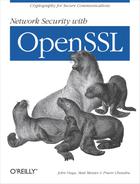 Network Security with OpenSSL
Published by
O'Reilly Media, Inc., 2002
Network Security with OpenSSL
Published by
O'Reilly Media, Inc., 2002
- Cover
- Network Security with OpenSSL
- Network Security with OpenSSL
- Dedication
- A Note Regarding Supplemental Files
- Preface
- 1. Introduction
- 2. Command-Line Interface
- 3. Public Key Infrastructure (PKI)
- 4. Support Infrastructure
- 5. SSL/TLS Programming
- 6. Symmetric Cryptography
- 7. Hashes and MACs
- 8. Public Key Algorithms
- 9. OpenSSL in Other Languages
- 10. Advanced Programming Topics
- A. Command-Line Reference
- asn1parse
- ca
- ciphers
- crl
- crl2pkcs7
- dgst
- dhparam
- dsa
- dsaparam
- enc
- errstr
- gendsa
- genrsa
- nseq
- passwd
- pkcs7
- pkcs8
- pkcs12
- rand
- req
- rsa
- rsautl
- s_client
- s_server
- s_time
- sess_id
- smime
- speed
- spkac
- verify
- version
- x509
- Index
- About the Authors
- Colophon
- Copyright
Name
dsa
Synopsis
The dsa
command is used modify DSA private keys
or examine their contents. The command may be used to remove
encryption from a private key, add it to a private key, or change the
encryption that is used on a private key. The command can also be
used to compute a public key from a private key.
Options
- -in filename
Specify the name of a file from which a DSA private key will be read. If no file is specified,
stdinis used.- -inform DER|PEM
Specify the format, DER or PEM, of the key that is read as input. If this option is omitted, the default format is PEM.
- -out filename
Specify the name of a file to which the output from this command will be written. If this option is omitted,
stdoutwill be used.- -outform DER|PEM
Specify the format, DER or PEM, of the key that is written. If this option is omitted, the default format is PEM.
- -pubin
Cause the input key to be interpreted as a public key.
- -pubout
Cause the output key to be interpreted as a public key.
- -passin password
Specify the password to use to decrypt the input key. This option follows the password and passphrase guidelines outlined in Chapter 2.
- -passout password
Specify the password to use to encrypt the output key. This option follows the password and passphrase guidelines outlined in Chapter 2.
- -des, -des3, -idea
Specify the cipher to use to encrypt the private key. If this option is omitted, the private key that is written out by this command will not be encrypted.
- -noout
Cause the output of the key in DER or PEM format to be suppressed.
- -text
Cause the input key, public or private, to be output in a human-readable form.
- -modulus
Cause the modulus of the public key to be written to the output destination.